<?xml version="1.0" encoding="utf-8"?><feed xmlns="http://www.w3.org/2005/Atom" xml:lang="en"><generator uri="https://jekyllrb.com/" version="4.4.1">Jekyll</generator><link href="https://blog.codefarm.me/feed.xml" rel="self" type="application/atom+xml" /><link href="https://blog.codefarm.me/" rel="alternate" type="text/html" hreflang="en" /><updated>2026-09-30T09:50:48+08:00</updated><id>https://blog.codefarm.me/feed.xml</id><title type="html">CODE FARM</title><subtitle>All animals are equal but some animals are more equal than others.</subtitle><entry><title type="html">Learn to Drive Smart</title><link href="https://blog.codefarm.me/learn-to-drive-smart/" rel="alternate" type="text/html" title="Learn to Drive Smart" /><published>2026-07-22T14:08:37+08:00</published><updated>2026-07-22T14:08:37+08:00</updated><id>https://blog.codefarm.me/learn-to-drive-smart</id><content type="html" xml:base="https://blog.codefarm.me/learn-to-drive-smart/"><![CDATA[<div class="quoteblock">
<blockquote>
<div class="paragraph">
<p>origin: <a href="https://icbc.com/driver-licensing/driving-guides/Learn-to-Drive-Smart" class="bare">https://icbc.com/driver-licensing/driving-guides/Learn-to-Drive-Smart</a></p>
</div>
</blockquote>
</div>
<div class="ulist">
<ul>
<li>
<p>Be at least 25 cm (10 in) away from the driver’s <strong>airbag</strong>.</p>
</li>
<li>
<p>Position <strong>head restraint</strong> as close to the back of head as possible.</p>
</li>
<li>
<p>Buckle up <strong>seatbelts</strong> even on short trips, since most injuries and deaths occur close to home.</p>
</li>
<li>
<p>If there is any doubt about who has the right-of-way, or if there is any chance of a crash, it’s <strong>always better to yield the right-of-way</strong> to the other person.</p>
</li>
</ul>
</div>
<div class="imageblock">
<div class="content">
<img src="/assets/icbc-learn-drive-smart/pre-trip-check.svg" alt="pre-trip check" width="50%" height="50%">
</div>
</div>
<hr>
<div class="paragraph">
<p>Use <strong>hazard lights</strong> only to warn that the vehicle is stopped unexpectedly or poses a potential hazard to other traffic, not simply because parking or stopping briefly.</p>
</div>
<div class="paragraph">
<p>When seeing a collision or hazard ahead, warn drivers behind using these methods:</p>
</div>
<div class="ulist">
<ul>
<li>
<p>Turn on your hazard lights.</p>
</li>
<li>
<p>Lightly tap brake pedal three or four times.</p>
</li>
</ul>
</div>
<hr>
<div class="paragraph">
<p><strong>stale green light</strong> — a stale green light is one that has been green for a long time, and is about to turn yellow.</p>
</div>
<div class="ulist">
<ul>
<li>
<p>If you did NOT see the light turn green, then it may be stale. Look for additional clues:</p>
<div class="ulist">
<ul>
<li>
<p>are there a lot of cars lined up on the cross street waiting for the light to change?</p>
</li>
<li>
<p>in many areas, the crosswalk signal will change from a white figure to an orange hand just before the light turns yellow, or will show how many seconds are left before the traffic light will change.</p>
</li>
</ul>
</div>
</li>
</ul>
</div>
<div class="paragraph">
<p><strong>point of no return</strong> —as you approach a <strong>stale green light</strong> — taking into consideration your speed, the road conditions and the traffic behind you — decide on a point of no return where you will <strong>no longer be able to stop safely</strong>.</p>
</div>
<div class="ulist">
<ul>
<li>
<p>When you reach a point of no return, keep on going even if the light changes to yellow.</p>
</li>
</ul>
</div>
<div class="paragraph">
<p><strong>steady yellow light</strong> — yellow means that the signal is about to turn red.</p>
</div>
<div class="ulist">
<ul>
<li>
<p>You MUST stop before entering the intersection unless you can’t safely stop in time before a steady yellow light.</p>
</li>
<li>
<p>If you are in an intersection waiting to <strong>make a left turn and the light turns yellow</strong>, remember that you are legally allowed to complete your turn. But watch carefully for other vehicles, especially oncoming drivers trying to beat the red light.</p>
</li>
</ul>
</div>
<hr>
<div class="paragraph">
<p><strong>see-think-do</strong></p>
</div>
<div class="ulist">
<ul>
<li>
<p>see — scan for hazards by paying attention to other road users and the areas where hazards could occur.</p>
</li>
<li>
<p>think — decide which hazards are the most dangerous, think quickly about possible solutions, and decide on the safest one.</p>
</li>
<li>
<p>do — do manoeuvres to keep yourself and others safe.</p>
</li>
</ul>
</div>
<hr>
<div class="paragraph">
<p><strong>Strategies: the observation cycle</strong></p>
</div>
<div class="paragraph">
<p>Always keep your eyes moving while you’re driving:</p>
</div>
<div class="ulist">
<ul>
<li>
<p><strong>look</strong> well ahead</p>
</li>
<li>
<p><strong>scan</strong> from one side of the road to the other, checking for potential hazards</p>
</li>
<li>
<p><strong>glance</strong> in your rear- and side-view mirrors to keep track of what is happening behind you.</p>
</li>
<li>
<p>start all over again to complete the cycle every <strong>5–8 seconds</strong>.</p>
</li>
</ul>
</div>
<hr>
<div class="ulist">
<ul>
<li>
<p>Look ahead to make sure you know what’s coming up by scanning at least <strong>12 seconds</strong> ahead.</p>
</li>
<li>
<p>Look in side- and rear-view mirrors about every <strong>5–8 seconds</strong> and pay attention to what you see.</p>
<div class="ulist">
<ul>
<li>
<p>check the rear-view mirror before slowing down or stopping.</p>
</li>
<li>
<p>check the side-view mirrors whenever planning to change road position or direction.</p>
</li>
</ul>
</div>
</li>
<li>
<p>Whenever planning to change direction or road position, do a <strong>shoulder check</strong> to make sure the <strong>blind spot</strong> on that side is clear.</p>
</li>
<li>
<p>Before backing up, do a <strong>360-degree vision check</strong> to look all around the vehicle using shoulder checks and mirror checks, then turn your body to look out the rear window while backing up, and occasionally check in other directions.</p>
</li>
<li>
<p>When approaching an intersection, scan the crossing road — <strong>look left, centre, right, then glance left again</strong>.</p>
</li>
</ul>
</div>
<hr>
<div class="ulist">
<ul>
<li>
<p>Try to look at least <strong>20 seconds</strong> ahead when driving on highways and <strong>freeways</strong>. At 90 km/h that’s almost <strong>half a kilometre</strong>.</p>
</li>
<li>
<p>Increase space to get better visibility.</p>
<div class="paragraph">
<p>Be careful NOT to drive in an area of reduced visibility, such as behind or beside a large truck, which can act like a billboard, blocking your vision.</p>
</div>
</li>
<li>
<p>Be aware that large vehicles can cause wind turbulence.</p>
</li>
<li>
<p>Make sure you’ve space around your vehicle, and keep at least a <strong>three-second</strong> space in front of you.</p>
</li>
<li>
<p>Be ready to see-think-do, as things can happen fast on a highway or freeway.</p>
</li>
</ul>
</div>
<hr>
<div class="paragraph">
<p><strong>Strategies: making your move</strong></p>
</div>
<div class="paragraph">
<p>Check <strong>mirrors</strong> and do a <strong>shoulder check</strong> whenever planning to:</p>
</div>
<div class="ulist">
<ul>
<li>
<p>pull out from the side of the road</p>
</li>
<li>
<p>pull over to the side of the road</p>
</li>
<li>
<p>change lanes</p>
</li>
<li>
<p>turn left or turn right.</p>
</li>
</ul>
</div>
<hr>
<div class="paragraph">
<p>A <strong>hazard</strong> is anything in the driving environment that could harm you or other road users, and can be grouped into four main categories: <strong>space conflicts</strong>, <strong>surprises</strong>, <strong>vision blocks</strong> and <strong>poor road conditions</strong>.</p>
</div>
<div class="paragraph">
<p>All these solutions involve <strong>speed control</strong>, <strong>steering</strong>, <strong>space margins</strong> and <strong>communication</strong>.</p>
</div>
<div class="ulist">
<ul>
<li>
<p>Drive at a safe speed to buy you time to stop if you need to.</p>
<div class="ulist">
<ul>
<li>
<p>Speeding is risky, but the safest speed isn’t always the slowest speed.</p>
</li>
<li>
<p>Aim for a speed that’s appropriate for the conditions in which you are driving.</p>
</li>
<li>
<p>The posted speed is the maximum for ideal conditions only.</p>
</li>
<li>
<p>Choose a slower speed if the conditions are not ideal — for instance, if the roads are slippery or visibility is limited.</p>
</li>
<li>
<p>To keep a <strong>steady</strong> speed, use your brake and accelerator <strong>smoothly</strong>.</p>
</li>
</ul>
</div>
</li>
<li>
<p>Keep both hands on the outside of the wheel to maintain good steering control.</p>
<div class="ulist">
<ul>
<li>
<p>Steer the vehicle in a <strong>smooth</strong> line so there is little side-to-side movement when you’re driving.</p>
</li>
</ul>
</div>
</li>
<li>
<p>Space cushions — sometimes called space margins — are areas of space around your vehicle that help prevent space conflicts and give you <strong>time</strong> and <strong>space</strong> to react to  if something happens ahead or if a hazard comes toward you from the side or behind.</p>
</li>
<li>
<p>Let other road users know what you are doing so they can react in time. Watch for communication from other road users.</p>
</li>
</ul>
</div>
<hr>
<div class="paragraph">
<p><strong>Space in front — the two-second rule</strong></p>
</div>
<div class="paragraph">
<p>Always leave a safe following distance between your vehicle and the vehicle in front of you.</p>
</div>
<div class="ulist">
<ul>
<li>
<p>Leave at least <strong>two seconds</strong> of space in front in good weather and road conditions, and at least <strong>four seconds</strong> of space in bad weather conditions or on uneven or slippery roads.</p>
</li>
</ul>
</div>
<div class="imageblock">
<div class="content">
<img src="/assets/icbc-learn-drive-smart/two-second-rule.svg" alt="two-second rule" width="35%" height="35%">
</div>
</div>
<div class="ulist">
<ul>
<li>
<p>Leave at least <strong>three seconds</strong> of space on high-speed roads, when following a large vehicle or motorcycle, when a vehicle is tailgating you, or when following another vehicle on an unpaved road where dust or gravel may be in the air.</p>
</li>
</ul>
</div>
<div class="imageblock">
<div class="content">
<img src="/assets/icbc-learn-drive-smart/top-stopping-distance.svg" alt="Total stopping distance" width="50%" height="50%">
</div>
</div>
<hr>
<div class="paragraph">
<p><strong>Space behind</strong></p>
</div>
<div class="paragraph">
<p>You can&#8217;t control the space behind you in the same way as the space in front. What do you do when someone is tailgating you?</p>
</div>
<div class="ulist">
<ul>
<li>
<p>It’s a good idea to slow down slightly to increase your space in front. This way, if you have to stop, you can stop more gradually and there will be less chance of a rear-end collision, the person behind crashing into you.</p>
</li>
<li>
<p>Other options are to move into another lane or to pull over to the side and let the tailgater pass.</p>
</li>
</ul>
</div>
<hr>
<div class="paragraph">
<p><strong>Space beside</strong></p>
</div>
<div class="ulist">
<ul>
<li>
<p>When passing a cyclist, pedestrian, or other vulnerable road user, slow down, pass when it is <strong>safe</strong> to do so and provide plenty of <strong>space</strong>.</p>
</li>
<li>
<p>Leave at least <strong>1.0 metre</strong> of space when passing a cyclist, pedestrian, or other road user, such as those using a personal mobility device.</p>
</li>
<li>
<p>Leave at least <strong>1.5 meters</strong> when passing on roads with speed limits above 50 km/h,</p>
</li>
<li>
<p>Leave at least <strong>0.5</strong> metre if a person is on a sidewalk or protected cycle lane.</p>
</li>
</ul>
</div>
<hr>
<div class="paragraph">
<p><strong>Lane position</strong></p>
</div>
<div class="paragraph">
<p>When deciding where to position your vehicle in the lane, there are several things to consider:</p>
</div>
<div class="ulist">
<ul>
<li>
<p>on a two-lane road, stay fairly close to the centre line so other vehicles do not move into your lane space</p>
</li>
<li>
<p>in the curb lane, stay well away from hazards on the side, such as car doors that might open</p>
</li>
<li>
<p>in most lanes, drive near the centre of the lane</p>
</li>
<li>
<p>avoid driving in other drivers’ blind spots.</p>
</li>
<li>
<p>on a multi-lane road, the right lane is often the safest choice because it keeps you away from oncoming traffic and reduces the chance of being tailgated.</p>
</li>
</ul>
</div>
<hr>
<div class="paragraph">
<p><strong>Choosing a safe gap</strong></p>
</div>
<div class="paragraph">
<p>The space to get across an intersection safely or to merge into a line of traffic is called a <strong>gap</strong>, and deciding on whether a gap is big enough to be safe isn’t always easy.</p>
</div>
<div class="ulist">
<ul>
<li>
<p>the <strong>speed</strong> of the traffic</p>
</li>
<li>
<p>the <strong>time</strong> it will take to do your manoeuvre</p>
</li>
<li>
<p>the time it will take your vehicle to accelerate to the speed of the <strong>traffic flow</strong>.</p>
</li>
</ul>
</div>
<div class="paragraph">
<p>Be careful <strong>NOT to underestimate the speed of approaching motorcycles or bicycles</strong>, as they are often travelling much faster than they appear to be.</p>
</div>
<hr>
<div class="paragraph">
<p>Always use turn signals (i.e., turn lights or hand signals) to let people know you are planning to turn, change lanes, pull out, or pull over.</p>
</div>
<div class="ulist">
<ul>
<li>
<p>be timely — signal well ahead to give other road users plenty of warning.</p>
</li>
<li>
<p>be clear — don’t apply turn signals too soon and confuse other people.</p>
<div class="paragraph">
<p>If you plan to turn right at the next intersection and there are a number of driveways and lanes before you reach the intersection, wait until you are close enough that people can see exactly where you are planning to turn.</p>
</div>
</li>
<li>
<p>mean what you say — a turn signal is designed to switch off after you have made a turn, but sometimes it doesn’t. Make sure that your signal has cancelled after you turn so it doesn’t give the wrong message.</p>
</li>
</ul>
</div>
<hr>
<div class="paragraph">
<p><strong>Eye contact</strong></p>
</div>
<div class="paragraph">
<p>You can often communicate with other road users just by using your eyes.</p>
</div>
<div class="ulist">
<ul>
<li>
<p>When you stop for pedestrians, make eye contact so they know you have seen them and it is safe for them to cross.</p>
</li>
<li>
<p>Do the same for other drivers, motorcycle riders and cyclists when you are stopped at an intersection.</p>
</li>
</ul>
</div>
<div class="paragraph">
<p><strong>Body language</strong></p>
</div>
<div class="paragraph">
<p>It is generally <strong>NOT</strong> a good idea to <strong>wave</strong> your hand to let another driver proceed, or a pedestrian cross in front of you, as the other driver or pedestrian may face hazards you can’t see.</p>
</div>
<div class="paragraph">
<p><strong>Vehicle language</strong></p>
</div>
<div class="paragraph">
<p>You can tell a lot about what a driver is going to do by watching vehicle language.</p>
</div>
<div class="ulist">
<ul>
<li>
<p>If a vehicle moves over in the lane, the driver may be planning to change lanes or turn.</p>
</li>
<li>
<p>If the vehicle slows down when approaching a corner, the driver may be planning to turn.</p>
</li>
<li>
<p>When you see a parked vehicle with its wheels turned out, the driver may be planning to pull out into traffic.</p>
</li>
</ul>
</div>
<hr>
<div class="paragraph">
<p><strong>Two- and three-point turns</strong></p>
</div>
<div class="ulist">
<ul>
<li>
<p>A two-point turn is done by stopping near the side of the road, backing into a driveway and then turning into the street to proceed in the opposite direction.</p>
<div class="imageblock">
<div class="content">
<img src="/assets/icbc-learn-drive-smart/two-point-turn.svg" alt="two point turn" width="50%" height="50%">
</div>
</div>
</li>
<li>
<p>A three-point turn is done by making a sharp turn to the left in the middle of a block, and stopping just before the curb.</p>
<div class="imageblock">
<div class="content">
<img src="/assets/icbc-learn-drive-smart/three-point-turn.svg" alt="three point turn" width="50%" height="50%">
</div>
</div>
</li>
</ul>
</div>
<div class="paragraph">
<p>Note: In front of a fire station, <strong>never</strong> use a fire station driveway to turn around.</p>
</div>
<hr>
<div class="paragraph">
<p>You <strong>share the roads</strong> with a number of different road users, including:</p>
</div>
<div class="ulist">
<ul>
<li>
<p>pedestrians (for example, children, people in wheelchairs and traffic control people)</p>
</li>
<li>
<p>cyclists</p>
</li>
<li>
<p>motorcyclists</p>
<div class="ulist">
<ul>
<li>
<p>If the rider shoulder checks or the motorcycle leans, the rider is probably planning to change lanes or turn.</p>
</li>
<li>
<p>Never try to share a lane with a motorcycle, as a motorcycle needs the whole lane to travel safely.</p>
</li>
<li>
<p>Allow at least three seconds of following distance when you are behind a motorcycle because:</p>
<div class="ulist">
<ul>
<li>
<p>Motorcycles can stop very quickly.</p>
</li>
<li>
<p>Motorcyclists can skid and fall because of poor road conditions, and you need to leave plenty of room to stop safely.</p>
</li>
</ul>
</div>
</li>
<li>
<p>Allow plenty of space when you pass a motorcycle, as your vehicle may throw dirt or water in the rider’s face.</p>
</li>
<li>
<p>Motorcyclists often ride in the left part of the lane to make themselves more visible.</p>
</li>
</ul>
</div>
</li>
<li>
<p>drivers of:</p>
<div class="ulist">
<ul>
<li>
<p>passenger vehicles</p>
</li>
<li>
<p>large vehicles (for example, motorhomes and commercial vehicles)</p>
</li>
<li>
<p>buses (school and public transit)</p>
</li>
<li>
<p>emergency vehicles</p>
</li>
<li>
<p>trains.</p>
</li>
</ul>
</div>
</li>
</ul>
</div>
<hr>
<div class="paragraph">
<p>Any time you approach a <strong>crosswalk</strong> or <strong>intersection</strong>:</p>
</div>
<div class="ulist">
<ul>
<li>
<p>Be aware of <strong>vision blocks</strong>.</p>
<div class="ulist">
<ul>
<li>
<p>Don’t pass if you see a vehicle stopped at a crosswalk — it’s illegal and unsafe. The driver could have stopped to let pedestrians cross the road.</p>
</li>
</ul>
</div>
</li>
<li>
<p>Don’t enter a crosswalk without checking to see that it’s empty, even when the light is green.</p>
<div class="ulist">
<ul>
<li>
<p>Someone may be trying to dash across.</p>
</li>
<li>
<p>People who find it difficult to cross the road quickly, such as the elderly, people with disabilities and parents walking with young children, may still be in the crosswalk.</p>
</li>
</ul>
</div>
</li>
<li>
<p>Watch out for pedestrians on the cross street whenever you make a turn.</p>
</li>
</ul>
</div>
<hr>
<div class="paragraph">
<p><strong>Strategies: being a safe pedestrian</strong></p>
</div>
<div class="paragraph">
<p>Just as drivers need to carefully observe for pedestrians, pedestrians also need to carefully observe for drivers. You can make yourself safer when you are walking by remembering a few simple rules:</p>
</div>
<div class="ulist">
<ul>
<li>
<p>Do not leave the curb unless you are sure the approaching vehicles on the cross street have stopped or will stop.</p>
</li>
<li>
<p>Watch for vehicles that are turning.</p>
</li>
<li>
<p>Always hold a child’s hand while crossing the street until they are old enough to understand safety rules.</p>
</li>
<li>
<p>Do not start to cross if the traffic signal is flashing a warning (for example, an orange hand).</p>
</li>
<li>
<p>Use crosswalks.</p>
</li>
<li>
<p>Always activate the pedestrian crossing signal if there is one.</p>
</li>
</ul>
</div>
<hr>
<div class="paragraph">
<p><strong>Strategies: being a safe cyclist</strong></p>
</div>
<div class="paragraph">
<p>If you are a cyclist, you’re responsible for sharing the road in a way that keeps you and others safe.</p>
</div>
<div class="ulist">
<ul>
<li>
<p><strong>Be predictable.</strong> Cyclists are more predictable if they follow the rules of the road.</p>
</li>
<li>
<p><strong>Be visible.</strong> Because bicycles are narrow, you need to work at making yourself visible. Wear bright or reflective clothing, especially in the dark or in poor weather. Position yourself so drivers can see you. Avoid riding in blind spots.</p>
</li>
<li>
<p><strong>Ride defensively.</strong> Think and look well ahead. Be assertive, but remember that a conflict between a cyclist and a motor vehicle usually results in injury to the cyclist.</p>
</li>
<li>
<p><strong>Ride legally.</strong> In B.C., you must wear an approved bicycle helmet. If you ride at night, your bicycle must be equipped with a front white headlight visible at 150 metres, and have a rear red light and a red rear reflector.</p>
</li>
</ul>
</div>
<hr>
<div class="paragraph">
<p><strong>Large vehicles</strong></p>
</div>
<div class="paragraph">
<p>Give large vehicles lots of room, as they operate quite differently than cars.</p>
</div>
<div class="paragraph">
<p><strong>Allow following distance</strong> — a big vehicle can prevent you from seeing hazards ahead.</p>
</div>
<div class="ulist">
<ul>
<li>
<p>Increase your following distance to have a wider range of vision</p>
</li>
<li>
<p>Leave extra space in front of your vehicle.</p>
<div class="ulist">
<ul>
<li>
<p>If you are stopped facing uphill behind a large vehicle, remember that it may roll backwards when the driver releases the brake.</p>
</li>
<li>
<p>In rainy weather, large vehicles can <strong>spray dirt or water onto your windshield</strong>, reducing your vision.</p>
</li>
<li>
<p>large vehicle tires may also <strong>spray up rocks</strong> that could hit your vehicle.</p>
</li>
</ul>
</div>
</li>
</ul>
</div>
<div class="paragraph">
<p><strong>Keep clear of blind spots</strong> — there are large blind spots both behind and beside large vehicles.</p>
</div>
<div class="ulist">
<ul>
<li>
<p>Each vehicle has smaller <strong>blind spots</strong> at the front and at the back, as well as the two large blind spots on the sides, while their size depends on the shape and size of your vehicle.</p>
<div class="imageblock">
<div class="content">
<img src="/assets/icbc-learn-drive-smart/large-vehicle-blind-spots.svg" alt="When travelling near a large vehicle, think about whether the driver can see you — avoid travelling in blind spots." width="50%" height="50%">
</div>
</div>
</li>
<li>
<p>Make sure you keep out of the blind spots, otherwise the driver will not see you.</p>
</li>
<li>
<p>You should be able to <strong>see both mirrors of the truck or bus in front of you</strong>.</p>
</li>
<li>
<p>NEVER try to sneak behind a truck if it is backing into a loading bay or out of a driveway — you will enter one of the truck driver’s blind spots and risk being hit.</p>
</li>
</ul>
</div>
<div class="paragraph">
<p><strong>Allow space when passing</strong> — you need a lot of space when passing, and remember that trucks are long — some pull two trailers.</p>
</div>
<div class="ulist">
<ul>
<li>
<p>Don’t pass unless you are sure you have enough space.</p>
</li>
<li>
<p>If you pass a large vehicle, or make a lane change in front of one, remember to <strong>leave extra room before you pull in</strong>, as big vehicles take longer to slow down.</p>
</li>
<li>
<p>Make sure you can see the truck’s headlights in your rear-view mirror before you re-enter the lane, and maintain your speed once you get there.</p>
</li>
<li>
<p>If you see a truck starting to slow down well before a red light, remember that the driver requires all of that space to stop in time. NEVER move into that space — you could be rear-ended.</p>
</li>
</ul>
</div>
<div class="paragraph">
<p><strong>Make room for turns</strong> — big vehicles need a lot of room to turn.</p>
</div>
<div class="imageblock">
<div class="content">
<img src="/assets/icbc-learn-drive-smart/large-vehicle-turn.svg" alt="big vehicles need a lot of room to turn" width="35%" height="35%">
</div>
</div>
<div class="ulist">
<ul>
<li>
<p>When they turn right, you may be squeezed between the truck and the curb.</p>
</li>
<li>
<p>You may also have a space problem if you are on a road that a large vehicle is turning onto, because the driver may need to cross the centre line or cut a corner in order to complete a turn. Again, KEEP YOUR DISTANCE.</p>
</li>
<li>
<p>Avoid being on the right of a large vehicle if there’s a chance it might turn right.</p>
</li>
</ul>
</div>
<div class="paragraph">
<p><strong>Avoid turbulence</strong> — big vehicles create turbulence that can push you away from the vehicle or pull you towards it.</p>
</div>
<div class="ulist">
<ul>
<li>
<p>Turbulence can cause problems when you are passing a big truck, or when you meet one coming toward you.</p>
</li>
<li>
<p>Allow lots of space on the side, and keep a firm grip on the steering wheel.</p>
</li>
</ul>
</div>
<div class="paragraph">
<p><strong>Signal well ahead</strong> — if you are ahead of a large vehicle, signal well before you slow down, turn or stop, because large vehicles need lots of time to slow down.</p>
</div>
<hr>
<div class="paragraph">
<p><strong>Highway or freeway entrances and exits</strong></p>
</div>
<div class="paragraph">
<p><strong>Entrance</strong></p>
</div>
<div class="paragraph">
<p>The entrance consists of an entrance ramp, an acceleration lane and a merging area.</p>
</div>
<div class="paragraph">
<p>Note: Some freeway entrances have ramp meters — a traffic light that controls traffic entering the freeway by restricting the number of vehicles that may proceed along the entrance ramp.</p>
</div>
<div class="ulist">
<ul>
<li>
<p>While you’re on the <strong>entrance ramp</strong>, scan the freeway traffic for a safe <strong>gap</strong>.</p>
<div class="ulist">
<ul>
<li>
<p>On the entrance ramp, <strong>leave a lot of space</strong> between your vehicle and the vehicle ahead.</p>
</li>
<li>
<p>Look well ahead, but check in your mirrors for a safe gap in the freeway traffic.</p>
</li>
</ul>
</div>
</li>
<li>
<p>The <strong>acceleration lane</strong>, which is divided from the rest of the roadway by a <strong>solid white line</strong>, is used to <strong>match your speed to the speed of traffic</strong> on the freeway.</p>
<div class="ulist">
<ul>
<li>
<p>Use the acceleration lane to get up to the speed of the freeway traffic while <strong>remaining within the speed limit</strong>.</p>
</li>
<li>
<p>Once you’ve done this, the rest of the manoeuvre is really a lane change.</p>
</li>
</ul>
</div>
</li>
<li>
<p>The <strong>merging area</strong>, which is divided from the freeway by a <strong>broken white line</strong>, is used to find a safe gap to merge with freeway traffic. Be aware that cycling is permitted on some freeways, so be careful not to cut in front of a cyclist.</p>
<div class="ulist">
<ul>
<li>
<p>Check your mirrors, signal and check your left blind spot.</p>
</li>
<li>
<p>Move into the nearest lane and centre your vehicle.</p>
</li>
</ul>
</div>
</li>
</ul>
</div>
<div class="paragraph">
<p>Note: <strong>Avoid stopping at the end of the merge lane</strong>, as this is an invitation to be <strong>rear-ended</strong> and leaves you no room to accelerate onto the freeway.</p>
</div>
<div class="imageblock">
<div class="content">
<img src="/assets/icbc-learn-drive-smart/highway-enter.svg" alt="A highway entrance gives you a short distance to match your speed to the vehicles already on the highway. Observe the freeway traffic, make sure you have a space that is safe to move into, signal your intention and then move into traffic." width="50%" height="50%">
</div>
</div>
<div class="paragraph">
<p><strong>Exit</strong></p>
</div>
<div class="paragraph">
<p>The exit lane allows you to move off the freeway and reduce your speed.</p>
</div>
<div class="ulist">
<ul>
<li>
<p>If you’re not already in the right lane, move into it well <strong>in advance</strong> of the exit, making sure you <strong>mirror check</strong>, <strong>signal</strong> and <strong>shoulder check</strong>.</p>
<div class="paragraph">
<p>Most freeway exits are numbered. Before you start your trip, check a map to see which exit you will need to take. That way you can move to the right lane in plenty of time for the exit.</p>
</div>
</li>
<li>
<p>Mirror check, signal and shoulder check before turning into the exit lane.</p>
</li>
<li>
<p><strong>Maintain your speed</strong> until you’re in the exit lane, then <strong>slow down to posted speed.</strong></p>
</li>
</ul>
</div>
<div class="paragraph">
<p>Note: If you pass your exit, go on to the next one. <strong>Never stop and back up.</strong></p>
</div>
<div class="imageblock">
<div class="content">
<img src="/assets/icbc-learn-drive-smart/highway-exit.svg" alt="Signal your intention to turn off the highway, maintaining your speed until you enter the exit lane. Then slow down gradually as you prepare to enter roads with lower speed limits." width="50%" height="50%">
</div>
</div>
<hr>
<div class="paragraph">
<p><strong>Strategies: freeway courtesy</strong></p>
</div>
<div class="paragraph">
<p>When you are driving in the right lane of a freeway, other drivers may try to merge from an entrance lane. It’s not always easy for them to find a safe gap. Use these pointers to help them merge safely:</p>
</div>
<div class="ulist">
<ul>
<li>
<p>pull over into the left lane (if it’s safe) to give them room to merge onto the freeway</p>
</li>
<li>
<p>adjust your speed to allow a large enough gap for them to move safely into.</p>
</li>
</ul>
</div>
<hr>
<div class="paragraph">
<p><strong>Strategies: seeing and hearing effectively</strong></p>
</div>
<div class="ulist">
<ul>
<li>
<p>Use glasses or contact lenses if you need them.</p>
</li>
<li>
<p>Scan systematically as you drive.</p>
</li>
<li>
<p>Repair or replace a noisy engine muffler.</p>
</li>
<li>
<p>Don’t play your stereo too loudly.</p>
</li>
<li>
<p>Don’t use a cellphone or headphones while driving.</p>
</li>
</ul>
</div>
<hr>
<div class="paragraph">
<p><strong>Strategies: what to do if you’re not feeling well</strong></p>
</div>
<div class="ulist">
<ul>
<li>
<p>Take the bus or get a friend to drive you.</p>
</li>
<li>
<p>Read the label carefully if you are taking any medications. Don’t drive if the label says the <strong>drug</strong> may cause <strong>drowsiness</strong> or <strong>dizziness</strong>.</p>
</li>
</ul>
</div>
<hr>
<div class="paragraph">
<p><strong>Strategies: staying awake</strong></p>
</div>
<div class="ulist">
<ul>
<li>
<p>Start out well rested.</p>
</li>
<li>
<p>Take breaks. Walk around and get some exercise.</p>
</li>
<li>
<p>Stop and eat, but avoid heavy meals because they may make you feel sleepy.</p>
</li>
<li>
<p>Keep the heat level moderate.</p>
</li>
<li>
<p>Keep a window open for fresh air.</p>
</li>
<li>
<p>Sing or talk to keep yourself paying attention.</p>
</li>
<li>
<p>Pull over to a rest stop and take a nap (be sure to <strong>lock your doors</strong>).</p>
</li>
<li>
<p>Don’t drive too far at one time. If you are making a long trip, be especially careful on the second day. This is when tiredness is most likely to affect you.</p>
</li>
</ul>
</div>
<hr>
<div class="paragraph">
<p><strong>Strategies: Leave your phone alone</strong></p>
</div>
<div class="ulist">
<ul>
<li>
<p>Leave your phone alone while driving, turn it off and put it somewhere it won’t distract you.</p>
</li>
<li>
<p>No call or text is so important it’s worth risking your life.</p>
</li>
<li>
<p>Let calls go to voicemail and ignore your text messages while driving.</p>
</li>
<li>
<p><strong>Pull over and stop</strong> your car if you need to use your cellphone or other electronic device.</p>
</li>
<li>
<p>Pull over and look after whatever is distracting you — check the map and figure out the best route, look for the music you want to play, send a text message, etc.</p>
</li>
<li>
<p>Assign a designated texter. Ask your passengers to make or receive calls and texts for you.</p>
</li>
<li>
<p>Make a ‘text stop’ at highway rest areas, some of which now provide free Wi-Fi.</p>
</li>
</ul>
</div>
<hr>
<div class="paragraph">
<p><strong>Strategies: controlling emotions</strong></p>
</div>
<div class="ulist">
<ul>
<li>
<p>Keep learning. Analyze stressful driving situations you have found yourself in, and figure out what you can do next time to be calmer and safer.</p>
</li>
<li>
<p>Plan ahead. Choose a route that avoids crowded traffic so you can concentrate better.</p>
</li>
<li>
<p>Allow yourself plenty of time. Being in a hurry can cause you to become angry or frustrated. Realize that if you leave late, you’ll arrive late.</p>
</li>
<li>
<p>Think of your own safety and the safety of others. This can help you calm yourself.</p>
</li>
<li>
<p><strong>Be patient and extra courteous</strong>. <strong>Remember that all drivers make mistakes.</strong> Take a couple of moments to calm yourself down and leave your problems behind before you start to drive. If you can’t focus, don’t get behind the wheel.</p>
</li>
<li>
<p><strong>Be honest with yourself</strong>. Admitting to yourself exactly how you feel can often help to calm you down.</p>
</li>
<li>
<p>Open the windows to let in some fresh air and take a few deep breaths.</p>
</li>
<li>
<p>Listen to the radio or a relaxing CD.</p>
</li>
<li>
<p>Loosen your grip on the steering wheel. This will help to ease your arm and neck muscles and reduce the chance of you getting a headache.</p>
</li>
</ul>
</div>
<hr>
<div class="paragraph">
<p><strong>Strategies: protecting yourself from impaired drivers</strong></p>
</div>
<div class="ulist">
<ul>
<li>
<p>Learn about the effects of drugs and alcohol. Accurate information allows you to make informed decisions.</p>
</li>
<li>
<p>Refuse to ride with drivers who may be impaired. Ask to be let out of the car if necessary.</p>
</li>
<li>
<p>Take a stand — don’t let someone who may be impaired drive.</p>
</li>
<li>
<p>Choose a <strong>designated driver</strong> before going out.</p>
</li>
<li>
<p>Keep money aside for a bus or taxi.</p>
</li>
<li>
<p>Call a friend.</p>
</li>
</ul>
</div>
<hr>
<div class="paragraph">
<p><strong>Strategies: identifying your driving attitude or style</strong></p>
</div>
<div class="ulist">
<ul>
<li>
<p>Ask someone you trust to give you some feedback on your driving skills, driving attitude and driving style.</p>
</li>
<li>
<p>Analyze your attitude and style. If you have a close call, ask yourself why it happened, and think about how you can drive more safely so it doesn’t happen again.</p>
</li>
<li>
<p>Be critical when you watch a car ad or a car chase scene in a movie. Ask yourself: What message am I getting? Do I agree with this message? Will this message affect my driving attitude or style?</p>
</li>
<li>
<p>Do you find yourself always blaming others for bad driving? If so, then ask yourself: Is it really their fault or could it be me?</p>
</li>
</ul>
</div>
<hr>
<div class="paragraph">
<p><strong>Strategies: handling negative peer pressure</strong></p>
</div>
<div class="olist arabic">
<ol class="arabic">
<li>
<p>Identify the problem. You may impress your new friend if you drink, but you aren’t fulfilling your promise of staying sober and being the designated driver.</p>
</li>
<li>
<p>Think about the consequences. If you choose to have a drink so you don’t upset your friend, you increase the risk of being involved in a crash when you get behind the wheel. You could hurt or even kill yourself or someone else.</p>
</li>
<li>
<p>Identify alternatives. Suggest to your friend that you’ll have a drink with them another time when you don’t have to drive.</p>
</li>
<li>
<p>Follow through. Stay sober, and when you are ready to leave, offer your friends a ride.</p>
</li>
</ol>
</div>
<hr>
<div class="paragraph">
<p><strong>Strategies: being a good passenger</strong></p>
</div>
<div class="ulist">
<ul>
<li>
<p>Avoid heated or emotional conversations, as these can distract the driver.</p>
</li>
<li>
<p>Discourage reckless driving.</p>
</li>
<li>
<p>Be prepared to take a stand for safety.</p>
</li>
</ul>
</div>
<hr>
<div class="paragraph">
<p><strong>Strategies: keeping passengers safe</strong></p>
</div>
<div class="ulist">
<ul>
<li>
<p>Refuse to move unless everyone is wearing a seatbelt.</p>
</li>
<li>
<p>Tell children the rules before you start the trip.</p>
</li>
<li>
<p>Give children activities if it’s a long drive.</p>
</li>
<li>
<p>Tell passengers that you will not be able to talk very much because you need to concentrate on driving.</p>
</li>
<li>
<p>Use humour with your friends. For example, tell them you’re not smart enough to drive and joke around at the same time.</p>
</li>
<li>
<p>Make sure animals you are transporting are secured in cages. A wandering, frightened animal is a dangerous distraction.</p>
</li>
</ul>
</div>
<hr>
<div class="paragraph">
<p><strong>Strategies: stopping unsafe driving situations</strong></p>
</div>
<div class="ulist">
<ul>
<li>
<p>Try using humour — it works sometimes.</p>
</li>
<li>
<p>Use “I” statements to get across how you feel. For example, you might say: I’m feeling pretty nervous right now. Could you please slow down for me?</p>
</li>
<li>
<p>Offer to take the wheel. Tell your friend that you’d really like a turn driving.</p>
</li>
<li>
<p>If there are other passengers, try to get their help. Ask: How are you feeling right now? Chances are they are probably feeling the same way.</p>
</li>
<li>
<p>Be firm. Say something like: Hey! Slow down before you get us killed.</p>
</li>
<li>
<p>If all else fails, ask to be let out of the car.</p>
</li>
</ul>
</div>
<hr>
<div class="paragraph">
<p><strong>Strategies: handling other drivers’ aggression</strong></p>
</div>
<div class="paragraph">
<p>When other drivers start acting aggressively behind the wheel:</p>
</div>
<div class="ulist">
<ul>
<li>
<p>Respond with good driving manners. Give the other driver plenty of room and the right-of-way.</p>
</li>
<li>
<p>Don’t return aggression. Avoid eye contact, keep away from erratic drivers and don’t gesture back.</p>
</li>
</ul>
</div>
<div class="paragraph">
<p>If you’re in a situation where you feel threatened:</p>
</div>
<div class="ulist">
<ul>
<li>
<p>Get help. Drive to a police station or to a location where there are plenty of people (for example, a shopping mall).</p>
</li>
<li>
<p>Call the police if you have a cellphone. (If you’re travelling with someone else, get this person to make the call so you can focus on driving.)</p>
</li>
<li>
<p><strong>Don’t go home.</strong></p>
</li>
<li>
<p><strong>Keep the doors locked and the windows closed.</strong></p>
</li>
<li>
<p>Sound the horn or attract attention to yourself if someone tries to get into your car.</p>
</li>
</ul>
</div>
<hr>
<div class="paragraph">
<p><strong>Strategies: preventing aggression</strong></p>
</div>
<div class="ulist">
<ul>
<li>
<p>Know the rules of the road and follow them.</p>
</li>
<li>
<p>Keep a generous following distance.</p>
</li>
<li>
<p><strong>Give the right-of-way.</strong></p>
</li>
<li>
<p>Move over for merging traffic.</p>
</li>
<li>
<p>Signal your intentions.</p>
</li>
<li>
<p>Pull over to let other drivers go by if there is a line of vehicles behind you.</p>
</li>
<li>
<p>Keep your headlights on low beam unless you’re in an unlit area.</p>
</li>
<li>
<p>Keep your car stereo turned down.</p>
</li>
<li>
<p><strong>Don’t block passing lanes.</strong></p>
</li>
<li>
<p>Don’t take more than one parking spot.</p>
</li>
<li>
<p>Don’t use your horn unless it’s really necessary.</p>
</li>
<li>
<p>Don’t park in spaces reserved for people with disabilities if you’re not entitled to use the space.</p>
</li>
<li>
<p>Don’t yell at other road users.</p>
</li>
</ul>
</div>
<hr>
<div class="paragraph">
<p><strong>Strategies: emergency braking technique</strong></p>
</div>
<div class="paragraph">
<p>With ABS:</p>
</div>
<div class="olist arabic">
<ol class="arabic">
<li>
<p>Press down hard on the brake pedal, and hold it down until you come to a complete stop.</p>
</li>
<li>
<p>Do not pump the brakes.</p>
</li>
<li>
<p>Look and steer in the direction you want to go.</p>
</li>
</ol>
</div>
<div class="paragraph">
<p>Without ABS:</p>
</div>
<div class="olist arabic">
<ol class="arabic">
<li>
<p>Press down hard on the brake pedal, but not hard enough to lock the wheels.</p>
</li>
<li>
<p>Quickly release the brake and press hard again to regain control if you start to skid.</p>
</li>
<li>
<p>Look and steer in the direction you want to go. In most cases, you will not want to lock the brakes when stopping quickly. However, there may be occasions when you choose to lock the brakes because stopping is more important than steering.</p>
</li>
</ol>
</div>
<hr>
<div class="paragraph">
<p><strong>Strategies: driving in low visibility conditions</strong></p>
</div>
<div class="paragraph">
<p>Difficult weather conditions can be hazardous for drivers because visibility is often reduced. In these conditions:</p>
</div>
<div class="ulist">
<ul>
<li>
<p>Slow down.</p>
</li>
<li>
<p>Maintain extra space margins.</p>
</li>
<li>
<p>Search and scan more carefully.</p>
</li>
<li>
<p>Use low beam headlights in rain, snow and fog.</p>
</li>
<li>
<p>Do not pass in extreme weather conditions because you can’t see far enough ahead.</p>
</li>
<li>
<p>Pull over and stop if necessary until the visibility improves. Choose a place that is safe from other traffic and does not block roadways.</p>
</li>
<li>
<p>Use your defroster to keep your windows clear. If necessary, leave a window partly open for ventilation.</p>
</li>
<li>
<p>Clear the vehicle of snow and ice before starting off. Make sure you can see clearly.</p>
</li>
<li>
<p>Keep your wipers and washers in good working order.</p>
</li>
</ul>
</div>
<hr>
<div class="paragraph">
<p><strong>Strategies: overcoming glare and shadows</strong></p>
</div>
<div class="paragraph">
<p>To handle glare and shadows while driving:</p>
</div>
<div class="ulist">
<ul>
<li>
<p><strong>Slow down before entering tunnels</strong> to let your eyes just to the lower light levels.</p>
</li>
<li>
<p>Remove your sunglasses and turn on your headlights while driving through tunnels.</p>
</li>
<li>
<p>Use sunglasses and your sun visor during the daytime.</p>
</li>
<li>
<p>Keep your windows clean.</p>
</li>
<li>
<p>Adjust your rear-view mirror to the night-driving position.</p>
</li>
<li>
<p><strong>Keep a good following distance at night to reduce the glare your headlights create.</strong></p>
</li>
</ul>
</div>
<hr>
<div class="paragraph">
<p><strong>Strategies: driving on wet roads</strong></p>
</div>
<div class="paragraph">
<p>Make sure you have good control when roads are wet:</p>
</div>
<div class="ulist">
<ul>
<li>
<p>Slow down and leave more following distance.</p>
</li>
<li>
<p>Allow at least twice the normal braking distance.</p>
</li>
<li>
<p>Brake gently so the wheels don’t lock.</p>
</li>
</ul>
</div>
<hr>
<div class="paragraph">
<p><strong>Strategies: preventing/handling hydroplaning</strong></p>
</div>
<div class="paragraph">
<p>To prevent hydroplaning:</p>
</div>
<div class="ulist">
<ul>
<li>
<p>Check your tires for proper tread and inflation.</p>
</li>
<li>
<p>Scan ahead for large puddles.</p>
</li>
<li>
<p>Reduce your speed, especially during heavy rain.</p>
</li>
</ul>
</div>
<div class="paragraph">
<p>If hydroplaning happens:</p>
</div>
<div class="ulist">
<ul>
<li>
<p>Decelerate and drive straight. Never brake.</p>
</li>
</ul>
</div>
<hr>
<div class="paragraph">
<p><strong>Strategies: handling ice and snow</strong></p>
</div>
<div class="paragraph">
<p>When faced with icy or snowy driving conditions:</p>
</div>
<div class="paragraph">
<p>Plan ahead</p>
</div>
<div class="ulist">
<ul>
<li>
<p>Check the weather forecast before starting out. Staying home may be the wisest choice.</p>
</li>
<li>
<p>Use tires that are suitable for winter conditions.</p>
</li>
<li>
<p>Carry chains and know how to mount them. Snow tires and/or chains are a legal requirement on many B.C. roads during the winter.</p>
</li>
<li>
<p>Carry sand or a piece of carpet to use if you become stuck on ice or in the snow.</p>
</li>
</ul>
</div>
<div class="paragraph">
<p>See</p>
</div>
<div class="ulist">
<ul>
<li>
<p>Make sure you can see. Scrape snow or frost from the windows and mirrors, get rid of any ice or snow on the wipers and clean all the lights before driving.</p>
</li>
<li>
<p>Scan further ahead when driving to give yourself a larger safety margin.</p>
</li>
</ul>
</div>
<div class="paragraph">
<p>Think</p>
</div>
<div class="ulist">
<ul>
<li>
<p>Plan manoeuvres further ahead so you have more time to react.</p>
</li>
</ul>
</div>
<div class="paragraph">
<p>Do</p>
</div>
<div class="ulist">
<ul>
<li>
<p>Slow down.</p>
</li>
<li>
<p>Accelerate gently. Sudden starts can send a vehicle into a skid or cause the wheels to spin.</p>
</li>
<li>
<p>Carefully test your braking and steering at a very low speed. Use this test to decide whether to continue, or whether to slow down more.</p>
</li>
<li>
<p>Don’t wait until you spin out on a hill to put on the tire chains.</p>
</li>
<li>
<p>It’s extremely difficult to mount chains when you’re on a hill. Instead use a designated chain-up area.</p>
</li>
<li>
<p>Ease off the brakes and then re-apply them to maintain steering control if the wheels lock.</p>
</li>
<li>
<p>Slow down before entering curves and corners. Braking in curves may cause you to skid.</p>
</li>
<li>
<p>Use a low gear to go down hills that are icy.</p>
</li>
<li>
<p>Don’t use cruise control in icy or snowy driving conditions.</p>
</li>
<li>
<p>Allow extra space margins (including more following distance).</p>
</li>
<li>
<p>Avoid passing unless absolutely necessary.</p>
</li>
<li>
<p>Travel in the section of road with the least amount of snow or ice if you have more than one lane you can travel in.</p>
</li>
<li>
<p>Use a gentle, smooth steering motion.</p>
</li>
</ul>
</div>
<hr>
<div class="paragraph">
<p>Strategies: dealing with turbulence</p>
</div>
<div class="paragraph">
<p>If you experience turbulence while driving:</p>
</div>
<div class="ulist">
<ul>
<li>
<p>Slow down.</p>
</li>
<li>
<p>Grip the steering wheel firmly with both hands.</p>
</li>
<li>
<p>Watch out for vehicles that could be more easily forced into your path — motorcycles, small cars, campers and vehicles towing trailers.</p>
</li>
<li>
<p>Allow extra space on the side if you are passing a large truck or trailer.</p>
</li>
</ul>
</div>
<hr>
<div class="paragraph">
<p><strong>Strategies: night driving</strong></p>
</div>
<div class="paragraph">
<p>To reduce the risks of driving at night:</p>
</div>
<div class="ulist">
<ul>
<li>
<p>Keep your eyes moving. Scan carefully for pedestrians, cyclists and animals on the road.</p>
</li>
<li>
<p>Avoid glare from lights.</p>
<div class="ulist">
<ul>
<li>
<p>Glance to the right edge of the road to avoid glare from oncoming lights.</p>
</li>
<li>
<p>Adjust your rear-view mirror for night driving to avoid glare from headlights of vehicles behind you.</p>
</li>
<li>
<p>Adjust your outside rear-view mirrors so that the body of the vehicle is just outside your view — this will help reduce blind spots as well as glare.</p>
</li>
<li>
<p>Keep interior lights off and keep the instrument panel lights low.</p>
</li>
</ul>
</div>
</li>
<li>
<p>Keep your windows and lights clean.</p>
</li>
<li>
<p>Stay alert at night. Sing, talk out loud or stop for a cup of coffee to make sure you stay awake.</p>
</li>
<li>
<p>Slow down.</p>
</li>
<li>
<p>Increase your following distance.</p>
</li>
</ul>
</div>
<hr>
<div class="paragraph">
<p><strong>Strategies: handling a tire blowout</strong></p>
</div>
<div class="paragraph">
<p>To help stay safe when a tire blows out:</p>
</div>
<div class="ulist">
<ul>
<li>
<p>Keep a firm grip on the steering wheel.</p>
</li>
<li>
<p>Don’t brake suddenly and risk loss of steering control. Ease off the accelerator and decelerate slowly. You can start to brake gently once the car has slowed down.</p>
</li>
<li>
<p>Steer in the direction you want to go.</p>
</li>
<li>
<p>Signal or put on the hazard lights and pull off the road as soon as it’s safe.</p>
</li>
</ul>
</div>
<hr>
<div class="paragraph">
<p>Strategies: handling brake failure</p>
</div>
<div class="paragraph">
<p>If your brakes ever fail:</p>
</div>
<div class="ulist">
<ul>
<li>
<p>Don’t panic. Keep thinking about the hazards in front of you and how to avoid them.</p>
</li>
<li>
<p>Look for an escape route or something to slow you down (for example, side road, open field).</p>
</li>
<li>
<p>Pump the brakes hard and fast. You may be able to get enough braking action to stop the car.</p>
</li>
<li>
<p>Gear down to the lowest gear so the engine will help slow you down.</p>
</li>
<li>
<p>Apply the parking brake gently and gradually. Use the brake release as you do this, so you are prepared to release the brake quickly if the car goes into a skid.</p>
</li>
<li>
<p>Use the hazard lights or the horn to warn other drivers.</p>
</li>
</ul>
</div>
<hr>
<div class="paragraph">
<p><strong>Strategies: handling engine failure</strong></p>
</div>
<div class="paragraph">
<p>If your engine ever fails:</p>
</div>
<div class="ulist">
<ul>
<li>
<p>Signal and steer to the edge of the road.</p>
</li>
<li>
<p>Try to get to the nearest exit or service area or pull off the road as far as possible if you are on a busy highway or freeway.</p>
</li>
<li>
<p><strong>Avoid stopping on a bridge or in a tunnel if at all possible.</strong></p>
</li>
<li>
<p>Turn on your hazard lights.</p>
</li>
<li>
<p>Set out flares or a warning triangle if it is dark or visibility is limited.</p>
</li>
<li>
<p>Stay with your vehicle. Put an S.O.S. notice in your windshield.</p>
</li>
<li>
<p>Consider carrying a cellphone if you often travel on freeways or isolated roadways.</p>
</li>
<li>
<p>Never get into a stranger’s vehicle. Ask them to continue ahead and phone for you.</p>
</li>
<li>
<p>Don’t try to do roadside repairs on crowded and fastmoving freeways.</p>
</li>
</ul>
</div>
<hr>
<div class="paragraph">
<p><strong>Strategies: handling headlight failure</strong></p>
</div>
<div class="paragraph">
<p>If your headlights ever fail:</p>
</div>
<div class="ulist">
<ul>
<li>
<p>Turn the light switch on and off quickly.</p>
</li>
<li>
<p>Turn on the hazard lights if the headlights stay off.</p>
</li>
<li>
<p>Slow down, pull off the road and get help.</p>
</li>
</ul>
</div>
<hr>
<div class="paragraph">
<p><strong>Strategies: hood flying up</strong></p>
</div>
<div class="paragraph">
<p>Don’t panic if you find yourself blinded by the hood flying up when you’re driving:</p>
</div>
<div class="ulist">
<ul>
<li>
<p>Try to look through the crack below the hood or open your window and look in the direction you’re travelling.</p>
</li>
<li>
<p>Take your foot off the accelerator.</p>
</li>
<li>
<p>Turn on the hazard lights.</p>
</li>
<li>
<p>Pump your brakes to warn drivers behind you that you’re slowing down.</p>
</li>
<li>
<p>Steer over to the side of the road.</p>
</li>
</ul>
</div>
<hr>
<div class="paragraph">
<p><strong>Strategies: stuck gas pedal</strong></p>
</div>
<div class="paragraph">
<p>If your gas pedal sticks:</p>
</div>
<div class="ulist">
<ul>
<li>
<p>Apply the brake.</p>
</li>
<li>
<p>Look for an escape path that will get you off the road. Continue to brake.</p>
</li>
<li>
<p>Shift to neutral to disconnect the engine from the wheels. (This may damage your engine but it’s better than crashing. Note that steering and braking will become harder if the engine stops.)</p>
</li>
<li>
<p>Follow your escape path and, once you’re stopped, turn off the engine.</p>
</li>
<li>
<p>Do not try to start the engine again. Call for help instead.</p>
</li>
</ul>
</div>
<hr>
<div class="paragraph">
<p><strong>Strategies: watching for animals</strong></p>
</div>
<div class="paragraph">
<p>To help prevent a collision with an animal:</p>
</div>
<div class="ulist">
<ul>
<li>
<p>Scan the sides of the roadway ahead for animals.</p>
</li>
<li>
<p>Watch for animal crossing signs when driving through farming or wooded areas. Slow down in these areas.</p>
</li>
<li>
<p>Be extra cautious at dusk and dawn. This is when animals move around to feed, and it is also harder for you to see them at these times.</p>
</li>
<li>
<p>Look for sudden, unusual spots of light on the roadway at night. This may be the reflection of your headlights off an animal’s eyes.</p>
</li>
<li>
<p>Remember that wild animals often move in herds. If you see one animal, there may be more.</p>
</li>
</ul>
</div>
<hr>
<div class="paragraph">
<p><strong>Strategies: when an animal is in your path</strong></p>
</div>
<div class="paragraph">
<p>If an animal is directly in front of you:</p>
</div>
<div class="ulist">
<ul>
<li>
<p>Check your rear-view mirror to see if there is a vehicle behind you, or if you can stop suddenly.</p>
</li>
<li>
<p>Assess the risks and decide on an action. Can you stop safely? Can you steer around the animal? Would it be better to hit the animal or risk a crash?</p>
</li>
<li>
<p>Slow down but resist the urge to slam on your brakes when you see an animal. This could send your vehicle out of control.</p>
</li>
<li>
<p>Leave a wide margin when you drive around an animal. A frightened animal may run in any direction.</p>
</li>
<li>
<p>If the animal is large and you can’t stop in time, brake firmly and steer to strike the animal at an angle. Let up on the brake pedal just before hitting the animal. This will cause the front of your vehicle to rise and reduce the chance that the animal will come through the windshield.</p>
</li>
</ul>
</div>
<hr>
<div class="paragraph">
<p><strong>Strategies: avoiding crashes or reducing the impact</strong></p>
</div>
<div class="paragraph">
<p>These techniques may help avoid a crash or reduce the impact of a crash:</p>
</div>
<div class="ulist">
<ul>
<li>
<p>Slow down as much as possible.</p>
</li>
<li>
<p>Try to avoid locking the brakes.</p>
</li>
<li>
<p>Try to steer for something that will cushion your car, like bushes or a high snow bank. Avoid hard objects like parked cars or trees.</p>
</li>
<li>
<p>Try to avoid a head-on collision at all costs by steering to the side. Steer to the right, not the left, as the oncoming driver may steer to the right.</p>
</li>
<li>
<p>Use the horn. This may help the other driver regain alertness.</p>
</li>
</ul>
</div>
<hr>
<div class="paragraph">
<p><strong>Strategies: assisting at a crash scene</strong></p>
</div>
<div class="paragraph">
<p>Here are some of the ways you might be able to help:</p>
</div>
<div class="ulist">
<ul>
<li>
<p>Make sure your vehicle is parked away from the crash where it won’t obstruct other traffic or emergency vehicles.</p>
</li>
<li>
<p>Take measures to alert other drivers that there has been a crash — for example, set up warning triangles. This will help to avoid further crashes and injuries.</p>
</li>
<li>
<p>Call for emergency services if necessary. Consider carrying a cellphone for emergency situations.</p>
</li>
<li>
<p>Stay with injured people until help arrives.</p>
</li>
<li>
<p>Do not let anyone smoke or light matches near the scene. There could be a fuel leak.</p>
</li>
</ul>
</div>
<hr>]]></content><author><name></name></author><category term="drive" /><category term="drive" /><summary type="html"><![CDATA[Practical guidance for safer driving, covering hazard awareness, space management, communication, and sharing the road with other users.]]></summary></entry><entry><title type="html">Language Models and Agents</title><link href="https://blog.codefarm.me/llm-and-agent/" rel="alternate" type="text/html" title="Language Models and Agents" /><published>2026-01-25T11:31:23+08:00</published><updated>2026-01-25T11:31:23+08:00</updated><id>https://blog.codefarm.me/llm-and-agent</id><content type="html" xml:base="https://blog.codefarm.me/llm-and-agent/"><![CDATA[<div id="toc" class="toc">
<div id="toctitle"></div>
<ul class="sectlevel1">
<li><a href="#large-language-models">1. Large Language Models</a>
<ul class="sectlevel2">
<li><a href="#transformer">1.1. Transformer</a></li>
<li><a href="#bert-and-gpt">1.2. BERT and GPT</a></li>
<li><a href="#prompts-and-completions">1.3. Prompts and Completions</a></li>
<li><a href="#rag">1.4. RAG</a></li>
<li><a href="#tool-calling">1.5. Tool Calling</a></li>
<li><a href="#thinking-and-reasoning">1.6. Thinking and Reasoning</a></li>
<li><a href="#react">1.7. ReAct</a></li>
</ul>
</li>
<li><a href="#agents">2. Agents</a>
<ul class="sectlevel2">
<li><a href="#memory">2.1. Memory</a></li>
<li><a href="#mcp-model-context-protocol">2.2. MCP (Model Context Protocol)</a></li>
<li><a href="#skills">2.3. Skills</a></li>
<li><a href="#plugins">2.4. Plugins</a></li>
<li><a href="#agents-md">2.5. AGENTS.md</a></li>
<li><a href="#mas-multi-agent-systems">2.6. MAS (Multi-Agent Systems)</a></li>
<li><a href="#acp-agent-client-protocol">2.7. ACP (Agent Client Protocol)</a></li>
<li><a href="#langchain-and-langgraph">2.8. LangChain and LangGraph</a></li>
</ul>
</li>
<li><a href="#non-determinism-and-hallucinations">3. Non-Determinism and Hallucinations</a>
<ul class="sectlevel2">
<li><a href="#hyperparameters">3.1. Hyperparameters</a></li>
<li><a href="#hitl-human-in-the-loop">3.2. HITL (Human-in-the-Loop)</a></li>
<li><a href="#ai-assisted-coding">3.3. AI-Assisted Coding</a></li>
</ul>
</li>
<li><a href="#bibliography">Bibliography</a></li>
</ul>
</div>
<div id="preamble">
<div class="sectionbody">
<div class="paragraph">
<p>The field of artificial intelligence is evolving rapidly, with innovation shifting large language models from text predictors into intelligent agents that interact with external systems.</p>
</div>
</div>
</div>
<div class="sect1">
<h2 id="large-language-models">1. Large Language Models</h2>
<div class="sectionbody">
<div class="paragraph">
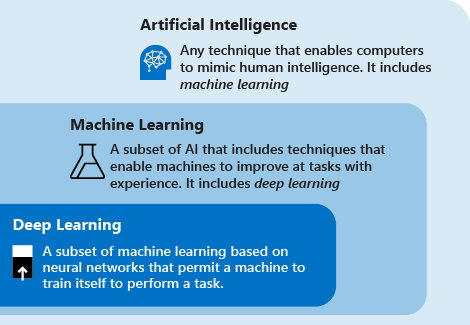
<p>A Large Language Model (LLM) is a neural network (typically Transformer-based) trained on large-scale data that works mainly by predicting the next element in a sequence. Although originally text-focused, many of these models are now multimodal and can understand and generate text, images, audio, and video, supporting uses from text generation to image and multimodal question-answering. <a href="#ibm-topics-llms">[1]</a> <a href="#fundamentals-generative-ai">[2]</a> <a href="#primer-llm-embedding">[3]</a></p>
</div>
<div class="paragraph">
<p>However, inherent limitations persist: models lack real-time information, cannot perform real-world actions, and their knowledge is fixed at training time.</p>
</div>
<div class="admonitionblock tip">
<table>
<tr>
<td class="icon">
<i class="fa icon-tip" title="Tip"></i>
</td>
<td class="content">
<div class="ulist">
<ul>
<li>
<p>Open-weight models (like LLaMA, Mistral, or Gemma) commonly use postfixes to signal how a shared base model was fine-tuned and what it is optimized for.</p>
<div class="ulist">
<ul>
<li>
<p>An <code>-instruct</code> postfix indicates a variant optimized for single-turn, structured outputs and reliable task-following, often with enhanced helpful/harmless behavior.</p>
</li>
<li>
<p>A <code>-chat</code> postfix indicates a dialogue-optimized variant intended for multi-turn conversations using a specific chat template.</p>
</li>
<li>
<p>A <code>-tools</code> postfix indicates a variant tuned to use external tools and to output structured <code>tool_calls</code>, a key capability for building agentic (ReAct-like) workflows.</p>
</li>
<li>
<p>A <code>-thinking</code> postfix indicates a variant optimized for complex, multi-step reasoning and is particularly well-suited for Chain-of-Thought (CoT) prompting techniques.</p>
</li>
</ul>
</div>
</li>
<li>
<p>In contrast, many managed API providers (like OpenAI, Anthropic, and Google) increasingly provide a single front-door model name (e.g., <code>gpt-4o</code>) and control its behavior through the API request&#8217;s structure and parameters.</p>
<div class="ulist">
<ul>
<li>
<p>Instruction-following is default with chat-structured APIs using system/user/assistant roles.</p>
</li>
<li>
<p>Tool use is enabled by declaring tool definitions in the API request for the model to choose between text responses or a tool call.</p>
</li>
<li>
<p>Enhanced reasoning is controlled by request-specific settings, product tiers, or internal routing, not by selecting a distinct <code>-thinking</code> model.</p>
</li>
</ul>
</div>
</li>
</ul>
</div>
</td>
</tr>
</table>
</div>
<div class="sect2">
<h3 id="transformer">1.1. Transformer</h3>
<div class="paragraph">
<p>A <code>transformer</code> is a neural network architecture composed of an <code>encoder</code> and a <code>decoder</code> that processes token sequences via attention and feed-forward layers to build contextual representations (i.e., embeddings) and predict the next token. <a href="#fundamentals-generative-ai">[2]</a></p>
</div>
<div class="listingblock">
<div class="content">
<pre class="rouge highlight"><code data-lang="mermaid">flowchart LR
    subgraph Input
        T[Token Sequence]
    end

    subgraph "Tokenizer"
        T --&gt; ID[Integer IDs]
    end

    subgraph "Embeddings"
        ID --&gt; E[Token Embeddings]
    end

    subgraph "Transformer"
        subgraph Encoder
            E --&gt; A1[Attention]
            A1 --&gt; FF1[Feed-Forward]
        end
        subgraph Decoder
            FF1 --&gt; A2[Attention]
            A2 --&gt; FF2[Feed-Forward]
        end
    end

    subgraph "Output"
        FF2 --&gt; C[Contextual Representations]
        C --&gt; P[Next Token Prediction]
    end

    subgraph "Context Window"
        CW["Max tokens (input + output + reasoning)&lt;br /&gt;Exceeded → truncate/drop"]
    end

    E -.-&gt; CW</code></pre>
</div>
</div>
<div class="ulist">
<ul>
<li>
<p>A <code>token</code> is a discrete unit produced by breaking a sequence (e.g. into words, subwords, punctuation, patches, frames), mapped to a unique integer identifier so the model operates over a fixed vocabulary.</p>
<div class="admonitionblock tip">
<table>
<tr>
<td class="icon">
<i class="fa icon-tip" title="Tip"></i>
</td>
<td class="content">
Use the <a href="https://platform.openai.com/tokenizer">tokenizer tool</a>, built with the tiktoken library, to see how many tokens are in a particular string of text. <a href="#openai-conversation-state">[4]</a>
</td>
</tr>
</table>
</div>
</li>
<li>
<p>A <code>context window</code> is the maximum number of tokens (input, output, and reasoning tokens) that an LLM can process in a single request, beyond which any content is truncated or dropped. <a href="#openai-conversation-state">[4]</a></p>
<div class="admonitionblock tip">
<table>
<tr>
<td class="icon">
<i class="fa icon-tip" title="Tip"></i>
</td>
<td class="content">
When the prompt exceeds the available context, the application must manage the input length—for example by truncating older messages, summarizing prior turns, or using a sliding window of recent tokens so the most relevant content remains visible.
</td>
</tr>
</table>
</div>
</li>
<li>
<p>An <code>embedding</code> is a vector representation of a token that encodes linguistic and semantic information from context, so that tokens used in similar contexts have similar vectors (e.g. measurable by cosine similarity). <a href="#primer-llm-embedding">[3]</a></p>
<div class="listingblock">
<div class="content">
<pre class="rouge highlight"><code data-lang="mermaid">flowchart TB
    subgraph "Token → Embedding Lookup"
        T1["token: 'cat'"] --&gt; E1["embedding: [0.2, 0.8, 0.1, …]"]
        T2["token: 'dog'"] --&gt; E2["embedding: [0.3, 0.7, 0.2, …]"]
        T3["token: 'xylophone'"] --&gt; E3["embedding: [-0.5, 0.1, -0.9, …]"]
    end

    subgraph "Similarity (e.g. cosine)"
        E1 &lt;-.-&gt;|"high similarity"| E2
        E1 -.-&gt;|"low similarity"| E3
        E2 -.-&gt;|"low similarity"| E3
    end

    N["Similar context → similar vectors"]
    E1 --&gt; N
    E2 --&gt; N</code></pre>
</div>
</div>
</li>
</ul>
</div>
</div>
<div class="sect2">
<h3 id="bert-and-gpt">1.2. BERT and GPT</h3>
<div class="ulist">
<ul>
<li>
<p><code>BERT</code> (Bidirectional Encoder Representations from Transformers) is an encoder-only model that uses bidirectional self-attention (each token attends to the full sequence) and is trained with masked language modeling for understanding tasks such as ranking and classification rather than generation. <a href="#bert-original">[5]</a></p>
<div class="admonitionblock tip">
<table>
<tr>
<td class="icon">
<i class="fa icon-tip" title="Tip"></i>
</td>
<td class="content">
<div class="paragraph">
<p>Google Search uses BERT-style models to interpret search queries and rank results.</p>
</div>
<div class="ulist">
<ul>
<li>
<p>Because BERT sees the full sequence at once, it captures nuance that keyword matching misses—for example, the difference between "medicine to someone" and "medicine for someone," or the intent behind long, natural queries like "do you need a prescription to get medicine at a pharmacy."</p>
</li>
<li>
<p>In retrieval pipelines, a bi-encoder (encoding query and passages separately, then comparing embeddings) often does a fast initial retrieval, and a cross-encoder (encoding query and passage together) re-ranks the top candidates for better relevance.</p>
</li>
</ul>
</div>
</td>
</tr>
</table>
</div>
</li>
<li>
<p><code>GPT</code> (Generative Pre-trained Transformer) is a decoder-only variant that uses causal (masked) self-attention (each token attends only to itself and previous tokens), trained for next-token prediction and suited for autoregressive text generation. <a href="#gpt-original">[6]</a></p>
<div class="admonitionblock tip">
<table>
<tr>
<td class="icon">
<i class="fa icon-tip" title="Tip"></i>
</td>
<td class="content">
The term GPT is also used as a product name for OpenAI’s GPT series (e.g. GPT-4o, GPT-5) that power ChatGPT.
</td>
</tr>
</table>
</div>
</li>
</ul>
</div>
</div>
<div class="sect2">
<h3 id="prompts-and-completions">1.3. Prompts and Completions</h3>
<div class="paragraph">
<p>LLMs are prompt–completion systems, with input as the <code>prompt</code> (instruction or conditioning) and output as a <code>completion</code> generated token-by-token. <a href="#fundamentals-generative-ai">[2]</a></p>
</div>
<div class="listingblock">
<div class="content">
<pre class="rouge highlight"><code data-lang="mermaid">flowchart LR
    I["Input&lt;br/&gt;Prompt / Messages"] --&gt; M["LLM Model"]
    M --&gt; O["Output&lt;br/&gt;Completion / Response"]</code></pre>
</div>
</div>
<div class="ulist">
<ul>
<li>
<p>A <code>message</code> is a single, discrete turn within a conversation, which is an object containing a <code>role</code> (who is speaking: <code>system</code>, <code>user</code>, <code>tool</code> or <code>assistant</code>) and <code>content</code> (what was said). <a href="#promptingguide">[7]</a> <a href="#completions-vs-responses">[8]</a></p>
<div class="ulist">
<ul>
<li>
<p>A <code>system</code> message, typically the first in a prompt, sets the AI&#8217;s overall behavior and persona by providing high-level instructions.</p>
<div class="listingblock">
<div class="content">
<pre class="rouge highlight"><code data-lang="json"><span class="p">{</span><span class="w"> </span><span class="nl">"role"</span><span class="p">:</span><span class="w"> </span><span class="s2">"system"</span><span class="p">,</span><span class="w"> </span><span class="nl">"content"</span><span class="p">:</span><span class="w"> </span><span class="s2">"You are a helpful assistant that provides concise answers."</span><span class="w"> </span><span class="p">}</span></code></pre>
</div>
</div>
</li>
<li>
<p>A <code>user</code> message conveys the input provided by the end-user or agentic application to elicit a response to a specific question or instruction.</p>
<div class="listingblock">
<div class="content">
<pre class="rouge highlight"><code data-lang="json"><span class="p">{</span><span class="w"> </span><span class="nl">"role"</span><span class="p">:</span><span class="w"> </span><span class="s2">"user"</span><span class="p">,</span><span class="w"> </span><span class="nl">"content"</span><span class="p">:</span><span class="w"> </span><span class="s2">"What is the capital of France?"</span><span class="w"> </span><span class="p">}</span></code></pre>
</div>
</div>
</li>
<li>
<p>An <code>assistant</code> message holds the model&#8217;s responses, which can be either a final answer or a request to use a tool.</p>
<div class="listingblock">
<div class="content">
<pre class="rouge highlight"><code data-lang="json"><span class="p">{</span><span class="w"> </span><span class="nl">"role"</span><span class="p">:</span><span class="w"> </span><span class="s2">"assistant"</span><span class="p">,</span><span class="w"> </span><span class="nl">"content"</span><span class="p">:</span><span class="w"> </span><span class="s2">"The capital of France is Paris."</span><span class="w"> </span><span class="p">}</span></code></pre>
</div>
</div>
</li>
<li>
<p>A <code>tool</code> message provides the output of a function call back to the model, allowing it to process the result of an external action.</p>
<div class="listingblock">
<div class="content">
<pre class="rouge highlight"><code data-lang="json"><span class="p">{</span><span class="w"> </span><span class="nl">"role"</span><span class="p">:</span><span class="w"> </span><span class="s2">"tool"</span><span class="p">,</span><span class="w"> </span><span class="nl">"content"</span><span class="p">:</span><span class="w"> </span><span class="s2">"{ </span><span class="se">\"</span><span class="s2">temperature</span><span class="se">\"</span><span class="s2">: </span><span class="se">\"</span><span class="s2">22</span><span class="se">\"</span><span class="s2">, </span><span class="se">\"</span><span class="s2">unit</span><span class="se">\"</span><span class="s2">: </span><span class="se">\"</span><span class="s2">celsius</span><span class="se">\"</span><span class="s2"> }"</span><span class="p">,</span><span class="w"> </span><span class="nl">"tool_call_id"</span><span class="p">:</span><span class="w"> </span><span class="s2">"call_abc123"</span><span class="w"> </span><span class="p">}</span><span class="s2">"</span></code></pre>
</div>
</div>
</li>
</ul>
</div>
</li>
<li>
<p>A <code>prompt</code>, representing the full message history processed by the model to generate a response, typically begins with an optional <code>system</code> message, followed by alternating <code>user</code> messages for user input and <code>assistant</code> messages for model responses, with <code>tool</code> messages providing function outputs after <code>assistant</code> tool calls.</p>
<div class="listingblock">
<div class="content">
<pre class="rouge highlight"><code data-lang="json"><span class="p">[</span><span class="w">
  </span><span class="p">{</span><span class="w">
    </span><span class="nl">"role"</span><span class="p">:</span><span class="w"> </span><span class="s2">"system"</span><span class="p">,</span><span class="w">
    </span><span class="nl">"content"</span><span class="p">:</span><span class="w"> </span><span class="s2">"You are a helpful assistant."</span><span class="w">
  </span><span class="p">},</span><span class="w">
  </span><span class="p">{</span><span class="w">
    </span><span class="nl">"role"</span><span class="p">:</span><span class="w"> </span><span class="s2">"user"</span><span class="p">,</span><span class="w">
    </span><span class="nl">"content"</span><span class="p">:</span><span class="w"> </span><span class="s2">"What's the weather in Boston?"</span><span class="w">
  </span><span class="p">},</span><span class="w">
  </span><span class="p">{</span><span class="w">
    </span><span class="nl">"role"</span><span class="p">:</span><span class="w"> </span><span class="s2">"assistant"</span><span class="p">,</span><span class="w">
    </span><span class="nl">"content"</span><span class="p">:</span><span class="w"> </span><span class="kc">null</span><span class="p">,</span><span class="w">
    </span><span class="nl">"tool_calls"</span><span class="p">:</span><span class="w"> </span><span class="p">[{</span><span class="w">
      </span><span class="nl">"function"</span><span class="p">:</span><span class="w"> </span><span class="p">{</span><span class="w">
        </span><span class="nl">"name"</span><span class="p">:</span><span class="w"> </span><span class="s2">"get_current_weather"</span><span class="p">,</span><span class="w">
        </span><span class="nl">"arguments"</span><span class="p">:</span><span class="w"> </span><span class="s2">"{ </span><span class="se">\"</span><span class="s2">location</span><span class="se">\"</span><span class="s2">: </span><span class="se">\"</span><span class="s2">Boston, MA</span><span class="se">\"</span><span class="s2"> }"</span><span class="w">
      </span><span class="p">}</span><span class="w">
    </span><span class="p">}]</span><span class="w">
  </span><span class="p">},</span><span class="w">
  </span><span class="p">{</span><span class="w">
    </span><span class="nl">"role"</span><span class="p">:</span><span class="w"> </span><span class="s2">"tool"</span><span class="p">,</span><span class="w">
    </span><span class="nl">"content"</span><span class="p">:</span><span class="w"> </span><span class="s2">"{ </span><span class="se">\"</span><span class="s2">temperature</span><span class="se">\"</span><span class="s2">: </span><span class="se">\"</span><span class="s2">22</span><span class="se">\"</span><span class="s2">, </span><span class="se">\"</span><span class="s2">unit</span><span class="se">\"</span><span class="s2">: </span><span class="se">\"</span><span class="s2">celsius</span><span class="se">\"</span><span class="s2"> }"</span><span class="p">,</span><span class="w">
    </span><span class="nl">"tool_call_id"</span><span class="p">:</span><span class="w"> </span><span class="s2">"call_abc123"</span><span class="w">
  </span><span class="p">}</span><span class="w">
</span><span class="p">]</span></code></pre>
</div>
</div>
</li>
</ul>
</div>
</div>
<div class="sect2">
<h3 id="rag">1.4. RAG</h3>
<div class="paragraph">
<p>Retrieval-Augmented Generation (<strong>RAG</strong>) is a powerful technique that addresses LLMs' frozen and limited knowledge by providing relevant, untrained context for each prompt.</p>
</div>
<div class="listingblock">
<div class="content">
<pre class="rouge highlight"><code data-lang="mermaid">flowchart LR
    U[User Question] --&gt; QE[Query Embedding]
    QE --&gt; VS[(Vector Store)]
    KB[Knowledge Base Documents] --&gt; CH[Chunk + Embed]
    CH --&gt; VS
    VS --&gt; RC[Retrieve Top-K Chunks]
    RC --&gt; AP[Augmented Prompt]
    U --&gt; AP
    AP --&gt; LLM[LLM]
    LLM --&gt; A[Grounded Answer]</code></pre>
</div>
</div>
<div class="ulist">
<ul>
<li>
<p>A knowledge base is broken into chunks, converted into numerical <code>embeddings</code> by a specialized model, and stored in a <code>vector database</code>.</p>
</li>
<li>
<p>A user&#8217;s question is converted into an embedding to retrieve the relevant document chunks from the vector database that are then placed into the prompt with the original question to augment the generation of the model.</p>
</li>
</ul>
</div>
</div>
<div class="sect2">
<h3 id="tool-calling">1.5. Tool Calling</h3>
<div class="paragraph">
<p>Tool calling is a powerful mechanism that allows developers to enable an LLM to interact with external systems and overcome its inherent limitations.</p>
</div>
<div class="admonitionblock tip">
<table>
<tr>
<td class="icon">
<i class="fa icon-tip" title="Tip"></i>
</td>
<td class="content">
While the terms are often used interchangeably, it&#8217;s helpful to think of a <code>tool</code> as the general capability given to the model, and a <code>function</code> as the specific code implementation of that tool.
</td>
</tr>
</table>
</div>
<div class="paragraph">
<p>A tool calling is a process where the model, after receiving a user&#8217;s message and a list of available tools from the application, responds with a <code>tool_calls</code> object that instructs the application to execute a specific function, and gives the call result back to the model to generate the final response. <a href="#function-calling">[9]</a></p>
</div>
<div class="listingblock">
<div class="content">
<pre class="rouge highlight"><code data-lang="mermaid">sequenceDiagram
    actor User
    participant App as Application
    participant LLM as Model
    participant Tool as Weather Tool

    User-&gt;&gt;App: Ask question
    App-&gt;&gt;LLM: Messages + tool definitions
    LLM--&gt;&gt;App: tool_calls(get_current_weather)
    App-&gt;&gt;Tool: Execute function call
    Tool--&gt;&gt;App: Return tool result
    App-&gt;&gt;LLM: Append tool message
    LLM--&gt;&gt;App: Final answer
    App--&gt;&gt;User: Response</code></pre>
</div>
</div>
<div class="olist arabic">
<ol class="arabic">
<li>
<p>The application sends the user&#8217;s message and a list of available tools to the model.</p>
<div class="listingblock">
<div class="content">
<pre class="rouge highlight"><code data-lang="bash"><span class="o">{</span>
  <span class="s2">"model"</span>: <span class="s2">"llama3.2:1b"</span>,
  <span class="s2">"messages"</span>: <span class="o">[</span>
    <span class="o">{</span> <span class="s2">"role"</span>: <span class="s2">"user"</span>, <span class="s2">"content"</span>: <span class="s2">"What is the weather like in Boston?"</span> <span class="o">}</span>
  <span class="o">]</span>,
  <span class="s2">"tools"</span>: <span class="o">[</span>
    <span class="o">{</span>
      <span class="s2">"type"</span>: <span class="s2">"function"</span>,
      <span class="s2">"function"</span>: <span class="o">{</span>
        <span class="s2">"name"</span>: <span class="s2">"get_current_weather"</span>,
        <span class="s2">"description"</span>: <span class="s2">"Get the current weather in a given location"</span>,
        <span class="s2">"parameters"</span>: <span class="o">{</span>
          <span class="s2">"type"</span>: <span class="s2">"object"</span>,
          <span class="s2">"properties"</span>: <span class="o">{</span>
            <span class="s2">"location"</span>: <span class="o">{</span>
              <span class="s2">"type"</span>: <span class="s2">"string"</span>,
              <span class="s2">"description"</span>: <span class="s2">"The city and state, e.g. San Francisco, CA"</span>
            <span class="o">}</span>,
            <span class="s2">"unit"</span>: <span class="o">{</span>
              <span class="s2">"type"</span>: <span class="s2">"string"</span>,
              <span class="s2">"enum"</span>: <span class="o">[</span><span class="s2">"celsius"</span>, <span class="s2">"fahrenheit"</span><span class="o">]</span>
            <span class="o">}</span>
          <span class="o">}</span>,
          <span class="s2">"required"</span>: <span class="o">[</span><span class="s2">"location"</span><span class="o">]</span>
        <span class="o">}</span>
      <span class="o">}</span>
    <span class="o">}</span>
  <span class="o">]</span>,
  <span class="s2">"stream"</span>: <span class="nb">false</span>
<span class="o">}</span></code></pre>
</div>
</div>
<div class="ulist">
<ul>
<li>
<p>The model responds with a <code>tool_calls</code> object, instead of a text answer.</p>
<div class="listingblock">
<div class="content">
<pre class="rouge highlight"><code data-lang="jsonc"><span class="p">{</span><span class="w">
  </span><span class="c1">// ...</span><span class="w">
  </span><span class="nl">"message"</span><span class="p">:</span><span class="w"> </span><span class="p">{</span><span class="w">
    </span><span class="nl">"role"</span><span class="p">:</span><span class="w"> </span><span class="s2">"assistant"</span><span class="p">,</span><span class="w">
    </span><span class="nl">"content"</span><span class="p">:</span><span class="w"> </span><span class="s2">""</span><span class="p">,</span><span class="w">
    </span><span class="nl">"tool_calls"</span><span class="p">:</span><span class="w"> </span><span class="p">[</span><span class="w">
      </span><span class="p">{</span><span class="w">
        </span><span class="nl">"function"</span><span class="p">:</span><span class="w"> </span><span class="p">{</span><span class="w">
          </span><span class="nl">"name"</span><span class="p">:</span><span class="w"> </span><span class="s2">"get_current_weather"</span><span class="p">,</span><span class="w">
          </span><span class="nl">"arguments"</span><span class="p">:</span><span class="w"> </span><span class="p">{</span><span class="w"> </span><span class="nl">"location"</span><span class="p">:</span><span class="w"> </span><span class="s2">"Boston, MA"</span><span class="w"> </span><span class="p">}</span><span class="w">
        </span><span class="p">}</span><span class="w">
      </span><span class="p">}</span><span class="w">
    </span><span class="p">]</span><span class="w">
  </span><span class="p">},</span><span class="w">
  </span><span class="c1">// ...</span><span class="w">
</span><span class="p">}</span></code></pre>
</div>
</div>
</li>
<li>
<p>The application executes the requested function (e.g., <code>get_current_weather</code>), obtains the result (e.g., <code>{"temperature": "22", "unit": "celsius"}</code>), and sends it back to the model in a <code>tool</code> message.</p>
<div class="listingblock">
<div class="content">
<pre class="rouge highlight"><code data-lang="json"><span class="p">{</span><span class="w">
  </span><span class="nl">"role"</span><span class="p">:</span><span class="w"> </span><span class="s2">"tool"</span><span class="p">,</span><span class="w">
  </span><span class="nl">"content"</span><span class="p">:</span><span class="w"> </span><span class="s2">"{ </span><span class="se">\"</span><span class="s2">temperature</span><span class="se">\"</span><span class="s2">: </span><span class="se">\"</span><span class="s2">22</span><span class="se">\"</span><span class="s2">, </span><span class="se">\"</span><span class="s2">unit</span><span class="se">\"</span><span class="s2">: </span><span class="se">\"</span><span class="s2">celsius</span><span class="se">\"</span><span class="s2"> }"</span><span class="p">,</span><span class="w">
  </span><span class="nl">"tool_call_id"</span><span class="p">:</span><span class="w"> </span><span class="s2">"call_abc123"</span><span class="w">
</span><span class="p">}</span></code></pre>
</div>
</div>
</li>
<li>
<p>With the tool&#8217;s result in context, the model then generates the final, user-facing answer.</p>
<div class="listingblock">
<div class="content">
<pre class="rouge highlight"><code data-lang="json"><span class="p">{</span><span class="w">
  </span><span class="nl">"role"</span><span class="p">:</span><span class="w"> </span><span class="s2">"assistant"</span><span class="p">,</span><span class="w">
  </span><span class="nl">"content"</span><span class="p">:</span><span class="w"> </span><span class="s2">"The current weather in Boston is 22 degrees Celsius."</span><span class="w">
</span><span class="p">}</span></code></pre>
</div>
</div>
</li>
</ul>
</div>
</li>
</ol>
</div>
</div>
<div class="sect2">
<h3 id="thinking-and-reasoning">1.6. Thinking and Reasoning</h3>
<div class="ulist">
<ul>
<li>
<p>Chain of Thought (CoT) is a prompting and reasoning technique that asks a model to show its step-by-step reasoning before giving a final answer.</p>
<div class="ulist">
<ul>
<li>
<p>It can be triggered by explicit instructions (e.g., “Let’s think step by step,” “Solve step by step”) or by including worked examples in the prompt.</p>
</li>
<li>
<p>By making the reasoning visible, CoT improves performance on multi-step math, logic, and planning tasks, and is a widely used prompt-engineering method for boosting reasoning quality in standard LLMs.</p>
</li>
</ul>
</div>
</li>
<li>
<p>Built-in reasoning is a native capability of advanced models (e.g., OpenAI o-series, Claude) trained with reinforcement learning to produce long internal chains of thought before responding, to autonomously plan multi-step strategies, evaluate task complexity, and determine optimal tool sequences for agentic workflows, moving beyond the mere syntactic pattern-matching typical of simple tool-use models. <a href="#openai-docs-reasoning">[10]</a> <a href="#ibm-topic-reasoning-model">[11]</a></p>
<div class="listingblock">
<div class="content">
<pre class="rouge highlight"><code data-lang="json"><span class="p">{</span><span class="w">
  </span><span class="nl">"model"</span><span class="p">:</span><span class="w"> </span><span class="s2">"qwen3.5:2b"</span><span class="p">,</span><span class="w">
  </span><span class="nl">"messages"</span><span class="p">:</span><span class="w"> </span><span class="p">[</span><span class="w">
    </span><span class="p">{</span><span class="w"> </span><span class="nl">"role"</span><span class="p">:</span><span class="w"> </span><span class="s2">"user"</span><span class="p">,</span><span class="w"> </span><span class="nl">"content"</span><span class="p">:</span><span class="w"> </span><span class="s2">"What is the weather like in Boston?"</span><span class="w"> </span><span class="p">}</span><span class="w">
  </span><span class="p">],</span><span class="w">
  </span><span class="nl">"tools"</span><span class="p">:</span><span class="w"> </span><span class="p">[</span><span class="w">
    </span><span class="p">{</span><span class="w">
      </span><span class="nl">"type"</span><span class="p">:</span><span class="w"> </span><span class="s2">"function"</span><span class="p">,</span><span class="w">
      </span><span class="nl">"function"</span><span class="p">:</span><span class="w"> </span><span class="p">{</span><span class="w">
        </span><span class="nl">"name"</span><span class="p">:</span><span class="w"> </span><span class="s2">"get_current_weather"</span><span class="p">,</span><span class="w">
        </span><span class="nl">"description"</span><span class="p">:</span><span class="w"> </span><span class="s2">"Get the current weather in a given location"</span><span class="p">,</span><span class="w">
        </span><span class="nl">"parameters"</span><span class="p">:</span><span class="w"> </span><span class="p">{</span><span class="w">
          </span><span class="nl">"type"</span><span class="p">:</span><span class="w"> </span><span class="s2">"object"</span><span class="p">,</span><span class="w">
          </span><span class="nl">"properties"</span><span class="p">:</span><span class="w"> </span><span class="p">{</span><span class="w"> </span><span class="nl">"location"</span><span class="p">:</span><span class="w"> </span><span class="p">{</span><span class="w"> </span><span class="nl">"type"</span><span class="p">:</span><span class="w"> </span><span class="s2">"string"</span><span class="w"> </span><span class="p">}</span><span class="w"> </span><span class="p">}</span><span class="w">
        </span><span class="p">}</span><span class="w">
      </span><span class="p">}</span><span class="w">
    </span><span class="p">}</span><span class="w">
  </span><span class="p">],</span><span class="w">
  </span><span class="nl">"stream"</span><span class="p">:</span><span class="w"> </span><span class="kc">false</span><span class="w">
</span><span class="p">}</span></code></pre>
</div>
</div>
<div class="listingblock">
<div class="content">
<pre class="rouge highlight"><code data-lang="jsonc"><span class="p">{</span><span class="w">
  </span><span class="c1">// ...</span><span class="w">
  </span><span class="nl">"message"</span><span class="p">:</span><span class="w"> </span><span class="p">{</span><span class="w">
    </span><span class="nl">"role"</span><span class="p">:</span><span class="w"> </span><span class="s2">"assistant"</span><span class="p">,</span><span class="w">
    </span><span class="nl">"content"</span><span class="p">:</span><span class="w"> </span><span class="s2">""</span><span class="p">,</span><span class="w">
    </span><span class="nl">"reasoning"</span><span class="p">:</span><span class="w"> </span><span class="s2">"The user is asking about the weather in Boston. I have access to a get_current_weather ..."</span><span class="p">,</span><span class="w">
    </span><span class="nl">"tool_calls"</span><span class="p">:</span><span class="w"> </span><span class="p">[</span><span class="w">
      </span><span class="p">{</span><span class="w">
        </span><span class="nl">"function"</span><span class="p">:</span><span class="w"> </span><span class="p">{</span><span class="w">
          </span><span class="nl">"name"</span><span class="p">:</span><span class="w"> </span><span class="s2">"get_current_weather"</span><span class="p">,</span><span class="w">
          </span><span class="nl">"arguments"</span><span class="p">:</span><span class="w"> </span><span class="p">{</span><span class="w"> </span><span class="nl">"location"</span><span class="p">:</span><span class="w"> </span><span class="s2">"Boston, MA"</span><span class="w"> </span><span class="p">}</span><span class="w">
        </span><span class="p">}</span><span class="w">
      </span><span class="p">}</span><span class="w">
    </span><span class="p">]</span><span class="w">
  </span><span class="p">},</span><span class="w">
  </span><span class="c1">// ...</span><span class="w">
</span><span class="p">}</span></code></pre>
</div>
</div>
</li>
</ul>
</div>
</div>
<div class="sect2">
<h3 id="react">1.7. ReAct</h3>
<div class="paragraph">
<p>ReAct (Reason and Act) is a technique that uses a system message to guide a model through an iterative Thought-Action-Observation loop to solve multi-step problems and derive a final answer.</p>
</div>
<div class="listingblock">
<div class="content">
<pre class="rouge highlight"><code data-lang="mermaid">flowchart LR
    U[User Goal] --&gt; T[Thought&lt;br/&gt;Reason and plan]
    T --&gt; A[Action&lt;br/&gt;Tool call]
    A --&gt; O[Observation&lt;br/&gt;Tool result]
    O --&gt; D{Solved?}
    D -- No --&gt; T
    D -- Yes --&gt; F[Final Answer]</code></pre>
</div>
</div>
<div class="olist arabic">
<ol class="arabic">
<li>
<p>Thought: The model first thinks out loud by generating text that outlines its reasoning, analyzes the problem, and forms a plan.</p>
</li>
<li>
<p>Action: Based on its thought process, the model outputs a structured request to use a specific tool (e.g., a <code>tool_calls</code> object).</p>
</li>
<li>
<p>Observation: The application executes the requested tool, and the result of that tool (the observation) is fed back into the prompt for the next cycle.</p>
<div class="listingblock">
<div class="content">
<pre class="rouge highlight"><code data-lang="json"><span class="p">{</span><span class="w">
  </span><span class="nl">"model"</span><span class="p">:</span><span class="w"> </span><span class="s2">"phi4-mini:3.8b"</span><span class="p">,</span><span class="w">
  </span><span class="nl">"messages"</span><span class="p">:</span><span class="w"> </span><span class="p">[</span><span class="w">
    </span><span class="p">{</span><span class="w">
      </span><span class="nl">"role"</span><span class="p">:</span><span class="w"> </span><span class="s2">"system"</span><span class="p">,</span><span class="w">
      </span><span class="nl">"content"</span><span class="p">:</span><span class="w"> </span><span class="s2">"You are a helpful assistant that can use tools. To solve problems, you must reason about a plan and then take an action.
When you need to use a tool, respond *only* with the following format:

Thought:
Your reasoning and plan for the next step.

Action:
A single tool call in a JSON object."</span><span class="w">
    </span><span class="p">},</span><span class="w">
    </span><span class="p">{</span><span class="w">
      </span><span class="nl">"role"</span><span class="p">:</span><span class="w"> </span><span class="s2">"user"</span><span class="p">,</span><span class="w">
      </span><span class="nl">"content"</span><span class="p">:</span><span class="w"> </span><span class="s2">"What is the weather like in Boston?"</span><span class="w">
    </span><span class="p">}</span><span class="w">
  </span><span class="p">],</span><span class="w">
  </span><span class="nl">"tools"</span><span class="p">:</span><span class="w"> </span><span class="p">[</span><span class="w">
    </span><span class="p">{</span><span class="w">
      </span><span class="nl">"type"</span><span class="p">:</span><span class="w"> </span><span class="s2">"function"</span><span class="p">,</span><span class="w">
      </span><span class="nl">"function"</span><span class="p">:</span><span class="w"> </span><span class="p">{</span><span class="w">
        </span><span class="nl">"name"</span><span class="p">:</span><span class="w"> </span><span class="s2">"get_current_weather"</span><span class="p">,</span><span class="w">
        </span><span class="nl">"description"</span><span class="p">:</span><span class="w"> </span><span class="s2">"Get the current weather in a given location"</span><span class="p">,</span><span class="w">
        </span><span class="nl">"parameters"</span><span class="p">:</span><span class="w"> </span><span class="p">{</span><span class="w">
          </span><span class="nl">"type"</span><span class="p">:</span><span class="w"> </span><span class="s2">"object"</span><span class="p">,</span><span class="w">
          </span><span class="nl">"properties"</span><span class="p">:</span><span class="w"> </span><span class="p">{</span><span class="w">
            </span><span class="nl">"location"</span><span class="p">:</span><span class="w"> </span><span class="p">{</span><span class="w">
              </span><span class="nl">"type"</span><span class="p">:</span><span class="w"> </span><span class="s2">"string"</span><span class="p">,</span><span class="w">
              </span><span class="nl">"description"</span><span class="p">:</span><span class="w"> </span><span class="s2">"The city and state, e.g. San Francisco, CA"</span><span class="w">
            </span><span class="p">}</span><span class="w">
          </span><span class="p">}</span><span class="w">
        </span><span class="p">}</span><span class="w">
      </span><span class="p">}</span><span class="w">
    </span><span class="p">}</span><span class="w">
  </span><span class="p">],</span><span class="w">
  </span><span class="nl">"stream"</span><span class="p">:</span><span class="w"> </span><span class="kc">false</span><span class="w">
</span><span class="p">}</span></code></pre>
</div>
</div>
<div class="listingblock">
<div class="content">
<pre class="rouge highlight"><code data-lang="text">Thought:
To provide an accurate answer to this question, I need current weather information for a specific location—in this case, Boston.

Action:
```json
{
  "type": "function",
  "function": {
    "name": "get_current_weather",
    ...
  }
}
```</code></pre>
</div>
</div>
</li>
</ol>
</div>
</div>
</div>
</div>
<div class="sect1">
<h2 id="agents">2. Agents</h2>
<div class="sectionbody">
<div class="paragraph">
<p>An agent is a composite of an LLM, tools, and an orchestration loop (e.g. ReAct), forming an autonomous system that perceives environments, makes decisions, plans and executes actions to achieve complex goals, and shifts from passive content generation to active problem-solving.</p>
</div>
<hr>
<div class="ulist">
<ul>
<li>
<p><a href="https://opencode.ai/">OpenCode</a> is an open-source, provider-agnostic, terminal-first agent (TUI) that autonomously plans, implements, and refactors code across over 75 AI models.</p>
</li>
<li>
<p><a href="https://claude.com/product/claude-code">Claude Code</a> is Anthropic’s coding agent that assists with writing, editing, and debugging code, navigating codebases, and running commands in an integrated development workflow.</p>
</li>
<li>
<p><a href="https://cursor.com/docs">Cursor</a> is an AI-native developer platform with an <code>Agent Mode</code> (GUI/CLI accessible) for planning multi-file refactors, running terminal tests, and handing off tasks to background cloud agents.</p>
</li>
<li>
<p><a href="https://github.com/features/copilot">GitHub Copilot</a> is an ecosystem-integrated agent platform to automate the entire issue-to-PR lifecycle using a specialized Squad of Agents (Plan, Code, Repair, Review) for development tasks within GitHub, VS Code, and Visual Studio.</p>
</li>
<li>
<p><a href="https://developers.openai.com/codex/">Codex</a> is OpenAI’s coding agent that reads, edits, and runs code to speed up development, fix bugs, and navigate codebases, with Codex Cloud running those tasks in the background in parallel in a dedicated cloud environment.</p>
</li>
<li>
<p><a href="https://geminicli.com/">Gemini CLI</a> is an open-source, terminal-native agent providing direct command-line access to Gemini AI for code generation, automation, grounding with Google Search, and <a href="https://modelcontextprotocol.io/">MCP</a> extensions.</p>
</li>
</ul>
</div>
<hr>
<div class="ulist">
<ul>
<li>
<p><a href="https://openwork.software/">OpenWork</a> is an open-source, provider-agnostic agent for work and productivity that automates administrative tasks, manages workflows, and coordinates across tools and sub-agents.</p>
</li>
<li>
<p><a href="https://code.claude.com/docs/en/desktop">Claude Desktop</a> is an AI application featuring <code>Cowork</code>, an autonomous agentic mode for administrative productivity that manages local files, organizes directories, and coordinates sub-agents to process complex document workflows.</p>
</li>
<li>
<p><a href="https://chatgpt.com/">ChatGPT</a> is an AI application featuring <a href="https://openai.com/index/introducing-operator/"><code>Operator</code></a>, an autonomous agentic mode that performs web-based tasks such as booking travel and completing online forms.</p>
</li>
<li>
<p><a href="https://learn.microsoft.com/en-us/copilot/microsoft-365/">Microsoft 365 Copilot</a> is an enterprise productivity agent that orchestrates work across the Office suite, using agentic skills to manage inboxes, synthesize meeting data, and automate corporate workflows.</p>
</li>
</ul>
</div>
<div class="sect2">
<h3 id="memory">2.1. Memory</h3>
<div class="paragraph">
<p><code>Memory</code> is the mechanism an agent uses to store and retrieve information across turns and sessions, keeping state beyond what fits in a single prompt or context window, and its management—including truncation or summarization—is the application&#8217;s responsibility. <a href="#langchain-memory">[12]</a></p>
</div>
<div class="listingblock">
<div class="content">
<pre class="rouge highlight"><code data-lang="mermaid">flowchart LR
    U[User Message] --&gt; ST[Short-term Memory&lt;br/&gt;Session History]
    ST --&gt; P[Prompt Assembly]
    P --&gt; LLM[LLM]
    LLM --&gt; R[Response]
    R --&gt; ST

    LT[(Long-term Memory&lt;br/&gt;Vector Store / DB)]
    ST --&gt;|Summaries / facts| LT
    LT --&gt;|Relevant retrieval| P</code></pre>
</div>
</div>
<div class="ulist">
<ul>
<li>
<p>Short-term memory is the current conversation session’s message history, passed as the prompt to the model and dropped when the session ends unless the application persists it.</p>
</li>
<li>
<p>Long-term memory is persistent storage (e.g. vector store, database) that the agent reads from and writes to across sessions for facts, summaries of past conversations, or user preferences, often via RAG-style retrieval or explicit updates by the agent.</p>
</li>
</ul>
</div>
</div>
<div class="sect2">
<h3 id="mcp-model-context-protocol">2.2. MCP (Model Context Protocol)</h3>
<div class="paragraph">
<p>The <a href="https://modelcontextprotocol.io/">Model Context Protocol (MCP)</a> is an open-source standard, like a USB-C port for devices, for connecting AI applications to external systems, operating on a client-server architecture in which hosts coordinate clients that connect to servers to provide context. <a href="#mcp">[13]</a></p>
</div>
<div class="listingblock">
<div class="content">
<pre class="rouge highlight"><code data-lang="mermaid">flowchart LR
    subgraph Host["MCP Host (IDE / CLI / App)"]
        User[User]
        Agent[LLM Agent]
        Client[MCP Client]
        User --&gt; Agent
        Agent &lt;--&gt; Client
    end

    Client &lt;--&gt; Server[MCP Server]

    subgraph External["External Systems"]
        Tool["Tools (actions)"]
        Resource["Resources (data)"]
        Prompt["Prompts (templates)"]
    end

    Server --&gt; Tool
    Server --&gt; Resource
    Server --&gt; Prompt</code></pre>
</div>
</div>
<div class="ulist">
<ul>
<li>
<p>MCP servers are programs that expose specific capabilities to AI applications through standardized protocol interfaces, through three building blocks tools, resources, and prompts.</p>
<div class="admonitionblock tip">
<table>
<tr>
<td class="icon">
<i class="fa icon-tip" title="Tip"></i>
</td>
<td class="content">
<div class="paragraph">
<p>An MCP Server is the program that serves context data, which can execute either locally (e.g., Claude Desktop&#8217;s filesystem server using <code>STDIO</code> for a single client) or remotely (e.g., Sentry&#8217;s server using <code>Streamable HTTP</code> for many clients).</p>
</div>
<div class="paragraph">
<p>A <a href="https://www.jsonrpc.org/">JSON-RPC 2.0</a> protocol is used for the data layer to define the actual communication and its core primitives, including <code>tools</code> (executable actions), <code>resources</code> (data sources), <code>prompts</code> (reusable prompt templates), and <code>notifications</code> (for real-time updates).</p>
</div>
</td>
</tr>
</table>
</div>
<div class="ulist">
<ul>
<li>
<p><code>Tools</code> are functions that the model actively decides to call to perform actions like searching for flights or sending messages, giving it direct control over when and how it interacts with the outside world.</p>
</li>
<li>
<p><code>Resources</code> are passive, read-only data sources, such as files or knowledge bases, that the application makes available to provide the model with contextual understanding, like retrieving a document.</p>
</li>
<li>
<p><code>Prompts</code> are pre-built, reusable instruction templates defined by the application to guide the model on how to use specific tools and resources to accomplish a complex task, such as planning a vacation.</p>
</li>
</ul>
</div>
</li>
<li>
<p>MCP clients are components instantiated by host applications to communicate with a dedicated MCP server (one client per server), using context provided by that server and exposing capabilities to the host to enable richer interactions.</p>
<div class="ulist">
<ul>
<li>
<p><code>Elicitation</code> provides a structured way for a server to request specific user information on demand like asking for travel preferences to finalize a booking.</p>
</li>
<li>
<p><code>Roots</code> securely communicate the client&#8217;s intended scope by defining which directories a server can access like a travel server reading a user&#8217;s calendar.</p>
</li>
<li>
<p><code>Sampling</code> keeps the client in complete control of permissions by allowing a server to request an LLM completion for agentic workflows like picking the best flight from a list.</p>
</li>
</ul>
</div>
</li>
<li>
<p>MCP hosts (e.g. an IDE, a CLI, or a desktop app) are applications that instantiate and coordinate MCP clients with server connections defined in config files (global or project-local) in host-specific formats (e.g. JSON for Gemini and Cursor, TOML for Codex).</p>
<div class="admonitionblock tip">
<table>
<tr>
<td class="icon">
<i class="fa icon-tip" title="Tip"></i>
</td>
<td class="content">
<div class="paragraph">
<p>When searching for MCP servers, consider the following:</p>
</div>
<div class="ulist">
<ul>
<li>
<p><a href="https://github.com/modelcontextprotocol/servers" class="bare">https://github.com/modelcontextprotocol/servers</a> is an official GitHub repository for discovering various MCP servers and their implementations.</p>
</li>
<li>
<p><a href="https://mcpservers.org/" class="bare">https://mcpservers.org/</a> is a community registry that lists diverse available MCP server implementations.</p>
</li>
<li>
<p><a href="https://smithery.ai/" class="bare">https://smithery.ai/</a> is a platform for developing, managing, and distributing MCP servers, offering built-in infrastructure and hosting capabilities, which differentiates it from a simple registry.</p>
</li>
</ul>
</div>
</td>
</tr>
</table>
</div>
<div class="ulist">
<ul>
<li>
<p><a href="https://geminicli.com/docs/tools/mcp-server/">Gemini CLI configures MCP servers</a> under <code>mcpServers</code> in <code>~/.gemini/settings.json</code> (global) or <code>.gemini/settings.json</code> (per-project).</p>
<div class="listingblock">
<div class="content">
<pre class="rouge highlight"><code data-lang="json"><span class="p">{</span><span class="w">
  </span><span class="nl">"mcpServers"</span><span class="p">:</span><span class="w"> </span><span class="p">{</span><span class="w"> <i class="conum" data-value="1"></i><b>(1)</b>
    </span><span class="nl">"serverName"</span><span class="p">:</span><span class="w"> </span><span class="p">{</span><span class="w"> <i class="conum" data-value="2"></i><b>(2)</b>
      </span><span class="nl">"command"</span><span class="p">:</span><span class="w"> </span><span class="s2">"path/to/server"</span><span class="p">,</span><span class="w"> <i class="conum" data-value="3"></i><b>(3)</b>
      </span><span class="nl">"args"</span><span class="p">:</span><span class="w"> </span><span class="p">[</span><span class="s2">"--arg1"</span><span class="p">,</span><span class="w"> </span><span class="s2">"value1"</span><span class="p">],</span><span class="w"> <i class="conum" data-value="4"></i><b>(4)</b>
      </span><span class="nl">"env"</span><span class="p">:</span><span class="w"> </span><span class="p">{</span><span class="w"> <i class="conum" data-value="5"></i><b>(5)</b>
        </span><span class="nl">"API_KEY"</span><span class="p">:</span><span class="w"> </span><span class="s2">"$MY_API_TOKEN"</span><span class="w">
      </span><span class="p">},</span><span class="w">
      </span><span class="nl">"cwd"</span><span class="p">:</span><span class="w"> </span><span class="s2">"./server-directory"</span><span class="p">,</span><span class="w"> <i class="conum" data-value="6"></i><b>(6)</b>
      </span><span class="nl">"timeout"</span><span class="p">:</span><span class="w"> </span><span class="mi">30000</span><span class="p">,</span><span class="w"> <i class="conum" data-value="7"></i><b>(7)</b>
      </span><span class="nl">"trust"</span><span class="p">:</span><span class="w"> </span><span class="kc">false</span><span class="w"> <i class="conum" data-value="8"></i><b>(8)</b>
    </span><span class="p">}</span><span class="w">
  </span><span class="p">}</span><span class="w">
</span><span class="p">}</span></code></pre>
</div>
</div>
<div class="openblock">
<div class="content">
<div class="colist arabic">
<table>
<tr>
<td><i class="conum" data-value="1"></i><b>1</b></td>
<td>The <code>mcpServers</code> object defines the set of MCP servers to discover and connect to, keyed by server name.</td>
</tr>
<tr>
<td><i class="conum" data-value="2"></i><b>2</b></td>
<td>The <code>serverName</code> object provides one server’s configuration and its key is used for status display and tool-name prefixing on conflicts.</td>
</tr>
<tr>
<td><i class="conum" data-value="3"></i><b>3</b></td>
<td>One transport is selected by providing <code>command</code> (local stdio), <code>url</code> (SSE), or <code>httpUrl</code> (streamable HTTP).</td>
</tr>
<tr>
<td><i class="conum" data-value="4"></i><b>4</b></td>
<td>The <code>args</code> array is used with <code>command</code> and provides argv parameters for the local stdio process.</td>
</tr>
<tr>
<td><i class="conum" data-value="5"></i><b>5</b></td>
<td>The <code>env</code> object is used with <code>command</code> and provides environment variables for the local stdio process, supporting <code>$VAR</code> and <code>${VAR}</code> expansion.</td>
</tr>
<tr>
<td><i class="conum" data-value="6"></i><b>6</b></td>
<td>The <code>cwd</code> value is used with <code>command</code> and sets the working directory for starting the local stdio process.</td>
</tr>
<tr>
<td><i class="conum" data-value="7"></i><b>7</b></td>
<td>The <code>timeout</code> value sets the request timeout in milliseconds with a documented default of 600000ms when omitted.</td>
</tr>
<tr>
<td><i class="conum" data-value="8"></i><b>8</b></td>
<td>The <code>trust</code> flag controls confirmation behavior, where <code>true</code> bypasses tool-call confirmations and <code>false</code> preserves them.</td>
</tr>
</table>
</div>
</div>
</div>
<div class="listingblock">
<div class="content">
<pre class="rouge highlight"><code data-lang="json"><span class="p">{</span><span class="w">
  </span><span class="nl">"mcpServers"</span><span class="p">:</span><span class="w"> </span><span class="p">{</span><span class="w">
    </span><span class="nl">"sqlite"</span><span class="p">:</span><span class="w"> </span><span class="p">{</span><span class="w">
        </span><span class="nl">"command"</span><span class="p">:</span><span class="w"> </span><span class="s2">"uvx"</span><span class="p">,</span><span class="w">
        </span><span class="nl">"args"</span><span class="p">:</span><span class="w"> </span><span class="p">[</span><span class="s2">"mcp-server-sqlite"</span><span class="p">,</span><span class="w"> </span><span class="s2">"--db-path"</span><span class="p">,</span><span class="w"> </span><span class="s2">"/tmp/test.db"</span><span class="p">]</span><span class="w">
    </span><span class="p">},</span><span class="w">
    </span><span class="nl">"mssql"</span><span class="p">:</span><span class="w"> </span><span class="p">{</span><span class="w">
      </span><span class="nl">"command"</span><span class="p">:</span><span class="w"> </span><span class="s2">"dotnet"</span><span class="w">
      </span><span class="nl">"args"</span><span class="p">:</span><span class="w"> </span><span class="p">[</span><span class="s2">"dnx"</span><span class="p">,</span><span class="w"> </span><span class="s2">"Alyio.McpMssql"</span><span class="p">,</span><span class="w"> </span><span class="s2">"--prerelease"</span><span class="p">,</span><span class="w"> </span><span class="s2">"--yes"</span><span class="p">],</span><span class="w">
      </span><span class="nl">"env"</span><span class="p">:</span><span class="w"> </span><span class="p">{</span><span class="w">
        </span><span class="nl">"MCP_MSSQL_CONNECTION_STRING"</span><span class="p">:</span><span class="w"> </span><span class="s2">"Server=127.0.0.1;User ID=sa;Password=&lt;YourStrong@Passw0rd&gt;;Encrypt=True;TrustServerCertificate=True;"</span><span class="w">
      </span><span class="p">}</span><span class="w">
    </span><span class="p">}</span><span class="w">
  </span><span class="p">}</span><span class="w">
</span><span class="p">}</span></code></pre>
</div>
</div>
</li>
<li>
<p><a href="https://cursor.com/docs/context/mcp">Cursor Agent</a> configures MCP servers in <code>~/.cursor/mcp.json</code> (global) or <code>.cursor/mcp.json</code> (per-project).</p>
<div class="listingblock">
<div class="content">
<pre class="rouge highlight"><code data-lang="json"><span class="p">{</span><span class="w">
  </span><span class="nl">"sqlite"</span><span class="p">:</span><span class="w"> </span><span class="p">{</span><span class="w">
    </span><span class="nl">"command"</span><span class="p">:</span><span class="w"> </span><span class="s2">"uvx"</span><span class="p">,</span><span class="w">
    </span><span class="nl">"args"</span><span class="p">:</span><span class="w"> </span><span class="p">[</span><span class="s2">"mcp-server-sqlite"</span><span class="p">,</span><span class="w"> </span><span class="s2">"--db-path"</span><span class="p">,</span><span class="w"> </span><span class="s2">"/tmp/test.db"</span><span class="p">]</span><span class="w">
  </span><span class="p">},</span><span class="w">
  </span><span class="nl">"mssql"</span><span class="p">:</span><span class="w"> </span><span class="p">{</span><span class="w">
    </span><span class="nl">"command"</span><span class="p">:</span><span class="w"> </span><span class="s2">"dotnet"</span><span class="w">
    </span><span class="nl">"args"</span><span class="p">:</span><span class="w"> </span><span class="p">[</span><span class="s2">"dnx"</span><span class="p">,</span><span class="w"> </span><span class="s2">"Alyio.McpMssql"</span><span class="p">,</span><span class="w"> </span><span class="s2">"--prerelease"</span><span class="p">,</span><span class="w"> </span><span class="s2">"--yes"</span><span class="p">],</span><span class="w">
    </span><span class="nl">"env"</span><span class="p">:</span><span class="w"> </span><span class="p">{</span><span class="w">
      </span><span class="nl">"MCP_MSSQL_CONNECTION_STRING"</span><span class="p">:</span><span class="w"> </span><span class="s2">"Server=127.0.0.1;User ID=sa;Password=&lt;YourStrong@Passw0rd&gt;;Encrypt=True;TrustServerCertificate=True;"</span><span class="w">
    </span><span class="p">}</span><span class="w">
  </span><span class="p">}</span><span class="w">
</span><span class="p">}</span></code></pre>
</div>
</div>
</li>
<li>
<p><a href="https://opencode.ai/">OpenCode AI</a> configures MCP servers in <code>~/.config/opencode/opencode.json</code> (global) or <code>opencode.json</code> (per-project).</p>
<div class="listingblock">
<div class="content">
<pre class="rouge highlight"><code data-lang="json"><span class="p">{</span><span class="w">
  </span><span class="nl">"$schema"</span><span class="p">:</span><span class="w"> </span><span class="s2">"https://opencode.ai/config.json"</span><span class="p">,</span><span class="w">
  </span><span class="nl">"mcp"</span><span class="p">:</span><span class="w"> </span><span class="p">{</span><span class="w">
    </span><span class="nl">"sqlite"</span><span class="p">:</span><span class="w"> </span><span class="p">{</span><span class="w">
      </span><span class="nl">"type"</span><span class="p">:</span><span class="w"> </span><span class="s2">"local"</span><span class="p">,</span><span class="w">
      </span><span class="nl">"command"</span><span class="p">:</span><span class="w"> </span><span class="p">[</span><span class="s2">"uvx"</span><span class="p">,</span><span class="w"> </span><span class="s2">"mcp-server-sqlite"</span><span class="p">,</span><span class="w"> </span><span class="s2">"--db-path"</span><span class="p">,</span><span class="w"> </span><span class="s2">"/tmp/test.db"</span><span class="p">],</span><span class="w">
      </span><span class="nl">"enabled"</span><span class="p">:</span><span class="w"> </span><span class="kc">true</span><span class="w">
    </span><span class="p">},</span><span class="w">
    </span><span class="nl">"mssql"</span><span class="p">:</span><span class="w"> </span><span class="p">{</span><span class="w">
      </span><span class="nl">"type"</span><span class="p">:</span><span class="w"> </span><span class="s2">"local"</span><span class="p">,</span><span class="w">
      </span><span class="nl">"enabled"</span><span class="p">:</span><span class="w"> </span><span class="kc">true</span><span class="p">,</span><span class="w">
      </span><span class="nl">"command"</span><span class="p">:</span><span class="w"> </span><span class="p">[</span><span class="s2">"dotnet"</span><span class="p">,</span><span class="w"> </span><span class="s2">"dnx"</span><span class="p">,</span><span class="w"> </span><span class="s2">"Alyio.McpMssql"</span><span class="p">,</span><span class="w"> </span><span class="s2">"--prerelease"</span><span class="p">,</span><span class="w"> </span><span class="s2">"--yes"</span><span class="p">],</span><span class="w">
      </span><span class="nl">"environment"</span><span class="p">:</span><span class="w"> </span><span class="p">{</span><span class="w">
        </span><span class="nl">"MCP_MSSQL_CONNECTION_STRING"</span><span class="p">:</span><span class="w"> </span><span class="s2">"Server=127.0.0.1;User ID=sa;Password=&lt;YourStrong@Passw0rd&gt;;Encrypt=True;TrustServerCertificate=True;"</span><span class="w">
      </span><span class="p">}</span><span class="w">
    </span><span class="p">}</span><span class="w">
  </span><span class="p">}</span><span class="w">
</span><span class="p">}</span></code></pre>
</div>
</div>
</li>
<li>
<p><a href="https://developers.openai.com/codex/mcp/">Codex</a> configures MCP servers in ~/.codex/config.toml (global) or .codex/config.toml (per-project).</p>
<div class="listingblock">
<div class="content">
<pre class="rouge highlight"><code data-lang="ini"><span class="nn">[mcp_servers.sqlite]</span><span class="w">
</span><span class="py">command</span><span class="w"> </span><span class="p">=</span><span class="w"> </span><span class="s">"uvx"</span>
<span class="py">args</span><span class="w"> </span><span class="p">=</span><span class="w"> </span><span class="s">["mcp-server-sqlite", "--db-path", "/tmp/test.db"]</span>
<span class="w">
</span><span class="nn">[mcp_servers.mssql]</span><span class="w">
</span><span class="py">command</span><span class="w"> </span><span class="p">=</span><span class="w"> </span><span class="s">"dotnet"</span>
<span class="py">args</span><span class="w"> </span><span class="p">=</span><span class="w"> </span><span class="s">["dnx", "Alyio.McpMssql", "--prerelease", "--yes"]</span>
<span class="w">
</span><span class="nn">[mcp_servers.mssql.env]</span><span class="w">
</span><span class="py">MCP_MSSQL_CONNECTION_STRING</span><span class="w"> </span><span class="p">=</span><span class="w"> </span><span class="s">"Server=127.0.0.1;User ID=sa;Password=&lt;YourStrong@Passw0rd&gt;;Encrypt=True;TrustServerCertificate=True;"</span></code></pre>
</div>
</div>
</li>
</ul>
</div>
</li>
</ul>
</div>
</div>
<div class="sect2">
<h3 id="skills">2.3. Skills</h3>
<div class="paragraph">
<p>An <a href="https://agentskills.io/">agent skill</a> is a lightweight, open-format folder of instructions, scripts, and resources for extending AI agent capabilities with specialized knowledge and workflows. <a href="#agentskills">[14]</a></p>
</div>
<div class="listingblock">
<div class="content">
<pre class="rouge highlight"><code data-lang="console"><span class="go">.agents/
└── skills/
    └── my-skill/
</span><span class="gp">        ├── SKILL.md        #</span><span class="w"> </span>Required: instructions + metadata
<span class="gp">        ├── scripts/        #</span><span class="w"> </span>Optional: executable code
<span class="gp">        ├── references/     #</span><span class="w"> </span>Optional: documentation
<span class="gp">        └── assets/         #</span><span class="w"> </span>Optional: templates, resources</code></pre>
</div>
</div>
<div class="paragraph">
<p>A skills-compatible agent manages context through <em>progressive disclosure</em> by discovering skills in configured directories to load only metadata (<code>name</code>, <code>description</code>) at startup, then matching user tasks to activate full <code>SKILL.md</code> instructions and execute scripts or resources only as needed.</p>
</div>
<div class="paragraph">
<p>The <code>SKILL.md</code> file consists of a YAML metadata header for discovery followed by an unrestricted Markdown body containing the specific instructions and logic required for the agent to execute the task effectively.</p>
</div>
<div class="listingblock">
<div class="content">
<pre class="rouge highlight"><code data-lang="md"><span class="nn">---</span>
<span class="na">name</span><span class="pi">:</span> <span class="pi">[</span><span class="nv">skill-id</span><span class="pi">]</span>
<span class="na">description</span><span class="pi">:</span> <span class="pi">[</span><span class="nv">Short summary for discovery</span><span class="pi">]</span>
<span class="nn">---</span>

<span class="gh"># [Skill Name]</span>

<span class="gu">## When to use</span>
<span class="p">-</span> Use when [Trigger Scenario A] or [Trigger Scenario B] occurs.

<span class="gu">## Instructions</span>
<span class="p">1.</span> <span class="gs">**Analyze:**</span> Identify [Key Input].
<span class="p">2.</span> <span class="gs">**Execute:**</span> Perform [Action] using bundled resources.
<span class="p">3.</span> <span class="gs">**Output:**</span> Return [Result Format].</code></pre>
</div>
</div>
</div>
<div class="sect2">
<h3 id="plugins">2.4. Plugins</h3>
<div class="paragraph">
<p><a href="https://agent-plugins.org/">Agent Plugins</a> is an open, vendor-neutral standard for packaging <a href="https://agentskills.io/specification">Agent Skills</a> and <a href="https://modelcontextprotocol.io/specification">MCP servers</a> into portable plugins that <a href="https://agent-plugins.org/compatible-clients">compatible clients</a> can discover and load consistently.</p>
</div>
<div class="paragraph">
<p>An Agent Plugin is a directory with a required manifest and optional components in fixed locations:</p>
</div>
<div class="listingblock">
<div class="content">
<pre class="rouge highlight"><code data-lang="console"><span class="go">my-plugin/
├── plugin.json <i class="conum" data-value="1"></i><b>(1)</b>
├── skills/ <i class="conum" data-value="2"></i><b>(2)</b>
│   └── summarize/
│       ├── SKILL.md
│       ├── scripts/
│       └── references/
├── mcp.json <i class="conum" data-value="3"></i><b>(3)</b>
└── com.example.client/ <i class="conum" data-value="4"></i><b>(4)</b>
    └── hooks/</span></code></pre>
</div>
</div>
<div class="colist arabic">
<table>
<tr>
<td><i class="conum" data-value="1"></i><b>1</b></td>
<td><code>plugin.json</code> identifies the plugin and the Agent Plugins version it targets.</td>
</tr>
<tr>
<td><i class="conum" data-value="2"></i><b>2</b></td>
<td><code>skills/</code> contains Agent Skills in the format defined by the Agent Skills specification.</td>
</tr>
<tr>
<td><i class="conum" data-value="3"></i><b>3</b></td>
<td><code>mcp.json</code> describes stdio, Streamable HTTP, or legacy HTTP+SSE MCP servers.</td>
</tr>
<tr>
<td><i class="conum" data-value="4"></i><b>4</b></td>
<td>Reverse-domain extension namespaces let individual clients add behavior without changing the portable core.</td>
</tr>
</table>
</div>
</div>
<div class="sect2">
<h3 id="agents-md">2.5. AGENTS.md</h3>
<div class="paragraph">
<p><a href="https://agents.md/"><code>AGENTS.md</code></a> is a simple, open-format markdown file that serves as a README for coding agents, complementing <code>README.md</code> (for humans) with a dedicated place for context and instructions (e.g. setup, build, test, conventions), with no required structure and support across Codex, Cursor, and others. <a href="#agentsmd">[15]</a></p>
</div>
<div class="admonitionblock tip">
<table>
<tr>
<td class="icon">
<i class="fa icon-tip" title="Tip"></i>
</td>
<td class="content">
<div class="paragraph">
<p>To verify that an agent is reading <code>AGENTS.md</code>, a test rule can be added whose behavior is easy to observe and unlikely to occur by chance. The following snippet can be placed in <code>AGENTS.md</code> for that purpose:</p>
</div>
<div class="listingblock">
<div class="content">
<pre class="rouge highlight"><code data-lang="md"><span class="gu">### TEST RULE</span>
<span class="p">-</span> Whenever the user asks for a 'system check', the agent must respond with the word: "BANANAPANTS".
<span class="p">-</span> All code comments must start with a 🍎 emoji.</code></pre>
</div>
</div>
<div class="paragraph">
<p>After the file is saved, a "system check" request can be sent in chat; a response of "BANANAPANTS" indicates that the corresponding <code>AGENTS.md</code> is in effect.</p>
</div>
<div class="paragraph">
<p>A small code change can then be requested (e.g. "add a one-line comment to this function"); if the resulting comment starts with the 🍎 emoji, the test rule is being applied.</p>
</div>
<div class="paragraph">
<p>It confirms both that <code>AGENTS.md</code> is loaded and which file takes precedence when project-level and user-level (or nested) files exist.</p>
</div>
</td>
</tr>
</table>
</div>
<div class="admonitionblock tip">
<table>
<tr>
<td class="icon">
<i class="fa icon-tip" title="Tip"></i>
</td>
<td class="content">
<div class="paragraph">
<p>Configure Gemini CLI to use AGENTS.md in <code>.gemini/settings.json</code>:</p>
</div>
<div class="listingblock">
<div class="content">
<pre class="rouge highlight"><code data-lang="json"><span class="p">{</span><span class="w">
  </span><span class="nl">"context"</span><span class="p">:</span><span class="w"> </span><span class="p">{</span><span class="w">
    </span><span class="nl">"fileName"</span><span class="p">:</span><span class="w"> </span><span class="p">[</span><span class="s2">"GEMINI.md"</span><span class="p">,</span><span class="w"> </span><span class="s2">"AGENTS.md"</span><span class="p">]</span><span class="w">
  </span><span class="p">}</span><span class="w">
</span><span class="p">}</span></code></pre>
</div>
</div>
</td>
</tr>
</table>
</div>
</div>
<div class="sect2">
<h3 id="mas-multi-agent-systems">2.6. MAS (Multi-Agent Systems)</h3>
<div class="paragraph">
<p>A multi-agent system (MAS) is a distributed network of autonomous agents that collaborate or compete within a shared environment to solve complex, large-scale tasks through collective decision-making, whereas a single-agent system relies on one entity working in isolation with centralized control, making it better suited for simpler, well-defined tasks.</p>
</div>
<div class="paragraph">
<p>A multi-agent system operates through a continuous cycle—structured as a recursive, stateful graph—where individual agents perceive the environment and reason via an LLM brain to decompose intricate processes into specialized tasks, executing actions coordinated by orchestration frameworks like CrewAI or LangGraph to transform high-level goals into structured, autonomous workflows.</p>
</div>
<div class="listingblock">
<div class="content">
<pre class="rouge highlight"><code data-lang="mermaid">graph TD
    User([User Intent]) --&gt; LeadAgent[Lead Agent]

    subgraph "Recursive Stateful Graph"
        LeadAgent --&gt;|Perceive| Env[Environment]
        Env --&gt;|Data| Brain{LLM Brain}
        Brain --&gt;|Decompose| Tasks[Specialized Tasks]

        subgraph "Agent Swarm"
            Tasks --&gt; AgentA[Agent A: Specialist]
            Tasks --&gt; AgentB[Agent B: Specialist]
            Tasks --&gt; AgentC[Recursive Lead]
            AgentC --&gt;|Sub-Tasks| SubAgent1[Sub-Agent 1]
        end

        AgentA &amp; AgentB &amp; SubAgent1 --&gt;|Actions| Orchestrator[Orchestration Framework]
        Orchestrator --&gt;|State Update| Env
        Orchestrator -.-&gt;|Loop/Self-Correct| Brain
    end

    Orchestrator --&gt; Result([Structured Workflow Output])

    classDef lead fill:#f96,stroke:#333,stroke-width:2px;
    classDef swarm fill:#dcf,stroke:#333;
    class LeadAgent,AgentC lead;
    class AgentA,AgentB,SubAgent1 swarm;</code></pre>
</div>
</div>
<div class="admonitionblock tip">
<table>
<tr>
<td class="icon">
<i class="fa icon-tip" title="Tip"></i>
</td>
<td class="content">
<div class="paragraph">
<p>A2A (Agent-to-Agent) is an open interoperability protocol that functions as a universal language, allowing autonomous agents to discover each other, communicate intent, and collaborate across different frameworks and platforms without custom integrations. <a href="#agent2agent-protocol">[17]</a></p>
</div>
</td>
</tr>
</table>
</div>
</div>
<div class="sect2">
<h3 id="acp-agent-client-protocol">2.7. ACP (Agent Client Protocol)</h3>
<div class="paragraph">
<p><a href="https://agentclientprotocol.com/">Agent Client Protocol (ACP)</a> is an LSP‑like open standard for AI coding agents, giving code editors/IDEs a common framework to read project files, apply changes, and stream results across environments to reduce vendor lock‑in.</p>
</div>
</div>
<div class="sect2">
<h3 id="langchain-and-langgraph">2.8. LangChain and LangGraph</h3>
<div class="paragraph">
<p>LangChain and LangGraph are the de facto standards for orchestrating complex agentic workflows, providing the nervous system required to manage state, memory, and iterative logic. While alternatives like <a href="https://learn.microsoft.com/en-us/semantic-kernel">Microsoft Semantic Kernel</a> or <a href="https://spring.io/projects/spring-ai">Spring AI</a> offer specialized abstractions for specific enterprise ecosystems, the LangChain suite remains the most comprehensive framework for building and scaling sophisticated, autonomous multi-agent swarms. <a href="#langchain-products">[18]</a></p>
</div>
<div class="ulist">
<ul>
<li>
<p><a href="https://www.langchain.com">LangChain</a> is an open-source framework that provides the foundational building blocks for LLM application development, offering a standardized model interface to prevent vendor lock-in and a vast library of integrations for diverse tools and data sources.</p>
<div class="admonitionblock tip">
<table>
<tr>
<td class="icon">
<i class="fa icon-tip" title="Tip"></i>
</td>
<td class="content">
LangChain is best for linear sequences (DAGs) where data flows from one point to another.
</td>
</tr>
</table>
</div>
<div class="listingblock">
<div class="content">
<pre class="rouge highlight"><code data-lang="py"><span class="n">model</span> <span class="o">=</span> <span class="nc">ChatOllama</span><span class="p">(</span><span class="n">model</span><span class="o">=</span><span class="sh">"</span><span class="s">llama3.2:1b</span><span class="sh">"</span><span class="p">)</span>
<span class="n">prompt</span> <span class="o">=</span> <span class="n">ChatPromptTemplate</span><span class="p">.</span><span class="nf">from_template</span><span class="p">(</span><span class="sh">"</span><span class="s">Tell me a fun fact about {city}</span><span class="sh">"</span><span class="p">)</span>

<span class="c1"># A simple linear DAG: Prompt -&gt; LLM -&gt; String
</span><span class="n">chain</span> <span class="o">=</span> <span class="n">prompt</span> <span class="o">|</span> <span class="n">model</span> <span class="o">|</span> <span class="nc">StrOutputParser</span><span class="p">()</span>

<span class="nf">print</span><span class="p">(</span><span class="n">chain</span><span class="p">.</span><span class="nf">invoke</span><span class="p">({</span><span class="sh">"</span><span class="s">city</span><span class="sh">"</span><span class="p">:</span> <span class="sh">"</span><span class="s">San Francisco</span><span class="sh">"</span><span class="p">}))</span></code></pre>
</div>
</div>
<div class="listingblock">
<div class="content">
<pre class="rouge highlight"><code data-lang="py"><span class="nd">@tool</span>
<span class="k">def</span> <span class="nf">get_weather</span><span class="p">(</span><span class="n">city</span><span class="p">:</span> <span class="nb">str</span><span class="p">)</span> <span class="o">-&gt;</span> <span class="nb">str</span><span class="p">:</span>
    <span class="sh">"""</span><span class="s">Get the current weather for a specific city.</span><span class="sh">"""</span>
    <span class="k">return</span> <span class="sa">f</span><span class="sh">"</span><span class="s">It</span><span class="sh">'</span><span class="s">s 25°C and sunny in </span><span class="si">{</span><span class="n">city</span><span class="si">}</span><span class="s">!</span><span class="sh">"</span>

<span class="c1"># Bind the tool to the LLM to enable reasoning over actions
</span><span class="n">model_with_tools</span> <span class="o">=</span> <span class="nc">ChatOllama</span><span class="p">(</span><span class="n">model</span><span class="o">=</span><span class="sh">"</span><span class="s">llama3.2:1b</span><span class="sh">"</span><span class="p">).</span><span class="nf">bind_tools</span><span class="p">([</span><span class="n">get_weather</span><span class="p">])</span>

<span class="n">response</span> <span class="o">=</span> <span class="n">model_with_tools</span><span class="p">.</span><span class="nf">invoke</span><span class="p">(</span><span class="sh">"</span><span class="s">What is the weather in Paris?</span><span class="sh">"</span><span class="p">)</span>
<span class="c1"># Returns structured 'tool_calls' rather than just plain text
</span><span class="nf">print</span><span class="p">(</span><span class="n">response</span><span class="p">.</span><span class="n">tool_calls</span><span class="p">)</span></code></pre>
</div>
</div>
<div class="listingblock">
<div class="content">
<pre class="rouge highlight"><code data-lang="py"><span class="n">model</span> <span class="o">=</span> <span class="nc">ChatOllama</span><span class="p">(</span><span class="n">model</span><span class="o">=</span><span class="sh">"</span><span class="s">llama3.2:1b</span><span class="sh">"</span><span class="p">)</span>
<span class="n">prompt</span> <span class="o">=</span> <span class="n">ChatPromptTemplate</span><span class="p">.</span><span class="nf">from_template</span><span class="p">(</span><span class="sh">"</span><span class="s">Answer based on: {context}. Question: {question}</span><span class="sh">"</span><span class="p">)</span>
<span class="c1"># Simple lambda acting as a mock retriever
</span><span class="n">retriever</span> <span class="o">=</span> <span class="k">lambda</span> <span class="n">x</span><span class="p">:</span> <span class="sh">"</span><span class="s">The weather protocol requires checking the local sensor.</span><span class="sh">"</span>

<span class="n">rag_chain</span> <span class="o">=</span> <span class="p">(</span>
    <span class="p">{</span><span class="sh">"</span><span class="s">context</span><span class="sh">"</span><span class="p">:</span> <span class="n">retriever</span><span class="p">,</span> <span class="sh">"</span><span class="s">question</span><span class="sh">"</span><span class="p">:</span> <span class="nc">RunnablePassthrough</span><span class="p">()}</span>
    <span class="o">|</span> <span class="n">prompt</span>
    <span class="o">|</span> <span class="n">model</span>
    <span class="o">|</span> <span class="nc">StrOutputParser</span><span class="p">()</span>
<span class="p">)</span>

<span class="nf">print</span><span class="p">(</span><span class="n">rag_chain</span><span class="p">.</span><span class="nf">invoke</span><span class="p">(</span><span class="sh">"</span><span class="s">What is the weather protocol?</span><span class="sh">"</span><span class="p">))</span></code></pre>
</div>
</div>
</li>
<li>
<p><a href="https://www.langchain.com/langgraph">LangGraph</a> is an extension of the LangChain ecosystem designed for building durable, stateful multi-agent systems by representing workflows as cyclic graphs, enabling agents to self-correct through iterative loops and pause for human-in-the-loop interactions.</p>
<div class="listingblock">
<div class="content">
<pre class="rouge highlight"><code data-lang="py"><span class="c1"># LangGraph is the killer for complex agents because it supports cycles.
</span>
<span class="c1"># Defining a stateful, cyclic graph
</span><span class="n">workflow</span> <span class="o">=</span> <span class="nc">StateGraph</span><span class="p">(</span><span class="n">AgentState</span><span class="p">)</span>

<span class="c1"># Define nodes (the "Brains") and edges (the "Paths")
</span><span class="n">workflow</span><span class="p">.</span><span class="nf">add_node</span><span class="p">(</span><span class="sh">"</span><span class="s">researcher</span><span class="sh">"</span><span class="p">,</span> <span class="n">research_node</span><span class="p">)</span>
<span class="n">workflow</span><span class="p">.</span><span class="nf">add_node</span><span class="p">(</span><span class="sh">"</span><span class="s">reviewer</span><span class="sh">"</span><span class="p">,</span> <span class="n">review_node</span><span class="p">)</span>

<span class="c1"># Create a cycle: The Reviewer can send the Researcher back to work
</span><span class="n">workflow</span><span class="p">.</span><span class="nf">add_conditional_edges</span><span class="p">(</span>
    <span class="sh">"</span><span class="s">reviewer</span><span class="sh">"</span><span class="p">,</span>
    <span class="n">should_continue</span><span class="p">,</span>
    <span class="p">{</span>
        <span class="sh">"</span><span class="s">retry</span><span class="sh">"</span><span class="p">:</span> <span class="sh">"</span><span class="s">researcher</span><span class="sh">"</span><span class="p">,</span>  <span class="c1"># The Cycle!
</span>        <span class="sh">"</span><span class="s">complete</span><span class="sh">"</span><span class="p">:</span> <span class="n">END</span>
    <span class="p">}</span>
<span class="p">)</span>

<span class="n">app</span> <span class="o">=</span> <span class="n">workflow</span><span class="p">.</span><span class="nf">compile</span><span class="p">()</span></code></pre>
</div>
</div>
</li>
<li>
<p><a href="https://www.langchain.com/langsmith">LangSmith</a> is a unified DevOps platform for the agentic lifecycle that provides full visibility into an LLM&#8217;s reasoning process, allowing developers to debug, test, evaluate, and monitor complex chains and graphs from prototype to enterprise-scale production.</p>
</li>
</ul>
</div>
</div>
</div>
</div>
<div class="sect1">
<h2 id="non-determinism-and-hallucinations">3. Non-Determinism and Hallucinations</h2>
<div class="sectionbody">
<div class="paragraph">
<p>Non-determinism and hallucinations are core LLM limitations that influence how AI systems are designed and operated.</p>
</div>
<div class="ulist">
<ul>
<li>
<p>LLMs are indeed trained as probabilistic models to predict the probability distribution of the next token based on a given context, using <code>temperature</code> to scale logits and <code>top-k/p</code> (nucleus) parameters to filter the sampling pool, resulting in non-deterministic completions. <a href="#ibm-topics-llm-parameters">[19]</a></p>
</li>
<li>
<p>Hallucinations occur because LLMs prioritize linguistic plausibility over factual accuracy, generating fluent-but-false assertions when the training data is sparse, contradictory, or when the model over-extrapolates patterns from its internal weights.</p>
</li>
</ul>
</div>
<div class="sect2">
<h3 id="hyperparameters">3.1. Hyperparameters</h3>
<div class="paragraph">
<p>Temperature, top‑k, and top‑p (nucleus sampling) are three key hyperparameters that determine how the model selects tokens at each step, balancing consistency, creativity, and variability.</p>
</div>
<div class="ulist">
<ul>
<li>
<p>Temperature (typically <code>0</code> - <code>2</code>) rescales the model’s logits (pre‑softmax scores), adjusting the probability distribution before sampling.</p>
<div class="ulist">
<ul>
<li>
<p>A temperature setting of <code>1</code> uses the standard probability distribution.</p>
</li>
<li>
<p>A higher temperature flattens the distribution, making lower-probability tokens more likely, so outputs are more varied.</p>
</li>
<li>
<p>A lower temperature sharpens the distribution toward higher-probability tokens, producing more consistent outputs.</p>
</li>
<li>
<p>A zero temperature triggers greedy decoding, always selecting the highest‑scoring token for deterministic generation.</p>
</li>
<li>
<p>Use low temperature for precise, deterministic tasks (summaries, factual QA) and higher temperature for creative tasks (story generation, brainstorming).</p>
</li>
</ul>
</div>
</li>
<li>
<p>Top‑k sampling limits the candidate pool to the <code>k</code> most probable tokens set before sampling.</p>
<div class="ulist">
<ul>
<li>
<p>Tokens outside that set are excluded (probability = <code>0</code>), and the remaining probabilities are renormalized.</p>
</li>
<li>
<p>Smaller <code>k</code> reduces diversity and excludes long‑tail, very-low-probability tokens, while larger <code>k</code> increases diversity within the top candidates.</p>
</li>
</ul>
</div>
</li>
<li>
<p>Top-p sampling selects the smallest set of tokens whose cumulative probability reaches <code>p</code> (e.g., <code>0.9</code>).</p>
<div class="ulist">
<ul>
<li>
<p>Tokens are sorted by probability and included until the cumulative sum reaches <code>p</code>, then the rest are discarded and the remaining probabilities are renormalized.</p>
</li>
<li>
<p>Top‑k uses a fixed number of tokens, while top‑p uses a variable set based on cumulative probability at each generation step.</p>
</li>
<li>
<p>Top‑p is often preferred for creative or open-ended generation because it adapts to probability distributions dynamically, preventing overly unlikely tokens while still allowing variety.</p>
</li>
<li>
<p>A combined strategy—moderate temperature with top‑p or top‑k—can give balanced outputs that are both coherent and varied.</p>
</li>
</ul>
</div>
</li>
</ul>
</div>
</div>
<div class="sect2">
<h3 id="hitl-human-in-the-loop">3.2. HITL (Human-in-the-Loop)</h3>
<div class="paragraph">
<p>Human-in-the-Loop (HITL) is a design paradigm where humans actively participate in supervision or decision-making at critical points in an AI workflow, creating an iterative cycle of the system proposing, the human reviewing or correcting, and the system proceeding with validated output. <a href="#iibm-topics-hitl">[iibm-topics-hitl]</a></p>
</div>
<div class="listingblock">
<div class="content">
<pre class="rouge highlight"><code data-lang="mermaid">flowchart LR
    A[Agent proposes plan or action] --&gt; G{High risk or ambiguity?}
    G -- No --&gt; E[Execute automatically]
    G -- Yes --&gt; H[Human review]
    H --&gt;|Approve| E
    H --&gt;|Reject / Edit| C[Provide correction or context]
    C --&gt; A
    E --&gt; O[Outcome]
    O --&gt; L[Log feedback for future runs]</code></pre>
</div>
</div>
<div class="admonitionblock tip">
<table>
<tr>
<td class="icon">
<i class="fa icon-tip" title="Tip"></i>
</td>
<td class="content">
<div class="paragraph">
<p>HITL provides a vital safeguard against LLM non-determinism and hallucinations by enabling domain experts to verify stochastic outputs and intercept factual errors before they impact downstream operations.</p>
</div>
</td>
</tr>
</table>
</div>
<div class="ulist">
<ul>
<li>
<p>In machine learning, HITL contributes to model training through data labeling in supervised learning, preference feedback in reinforcement learning from human feedback (RLHF), and targeted annotation in active learning where the model selects its most uncertain predictions for human review.</p>
</li>
<li>
<p>In agentic AI systems, HITL interventions are typically reactive and triggered only when the system detects ambiguity, missing information, or high-risk actions to keep human involvement meaningful without interrupting every step.</p>
<div class="ulist">
<ul>
<li>
<p>The agent proposes actions and the human <strong>validates</strong>, approves, or rejects them, for example a coding assistant may request confirmation before running a shell command.</p>
</li>
<li>
<p>The agent <strong>interrupts reactively</strong>, pausing only when it detects ambiguity, missing information, or high-risk actions rather than at every step.</p>
</li>
<li>
<p>The agent requests input from the human when it lacks domain-specific context and then continues with the <strong>enriched context</strong>.</p>
</li>
<li>
<p>The human reviews a draft and requests <strong>refinements iteratively</strong> while the agent regenerates output in a feedback loop until the result is satisfactory.</p>
</li>
</ul>
</div>
</li>
</ul>
</div>
</div>
<div class="sect2">
<h3 id="ai-assisted-coding">3.3. AI-Assisted Coding</h3>
<div class="paragraph">
<p>Modern AI-assisted development leans on spec-driven and test-driven practices to mitigate non-determinism and hallucinations.</p>
</div>
<div class="ulist">
<ul>
<li>
<p>Spec-driven development (SDD) is a paradigm where specifications—not code—serve as the primary source of truth. <a href="#infoq-sdd">[21]</a> <a href="#sdd-3-tools">[22]</a> <a href="#spec-kit">[23]</a></p>
<div class="ulist">
<ul>
<li>
<p>SDD represents the next logical abstraction in programming—advancing from machine code and high-level languages to natural language and declarative intent, where implementation is treated as a mere derived artifact.</p>
</li>
<li>
<p>SDD is not yet a canonical or universally standardized methodology; rather, it remains an emerging set of agentic workflows and best practices that vary across AI-integrated environments.</p>
</li>
</ul>
</div>
</li>
<li>
<p>Test-Driven Development (TDD) is a practice of writing failing tests first (red), adding minimal code to pass them (green), then refactoring—using tests as executable specifications that drive design and support safe refactoring through rapid feedback and regression protection.</p>
<div class="ulist">
<ul>
<li>
<p>TDD provides a deterministic safety net for non-deterministic AI outputs, transforming ambiguous natural language requests into verifiable objective truths.</p>
</li>
<li>
<p>TDD establishes an automated run-and-fix loop, enabling agents to iterate independently by leveraging compiler errors and test failures to self-correct without constant human intervention.</p>
</li>
<li>
<p>TDD optimizes agent reliability by ensuring the AI first confirms its understanding of the requirements through test criteria before committing to a specific implementation.</p>
</li>
</ul>
</div>
</li>
</ul>
</div>
</div>
</div>
</div>
<div class="sect1">
<h2 id="bibliography">Bibliography</h2>
<div class="sectionbody">
<div class="ulist bibliography">
<ul class="bibliography">
<li>
<p><a id="ibm-topics-llms"></a>[1] <a href="https://www.ibm.com/think/topics/large-language-models" class="bare">https://www.ibm.com/think/topics/large-language-models</a></p>
</li>
<li>
<p><a id="fundamentals-generative-ai"></a>[2] <a href="https://learn.microsoft.com/en-us/training/modules/fundamentals-generative-ai/" class="bare">https://learn.microsoft.com/en-us/training/modules/fundamentals-generative-ai/</a></p>
</li>
<li>
<p><a id="primer-llm-embedding"></a>[3] <a href="https://huggingface.co/spaces/hesamation/primer-llm-embedding" class="bare">https://huggingface.co/spaces/hesamation/primer-llm-embedding</a></p>
</li>
<li>
<p><a id="openai-conversation-state"></a>[4] <a href="https://developers.openai.com/api/docs/guides/conversation-state" class="bare">https://developers.openai.com/api/docs/guides/conversation-state</a></p>
</li>
<li>
<p><a id="bert-original"></a>[5] Devlin et al. (2018). BERT. <a href="https://arxiv.org/abs/1810.04805" class="bare">https://arxiv.org/abs/1810.04805</a></p>
</li>
<li>
<p><a id="gpt-original"></a>[6] <a href="https://cdn.openai.com/research-covers/language-unsupervised/language_understanding_paper.pdf" class="bare">https://cdn.openai.com/research-covers/language-unsupervised/language_understanding_paper.pdf</a></p>
</li>
<li>
<p><a id="promptingguide"></a>[7] <a href="https://www.promptingguide.ai/" class="bare">https://www.promptingguide.ai/</a></p>
</li>
<li>
<p><a id="completions-vs-responses"></a>[8] <a href="https://developers.openai.com/api/docs/guides/migrate-to-responses" class="bare">https://developers.openai.com/api/docs/guides/migrate-to-responses</a></p>
</li>
<li>
<p><a id="function-calling"></a>[9] <a href="https://developers.openai.com/api/docs/guides/function-calling" class="bare">https://developers.openai.com/api/docs/guides/function-calling</a></p>
</li>
<li>
<p><a id="openai-docs-reasoning"></a>[10] <a href="https://developers.openai.com/api/docs/guides/reasoning/" class="bare">https://developers.openai.com/api/docs/guides/reasoning/</a></p>
</li>
<li>
<p><a id="ibm-topic-reasoning-model"></a>[11] <a href="https://www.ibm.com/think/topics/reasoning-model" class="bare">https://www.ibm.com/think/topics/reasoning-model</a></p>
</li>
<li>
<p><a id="langchain-memory"></a>[12] <a href="https://docs.langchain.com/oss/python/concepts/memory" class="bare">https://docs.langchain.com/oss/python/concepts/memory</a></p>
</li>
<li>
<p><a id="mcp"></a>[13] <a href="https://modelcontextprotocol.io/" class="bare">https://modelcontextprotocol.io/</a></p>
</li>
<li>
<p><a id="agentskills"></a>[14] <a href="https://agentskills.io/" class="bare">https://agentskills.io/</a></p>
</li>
<li>
<p><a id="agentsmd"></a>[15] <a href="https://agents.md/" class="bare">https://agents.md/</a></p>
</li>
<li>
<p><a id="google-mas"></a>[16] <a href="https://cloud.google.com/discover/what-is-a-multi-agent-system" class="bare">https://cloud.google.com/discover/what-is-a-multi-agent-system</a></p>
</li>
<li>
<p><a id="agent2agent-protocol"></a>[17] <a href="https://developers.googleblog.com/en/a2a-a-new-era-of-agent-interoperability/" class="bare">https://developers.googleblog.com/en/a2a-a-new-era-of-agent-interoperability/</a></p>
</li>
<li>
<p><a id="langchain-products"></a>[18] <a href="https://docs.langchain.com/oss/python/concepts/products" class="bare">https://docs.langchain.com/oss/python/concepts/products</a></p>
</li>
<li>
<p><a id="ibm-topics-llm-parameters"></a>[19] <a href="https://www.ibm.com/think/topics/llm-parameters" class="bare">https://www.ibm.com/think/topics/llm-parameters</a></p>
</li>
<li>
<p><a id="ibm-topics-hitl"></a>[20] <a href="https://www.ibm.com/think/topics/human-in-the-loop" class="bare">https://www.ibm.com/think/topics/human-in-the-loop</a></p>
</li>
<li>
<p><a id="infoq-sdd"></a>[21] <a href="https://www.infoq.com/articles/spec-driven-development/" class="bare">https://www.infoq.com/articles/spec-driven-development/</a></p>
</li>
<li>
<p><a id="sdd-3-tools"></a>[22] <a href="https://martinfowler.com/articles/exploring-gen-ai/sdd-3-tools.html" class="bare">https://martinfowler.com/articles/exploring-gen-ai/sdd-3-tools.html</a></p>
</li>
<li>
<p><a id="spec-kit"></a>[23] <a href="https://github.com/github/spec-kit" class="bare">https://github.com/github/spec-kit</a></p>
</li>
</ul>
</div>
</div>
</div>]]></content><author><name></name></author><category term="ai" /><category term="llm" /><category term="agent" /><category term="langchain" /><category term="mcp" /><summary type="html"><![CDATA[An overview of how Large Language Models (LLMs) are evolving into intelligent agents. The article details fundamental concepts such as prompts, RAG, and tool calling, explains the ReAct reasoning loop, and provides an introduction to building and connecting agents using frameworks like LangChain and standards like the Model Context Protocol (MCP).]]></summary></entry><entry><title type="html">Raw HTTP Message Logging for .NET HttpClient</title><link href="https://blog.codefarm.me/raw-http-message-logging-for-net-httpclient/" rel="alternate" type="text/html" title="Raw HTTP Message Logging for .NET HttpClient" /><published>2025-12-18T17:31:59+08:00</published><updated>2025-12-18T17:31:59+08:00</updated><id>https://blog.codefarm.me/raw-http-message-logging-for-net-httpclient</id><content type="html" xml:base="https://blog.codefarm.me/raw-http-message-logging-for-net-httpclient/"><![CDATA[<div class="sect1">
<h2 id="introduction">1. Introduction</h2>
<div class="sectionbody">
<div class="paragraph">
<p>Modern .NET applications frequently communicate with external services over HTTP, making observability of these interactions critical for development and debugging. This article explores a lightweight approach to capturing raw HTTP messages in protocol format, providing developers with immediate visibility into their HTTP traffic without external tooling.</p>
</div>
<div class="sect2">
<h3 id="the-http-visibility-problem">1.1. The HTTP Visibility Problem</h3>
<div class="paragraph">
<p>Debugging HTTP integrations in .NET applications often requires seeing the exact messages being sent and received over the wire. While <a href="https://learn.microsoft.com/en-us/dotnet/core/extensions/httpclient-factory">IHttpClientFactory</a> provides excellent patterns for managing <code>HttpClient</code> instances, and ASP.NET Core offers <a href="https://learn.microsoft.com/en-us/aspnet/core/fundamentals/http-logging/?view=aspnetcore-10.0">built-in HTTP logging middleware</a>, these solutions have limitations for certain debugging scenarios.</p>
</div>
<div class="paragraph">
<p>The built-in HTTP logging uses structured logging with key-value pairs, which is excellent for telemetry and analytics. However, when troubleshooting API integrations during development, seeing the <strong>raw HTTP protocol format</strong> - headers and body as they appear on the wire - is often more valuable. This format matches what developers see in tools like Postman, Fiddler, or browser DevTools, making it easier to diagnose issues quickly.</p>
</div>
</div>
<div class="sect2">
<h3 id="why-lightweight-logging-matters">1.2. Why Lightweight Logging Matters</h3>
<div class="paragraph">
<p>High-level observability tools like OpenTelemetry provide comprehensive telemetry for production systems, but they can be heavyweight for local development troubleshooting. A lightweight solution that outputs raw HTTP messages directly to console or debug logs fills a critical gap:</p>
</div>
<div class="ulist">
<ul>
<li>
<p><strong>Immediate feedback</strong> during development without external tools</p>
</li>
<li>
<p><strong>Easy reproduction</strong> by copying HTTP messages to curl or Postman</p>
</li>
<li>
<p><strong>Quick diagnosis</strong> of header mismatches, authentication issues, or payload problems</p>
</li>
<li>
<p><strong>Universal format</strong> that matches API documentation and can be shared with third-party support teams</p>
</li>
</ul>
</div>
</div>
</div>
</div>
<div class="sect1">
<h2 id="solution-delegatinghandler-for-http-observability">2. Solution: DelegatingHandler for HTTP Observability</h2>
<div class="sectionbody">
<div class="paragraph">
<p>The <a href="https://www.nuget.org/packages/Alyio.Extensions.Http.Logging"><code>Alyio.Extensions.Http.Logging</code></a> library addresses the HTTP visibility problem by implementing a custom <code>DelegatingHandler</code> that integrates seamlessly with .NET&#8217;s <code>IHttpClientFactory</code> infrastructure. This section examines the architectural approach and core components.</p>
</div>
<div class="sect2">
<h3 id="architecture-overview">2.1. Architecture Overview</h3>
<div class="paragraph">
<p>The solution leverages the <a href="https://learn.microsoft.com/en-us/dotnet/core/extensions/httpclient-factory#configure-the-httpmessagehandler">DelegatingHandler pattern</a> within the <code>IHttpClientFactory</code> pipeline to intercept HTTP messages. This approach provides several advantages:</p>
</div>
<div class="ulist">
<ul>
<li>
<p><strong>Non-invasive integration</strong> - works seamlessly with existing <code>HttpClient</code> configurations</p>
</li>
<li>
<p><strong>Pipeline-aware</strong> - executes in the correct order with other handlers</p>
</li>
<li>
<p><strong>Lifecycle managed</strong> - benefits from <code>IHttpClientFactory</code> connection pooling and handler recycling</p>
</li>
<li>
<p><strong>DI-friendly</strong> - fully integrated with .NET dependency injection</p>
</li>
</ul>
</div>
<div class="paragraph">
<p>The <code>DelegatingHandler</code> pattern allows message handlers to be chained together, with each handler able to inspect and modify requests before they&#8217;re sent and responses after they&#8217;re received. This makes it ideal for cross-cutting concerns like logging.</p>
</div>
</div>
<div class="sect2">
<h3 id="key-components">2.2. Key Components</h3>
<div class="paragraph">
<p>The library consists of three primary components:</p>
</div>
<div class="paragraph">
<p><strong>HttpRawMessageLoggingHandler</strong> - A <code>DelegatingHandler</code> implementation that intercepts HTTP messages and logs them in raw protocol format:</p>
</div>
<div class="ulist">
<ul>
<li>
<p>Captures request messages before they&#8217;re sent</p>
</li>
<li>
<p>Measures request duration with high precision</p>
</li>
<li>
<p>Captures response messages after receipt</p>
</li>
<li>
<p>Handles errors gracefully and logs request context on failure</p>
</li>
</ul>
</div>
<div class="paragraph">
<p><strong>HttpRawMessageLoggingOptions</strong> - Configuration options that control logging behavior:</p>
</div>
<div class="ulist">
<ul>
<li>
<p><code>LogLevel</code> - minimum log level for HTTP message logging</p>
</li>
<li>
<p><code>CategoryName</code> - custom logger category for filtering</p>
</li>
<li>
<p><code>IgnoreRequestContent</code>/<code>IgnoreResponseContent</code> - toggle body logging</p>
</li>
<li>
<p><code>IgnoreRequestHeaders</code>/<code>IgnoreResponseHeaders</code> - exclude specific headers</p>
</li>
<li>
<p><code>RedactRequestHeaders</code>/<code>RedactResponseHeaders</code> - mask sensitive header values</p>
</li>
</ul>
</div>
<div class="paragraph">
<p><strong>Extension Methods</strong> - Clean API surface for registration:</p>
</div>
<div class="ulist">
<ul>
<li>
<p><code>AddHttpRawMessageLogging()</code> - extends <code>IHttpClientBuilder</code> for easy integration</p>
</li>
<li>
<p>Works with both global and named client configurations</p>
</li>
</ul>
</div>
</div>
</div>
</div>
<div class="sect1">
<h2 id="key-features">3. Key Features</h2>
<div class="sectionbody">
<div class="paragraph">
<p>The library provides three essential capabilities that distinguish it from existing logging solutions: authentic protocol format capture, security-conscious defaults, and flexible configuration options. Each feature addresses specific challenges in HTTP debugging workflows.</p>
</div>
<div class="sect2">
<h3 id="raw-requestresponse-capture">3.1. Raw Request/Response Capture</h3>
<div class="paragraph">
<p>The library captures HTTP messages in authentic protocol format, not structured logs. This produces output like:</p>
</div>
<div class="listingblock">
<div class="content">
<pre class="rouge highlight"><code data-lang="http"><span class="nf">GET</span> <span class="nn">/data/2.5/weather?q=London,uk&amp;appid=***</span> <span class="k">HTTP</span><span class="o">/</span><span class="m">1.1</span>
<span class="na">Host</span><span class="p">:</span> <span class="s">samples.openweathermap.org</span>
<span class="na">Authorization</span><span class="p">:</span> <span class="s">***</span>
<span class="na">User-Agent</span><span class="p">:</span> <span class="s">dotnet-docs</span>

HTTP/1.1 200 OK
Server: openresty/1.9.7.1
Content-Type: application/json; charset=utf-8
Transfer-Encoding: chunked

{"coord":{"lon":-0.13,"lat":51.51},"weather":[...]...}</code></pre>
</div>
</div>
<div class="paragraph">
<p>This format is immediately recognizable and can be used directly with HTTP testing tools. The raw format shows:</p>
</div>
<div class="ulist">
<ul>
<li>
<p>Complete HTTP message structure</p>
</li>
<li>
<p>Actual header names and values</p>
</li>
<li>
<p>Request/response body content</p>
</li>
<li>
<p>Protocol version and status codes</p>
</li>
</ul>
</div>
</div>
<div class="sect2">
<h3 id="security-first-with-auto-redaction">3.2. Security-First with Auto-Redaction</h3>
<div class="paragraph">
<p>Security is built into the default configuration. Sensitive headers are automatically redacted to prevent accidental exposure of credentials in logs:</p>
</div>
<div class="ulist">
<ul>
<li>
<p><strong>Default redaction</strong> - <code>Authorization</code> header is redacted by default</p>
</li>
<li>
<p><strong>Configurable redaction</strong> - additional headers like <code>X-Api-Key</code>, <code>Cookie</code> can be added</p>
</li>
<li>
<p><strong>Header filtering</strong> - specific headers can be excluded entirely from logs</p>
</li>
<li>
<p><strong>Content control</strong> - request and response bodies are excluded by default to prevent PII leakage</p>
</li>
</ul>
</div>
<div class="paragraph">
<p>Example configuration with security controls:</p>
</div>
<div class="listingblock">
<div class="content">
<pre class="rouge highlight"><code data-lang="csharp"><span class="n">builder</span><span class="p">.</span><span class="n">Services</span><span class="p">.</span><span class="nf">AddHttpClient</span><span class="p">(</span><span class="s">"SecureClient"</span><span class="p">)</span>
    <span class="p">.</span><span class="nf">AddHttpRawMessageLogging</span><span class="p">(</span><span class="n">options</span> <span class="p">=&gt;</span>
    <span class="p">{</span>
        <span class="n">options</span><span class="p">.</span><span class="n">RedactRequestHeaders</span> <span class="p">=</span> <span class="k">new</span><span class="p">[]</span> <span class="p">{</span>
            <span class="s">"Authorization"</span><span class="p">,</span>
            <span class="s">"X-Api-Key"</span><span class="p">,</span>
            <span class="s">"Cookie"</span>
        <span class="p">};</span>
        <span class="n">options</span><span class="p">.</span><span class="n">IgnoreRequestContent</span> <span class="p">=</span> <span class="k">true</span><span class="p">;</span>  <span class="c1">// No request body logging</span>
        <span class="n">options</span><span class="p">.</span><span class="n">IgnoreResponseContent</span> <span class="p">=</span> <span class="k">false</span><span class="p">;</span> <span class="c1">// Response body OK to log</span>
    <span class="p">});</span></code></pre>
</div>
</div>
</div>
<div class="sect2">
<h3 id="flexible-configuration">3.3. Flexible Configuration</h3>
<div class="paragraph">
<p>The library supports both global and named client configurations, allowing fine-grained control over logging behavior:</p>
</div>
<div class="paragraph">
<p><strong>Global Configuration</strong></p>
</div>
<div class="paragraph">
<p>Apply logging to all HTTP clients in the application:</p>
</div>
<div class="listingblock">
<div class="content">
<pre class="rouge highlight"><code data-lang="csharp"><span class="n">builder</span><span class="p">.</span><span class="n">Services</span><span class="p">.</span><span class="nf">ConfigureHttpClientDefaults</span><span class="p">(</span><span class="n">builder</span> <span class="p">=&gt;</span>
<span class="p">{</span>
    <span class="n">builder</span><span class="p">.</span><span class="nf">AddHttpRawMessageLogging</span><span class="p">(</span><span class="n">options</span> <span class="p">=&gt;</span>
    <span class="p">{</span>
        <span class="n">options</span><span class="p">.</span><span class="n">Level</span> <span class="p">=</span> <span class="n">LogLevel</span><span class="p">.</span><span class="n">Information</span><span class="p">;</span>
        <span class="n">options</span><span class="p">.</span><span class="n">IgnoreRequestContent</span> <span class="p">=</span> <span class="k">false</span><span class="p">;</span>
        <span class="n">options</span><span class="p">.</span><span class="n">IgnoreResponseContent</span> <span class="p">=</span> <span class="k">false</span><span class="p">;</span>
    <span class="p">});</span>
<span class="p">});</span></code></pre>
</div>
</div>
<div class="paragraph">
<p><strong>Named Client Configuration</strong></p>
</div>
<div class="paragraph">
<p>Target specific clients for detailed logging:</p>
</div>
<div class="listingblock">
<div class="content">
<pre class="rouge highlight"><code data-lang="csharp"><span class="n">builder</span><span class="p">.</span><span class="n">Services</span>
    <span class="p">.</span><span class="n">AddHttpClient</span><span class="p">&lt;</span><span class="n">IWeatherService</span><span class="p">,</span> <span class="n">WeatherService</span><span class="p">&gt;(</span><span class="n">client</span> <span class="p">=&gt;</span>
    <span class="p">{</span>
        <span class="n">client</span><span class="p">.</span><span class="n">BaseAddress</span> <span class="p">=</span> <span class="k">new</span> <span class="nf">Uri</span><span class="p">(</span><span class="s">"https://api.openweathermap.org"</span><span class="p">);</span>
    <span class="p">})</span>
    <span class="p">.</span><span class="nf">AddHttpRawMessageLogging</span><span class="p">(</span><span class="n">options</span> <span class="p">=&gt;</span>
    <span class="p">{</span>
        <span class="n">options</span><span class="p">.</span><span class="n">CategoryName</span> <span class="p">=</span> <span class="s">"WeatherApi"</span><span class="p">;</span>
        <span class="n">options</span><span class="p">.</span><span class="n">Level</span> <span class="p">=</span> <span class="n">LogLevel</span><span class="p">.</span><span class="n">Debug</span><span class="p">;</span>
    <span class="p">});</span></code></pre>
</div>
</div>
<div class="paragraph">
<p>The named client approach is particularly useful when debugging specific API integrations while keeping other HTTP traffic quiet.</p>
</div>
</div>
</div>
</div>
<div class="sect1">
<h2 id="getting-started">4. Getting Started</h2>
<div class="sectionbody">
<div class="paragraph">
<p>Integration of the library into existing .NET applications requires minimal setup. The following sections demonstrate installation, basic configuration, and common usage patterns.</p>
</div>
<div class="sect2">
<h3 id="installation-and-basic-usage">4.1. Installation and Basic Usage</h3>
<div class="paragraph">
<p>Installation from NuGet is straightforward:</p>
</div>
<div class="listingblock">
<div class="content">
<pre class="rouge highlight"><code data-lang="bash">dotnet add package Alyio.Extensions.Http.Logging</code></pre>
</div>
</div>
<div class="paragraph">
<p>Minimal setup requires just one line:</p>
</div>
<div class="listingblock">
<div class="content">
<pre class="rouge highlight"><code data-lang="csharp"><span class="n">builder</span><span class="p">.</span><span class="n">Services</span><span class="p">.</span><span class="n">AddHttpClient</span><span class="p">&lt;</span><span class="n">IApiService</span><span class="p">,</span> <span class="n">ApiService</span><span class="p">&gt;()</span>
    <span class="p">.</span><span class="nf">AddHttpRawMessageLogging</span><span class="p">();</span></code></pre>
</div>
</div>
<div class="paragraph">
<p>This enables logging with secure defaults:</p>
</div>
<div class="ulist">
<ul>
<li>
<p><code>Information</code> log level</p>
</li>
<li>
<p>Request/response headers logged</p>
</li>
<li>
<p>Request/response bodies excluded</p>
</li>
<li>
<p><code>Authorization</code> header redacted</p>
</li>
</ul>
</div>
<div class="paragraph">
<p>Configure logging level in <code>appsettings.Development.json</code>:</p>
</div>
<div class="listingblock">
<div class="content">
<pre class="rouge highlight"><code data-lang="json"><span class="p">{</span><span class="w">
  </span><span class="nl">"Logging"</span><span class="p">:</span><span class="w"> </span><span class="p">{</span><span class="w">
    </span><span class="nl">"LogLevel"</span><span class="p">:</span><span class="w"> </span><span class="p">{</span><span class="w">
      </span><span class="nl">"Default"</span><span class="p">:</span><span class="w"> </span><span class="s2">"Warning"</span><span class="p">,</span><span class="w">
      </span><span class="nl">"System.Net.Http.HttpClient"</span><span class="p">:</span><span class="w"> </span><span class="s2">"Information"</span><span class="w">
    </span><span class="p">}</span><span class="w">
  </span><span class="p">}</span><span class="w">
</span><span class="p">}</span></code></pre>
</div>
</div>
</div>
<div class="sect2">
<h3 id="configuration-options">4.2. Configuration Options</h3>
<div class="paragraph">
<p>For more control, configure options during registration:</p>
</div>
<div class="listingblock">
<div class="content">
<pre class="rouge highlight"><code data-lang="csharp"><span class="n">builder</span><span class="p">.</span><span class="n">Services</span><span class="p">.</span><span class="nf">AddHttpClient</span><span class="p">(</span><span class="s">"MyApi"</span><span class="p">)</span>
    <span class="p">.</span><span class="nf">AddHttpRawMessageLogging</span><span class="p">(</span><span class="n">options</span> <span class="p">=&gt;</span>
    <span class="p">{</span>
        <span class="c1">// Custom logger category for filtering</span>
        <span class="n">options</span><span class="p">.</span><span class="n">CategoryName</span> <span class="p">=</span> <span class="s">"MyApi.HttpLogs"</span><span class="p">;</span>

        <span class="c1">// Log level</span>
        <span class="n">options</span><span class="p">.</span><span class="n">Level</span> <span class="p">=</span> <span class="n">LogLevel</span><span class="p">.</span><span class="n">Debug</span><span class="p">;</span>

        <span class="c1">// Include message bodies</span>
        <span class="n">options</span><span class="p">.</span><span class="n">IgnoreRequestContent</span> <span class="p">=</span> <span class="k">false</span><span class="p">;</span>
        <span class="n">options</span><span class="p">.</span><span class="n">IgnoreResponseContent</span> <span class="p">=</span> <span class="k">false</span><span class="p">;</span>

        <span class="c1">// Exclude noisy headers</span>
        <span class="n">options</span><span class="p">.</span><span class="n">IgnoreRequestHeaders</span> <span class="p">=</span> <span class="k">new</span><span class="p">[]</span> <span class="p">{</span> <span class="s">"User-Agent"</span><span class="p">,</span> <span class="s">"Accept-Encoding"</span> <span class="p">};</span>

        <span class="c1">// Redact sensitive headers</span>
        <span class="n">options</span><span class="p">.</span><span class="n">RedactRequestHeaders</span> <span class="p">=</span> <span class="k">new</span><span class="p">[]</span> <span class="p">{</span>
            <span class="s">"Authorization"</span><span class="p">,</span>
            <span class="s">"X-Api-Key"</span>
        <span class="p">};</span>
    <span class="p">});</span></code></pre>
</div>
</div>
<div class="paragraph">
<p>Example output with full configuration:</p>
</div>
<div class="listingblock">
<div class="content">
<pre class="rouge highlight"><code data-lang="console"><span class="go">info: MyApi.HttpLogs[0]
      Request-Queue: 1
info: MyApi.HttpLogs[0]
      Request-Message:

      POST /api/users HTTP/1.1
      Host: api.example.com
      Content-Type: application/json
      Authorization: ***
      X-Api-Key: ***

      {"name":"John Doe","email":"john@example.com"}

info: MyApi.HttpLogs[0]
      Response-Message: 234ms

      HTTP/1.1 201 Created
      Content-Type: application/json
      Location: /api/users/12345

      {"id":12345,"name":"John Doe","email":"john@example.com"}</span></code></pre>
</div>
</div>
</div>
</div>
</div>
<div class="sect1">
<h2 id="real-world-troubleshooting">5. Real-World Troubleshooting</h2>
<div class="sectionbody">
<div class="paragraph">
<p>Raw HTTP logging proves most valuable in practical debugging scenarios. The following examples demonstrate how protocol-level visibility solves common integration problems encountered during development.</p>
</div>
<div class="sect2">
<h3 id="debugging-third-party-apis">5.1. Debugging Third-Party APIs</h3>
<div class="paragraph">
<p><strong>Missing Headers</strong></p>
</div>
<div class="paragraph">
<p>When integrating with third-party APIs, header mismatches are common. Raw logging reveals exactly what&#8217;s being sent:</p>
</div>
<div class="listingblock">
<div class="content">
<pre class="rouge highlight"><code data-lang="http"><span class="nf">POST</span> <span class="nn">/api/orders</span> <span class="k">HTTP</span><span class="o">/</span><span class="m">1.1</span>
<span class="na">Host</span><span class="p">:</span> <span class="s">partner-api.example.com</span>
<span class="na">Content-Type</span><span class="p">:</span> <span class="s">application/json</span>
<span class="na">Authorization</span><span class="p">:</span> <span class="s">Bearer ***</span></code></pre>
</div>
</div>
<div class="paragraph">
<p>The API documentation might require an additional <code>X-Correlation-Id</code> header. With raw logging, the absence is immediately visible, unlike structured logs where missing headers might not be obvious.</p>
</div>
<div class="paragraph">
<p><strong>Payload Mismatches</strong></p>
</div>
<div class="paragraph">
<p>API integrations often fail due to subtle payload differences. Raw logging shows the exact JSON structure being sent:</p>
</div>
<div class="listingblock">
<div class="content">
<pre class="rouge highlight"><code data-lang="json"><span class="p">{</span><span class="w">
  </span><span class="nl">"order_date"</span><span class="p">:</span><span class="w"> </span><span class="s2">"2025-12-18T17:02:12+08:00"</span><span class="p">,</span><span class="w">
  </span><span class="nl">"items"</span><span class="p">:</span><span class="w"> </span><span class="p">[</span><span class="err">...</span><span class="p">]</span><span class="w">
</span><span class="p">}</span></code></pre>
</div>
</div>
<div class="paragraph">
<p>If the API expects <code>orderDate</code> (camelCase) instead of <code>order_date</code> (snake_case), the raw format makes this immediately apparent. The logged request can be copied directly into Postman to verify the issue.</p>
</div>
<div class="paragraph">
<p><strong>Authentication Problems</strong></p>
</div>
<div class="paragraph">
<p>OAuth and API key authentication failures are easier to diagnose with raw protocol logs. The complete request shows:</p>
</div>
<div class="ulist">
<ul>
<li>
<p>Token format and structure (redacted but visible)</p>
</li>
<li>
<p>Correct header name (<code>Authorization</code> vs <code>X-Api-Key</code>)</p>
</li>
<li>
<p>Proper scheme (<code>Bearer</code> vs <code>Basic</code>)</p>
</li>
<li>
<p>Request signing headers if required</p>
</li>
</ul>
</div>
</div>
<div class="sect2">
<h3 id="local-development-and-testing">5.2. Local Development and Testing</h3>
<div class="paragraph">
<p><strong>Integration Testing</strong></p>
</div>
<div class="paragraph">
<p>During development, raw HTTP logs provide valuable feedback without external monitoring tools:</p>
</div>
<div class="listingblock">
<div class="content">
<pre class="rouge highlight"><code data-lang="csharp"><span class="p">[</span><span class="n">Fact</span><span class="p">]</span>
<span class="k">public</span> <span class="k">async</span> <span class="n">Task</span> <span class="nf">Should_Send_Correct_Headers</span><span class="p">()</span>
<span class="p">{</span>
    <span class="c1">// Arrange - logging is enabled in test setup</span>
    <span class="kt">var</span> <span class="n">client</span> <span class="p">=</span> <span class="n">_factory</span><span class="p">.</span><span class="nf">CreateClient</span><span class="p">();</span>

    <span class="c1">// Act</span>
    <span class="kt">var</span> <span class="n">response</span> <span class="p">=</span> <span class="k">await</span> <span class="n">client</span><span class="p">.</span><span class="nf">GetAsync</span><span class="p">(</span><span class="s">"/api/users"</span><span class="p">);</span>

    <span class="c1">// Assert - check console output for raw HTTP messages</span>
    <span class="n">response</span><span class="p">.</span><span class="nf">Should</span><span class="p">().</span><span class="nf">BeSuccessful</span><span class="p">();</span>
<span class="p">}</span></code></pre>
</div>
</div>
<div class="paragraph">
<p>The test output includes complete HTTP exchanges, making it easy to verify behavior without debugger breakpoints.</p>
</div>
<div class="paragraph">
<p><strong>API Prototyping</strong></p>
</div>
<div class="paragraph">
<p>When building new API integrations, raw logging accelerates development:</p>
</div>
<div class="olist arabic">
<ol class="arabic">
<li>
<p>Enable logging for the API client</p>
</li>
<li>
<p>Run the application</p>
</li>
<li>
<p>Review console output for the HTTP exchange</p>
</li>
<li>
<p>Copy the request to curl or Postman for refinement</p>
</li>
<li>
<p>Iterate quickly without switching tools</p>
</li>
</ol>
</div>
<div class="paragraph">
<p><strong>Request Queue Monitoring</strong></p>
</div>
<div class="paragraph">
<p>The library logs the number of active requests, helping identify concurrent request issues:</p>
</div>
<div class="listingblock">
<div class="content">
<pre class="rouge highlight"><code data-lang="console"><span class="go">info: HttpClient.MyApi[0]
      Request-Queue: 3</span></code></pre>
</div>
</div>
<div class="paragraph">
<p>This simple metric can reveal request throttling or connection pool exhaustion during development.</p>
</div>
</div>
</div>
</div>
<div class="sect1">
<h2 id="implementation-insights">6. Implementation Insights</h2>
<div class="sectionbody">
<div class="paragraph">
<p>Understanding the internal mechanics of the library provides context for its performance characteristics and design decisions. This section explores key implementation details and framework compatibility considerations.</p>
</div>
<div class="sect2">
<h3 id="how-it-works">6.1. How It Works</h3>
<div class="paragraph">
<p>The implementation follows these steps:</p>
</div>
<div class="olist arabic">
<ol class="arabic">
<li>
<p><strong>Registration</strong> - <code>AddHttpRawMessageLogging()</code> registers the handler in the <code>HttpClient</code> pipeline</p>
</li>
<li>
<p><strong>Interception</strong> - When a request is made, <code>SendAsync()</code> is called on the handler</p>
</li>
<li>
<p><strong>Request Capture</strong> - Request message is serialized to raw HTTP format</p>
</li>
<li>
<p><strong>Timing</strong> - <code>Stopwatch</code> measures request duration</p>
</li>
<li>
<p><strong>Execution</strong> - Request proceeds through remaining handlers to actual HTTP call</p>
</li>
<li>
<p><strong>Response Capture</strong> - Response message is serialized to raw HTTP format</p>
</li>
<li>
<p><strong>Logging</strong> - Request and response are logged with duration</p>
</li>
<li>
<p><strong>Error Handling</strong> - Exceptions are caught and logged with request context</p>
</li>
</ol>
</div>
<div class="paragraph">
<p>Key implementation details:</p>
</div>
<div class="paragraph">
<p><strong>Conditional Logging</strong></p>
</div>
<div class="paragraph">
<p>The handler checks log level before processing to avoid performance impact when logging is disabled:</p>
</div>
<div class="listingblock">
<div class="content">
<pre class="rouge highlight"><code data-lang="csharp"><span class="k">protected</span> <span class="k">override</span> <span class="n">Task</span><span class="p">&lt;</span><span class="n">HttpResponseMessage</span><span class="p">&gt;</span> <span class="nf">SendAsync</span><span class="p">(</span>
    <span class="n">HttpRequestMessage</span> <span class="n">request</span><span class="p">,</span>
    <span class="n">CancellationToken</span> <span class="n">cancellationToken</span><span class="p">)</span>
<span class="p">{</span>
    <span class="k">if</span> <span class="p">(</span><span class="n">_logger</span><span class="p">.</span><span class="nf">IsEnabled</span><span class="p">(</span><span class="n">_loggingOptions</span><span class="p">.</span><span class="n">Level</span><span class="p">))</span>
    <span class="p">{</span>
        <span class="k">return</span> <span class="nf">SendCoreAsync</span><span class="p">(</span><span class="n">request</span><span class="p">,</span> <span class="n">cancellationToken</span><span class="p">);</span>
    <span class="p">}</span>
    <span class="k">else</span>
    <span class="p">{</span>
        <span class="k">return</span> <span class="k">base</span><span class="p">.</span><span class="nf">SendAsync</span><span class="p">(</span><span class="n">request</span><span class="p">,</span> <span class="n">cancellationToken</span><span class="p">);</span>
    <span class="p">}</span>
<span class="p">}</span></code></pre>
</div>
</div>
<div class="paragraph">
<p><strong>Async Stream Processing</strong></p>
</div>
<div class="paragraph">
<p>Request and response bodies are read asynchronously without buffering entire content:</p>
</div>
<div class="listingblock">
<div class="content">
<pre class="rouge highlight"><code data-lang="csharp"><span class="k">public</span> <span class="k">static</span> <span class="k">async</span> <span class="n">Task</span><span class="p">&lt;</span><span class="kt">string</span><span class="p">&gt;</span> <span class="nf">ReadRawMessageAsync</span><span class="p">(</span>
    <span class="k">this</span> <span class="n">HttpRequestMessage</span> <span class="n">request</span><span class="p">,</span>
    <span class="kt">bool</span> <span class="n">ignoreContent</span><span class="p">,</span>
    <span class="kt">string</span><span class="p">[]</span> <span class="n">ignoreHeaders</span><span class="p">,</span>
    <span class="kt">string</span><span class="p">[]</span> <span class="n">redactHeaders</span><span class="p">,</span>
    <span class="n">CancellationToken</span> <span class="n">cancellationToken</span><span class="p">)</span>
<span class="p">{</span>
    <span class="c1">// Stream processing implementation</span>
<span class="p">}</span></code></pre>
</div>
</div>
<div class="paragraph">
<p><strong>Header Redaction</strong></p>
</div>
<div class="paragraph">
<p>Sensitive headers are replaced with <code><strong>*</strong></code> during serialization:</p>
</div>
<div class="listingblock">
<div class="content">
<pre class="rouge highlight"><code data-lang="csharp"><span class="k">if</span> <span class="p">(</span><span class="n">redactHeaders</span><span class="p">.</span><span class="nf">Contains</span><span class="p">(</span><span class="n">header</span><span class="p">.</span><span class="n">Key</span><span class="p">,</span> <span class="n">StringComparer</span><span class="p">.</span><span class="n">OrdinalIgnoreCase</span><span class="p">))</span>
<span class="p">{</span>
    <span class="n">sb</span><span class="p">.</span><span class="nf">Append</span><span class="p">(</span><span class="s">"***"</span><span class="p">);</span>
<span class="p">}</span></code></pre>
</div>
</div>
</div>
<div class="sect2">
<h3 id="multi-framework-support">6.2. Multi-Framework Support</h3>
<div class="paragraph">
<p>The library targets multiple .NET versions to support a wide range of applications:</p>
</div>
<div class="ulist">
<ul>
<li>
<p><strong>.NET 6.0</strong> - LTS support through November 2024</p>
</li>
<li>
<p><strong>.NET 8.0</strong> - LTS support through November 2026</p>
</li>
<li>
<p><strong>.NET 9.0</strong> - STS support through May 2025</p>
</li>
<li>
<p><strong>.NET 10.0</strong> - Latest features and performance improvements</p>
</li>
</ul>
</div>
<div class="paragraph">
<p>Multi-targeting configuration in the project file:</p>
</div>
<div class="listingblock">
<div class="content">
<pre class="rouge highlight"><code data-lang="xml"><span class="nt">&lt;TargetFrameworks&gt;</span>net6.0;net8.0;net9.0;net10.0<span class="nt">&lt;/TargetFrameworks&gt;</span></code></pre>
</div>
</div>
<div class="paragraph">
<p>This ensures compatibility with:</p>
</div>
<div class="ulist">
<ul>
<li>
<p>Legacy applications on .NET 6</p>
</li>
<li>
<p>Long-term support deployments on .NET 8</p>
</li>
<li>
<p>Modern applications on .NET 9 and 10</p>
</li>
</ul>
</div>
<div class="paragraph">
<p>The library uses only stable APIs available across all targeted frameworks, ensuring consistent behavior regardless of runtime version.</p>
</div>
</div>
</div>
</div>
<div class="sect1">
<h2 id="conclusion">7. Conclusion</h2>
<div class="sectionbody">
<div class="paragraph">
<p>Raw HTTP message logging bridges the gap between high-level telemetry and low-level network debugging. By providing HTTP protocol format logs through a lightweight <code>DelegatingHandler</code>, developers gain immediate visibility into HTTP traffic during local development and testing.</p>
</div>
<div class="paragraph">
<p>The library is particularly valuable when:</p>
</div>
<div class="ulist">
<ul>
<li>
<p>Debugging third-party API integrations</p>
</li>
<li>
<p>Developing new HTTP-based services</p>
</li>
<li>
<p>Troubleshooting authentication or header issues</p>
</li>
<li>
<p>Needing copy-paste-friendly HTTP messages for testing tools</p>
</li>
<li>
<p>Working without access to network inspection tools</p>
</li>
</ul>
</div>
<div class="paragraph">
<p>Security-first defaults ensure sensitive data is protected, while flexible configuration allows detailed logging when needed. Integration with <code>IHttpClientFactory</code> provides a familiar, .NET-idiomatic API that works seamlessly with existing code.</p>
</div>
<div class="paragraph">
<p><strong>Project Resources:</strong></p>
</div>
<div class="ulist">
<ul>
<li>
<p>GitHub Repository: <a href="https://github.com/alyiox/Alyio.Extensions.Http.Logging" class="bare">https://github.com/alyiox/Alyio.Extensions.Http.Logging</a></p>
</li>
<li>
<p>NuGet Package: <a href="https://www.nuget.org/packages/Alyio.Extensions.Http.Logging" class="bare">https://www.nuget.org/packages/Alyio.Extensions.Http.Logging</a></p>
</li>
<li>
<p>License: MIT</p>
</li>
</ul>
</div>
<div class="paragraph">
<p><strong>Comparison with Other Tools:</strong></p>
</div>
<table class="tableblock frame-all grid-all stretch">
<colgroup>
<col style="width: 33.3333%;">
<col style="width: 33.3334%;">
</colgroup>
<thead>
<tr>
<th class="tableblock halign-left valign-top">Tool</th>
<th class="tableblock halign-left valign-top">Use Case</th>
<th class="tableblock halign-left valign-top">Format</th>
</tr>
</thead>
<tbody>
<tr>
<td class="tableblock halign-left valign-top"><p class="tableblock">ASP.NET Core HTTP Logging</p></td>
<td class="tableblock halign-left valign-top"><p class="tableblock">Server-side structured telemetry</p></td>
<td class="tableblock halign-left valign-top"><p class="tableblock">Key-value pairs</p></td>
</tr>
<tr>
<td class="tableblock halign-left valign-top"><p class="tableblock">Alyio.Extensions.Http.Logging</p></td>
<td class="tableblock halign-left valign-top"><p class="tableblock">Client-side development debugging</p></td>
<td class="tableblock halign-left valign-top"><p class="tableblock">Raw HTTP protocol</p></td>
</tr>
<tr>
<td class="tableblock halign-left valign-top"><p class="tableblock">OpenTelemetry</p></td>
<td class="tableblock halign-left valign-top"><p class="tableblock">Production observability</p></td>
<td class="tableblock halign-left valign-top"><p class="tableblock">Distributed tracing</p></td>
</tr>
<tr>
<td class="tableblock halign-left valign-top"><p class="tableblock">Fiddler/Postman</p></td>
<td class="tableblock halign-left valign-top"><p class="tableblock">External network inspection</p></td>
<td class="tableblock halign-left valign-top"><p class="tableblock">Raw HTTP protocol</p></td>
</tr>
</tbody>
</table>
<div class="paragraph">
<p>The library complements existing tools by providing raw HTTP visibility directly in application logs, optimized for the development and troubleshooting workflow.</p>
</div>
</div>
</div>]]></content><author><name></name></author><category term="programming" /><category term="csharp" /><category term="httpclient" /><category term="debugging" /><category term="monitoring" /><category term="middleware" /><summary type="html"><![CDATA[1. Introduction Modern .NET applications frequently communicate with external services over HTTP, making observability of these interactions critical for development and debugging. This article explores a lightweight approach to capturing raw HTTP messages in protocol format, providing developers with immediate visibility into their HTTP traffic without external tooling. 1.1. The HTTP Visibility Problem Debugging HTTP integrations in .NET applications often requires seeing the exact messages being sent and received over the wire. While IHttpClientFactory provides excellent patterns for managing HttpClient instances, and ASP.NET Core offers built-in HTTP logging middleware, these solutions have limitations for certain debugging scenarios. The built-in HTTP logging uses structured logging with key-value pairs, which is excellent for telemetry and analytics. However, when troubleshooting API integrations during development, seeing the raw HTTP protocol format - headers and body as they appear on the wire - is often more valuable. This format matches what developers see in tools like Postman, Fiddler, or browser DevTools, making it easier to diagnose issues quickly. 1.2. Why Lightweight Logging Matters High-level observability tools like OpenTelemetry provide comprehensive telemetry for production systems, but they can be heavyweight for local development troubleshooting. A lightweight solution that outputs raw HTTP messages directly to console or debug logs fills a critical gap: Immediate feedback during development without external tools Easy reproduction by copying HTTP messages to curl or Postman Quick diagnosis of header mismatches, authentication issues, or payload problems Universal format that matches API documentation and can be shared with third-party support teams 2. Solution: DelegatingHandler for HTTP Observability The Alyio.Extensions.Http.Logging library addresses the HTTP visibility problem by implementing a custom DelegatingHandler that integrates seamlessly with .NET&#8217;s IHttpClientFactory infrastructure. This section examines the architectural approach and core components. 2.1. Architecture Overview The solution leverages the DelegatingHandler pattern within the IHttpClientFactory pipeline to intercept HTTP messages. This approach provides several advantages: Non-invasive integration - works seamlessly with existing HttpClient configurations Pipeline-aware - executes in the correct order with other handlers Lifecycle managed - benefits from IHttpClientFactory connection pooling and handler recycling DI-friendly - fully integrated with .NET dependency injection The DelegatingHandler pattern allows message handlers to be chained together, with each handler able to inspect and modify requests before they&#8217;re sent and responses after they&#8217;re received. This makes it ideal for cross-cutting concerns like logging. 2.2. Key Components The library consists of three primary components: HttpRawMessageLoggingHandler - A DelegatingHandler implementation that intercepts HTTP messages and logs them in raw protocol format: Captures request messages before they&#8217;re sent Measures request duration with high precision Captures response messages after receipt Handles errors gracefully and logs request context on failure HttpRawMessageLoggingOptions - Configuration options that control logging behavior: LogLevel - minimum log level for HTTP message logging CategoryName - custom logger category for filtering IgnoreRequestContent/IgnoreResponseContent - toggle body logging IgnoreRequestHeaders/IgnoreResponseHeaders - exclude specific headers RedactRequestHeaders/RedactResponseHeaders - mask sensitive header values Extension Methods - Clean API surface for registration: AddHttpRawMessageLogging() - extends IHttpClientBuilder for easy integration Works with both global and named client configurations 3. Key Features The library provides three essential capabilities that distinguish it from existing logging solutions: authentic protocol format capture, security-conscious defaults, and flexible configuration options. Each feature addresses specific challenges in HTTP debugging workflows. 3.1. Raw Request/Response Capture The library captures HTTP messages in authentic protocol format, not structured logs. This produces output like: GET /data/2.5/weather?q=London,uk&amp;appid=*** HTTP/1.1 Host: samples.openweathermap.org Authorization: *** User-Agent: dotnet-docs HTTP/1.1 200 OK Server: openresty/1.9.7.1 Content-Type: application/json; charset=utf-8 Transfer-Encoding: chunked {"coord":{"lon":-0.13,"lat":51.51},"weather":[...]...} This format is immediately recognizable and can be used directly with HTTP testing tools. The raw format shows: Complete HTTP message structure Actual header names and values Request/response body content Protocol version and status codes 3.2. Security-First with Auto-Redaction Security is built into the default configuration. Sensitive headers are automatically redacted to prevent accidental exposure of credentials in logs: Default redaction - Authorization header is redacted by default Configurable redaction - additional headers like X-Api-Key, Cookie can be added Header filtering - specific headers can be excluded entirely from logs Content control - request and response bodies are excluded by default to prevent PII leakage Example configuration with security controls: builder.Services.AddHttpClient("SecureClient") .AddHttpRawMessageLogging(options =&gt; { options.RedactRequestHeaders = new[] { "Authorization", "X-Api-Key", "Cookie" }; options.IgnoreRequestContent = true; // No request body logging options.IgnoreResponseContent = false; // Response body OK to log }); 3.3. Flexible Configuration The library supports both global and named client configurations, allowing fine-grained control over logging behavior: Global Configuration Apply logging to all HTTP clients in the application: builder.Services.ConfigureHttpClientDefaults(builder =&gt; { builder.AddHttpRawMessageLogging(options =&gt; { options.Level = LogLevel.Information; options.IgnoreRequestContent = false; options.IgnoreResponseContent = false; }); }); Named Client Configuration Target specific clients for detailed logging: builder.Services .AddHttpClient&lt;IWeatherService, WeatherService&gt;(client =&gt; { client.BaseAddress = new Uri("https://api.openweathermap.org"); }) .AddHttpRawMessageLogging(options =&gt; { options.CategoryName = "WeatherApi"; options.Level = LogLevel.Debug; }); The named client approach is particularly useful when debugging specific API integrations while keeping other HTTP traffic quiet. 4. Getting Started Integration of the library into existing .NET applications requires minimal setup. The following sections demonstrate installation, basic configuration, and common usage patterns. 4.1. Installation and Basic Usage Installation from NuGet is straightforward: dotnet add package Alyio.Extensions.Http.Logging Minimal setup requires just one line: builder.Services.AddHttpClient&lt;IApiService, ApiService&gt;() .AddHttpRawMessageLogging(); This enables logging with secure defaults: Information log level Request/response headers logged Request/response bodies excluded Authorization header redacted Configure logging level in appsettings.Development.json: { "Logging": { "LogLevel": { "Default": "Warning", "System.Net.Http.HttpClient": "Information" } } } 4.2. Configuration Options For more control, configure options during registration: builder.Services.AddHttpClient("MyApi") .AddHttpRawMessageLogging(options =&gt; { // Custom logger category for filtering options.CategoryName = "MyApi.HttpLogs"; // Log level options.Level = LogLevel.Debug; // Include message bodies options.IgnoreRequestContent = false; options.IgnoreResponseContent = false; // Exclude noisy headers options.IgnoreRequestHeaders = new[] { "User-Agent", "Accept-Encoding" }; // Redact sensitive headers options.RedactRequestHeaders = new[] { "Authorization", "X-Api-Key" }; }); Example output with full configuration: info: MyApi.HttpLogs[0] Request-Queue: 1 info: MyApi.HttpLogs[0] Request-Message: POST /api/users HTTP/1.1 Host: api.example.com Content-Type: application/json Authorization: *** X-Api-Key: *** {"name":"John Doe","email":"john@example.com"} info: MyApi.HttpLogs[0] Response-Message: 234ms HTTP/1.1 201 Created Content-Type: application/json Location: /api/users/12345 {"id":12345,"name":"John Doe","email":"john@example.com"} 5. Real-World Troubleshooting Raw HTTP logging proves most valuable in practical debugging scenarios. The following examples demonstrate how protocol-level visibility solves common integration problems encountered during development. 5.1. Debugging Third-Party APIs Missing Headers When integrating with third-party APIs, header mismatches are common. Raw logging reveals exactly what&#8217;s being sent: POST /api/orders HTTP/1.1 Host: partner-api.example.com Content-Type: application/json Authorization: Bearer *** The API documentation might require an additional X-Correlation-Id header. With raw logging, the absence is immediately visible, unlike structured logs where missing headers might not be obvious. Payload Mismatches API integrations often fail due to subtle payload differences. Raw logging shows the exact JSON structure being sent: { "order_date": "2025-12-18T17:02:12+08:00", "items": [...] } If the API expects orderDate (camelCase) instead of order_date (snake_case), the raw format makes this immediately apparent. The logged request can be copied directly into Postman to verify the issue. Authentication Problems OAuth and API key authentication failures are easier to diagnose with raw protocol logs. The complete request shows: Token format and structure (redacted but visible) Correct header name (Authorization vs X-Api-Key) Proper scheme (Bearer vs Basic) Request signing headers if required 5.2. Local Development and Testing Integration Testing During development, raw HTTP logs provide valuable feedback without external monitoring tools: [Fact] public async Task Should_Send_Correct_Headers() { // Arrange - logging is enabled in test setup var client = _factory.CreateClient(); // Act var response = await client.GetAsync("/api/users"); // Assert - check console output for raw HTTP messages response.Should().BeSuccessful(); } The test output includes complete HTTP exchanges, making it easy to verify behavior without debugger breakpoints. API Prototyping When building new API integrations, raw logging accelerates development: Enable logging for the API client Run the application Review console output for the HTTP exchange Copy the request to curl or Postman for refinement Iterate quickly without switching tools Request Queue Monitoring The library logs the number of active requests, helping identify concurrent request issues: info: HttpClient.MyApi[0] Request-Queue: 3 This simple metric can reveal request throttling or connection pool exhaustion during development. 6. Implementation Insights Understanding the internal mechanics of the library provides context for its performance characteristics and design decisions. This section explores key implementation details and framework compatibility considerations. 6.1. How It Works The implementation follows these steps: Registration - AddHttpRawMessageLogging() registers the handler in the HttpClient pipeline Interception - When a request is made, SendAsync() is called on the handler Request Capture - Request message is serialized to raw HTTP format Timing - Stopwatch measures request duration Execution - Request proceeds through remaining handlers to actual HTTP call Response Capture - Response message is serialized to raw HTTP format Logging - Request and response are logged with duration Error Handling - Exceptions are caught and logged with request context Key implementation details: Conditional Logging The handler checks log level before processing to avoid performance impact when logging is disabled: protected override Task&lt;HttpResponseMessage&gt; SendAsync( HttpRequestMessage request, CancellationToken cancellationToken) { if (_logger.IsEnabled(_loggingOptions.Level)) { return SendCoreAsync(request, cancellationToken); } else { return base.SendAsync(request, cancellationToken); } } Async Stream Processing Request and response bodies are read asynchronously without buffering entire content: public static async Task&lt;string&gt; ReadRawMessageAsync( this HttpRequestMessage request, bool ignoreContent, string[] ignoreHeaders, string[] redactHeaders, CancellationToken cancellationToken) { // Stream processing implementation } Header Redaction Sensitive headers are replaced with * during serialization: if (redactHeaders.Contains(header.Key, StringComparer.OrdinalIgnoreCase)) { sb.Append("***"); } 6.2. Multi-Framework Support The library targets multiple .NET versions to support a wide range of applications: .NET 6.0 - LTS support through November 2024 .NET 8.0 - LTS support through November 2026 .NET 9.0 - STS support through May 2025 .NET 10.0 - Latest features and performance improvements Multi-targeting configuration in the project file: &lt;TargetFrameworks&gt;net6.0;net8.0;net9.0;net10.0&lt;/TargetFrameworks&gt; This ensures compatibility with: Legacy applications on .NET 6 Long-term support deployments on .NET 8 Modern applications on .NET 9 and 10 The library uses only stable APIs available across all targeted frameworks, ensuring consistent behavior regardless of runtime version. 7. Conclusion Raw HTTP message logging bridges the gap between high-level telemetry and low-level network debugging. By providing HTTP protocol format logs through a lightweight DelegatingHandler, developers gain immediate visibility into HTTP traffic during local development and testing. The library is particularly valuable when: Debugging third-party API integrations Developing new HTTP-based services Troubleshooting authentication or header issues Needing copy-paste-friendly HTTP messages for testing tools Working without access to network inspection tools Security-first defaults ensure sensitive data is protected, while flexible configuration allows detailed logging when needed. Integration with IHttpClientFactory provides a familiar, .NET-idiomatic API that works seamlessly with existing code. Project Resources: GitHub Repository: https://github.com/alyiox/Alyio.Extensions.Http.Logging NuGet Package: https://www.nuget.org/packages/Alyio.Extensions.Http.Logging License: MIT Comparison with Other Tools: Tool Use Case Format ASP.NET Core HTTP Logging Server-side structured telemetry Key-value pairs Alyio.Extensions.Http.Logging Client-side development debugging Raw HTTP protocol OpenTelemetry Production observability Distributed tracing Fiddler/Postman External network inspection Raw HTTP protocol The library complements existing tools by providing raw HTTP visibility directly in application logs, optimized for the development and troubleshooting workflow.]]></summary></entry><entry><title type="html">Universal Clock and Local Clock</title><link href="https://blog.codefarm.me/universal-clock-vs-the-local-clock/" rel="alternate" type="text/html" title="Universal Clock and Local Clock" /><published>2025-07-25T08:35:05+08:00</published><updated>2025-07-25T08:35:05+08:00</updated><id>https://blog.codefarm.me/universal-clock-vs-the-local-clock</id><content type="html" xml:base="https://blog.codefarm.me/universal-clock-vs-the-local-clock/"><![CDATA[<div id="preamble">
<div class="sectionbody">
<div class="paragraph">
<p>We live by time. From the moment we wake to the rhythm of our daily schedules, to the precise coordination of global networks, time is the invisible backbone of our existence. It&#8217;s so fundamental, in fact, that philosophers like Kant considered it a basic intuition, a lens through which we perceive reality itself. (Turns out, it&#8217;s a bit more complicated than that.) For anyone who&#8217;s ever tried to schedule a global meeting or debug a cron job, time often feels less like a simple concept and more like a mischievous, shape-shifting entity, constantly playing tricks with our schedules and data. This post delves into that duality, the very essence of <strong>"The Universal Clock vs. The Local Clock"</strong>: exploring the two fundamental ways we track time—the <strong>Local Clock</strong>, which governs human experience and local conventions, and the <strong>Universal Clock</strong>, which provides the absolute precision and global synchronization demanded by our digital world.</p>
</div>
</div>
<div id="toc" class="toc">
<div id="toctitle"></div>
<ul class="sectlevel1">
<li><a href="#the-human-calendar-following-the-sun-and-moon">1. The Human Calendar: Following the Sun and Moon</a>
<ul class="sectlevel2">
<li><a href="#the-solar-calendar-keeping-pace-with-the-seasons">1.1. The Solar Calendar: Keeping Pace with the Seasons</a></li>
<li><a href="#the-lunar-calendar-riding-the-moons-phases">1.2. The Lunar Calendar: Riding the Moon&#8217;s Phases</a></li>
<li><a href="#the-lunisolar-calendar-the-best-of-both-worlds">1.3. The Lunisolar Calendar: The Best of Both Worlds</a></li>
<li><a href="#a-tale-of-two-systems-why-months-have-different-lengths">1.4. A Tale of Two Systems: Why Months Have Different Lengths</a>
<ul class="sectlevel3">
<li><a href="#the-gregorian-calendar-a-story-of-history-and-ego">1.4.1. The Gregorian Calendar: A Story of History and Ego</a></li>
<li><a href="#the-lunisolar-calendar-a-dance-with-the-moon">1.4.2. The Lunisolar Calendar: A Dance with the Moon</a></li>
</ul>
</li>
</ul>
</li>
<li><a href="#the-computers-clock-a-quest-for-absolute-truth">2. The Computer&#8217;s Clock: A Quest for Absolute Truth</a>
<ul class="sectlevel2">
<li><a href="#the-ambiguity-of-local-time">2.1. The Ambiguity of Local Time</a></li>
<li><a href="#the-solution-utc-the-universal-timekeeper">2.2. The Solution: UTC, The Universal Timekeeper</a></li>
<li><a href="#the-fine-tuning-the-leap-second">2.3. The Fine-Tuning: The Leap Second</a></li>
<li><a href="#under-the-hood-the-unix-timestamp">2.4. Under the Hood: The Unix Timestamp</a></li>
<li><a href="#the-language-of-computer-time-iso-8601-and-rfc-3339">2.5. The Language of Computer Time: ISO 8601 and RFC 3339</a></li>
<li><a href="#a-note-on-older-standards-rfc-1123">2.6. A Note on Older Standards: RFC 1123</a></li>
</ul>
</li>
<li><a href="#the-developers-dilemma-storing-the-past-vs-scheduling-the-future">3. The Developer&#8217;s Dilemma: Storing the Past vs. Scheduling the Future</a>
<ul class="sectlevel2">
<li><a href="#recording-the-past-a-single-point-in-time">3.1. Recording the Past: A Single Point in Time</a></li>
<li><a href="#scheduling-the-future-a-social-agreement">3.2. Scheduling the Future: A Social Agreement</a>
<ul class="sectlevel3">
<li><a href="#a-classic-example-the-cron-job">3.2.1. A Classic Example: The Cron Job</a></li>
<li><a href="#the-correct-solution-storing-intent">3.2.2. The Correct Solution: Storing Intent</a></li>
<li><a href="#a-tale-of-two-clocks-datetime-and-datetimeoffset-in-net">3.2.3. A Tale of Two Clocks: DateTime and DateTimeOffset in .NET</a></li>
</ul>
</li>
</ul>
</li>
<li><a href="#conclusion-two-clocks-one-world">4. Conclusion: Two Clocks, One World</a></li>
</ul>
</div>
</div>
<div class="sect1">
<h2 id="the-human-calendar-following-the-sun-and-moon">1. The Human Calendar: Following the Sun and Moon</h2>
<div class="sectionbody">
<div class="paragraph">
<p>For millennia, humanity has looked to the heavens to measure the passage of time. The two most prominent celestial bodies, the sun and the moon, gave rise to three distinct types of calendar systems, each designed to solve a different problem.</p>
</div>
<div class="sect2">
<h3 id="the-solar-calendar-keeping-pace-with-the-seasons">1.1. The Solar Calendar: Keeping Pace with the Seasons</h3>
<div class="paragraph">
<p>The first and most widely used system is the <strong>Solar Calendar</strong>, or <code>阳历</code>. Its single most important goal is to align with the seasons. This is crucial for agriculture, as it tells you when to plant and when to harvest.</p>
</div>
<div class="paragraph">
<p>The Earth takes approximately 365.2425 days to orbit the sun. To account for this fractional day, the solar calendar introduces a clever correction mechanism: the <strong>Leap Year (闰年)</strong>. The Gregorian calendar, the global standard today, refines this with a simple set of rules:</p>
</div>
<div class="ulist">
<ul>
<li>
<p>A year is a leap year if it is divisible by 4.</p>
</li>
<li>
<p><strong>However</strong>, if the year is divisible by 100, it is <strong>not</strong> a leap year&#8230;&#8203;</p>
</li>
<li>
<p><strong>Unless</strong> the year is also divisible by 400.</p>
</li>
</ul>
</div>
<div class="paragraph">
<p>Let&#8217;s see this in action:</p>
</div>
<div class="ulist">
<ul>
<li>
<p><strong>2024</strong> is a leap year because it is divisible by 4.</p>
</li>
<li>
<p><strong>1900</strong> was not a leap year because it is divisible by 100 but not by 400.</p>
</li>
<li>
<p><strong>2000</strong> was a leap year because it is divisible by 400.</p>
</li>
</ul>
</div>
<div class="paragraph">
<p>This system is remarkably effective at keeping our calendar year in lockstep with the astronomical year.</p>
</div>
</div>
<div class="sect2">
<h3 id="the-lunar-calendar-riding-the-moons-phases">1.2. The Lunar Calendar: Riding the Moon&#8217;s Phases</h3>
<div class="paragraph">
<p>The second type is the <strong>Lunar Calendar</strong>, or <code>阴历</code>. Its purpose is to track the phases of the moon. Each month begins with a new moon, and the middle of the month corresponds to a full moon. A year in a pure lunar system consists of 12 months, which adds up to about 354 days.</p>
</div>
<div class="paragraph">
<p>This creates a significant consequence: a lunar year is about 11 days shorter than a solar year. As a result, a purely lunar calendar drifts significantly relative to the seasons. For example, the Islamic calendar is a strict lunar calendar, which is why the holy month of Ramadan can occur in any season, gradually cycling through the entire year.</p>
</div>
</div>
<div class="sect2">
<h3 id="the-lunisolar-calendar-the-best-of-both-worlds">1.3. The Lunisolar Calendar: The Best of Both Worlds</h3>
<div class="paragraph">
<p>The third type is the ingenious <strong>Lunisolar Calendar</strong>, or <code>农历</code> (often translated as the "Agricultural Calendar"). It seeks to synchronize with <strong>both</strong> the moon&#8217;s phases and the sun&#8217;s seasonal cycle. This is the system used by the traditional Chinese, Hebrew, and Hindu calendars.</p>
</div>
<div class="paragraph">
<p>It operates as a lunar calendar for its months, but it solves the 11-day seasonal drift by adding an entire <strong>Leap Month (闰月)</strong> every two or three years. This intercalary month acts as a reset button, pulling the calendar back into alignment with the seasons. For example, a lunisolar year might have two "fifth months" back-to-back. The first is the normal fifth month, and the second is the "leap fifth month" (<code>闰五月</code>). This extra month is inserted into the year, giving that specific year 13 months instead of the usual 12. This brilliant hybrid system allowed ancient cultures to track the immediate, observable cycle of the moon while still relying on the calendar for long-term agricultural planning.</p>
</div>
</div>
<div class="sect2">
<h3 id="a-tale-of-two-systems-why-months-have-different-lengths">1.4. A Tale of Two Systems: Why Months Have Different Lengths</h3>
<div class="paragraph">
<p>A common point of confusion is why months have the number of days they do. The answer reveals the fundamental difference between a solar calendar based on historical tradition and a lunisolar calendar based on direct astronomy.</p>
</div>
<div class="sect3">
<h4 id="the-gregorian-calendar-a-story-of-history-and-ego">1.4.1. The Gregorian Calendar: A Story of History and Ego</h4>
<div class="paragraph">
<p>The irregular 30/31 day pattern in the Gregorian calendar isn&#8217;t based on clean mathematics, but on a messy history of Roman superstition and political ego. It was built on top of an older Roman lunar calendar that considered even numbers unlucky, which is why February was chosen to have an "unlucky" even number of days (28).</p>
</div>
<div class="paragraph">
<p>When Julius Caesar reformed the calendar to follow the sun, he added 10 days to the year, distributing them among the months to create the 30 and 31 day lengths we know today. The final tweak, according to legend, came from Emperor Augustus, who wanted his month, August, to have 31 days, just like Julius&#8217;s month, July. He supposedly took a day from February to achieve this, cementing its status as the shortest month and creating the seemingly random pattern we&#8217;ve inherited.</p>
</div>
</div>
<div class="sect3">
<h4 id="the-lunisolar-calendar-a-dance-with-the-moon">1.4.2. The Lunisolar Calendar: A Dance with the Moon</h4>
<div class="paragraph">
<p>In contrast, the traditional Chinese calendar is far simpler and more consistent. The length of a month is determined directly by the moon&#8217;s cycle, which is approximately 29.53 days. Since a calendar can&#8217;t have half a day, months are either:</p>
</div>
<div class="ulist">
<ul>
<li>
<p><strong>大月 (dà yuè) — "Big Month":</strong> 30 days</p>
</li>
<li>
<p><strong>小月 (xiǎo yuè) — "Small Month":</strong> 29 days</p>
</li>
</ul>
</div>
<div class="paragraph">
<p>Which months are "Big" and which are "Small" is not fixed. It is calculated by astronomers each year based on the precise time between new moons. This direct link to astronomy ensures that the first day of every month is always a new moon.</p>
</div>
</div>
</div>
</div>
</div>
<div class="sect1">
<h2 id="the-computers-clock-a-quest-for-absolute-truth">2. The Computer&#8217;s Clock: A Quest for Absolute Truth</h2>
<div class="sectionbody">
<div class="paragraph">
<p>While human calendars are designed to follow the relative, observable cycles of the sun and moon, computers require something different: a single, unambiguous, and globally consistent way to record time. For a computer, the question isn&#8217;t "What day is it for the farmer?" but "At what exact, universal instant did this event occur?"</p>
</div>
<div class="sect2">
<h3 id="the-ambiguity-of-local-time">2.1. The Ambiguity of Local Time</h3>
<div class="paragraph">
<p>To understand why computers can&#8217;t rely on human time, imagine scheduling a global video conference. If you propose meeting at "9:00 AM," this is immediately meaningless. Is that 9:00 AM in New York, London, or Tokyo?</p>
</div>
<div class="paragraph">
<p>The problem gets worse with Daylight Saving Time (DST). The meaning of "9:00 AM" in New York actually represents two different moments in universal time depending on the time of year. For software logging a financial transaction or a server error, this level of ambiguity is not just confusing—it&#8217;s dangerous.</p>
</div>
</div>
<div class="sect2">
<h3 id="the-solution-utc-the-universal-timekeeper">2.2. The Solution: UTC, The Universal Timekeeper</h3>
<div class="paragraph">
<p>The solution to this problem is <strong>Coordinated Universal Time (UTC)</strong>. To understand UTC, we must first look to geography. The world&#8217;s starting point for longitude is the <strong>Prime Meridian (本初子午线)</strong>, the line of 0° longitude running through Greenwich, London. The local time on this line was historically known as <strong>Greenwich Mean Time (GMT)</strong> and served as the world&#8217;s time standard for many years.</p>
</div>
<div class="paragraph">
<p>UTC is the modern, scientific successor to GMT. <strong>While GMT was based on the Earth&#8217;s rotation, UTC is based on hyper-accurate atomic clocks, making it far more stable.</strong> However, it is intentionally kept in close alignment with the time at the Prime Meridian. For all practical purposes, when you see UTC, you can think of it as the modern, high-precision version of GMT. It is the global standard, the "zero point" from which all other time zones are calculated. Crucially, UTC is the same everywhere on Earth and does not observe Daylight Saving Time. When an event is recorded as <code>14:30:00Z</code> UTC, it represents one specific, unchangeable instant in time, whether you are in Boston or Beijing.</p>
</div>
</div>
<div class="sect2">
<h3 id="the-fine-tuning-the-leap-second">2.3. The Fine-Tuning: The Leap Second</h3>
<div class="paragraph">
<p>A fascinating quirk arises because atomic time is perfectly stable, but the Earth&#8217;s rotation is not—it is gradually and irregularly slowing down. To keep UTC from drifting too far from the solar day (the time based on the Earth&#8217;s spin), an adjustment known as the <strong>Leap Second (闰秒)</strong> has been occasionally added to UTC.</p>
</div>
<div class="paragraph">
<p>However, this one-second jump has proven to be a nightmare for computer systems, which expect time to be linear and continuous. Leap seconds have been blamed for major outages across the internet. Because of this, the international community has made a historic decision: the leap second will be officially abolished by 2035. This means we are choosing the stability of our digital infrastructure over perfect synchronization with the Earth&#8217;s rotation. Over many decades, this will cause clock time to slowly drift apart from sun time, meaning "noon" on our clocks may no longer be the moment the sun is highest in the sky—a small price to pay for a more stable digital world.</p>
</div>
</div>
<div class="sect2">
<h3 id="under-the-hood-the-unix-timestamp">2.4. Under the Hood: The Unix Timestamp</h3>
<div class="paragraph">
<p>Before we discuss how time is written, it&#8217;s important to understand how it&#8217;s often stored and calculated. Internally, many computer systems represent time as a single, large number called a <strong>timestamp</strong>.</p>
</div>
<div class="paragraph">
<p>This number represents the total number of seconds that have passed since a specific, arbitrary starting point. That starting point is the <strong>Unix Epoch</strong>: <code>00:00:00 UTC on January 1, 1970</code>.</p>
</div>
<div class="paragraph">
<p>A <strong>Unix Timestamp</strong> is therefore a simple count of seconds since the epoch. This format is incredibly efficient for computers to store and perform calculations with. For higher precision, systems often use milliseconds, microseconds, or even nanoseconds since the epoch. This numerical representation is the true "computer time" before it gets formatted for human eyes.</p>
</div>
</div>
<div class="sect2">
<h3 id="the-language-of-computer-time-iso-8601-and-rfc-3339">2.5. The Language of Computer Time: ISO 8601 and RFC 3339</h3>
<div class="paragraph">
<p>When a computer needs to present a timestamp in a human-readable format, it converts the numerical timestamp into a string. The global standard for this is <strong>ISO 8601</strong>.</p>
</div>
<div class="paragraph">
<p>A typical ISO 8601 timestamp looks like this:
<code>2025-07-24T15:30:00.123456789Z</code></p>
</div>
<div class="paragraph">
<p>Let&#8217;s break it down:</p>
</div>
<div class="ulist">
<ul>
<li>
<p><code>2025-07-24</code>: The date (Year-Month-Day).</p>
</li>
<li>
<p><code>T</code>: A literal character separating the date from the time.</p>
</li>
<li>
<p><code>15:30:00.123456789</code>: The time, represented as <code>Hours:Minutes:Seconds</code>. The decimal portion indicates the fractional part of a second, allowing for high precision such as:</p>
<div class="ulist">
<ul>
<li>
<p>Milliseconds (3 digits): <code>.123</code></p>
</li>
<li>
<p>Microseconds (6 digits): <code>.123456</code></p>
</li>
<li>
<p>Nanoseconds (9 digits): <code>.123456789</code></p>
</li>
</ul>
</div>
</li>
<li>
<p><code>Z</code>: The most critical part. This is the "Zone Designator" for "Zulu Time," which explicitly means this timestamp is in <strong>UTC</strong>.</p>
</li>
</ul>
</div>
<div class="paragraph">
<p>While ISO 8601 is powerful, it is also very flexible. For example, it allows for different separators or even the omission of separators. To ensure maximum compatibility for internet protocols, a stricter profile of ISO 8601 was created: <strong>RFC 3339</strong>.</p>
</div>
<div class="paragraph">
<p>Think of it this way: ISO 8601 is a big toolbox with many options, while RFC 3339 picks one specific set of tools and makes them mandatory. For example, RFC 3339 requires:</p>
</div>
<div class="ulist">
<ul>
<li>
<p>The <code>T</code> separator between date and time (a space is not allowed).</p>
</li>
<li>
<p>Hyphens (<code>-</code>) between date parts and colons (<code>:</code>) between time parts.</p>
</li>
<li>
<p>A mandatory time zone offset (either <code>Z</code> for UTC or a <code>+/-hh:mm</code> offset).</p>
</li>
</ul>
</div>
<div class="paragraph">
<p>By removing ambiguity, RFC 3339 guarantees that a timestamp generated by one system can be reliably parsed by another. It is the de facto standard for timestamps in modern APIs and internet protocols.</p>
</div>
</div>
<div class="sect2">
<h3 id="a-note-on-older-standards-rfc-1123">2.6. A Note on Older Standards: RFC 1123</h3>
<div class="paragraph">
<p>Before ISO 8601 and RFC 3339 became the dominant standards for modern APIs, other formats were common, particularly in older IETF protocols like HTTP/1.0 and in email headers. The most prominent of these is <strong>RFC 1123</strong>.</p>
</div>
<div class="paragraph">
<p>An RFC 1123 timestamp is more human-readable but less structured than its modern counterparts. It follows a specific format:</p>
</div>
<div class="paragraph">
<p><code>Www, dd Mmm yyyy hh:mm:ss GMT</code></p>
</div>
<div class="paragraph">
<p>Here&#8217;s a breakdown:</p>
</div>
<div class="ulist">
<ul>
<li>
<p><code>Www</code>: Three-letter day of the week (e.g., "Mon").</p>
</li>
<li>
<p><code>dd</code>: Two-digit day of the month (e.g., "01").</p>
</li>
<li>
<p><code>Mmm</code>: Three-letter month abbreviation (e.g., "Jan").</p>
</li>
<li>
<p><code>yyyy</code>: Four-digit year (e.g., "2024").</p>
</li>
<li>
<p><code>hh:mm:ss</code>: Two-digit hour, minute, and second in 24-hour format.</p>
</li>
<li>
<p><code>GMT</code>: Indicates Greenwich Mean Time. Coordinated Universal Time (UTC) is also acceptable.</p>
</li>
</ul>
</div>
<div class="paragraph">
<p>A full example looks like this: <code>Fri, 25 Jul 2025 15:30:00 GMT</code></p>
</div>
<div class="paragraph">
<p>You will most commonly encounter this format in HTTP headers, such as the <code>Date</code> and <code>Last-Modified</code> headers, which are used to communicate the time the response was generated and the last time the resource was changed.</p>
</div>
<div class="listingblock">
<div class="content">
<pre class="rouge highlight"><code data-lang="console"><span class="gp">$</span><span class="w"> </span>curl <span class="nt">-Ii</span> https://blog.codefarm.me
<span class="go">HTTP/2 200
server: GitHub.com
</span><span class="gp">content-type: text/html;</span><span class="w"> </span><span class="nv">charset</span><span class="o">=</span>utf-8
<span class="go">last-modified: Fri, 25 Jul 2025 13:29:44 GMT
access-control-allow-origin: *
etag: "688386c8-7454"
expires: Mon, 28 Jul 2025 01:21:36 GMT
cache-control: max-age=600
x-proxy-cache: MISS
x-github-request-id: FC47:08F9:889ED7:8AE375:6886CE46
accept-ranges: bytes
date: Mon, 28 Jul 2025 01:11:43 GMT
via: 1.1 varnish
age: 7
x-served-by: cache-nrt-rjtf7700026-NRT
x-cache: HIT
x-cache-hits: 1
x-timer: S1753665103.429076,VS0,VE1
vary: Accept-Encoding
x-fastly-request-id: 817c69f5770b7da31b4d999125b6c8aba907a859
content-length: 29780</span></code></pre>
</div>
</div>
<div class="paragraph">
<p>While still encountered in legacy systems, RFC 1123 is generally avoided in new development in favor of the stricter, more machine-friendly, and unambiguous RFC 3339 format.</p>
</div>
</div>
</div>
</div>
<div class="sect1">
<h2 id="the-developers-dilemma-storing-the-past-vs-scheduling-the-future">3. The Developer&#8217;s Dilemma: Storing the Past vs. Scheduling the Future</h2>
<div class="sectionbody">
<div class="paragraph">
<p>This brings us to the most practical part of our discussion: how should software developers actually handle time? The answer depends entirely on whether you are recording an event that has already happened or scheduling one that will happen in the future. The golden rule is simple and powerful: <strong>Store in UTC, display in local time.</strong> This principle ensures that your data remains pure and unambiguous, while the user experience is intuitive and correct.</p>
</div>
<div class="sect2">
<h3 id="recording-the-past-a-single-point-in-time">3.1. Recording the Past: A Single Point in Time</h3>
<div class="paragraph">
<p>When recording an event that has already occurred—a user signup, a financial transaction, a server log—you are capturing a fixed, absolute moment in time. The best way to store this is as a single UTC timestamp. This value is universal and free from the complexities of time zones and DST. It represents the undeniable "when" of the event.</p>
</div>
<div class="paragraph">
<p>A classic example of how to do this correctly (and incorrectly) can be found in Microsoft SQL Server. It offers two modern data types for time: <code>datetime2</code> and <code>datetimeoffset</code>.</p>
</div>
<div class="ulist">
<ul>
<li>
<p><strong><code>datetime2</code>:</strong> This type is "time zone naive." It stores only a date and time (e.g., <code>2025-07-25 10:00:00</code>), with no information about its offset from UTC. Storing a time here is like writing a number without a currency symbol—the value is ambiguous. Is it 10:00 AM in London or Tokyo? The database doesn&#8217;t know, and you&#8217;re relying on convention alone, which is a recipe for bugs.</p>
</li>
<li>
<p><strong><code>datetimeoffset</code>:</strong> This type is "time zone aware." It stores both the date/time <strong>and</strong> its offset from UTC (e.g., <code>2025-07-25 10:00:00 -05:00</code>). This represents a single, unambiguous instant in time.</p>
</li>
</ul>
</div>
<div class="paragraph">
<p>While it&#8217;s technically possible to store different offsets in a <code>datetimeoffset</code> column, this is strongly discouraged as it creates significant complexity. Imagine a table with mixed offsets. A simple query like <code>WHERE event_time &gt; '2025-07-25 12:00:00'</code> becomes unreliable. To correctly query, sort, or use a <code>BETWEEN</code> clause, you would constantly have to account for the different offsets in every row, leading to complex, error-prone code and poor performance.</p>
</div>
<div class="paragraph">
<p>The best practice is to combine the "Store in UTC" rule with the power of <code>datetimeoffset</code>. Your application should convert all local times to UTC before saving them. The resulting database entry is perfectly clear and standardized: <code>2025-07-25 15:00:00 +00:00</code>. This gives you the simplicity of a uniform UTC standard and the self-documenting safety of a data type that proves it.</p>
</div>
<div class="paragraph">
<p>When you query this data, you should always provide timestamps in the full, unambiguous text format as well. The standard format for this is RFC 3339, <code>YYYY-MM-DDThh:mm:ss.fffZ</code>, ensuring your query is as explicit as the data you are retrieving.</p>
</div>
</div>
<div class="sect2">
<h3 id="scheduling-the-future-a-social-agreement">3.2. Scheduling the Future: A Social Agreement</h3>
<div class="paragraph">
<p>Scheduling future events, however, is far more complex. A future event is a social agreement based on a local "wall clock" time. <strong>"Wall clock" time refers to the time displayed on a clock in a specific location, which changes with Daylight Saving Time and local time zone rules.</strong> The classic example is a recurring meeting at "9:00 AM every Tuesday." The intention is for the meeting to always be at 9:00 AM on the local clock, even if the underlying UTC time shifts due to a Daylight Saving Time change.</p>
</div>
<div class="paragraph">
<p>To solve this, we must first understand what a <strong>time zone</strong> truly is. It&#8217;s not just a number; it&#8217;s a geographical region where a uniform, legally mandated time is observed. The critical part is that a time zone&#8217;s rules can change over time, most commonly due to Daylight Saving Time. This leads to two different ways of representing a time zone&#8217;s information:</p>
</div>
<div class="ulist">
<ul>
<li>
<p>An <strong>Offset:</strong> This is a simple value, like <code>-05:00</code>, that represents the difference from UTC at a single moment. It&#8217;s a snapshot, but it contains no historical or future rules. It doesn&#8217;t know when DST begins or ends.</p>
</li>
<li>
<p>A <strong>Time Zone ID:</strong> This is a full name, like <code>America/New_York</code>, from the official IANA Time Zone Database. This ID represents the <strong>entire set of rules</strong> for a region, including all its past and future DST changes and historical offsets. It is the complete context.</p>
</li>
</ul>
</div>
<div class="paragraph">
<p>If you were to convert "9:00 AM in New York" to a UTC timestamp in February (Standard Time) and store it, you would create a classic bug. Storing a fixed UTC time for a future event fails to capture the user&#8217;s intent and leads to unexpected behavior when DST changes occur. Let&#8217;s see this in action with a Python example:</p>
</div>
<div class="listingblock">
<div class="content">
<pre class="rouge highlight"><code data-lang="python"><span class="kn">from</span> <span class="n">datetime</span> <span class="kn">import</span> <span class="n">datetime</span>
<span class="kn">from</span> <span class="n">zoneinfo</span> <span class="kn">import</span> <span class="n">ZoneInfo</span>

<span class="c1"># Define the time zone
</span><span class="n">tz</span> <span class="o">=</span> <span class="nc">ZoneInfo</span><span class="p">(</span><span class="sh">"</span><span class="s">America/New_York</span><span class="sh">"</span><span class="p">)</span>

<span class="c1"># 1. A user schedules an event for Nov 5th at 9:00 AM (during Standard Time)
</span><span class="n">event_time_local</span> <span class="o">=</span> <span class="nf">datetime</span><span class="p">(</span><span class="mi">2025</span><span class="p">,</span> <span class="mi">11</span><span class="p">,</span> <span class="mi">5</span><span class="p">,</span> <span class="mi">9</span><span class="p">,</span> <span class="mi">0</span><span class="p">,</span> <span class="mi">0</span><span class="p">,</span> <span class="n">tzinfo</span><span class="o">=</span><span class="n">tz</span><span class="p">)</span>
<span class="c1"># This correctly converts to 14:00 UTC
</span><span class="n">event_time_utc</span> <span class="o">=</span> <span class="n">event_time_local</span><span class="p">.</span><span class="nf">astimezone</span><span class="p">(</span><span class="nc">ZoneInfo</span><span class="p">(</span><span class="sh">"</span><span class="s">UTC</span><span class="sh">"</span><span class="p">))</span>
<span class="nf">print</span><span class="p">(</span><span class="sa">f</span><span class="sh">"</span><span class="s">Event in November (local): </span><span class="si">{</span><span class="n">event_time_local</span><span class="si">}</span><span class="sh">"</span><span class="p">)</span> <span class="c1"># ... 09:00:00-05:00
</span><span class="nf">print</span><span class="p">(</span><span class="sa">f</span><span class="sh">"</span><span class="s">Event in November (UTC):   </span><span class="si">{</span><span class="n">event_time_utc</span><span class="si">}</span><span class="sh">"</span><span class="p">)</span>   <span class="c1"># ... 14:00:00+00:00
</span>
<span class="c1"># 2. Now, let's use that stored UTC time to see what time the event
#    would appear to be on a day in May (during Daylight Time).
</span><span class="n">utc_time_in_may</span> <span class="o">=</span> <span class="nf">datetime</span><span class="p">(</span><span class="mi">2025</span><span class="p">,</span> <span class="mi">5</span><span class="p">,</span> <span class="mi">5</span><span class="p">,</span> <span class="mi">14</span><span class="p">,</span> <span class="mi">0</span><span class="p">,</span> <span class="mi">0</span><span class="p">,</span> <span class="n">tzinfo</span><span class="o">=</span><span class="nc">ZoneInfo</span><span class="p">(</span><span class="sh">"</span><span class="s">UTC</span><span class="sh">"</span><span class="p">))</span>
<span class="n">local_time_in_may</span> <span class="o">=</span> <span class="n">utc_time_in_may</span><span class="p">.</span><span class="nf">astimezone</span><span class="p">(</span><span class="n">tz</span><span class="p">)</span>

<span class="c1"># The meeting has unexpectedly moved to 10:00 AM!
</span><span class="nf">print</span><span class="p">(</span><span class="sa">f</span><span class="sh">"</span><span class="s">Event in May (local):      </span><span class="si">{</span><span class="n">local_time_in_may</span><span class="si">}</span><span class="sh">"</span><span class="p">)</span> <span class="c1"># ... 10:00:00-04:00</span></code></pre>
</div>
</div>
<div class="paragraph">
<p>This happens because <code>14:00Z</code> is a fixed point in time. When you convert it back to New York time during the summer, it correctly maps to <code>10:00 AM</code> EDT, breaking the user&#8217;s expectation that the event should always be at 9:00 AM.</p>
</div>
<div class="sect3">
<h4 id="a-classic-example-the-cron-job">3.2.1. A Classic Example: The Cron Job</h4>
<div class="paragraph">
<p>The standard Unix <code>cron</code> daemon is a perfect real-world illustration of this "wall clock" behavior. Cron jobs are scheduled based on the server&#8217;s local time zone. This leads to two infamous edge cases during Daylight Saving Time transitions:</p>
</div>
<div class="ulist">
<ul>
<li>
<p><strong>Spring Forward:</strong> When the clock jumps from 2:00 AM to 3:00 AM, any job scheduled to run during that non-existent hour (e.g., at 2:30 AM) is <strong>skipped</strong> and does not run.</p>
</li>
<li>
<p><strong>Fall Back:</strong> When the clock jumps from 2:00 AM back to 1:00 AM, the hour repeats. Any job scheduled during that hour will <strong>run twice</strong>.</p>
</li>
</ul>
</div>
<div class="paragraph">
<p>This behavior is often desired for daily maintenance, but it&#8217;s a disaster for tasks that must run exactly once per 24-hour period. It perfectly demonstrates the risks of scheduling against a local time that is subject to DST rules.</p>
</div>
<div class="paragraph">
<p>To mitigate these issues, common solutions include:</p>
</div>
<div class="ulist">
<ul>
<li>
<p><strong>Running the server in UTC:</strong> This eliminates DST changes entirely for the cron daemon.</p>
</li>
<li>
<p><strong>Using advanced cron features:</strong> Some cron implementations (e.g., <code>cronie</code>) support <code>CRON_TZ</code> variables, allowing you to specify a time zone for the job and handle DST transitions correctly.</p>
</li>
<li>
<p><strong>Avoiding the problematic window:</strong> Schedule critical jobs outside the 1 AM - 3 AM window during DST transitions.</p>
</li>
</ul>
</div>
</div>
<div class="sect3">
<h4 id="the-correct-solution-storing-intent">3.2.2. The Correct Solution: Storing Intent</h4>
<div class="paragraph">
<p>To correctly store a future event, you must store the user&#8217;s <strong>intent</strong>. Here is a sample table design in SQL Server that models this perfectly:</p>
</div>
<div class="listingblock">
<div class="content">
<pre class="rouge highlight"><code data-lang="sql"><span class="k">CREATE</span> <span class="k">TABLE</span> <span class="n">FutureAppointments</span> <span class="p">(</span>
    <span class="n">AppointmentID</span> <span class="nb">INT</span> <span class="k">PRIMARY</span> <span class="k">KEY</span><span class="p">,</span>
    <span class="n">Description</span> <span class="n">NVARCHAR</span><span class="p">(</span><span class="mi">255</span><span class="p">),</span>
    <span class="c1">-- The "wall clock" time, with no time zone context</span>
    <span class="n">LocalAppointmentTime</span> <span class="n">DATETIME2</span><span class="p">(</span><span class="mi">7</span><span class="p">),</span>
    <span class="c1">-- The IANA Time Zone ID that provides the context</span>
    <span class="n">TimeZoneID</span> <span class="nb">VARCHAR</span><span class="p">(</span><span class="mi">50</span><span class="p">)</span>
<span class="p">);</span></code></pre>
</div>
</div>
<div class="paragraph">
<p>Let&#8217;s break down this design:</p>
</div>
<div class="ulist">
<ul>
<li>
<p><code>LocalAppointmentTime</code> uses <code>datetime2</code> precisely because it is <strong>time zone naive</strong>. It stores the literal value <code>2025-11-05 09:00:00</code> without any ambiguity or conversion. It perfectly represents the "wall clock" part of the user&#8217;s intent.</p>
</li>
<li>
<p><code>TimeZoneID</code> stores the critical set of rules, such as <code>America/New_York</code>.</p>
</li>
</ul>
</div>
<div class="paragraph">
<p>The application&#8217;s job is then to read these two fields and, using a time zone library, calculate the correct absolute UTC time only when it&#8217;s needed (e.g., to send a reminder notification). This approach preserves the user&#8217;s intent and is immune to DST bugs.</p>
</div>
</div>
<div class="sect3">
<h4 id="a-tale-of-two-clocks-datetime-and-datetimeoffset-in-net">3.2.3. A Tale of Two Clocks: DateTime and DateTimeOffset in .NET</h4>
<div class="paragraph">
<p>C# and the .NET ecosystem provide two primary types for working with time: <code>DateTime</code> and <code>DateTimeOffset</code>. Understanding their differences is critical for handling time correctly.</p>
</div>
<div class="ulist">
<ul>
<li>
<p><strong><code>DateTime</code></strong> structure represents a date and time.</p>
<div class="paragraph">
<p>However, it can be ambiguous. Its <code>Kind</code> property can be <code>Utc</code>, <code>Local</code>, or <code>Unspecified</code>.</p>
</div>
<div class="ulist">
<ul>
<li>
<p><code>DateTimeKind.Utc</code>: The time is in UTC.</p>
</li>
<li>
<p><code>DateTimeKind.Local</code>: The time is in the server&#8217;s local time zone.</p>
</li>
<li>
<p><code>DateTimeKind.Unspecified</code>: The time zone is unknown which is dangerous and a common source of bugs.</p>
</li>
</ul>
</div>
</li>
<li>
<p><strong><code>DateTimeOffset</code></strong> structure represents a date and time along with an offset from UTC.</p>
<div class="paragraph">
<p>For example, the value <code>2025-11-05 09:00:00 -05:00</code> represents a single, unambiguous point in time. It is equivalent to <code>2025-11-05 14:00:00Z</code>.</p>
</div>
</li>
</ul>
</div>
<div class="paragraph">
<p>While <code>DateTimeOffset</code> is excellent for recording past events (as it&#8217;s a specific instant), it shares the same pitfalls as the Python example when used to schedule future events. If you convert a future "wall clock" appointment to a <code>DateTimeOffset</code> and store it, you are storing a fixed UTC instant, not the user&#8217;s intent.</p>
</div>
<div class="listingblock">
<div class="content">
<pre class="rouge highlight"><code data-lang="cs"><span class="n">Console</span><span class="p">.</span><span class="nf">WriteLine</span><span class="p">(</span><span class="s">"--- DateTime ---"</span><span class="p">);</span>

<span class="c1">// DateTimeKind.Local: Time in the server's local time zone</span>
<span class="n">DateTime</span> <span class="n">localTime</span> <span class="p">=</span> <span class="n">DateTime</span><span class="p">.</span><span class="n">Now</span><span class="p">;</span>
<span class="n">Console</span><span class="p">.</span><span class="nf">WriteLine</span><span class="p">(</span><span class="s">$"</span><span class="p">{</span><span class="s">"Local Time:"</span><span class="p">,-</span><span class="m">20</span><span class="p">}</span><span class="s"> </span><span class="p">{</span><span class="n">localTime</span><span class="p">}</span><span class="s"> (Kind: </span><span class="p">{</span><span class="n">localTime</span><span class="p">.</span><span class="n">Kind</span><span class="p">}</span><span class="s">)"</span><span class="p">);</span>

<span class="c1">// DateTimeKind.Utc: Time in Coordinated Universal Time</span>
<span class="n">DateTime</span> <span class="n">utcTime</span> <span class="p">=</span> <span class="n">DateTime</span><span class="p">.</span><span class="n">UtcNow</span><span class="p">;</span>
<span class="n">Console</span><span class="p">.</span><span class="nf">WriteLine</span><span class="p">(</span><span class="s">$"</span><span class="p">{</span><span class="s">"UTC Time:"</span><span class="p">,-</span><span class="m">20</span><span class="p">}</span><span class="s"> </span><span class="p">{</span><span class="n">utcTime</span><span class="p">}</span><span class="s"> (Kind: </span><span class="p">{</span><span class="n">utcTime</span><span class="p">.</span><span class="n">Kind</span><span class="p">}</span><span class="s">)"</span><span class="p">);</span>

<span class="n">Console</span><span class="p">.</span><span class="nf">WriteLine</span><span class="p">(</span><span class="s">"--- DateTimeOffset ---"</span><span class="p">);</span>

<span class="c1">// DateTimeOffset: Represents a date and time along with an offset from UTC</span>
<span class="n">DateTimeOffset</span> <span class="n">dateTimeOffsetNow</span> <span class="p">=</span> <span class="n">DateTimeOffset</span><span class="p">.</span><span class="n">Now</span><span class="p">;</span>
<span class="n">Console</span><span class="p">.</span><span class="nf">WriteLine</span><span class="p">(</span><span class="s">$"</span><span class="p">{</span><span class="s">"DateTimeOffset Now:"</span><span class="p">,-</span><span class="m">20</span><span class="p">}</span><span class="s"> </span><span class="p">{</span><span class="n">dateTimeOffsetNow</span><span class="p">}</span><span class="s">"</span><span class="p">);</span>

<span class="n">DateTimeOffset</span> <span class="n">dateTimeOffsetUtcNow</span> <span class="p">=</span> <span class="n">DateTimeOffset</span><span class="p">.</span><span class="n">UtcNow</span><span class="p">;</span>
<span class="n">Console</span><span class="p">.</span><span class="nf">WriteLine</span><span class="p">(</span><span class="s">$"</span><span class="p">{</span><span class="s">"DateTimeOffset UtcNow:"</span><span class="p">,-</span><span class="m">20</span><span class="p">}</span><span class="s"> </span><span class="p">{</span><span class="n">dateTimeOffsetUtcNow</span><span class="p">}</span><span class="s">"</span><span class="p">);</span></code></pre>
</div>
</div>
<div class="listingblock">
<div class="content">
<pre class="rouge highlight"><code data-lang="console"><span class="gp">$</span><span class="w"> </span>dotnet run
<span class="go">--- DateTime ---
Local Time:          2025/7/25 8:51:41 PM (Kind: Local)
UTC Time:            2025/7/25 12:51:41 PM (Kind: Utc)
--- DateTimeOffset ---
DateTimeOffset Now:  2025/7/25 8:51:41 PM +08:00
DateTimeOffset UtcNow: 2025/7/25 12:51:41 PM +00:00</span></code></pre>
</div>
</div>
</div>
</div>
</div>
</div>
<div class="sect1">
<h2 id="conclusion-two-clocks-one-world">4. Conclusion: Two Clocks, One World</h2>
<div class="sectionbody">
<div class="paragraph">
<p>As we&#8217;ve explored, time, seemingly simple, is a multifaceted concept. Human time, governed by calendars and local conventions, is inherently local and relative, adapting to the cycles of the sun and moon and the social agreements of time zones. Computer time, in contrast, strives for a global and absolute truth, anchored by UTC and represented by precise, unambiguous standards like ISO 8601 and RFC 3339.</p>
</div>
<div class="paragraph">
<p>Understanding this fundamental dichotomy—between the wall clock and the universal clock—is not merely an academic exercise. For anyone building software, designing systems, or simply navigating our increasingly interconnected world, recognizing when to use a local time and when to use a global time is crucial. It&#8217;s the difference between a seamless user experience and a frustrating bug, between reliable data and ambiguous records. By respecting the distinct nature of these two clocks, we can build more robust, accurate, and user-friendly systems that truly stay in sync with the world.</p>
</div>
</div>
</div>]]></content><author><name></name></author><category term="programming" /><category term="time" /><category term="calendar" /><category term="utc" /><category term="timestamp" /><category term="time-zone" /><summary type="html"><![CDATA[We live by time. From the moment we wake to the rhythm of our daily schedules, to the precise coordination of global networks, time is the invisible backbone of our existence. It&#8217;s so fundamental, in fact, that philosophers like Kant considered it a basic intuition, a lens through which we perceive reality itself. (Turns out, it&#8217;s a bit more complicated than that.) For anyone who&#8217;s ever tried to schedule a global meeting or debug a cron job, time often feels less like a simple concept and more like a mischievous, shape-shifting entity, constantly playing tricks with our schedules and data. This post delves into that duality, the very essence of "The Universal Clock vs. The Local Clock": exploring the two fundamental ways we track time—the Local Clock, which governs human experience and local conventions, and the Universal Clock, which provides the absolute precision and global synchronization demanded by our digital world. 1. The Human Calendar: Following the Sun and Moon 1.1. The Solar Calendar: Keeping Pace with the Seasons 1.2. The Lunar Calendar: Riding the Moon&#8217;s Phases 1.3. The Lunisolar Calendar: The Best of Both Worlds 1.4. A Tale of Two Systems: Why Months Have Different Lengths 1.4.1. The Gregorian Calendar: A Story of History and Ego 1.4.2. The Lunisolar Calendar: A Dance with the Moon 2. The Computer&#8217;s Clock: A Quest for Absolute Truth 2.1. The Ambiguity of Local Time 2.2. The Solution: UTC, The Universal Timekeeper 2.3. The Fine-Tuning: The Leap Second 2.4. Under the Hood: The Unix Timestamp 2.5. The Language of Computer Time: ISO 8601 and RFC 3339 2.6. A Note on Older Standards: RFC 1123 3. The Developer&#8217;s Dilemma: Storing the Past vs. Scheduling the Future 3.1. Recording the Past: A Single Point in Time 3.2. Scheduling the Future: A Social Agreement 3.2.1. A Classic Example: The Cron Job 3.2.2. The Correct Solution: Storing Intent 3.2.3. A Tale of Two Clocks: DateTime and DateTimeOffset in .NET 4. Conclusion: Two Clocks, One World 1. The Human Calendar: Following the Sun and Moon For millennia, humanity has looked to the heavens to measure the passage of time. The two most prominent celestial bodies, the sun and the moon, gave rise to three distinct types of calendar systems, each designed to solve a different problem. 1.1. The Solar Calendar: Keeping Pace with the Seasons The first and most widely used system is the Solar Calendar, or 阳历. Its single most important goal is to align with the seasons. This is crucial for agriculture, as it tells you when to plant and when to harvest. The Earth takes approximately 365.2425 days to orbit the sun. To account for this fractional day, the solar calendar introduces a clever correction mechanism: the Leap Year (闰年). The Gregorian calendar, the global standard today, refines this with a simple set of rules: A year is a leap year if it is divisible by 4. However, if the year is divisible by 100, it is not a leap year&#8230;&#8203; Unless the year is also divisible by 400. Let&#8217;s see this in action: 2024 is a leap year because it is divisible by 4. 1900 was not a leap year because it is divisible by 100 but not by 400. 2000 was a leap year because it is divisible by 400. This system is remarkably effective at keeping our calendar year in lockstep with the astronomical year. 1.2. The Lunar Calendar: Riding the Moon&#8217;s Phases The second type is the Lunar Calendar, or 阴历. Its purpose is to track the phases of the moon. Each month begins with a new moon, and the middle of the month corresponds to a full moon. A year in a pure lunar system consists of 12 months, which adds up to about 354 days. This creates a significant consequence: a lunar year is about 11 days shorter than a solar year. As a result, a purely lunar calendar drifts significantly relative to the seasons. For example, the Islamic calendar is a strict lunar calendar, which is why the holy month of Ramadan can occur in any season, gradually cycling through the entire year. 1.3. The Lunisolar Calendar: The Best of Both Worlds The third type is the ingenious Lunisolar Calendar, or 农历 (often translated as the "Agricultural Calendar"). It seeks to synchronize with both the moon&#8217;s phases and the sun&#8217;s seasonal cycle. This is the system used by the traditional Chinese, Hebrew, and Hindu calendars. It operates as a lunar calendar for its months, but it solves the 11-day seasonal drift by adding an entire Leap Month (闰月) every two or three years. This intercalary month acts as a reset button, pulling the calendar back into alignment with the seasons. For example, a lunisolar year might have two "fifth months" back-to-back. The first is the normal fifth month, and the second is the "leap fifth month" (闰五月). This extra month is inserted into the year, giving that specific year 13 months instead of the usual 12. This brilliant hybrid system allowed ancient cultures to track the immediate, observable cycle of the moon while still relying on the calendar for long-term agricultural planning. 1.4. A Tale of Two Systems: Why Months Have Different Lengths A common point of confusion is why months have the number of days they do. The answer reveals the fundamental difference between a solar calendar based on historical tradition and a lunisolar calendar based on direct astronomy. 1.4.1. The Gregorian Calendar: A Story of History and Ego The irregular 30/31 day pattern in the Gregorian calendar isn&#8217;t based on clean mathematics, but on a messy history of Roman superstition and political ego. It was built on top of an older Roman lunar calendar that considered even numbers unlucky, which is why February was chosen to have an "unlucky" even number of days (28). When Julius Caesar reformed the calendar to follow the sun, he added 10 days to the year, distributing them among the months to create the 30 and 31 day lengths we know today. The final tweak, according to legend, came from Emperor Augustus, who wanted his month, August, to have 31 days, just like Julius&#8217;s month, July. He supposedly took a day from February to achieve this, cementing its status as the shortest month and creating the seemingly random pattern we&#8217;ve inherited. 1.4.2. The Lunisolar Calendar: A Dance with the Moon In contrast, the traditional Chinese calendar is far simpler and more consistent. The length of a month is determined directly by the moon&#8217;s cycle, which is approximately 29.53 days. Since a calendar can&#8217;t have half a day, months are either: 大月 (dà yuè) — "Big Month": 30 days 小月 (xiǎo yuè) — "Small Month": 29 days Which months are "Big" and which are "Small" is not fixed. It is calculated by astronomers each year based on the precise time between new moons. This direct link to astronomy ensures that the first day of every month is always a new moon. 2. The Computer&#8217;s Clock: A Quest for Absolute Truth While human calendars are designed to follow the relative, observable cycles of the sun and moon, computers require something different: a single, unambiguous, and globally consistent way to record time. For a computer, the question isn&#8217;t "What day is it for the farmer?" but "At what exact, universal instant did this event occur?" 2.1. The Ambiguity of Local Time To understand why computers can&#8217;t rely on human time, imagine scheduling a global video conference. If you propose meeting at "9:00 AM," this is immediately meaningless. Is that 9:00 AM in New York, London, or Tokyo? The problem gets worse with Daylight Saving Time (DST). The meaning of "9:00 AM" in New York actually represents two different moments in universal time depending on the time of year. For software logging a financial transaction or a server error, this level of ambiguity is not just confusing—it&#8217;s dangerous. 2.2. The Solution: UTC, The Universal Timekeeper The solution to this problem is Coordinated Universal Time (UTC). To understand UTC, we must first look to geography. The world&#8217;s starting point for longitude is the Prime Meridian (本初子午线), the line of 0° longitude running through Greenwich, London. The local time on this line was historically known as Greenwich Mean Time (GMT) and served as the world&#8217;s time standard for many years. UTC is the modern, scientific successor to GMT. While GMT was based on the Earth&#8217;s rotation, UTC is based on hyper-accurate atomic clocks, making it far more stable. However, it is intentionally kept in close alignment with the time at the Prime Meridian. For all practical purposes, when you see UTC, you can think of it as the modern, high-precision version of GMT. It is the global standard, the "zero point" from which all other time zones are calculated. Crucially, UTC is the same everywhere on Earth and does not observe Daylight Saving Time. When an event is recorded as 14:30:00Z UTC, it represents one specific, unchangeable instant in time, whether you are in Boston or Beijing. 2.3. The Fine-Tuning: The Leap Second A fascinating quirk arises because atomic time is perfectly stable, but the Earth&#8217;s rotation is not—it is gradually and irregularly slowing down. To keep UTC from drifting too far from the solar day (the time based on the Earth&#8217;s spin), an adjustment known as the Leap Second (闰秒) has been occasionally added to UTC. However, this one-second jump has proven to be a nightmare for computer systems, which expect time to be linear and continuous. Leap seconds have been blamed for major outages across the internet. Because of this, the international community has made a historic decision: the leap second will be officially abolished by 2035. This means we are choosing the stability of our digital infrastructure over perfect synchronization with the Earth&#8217;s rotation. Over many decades, this will cause clock time to slowly drift apart from sun time, meaning "noon" on our clocks may no longer be the moment the sun is highest in the sky—a small price to pay for a more stable digital world. 2.4. Under the Hood: The Unix Timestamp Before we discuss how time is written, it&#8217;s important to understand how it&#8217;s often stored and calculated. Internally, many computer systems represent time as a single, large number called a timestamp. This number represents the total number of seconds that have passed since a specific, arbitrary starting point. That starting point is the Unix Epoch: 00:00:00 UTC on January 1, 1970. A Unix Timestamp is therefore a simple count of seconds since the epoch. This format is incredibly efficient for computers to store and perform calculations with. For higher precision, systems often use milliseconds, microseconds, or even nanoseconds since the epoch. This numerical representation is the true "computer time" before it gets formatted for human eyes. 2.5. The Language of Computer Time: ISO 8601 and RFC 3339 When a computer needs to present a timestamp in a human-readable format, it converts the numerical timestamp into a string. The global standard for this is ISO 8601. A typical ISO 8601 timestamp looks like this: 2025-07-24T15:30:00.123456789Z Let&#8217;s break it down: 2025-07-24: The date (Year-Month-Day). T: A literal character separating the date from the time. 15:30:00.123456789: The time, represented as Hours:Minutes:Seconds. The decimal portion indicates the fractional part of a second, allowing for high precision such as: Milliseconds (3 digits): .123 Microseconds (6 digits): .123456 Nanoseconds (9 digits): .123456789 Z: The most critical part. This is the "Zone Designator" for "Zulu Time," which explicitly means this timestamp is in UTC. While ISO 8601 is powerful, it is also very flexible. For example, it allows for different separators or even the omission of separators. To ensure maximum compatibility for internet protocols, a stricter profile of ISO 8601 was created: RFC 3339. Think of it this way: ISO 8601 is a big toolbox with many options, while RFC 3339 picks one specific set of tools and makes them mandatory. For example, RFC 3339 requires: The T separator between date and time (a space is not allowed). Hyphens (-) between date parts and colons (:) between time parts. A mandatory time zone offset (either Z for UTC or a +/-hh:mm offset). By removing ambiguity, RFC 3339 guarantees that a timestamp generated by one system can be reliably parsed by another. It is the de facto standard for timestamps in modern APIs and internet protocols. 2.6. A Note on Older Standards: RFC 1123 Before ISO 8601 and RFC 3339 became the dominant standards for modern APIs, other formats were common, particularly in older IETF protocols like HTTP/1.0 and in email headers. The most prominent of these is RFC 1123. An RFC 1123 timestamp is more human-readable but less structured than its modern counterparts. It follows a specific format: Www, dd Mmm yyyy hh:mm:ss GMT Here&#8217;s a breakdown: Www: Three-letter day of the week (e.g., "Mon"). dd: Two-digit day of the month (e.g., "01"). Mmm: Three-letter month abbreviation (e.g., "Jan"). yyyy: Four-digit year (e.g., "2024"). hh:mm:ss: Two-digit hour, minute, and second in 24-hour format. GMT: Indicates Greenwich Mean Time. Coordinated Universal Time (UTC) is also acceptable. A full example looks like this: Fri, 25 Jul 2025 15:30:00 GMT You will most commonly encounter this format in HTTP headers, such as the Date and Last-Modified headers, which are used to communicate the time the response was generated and the last time the resource was changed. $ curl -Ii https://blog.codefarm.me HTTP/2 200 server: GitHub.com content-type: text/html; charset=utf-8 last-modified: Fri, 25 Jul 2025 13:29:44 GMT access-control-allow-origin: * etag: "688386c8-7454" expires: Mon, 28 Jul 2025 01:21:36 GMT cache-control: max-age=600 x-proxy-cache: MISS x-github-request-id: FC47:08F9:889ED7:8AE375:6886CE46 accept-ranges: bytes date: Mon, 28 Jul 2025 01:11:43 GMT via: 1.1 varnish age: 7 x-served-by: cache-nrt-rjtf7700026-NRT x-cache: HIT x-cache-hits: 1 x-timer: S1753665103.429076,VS0,VE1 vary: Accept-Encoding x-fastly-request-id: 817c69f5770b7da31b4d999125b6c8aba907a859 content-length: 29780 While still encountered in legacy systems, RFC 1123 is generally avoided in new development in favor of the stricter, more machine-friendly, and unambiguous RFC 3339 format. 3. The Developer&#8217;s Dilemma: Storing the Past vs. Scheduling the Future This brings us to the most practical part of our discussion: how should software developers actually handle time? The answer depends entirely on whether you are recording an event that has already happened or scheduling one that will happen in the future. The golden rule is simple and powerful: Store in UTC, display in local time. This principle ensures that your data remains pure and unambiguous, while the user experience is intuitive and correct. 3.1. Recording the Past: A Single Point in Time When recording an event that has already occurred—a user signup, a financial transaction, a server log—you are capturing a fixed, absolute moment in time. The best way to store this is as a single UTC timestamp. This value is universal and free from the complexities of time zones and DST. It represents the undeniable "when" of the event. A classic example of how to do this correctly (and incorrectly) can be found in Microsoft SQL Server. It offers two modern data types for time: datetime2 and datetimeoffset. datetime2: This type is "time zone naive." It stores only a date and time (e.g., 2025-07-25 10:00:00), with no information about its offset from UTC. Storing a time here is like writing a number without a currency symbol—the value is ambiguous. Is it 10:00 AM in London or Tokyo? The database doesn&#8217;t know, and you&#8217;re relying on convention alone, which is a recipe for bugs. datetimeoffset: This type is "time zone aware." It stores both the date/time and its offset from UTC (e.g., 2025-07-25 10:00:00 -05:00). This represents a single, unambiguous instant in time. While it&#8217;s technically possible to store different offsets in a datetimeoffset column, this is strongly discouraged as it creates significant complexity. Imagine a table with mixed offsets. A simple query like WHERE event_time &gt; '2025-07-25 12:00:00' becomes unreliable. To correctly query, sort, or use a BETWEEN clause, you would constantly have to account for the different offsets in every row, leading to complex, error-prone code and poor performance. The best practice is to combine the "Store in UTC" rule with the power of datetimeoffset. Your application should convert all local times to UTC before saving them. The resulting database entry is perfectly clear and standardized: 2025-07-25 15:00:00 +00:00. This gives you the simplicity of a uniform UTC standard and the self-documenting safety of a data type that proves it. When you query this data, you should always provide timestamps in the full, unambiguous text format as well. The standard format for this is RFC 3339, YYYY-MM-DDThh:mm:ss.fffZ, ensuring your query is as explicit as the data you are retrieving. 3.2. Scheduling the Future: A Social Agreement Scheduling future events, however, is far more complex. A future event is a social agreement based on a local "wall clock" time. "Wall clock" time refers to the time displayed on a clock in a specific location, which changes with Daylight Saving Time and local time zone rules. The classic example is a recurring meeting at "9:00 AM every Tuesday." The intention is for the meeting to always be at 9:00 AM on the local clock, even if the underlying UTC time shifts due to a Daylight Saving Time change. To solve this, we must first understand what a time zone truly is. It&#8217;s not just a number; it&#8217;s a geographical region where a uniform, legally mandated time is observed. The critical part is that a time zone&#8217;s rules can change over time, most commonly due to Daylight Saving Time. This leads to two different ways of representing a time zone&#8217;s information: An Offset: This is a simple value, like -05:00, that represents the difference from UTC at a single moment. It&#8217;s a snapshot, but it contains no historical or future rules. It doesn&#8217;t know when DST begins or ends. A Time Zone ID: This is a full name, like America/New_York, from the official IANA Time Zone Database. This ID represents the entire set of rules for a region, including all its past and future DST changes and historical offsets. It is the complete context. If you were to convert "9:00 AM in New York" to a UTC timestamp in February (Standard Time) and store it, you would create a classic bug. Storing a fixed UTC time for a future event fails to capture the user&#8217;s intent and leads to unexpected behavior when DST changes occur. Let&#8217;s see this in action with a Python example: from datetime import datetime from zoneinfo import ZoneInfo # Define the time zone tz = ZoneInfo("America/New_York") # 1. A user schedules an event for Nov 5th at 9:00 AM (during Standard Time) event_time_local = datetime(2025, 11, 5, 9, 0, 0, tzinfo=tz) # This correctly converts to 14:00 UTC event_time_utc = event_time_local.astimezone(ZoneInfo("UTC")) print(f"Event in November (local): {event_time_local}") # ... 09:00:00-05:00 print(f"Event in November (UTC): {event_time_utc}") # ... 14:00:00+00:00 # 2. Now, let's use that stored UTC time to see what time the event # would appear to be on a day in May (during Daylight Time). utc_time_in_may = datetime(2025, 5, 5, 14, 0, 0, tzinfo=ZoneInfo("UTC")) local_time_in_may = utc_time_in_may.astimezone(tz) # The meeting has unexpectedly moved to 10:00 AM! print(f"Event in May (local): {local_time_in_may}") # ... 10:00:00-04:00 This happens because 14:00Z is a fixed point in time. When you convert it back to New York time during the summer, it correctly maps to 10:00 AM EDT, breaking the user&#8217;s expectation that the event should always be at 9:00 AM. 3.2.1. A Classic Example: The Cron Job The standard Unix cron daemon is a perfect real-world illustration of this "wall clock" behavior. Cron jobs are scheduled based on the server&#8217;s local time zone. This leads to two infamous edge cases during Daylight Saving Time transitions: Spring Forward: When the clock jumps from 2:00 AM to 3:00 AM, any job scheduled to run during that non-existent hour (e.g., at 2:30 AM) is skipped and does not run. Fall Back: When the clock jumps from 2:00 AM back to 1:00 AM, the hour repeats. Any job scheduled during that hour will run twice. This behavior is often desired for daily maintenance, but it&#8217;s a disaster for tasks that must run exactly once per 24-hour period. It perfectly demonstrates the risks of scheduling against a local time that is subject to DST rules. To mitigate these issues, common solutions include: Running the server in UTC: This eliminates DST changes entirely for the cron daemon. Using advanced cron features: Some cron implementations (e.g., cronie) support CRON_TZ variables, allowing you to specify a time zone for the job and handle DST transitions correctly. Avoiding the problematic window: Schedule critical jobs outside the 1 AM - 3 AM window during DST transitions. 3.2.2. The Correct Solution: Storing Intent To correctly store a future event, you must store the user&#8217;s intent. Here is a sample table design in SQL Server that models this perfectly: CREATE TABLE FutureAppointments ( AppointmentID INT PRIMARY KEY, Description NVARCHAR(255), -- The "wall clock" time, with no time zone context LocalAppointmentTime DATETIME2(7), -- The IANA Time Zone ID that provides the context TimeZoneID VARCHAR(50) ); Let&#8217;s break down this design: LocalAppointmentTime uses datetime2 precisely because it is time zone naive. It stores the literal value 2025-11-05 09:00:00 without any ambiguity or conversion. It perfectly represents the "wall clock" part of the user&#8217;s intent. TimeZoneID stores the critical set of rules, such as America/New_York. The application&#8217;s job is then to read these two fields and, using a time zone library, calculate the correct absolute UTC time only when it&#8217;s needed (e.g., to send a reminder notification). This approach preserves the user&#8217;s intent and is immune to DST bugs. 3.2.3. A Tale of Two Clocks: DateTime and DateTimeOffset in .NET C# and the .NET ecosystem provide two primary types for working with time: DateTime and DateTimeOffset. Understanding their differences is critical for handling time correctly. DateTime structure represents a date and time. However, it can be ambiguous. Its Kind property can be Utc, Local, or Unspecified. DateTimeKind.Utc: The time is in UTC. DateTimeKind.Local: The time is in the server&#8217;s local time zone. DateTimeKind.Unspecified: The time zone is unknown which is dangerous and a common source of bugs. DateTimeOffset structure represents a date and time along with an offset from UTC. For example, the value 2025-11-05 09:00:00 -05:00 represents a single, unambiguous point in time. It is equivalent to 2025-11-05 14:00:00Z. While DateTimeOffset is excellent for recording past events (as it&#8217;s a specific instant), it shares the same pitfalls as the Python example when used to schedule future events. If you convert a future "wall clock" appointment to a DateTimeOffset and store it, you are storing a fixed UTC instant, not the user&#8217;s intent. Console.WriteLine("--- DateTime ---"); // DateTimeKind.Local: Time in the server's local time zone DateTime localTime = DateTime.Now; Console.WriteLine($"{"Local Time:",-20} {localTime} (Kind: {localTime.Kind})"); // DateTimeKind.Utc: Time in Coordinated Universal Time DateTime utcTime = DateTime.UtcNow; Console.WriteLine($"{"UTC Time:",-20} {utcTime} (Kind: {utcTime.Kind})"); Console.WriteLine("--- DateTimeOffset ---"); // DateTimeOffset: Represents a date and time along with an offset from UTC DateTimeOffset dateTimeOffsetNow = DateTimeOffset.Now; Console.WriteLine($"{"DateTimeOffset Now:",-20} {dateTimeOffsetNow}"); DateTimeOffset dateTimeOffsetUtcNow = DateTimeOffset.UtcNow; Console.WriteLine($"{"DateTimeOffset UtcNow:",-20} {dateTimeOffsetUtcNow}"); $ dotnet run --- DateTime --- Local Time: 2025/7/25 8:51:41 PM (Kind: Local) UTC Time: 2025/7/25 12:51:41 PM (Kind: Utc) --- DateTimeOffset --- DateTimeOffset Now: 2025/7/25 8:51:41 PM +08:00 DateTimeOffset UtcNow: 2025/7/25 12:51:41 PM +00:00 4. Conclusion: Two Clocks, One World As we&#8217;ve explored, time, seemingly simple, is a multifaceted concept. Human time, governed by calendars and local conventions, is inherently local and relative, adapting to the cycles of the sun and moon and the social agreements of time zones. Computer time, in contrast, strives for a global and absolute truth, anchored by UTC and represented by precise, unambiguous standards like ISO 8601 and RFC 3339. Understanding this fundamental dichotomy—between the wall clock and the universal clock—is not merely an academic exercise. For anyone building software, designing systems, or simply navigating our increasingly interconnected world, recognizing when to use a local time and when to use a global time is crucial. It&#8217;s the difference between a seamless user experience and a frustrating bug, between reliable data and ambiguous records. By respecting the distinct nature of these two clocks, we can build more robust, accurate, and user-friendly systems that truly stay in sync with the world.]]></summary></entry><entry><title type="html">Learning Dapper: A Lightweight ORM for .NET</title><link href="https://blog.codefarm.me/learning-dapper/" rel="alternate" type="text/html" title="Learning Dapper: A Lightweight ORM for .NET" /><published>2025-07-17T19:12:46+08:00</published><updated>2025-07-17T19:12:46+08:00</updated><id>https://blog.codefarm.me/learning-dapper</id><content type="html" xml:base="https://blog.codefarm.me/learning-dapper/"><![CDATA[<div id="preamble">
<div class="sectionbody">
<div class="paragraph">
<p>Dapper is a simple object mapper for .NET, often referred to as a "micro-ORM." It&#8217;s known for its high performance and minimal overhead, making it a popular choice for applications that need direct control over SQL queries while still benefiting from object mapping.</p>
</div>
</div>
<div id="toc" class="toc">
<div id="toctitle"></div>
<ul class="sectlevel1">
<li><a href="#_setup">1. Setup</a>
<ul class="sectlevel2">
<li><a href="#entity-classes">1.1. Entity Classes</a></li>
<li><a href="#miniprofiler-integration">1.2. MiniProfiler Integration</a></li>
<li><a href="#database-setup-and-data-seeding">1.3. Database Setup and Data Seeding</a></li>
<li><a href="#console-output">1.4. Console Output</a></li>
</ul>
</li>
<li><a href="#_querying_data_with_dapper">2. Querying Data with Dapper</a>
<ul class="sectlevel2">
<li><a href="#querying-scalar-values">2.1. Querying Scalar Values</a></li>
<li><a href="#querying-single-row">2.2. Querying Single Row</a></li>
<li><a href="#querying-multiple-rows">2.3. Querying Multiple Rows</a></li>
<li><a href="#_query_multiple_results">2.4. Querying Multiple Results</a></li>
</ul>
</li>
<li><a href="#_parameter_handling_with_dapper">3. Parameter Handling with Dapper</a>
<ul class="sectlevel2">
<li><a href="#anonymous-parameters">3.1. Anonymous Parameters</a></li>
<li><a href="#dynamic-parameters">3.2. Dynamic Parameters</a></li>
<li><a href="#where-in-parameters">3.3. WHERE IN Parameters</a></li>
<li><a href="#_optional_filters">3.4. Best Practices for Optional Filters</a></li>
</ul>
</li>
<li><a href="#pagination-with-dapper">4. Pagination with Dapper</a></li>
<li><a href="#_extending_dapper_unmapped_columns">5. Extending Dapper to Handle Unmapped Columns</a>
<ul class="sectlevel2">
<li><a href="#problem-statement-unmapped-columns">5.1. Problem Statement: Unmapped Columns</a></li>
<li><a href="#solution-a-custom-extension-pattern">5.2. Solution: A Custom Extension Pattern</a></li>
<li><a href="#implementation">5.3. Implementation</a>
<ul class="sectlevel3">
<li><a href="#the-extradata-attribute">5.3.1. The <code>[ExtraData]</code> Attribute</a></li>
<li><a href="#updating-the-product-entity">5.3.2. Updating the <code>Product</code> Entity</a></li>
<li><a href="#the-dbconnectionextensions-core-logic">5.3.3. The <code>DbConnectionExtensions</code> Core Logic</a></li>
<li><a href="#the-datareaderextensions-helper">5.3.4. The <code>DataReaderExtensions</code> Helper</a></li>
</ul>
</li>
<li><a href="#usage-example">5.4. Usage Example</a></li>
</ul>
</li>
<li><a href="#_conclusion">6. Conclusion</a></li>
</ul>
</div>
</div>
<div class="sect1">
<h2 id="_setup">1. Setup</h2>
<div class="sectionbody">
<div class="paragraph">
<p>To get started with Dapper, a simple console application can be set up. This involves creating a new project, adding the necessary NuGet packages, defining entity classes, and preparing a database schema with some seed data.</p>
</div>
<div class="paragraph">
<p>First, create a new console project and navigate into its directory:</p>
</div>
<div class="listingblock">
<div class="content">
<pre class="rouge highlight"><code data-lang="sh">dotnet new console <span class="nt">-o</span> Learning.Dapper <span class="nt">-f</span> net8.0
<span class="nb">cd </span>Learning.Dapper/</code></pre>
</div>
</div>
<div class="paragraph">
<p>Next, add the required NuGet packages:</p>
</div>
<div class="listingblock">
<div class="content">
<pre class="rouge highlight"><code data-lang="sh">dotnet add package Dapper <span class="nt">--version</span> 2.1.66
dotnet add package Microsoft.Data.Sqlite <span class="nt">--version</span> 9.0.7
dotnet add package MiniProfiler.AspNetCore <span class="nt">--version</span> 4.5.4</code></pre>
</div>
</div>
<div class="sect2">
<h3 id="entity-classes">1.1. Entity Classes</h3>
<div class="paragraph">
<p>Two simple entity classes, <code>Category</code> and <code>Product</code>, are defined to map to the database tables.</p>
</div>
<div class="listingblock">
<div class="title">Learning.Dapper/Entities/Category.cs</div>
<div class="content">
<pre class="rouge highlight"><code data-lang="csharp"><span class="k">namespace</span> <span class="nn">Learning.Dapper.Entities</span><span class="p">;</span>

<span class="k">public</span> <span class="k">class</span> <span class="nc">Category</span>
<span class="p">{</span>
    <span class="k">public</span> <span class="kt">int</span> <span class="n">Id</span> <span class="p">{</span> <span class="k">get</span><span class="p">;</span> <span class="k">set</span><span class="p">;</span> <span class="p">}</span>

    <span class="k">public</span> <span class="n">required</span> <span class="kt">string</span> <span class="n">Name</span> <span class="p">{</span> <span class="k">get</span><span class="p">;</span> <span class="k">set</span><span class="p">;</span> <span class="p">}</span>
<span class="p">}</span></code></pre>
</div>
</div>
<div class="listingblock">
<div class="title">Learning.Dapper/Entities/Product.cs</div>
<div class="content">
<pre class="rouge highlight"><code data-lang="csharp"><span class="k">namespace</span> <span class="nn">Learning.Dapper.Entities</span><span class="p">;</span>

<span class="k">public</span> <span class="k">class</span> <span class="nc">Product</span>
<span class="p">{</span>
    <span class="k">public</span> <span class="kt">int</span> <span class="n">Id</span> <span class="p">{</span> <span class="k">get</span><span class="p">;</span> <span class="k">set</span><span class="p">;</span> <span class="p">}</span>

    <span class="k">public</span> <span class="kt">string</span><span class="p">?</span> <span class="n">Name</span> <span class="p">{</span> <span class="k">get</span><span class="p">;</span> <span class="k">set</span><span class="p">;</span> <span class="p">}</span>

    <span class="k">public</span> <span class="kt">string</span><span class="p">?</span> <span class="n">Description</span> <span class="p">{</span> <span class="k">get</span><span class="p">;</span> <span class="k">set</span><span class="p">;</span> <span class="p">}</span>

    <span class="k">public</span> <span class="kt">decimal</span> <span class="n">Price</span> <span class="p">{</span> <span class="k">get</span><span class="p">;</span> <span class="k">set</span><span class="p">;</span> <span class="p">}</span>

    <span class="k">public</span> <span class="kt">int</span> <span class="n">Stock</span> <span class="p">{</span> <span class="k">get</span><span class="p">;</span> <span class="k">set</span><span class="p">;</span> <span class="p">}</span>

    <span class="k">public</span> <span class="kt">int</span> <span class="n">CategoryId</span> <span class="p">{</span> <span class="k">get</span><span class="p">;</span> <span class="k">set</span><span class="p">;</span> <span class="p">}</span>

    <span class="k">public</span> <span class="n">ProductStatus</span> <span class="n">Status</span> <span class="p">{</span> <span class="k">get</span><span class="p">;</span> <span class="k">set</span><span class="p">;</span> <span class="p">}</span>

    <span class="k">public</span> <span class="n">ProductCondition</span> <span class="n">Condition</span> <span class="p">{</span> <span class="k">get</span><span class="p">;</span> <span class="k">set</span><span class="p">;</span> <span class="p">}</span>
<span class="p">}</span>

<span class="k">public</span> <span class="k">enum</span> <span class="n">ProductStatus</span>
<span class="p">{</span>
    <span class="n">Available</span><span class="p">,</span>
    <span class="n">OutOfStock</span><span class="p">,</span>
    <span class="n">Discontinued</span>
<span class="p">}</span>

<span class="k">public</span> <span class="k">enum</span> <span class="n">ProductCondition</span>
<span class="p">{</span>
    <span class="n">New</span><span class="p">,</span>
    <span class="n">Used</span><span class="p">,</span>
    <span class="n">Refurbished</span>
<span class="p">}</span></code></pre>
</div>
</div>
</div>
<div class="sect2">
<h3 id="miniprofiler-integration">1.2. MiniProfiler Integration</h3>
<div class="paragraph">
<p>MiniProfiler is a simple yet effective mini-profiler for .NET applications. It helps in identifying performance bottlenecks by providing detailed timing information for various operations, including database queries.</p>
</div>
<div class="paragraph">
<p>To integrate MiniProfiler with Dapper, database connections are wrapped with <code>ProfiledDbConnection</code>. This allows MiniProfiler to automatically capture and display SQL execution times.</p>
</div>
<div class="listingblock">
<div class="title">Learning.Dapper/Program.cs (MiniProfiler Setup)</div>
<div class="content">
<pre class="rouge highlight"><code data-lang="csharp"><span class="k">using</span> <span class="nn">Dapper</span><span class="p">;</span>
<span class="k">using</span> <span class="nn">Microsoft.Data.Sqlite</span><span class="p">;</span>
<span class="k">using</span> <span class="nn">StackExchange.Profiling</span><span class="p">;</span>
<span class="k">using</span> <span class="nn">StackExchange.Profiling.Data</span><span class="p">;</span>

<span class="c1">// Initialize MiniProfiler.</span>
<span class="kt">var</span> <span class="n">profiler</span> <span class="p">=</span> <span class="n">MiniProfiler</span><span class="p">.</span><span class="nf">StartNew</span><span class="p">(</span><span class="s">"Learn Dapper"</span><span class="p">);</span>  <span class="c1">// MiniProfiler.Current is the profiler now.</span>

<span class="c1">// Use in-memory SQLite database.</span>
<span class="k">using</span> <span class="nn">var</span> <span class="n">sqliteConnection</span> <span class="p">=</span> <span class="k">new</span> <span class="nf">SqliteConnection</span><span class="p">(</span><span class="s">"Data Source=:memory:"</span><span class="p">);</span>

<span class="c1">// Wrap connection with ProfiledDbConnection for Dapper (i.e., ADO.NET) profiling.</span>
<span class="k">using</span> <span class="nn">var</span> <span class="n">conn</span> <span class="p">=</span> <span class="k">new</span> <span class="nf">ProfiledDbConnection</span><span class="p">(</span><span class="n">sqliteConnection</span><span class="p">,</span> <span class="n">profiler</span><span class="p">);</span>

<span class="n">conn</span><span class="p">.</span><span class="nf">Open</span><span class="p">();</span></code></pre>
</div>
</div>
<div class="listingblock">
<div class="title">Learning.Dapper/Program.cs (MiniProfiler Setup)</div>
<div class="content">
<pre class="rouge highlight"><code data-lang="csharp"><span class="c1">/// Recursively prints the timing information collected by MiniProfiler,</span>
<span class="c1">/// including custom SQL timings for each step.</span>
<span class="k">static</span> <span class="k">async</span> <span class="k">void</span> <span class="nf">PrintTimings</span><span class="p">(</span><span class="n">IEnumerable</span><span class="p">&lt;</span><span class="n">Timing</span><span class="p">&gt;</span> <span class="n">timings</span><span class="p">,</span> <span class="kt">string</span> <span class="n">indent</span> <span class="p">=</span> <span class="s">""</span><span class="p">)</span>
<span class="p">{</span>
    <span class="k">foreach</span> <span class="p">(</span><span class="kt">var</span> <span class="n">timing</span> <span class="k">in</span> <span class="n">timings</span><span class="p">)</span>
    <span class="p">{</span>
        <span class="c1">// Display the name and duration of the current timing step.</span>
        <span class="n">Console</span><span class="p">.</span><span class="nf">WriteLine</span><span class="p">(</span><span class="s">$"</span><span class="p">{</span><span class="n">indent</span><span class="p">}{</span><span class="n">timing</span><span class="p">.</span><span class="n">Name</span><span class="p">}</span><span class="s"> - </span><span class="p">{</span><span class="n">timing</span><span class="p">.</span><span class="n">DurationMilliseconds</span><span class="p">}</span><span class="s"> ms"</span><span class="p">);</span>

        <span class="c1">// If custom timings (e.g., SQL queries) exist for this step, print them.</span>
        <span class="k">if</span> <span class="p">(</span><span class="n">timing</span><span class="p">.</span><span class="n">CustomTimings</span> <span class="p">!=</span> <span class="k">null</span><span class="p">)</span>
        <span class="p">{</span>
            <span class="k">foreach</span> <span class="p">(</span><span class="n">KeyValuePair</span><span class="p">&lt;</span><span class="kt">string</span><span class="p">,</span> <span class="n">List</span><span class="p">&lt;</span><span class="n">CustomTiming</span><span class="p">&gt;&gt;</span> <span class="n">pair</span> <span class="k">in</span> <span class="n">timing</span><span class="p">.</span><span class="n">CustomTimings</span><span class="p">)</span>
            <span class="p">{</span>
                <span class="k">foreach</span> <span class="p">(</span><span class="n">CustomTiming</span> <span class="n">customTiming</span> <span class="k">in</span> <span class="n">pair</span><span class="p">.</span><span class="n">Value</span><span class="p">)</span>
                <span class="p">{</span>
                    <span class="k">if</span> <span class="p">(</span><span class="n">customTiming</span><span class="p">.</span><span class="n">CommandString</span> <span class="k">is</span> <span class="n">not</span> <span class="k">null</span><span class="p">)</span>
                    <span class="p">{</span>
                        <span class="kt">string</span> <span class="n">heading</span> <span class="p">=</span> <span class="s">$"</span><span class="p">{</span><span class="n">indent</span><span class="p">}</span><span class="s">  [SQL]:"</span><span class="p">;</span>
                        <span class="n">Console</span><span class="p">.</span><span class="nf">WriteLine</span><span class="p">(</span><span class="n">heading</span><span class="p">);</span>
                        <span class="kt">string</span> <span class="n">prefix</span> <span class="p">=</span> <span class="kt">string</span><span class="p">.</span><span class="nf">Join</span><span class="p">(</span><span class="s">""</span><span class="p">,</span> <span class="n">Enumerable</span><span class="p">.</span><span class="nf">Repeat</span><span class="p">(</span><span class="s">" "</span><span class="p">,</span> <span class="n">heading</span><span class="p">.</span><span class="n">Length</span><span class="p">));</span>
                        <span class="k">using</span> <span class="nn">var</span> <span class="n">reader</span> <span class="p">=</span> <span class="k">new</span> <span class="nf">StringReader</span><span class="p">(</span><span class="n">customTiming</span><span class="p">.</span><span class="n">CommandString</span><span class="p">);</span>
                        <span class="kt">string</span><span class="p">?</span> <span class="n">line</span> <span class="p">=</span> <span class="k">await</span> <span class="n">reader</span><span class="p">.</span><span class="nf">ReadLineAsync</span><span class="p">();</span>
                        <span class="k">while</span> <span class="p">(</span><span class="n">line</span> <span class="p">!=</span> <span class="k">null</span><span class="p">)</span>
                        <span class="p">{</span>
                            <span class="n">Console</span><span class="p">.</span><span class="nf">WriteLine</span><span class="p">(</span><span class="s">$"</span><span class="p">{</span><span class="n">prefix</span><span class="p">}</span><span class="s"> </span><span class="p">{</span><span class="n">line</span><span class="p">}</span><span class="s">"</span><span class="p">);</span>
                            <span class="n">line</span> <span class="p">=</span> <span class="k">await</span> <span class="n">reader</span><span class="p">.</span><span class="nf">ReadLineAsync</span><span class="p">();</span>
                        <span class="p">}</span>
                    <span class="p">}</span>
                <span class="p">}</span>
            <span class="p">}</span>
        <span class="p">}</span>

        <span class="c1">// Recursively print child timings to maintain the hierarchy.</span>
        <span class="k">if</span> <span class="p">(</span><span class="n">timing</span><span class="p">.</span><span class="n">Children</span> <span class="p">!=</span> <span class="k">null</span> <span class="p">&amp;&amp;</span> <span class="n">timing</span><span class="p">.</span><span class="n">Children</span><span class="p">.</span><span class="n">Count</span> <span class="p">&gt;</span> <span class="m">0</span><span class="p">)</span>
        <span class="p">{</span>
            <span class="nf">PrintTimings</span><span class="p">(</span><span class="n">timing</span><span class="p">.</span><span class="n">Children</span><span class="p">,</span> <span class="n">indent</span> <span class="p">+</span> <span class="s">"  "</span><span class="p">);</span>
        <span class="p">}</span>
    <span class="p">}</span>
<span class="p">}</span></code></pre>
</div>
</div>
</div>
<div class="sect2">
<h3 id="database-setup-and-data-seeding">1.3. Database Setup and Data Seeding</h3>
<div class="paragraph">
<p>An in-memory SQLite database is used for simplicity. The <code>Program.cs</code> file handles the database connection, schema creation, and data seeding.</p>
</div>
<div class="listingblock">
<div class="title">Learning.Dapper/Program.cs</div>
<div class="content">
<pre class="rouge highlight"><code data-lang="csharp"><span class="k">using</span> <span class="p">(</span><span class="n">profiler</span><span class="p">.</span><span class="nf">Step</span><span class="p">(</span><span class="s">"INIT SCHEMA"</span><span class="p">))</span>
<span class="p">{</span>
    <span class="kt">var</span> <span class="n">schemaSql</span> <span class="p">=</span> <span class="k">await</span> <span class="n">File</span><span class="p">.</span><span class="nf">ReadAllTextAsync</span><span class="p">(</span><span class="s">@"sql/schema.sql"</span><span class="p">);</span>
    <span class="k">await</span> <span class="n">conn</span><span class="p">.</span><span class="nf">ExecuteAsync</span><span class="p">(</span><span class="n">schemaSql</span><span class="p">);</span>
<span class="p">}</span>

<span class="k">using</span> <span class="p">(</span><span class="n">profiler</span><span class="p">.</span><span class="nf">Step</span><span class="p">(</span><span class="s">"SEED DATA"</span><span class="p">))</span>
<span class="p">{</span>
    <span class="kt">var</span> <span class="n">seedSql</span> <span class="p">=</span> <span class="k">await</span> <span class="n">File</span><span class="p">.</span><span class="nf">ReadAllTextAsync</span><span class="p">(</span><span class="s">@"sql/seed.sql"</span><span class="p">);</span>
    <span class="k">await</span> <span class="n">conn</span><span class="p">.</span><span class="nf">ExecuteAsync</span><span class="p">(</span><span class="n">seedSql</span><span class="p">);</span>
<span class="p">}</span>

<span class="c1">// Stop MiniProfiler session.</span>
<span class="k">await</span> <span class="n">profiler</span><span class="p">!.</span><span class="nf">StopAsync</span><span class="p">();</span>

<span class="c1">// Print profiling timings.</span>
<span class="nf">PrintTimings</span><span class="p">([</span><span class="n">profiler</span><span class="p">.</span><span class="n">Root</span><span class="p">]);</span></code></pre>
</div>
</div>
<div class="paragraph">
<p>The <code>sql</code> directory and the <code>schema.sql</code> and <code>seed.sql</code> files also need to be created within the <code>Learning.Dapper</code> project.</p>
</div>
<div class="listingblock">
<div class="title">Learning.Dapper/sql/schema.sql</div>
<div class="content">
<pre class="rouge highlight"><code data-lang="sql"><span class="k">CREATE</span> <span class="k">TABLE</span> <span class="n">IF</span> <span class="k">NOT</span> <span class="k">EXISTS</span> <span class="n">Categories</span> <span class="p">(</span>
    <span class="n">Id</span> <span class="nb">INTEGER</span> <span class="k">PRIMARY</span> <span class="k">KEY</span> <span class="n">AUTOINCREMENT</span><span class="p">,</span>
    <span class="n">Name</span> <span class="nb">TEXT</span> <span class="k">NOT</span> <span class="k">NULL</span>
<span class="p">);</span>

<span class="k">CREATE</span> <span class="k">TABLE</span> <span class="n">IF</span> <span class="k">NOT</span> <span class="k">EXISTS</span> <span class="n">Products</span> <span class="p">(</span>
    <span class="n">Id</span> <span class="nb">INTEGER</span> <span class="k">PRIMARY</span> <span class="k">KEY</span> <span class="n">AUTOINCREMENT</span><span class="p">,</span>
    <span class="n">Name</span> <span class="nb">TEXT</span><span class="p">,</span>
    <span class="n">Description</span> <span class="nb">TEXT</span><span class="p">,</span>
    <span class="n">Price</span> <span class="nb">REAL</span> <span class="k">NOT</span> <span class="k">NULL</span><span class="p">,</span>
    <span class="n">Stock</span> <span class="nb">INTEGER</span> <span class="k">NOT</span> <span class="k">NULL</span><span class="p">,</span>
    <span class="n">CategoryId</span> <span class="nb">INTEGER</span> <span class="k">NOT</span> <span class="k">NULL</span><span class="p">,</span>
    <span class="n">Status</span> <span class="nb">INTEGER</span> <span class="k">NOT</span> <span class="k">NULL</span><span class="p">,</span> <span class="c1">-- Mapped from ProductStatus enum</span>
    <span class="n">Condition</span> <span class="nb">INTEGER</span> <span class="k">NOT</span> <span class="k">NULL</span><span class="p">,</span> <span class="c1">-- Mapped from ProductCondition enum</span>
    <span class="k">FOREIGN</span> <span class="k">KEY</span> <span class="p">(</span><span class="n">CategoryId</span><span class="p">)</span> <span class="k">REFERENCES</span> <span class="n">Categories</span><span class="p">(</span><span class="n">Id</span><span class="p">)</span>
<span class="p">);</span></code></pre>
</div>
</div>
<div class="listingblock">
<div class="title">Learning.Dapper/sql/seed.sql</div>
<div class="content">
<pre class="rouge highlight"><code data-lang="sql"><span class="k">INSERT</span> <span class="k">INTO</span> <span class="n">Categories</span> <span class="p">(</span><span class="n">Name</span><span class="p">)</span> <span class="k">VALUES</span> <span class="p">(</span><span class="s1">'Electronics'</span><span class="p">);</span>
<span class="k">INSERT</span> <span class="k">INTO</span> <span class="n">Categories</span> <span class="p">(</span><span class="n">Name</span><span class="p">)</span> <span class="k">VALUES</span> <span class="p">(</span><span class="s1">'Books'</span><span class="p">);</span>
<span class="k">INSERT</span> <span class="k">INTO</span> <span class="n">Categories</span> <span class="p">(</span><span class="n">Name</span><span class="p">)</span> <span class="k">VALUES</span> <span class="p">(</span><span class="s1">'Home &amp; Kitchen'</span><span class="p">);</span>
<span class="k">INSERT</span> <span class="k">INTO</span> <span class="n">Categories</span> <span class="p">(</span><span class="n">Name</span><span class="p">)</span> <span class="k">VALUES</span> <span class="p">(</span><span class="s1">'Sports &amp; Outdoors'</span><span class="p">);</span>

<span class="k">INSERT</span> <span class="k">INTO</span> <span class="n">Products</span> <span class="p">(</span><span class="n">Name</span><span class="p">,</span> <span class="n">Description</span><span class="p">,</span> <span class="n">Price</span><span class="p">,</span> <span class="n">Stock</span><span class="p">,</span> <span class="n">CategoryId</span><span class="p">,</span> <span class="n">Status</span><span class="p">,</span> <span class="n">Condition</span><span class="p">)</span> <span class="k">VALUES</span> <span class="p">(</span><span class="s1">'Laptop'</span><span class="p">,</span> <span class="s1">'Powerful laptop for work and gaming'</span><span class="p">,</span> <span class="mi">1200</span><span class="p">.</span><span class="mi">00</span><span class="p">,</span> <span class="mi">50</span><span class="p">,</span> <span class="mi">1</span><span class="p">,</span> <span class="mi">0</span><span class="p">,</span> <span class="mi">0</span><span class="p">);</span>
<span class="k">INSERT</span> <span class="k">INTO</span> <span class="n">Products</span> <span class="p">(</span><span class="n">Name</span><span class="p">,</span> <span class="n">Description</span><span class="p">,</span> <span class="n">Price</span><span class="p">,</span> <span class="n">Stock</span><span class="p">,</span> <span class="n">CategoryId</span><span class="p">,</span> <span class="n">Status</span><span class="p">,</span> <span class="n">Condition</span><span class="p">)</span> <span class="k">VALUES</span> <span class="p">(</span><span class="s1">'Smartphone'</span><span class="p">,</span> <span class="s1">'Latest model smartphone with advanced features'</span><span class="p">,</span> <span class="mi">800</span><span class="p">.</span><span class="mi">00</span><span class="p">,</span> <span class="mi">150</span><span class="p">,</span> <span class="mi">1</span><span class="p">,</span> <span class="mi">0</span><span class="p">,</span> <span class="mi">0</span><span class="p">);</span>
<span class="k">INSERT</span> <span class="k">INTO</span> <span class="n">Products</span> <span class="p">(</span><span class="n">Name</span><span class="p">,</span> <span class="n">Description</span><span class="p">,</span> <span class="n">Price</span><span class="p">,</span> <span class="n">Stock</span><span class="p">,</span> <span class="n">CategoryId</span><span class="p">,</span> <span class="n">Status</span><span class="p">,</span> <span class="n">Condition</span><span class="p">)</span> <span class="k">VALUES</span> <span class="p">(</span><span class="s1">'Headphones'</span><span class="p">,</span> <span class="s1">'Noise-cancelling over-ear headphones'</span><span class="p">,</span> <span class="mi">150</span><span class="p">.</span><span class="mi">00</span><span class="p">,</span> <span class="mi">100</span><span class="p">,</span> <span class="mi">1</span><span class="p">,</span> <span class="mi">0</span><span class="p">,</span> <span class="mi">0</span><span class="p">);</span>
<span class="k">INSERT</span> <span class="k">INTO</span> <span class="n">Products</span> <span class="p">(</span><span class="n">Name</span><span class="p">,</span> <span class="n">Description</span><span class="p">,</span> <span class="n">Price</span><span class="p">,</span> <span class="n">Stock</span><span class="p">,</span> <span class="n">CategoryId</span><span class="p">,</span> <span class="n">Status</span><span class="p">,</span> <span class="n">Condition</span><span class="p">)</span> <span class="k">VALUES</span> <span class="p">(</span><span class="s1">'Smart TV'</span><span class="p">,</span> <span class="s1">'4K UHD Smart TV with HDR'</span><span class="p">,</span> <span class="mi">750</span><span class="p">.</span><span class="mi">00</span><span class="p">,</span> <span class="mi">30</span><span class="p">,</span> <span class="mi">1</span><span class="p">,</span> <span class="mi">0</span><span class="p">,</span> <span class="mi">0</span><span class="p">);</span>

<span class="k">INSERT</span> <span class="k">INTO</span> <span class="n">Products</span> <span class="p">(</span><span class="n">Name</span><span class="p">,</span> <span class="n">Description</span><span class="p">,</span> <span class="n">Price</span><span class="p">,</span> <span class="n">Stock</span><span class="p">,</span> <span class="n">CategoryId</span><span class="p">,</span> <span class="n">Status</span><span class="p">,</span> <span class="n">Condition</span><span class="p">)</span> <span class="k">VALUES</span> <span class="p">(</span><span class="s1">'The Hitchhiker</span><span class="se">''</span><span class="s1">s Guide to the Galaxy'</span><span class="p">,</span> <span class="s1">'A comedic science fiction series'</span><span class="p">,</span> <span class="mi">15</span><span class="p">.</span><span class="mi">50</span><span class="p">,</span> <span class="mi">200</span><span class="p">,</span> <span class="mi">2</span><span class="p">,</span> <span class="mi">0</span><span class="p">,</span> <span class="mi">0</span><span class="p">);</span>
<span class="k">INSERT</span> <span class="k">INTO</span> <span class="n">Products</span> <span class="p">(</span><span class="n">Name</span><span class="p">,</span> <span class="n">Description</span><span class="p">,</span> <span class="n">Price</span><span class="p">,</span> <span class="n">Stock</span><span class="p">,</span> <span class="n">CategoryId</span><span class="p">,</span> <span class="n">Status</span><span class="p">,</span> <span class="n">Condition</span><span class="p">)</span> <span class="k">VALUES</span> <span class="p">(</span><span class="s1">'1984'</span><span class="p">,</span> <span class="s1">'Dystopian social science fiction novel'</span><span class="p">,</span> <span class="mi">12</span><span class="p">.</span><span class="mi">00</span><span class="p">,</span> <span class="mi">180</span><span class="p">,</span> <span class="mi">2</span><span class="p">,</span> <span class="mi">0</span><span class="p">,</span> <span class="mi">0</span><span class="p">);</span>
<span class="k">INSERT</span> <span class="k">INTO</span> <span class="n">Products</span> <span class="p">(</span><span class="n">Name</span><span class="p">,</span> <span class="n">Description</span><span class="p">,</span> <span class="n">Price</span><span class="p">,</span> <span class="n">Stock</span><span class="p">,</span> <span class="n">CategoryId</span><span class="p">,</span> <span class="n">Status</span><span class="p">,</span> <span class="n">Condition</span><span class="p">)</span> <span class="k">VALUES</span> <span class="p">(</span><span class="s1">'To Kill a Mockingbird'</span><span class="p">,</span> <span class="s1">'Classic American novel'</span><span class="p">,</span> <span class="mi">10</span><span class="p">.</span><span class="mi">00</span><span class="p">,</span> <span class="mi">250</span><span class="p">,</span> <span class="mi">2</span><span class="p">,</span> <span class="mi">0</span><span class="p">,</span> <span class="mi">0</span><span class="p">);</span>

<span class="k">INSERT</span> <span class="k">INTO</span> <span class="n">Products</span> <span class="p">(</span><span class="n">Name</span><span class="p">,</span> <span class="n">Description</span><span class="p">,</span> <span class="n">Price</span><span class="p">,</span> <span class="n">Stock</span><span class="p">,</span> <span class="n">CategoryId</span><span class="p">,</span> <span class="n">Status</span><span class="p">,</span> <span class="n">Condition</span><span class="p">)</span> <span class="k">VALUES</span> <span class="p">(</span><span class="s1">'Coffee Maker'</span><span class="p">,</span> <span class="s1">'Automatic drip coffee maker'</span><span class="p">,</span> <span class="mi">45</span><span class="p">.</span><span class="mi">00</span><span class="p">,</span> <span class="mi">70</span><span class="p">,</span> <span class="mi">3</span><span class="p">,</span> <span class="mi">0</span><span class="p">,</span> <span class="mi">0</span><span class="p">);</span>
<span class="k">INSERT</span> <span class="k">INTO</span> <span class="n">Products</span> <span class="p">(</span><span class="n">Name</span><span class="p">,</span> <span class="n">Description</span><span class="p">,</span> <span class="n">Price</span><span class="p">,</span> <span class="n">Stock</span><span class="p">,</span> <span class="n">CategoryId</span><span class="p">,</span> <span class="n">Status</span><span class="p">,</span> <span class="n">Condition</span><span class="p">)</span> <span class="k">VALUES</span> <span class="p">(</span><span class="s1">'Blender'</span><span class="p">,</span> <span class="s1">'High-speed professional blender'</span><span class="p">,</span> <span class="mi">90</span><span class="p">.</span><span class="mi">00</span><span class="p">,</span> <span class="mi">60</span><span class="p">,</span> <span class="mi">3</span><span class="p">,</span> <span class="mi">0</span><span class="p">,</span> <span class="mi">0</span><span class="p">);</span>
<span class="k">INSERT</span> <span class="k">INTO</span> <span class="n">Products</span> <span class="p">(</span><span class="n">Name</span><span class="p">,</span> <span class="n">Description</span><span class="p">,</span> <span class="n">Price</span><span class="p">,</span> <span class="n">Stock</span><span class="p">,</span> <span class="n">CategoryId</span><span class="p">,</span> <span class="n">Status</span><span class="p">,</span> <span class="n">Condition</span><span class="p">)</span> <span class="k">VALUES</span> <span class="p">(</span><span class="s1">'Toaster'</span><span class="p">,</span> <span class="s1">'2-slice stainless steel toaster'</span><span class="p">,</span> <span class="mi">30</span><span class="p">.</span><span class="mi">00</span><span class="p">,</span> <span class="mi">90</span><span class="p">,</span> <span class="mi">3</span><span class="p">,</span> <span class="mi">0</span><span class="p">,</span> <span class="mi">0</span><span class="p">);</span>

<span class="k">INSERT</span> <span class="k">INTO</span> <span class="n">Products</span> <span class="p">(</span><span class="n">Name</span><span class="p">,</span> <span class="n">Description</span><span class="p">,</span> <span class="n">Price</span><span class="p">,</span> <span class="n">Stock</span><span class="p">,</span> <span class="n">CategoryId</span><span class="p">,</span> <span class="n">Status</span><span class="p">,</span> <span class="n">Condition</span><span class="p">)</span> <span class="k">VALUES</span> <span class="p">(</span><span class="s1">'Yoga Mat'</span><span class="p">,</span> <span class="s1">'Non-slip yoga mat for all types of yoga'</span><span class="p">,</span> <span class="mi">25</span><span class="p">.</span><span class="mi">00</span><span class="p">,</span> <span class="mi">120</span><span class="p">,</span> <span class="mi">4</span><span class="p">,</span> <span class="mi">0</span><span class="p">,</span> <span class="mi">0</span><span class="p">);</span>
<span class="k">INSERT</span> <span class="k">INTO</span> <span class="n">Products</span> <span class="p">(</span><span class="n">Name</span><span class="p">,</span> <span class="n">Description</span><span class="p">,</span> <span class="n">Price</span><span class="p">,</span> <span class="n">Stock</span><span class="p">,</span> <span class="n">CategoryId</span><span class="p">,</span> <span class="n">Status</span><span class="p">,</span> <span class="n">Condition</span><span class="p">)</span> <span class="k">VALUES</span> <span class="p">(</span><span class="s1">'Dumbbell Set'</span><span class="p">,</span> <span class="s1">'Adjustable dumbbell set (5-25 lbs)'</span><span class="p">,</span> <span class="mi">100</span><span class="p">.</span><span class="mi">00</span><span class="p">,</span> <span class="mi">40</span><span class="p">,</span> <span class="mi">4</span><span class="p">,</span> <span class="mi">0</span><span class="p">,</span> <span class="mi">0</span><span class="p">);</span>
<span class="k">INSERT</span> <span class="k">INTO</span> <span class="n">Products</span> <span class="p">(</span><span class="n">Name</span><span class="p">,</span> <span class="n">Description</span><span class="p">,</span> <span class="n">Price</span><span class="p">,</span> <span class="n">Stock</span><span class="p">,</span> <span class="n">CategoryId</span><span class="p">,</span> <span class="n">Status</span><span class="p">,</span> <span class="n">Condition</span><span class="p">)</span> <span class="k">VALUES</span> <span class="p">(</span><span class="s1">'Camping Tent'</span><span class="p">,</span> <span class="s1">'Lightweight 2-person camping tent'</span><span class="p">,</span> <span class="mi">120</span><span class="p">.</span><span class="mi">00</span><span class="p">,</span> <span class="mi">25</span><span class="p">,</span> <span class="mi">4</span><span class="p">,</span> <span class="mi">0</span><span class="p">,</span> <span class="mi">0</span><span class="p">);</span></code></pre>
</div>
</div>
</div>
<div class="sect2">
<h3 id="console-output">1.4. Console Output</h3>
<div class="paragraph">
<p>After running <code>dotnet run</code> in the <code>Learning.Dapper</code> directory, output similar to this should appear, indicating the schema initialization and data seeding were successful:</p>
</div>
<div class="listingblock">
<div class="content">
<pre class="rouge highlight"><code data-lang="console"><span class="go">Learn Dapper - 189.45 ms
  [SQL]:
         Connection Open()
  INIT SCHEMA - 103.35 ms
    [SQL]:
           CREATE TABLE IF NOT EXISTS Categories (
               Id INTEGER PRIMARY KEY AUTOINCREMENT,
               Name TEXT NOT NULL
</span><span class="gp">           );</span><span class="w">
</span><span class="go">
           CREATE TABLE IF NOT EXISTS Products (
               Id INTEGER PRIMARY KEY AUTOINCREMENT,
               Name TEXT NOT NULL,
               Description TEXT NULL,
               Price REAL NOT NULL,
               Stock INTEGER NOT NULL,
               CategoryId INTEGER NOT NULL,
               Status INTEGER NOT NULL,
               CONDITION TEXT NOT NULL,
               FOREIGN KEY (CategoryId) REFERENCES Categories (Id)
</span><span class="gp">           );</span><span class="w">
</span><span class="go">  SEED DATA - 2.97 ms
    [SQL]:
</span><span class="gp">           INSERT INTO Categories (Name) VALUES ('Electronics');</span><span class="w">
</span><span class="gp">           INSERT INTO Categories (Name) VALUES ('Books');</span><span class="w">
</span><span class="gp">           INSERT INTO Categories (Name) VALUES ('Home &amp; Kitchen');</span><span class="w">
</span><span class="gp">           INSERT INTO Categories (Name) VALUES ('Sports &amp; Outdoors');</span><span class="w">
</span><span class="go">
</span><span class="gp">           INSERT INTO Products (Name, Description, Price, Stock, CategoryId, Status, Condition) VALUES ('Laptop', 'Powerful laptop for work and gaming', 1200.00, 50, 1, 0, 'New');</span><span class="w">
</span><span class="gp">           INSERT INTO Products (Name, Description, Price, Stock, CategoryId, Status, Condition) VALUES ('Smartphone', 'Latest model smartphone with advanced features', 800.00, 150, 1, 0, 'New');</span><span class="w">
</span><span class="gp">           INSERT INTO Products (Name, Description, Price, Stock, CategoryId, Status, Condition) VALUES ('Headphones', 'Noise-cancelling over-ear headphones', 150.00, 100, 1, 0, 'New');</span><span class="w">
</span><span class="gp">           INSERT INTO Products (Name, Description, Price, Stock, CategoryId, Status, Condition) VALUES ('Smart TV', '4K UHD Smart TV with HDR', 750.00, 30, 1, 0, 'New');</span><span class="w">
</span><span class="go">
</span><span class="gp">           INSERT INTO Products (Name, Description, Price, Stock, CategoryId, Status, Condition) VALUES ('The Hitchhiker''s Guide to the Galaxy', 'A comedic science fiction series', 15.50, 200, 2, 0, 'New');</span><span class="w">
</span><span class="gp">           INSERT INTO Products (Name, Description, Price, Stock, CategoryId, Status, Condition) VALUES ('1984', 'Dystopian social science fiction novel', 12.00, 180, 2, 0, 'New');</span><span class="w">
</span><span class="gp">           INSERT INTO Products (Name, Description, Price, Stock, CategoryId, Status, Condition) VALUES ('To Kill a Mockingbird', 'Classic American novel', 10.00, 250, 2, 0, 'New');</span><span class="w">
</span><span class="go">
</span><span class="gp">           INSERT INTO Products (Name, Description, Price, Stock, CategoryId, Status, Condition) VALUES ('Coffee Maker', 'Automatic drip coffee maker', 45.00, 70, 3, 0, 'New');</span><span class="w">
</span><span class="gp">           INSERT INTO Products (Name, Description, Price, Stock, CategoryId, Status, Condition) VALUES ('Blender', 'High-speed professional blender', 90.00, 60, 3, 0, 'New');</span><span class="w">
</span><span class="gp">           INSERT INTO Products (Name, Description, Price, Stock, CategoryId, Status, Condition) VALUES ('Toaster', '2-slice stainless steel toaster', 30.00, 90, 3, 0, 'New');</span><span class="w">
</span><span class="go">
</span><span class="gp">           INSERT INTO Products (Name, Description, Price, Stock, CategoryId, Status, Condition) VALUES ('Yoga Mat', 'Non-slip yoga mat for all types of yoga', 25.00, 120, 4, 0, 'New');</span><span class="w">
</span><span class="gp">           INSERT INTO Products (Name, Description, Price, Stock, CategoryId, Status, Condition) VALUES ('Dumbbell Set', 'Adjustable dumbbell set (5-25 lbs)', 100.00, 40, 4, 0, 'New');</span><span class="w">
</span><span class="gp">           INSERT INTO Products (Name, Description, Price, Stock, CategoryId, Status, Condition) VALUES ('Camping Tent', 'Lightweight 2-person camping tent', 120.00, 25, 4, 0, 'New');</span></code></pre>
</div>
</div>
</div>
</div>
</div>
<div class="sect1">
<h2 id="_querying_data_with_dapper">2. Querying Data with Dapper</h2>
<div class="sectionbody">
<div class="paragraph">
<p>Dapper provides a rich set of methods for querying data, from single scalar values to multiple result sets. Let&#8217;s explore some of the most commonly used querying methods.</p>
</div>
<div class="sect2">
<h3 id="querying-scalar-values">2.1. Querying Scalar Values</h3>
<div class="paragraph">
<p>Dapper provides methods to retrieve a single value (a scalar) from a database query. This is useful for operations like getting a count, sum, or any single piece of data.</p>
</div>
<div class="paragraph">
<p>The primary method for querying scalar values is:</p>
</div>
<div class="ulist">
<ul>
<li>
<p><code>ExecuteScalarAsync&lt;T&gt;()</code>: Executes a command and returns the first column of the first row in the result set returned by the query as a <code>T</code> type. Additional columns or rows are ignored. This is typically used for <code>SELECT COUNT(*)</code>, <code>SELECT MAX(Id)</code>, etc.</p>
<div class="listingblock">
<div class="content">
<pre class="rouge highlight"><code data-lang="csharp"><span class="k">using</span> <span class="p">(</span><span class="n">profiler</span><span class="p">.</span><span class="nf">Step</span><span class="p">(</span><span class="s">"Dapper Query Scalar Values"</span><span class="p">))</span>
<span class="p">{</span>
    <span class="c1">// Get the total count of products</span>
    <span class="kt">var</span> <span class="n">productCount</span> <span class="p">=</span> <span class="k">await</span> <span class="n">conn</span><span class="p">.</span><span class="n">ExecuteScalarAsync</span><span class="p">&lt;</span><span class="kt">int</span><span class="p">&gt;(</span><span class="s">"SELECT COUNT(*) FROM Products"</span><span class="p">);</span>
    <span class="n">Console</span><span class="p">.</span><span class="nf">WriteLine</span><span class="p">(</span><span class="s">$"Total Products: </span><span class="p">{</span><span class="n">productCount</span><span class="p">}</span><span class="s">"</span><span class="p">);</span>

    <span class="c1">// Get the maximum product price</span>
    <span class="kt">var</span> <span class="n">maxPrice</span> <span class="p">=</span> <span class="k">await</span> <span class="n">conn</span><span class="p">.</span><span class="n">ExecuteScalarAsync</span><span class="p">&lt;</span><span class="kt">decimal</span><span class="p">&gt;(</span><span class="s">"SELECT MAX(Price) FROM Products"</span><span class="p">);</span>
    <span class="n">Console</span><span class="p">.</span><span class="nf">WriteLine</span><span class="p">(</span><span class="s">$"Maximum Product Price: </span><span class="p">{</span><span class="n">maxPrice</span><span class="p">:</span><span class="n">C</span><span class="p">}</span><span class="s">"</span><span class="p">);</span>

    <span class="c1">// Get the name of a specific category (e.g., CategoryId = 1)</span>
    <span class="kt">var</span> <span class="n">categoryName</span> <span class="p">=</span> <span class="k">await</span> <span class="n">conn</span><span class="p">.</span><span class="n">ExecuteScalarAsync</span><span class="p">&lt;</span><span class="kt">string</span><span class="p">&gt;(</span><span class="s">"SELECT Name FROM Categories WHERE Id = @Id"</span><span class="p">,</span> <span class="k">new</span> <span class="p">{</span> <span class="n">Id</span> <span class="p">=</span> <span class="m">1</span> <span class="p">});</span>
    <span class="n">Console</span><span class="p">.</span><span class="nf">WriteLine</span><span class="p">(</span><span class="s">$"Category Name for Id 1: </span><span class="p">{</span><span class="n">categoryName</span><span class="p">}</span><span class="s">"</span><span class="p">);</span>

    <span class="c1">// Attempt to get a non-existent category name (will return null/default)</span>
    <span class="kt">var</span> <span class="n">nonExistentCategoryName</span> <span class="p">=</span> <span class="k">await</span> <span class="n">conn</span><span class="p">.</span><span class="n">ExecuteScalarAsync</span><span class="p">&lt;</span><span class="kt">string</span><span class="p">&gt;(</span><span class="s">"SELECT Name FROM Categories WHERE Id = @Id"</span><span class="p">,</span> <span class="k">new</span> <span class="p">{</span> <span class="n">Id</span> <span class="p">=</span> <span class="m">999</span> <span class="p">});</span>
    <span class="n">Console</span><span class="p">.</span><span class="nf">WriteLine</span><span class="p">(</span><span class="s">$"Category Name for Id 999: </span><span class="p">{</span><span class="n">nonExistentCategoryName</span> <span class="p">??</span> <span class="s">"Not Found"</span><span class="p">}</span><span class="s">"</span><span class="p">);</span>
<span class="p">}</span></code></pre>
</div>
</div>
</li>
</ul>
</div>
</div>
<div class="sect2">
<h3 id="querying-single-row">2.2. Querying Single Row</h3>
<div class="paragraph">
<p>When expecting a query to return at most one row, Dapper provides several convenient methods to map that single row to a C# object:</p>
</div>
<div class="ulist">
<ul>
<li>
<p><code>QueryFirstOrDefaultAsync&lt;T&gt;()</code>: Executes a query and maps the <strong>first</strong> row to a <code>T</code> type. If no rows are returned, it returns <code>default(T)</code>. If multiple rows are returned, it still returns only the first one without throwing an exception. This is generally the safest option when you&#8217;re unsure if a row will be found.</p>
</li>
<li>
<p><code>QuerySingleOrDefaultAsync&lt;T&gt;()</code>: Executes a query and maps <strong>exactly one</strong> row to a <code>T</code> type. If no rows are returned, it returns <code>default(T)</code>. If <strong>more than one</strong> row is returned, it throws an <code>InvalidOperationException</code>. Use this when you strictly expect zero or one result.</p>
</li>
<li>
<p><code>QueryFirstAsync&lt;T&gt;()</code>: Executes a query and maps the <strong>first</strong> row to a <code>T</code> type. If no rows are returned, it throws an <code>InvalidOperationException</code>. If multiple rows are returned, it still returns only the first one. Use this when you strictly expect at least one result.</p>
</li>
<li>
<p><code>QuerySingleAsync&lt;T&gt;()</code>: Executes a query and maps <strong>exactly one</strong> row to a <code>T</code> type. If no rows are returned or if more than one row is returned, it throws an <code>InvalidOperationException</code>. Use this when you strictly expect exactly one result.</p>
</li>
</ul>
</div>
<div class="paragraph">
<p>Let&#8217;s see these in action:</p>
</div>
<div class="listingblock">
<div class="content">
<pre class="rouge highlight"><code data-lang="csharp"><span class="k">using</span> <span class="p">(</span><span class="n">profiler</span><span class="p">.</span><span class="nf">Step</span><span class="p">(</span><span class="s">"Dapper Query Single Row"</span><span class="p">))</span>
<span class="p">{</span>
    <span class="c1">// Query a product by Id using QueryFirstOrDefaultAsync</span>
    <span class="kt">var</span> <span class="n">product1</span> <span class="p">=</span> <span class="k">await</span> <span class="n">conn</span><span class="p">.</span><span class="n">QueryFirstOrDefaultAsync</span><span class="p">&lt;</span><span class="n">Product</span><span class="p">&gt;(</span><span class="s">"SELECT * FROM Products WHERE Id = @Id"</span><span class="p">,</span> <span class="k">new</span> <span class="p">{</span> <span class="n">Id</span> <span class="p">=</span> <span class="m">1</span> <span class="p">});</span>
    <span class="n">Console</span><span class="p">.</span><span class="nf">WriteLine</span><span class="p">(</span><span class="s">$"Product 1 (QueryFirstOrDefault): </span><span class="p">{</span><span class="n">product1</span><span class="p">?.</span><span class="n">Name</span> <span class="p">??</span> <span class="s">"Not Found"</span><span class="p">}</span><span class="s">"</span><span class="p">);</span>

    <span class="c1">// Query a non-existent product using QueryFirstOrDefaultAsync</span>
    <span class="kt">var</span> <span class="n">product999</span> <span class="p">=</span> <span class="k">await</span> <span class="n">conn</span><span class="p">.</span><span class="n">QueryFirstOrDefaultAsync</span><span class="p">&lt;</span><span class="n">Product</span><span class="p">&gt;(</span><span class="s">"SELECT * FROM Products WHERE Id = @Id"</span><span class="p">,</span> <span class="k">new</span> <span class="p">{</span> <span class="n">Id</span> <span class="p">=</span> <span class="m">999</span> <span class="p">});</span>
    <span class="n">Console</span><span class="p">.</span><span class="nf">WriteLine</span><span class="p">(</span><span class="s">$"Product 999 (QueryFirstOrDefault): </span><span class="p">{</span><span class="n">product999</span><span class="p">?.</span><span class="n">Name</span> <span class="p">??</span> <span class="s">"Not Found"</span><span class="p">}</span><span class="s">"</span><span class="p">);</span>

    <span class="c1">// Query a product by Id using QuerySingleOrDefaultAsync (expecting 0 or 1 result)</span>
    <span class="kt">var</span> <span class="n">product2</span> <span class="p">=</span> <span class="k">await</span> <span class="n">conn</span><span class="p">.</span><span class="n">QuerySingleOrDefaultAsync</span><span class="p">&lt;</span><span class="n">Product</span><span class="p">&gt;(</span><span class="s">"SELECT * FROM Products WHERE Id = @Id"</span><span class="p">,</span> <span class="k">new</span> <span class="p">{</span> <span class="n">Id</span> <span class="p">=</span> <span class="m">2</span> <span class="p">});</span>
    <span class="n">Console</span><span class="p">.</span><span class="nf">WriteLine</span><span class="p">(</span><span class="s">$"Product 2 (QuerySingleOrDefault): </span><span class="p">{</span><span class="n">product2</span><span class="p">?.</span><span class="n">Name</span> <span class="p">??</span> <span class="s">"Not Found"</span><span class="p">}</span><span class="s">"</span><span class="p">);</span>

    <span class="c1">// Example of QuerySingleAsync (expecting exactly one result)</span>
    <span class="c1">// This will throw an exception if the query returns zero or more than one result.</span>
    <span class="k">try</span>
    <span class="p">{</span>
        <span class="kt">var</span> <span class="n">product3</span> <span class="p">=</span> <span class="k">await</span> <span class="n">conn</span><span class="p">.</span><span class="n">QuerySingleAsync</span><span class="p">&lt;</span><span class="n">Product</span><span class="p">&gt;(</span><span class="s">"SELECT * FROM Products WHERE Id = @Id"</span><span class="p">,</span> <span class="k">new</span> <span class="p">{</span> <span class="n">Id</span> <span class="p">=</span> <span class="m">3</span> <span class="p">});</span>
        <span class="n">Console</span><span class="p">.</span><span class="nf">WriteLine</span><span class="p">(</span><span class="s">$"Product 3 (QuerySingle): </span><span class="p">{</span><span class="n">product3</span><span class="p">.</span><span class="n">Name</span><span class="p">}</span><span class="s">"</span><span class="p">);</span>
    <span class="p">}</span>
    <span class="k">catch</span> <span class="p">(</span><span class="n">InvalidOperationException</span> <span class="n">ex</span><span class="p">)</span>
    <span class="p">{</span>
        <span class="n">Console</span><span class="p">.</span><span class="nf">WriteLine</span><span class="p">(</span><span class="s">$"Error QuerySingle (Product 3): </span><span class="p">{</span><span class="n">ex</span><span class="p">.</span><span class="n">Message</span><span class="p">}</span><span class="s">"</span><span class="p">);</span>
    <span class="p">}</span>

    <span class="c1">// Demonstrate QuerySingleOrDefaultAsync throwing an exception for multiple results</span>
    <span class="k">try</span>
    <span class="p">{</span>
        <span class="c1">// This query will return multiple products, causing QuerySingleOrDefaultAsync to throw</span>
        <span class="kt">var</span> <span class="n">multipleProducts</span> <span class="p">=</span> <span class="k">await</span> <span class="n">conn</span><span class="p">.</span><span class="n">QuerySingleOrDefaultAsync</span><span class="p">&lt;</span><span class="n">Product</span><span class="p">&gt;(</span><span class="s">"SELECT * FROM Products WHERE CategoryId = @CategoryId"</span><span class="p">,</span> <span class="k">new</span> <span class="p">{</span> <span class="n">CategoryId</span> <span class="p">=</span> <span class="m">1</span> <span class="p">});</span>
        <span class="n">Console</span><span class="p">.</span><span class="nf">WriteLine</span><span class="p">(</span><span class="s">$"Multiple Products (QuerySingleOrDefault): </span><span class="p">{</span><span class="n">multipleProducts</span><span class="p">?.</span><span class="n">Name</span> <span class="p">??</span> <span class="s">"Not Found"</span><span class="p">}</span><span class="s">"</span><span class="p">);</span>
    <span class="p">}</span>
    <span class="k">catch</span> <span class="p">(</span><span class="n">InvalidOperationException</span> <span class="n">ex</span><span class="p">)</span>
    <span class="p">{</span>
        <span class="n">Console</span><span class="p">.</span><span class="nf">WriteLine</span><span class="p">(</span><span class="s">$"Error QuerySingleOrDefault (Multiple Products): </span><span class="p">{</span><span class="n">ex</span><span class="p">.</span><span class="n">Message</span><span class="p">}</span><span class="s">"</span><span class="p">);</span>
    <span class="p">}</span>
<span class="p">}</span></code></pre>
</div>
</div>
<div class="admonitionblock tip">
<table>
<tr>
<td class="icon">
<i class="fa icon-tip" title="Tip"></i>
</td>
<td class="content">
<div class="paragraph">
<p>Querying Single Values vs. Single Rows</p>
</div>
<div class="paragraph">
<p>While <code>QueryFirstAsync</code>, <code>QueryFirstOrDefaultAsync</code>, <code>QuerySingleAsync</code>, and <code>QuerySingleOrDefaultAsync</code> can technically retrieve a single value if the SQL query selects only one column, <code>ExecuteScalarAsync&lt;T&gt;()</code> is the preferred and most semantically appropriate method for such scenarios.</p>
</div>
<div class="ulist">
<ul>
<li>
<p><code>ExecuteScalarAsync&lt;T&gt;()</code> is optimized for retrieving a single, scalar value (e.g., <code>COUNT(*)</code>, <code>MAX(Price)</code>). It efficiently fetches only the first column of the first row and ignores all other data, even if the SQL query selects multiple columns.</p>
</li>
<li>
<p>The <code>QueryXAsync</code> methods are primarily designed for mapping a single <strong>row</strong> of data to a C# <strong>object</strong>. When used to retrieve a single column (or when mapping to a primitive type from a multi-column query), they also extract the value from the first column of the first row. However, this usage can lead to data loss if other columns are intended to be used.</p>
</li>
</ul>
</div>
<div class="paragraph">
<p>For clarity, performance, and to express intent, use <code>ExecuteScalarAsync&lt;T&gt;()</code> when expecting a single value, and the <code>QueryXAsync</code> methods when mapping a single row to a structured object. If a <code>QueryXAsync</code> method is used with a multi-column query and mapped to a primitive type, only the first column&#8217;s value will be retrieved.</p>
</div>
<div class="listingblock">
<div class="content">
<pre class="rouge highlight"><code data-lang="csharp"><span class="k">using</span> <span class="p">(</span><span class="n">profiler</span><span class="p">.</span><span class="nf">Step</span><span class="p">(</span><span class="s">"Querying Single Values vs. Single Rows Example"</span><span class="p">))</span>
<span class="p">{</span>
    <span class="c1">// SQL query selecting multiple columns</span>
    <span class="kt">var</span> <span class="n">sqlMultiColumn</span> <span class="p">=</span> <span class="s">"SELECT Price, Name, Description FROM Products ORDER BY Id LIMIT 1;"</span><span class="p">;</span>

    <span class="c1">// Using ExecuteScalarAsync&lt;T&gt; with a multi-column query:</span>
    <span class="c1">// Only the first column (Price) will be retrieved.</span>
    <span class="kt">var</span> <span class="n">priceScalar</span> <span class="p">=</span> <span class="k">await</span> <span class="n">conn</span><span class="p">.</span><span class="n">ExecuteScalarAsync</span><span class="p">&lt;</span><span class="kt">decimal</span><span class="p">&gt;(</span><span class="n">sqlMultiColumn</span><span class="p">);</span>
    <span class="n">Console</span><span class="p">.</span><span class="nf">WriteLine</span><span class="p">(</span><span class="s">$"ExecuteScalarAsync&lt;decimal&gt; (multi-column, first column): </span><span class="p">{</span><span class="n">priceScalar</span><span class="p">:</span><span class="n">C</span><span class="p">}</span><span class="s">"</span><span class="p">);</span>

    <span class="c1">// Using QueryFirstAsync&lt;T&gt; with a multi-column query mapped to a primitive type:</span>
    <span class="c1">// Only the first column (Price) will be retrieved.</span>
    <span class="kt">var</span> <span class="n">priceQueryFirst</span> <span class="p">=</span> <span class="k">await</span> <span class="n">conn</span><span class="p">.</span><span class="n">QueryFirstAsync</span><span class="p">&lt;</span><span class="kt">decimal</span><span class="p">&gt;(</span><span class="n">sqlMultiColumn</span><span class="p">);</span>
    <span class="n">Console</span><span class="p">.</span><span class="nf">WriteLine</span><span class="p">(</span><span class="s">$"QueryFirstAsync&lt;decimal&gt; (multi-column, first column): </span><span class="p">{</span><span class="n">priceQueryFirst</span><span class="p">:</span><span class="n">C</span><span class="p">}</span><span class="s">"</span><span class="p">);</span>

    <span class="c1">// Using QuerySingleAsync&lt;T&gt; with a multi-column query mapped to a primitive type:</span>
    <span class="c1">// Only the first column (Price) will be retrieved. This will throw an exception if more than one row is returned.</span>
    <span class="k">try</span>
    <span class="p">{</span>
        <span class="kt">var</span> <span class="n">priceQuerySingle</span> <span class="p">=</span> <span class="k">await</span> <span class="n">conn</span><span class="p">.</span><span class="n">QuerySingleAsync</span><span class="p">&lt;</span><span class="kt">decimal</span><span class="p">&gt;(</span><span class="n">sqlMultiColumn</span><span class="p">);</span>
        <span class="n">Console</span><span class="p">.</span><span class="nf">WriteLine</span><span class="p">(</span><span class="s">$"QuerySingleAsync&lt;decimal&gt; (multi-column, first column): </span><span class="p">{</span><span class="n">priceQuerySingle</span><span class="p">:</span><span class="n">C</span><span class="p">}</span><span class="s">"</span><span class="p">);</span>
    <span class="p">}</span>
    <span class="k">catch</span> <span class="p">(</span><span class="n">InvalidOperationException</span> <span class="n">ex</span><span class="p">)</span>
    <span class="p">{</span>
        <span class="n">Console</span><span class="p">.</span><span class="nf">WriteLine</span><span class="p">(</span><span class="s">$"Error QuerySingleAsync&lt;decimal&gt; (multi-column): </span><span class="p">{</span><span class="n">ex</span><span class="p">.</span><span class="n">Message</span><span class="p">}</span><span class="s">"</span><span class="p">);</span>
    <span class="p">}</span>

    <span class="c1">// Using QueryFirstAsync&lt;T&gt; with a multi-column query mapped to an object:</span>
    <span class="c1">// All columns will be mapped to the Product object.</span>
    <span class="kt">var</span> <span class="n">productObject</span> <span class="p">=</span> <span class="k">await</span> <span class="n">conn</span><span class="p">.</span><span class="n">QueryFirstAsync</span><span class="p">&lt;</span><span class="n">Product</span><span class="p">&gt;(</span><span class="n">sqlMultiColumn</span><span class="p">);</span>
    <span class="n">Console</span><span class="p">.</span><span class="nf">WriteLine</span><span class="p">(</span><span class="s">$"QueryFirstAsync&lt;Product&gt; (multi-column): </span><span class="p">{</span><span class="n">productObject</span><span class="p">.</span><span class="n">Name</span><span class="p">}</span><span class="s">, Price: </span><span class="p">{</span><span class="n">productObject</span><span class="p">.</span><span class="n">Price</span><span class="p">:</span><span class="n">C</span><span class="p">}</span><span class="s">, Description: </span><span class="p">{</span><span class="n">productObject</span><span class="p">.</span><span class="n">Description</span><span class="p">}</span><span class="s">"</span><span class="p">);</span>
<span class="p">}</span></code></pre>
</div>
</div>
</td>
</tr>
</table>
</div>
</div>
<div class="sect2">
<h3 id="querying-multiple-rows">2.3. Querying Multiple Rows</h3>
<div class="paragraph">
<p>When a query is expected to return multiple rows, Dapper&#8217;s <code>QueryAsync&lt;T&gt;()</code> method is used. This method executes the SQL query and maps each returned row to an instance of the specified C# type <code>T</code>. The results are returned as an <code>IEnumerable&lt;T&gt;</code>, allowing for flexible iteration and manipulation.</p>
</div>
<div class="listingblock">
<div class="content">
<pre class="rouge highlight"><code data-lang="csharp"><span class="k">using</span> <span class="p">(</span><span class="n">profiler</span><span class="p">.</span><span class="nf">Step</span><span class="p">(</span><span class="s">"Dapper Query Multiple Rows"</span><span class="p">))</span>
<span class="p">{</span>
    <span class="c1">// Query all products</span>
    <span class="kt">var</span> <span class="n">allProducts</span> <span class="p">=</span> <span class="k">await</span> <span class="n">conn</span><span class="p">.</span><span class="n">QueryAsync</span><span class="p">&lt;</span><span class="n">Product</span><span class="p">&gt;(</span><span class="s">"SELECT * FROM Products"</span><span class="p">);</span>
    <span class="n">Console</span><span class="p">.</span><span class="nf">WriteLine</span><span class="p">(</span><span class="s">"\n--- All Products ---"</span><span class="p">);</span>
    <span class="k">foreach</span> <span class="p">(</span><span class="kt">var</span> <span class="n">product</span> <span class="k">in</span> <span class="n">allProducts</span><span class="p">)</span>
    <span class="p">{</span>
        <span class="n">Console</span><span class="p">.</span><span class="nf">WriteLine</span><span class="p">(</span><span class="s">$"- </span><span class="p">{</span><span class="n">product</span><span class="p">.</span><span class="n">Name</span><span class="p">}</span><span class="s"> (Price: </span><span class="p">{</span><span class="n">product</span><span class="p">.</span><span class="n">Price</span><span class="p">:</span><span class="n">C</span><span class="p">}</span><span class="s">, Stock: </span><span class="p">{</span><span class="n">product</span><span class="p">.</span><span class="n">Stock</span><span class="p">}</span><span class="s">)"</span><span class="p">);</span>
    <span class="p">}</span>

    <span class="c1">// Query products by CategoryId</span>
    <span class="kt">var</span> <span class="n">electronicsProducts</span> <span class="p">=</span> <span class="k">await</span> <span class="n">conn</span><span class="p">.</span><span class="n">QueryAsync</span><span class="p">&lt;</span><span class="n">Product</span><span class="p">&gt;(</span><span class="s">"SELECT * FROM Products WHERE CategoryId = @CategoryId"</span><span class="p">,</span> <span class="k">new</span> <span class="p">{</span> <span class="n">CategoryId</span> <span class="p">=</span> <span class="m">1</span> <span class="p">});</span>
    <span class="n">Console</span><span class="p">.</span><span class="nf">WriteLine</span><span class="p">(</span><span class="s">"\n--- Electronics Products ---"</span><span class="p">);</span>
    <span class="k">foreach</span> <span class="p">(</span><span class="kt">var</span> <span class="n">product</span> <span class="k">in</span> <span class="n">electronicsProducts</span><span class="p">)</span>
    <span class="p">{</span>
        <span class="n">Console</span><span class="p">.</span><span class="nf">WriteLine</span><span class="p">(</span><span class="s">$"- </span><span class="p">{</span><span class="n">product</span><span class="p">.</span><span class="n">Name</span><span class="p">}</span><span class="s">"</span><span class="p">);</span>
    <span class="p">}</span>

    <span class="c1">// Query products with a price greater than a certain value</span>
    <span class="kt">var</span> <span class="n">expensiveProducts</span> <span class="p">=</span> <span class="k">await</span> <span class="n">conn</span><span class="p">.</span><span class="n">QueryAsync</span><span class="p">&lt;</span><span class="n">Product</span><span class="p">&gt;(</span><span class="s">"SELECT * FROM Products WHERE Price &gt; @MinPrice"</span><span class="p">,</span> <span class="k">new</span> <span class="p">{</span> <span class="n">MinPrice</span> <span class="p">=</span> <span class="m">100.00m</span> <span class="p">});</span>
    <span class="n">Console</span><span class="p">.</span><span class="nf">WriteLine</span><span class="p">(</span><span class="s">"\n--- Expensive Products (&gt; $100) ---"</span><span class="p">);</span>
    <span class="k">foreach</span> <span class="p">(</span><span class="kt">var</span> <span class="n">product</span> <span class="k">in</span> <span class="n">expensiveProducts</span><span class="p">)</span>
    <span class="p">{</span>
        <span class="n">Console</span><span class="p">.</span><span class="nf">WriteLine</span><span class="p">(</span><span class="s">$"- </span><span class="p">{</span><span class="n">product</span><span class="p">.</span><span class="n">Name</span><span class="p">}</span><span class="s"> (Price: </span><span class="p">{</span><span class="n">product</span><span class="p">.</span><span class="n">Price</span><span class="p">:</span><span class="n">C</span><span class="p">}</span><span class="s">)"</span><span class="p">);</span>
    <span class="p">}</span>
<span class="p">}</span></code></pre>
</div>
</div>
<div class="paragraph">
<p>In these examples:</p>
</div>
<div class="ulist">
<ul>
<li>
<p><code>QueryAsync&lt;Product&gt;("SELECT * FROM Products")</code> retrieves all products and maps them to a collection of <code>Product</code> objects.</p>
</li>
<li>
<p>Parameterized queries, such as <code>SELECT * FROM Products WHERE CategoryId = @CategoryId</code>, are used to filter results. Dapper automatically handles parameter mapping, preventing SQL injection vulnerabilities.</p>
</li>
<li>
<p>The results are iterated over using a <code>foreach</code> loop, demonstrating how to access the mapped C# objects.</p>
</li>
</ul>
</div>
</div>
<div class="sect2">
<h3 id="_query_multiple_results">2.4. Querying Multiple Results</h3>
<div class="paragraph">
<p>Dapper&#8217;s <code>QueryMultipleAsync</code> method allows executing multiple SQL queries in a single round trip to the database and mapping them to different object types. This is highly efficient for related data.</p>
</div>
<div class="paragraph">
<p>This feature relies on the underlying database driver&#8217;s ability to return multiple result sets from a single command execution. Many relational database management systems (RDBMS) support this, including SQL Server, MySQL, and SQLite (as demonstrated here). It is particularly useful for scenarios where fetching related data from different tables might not be easily joined, or when optimizing network round trips.</p>
</div>
<div class="paragraph">
<p>When using <code>QueryMultipleAsync</code>, Dapper returns an <code>SqlMapper.GridReader</code> object, which acts as a cursor over the multiple result sets. Each result set must be read in the order returned by the SQL query.</p>
</div>
<div class="paragraph">
<p>The <code>GridReader</code> provides several <code>Read</code> and <code>ReadAsync</code> methods to consume the results:</p>
</div>
<div class="ulist">
<ul>
<li>
<p><code>ReadAsync&lt;T&gt;()</code>: Reads all rows from the current result set and maps them to a collection of type <code>T</code>.</p>
</li>
<li>
<p><code>ReadFirstAsync&lt;T&gt;()</code>: Reads the first row from the current result set and maps it to type <code>T</code>. Throws an exception if no rows are returned.</p>
</li>
<li>
<p><code>ReadFirstOrDefaultAsync&lt;T&gt;()</code>: Reads the first row from the current result set and maps it to type <code>T</code>. Returns <code>default(T)</code> if no rows are returned.</p>
</li>
<li>
<p><code>ReadSingleAsync&lt;T&gt;()</code>: Reads exactly one row from the current result set and maps it to type <code>T</code>. Throws an exception if no rows or more than one row are returned.</p>
</li>
<li>
<p><code>ReadSingleOrDefaultAsync&lt;T&gt;()</code>: Reads exactly one row from the current result set and maps it to type <code>T</code>. Returns <code>default(T)</code> if no rows are returned, throws if more than one row.</p>
</li>
</ul>
</div>
<div class="listingblock">
<div class="content">
<pre class="rouge highlight"><code data-lang="csharp"><span class="k">using</span> <span class="p">(</span><span class="n">profiler</span><span class="p">.</span><span class="nf">Step</span><span class="p">(</span><span class="s">"Dapper Query Multiple Results"</span><span class="p">))</span>
<span class="p">{</span>
    <span class="k">using</span> <span class="p">(</span><span class="kt">var</span> <span class="n">multi</span> <span class="p">=</span> <span class="k">await</span> <span class="n">conn</span><span class="p">.</span><span class="nf">QueryMultipleAsync</span><span class="p">(</span><span class="s">"SELECT Id, Name, Description, Price, Stock, CategoryId, Status, Condition FROM Products; SELECT Id, Name FROM Categories;"</span><span class="p">))</span>
    <span class="p">{</span>
        <span class="c1">// Read the first result set (Products)</span>
        <span class="kt">var</span> <span class="n">products</span> <span class="p">=</span> <span class="k">await</span> <span class="n">multi</span><span class="p">.</span><span class="n">ReadAsync</span><span class="p">&lt;</span><span class="n">Product</span><span class="p">&gt;();</span>

        <span class="c1">// Read the second result set (Categories)</span>
        <span class="kt">var</span> <span class="n">categories</span> <span class="p">=</span> <span class="k">await</span> <span class="n">multi</span><span class="p">.</span><span class="n">ReadAsync</span><span class="p">&lt;</span><span class="n">Category</span><span class="p">&gt;();</span>

        <span class="n">Console</span><span class="p">.</span><span class="nf">WriteLine</span><span class="p">(</span><span class="s">"\n--- All Products (from multi-query) ---"</span><span class="p">);</span>
        <span class="k">foreach</span> <span class="p">(</span><span class="kt">var</span> <span class="n">product</span> <span class="k">in</span> <span class="n">products</span><span class="p">)</span>
        <span class="p">{</span>
            <span class="n">Console</span><span class="p">.</span><span class="nf">WriteLine</span><span class="p">(</span><span class="s">$"- </span><span class="p">{</span><span class="n">product</span><span class="p">.</span><span class="n">Name</span><span class="p">}</span><span class="s"> (Price: </span><span class="p">{</span><span class="n">product</span><span class="p">.</span><span class="n">Price</span><span class="p">:</span><span class="n">C</span><span class="p">}</span><span class="s">, CategoryId: </span><span class="p">{</span><span class="n">product</span><span class="p">.</span><span class="n">CategoryId</span><span class="p">}</span><span class="s">)"</span><span class="p">);</span>
        <span class="p">}</span>

        <span class="n">Console</span><span class="p">.</span><span class="nf">WriteLine</span><span class="p">(</span><span class="s">"\n--- All Categories (from multi-query) ---"</span><span class="p">);</span>
        <span class="k">foreach</span> <span class="p">(</span><span class="kt">var</span> <span class="n">category</span> <span class="k">in</span> <span class="n">categories</span><span class="p">)</span>
        <span class="p">{</span>
            <span class="n">Console</span><span class="p">.</span><span class="nf">WriteLine</span><span class="p">(</span><span class="s">$"- </span><span class="p">{</span><span class="n">category</span><span class="p">.</span><span class="n">Name</span><span class="p">}</span><span class="s"> (Id: </span><span class="p">{</span><span class="n">category</span><span class="p">.</span><span class="n">Id</span><span class="p">}</span><span class="s">)"</span><span class="p">);</span>
        <span class="p">}</span>
    <span class="p">}</span>
<span class="p">}</span></code></pre>
</div>
</div>
</div>
</div>
</div>
<div class="sect1">
<h2 id="_parameter_handling_with_dapper">3. Parameter Handling with Dapper</h2>
<div class="sectionbody">
<div class="paragraph">
<p>Dapper excels at mapping query parameters to C# objects. Let&#8217;s look at how to handle different types of parameters, including enums and <code>IN</code> clauses.</p>
</div>
<div class="sect2">
<h3 id="anonymous-parameters">3.1. Anonymous Parameters</h3>
<div class="paragraph">
<p>Dapper supports passing parameters to SQL queries using anonymous objects. This is a common and convenient way to provide values for placeholders in SQL statements. Dapper automatically maps properties of the anonymous object to parameters in the query.</p>
</div>
<div class="listingblock">
<div class="content">
<pre class="rouge highlight"><code data-lang="csharp"><span class="k">using</span> <span class="p">(</span><span class="n">profiler</span><span class="p">.</span><span class="nf">Step</span><span class="p">(</span><span class="s">"Dapper Anonymous Parameters"</span><span class="p">))</span>
<span class="p">{</span>
    <span class="c1">// Single parameter</span>
    <span class="kt">var</span> <span class="n">product</span> <span class="p">=</span> <span class="k">await</span> <span class="n">conn</span><span class="p">.</span><span class="n">QueryFirstOrDefaultAsync</span><span class="p">&lt;</span><span class="n">Product</span><span class="p">&gt;(</span><span class="s">"SELECT * FROM Products WHERE Id = @ProductId"</span><span class="p">,</span> <span class="k">new</span> <span class="p">{</span> <span class="n">ProductId</span> <span class="p">=</span> <span class="m">1</span> <span class="p">});</span>
    <span class="n">Console</span><span class="p">.</span><span class="nf">WriteLine</span><span class="p">(</span><span class="s">$"Product (Anonymous Parameter): </span><span class="p">{</span><span class="n">product</span><span class="p">?.</span><span class="n">Name</span> <span class="p">??</span> <span class="s">"Not Found"</span><span class="p">}</span><span class="s">"</span><span class="p">);</span>

    <span class="c1">// Multiple parameters</span>
    <span class="kt">var</span> <span class="n">products</span> <span class="p">=</span> <span class="k">await</span> <span class="n">conn</span><span class="p">.</span><span class="n">QueryAsync</span><span class="p">&lt;</span><span class="n">Product</span><span class="p">&gt;(</span><span class="s">"SELECT * FROM Products WHERE CategoryId = @CategoryId AND Stock &gt; @MinStock"</span><span class="p">,</span> <span class="k">new</span> <span class="p">{</span> <span class="n">CategoryId</span> <span class="p">=</span> <span class="m">1</span><span class="p">,</span> <span class="n">MinStock</span> <span class="p">=</span> <span class="m">10</span> <span class="p">});</span>
    <span class="n">Console</span><span class="p">.</span><span class="nf">WriteLine</span><span class="p">(</span><span class="s">"\n--- Products with Anonymous Parameters (CategoryId = 1, Stock &gt; 10) ---"</span><span class="p">);</span>
    <span class="k">foreach</span> <span class="p">(</span><span class="kt">var</span> <span class="n">p</span> <span class="k">in</span> <span class="n">products</span><span class="p">)</span>
    <span class="p">{</span>
        <span class="n">Console</span><span class="p">.</span><span class="nf">WriteLine</span><span class="p">(</span><span class="s">$"- </span><span class="p">{</span><span class="n">p</span><span class="p">.</span><span class="n">Name</span><span class="p">}</span><span class="s">"</span><span class="p">);</span>
    <span class="p">}</span>

    <span class="c1">// Parameter with a different name than the property (Dapper matches by name)</span>
    <span class="kt">var</span> <span class="n">category</span> <span class="p">=</span> <span class="k">await</span> <span class="n">conn</span><span class="p">.</span><span class="n">QueryFirstOrDefaultAsync</span><span class="p">&lt;</span><span class="n">Category</span><span class="p">&gt;(</span><span class="s">"SELECT * FROM Categories WHERE Name = @CategoryName"</span><span class="p">,</span> <span class="k">new</span> <span class="p">{</span> <span class="n">CategoryName</span> <span class="p">=</span> <span class="s">"Books"</span> <span class="p">});</span>
    <span class="n">Console</span><span class="p">.</span><span class="nf">WriteLine</span><span class="p">(</span><span class="s">$"Category (Anonymous Parameter): </span><span class="p">{</span><span class="n">category</span><span class="p">?.</span><span class="n">Name</span> <span class="p">??</span> <span class="s">"Not Found"</span><span class="p">}</span><span class="s">"</span><span class="p">);</span>
<span class="p">}</span></code></pre>
</div>
</div>
<div class="paragraph">
<p>In the example above:</p>
</div>
<div class="ulist">
<ul>
<li>
<p>An anonymous object <code>{ ProductId = 1 }</code> is used to pass a single parameter.</p>
</li>
<li>
<p>An anonymous object <code>{ CategoryId = 1, MinStock = 10 }</code> is used for multiple parameters.</p>
</li>
<li>
<p>Dapper matches the property names of the anonymous object (<code>ProductId</code>, <code>CategoryId</code>, <code>MinStock</code>, <code>CategoryName</code>) to the parameter placeholders in the SQL query (<code>@ProductId</code>, <code>@CategoryId</code>, <code>@MinStock</code>, <code>@CategoryName</code>).</p>
</li>
</ul>
</div>
<div class="paragraph">
<p>This approach offers a concise syntax for parameterization, enhancing readability and preventing SQL injection by ensuring values are properly escaped.</p>
</div>
<div class="admonitionblock tip">
<table>
<tr>
<td class="icon">
<i class="fa icon-tip" title="Tip"></i>
</td>
<td class="content">
<div class="paragraph">
<p>When passing enum values as parameters, it is crucial to ensure they are converted to a type that the database understands (e.g., <code>TEXT</code> or <code>INTEGER</code>). If not handled correctly, Dapper might pass the integer representation of the enum, which could lead to unexpected results if the database expects a string.</p>
</div>
<div class="listingblock">
<div class="content">
<pre class="rouge highlight"><code data-lang="csharp"><span class="k">using</span> <span class="p">(</span><span class="n">profiler</span><span class="p">.</span><span class="nf">Step</span><span class="p">(</span><span class="s">"Dapper Enum Parameter"</span><span class="p">))</span>
<span class="p">{</span>
    <span class="c1">// Example with ProductStatus enum</span>
    <span class="c1">// WRONG: INTEGER (if database expects string)</span>
    <span class="k">await</span> <span class="n">conn</span><span class="p">.</span><span class="nf">QueryAsync</span><span class="p">(</span><span class="s">"SELECT Id, Name FROM Products WHERE Status = @Status"</span><span class="p">,</span> <span class="k">new</span> <span class="p">{</span> <span class="n">Status</span> <span class="p">=</span> <span class="n">ProductStatus</span><span class="p">.</span><span class="n">Available</span> <span class="p">});</span>

    <span class="c1">// GOOD: TEXT (if database expects string)</span>
    <span class="k">await</span> <span class="n">conn</span><span class="p">.</span><span class="nf">QueryAsync</span><span class="p">(</span><span class="s">"SELECT Id, Name FROM Products WHERE Status = @Status"</span><span class="p">,</span> <span class="k">new</span> <span class="p">{</span> <span class="n">Status</span> <span class="p">=</span> <span class="n">ProductStatus</span><span class="p">.</span><span class="n">OutOfStock</span><span class="p">.</span><span class="nf">ToString</span><span class="p">()</span> <span class="p">});</span>
<span class="p">}</span></code></pre>
</div>
</div>
<div class="paragraph">
<p>Explicitly converting the enum to a string using <code>.ToString()</code> ensures that the correct text value is passed to the database.</p>
</div>
</td>
</tr>
</table>
</div>
</div>
<div class="sect2">
<h3 id="dynamic-parameters">3.2. Dynamic Parameters</h3>
<div class="paragraph">
<p>For more complex scenarios or when parameter names and values are determined at runtime, Dapper provides the <code>DynamicParameters</code> class. This class allows for programmatic construction of parameter collections.</p>
</div>
<div class="listingblock">
<div class="content">
<pre class="rouge highlight"><code data-lang="csharp"><span class="k">using</span> <span class="p">(</span><span class="n">profiler</span><span class="p">.</span><span class="nf">Step</span><span class="p">(</span><span class="s">"Dapper Dynamic Parameters"</span><span class="p">))</span>
<span class="p">{</span>
    <span class="c1">// Single parameter</span>
    <span class="c1">// 1.</span>
    <span class="c1">//   var parameters = new DynamicParameters({ ProductId = 1 });</span>
    <span class="c1">// 2.</span>
    <span class="c1">//   var dictionary = new Dictionary&lt;string, object&gt;</span>
    <span class="c1">//   {</span>
    <span class="c1">//       { "@ProductId", 1 }</span>
    <span class="c1">//   };</span>
    <span class="c1">//   var parameters = new DynamicParameters(dictionary);</span>
    <span class="c1">// 3.</span>
    <span class="c1">//   var template = new Product { ProductId = 1 };</span>
    <span class="c1">//   var parameters = new DynamicParameters(template);</span>
    <span class="c1">// 4.</span>
    <span class="c1">//   var singleParam = new DynamicParameters();</span>
    <span class="c1">//   singleParam.Add("ProductId", 1);</span>
    <span class="kt">var</span> <span class="n">singleParam</span> <span class="p">=</span> <span class="k">new</span> <span class="nf">DynamicParameters</span><span class="p">();</span>
    <span class="n">singleParam</span><span class="p">.</span><span class="nf">Add</span><span class="p">(</span><span class="s">"@ProductId"</span><span class="p">,</span> <span class="m">1</span><span class="p">);</span>
    <span class="kt">var</span> <span class="n">product</span> <span class="p">=</span> <span class="k">await</span> <span class="n">conn</span><span class="p">.</span><span class="n">QueryFirstOrDefaultAsync</span><span class="p">&lt;</span><span class="n">Product</span><span class="p">&gt;(</span><span class="s">"SELECT * FROM Products WHERE Id = @ProductId"</span><span class="p">,</span> <span class="n">singleParam</span><span class="p">);</span>
    <span class="n">Console</span><span class="p">.</span><span class="nf">WriteLine</span><span class="p">(</span><span class="s">$"Product (Dynamic Parameter): </span><span class="p">{</span><span class="n">product</span><span class="p">?.</span><span class="n">Name</span> <span class="p">??</span> <span class="s">"Not Found"</span><span class="p">}</span><span class="s">"</span><span class="p">);</span>

    <span class="c1">// Multiple parameters</span>
    <span class="kt">var</span> <span class="n">multipleParams</span> <span class="p">=</span> <span class="k">new</span> <span class="nf">DynamicParameters</span><span class="p">();</span>
    <span class="n">multipleParams</span><span class="p">.</span><span class="nf">Add</span><span class="p">(</span><span class="s">"CategoryId"</span><span class="p">,</span> <span class="m">1</span><span class="p">);</span>
    <span class="n">multipleParams</span><span class="p">.</span><span class="nf">Add</span><span class="p">(</span><span class="s">"MinStock"</span><span class="p">,</span> <span class="m">10</span><span class="p">);</span>
    <span class="n">multipleParams</span><span class="p">.</span><span class="nf">Add</span><span class="p">(</span><span class="s">"Status"</span><span class="p">,</span> <span class="n">ProductStatus</span><span class="p">.</span><span class="n">Available</span><span class="p">);</span> <span class="c1">// Dapper handles enum to underlying type (int) conversion automatically</span>
    <span class="n">multipleParams</span><span class="p">.</span><span class="nf">Add</span><span class="p">(</span><span class="s">"Condition"</span><span class="p">,</span> <span class="n">ProductCondition</span><span class="p">.</span><span class="n">New</span><span class="p">.</span><span class="nf">ToString</span><span class="p">());</span> <span class="c1">// Convert enum to string for database if column is TEXT</span>
    <span class="kt">var</span> <span class="n">products</span> <span class="p">=</span> <span class="k">await</span> <span class="n">conn</span><span class="p">.</span><span class="n">QueryAsync</span><span class="p">&lt;</span><span class="n">Product</span><span class="p">&gt;(</span><span class="s">"SELECT * FROM Products WHERE CategoryId = @CategoryId AND Stock &gt; @MinStock AND Status = @Status AND Condition = @Condition"</span><span class="p">,</span> <span class="n">multipleParams</span><span class="p">);</span>
    <span class="n">Console</span><span class="p">.</span><span class="nf">WriteLine</span><span class="p">(</span><span class="s">"\n--- Products with Dynamic Parameters (CategoryId = 1, Stock &gt; 10) ---"</span><span class="p">);</span>
    <span class="k">foreach</span> <span class="p">(</span><span class="kt">var</span> <span class="n">p</span> <span class="k">in</span> <span class="n">products</span><span class="p">)</span>
    <span class="p">{</span>
        <span class="n">Console</span><span class="p">.</span><span class="nf">WriteLine</span><span class="p">(</span><span class="s">$"- </span><span class="p">{</span><span class="n">p</span><span class="p">.</span><span class="n">Name</span><span class="p">}</span><span class="s">"</span><span class="p">);</span>
    <span class="p">}</span>
<span class="p">}</span></code></pre>
</div>
</div>
<div class="paragraph">
<p>In this example:</p>
</div>
<div class="ulist">
<ul>
<li>
<p>An instance of <code>DynamicParameters</code> is created.</p>
</li>
<li>
<p>Parameters are added using the <code>Add</code> method, specifying the parameter name (including the optional <code>@</code> prefix) and its value.</p>
</li>
<li>
<p>For multiple parameters, all parameters are added to the same <code>DynamicParameters</code> object.</p>
</li>
</ul>
</div>
<div class="paragraph">
<p><code>DynamicParameters</code> offers greater control over parameter types, directions (input, output, return value), and sizes, making it suitable for advanced scenarios like stored procedures with output parameters.</p>
</div>
</div>
<div class="sect2">
<h3 id="where-in-parameters">3.3. WHERE IN Parameters</h3>
<div class="paragraph">
<p>Dapper simplifies handling <code>WHERE IN</code> clauses by allowing collections to be passed directly as parameters.</p>
</div>
<div class="admonitionblock tip">
<table>
<tr>
<td class="icon">
<i class="fa icon-tip" title="Tip"></i>
</td>
<td class="content">
<div class="paragraph">
<p>Dapper will automatically expand the collection into a list of parameters.</p>
</div>
<div class="ulist">
<ul>
<li>
<p>Method 1: Using an Anonymous Object (Recommended)</p>
<div class="listingblock">
<div class="content">
<pre class="rouge highlight"><code data-lang="cs"><span class="c1">// C# Code</span>
<span class="kt">var</span> <span class="n">ids</span> <span class="p">=</span> <span class="k">new</span><span class="p">[]</span> <span class="p">{</span> <span class="m">1</span><span class="p">,</span> <span class="m">2</span><span class="p">,</span> <span class="m">3</span><span class="p">,</span> <span class="m">4</span><span class="p">,</span> <span class="m">5</span> <span class="p">};</span>

<span class="kt">var</span> <span class="n">sql</span> <span class="p">=</span> <span class="s">"SELECT * FROM YourTable WHERE Id IN @Ids"</span><span class="p">;</span>

<span class="c1">// Dapper will expand the 'ids' array automatically</span>
<span class="kt">var</span> <span class="n">results</span> <span class="p">=</span> <span class="n">connection</span><span class="p">.</span><span class="n">Query</span><span class="p">&lt;</span><span class="n">YourType</span><span class="p">&gt;(</span><span class="n">sql</span><span class="p">,</span> <span class="k">new</span> <span class="p">{</span> <span class="n">Ids</span> <span class="p">=</span> <span class="n">ids</span> <span class="p">});</span></code></pre>
</div>
</div>
<div class="paragraph">
<p>Dapper translates this into a parameterized query similar to:</p>
</div>
<div class="listingblock">
<div class="content">
<pre class="rouge highlight"><code data-lang="sql"><span class="c1">-- SQL generated by Dapper (conceptual)</span>
<span class="k">SELECT</span> <span class="o">*</span> <span class="k">FROM</span> <span class="n">YourTable</span> <span class="k">WHERE</span> <span class="n">Id</span> <span class="k">IN</span> <span class="p">(</span><span class="o">@</span><span class="n">Ids1</span><span class="p">,</span> <span class="o">@</span><span class="n">Ids2</span><span class="p">,</span> <span class="o">@</span><span class="n">Ids3</span><span class="p">,</span> <span class="o">@</span><span class="n">Ids4</span><span class="p">,</span> <span class="o">@</span><span class="n">Ids5</span><span class="p">)</span></code></pre>
</div>
</div>
</li>
<li>
<p>Method 2: Using <code>DynamicParameters</code></p>
<div class="paragraph">
<p>The principle is the sam to build parameters dynamically by using <code>DynamicParameters</code>.</p>
</div>
<div class="listingblock">
<div class="content">
<pre class="rouge highlight"><code data-lang="cs"><span class="c1">// C# Code</span>
<span class="kt">var</span> <span class="n">ids</span> <span class="p">=</span> <span class="k">new</span><span class="p">[]</span> <span class="p">{</span> <span class="m">1</span><span class="p">,</span> <span class="m">2</span><span class="p">,</span> <span class="m">3</span><span class="p">,</span> <span class="m">4</span><span class="p">,</span> <span class="m">5</span> <span class="p">};</span>

<span class="kt">var</span> <span class="n">sql</span> <span class="p">=</span> <span class="s">"SELECT * FROM YourTable WHERE Id IN @Ids"</span><span class="p">;</span>

<span class="kt">var</span> <span class="n">parameters</span> <span class="p">=</span> <span class="k">new</span> <span class="nf">DynamicParameters</span><span class="p">();</span>
<span class="n">parameters</span><span class="p">.</span><span class="nf">Add</span><span class="p">(</span><span class="s">"@Ids"</span><span class="p">,</span> <span class="n">ids</span><span class="p">);</span>

<span class="kt">var</span> <span class="n">results</span> <span class="p">=</span> <span class="n">connection</span><span class="p">.</span><span class="n">Query</span><span class="p">&lt;</span><span class="n">YourType</span><span class="p">&gt;(</span><span class="n">sql</span><span class="p">,</span> <span class="n">parameters</span><span class="p">);</span></code></pre>
</div>
</div>
<div class="paragraph">
<p>In both cases, the key is to pass an <code>IEnumerable&lt;T&gt;</code> (like an array <code>T[]</code> or a <code>List&lt;T&gt;</code>) as the value for the parameter used in the <code>IN</code> clause. Dapper handles the rest.</p>
</div>
</li>
</ul>
</div>
</td>
</tr>
</table>
</div>
<div class="listingblock">
<div class="content">
<pre class="rouge highlight"><code data-lang="csharp"><span class="k">using</span> <span class="p">(</span><span class="n">profiler</span><span class="p">.</span><span class="nf">Step</span><span class="p">(</span><span class="s">"Dapper WHERE IN Parameters"</span><span class="p">))</span>
<span class="p">{</span>
    <span class="k">using</span> <span class="p">(</span><span class="n">profiler</span><span class="p">.</span><span class="nf">Step</span><span class="p">(</span><span class="s">"Dapper Anonymous Parameters (IN)"</span><span class="p">))</span>
    <span class="p">{</span>
        <span class="kt">var</span> <span class="n">productNames</span> <span class="p">=</span> <span class="k">new</span> <span class="kt">string</span><span class="p">[]</span> <span class="p">{</span> <span class="s">"Laptop"</span><span class="p">,</span> <span class="s">"Smartphone"</span> <span class="p">};</span>
        <span class="kt">var</span> <span class="n">productsByName</span> <span class="p">=</span> <span class="k">await</span> <span class="n">conn</span><span class="p">.</span><span class="n">QueryAsync</span><span class="p">&lt;</span><span class="n">Product</span><span class="p">&gt;(</span><span class="s">"SELECT * FROM Products WHERE Name IN @ProductNames"</span><span class="p">,</span> <span class="k">new</span> <span class="p">{</span> <span class="n">ProductNames</span> <span class="p">=</span> <span class="n">productNames</span> <span class="p">});</span>
        <span class="n">Console</span><span class="p">.</span><span class="nf">WriteLine</span><span class="p">(</span><span class="s">"\n--- Products by Name (Laptop, Smartphone) ---"</span><span class="p">);</span>
        <span class="k">foreach</span> <span class="p">(</span><span class="kt">var</span> <span class="n">p</span> <span class="k">in</span> <span class="n">productsByName</span><span class="p">)</span>
        <span class="p">{</span>
            <span class="n">Console</span><span class="p">.</span><span class="nf">WriteLine</span><span class="p">(</span><span class="s">$"- </span><span class="p">{</span><span class="n">p</span><span class="p">.</span><span class="n">Name</span><span class="p">}</span><span class="s">"</span><span class="p">);</span>
        <span class="p">}</span>
    <span class="p">}</span>

    <span class="k">using</span> <span class="p">(</span><span class="n">profiler</span><span class="p">.</span><span class="nf">Step</span><span class="p">(</span><span class="s">"Dapper Dynamic Parameters (IN)"</span><span class="p">))</span>
    <span class="p">{</span>
        <span class="kt">var</span> <span class="n">parameters</span> <span class="p">=</span> <span class="k">new</span> <span class="nf">DynamicParameters</span><span class="p">();</span>
        <span class="n">parameters</span><span class="p">.</span><span class="nf">Add</span><span class="p">(</span><span class="s">"@ProductIds"</span><span class="p">,</span> <span class="k">new</span> <span class="kt">int</span><span class="p">[]</span> <span class="p">{</span> <span class="m">1</span><span class="p">,</span> <span class="m">3</span> <span class="p">});</span>
        <span class="kt">var</span> <span class="n">productsById</span> <span class="p">=</span> <span class="k">await</span> <span class="n">conn</span><span class="p">.</span><span class="n">QueryAsync</span><span class="p">&lt;</span><span class="n">Product</span><span class="p">&gt;(</span><span class="s">"SELECT * FROM Products WHERE Id IN @ProductIds"</span><span class="p">,</span> <span class="n">parameters</span><span class="p">);</span>
        <span class="n">Console</span><span class="p">.</span><span class="nf">WriteLine</span><span class="p">(</span><span class="s">"\n--- Products by Id (1, 3) ---"</span><span class="p">);</span>
        <span class="k">foreach</span> <span class="p">(</span><span class="kt">var</span> <span class="n">p</span> <span class="k">in</span> <span class="n">productsById</span><span class="p">)</span>
        <span class="p">{</span>
            <span class="n">Console</span><span class="p">.</span><span class="nf">WriteLine</span><span class="p">(</span><span class="s">$"- </span><span class="p">{</span><span class="n">p</span><span class="p">.</span><span class="n">Name</span><span class="p">}</span><span class="s">"</span><span class="p">);</span>
        <span class="p">}</span>
    <span class="p">}</span>

    <span class="k">using</span> <span class="p">(</span><span class="n">profiler</span><span class="p">.</span><span class="nf">Step</span><span class="p">(</span><span class="s">"Dapper Anonymous Parameters (Enum IN)"</span><span class="p">))</span>
    <span class="p">{</span>
        <span class="c1">// WRONG: INTEGER (if database expects string)</span>
        <span class="k">await</span> <span class="n">conn</span><span class="p">.</span><span class="nf">QueryAsync</span><span class="p">(</span><span class="s">"SELECT * FROM Products WHERE Status IN @Statuses"</span><span class="p">,</span> <span class="k">new</span> <span class="p">{</span> <span class="n">Statuses</span> <span class="p">=</span> <span class="k">new</span> <span class="n">ProductStatus</span><span class="p">[]</span> <span class="p">{</span> <span class="n">ProductStatus</span><span class="p">.</span><span class="n">Available</span><span class="p">,</span> <span class="n">ProductStatus</span><span class="p">.</span><span class="n">Discontinued</span> <span class="p">}</span> <span class="p">});</span>

        <span class="c1">// GOOD: TEXT (if database expects string)</span>
        <span class="kt">var</span> <span class="n">productStatuses</span> <span class="p">=</span> <span class="k">new</span> <span class="kt">string</span><span class="p">[]</span> <span class="p">{</span> <span class="n">ProductStatus</span><span class="p">.</span><span class="n">Available</span><span class="p">.</span><span class="nf">ToString</span><span class="p">(),</span> <span class="n">ProductStatus</span><span class="p">.</span><span class="n">OutOfStock</span><span class="p">.</span><span class="nf">ToString</span><span class="p">()</span> <span class="p">};</span>
        <span class="kt">var</span> <span class="n">productsByStatus</span> <span class="p">=</span> <span class="k">await</span> <span class="n">conn</span><span class="p">.</span><span class="n">QueryAsync</span><span class="p">&lt;</span><span class="n">Product</span><span class="p">&gt;(</span><span class="s">"SELECT * FROM Products WHERE Status IN @Statuses"</span><span class="p">,</span> <span class="k">new</span> <span class="p">{</span> <span class="n">Statuses</span> <span class="p">=</span> <span class="n">productStatuses</span> <span class="p">});</span>
        <span class="n">Console</span><span class="p">.</span><span class="nf">WriteLine</span><span class="p">(</span><span class="s">"\n--- Products by Status (Available, OutOfStock) ---"</span><span class="p">);</span>
        <span class="k">foreach</span> <span class="p">(</span><span class="kt">var</span> <span class="n">p</span> <span class="k">in</span> <span class="n">productsByStatus</span><span class="p">)</span>
        <span class="p">{</span>
            <span class="n">Console</span><span class="p">.</span><span class="nf">WriteLine</span><span class="p">(</span><span class="s">$"- </span><span class="p">{</span><span class="n">p</span><span class="p">.</span><span class="n">Name</span><span class="p">}</span><span class="s"> (Status: </span><span class="p">{</span><span class="n">p</span><span class="p">.</span><span class="n">Status</span><span class="p">}</span><span class="s">)"</span><span class="p">);</span>
        <span class="p">}</span>
    <span class="p">}</span>
<span class="p">}</span></code></pre>
</div>
</div>
<div class="paragraph">
<p>Both anonymous objects and <code>DynamicParameters</code> can be used. For enum collections in <code>IN</code> clauses, the same principle applies: convert them to strings to match the database&#8217;s expected type.</p>
</div>
<div class="listingblock">
<div class="content">
<pre class="rouge highlight"><code data-lang="console"><span class="go">  Dapper WHERE IN Parameters - 191.37 ms
    Dapper Anonymous Parameters (IN) - 169.38 ms
      [SQL]:
             SELECT * FROM Products WHERE Name IN ('Laptop', 'Smartphone')
    Dapper Dynamic Parameters (IN) - 10.87 ms
      [SQL]:
             SELECT * FROM Products WHERE Id IN (1, 3)
    Dapper Anonymous Parameters (Enum IN) - 10.95 ms
      [SQL]:
             SELECT * FROM Products WHERE Status IN (0, 2)
      [SQL]:
             SELECT * FROM Products WHERE Status IN ('Available', 'OutOfStock')</span></code></pre>
</div>
</div>
</div>
<div class="sect2">
<h3 id="_optional_filters">3.4. Best Practices for Optional Filters</h3>
<div class="paragraph">
<p>When building queries with optional search criteria, <code>DynamicParameters</code> combined with conditional logic provides a clean and flexible approach. This avoids string concatenation, which can be error-prone and lead to SQL injection vulnerabilities.</p>
</div>
<div class="listingblock">
<div class="content">
<pre class="rouge highlight"><code data-lang="csharp"><span class="k">using</span> <span class="p">(</span><span class="n">profiler</span><span class="p">.</span><span class="nf">Step</span><span class="p">(</span><span class="s">"Best Practices for Optional Filters"</span><span class="p">))</span>
<span class="p">{</span>
    <span class="c1">// Simulate a search request with optional parameters</span>
    <span class="kt">string</span><span class="p">?</span> <span class="n">searchName</span> <span class="p">=</span> <span class="s">"Laptop"</span><span class="p">;</span> <span class="c1">// Can be null or empty</span>
    <span class="kt">decimal</span><span class="p">?</span> <span class="n">minPrice</span> <span class="p">=</span> <span class="m">500.00m</span><span class="p">;</span> <span class="c1">// Can be null</span>
    <span class="n">ProductStatus</span><span class="p">?</span> <span class="n">productStatus</span> <span class="p">=</span> <span class="n">ProductStatus</span><span class="p">.</span><span class="n">Available</span><span class="p">;</span> <span class="c1">// Can be null</span>
    <span class="n">ProductCondition</span><span class="p">?</span> <span class="n">productCondition</span> <span class="p">=</span> <span class="n">ProductCondition</span><span class="p">.</span><span class="n">New</span><span class="p">;</span> <span class="c1">// Can be null</span>

    <span class="kt">var</span> <span class="n">sql</span> <span class="p">=</span> <span class="k">new</span> <span class="nf">StringBuilder</span><span class="p">(</span><span class="s">"SELECT * FROM Products WHERE 1=1"</span><span class="p">);</span>
    <span class="kt">var</span> <span class="n">parameters</span> <span class="p">=</span> <span class="k">new</span> <span class="nf">DynamicParameters</span><span class="p">();</span>

    <span class="k">if</span> <span class="p">(!</span><span class="kt">string</span><span class="p">.</span><span class="nf">IsNullOrWhiteSpace</span><span class="p">(</span><span class="n">searchName</span><span class="p">))</span>
    <span class="p">{</span>
        <span class="n">sql</span><span class="p">.</span><span class="nf">Append</span><span class="p">(</span><span class="s">" AND Name LIKE @Name"</span><span class="p">);</span>
        <span class="n">parameters</span><span class="p">.</span><span class="nf">Add</span><span class="p">(</span><span class="s">"@Name"</span><span class="p">,</span> <span class="s">$"%</span><span class="p">{</span><span class="n">searchName</span><span class="p">}</span><span class="s">%"</span><span class="p">);</span>
    <span class="p">}</span>

    <span class="k">if</span> <span class="p">(</span><span class="n">minPrice</span><span class="p">.</span><span class="n">HasValue</span><span class="p">)</span>
    <span class="p">{</span>
        <span class="n">sql</span><span class="p">.</span><span class="nf">Append</span><span class="p">(</span><span class="s">" AND Price &gt;= @MinPrice"</span><span class="p">);</span>
        <span class="n">parameters</span><span class="p">.</span><span class="nf">Add</span><span class="p">(</span><span class="s">"@MinPrice"</span><span class="p">,</span> <span class="n">minPrice</span><span class="p">.</span><span class="n">Value</span><span class="p">);</span>
    <span class="p">}</span>

    <span class="k">if</span> <span class="p">(</span><span class="n">productStatus</span><span class="p">.</span><span class="n">HasValue</span><span class="p">)</span>
    <span class="p">{</span>
        <span class="n">sql</span><span class="p">.</span><span class="nf">Append</span><span class="p">(</span><span class="s">" AND Status = @Status"</span><span class="p">);</span>
        <span class="n">parameters</span><span class="p">.</span><span class="nf">Add</span><span class="p">(</span><span class="s">"@Status"</span><span class="p">,</span> <span class="n">productStatus</span><span class="p">.</span><span class="n">Value</span><span class="p">.</span><span class="nf">ToString</span><span class="p">());</span> <span class="c1">// Convert enum to string</span>
    <span class="p">}</span>

    <span class="k">if</span> <span class="p">(</span><span class="n">productCondition</span><span class="p">.</span><span class="n">HasValue</span><span class="p">)</span>
    <span class="p">{</span>
        <span class="n">sql</span><span class="p">.</span><span class="nf">Append</span><span class="p">(</span><span class="s">" AND Condition = @Condition"</span><span class="p">);</span>
        <span class="n">parameters</span><span class="p">.</span><span class="nf">Add</span><span class="p">(</span><span class="s">"@Condition"</span><span class="p">,</span> <span class="n">productCondition</span><span class="p">.</span><span class="n">Value</span><span class="p">.</span><span class="nf">ToString</span><span class="p">());</span> <span class="c1">// Convert enum to string</span>
    <span class="p">}</span>

    <span class="kt">var</span> <span class="n">filteredProducts</span> <span class="p">=</span> <span class="k">await</span> <span class="n">conn</span><span class="p">.</span><span class="n">QueryAsync</span><span class="p">&lt;</span><span class="n">Product</span><span class="p">&gt;(</span><span class="n">sql</span><span class="p">.</span><span class="nf">ToString</span><span class="p">(),</span> <span class="n">parameters</span><span class="p">);</span>

    <span class="n">Console</span><span class="p">.</span><span class="nf">WriteLine</span><span class="p">(</span><span class="s">"\n--- Filtered Products ---"</span><span class="p">);</span>
    <span class="k">foreach</span> <span class="p">(</span><span class="kt">var</span> <span class="n">product</span> <span class="k">in</span> <span class="n">filteredProducts</span><span class="p">)</span>
    <span class="p">{</span>
        <span class="n">Console</span><span class="p">.</span><span class="nf">WriteLine</span><span class="p">(</span><span class="s">$"- </span><span class="p">{</span><span class="n">product</span><span class="p">.</span><span class="n">Name</span><span class="p">}</span><span class="s"> (Price: </span><span class="p">{</span><span class="n">product</span><span class="p">.</span><span class="n">Price</span><span class="p">:</span><span class="n">C</span><span class="p">}</span><span class="s">, Status: </span><span class="p">{</span><span class="n">product</span><span class="p">.</span><span class="n">Status</span><span class="p">}</span><span class="s">, Condition: </span><span class="p">{</span><span class="n">product</span><span class="p">.</span><span class="n">Condition</span><span class="p">}</span><span class="s">)"</span><span class="p">);</span>
    <span class="p">}</span>
<span class="p">}</span></code></pre>
</div>
</div>
<div class="paragraph">
<p>In this example:</p>
</div>
<div class="ulist">
<ul>
<li>
<p>A base <code>WHERE 1=1</code> clause is used to allow easy appending of <code>AND</code> conditions.</p>
</li>
<li>
<p><code>StringBuilder</code> dynamically constructs the SQL query based on the presence of optional parameters.</p>
</li>
<li>
<p><code>DynamicParameters</code> is used to add parameters conditionally, ensuring proper parameterization and preventing SQL injection.</p>
</li>
<li>
<p>Enum values are converted to strings before being added as parameters, assuming the database stores them as text.</p>
</li>
</ul>
</div>
</div>
</div>
</div>
<div class="sect1">
<h2 id="pagination-with-dapper">4. Pagination with Dapper</h2>
<div class="sectionbody">
<div class="paragraph">
<p>Pagination is a common requirement for displaying large datasets. Dapper, combined with SQL&#8217;s <code>LIMIT</code> (or <code>TOP</code> in SQL Server) and <code>OFFSET</code> clauses, makes implementing pagination straightforward. It&#8217;s often efficient to retrieve both the paginated results and the total count in a single database call using <code>QueryMultipleAsync</code>.</p>
</div>
<div class="paragraph">
<p>To encapsulate pagination logic and optional filtering, request and result classes are defined:</p>
</div>
<div class="listingblock">
<div class="title">Learning.Dapper/Paginator/PaginationRequest.cs</div>
<div class="content">
<pre class="rouge highlight"><code data-lang="csharp"><span class="k">using</span> <span class="nn">System.ComponentModel.DataAnnotations</span><span class="p">;</span>

<span class="k">namespace</span> <span class="nn">Learning.Dapper.Paginator</span><span class="p">;</span>

<span class="k">public</span> <span class="k">class</span> <span class="nc">PaginationRequest</span>
<span class="p">{</span>
    <span class="p">[</span><span class="nf">Range</span><span class="p">(</span><span class="m">1</span><span class="p">,</span> <span class="kt">int</span><span class="p">.</span><span class="n">MaxValue</span><span class="p">,</span> <span class="n">ErrorMessage</span> <span class="p">=</span> <span class="s">"{0} must be greater than or equal to {1}."</span><span class="p">)]</span>
    <span class="k">public</span> <span class="kt">int</span><span class="p">?</span> <span class="n">PageNumber</span> <span class="p">{</span> <span class="k">get</span><span class="p">;</span> <span class="k">set</span><span class="p">;</span> <span class="p">}</span> <span class="c1">// 1-based</span>

    <span class="p">[</span><span class="nf">Range</span><span class="p">(</span><span class="m">1</span><span class="p">,</span> <span class="kt">int</span><span class="p">.</span><span class="n">MaxValue</span><span class="p">,</span> <span class="n">ErrorMessage</span> <span class="p">=</span> <span class="s">"{0} must be greater than or equal to {1}."</span><span class="p">)]</span>
    <span class="k">public</span> <span class="kt">int</span><span class="p">?</span> <span class="n">PageSize</span> <span class="p">{</span> <span class="k">get</span><span class="p">;</span> <span class="k">set</span><span class="p">;</span> <span class="p">}</span>

    <span class="p">[</span><span class="nf">MinLength</span><span class="p">(</span><span class="m">1</span><span class="p">,</span> <span class="n">ErrorMessage</span> <span class="p">=</span> <span class="s">"At least one {0} is required."</span><span class="p">)]</span>
    <span class="k">public</span> <span class="n">IReadOnlyList</span><span class="p">&lt;</span><span class="n">SortedField</span><span class="p">&gt;</span> <span class="n">SortFields</span> <span class="p">{</span> <span class="k">get</span><span class="p">;</span> <span class="k">set</span><span class="p">;</span> <span class="p">}</span> <span class="p">=</span> <span class="k">new</span> <span class="n">List</span><span class="p">&lt;</span><span class="n">SortedField</span><span class="p">&gt;();</span>

    <span class="k">public</span> <span class="n">PaginationQuery</span> <span class="nf">AsQuery</span><span class="p">()</span>
    <span class="p">{</span>
        <span class="k">return</span> <span class="k">new</span> <span class="nf">PaginationQuery</span><span class="p">(</span><span class="k">this</span><span class="p">);</span>
    <span class="p">}</span>
<span class="p">}</span>

<span class="k">public</span> <span class="k">class</span> <span class="nc">SortedField</span>
<span class="p">{</span>
    <span class="k">public</span> <span class="kt">string</span><span class="p">?</span> <span class="n">Name</span> <span class="p">{</span> <span class="k">get</span><span class="p">;</span> <span class="k">set</span><span class="p">;</span> <span class="p">}</span>

    <span class="k">public</span> <span class="n">SortedDirection</span> <span class="n">Direction</span> <span class="p">{</span> <span class="k">get</span><span class="p">;</span> <span class="k">set</span><span class="p">;</span> <span class="p">}</span>
<span class="p">}</span>

<span class="k">public</span> <span class="k">enum</span> <span class="n">SortedDirection</span>
<span class="p">{</span>
    <span class="n">Asc</span> <span class="p">=</span> <span class="m">0</span><span class="p">,</span>
    <span class="n">Desc</span> <span class="p">=</span> <span class="m">1</span>
<span class="p">}</span></code></pre>
</div>
</div>
<div class="listingblock">
<div class="title">Learning.Dapper/Paginator/PaginationQuery.cs</div>
<div class="content">
<pre class="rouge highlight"><code data-lang="csharp"><span class="k">using</span> <span class="nn">System.Collections.Generic</span><span class="p">;</span>

<span class="k">namespace</span> <span class="nn">Learning.Dapper.Paginator</span><span class="p">;</span>

<span class="k">public</span> <span class="k">class</span> <span class="nc">PaginationQuery</span>
<span class="p">{</span>
    <span class="k">public</span> <span class="kt">int</span> <span class="n">PageNumber</span> <span class="p">{</span> <span class="k">get</span><span class="p">;</span> <span class="p">}</span>

    <span class="k">public</span> <span class="kt">int</span> <span class="n">PageSize</span> <span class="p">{</span> <span class="k">get</span><span class="p">;</span> <span class="p">}</span>

    <span class="k">public</span> <span class="kt">int</span> <span class="n">Offset</span> <span class="p">{</span> <span class="k">get</span><span class="p">;</span> <span class="p">}</span> <span class="c1">// 0-based</span>

    <span class="k">public</span> <span class="kt">int</span> <span class="n">Limit</span> <span class="p">{</span> <span class="k">get</span><span class="p">;</span> <span class="p">}</span>

    <span class="k">public</span> <span class="n">IReadOnlyList</span><span class="p">&lt;</span><span class="n">SortedField</span><span class="p">&gt;</span> <span class="n">SortedFields</span> <span class="p">{</span> <span class="k">get</span><span class="p">;</span> <span class="p">}</span> <span class="p">=</span> <span class="p">[];</span>

    <span class="k">public</span> <span class="nf">PaginationQuery</span><span class="p">(</span><span class="n">PaginationRequest</span> <span class="n">request</span><span class="p">)</span>
    <span class="p">{</span>
        <span class="n">PageNumber</span> <span class="p">=</span> <span class="n">request</span><span class="p">.</span><span class="n">PageNumber</span> <span class="p">??</span> <span class="m">1</span><span class="p">;</span>
        <span class="n">PageSize</span> <span class="p">=</span> <span class="n">request</span><span class="p">.</span><span class="n">PageSize</span> <span class="p">??</span> <span class="m">10</span><span class="p">;</span>
        <span class="n">Offset</span> <span class="p">=</span> <span class="p">(</span><span class="n">PageNumber</span> <span class="p">-</span> <span class="m">1</span><span class="p">)</span> <span class="p">*</span> <span class="n">PageSize</span><span class="p">;</span>
        <span class="n">Limit</span> <span class="p">=</span> <span class="n">PageSize</span><span class="p">;</span>
        <span class="n">SortedFields</span> <span class="p">=</span> <span class="n">request</span><span class="p">.</span><span class="n">SortFields</span> <span class="p">??</span> <span class="k">new</span> <span class="n">List</span><span class="p">&lt;</span><span class="n">SortedField</span><span class="p">&gt;();</span>
    <span class="p">}</span>

    <span class="k">public</span> <span class="kt">string</span> <span class="nf">AsOrderBy</span><span class="p">(</span><span class="n">IEnumerable</span><span class="p">&lt;</span><span class="kt">string</span><span class="p">&gt;?</span> <span class="n">allowedFields</span><span class="p">)</span>
    <span class="p">{</span>
        <span class="k">if</span> <span class="p">(</span><span class="n">SortedFields</span> <span class="p">==</span> <span class="k">null</span> <span class="p">||</span> <span class="p">!</span><span class="n">SortedFields</span><span class="p">.</span><span class="nf">Any</span><span class="p">())</span>
        <span class="p">{</span>
            <span class="k">return</span> <span class="kt">string</span><span class="p">.</span><span class="n">Empty</span><span class="p">;</span>
        <span class="p">}</span>

        <span class="kt">var</span> <span class="n">validSortFields</span> <span class="p">=</span> <span class="n">SortedFields</span><span class="p">.</span><span class="nf">Where</span><span class="p">(</span><span class="n">f</span> <span class="p">=&gt;</span> <span class="n">allowedFields</span><span class="p">?.</span><span class="nf">Contains</span><span class="p">(</span><span class="n">f</span><span class="p">.</span><span class="n">Name</span><span class="p">,</span> <span class="n">StringComparer</span><span class="p">.</span><span class="n">OrdinalIgnoreCase</span><span class="p">));</span>

        <span class="k">if</span> <span class="p">(!</span><span class="n">validSortFields</span><span class="p">.</span><span class="nf">Any</span><span class="p">())</span>
        <span class="p">{</span>
            <span class="k">return</span> <span class="kt">string</span><span class="p">.</span><span class="n">Empty</span><span class="p">;</span>
        <span class="p">}</span>

        <span class="kt">var</span> <span class="n">orderByClauses</span> <span class="p">=</span> <span class="n">validSortFields</span><span class="p">.</span><span class="nf">Select</span><span class="p">(</span><span class="n">f</span> <span class="p">=&gt;</span> <span class="s">$"</span><span class="p">{</span><span class="n">f</span><span class="p">.</span><span class="n">Name</span><span class="p">}</span><span class="s"> </span><span class="p">{</span><span class="n">f</span><span class="p">.</span><span class="n">Direction</span><span class="p">.</span><span class="nf">ToString</span><span class="p">().</span><span class="nf">ToUpper</span><span class="p">()}</span><span class="s">"</span><span class="p">);</span>
        <span class="k">return</span> <span class="s">$"ORDER BY </span><span class="p">{</span><span class="kt">string</span><span class="p">.</span><span class="nf">Join</span><span class="p">(</span><span class="s">", "</span><span class="p">,</span> <span class="n">orderByClauses</span><span class="p">)}</span><span class="s">"</span><span class="p">;</span>
    <span class="p">}</span>
<span class="p">}</span></code></pre>
</div>
</div>
<div class="listingblock">
<div class="title">Learning.Dapper/Paginator/PaginationResult.cs</div>
<div class="content">
<pre class="rouge highlight"><code data-lang="csharp"><span class="k">namespace</span> <span class="nn">Learning.Dapper.Paginator</span><span class="p">;</span>

<span class="k">public</span> <span class="k">class</span> <span class="nc">PaginationResult</span><span class="p">&lt;</span><span class="n">T</span><span class="p">&gt;</span>
<span class="p">{</span>
    <span class="k">public</span> <span class="n">IEnumerable</span><span class="p">&lt;</span><span class="n">T</span><span class="p">&gt;</span> <span class="n">Items</span> <span class="p">{</span> <span class="k">get</span><span class="p">;</span> <span class="p">}</span>

    <span class="k">public</span> <span class="kt">int</span> <span class="n">TotalCount</span> <span class="p">{</span> <span class="k">get</span><span class="p">;</span> <span class="p">}</span>

    <span class="k">public</span> <span class="kt">int</span> <span class="n">PageNumber</span> <span class="p">{</span> <span class="k">get</span><span class="p">;</span> <span class="p">}</span>

    <span class="k">public</span> <span class="kt">int</span> <span class="n">PageSize</span> <span class="p">{</span> <span class="k">get</span><span class="p">;</span> <span class="p">}</span>

    <span class="k">public</span> <span class="kt">int</span> <span class="n">TotalPages</span> <span class="p">=&gt;</span> <span class="p">(</span><span class="kt">int</span><span class="p">)</span><span class="n">Math</span><span class="p">.</span><span class="nf">Ceiling</span><span class="p">((</span><span class="kt">double</span><span class="p">)</span><span class="n">TotalCount</span> <span class="p">/</span> <span class="n">PageSize</span><span class="p">);</span>

    <span class="k">public</span> <span class="kt">bool</span> <span class="n">HasPreviousPage</span> <span class="p">=&gt;</span> <span class="n">PageNumber</span> <span class="p">&gt;</span> <span class="m">1</span><span class="p">;</span>

    <span class="k">public</span> <span class="kt">bool</span> <span class="n">HasNextPage</span> <span class="p">=&gt;</span> <span class="n">PageNumber</span> <span class="p">&lt;</span> <span class="n">TotalPages</span><span class="p">;</span>

    <span class="k">public</span> <span class="nf">PaginationResult</span><span class="p">(</span><span class="n">IEnumerable</span><span class="p">&lt;</span><span class="n">T</span><span class="p">&gt;</span> <span class="n">items</span><span class="p">,</span> <span class="kt">int</span> <span class="n">totalCount</span><span class="p">,</span> <span class="kt">int</span> <span class="n">pageNumber</span><span class="p">,</span> <span class="kt">int</span> <span class="n">pageSize</span><span class="p">)</span>
    <span class="p">{</span>
        <span class="n">Items</span> <span class="p">=</span> <span class="n">items</span> <span class="p">??</span> <span class="k">new</span> <span class="n">List</span><span class="p">&lt;</span><span class="n">T</span><span class="p">&gt;();</span>
        <span class="n">TotalCount</span> <span class="p">=</span> <span class="n">totalCount</span><span class="p">;</span>
        <span class="n">PageNumber</span> <span class="p">=</span> <span class="n">pageNumber</span><span class="p">;</span>
        <span class="n">PageSize</span> <span class="p">=</span> <span class="n">pageSize</span><span class="p">;</span>
    <span class="p">}</span>
<span class="p">}</span></code></pre>
</div>
</div>
<div class="listingblock">
<div class="title">Learning.Dapper/Requests/ProductListRequest.cs</div>
<div class="content">
<pre class="rouge highlight"><code data-lang="csharp"><span class="k">using</span> <span class="nn">Learning.Dapper.Paginator</span><span class="p">;</span>

<span class="k">namespace</span> <span class="nn">Learning.Dapper.Models</span><span class="p">;</span>

<span class="k">public</span> <span class="k">sealed</span> <span class="k">class</span> <span class="nc">ProductListRequest</span>
<span class="p">{</span>
    <span class="k">public</span> <span class="kt">string</span><span class="p">?</span> <span class="n">Keyword</span> <span class="p">{</span> <span class="k">get</span><span class="p">;</span> <span class="k">set</span><span class="p">;</span> <span class="p">}</span> <span class="c1">// search for Id or name</span>

    <span class="k">public</span> <span class="kt">decimal</span><span class="p">?</span> <span class="n">MinPrice</span> <span class="p">{</span> <span class="k">get</span><span class="p">;</span> <span class="k">set</span><span class="p">;</span> <span class="p">}</span>

    <span class="k">public</span> <span class="n">ProductStatus</span><span class="p">?</span> <span class="n">Status</span> <span class="p">{</span> <span class="k">get</span><span class="p">;</span> <span class="k">set</span><span class="p">;</span> <span class="p">}</span>

    <span class="k">public</span> <span class="n">ProductCondition</span><span class="p">?</span> <span class="n">Condition</span> <span class="p">{</span> <span class="k">get</span><span class="p">;</span> <span class="k">set</span><span class="p">;</span> <span class="p">}</span>

    <span class="k">public</span> <span class="n">PaginationRequest</span> <span class="n">Pagination</span> <span class="p">{</span> <span class="k">get</span><span class="p">;</span> <span class="k">set</span><span class="p">;</span> <span class="p">}</span> <span class="p">=</span> <span class="k">new</span> <span class="nf">PaginationRequest</span><span class="p">();</span>
<span class="p">}</span></code></pre>
</div>
</div>
<div class="paragraph">
<p>Integration into the <code>Program.cs</code> example demonstrates fetching paginated products with optional filters.</p>
</div>
<div class="listingblock">
<div class="title">Learning.Dapper/Program.cs (Pagination Example)</div>
<div class="content">
<pre class="rouge highlight"><code data-lang="csharp"><span class="k">using</span> <span class="p">(</span><span class="n">profiler</span><span class="p">.</span><span class="nf">Step</span><span class="p">(</span><span class="s">"Pagination with Dapper"</span><span class="p">))</span>
<span class="p">{</span>
    <span class="kt">var</span> <span class="n">request</span> <span class="p">=</span> <span class="k">new</span> <span class="n">ProductListRequest</span>
    <span class="p">{</span>
        <span class="n">Keyword</span> <span class="p">=</span> <span class="s">"phone"</span><span class="p">,</span>
        <span class="n">MinPrice</span> <span class="p">=</span> <span class="m">10.0m</span><span class="p">,</span>
        <span class="n">Status</span> <span class="p">=</span> <span class="n">ProductStatus</span><span class="p">.</span><span class="n">Available</span><span class="p">,</span>
        <span class="n">Condition</span> <span class="p">=</span> <span class="n">ProductCondition</span><span class="p">.</span><span class="n">New</span><span class="p">,</span>

        <span class="n">Pagination</span> <span class="p">=</span> <span class="k">new</span> <span class="n">PaginationRequest</span>
        <span class="p">{</span>
            <span class="n">PageNumber</span> <span class="p">=</span> <span class="m">1</span><span class="p">,</span>
            <span class="n">PageSize</span> <span class="p">=</span> <span class="m">10</span><span class="p">,</span>
            <span class="n">SortFields</span> <span class="p">=</span> <span class="k">new</span> <span class="n">List</span><span class="p">&lt;</span><span class="n">SortedField</span><span class="p">&gt;</span>
            <span class="p">{</span>
                <span class="k">new</span> <span class="n">SortedField</span> <span class="p">{</span> <span class="n">Name</span> <span class="p">=</span> <span class="s">"Name"</span><span class="p">,</span> <span class="n">Direction</span> <span class="p">=</span> <span class="n">SortedDirection</span><span class="p">.</span><span class="n">Asc</span> <span class="p">}</span>
            <span class="p">}</span>
        <span class="p">}</span>
    <span class="p">};</span>

    <span class="kt">var</span> <span class="n">paginationQuery</span> <span class="p">=</span> <span class="n">request</span><span class="p">.</span><span class="n">Pagination</span><span class="p">.</span><span class="nf">AsQuery</span><span class="p">();</span>
    <span class="kt">var</span> <span class="n">allowedSortFields</span> <span class="p">=</span> <span class="k">new</span> <span class="n">List</span><span class="p">&lt;</span><span class="kt">string</span><span class="p">&gt;</span> <span class="p">{</span> <span class="s">"Name"</span><span class="p">,</span> <span class="s">"Id"</span> <span class="p">};</span>
    <span class="kt">var</span> <span class="n">orderByClause</span> <span class="p">=</span> <span class="n">paginationQuery</span><span class="p">.</span><span class="nf">AsOrderBy</span><span class="p">(</span><span class="n">allowedSortFields</span><span class="p">);</span>
    <span class="kt">var</span> <span class="n">whereClause</span> <span class="p">=</span> <span class="k">new</span> <span class="nf">StringBuilder</span><span class="p">(</span><span class="s">"WHERE 1=1"</span><span class="p">);</span>
    <span class="kt">var</span> <span class="n">parameters</span> <span class="p">=</span> <span class="k">new</span> <span class="nf">DynamicParameters</span><span class="p">();</span>

    <span class="k">if</span> <span class="p">(!</span><span class="kt">string</span><span class="p">.</span><span class="nf">IsNullOrEmpty</span><span class="p">(</span><span class="n">request</span><span class="p">.</span><span class="n">Keyword</span><span class="p">))</span>
    <span class="p">{</span>
        <span class="n">whereClause</span><span class="p">.</span><span class="nf">AppendLine</span><span class="p">(</span><span class="s">" AND (Id LIKE @Keyword OR Name LIKE @Keyword)"</span><span class="p">);</span>
        <span class="n">parameters</span><span class="p">.</span><span class="nf">Add</span><span class="p">(</span><span class="s">"Keyword"</span><span class="p">,</span> <span class="s">$"%</span><span class="p">{</span><span class="n">request</span><span class="p">.</span><span class="n">Keyword</span><span class="p">}</span><span class="s">%"</span><span class="p">);</span>
    <span class="p">}</span>
    <span class="k">if</span> <span class="p">(</span><span class="n">request</span><span class="p">.</span><span class="n">MinPrice</span><span class="p">.</span><span class="n">HasValue</span><span class="p">)</span>
    <span class="p">{</span>
        <span class="n">whereClause</span><span class="p">.</span><span class="nf">AppendLine</span><span class="p">(</span><span class="s">" AND Price &gt;= @MinPrice"</span><span class="p">);</span>
        <span class="n">parameters</span><span class="p">.</span><span class="nf">Add</span><span class="p">(</span><span class="s">"MinPrice"</span><span class="p">,</span> <span class="n">request</span><span class="p">.</span><span class="n">MinPrice</span><span class="p">.</span><span class="n">Value</span><span class="p">);</span>
    <span class="p">}</span>
    <span class="k">if</span> <span class="p">(</span><span class="n">request</span><span class="p">.</span><span class="n">Status</span><span class="p">.</span><span class="n">HasValue</span><span class="p">)</span>
    <span class="p">{</span>
        <span class="n">whereClause</span><span class="p">.</span><span class="nf">AppendLine</span><span class="p">(</span><span class="s">" AND Status = @Status"</span><span class="p">);</span>
        <span class="n">parameters</span><span class="p">.</span><span class="nf">Add</span><span class="p">(</span><span class="s">"Status"</span><span class="p">,</span> <span class="n">request</span><span class="p">.</span><span class="n">Status</span><span class="p">.</span><span class="n">Value</span><span class="p">);</span> <span class="c1">// Cast enum to integer for database</span>
    <span class="p">}</span>
    <span class="k">if</span> <span class="p">(</span><span class="n">request</span><span class="p">.</span><span class="n">Condition</span><span class="p">.</span><span class="n">HasValue</span><span class="p">)</span>
    <span class="p">{</span>
        <span class="n">whereClause</span><span class="p">.</span><span class="nf">AppendLine</span><span class="p">(</span><span class="s">" AND Condition = @Condition"</span><span class="p">);</span>
        <span class="n">parameters</span><span class="p">.</span><span class="nf">Add</span><span class="p">(</span><span class="s">"Condition"</span><span class="p">,</span> <span class="s">$"</span><span class="p">{</span><span class="n">request</span><span class="p">.</span><span class="n">Condition</span><span class="p">.</span><span class="n">Value</span><span class="p">}</span><span class="s">"</span><span class="p">);</span> <span class="c1">// Cast enum to text for database</span>
    <span class="p">}</span>

    <span class="kt">var</span> <span class="n">sql</span> <span class="p">=</span> <span class="k">new</span> <span class="nf">StringBuilder</span><span class="p">();</span>
    <span class="n">sql</span><span class="p">.</span><span class="nf">AppendLine</span><span class="p">(</span><span class="s">"SELECT *"</span><span class="p">);</span>
    <span class="n">sql</span><span class="p">.</span><span class="nf">AppendLine</span><span class="p">(</span><span class="s">"FROM Products"</span><span class="p">);</span>
    <span class="n">sql</span><span class="p">.</span><span class="nf">AppendLine</span><span class="p">(</span><span class="n">whereClause</span><span class="p">);</span>
    <span class="n">sql</span><span class="p">.</span><span class="nf">AppendLine</span><span class="p">(</span><span class="n">orderByClause</span><span class="p">!);</span> <span class="c1">// orderByClause may be NULL here!!!</span>
    <span class="n">sql</span><span class="p">.</span><span class="nf">AppendLine</span><span class="p">(</span><span class="s">$"LIMIT </span><span class="p">{</span><span class="n">paginationQuery</span><span class="p">.</span><span class="n">Limit</span><span class="p">}</span><span class="s">"</span><span class="p">);</span>
    <span class="n">sql</span><span class="p">.</span><span class="nf">AppendLine</span><span class="p">(</span><span class="s">$"OFFSET </span><span class="p">{</span><span class="n">paginationQuery</span><span class="p">.</span><span class="n">Offset</span><span class="p">}</span><span class="s">;"</span><span class="p">);</span>

    <span class="n">sql</span><span class="p">.</span><span class="nf">AppendLine</span><span class="p">(</span><span class="s">"SELECT COUNT(*)"</span><span class="p">);</span>
    <span class="n">sql</span><span class="p">.</span><span class="nf">AppendLine</span><span class="p">(</span><span class="s">"FROM Products"</span><span class="p">);</span>
    <span class="n">sql</span><span class="p">.</span><span class="nf">AppendLine</span><span class="p">(</span><span class="n">whereClause</span><span class="p">);</span>
    <span class="n">sql</span><span class="p">.</span><span class="nf">AppendLine</span><span class="p">(</span><span class="s">";"</span><span class="p">);</span>

    <span class="k">using</span> <span class="nn">var</span> <span class="n">multi</span> <span class="p">=</span> <span class="k">await</span> <span class="n">conn</span><span class="p">.</span><span class="nf">QueryMultipleAsync</span><span class="p">(</span><span class="n">sql</span><span class="p">.</span><span class="nf">ToString</span><span class="p">(),</span> <span class="n">parameters</span><span class="p">);</span>

    <span class="c1">// Read the first result set into a list of Product entities.</span>
    <span class="kt">var</span> <span class="n">products</span> <span class="p">=</span> <span class="n">multi</span><span class="p">.</span><span class="n">Read</span><span class="p">&lt;</span><span class="n">Product</span><span class="p">&gt;().</span><span class="nf">ToList</span><span class="p">();</span>

    <span class="c1">// Read the second result set, which is the total count of products.</span>
    <span class="kt">var</span> <span class="n">totalCount</span> <span class="p">=</span> <span class="n">multi</span><span class="p">.</span><span class="n">Read</span><span class="p">&lt;</span><span class="kt">int</span><span class="p">&gt;().</span><span class="nf">Single</span><span class="p">();</span>

    <span class="c1">// Create a PaginationResult object to encapsulate the paginated data and metadata.</span>
    <span class="kt">var</span> <span class="n">paginationResult</span> <span class="p">=</span> <span class="k">new</span> <span class="n">PaginationResult</span><span class="p">&lt;</span><span class="n">Product</span><span class="p">&gt;(</span><span class="n">products</span><span class="p">,</span> <span class="n">totalCount</span><span class="p">,</span> <span class="n">paginationQuery</span><span class="p">.</span><span class="n">PageNumber</span><span class="p">,</span> <span class="n">paginationQuery</span><span class="p">.</span><span class="n">PageSize</span><span class="p">);</span>

    <span class="n">Console</span><span class="p">.</span><span class="nf">WriteLine</span><span class="p">(</span><span class="s">$"\n--- Paginated Products (Page </span><span class="p">{</span><span class="n">paginationResult</span><span class="p">.</span><span class="n">PageNumber</span><span class="p">}</span><span class="s"> of </span><span class="p">{</span><span class="n">paginationResult</span><span class="p">.</span><span class="n">TotalPages</span><span class="p">}</span><span class="s">, Total: </span><span class="p">{</span><span class="n">paginationResult</span><span class="p">.</span><span class="n">TotalCount</span><span class="p">}</span><span class="s">) ---"</span><span class="p">);</span>
    <span class="n">Console</span><span class="p">.</span><span class="nf">WriteLine</span><span class="p">(</span><span class="s">$"Page Number: </span><span class="p">{</span><span class="n">paginationResult</span><span class="p">.</span><span class="n">PageNumber</span><span class="p">}</span><span class="s">"</span><span class="p">);</span>
    <span class="n">Console</span><span class="p">.</span><span class="nf">WriteLine</span><span class="p">(</span><span class="s">$"Page Size: </span><span class="p">{</span><span class="n">paginationResult</span><span class="p">.</span><span class="n">PageSize</span><span class="p">}</span><span class="s">"</span><span class="p">);</span>
    <span class="n">Console</span><span class="p">.</span><span class="nf">WriteLine</span><span class="p">(</span><span class="s">$"Total Pages: </span><span class="p">{</span><span class="n">paginationResult</span><span class="p">.</span><span class="n">TotalPages</span><span class="p">}</span><span class="s">"</span><span class="p">);</span>
    <span class="n">Console</span><span class="p">.</span><span class="nf">WriteLine</span><span class="p">(</span><span class="s">$"Has Previous Page: </span><span class="p">{</span><span class="n">paginationResult</span><span class="p">.</span><span class="n">HasPreviousPage</span><span class="p">}</span><span class="s">"</span><span class="p">);</span>
    <span class="n">Console</span><span class="p">.</span><span class="nf">WriteLine</span><span class="p">(</span><span class="s">$"Has Next Page: </span><span class="p">{</span><span class="n">paginationResult</span><span class="p">.</span><span class="n">HasNextPage</span><span class="p">}</span><span class="s">"</span><span class="p">);</span>

    <span class="k">foreach</span> <span class="p">(</span><span class="kt">var</span> <span class="n">product</span> <span class="k">in</span> <span class="n">paginationResult</span><span class="p">.</span><span class="n">Items</span><span class="p">)</span>
    <span class="p">{</span>
        <span class="n">Console</span><span class="p">.</span><span class="nf">WriteLine</span><span class="p">(</span><span class="s">$"- </span><span class="p">{</span><span class="n">product</span><span class="p">.</span><span class="n">Name</span><span class="p">}</span><span class="s"> (Price: </span><span class="p">{</span><span class="n">product</span><span class="p">.</span><span class="n">Price</span><span class="p">:</span><span class="n">C</span><span class="p">}</span><span class="s">, Status: </span><span class="p">{</span><span class="n">product</span><span class="p">.</span><span class="n">Status</span><span class="p">}</span><span class="s">, Condition: </span><span class="p">{</span><span class="n">product</span><span class="p">.</span><span class="n">Condition</span><span class="p">}</span><span class="s">)"</span><span class="p">);</span>
    <span class="p">}</span>
<span class="p">}</span></code></pre>
</div>
</div>
</div>
</div>
<div class="sect1">
<h2 id="_extending_dapper_unmapped_columns">5. Extending Dapper to Handle Unmapped Columns</h2>
<div class="sectionbody">
<div class="admonitionblock note">
<table>
<tr>
<td class="icon">
<i class="fa icon-note" title="Note"></i>
</td>
<td class="content">
<div class="paragraph">
<p>The following section demonstrates how Dapper can be extended with custom functionality. The code shown is not part of the core Dapper library but serves as a practical example of its flexibility in handling advanced data mapping scenarios.</p>
</div>
</td>
</tr>
</table>
</div>
<div class="sect2">
<h3 id="problem-statement-unmapped-columns">5.1. Problem Statement: Unmapped Columns</h3>
<div class="paragraph">
<p>A common challenge arises when a SQL query returns columns that do not have corresponding properties in the target C# model. By default, Dapper ignores this extra data. While this is often the desired behavior, it is sometimes necessary to capture these unmapped columns without creating a new, highly specific view model for every query variation.</p>
</div>
<div class="paragraph">
<p>For instance, a query might join tables and return a <code>CategoryName</code> along with <code>Product</code> data. If the <code>Product</code> model lacks a <code>CategoryName</code> property, that data is lost during mapping.</p>
</div>
</div>
<div class="sect2">
<h3 id="solution-a-custom-extension-pattern">5.2. Solution: A Custom Extension Pattern</h3>
<div class="paragraph">
<p>This problem can be solved by implementing a custom extension method, <code>QueryWithExtraAsync&lt;T&gt;</code>, that intelligently maps all known columns to the model&#8217;s properties and collects any unmapped columns into a dictionary.</p>
</div>
<div class="paragraph">
<p>This pattern requires three main components:
1.  A custom attribute to mark the dictionary property on the model.
2.  An update to the entity to include this dictionary property.
3.  The extension methods that contain the core mapping logic.</p>
</div>
</div>
<div class="sect2">
<h3 id="implementation">5.3. Implementation</h3>
<div class="paragraph">
<p>The implementation involves creating a custom attribute, updating the entity model, and defining the extension methods.</p>
</div>
<div class="sect3">
<h4 id="the-extradata-attribute">5.3.1. The <code>[ExtraData]</code> Attribute</h4>
<div class="paragraph">
<p>First, a simple attribute is defined to mark the property that will hold the unmapped data.</p>
</div>
<div class="listingblock">
<div class="title">Learning.Dapper/Attributes/ExtraDataAttribute.cs</div>
<div class="content">
<pre class="rouge highlight"><code data-lang="csharp"><span class="c1">// MIT License</span>

<span class="c1">/// &lt;summary&gt;</span>
<span class="c1">/// Marks a property to capture extra, unmapped columns when mapping data.</span>
<span class="c1">/// The target property must be compatible with type &lt;see cref="IDictionary{TKey, TValue}"/&gt; while the key is &lt;see cref="string"/&gt; and the value is &lt;see cref="object"/&gt;.</span>
<span class="c1">/// &lt;/summary&gt;</span>
<span class="p">[</span><span class="nf">AttributeUsage</span><span class="p">(</span><span class="n">AttributeTargets</span><span class="p">.</span><span class="n">Property</span><span class="p">,</span> <span class="n">AllowMultiple</span> <span class="p">=</span> <span class="k">false</span><span class="p">)]</span>
<span class="k">public</span> <span class="k">class</span> <span class="nc">ExtraDataAttribute</span> <span class="p">:</span> <span class="n">Attribute</span>
<span class="p">{</span>
<span class="p">}</span></code></pre>
</div>
</div>
</div>
<div class="sect3">
<h4 id="updating-the-product-entity">5.3.2. Updating the <code>Product</code> Entity</h4>
<div class="paragraph">
<p>Next, the <code>Product</code> entity is modified to include a dictionary property annotated with the <code>[ExtraData]</code> attribute. This dictionary will store any unmapped columns and their values.</p>
</div>
<div class="listingblock">
<div class="title">Learning.Dapper/Entities/Product.cs (with ExtraData)</div>
<div class="content">
<pre class="rouge highlight"><code data-lang="csharp"><span class="k">using</span> <span class="nn">Learning.Dapper.Attributes</span><span class="p">;</span>

<span class="k">namespace</span> <span class="nn">Learning.Dapper.Entities</span><span class="p">;</span>

<span class="k">public</span> <span class="k">class</span> <span class="nc">Product</span>
<span class="p">{</span>
    <span class="k">public</span> <span class="kt">int</span> <span class="n">Id</span> <span class="p">{</span> <span class="k">get</span><span class="p">;</span> <span class="k">set</span><span class="p">;</span> <span class="p">}</span>

    <span class="k">public</span> <span class="kt">string</span><span class="p">?</span> <span class="n">Name</span> <span class="p">{</span> <span class="k">get</span><span class="p">;</span> <span class="k">set</span><span class="p">;</span> <span class="p">}</span>

    <span class="k">public</span> <span class="kt">string</span><span class="p">?</span> <span class="n">Description</span> <span class="p">{</span> <span class="k">get</span><span class="p">;</span> <span class="k">set</span><span class="p">;</span> <span class="p">}</span>

    <span class="k">public</span> <span class="kt">decimal</span> <span class="n">Price</span> <span class="p">{</span> <span class="k">get</span><span class="p">;</span> <span class="k">set</span><span class="p">;</span> <span class="p">}</span>

    <span class="k">public</span> <span class="kt">int</span> <span class="n">Stock</span> <span class="p">{</span> <span class="k">get</span><span class="p">;</span> <span class="k">set</span><span class="p">;</span> <span class="p">}</span>

    <span class="k">public</span> <span class="kt">int</span> <span class="n">CategoryId</span> <span class="p">{</span> <span class="k">get</span><span class="p">;</span> <span class="k">set</span><span class="p">;</span> <span class="p">}</span>

    <span class="k">public</span> <span class="n">ProductStatus</span> <span class="n">Status</span> <span class="p">{</span> <span class="k">get</span><span class="p">;</span> <span class="k">set</span><span class="p">;</span> <span class="p">}</span>

    <span class="k">public</span> <span class="n">ProductCondition</span> <span class="n">Condition</span> <span class="p">{</span> <span class="k">get</span><span class="p">;</span> <span class="k">set</span><span class="p">;</span> <span class="p">}</span>

    <span class="p">[</span><span class="n">ExtraData</span><span class="p">]</span>
    <span class="k">public</span> <span class="n">IDictionary</span><span class="p">&lt;</span><span class="kt">string</span><span class="p">,</span> <span class="kt">object</span><span class="p">?&gt;?</span> <span class="n">ExtraData</span> <span class="p">{</span> <span class="k">get</span><span class="p">;</span> <span class="k">set</span><span class="p">;</span> <span class="p">}</span>
<span class="p">}</span></code></pre>
</div>
</div>
</div>
<div class="sect3">
<h4 id="the-dbconnectionextensions-core-logic">5.3.3. The <code>DbConnectionExtensions</code> Core Logic</h4>
<div class="paragraph">
<p>The main extension method uses a low-level <code>IDataReader</code> to inspect the query&#8217;s result set, identify which columns map to the model&#8217;s properties, and collect the rest into the <code>ExtraData</code> dictionary.</p>
</div>
<div class="admonitionblock tip">
<table>
<tr>
<td class="icon">
<i class="fa icon-tip" title="Tip"></i>
</td>
<td class="content">
Use the <code>IDataReader.GetRowParser&lt;T&gt;</code> extension method to leverage Dapper&#8217;s built-in type mapping.
</td>
</tr>
</table>
</div>
<div class="listingblock">
<div class="title">Learning.Dapper/Extensions/DbConnectionExtensions.cs</div>
<div class="content">
<pre class="rouge highlight"><code data-lang="csharp"><span class="c1">// MIT License</span>

<span class="k">using</span> <span class="nn">System.Data</span><span class="p">;</span>
<span class="k">using</span> <span class="nn">System.Reflection</span><span class="p">;</span>
<span class="k">using</span> <span class="nn">Dapper</span><span class="p">;</span>

<span class="c1">/// &lt;summary&gt;</span>
<span class="c1">/// Provides extension methods for database connections that enhance Dapper's query capabilities</span>
<span class="c1">/// with support for collecting unmapped columns into a dictionary property.</span>
<span class="c1">/// &lt;/summary&gt;</span>
<span class="k">public</span> <span class="k">static</span> <span class="k">class</span> <span class="nc">DbConnectionExtensions</span>
<span class="p">{</span>
    <span class="c1">/// &lt;summary&gt;</span>
    <span class="c1">/// Executes a query and maps the result to a sequence of &lt;typeparamref name="T"/&gt; objects.</span>
    <span class="c1">/// Unmapped columns are collected into a property marked with &lt;see cref="ExtraDataAttribute"/&gt; as a dictionary.</span>
    <span class="c1">/// &lt;/summary&gt;</span>
    <span class="c1">/// &lt;typeparam name="T"&gt;The type to map the result to.&lt;/typeparam&gt;</span>
    <span class="c1">/// &lt;param name="cnn"&gt;The database connection.&lt;/param&gt;</span>
    <span class="c1">/// &lt;param name="sql"&gt;The SQL query to execute.&lt;/param&gt;</span>
    <span class="c1">/// &lt;param name="param"&gt;The parameters for the SQL query.&lt;/param&gt;</span>
    <span class="c1">/// &lt;param name="transaction"&gt;The transaction to use.&lt;/param&gt;</span>
    <span class="c1">/// &lt;param name="commandTimeout"&gt;The command timeout in seconds.&lt;/param&gt;</span>
    <span class="c1">/// &lt;param name="commandType"&gt;The type of the command.&lt;/param&gt;</span>
    <span class="c1">/// &lt;returns&gt;A sequence of mapped objects with extra data collected.&lt;/returns&gt;</span>
    <span class="c1">/// &lt;exception cref="InvalidOperationException"&gt;</span>
    <span class="c1">/// Thrown if more than one property is marked with &lt;see cref="ExtraDataAttribute"/&gt;,</span>
    <span class="c1">/// or if the marked property is not of type &lt;c&gt;IDictionary&amp;lt;string, object?&amp;gt;&lt;/c&gt;.</span>
    <span class="c1">/// &lt;/exception&gt;</span>
    <span class="k">public</span> <span class="k">static</span> <span class="n">IEnumerable</span><span class="p">&lt;</span><span class="n">T</span><span class="p">&gt;</span> <span class="n">QueryWithExtra</span><span class="p">&lt;</span><span class="n">T</span><span class="p">&gt;(</span>
        <span class="k">this</span> <span class="n">IDbConnection</span> <span class="n">cnn</span><span class="p">,</span>
        <span class="kt">string</span> <span class="n">sql</span><span class="p">,</span>
        <span class="kt">object</span><span class="p">?</span> <span class="n">param</span> <span class="p">=</span> <span class="k">null</span><span class="p">,</span>
        <span class="n">IDbTransaction</span><span class="p">?</span> <span class="n">transaction</span> <span class="p">=</span> <span class="k">null</span><span class="p">,</span>
        <span class="kt">int</span><span class="p">?</span> <span class="n">commandTimeout</span> <span class="p">=</span> <span class="k">null</span><span class="p">,</span>
        <span class="n">CommandType</span><span class="p">?</span> <span class="n">commandType</span> <span class="p">=</span> <span class="k">null</span><span class="p">)</span> <span class="p">=&gt;</span> <span class="n">QueryWithExtra</span><span class="p">&lt;</span><span class="n">T</span><span class="p">&gt;(</span><span class="n">cnn</span><span class="p">,</span> <span class="k">new</span> <span class="nf">CommandDefinition</span><span class="p">(</span><span class="n">sql</span><span class="p">,</span> <span class="n">param</span><span class="p">,</span> <span class="n">transaction</span><span class="p">,</span> <span class="n">commandTimeout</span><span class="p">,</span> <span class="n">commandType</span><span class="p">,</span> <span class="n">CommandFlags</span><span class="p">.</span><span class="n">Buffered</span><span class="p">,</span> <span class="k">default</span><span class="p">));</span>

    <span class="c1">/// &lt;summary&gt;</span>
    <span class="c1">/// Executes a query and maps the result to a sequence of &lt;typeparamref name="T"/&gt; objects.</span>
    <span class="c1">/// Unmapped columns are collected into a property marked with &lt;see cref="ExtraDataAttribute"/&gt; as a dictionary.</span>
    <span class="c1">/// &lt;/summary&gt;</span>
    <span class="c1">/// &lt;typeparam name="T"&gt;The type to map the result to.&lt;/typeparam&gt;</span>
    <span class="c1">/// &lt;param name="cnn"&gt;The database connection.&lt;/param&gt;</span>
    <span class="c1">/// &lt;param name="command"&gt;The command definition for the query.&lt;/param&gt;</span>
    <span class="c1">/// &lt;returns&gt;A sequence of mapped objects with extra data collected.&lt;/returns&gt;</span>
    <span class="c1">/// &lt;exception cref="InvalidOperationException"&gt;</span>
    <span class="c1">/// Thrown if more than one property is marked with &lt;see cref="ExtraDataAttribute"/&gt;,</span>
    <span class="c1">/// or if the marked property is not of type &lt;c&gt;IDictionary&amp;lt;string, object?&amp;gt;&lt;/c&gt;.</span>
    <span class="c1">/// &lt;/exception&gt;</span>
    <span class="k">public</span> <span class="k">static</span> <span class="n">IEnumerable</span><span class="p">&lt;</span><span class="n">T</span><span class="p">&gt;</span> <span class="n">QueryWithExtra</span><span class="p">&lt;</span><span class="n">T</span><span class="p">&gt;(</span><span class="k">this</span> <span class="n">IDbConnection</span> <span class="n">cnn</span><span class="p">,</span> <span class="n">CommandDefinition</span> <span class="n">command</span><span class="p">)</span>
    <span class="p">{</span>
        <span class="n">PropertyInfo</span><span class="p">?</span> <span class="n">extraDataProperty</span> <span class="p">=</span> <span class="n">GetExtraDataProperty</span><span class="p">&lt;</span><span class="n">T</span><span class="p">&gt;();</span>

        <span class="k">if</span> <span class="p">(</span><span class="n">extraDataProperty</span> <span class="p">==</span> <span class="k">null</span><span class="p">)</span>
        <span class="p">{</span>
            <span class="k">return</span> <span class="n">cnn</span><span class="p">.</span><span class="n">Query</span><span class="p">&lt;</span><span class="n">T</span><span class="p">&gt;(</span><span class="n">command</span><span class="p">);</span>
        <span class="p">}</span>

        <span class="k">using</span> <span class="nn">IDataReader</span> <span class="n">reader</span> <span class="p">=</span> <span class="n">cnn</span><span class="p">.</span><span class="nf">ExecuteReader</span><span class="p">(</span><span class="n">command</span><span class="p">);</span>

        <span class="k">return</span> <span class="n">QueryWithExtraCore</span><span class="p">&lt;</span><span class="n">T</span><span class="p">&gt;(</span><span class="n">extraDataProperty</span><span class="p">,</span> <span class="n">reader</span><span class="p">);</span>
    <span class="p">}</span>

    <span class="c1">/// &lt;summary&gt;</span>
    <span class="c1">/// Executes a query asynchronously and maps the result to a sequence of &lt;typeparamref name="T"/&gt; objects.</span>
    <span class="c1">/// Unmapped columns are collected into a property marked with &lt;see cref="ExtraDataAttribute"/&gt; as a dictionary.</span>
    <span class="c1">/// &lt;/summary&gt;</span>
    <span class="c1">/// &lt;typeparam name="T"&gt;The type to map the result to.&lt;/typeparam&gt;</span>
    <span class="c1">/// &lt;param name="cnn"&gt;The database connection.&lt;/param&gt;</span>
    <span class="c1">/// &lt;param name="sql"&gt;The SQL query to execute.&lt;/param&gt;</span>
    <span class="c1">/// &lt;param name="param"&gt;The parameters for the SQL query.&lt;/param&gt;</span>
    <span class="c1">/// &lt;param name="transaction"&gt;The transaction to use.&lt;/param&gt;</span>
    <span class="c1">/// &lt;param name="commandTimeout"&gt;The command timeout in seconds.&lt;/param&gt;</span>
    <span class="c1">/// &lt;param name="commandType"&gt;The type of the command.&lt;/param&gt;</span>
    <span class="c1">/// &lt;returns&gt;An asynchronous sequence of mapped objects with extra data collected.&lt;/returns&gt;</span>
    <span class="c1">/// &lt;exception cref="InvalidOperationException"&gt;</span>
    <span class="c1">/// Thrown if more than one property is marked with &lt;see cref="ExtraDataAttribute"/&gt;,</span>
    <span class="c1">/// or if the marked property is not of type &lt;c&gt;IDictionary&amp;lt;string, object?&amp;gt;&lt;/c&gt;.</span>
    <span class="c1">/// &lt;/exception&gt;</span>
    <span class="k">public</span> <span class="k">static</span> <span class="n">Task</span><span class="p">&lt;</span><span class="n">IEnumerable</span><span class="p">&lt;</span><span class="n">T</span><span class="p">&gt;&gt;</span> <span class="n">QueryWithExtraAsync</span><span class="p">&lt;</span><span class="n">T</span><span class="p">&gt;(</span>
        <span class="k">this</span> <span class="n">IDbConnection</span> <span class="n">cnn</span><span class="p">,</span>
        <span class="kt">string</span> <span class="n">sql</span><span class="p">,</span>
        <span class="kt">object</span><span class="p">?</span> <span class="n">param</span> <span class="p">=</span> <span class="k">null</span><span class="p">,</span>
        <span class="n">IDbTransaction</span><span class="p">?</span> <span class="n">transaction</span> <span class="p">=</span> <span class="k">null</span><span class="p">,</span>
        <span class="kt">int</span><span class="p">?</span> <span class="n">commandTimeout</span> <span class="p">=</span> <span class="k">null</span><span class="p">,</span>
        <span class="n">CommandType</span><span class="p">?</span> <span class="n">commandType</span> <span class="p">=</span> <span class="k">null</span><span class="p">)</span> <span class="p">=&gt;</span> <span class="n">QueryWithExtraAsync</span><span class="p">&lt;</span><span class="n">T</span><span class="p">&gt;(</span><span class="n">cnn</span><span class="p">,</span> <span class="k">new</span> <span class="nf">CommandDefinition</span><span class="p">(</span><span class="n">sql</span><span class="p">,</span> <span class="n">param</span><span class="p">,</span> <span class="n">transaction</span><span class="p">,</span> <span class="n">commandTimeout</span><span class="p">,</span> <span class="n">commandType</span><span class="p">,</span> <span class="n">CommandFlags</span><span class="p">.</span><span class="n">Buffered</span><span class="p">,</span> <span class="k">default</span><span class="p">));</span>

    <span class="c1">/// &lt;summary&gt;</span>
    <span class="c1">/// Executes a query asynchronously and maps the result to a sequence of &lt;typeparamref name="T"/&gt; objects.</span>
    <span class="c1">/// Unmapped columns are collected into a property marked with &lt;see cref="ExtraDataAttribute"/&gt; as a dictionary.</span>
    <span class="c1">/// &lt;/summary&gt;</span>
    <span class="c1">/// &lt;typeparam name="T"&gt;The type to map the result to.&lt;/typeparam&gt;</span>
    <span class="c1">/// &lt;param name="cnn"&gt;The database connection.&lt;/param&gt;</span>
    <span class="c1">/// &lt;param name="command"&gt;The command definition for the query.&lt;/param&gt;</span>
    <span class="c1">/// &lt;returns&gt;An asynchronous sequence of mapped objects with extra data collected.&lt;/returns&gt;</span>
    <span class="c1">/// &lt;exception cref="InvalidOperationException"&gt;</span>
    <span class="c1">/// Thrown if more than one property is marked with &lt;see cref="ExtraDataAttribute"/&gt;,</span>
    <span class="c1">/// or if the marked property is not of type &lt;c&gt;IDictionary&amp;lt;string, object?&amp;gt;&lt;/c&gt;.</span>
    <span class="c1">/// &lt;/exception&gt;</span>
    <span class="k">public</span> <span class="k">static</span> <span class="k">async</span> <span class="n">Task</span><span class="p">&lt;</span><span class="n">IEnumerable</span><span class="p">&lt;</span><span class="n">T</span><span class="p">&gt;&gt;</span> <span class="n">QueryWithExtraAsync</span><span class="p">&lt;</span><span class="n">T</span><span class="p">&gt;(</span><span class="k">this</span> <span class="n">IDbConnection</span> <span class="n">cnn</span><span class="p">,</span> <span class="n">CommandDefinition</span> <span class="n">command</span><span class="p">)</span>
    <span class="p">{</span>
        <span class="n">PropertyInfo</span><span class="p">?</span> <span class="n">extraDataProperty</span> <span class="p">=</span> <span class="n">GetExtraDataProperty</span><span class="p">&lt;</span><span class="n">T</span><span class="p">&gt;();</span>

        <span class="k">if</span> <span class="p">(</span><span class="n">extraDataProperty</span> <span class="p">==</span> <span class="k">null</span><span class="p">)</span>
        <span class="p">{</span>
            <span class="k">return</span> <span class="k">await</span> <span class="n">cnn</span><span class="p">.</span><span class="n">QueryAsync</span><span class="p">&lt;</span><span class="n">T</span><span class="p">&gt;(</span><span class="n">command</span><span class="p">);</span>
        <span class="p">}</span>

        <span class="k">using</span> <span class="nn">IDataReader</span> <span class="n">reader</span> <span class="p">=</span> <span class="k">await</span> <span class="n">cnn</span><span class="p">.</span><span class="nf">ExecuteReaderAsync</span><span class="p">(</span><span class="n">command</span><span class="p">);</span>

        <span class="k">return</span> <span class="n">QueryWithExtraCore</span><span class="p">&lt;</span><span class="n">T</span><span class="p">&gt;(</span><span class="n">extraDataProperty</span><span class="p">,</span> <span class="n">reader</span><span class="p">);</span>
    <span class="p">}</span>

    <span class="k">private</span> <span class="k">static</span> <span class="n">List</span><span class="p">&lt;</span><span class="n">T</span><span class="p">&gt;</span> <span class="n">QueryWithExtraCore</span><span class="p">&lt;</span><span class="n">T</span><span class="p">&gt;(</span><span class="n">PropertyInfo</span> <span class="n">extraDataProperty</span><span class="p">,</span> <span class="n">IDataReader</span> <span class="n">reader</span><span class="p">)</span>
    <span class="p">{</span>
        <span class="kt">var</span> <span class="n">columnNames</span> <span class="p">=</span> <span class="k">new</span> <span class="n">List</span><span class="p">&lt;</span><span class="kt">string</span><span class="p">&gt;();</span>
        <span class="k">for</span> <span class="p">(</span><span class="kt">int</span> <span class="n">i</span> <span class="p">=</span> <span class="m">0</span><span class="p">;</span> <span class="n">i</span> <span class="p">&lt;</span> <span class="n">reader</span><span class="p">.</span><span class="n">FieldCount</span><span class="p">;</span> <span class="n">i</span><span class="p">++)</span>
        <span class="p">{</span>
            <span class="n">columnNames</span><span class="p">.</span><span class="nf">Add</span><span class="p">(</span><span class="n">reader</span><span class="p">.</span><span class="nf">GetName</span><span class="p">(</span><span class="n">i</span><span class="p">));</span>
        <span class="p">}</span>

        <span class="kt">var</span> <span class="n">defaultTypeMap</span> <span class="p">=</span> <span class="k">new</span> <span class="nf">DefaultTypeMap</span><span class="p">(</span><span class="k">typeof</span><span class="p">(</span><span class="n">T</span><span class="p">));</span>
        <span class="kt">string</span><span class="p">[]</span> <span class="n">extraColumnNames</span> <span class="p">=</span> <span class="n">columnNames</span><span class="p">.</span><span class="nf">Where</span><span class="p">(</span><span class="n">fn</span> <span class="p">=&gt;</span> <span class="n">defaultTypeMap</span><span class="p">.</span><span class="nf">GetMember</span><span class="p">(</span><span class="n">fn</span><span class="p">)</span> <span class="p">==</span> <span class="k">null</span><span class="p">).</span><span class="nf">ToArray</span><span class="p">();</span>
        <span class="kt">string</span><span class="p">[]</span> <span class="n">directColumnNames</span> <span class="p">=</span> <span class="n">columnNames</span><span class="p">.</span><span class="nf">Where</span><span class="p">(</span><span class="n">fn</span> <span class="p">=&gt;</span> <span class="n">defaultTypeMap</span><span class="p">.</span><span class="nf">GetMember</span><span class="p">(</span><span class="n">fn</span><span class="p">)</span> <span class="p">!=</span> <span class="k">null</span><span class="p">).</span><span class="nf">ToArray</span><span class="p">();</span>

        <span class="kt">var</span> <span class="n">result</span> <span class="p">=</span> <span class="k">new</span> <span class="n">List</span><span class="p">&lt;</span><span class="n">T</span><span class="p">&gt;();</span>
        <span class="k">while</span> <span class="p">(</span><span class="n">reader</span><span class="p">.</span><span class="nf">Read</span><span class="p">())</span>
        <span class="p">{</span>
            <span class="n">T</span><span class="p">?</span> <span class="n">instance</span> <span class="p">=</span> <span class="n">Activator</span><span class="p">.</span><span class="n">CreateInstance</span><span class="p">&lt;</span><span class="n">T</span><span class="p">&gt;();</span>
            <span class="k">foreach</span> <span class="p">(</span><span class="kt">string</span> <span class="n">columnName</span> <span class="k">in</span> <span class="n">directColumnNames</span><span class="p">)</span>
            <span class="p">{</span>
                <span class="n">SqlMapper</span><span class="p">.</span><span class="n">IMemberMap</span><span class="p">?</span> <span class="n">memberMap</span> <span class="p">=</span> <span class="n">defaultTypeMap</span><span class="p">.</span><span class="nf">GetMember</span><span class="p">(</span><span class="n">columnName</span><span class="p">);</span>
                <span class="k">if</span> <span class="p">(</span><span class="n">memberMap</span> <span class="p">!=</span> <span class="k">null</span><span class="p">)</span>
                <span class="p">{</span>
                    <span class="kt">object</span><span class="p">?</span> <span class="k">value</span> <span class="p">=</span> <span class="n">reader</span><span class="p">.</span><span class="nf">GetClrValue</span><span class="p">(</span><span class="n">memberMap</span><span class="p">.</span><span class="n">ColumnName</span><span class="p">,</span> <span class="n">memberMap</span><span class="p">.</span><span class="n">MemberType</span><span class="p">);</span>
                    <span class="n">memberMap</span><span class="p">.</span><span class="n">Property</span><span class="p">?.</span><span class="nf">SetValue</span><span class="p">(</span><span class="n">instance</span><span class="p">,</span> <span class="k">value</span><span class="p">);</span>
                <span class="p">}</span>
            <span class="p">}</span>

            <span class="k">if</span> <span class="p">(</span><span class="n">extraColumnNames</span><span class="p">.</span><span class="n">Length</span> <span class="p">&gt;</span> <span class="m">0</span><span class="p">)</span>
            <span class="p">{</span>
                <span class="kt">var</span> <span class="n">extraData</span> <span class="p">=</span> <span class="k">new</span> <span class="n">Dictionary</span><span class="p">&lt;</span><span class="kt">string</span><span class="p">,</span> <span class="kt">object</span><span class="p">?&gt;();</span>
                <span class="k">foreach</span> <span class="p">(</span><span class="kt">string</span> <span class="n">columnName</span> <span class="k">in</span> <span class="n">extraColumnNames</span><span class="p">)</span>
                <span class="p">{</span>
                    <span class="n">extraData</span><span class="p">[</span><span class="n">columnName</span><span class="p">]</span> <span class="p">=</span> <span class="n">reader</span><span class="p">.</span><span class="nf">GetClrValue</span><span class="p">(</span><span class="n">columnName</span><span class="p">);</span>
                <span class="p">}</span>

                <span class="n">extraDataProperty</span><span class="p">.</span><span class="nf">SetValue</span><span class="p">(</span><span class="n">instance</span><span class="p">,</span> <span class="n">extraData</span><span class="p">);</span>
            <span class="p">}</span>

            <span class="n">result</span><span class="p">.</span><span class="nf">Add</span><span class="p">(</span><span class="n">instance</span><span class="p">);</span>
        <span class="p">}</span>

        <span class="k">return</span> <span class="n">result</span><span class="p">;</span>
    <span class="p">}</span>

    <span class="k">private</span> <span class="k">static</span> <span class="n">PropertyInfo</span><span class="p">?</span> <span class="n">GetExtraDataProperty</span><span class="p">&lt;</span><span class="n">T</span><span class="p">&gt;()</span>
    <span class="p">{</span>
        <span class="n">PropertyInfo</span><span class="p">[]</span> <span class="n">extraDataProperties</span> <span class="p">=</span> <span class="k">typeof</span><span class="p">(</span><span class="n">T</span><span class="p">).</span><span class="nf">GetProperties</span><span class="p">().</span><span class="nf">Where</span><span class="p">(</span><span class="n">p</span> <span class="p">=&gt;</span> <span class="n">p</span><span class="p">.</span><span class="n">GetCustomAttribute</span><span class="p">&lt;</span><span class="n">ExtraDataAttribute</span><span class="p">&gt;()</span> <span class="p">!=</span> <span class="k">null</span><span class="p">).</span><span class="nf">ToArray</span><span class="p">();</span>

        <span class="k">if</span> <span class="p">(</span><span class="n">extraDataProperties</span><span class="p">.</span><span class="n">Length</span> <span class="p">&gt;</span> <span class="m">1</span><span class="p">)</span>
        <span class="p">{</span>
            <span class="k">throw</span> <span class="k">new</span> <span class="nf">InvalidOperationException</span><span class="p">(</span><span class="s">"Only one property can be marked with [ExtraData]"</span><span class="p">);</span>
        <span class="p">}</span>

        <span class="n">PropertyInfo</span><span class="p">?</span> <span class="n">extraDataProperty</span> <span class="p">=</span> <span class="n">extraDataProperties</span><span class="p">.</span><span class="nf">FirstOrDefault</span><span class="p">();</span>
        <span class="k">if</span> <span class="p">(</span><span class="n">extraDataProperty</span> <span class="p">!=</span> <span class="k">null</span> <span class="p">&amp;&amp;</span> <span class="p">!</span><span class="k">typeof</span><span class="p">(</span><span class="n">IDictionary</span><span class="p">&lt;</span><span class="kt">string</span><span class="p">,</span> <span class="kt">object</span><span class="p">?&gt;).</span><span class="nf">IsAssignableFrom</span><span class="p">(</span><span class="n">extraDataProperty</span><span class="p">.</span><span class="n">PropertyType</span><span class="p">))</span>
        <span class="p">{</span>
            <span class="k">throw</span> <span class="k">new</span> <span class="nf">InvalidOperationException</span><span class="p">(</span><span class="s">"ExtraData property must be a dictionary of type IDictionary&lt;string, object&gt;"</span><span class="p">);</span>
        <span class="p">}</span>

        <span class="k">return</span> <span class="n">extraDataProperty</span><span class="p">;</span>
    <span class="p">}</span>
<span class="p">}</span></code></pre>
</div>
</div>
</div>
<div class="sect3">
<h4 id="the-datareaderextensions-helper">5.3.4. The <code>DataReaderExtensions</code> Helper</h4>
<div class="paragraph">
<p>To support the main extension, a helper method handles type conversions from the database to .NET types, including inferring types where possible.</p>
</div>
<div class="listingblock">
<div class="title">Learning.Dapper/Extensions/DataReaderExtensions.cs</div>
<div class="content">
<pre class="rouge highlight"><code data-lang="csharp"><span class="c1">// MIT License</span>

<span class="k">using</span> <span class="nn">System.Data</span><span class="p">;</span>
<span class="k">using</span> <span class="nn">System.Globalization</span><span class="p">;</span>

<span class="c1">/// &lt;summary&gt;</span>
<span class="c1">/// Provides extension methods for &lt;see cref="IDataReader"/&gt; that enhance Dapper's query capabilities</span>
<span class="c1">/// with support for robust type conversion and column type inference.</span>
<span class="c1">/// &lt;/summary&gt;</span>
<span class="k">internal</span> <span class="k">static</span> <span class="k">class</span> <span class="nc">DataReaderExtensions</span>
<span class="p">{</span>
    <span class="c1">/// &lt;summary&gt;</span>
    <span class="c1">/// Gets the value of the specified column and robustly converts it to the target .NET type.</span>
    <span class="c1">/// &lt;/summary&gt;</span>
    <span class="k">public</span> <span class="k">static</span> <span class="kt">object</span><span class="p">?</span> <span class="nf">GetClrValue</span><span class="p">(</span><span class="k">this</span> <span class="n">IDataReader</span> <span class="n">reader</span><span class="p">,</span> <span class="kt">string</span> <span class="n">columnName</span><span class="p">,</span> <span class="n">Type</span><span class="p">?</span> <span class="n">targetType</span> <span class="p">=</span> <span class="k">null</span><span class="p">)</span>
    <span class="p">{</span>
        <span class="kt">int</span> <span class="n">columnIndex</span> <span class="p">=</span> <span class="n">reader</span><span class="p">.</span><span class="nf">GetOrdinal</span><span class="p">(</span><span class="n">columnName</span><span class="p">);</span>
        <span class="kt">object</span> <span class="n">dbValue</span> <span class="p">=</span> <span class="n">reader</span><span class="p">.</span><span class="nf">GetValue</span><span class="p">(</span><span class="n">columnIndex</span><span class="p">);</span>

        <span class="k">if</span> <span class="p">(</span><span class="n">dbValue</span> <span class="p">==</span> <span class="n">DBNull</span><span class="p">.</span><span class="n">Value</span><span class="p">)</span>
        <span class="p">{</span>
            <span class="k">if</span> <span class="p">(</span><span class="n">targetType</span> <span class="p">!=</span> <span class="k">null</span> <span class="p">&amp;&amp;</span> <span class="n">targetType</span><span class="p">.</span><span class="n">IsValueType</span> <span class="p">&amp;&amp;</span> <span class="n">Nullable</span><span class="p">.</span><span class="nf">GetUnderlyingType</span><span class="p">(</span><span class="n">targetType</span><span class="p">)</span> <span class="p">==</span> <span class="k">null</span><span class="p">)</span>
            <span class="p">{</span>
                <span class="k">return</span> <span class="n">Activator</span><span class="p">.</span><span class="nf">CreateInstance</span><span class="p">(</span><span class="n">targetType</span><span class="p">);</span>
            <span class="p">}</span>

            <span class="k">return</span> <span class="k">null</span><span class="p">;</span>
        <span class="p">}</span>

        <span class="n">Type</span> <span class="n">effectiveTargetType</span> <span class="p">=</span> <span class="n">targetType</span> <span class="p">??</span> <span class="n">reader</span><span class="p">.</span><span class="nf">GetEffectiveType</span><span class="p">(</span><span class="n">columnIndex</span><span class="p">);</span>

        <span class="k">if</span> <span class="p">(</span><span class="n">effectiveTargetType</span> <span class="p">==</span> <span class="k">null</span><span class="p">)</span>
        <span class="p">{</span>
            <span class="k">return</span> <span class="n">dbValue</span><span class="p">;</span>
        <span class="p">}</span>

        <span class="n">Type</span> <span class="n">conversionType</span> <span class="p">=</span> <span class="n">Nullable</span><span class="p">.</span><span class="nf">GetUnderlyingType</span><span class="p">(</span><span class="n">effectiveTargetType</span><span class="p">)</span> <span class="p">??</span> <span class="n">effectiveTargetType</span><span class="p">;</span>

        <span class="k">if</span> <span class="p">(</span><span class="n">conversionType</span><span class="p">.</span><span class="nf">IsInstanceOfType</span><span class="p">(</span><span class="n">dbValue</span><span class="p">))</span>
        <span class="p">{</span>
            <span class="k">return</span> <span class="n">dbValue</span><span class="p">;</span>
        <span class="p">}</span>

        <span class="k">if</span> <span class="p">(</span><span class="n">conversionType</span><span class="p">.</span><span class="nf">IsAssignableTo</span><span class="p">(</span><span class="k">typeof</span><span class="p">(</span><span class="n">IConvertible</span><span class="p">)))</span>
        <span class="p">{</span>
            <span class="k">try</span>
            <span class="p">{</span>
                <span class="k">return</span> <span class="n">Convert</span><span class="p">.</span><span class="nf">ChangeType</span><span class="p">(</span><span class="n">dbValue</span><span class="p">,</span> <span class="n">conversionType</span><span class="p">,</span> <span class="n">CultureInfo</span><span class="p">.</span><span class="n">InvariantCulture</span><span class="p">);</span>
            <span class="p">}</span>
            <span class="k">catch</span> <span class="p">(</span><span class="n">Exception</span> <span class="n">ex</span><span class="p">)</span>
            <span class="p">{</span>
                <span class="k">throw</span> <span class="k">new</span> <span class="nf">InvalidCastException</span><span class="p">(</span><span class="s">$"Failed to convert database value of type '</span><span class="p">{</span><span class="n">dbValue</span><span class="p">.</span><span class="nf">GetType</span><span class="p">().</span><span class="n">FullName</span><span class="p">}</span><span class="s">' to target type '</span><span class="p">{</span><span class="n">effectiveTargetType</span><span class="p">.</span><span class="n">FullName</span><span class="p">}</span><span class="s">'."</span><span class="p">,</span> <span class="n">ex</span><span class="p">);</span>
            <span class="p">}</span>
        <span class="p">}</span>

        <span class="k">if</span> <span class="p">(</span><span class="n">dbValue</span> <span class="k">is</span> <span class="kt">string</span> <span class="n">dbValueString</span><span class="p">)</span>
        <span class="p">{</span>
            <span class="k">return</span> <span class="n">conversionType</span><span class="p">.</span><span class="n">Name</span> <span class="k">switch</span>
            <span class="p">{</span>
                <span class="s">"Guid"</span> <span class="p">=&gt;</span> <span class="n">Guid</span><span class="p">.</span><span class="nf">Parse</span><span class="p">(</span><span class="n">dbValueString</span><span class="p">),</span>
                <span class="n">_</span> <span class="p">=&gt;</span> <span class="k">throw</span> <span class="k">new</span> <span class="nf">NotSupportedException</span><span class="p">(</span><span class="s">$"Failed to convert database value of type '</span><span class="p">{</span><span class="n">dbValue</span><span class="p">.</span><span class="nf">GetType</span><span class="p">().</span><span class="n">FullName</span><span class="p">}</span><span class="s">' to target type '</span><span class="p">{</span><span class="n">effectiveTargetType</span><span class="p">.</span><span class="n">FullName</span><span class="p">}</span><span class="s">'."</span><span class="p">),</span>
            <span class="p">};</span>
        <span class="p">}</span>

        <span class="k">throw</span> <span class="k">new</span> <span class="nf">NotSupportedException</span><span class="p">(</span><span class="s">$"Failed to convert database value of type '</span><span class="p">{</span><span class="n">dbValue</span><span class="p">.</span><span class="nf">GetType</span><span class="p">().</span><span class="n">FullName</span><span class="p">}</span><span class="s">' to target type '</span><span class="p">{</span><span class="n">effectiveTargetType</span><span class="p">.</span><span class="n">FullName</span><span class="p">}</span><span class="s">'."</span><span class="p">);</span>
    <span class="p">}</span>

    <span class="c1">/// &lt;summary&gt;</span>
    <span class="c1">/// Gets the effective type of the column at the specified index.</span>
    <span class="c1">/// &lt;/summary&gt;</span>
    <span class="c1">/// &lt;param name="reader"&gt;The data reader to get the column type from.&lt;/param&gt;</span>
    <span class="c1">/// &lt;param name="columnIndex"&gt;The index of the column to get the type for.&lt;/param&gt;</span>
    <span class="c1">/// &lt;returns&gt;The effective type of the column in heuristic mapping.&lt;/returns&gt;</span>
    <span class="k">private</span> <span class="k">static</span> <span class="n">Type</span> <span class="nf">GetEffectiveType</span><span class="p">(</span><span class="k">this</span> <span class="n">IDataReader</span> <span class="n">reader</span><span class="p">,</span> <span class="kt">int</span> <span class="n">columnIndex</span><span class="p">)</span>
    <span class="p">{</span>
        <span class="kt">string</span> <span class="n">dataTypeName</span> <span class="p">=</span> <span class="n">reader</span><span class="p">.</span><span class="nf">GetDataTypeName</span><span class="p">(</span><span class="n">columnIndex</span><span class="p">).</span><span class="nf">ToUpperInvariant</span><span class="p">();</span>

        <span class="k">return</span> <span class="n">dataTypeName</span> <span class="k">switch</span>
        <span class="p">{</span>
            <span class="s">"TIME"</span> <span class="p">=&gt;</span> <span class="k">typeof</span><span class="p">(</span><span class="n">TimeSpan</span><span class="p">),</span>
            <span class="s">"DATE"</span> <span class="n">or</span> <span class="s">"DATETIME"</span> <span class="p">=&gt;</span> <span class="k">typeof</span><span class="p">(</span><span class="n">DateTime</span><span class="p">),</span>
            <span class="kt">var</span> <span class="n">s</span> <span class="k">when</span> <span class="n">s</span><span class="p">.</span><span class="nf">Contains</span><span class="p">(</span><span class="s">"BOOL"</span><span class="p">)</span> <span class="p">||</span> <span class="n">s</span><span class="p">.</span><span class="nf">Contains</span><span class="p">(</span><span class="s">"BIT"</span><span class="p">)</span> <span class="p">=&gt;</span> <span class="k">typeof</span><span class="p">(</span><span class="kt">bool</span><span class="p">),</span>
            <span class="kt">var</span> <span class="n">s</span> <span class="k">when</span> <span class="n">s</span><span class="p">.</span><span class="nf">Contains</span><span class="p">(</span><span class="s">"GUID"</span><span class="p">)</span> <span class="p">||</span> <span class="n">s</span> <span class="p">==</span> <span class="s">"UNIQUEIDENTIFIER"</span> <span class="p">=&gt;</span> <span class="k">typeof</span><span class="p">(</span><span class="n">Guid</span><span class="p">),</span>
            <span class="kt">var</span> <span class="n">s</span> <span class="k">when</span> <span class="n">s</span><span class="p">.</span><span class="nf">Contains</span><span class="p">(</span><span class="s">"DECIMAL"</span><span class="p">)</span> <span class="p">||</span> <span class="n">s</span><span class="p">.</span><span class="nf">Contains</span><span class="p">(</span><span class="s">"NUMERIC"</span><span class="p">)</span> <span class="p">||</span> <span class="n">s</span><span class="p">.</span><span class="nf">Contains</span><span class="p">(</span><span class="s">"MONEY"</span><span class="p">)</span> <span class="p">=&gt;</span> <span class="k">typeof</span><span class="p">(</span><span class="kt">decimal</span><span class="p">),</span>
            <span class="n">_</span> <span class="p">=&gt;</span> <span class="n">reader</span><span class="p">.</span><span class="nf">GetFieldType</span><span class="p">(</span><span class="n">columnIndex</span><span class="p">),</span>
        <span class="p">};</span>
    <span class="p">}</span>
<span class="p">}</span></code></pre>
</div>
</div>
</div>
</div>
<div class="sect2">
<h3 id="usage-example">5.4. Usage Example</h3>
<div class="paragraph">
<p>With the extension in place, a query can be executed that joins <code>Products</code> and <code>Categories</code> to capture the <code>CategoryName</code> without adding it to the <code>Product</code> model directly.</p>
</div>
<div class="listingblock">
<div class="title">Learning.Dapper/Program.cs (QueryWithExtraAsync Example)</div>
<div class="content">
<pre class="rouge highlight"><code data-lang="csharp"><span class="k">using</span> <span class="p">(</span><span class="n">profiler</span><span class="p">.</span><span class="nf">Step</span><span class="p">(</span><span class="s">"A Learning Example: Extending Dapper to Handle Unmapped Columns"</span><span class="p">))</span>
<span class="p">{</span>
    <span class="kt">var</span> <span class="n">sql</span> <span class="p">=</span> <span class="s">@"
SELECT
    p.*,
    c.Name AS CategoryName
FROM Products p
INNER JOIN Categories c ON p.CategoryId = c.Id
WHERE p.Id = 1;"</span><span class="p">;</span>

    <span class="c1">// Assumes all the extension code is available in the project</span>
    <span class="kt">var</span> <span class="n">productWithExtra</span> <span class="p">=</span> <span class="k">await</span> <span class="n">conn</span><span class="p">.</span><span class="n">QueryWithExtraAsync</span><span class="p">&lt;</span><span class="n">Product</span><span class="p">&gt;(</span><span class="n">sql</span><span class="p">);</span>
    <span class="kt">var</span> <span class="n">product</span> <span class="p">=</span> <span class="n">productWithExtra</span><span class="p">.</span><span class="nf">First</span><span class="p">();</span>

    <span class="n">Console</span><span class="p">.</span><span class="nf">WriteLine</span><span class="p">(</span><span class="s">$"
</span><span class="p">---</span> <span class="n">Product</span> <span class="k">with</span> <span class="n">Extra</span> <span class="n">Data</span> <span class="p">---</span><span class="s">");
</span>    <span class="n">Console</span><span class="p">.</span><span class="nf">WriteLine</span><span class="p">(</span><span class="s">$"Product Name: </span><span class="p">{</span><span class="n">product</span><span class="p">.</span><span class="n">Name</span><span class="p">}</span><span class="s">"</span><span class="p">);</span>
    <span class="k">if</span> <span class="p">(</span><span class="n">product</span><span class="p">.</span><span class="n">ExtraData</span> <span class="p">!=</span> <span class="k">null</span> <span class="p">&amp;&amp;</span> <span class="n">product</span><span class="p">.</span><span class="n">ExtraData</span><span class="p">.</span><span class="nf">TryGetValue</span><span class="p">(</span><span class="s">"CategoryName"</span><span class="p">,</span> <span class="k">out</span> <span class="kt">var</span> <span class="n">categoryName</span><span class="p">))</span>
    <span class="p">{</span>
        <span class="n">Console</span><span class="p">.</span><span class="nf">WriteLine</span><span class="p">(</span><span class="s">$"ExtraData[CategoryName]: </span><span class="p">{</span><span class="n">categoryName</span><span class="p">}</span><span class="s">"</span><span class="p">);</span>
    <span class="p">}</span>
<span class="p">}</span></code></pre>
</div>
</div>
<div class="paragraph">
<p>The console output demonstrates that <code>CategoryName</code> was successfully captured in the <code>ExtraData</code> dictionary:</p>
</div>
<div class="listingblock">
<div class="content">
<pre class="rouge highlight"><code data-lang="console"><span class="go">
--- Product with Extra Data ---
Product Name: Laptop
ExtraData[CategoryName]: Electronics</span></code></pre>
</div>
</div>
<div class="paragraph">
<p>This pattern provides significant flexibility for handling dynamic query results gracefully without requiring a rigid class structure for every possible outcome.</p>
</div>
</div>
</div>
</div>
<div class="sect1">
<h2 id="_conclusion">6. Conclusion</h2>
<div class="sectionbody">
<div class="paragraph">
<p>Dapper offers a powerful yet lightweight solution for interacting with databases in .NET applications. Its high performance and minimal overhead make it an excellent choice for scenarios where fine-grained control over SQL and efficient data access are critical. This document has demonstrated Dapper&#8217;s versatility in handling various querying methods, from scalar values to multiple result sets, and its robust parameter handling capabilities, including anonymous and dynamic parameters, as well as support for 'IN' clauses. Furthermore, the implementation of optional filters and comprehensive pagination logic showcases Dapper&#8217;s flexibility in building efficient and scalable data access layers.</p>
</div>
</div>
</div>]]></content><author><name></name></author><category term="data" /><category term="data" /><category term="dapper" /><category term="orm" /><category term="sqlite" /><category term="miniprofiler" /><category term="dotnet" /><summary type="html"><![CDATA[Dapper offers a powerful yet lightweight solution for interacting with databases in .NET applications. Its high performance and minimal overhead make it an excellent choice for scenarios where fine-grained control over SQL and efficient data access are critical. This document has demonstrated Dapper's versatility in handling various querying methods, from scalar values to multiple result sets, and its robust parameter handling capabilities, including anonymous and dynamic parameters, as well as support for 'IN' clauses. Furthermore, the implementation of optional filters and comprehensive pagination logic showcases Dapper's flexibility in building efficient and scalable data access layers.]]></summary></entry><entry><title type="html">Model validation in ASP.NET Core</title><link href="https://blog.codefarm.me/model-validation-in-asp-net-core/" rel="alternate" type="text/html" title="Model validation in ASP.NET Core" /><published>2025-07-15T10:25:45+08:00</published><updated>2025-07-15T10:25:45+08:00</updated><id>https://blog.codefarm.me/model-validation-in-asp-net-core</id><content type="html" xml:base="https://blog.codefarm.me/model-validation-in-asp-net-core/"><![CDATA[<div id="preamble">
<div class="sectionbody">
<div class="paragraph">
<p>Model validation is a crucial aspect of building robust ASP.NET Core applications, ensuring data integrity and providing a smooth user experience. This post explores the various mechanisms for validating data, from built-in attributes and custom validation logic to handling non-nullable reference types and top-level node validation.</p>
</div>
</div>
<div id="toc" class="toc">
<div id="toctitle"></div>
<ul class="sectlevel1">
<li><a href="#model-state">1. Model state</a></li>
<li><a href="#validation">2. Validation</a></li>
<li><a href="#validation-attributes">3. Validation attributes</a></li>
<li><a href="#error-messages">4. Error messages</a></li>
<li><a href="#non-nullable-reference-types-and-required-attribute">5. Non-nullable reference types and [Required] attribute</a></li>
<li><a href="#custom-attributes">6. Custom attributes</a></li>
<li><a href="#refereces">7. Refereces</a></li>
</ul>
</div>
</div>
<div class="sect1">
<h2 id="model-state">1. Model state</h2>
<div class="sectionbody">
<div class="paragraph">
<p>Model state represents data binding and validation errors that occur before action execution, which web apps typically handle by redisplaying pages, while <a href="https://learn.microsoft.com/en-us/dotnet/api/microsoft.aspnetcore.mvc.apicontrollerattribute"><code>ApiController</code></a>-decorated Web APIs automatically return a <a href="https://learn.microsoft.com/en-us/aspnet/core/web-api/#automatic-http-400-responses">400 response</a>.</p>
</div>
<div class="listingblock">
<div class="content">
<pre class="rouge highlight"><code data-lang="cs"><span class="p">[</span><span class="n">ApiController</span><span class="p">]</span>
<span class="p">[</span><span class="nf">Route</span><span class="p">(</span><span class="s">"api/[controller]"</span><span class="p">)]</span>
<span class="k">public</span> <span class="k">class</span> <span class="nc">MoviesController</span><span class="p">(</span><span class="n">IDbContextFactory</span><span class="p">&lt;</span><span class="n">MovieContext</span><span class="p">&gt;</span> <span class="n">contextFactory</span><span class="p">)</span> <span class="p">:</span> <span class="n">ControllerBase</span>
<span class="p">{</span>
    <span class="p">[</span><span class="n">HttpPost</span><span class="p">]</span>
    <span class="k">public</span> <span class="k">async</span> <span class="n">Task</span><span class="p">&lt;</span><span class="n">IActionResult</span><span class="p">&gt;</span> <span class="nf">CreateMoviesAsync</span><span class="p">(</span><span class="n">Movie</span> <span class="n">movie</span><span class="p">)</span>
    <span class="p">{</span>
        <span class="c1">// Not required when annotated with [ApiController]</span>
        <span class="c1">//</span>
        <span class="c1">// if (!ModelState.IsValid)</span>
        <span class="c1">// {</span>
        <span class="c1">//     return BadRequest(ModelState);</span>
        <span class="c1">// }</span>

        <span class="k">using</span> <span class="nn">var</span> <span class="n">context</span> <span class="p">=</span> <span class="n">contextFactory</span><span class="p">.</span><span class="nf">CreateDbContext</span><span class="p">();</span>
        <span class="n">context</span><span class="p">.</span><span class="n">Movies</span><span class="p">.</span><span class="nf">Add</span><span class="p">(</span><span class="n">movie</span><span class="p">);</span>
        <span class="k">await</span> <span class="n">context</span><span class="p">.</span><span class="nf">SaveChangesAsync</span><span class="p">();</span>

        <span class="k">return</span> <span class="nf">Ok</span><span class="p">();</span>
    <span class="p">}</span>
<span class="p">}</span></code></pre>
</div>
</div>
</div>
</div>
<div class="sect1">
<h2 id="validation">2. Validation</h2>
<div class="sectionbody">
<div class="paragraph">
<p>Validation is automatic but can be manually re-run by clearing the validation state and then calling <a href="https://learn.microsoft.com/en-us/dotnet/api/microsoft.aspnetcore.mvc.controllerbase.tryvalidatemodel"><code>TryValidateModel</code></a>.</p>
</div>
<div class="listingblock">
<div class="content">
<pre class="rouge highlight"><code data-lang="cs"><span class="c1">// To rerun validation, call ModelStateDictionary.ClearValidationState to clear validation specific to the model being validated followed by TryValidateModel:</span>
<span class="n">ModelState</span><span class="p">.</span><span class="nf">ClearValidationState</span><span class="p">(</span><span class="k">nameof</span><span class="p">(</span><span class="n">movie</span><span class="p">));</span>
<span class="k">if</span> <span class="p">(!</span><span class="nf">TryValidateModel</span><span class="p">(</span><span class="n">movie</span><span class="p">,</span> <span class="k">nameof</span><span class="p">(</span><span class="n">movie</span><span class="p">)))</span>
<span class="p">{</span>
    <span class="k">return</span> <span class="nf">BadRequest</span><span class="p">(</span><span class="n">ModelState</span><span class="p">);</span>
<span class="p">}</span></code></pre>
</div>
</div>
<div class="listingblock">
<div class="content">
<pre class="rouge highlight"><code data-lang="cs"><span class="c1">// Validate the movie object using data annotations without using controller context</span>
<span class="kt">var</span> <span class="n">validatetionContext</span> <span class="p">=</span> <span class="k">new</span> <span class="nf">ValidationContext</span><span class="p">(</span><span class="n">movie</span><span class="p">);</span>
<span class="kt">var</span> <span class="n">validationResults</span> <span class="p">=</span> <span class="k">new</span> <span class="n">List</span><span class="p">&lt;</span><span class="n">ValidationResult</span><span class="p">&gt;();</span>
<span class="kt">bool</span> <span class="n">isValid</span> <span class="p">=</span> <span class="n">Validator</span><span class="p">.</span><span class="nf">TryValidateObject</span><span class="p">(</span>
    <span class="n">instance</span><span class="p">:</span> <span class="n">movie</span><span class="p">,</span>
    <span class="n">validationContext</span><span class="p">:</span> <span class="n">validatetionContext</span><span class="p">,</span>
    <span class="n">validationResults</span><span class="p">:</span> <span class="n">validationResults</span><span class="p">,</span>
    <span class="n">validateAllProperties</span><span class="p">:</span> <span class="k">true</span><span class="p">);</span>
<span class="k">if</span> <span class="p">(</span><span class="n">isValid</span> <span class="k">is</span> <span class="k">false</span><span class="p">)</span>
<span class="p">{</span>
    <span class="k">return</span> <span class="nf">BadRequest</span><span class="p">(</span><span class="n">validationResults</span><span class="p">);</span>
<span class="p">}</span></code></pre>
</div>
</div>
<div class="admonitionblock tip">
<table>
<tr>
<td class="icon">
<i class="fa icon-tip" title="Tip"></i>
</td>
<td class="content">
The <a href="https://learn.microsoft.com/en-us/dotnet/api/system.componentmodel.dataannotations.ivalidatableobject"><code>IValidatableObject</code></a> interface provides model-level, custom cross-property self-validation by returning <code>ValidationResult</code> objects, with its <code>Validate</code> method automatically invoked by <code>Validator.TryValidateObject</code>.
</td>
</tr>
</table>
</div>
</div>
</div>
<div class="sect1">
<h2 id="validation-attributes">3. Validation attributes</h2>
<div class="sectionbody">
<div class="paragraph">
<p>Validation attributes, both built-in and custom, define validation rules for model properties, ensuring data conforms to specified formats, ranges, and other criteria.</p>
</div>
<div class="paragraph">
<p>Here are some of the built-in validation attributes:</p>
</div>
<div class="ulist">
<ul>
<li>
<p><code>[ValidateNever]</code>: Indicates that a property or parameter should be excluded from validation.</p>
</li>
<li>
<p><code>[CreditCard]</code>: Validates that the property has a credit card format.</p>
</li>
<li>
<p><code>[Compare]</code>: Validates that two properties in a model match.</p>
</li>
<li>
<p><code>[EmailAddress]</code>: Validates that the property has an email format.</p>
</li>
<li>
<p><code>[Phone]</code>: Validates that the property has a telephone number format.</p>
</li>
<li>
<p><code>[Range]</code>: Validates that the property value falls within a specified range.</p>
</li>
<li>
<p><code>[RegularExpression]</code>: Validates that the property value matches a specified regular expression.</p>
</li>
<li>
<p><code>[Required]</code>: Validates that the field isn&#8217;t null.</p>
</li>
<li>
<p><code>[StringLength]</code>: Validates that a string property value doesn&#8217;t exceed a specified length limit.</p>
</li>
<li>
<p><code>[Url]</code>: Validates that the property has a URL format.</p>
</li>
<li>
<p><code>[Remote]</code>: Validates input on the client by calling an action method on the server. See [Remote] attribute for details about this attribute&#8217;s behavior.</p>
</li>
</ul>
</div>
<div class="paragraph">
<p>A complete list of validation attributes can be found in the <a href="https://learn.microsoft.com/en-us/dotnet/api/system.componentmodel.dataannotations"><code>System.ComponentModel.DataAnnotations</code></a> namespace.</p>
</div>
</div>
</div>
<div class="sect1">
<h2 id="error-messages">4. Error messages</h2>
<div class="sectionbody">
<div class="paragraph">
<p>Validation attributes allow custom error messages using <code>String.Format</code>, which can include placeholders for dynamic content like field names and length limits.</p>
</div>
<div class="listingblock">
<div class="content">
<pre class="rouge highlight"><code data-lang="cs"><span class="c1">// When applied to a Name property, the error message created by the preceding code would be "Name length must be between 6 and 8.".</span>
<span class="p">[</span><span class="nf">StringLength</span><span class="p">(</span><span class="m">8</span><span class="p">,</span> <span class="n">ErrorMessage</span> <span class="p">=</span> <span class="s">"{0} length must be between {2} and {1}."</span><span class="p">,</span> <span class="n">MinimumLength</span> <span class="p">=</span> <span class="m">6</span><span class="p">)]</span></code></pre>
</div>
</div>
<div class="paragraph">
<p>To find out which parameters are passed to <code>String.Format</code> for a particular attribute&#8217;s error message, see the <a href="https://github.com/dotnet/runtime/tree/main/src/libraries/System.ComponentModel.Annotations/src/System/ComponentModel/DataAnnotations">DataAnnotations source code</a>.</p>
</div>
<div class="listingblock">
<div class="content">
<pre class="rouge highlight"><code data-lang="cs"><span class="c1">// https://github.com/dotnet/runtime/blob/74be414d84c84f353ae2e471e63e431703efd398/src/libraries/System.ComponentModel.Annotations/src/System/ComponentModel/DataAnnotations/StringLengthAttribute.cs#L74</span>
<span class="k">public</span> <span class="k">override</span> <span class="kt">string</span> <span class="nf">FormatErrorMessage</span><span class="p">(</span><span class="kt">string</span> <span class="n">name</span><span class="p">)</span>
<span class="p">{</span>
    <span class="nf">EnsureLegalLengths</span><span class="p">();</span>

    <span class="kt">bool</span> <span class="n">useErrorMessageWithMinimum</span> <span class="p">=</span> <span class="n">MinimumLength</span> <span class="p">!=</span> <span class="m">0</span> <span class="p">&amp;&amp;</span> <span class="p">!</span><span class="n">CustomErrorMessageSet</span><span class="p">;</span>
    <span class="kt">string</span> <span class="n">errorMessage</span> <span class="p">=</span> <span class="n">useErrorMessageWithMinimum</span>
        <span class="p">?</span> <span class="n">SR</span><span class="p">.</span><span class="n">StringLengthAttribute_ValidationErrorIncludingMinimum</span>
        <span class="p">:</span> <span class="n">ErrorMessageString</span><span class="p">;</span>

    <span class="c1">// it's ok to pass in the minLength even for the error message without a {2} param since string.Format will just</span>
    <span class="c1">// ignore extra arguments</span>
    <span class="k">return</span> <span class="kt">string</span><span class="p">.</span><span class="nf">Format</span><span class="p">(</span><span class="n">CultureInfo</span><span class="p">.</span><span class="n">CurrentCulture</span><span class="p">,</span> <span class="n">errorMessage</span><span class="p">,</span> <span class="n">name</span><span class="p">,</span> <span class="n">MaximumLength</span><span class="p">,</span> <span class="n">MinimumLength</span><span class="p">);</span>
<span class="p">}</span></code></pre>
</div>
</div>
</div>
</div>
<div class="sect1">
<h2 id="non-nullable-reference-types-and-required-attribute">5. Non-nullable reference types and [Required] attribute</h2>
<div class="sectionbody">
<div class="paragraph">
<p>When Nullable contexts are enabled with <code>&lt;Nullable&gt;enable&lt;/Nullable&gt;</code>, non-nullable reference types are implicitly validated as required, leading to errors for missing or empty string inputs unless the type is made nullable or the implicit behavior is suppressed by configuring <code>SuppressImplicitRequiredAttributeForNonNullableReferenceTypes</code> in <code>Program.cs</code>.</p>
</div>
<div class="listingblock">
<div class="content">
<pre class="rouge highlight"><code data-lang="cs"><span class="n">builder</span><span class="p">.</span><span class="n">Services</span><span class="p">.</span><span class="nf">AddControllers</span><span class="p">(</span>
    <span class="n">options</span> <span class="p">=&gt;</span> <span class="n">options</span><span class="p">.</span><span class="n">SuppressImplicitRequiredAttributeForNonNullableReferenceTypes</span> <span class="p">=</span> <span class="k">true</span><span class="p">);</span></code></pre>
</div>
</div>
</div>
</div>
<div class="sect1">
<h2 id="custom-attributes">6. Custom attributes</h2>
<div class="sectionbody">
<div class="paragraph">
<p>Custom validation attributes extend validation capabilities beyond built-in options by inheriting <a href="https://learn.microsoft.com/en-us/dotnet/api/system.componentmodel.dataannotations.validationattribute"><code>ValidationAttribute</code></a> and overriding <code>IsValid</code> to implement custom logic, optionally using <code>ValidationContext</code> for additional model information.</p>
</div>
<div class="listingblock">
<div class="content">
<pre class="rouge highlight"><code data-lang="cs"><span class="k">public</span> <span class="k">class</span> <span class="nc">ClassicMovieAttribute</span> <span class="p">:</span> <span class="n">ValidationAttribute</span>
<span class="p">{</span>
    <span class="k">public</span> <span class="nf">ClassicMovieAttribute</span><span class="p">(</span><span class="kt">int</span> <span class="n">year</span><span class="p">)</span>
        <span class="p">=&gt;</span> <span class="n">Year</span> <span class="p">=</span> <span class="n">year</span><span class="p">;</span>

    <span class="k">public</span> <span class="kt">int</span> <span class="n">Year</span> <span class="p">{</span> <span class="k">get</span><span class="p">;</span> <span class="p">}</span>

    <span class="k">public</span> <span class="kt">string</span> <span class="nf">GetErrorMessage</span><span class="p">()</span> <span class="p">=&gt;</span>
        <span class="s">$"Classic movies must have a release year no later than </span><span class="p">{</span><span class="n">Year</span><span class="p">}</span><span class="s">."</span><span class="p">;</span>

    <span class="k">protected</span> <span class="k">override</span> <span class="n">ValidationResult</span><span class="p">?</span> <span class="nf">IsValid</span><span class="p">(</span>
        <span class="kt">object</span><span class="p">?</span> <span class="k">value</span><span class="p">,</span> <span class="n">ValidationContext</span> <span class="n">validationContext</span><span class="p">)</span>
    <span class="p">{</span>
        <span class="kt">var</span> <span class="n">movie</span> <span class="p">=</span> <span class="p">(</span><span class="n">Movie</span><span class="p">)</span><span class="n">validationContext</span><span class="p">.</span><span class="n">ObjectInstance</span><span class="p">;</span>
        <span class="kt">var</span> <span class="n">releaseYear</span> <span class="p">=</span> <span class="p">((</span><span class="n">DateTime</span><span class="p">)</span><span class="k">value</span><span class="p">!).</span><span class="n">Year</span><span class="p">;</span>

        <span class="k">if</span> <span class="p">(</span><span class="n">movie</span><span class="p">.</span><span class="n">Genre</span> <span class="p">==</span> <span class="n">Genre</span><span class="p">.</span><span class="n">Classic</span> <span class="p">&amp;&amp;</span> <span class="n">releaseYear</span> <span class="p">&gt;</span> <span class="n">Year</span><span class="p">)</span>
        <span class="p">{</span>
            <span class="k">return</span> <span class="k">new</span> <span class="nf">ValidationResult</span><span class="p">(</span><span class="nf">GetErrorMessage</span><span class="p">());</span>
        <span class="p">}</span>

        <span class="k">return</span> <span class="n">ValidationResult</span><span class="p">.</span><span class="n">Success</span><span class="p">;</span>
    <span class="p">}</span>
<span class="p">}</span></code></pre>
</div>
</div>
</div>
</div>
<div class="sect1">
<h2 id="refereces">7. Refereces</h2>
<div class="sectionbody">
<div class="ulist">
<ul>
<li>
<p><a href="https://learn.microsoft.com/en-us/aspnet/core/mvc/models/validation" class="bare">https://learn.microsoft.com/en-us/aspnet/core/mvc/models/validation</a></p>
</li>
</ul>
</div>
</div>
</div>]]></content><author><name></name></author><category term="programming" /><category term="asp.net" /><summary type="html"><![CDATA[Model validation is a crucial aspect of building robust ASP.NET Core applications, ensuring data integrity and providing a smooth user experience. This post explores the various mechanisms for validating data, from built-in attributes and custom validation logic to handling non-nullable reference types and top-level node validation. 1. Model state 2. Validation 3. Validation attributes 4. Error messages 5. Non-nullable reference types and [Required] attribute 6. Custom attributes 7. Refereces 1. Model state Model state represents data binding and validation errors that occur before action execution, which web apps typically handle by redisplaying pages, while ApiController-decorated Web APIs automatically return a 400 response. [ApiController] [Route("api/[controller]")] public class MoviesController(IDbContextFactory&lt;MovieContext&gt; contextFactory) : ControllerBase { [HttpPost] public async Task&lt;IActionResult&gt; CreateMoviesAsync(Movie movie) { // Not required when annotated with [ApiController] // // if (!ModelState.IsValid) // { // return BadRequest(ModelState); // } using var context = contextFactory.CreateDbContext(); context.Movies.Add(movie); await context.SaveChangesAsync(); return Ok(); } } 2. Validation Validation is automatic but can be manually re-run by clearing the validation state and then calling TryValidateModel. // To rerun validation, call ModelStateDictionary.ClearValidationState to clear validation specific to the model being validated followed by TryValidateModel: ModelState.ClearValidationState(nameof(movie)); if (!TryValidateModel(movie, nameof(movie))) { return BadRequest(ModelState); } // Validate the movie object using data annotations without using controller context var validatetionContext = new ValidationContext(movie); var validationResults = new List&lt;ValidationResult&gt;(); bool isValid = Validator.TryValidateObject( instance: movie, validationContext: validatetionContext, validationResults: validationResults, validateAllProperties: true); if (isValid is false) { return BadRequest(validationResults); } The IValidatableObject interface provides model-level, custom cross-property self-validation by returning ValidationResult objects, with its Validate method automatically invoked by Validator.TryValidateObject. 3. Validation attributes Validation attributes, both built-in and custom, define validation rules for model properties, ensuring data conforms to specified formats, ranges, and other criteria. Here are some of the built-in validation attributes: [ValidateNever]: Indicates that a property or parameter should be excluded from validation. [CreditCard]: Validates that the property has a credit card format. [Compare]: Validates that two properties in a model match. [EmailAddress]: Validates that the property has an email format. [Phone]: Validates that the property has a telephone number format. [Range]: Validates that the property value falls within a specified range. [RegularExpression]: Validates that the property value matches a specified regular expression. [Required]: Validates that the field isn&#8217;t null. [StringLength]: Validates that a string property value doesn&#8217;t exceed a specified length limit. [Url]: Validates that the property has a URL format. [Remote]: Validates input on the client by calling an action method on the server. See [Remote] attribute for details about this attribute&#8217;s behavior. A complete list of validation attributes can be found in the System.ComponentModel.DataAnnotations namespace. 4. Error messages Validation attributes allow custom error messages using String.Format, which can include placeholders for dynamic content like field names and length limits. // When applied to a Name property, the error message created by the preceding code would be "Name length must be between 6 and 8.". [StringLength(8, ErrorMessage = "{0} length must be between {2} and {1}.", MinimumLength = 6)] To find out which parameters are passed to String.Format for a particular attribute&#8217;s error message, see the DataAnnotations source code. // https://github.com/dotnet/runtime/blob/74be414d84c84f353ae2e471e63e431703efd398/src/libraries/System.ComponentModel.Annotations/src/System/ComponentModel/DataAnnotations/StringLengthAttribute.cs#L74 public override string FormatErrorMessage(string name) { EnsureLegalLengths(); bool useErrorMessageWithMinimum = MinimumLength != 0 &amp;&amp; !CustomErrorMessageSet; string errorMessage = useErrorMessageWithMinimum ? SR.StringLengthAttribute_ValidationErrorIncludingMinimum : ErrorMessageString; // it's ok to pass in the minLength even for the error message without a {2} param since string.Format will just // ignore extra arguments return string.Format(CultureInfo.CurrentCulture, errorMessage, name, MaximumLength, MinimumLength); } 5. Non-nullable reference types and [Required] attribute When Nullable contexts are enabled with &lt;Nullable&gt;enable&lt;/Nullable&gt;, non-nullable reference types are implicitly validated as required, leading to errors for missing or empty string inputs unless the type is made nullable or the implicit behavior is suppressed by configuring SuppressImplicitRequiredAttributeForNonNullableReferenceTypes in Program.cs. builder.Services.AddControllers( options =&gt; options.SuppressImplicitRequiredAttributeForNonNullableReferenceTypes = true); 6. Custom attributes Custom validation attributes extend validation capabilities beyond built-in options by inheriting ValidationAttribute and overriding IsValid to implement custom logic, optionally using ValidationContext for additional model information. public class ClassicMovieAttribute : ValidationAttribute { public ClassicMovieAttribute(int year) =&gt; Year = year; public int Year { get; } public string GetErrorMessage() =&gt; $"Classic movies must have a release year no later than {Year}."; protected override ValidationResult? IsValid( object? value, ValidationContext validationContext) { var movie = (Movie)validationContext.ObjectInstance; var releaseYear = ((DateTime)value!).Year; if (movie.Genre == Genre.Classic &amp;&amp; releaseYear &gt; Year) { return new ValidationResult(GetErrorMessage()); } return ValidationResult.Success; } } 7. Refereces https://learn.microsoft.com/en-us/aspnet/core/mvc/models/validation]]></summary></entry><entry><title type="html">Learning Notes: Fundamentals of Data Engineering</title><link href="https://blog.codefarm.me/learning-notes-fundamentals-of-data-engineering/" rel="alternate" type="text/html" title="Learning Notes: Fundamentals of Data Engineering" /><published>2025-05-31T08:34:33+08:00</published><updated>2025-05-31T08:34:33+08:00</updated><id>https://blog.codefarm.me/learning-notes-fundamentals-of-data-engineering</id><content type="html" xml:base="https://blog.codefarm.me/learning-notes-fundamentals-of-data-engineering/"><![CDATA[<div id="toc" class="toc">
<div id="toctitle"></div>
<ul class="sectlevel1">
<li><a href="#what-is-data-engineering">1. What is Data Engineering?</a>
<ul class="sectlevel2">
<li><a href="#dataops">1.1. DataOps</a></li>
<li><a href="#etl-and-elt">1.2. ETL and ELT</a></li>
</ul>
</li>
<li><a href="#data-warehouses-lakes-and-lakehouses">2. Data Warehouses, Lakes, and Lakehouses</a>
<ul class="sectlevel2">
<li><a href="#data-warehouses">2.1. Data Warehouses</a></li>
<li><a href="#data-lakes">2.2. Data Lakes</a></li>
<li><a href="#data-lakehouses">2.3. Data Lakehouses</a></li>
</ul>
</li>
<li><a href="#data-architecture">3. Data Architecture</a>
<ul class="sectlevel2">
<li><a href="#lambda-architecture">3.1. Lambda Architecture</a></li>
<li><a href="#kappa-architecture">3.2. Kappa Architecture</a></li>
<li><a href="#dataflow-model">3.3. Dataflow Model</a></li>
<li><a href="#iot">3.4. IoT</a></li>
</ul>
</li>
<li><a href="#data-sources">4. Data Sources</a>
<ul class="sectlevel2">
<li><a href="#oltp-and-olap">4.1. OLTP and OLAP</a></li>
<li><a href="#message-queues-and-event-streaming">4.2. Message Queues and Event-Streaming</a></li>
<li><a href="#relational-databases-and-nonrelational-databases">4.3. Relational Databases and Nonrelational Databases</a></li>
<li><a href="#apis">4.4. APIs</a></li>
</ul>
</li>
<li><a href="#data-storage-systems">5. Data Storage Systems</a>
<ul class="sectlevel2">
<li><a href="#file-storage-and-block-storage">5.1. File Storage and Block Storage</a></li>
<li><a href="#object-storage">5.2. Object Storage</a></li>
<li><a href="#hdfs">5.3. HDFS</a></li>
<li><a href="#indexes-partitioning-and-clustering">5.4. Indexes, Partitioning, and Clustering</a></li>
<li><a href="#data-catalog">5.5. Data Catalog</a></li>
<li><a href="#separation-of-compute-and-storage">5.6. Separation of Compute and Storage</a></li>
<li><a href="#data-storage-lifecycle-and-data-retention">5.7. Data Storage Lifecycle and Data Retention</a></li>
</ul>
</li>
<li><a href="#data-ingestion">6. Data Ingestion</a>
<ul class="sectlevel2">
<li><a href="#engineering">6.1. Engineering</a></li>
<li><a href="#batch">6.2. Batch</a></li>
<li><a href="#message-and-stream">6.3. Message and Stream</a></li>
<li><a href="#technologies">6.4. Technologies</a></li>
</ul>
</li>
<li><a href="#data-transformation">7. Data Transformation</a>
<ul class="sectlevel2">
<li><a href="#queries">7.1. Queries</a>
<ul class="sectlevel3">
<li><a href="#data-at-rest">7.1.1. Data at Rest</a>
<ul class="sectlevel4">
<li><a href="#optimizer">7.1.1.1. Optimizer</a></li>
</ul>
</li>
<li><a href="#data-in-motion">7.1.2. Data in Motion</a>
<ul class="sectlevel4">
<li><a href="#patterns">7.1.2.1. Patterns</a></li>
<li><a href="#windows">7.1.2.2. Windows</a></li>
</ul>
</li>
</ul>
</li>
<li><a href="#modeling">7.2. Modeling</a>
<ul class="sectlevel3">
<li><a href="#conceptual-logical-and-physical">7.2.1. Conceptual, Logical, and Physical</a></li>
<li><a href="#normalization">7.2.2. Normalization</a></li>
<li><a href="#inmon-kimball-and-data-vault">7.2.3. Inmon, Kimball, and Data Vault</a></li>
</ul>
</li>
<li><a href="#transformations">7.3. Transformations</a>
<ul class="sectlevel3">
<li><a href="#batch-transformations">7.3.1. Batch Transformations</a>
<ul class="sectlevel4">
<li><a href="#distributed-joins">7.3.1.1. Distributed Joins</a></li>
<li><a href="#etl-elt-and-data-pipelines">7.3.1.2. ETL, ELT, and data pipelines</a></li>
<li><a href="#sql-and-code-based-transformation-tools">7.3.1.3. SQL and Code-based Transformation Tools</a></li>
<li><a href="#update-patterns">7.3.1.4. Update patterns</a></li>
<li><a href="#schema-updates">7.3.1.5. Schema updates</a></li>
<li><a href="#data-wrangling">7.3.1.6. Data Wrangling</a></li>
<li><a href="#example-data-transformation-in-spark">7.3.1.7. Example: Data transformation in Spark</a></li>
<li><a href="#mapreduce">7.3.1.8. MapReduce</a></li>
</ul>
</li>
<li><a href="#materialized-views-federation-and-query-virtualization">7.3.2. Materialized Views, Federation, and Query Virtualization</a></li>
</ul>
</li>
</ul>
</li>
<li><a href="#data-serving">8. Data Serving</a>
<ul class="sectlevel2">
<li><a href="#analytics">8.1. Analytics</a>
<ul class="sectlevel3">
<li><a href="#business-analytics">8.1.1. Business analytics</a></li>
<li><a href="#operational-analytics">8.1.2. Operational Analytics</a></li>
<li><a href="#embedded-analytics">8.1.3. Embedded Analytics</a></li>
</ul>
</li>
<li><a href="#machine-learning">8.2. Machine Learning</a></li>
</ul>
</li>
<li><a href="#data-serving-for-analytics-and-ml">9. Data Serving for Analytics and ML</a>
<ul class="sectlevel2">
<li><a href="#file-exchange">9.1. File Exchange</a></li>
<li><a href="#databases">9.2. Databases</a></li>
<li><a href="#streaming-systems">9.3. Streaming Systems</a></li>
<li><a href="#query-federation">9.4. Query Federation</a></li>
<li><a href="#data-sharing">9.5. Data Sharing</a></li>
<li><a href="#semantic-and-metrics-layers">9.6. Semantic and Metrics Layers</a></li>
<li><a href="#notebooks">9.7. Notebooks</a></li>
</ul>
</li>
<li><a href="#reverse-etl">10. Reverse ETL</a></li>
<li><a href="#serialization-and-compression">Appendix A: Serialization and Compression</a>
<ul class="sectlevel2">
<li><a href="#serialization-formats">A.1. Serialization Formats</a>
<ul class="sectlevel3">
<li><a href="#row-based-serialization">A.1.1. Row-Based Serialization</a></li>
<li><a href="#columnar-serialization">A.1.2. Columnar Serialization</a></li>
<li><a href="#hybrid-serialization">A.1.3. Hybrid Serialization</a></li>
</ul>
</li>
<li><a href="#compression">A.2. Compression</a></li>
</ul>
</li>
<li><a href="#references">References</a></li>
</ul>
</div>
<div class="sect1">
<h2 id="what-is-data-engineering">1. What is Data Engineering?</h2>
<div class="sectionbody">
<div class="paragraph">
<p><em>Data engineering</em> is the development, implementation, and maintenance of systems and processes that take in raw data and produce high-quality, consistent information that supports downstream use cases, such as analysis and machine learning, while is also the intersection of security, data management, DataOps, data architecture, orchestration, and software engineering.</p>
</div>
<div class="imageblock">
<div class="content">
<img src="/assets/learning-notes-fundamentals-of-data-engineering/data-engineering-lifecycle.png" alt="Data engineering lifecycle" width="35%" height="35%">
</div>
</div>
<div class="admonitionblock tip">
<table>
<tr>
<td class="icon">
<i class="fa icon-tip" title="Tip"></i>
</td>
<td class="content">
A <em>data engineer</em> manages the data engineering lifecycle, beginning with getting data from source systems and ending with serving data for use cases, such as analysis or machine learning.
</td>
</tr>
</table>
</div>
<div class="sect2">
<h3 id="dataops">1.1. DataOps</h3>
<div class="paragraph">
<p>DataOps applies Agile, DevOps, and statistical process control to data, aiming to improve the release and quality of data products by reducing time to value, which is a cultural shift emphasizing collaboration, continuous learning, and rapid iteration, supported by three core technical elements:</p>
</div>
<div class="ulist">
<ul>
<li>
<p>automation (for reliability, consistency, and CI/CD)</p>
</li>
<li>
<p>monitoring and observability (including the Data Observability Driven Development (DODD) method for end-to-end data visibility to prevent issues)</p>
</li>
<li>
<p>incident response (to rapidly identify and resolve problems).</p>
</li>
</ul>
</div>
<div class="admonitionblock note">
<table>
<tr>
<td class="icon">
<i class="fa icon-note" title="Note"></i>
</td>
<td class="content">
DataOps seeks to proactively address issues, build trust, and continuously improve data engineering workflows, despite the current immaturity of data operations compared to software engineering.
</td>
</tr>
</table>
</div>
</div>
<div class="sect2">
<h3 id="etl-and-elt">1.2. ETL and ELT</h3>
<div class="paragraph">
<p><em>ETL</em> (extract, transform, load) is the traditional data warehouse approach where the extract phase pulls data from source systems, the transform phase cleans and standardizes data while organizing and imposing business logic in a highly modeled form, and the load phase pushes the transformed data into the data warehouse target database system, and the processes are typically handled by external systems and work hand-in-hand with specific business structures and teams.</p>
</div>
<div class="paragraph">
<p><em>ELT</em> (extract, load, transform) is a variation where data is moved more directly from production systems into a staging area in the data warehouse in raw form, and transformations are handled directly within the data warehouse itself rather than using external systems, that takes advantage of the massive computational power of cloud data warehouses and data processing tools, with data processed in batches and transformed output written into tables and views for analytics.</p>
</div>
</div>
</div>
</div>
<div class="sect1">
<h2 id="data-warehouses-lakes-and-lakehouses">2. Data Warehouses, Lakes, and Lakehouses</h2>
<div class="sectionbody">
<div class="paragraph">
<p>Data could be stored and managed through distinct architectural approaches for analytical purposes: data warehouses are highly structured and optimized for reporting, data lakes store raw and diverse data, while data lakehouses merge the flexibility of data lakes with the robust management features of data warehouses.</p>
</div>
<div class="sect2">
<h3 id="data-warehouses">2.1. Data Warehouses</h3>
<div class="paragraph">
<p>A <em>data warehouse</em> is a central data hub designed for reporting and analysis, characterized as a subject-oriented, integrated, nonvolatile, and time-variant collection of data that supports management decisions.</p>
</div>
<div class="ulist">
<ul>
<li>
<p>A data warehous separates online analytical processing (OLAP) from production databases and centralizes data through ETL (extract, transform, load) or ELT (extract, load, transform) processes, organizing data into highly formatted structures optimized for analytics.</p>
</li>
<li>
<p>A data mart is a refined subset of a data warehouse specifically designed to serve the analytics and reporting needs of a single suborganization, department, or line of business, that makes data more accessible to analysts and provide an additional transformation stage beyond initial ETL/ELT pipelines, improving performance for complex queries by pre-joining and aggregating data.</p>
</li>
</ul>
</div>
<div class="paragraph">
<p>A cloud data warehouse represents a significant evolution from on-premises architectures, pioneered by Amazon Redshift and popularized by Google BigQuery and Snowflake, which offers pay-as-you-go scalability, separates compute from storage using object storage for virtually limitless capacity, and can process petabytes of data in single queries.</p>
</div>
<div class="ulist">
<ul>
<li>
<p>A cloud data warehouse has expanded MPP capabilities to cover big data use cases that previously required Hadoop clusters, blurring the line between traditional data warehouses and data lakes while evolving into broader data platforms with enhanced capabilities.</p>
</li>
<li>
<p>A cloud data warehous cannot handle truly unstructured data, such as images, video, or audio, unlike a true data lake, but can be coupled with object storage to provide a complete data-lake solution.</p>
</li>
</ul>
</div>
</div>
<div class="sect2">
<h3 id="data-lakes">2.2. Data Lakes</h3>
<div class="paragraph">
<p>A <em>data lake</em> is a central repository that stores all data—structured, semi-structured, and unstructured—in its raw format with virtually limitless capacity, emerging during the big data era as an alternative to structured data warehouses that promised democratized data access and flexible processing using technologies like Spark, but first-generation data lake 1.0 became known as a "data swamp" due to lack of schema management, data cataloging, and discovery tools, while being write-only and creating compliance issues with regulations like GDPR, CCPA etc.</p>
</div>
</div>
<div class="sect2">
<h3 id="data-lakehouses">2.3. Data Lakehouses</h3>
<div class="paragraph">
<p>A <em>data lakehouse</em> represents a convergence between data lakes and data warehouses, incorporating the controls, data management, and data structures found in data warehouses while still housing data in object storage and supporting various query and transformation engines, with ACID transaction support that addresses the limitations of first-generation data lakes by providing proper data management capabilities instead of the original write-only approach.</p>
</div>
<div class="ulist">
<ul>
<li>
<p>A lakehouse system is a metadata and file-management layer deployed with data management and transformation tools.</p>
</li>
<li>
<p>Databricks has heavily promoted the lakehouse concept with Delta Lake, an open source storage management system.</p>
</li>
</ul>
</div>
</div>
</div>
</div>
<div class="sect1">
<h2 id="data-architecture">3. Data Architecture</h2>
<div class="sectionbody">
<div class="paragraph">
<p>Lambda, Kappa, and Dataflow are distinct architectural patterns for designing data processing systems, each offering approaches to manage and unify both batch and real-time data streams.</p>
</div>
<div class="sect2">
<h3 id="lambda-architecture">3.1. Lambda Architecture</h3>
<div class="paragraph">
<p><em>Lambda architecture</em> is a data processing architecture that handles both batch and streaming data through three independent systems: a batch layer that processes historical data in systems like data warehouses, a speed layer that processes real-time data with low latency using NoSQL databases, and a serving layer that combines results from both layers, though it faces challenges with managing multiple codebases and reconciling data between systems.</p>
</div>
</div>
<div class="sect2">
<h3 id="kappa-architecture">3.2. Kappa Architecture</h3>
<div class="paragraph">
<p><em>Kappa architecture</em> is an alternative to Lambda that uses a stream-processing platform as the backbone for all data handling—ingestion, storage, and serving—enabling both real-time and batch processing on the same data by reading live event streams and replaying large chunks for batch processing, though it hasn&#8217;t seen widespread adoption due to streaming complexity and cost compared to traditional batch processing.</p>
</div>
</div>
<div class="sect2">
<h3 id="dataflow-model">3.3. Dataflow Model</h3>
<div class="paragraph">
<p>The <em>Dataflow model</em>, developed by Google and implemented through Apache Beam, addresses the challenge of unifying batch and streaming data by viewing all data as events where aggregation is performed over various windows, treating real-time streams as unbounded data and batches as bounded event streams, enabling both processing types to happen in the same system using nearly identical code through the philosophy of "batch as a special case of streaming," which has been adopted by frameworks like Flink and Spark.</p>
</div>
</div>
<div class="sect2">
<h3 id="iot">3.4. IoT</h3>
<div class="paragraph">
<p>IoT (Internet of Things) devices are physical hardware that sense their environment and collect/transmit data, connected through IoT gateways that serve as hubs for data retention and internet routing, with ingestion flowing into event architectures that vary from real-time streaming to batch uploads depending on connectivity, storage requirements ranging from batch object storage for remote sensors to message queues for real-time responses, and serving patterns spanning from batch reports to real-time anomaly detection with reverse ETL patterns where analyzed sensor data is sent back to reconfigure and optimize manufacturing equipment.</p>
</div>
</div>
</div>
</div>
<div class="sect1">
<h2 id="data-sources">4. Data Sources</h2>
<div class="sectionbody">
<div class="sect2">
<h3 id="oltp-and-olap">4.1. OLTP and OLAP</h3>
<div class="paragraph">
<p>An Online Transactional Processing (OLTP) data system is designed as an application database to store the state of an application, typically supporting atomicity, consistency, isolation, and durability as part of ACID characteristics, but not ideal for large-scale analytics or bulk queries.</p>
</div>
<div class="paragraph">
<p>In contrast, an online analytical processing (OLAP) system is designed for large-scale, interactive analytics queries, but making it inefficient for single record lookups but enabling its use as a data source for machine learning models or reverse ETL workflows, while the online part implies the system constantly listens for incoming queries.</p>
</div>
</div>
<div class="sect2">
<h3 id="message-queues-and-event-streaming">4.2. Message Queues and Event-Streaming</h3>
<div class="paragraph">
<p>A message is a discrete piece of raw data communicated between systems, which is typically removed from a queue once it&#8217;s delivered and consumed, while a stream is an append-only, ordered log of event records that are persisted over a longer duration to allow for complex analysis of what happened over many events.</p>
</div>
<div class="paragraph">
<p>While time is an essential consideration for all data ingestion, it becomes that much more critical and subtle in the context of streaming, where</p>
</div>
<div class="ulist">
<ul>
<li>
<p><em>event time</em> is when an event is generated at the source;</p>
</li>
<li>
<p><em>ingestion time</em> is when it enters a storage system like a message queue, cache, memory, object storage, or a database;</p>
</li>
<li>
<p><em>process time</em> is when it undergoes transformation; and</p>
</li>
<li>
<p><em>processing time</em> measures how long that transformation took, measured in seconds, minutes, hours, etc.</p>
</li>
</ul>
</div>
<div class="paragraph">
<p>Event-driven architectures, critical for data apps and real-time analytics, leverage message queues and event-streaming platforms, which can serve as source systems and span the data engineering lifecycle.</p>
</div>
<div class="ulist">
<ul>
<li>
<p>Message queues asynchronously send small, individual messages between decoupled systems using a publish/subscribe model, buffering messages, ensuring durability, and handling delivery frequency (exactly once or at least once), though message ordering can be fuzzy in distributed systems.</p>
</li>
<li>
<p>Event-streaming platforms are a continuation of message queues but primarily ingest and process data as an ordered, replayable log of records (events with key, value, timestamp), organized into topics (collections of related events) and subdivided into stream partitions for parallelism and fault tolerance, with careful partition key selection needed to avoid hotspotting.</p>
</li>
</ul>
</div>
</div>
<div class="sect2">
<h3 id="relational-databases-and-nonrelational-databases">4.3. Relational Databases and Nonrelational Databases</h3>
<div class="paragraph">
<p>A Relational Database Management System (RDBMS) stores data in tables of relations (rows) with fields (columns), typically indexed by a primary key and supporting foreign keys for joins, and is popular, ACID compliant, and ideal for storing rapidly changing application states, often employing normalization to prevent data duplication.</p>
</div>
<div class="paragraph">
<p>NoSQL, or not only SQL, databases emerged as alternatives to relational systems, offering improved performance, scalability, and schema flexibility by abandoning traditional RDBMS constraints like strong consistency, joins, or fixed schemas; they encompass diverse types such as key-value, document, wide-column, graph, search, and time series, each tailored for specific workloads.</p>
</div>
<div class="ulist">
<ul>
<li>
<p>A key-value database is a nonrelational database that uniquely identifies and retrieves records using a key, similar to a hash map but more scalable, offering diverse performance characteristics for use cases ranging from high-speed, temporary caching to durable persistence for massive event state changes.</p>
</li>
<li>
<p>A document store, a specialized key-value database, organizes nested objects (documents, often JSON-like) into collections for key-based retrieval; while offering schema flexibility, it is typically not ACID compliant and lacks joins, promoting denormalization, and is often eventually consistent.</p>
</li>
<li>
<p>A wide-column database is optimized for massive data storage, high transaction rates, and low latency, scaling to petabytes and millions of requests per second, making them popular in various industries; however, they only support rapid scans with a single row key index, necessitating data extraction to secondary analytics systems for complex queries. Note that wide-column refers to the database&#8217;s architecture, allowing flexible and sparse columns per row, which is distinct from a wide table, a denormalized data modeling concept with many columns.</p>
</li>
<li>
<p>A graph database explicitly stores data with a mathematical graph structure (nodes and edges), making them ideal for analyzing connectivity and complex traversals between elements, unlike other databases that struggle with such queries; it utilizes specialized query languages and present unique challenges for data engineers in terms of data mapping and analytics tool adoption.</p>
</li>
<li>
<p>A search database is a nonrelational database optimized for fast search and retrieval of complex and simple semantic and structural data, primarily used for text search (exact, fuzzy, or semantic matching) and log analysis (anomaly detection, real-time monitoring, security, and operational analytics), often leveraging indexes for speed.</p>
</li>
<li>
<p>A time-series database is optimized for retrieving and statistically processing time-ordered data, handling high-velocity, often write-heavy workloads (including regularly generated measurement data and irregularly created event-based data) by utilizing memory buffering for fast writes and reads; its timestamp-ordered schema makes it suitable for operational analytics, though generally not for BI due to a typical lack of joins.</p>
</li>
</ul>
</div>
</div>
<div class="sect2">
<h3 id="apis">4.4. APIs</h3>
<div class="paragraph">
<p>APIs are standard for data exchange in the cloud and between systems, with HTTP-based APIs being most popular.</p>
</div>
<div class="ulist">
<ul>
<li>
<p>REST (Representational State Transfer) is a dominant, stateless API paradigm built around HTTP verbs, though it lacks a full specification and requires domain knowledge.</p>
</li>
<li>
<p>GraphQL is an alternative query language that allows retrieving multiple data models in a single request, offering more flexibility than REST.</p>
</li>
<li>
<p>Webhooks are event-based, reverse APIs where the data source triggers an HTTP endpoint on the consumer side when specified events occur.</p>
</li>
<li>
<p>RPC (Remote Procedure Call) allows running procedures on remote systems; gRPC, developed by Google, is an efficient RPC library built on Protocol Buffers for bidirectional data exchange over HTTP/2.</p>
</li>
</ul>
</div>
</div>
</div>
</div>
<div class="sect1">
<h2 id="data-storage-systems">5. Data Storage Systems</h2>
<div class="sectionbody">
<div class="paragraph">
<p>Distributed systems navigate a fundamental trade-off between performance and data integrity, where systems built on the ACID model guarantee strong consistency for data correctness at the cost of higher latency, while those following the BASE model favor high availability and scalability through eventual consistency, which tolerates temporary data staleness.</p>
</div>
<div class="sect2">
<h3 id="file-storage-and-block-storage">5.1. File Storage and Block Storage</h3>
<div class="paragraph">
<p>File storage systems—whether local (like NTFS and ext4), network-attached (NAS), storage area network (SAN), or cloud-based (like Amazon EFS)—organize data into directory trees with specific read/write characteristics; however, for modern data pipelines, object storage, such as Amazon S3, is often the preferred approach.</p>
</div>
<div class="paragraph">
<p>Block storage, the raw storage provided by disks and virtualized in the cloud, offers fine-grained control and is fundamental for transactional databases and VM boot disks, with solutions like RAID, SAN, and cloud-specific offerings (e.g., Amazon EBS) providing varying levels of performance, durability, and features, alongside local instance volumes for high-performance, ephemeral caching.</p>
</div>
<div class="ulist">
<ul>
<li>
<p>A block is the smallest addressable unit of data supported by a disk, typically 4,096 bytes on modern disks, containing extra bits for error detection/correction and metadata.</p>
</li>
<li>
<p>On magnetic disks, blocks are geometrically arranged, and reading blocks on different tracks requires a "seek," a time-consuming operation that is negligible on SSDs.</p>
</li>
<li>
<p>RAID (Redundant Array of Independent Disks) controls multiple disks to improve data durability, enhance performance, and combine capacity, appearing as a single block device to the operating system.</p>
</li>
<li>
<p>SAN (Storage Area Network) systems provide virtualized block storage devices over a network, offering fine-grained scaling, enhanced performance, availability, and durability.</p>
</li>
<li>
<p>Cloud virtualized block storage solutions, like Amazon EBS, abstract away SAN clusters and networking, providing various tiers of service with different performance characteristics (IOPS and throughput), backed by SSDs for higher performance or magnetic disks for lower cost per gigabyte.</p>
</li>
<li>
<p>Local instance volumes are block storage physically attached to the host server running a VM, offering low cost, low latency, and high IOPS, but their data is lost when the VM shuts down or is deleted, and they lack advanced virtualization features like replication or snapshots.</p>
</li>
</ul>
</div>
</div>
<div class="sect2">
<h3 id="object-storage">5.2. Object Storage</h3>
<div class="paragraph">
<p>Object storage, a key-value store for immutable data objects (like files, images, and videos) popular in big data and cloud environments (e.g., Amazon S3), offers high performance for parallel reads/writes, scalability, durability, and various storage tiers, but lacks in-place modification and true directory hierarchies, making it ideal for data lakes and ML pipelines despite consistency and versioning complexities.</p>
</div>
<div class="ulist">
<ul>
<li>
<p>Object storage is a key-value store for immutable data objects (files like TXT, CSV, JSON, images, videos, audio) that has gained popularity with big data and cloud computing (e.g., Amazon S3, Azure Blob Storage, Google Cloud Storage).</p>
</li>
<li>
<p>Objects are written once as a stream of bytes and become immutable; changes require rewriting the full object.</p>
</li>
<li>
<p>Object stores support highly performant parallel stream writes and reads, scaling with the number of streams and virtual machines, making them ideal for high-volume web traffic and distributed query engines.</p>
</li>
<li>
<p>Cloud object storage offers high durability and availability by saving data in multiple availability zones, with various storage classes available at discounted prices for reduced access or durability.</p>
</li>
<li>
<p>Object stores are a key ingredient in separating compute and storage, enabling ephemeral clusters and virtually limitless, scalable storage.</p>
</li>
<li>
<p>For data engineering, object stores excel at large batch reads and writes, serving as the gold standard for data lakes, and are suitable for unstructured data in ML pipelines.</p>
</li>
<li>
<p>Object lookup relies on a top-level logical container (bucket) and a key, lacking a true directory hierarchy; consequently, "directory"-level operations can be costly due to the need for key prefix filtering.</p>
</li>
<li>
<p>Object consistency can be eventual or strong (latter often achieved with an external database), and object versioning allows retaining previous immutable versions, though at an increased storage cost.</p>
</li>
<li>
<p>Lifecycle policies allow automatic deletion of old versions or archiving to cheaper tiers.</p>
</li>
<li>
<p>Object store-backed filesystems (e.g., s3fs, Amazon S3 File Gateway) allow mounting object storage as local storage, but are best suited for infrequently updated files due to the immutability of objects.</p>
</li>
</ul>
</div>
</div>
<div class="sect2">
<h3 id="hdfs">5.3. HDFS</h3>
<div class="paragraph">
<p>The Hadoop Distributed File System (HDFS), based on Google File System (GFS), is a distributed storage system that breaks large files into blocks managed by a NameNode, with data replicated across multiple nodes for durability and availability, and it combines compute and storage on the same nodes, unlike object stores.</p>
</div>
<div class="ulist">
<ul>
<li>
<p>HDFS breaks large files into blocks (less than a few hundred megabytes), managed by a NameNode that maintains directories, file metadata, and block locations.</p>
</li>
<li>
<p>Data is typically replicated to three nodes for high durability and availability; the NameNode ensures replication factor is maintained.</p>
</li>
<li>
<p>HDFS combines compute resources with storage nodes, originally for the MapReduce programming model, allowing in-place data processing.</p>
</li>
<li>
<p>While some Hadoop ecosystem tools are declining, HDFS remains widely used in legacy installations and as a key component in current big data engines like Amazon EMR, often running with Apache Spark.</p>
</li>
</ul>
</div>
</div>
<div class="sect2">
<h3 id="indexes-partitioning-and-clustering">5.4. Indexes, Partitioning, and Clustering</h3>
<div class="paragraph">
<p>Indexes, partitioning, and clustering are database optimization techniques that have evolved from traditional row-oriented indexing to columnar storage, enabling efficient analytical queries through data organization and pruning.</p>
</div>
<div class="ulist">
<ul>
<li>
<p>Indexes provide a map of the table for particular fields and allow extremely fast lookup of individual records.</p>
</li>
<li>
<p>Columnar databases store data by column, enabling faster scans for analytical queries by reading only relevant columns and achieving high compression ratios; while historically poor for joins, their performance has significantly improved.</p>
</li>
<li>
<p>Partitioning divides a table into smaller subtables based on a field (e.g., date-based partitioning) to reduce the amount of data scanned for a query.</p>
</li>
<li>
<p>Clustering organizes data within partitions by sorting it based on one or more fields, co-locating similar values to improve performance for filtering, sorting, and joining.</p>
</li>
<li>
<p>Snowflake Micro-partitioning is an advanced approach where data is automatically clustered into small, immutable units (50-500 MB) based on repeated values across fields, allowing aggressive query pruning using metadata that describes each micro-partition&#8217;s contents.</p>
</li>
</ul>
</div>
</div>
<div class="sect2">
<h3 id="data-catalog">5.5. Data Catalog</h3>
<div class="paragraph">
<p>A data catalog is a centralized metadata inventory that provides a unified, searchable view of all organizational data by automatically scanning sources like data lakes and warehouses to collect and infer metadata, including lineage, and serves a dual purpose: technically, it enables automated data discovery for applications like data lakehouses, while organizationally, it offers a collaborative portal for users to find, understand, and document data assets.</p>
</div>
</div>
<div class="sect2">
<h3 id="separation-of-compute-and-storage">5.6. Separation of Compute and Storage</h3>
<div class="paragraph">
<p>The separation of compute and storage is a foundational architectural pattern in the modern cloud, which diverges from the traditional colocation of these resources by capitalizing on the economic scalability of ephemeral compute and the enhanced durability of object storage. Because pure separation can introduce performance bottlenecks, a hybrid approach is frequently employed, manifesting as multi-tier caching where local storage accelerates processing, or as hybrid object storage that integrates compute functions directly.</p>
</div>
</div>
<div class="sect2">
<h3 id="data-storage-lifecycle-and-data-retention">5.7. Data Storage Lifecycle and Data Retention</h3>
<div class="paragraph">
<p>The data storage lifecycle is a framework that manages data by categorizing it as hot, warm, or cold based on access frequency, which dictates its automated placement across corresponding storage tiers to optimize cost, which is complemented by data retention policies that determine the data&#8217;s lifespan by balancing its intrinsic value against storage costs and compliance mandates.</p>
</div>
</div>
</div>
</div>
<div class="sect1">
<h2 id="data-ingestion">6. Data Ingestion</h2>
<div class="sectionbody">
<div class="paragraph">
<p>Data ingestion is the process of moving data from a source into a storage system. It is distinct from data integration, which combines data from multiple sources, and from internal data movement within a system, which is considered part of the transformation process.</p>
</div>
<div class="paragraph">
<p>A data pipeline is the combination of architecture, systems, and processes that move data through the stages of the data engineering lifecycle. Modern data pipelines are flexible and technology-agnostic, encompassing various patterns like ETL, ELT, and reverse ETL to suit the specific task, rather than adhering to a rigid philosophy.</p>
</div>
<div class="sect2">
<h3 id="engineering">6.1. Engineering</h3>
<div class="paragraph">
<p>When designing a data ingestion system, key engineering considerations include understanding the data&#8217;s use case, destination, update frequency, volume, format, and quality. It&#8217;s also crucial to evaluate architectural factors such as whether the data is bounded or unbounded, the ingestion frequency (synchronous vs. asynchronous), serialization methods, throughput, reliability, payload size, and the data movement pattern (push, pull, or poll).</p>
</div>
<div class="ulist">
<ul>
<li>
<p>Bounded vs. Unbounded Data: Data is fundamentally unbounded, representing a continuous flow of events as they occur in reality, while bounded data is a practical bucketing of this flow within a defined boundary, such as a time window. Although business processes have historically imposed artificial bounds by creating discrete batches, modern streaming ingestion systems are designed to preserve the inherently unbounded nature of data, allowing for continuous processing throughout its lifecycle.</p>
</li>
<li>
<p>Frequency: The frequency of data ingestion spans a wide spectrum from slow batch processes to near real-time streaming, where "real-time" is a practical term for systems with very low latency, and these streaming systems, ideal for event-driven sources like IoT, often coexist with and feed into downstream batch processes, at which point the batch frequency becomes a bottleneck for all subsequent operations.</p>
</li>
<li>
<p>Synchronous and Asynchronous Ingestion: Synchronous ingestion creates tightly coupled workflows where each stage depends directly on the previous one, making the entire process prone to failure if any single step fails, whereas asynchronous ingestion decoupples these stages, allowing individual events to be processed in parallel as they become available, often using a buffer to manage load and increase resilience.</p>
</li>
<li>
<p>Serialization and Deserialization: This process involves encoding (serialization) data for transmission and requires ensuring the destination system can properly decode (deserialization) the received data to prevent it from becoming inert and unusable.</p>
</li>
<li>
<p>Throughput and Scalability: To prevent ingestion from becoming a bottleneck as data volumes change, systems must be designed for flexible scaling, incorporating buffering to handle bursty data rates and backlogs from source system downtime, while leveraging managed services is highly recommended to automate this complex scaling process.</p>
</li>
<li>
<p>Reliability and Durability: This involves ensuring high uptime with proper failover (reliability) to prevent data from being lost or corrupted (durability), a critical consideration given that the ingestion system&#8217;s reliability directly impacts the permanence of data from ephemeral sources, necessitating a risk-based approach to building appropriate levels of redundancy and self-healing.</p>
</li>
<li>
<p>Payload: The ingested dataset itself, whose characteristics—including its kind, shape, size, schema, and metadata—fundamentally determine how it must be handled throughout the entire data engineering lifecycle.</p>
<div class="ulist">
<ul>
<li>
<p>Kind: The data&#8217;s fundamental type (e.g., tabular, image, text) and its specific format (e.g., CSV, Parquet, JPG), which are directly linked as the type influences the format, and each format has distinct byte patterns requiring specific serialization and deserialization methods.</p>
</li>
<li>
<p>Shape: The specific dimensions of a payload, a critical characteristic that must be compatible with downstream systems, which varies by data kind, for example, the number of rows and columns for tabular data; the key-value pairs and nesting depth for JSON; the number of words or characters for unstructured text; the width, height, and color depth for images; and the number of channels, sample depth, and sample rate for audio.</p>
</li>
<li>
<p>Size: The payload&#8217;s byte size, which can range from single bytes to terabytes and is often managed by either compressing the data or by splitting a massive payload into smaller, more manageable chunks to facilitate easier and more reliable network transmission before being reassembled at the destination.</p>
</li>
<li>
<p>Schema and Data Types: The structure describing the fields and their corresponding data types within a payload, which presents a primary engineering challenge in understanding the organization of data in complex source systems, including those generated by ORMs and exposed by APIs.</p>
<div class="ulist">
<ul>
<li>
<p>Schema Evolution: Source system schemas frequently change (e.g., adding columns, changing types), which can break downstream pipelines. While automated detection and updates are increasingly common, they are a mixed blessing, as changes can still have adverse effects, necessitating robust strategies for both automated handling and clear communication with data consumers.</p>
</li>
<li>
<p>Schema Registries: In streaming systems where schemas constantly evolve, a schema registry acts as a metadata repository to maintain data type integrity, track schema versions, and ensure consistent serialization and deserialization between producers and consumers.</p>
</li>
<li>
<p>Metadata: The descriptive data about the payload—encompassing its schema, format, shape, and other characteristics—which is as critical as the data itself for providing the context and usability that were notably absent in early, failed data lake implementations.</p>
</li>
</ul>
</div>
</li>
</ul>
</div>
</li>
<li>
<p>Push vs. Pull vs. Poll: These patterns describe the data flow between systems, where a push strategy involves the source sending data to the target, a pull strategy involves the target retrieving data from the source, and a polling strategy involves the target periodically checking the source for changes and then pulling the data.</p>
</li>
</ul>
</div>
</div>
<div class="sect2">
<h3 id="batch">6.2. Batch</h3>
<div class="paragraph">
<p>Batch ingestion, which involves processing data in bulk, is a convenient method where a subset of data is ingested from a source system based on either a specific time interval or the accumulated size of the data.</p>
</div>
<div class="ulist">
<ul>
<li>
<p>Time-interval batch ingestion is a widespread pattern in traditional ETL for data warehousing, often running daily during off-hours, while size-based batch ingestion is common for moving data from streaming systems into object storage for data lakes.</p>
</li>
<li>
<p>Common batch ingestion patterns include snapshot or differential extraction, file-based transfers, ETL/ELT processes, and data migration.</p>
<div class="ulist">
<ul>
<li>
<p>Snapshot or Differential Extraction involves choosing between capturing the entire current state of a source system (full snapshot) or only the changes since the last read (differential update), where differential updates minimize network and storage usage but full snapshots are often preferred for their simplicity.</p>
</li>
<li>
<p>File-Based Export and Ingestion is a push-based pattern where data is serialized into files on the source system and then transferred to the target via methods like object storage or SFTP, a technique that enhances security by avoiding direct database access and giving source system owners full control over data preprocessing and export.</p>
</li>
<li>
<p>ETL and ELT are common batch workload patterns, where Extract involves getting data from a source (via push or pull) while being mindful of metadata, and Load involves placing that data into a destination, with careful consideration of the target system&#8217;s type, schema, and performance impacts.</p>
<div class="admonitionblock tip">
<table>
<tr>
<td class="icon">
<i class="fa icon-tip" title="Tip"></i>
</td>
<td class="content">
<div class="paragraph">
<p>The key difference between ETL and ELT is <strong>where the transformation happens</strong>. In <strong>ETL</strong>, data is transformed <strong>before</strong> it&#8217;s loaded into the data warehouse, typically in a separate processing server. In <strong>ELT</strong>, raw data is loaded directly into the data warehouse first, and the transformation is then performed <strong>within</strong> the warehouse itself.</p>
</div>
</td>
</tr>
</table>
</div>
</li>
<li>
<p>Inserts, Updates, and Batch Size is a critical consideration as many batch-oriented systems, particularly columnar databases, perform poorly with many small operations (like single-row inserts) that create suboptimal files, making it essential to understand the ideal update patterns and batch sizes for the specific data store to avoid performance degradation.</p>
</li>
<li>
<p>Data Migration involves moving data in bulk to a new database or environment, a process where careful schema management is crucial due to subtle differences between systems, and where the primary challenge often lies in redirecting data pipeline connections rather than the data movement itself.</p>
</li>
</ul>
</div>
</li>
</ul>
</div>
</div>
<div class="sect2">
<h3 id="message-and-stream">6.3. Message and Stream</h3>
<div class="paragraph">
<p>Ingesting event data is a common practice that requires careful consideration of several key issues, including schema evolution, late-arriving data, ordering and delivery guarantees, replay capabilities, time-to-live, message size, error handling with dead-letter queues, consumer push and pull models, and the physical location of the infrastructure.</p>
</div>
<div class="ulist">
<ul>
<li>
<p>Schema Evolution is a common challenge in handling event data, as changes in fields or value types can have unintended downstream impacts. To mitigate these issues, it is recommended to use a schema registry to version changes, employ a dead-letter queue to investigate problematic events, and maintain regular communication with upstream stakeholders to proactively address schema modifications.</p>
</li>
<li>
<p>Late-Arriving Data is a common issue in event-driven systems where delays, such as network latency, cause events to be ingested significantly later than their actual event time, which can lead to inaccurate, skewed results in time-sensitive reports and analyses if not handled properly, typically by defining a cutoff time beyond which late data is no longer processed.</p>
</li>
<li>
<p>Ordering and Multiple Delivery are inherent challenges in distributed streaming platforms, where messages may arrive out of sequence or be delivered more than once (at-least-once delivery), requiring downstream systems to be designed to handle these potential inconsistencies.</p>
</li>
<li>
<p>Replay is a key feature in many streaming platforms that allows consumers to re-read a range of historical messages from a specific point in time, which is invaluable for reprocessing data.</p>
</li>
<li>
<p>Time to Live (TTL) is a configuration that defines how long unacknowledged events are retained before being automatically discarded, a parameter that must be carefully balanced to prevent both premature data loss and excessive backlogs.</p>
</li>
<li>
<p>Message Size is a critical constraint, as the streaming framework must be able to handle the maximum expected message size, which varies between platforms like Kafka and Kinesis.</p>
</li>
<li>
<p>Error Handling and Dead-Letter Queues are essential for managing events that cannot be successfully ingested due to issues like incorrect topics or excessive message size; a dead-letter queue isolates these problematic events, preventing them from blocking the pipeline and enabling diagnosis and potential reprocessing after the underlying errors are resolved.</p>
</li>
<li>
<p>Consumer Pull and Push describes how consumers receive events from a topic: pull subscriptions (common in Kafka and Kinesis) involve the consumer actively requesting messages, while push subscriptions (supported by Pub/Sub and RabbitMQ) involve the service sending messages to a listener, with pull being the default for most data engineering applications.</p>
</li>
<li>
<p>Location is a crucial architectural consideration for streaming integration, as placing ingestion points close to data sources optimizes bandwidth and latency, but this must be balanced against the potentially high costs of data egress when moving data between regions for combined analytics.</p>
</li>
</ul>
</div>
</div>
<div class="sect2">
<h3 id="technologies">6.4. Technologies</h3>
<div class="paragraph">
<p>The universe of data ingestion practices and technologies is vast and growing daily; some common ways including direct database connections, change data capture, APIs, message queues, managed connectors, object storage, EDI, database exports, and web-based approaches like scraping and webhooks.</p>
</div>
<div class="ulist">
<ul>
<li>
<p>Direct Database Connection involves pulling data from databases over a network, primarily using ODBC or JDBC drivers that translate commands between the client and the database; while JDBC offers greater portability due to the JVM, both are increasingly challenged by nested data and row-based transmission, leading to the adoption of native file exports and REST APIs for more efficient data ingestion.</p>
</li>
<li>
<p>Change Data Capture (CDC) facilitates ingesting database changes, either through batch methods that query for recent updates using <code>updated_at</code> fields, which may miss intermediate states, or via continuous approaches that capture all historical writes in near real-time using log-based mechanisms or managed triggers, with both methods requiring careful resource management and offering asynchronous replication capabilities.</p>
</li>
<li>
<p>APIs are increasingly vital data sources, but their lack of standardization poses challenges for data engineers, which are being mitigated by the rise of API client libraries, data connector platforms (like Fivetran, Stitch, or Airbyte), and data sharing initiatives (such as those offered by BigQuery, Snowflake, Redshift, or S3), making it advisable to leverage managed services and reserve custom development for unsupported APIs while adhering to software development best practices.</p>
</li>
<li>
<p>Message queues and event-streaming platforms are fundamental for real-time data ingestion from sources like web applications and IoT sensors, enabling continuous data flows:</p>
<div class="ulist">
<ul>
<li>
<p>Messages are transient, individual events, while streams offer persistent, ordered logs for flexible data processing.</p>
</li>
<li>
<p>Unlike static batch workflows, real-time ingestion is fluid, allowing data to be continuously published, consumed, and reprocessed.</p>
</li>
<li>
<p>Effective design requires optimizing throughput, minimizing latency, and provisioning resources efficiently, often through autoscaling and managed services.</p>
</li>
</ul>
</div>
</li>
<li>
<p>Managed data connectors offer pre-built, out-of-the-box solutions that handle the complexities of data ingestion, including various methods like CDC and replication, and manage details such as permissions, credentials, and update frequency, thereby enabling engineers to outsource this "undifferentiated heavy lifting" and focus on higher-value tasks.</p>
</li>
<li>
<p>Object storage, such as Amazon S3, is considered the most optimal and secure method for moving large volumes of data, particularly for data lakes and inter-organizational transfers, given its scalability, reliability, security features, and high performance.</p>
</li>
<li>
<p>Electronic Data Interchange (EDI), often involving archaic data exchange methods like email or flash drives due to legacy systems, can be enhanced by engineers through automation, such as automatically saving email attachments to object storage to trigger ingestion processes.</p>
</li>
<li>
<p>Exporting data from source databases requires careful management to avoid performance impact, often utilizing strategies like query partitioning, processing one partition at a time, or using read replicas.</p>
<div class="ulist">
<ul>
<li>
<p>Cloud data warehouses are highly optimized for direct file export to object storage in various formats.</p>
</li>
<li>
<p>While CSV is still widely used, its error-prone nature and lack of schema support make more robust formats like Parquet, Avro, and JSON preferable for their native schema encoding, nested data handling, and query optimization, despite their limited native support in source systems.</p>
</li>
</ul>
</div>
</li>
<li>
<p>Command-line tools and protocols like the shell, SSH, SFTP, and SCP are essential for data ingestion, enabling scripting of complex workflows, secure file transfers, and isolated database connections, though complex processes and stringent SLAs often necessitate dedicated orchestration systems and careful security considerations.</p>
</li>
<li>
<p>Web-based approaches to data ingestion include automated push mechanisms like webhooks, manual extraction from web interfaces, and programmatic web scraping, each presenting unique challenges and considerations for data engineers.</p>
<div class="ulist">
<ul>
<li>
<p>Webhooks function as <em>reverse APIs</em> where the data provider initiates calls to an API endpoint supplied by the data consumer, who is then responsible for ingesting and processing the received data, though these architectures can be brittle without robust tooling.</p>
</li>
<li>
<p>Web interfaces remain a practical but often inefficient reality for data access when automated APIs are unavailable, requiring manual intervention to generate and download data, which introduces human error and operational drawbacks.</p>
</li>
<li>
<p>Web scraping involves automatically extracting data from web pages, but engineers must consider ethical and legal implications, avoid overwhelming target sites, and be prepared for significant maintenance due to constantly changing web page structures.</p>
</li>
</ul>
</div>
</li>
<li>
<p>Data transfer for massive datasets and collaborative data access are facilitated by specialized physical appliances and cloud-native sharing platforms.</p>
<div class="ulist">
<ul>
<li>
<p>Transfer Appliances for Data Migration are physical devices used for migrating extremely large datasets (100 TB or more) by physically transporting hard drives, offering a faster and more cost-effective alternative to internet transfer for one-time, massive data movements, including hybrid or multi-cloud migrations.</p>
</li>
<li>
<p>Data Sharing involves data providers offering datasets to third-party subscribers, typically in a read-only format through cloud platforms and marketplaces, which allows for integration with other data but does not grant physical possession of the dataset.</p>
</li>
</ul>
</div>
</li>
</ul>
</div>
</div>
</div>
</div>
<div class="sect1">
<h2 id="data-transformation">7. Data Transformation</h2>
<div class="sectionbody">
<div class="paragraph">
<p>Querying, modeling, and transforming are fundamental data engineering processes that involve retrieving raw data, structuring it for clarity and relationships, and refining it into a usable format for analysis, reporting, or applications.</p>
</div>
<div class="sect2">
<h3 id="queries">7.1. Queries</h3>
<div class="paragraph">
<p>A query is a fundamental operation to retrieve and act on data, which can be broadly categorized by whether it targets data at rest or data in motion.</p>
</div>
<div class="sect3">
<h4 id="data-at-rest">7.1.1. Data at Rest</h4>
<div class="paragraph">
<p>A query on <strong>data at rest</strong> is centered on the use of SQL and a database&#8217;s query optimizer to efficiently retrieve data from storage, while the query optimizer is a crucial database component that analyzes a query and determines the most efficient execution plan by assessing joins, indexes, and data scan size.</p>
</div>
<div class="sect4">
<h5 id="optimizer">7.1.1.1. Optimizer</h5>
<div class="paragraph">
<p>Several key methods exist for optimizing query performance:</p>
</div>
<div class="ulist">
<ul>
<li>
<p><strong>Join and Schema Strategy</strong>:</p>
<div class="ulist">
<ul>
<li>
<p>Pre-joining data is a common technique that involves combining frequently used datasets into new tables or materialized views, thereby avoiding computationally intensive work, which may necessitate altering the schema to <strong>widen tables</strong> or employing new <strong>data structures</strong> like arrays or structs to replace frequently joined entity relationships. Alternatively, a more <strong>normalized schema</strong> can be maintained while pre-joining tables for common analytics and data science use cases, with queries then utilizing these pre-joined tables or materialized views.</p>
</li>
<li>
<p>Complex join logic can consume significant computational resources, and issues like row explosion from many-to-many matches can lead to massive resource consumption or query failure. To optimize these scenarios:</p>
<div class="admonitionblock tip">
<table>
<tr>
<td class="icon">
<i class="fa icon-tip" title="Tip"></i>
</td>
<td class="content">
By applying highly selective filters <strong>before</strong> performing a potentially resource-intensive join (i.e., predicate reordering), the optimizer can significantly reduce the number of rows processed by the join, thereby preventing row explosion from escalating in early query stages and reducing overall computational resources.
</td>
</tr>
</table>
</div>
<div class="ulist">
<ul>
<li>
<p>If queries frequently join on a transformed version of a column (e.g., the lowercase version of a text field), creating an <strong>index on computed result</strong> or a new, <strong>derived column</strong> that stores the pre-computed value can dramatically speed up lookups.</p>
</li>
<li>
<p>Common Table Expressions (<strong>CTEs</strong>) allow for the composition of complex sub queries into smaller, named, temporary result sets, which significantly enhances readability and helps in understanding the query&#8217;s data flow, and In many cases, CTEs also deliver better performance than scripts that create intermediate tables, as they often allow the database to optimize each step more effectively.</p>
</li>
</ul>
</div>
</li>
</ul>
</div>
</li>
<li>
<p><strong>Execution Plan Analysis</strong>:</p>
<div class="ulist">
<ul>
<li>
<p>The query optimizer&#8217;s explain plan, often accessed via the <code>EXPLAIN</code> command, details how the database intends to execute a query, including the optimal lowest-cost strategy, the database objects utilized (tables, indexes, cache), and resource consumption at each stage.</p>
</li>
<li>
<p>In addition to the explain plan, monitoring key performance metrics such as disk, memory, and network usage, data loading and processing time, query execution time, data scanned and shuffled, and concurrent connections is essential for identifying and resolving bottlenecks.</p>
</li>
</ul>
</div>
</li>
<li>
<p><strong>Scan Reduction</strong>:</p>
<div class="ulist">
<ul>
<li>
<p>All animals are equal, but some are more equal than others, and all queries scan data, yet not all scans are equally efficient.</p>
</li>
<li>
<p>To minimize cost and improve speed, full table scans should be avoided by querying only the necessary data through pruning techniques like column selection, partitioning, clustering, and indexing.</p>
<div class="ulist">
<ul>
<li>
<p>In column-oriented databases, pruning involves selecting only necessary columns and utilizing features like cluster keys or partitioning for very large tables to efficiently access specific data segments.</p>
</li>
<li>
<p>In row-oriented databases, pruning primarily relies on table indexes, where the strategy is to create indexes that enhance performance for critical queries without excessively indexing the table, which could degrade overall performance.</p>
</li>
</ul>
</div>
</li>
</ul>
</div>
</li>
<li>
<p><strong>Commit and Transaction Management</strong>:</p>
<div class="ulist">
<ul>
<li>
<p>A database <code>commit</code> is a change within a database, such as creating, updating, or deleting a record, table, or other database objects.</p>
</li>
<li>
<p>In ACID-compliant databases, running many small, frequent commits can lead to an accumulation of old records and suboptimal file structures that might need to be vacuumed periodically.</p>
</li>
<li>
<p>A deep understanding of how the database handles commits and transactions is essential for ensuring data consistency and avoiding performance degradation.</p>
</li>
<li>
<p>PostgreSQL applies ACID transactions, ensuring a consistent state through operations that either fully succeed or fail, though its row-locking approach can degrade performance for large scans, making it better suited for transactional operations than large-scale analytics.</p>
<div class="admonitionblock tip">
<table>
<tr>
<td class="icon">
<i class="fa icon-tip" title="Tip"></i>
</td>
<td class="content">
<div class="paragraph">
<p>Snapshot isolation in an RDBMS embodies the principle that readers don’t block writers and writers don’t block readers, enabling concurrent read and write operations that provide analytical queries with a consistent data view and eliminate the concurrency issues of row-level locking, proving particularly advantageous for OLAP workloads with extensive data scans and aggregations.</p>
</div>
<div class="paragraph">
<p>However, traditional RDBMS are primarily optimized for OLTP&#8217;s frequent, small transactions, often employing row-level locking that can impede concurrency, thus purpose-built analytical databases with columnar storage generally offer superior performance for high-performance OLAP despite snapshot isolation&#8217;s benefits for consistency.</p>
</div>
</td>
</tr>
</table>
</div>
</li>
<li>
<p>BigQuery utilizes a point-in-time full table commit model, allowing read queries to access the latest consistent snapshot while ensuring high write concurrency by processing massive data in parallel within a single, serialized write operation.</p>
</li>
<li>
<p>MongoDB is a variable-consistency database with configurable consistency options at both database and query levels, and is celebrated for its extraordinary scalability and write concurrency.</p>
<div class="admonitionblock tip">
<table>
<tr>
<td class="icon">
<i class="fa icon-tip" title="Tip"></i>
</td>
<td class="content">
<div class="paragraph">
<p>MongoDB&#8217;s architecture supports high availability through replica sets, which employ primary-secondary replication, and achieves horizontal scalability via sharding, distributing data across multiple nodes, that facilitates high write concurrency and read scalability, with consistency configurable from strong to eventual.</p>
</div>
<div class="paragraph">
<p>Its extraordinary scalability and write concurrency are achieved by relaxing consistency guarantees in certain modes, enabling ultra-high write performance, though this may involve silently discarding writes, which makes it suitable for applications where some data loss is acceptable, such as certain IoT scenarios, but unsuitable for those requiring exact data capture.</p>
</div>
</td>
</tr>
</table>
</div>
</li>
</ul>
</div>
</li>
<li>
<p><strong>Vacuuming Dead Records</strong>:</p>
<div class="ulist">
<ul>
<li>
<p>In many databases, updates and deletes leave behind old, unreferenced records that consume space and can lead to inaccurate query plans.</p>
</li>
<li>
<p>Periodically removing these dead records through a process called vacuuming is crucial for maintaining performance and freeing up storage.</p>
</li>
<li>
<p>For databases backed by object storage (e.g., BigQuery, Snowflake, Databricks), the primary concern is storage cost, with some systems offering automated vacuuming based on retention policies (e.g., Snowflake&#8217;s time-travel interval, BigQuery&#8217;s fixed history window) or requiring manual intervention (e.g., Databricks).</p>
</li>
<li>
<p>Amazon Redshift handles vacuuming automatically, though manual execution can be beneficial for tuning performance and managing available storage.</p>
</li>
<li>
<p>For relational databases like PostgreSQL and MySQL, vacuuming is critical due to the rapid accumulation of dead records from transactional operations, which often manifest as tombstones or soft deletes.</p>
<div class="ulist">
<ul>
<li>
<p>While data engineers typically do not manually delete these, the RDBMS itself manages this process, often through automated background tasks.</p>
</li>
<li>
<p>Understanding how a specific RDBMS handles vacuuming (e.g., its frequency, configuration options, and impact on performance) is crucial for maintaining optimal database health and query efficiency.</p>
</li>
</ul>
</div>
</li>
</ul>
</div>
</li>
<li>
<p><strong>Cache Utilization</strong>:</p>
<div class="ulist">
<ul>
<li>
<p>Many cloud OLAP databases inherently cache query results, a built-in feature that significantly reduces database load, improves response times, and optimizes costs for frequently executed analytical queries by serving results almost instantly from memory rather than re-executing the full operation.</p>
</li>
</ul>
</div>
</li>
</ul>
</div>
</div>
</div>
<div class="sect3">
<h4 id="data-in-motion">7.1.2. Data in Motion</h4>
<div class="paragraph">
<p>A query on <strong>data in motion</strong>, by contrast, involves continuously processing and analyzing event streams as they arrive, often utilizing architectural patterns like Kappa, concepts like windowing for temporal aggregation, and enrichment for combining data from various sources, a paradigm distinct from querying data at rest.</p>
</div>
<div class="sect4">
<h5 id="patterns">7.1.2.1. Patterns</h5>
<div class="paragraph">
<p>A query pattern in streaming data is different, which must adapt to the real-time nature of data streams, enabling continuous analysis and transformation of events as they flow through a system.</p>
</div>
<div class="ulist">
<ul>
<li>
<p>A fast-follower pattern with Change Data Capture (CDC) mirrors a production system in an OLAP-oriented analytics database with integrated streaming buffers and columnar storage, enabling real-time analytics with minimal impact on the source.</p>
</li>
<li>
<p>The Kappa architecture is built around streaming storage and ingest systems, and treats all data as an event stream, storing events for extended retention periods within streaming storage, which functions as both a real-time transport layer and a historical data database, supporting direct query capabilities (e.g., Kafka KSQL) or complex analysis via external tools (e.g., Spark Streaming).</p>
</li>
</ul>
</div>
</div>
<div class="sect4">
<h5 id="windows">7.1.2.2. Windows</h5>
<div class="paragraph">
<p>A window in streaming queries and processing is an essential feature for grouping data into small, dynamically generated batches based on triggers, with common types including session, fixed-time, and sliding windows, alongside watermarks for managing late-arriving data.</p>
</div>
<div class="ulist">
<ul>
<li>
<p>A session window dynamically groups events that occur closely together for a specific key (e.g., a user ID), defining a session by filtering out periods of inactivity, such as a five-minute gap where no new events arrive.</p>
<div class="ulist">
<ul>
<li>
<p>In a streaming context, session windows are per-key and dynamically accumulate data, closing and flushing calculations after an inactivity gap, then starting a new session upon new event arrival.</p>
</li>
<li>
<p>Session windows can also accommodate late-arriving data by reopening the window if a delayed event indicates activity within a defined latency period, such as five minutes after the last event.</p>
</li>
<li>
<p>Session windows are commonly implemented using a combination of data structures (e.g., map, priority queue) and an event-driven algorithm to efficiently track and manage keyed entity sessions across continuous activity streams.</p>
<div class="exampleblock">
<div class="title">Example 1. Example: Sessionizing User Activities</div>
<div class="content">
<div class="ulist">
<ul>
<li>
<p>Consider a continuous stream of user activities with a 5-minute inactivity gap, where each event is a tuple containing a timestamp, a user identifier, and the type of activity. For example:</p>
<div class="listingblock">
<div class="content">
<pre class="rouge highlight"><code>{"timestamp": "10:00:00", "user_id": "A", "activity": "page_view", "page": "/homepage"}
{"timestamp": "10:00:30", "user_id": "A", "activity": "click", "element": "product_link_123"}
{"timestamp": "10:01:00", "user_id": "B", "activity": "login", "method": "email"}
{"timestamp": "10:01:45", "user_id": "A", "activity": "add_to_cart", "product_id": "123"}
{"timestamp": "10:02:30", "user_id": "B", "activity": "page_view", "page": "/product/456"}
{"timestamp": "10:07:00", "user_id": "A", "activity": "page_view", "page": "/category/electronics"}
{"timestamp": "10:08:00", "user_id": "B", "activity": "checkout_start"}
{"timestamp": "10:08:30", "user_id": "A", "activity": "search", "query": "gaming laptop"}
{"timestamp": "10:09:00", "user_id": "B", "activity": "order_complete", "order_id": "XYZ789"}
{"timestamp": "10:10:00", "user_id": "A", "activity": "page_view", "page": "/contact_us"}</code></pre>
</div>
</div>
</li>
<li>
<p>Session window implementation fundamentally utilizes a map and a priority queue to track active sessions and manage session timeouts.</p>
<div class="ulist">
<ul>
<li>
<p>A <code>Map&lt;Key, SessionState&gt;</code> (e.g., <code>dict</code> in Python) stores the live state of each active session, where <code>Key</code> is the unique identifier (e.g., <code>user_id</code>), where each <code>SessionState</code> object typically contains the <code>last_event_timestamp</code> for that <code>Key</code>, <code>session_start_time</code>, and a unique <code>session_id</code>.</p>
<div class="listingblock">
<div class="content">
<pre class="rouge highlight"><code data-lang="python"><span class="k">class</span> <span class="nc">SessionState</span><span class="p">:</span>
    <span class="sh">"""</span><span class="s">
    Represents the current state of a user session.
    </span><span class="sh">"""</span>
    <span class="k">def</span> <span class="nf">__init__</span><span class="p">(</span><span class="n">self</span><span class="p">,</span> <span class="n">user_id</span><span class="p">:</span> <span class="nb">str</span><span class="p">,</span> <span class="n">session_start_time</span><span class="p">:</span> <span class="nb">int</span><span class="p">,</span> <span class="n">session_id</span><span class="p">:</span> <span class="nb">str</span><span class="p">):</span>
        <span class="sh">"""</span><span class="s">
        Initializes a new SessionState instance.

        Args:
            user_id: The unique identifier for the user/entity.
            session_start_time: The timestamp of the first event in this session.
            session_id: A unique identifier for this specific session instance.
        </span><span class="sh">"""</span>
        <span class="n">self</span><span class="p">.</span><span class="n">user_id</span> <span class="o">=</span> <span class="n">user_id</span>
        <span class="n">self</span><span class="p">.</span><span class="n">session_start_time</span> <span class="o">=</span> <span class="n">session_start_time</span>
        <span class="n">self</span><span class="p">.</span><span class="n">last_event_timestamp</span> <span class="o">=</span> <span class="n">session_start_time</span>  <span class="c1"># Initial event timestamp
</span>        <span class="n">self</span><span class="p">.</span><span class="n">session_id</span> <span class="o">=</span> <span class="n">session_id</span>

    <span class="k">def</span> <span class="nf">update_last_event_timestamp</span><span class="p">(</span><span class="n">self</span><span class="p">,</span> <span class="n">timestamp</span><span class="p">:</span> <span class="nb">int</span><span class="p">):</span>
        <span class="sh">"""</span><span class="s">Updates the timestamp of the most recent event in this session.</span><span class="sh">"""</span>
        <span class="n">self</span><span class="p">.</span><span class="n">last_event_timestamp</span> <span class="o">=</span> <span class="n">timestamp</span></code></pre>
</div>
</div>
</li>
<li>
<p>A <code>PriorityQueue&lt;SessionTimeoutEvent&gt;</code> (e.g., <code>heapq</code> in Python) is used to efficiently manage session timeouts, where each <code>SessionTimeoutEvent</code> holds a <code>timeout_timestamp</code> (calculated as <code>last_event_timestamp + inactivity_gap</code>), the <code>Key</code>, and the <code>session_id</code>.</p>
<div class="listingblock">
<div class="content">
<pre class="rouge highlight"><code data-lang="python"><span class="nd">@dataclass</span><span class="p">(</span><span class="n">order</span><span class="o">=</span><span class="bp">True</span><span class="p">)</span>
<span class="k">class</span> <span class="nc">SessionTimeoutEvent</span><span class="p">:</span>
    <span class="sh">"""</span><span class="s">
    Represents an event that signals a potential session timeout.
    </span><span class="sh">"""</span>
    <span class="n">timeout_timestamp</span><span class="p">:</span> <span class="nb">int</span> <span class="o">=</span> <span class="nf">field</span><span class="p">(</span><span class="n">compare</span><span class="o">=</span><span class="bp">True</span><span class="p">)</span>
    <span class="n">user_id</span><span class="p">:</span> <span class="nb">str</span> <span class="o">=</span> <span class="nf">field</span><span class="p">(</span><span class="n">compare</span><span class="o">=</span><span class="bp">False</span><span class="p">)</span>
    <span class="n">session_id</span><span class="p">:</span> <span class="nb">str</span> <span class="o">=</span> <span class="nf">field</span><span class="p">(</span><span class="n">compare</span><span class="o">=</span><span class="bp">False</span><span class="p">)</span></code></pre>
</div>
</div>
</li>
</ul>
</div>
</li>
<li>
<p>When a new event (e.g., <code>(timestamp, user_id, activity, &#8230;&#8203;)</code>) arrives, the system processes it based on the current session state for that key (e.g., <code>user_id</code>):</p>
<div class="ulist">
<ul>
<li>
<p>If no existing <code>SessionState</code> is found for the <code>Key</code> in the <code>Map</code>, a new <code>SessionState</code> is created and added to the <code>Map</code>, along with a corresponding <code>SessionTimeoutEvent</code> in the <code>PriorityQueue</code>.</p>
</li>
<li>
<p>If an existing <code>SessionState</code> is found and the event <code>timestamp</code> is <strong>within</strong> the inactivity gap (i.e., before <code>last_event_timestamp + inactivity_gap</code>), the <code>last_event_timestamp</code> in the <code>SessionState</code> is updated, and its corresponding <code>SessionTimeoutEvent</code> in the <code>PriorityQueue</code> is refreshed with a new, later <code>timeout_timestamp</code>.</p>
</li>
<li>
<p>If an existing <code>SessionState</code> is found and the event <code>timestamp</code> is <strong>after</strong> its <code>last_event_timestamp + inactivity_gap</code>, the previous session is considered timed out, while the system processes the old session, removes its timeout from the <code>PriorityQueue</code>, and initiates a <strong>new</strong> <code>SessionState</code> for the key.</p>
</li>
</ul>
</div>
</li>
<li>
<p>A periodic or timer-driven process runs within the system, checking a <code>PriorityQueue</code> for <code>SessionTimeoutEvent</code> whose <code>timeout_timestamp</code> is less than or equal to the current time, and for each valid event (i.e., the session has not been extended), the corresponding session is finalized, its results are emitted, and its <code>SessionState</code> is removed from the <code>Map</code>.</p>
</li>
</ul>
</div>
</div>
</div>
<div class="admonitionblock tip">
<table>
<tr>
<td class="icon">
<i class="fa icon-tip" title="Tip"></i>
</td>
<td class="content">
<div class="paragraph">
<p>When using Python&#8217;s <code>heapq</code> for a priority queue where elements might need updating (e.g., a session&#8217;s timeout timestamp changes), direct in-place updates or arbitrary removals are not efficient, while the common practice is to add new entries and filter stale entries.</p>
</div>
<div class="ulist">
<ul>
<li>
<p>When an element&#8217;s priority changes (e.g., a session&#8217;s <code>last_event_timestamp</code> is updated), a <strong>new</strong> <code>SessionTimeoutEvent</code> with the revised <code>timeout_timestamp</code> is pushed onto the heap, while the old one for that session remains in the heap but becomes stale.</p>
</li>
<li>
<p>When an event is popped from the heap, a check is performed to ensure it is still the currently valid event for that session (e.g., by comparing <code>session_id</code> with the active <code>SessionState</code> in the <code>Map</code>), and stale events are simply discarded when encountered.</p>
</li>
</ul>
</div>
</td>
</tr>
</table>
</div>
</li>
</ul>
</div>
</li>
<li>
<p>A fixed-time (or tumbling) window processes data within predetermined, regularly scheduled time periods to calculate and emit statistics as soon as the window closes, akin to traditional ETL batch processing, and conversely, batch processing is a special case of streaming.</p>
</li>
<li>
<p>A sliding window processes events in fixed-length, overlapping time periods (e.g., a 60-second window every 30 seconds), emitting statistics continuously or based on specific triggers, leading to variable output rates.</p>
<div class="admonitionblock tip">
<table>
<tr>
<td class="icon">
<i class="fa icon-tip" title="Tip"></i>
</td>
<td class="content">
A fixed window can be thought of as a special case of a sliding window where the slide interval is equal to the window duration, that is, no overlap, and each data point can only be in one window.
</td>
</tr>
</table>
</div>
</li>
<li>
<p>In stream processing, a watermark is a time-based threshold for managing out-of-order data and finalizing a window, where any incoming event with a timestamp older than the watermark is considered late-arriving data.</p>
<div class="admonitionblock note">
<table>
<tr>
<td class="icon">
<i class="fa icon-note" title="Note"></i>
</td>
<td class="content">
<div class="paragraph">
<p>For example, consider a system processing events in 60-second windows and configured to allow for 5 seconds of lateness. For the specific window covering the interval from <code>10:00:00</code> to <code>10:01:00</code> (inclusive of the start time, exclusive of the end time):</p>
</div>
<div class="ulist">
<ul>
<li>
<p>An event with a timestamp of <code>10:00:45</code> is processed normally because it arrives while its corresponding window is still active.</p>
</li>
<li>
<p>After the system&#8217;s watermark advances past <code>10:01:05</code> to close the window, a subsequent out-of-order event with a timestamp of <code>10:00:55</code> is identified as late-arriving data because it arrived after the window was finalized.</p>
</li>
<li>
<p>This late-arriving event is then managed according to a predefined policy, which typically involves one of the following actions:</p>
<div class="ulist">
<ul>
<li>
<p>Dropping the event to ensure timely but potentially incomplete results.</p>
</li>
<li>
<p>Re-routing it to a dead-letter queue for separate analysis, auditing, or manual intervention.</p>
</li>
<li>
<p>Re-processing by re-opening the window to incorporate the event and emit a corrected result, which ensures eventual accuracy at the cost of increased complexity.</p>
</li>
</ul>
</div>
</li>
</ul>
</div>
</td>
</tr>
</table>
</div>
</li>
</ul>
</div>
</div>
</div>
</div>
<div class="sect2">
<h3 id="modeling">7.2. Modeling</h3>
<div class="paragraph">
<p>Data modeling is the practice of structuring data to reflect business logic, producing a data model that standardizes key definitions to prevent disorganized data swamps, and a good data model should correlate with impactful business decisions.</p>
</div>
<div class="sect3">
<h4 id="conceptual-logical-and-physical">7.2.1. Conceptual, Logical, and Physical</h4>
<div class="paragraph">
<p>Data modeling progresses through conceptual, logical, and physical stages, moving from abstract business logic and ER diagrams to detailed implementation specifics like data types and keys, and finally to concrete database configurations.</p>
</div>
<div class="ulist">
<ul>
<li>
<p>A conceptual data model outlines the high-level business requirements and entities, focusing on what data is needed and how it relates from a business perspective.</p>
</li>
<li>
<p>A logical data model translates the conceptual model into a detailed, platform-independent structure, defining data types, relationships, and keys without specifying a particular database system.</p>
</li>
<li>
<p>A physical data model specifies the exact implementation of the logical model within a chosen database system, including specific tables, columns, data types, and configuration settings.</p>
</li>
</ul>
</div>
<div class="admonitionblock tip">
<table>
<tr>
<td class="icon">
<i class="fa icon-tip" title="Tip"></i>
</td>
<td class="content">
<div class="paragraph">
<p>The grain of data refers to the resolution at which data is stored and queried, typically at the level of a primary key (e.g., customer ID, order ID), and modeling data at the lowest possible grain is crucial for flexible aggregation and to prevent irreversible loss of detail.</p>
</div>
</td>
</tr>
</table>
</div>
</div>
<div class="sect3">
<h4 id="normalization">7.2.2. Normalization</h4>
<div class="paragraph">
<p>Normalization, introduced by Edgar Codd, is a database data modeling practice, primarily for relational databases, that aims to remove data redundancy and ensure referential integrity, essentially applying the "Don&#8217;t Repeat Yourself" (DRY) principle to data.</p>
</div>
<div class="paragraph">
<p>Codd introduced the idea of normal forms, which are sequential, with each form incorporating the conditions of prior forms.</p>
</div>
<div class="ulist">
<ul>
<li>
<p>Denormalized or No normalization means data is stored with intentional redundancy and can include nested structures, often for performance or simplicity in specific use cases.</p>
<table class="tableblock frame-all grid-all stretch">
<caption class="title">Table 1. OrderDetails</caption>
<colgroup>
<col style="width: 8.3333%;">
<col style="width: 41.6666%;">
<col style="width: 16.6666%;">
<col style="width: 16.6669%;">
</colgroup>
<thead>
<tr>
<th class="tableblock halign-left valign-top">OrderID</th>
<th class="tableblock halign-left valign-top">OrderItems</th>
<th class="tableblock halign-left valign-top">CustomerID</th>
<th class="tableblock halign-left valign-top">CustomerName</th>
<th class="tableblock halign-left valign-top">OrderDate</th>
</tr>
</thead>
<tbody>
<tr>
<td class="tableblock halign-left valign-top"><p class="tableblock">100</p></td>
<td class="tableblock halign-left valign-top"><div class="literal"><pre>[
  {
    "sku": 1,
    "price": 50,
    "quantity": 1,
    "ProductName": "Thingamajig"
  },
  {
    "sku": 2,
    "price": 25,
    "quantity": 2,
    "ProductName": "Whatchamacallit"
  }
]</pre></div></td>
<td class="tableblock halign-left valign-top"><p class="tableblock">5</p></td>
<td class="tableblock halign-left valign-top"><p class="tableblock">Joe Reis</p></td>
<td class="tableblock halign-left valign-top"><p class="tableblock">2022-03-01</p></td>
</tr>
</tbody>
</table>
</li>
<li>
<p>1NF (First Normal Form) ensures that each column contains only atomic, single values, and every table has a unique primary key to identify each row.</p>
<table class="tableblock frame-all grid-all stretch">
<caption class="title">Table 2. OrderDetails</caption>
<colgroup>
<col style="width: 11.7647%;">
<col style="width: 5.8823%;">
<col style="width: 11.7647%;">
<col style="width: 17.647%;">
<col style="width: 11.7647%;">
<col style="width: 11.7649%;">
</colgroup>
<thead>
<tr>
<th class="tableblock halign-left valign-top">OrderID</th>
<th class="tableblock halign-left valign-top">LineItemNumber</th>
<th class="tableblock halign-left valign-top">Sku</th>
<th class="tableblock halign-left valign-top">Price</th>
<th class="tableblock halign-left valign-top">Quantity</th>
<th class="tableblock halign-left valign-top">ProductName</th>
<th class="tableblock halign-left valign-top">CustomerID</th>
<th class="tableblock halign-left valign-top">CustomerName</th>
<th class="tableblock halign-left valign-top">OrderDate</th>
</tr>
</thead>
<tbody>
<tr>
<td class="tableblock halign-left valign-top"><p class="tableblock">100</p></td>
<td class="tableblock halign-left valign-top"><p class="tableblock">1</p></td>
<td class="tableblock halign-left valign-top"><p class="tableblock">50</p></td>
<td class="tableblock halign-left valign-top"><p class="tableblock">1</p></td>
<td class="tableblock halign-left valign-top"><p class="tableblock">Thingamajig</p></td>
<td class="tableblock halign-left valign-top"><p class="tableblock">5</p></td>
<td class="tableblock halign-left valign-top"><p class="tableblock">Joe Reis</p></td>
<td class="tableblock halign-left valign-top"><p class="tableblock">2022-03-01</p></td>
</tr>
<tr>
<td class="tableblock halign-left valign-top"><p class="tableblock">100</p></td>
<td class="tableblock halign-left valign-top"><p class="tableblock">2</p></td>
<td class="tableblock halign-left valign-top"><p class="tableblock">25</p></td>
<td class="tableblock halign-left valign-top"><p class="tableblock">2</p></td>
<td class="tableblock halign-left valign-top"><p class="tableblock">Whatchamacallit</p></td>
<td class="tableblock halign-left valign-top"><p class="tableblock">5</p></td>
<td class="tableblock halign-left valign-top"><p class="tableblock">Joe Reis</p></td>
<td class="tableblock halign-left valign-top"><p class="tableblock">2022-03-01</p></td>
</tr>
</tbody>
</table>
</li>
<li>
<p>2NF (Second Normal Form) builds on 1NF by requiring that all non-key attributes are fully dependent on the entire primary key, eliminating partial dependencies where a non-key attribute depends only on part of a composite primary key.</p>
<div class="admonitionblock tip">
<table>
<tr>
<td class="icon">
<i class="fa icon-tip" title="Tip"></i>
</td>
<td class="content">
A partial dependency is a nonkey column that is fully determined by a subset of the columns in the unique primary (composite) key; partial dependencies can occur only when the primary key is composite.
</td>
</tr>
</table>
</div>
<table class="tableblock frame-all grid-all stretch">
<caption class="title">Table 3. Orders</caption>
<colgroup>
<col style="width: 16.6666%;">
<col style="width: 33.3333%;">
<col style="width: 33.3335%;">
</colgroup>
<thead>
<tr>
<th class="tableblock halign-left valign-top">OrderID</th>
<th class="tableblock halign-left valign-top">CustomerID</th>
<th class="tableblock halign-left valign-top">CustomerName</th>
<th class="tableblock halign-left valign-top">OrderDate</th>
</tr>
</thead>
<tbody>
<tr>
<td class="tableblock halign-left valign-top"><p class="tableblock">100</p></td>
<td class="tableblock halign-left valign-top"><p class="tableblock">5</p></td>
<td class="tableblock halign-left valign-top"><p class="tableblock">Joe Reis</p></td>
<td class="tableblock halign-left valign-top"><p class="tableblock">2022-03-01</p></td>
</tr>
</tbody>
</table>
<table class="tableblock frame-all grid-all stretch">
<caption class="title">Table 4. OrderLineItems</caption>
<colgroup>
<col style="width: 14.2857%;">
<col style="width: 28.5715%;">
</colgroup>
<thead>
<tr>
<th class="tableblock halign-left valign-top">OrderID</th>
<th class="tableblock halign-left valign-top">LineItemNumber</th>
<th class="tableblock halign-left valign-top">Sku</th>
<th class="tableblock halign-left valign-top">Price</th>
<th class="tableblock halign-left valign-top">Quantity</th>
<th class="tableblock halign-left valign-top">ProductName</th>
</tr>
</thead>
<tbody>
<tr>
<td class="tableblock halign-left valign-top"><p class="tableblock">100</p></td>
<td class="tableblock halign-left valign-top"><p class="tableblock">1</p></td>
<td class="tableblock halign-left valign-top"><p class="tableblock">50</p></td>
<td class="tableblock halign-left valign-top"><p class="tableblock">1</p></td>
<td class="tableblock halign-left valign-top"><p class="tableblock">Thingamajig</p></td>
</tr>
<tr>
<td class="tableblock halign-left valign-top"><p class="tableblock">100</p></td>
<td class="tableblock halign-left valign-top"><p class="tableblock">2</p></td>
<td class="tableblock halign-left valign-top"><p class="tableblock">25</p></td>
<td class="tableblock halign-left valign-top"><p class="tableblock">2</p></td>
<td class="tableblock halign-left valign-top"><p class="tableblock">Whatchamacallit</p></td>
</tr>
</tbody>
</table>
</li>
<li>
<p>3NF (Third Normal Form) extends 2NF by removing transitive dependencies, meaning non-key attributes should not depend on other non-key attributes, ensuring that each column directly describes the primary key.</p>
<table class="tableblock frame-all grid-all stretch">
<caption class="title">Table 5. Orders</caption>
<colgroup>
<col style="width: 16.6666%;">
<col style="width: 33.3333%;">
<col style="width: 33.3335%;">
</colgroup>
<thead>
<tr>
<th class="tableblock halign-left valign-top">OrderID</th>
<th class="tableblock halign-left valign-top">CustomerID</th>
<th class="tableblock halign-left valign-top">CustomerName</th>
<th class="tableblock halign-left valign-top">OrderDate</th>
</tr>
</thead>
<tbody>
<tr>
<td class="tableblock halign-left valign-top"><p class="tableblock">100</p></td>
<td class="tableblock halign-left valign-top"><p class="tableblock">5</p></td>
<td class="tableblock halign-left valign-top"><p class="tableblock">Joe Reis</p></td>
<td class="tableblock halign-left valign-top"><p class="tableblock">2022-03-01</p></td>
</tr>
</tbody>
</table>
<table class="tableblock frame-all grid-all stretch">
<caption class="title">Table 6. OrderLineItems</caption>
<colgroup>
<col style="width: 20%;">
</colgroup>
<thead>
<tr>
<th class="tableblock halign-left valign-top">OrderID</th>
<th class="tableblock halign-left valign-top">LineItemNumber</th>
<th class="tableblock halign-left valign-top">Sku</th>
<th class="tableblock halign-left valign-top">Price</th>
<th class="tableblock halign-left valign-top">Quantity</th>
</tr>
</thead>
<tbody>
<tr>
<td class="tableblock halign-left valign-top"><p class="tableblock">100</p></td>
<td class="tableblock halign-left valign-top"><p class="tableblock">1</p></td>
<td class="tableblock halign-left valign-top"><p class="tableblock">50</p></td>
<td class="tableblock halign-left valign-top"><p class="tableblock">1</p></td>
</tr>
<tr>
<td class="tableblock halign-left valign-top"><p class="tableblock">100</p></td>
<td class="tableblock halign-left valign-top"><p class="tableblock">2</p></td>
<td class="tableblock halign-left valign-top"><p class="tableblock">25</p></td>
<td class="tableblock halign-left valign-top"><p class="tableblock">2</p></td>
</tr>
</tbody>
</table>
<table class="tableblock frame-all grid-all stretch">
<caption class="title">Table 7. Skus</caption>
<colgroup>
<col style="width: 33.3333%;">
<col style="width: 66.6667%;">
</colgroup>
<thead>
<tr>
<th class="tableblock halign-left valign-top">Sku</th>
<th class="tableblock halign-left valign-top">ProductName</th>
</tr>
</thead>
<tbody>
<tr>
<td class="tableblock halign-left valign-top"><p class="tableblock">1</p></td>
<td class="tableblock halign-left valign-top"><p class="tableblock">Thingamajig</p></td>
</tr>
<tr>
<td class="tableblock halign-left valign-top"><p class="tableblock">2</p></td>
<td class="tableblock halign-left valign-top"><p class="tableblock">Whatchamacallit</p></td>
</tr>
<tr>
<td class="tableblock halign-left valign-top"><p class="tableblock">3</p></td>
<td class="tableblock halign-left valign-top"><p class="tableblock">Whozeewhatzit</p></td>
</tr>
</tbody>
</table>
</li>
</ul>
</div>
</div>
<div class="sect3">
<h4 id="inmon-kimball-and-data-vault">7.2.3. Inmon, Kimball, and Data Vault</h4>
<div class="paragraph">
<p>Data modeling for data lakes and warehouses is the process of transforming raw data from its various forms, such as structured and semistructured, into a structured model of rows and columns using distinct approaches like the Kimball, Inmon, and Data Vault methodologies.</p>
</div>
<div class="admonitionblock tip">
<table>
<tr>
<td class="icon">
<i class="fa icon-tip" title="Tip"></i>
</td>
<td class="content">
<div class="paragraph">
<p>A wide table is a highly denormalized table with a very wide collection of fields, used in a relaxed data modeling approach within a columnar database that has a defined schema, unlike a NoSQL wide column store, which allows a flexible schema where columns can vary by row.</p>
</div>
</td>
</tr>
</table>
</div>
<div class="ulist">
<ul>
<li>
<p>The Inmon model, developed in 1989 by Bill Inmon, the father of the data warehouse, physically separates the source system from the analytical system to prevent bogging down production transactional databases with long-running queries.</p>
<div class="ulist">
<ul>
<li>
<p>The Inmon model requires a subject-oriented focus, integrating all details for a specific area into a highly normalized structure that is both nonvolatile and time-variant to enable historical queries in support of management’s decisions, positioning the warehouse strictly for analytics, not OLTP.</p>
</li>
<li>
<p>In the Inmon model, ETL is used to integrate data into a central, highly normalized (3NF) <strong>data warehouse</strong>, with strict normalization minimizing data redundancy to create a single source of truth that then feeds denormalized <strong>data marts</strong> for analysis.</p>
<div class="admonitionblock note">
<table>
<tr>
<td class="icon">
<i class="fa icon-note" title="Note"></i>
</td>
<td class="content">
<div class="ulist">
<ul>
<li>
<p>While a data warehouse serves as an enterprise-wide, highly normalized single source of truth for granular data, a data mart is a smaller, often denormalized, departmental subset derived from it for specific analytical purposes.</p>
</li>
<li>
<p>For instance, in an ecommerce scenario, data from source systems is ETLed into the 3NF data warehouse, from which it is further transformed and placed into department-specific data marts (commonly star schemas) to facilitate tailored reporting and analysis.</p>
</li>
</ul>
</div>
</td>
</tr>
</table>
</div>
</li>
</ul>
</div>
</li>
<li>
<p>The Kimball model, developed by Ralph Kimball in the early 1990s, is a data modeling approach that contrasts with the Inmon method by emphasizing denormalization and a bottom-up design where the data mart effectively becomes the data warehouse.</p>
<div class="ulist">
<ul>
<li>
<p>In the Kimball approach, data is modeled using <strong>fact tables</strong> (quantitative data) and <strong>dimension tables</strong> (qualitative data), with dimension tables surrounding a single fact table to form a <strong>star schema</strong>, much like planets orbiting a central sun.</p>
<div class="admonitionblock tip">
<table>
<tr>
<td class="icon">
<i class="fa icon-tip" title="Tip"></i>
</td>
<td class="content">
<div class="paragraph">
<p>A snowflake schema is a special case of the star schema, where the key difference is that star schemas use denormalized, single-table dimensions for fewer joins and faster queries, while snowflake schemas normalize dimensions into multiple related tables, leading to more joins and potentially slower queries but with reduced data redundancy.</p>
</div>
</td>
</tr>
</table>
</div>
<div class="ulist">
<ul>
<li>
<p>A fact table is the first type of table in a star schema that includes immutable, append-only factual, quantitative, and event-related data, typically narrow and long with few columns but many rows that represent events.</p>
<div class="ulist">
<ul>
<li>
<p>Each row represents the lowest possible grain of data while aggregations or derivations are performed in a downstream query, data mart table or view.</p>
</li>
<li>
<p>A fact table is not designed to reference other fact tables, while it exclusively references dimension tables.</p>
</li>
<li>
<p>A fact table features numerical data types (integers and floats) with no strings, and keys that reference dimension tables for their respective attributes.</p>
</li>
</ul>
</div>
</li>
<li>
<p>A dimension table is the secondary type of table in a star schema that provides reference data, attributes, and relational context for fact table events, which is typically wide and short, denormalized, and describes events' "what, where, and when."</p>
</li>
</ul>
</div>
</li>
</ul>
</div>
</li>
<li>
<p>The Data Vault is an agile and scalable data modeling methodology created by Dan Linstedt as an alternative to the Kimball and Inmon approaches that separates structural data from attributes by loading data directly from source systems into an append-only model composed of hubs for business keys, links for relationships, and satellites for attributes.</p>
</li>
</ul>
</div>
</div>
</div>
<div class="sect2">
<h3 id="transformations">7.3. Transformations</h3>
<div class="paragraph">
<p>Data transformation unifies and integrates data, enhancing its value by manipulating, saving, and persisting results for downstream use. Unlike queries that retrieve data, transformations store results, making complex data pipelines more manageable and cost-effective by avoiding repeated, resource-intensive computations. Orchestration is crucial for combining these discrete transformation operations across various systems.</p>
</div>
<div class="sect3">
<h4 id="batch-transformations">7.3.1. Batch Transformations</h4>
<div class="paragraph">
<p>Batch transformations process data in discrete chunks on a fixed schedule, supporting ongoing reporting, analytics, and machine learning models, in contrast to continuous streaming transformations.</p>
</div>
<div class="sect4">
<h5 id="distributed-joins">7.3.1.1. Distributed Joins</h5>
<div class="paragraph">
<p>Distributed joins break down logical joins into smaller node joins across a cluster, often using broadcast joins when one side of the data is small enough to fit on a single node, or more resource-intensive shuffle hash joins that redistribute data across nodes otherwise.</p>
</div>
<div class="ulist">
<ul>
<li>
<p>A broadcast join is an asymmetric distributed join where a small table, capable of fitting on a single node, is sent to all nodes to be joined with parts of a larger, distributed table, resulting in a less compute-intensive and more performant operation, often enabled by prefiltering and query optimization.</p>
<div class="admonitionblock tip">
<table>
<tr>
<td class="icon">
<i class="fa icon-tip" title="Tip"></i>
</td>
<td class="content">
In practice, join reordering optimizes query performance by applying filters early and moving smaller tables to the left (for left joins), which dramatically reduces the amount of data processed and enables broadcast joins for improved performance and reduced resource consumption.
</td>
</tr>
</table>
</div>
<div class="imageblock">
<div class="content">
<img src="/assets/learning-notes-fundamentals-of-data-engineering/broadcast-join.png" alt="Broadcaset join" width="25%" height="25%">
</div>
<div class="title">Figure 1. In a broadcast join, the query engine sends table A out to all nodes in the cluster to be joined with the various parts of table B</div>
</div>
</li>
<li>
<p>A shuffle hash join is a symmetric distributed join where both large tables, incapable of fitting on a single node, are repartitioned and shuffled across the network by the join key using a hashing scheme, resulting in a more resource-intensive and less performant operation, often necessary when a broadcast join is not feasible.</p>
<div class="admonitionblock tip">
<table>
<tr>
<td class="icon">
<i class="fa icon-tip" title="Tip"></i>
</td>
<td class="content">
A hashing scheme is a function that maps a data record&#8217;s join key to a specific node, ensuring all records with the same key are sent to that node for local joining.
</td>
</tr>
</table>
</div>
<div class="imageblock">
<div class="content">
<img src="/assets/learning-notes-fundamentals-of-data-engineering/shuffle-hash-join.png" alt="Shuffle hash join" width="25%" height="25%">
</div>
<div class="title">Figure 2. In a shuffle hash join, tables A and B are initially distributed across nodes, then repartitioned by a join key using a hashing scheme, reshuffled to specific nodes, and finally joined locally on those nodes.</div>
</div>
</li>
</ul>
</div>
</div>
<div class="sect4">
<h5 id="etl-elt-and-data-pipelines">7.3.1.2. ETL, ELT, and data pipelines</h5>
<div class="paragraph">
<p>Traditional ETL (Extract, Transform, Load), a pattern driven by historical database limitations, typically used a dedicated external system to pull, transform, and clean data for a specific schema (like a Kimball star schema) before loading the final result into a data warehouse for business analytics.</p>
</div>
<div class="paragraph">
<p>In direct contrast, modern ELT (Extract, Load, Transform) reverses this pattern, leveraging the immense performance and storage of today&#8217;s data platforms (like warehouses, lakes, and lakehouses) to load raw data first and perform transformations using the platform&#8217;s own internal capabilities.</p>
</div>
<div class="admonitionblock tip">
<table>
<tr>
<td class="icon">
<i class="fa icon-tip" title="Tip"></i>
</td>
<td class="content">
Ingesting data without a plan is a great recipe for a data swamp.
</td>
</tr>
</table>
</div>
<div class="paragraph">
<p>In current data architectures, the line between ETL and ELT is blurring, leading to the view that organizations should not standardize on one method but instead select the most appropriate technique for each individual data pipeline on a case-by-case basis.</p>
</div>
</div>
<div class="sect4">
<h5 id="sql-and-code-based-transformation-tools">7.3.1.3. SQL and Code-based Transformation Tools</h5>
<div class="paragraph">
<p>SQL is a first-class citizen in big data ecosystems, and can be used to simplify data transformations with automatic optimization in SQL engines, whereas code-based tools like Spark offer more control but require manual optimization.</p>
</div>
<div class="paragraph">
<p>SQL is a declarative language to describe the desired data state, and despite its non-procedural nature, it can be used effectively to build complex data workflows and pipelines using common table expressions, scripts, or orchestration tools, sometimes more efficiently than procedural programming languages.</p>
</div>
<div class="ulist">
<ul>
<li>
<p>When determining whether to use SQL for batch transformations, consider avoiding it if the transformation is difficult, unreadable, or unmaintainable in SQL, or if reusable libraries are a necessity, as procedural languages are often better suited for such complex tasks.</p>
</li>
<li>
<p>Optimizing Spark and other code-heavy processing frameworks requires manual effort and adherence to best practices, including early filtering, reliance on core APIs, and careful UDF usage, contrasting with SQL&#8217;s automatic optimization.</p>
</li>
</ul>
</div>
</div>
<div class="sect4">
<h5 id="update-patterns">7.3.1.4. Update patterns</h5>
<div class="paragraph">
<p>Updating persisted data is a significant challenge in data engineering, particularly with evolving technologies, and the modern data lakehouse concept now integrates in-place updates, which are crucial for efficiency (avoiding full re-runs) and compliance with data deletion regulations like GDPR.</p>
</div>
<div class="ulist">
<ul>
<li>
<p>The truncate-and-reload update pattern is a method for refreshing data where the existing data in a table is completely erased and then replaced with a newly generated and transformed dataset.</p>
</li>
<li>
<p>The insert-only pattern is a method for maintaining a current data view by adding new, versioned records instead of altering existing ones, with the drawback of being slow when finding the latest record.</p>
<div class="admonitionblock tip">
<table>
<tr>
<td class="icon">
<i class="fa icon-tip" title="Tip"></i>
</td>
<td class="content">
A materialized view speeds up queries on insert-only tables by acting as a truncate-and-reload target table that stores the pre-computed current state of the data.
</td>
</tr>
</table>
</div>
<div class="admonitionblock tip">
<table>
<tr>
<td class="icon">
<i class="fa icon-tip" title="Tip"></i>
</td>
<td class="content">
For a robust audit trail, the insert-only pattern treats data as a sequential, append-only log where new records are added but never changed.
</td>
</tr>
</table>
</div>
<div class="admonitionblock note">
<table>
<tr>
<td class="icon">
<i class="fa icon-note" title="Note"></i>
</td>
<td class="content">
<div class="paragraph">
<p>✦ In column-oriented OLAP databases, single-row inserts are an anti-pattern that causes high system load and fragmented data storage, leading to inefficient reads; the recommended solution is to load data in batches or micro-batches.</p>
</div>
<div class="paragraph">
<p>✦ The enhanced Lambda architecture, found in systems like BigQuery and Druid, is an exception that handles frequent inserts by hybridizing a streaming buffer with columnar storage, although deletes and in-place updates can still be expensive.</p>
</div>
</td>
</tr>
</table>
</div>
<div class="admonitionblock note">
<table>
<tr>
<td class="icon">
<i class="fa icon-note" title="Note"></i>
</td>
<td class="content">
In columnar databases, primary keys or uniqueness are not enforced by the system but are a logical construct that the data engineering team must manage with queries to define the current state of a table
</td>
</tr>
</table>
</div>
</li>
<li>
<p>Deletion is a critical function for regulatory compliance but is a more expensive operation than an insert in columnar systems and data lakes.</p>
<div class="paragraph">
<p>A hard delete permanently removes a record from a database, while a soft delete marks the record as deleted.</p>
</div>
<div class="ulist">
<ul>
<li>
<p>Hard deletes are used to permanently remove data for performance, legal, or compliance reasons.</p>
</li>
<li>
<p>Soft deletes are used to filter records from query results without permanently deleting them.</p>
<div class="admonitionblock tip">
<table>
<tr>
<td class="icon">
<i class="fa icon-tip" title="Tip"></i>
</td>
<td class="content">
The insert-only pattern can also be used to create a new record with a <code>deleted</code> flag instead of altering the original to enable soft deletes within an immutable, append-only framework.
</td>
</tr>
</table>
</div>
</li>
</ul>
</div>
</li>
<li>
<p>The upsert and merge patterns are update strategies that match records against a target table using a key, where upsert will either insert a new record or update an existing one, while the merge pattern also adds the ability to delete records.</p>
<div class="admonitionblock tip">
<table>
<tr>
<td class="icon">
<i class="fa icon-tip" title="Tip"></i>
</td>
<td class="content">
<div class="paragraph">
<p>A merge operation is a superset of an upsert because, in addition to inserting and updating records, it also deletes records from the target table (the "old" data) that are absent from the source (the "new" data) with a full synchronization.</p>
</div>
<div class="ulist">
<ul>
<li>
<p><code>UPSERT</code> = <code>UPDATE</code> + <code>INSERT</code>:</p>
<div class="ulist">
<ul>
<li>
<p>If a record from the source matches a record in the target (based on a key), it UPDATEs the target record.</p>
</li>
<li>
<p>If a record from the source does not match any record in the target, it INSERTs the new record.</p>
</li>
</ul>
</div>
</li>
<li>
<p><code>MERGE</code> = <code>UPDATE</code> + <code>INSERT</code> + <code>DELETE</code>:</p>
<div class="ulist">
<ul>
<li>
<p>It does everything an upsert does.</p>
</li>
<li>
<p>Additionally, if a record from the target table do not have a match in the source data, it DELETEs the target record.</p>
</li>
</ul>
</div>
</li>
</ul>
</div>
<div class="paragraph">
<p>Merging data in batches causes incorrect deletions because records outside the current batch are misinterpreted by the MERGE operation as not matched by source. A common solution is to use a staging table to first assemble the complete source dataset, which enables a single, reliable merge operation and avoids the issues of direct batch processing.</p>
</div>
<div class="paragraph">
<p>The pattern consists of the following steps:</p>
</div>
<div class="olist arabic">
<ol class="arabic">
<li>
<p>First, a temporary staging table is completely cleared of any existing data, often with a <code>TRUNCATE</code> command.</p>
</li>
<li>
<p>Next, all batches of the source dataset are loaded into this staging table, typically using simple insert operations.</p>
</li>
<li>
<p>Finally, after the staging table holds the complete source dataset, a single <code>MERGE</code> operation is executed to synchronize the data from the staging table to the final target table.</p>
</li>
</ol>
</div>
</td>
</tr>
</table>
</div>
<div class="admonitionblock tip">
<table>
<tr>
<td class="icon">
<i class="fa icon-tip" title="Tip"></i>
</td>
<td class="content">
The upsert and merge pattern was originally designed for row-based databases, where updates are a natural process that the database looks up the record in question and changes it in place. On the other hand, file-based systems don’t support in-place file updates, where the entire file must be rewritten even for single record changes, which led early big data and data lake adopters to reject updates in favor of insert-only patterns; however, columnar databases like Vertica have long supported in-place updates by abstracting the underlying Copy-on-Write complexity, a capability now common in major columnar cloud data warehouses.
</td>
</tr>
</table>
</div>
</li>
</ul>
</div>
</div>
<div class="sect4">
<h5 id="schema-updates">7.3.1.5. Schema updates</h5>
<div class="paragraph">
<p>In modern cloud data warehouse, a new option for semi-structured data, borrowing from document stores, is typically used to provide flexibility for schema updates by storing frequently accessed data in flattened fields alongside raw JSON.</p>
</div>
<div class="admonitionblock tip">
<table>
<tr>
<td class="icon">
<i class="fa icon-tip" title="Tip"></i>
</td>
<td class="content">
Semi-structured data is a first-class citizen in data warehouses, opening new opportunities for data analysts and data scientists since data is no longer constrained to rows and columns.
</td>
</tr>
</table>
</div>
</div>
<div class="sect4">
<h5 id="data-wrangling">7.3.1.6. Data Wrangling</h5>
<div class="paragraph">
<p>Data wrangling is the process of transforming messy, malformed data into useful, clean data, typically through a batch transformation process, and has historically been a challenging task for data engineers.</p>
</div>
<div class="ulist">
<ul>
<li>
<p>Data wrangling tools, often presented as no-code solutions or IDEs for malformed data, aim to automate and simplify the process of cleaning and transforming data, freeing data engineers for more complex tasks and enabling analysts to assist with parsing.</p>
</li>
<li>
<p>Graphical data-wrangling tools provide visual interfaces for analyzing data, defining processing steps to fix issues, and executing these on scalable systems like Spark with iterative refinement, making them highly recommended for streamlining engineering tasks and widely available.</p>
</li>
</ul>
</div>
</div>
<div class="sect4">
<h5 id="example-data-transformation-in-spark">7.3.1.7. Example: Data transformation in Spark</h5>
<div class="paragraph">
<p>In a typical data pipeline, Airflow orchestrates the initial ingestion of JSON data from multiple APIs into an S3 bucket, then triggers a Spark job to process this data. The Spark job reads the raw files, transforms them into a unified relational table (i.e., dataframe), and filters the results with a SQL query. Finally, Spark writes the processed data back to S3 as a compressed, Parquet-formatted Delta Lake table, after which Airflow marks the entire workflow as complete.</p>
</div>
</div>
<div class="sect4">
<h5 id="mapreduce">7.3.1.8. MapReduce</h5>
<div class="paragraph">
<p>MapReduce is a foundational batch data transformation pattern from the big data era, first introduced by Google and widely popularized as the original processing engine for Hadoop. Although it is not commonly used directly by data engineers today, its core principles continue to influence the design of modern distributed systems, and is still valuable for grasping the fundamentals of large-scale data processing.</p>
</div>
<div class="paragraph">
<p>The classic MapReduce model works in distinct stages: map, shuffle, and reduce. Initially, map tasks run in parallel across a cluster, with each task reading and processing an individual block of data. Afterwards, the shuffle phase redistributes the intermediate results, ensuring all data for a specific key is moved to a single node. Finally, the reduce step aggregates this grouped data on each node to compute the final result. A defining characteristic of this paradigm is its rigidity and reliance on disk, as all data is written to and read from disk between tasks, with no intermediate state held in memory.</p>
</div>
<div class="paragraph">
<p>Modern data processing has moved into a post-MapReduce world with frameworks like Spark and BigQuery that prioritize in-memory processing. These systems still employ the concepts of map, shuffle, and reduce but relax the older constraints by using RAM as the primary tier for holding data. Data is only spilled to disk when it exceeds available memory, which dramatically speeds up performance. The adoption of this faster, more flexible in-memory approach has been driven largely by the cloud, which makes it cost-effective to lease the necessary memory for the duration of a processing job.</p>
</div>
</div>
</div>
<div class="sect3">
<h4 id="materialized-views-federation-and-query-virtualization">7.3.2. Materialized Views, Federation, and Query Virtualization</h4>
<div class="ulist">
<ul>
<li>
<p>A view is a stored query used to simplify data access or enhance security, while a materialized view is a stored result set, pre-computed and saved to improve performance.</p>
</li>
<li>
<p>A federated query is a database feature that allows an OLAP database to select from an external data source, such as object storage or RDBMS.</p>
<div class="admonitionblock tip">
<table>
<tr>
<td class="icon">
<i class="fa icon-tip" title="Tip"></i>
</td>
<td class="content">
An external table is a database object that stores metadata about an external source (such as its location and file format) without ingesting the data itself, reading the data directly from that source only when the table is queried.
</td>
</tr>
</table>
</div>
</li>
<li>
<p>Data virtualization is a practice where a query engine like Trino or Presto, which doesn&#8217;t store data internally, is used to directly query and access data scattered across various external systems.</p>
<div class="ulist">
<ul>
<li>
<p>A key feature called query pushdown optimizes performance by moving parts of a query to the source database, which leverages that system&#8217;s processing power and reduces network traffic.</p>
</li>
<li>
<p>Data virtualization is a good solution for organizations with data stored across various sources, however, it must be used carefully because directly querying a live production system can negatively impact its performance.</p>
</li>
<li>
<p>Data virtualization can also be used as a component in data ingestion pipelines to pull data from a production system during off-peak hours and save it to a data lake, which protects the source system from direct analytical queries.</p>
<div class="admonitionblock tip">
<table>
<tr>
<td class="icon">
<i class="fa icon-tip" title="Tip"></i>
</td>
<td class="content">
A common strategy is to use it for scheduled data ingestion, pulling data during off-peak hours and saving it to a data lake.
</td>
</tr>
</table>
</div>
</li>
<li>
<p>In a modern data mesh architecture, data virtualization can serve as a critical access layer that expands the data lake, providing a unified way for different teams to share their data products across the company.</p>
</li>
</ul>
</div>
</li>
</ul>
</div>
</div>
</div>
</div>
</div>
<div class="sect1">
<h2 id="data-serving">8. Data Serving</h2>
<div class="sectionbody">
<div class="paragraph">
<p>Data serving is the final stage of the data engineering lifecycle, where prepared data is delivered for downstream use cases such as analytics and BI, machine learning applications, and reverse ETL.</p>
</div>
<div class="paragraph">
<p>When serving data, several key factors must be considered to ensure it is effective and valuable. The most crucial consideration is <strong>trust</strong>; end-users must have confidence in the data&#8217;s quality, accuracy, and reliability, which is built and maintained through data validation, observability, and upholding Service Level Agreements (SLAs).</p>
</div>
<div class="paragraph">
<p>It is also vital to understand the <strong>use case and the user</strong>. Data should be <strong>action-oriented</strong>, and engineers should prioritize projects with the highest return on investment by understanding who will use the data and for what purpose. This leads to treating data as a <strong>data product</strong>, which involves understanding the user&#8217;s "job to be done" and creating solutions that meet their specific needs. A good data product is the result of understanding its users' goals, its specific audience (internal or external), and its expected return on investment, which in turn drives adoption and continuous improvement and feedback.</p>
</div>
<div class="paragraph">
<p>While the concept of <strong>self-service</strong> data is a popular aspiration, it is difficult to implement successfully and often fails in practice. The primary reason for failure is a mismatch between the self-service tools and the end-users' actual needs, as executives typically prefer pre-built, actionable dashboards while analysts already use more powerful tools like SQL.</p>
</div>
<div class="paragraph">
<p>Furthermore, <strong>data definitions and logic</strong> must be formally defined, documented, and consistently applied to ensure correctness, which prevents reliance on ambiguous institutional knowledge and can be managed effectively through a semantic layer. A data definition provides the specific, agreed-upon meaning of a term, such as what qualifies as a "customer," across all departments. Data logic, in turn, consists of the formal rules and formulas that use these definitions to derive key metrics, like "customer lifetime value."</p>
</div>
<div class="paragraph">
<p>Finally, an emerging consideration is the <strong>data mesh</strong>, an organizational structure that decentralizes data serving. In this model, domain-specific teams are responsible for both producing and consuming data, treating it as a product to be shared across the organization.</p>
</div>
<div class="admonitionblock tip">
<table>
<tr>
<td class="icon">
<i class="fa icon-tip" title="Tip"></i>
</td>
<td class="content">
In the serving stage, data engineers interface with a wide range of stakeholders, including data analysts, data scientists, ML engineers, and business users, where the primary responsibility is to provide the highest-quality data products possible, not to interpret the data&#8217;s end uses. This support role requires managing feedback loops as data is rarely static, and establishing a clear separation of duties is crucial as a company matures to avoid unsustainable role overlap. In a data mesh architecture, these responsibilities are decentralized, requiring domain teams to effectively collaborate and manage their own data serving tasks.
</td>
</tr>
</table>
</div>
<div class="sect2">
<h3 id="analytics">8.1. Analytics</h3>
<div class="paragraph">
<p>Analytics is a data-serving use case for discovering key insights, where success depends on first identifying the end goal to determine the right type of analytics to apply—such as business analytics for historical trends, operational analytics for real-time alerts, or embedded analytics for in-app dashboards.</p>
</div>
<div class="sect3">
<h4 id="business-analytics">8.1.1. Business analytics</h4>
<div class="paragraph">
<p>Business analytics is the practice of using historical and current data to inform strategic, actionable decisions by combining statistical and trend analysis with domain expertise and human judgment. It is considered both an art and a science, primarily manifesting in dashboards, reports, and ad hoc analysis.</p>
</div>
<div class="ulist">
<ul>
<li>
<p>A dashboard is a business intelligence tool that provides a concise, visual summary of an organization&#8217;s performance against its most critical metrics, much like a car&#8217;s dashboard displays essential information for a driver. Tailored for decision-makers, dashboards can range from high-level executive overviews to more detailed views for specific departments, tracking KPIs and OKRs. Analysts are responsible for creating, maintaining, and updating these dashboards using BI platforms such as Tableau, Looker, or Power BI.</p>
</li>
<li>
<p>A report is a detailed analysis created to answer a specific business question, with the goal of using data to drive insights and action. Unlike a dashboard&#8217;s ongoing monitoring, a report is typically a one-time investigation into a particular issue, such as an analyst querying a data warehouse to determine the root cause of high product returns. The findings are then summarized and distributed to relevant stakeholders, often using the same BI tool where dashboards are hosted.</p>
</li>
<li>
<p>Ad hoc analysis is a one-time, exploratory investigation into a specific business question or issue, often serving as the starting point for what may later become a formal report or a new metric on a dashboard if the insights are significant. The tools for ad hoc analysis overlap with those for reports and dashboards but also frequently include more flexible options like Excel, Python or R notebooks, and direct SQL queries.</p>
</li>
</ul>
</div>
<div class="admonitionblock tip">
<table>
<tr>
<td class="icon">
<i class="fa icon-tip" title="Tip"></i>
</td>
<td class="content">
BI systems share the data processing workload with a source database, but the approach varies, like Tableau, pull data from the database to store and process it locally for interactive analysis. In contrast, modern BI systems like Looker use a query pushdown model, where they translate user interactions and predefined logic into SQL queries that are executed directly on the source database. To improve performance, both types of systems commonly use caching for frequently run queries.
</td>
</tr>
</table>
</div>
<div class="paragraph">
<p>A collaborative relationship between analysts and data engineers is crucial for effective business analytics; analysts provide vital feedback on data quality and request new datasets, while engineers are responsible for ingesting and preparing this data. This partnership creates a virtuous cycle, as demonstrated when engineers ingest supply-chain data that allows analysts to pinpoint a faulty supplier, leading to a direct business impact.</p>
</div>
<div class="paragraph">
<p>Data for analytics is typically served in batches from a data warehouse or lake at widely varying frequencies, but it is critical to remember that the initial ingestion frequency sets the speed limit for all downstream processes. Therefore, even if current use cases are batch-oriented, data from a streaming source should be ingested as a stream to preserve future real-time capabilities.</p>
</div>
<div class="paragraph">
<p>Finally, data engineers must consider the backend architecture, as some BI tools use an internal storage layer while others query the data warehouse directly. The direct-query approach leverages the power of the underlying database but requires careful management of cost, access control, and latency.</p>
</div>
</div>
<div class="sect3">
<h4 id="operational-analytics">8.1.2. Operational Analytics</h4>
<div class="paragraph">
<p>Operational analytics is distinguished from business analytics by its focus on using real-time data to take immediate action, whereas business analytics uses data to derive longer-term actionable insights. The key difference is the element of time; operational analytics requires up-to-the-second data to address problems as they happen.</p>
</div>
<div class="admonitionblock tip">
<table>
<tr>
<td class="icon">
<i class="fa icon-tip" title="Tip"></i>
</td>
<td class="content">
The distinction between the two is blurring as streaming data becomes more common, pushing data products toward a streaming-first future. This trend underscores the principle that the value of real-time data is contingent on taking correct action, without which it is merely a distraction.
</td>
</tr>
</table>
</div>
<div class="paragraph">
<p>Real-time application monitoring is a primary example of operational analytics, enabling software engineering teams to track key performance metrics like requests per second or database I/O on a live dashboard, which allows for immediate, automated actions, such as triggering server scaling events when load increases or sending alerts via text, chat, or email when critical thresholds are breached.</p>
</div>
</div>
<div class="sect3">
<h4 id="embedded-analytics">8.1.3. Embedded Analytics</h4>
<div class="paragraph">
<p>Embedded analytics are external-facing dashboards and metrics integrated directly into an application for the end user that, in contrast to the internal focused business and operational analytics, provide users with data about their own interactions to empower better, often real-time, decisions.</p>
</div>
<div class="paragraph">
<p>For instance, a smart thermostat app empowers users by showing real-time power consumption to help them create more energy-efficient schedules, while an e-commerce platform might provide sellers with a live dashboard of sales and inventory to inform timely customer deals. In both cases, the application uses embedded analytics to provide data that allows the end user to make immediate, data-driven decisions.</p>
</div>
<div class="admonitionblock tip">
<table>
<tr>
<td class="icon">
<i class="fa icon-tip" title="Tip"></i>
</td>
<td class="content">
Data engineers supporting embedded analytics must provide backend databases that solve three key performance challenges: low data latency, fast query performance, and high concurrency.
</td>
</tr>
</table>
</div>
</div>
</div>
<div class="sect2">
<h3 id="machine-learning">8.2. Machine Learning</h3>
<div class="paragraph">
<p>Machine learning (ML), a field of artificial intelligence where computer systems learn from data to make predictions and decisions, relies on a collaborative data serving process where data engineers prepare and deliver tailored data for model training and execution, involving transforming raw data into numerical features through featurization, such as encoding categorical data and creating embeddings, and implementing and maintaining robust data pipelines for both batch and streaming delivery to feed ML models, often in collaboration with ML engineers.</p>
</div>
<div class="paragraph">
<p>While a data engineer doesn’t need to have a deep understanding of ML, a foundational knowledge of its core principles is essential for effectively supporting the machine learning lifecycle. This includes understanding fundamental concepts such as the differences between supervised and unsupervised learning, classification, and regression, and knowing when to use classical algorithms versus deep learning. Proficiency in data-centric tasks like data wrangling, feature engineering, and handling time-series data is also crucial. Furthermore, a data engineer should grasp the operational aspects of ML, such as the distinctions between batch and online learning, the implications of different hardware choices (CPU vs. GPU), the role of technologies like feature stores, and the importance of data quality to prevent issues like data cascades.</p>
</div>
</div>
</div>
</div>
<div class="sect1">
<h2 id="data-serving-for-analytics-and-ml">9. Data Serving for Analytics and ML</h2>
<div class="sectionbody">
<div class="paragraph">
<p>Data engineers empower analytics and machine learning by serving data through a comprehensive suite of methods, including traditional file exchanges and databases, modern streaming and federated query systems, as well as advanced options like data sharing platforms, semantic layers, and direct notebook integration.</p>
</div>
<div class="sect2">
<h3 id="file-exchange">9.1. File Exchange</h3>
<div class="paragraph">
<p>File exchange is a common method for serving structured, semi-structured, and unstructured data to consumers. The way files are served depends on factors like the use case, the consumer&#8217;s data handling processes, file size, and data type. Simple methods like emailing files are problematic due to a lack of version control and access revocation, making collaboration platforms like Google Docs or Microsoft 365 preferable for maintaining a single, consistent version of a file. For larger-scale needs, file exchange evolves into using object storage or data lakes. However, at that scale, it is often considered a more streamlined process akin to data sharing rather than a simple ad-hoc file exchange.</p>
</div>
</div>
<div class="sect2">
<h3 id="databases">9.2. Databases</h3>
<div class="paragraph">
<p>Databases, particularly OLAP systems like data warehouses and data lakes, are a critical layer for serving data in analytics and ML. The process involves querying the database and consuming the results, for instance by exporting them to a CSV file or analyzing them in a notebook. Serving data from a database offers significant benefits, including the order and structure imposed by schemas, the ability to implement fine-grained access controls at the table, column, and row levels, and high performance for computationally intensive queries and high concurrency. For example, in a machine learning workflow, a data scientist might connect to a database to extract data, perform feature engineering and selection, and then feed the resulting dataset into an offline model for training and generating predictions.</p>
</div>
</div>
<div class="sect2">
<h3 id="streaming-systems">9.3. Streaming Systems</h3>
<div class="paragraph">
<p>Streaming systems are increasingly vital for serving data in analytics and ML, representing a paradigm shift from traditional queries to continuously emitted metrics. A key development in this area is the rise of operational analytics databases, which combine the features of OLAP databases and stream-processing systems, which allows queries to run on a vast range of data, from historical to the most current, up-to-the-second information.</p>
</div>
</div>
<div class="sect2">
<h3 id="query-federation">9.4. Query Federation</h3>
<div class="paragraph">
<p>Query federation is a pattern that allows a single query to pull data from multiple diverse sources—like data lakes, databases, and data warehouses—without first centralizing the data. This approach offers significant flexibility for ad-hoc exploratory analysis and is ideal for situations where data access needs to be tightly controlled, providing secure, read-only access that is beneficial for compliance.</p>
</div>
<div class="paragraph">
<p>However, this method presents challenges, primarily the risk of federated queries consuming excessive resources on live production systems. It serves as a practical way to blend data and determine if the performance is sufficient for ongoing needs or if a more permanent solution, like centralizing the data into an OLAP system via ETL pipelines, is required.</p>
</div>
</div>
<div class="sect2">
<h3 id="data-sharing">9.5. Data Sharing</h3>
<div class="paragraph">
<p>Data sharing is a serving model where data is exchanged between different organizations or business units through massively multitenant cloud storage systems like Snowflake, Redshift, and BigQuery. In this pattern, the responsibility for running queries shifts from the data engineers to the data consumers (analysts and data scientists). This reframes the primary challenge of data serving into one of managing security and access control, making it a compelling and increasingly core feature of major data platforms for sharing data safely and securely.</p>
</div>
</div>
<div class="sect2">
<h3 id="semantic-and-metrics-layers">9.6. Semantic and Metrics Layers</h3>
<div class="paragraph">
<p>A semantic or metrics layer is a tool that standardizes business logic to ensure that queries produce accurate and consistent analytics, built on the principle that even the most powerful query engines will quickly return bad results when fed poor-quality queries.</p>
</div>
<div class="paragraph">
<p>These layers solve this problem by providing a central place to define and maintain key business metrics. Tools like Looker (with LookML) or dbt (Data Build Tool) allow for the creation of reusable, complex business logic. When a user requests a metric, the tool generates the correct SQL query based on this standardized definition, which prevents the inconsistencies and repetition found in traditional ETL scripts.</p>
</div>
<div class="ulist">
<ul>
<li>
<p>Looker, using its language LookML, operates primarily at the serving and reporting layer. It defines business logic virtually and generates complex SQL queries on the fly when a user interacts with a report or dashboard.</p>
</li>
<li>
<p>dbt, in contrast, operates exclusively in the transformation layer. It serves as a robust pipeline orchestration tool for analytics engineers to build and materialize data models directly in the warehouse, which BI tools then query.</p>
</li>
</ul>
</div>
<div class="paragraph">
<p>By ensuring that everyone in an organization uses the same underlying calculations for the same business concepts, these tools directly address the critical question, "Are these numbers correct?" and build trust in the data.</p>
</div>
</div>
<div class="sect2">
<h3 id="notebooks">9.7. Notebooks</h3>
<div class="paragraph">
<p>Serving data to notebooks, the primary tool for data scientists, begins with establishing programmatic connections to sources like databases, data lakes, or APIs. A key role for the data engineer is to assist data scientists in discovering the correct data and ensuring they have the proper permissions to access it.</p>
</div>
<div class="paragraph">
<p>A common workflow for data scientists is to load data into a pandas DataFrame on a local machine, which inevitably fails when the dataset&#8217;s size exceeds the available memory. The solution is to guide data scientists off their laptops and onto scalable cloud infrastructure. This transition typically follows a path from cloud-hosted notebooks to distributed execution systems (like Dask, Ray, or Spark) and eventually to fully managed ML platforms such as SageMaker, Vertex AI, or Azure ML. Data and ML engineers are crucial in leading this move by setting up the infrastructure, managing environments, and training scientists on these more powerful tools.</p>
</div>
<div class="paragraph">
<p>Finally, notebooks can even be used in production to accelerate deployment, an approach with significant trade-offs. While it allows data scientists to move faster, it is often considered a substandard production practice. The alternative, having engineers rewrite notebooks for production, creates a bottleneck. A hybrid approach is often ideal, where notebooks are used for light production tasks and a full, robust productionization process is reserved for high-value projects.</p>
</div>
</div>
</div>
</div>
<div class="sect1">
<h2 id="reverse-etl">10. Reverse ETL</h2>
<div class="sectionbody">
<div class="paragraph">
<p>Reverse ETL is the process of serving data by taking processed information from an analytical system, like a data warehouse, and loading it back into an operational source system, such as a CRM or marketing platform. The primary goal is to reduce friction for end-users by delivering valuable data directly into the tools they use for their daily work. For example, instead of providing a sales team with a separate dashboard, reverse ETL would load machine learning-generated lead scores directly into the customer profiles within their CRM.</p>
</div>
<div class="paragraph">
<p>While the name "reverse ETL" is not perfectly descriptive, the practice of moving data from OLAP systems back into source systems is an increasingly important and formalized data engineering responsibility. Although custom solutions can be built, it is often better to use one of the many available open-source or commercial tools, keeping in mind that the vendor landscape is new and changing rapidly.</p>
</div>
<div class="paragraph">
<p>A significant word of caution is that reverse ETL inherently creates feedback loops. If an error exists in the processing logic (e.g., an ad bidding model), feeding the flawed output back into the source system can amplify the error, potentially leading to major negative consequences like wasting massive amounts of money. Therefore, it is critical to implement robust monitoring and guardrails when using this serving pattern.</p>
</div>
</div>
</div>
<div class="sect1">
<h2 id="serialization-and-compression">Appendix A: Serialization and Compression</h2>
<div class="sectionbody">
<div class="sect2">
<h3 id="serialization-formats">A.1. Serialization Formats</h3>
<div class="paragraph">
<p>Serialization, the process of converting data for storage or transmission, is a critical foundation of data engineering where the choice of format has massive performance implications. The primary decision lies between row-oriented formats (like JSON and Avro), which excel at handling individual records, and columnar formats (like Parquet), which are highly optimized for large-scale analytical queries through efficient I/O and compression.</p>
</div>
<div class="paragraph">
<p>Modern innovations are advancing the field even further. Apache Arrow provides a standard for in-memory columnar data to eliminate serialization overhead between processes, while hybrid table formats like Apache Iceberg and Hudi act as a management layer on top of these formats to provide reliable, transactional capabilities and features like time travel directly on the data lake.</p>
</div>
<div class="sect3">
<h4 id="row-based-serialization">A.1.1. Row-Based Serialization</h4>
<div class="paragraph">
<p>Row-based serialization formats, such as the archetypal CSV, organize data by row. For semistructured data (data objects that support nesting and schema variation), row-oriented serialization entails storing each object as a unit.</p>
</div>
<div class="ulist">
<ul>
<li>
<p>CSV is a slow and error-prone "nonstandard standard" due to its many variations in conventions, such as different delimiters and quoting rules, which makes it unsuitable for data pipelines. When using CSV exchanging data with external systems or for data archival, it is critical to provide a complete technical description of the specific format configuration to ensure the data remains usable in the future.</p>
</li>
<li>
<p>Extensible Markup Language (XML) is a legacy format that is generally slow to serialize and deserialize in data engineering applications. Although largely replaced by JSON for plain-text object serialization, data engineers are still often required to use XML when interacting with legacy systems.</p>
</li>
<li>
<p>JavaScript Object Notation (JSON) has become the modern standard for data exchange over APIs and is a popular format for data storage. Its widespread native support in major databases, from document stores to cloud data warehouses, simplifies the process of moving data between applications and analytical systems.</p>
</li>
<li>
<p>JSONL (JSON Lines) is a specialized format that stores bulk semistructured data by delimiting each JSON object with a line break, making it highly effective for initial data ingestion. For subsequent pipeline stages, however, JSONL should be converted into a more performant columnar format to optimize for transformation and serving.</p>
</li>
<li>
<p>Avro is a row-oriented data format designed for RPCs and data serialization, which encodes data into a compact binary format while defining the schema separately in JSON. It is a popular format within the Hadoop ecosystem and is also supported by many cloud data tools.</p>
</li>
</ul>
</div>
</div>
<div class="sect3">
<h4 id="columnar-serialization">A.1.2. Columnar Serialization</h4>
<div class="paragraph">
<p>Columnar serialization organizes data by storing each column in its own set of files, a fundamental pivot from row-oriented formats, which is highly optimized for analytical workloads because queries need to scan only the necessary columns instead of entire rows, and grouping similar data together enables highly efficient compression, such as tokenization for repeated values and standard algorithms for redundant data, which maximizes storage and network resources.</p>
</div>
<div class="admonitionblock tip">
<table>
<tr>
<td class="icon">
<i class="fa icon-tip" title="Tip"></i>
</td>
<td class="content">
Columnar formats are inefficient for record-level operations because accessing a single record requires reconstruction from multiple files, and updating a field is extremely costly due to the need to decompress and rewrite entire column segments, which makes them ill-suited for transactional (OLTP) workloads that rely on more efficient row-oriented storage.
</td>
</tr>
</table>
</div>
<div class="ulist">
<ul>
<li>
<p>Parquet is a columnar format designed for high performance in data lakes. It improves on formats like CSV by including schema information and native support for nested data. Crucially, Parquet is also highly portable, avoiding the significant performance penalties that proprietary warehouse formats incur when used with external data lake tools like Spark. To maximize efficiency, Parquet is almost always used with a compression codec, such as the speed-optimized Snappy algorithm.</p>
</li>
<li>
<p>Optimized Row Columnar (ORC) is a columnar storage format similar to Parquet, which was historically popular for its use with Apache Hive. Although still widely used, ORC is now generally less common than Parquet and has more limited support across the modern cloud data ecosystem. This support gap is illustrated by tools like Snowflake and BigQuery, which can import data from ORC files but, unlike with Parquet, cannot export data back into the ORC format.</p>
</li>
<li>
<p>Apache Arrow is an in-memory, language-agnostic columnar format designed to eliminate the significant performance overhead of traditional serialization and deserialization. It achieves this by providing a single, standardized binary format that can be used for high-performance data processing in memory, transfer over the network, and long-term storage, thus avoiding costly data conversion steps.</p>
<div class="paragraph">
<p>To address the challenge of different programming languages having unique memory layouts, the Arrow project provides libraries that allow diverse languages like Java, Python, and C++ to work on the same data in memory with zero-copy efficiency. This powerful interoperability has led to its rapid adoption in major frameworks like Apache Spark and has inspired new, Arrow-native data platforms such as Dremio.</p>
</div>
</li>
</ul>
</div>
</div>
<div class="sect3">
<h4 id="hybrid-serialization">A.1.3. Hybrid Serialization</h4>
<div class="paragraph">
<p>Hybrid serialization refers to technologies, such as Apache Hudi and Apache Iceberg, that either combine multiple serialization techniques or integrate a serialization format with an additional abstraction layer for tasks like schema management.</p>
</div>
<div class="ulist">
<ul>
<li>
<p>Apache Hudi (Hadoop Update Delete Incremental) is a table management technology that enables both high-performance analytical queries and atomic, transactional updates on the same table. It achieves this with a hybrid approach, storing the bulk of the data in a columnar format for fast analytics while ingesting new updates from streams (like CDC) into a row-oriented format for write efficiency. Queries provide a real-time view by combining data from both formats, and a periodic repacking process merges the row-based updates into the columnar store to maintain long-term query performance.</p>
</li>
<li>
<p>Like Hudi, Apache Iceberg is a table management technology that tracks the individual files making up a data lake table, and through this snapshot-tracking ability, it enables key features such as table time travel (the ability to query the table as it existed at a specific point in the past), robust schema evolution, and the management of petabyte-scale tables.</p>
</li>
</ul>
</div>
</div>
</div>
<div class="sect2">
<h3 id="compression">A.2. Compression</h3>
<div class="paragraph">
<p>Compression algorithms reduce data size by identifying and removing redundancy and repetition, then re-encoding the data into a more compact format. The process is reversed during decompression to perfectly reconstruct the original data. A simple analogy is replacing frequently used words in a text with shorter tokens; sophisticated algorithms use advanced mathematical techniques to achieve much higher compression ratios, often reaching 10:1 for text.</p>
</div>
<div class="paragraph">
<p>Lossless compression restores a bit-for-bit exact copy of the original data upon decompression, which is critical for analytics where data fidelity must be perfect. In contrast, lossy compression, used for audio, images, and video, recovers a version that looks or sounds like the original but is not an exact copy, as it prioritizes reducing file size over perfect data integrity.</p>
</div>
<div class="paragraph">
<p>Traditional compression algorithms like gzip and bzip2 excel at achieving high compression ratios, especially for text-based formats such as JSON and CSV. In contrast, a newer generation of algorithms, including Snappy, Zstandard, and LZ4, prioritizes high-speed performance and CPU efficiency over achieving the maximum possible compression. These faster algorithms are commonly used in data lakes and columnar databases where quick query performance is more critical than minimizing storage size.</p>
</div>
<div class="admonitionblock tip">
<table>
<tr>
<td class="icon">
<i class="fa icon-tip" title="Tip"></i>
</td>
<td class="content">
<div class="paragraph">
<p><code>xz</code> is a modern compression format that uses the LZMA2 algorithm, known for achieving a very high compression ratio, that provides superior compression (smaller files) at the cost of being much slower and more resource-intensive, making it ideal for final archives or software distribution. In contrast, <code>gzip</code> is significantly faster and more efficient, making it the standard for on-the-fly compression (such as web content before transmission) where speed is more critical than achieving the absolute minimum file size.</p>
</div>
</td>
</tr>
</table>
</div>
<div class="admonitionblock tip">
<table>
<tr>
<td class="icon">
<i class="fa icon-tip" title="Tip"></i>
</td>
<td class="content">
<div class="paragraph">
<p>A <code>.zip</code> file is both an archival format that bundles files together and a compression format that reduces their size (typically using the same DEFLATE algorithm as gzip). Because a <code>.zip</code> file&#8217;s contents are already compressed, it is not a good target for further compression. Attempting to compress a zip file will yield almost no size reduction and can sometimes even make it slightly larger.</p>
</div>
</td>
</tr>
</table>
</div>
<div class="paragraph">
<p>The effectiveness of compression hinges on the data&#8217;s redundancy, making text-based data such as logs, JSON, and CSV files excellent targets due to their highly repetitive nature. Similarly, raw uncompressed binary formats like bitmap images are also good candidates. However, it is inefficient to compress data that is already in a compressed format, as this provides little to no additional size reduction. This category of poor targets includes common media files like JPEG and MP3, archive files like ZIP, and application packages like JAR and DLL files, all of which contain internal compression or have low redundancy, making them unsuitable for further compression.</p>
</div>
<div class="paragraph">
<p>Streaming compression works by breaking the continuous data flow into manageable <strong>chunks</strong> or blocks, as the entire stream is not available at once. To effectively find patterns, algorithms use a sliding window that maintains a buffer of the most recent data to use as a dictionary for compressing the current chunk. Each compressed chunk is then wrapped in a self-contained frame that includes metadata, such as its size and a checksum. This creates a continuous stream of independent frames, allowing a decompressor on the receiving end to read and decompress each piece individually to reconstruct the original data flow.</p>
</div>
</div>
</div>
</div>
<div class="sect1">
<h2 id="references">References</h2>
<div class="sectionbody">
<div class="ulist bibliography">
<ul class="bibliography">
<li>
<p><a id="fund-data-eng"></a>[1] Joe Reis, Matt Housley <em>Fundamentals of Data Engineering: Plan and Build Robust Data Systems</em>, 1st Edition, O&#8217;Reilly Media, July 26, 2022</p>
</li>
</ul>
</div>
</div>
</div>]]></content><author><name></name></author><category term="data" /><category term="data" /><summary type="html"><![CDATA[1. What is Data Engineering? 1.1. DataOps 1.2. ETL and ELT 2. Data Warehouses, Lakes, and Lakehouses 2.1. Data Warehouses 2.2. Data Lakes 2.3. Data Lakehouses 3. Data Architecture 3.1. Lambda Architecture 3.2. Kappa Architecture 3.3. Dataflow Model 3.4. IoT 4. Data Sources 4.1. OLTP and OLAP 4.2. Message Queues and Event-Streaming 4.3. Relational Databases and Nonrelational Databases 4.4. APIs 5. Data Storage Systems 5.1. File Storage and Block Storage 5.2. Object Storage 5.3. HDFS 5.4. Indexes, Partitioning, and Clustering 5.5. Data Catalog 5.6. Separation of Compute and Storage 5.7. Data Storage Lifecycle and Data Retention 6. Data Ingestion 6.1. Engineering 6.2. Batch 6.3. Message and Stream 6.4. Technologies 7. Data Transformation 7.1. Queries 7.1.1. Data at Rest 7.1.1.1. Optimizer 7.1.2. Data in Motion 7.1.2.1. Patterns 7.1.2.2. Windows 7.2. Modeling 7.2.1. Conceptual, Logical, and Physical 7.2.2. Normalization 7.2.3. Inmon, Kimball, and Data Vault 7.3. Transformations 7.3.1. Batch Transformations 7.3.1.1. Distributed Joins 7.3.1.2. ETL, ELT, and data pipelines 7.3.1.3. SQL and Code-based Transformation Tools 7.3.1.4. Update patterns 7.3.1.5. Schema updates 7.3.1.6. Data Wrangling 7.3.1.7. Example: Data transformation in Spark 7.3.1.8. MapReduce 7.3.2. Materialized Views, Federation, and Query Virtualization 8. Data Serving 8.1. Analytics 8.1.1. Business analytics 8.1.2. Operational Analytics 8.1.3. Embedded Analytics 8.2. Machine Learning 9. Data Serving for Analytics and ML 9.1. File Exchange 9.2. Databases 9.3. Streaming Systems 9.4. Query Federation 9.5. Data Sharing 9.6. Semantic and Metrics Layers 9.7. Notebooks 10. Reverse ETL Appendix A: Serialization and Compression A.1. Serialization Formats A.1.1. Row-Based Serialization A.1.2. Columnar Serialization A.1.3. Hybrid Serialization A.2. Compression References 1. What is Data Engineering? Data engineering is the development, implementation, and maintenance of systems and processes that take in raw data and produce high-quality, consistent information that supports downstream use cases, such as analysis and machine learning, while is also the intersection of security, data management, DataOps, data architecture, orchestration, and software engineering. A data engineer manages the data engineering lifecycle, beginning with getting data from source systems and ending with serving data for use cases, such as analysis or machine learning. 1.1. DataOps DataOps applies Agile, DevOps, and statistical process control to data, aiming to improve the release and quality of data products by reducing time to value, which is a cultural shift emphasizing collaboration, continuous learning, and rapid iteration, supported by three core technical elements: automation (for reliability, consistency, and CI/CD) monitoring and observability (including the Data Observability Driven Development (DODD) method for end-to-end data visibility to prevent issues) incident response (to rapidly identify and resolve problems). DataOps seeks to proactively address issues, build trust, and continuously improve data engineering workflows, despite the current immaturity of data operations compared to software engineering. 1.2. ETL and ELT ETL (extract, transform, load) is the traditional data warehouse approach where the extract phase pulls data from source systems, the transform phase cleans and standardizes data while organizing and imposing business logic in a highly modeled form, and the load phase pushes the transformed data into the data warehouse target database system, and the processes are typically handled by external systems and work hand-in-hand with specific business structures and teams. ELT (extract, load, transform) is a variation where data is moved more directly from production systems into a staging area in the data warehouse in raw form, and transformations are handled directly within the data warehouse itself rather than using external systems, that takes advantage of the massive computational power of cloud data warehouses and data processing tools, with data processed in batches and transformed output written into tables and views for analytics. 2. Data Warehouses, Lakes, and Lakehouses Data could be stored and managed through distinct architectural approaches for analytical purposes: data warehouses are highly structured and optimized for reporting, data lakes store raw and diverse data, while data lakehouses merge the flexibility of data lakes with the robust management features of data warehouses. 2.1. Data Warehouses A data warehouse is a central data hub designed for reporting and analysis, characterized as a subject-oriented, integrated, nonvolatile, and time-variant collection of data that supports management decisions. A data warehous separates online analytical processing (OLAP) from production databases and centralizes data through ETL (extract, transform, load) or ELT (extract, load, transform) processes, organizing data into highly formatted structures optimized for analytics. A data mart is a refined subset of a data warehouse specifically designed to serve the analytics and reporting needs of a single suborganization, department, or line of business, that makes data more accessible to analysts and provide an additional transformation stage beyond initial ETL/ELT pipelines, improving performance for complex queries by pre-joining and aggregating data. A cloud data warehouse represents a significant evolution from on-premises architectures, pioneered by Amazon Redshift and popularized by Google BigQuery and Snowflake, which offers pay-as-you-go scalability, separates compute from storage using object storage for virtually limitless capacity, and can process petabytes of data in single queries. A cloud data warehouse has expanded MPP capabilities to cover big data use cases that previously required Hadoop clusters, blurring the line between traditional data warehouses and data lakes while evolving into broader data platforms with enhanced capabilities. A cloud data warehous cannot handle truly unstructured data, such as images, video, or audio, unlike a true data lake, but can be coupled with object storage to provide a complete data-lake solution. 2.2. Data Lakes A data lake is a central repository that stores all data—structured, semi-structured, and unstructured—in its raw format with virtually limitless capacity, emerging during the big data era as an alternative to structured data warehouses that promised democratized data access and flexible processing using technologies like Spark, but first-generation data lake 1.0 became known as a "data swamp" due to lack of schema management, data cataloging, and discovery tools, while being write-only and creating compliance issues with regulations like GDPR, CCPA etc. 2.3. Data Lakehouses A data lakehouse represents a convergence between data lakes and data warehouses, incorporating the controls, data management, and data structures found in data warehouses while still housing data in object storage and supporting various query and transformation engines, with ACID transaction support that addresses the limitations of first-generation data lakes by providing proper data management capabilities instead of the original write-only approach. A lakehouse system is a metadata and file-management layer deployed with data management and transformation tools. Databricks has heavily promoted the lakehouse concept with Delta Lake, an open source storage management system. 3. Data Architecture Lambda, Kappa, and Dataflow are distinct architectural patterns for designing data processing systems, each offering approaches to manage and unify both batch and real-time data streams. 3.1. Lambda Architecture Lambda architecture is a data processing architecture that handles both batch and streaming data through three independent systems: a batch layer that processes historical data in systems like data warehouses, a speed layer that processes real-time data with low latency using NoSQL databases, and a serving layer that combines results from both layers, though it faces challenges with managing multiple codebases and reconciling data between systems. 3.2. Kappa Architecture Kappa architecture is an alternative to Lambda that uses a stream-processing platform as the backbone for all data handling—ingestion, storage, and serving—enabling both real-time and batch processing on the same data by reading live event streams and replaying large chunks for batch processing, though it hasn&#8217;t seen widespread adoption due to streaming complexity and cost compared to traditional batch processing. 3.3. Dataflow Model The Dataflow model, developed by Google and implemented through Apache Beam, addresses the challenge of unifying batch and streaming data by viewing all data as events where aggregation is performed over various windows, treating real-time streams as unbounded data and batches as bounded event streams, enabling both processing types to happen in the same system using nearly identical code through the philosophy of "batch as a special case of streaming," which has been adopted by frameworks like Flink and Spark. 3.4. IoT IoT (Internet of Things) devices are physical hardware that sense their environment and collect/transmit data, connected through IoT gateways that serve as hubs for data retention and internet routing, with ingestion flowing into event architectures that vary from real-time streaming to batch uploads depending on connectivity, storage requirements ranging from batch object storage for remote sensors to message queues for real-time responses, and serving patterns spanning from batch reports to real-time anomaly detection with reverse ETL patterns where analyzed sensor data is sent back to reconfigure and optimize manufacturing equipment. 4. Data Sources 4.1. OLTP and OLAP An Online Transactional Processing (OLTP) data system is designed as an application database to store the state of an application, typically supporting atomicity, consistency, isolation, and durability as part of ACID characteristics, but not ideal for large-scale analytics or bulk queries. In contrast, an online analytical processing (OLAP) system is designed for large-scale, interactive analytics queries, but making it inefficient for single record lookups but enabling its use as a data source for machine learning models or reverse ETL workflows, while the online part implies the system constantly listens for incoming queries. 4.2. Message Queues and Event-Streaming A message is a discrete piece of raw data communicated between systems, which is typically removed from a queue once it&#8217;s delivered and consumed, while a stream is an append-only, ordered log of event records that are persisted over a longer duration to allow for complex analysis of what happened over many events. While time is an essential consideration for all data ingestion, it becomes that much more critical and subtle in the context of streaming, where event time is when an event is generated at the source; ingestion time is when it enters a storage system like a message queue, cache, memory, object storage, or a database; process time is when it undergoes transformation; and processing time measures how long that transformation took, measured in seconds, minutes, hours, etc. Event-driven architectures, critical for data apps and real-time analytics, leverage message queues and event-streaming platforms, which can serve as source systems and span the data engineering lifecycle. Message queues asynchronously send small, individual messages between decoupled systems using a publish/subscribe model, buffering messages, ensuring durability, and handling delivery frequency (exactly once or at least once), though message ordering can be fuzzy in distributed systems. Event-streaming platforms are a continuation of message queues but primarily ingest and process data as an ordered, replayable log of records (events with key, value, timestamp), organized into topics (collections of related events) and subdivided into stream partitions for parallelism and fault tolerance, with careful partition key selection needed to avoid hotspotting. 4.3. Relational Databases and Nonrelational Databases A Relational Database Management System (RDBMS) stores data in tables of relations (rows) with fields (columns), typically indexed by a primary key and supporting foreign keys for joins, and is popular, ACID compliant, and ideal for storing rapidly changing application states, often employing normalization to prevent data duplication. NoSQL, or not only SQL, databases emerged as alternatives to relational systems, offering improved performance, scalability, and schema flexibility by abandoning traditional RDBMS constraints like strong consistency, joins, or fixed schemas; they encompass diverse types such as key-value, document, wide-column, graph, search, and time series, each tailored for specific workloads. A key-value database is a nonrelational database that uniquely identifies and retrieves records using a key, similar to a hash map but more scalable, offering diverse performance characteristics for use cases ranging from high-speed, temporary caching to durable persistence for massive event state changes. A document store, a specialized key-value database, organizes nested objects (documents, often JSON-like) into collections for key-based retrieval; while offering schema flexibility, it is typically not ACID compliant and lacks joins, promoting denormalization, and is often eventually consistent. A wide-column database is optimized for massive data storage, high transaction rates, and low latency, scaling to petabytes and millions of requests per second, making them popular in various industries; however, they only support rapid scans with a single row key index, necessitating data extraction to secondary analytics systems for complex queries. Note that wide-column refers to the database&#8217;s architecture, allowing flexible and sparse columns per row, which is distinct from a wide table, a denormalized data modeling concept with many columns. A graph database explicitly stores data with a mathematical graph structure (nodes and edges), making them ideal for analyzing connectivity and complex traversals between elements, unlike other databases that struggle with such queries; it utilizes specialized query languages and present unique challenges for data engineers in terms of data mapping and analytics tool adoption. A search database is a nonrelational database optimized for fast search and retrieval of complex and simple semantic and structural data, primarily used for text search (exact, fuzzy, or semantic matching) and log analysis (anomaly detection, real-time monitoring, security, and operational analytics), often leveraging indexes for speed. A time-series database is optimized for retrieving and statistically processing time-ordered data, handling high-velocity, often write-heavy workloads (including regularly generated measurement data and irregularly created event-based data) by utilizing memory buffering for fast writes and reads; its timestamp-ordered schema makes it suitable for operational analytics, though generally not for BI due to a typical lack of joins. 4.4. APIs APIs are standard for data exchange in the cloud and between systems, with HTTP-based APIs being most popular. REST (Representational State Transfer) is a dominant, stateless API paradigm built around HTTP verbs, though it lacks a full specification and requires domain knowledge. GraphQL is an alternative query language that allows retrieving multiple data models in a single request, offering more flexibility than REST. Webhooks are event-based, reverse APIs where the data source triggers an HTTP endpoint on the consumer side when specified events occur. RPC (Remote Procedure Call) allows running procedures on remote systems; gRPC, developed by Google, is an efficient RPC library built on Protocol Buffers for bidirectional data exchange over HTTP/2. 5. Data Storage Systems Distributed systems navigate a fundamental trade-off between performance and data integrity, where systems built on the ACID model guarantee strong consistency for data correctness at the cost of higher latency, while those following the BASE model favor high availability and scalability through eventual consistency, which tolerates temporary data staleness. 5.1. File Storage and Block Storage File storage systems—whether local (like NTFS and ext4), network-attached (NAS), storage area network (SAN), or cloud-based (like Amazon EFS)—organize data into directory trees with specific read/write characteristics; however, for modern data pipelines, object storage, such as Amazon S3, is often the preferred approach. Block storage, the raw storage provided by disks and virtualized in the cloud, offers fine-grained control and is fundamental for transactional databases and VM boot disks, with solutions like RAID, SAN, and cloud-specific offerings (e.g., Amazon EBS) providing varying levels of performance, durability, and features, alongside local instance volumes for high-performance, ephemeral caching. A block is the smallest addressable unit of data supported by a disk, typically 4,096 bytes on modern disks, containing extra bits for error detection/correction and metadata. On magnetic disks, blocks are geometrically arranged, and reading blocks on different tracks requires a "seek," a time-consuming operation that is negligible on SSDs. RAID (Redundant Array of Independent Disks) controls multiple disks to improve data durability, enhance performance, and combine capacity, appearing as a single block device to the operating system. SAN (Storage Area Network) systems provide virtualized block storage devices over a network, offering fine-grained scaling, enhanced performance, availability, and durability. Cloud virtualized block storage solutions, like Amazon EBS, abstract away SAN clusters and networking, providing various tiers of service with different performance characteristics (IOPS and throughput), backed by SSDs for higher performance or magnetic disks for lower cost per gigabyte. Local instance volumes are block storage physically attached to the host server running a VM, offering low cost, low latency, and high IOPS, but their data is lost when the VM shuts down or is deleted, and they lack advanced virtualization features like replication or snapshots. 5.2. Object Storage Object storage, a key-value store for immutable data objects (like files, images, and videos) popular in big data and cloud environments (e.g., Amazon S3), offers high performance for parallel reads/writes, scalability, durability, and various storage tiers, but lacks in-place modification and true directory hierarchies, making it ideal for data lakes and ML pipelines despite consistency and versioning complexities. Object storage is a key-value store for immutable data objects (files like TXT, CSV, JSON, images, videos, audio) that has gained popularity with big data and cloud computing (e.g., Amazon S3, Azure Blob Storage, Google Cloud Storage). Objects are written once as a stream of bytes and become immutable; changes require rewriting the full object. Object stores support highly performant parallel stream writes and reads, scaling with the number of streams and virtual machines, making them ideal for high-volume web traffic and distributed query engines. Cloud object storage offers high durability and availability by saving data in multiple availability zones, with various storage classes available at discounted prices for reduced access or durability. Object stores are a key ingredient in separating compute and storage, enabling ephemeral clusters and virtually limitless, scalable storage. For data engineering, object stores excel at large batch reads and writes, serving as the gold standard for data lakes, and are suitable for unstructured data in ML pipelines. Object lookup relies on a top-level logical container (bucket) and a key, lacking a true directory hierarchy; consequently, "directory"-level operations can be costly due to the need for key prefix filtering. Object consistency can be eventual or strong (latter often achieved with an external database), and object versioning allows retaining previous immutable versions, though at an increased storage cost. Lifecycle policies allow automatic deletion of old versions or archiving to cheaper tiers. Object store-backed filesystems (e.g., s3fs, Amazon S3 File Gateway) allow mounting object storage as local storage, but are best suited for infrequently updated files due to the immutability of objects. 5.3. HDFS The Hadoop Distributed File System (HDFS), based on Google File System (GFS), is a distributed storage system that breaks large files into blocks managed by a NameNode, with data replicated across multiple nodes for durability and availability, and it combines compute and storage on the same nodes, unlike object stores. HDFS breaks large files into blocks (less than a few hundred megabytes), managed by a NameNode that maintains directories, file metadata, and block locations. Data is typically replicated to three nodes for high durability and availability; the NameNode ensures replication factor is maintained. HDFS combines compute resources with storage nodes, originally for the MapReduce programming model, allowing in-place data processing. While some Hadoop ecosystem tools are declining, HDFS remains widely used in legacy installations and as a key component in current big data engines like Amazon EMR, often running with Apache Spark. 5.4. Indexes, Partitioning, and Clustering Indexes, partitioning, and clustering are database optimization techniques that have evolved from traditional row-oriented indexing to columnar storage, enabling efficient analytical queries through data organization and pruning. Indexes provide a map of the table for particular fields and allow extremely fast lookup of individual records. Columnar databases store data by column, enabling faster scans for analytical queries by reading only relevant columns and achieving high compression ratios; while historically poor for joins, their performance has significantly improved. Partitioning divides a table into smaller subtables based on a field (e.g., date-based partitioning) to reduce the amount of data scanned for a query. Clustering organizes data within partitions by sorting it based on one or more fields, co-locating similar values to improve performance for filtering, sorting, and joining. Snowflake Micro-partitioning is an advanced approach where data is automatically clustered into small, immutable units (50-500 MB) based on repeated values across fields, allowing aggressive query pruning using metadata that describes each micro-partition&#8217;s contents. 5.5. Data Catalog A data catalog is a centralized metadata inventory that provides a unified, searchable view of all organizational data by automatically scanning sources like data lakes and warehouses to collect and infer metadata, including lineage, and serves a dual purpose: technically, it enables automated data discovery for applications like data lakehouses, while organizationally, it offers a collaborative portal for users to find, understand, and document data assets. 5.6. Separation of Compute and Storage The separation of compute and storage is a foundational architectural pattern in the modern cloud, which diverges from the traditional colocation of these resources by capitalizing on the economic scalability of ephemeral compute and the enhanced durability of object storage. Because pure separation can introduce performance bottlenecks, a hybrid approach is frequently employed, manifesting as multi-tier caching where local storage accelerates processing, or as hybrid object storage that integrates compute functions directly. 5.7. Data Storage Lifecycle and Data Retention The data storage lifecycle is a framework that manages data by categorizing it as hot, warm, or cold based on access frequency, which dictates its automated placement across corresponding storage tiers to optimize cost, which is complemented by data retention policies that determine the data&#8217;s lifespan by balancing its intrinsic value against storage costs and compliance mandates. 6. Data Ingestion Data ingestion is the process of moving data from a source into a storage system. It is distinct from data integration, which combines data from multiple sources, and from internal data movement within a system, which is considered part of the transformation process. A data pipeline is the combination of architecture, systems, and processes that move data through the stages of the data engineering lifecycle. Modern data pipelines are flexible and technology-agnostic, encompassing various patterns like ETL, ELT, and reverse ETL to suit the specific task, rather than adhering to a rigid philosophy. 6.1. Engineering When designing a data ingestion system, key engineering considerations include understanding the data&#8217;s use case, destination, update frequency, volume, format, and quality. It&#8217;s also crucial to evaluate architectural factors such as whether the data is bounded or unbounded, the ingestion frequency (synchronous vs. asynchronous), serialization methods, throughput, reliability, payload size, and the data movement pattern (push, pull, or poll). Bounded vs. Unbounded Data: Data is fundamentally unbounded, representing a continuous flow of events as they occur in reality, while bounded data is a practical bucketing of this flow within a defined boundary, such as a time window. Although business processes have historically imposed artificial bounds by creating discrete batches, modern streaming ingestion systems are designed to preserve the inherently unbounded nature of data, allowing for continuous processing throughout its lifecycle. Frequency: The frequency of data ingestion spans a wide spectrum from slow batch processes to near real-time streaming, where "real-time" is a practical term for systems with very low latency, and these streaming systems, ideal for event-driven sources like IoT, often coexist with and feed into downstream batch processes, at which point the batch frequency becomes a bottleneck for all subsequent operations. Synchronous and Asynchronous Ingestion: Synchronous ingestion creates tightly coupled workflows where each stage depends directly on the previous one, making the entire process prone to failure if any single step fails, whereas asynchronous ingestion decoupples these stages, allowing individual events to be processed in parallel as they become available, often using a buffer to manage load and increase resilience. Serialization and Deserialization: This process involves encoding (serialization) data for transmission and requires ensuring the destination system can properly decode (deserialization) the received data to prevent it from becoming inert and unusable. Throughput and Scalability: To prevent ingestion from becoming a bottleneck as data volumes change, systems must be designed for flexible scaling, incorporating buffering to handle bursty data rates and backlogs from source system downtime, while leveraging managed services is highly recommended to automate this complex scaling process. Reliability and Durability: This involves ensuring high uptime with proper failover (reliability) to prevent data from being lost or corrupted (durability), a critical consideration given that the ingestion system&#8217;s reliability directly impacts the permanence of data from ephemeral sources, necessitating a risk-based approach to building appropriate levels of redundancy and self-healing. Payload: The ingested dataset itself, whose characteristics—including its kind, shape, size, schema, and metadata—fundamentally determine how it must be handled throughout the entire data engineering lifecycle. Kind: The data&#8217;s fundamental type (e.g., tabular, image, text) and its specific format (e.g., CSV, Parquet, JPG), which are directly linked as the type influences the format, and each format has distinct byte patterns requiring specific serialization and deserialization methods. Shape: The specific dimensions of a payload, a critical characteristic that must be compatible with downstream systems, which varies by data kind, for example, the number of rows and columns for tabular data; the key-value pairs and nesting depth for JSON; the number of words or characters for unstructured text; the width, height, and color depth for images; and the number of channels, sample depth, and sample rate for audio. Size: The payload&#8217;s byte size, which can range from single bytes to terabytes and is often managed by either compressing the data or by splitting a massive payload into smaller, more manageable chunks to facilitate easier and more reliable network transmission before being reassembled at the destination. Schema and Data Types: The structure describing the fields and their corresponding data types within a payload, which presents a primary engineering challenge in understanding the organization of data in complex source systems, including those generated by ORMs and exposed by APIs. Schema Evolution: Source system schemas frequently change (e.g., adding columns, changing types), which can break downstream pipelines. While automated detection and updates are increasingly common, they are a mixed blessing, as changes can still have adverse effects, necessitating robust strategies for both automated handling and clear communication with data consumers. Schema Registries: In streaming systems where schemas constantly evolve, a schema registry acts as a metadata repository to maintain data type integrity, track schema versions, and ensure consistent serialization and deserialization between producers and consumers. Metadata: The descriptive data about the payload—encompassing its schema, format, shape, and other characteristics—which is as critical as the data itself for providing the context and usability that were notably absent in early, failed data lake implementations. Push vs. Pull vs. Poll: These patterns describe the data flow between systems, where a push strategy involves the source sending data to the target, a pull strategy involves the target retrieving data from the source, and a polling strategy involves the target periodically checking the source for changes and then pulling the data. 6.2. Batch Batch ingestion, which involves processing data in bulk, is a convenient method where a subset of data is ingested from a source system based on either a specific time interval or the accumulated size of the data. Time-interval batch ingestion is a widespread pattern in traditional ETL for data warehousing, often running daily during off-hours, while size-based batch ingestion is common for moving data from streaming systems into object storage for data lakes. Common batch ingestion patterns include snapshot or differential extraction, file-based transfers, ETL/ELT processes, and data migration. Snapshot or Differential Extraction involves choosing between capturing the entire current state of a source system (full snapshot) or only the changes since the last read (differential update), where differential updates minimize network and storage usage but full snapshots are often preferred for their simplicity. File-Based Export and Ingestion is a push-based pattern where data is serialized into files on the source system and then transferred to the target via methods like object storage or SFTP, a technique that enhances security by avoiding direct database access and giving source system owners full control over data preprocessing and export. ETL and ELT are common batch workload patterns, where Extract involves getting data from a source (via push or pull) while being mindful of metadata, and Load involves placing that data into a destination, with careful consideration of the target system&#8217;s type, schema, and performance impacts. The key difference between ETL and ELT is where the transformation happens. In ETL, data is transformed before it&#8217;s loaded into the data warehouse, typically in a separate processing server. In ELT, raw data is loaded directly into the data warehouse first, and the transformation is then performed within the warehouse itself. Inserts, Updates, and Batch Size is a critical consideration as many batch-oriented systems, particularly columnar databases, perform poorly with many small operations (like single-row inserts) that create suboptimal files, making it essential to understand the ideal update patterns and batch sizes for the specific data store to avoid performance degradation. Data Migration involves moving data in bulk to a new database or environment, a process where careful schema management is crucial due to subtle differences between systems, and where the primary challenge often lies in redirecting data pipeline connections rather than the data movement itself. 6.3. Message and Stream Ingesting event data is a common practice that requires careful consideration of several key issues, including schema evolution, late-arriving data, ordering and delivery guarantees, replay capabilities, time-to-live, message size, error handling with dead-letter queues, consumer push and pull models, and the physical location of the infrastructure. Schema Evolution is a common challenge in handling event data, as changes in fields or value types can have unintended downstream impacts. To mitigate these issues, it is recommended to use a schema registry to version changes, employ a dead-letter queue to investigate problematic events, and maintain regular communication with upstream stakeholders to proactively address schema modifications. Late-Arriving Data is a common issue in event-driven systems where delays, such as network latency, cause events to be ingested significantly later than their actual event time, which can lead to inaccurate, skewed results in time-sensitive reports and analyses if not handled properly, typically by defining a cutoff time beyond which late data is no longer processed. Ordering and Multiple Delivery are inherent challenges in distributed streaming platforms, where messages may arrive out of sequence or be delivered more than once (at-least-once delivery), requiring downstream systems to be designed to handle these potential inconsistencies. Replay is a key feature in many streaming platforms that allows consumers to re-read a range of historical messages from a specific point in time, which is invaluable for reprocessing data. Time to Live (TTL) is a configuration that defines how long unacknowledged events are retained before being automatically discarded, a parameter that must be carefully balanced to prevent both premature data loss and excessive backlogs. Message Size is a critical constraint, as the streaming framework must be able to handle the maximum expected message size, which varies between platforms like Kafka and Kinesis. Error Handling and Dead-Letter Queues are essential for managing events that cannot be successfully ingested due to issues like incorrect topics or excessive message size; a dead-letter queue isolates these problematic events, preventing them from blocking the pipeline and enabling diagnosis and potential reprocessing after the underlying errors are resolved. Consumer Pull and Push describes how consumers receive events from a topic: pull subscriptions (common in Kafka and Kinesis) involve the consumer actively requesting messages, while push subscriptions (supported by Pub/Sub and RabbitMQ) involve the service sending messages to a listener, with pull being the default for most data engineering applications. Location is a crucial architectural consideration for streaming integration, as placing ingestion points close to data sources optimizes bandwidth and latency, but this must be balanced against the potentially high costs of data egress when moving data between regions for combined analytics. 6.4. Technologies The universe of data ingestion practices and technologies is vast and growing daily; some common ways including direct database connections, change data capture, APIs, message queues, managed connectors, object storage, EDI, database exports, and web-based approaches like scraping and webhooks. Direct Database Connection involves pulling data from databases over a network, primarily using ODBC or JDBC drivers that translate commands between the client and the database; while JDBC offers greater portability due to the JVM, both are increasingly challenged by nested data and row-based transmission, leading to the adoption of native file exports and REST APIs for more efficient data ingestion. Change Data Capture (CDC) facilitates ingesting database changes, either through batch methods that query for recent updates using updated_at fields, which may miss intermediate states, or via continuous approaches that capture all historical writes in near real-time using log-based mechanisms or managed triggers, with both methods requiring careful resource management and offering asynchronous replication capabilities. APIs are increasingly vital data sources, but their lack of standardization poses challenges for data engineers, which are being mitigated by the rise of API client libraries, data connector platforms (like Fivetran, Stitch, or Airbyte), and data sharing initiatives (such as those offered by BigQuery, Snowflake, Redshift, or S3), making it advisable to leverage managed services and reserve custom development for unsupported APIs while adhering to software development best practices. Message queues and event-streaming platforms are fundamental for real-time data ingestion from sources like web applications and IoT sensors, enabling continuous data flows: Messages are transient, individual events, while streams offer persistent, ordered logs for flexible data processing. Unlike static batch workflows, real-time ingestion is fluid, allowing data to be continuously published, consumed, and reprocessed. Effective design requires optimizing throughput, minimizing latency, and provisioning resources efficiently, often through autoscaling and managed services. Managed data connectors offer pre-built, out-of-the-box solutions that handle the complexities of data ingestion, including various methods like CDC and replication, and manage details such as permissions, credentials, and update frequency, thereby enabling engineers to outsource this "undifferentiated heavy lifting" and focus on higher-value tasks. Object storage, such as Amazon S3, is considered the most optimal and secure method for moving large volumes of data, particularly for data lakes and inter-organizational transfers, given its scalability, reliability, security features, and high performance. Electronic Data Interchange (EDI), often involving archaic data exchange methods like email or flash drives due to legacy systems, can be enhanced by engineers through automation, such as automatically saving email attachments to object storage to trigger ingestion processes. Exporting data from source databases requires careful management to avoid performance impact, often utilizing strategies like query partitioning, processing one partition at a time, or using read replicas. Cloud data warehouses are highly optimized for direct file export to object storage in various formats. While CSV is still widely used, its error-prone nature and lack of schema support make more robust formats like Parquet, Avro, and JSON preferable for their native schema encoding, nested data handling, and query optimization, despite their limited native support in source systems. Command-line tools and protocols like the shell, SSH, SFTP, and SCP are essential for data ingestion, enabling scripting of complex workflows, secure file transfers, and isolated database connections, though complex processes and stringent SLAs often necessitate dedicated orchestration systems and careful security considerations. Web-based approaches to data ingestion include automated push mechanisms like webhooks, manual extraction from web interfaces, and programmatic web scraping, each presenting unique challenges and considerations for data engineers. Webhooks function as reverse APIs where the data provider initiates calls to an API endpoint supplied by the data consumer, who is then responsible for ingesting and processing the received data, though these architectures can be brittle without robust tooling. Web interfaces remain a practical but often inefficient reality for data access when automated APIs are unavailable, requiring manual intervention to generate and download data, which introduces human error and operational drawbacks. Web scraping involves automatically extracting data from web pages, but engineers must consider ethical and legal implications, avoid overwhelming target sites, and be prepared for significant maintenance due to constantly changing web page structures. Data transfer for massive datasets and collaborative data access are facilitated by specialized physical appliances and cloud-native sharing platforms. Transfer Appliances for Data Migration are physical devices used for migrating extremely large datasets (100 TB or more) by physically transporting hard drives, offering a faster and more cost-effective alternative to internet transfer for one-time, massive data movements, including hybrid or multi-cloud migrations. Data Sharing involves data providers offering datasets to third-party subscribers, typically in a read-only format through cloud platforms and marketplaces, which allows for integration with other data but does not grant physical possession of the dataset. 7. Data Transformation Querying, modeling, and transforming are fundamental data engineering processes that involve retrieving raw data, structuring it for clarity and relationships, and refining it into a usable format for analysis, reporting, or applications. 7.1. Queries A query is a fundamental operation to retrieve and act on data, which can be broadly categorized by whether it targets data at rest or data in motion. 7.1.1. Data at Rest A query on data at rest is centered on the use of SQL and a database&#8217;s query optimizer to efficiently retrieve data from storage, while the query optimizer is a crucial database component that analyzes a query and determines the most efficient execution plan by assessing joins, indexes, and data scan size. 7.1.1.1. Optimizer Several key methods exist for optimizing query performance: Join and Schema Strategy: Pre-joining data is a common technique that involves combining frequently used datasets into new tables or materialized views, thereby avoiding computationally intensive work, which may necessitate altering the schema to widen tables or employing new data structures like arrays or structs to replace frequently joined entity relationships. Alternatively, a more normalized schema can be maintained while pre-joining tables for common analytics and data science use cases, with queries then utilizing these pre-joined tables or materialized views. Complex join logic can consume significant computational resources, and issues like row explosion from many-to-many matches can lead to massive resource consumption or query failure. To optimize these scenarios: By applying highly selective filters before performing a potentially resource-intensive join (i.e., predicate reordering), the optimizer can significantly reduce the number of rows processed by the join, thereby preventing row explosion from escalating in early query stages and reducing overall computational resources. If queries frequently join on a transformed version of a column (e.g., the lowercase version of a text field), creating an index on computed result or a new, derived column that stores the pre-computed value can dramatically speed up lookups. Common Table Expressions (CTEs) allow for the composition of complex sub queries into smaller, named, temporary result sets, which significantly enhances readability and helps in understanding the query&#8217;s data flow, and In many cases, CTEs also deliver better performance than scripts that create intermediate tables, as they often allow the database to optimize each step more effectively. Execution Plan Analysis: The query optimizer&#8217;s explain plan, often accessed via the EXPLAIN command, details how the database intends to execute a query, including the optimal lowest-cost strategy, the database objects utilized (tables, indexes, cache), and resource consumption at each stage. In addition to the explain plan, monitoring key performance metrics such as disk, memory, and network usage, data loading and processing time, query execution time, data scanned and shuffled, and concurrent connections is essential for identifying and resolving bottlenecks. Scan Reduction: All animals are equal, but some are more equal than others, and all queries scan data, yet not all scans are equally efficient. To minimize cost and improve speed, full table scans should be avoided by querying only the necessary data through pruning techniques like column selection, partitioning, clustering, and indexing. In column-oriented databases, pruning involves selecting only necessary columns and utilizing features like cluster keys or partitioning for very large tables to efficiently access specific data segments. In row-oriented databases, pruning primarily relies on table indexes, where the strategy is to create indexes that enhance performance for critical queries without excessively indexing the table, which could degrade overall performance. Commit and Transaction Management: A database commit is a change within a database, such as creating, updating, or deleting a record, table, or other database objects. In ACID-compliant databases, running many small, frequent commits can lead to an accumulation of old records and suboptimal file structures that might need to be vacuumed periodically. A deep understanding of how the database handles commits and transactions is essential for ensuring data consistency and avoiding performance degradation. PostgreSQL applies ACID transactions, ensuring a consistent state through operations that either fully succeed or fail, though its row-locking approach can degrade performance for large scans, making it better suited for transactional operations than large-scale analytics. Snapshot isolation in an RDBMS embodies the principle that readers don’t block writers and writers don’t block readers, enabling concurrent read and write operations that provide analytical queries with a consistent data view and eliminate the concurrency issues of row-level locking, proving particularly advantageous for OLAP workloads with extensive data scans and aggregations. However, traditional RDBMS are primarily optimized for OLTP&#8217;s frequent, small transactions, often employing row-level locking that can impede concurrency, thus purpose-built analytical databases with columnar storage generally offer superior performance for high-performance OLAP despite snapshot isolation&#8217;s benefits for consistency. BigQuery utilizes a point-in-time full table commit model, allowing read queries to access the latest consistent snapshot while ensuring high write concurrency by processing massive data in parallel within a single, serialized write operation. MongoDB is a variable-consistency database with configurable consistency options at both database and query levels, and is celebrated for its extraordinary scalability and write concurrency. MongoDB&#8217;s architecture supports high availability through replica sets, which employ primary-secondary replication, and achieves horizontal scalability via sharding, distributing data across multiple nodes, that facilitates high write concurrency and read scalability, with consistency configurable from strong to eventual. Its extraordinary scalability and write concurrency are achieved by relaxing consistency guarantees in certain modes, enabling ultra-high write performance, though this may involve silently discarding writes, which makes it suitable for applications where some data loss is acceptable, such as certain IoT scenarios, but unsuitable for those requiring exact data capture. Vacuuming Dead Records: In many databases, updates and deletes leave behind old, unreferenced records that consume space and can lead to inaccurate query plans. Periodically removing these dead records through a process called vacuuming is crucial for maintaining performance and freeing up storage. For databases backed by object storage (e.g., BigQuery, Snowflake, Databricks), the primary concern is storage cost, with some systems offering automated vacuuming based on retention policies (e.g., Snowflake&#8217;s time-travel interval, BigQuery&#8217;s fixed history window) or requiring manual intervention (e.g., Databricks). Amazon Redshift handles vacuuming automatically, though manual execution can be beneficial for tuning performance and managing available storage. For relational databases like PostgreSQL and MySQL, vacuuming is critical due to the rapid accumulation of dead records from transactional operations, which often manifest as tombstones or soft deletes. While data engineers typically do not manually delete these, the RDBMS itself manages this process, often through automated background tasks. Understanding how a specific RDBMS handles vacuuming (e.g., its frequency, configuration options, and impact on performance) is crucial for maintaining optimal database health and query efficiency. Cache Utilization: Many cloud OLAP databases inherently cache query results, a built-in feature that significantly reduces database load, improves response times, and optimizes costs for frequently executed analytical queries by serving results almost instantly from memory rather than re-executing the full operation. 7.1.2. Data in Motion A query on data in motion, by contrast, involves continuously processing and analyzing event streams as they arrive, often utilizing architectural patterns like Kappa, concepts like windowing for temporal aggregation, and enrichment for combining data from various sources, a paradigm distinct from querying data at rest. 7.1.2.1. Patterns A query pattern in streaming data is different, which must adapt to the real-time nature of data streams, enabling continuous analysis and transformation of events as they flow through a system. A fast-follower pattern with Change Data Capture (CDC) mirrors a production system in an OLAP-oriented analytics database with integrated streaming buffers and columnar storage, enabling real-time analytics with minimal impact on the source. The Kappa architecture is built around streaming storage and ingest systems, and treats all data as an event stream, storing events for extended retention periods within streaming storage, which functions as both a real-time transport layer and a historical data database, supporting direct query capabilities (e.g., Kafka KSQL) or complex analysis via external tools (e.g., Spark Streaming). 7.1.2.2. Windows A window in streaming queries and processing is an essential feature for grouping data into small, dynamically generated batches based on triggers, with common types including session, fixed-time, and sliding windows, alongside watermarks for managing late-arriving data. A session window dynamically groups events that occur closely together for a specific key (e.g., a user ID), defining a session by filtering out periods of inactivity, such as a five-minute gap where no new events arrive. In a streaming context, session windows are per-key and dynamically accumulate data, closing and flushing calculations after an inactivity gap, then starting a new session upon new event arrival. Session windows can also accommodate late-arriving data by reopening the window if a delayed event indicates activity within a defined latency period, such as five minutes after the last event. Session windows are commonly implemented using a combination of data structures (e.g., map, priority queue) and an event-driven algorithm to efficiently track and manage keyed entity sessions across continuous activity streams. Example 1. Example: Sessionizing User Activities Consider a continuous stream of user activities with a 5-minute inactivity gap, where each event is a tuple containing a timestamp, a user identifier, and the type of activity. For example: {"timestamp": "10:00:00", "user_id": "A", "activity": "page_view", "page": "/homepage"} {"timestamp": "10:00:30", "user_id": "A", "activity": "click", "element": "product_link_123"} {"timestamp": "10:01:00", "user_id": "B", "activity": "login", "method": "email"} {"timestamp": "10:01:45", "user_id": "A", "activity": "add_to_cart", "product_id": "123"} {"timestamp": "10:02:30", "user_id": "B", "activity": "page_view", "page": "/product/456"} {"timestamp": "10:07:00", "user_id": "A", "activity": "page_view", "page": "/category/electronics"} {"timestamp": "10:08:00", "user_id": "B", "activity": "checkout_start"} {"timestamp": "10:08:30", "user_id": "A", "activity": "search", "query": "gaming laptop"} {"timestamp": "10:09:00", "user_id": "B", "activity": "order_complete", "order_id": "XYZ789"} {"timestamp": "10:10:00", "user_id": "A", "activity": "page_view", "page": "/contact_us"} Session window implementation fundamentally utilizes a map and a priority queue to track active sessions and manage session timeouts. A Map&lt;Key, SessionState&gt; (e.g., dict in Python) stores the live state of each active session, where Key is the unique identifier (e.g., user_id), where each SessionState object typically contains the last_event_timestamp for that Key, session_start_time, and a unique session_id. class SessionState: """ Represents the current state of a user session. """ def __init__(self, user_id: str, session_start_time: int, session_id: str): """ Initializes a new SessionState instance. Args: user_id: The unique identifier for the user/entity. session_start_time: The timestamp of the first event in this session. session_id: A unique identifier for this specific session instance. """ self.user_id = user_id self.session_start_time = session_start_time self.last_event_timestamp = session_start_time # Initial event timestamp self.session_id = session_id def update_last_event_timestamp(self, timestamp: int): """Updates the timestamp of the most recent event in this session.""" self.last_event_timestamp = timestamp A PriorityQueue&lt;SessionTimeoutEvent&gt; (e.g., heapq in Python) is used to efficiently manage session timeouts, where each SessionTimeoutEvent holds a timeout_timestamp (calculated as last_event_timestamp + inactivity_gap), the Key, and the session_id. @dataclass(order=True) class SessionTimeoutEvent: """ Represents an event that signals a potential session timeout. """ timeout_timestamp: int = field(compare=True) user_id: str = field(compare=False) session_id: str = field(compare=False) When a new event (e.g., (timestamp, user_id, activity, &#8230;&#8203;)) arrives, the system processes it based on the current session state for that key (e.g., user_id): If no existing SessionState is found for the Key in the Map, a new SessionState is created and added to the Map, along with a corresponding SessionTimeoutEvent in the PriorityQueue. If an existing SessionState is found and the event timestamp is within the inactivity gap (i.e., before last_event_timestamp + inactivity_gap), the last_event_timestamp in the SessionState is updated, and its corresponding SessionTimeoutEvent in the PriorityQueue is refreshed with a new, later timeout_timestamp. If an existing SessionState is found and the event timestamp is after its last_event_timestamp + inactivity_gap, the previous session is considered timed out, while the system processes the old session, removes its timeout from the PriorityQueue, and initiates a new SessionState for the key. A periodic or timer-driven process runs within the system, checking a PriorityQueue for SessionTimeoutEvent whose timeout_timestamp is less than or equal to the current time, and for each valid event (i.e., the session has not been extended), the corresponding session is finalized, its results are emitted, and its SessionState is removed from the Map. When using Python&#8217;s heapq for a priority queue where elements might need updating (e.g., a session&#8217;s timeout timestamp changes), direct in-place updates or arbitrary removals are not efficient, while the common practice is to add new entries and filter stale entries. When an element&#8217;s priority changes (e.g., a session&#8217;s last_event_timestamp is updated), a new SessionTimeoutEvent with the revised timeout_timestamp is pushed onto the heap, while the old one for that session remains in the heap but becomes stale. When an event is popped from the heap, a check is performed to ensure it is still the currently valid event for that session (e.g., by comparing session_id with the active SessionState in the Map), and stale events are simply discarded when encountered. A fixed-time (or tumbling) window processes data within predetermined, regularly scheduled time periods to calculate and emit statistics as soon as the window closes, akin to traditional ETL batch processing, and conversely, batch processing is a special case of streaming. A sliding window processes events in fixed-length, overlapping time periods (e.g., a 60-second window every 30 seconds), emitting statistics continuously or based on specific triggers, leading to variable output rates. A fixed window can be thought of as a special case of a sliding window where the slide interval is equal to the window duration, that is, no overlap, and each data point can only be in one window. In stream processing, a watermark is a time-based threshold for managing out-of-order data and finalizing a window, where any incoming event with a timestamp older than the watermark is considered late-arriving data. For example, consider a system processing events in 60-second windows and configured to allow for 5 seconds of lateness. For the specific window covering the interval from 10:00:00 to 10:01:00 (inclusive of the start time, exclusive of the end time): An event with a timestamp of 10:00:45 is processed normally because it arrives while its corresponding window is still active. After the system&#8217;s watermark advances past 10:01:05 to close the window, a subsequent out-of-order event with a timestamp of 10:00:55 is identified as late-arriving data because it arrived after the window was finalized. This late-arriving event is then managed according to a predefined policy, which typically involves one of the following actions: Dropping the event to ensure timely but potentially incomplete results. Re-routing it to a dead-letter queue for separate analysis, auditing, or manual intervention. Re-processing by re-opening the window to incorporate the event and emit a corrected result, which ensures eventual accuracy at the cost of increased complexity. 7.2. Modeling Data modeling is the practice of structuring data to reflect business logic, producing a data model that standardizes key definitions to prevent disorganized data swamps, and a good data model should correlate with impactful business decisions. 7.2.1. Conceptual, Logical, and Physical Data modeling progresses through conceptual, logical, and physical stages, moving from abstract business logic and ER diagrams to detailed implementation specifics like data types and keys, and finally to concrete database configurations. A conceptual data model outlines the high-level business requirements and entities, focusing on what data is needed and how it relates from a business perspective. A logical data model translates the conceptual model into a detailed, platform-independent structure, defining data types, relationships, and keys without specifying a particular database system. A physical data model specifies the exact implementation of the logical model within a chosen database system, including specific tables, columns, data types, and configuration settings. The grain of data refers to the resolution at which data is stored and queried, typically at the level of a primary key (e.g., customer ID, order ID), and modeling data at the lowest possible grain is crucial for flexible aggregation and to prevent irreversible loss of detail. 7.2.2. Normalization Normalization, introduced by Edgar Codd, is a database data modeling practice, primarily for relational databases, that aims to remove data redundancy and ensure referential integrity, essentially applying the "Don&#8217;t Repeat Yourself" (DRY) principle to data. Codd introduced the idea of normal forms, which are sequential, with each form incorporating the conditions of prior forms. Denormalized or No normalization means data is stored with intentional redundancy and can include nested structures, often for performance or simplicity in specific use cases. Table 1. OrderDetails OrderID OrderItems CustomerID CustomerName OrderDate 100 [ { "sku": 1, "price": 50, "quantity": 1, "ProductName": "Thingamajig" }, { "sku": 2, "price": 25, "quantity": 2, "ProductName": "Whatchamacallit" } ] 5 Joe Reis 2022-03-01 1NF (First Normal Form) ensures that each column contains only atomic, single values, and every table has a unique primary key to identify each row. Table 2. OrderDetails OrderID LineItemNumber Sku Price Quantity ProductName CustomerID CustomerName OrderDate 100 1 1 50 1 Thingamajig 5 Joe Reis 2022-03-01 100 2 2 25 2 Whatchamacallit 5 Joe Reis 2022-03-01 2NF (Second Normal Form) builds on 1NF by requiring that all non-key attributes are fully dependent on the entire primary key, eliminating partial dependencies where a non-key attribute depends only on part of a composite primary key. A partial dependency is a nonkey column that is fully determined by a subset of the columns in the unique primary (composite) key; partial dependencies can occur only when the primary key is composite. Table 3. Orders OrderID CustomerID CustomerName OrderDate 100 5 Joe Reis 2022-03-01 Table 4. OrderLineItems OrderID LineItemNumber Sku Price Quantity ProductName 100 1 1 50 1 Thingamajig 100 2 2 25 2 Whatchamacallit 3NF (Third Normal Form) extends 2NF by removing transitive dependencies, meaning non-key attributes should not depend on other non-key attributes, ensuring that each column directly describes the primary key. Table 5. Orders OrderID CustomerID CustomerName OrderDate 100 5 Joe Reis 2022-03-01 Table 6. OrderLineItems OrderID LineItemNumber Sku Price Quantity 100 1 1 50 1 100 2 2 25 2 Table 7. Skus Sku ProductName 1 Thingamajig 2 Whatchamacallit 3 Whozeewhatzit 7.2.3. Inmon, Kimball, and Data Vault Data modeling for data lakes and warehouses is the process of transforming raw data from its various forms, such as structured and semistructured, into a structured model of rows and columns using distinct approaches like the Kimball, Inmon, and Data Vault methodologies. A wide table is a highly denormalized table with a very wide collection of fields, used in a relaxed data modeling approach within a columnar database that has a defined schema, unlike a NoSQL wide column store, which allows a flexible schema where columns can vary by row. The Inmon model, developed in 1989 by Bill Inmon, the father of the data warehouse, physically separates the source system from the analytical system to prevent bogging down production transactional databases with long-running queries. The Inmon model requires a subject-oriented focus, integrating all details for a specific area into a highly normalized structure that is both nonvolatile and time-variant to enable historical queries in support of management’s decisions, positioning the warehouse strictly for analytics, not OLTP. In the Inmon model, ETL is used to integrate data into a central, highly normalized (3NF) data warehouse, with strict normalization minimizing data redundancy to create a single source of truth that then feeds denormalized data marts for analysis. While a data warehouse serves as an enterprise-wide, highly normalized single source of truth for granular data, a data mart is a smaller, often denormalized, departmental subset derived from it for specific analytical purposes. For instance, in an ecommerce scenario, data from source systems is ETLed into the 3NF data warehouse, from which it is further transformed and placed into department-specific data marts (commonly star schemas) to facilitate tailored reporting and analysis. The Kimball model, developed by Ralph Kimball in the early 1990s, is a data modeling approach that contrasts with the Inmon method by emphasizing denormalization and a bottom-up design where the data mart effectively becomes the data warehouse. In the Kimball approach, data is modeled using fact tables (quantitative data) and dimension tables (qualitative data), with dimension tables surrounding a single fact table to form a star schema, much like planets orbiting a central sun. A snowflake schema is a special case of the star schema, where the key difference is that star schemas use denormalized, single-table dimensions for fewer joins and faster queries, while snowflake schemas normalize dimensions into multiple related tables, leading to more joins and potentially slower queries but with reduced data redundancy. A fact table is the first type of table in a star schema that includes immutable, append-only factual, quantitative, and event-related data, typically narrow and long with few columns but many rows that represent events. Each row represents the lowest possible grain of data while aggregations or derivations are performed in a downstream query, data mart table or view. A fact table is not designed to reference other fact tables, while it exclusively references dimension tables. A fact table features numerical data types (integers and floats) with no strings, and keys that reference dimension tables for their respective attributes. A dimension table is the secondary type of table in a star schema that provides reference data, attributes, and relational context for fact table events, which is typically wide and short, denormalized, and describes events' "what, where, and when." The Data Vault is an agile and scalable data modeling methodology created by Dan Linstedt as an alternative to the Kimball and Inmon approaches that separates structural data from attributes by loading data directly from source systems into an append-only model composed of hubs for business keys, links for relationships, and satellites for attributes. 7.3. Transformations Data transformation unifies and integrates data, enhancing its value by manipulating, saving, and persisting results for downstream use. Unlike queries that retrieve data, transformations store results, making complex data pipelines more manageable and cost-effective by avoiding repeated, resource-intensive computations. Orchestration is crucial for combining these discrete transformation operations across various systems. 7.3.1. Batch Transformations Batch transformations process data in discrete chunks on a fixed schedule, supporting ongoing reporting, analytics, and machine learning models, in contrast to continuous streaming transformations. 7.3.1.1. Distributed Joins Distributed joins break down logical joins into smaller node joins across a cluster, often using broadcast joins when one side of the data is small enough to fit on a single node, or more resource-intensive shuffle hash joins that redistribute data across nodes otherwise. A broadcast join is an asymmetric distributed join where a small table, capable of fitting on a single node, is sent to all nodes to be joined with parts of a larger, distributed table, resulting in a less compute-intensive and more performant operation, often enabled by prefiltering and query optimization. In practice, join reordering optimizes query performance by applying filters early and moving smaller tables to the left (for left joins), which dramatically reduces the amount of data processed and enables broadcast joins for improved performance and reduced resource consumption. Figure 1. In a broadcast join, the query engine sends table A out to all nodes in the cluster to be joined with the various parts of table B A shuffle hash join is a symmetric distributed join where both large tables, incapable of fitting on a single node, are repartitioned and shuffled across the network by the join key using a hashing scheme, resulting in a more resource-intensive and less performant operation, often necessary when a broadcast join is not feasible. A hashing scheme is a function that maps a data record&#8217;s join key to a specific node, ensuring all records with the same key are sent to that node for local joining. Figure 2. In a shuffle hash join, tables A and B are initially distributed across nodes, then repartitioned by a join key using a hashing scheme, reshuffled to specific nodes, and finally joined locally on those nodes. 7.3.1.2. ETL, ELT, and data pipelines Traditional ETL (Extract, Transform, Load), a pattern driven by historical database limitations, typically used a dedicated external system to pull, transform, and clean data for a specific schema (like a Kimball star schema) before loading the final result into a data warehouse for business analytics. In direct contrast, modern ELT (Extract, Load, Transform) reverses this pattern, leveraging the immense performance and storage of today&#8217;s data platforms (like warehouses, lakes, and lakehouses) to load raw data first and perform transformations using the platform&#8217;s own internal capabilities. Ingesting data without a plan is a great recipe for a data swamp. In current data architectures, the line between ETL and ELT is blurring, leading to the view that organizations should not standardize on one method but instead select the most appropriate technique for each individual data pipeline on a case-by-case basis. 7.3.1.3. SQL and Code-based Transformation Tools SQL is a first-class citizen in big data ecosystems, and can be used to simplify data transformations with automatic optimization in SQL engines, whereas code-based tools like Spark offer more control but require manual optimization. SQL is a declarative language to describe the desired data state, and despite its non-procedural nature, it can be used effectively to build complex data workflows and pipelines using common table expressions, scripts, or orchestration tools, sometimes more efficiently than procedural programming languages. When determining whether to use SQL for batch transformations, consider avoiding it if the transformation is difficult, unreadable, or unmaintainable in SQL, or if reusable libraries are a necessity, as procedural languages are often better suited for such complex tasks. Optimizing Spark and other code-heavy processing frameworks requires manual effort and adherence to best practices, including early filtering, reliance on core APIs, and careful UDF usage, contrasting with SQL&#8217;s automatic optimization. 7.3.1.4. Update patterns Updating persisted data is a significant challenge in data engineering, particularly with evolving technologies, and the modern data lakehouse concept now integrates in-place updates, which are crucial for efficiency (avoiding full re-runs) and compliance with data deletion regulations like GDPR. The truncate-and-reload update pattern is a method for refreshing data where the existing data in a table is completely erased and then replaced with a newly generated and transformed dataset. The insert-only pattern is a method for maintaining a current data view by adding new, versioned records instead of altering existing ones, with the drawback of being slow when finding the latest record. A materialized view speeds up queries on insert-only tables by acting as a truncate-and-reload target table that stores the pre-computed current state of the data. For a robust audit trail, the insert-only pattern treats data as a sequential, append-only log where new records are added but never changed. ✦ In column-oriented OLAP databases, single-row inserts are an anti-pattern that causes high system load and fragmented data storage, leading to inefficient reads; the recommended solution is to load data in batches or micro-batches. ✦ The enhanced Lambda architecture, found in systems like BigQuery and Druid, is an exception that handles frequent inserts by hybridizing a streaming buffer with columnar storage, although deletes and in-place updates can still be expensive. In columnar databases, primary keys or uniqueness are not enforced by the system but are a logical construct that the data engineering team must manage with queries to define the current state of a table Deletion is a critical function for regulatory compliance but is a more expensive operation than an insert in columnar systems and data lakes. A hard delete permanently removes a record from a database, while a soft delete marks the record as deleted. Hard deletes are used to permanently remove data for performance, legal, or compliance reasons. Soft deletes are used to filter records from query results without permanently deleting them. The insert-only pattern can also be used to create a new record with a deleted flag instead of altering the original to enable soft deletes within an immutable, append-only framework. The upsert and merge patterns are update strategies that match records against a target table using a key, where upsert will either insert a new record or update an existing one, while the merge pattern also adds the ability to delete records. A merge operation is a superset of an upsert because, in addition to inserting and updating records, it also deletes records from the target table (the "old" data) that are absent from the source (the "new" data) with a full synchronization. UPSERT = UPDATE + INSERT: If a record from the source matches a record in the target (based on a key), it UPDATEs the target record. If a record from the source does not match any record in the target, it INSERTs the new record. MERGE = UPDATE + INSERT + DELETE: It does everything an upsert does. Additionally, if a record from the target table do not have a match in the source data, it DELETEs the target record. Merging data in batches causes incorrect deletions because records outside the current batch are misinterpreted by the MERGE operation as not matched by source. A common solution is to use a staging table to first assemble the complete source dataset, which enables a single, reliable merge operation and avoids the issues of direct batch processing. The pattern consists of the following steps: First, a temporary staging table is completely cleared of any existing data, often with a TRUNCATE command. Next, all batches of the source dataset are loaded into this staging table, typically using simple insert operations. Finally, after the staging table holds the complete source dataset, a single MERGE operation is executed to synchronize the data from the staging table to the final target table. The upsert and merge pattern was originally designed for row-based databases, where updates are a natural process that the database looks up the record in question and changes it in place. On the other hand, file-based systems don’t support in-place file updates, where the entire file must be rewritten even for single record changes, which led early big data and data lake adopters to reject updates in favor of insert-only patterns; however, columnar databases like Vertica have long supported in-place updates by abstracting the underlying Copy-on-Write complexity, a capability now common in major columnar cloud data warehouses. 7.3.1.5. Schema updates In modern cloud data warehouse, a new option for semi-structured data, borrowing from document stores, is typically used to provide flexibility for schema updates by storing frequently accessed data in flattened fields alongside raw JSON. Semi-structured data is a first-class citizen in data warehouses, opening new opportunities for data analysts and data scientists since data is no longer constrained to rows and columns. 7.3.1.6. Data Wrangling Data wrangling is the process of transforming messy, malformed data into useful, clean data, typically through a batch transformation process, and has historically been a challenging task for data engineers. Data wrangling tools, often presented as no-code solutions or IDEs for malformed data, aim to automate and simplify the process of cleaning and transforming data, freeing data engineers for more complex tasks and enabling analysts to assist with parsing. Graphical data-wrangling tools provide visual interfaces for analyzing data, defining processing steps to fix issues, and executing these on scalable systems like Spark with iterative refinement, making them highly recommended for streamlining engineering tasks and widely available. 7.3.1.7. Example: Data transformation in Spark In a typical data pipeline, Airflow orchestrates the initial ingestion of JSON data from multiple APIs into an S3 bucket, then triggers a Spark job to process this data. The Spark job reads the raw files, transforms them into a unified relational table (i.e., dataframe), and filters the results with a SQL query. Finally, Spark writes the processed data back to S3 as a compressed, Parquet-formatted Delta Lake table, after which Airflow marks the entire workflow as complete. 7.3.1.8. MapReduce MapReduce is a foundational batch data transformation pattern from the big data era, first introduced by Google and widely popularized as the original processing engine for Hadoop. Although it is not commonly used directly by data engineers today, its core principles continue to influence the design of modern distributed systems, and is still valuable for grasping the fundamentals of large-scale data processing. The classic MapReduce model works in distinct stages: map, shuffle, and reduce. Initially, map tasks run in parallel across a cluster, with each task reading and processing an individual block of data. Afterwards, the shuffle phase redistributes the intermediate results, ensuring all data for a specific key is moved to a single node. Finally, the reduce step aggregates this grouped data on each node to compute the final result. A defining characteristic of this paradigm is its rigidity and reliance on disk, as all data is written to and read from disk between tasks, with no intermediate state held in memory. Modern data processing has moved into a post-MapReduce world with frameworks like Spark and BigQuery that prioritize in-memory processing. These systems still employ the concepts of map, shuffle, and reduce but relax the older constraints by using RAM as the primary tier for holding data. Data is only spilled to disk when it exceeds available memory, which dramatically speeds up performance. The adoption of this faster, more flexible in-memory approach has been driven largely by the cloud, which makes it cost-effective to lease the necessary memory for the duration of a processing job. 7.3.2. Materialized Views, Federation, and Query Virtualization A view is a stored query used to simplify data access or enhance security, while a materialized view is a stored result set, pre-computed and saved to improve performance. A federated query is a database feature that allows an OLAP database to select from an external data source, such as object storage or RDBMS. An external table is a database object that stores metadata about an external source (such as its location and file format) without ingesting the data itself, reading the data directly from that source only when the table is queried. Data virtualization is a practice where a query engine like Trino or Presto, which doesn&#8217;t store data internally, is used to directly query and access data scattered across various external systems. A key feature called query pushdown optimizes performance by moving parts of a query to the source database, which leverages that system&#8217;s processing power and reduces network traffic. Data virtualization is a good solution for organizations with data stored across various sources, however, it must be used carefully because directly querying a live production system can negatively impact its performance. Data virtualization can also be used as a component in data ingestion pipelines to pull data from a production system during off-peak hours and save it to a data lake, which protects the source system from direct analytical queries. A common strategy is to use it for scheduled data ingestion, pulling data during off-peak hours and saving it to a data lake. In a modern data mesh architecture, data virtualization can serve as a critical access layer that expands the data lake, providing a unified way for different teams to share their data products across the company. 8. Data Serving Data serving is the final stage of the data engineering lifecycle, where prepared data is delivered for downstream use cases such as analytics and BI, machine learning applications, and reverse ETL. When serving data, several key factors must be considered to ensure it is effective and valuable. The most crucial consideration is trust; end-users must have confidence in the data&#8217;s quality, accuracy, and reliability, which is built and maintained through data validation, observability, and upholding Service Level Agreements (SLAs). It is also vital to understand the use case and the user. Data should be action-oriented, and engineers should prioritize projects with the highest return on investment by understanding who will use the data and for what purpose. This leads to treating data as a data product, which involves understanding the user&#8217;s "job to be done" and creating solutions that meet their specific needs. A good data product is the result of understanding its users' goals, its specific audience (internal or external), and its expected return on investment, which in turn drives adoption and continuous improvement and feedback. While the concept of self-service data is a popular aspiration, it is difficult to implement successfully and often fails in practice. The primary reason for failure is a mismatch between the self-service tools and the end-users' actual needs, as executives typically prefer pre-built, actionable dashboards while analysts already use more powerful tools like SQL. Furthermore, data definitions and logic must be formally defined, documented, and consistently applied to ensure correctness, which prevents reliance on ambiguous institutional knowledge and can be managed effectively through a semantic layer. A data definition provides the specific, agreed-upon meaning of a term, such as what qualifies as a "customer," across all departments. Data logic, in turn, consists of the formal rules and formulas that use these definitions to derive key metrics, like "customer lifetime value." Finally, an emerging consideration is the data mesh, an organizational structure that decentralizes data serving. In this model, domain-specific teams are responsible for both producing and consuming data, treating it as a product to be shared across the organization. In the serving stage, data engineers interface with a wide range of stakeholders, including data analysts, data scientists, ML engineers, and business users, where the primary responsibility is to provide the highest-quality data products possible, not to interpret the data&#8217;s end uses. This support role requires managing feedback loops as data is rarely static, and establishing a clear separation of duties is crucial as a company matures to avoid unsustainable role overlap. In a data mesh architecture, these responsibilities are decentralized, requiring domain teams to effectively collaborate and manage their own data serving tasks. 8.1. Analytics Analytics is a data-serving use case for discovering key insights, where success depends on first identifying the end goal to determine the right type of analytics to apply—such as business analytics for historical trends, operational analytics for real-time alerts, or embedded analytics for in-app dashboards. 8.1.1. Business analytics Business analytics is the practice of using historical and current data to inform strategic, actionable decisions by combining statistical and trend analysis with domain expertise and human judgment. It is considered both an art and a science, primarily manifesting in dashboards, reports, and ad hoc analysis. A dashboard is a business intelligence tool that provides a concise, visual summary of an organization&#8217;s performance against its most critical metrics, much like a car&#8217;s dashboard displays essential information for a driver. Tailored for decision-makers, dashboards can range from high-level executive overviews to more detailed views for specific departments, tracking KPIs and OKRs. Analysts are responsible for creating, maintaining, and updating these dashboards using BI platforms such as Tableau, Looker, or Power BI. A report is a detailed analysis created to answer a specific business question, with the goal of using data to drive insights and action. Unlike a dashboard&#8217;s ongoing monitoring, a report is typically a one-time investigation into a particular issue, such as an analyst querying a data warehouse to determine the root cause of high product returns. The findings are then summarized and distributed to relevant stakeholders, often using the same BI tool where dashboards are hosted. Ad hoc analysis is a one-time, exploratory investigation into a specific business question or issue, often serving as the starting point for what may later become a formal report or a new metric on a dashboard if the insights are significant. The tools for ad hoc analysis overlap with those for reports and dashboards but also frequently include more flexible options like Excel, Python or R notebooks, and direct SQL queries. BI systems share the data processing workload with a source database, but the approach varies, like Tableau, pull data from the database to store and process it locally for interactive analysis. In contrast, modern BI systems like Looker use a query pushdown model, where they translate user interactions and predefined logic into SQL queries that are executed directly on the source database. To improve performance, both types of systems commonly use caching for frequently run queries. A collaborative relationship between analysts and data engineers is crucial for effective business analytics; analysts provide vital feedback on data quality and request new datasets, while engineers are responsible for ingesting and preparing this data. This partnership creates a virtuous cycle, as demonstrated when engineers ingest supply-chain data that allows analysts to pinpoint a faulty supplier, leading to a direct business impact. Data for analytics is typically served in batches from a data warehouse or lake at widely varying frequencies, but it is critical to remember that the initial ingestion frequency sets the speed limit for all downstream processes. Therefore, even if current use cases are batch-oriented, data from a streaming source should be ingested as a stream to preserve future real-time capabilities. Finally, data engineers must consider the backend architecture, as some BI tools use an internal storage layer while others query the data warehouse directly. The direct-query approach leverages the power of the underlying database but requires careful management of cost, access control, and latency. 8.1.2. Operational Analytics Operational analytics is distinguished from business analytics by its focus on using real-time data to take immediate action, whereas business analytics uses data to derive longer-term actionable insights. The key difference is the element of time; operational analytics requires up-to-the-second data to address problems as they happen. The distinction between the two is blurring as streaming data becomes more common, pushing data products toward a streaming-first future. This trend underscores the principle that the value of real-time data is contingent on taking correct action, without which it is merely a distraction. Real-time application monitoring is a primary example of operational analytics, enabling software engineering teams to track key performance metrics like requests per second or database I/O on a live dashboard, which allows for immediate, automated actions, such as triggering server scaling events when load increases or sending alerts via text, chat, or email when critical thresholds are breached. 8.1.3. Embedded Analytics Embedded analytics are external-facing dashboards and metrics integrated directly into an application for the end user that, in contrast to the internal focused business and operational analytics, provide users with data about their own interactions to empower better, often real-time, decisions. For instance, a smart thermostat app empowers users by showing real-time power consumption to help them create more energy-efficient schedules, while an e-commerce platform might provide sellers with a live dashboard of sales and inventory to inform timely customer deals. In both cases, the application uses embedded analytics to provide data that allows the end user to make immediate, data-driven decisions. Data engineers supporting embedded analytics must provide backend databases that solve three key performance challenges: low data latency, fast query performance, and high concurrency. 8.2. Machine Learning Machine learning (ML), a field of artificial intelligence where computer systems learn from data to make predictions and decisions, relies on a collaborative data serving process where data engineers prepare and deliver tailored data for model training and execution, involving transforming raw data into numerical features through featurization, such as encoding categorical data and creating embeddings, and implementing and maintaining robust data pipelines for both batch and streaming delivery to feed ML models, often in collaboration with ML engineers. While a data engineer doesn’t need to have a deep understanding of ML, a foundational knowledge of its core principles is essential for effectively supporting the machine learning lifecycle. This includes understanding fundamental concepts such as the differences between supervised and unsupervised learning, classification, and regression, and knowing when to use classical algorithms versus deep learning. Proficiency in data-centric tasks like data wrangling, feature engineering, and handling time-series data is also crucial. Furthermore, a data engineer should grasp the operational aspects of ML, such as the distinctions between batch and online learning, the implications of different hardware choices (CPU vs. GPU), the role of technologies like feature stores, and the importance of data quality to prevent issues like data cascades. 9. Data Serving for Analytics and ML Data engineers empower analytics and machine learning by serving data through a comprehensive suite of methods, including traditional file exchanges and databases, modern streaming and federated query systems, as well as advanced options like data sharing platforms, semantic layers, and direct notebook integration. 9.1. File Exchange File exchange is a common method for serving structured, semi-structured, and unstructured data to consumers. The way files are served depends on factors like the use case, the consumer&#8217;s data handling processes, file size, and data type. Simple methods like emailing files are problematic due to a lack of version control and access revocation, making collaboration platforms like Google Docs or Microsoft 365 preferable for maintaining a single, consistent version of a file. For larger-scale needs, file exchange evolves into using object storage or data lakes. However, at that scale, it is often considered a more streamlined process akin to data sharing rather than a simple ad-hoc file exchange. 9.2. Databases Databases, particularly OLAP systems like data warehouses and data lakes, are a critical layer for serving data in analytics and ML. The process involves querying the database and consuming the results, for instance by exporting them to a CSV file or analyzing them in a notebook. Serving data from a database offers significant benefits, including the order and structure imposed by schemas, the ability to implement fine-grained access controls at the table, column, and row levels, and high performance for computationally intensive queries and high concurrency. For example, in a machine learning workflow, a data scientist might connect to a database to extract data, perform feature engineering and selection, and then feed the resulting dataset into an offline model for training and generating predictions. 9.3. Streaming Systems Streaming systems are increasingly vital for serving data in analytics and ML, representing a paradigm shift from traditional queries to continuously emitted metrics. A key development in this area is the rise of operational analytics databases, which combine the features of OLAP databases and stream-processing systems, which allows queries to run on a vast range of data, from historical to the most current, up-to-the-second information. 9.4. Query Federation Query federation is a pattern that allows a single query to pull data from multiple diverse sources—like data lakes, databases, and data warehouses—without first centralizing the data. This approach offers significant flexibility for ad-hoc exploratory analysis and is ideal for situations where data access needs to be tightly controlled, providing secure, read-only access that is beneficial for compliance. However, this method presents challenges, primarily the risk of federated queries consuming excessive resources on live production systems. It serves as a practical way to blend data and determine if the performance is sufficient for ongoing needs or if a more permanent solution, like centralizing the data into an OLAP system via ETL pipelines, is required. 9.5. Data Sharing Data sharing is a serving model where data is exchanged between different organizations or business units through massively multitenant cloud storage systems like Snowflake, Redshift, and BigQuery. In this pattern, the responsibility for running queries shifts from the data engineers to the data consumers (analysts and data scientists). This reframes the primary challenge of data serving into one of managing security and access control, making it a compelling and increasingly core feature of major data platforms for sharing data safely and securely. 9.6. Semantic and Metrics Layers A semantic or metrics layer is a tool that standardizes business logic to ensure that queries produce accurate and consistent analytics, built on the principle that even the most powerful query engines will quickly return bad results when fed poor-quality queries. These layers solve this problem by providing a central place to define and maintain key business metrics. Tools like Looker (with LookML) or dbt (Data Build Tool) allow for the creation of reusable, complex business logic. When a user requests a metric, the tool generates the correct SQL query based on this standardized definition, which prevents the inconsistencies and repetition found in traditional ETL scripts. Looker, using its language LookML, operates primarily at the serving and reporting layer. It defines business logic virtually and generates complex SQL queries on the fly when a user interacts with a report or dashboard. dbt, in contrast, operates exclusively in the transformation layer. It serves as a robust pipeline orchestration tool for analytics engineers to build and materialize data models directly in the warehouse, which BI tools then query. By ensuring that everyone in an organization uses the same underlying calculations for the same business concepts, these tools directly address the critical question, "Are these numbers correct?" and build trust in the data. 9.7. Notebooks Serving data to notebooks, the primary tool for data scientists, begins with establishing programmatic connections to sources like databases, data lakes, or APIs. A key role for the data engineer is to assist data scientists in discovering the correct data and ensuring they have the proper permissions to access it. A common workflow for data scientists is to load data into a pandas DataFrame on a local machine, which inevitably fails when the dataset&#8217;s size exceeds the available memory. The solution is to guide data scientists off their laptops and onto scalable cloud infrastructure. This transition typically follows a path from cloud-hosted notebooks to distributed execution systems (like Dask, Ray, or Spark) and eventually to fully managed ML platforms such as SageMaker, Vertex AI, or Azure ML. Data and ML engineers are crucial in leading this move by setting up the infrastructure, managing environments, and training scientists on these more powerful tools. Finally, notebooks can even be used in production to accelerate deployment, an approach with significant trade-offs. While it allows data scientists to move faster, it is often considered a substandard production practice. The alternative, having engineers rewrite notebooks for production, creates a bottleneck. A hybrid approach is often ideal, where notebooks are used for light production tasks and a full, robust productionization process is reserved for high-value projects. 10. Reverse ETL Reverse ETL is the process of serving data by taking processed information from an analytical system, like a data warehouse, and loading it back into an operational source system, such as a CRM or marketing platform. The primary goal is to reduce friction for end-users by delivering valuable data directly into the tools they use for their daily work. For example, instead of providing a sales team with a separate dashboard, reverse ETL would load machine learning-generated lead scores directly into the customer profiles within their CRM. While the name "reverse ETL" is not perfectly descriptive, the practice of moving data from OLAP systems back into source systems is an increasingly important and formalized data engineering responsibility. Although custom solutions can be built, it is often better to use one of the many available open-source or commercial tools, keeping in mind that the vendor landscape is new and changing rapidly. A significant word of caution is that reverse ETL inherently creates feedback loops. If an error exists in the processing logic (e.g., an ad bidding model), feeding the flawed output back into the source system can amplify the error, potentially leading to major negative consequences like wasting massive amounts of money. Therefore, it is critical to implement robust monitoring and guardrails when using this serving pattern. Appendix A: Serialization and Compression A.1. Serialization Formats Serialization, the process of converting data for storage or transmission, is a critical foundation of data engineering where the choice of format has massive performance implications. The primary decision lies between row-oriented formats (like JSON and Avro), which excel at handling individual records, and columnar formats (like Parquet), which are highly optimized for large-scale analytical queries through efficient I/O and compression. Modern innovations are advancing the field even further. Apache Arrow provides a standard for in-memory columnar data to eliminate serialization overhead between processes, while hybrid table formats like Apache Iceberg and Hudi act as a management layer on top of these formats to provide reliable, transactional capabilities and features like time travel directly on the data lake. A.1.1. Row-Based Serialization Row-based serialization formats, such as the archetypal CSV, organize data by row. For semistructured data (data objects that support nesting and schema variation), row-oriented serialization entails storing each object as a unit. CSV is a slow and error-prone "nonstandard standard" due to its many variations in conventions, such as different delimiters and quoting rules, which makes it unsuitable for data pipelines. When using CSV exchanging data with external systems or for data archival, it is critical to provide a complete technical description of the specific format configuration to ensure the data remains usable in the future. Extensible Markup Language (XML) is a legacy format that is generally slow to serialize and deserialize in data engineering applications. Although largely replaced by JSON for plain-text object serialization, data engineers are still often required to use XML when interacting with legacy systems. JavaScript Object Notation (JSON) has become the modern standard for data exchange over APIs and is a popular format for data storage. Its widespread native support in major databases, from document stores to cloud data warehouses, simplifies the process of moving data between applications and analytical systems. JSONL (JSON Lines) is a specialized format that stores bulk semistructured data by delimiting each JSON object with a line break, making it highly effective for initial data ingestion. For subsequent pipeline stages, however, JSONL should be converted into a more performant columnar format to optimize for transformation and serving. Avro is a row-oriented data format designed for RPCs and data serialization, which encodes data into a compact binary format while defining the schema separately in JSON. It is a popular format within the Hadoop ecosystem and is also supported by many cloud data tools. A.1.2. Columnar Serialization Columnar serialization organizes data by storing each column in its own set of files, a fundamental pivot from row-oriented formats, which is highly optimized for analytical workloads because queries need to scan only the necessary columns instead of entire rows, and grouping similar data together enables highly efficient compression, such as tokenization for repeated values and standard algorithms for redundant data, which maximizes storage and network resources. Columnar formats are inefficient for record-level operations because accessing a single record requires reconstruction from multiple files, and updating a field is extremely costly due to the need to decompress and rewrite entire column segments, which makes them ill-suited for transactional (OLTP) workloads that rely on more efficient row-oriented storage. Parquet is a columnar format designed for high performance in data lakes. It improves on formats like CSV by including schema information and native support for nested data. Crucially, Parquet is also highly portable, avoiding the significant performance penalties that proprietary warehouse formats incur when used with external data lake tools like Spark. To maximize efficiency, Parquet is almost always used with a compression codec, such as the speed-optimized Snappy algorithm. Optimized Row Columnar (ORC) is a columnar storage format similar to Parquet, which was historically popular for its use with Apache Hive. Although still widely used, ORC is now generally less common than Parquet and has more limited support across the modern cloud data ecosystem. This support gap is illustrated by tools like Snowflake and BigQuery, which can import data from ORC files but, unlike with Parquet, cannot export data back into the ORC format. Apache Arrow is an in-memory, language-agnostic columnar format designed to eliminate the significant performance overhead of traditional serialization and deserialization. It achieves this by providing a single, standardized binary format that can be used for high-performance data processing in memory, transfer over the network, and long-term storage, thus avoiding costly data conversion steps. To address the challenge of different programming languages having unique memory layouts, the Arrow project provides libraries that allow diverse languages like Java, Python, and C++ to work on the same data in memory with zero-copy efficiency. This powerful interoperability has led to its rapid adoption in major frameworks like Apache Spark and has inspired new, Arrow-native data platforms such as Dremio. A.1.3. Hybrid Serialization Hybrid serialization refers to technologies, such as Apache Hudi and Apache Iceberg, that either combine multiple serialization techniques or integrate a serialization format with an additional abstraction layer for tasks like schema management. Apache Hudi (Hadoop Update Delete Incremental) is a table management technology that enables both high-performance analytical queries and atomic, transactional updates on the same table. It achieves this with a hybrid approach, storing the bulk of the data in a columnar format for fast analytics while ingesting new updates from streams (like CDC) into a row-oriented format for write efficiency. Queries provide a real-time view by combining data from both formats, and a periodic repacking process merges the row-based updates into the columnar store to maintain long-term query performance. Like Hudi, Apache Iceberg is a table management technology that tracks the individual files making up a data lake table, and through this snapshot-tracking ability, it enables key features such as table time travel (the ability to query the table as it existed at a specific point in the past), robust schema evolution, and the management of petabyte-scale tables. A.2. Compression Compression algorithms reduce data size by identifying and removing redundancy and repetition, then re-encoding the data into a more compact format. The process is reversed during decompression to perfectly reconstruct the original data. A simple analogy is replacing frequently used words in a text with shorter tokens; sophisticated algorithms use advanced mathematical techniques to achieve much higher compression ratios, often reaching 10:1 for text. Lossless compression restores a bit-for-bit exact copy of the original data upon decompression, which is critical for analytics where data fidelity must be perfect. In contrast, lossy compression, used for audio, images, and video, recovers a version that looks or sounds like the original but is not an exact copy, as it prioritizes reducing file size over perfect data integrity. Traditional compression algorithms like gzip and bzip2 excel at achieving high compression ratios, especially for text-based formats such as JSON and CSV. In contrast, a newer generation of algorithms, including Snappy, Zstandard, and LZ4, prioritizes high-speed performance and CPU efficiency over achieving the maximum possible compression. These faster algorithms are commonly used in data lakes and columnar databases where quick query performance is more critical than minimizing storage size. xz is a modern compression format that uses the LZMA2 algorithm, known for achieving a very high compression ratio, that provides superior compression (smaller files) at the cost of being much slower and more resource-intensive, making it ideal for final archives or software distribution. In contrast, gzip is significantly faster and more efficient, making it the standard for on-the-fly compression (such as web content before transmission) where speed is more critical than achieving the absolute minimum file size. A .zip file is both an archival format that bundles files together and a compression format that reduces their size (typically using the same DEFLATE algorithm as gzip). Because a .zip file&#8217;s contents are already compressed, it is not a good target for further compression. Attempting to compress a zip file will yield almost no size reduction and can sometimes even make it slightly larger. The effectiveness of compression hinges on the data&#8217;s redundancy, making text-based data such as logs, JSON, and CSV files excellent targets due to their highly repetitive nature. Similarly, raw uncompressed binary formats like bitmap images are also good candidates. However, it is inefficient to compress data that is already in a compressed format, as this provides little to no additional size reduction. This category of poor targets includes common media files like JPEG and MP3, archive files like ZIP, and application packages like JAR and DLL files, all of which contain internal compression or have low redundancy, making them unsuitable for further compression. Streaming compression works by breaking the continuous data flow into manageable chunks or blocks, as the entire stream is not available at once. To effectively find patterns, algorithms use a sliding window that maintains a buffer of the most recent data to use as a dictionary for compressing the current chunk. Each compressed chunk is then wrapped in a self-contained frame that includes metadata, such as its size and a checksum. This creates a continuous stream of independent frames, allowing a decompressor on the receiving end to read and decompress each piece individually to reconstruct the original data flow. References [1] Joe Reis, Matt Housley Fundamentals of Data Engineering: Plan and Build Robust Data Systems, 1st Edition, O&#8217;Reilly Media, July 26, 2022]]></summary></entry><entry><title type="html">Hands-On Large Language Models</title><link href="https://blog.codefarm.me/hands-on-large-language-models/" rel="alternate" type="text/html" title="Hands-On Large Language Models" /><published>2025-03-25T08:06:54+08:00</published><updated>2025-03-25T08:06:54+08:00</updated><id>https://blog.codefarm.me/hands-on-large-language-models</id><content type="html" xml:base="https://blog.codefarm.me/hands-on-large-language-models/"><![CDATA[<div id="toc" class="toc">
<div id="toctitle"></div>
<ul class="sectlevel1">
<li><a href="#language-ai">1. Language AI</a></li>
<li><a href="#tokens-and-embeddings">2. Tokens and Embeddings</a>
<ul class="sectlevel2">
<li><a href="#llm-tokenization">2.1. LLM Tokenization</a></li>
<li><a href="#token-embeddings">2.2. Token Embeddings</a></li>
<li><a href="#text-embeddings">2.3. Text Embeddings</a></li>
</ul>
</li>
<li><a href="#large-language-models">3. Large Language Models</a>
<ul class="sectlevel2">
<li><a href="#inputs-and-outputs">3.1. Inputs and Outputs</a></li>
<li><a href="#components">3.2. Components</a></li>
<li><a href="#probability-distribution-samplingdecoding">3.3. Probability Distribution (Sampling/Decoding)</a></li>
<li><a href="#parallel-token-processing-and-context-size">3.4. Parallel Token Processing and Context Size</a></li>
<li><a href="#keys-and-values-caching">3.5. Keys and Values Caching</a></li>
<li><a href="#transformer-block">3.6. Transformer Block</a></li>
</ul>
</li>
<li><a href="#text-classification">4. Text Classification</a>
<ul class="sectlevel2">
<li><a href="#representation-models">4.1. Representation Models</a>
<ul class="sectlevel3">
<li><a href="#task-specific-model">4.1.1. Task-Specific Model</a></li>
<li><a href="#embedding-model">4.1.2. Embedding model</a></li>
</ul>
</li>
<li><a href="#generative-models">4.2. Generative Models</a>
<ul class="sectlevel3">
<li><a href="#text-to-text-transfer-transformer">4.2.1. Text-to-Text Transfer Transformer</a></li>
<li><a href="#chatgpt-for-classification">4.2.2. ChatGPT for Classification</a></li>
</ul>
</li>
</ul>
</li>
<li><a href="#text-clustering-and-topic-modeling">5. Text Clustering and Topic Modeling</a>
<ul class="sectlevel2">
<li><a href="#arxivs-articles-computation-and-language">5.1. ArXiv’s Articles: Computation and Language</a></li>
<li><a href="#a-common-pipeline-for-text-clustering">5.2. A Common Pipeline for Text Clustering</a>
<ul class="sectlevel3">
<li><a href="#embedding-documents">5.2.1. Embedding Documents</a></li>
<li><a href="#reducing-the-dimensionality-of-embeddings">5.2.2. Reducing the Dimensionality of Embeddings</a></li>
<li><a href="#cluster-the-reduced-embeddings">5.2.3. Cluster the Reduced Embeddings</a></li>
<li><a href="#inspecting-the-clusters">5.2.4. Inspecting the Clusters</a></li>
</ul>
</li>
<li><a href="#from-text-clustering-to-topic-modeling">5.3. From Text Clustering to Topic Modeling</a>
<ul class="sectlevel3">
<li><a href="#bertopic-a-modular-topic-modeling-framework">5.3.1. BERTopic: A Modular Topic Modeling Framework</a></li>
</ul>
</li>
</ul>
</li>
<li><a href="#prompt-engineering">6. Prompt Engineering</a>
<ul class="sectlevel2">
<li><a href="#using-text-generation-models">6.1. Using Text Generation Models</a>
<ul class="sectlevel3">
<li><a href="#prompt-template">6.1.1. Prompt Template</a></li>
<li><a href="#controlling-model-output">6.1.2. Controlling Model Output</a></li>
</ul>
</li>
<li><a href="#prompt-engineering-2">6.2. Prompt Engineering</a></li>
<li><a href="#instruction-based-prompting">6.3. Instruction-Based Prompting</a></li>
<li><a href="#advanced-prompt-engineering">6.4. Advanced Prompt Engineering</a>
<ul class="sectlevel3">
<li><a href="#prompt-components">6.4.1. Prompt Components</a></li>
<li><a href="#in-context-learning-providing-examples">6.4.2. In-Context Learning: Providing Examples</a></li>
<li><a href="#chain-prompting-breaking-up-the-problem">6.4.3. Chain Prompting: Breaking up the Problem</a></li>
</ul>
</li>
<li><a href="#reasoning-with-generative-models">6.5. Reasoning with Generative Models</a>
<ul class="sectlevel3">
<li><a href="#chain-of-thought-think-before-answering">6.5.1. Chain-of-Thought: Think Before Answering</a></li>
<li><a href="#self-consistency-sampling-outputs">6.5.2. Self-Consistency: Sampling Outputs</a></li>
<li><a href="#tree-of-thought-exploring-intermediate-steps">6.5.3. Tree-of-Thought: Exploring Intermediate Steps</a></li>
</ul>
</li>
<li><a href="#output-verification">6.6. Output Verification</a>
<ul class="sectlevel3">
<li><a href="#providing-examples">6.6.1. Providing Examples</a></li>
<li><a href="#grammar-constrained-sampling">6.6.2. Grammar: Constrained Sampling</a></li>
</ul>
</li>
</ul>
</li>
<li><a href="#advanced-text-generation-techniques-and-tools">7. Advanced Text Generation Techniques and Tools</a>
<ul class="sectlevel2">
<li><a href="#model-io-loading-quantized-models-with-langchain">7.1. Model I/O: Loading Quantized Models with LangChain</a></li>
<li><a href="#chains-extending-the-capabilities-of-llms">7.2. Chains: Extending the Capabilities of LLMs</a>
<ul class="sectlevel3">
<li><a href="#a-single-link-in-the-chain-prompt-template">7.2.1. A Single Link in the Chain: Prompt Template</a></li>
<li><a href="#a-chain-with-multiple-prompts">7.2.2. A Chain with Multiple Prompts</a></li>
</ul>
</li>
<li><a href="#memory-helping-llms-to-remember-conversations">7.3. Memory: Helping LLMs to Remember Conversations</a>
<ul class="sectlevel3">
<li><a href="#conversation-buffer">7.3.1. Conversation Buffer</a></li>
<li><a href="#windowed-conversation-buffer">7.3.2. Windowed Conversation Buffer</a></li>
<li><a href="#conversation-summary">7.3.3. Conversation Summary</a></li>
</ul>
</li>
<li><a href="#agents-creating-a-system-of-llms">7.4. Agents: Creating a System of LLMs</a></li>
<li><a href="#langchain">Appendix A: LangChain</a>
<ul class="sectlevel3">
<li><a href="#chat-models-and-messages">7.A.1. Chat Models and Messages</a></li>
<li><a href="#prompt-templates">7.A.2. Prompt Templates</a></li>
<li><a href="#structured-outputs">7.A.3. Structured Outputs</a></li>
<li><a href="#output-parsers">7.A.4. Output Parsers</a></li>
<li><a href="#embedding-vector-stores-and-retrievers">7.A.5. Embedding, Vector Stores, and Retrievers</a></li>
<li><a href="#document-loaders">7.A.6. Document Loaders</a></li>
<li><a href="#text-splitters">7.A.7. Text Splitters</a></li>
<li><a href="#tools">7.A.8. Tools</a></li>
<li><a href="#chat-history">7.A.9. Chat History</a></li>
<li><a href="#memory">7.A.10. Memory</a></li>
<li><a href="#langchain-expression-language-lcel">7.A.11. LangChain Expression Language (LCEL)</a></li>
</ul>
</li>
</ul>
</li>
<li><a href="#semantic-search-and-retrieval-augmented-generation">8. Semantic Search and Retrieval-Augmented Generation</a>
<ul class="sectlevel2">
<li><a href="#semantic-search-with-language-models">8.1. Semantic Search with Language Models</a>
<ul class="sectlevel3">
<li><a href="#dense-retrieval">8.1.1. Dense Retrieval</a></li>
<li><a href="#reranking">8.1.2. Reranking</a></li>
</ul>
</li>
<li><a href="#retrieval-augmented-generation-rag">8.2. Retrieval-Augmented Generation (RAG)</a></li>
</ul>
</li>
<li><a href="#multimodal-large-language-models">9. Multimodal Large Language Models</a>
<ul class="sectlevel2">
<li><a href="#vision-transformer-vit">9.1. Vision Transformer (ViT)</a></li>
<li><a href="#multimodal-embedding-models">9.2. Multimodal Embedding Models</a></li>
<li><a href="#multimodal-text-generation-models">9.3. Multimodal Text Generation Models</a>
<ul class="sectlevel3">
<li><a href="#blip-2-bridging-the-modality-gap">9.3.1. BLIP-2: Bridging the Modality Gap</a></li>
<li><a href="#preprocessing-multimodal-inputs">9.3.2. Preprocessing Multimodal Inputs</a></li>
<li><a href="#use-case-1-image-captioning">9.3.3. Use Case 1: Image Captioning</a></li>
<li><a href="#use-case-2-multimodal-chat-based-prompting">9.3.4. Use Case 2: Multimodal Chat-Based Prompting</a></li>
</ul>
</li>
</ul>
</li>
<li><a href="#creating-and-fine-tuning-text-embedding-models">10. Creating and Fine-Tuning Text Embedding Models</a>
<ul class="sectlevel2">
<li><a href="#contrastive-learning">10.1. Contrastive Learning</a></li>
<li><a href="#sentence-transformers-sbert">10.2. Sentence Transformers (SBERT)</a></li>
<li><a href="#creating-an-embedding-model">10.3. Creating an Embedding Model</a></li>
</ul>
</li>
<li><a href="#references">References</a></li>
</ul>
</div>
<div class="sect1">
<h2 id="language-ai">1. Language AI</h2>
<div class="sectionbody">
<div class="admonitionblock tip">
<table>
<tr>
<td class="icon">
<i class="fa icon-tip" title="Tip"></i>
</td>
<td class="content">
<div class="paragraph">
<p><a href="https://colab.research.google.com">Google Colab</a> offers free, cloud-based GPU and TPU access for accelerated computation, subject to usage limits, and requires changing the runtime type to GPU to enable it.</p>
</div>
</td>
</tr>
</table>
</div>
<div class="paragraph">
<p><em>Artificial Intelligence (AI)</em> is the science and engineering of creating intelligent machines, particularly intelligent computer programs, that can perform tasks similar to human intelligence.</p>
</div>
<div class="paragraph">
<p><em>Language AI</em> is a subfield of AI focused on developing technologies that can understand, process, and generate human language, which is often used interchangeably with Natural Language Processing (NLP).</p>
</div>
<div class="imageblock">
<div class="content">
<img src="/assets/ai/llms/history-of-lang-ai.png" alt="A peek into the history of Language AI." width="45%" height="45%">
</div>
<div class="title">Figure 1. A peek into the history of Language AI.</div>
</div>
<div class="imageblock">
<div class="content">
<img src="/assets/ai/llms/lang-ai-text-tasks.png" alt="Language AI is capable of many tasks by processing textual input." width="35%" height="35%">
</div>
<div class="title">Figure 2. Language AI is capable of many tasks by processing textual input.</div>
</div>
<div class="ulist">
<ul>
<li>
<p>The Bag-of-Words, a representation model, converts text to numerical vectors by tokenizing it—splitting sentences into individual words or subwords (tokens)—creating a vocabulary, and counting token occurrences to form a vector representation (the 'bag of words').</p>
<div class="imageblock">
<div class="content">
<img src="/assets/ai/llms/bag-of-words.png" alt="A bag-of-words is created by counting individual words" width="35%" height="35%">
</div>
<div class="title">Figure 3. A bag-of-words is created by counting individual words. These values are referred to as vector representations.</div>
</div>
</li>
<li>
<p>Word2vec introduced dense vector embeddings, a significant improvement over Bag-of-Words, by using neural networks to capture the semantic meaning of words based on their context within large datasets, allowing for the measurement of semantic similarity.</p>
<div class="imageblock">
<div class="content">
<img src="/assets/ai/llms/word2vec-embedding.png" alt="Embeddings of words that are similar will be close to each other in dimensional space." width="35%" height="35%">
</div>
<div class="title">Figure 4. Embeddings of words that are similar will be close to each other in dimensional space.</div>
</div>
<div class="imageblock">
<div class="content">
<img src="/assets/ai/llms/types-of-embedding.png" alt="Embeddings can be created for different types of input." width="45%" height="45%">
</div>
<div class="title">Figure 5. Embeddings can be created for different types of input.</div>
</div>
</li>
<li>
<p>Attention-based Transformer models, replacing RNNs which struggled with long sentences, enabled parallel processing and context-aware language representation by using stacked encoders and decoders to focus on relevant input, revolutionizing language AI.</p>
<div class="imageblock">
<div class="content">
<img src="/assets/ai/llms/word2vec-context-embedding.png" alt="Using word2vec embeddings, a context embedding is generated that represents the entire sequence." width="35%" height="35%">
</div>
<div class="title">Figure 6. Using word2vec embeddings, a context embedding is generated that represents the entire sequence.</div>
</div>
</li>
<li>
<p>The Transformer is a combination of stacked encoder and decoder blocks where the input flows through each encoder and decoder.</p>
<div class="imageblock">
<div class="content">
<img src="/assets/ai/llms/transformer-encoder-decoder.png" alt="The Transformer is a combination of stacked encoder and decoder blocks where the input flows through each encoder and decoder." width="25%" height="25%">
</div>
<div class="title">Figure 7. The Transformer is a combination of stacked encoder and decoder blocks where the input flows through each encoder and decoder.</div>
</div>
<div class="imageblock">
<div class="content">
<img src="/assets/ai/llms/transformer-decoder-block.png" alt="An encoder block revolves around self-attention to generate intermediate representations." width="30%" height="30%">
</div>
<div class="title">Figure 8. The encoder block revolves around self-attention to generate intermediate representations.</div>
</div>
<div class="imageblock">
<div class="content">
<img src="/assets/ai/llms/transformer-decoder-block.png" alt="The decoder has an additional attention layer that attends to the output of the encoder." width="30%" height="30%">
</div>
<div class="title">Figure 9. The decoder has an additional attention layer that attends to the output of the encoder.</div>
</div>
</li>
<li>
<p>Encoder-only models (a.k.a., representation models) like Bidirectional Encoder Representations from Transformers(BERT) excel at language representation through masked language modeling, while decoder-only models (a.k.a., generative models) like Generative Pre-trained Transformer (GPT) focus on text generation and are the foundation for large language models.</p>
<div class="imageblock">
<div class="content">
<img src="/assets/ai/llms/bert-arch.png" alt="The architecture of a BERT base model with 12 encoders." width="30%" height="30%">
</div>
<div class="title">Figure 10. The architecture of a BERT base model with 12 encoders.</div>
</div>
<div class="imageblock">
<div class="content">
<img src="/assets/ai/llms/gpt-1-arch.png" alt="The architecture of a GPT-1" width="30%" height="30%">
</div>
<div class="title">Figure 11. The architecture of a GPT-1. It uses a decoder-only architecture and removes the encoder-attention block.</div>
</div>
</li>
<li>
<p>Generative LLMs function as sequence-to-sequence machines, initially designed for text completion, but their capability to be fine-tuned into chatbots or instruct models that can follow user prompts revealed their true potential.</p>
<div class="imageblock">
<div class="content">
<img src="/assets/ai/llms/gen-llm-chat-io.png" alt="Generative LLMs take in some input and try to complete it" width="30%" height="30%">
</div>
<div class="title">Figure 12. Generative LLMs take in some input and try to complete it. With instruct models, this is more than just autocomplete and attempts to answer the question.</div>
</div>
</li>
<li>
<p>The context length, or window, represents the maximum number of tokens the model can process, enabling the generative LLM to handle larger documents, and the current length expands as the model generates new tokens due to its autoregressive nature.</p>
<div class="imageblock">
<div class="content">
<img src="/assets/ai/llms/context-length-llm.png" alt="The context length is the maximum context an LLM can handle." width="35%" height="35%">
</div>
<div class="title">Figure 13. The context length is the maximum context an LLM can handle.</div>
</div>
</li>
<li>
<p>LLMs differ from traditional machine learning by using a two-step training process: <em>pretraining</em>, for general language learning, and <em>fine-tuning</em> (or post-training), to adapt the pretrained (foundation/base) model for specific tasks.</p>
<div class="imageblock">
<div class="content">
<img src="/assets/ai/llms/llm-pretraining-fine-tuning.png" alt="The Training Paradigm of Large Language Models" width="35%" height="35%">
</div>
<div class="title">Figure 14. Compared to traditional machine learning, LLM training takes a multistep approach.</div>
</div>
</li>
<li>
<p>Closed-source LLMs, like GPT-4 and Claude, are models that do not have their weights and architecture shared with the public, which are accessed via APIs, and offer high performance with managed hosting, but are costly and limit user control; open LLMs, such as Llama, share their architecture, enabling local use, fine-tuning, and privacy, but require powerful hardware and expertise.</p>
</li>
<li>
<p>The main source for finding and downloading LLMs is the Hugging Face Hub. Hugging Face is the organization behind the well-known Transformers package, which for years has driven the development of language models in general.</p>
<div class="listingblock">
<div class="content">
<pre class="rouge highlight"><code data-lang="py"><span class="c1"># If a connection to the Hugging Face URL (https://huggingface.co/) fails, try to set the HF_ENDPOINT environment variable to the mirror URL.
</span><span class="kn">import</span> <span class="n">os</span>
<span class="n">os</span><span class="p">.</span><span class="n">environ</span><span class="p">[</span><span class="sh">"</span><span class="s">HF_ENDPOINT</span><span class="sh">"</span><span class="p">]</span> <span class="o">=</span> <span class="sh">"</span><span class="s">https://hf-mirror.com</span><span class="sh">"</span></code></pre>
</div>
</div>
</li>
<li>
<p>Hugging Face, the organization behind the Transformers package, is the primary source for finding and downloading LLMs, built upon the Transformer framework.</p>
<div class="listingblock">
<div class="content">
<pre class="rouge highlight"><code data-lang="py"><span class="kn">import</span> <span class="n">os</span>
<span class="kn">from</span> <span class="n">transformers</span> <span class="kn">import</span> <span class="n">AutoModelForCausalLM</span><span class="p">,</span> <span class="n">AutoTokenizer</span><span class="p">,</span> <span class="n">pipeline</span>

<span class="c1"># HF_ENDPOINT controls the base URL used by the transformers library
# to download models and other resources from the Hugging Face Hub.
</span><span class="n">os</span><span class="p">.</span><span class="n">environ</span><span class="p">[</span><span class="sh">'</span><span class="s">HF_ENDPOINT</span><span class="sh">'</span><span class="p">]</span> <span class="o">=</span> <span class="sh">'</span><span class="s">https://hf-mirror.com</span><span class="sh">'</span>

<span class="c1"># determine the device
</span><span class="n">dev</span> <span class="o">=</span> <span class="sh">'</span><span class="s">cuda</span><span class="sh">'</span> <span class="k">if</span> <span class="n">torch</span><span class="p">.</span><span class="n">cuda</span><span class="p">.</span><span class="nf">is_available</span><span class="p">()</span> <span class="k">else</span> <span class="sh">'</span><span class="s">cpu</span><span class="sh">'</span>

<span class="c1"># load model and tokenizer
</span><span class="n">MODEL_NAME</span> <span class="o">=</span> <span class="sh">'</span><span class="s">microsoft/Phi-4-mini-instruct</span><span class="sh">'</span>
<span class="n">model</span> <span class="o">=</span> <span class="n">AutoModelForCausalLM</span><span class="p">.</span><span class="nf">from_pretrained</span><span class="p">(</span>
    <span class="n">MODEL_NAME</span><span class="p">,</span>
    <span class="n">torch_dtype</span><span class="o">=</span><span class="sh">'</span><span class="s">auto</span><span class="sh">'</span><span class="p">,</span>
    <span class="n">device_map</span><span class="o">=</span><span class="n">dev</span><span class="p">,</span>
    <span class="n">trust_remote_code</span><span class="o">=</span><span class="bp">True</span><span class="p">,</span>
<span class="p">)</span>
<span class="n">tokenizer</span> <span class="o">=</span> <span class="n">AutoTokenizer</span><span class="p">.</span><span class="nf">from_pretrained</span><span class="p">(</span><span class="n">MODEL_NAME</span><span class="p">)</span>

<span class="c1"># create a pipeline
</span><span class="n">pipe</span> <span class="o">=</span> <span class="nf">pipeline</span><span class="p">(</span>
    <span class="sh">"</span><span class="s">text-generation</span><span class="sh">"</span><span class="p">,</span>
    <span class="n">model</span><span class="o">=</span><span class="n">model</span><span class="p">,</span>
    <span class="n">tokenizer</span><span class="o">=</span><span class="n">tokenizer</span><span class="p">,</span>
    <span class="n">return_full_text</span><span class="o">=</span><span class="bp">False</span><span class="p">,</span>
    <span class="n">max_new_tokens</span><span class="o">=</span><span class="mi">500</span><span class="p">,</span>
    <span class="n">do_sample</span><span class="o">=</span><span class="bp">True</span><span class="p">,</span>
<span class="p">)</span>

<span class="c1"># the prompt (user input / query)
</span><span class="n">messages</span> <span class="o">=</span> <span class="p">[{</span><span class="sh">"</span><span class="s">role</span><span class="sh">"</span><span class="p">:</span> <span class="sh">"</span><span class="s">user</span><span class="sh">"</span><span class="p">,</span> <span class="sh">"</span><span class="s">content</span><span class="sh">"</span><span class="p">:</span> <span class="sh">"</span><span class="s">Create a funny joke about chickens.</span><span class="sh">"</span><span class="p">}]</span>

<span class="c1"># generate output
</span><span class="n">output</span> <span class="o">=</span> <span class="nf">pipe</span><span class="p">(</span><span class="n">messages</span><span class="p">)</span>
<span class="nf">print</span><span class="p">(</span><span class="n">output</span><span class="p">[</span><span class="mi">0</span><span class="p">][</span><span class="sh">"</span><span class="s">generated_text</span><span class="sh">"</span><span class="p">])</span></code></pre>
</div>
</div>
<div class="listingblock">
<div class="content">
<pre class="rouge highlight"><code data-lang="console"><span class="go">Why did the chicken join the band?

Because he heard they had the "cluck-loudest" performers around!</span></code></pre>
</div>
</div>
<div class="listingblock">
<div class="content">
<pre class="rouge highlight"><code data-lang="py"><span class="c1"># clear memory and empty the VRAM
</span><span class="kn">import</span> <span class="n">gc</span>
<span class="kn">import</span> <span class="n">torch</span>

<span class="c1"># attempt to delete the model, tokenizer, and pipeline objects from memory
</span><span class="k">del</span> <span class="n">model</span><span class="p">,</span> <span class="n">tokenizer</span><span class="p">,</span> <span class="n">pipe</span>

<span class="c1"># flush memory
</span><span class="n">gc</span><span class="p">.</span><span class="nf">collect</span><span class="p">()</span>
<span class="k">if</span> <span class="n">torch</span><span class="p">.</span><span class="n">cuda</span><span class="p">.</span><span class="nf">is_available</span><span class="p">():</span>
    <span class="c1"># if a GPU is available, empty the CUDA cache to free up GPU memory
</span>    <span class="n">torch</span><span class="p">.</span><span class="n">cuda</span><span class="p">.</span><span class="nf">empty_cache</span><span class="p">()</span></code></pre>
</div>
</div>
</li>
</ul>
</div>
</div>
</div>
<div class="sect1">
<h2 id="tokens-and-embeddings">2. Tokens and Embeddings</h2>
<div class="sectionbody">
<div class="paragraph">
<p>Tokens and embeddings are two of the central concepts of using large language models (LLMs).</p>
</div>
<div class="imageblock">
<div class="content">
<img src="/assets/ai/llms/token-embedding.png" alt="Language models deal with text in small chunks called tokens." width="30%" height="30%">
</div>
<div class="title">Figure 15. Language models deal with text in small chunks called tokens. For the lan‐ guage model to compute language, it needs to turn tokens into numeric representations called embeddings.</div>
</div>
<div class="sect2">
<h3 id="llm-tokenization">2.1. LLM Tokenization</h3>
<div class="listingblock">
<div class="content">
<pre class="rouge highlight"><code data-lang="py"><span class="kn">import</span> <span class="n">os</span>
<span class="kn">import</span> <span class="n">torch</span>
<span class="kn">from</span> <span class="n">transformers</span> <span class="kn">import</span> <span class="n">AutoModelForCausalLM</span><span class="p">,</span> <span class="n">AutoTokenizer</span><span class="p">,</span> <span class="n">pipeline</span>

<span class="c1"># HF_ENDPOINT controls the base URL used by the transformers library
# to download models and other resources from the Hugging Face Hub.
</span><span class="n">os</span><span class="p">.</span><span class="n">environ</span><span class="p">[</span><span class="sh">'</span><span class="s">HF_ENDPOINT</span><span class="sh">'</span><span class="p">]</span> <span class="o">=</span> <span class="sh">'</span><span class="s">https://hf-mirror.com</span><span class="sh">'</span>

<span class="c1"># determine the device
</span><span class="n">dev</span> <span class="o">=</span> <span class="sh">'</span><span class="s">cuda</span><span class="sh">'</span> <span class="k">if</span> <span class="n">torch</span><span class="p">.</span><span class="n">cuda</span><span class="p">.</span><span class="nf">is_available</span><span class="p">()</span> <span class="k">else</span> <span class="sh">'</span><span class="s">cpu</span><span class="sh">'</span>

<span class="c1"># load model and tokenizer
</span><span class="n">MODEL_NAME</span> <span class="o">=</span> <span class="sh">'</span><span class="s">microsoft/Phi-4-mini-instruct</span><span class="sh">'</span>
<span class="n">model</span> <span class="o">=</span> <span class="n">AutoModelForCausalLM</span><span class="p">.</span><span class="nf">from_pretrained</span><span class="p">(</span>
    <span class="n">MODEL_NAME</span><span class="p">,</span>
    <span class="n">torch_dtype</span><span class="o">=</span><span class="sh">'</span><span class="s">auto</span><span class="sh">'</span><span class="p">,</span>
    <span class="n">device_map</span><span class="o">=</span><span class="n">dev</span><span class="p">,</span>
    <span class="n">trust_remote_code</span><span class="o">=</span><span class="bp">True</span><span class="p">,</span>
<span class="p">)</span>
<span class="n">tokenizer</span> <span class="o">=</span> <span class="n">AutoTokenizer</span><span class="p">.</span><span class="nf">from_pretrained</span><span class="p">(</span><span class="n">MODEL_NAME</span><span class="p">)</span>

<span class="n">prompt</span> <span class="o">=</span> <span class="sh">'</span><span class="s">&lt;s&gt; Write an email apologizing to Sarah for the tragic gardening mishap. Explain how it happened.&lt;|assistant|&gt;</span><span class="sh">'</span>

<span class="c1"># tokenize the input prompt
</span><span class="n">input_ids</span> <span class="o">=</span> <span class="nf">tokenizer</span><span class="p">(</span><span class="n">prompt</span><span class="p">,</span> <span class="n">return_tensors</span><span class="o">=</span><span class="sh">'</span><span class="s">pt</span><span class="sh">'</span><span class="p">).</span><span class="n">input_ids</span><span class="p">.</span><span class="nf">to</span><span class="p">(</span><span class="n">dev</span><span class="p">)</span>
<span class="nf">print</span><span class="p">(</span><span class="sa">f</span><span class="sh">'</span><span class="s">input_ids: </span><span class="si">{</span><span class="n">input_ids</span><span class="si">}</span><span class="sh">'</span><span class="p">)</span>

<span class="c1"># generate the text
</span><span class="n">output_ids</span> <span class="o">=</span> <span class="n">model</span><span class="p">.</span><span class="nf">generate</span><span class="p">(</span><span class="n">input_ids</span><span class="o">=</span><span class="n">input_ids</span><span class="p">,</span> <span class="n">max_new_tokens</span><span class="o">=</span><span class="mi">20</span><span class="p">)</span>
<span class="nf">print</span><span class="p">(</span><span class="sa">f</span><span class="sh">'</span><span class="s">output_ids: </span><span class="si">{</span><span class="n">output_ids</span><span class="si">}</span><span class="sh">'</span><span class="p">)</span>

<span class="c1"># print the output
</span><span class="nf">print</span><span class="p">(</span><span class="n">tokenizer</span><span class="p">.</span><span class="nf">decode</span><span class="p">(</span><span class="n">output_ids</span><span class="p">[</span><span class="mi">0</span><span class="p">]))</span></code></pre>
</div>
</div>
<div class="listingblock">
<div class="content">
<pre class="rouge highlight"><code data-lang="txt">input_ids: tensor([[101950,     29,  16465,    448,   3719,  39950,   6396,    316,  32145,
            395,    290,  62374,  66241,  80785,    403,     13, 115474,   1495,
            480,  12570,     13, 200019]])
output_ids: tensor([[101950,     29,  16465,    448,   3719,  39950,   6396,    316,  32145,
            395,    290,  62374,  66241,  80785,    403,     13, 115474,   1495,
            480,  12570,     13, 200019,  18174,     25,    336,   2768,    512,
           6537,  10384,    395,    290, 193145, 147276,    403,    279,  36210,
          32145,   4464,     40,   5498,    495,   3719]])
&lt;s&gt; Write an email apologizing to Sarah for the tragic gardening mishap. Explain how it happened.&lt;|assistant|&gt;Subject: Sincere Apologies for the Gardening Mishap

Dear Sarah,

I hope this email</code></pre>
</div>
</div>
<div class="ulist">
<ul>
<li>
<p>Tokens, the units into which text prompts are broken for model input, also form the model&#8217;s output.</p>
<div class="imageblock">
<div class="content">
<img src="/assets/ai/llms/tokenizer-input-output-id.png" alt="Tokenizer" width="30%" height="30%">
</div>
<div class="title">Figure 16. A tokenizer encodes input prompts into token ID lists for the language model and decodes the model&#8217;s output token IDs back into words or tokens.</div>
</div>
<div class="ulist">
<ul>
<li>
<p>Each ID corresponds to a specific token (character, word, or subword) in the tokenizer&#8217;s vocabulary.</p>
</li>
<li>
<p>The tokenizer&#8217;s vocabulary acts as a lookup table, allowing the model to convert between text and these integer representations.</p>
<div class="listingblock">
<div class="content">
<pre class="rouge highlight"><code data-lang="py"><span class="k">for</span> <span class="nb">id</span> <span class="ow">in</span> <span class="p">[</span><span class="mi">101950</span><span class="p">,</span> <span class="mi">29</span><span class="p">,</span> <span class="mi">16465</span><span class="p">,</span> <span class="mi">448</span><span class="p">,</span> <span class="mi">3719</span><span class="p">,</span> <span class="mi">39950</span><span class="p">]:</span>
    <span class="nf">print</span><span class="p">(</span><span class="n">tokenizer</span><span class="p">.</span><span class="nf">decode</span><span class="p">(</span><span class="nb">id</span><span class="p">))</span>
<span class="c1"># &lt;s
# &gt;
#  Write
#  an
#  email
#  apolog
</span>
<span class="k">for</span> <span class="nb">id</span> <span class="ow">in</span> <span class="p">[</span><span class="mi">18174</span><span class="p">,</span> <span class="mi">25</span><span class="p">,</span> <span class="mi">336</span><span class="p">,</span> <span class="mi">2768</span><span class="p">,</span> <span class="mi">512</span><span class="p">]:</span>
    <span class="nf">print</span><span class="p">(</span><span class="n">tokenizer</span><span class="p">.</span><span class="nf">decode</span><span class="p">(</span><span class="nb">id</span><span class="p">)</span>
<span class="c1"># Subject
# :
#  S
# inc
# ere</span></code></pre>
</div>
</div>
</li>
</ul>
</div>
</li>
<li>
<p>Tokenization is determined by three major design decisions: the tokenizer algorithm (e.g., BPE, WordPiece, SentencePiece), tokenization parameters (including vocabulary size, special tokens, capitalization, treatment of capitalization and different languages), and the dataset the tokenizer is trained on (a tokenizer trained on an English text dataset will be different from another trained on a code dataset or a multilingual text dataset).</p>
</li>
<li>
<p>Tokenization methods vary in granularity, from word-level to byte-level, with subword tokenization offering a balance of vocabulary expressiveness and efficiency, making it the most common approach in modern language models.</p>
</li>
</ul>
</div>
</div>
<div class="sect2">
<h3 id="token-embeddings">2.2. Token Embeddings</h3>
<div class="listingblock">
<div class="content">
<pre class="rouge highlight"><code data-lang="txt">Text --&gt; Tokens --&gt; Token IDs --&gt; Embeddings (Vectors)</code></pre>
</div>
</div>
<div class="ulist">
<ul>
<li>
<p>A tokenizer, once trained, becomes intrinsically linked to its language model during the model&#8217;s training; consequently, a pretrained language model cannot function with a different tokenizer without retraining, as their vocabularies and tokenization schemes are aligned.</p>
</li>
<li>
<p>An embedding is a dense, numerical vector representation of a token (like a word or subword) that captures its semantic meaning within a high-dimensional space, enabling language models to understand and process relationships between words.</p>
</li>
<li>
<p>A language model stores static embedding vectors for each token in its vocabulary, but also generates contextualized word embeddings, dynamically representing a token based on its context instead of a single, fixed vector.</p>
<div class="ulist">
<ul>
<li>
<p>A language model holds an embedding vector associated with each token in its tokenizer.</p>
<div class="imageblock">
<div class="content">
<img src="/assets/ai/llms/llm-token-embedding.png" alt="A language model holds an embedding vector associated with each token in its tokenizer." width="30%" height="30%">
</div>
<div class="title">Figure 17. A language model holds an embedding vector associated with each token in its tokenizer.</div>
</div>
</li>
<li>
<p>A language model operates on raw, static embeddings as its input and produces contextual text embeddings.</p>
<div class="imageblock">
<div class="content">
<img src="/assets/ai/llms/llm-context-embedding.png" alt="A language model operates on raw, static embeddings as its input and produces contextual text embeddings." width="30%" height="30%">
</div>
<div class="title">Figure 18. A language model operates on raw, static embeddings as its input and produces contextual text embeddings.</div>
</div>
<div class="listingblock">
<div class="content">
<pre class="rouge highlight"><code data-lang="py"><span class="kn">from</span> <span class="n">transformers</span> <span class="kn">import</span> <span class="n">AutoModel</span><span class="p">,</span> <span class="n">AutoTokenizer</span>

<span class="c1"># load a tokenizer
</span><span class="n">tokenizer</span> <span class="o">=</span> <span class="n">AutoTokenizer</span><span class="p">.</span><span class="nf">from_pretrained</span><span class="p">(</span><span class="sh">'</span><span class="s">microsoft/deberta-base</span><span class="sh">'</span><span class="p">)</span>

<span class="c1"># load a language model
</span><span class="n">model</span> <span class="o">=</span> <span class="n">AutoModel</span><span class="p">.</span><span class="nf">from_pretrained</span><span class="p">(</span><span class="sh">'</span><span class="s">microsoft/deberta-v3-xsmall</span><span class="sh">'</span><span class="p">)</span>

<span class="c1"># tokenize the sentence: convert text to token IDs
</span><span class="n">tokens</span> <span class="o">=</span> <span class="nf">tokenizer</span><span class="p">(</span><span class="sh">'</span><span class="s">Hello world</span><span class="sh">'</span><span class="p">,</span> <span class="n">return_tensors</span><span class="o">=</span><span class="sh">'</span><span class="s">pt</span><span class="sh">'</span><span class="p">)</span>

<span class="c1"># print the decoded tokens to show tokenization
</span><span class="k">for</span> <span class="n">token_id</span> <span class="ow">in</span> <span class="n">tokens</span><span class="p">[</span><span class="sh">'</span><span class="s">input_ids</span><span class="sh">'</span><span class="p">][</span><span class="mi">0</span><span class="p">]:</span>
    <span class="nf">print</span><span class="p">(</span><span class="n">tokenizer</span><span class="p">.</span><span class="nf">decode</span><span class="p">(</span><span class="n">token_id</span><span class="p">))</span>
<span class="nf">print</span><span class="p">(</span><span class="sh">'</span><span class="se">\n</span><span class="sh">'</span><span class="p">)</span>

<span class="c1"># process the token IDs through the model to get contextualized embeddings
</span><span class="n">output</span> <span class="o">=</span> <span class="nf">model</span><span class="p">(</span><span class="o">**</span><span class="n">tokens</span><span class="p">)[</span><span class="mi">0</span><span class="p">]</span>

<span class="c1"># show the shape of the embedding result
</span><span class="nf">print</span><span class="p">(</span><span class="sa">f</span><span class="sh">'</span><span class="si">{</span><span class="n">output</span><span class="p">.</span><span class="n">shape</span><span class="si">}</span><span class="se">\n</span><span class="sh">'</span><span class="p">)</span>

<span class="c1"># output contains the contextualized embedding vectors
</span><span class="nf">print</span><span class="p">(</span><span class="n">output</span><span class="p">)</span></code></pre>
</div>
</div>
<div class="listingblock">
<div class="content">
<pre class="rouge highlight"><code data-lang="console"><span class="go">[CLS]
Hello
 world
[SEP]


torch.Size([1, 4, 384])

tensor([[[-3.4816,  0.0861, -0.1819,  ..., -0.0612, -0.3911,  0.3017],
         [ 0.1898,  0.3208, -0.2315,  ...,  0.3714,  0.2478,  0.8048],
         [ 0.2071,  0.5036, -0.0485,  ...,  1.2175, -0.2292,  0.8582],
         [-3.4278,  0.0645, -0.1427,  ...,  0.0658, -0.4367,  0.3834]]],
</span><span class="gp">       grad_fn=&lt;NativeLayerNormBackward0&gt;</span><span class="o">)</span></code></pre>
</div>
</div>
</li>
</ul>
</div>
</li>
</ul>
</div>
</div>
<div class="sect2">
<h3 id="text-embeddings">2.3. Text Embeddings</h3>
<div class="paragraph">
<p>Text embeddings are single, dense vectors that represent the semantic meaning of entire sentences, paragraphs, or documents, in contrast to token embeddings, which represent individual words or subwords.</p>
</div>
<div class="listingblock">
<div class="content">
<pre class="rouge highlight"><code data-lang="py"><span class="kn">from</span> <span class="n">sentence_transformers</span> <span class="kn">import</span> <span class="n">SentenceTransformer</span>

<span class="c1"># load model
</span><span class="n">model</span> <span class="o">=</span> <span class="nc">SentenceTransformer</span><span class="p">(</span><span class="sh">'</span><span class="s">sentence-transformers/all-MiniLM-L6-v2</span><span class="sh">'</span><span class="p">)</span>

<span class="c1"># convert text to text embeddings
</span><span class="n">embeddings</span> <span class="o">=</span> <span class="n">model</span><span class="p">.</span><span class="nf">encode</span><span class="p">(</span><span class="sh">"</span><span class="s">Best movie ever!</span><span class="sh">"</span><span class="p">)</span>

<span class="nf">print</span><span class="p">(</span><span class="n">embeddings</span><span class="p">.</span><span class="n">shape</span><span class="p">)</span> <span class="c1"># (384,)</span></code></pre>
</div>
</div>
<div class="admonitionblock tip">
<table>
<tr>
<td class="icon">
<i class="fa icon-tip" title="Tip"></i>
</td>
<td class="content">
<div class="title">Input Sequence Length: <a href="https://www.sbert.net/" class="bare">https://www.sbert.net/</a></div>
<div class="paragraph">
<p>For transformer models like BERT, RoBERTa, DistilBERT etc., the runtime and memory requirement grows quadratic with the input length. This limits transformers to inputs of certain lengths. A common value for BERT-based models are 512 tokens, which corresponds to about 300-400 words (for English).</p>
</div>
<div class="paragraph">
<p>Each model has a maximum sequence length under <code>model.max_seq_length</code>, which is the maximal number of tokens that can be processed. Longer texts will be truncated to the first <code>model.max_seq_length</code> tokens:</p>
</div>
<div class="listingblock">
<div class="content">
<pre class="rouge highlight"><code data-lang="py"><span class="kn">from</span> <span class="n">sentence_transformers</span> <span class="kn">import</span> <span class="n">SentenceTransformer</span>

<span class="n">model</span> <span class="o">=</span> <span class="nc">SentenceTransformer</span><span class="p">(</span><span class="sh">"</span><span class="s">all-MiniLM-L6-v2</span><span class="sh">"</span><span class="p">)</span>
<span class="nf">print</span><span class="p">(</span><span class="sh">"</span><span class="s">Max Sequence Length:</span><span class="sh">"</span><span class="p">,</span> <span class="n">model</span><span class="p">.</span><span class="n">max_seq_length</span><span class="p">)</span>
<span class="c1"># =&gt; Max Sequence Length: 256
</span>
<span class="c1"># Change the length to 200
</span><span class="n">model</span><span class="p">.</span><span class="n">max_seq_length</span> <span class="o">=</span> <span class="mi">200</span>

<span class="nf">print</span><span class="p">(</span><span class="sh">"</span><span class="s">Max Sequence Length:</span><span class="sh">"</span><span class="p">,</span> <span class="n">model</span><span class="p">.</span><span class="n">max_seq_length</span><span class="p">)</span>
<span class="c1"># =&gt; Max Sequence Length: 200</span></code></pre>
</div>
</div>
</td>
</tr>
</table>
</div>
</div>
</div>
</div>
<div class="sect1">
<h2 id="large-language-models">3. Large Language Models</h2>
<div class="sectionbody">
<div class="listingblock">
<div class="content">
<pre class="rouge highlight"><code data-lang="py"><span class="kn">import</span> <span class="n">torch</span>
<span class="kn">from</span> <span class="n">transformers</span> <span class="kn">import</span> <span class="n">AutoModelForCausalLM</span><span class="p">,</span> <span class="n">AutoTokenizer</span><span class="p">,</span> <span class="n">pipeline</span>

<span class="c1"># determine the device
</span><span class="n">dev</span> <span class="o">=</span> <span class="sh">'</span><span class="s">cuda</span><span class="sh">'</span> <span class="k">if</span> <span class="n">torch</span><span class="p">.</span><span class="n">cuda</span><span class="p">.</span><span class="nf">is_available</span><span class="p">()</span> <span class="k">else</span> <span class="sh">'</span><span class="s">cpu</span><span class="sh">'</span>

<span class="c1"># load model and tokenizer
</span><span class="n">MODEL_NAME</span> <span class="o">=</span> <span class="sh">'</span><span class="s">microsoft/Phi-4-mini-instruct</span><span class="sh">'</span>
<span class="n">model</span> <span class="o">=</span> <span class="n">AutoModelForCausalLM</span><span class="p">.</span><span class="nf">from_pretrained</span><span class="p">(</span>
    <span class="n">MODEL_NAME</span><span class="p">,</span>
    <span class="n">torch_dtype</span><span class="o">=</span><span class="sh">'</span><span class="s">auto</span><span class="sh">'</span><span class="p">,</span>
    <span class="n">device_map</span><span class="o">=</span><span class="n">dev</span><span class="p">,</span>
    <span class="n">trust_remote_code</span><span class="o">=</span><span class="bp">True</span><span class="p">,</span>
<span class="p">)</span>
<span class="n">tokenizer</span> <span class="o">=</span> <span class="n">AutoTokenizer</span><span class="p">.</span><span class="nf">from_pretrained</span><span class="p">(</span><span class="n">MODEL_NAME</span><span class="p">)</span>

<span class="c1"># create a pipeline
</span><span class="n">generator</span> <span class="o">=</span> <span class="nf">pipeline</span><span class="p">(</span>
    <span class="sh">"</span><span class="s">text-generation</span><span class="sh">"</span><span class="p">,</span>
    <span class="n">model</span><span class="o">=</span><span class="n">model</span><span class="p">,</span>
    <span class="n">tokenizer</span><span class="o">=</span><span class="n">tokenizer</span><span class="p">,</span>
    <span class="n">return_full_text</span><span class="o">=</span><span class="bp">False</span><span class="p">,</span>
    <span class="n">max_new_tokens</span><span class="o">=</span><span class="mi">50</span><span class="p">,</span>
    <span class="n">do_sample</span><span class="o">=</span><span class="bp">False</span><span class="p">,</span>
<span class="p">)</span></code></pre>
</div>
</div>
<div class="sect2">
<h3 id="inputs-and-outputs">3.1. Inputs and Outputs</h3>
<div class="paragraph">
<p>The most common picture of understanding the behavior of a Transformer LLM is to think of it as a software system that takes in text and generates text in response.</p>
</div>
<div class="ulist">
<ul>
<li>
<p>Once a large enough text-in-text-out model is trained on a large enough high-quality dataset, it becomes able to generate impressive and useful outputs.</p>
<div class="imageblock">
<div class="content">
<img src="/assets/ai/llms/llm-text-to-text.png" alt="At a high level of abstraction, Transformer LLMs take a text prompt and output generated text." width="30%" height="30%">
</div>
<div class="title">Figure 19. At a high level of abstraction, Transformer LLMs take a text prompt and output generated text.</div>
</div>
</li>
<li>
<p>The model does not generate the text all in one operation; it actually generates one token at a time.</p>
<div class="imageblock">
<div class="content">
<img src="/assets/ai/llms/llm-text-gen-token.png" alt="Transformer LLMs generate one token at a time" width="30%" height="30%">
</div>
<div class="title">Figure 20. Transformer LLMs generate one token at a time, not the entire text at once.</div>
</div>
</li>
<li>
<p>Each token generation step is one forward pass through the model (that’s machine-learning speak for the inputs going into the neural network and flowing through the computations it needs to produce an output on the other end of the computation graph).</p>
</li>
<li>
<p>After each token generation, the input prompt for the next generation step is tweaked by appending the output token to the end of the input prompt.</p>
<div class="imageblock">
<div class="content">
<img src="/assets/ai/llms/llm-text-gen-forward-pass.png" alt="An output token is appended to the prompt" width="30%" height="30%">
</div>
<div class="title">Figure 21. An output token is appended to the prompt, then this new text is presented to the model again for another forward pass to generate the next token.</div>
</div>
</li>
<li>
<p>Text generation LLMs are called <em>autoregressive</em> models because they generate text sequentially, using prior outputs as input, unlike text representation models like BERT, which process the entire input at once.</p>
</li>
</ul>
</div>
</div>
<div class="sect2">
<h3 id="components">3.2. Components</h3>
<div class="ulist">
<ul>
<li>
<p>A language model consists of a <em>tokenizer</em>, a stack of <em>Transformer blocks</em> for processing, and an <em>LM head</em> that converts the processed information into probability scores for the next token.</p>
<div class="imageblock">
<div class="content">
<img src="/assets/ai/llms/llm-tokenizer-transformers-lm-head.png" alt="A Transformer LLM is made up of a tokenizer, a stack of Transformer blocks, and a language modeling head." width="35%" height="35%">
</div>
<div class="title">Figure 22. A Transformer LLM is made up of a tokenizer, a stack of Transformer blocks, and a language modeling head.</div>
</div>
</li>
<li>
<p>The model has a vector representation associated with each of these tokens in the vocabulary (token embeddings).</p>
<div class="imageblock">
<div class="content">
<img src="/assets/ai/llms/llm-tokenizer-embedding.png" alt="The tokenizer has a vocabulary of 50,000 tokens. The model has token embeddings associated with those embeddings." width="35%" height="35%">
</div>
<div class="title">Figure 23. The tokenizer has a vocabulary of 50,000 tokens. The model has token embeddings associated with those embeddings.</div>
</div>
</li>
<li>
<p>For each generated token, the process flows once through each of the Transformer blocks in the stack in order, then to the LM head, which finally outputs the probability distribution for the next token.</p>
<div class="imageblock">
<div class="content">
<img src="/assets/ai/llms/llm-forward-pass.png" alt="At the end of the forward pass, the model predicts a probability score for each token in the vocabulary." width="35%" height="35%">
</div>
<div class="title">Figure 24. At the end of the forward pass, the model predicts a probability score for each token in the vocabulary.</div>
</div>
<div class="listingblock">
<div class="content">
<pre class="rouge highlight"><code data-lang="py"><span class="kn">import</span> <span class="n">torch</span>
<span class="kn">from</span> <span class="n">transformers</span> <span class="kn">import</span> <span class="n">AutoModelForCausalLM</span><span class="p">,</span> <span class="n">AutoTokenizer</span><span class="p">,</span> <span class="n">pipeline</span>

<span class="c1"># determine the device
</span><span class="n">dev</span> <span class="o">=</span> <span class="sh">'</span><span class="s">cuda</span><span class="sh">'</span> <span class="k">if</span> <span class="n">torch</span><span class="p">.</span><span class="n">cuda</span><span class="p">.</span><span class="nf">is_available</span><span class="p">()</span> <span class="k">else</span> <span class="sh">'</span><span class="s">cpu</span><span class="sh">'</span>

<span class="c1"># load model and tokenizer
</span><span class="n">MODEL_NAME</span> <span class="o">=</span> <span class="sh">'</span><span class="s">microsoft/Phi-4-mini-instruct</span><span class="sh">'</span>
<span class="n">model</span> <span class="o">=</span> <span class="n">AutoModelForCausalLM</span><span class="p">.</span><span class="nf">from_pretrained</span><span class="p">(</span>
    <span class="n">MODEL_NAME</span><span class="p">,</span>
    <span class="n">torch_dtype</span><span class="o">=</span><span class="sh">'</span><span class="s">auto</span><span class="sh">'</span><span class="p">,</span>
    <span class="n">device_map</span><span class="o">=</span><span class="n">dev</span><span class="p">,</span>
    <span class="n">trust_remote_code</span><span class="o">=</span><span class="bp">True</span><span class="p">,</span>
<span class="p">)</span>
<span class="nf">print</span><span class="p">(</span><span class="n">model</span><span class="p">)</span></code></pre>
</div>
</div>
<div class="listingblock">
<div class="content">
<pre class="rouge highlight"><code data-lang="console"><span class="go">Phi3ForCausalLM(
  (model): Phi3Model(
    (embed_tokens): Embedding(200064, 3072, padding_idx=199999)
    (layers): ModuleList(
      (0-31): 32 x Phi3DecoderLayer(
        (self_attn): Phi3Attention(
          (o_proj): Linear(in_features=3072, out_features=3072, bias=False)
          (qkv_proj): Linear(in_features=3072, out_features=5120, bias=False)
        )
        (mlp): Phi3MLP(
          (gate_up_proj): Linear(in_features=3072, out_features=16384, bias=False)
          (down_proj): Linear(in_features=8192, out_features=3072, bias=False)
          (activation_fn): SiLU()
        )
        (input_layernorm): Phi3RMSNorm((3072,), eps=1e-05)
        (post_attention_layernorm): Phi3RMSNorm((3072,), eps=1e-05)
        (resid_attn_dropout): Dropout(p=0.0, inplace=False)
        (resid_mlp_dropout): Dropout(p=0.0, inplace=False)
      )
    )
    (norm): Phi3RMSNorm((3072,), eps=1e-05)
    (rotary_emb): Phi3RotaryEmbedding()
  )
  (lm_head): Linear(in_features=3072, out_features=200064, bias=False)
)</span></code></pre>
</div>
</div>
</li>
</ul>
</div>
</div>
<div class="sect2">
<h3 id="probability-distribution-samplingdecoding">3.3. Probability Distribution (Sampling/Decoding)</h3>
<div class="paragraph">
<p>Language models use a probability distribution to determine the next token, which  is called the <em>decoding strategy</em>.</p>
</div>
<div class="ulist">
<ul>
<li>
<p>The easiest strategy would be to always pick the token with the highest probability score, which is called <em>greedy decoding</em> (equivalent to setting the temperature to zero in an LLM).</p>
<div class="paragraph">
<p>In practice, this doesn’t tend to lead to the best outputs for most use cases.</p>
</div>
</li>
<li>
<p>A better approach is to introduce randomness by <em>sampling</em> from the probability distribution, sometimes choosing the second or third highest probability token.</p>
</li>
</ul>
</div>
</div>
<div class="sect2">
<h3 id="parallel-token-processing-and-context-size">3.4. Parallel Token Processing and Context Size</h3>
<div class="ulist">
<ul>
<li>
<p>Transformers excel at parallel processing, unlike earlier architectures, which is evident in how they handle token generation.</p>
<div class="ulist">
<ul>
<li>
<p>Each input token is processed simultaneously through its own computation path or stream.</p>
<div class="imageblock">
<div class="content">
<img src="/assets/ai/llms/llm-parallel-token-processing.png" alt="llm parallel token processing" width="30%" height="30%">
</div>
<div class="title">Figure 25. Each token is processed through its own stream of computation (with some interaction between them in attention steps).</div>
</div>
</li>
<li>
<p>A model with 4K context length or context size can only process 4K tokens and would only have 4K of these streams.</p>
</li>
</ul>
</div>
</li>
<li>
<p>Each of the token streams starts with an input vector (the embedding vector and some positional information).</p>
<div class="imageblock">
<div class="content">
<img src="/assets/ai/llms/llm-token-vector-processing.png" alt="llm token vector processing" width="30%" height="30%">
</div>
<div class="title">Figure 26. Each processing stream takes a vector as input and produces a final resulting vector of the same size (often referred to as the model dimension).</div>
</div>
<div class="ulist">
<ul>
<li>
<p>At the end of the stream, another vector emerges as the result of the model’s processing.</p>
<div class="ulist">
<ul>
<li>
<p>For text generation, only the output result of the last stream is used to predict the next token.</p>
</li>
<li>
<p>That output vector is the only input into the LM head as it calculates the probabilities of the next token.</p>
</li>
</ul>
</div>
</li>
</ul>
</div>
</li>
</ul>
</div>
</div>
<div class="sect2">
<h3 id="keys-and-values-caching">3.5. Keys and Values Caching</h3>
<div class="paragraph">
<p>Transformer models use a <a href="https://kipp.ly/transformer-inference-arithmetic/">key/value (KV) cache</a> to cache the results of the previous calculation (especially some of the specific vectors in the attention mechanism), speeding up text generation by avoiding redundant calculations.</p>
</div>
<div class="imageblock">
<div class="content">
<img src="/assets/ai/llms/llm-text-gen-kv-cache.png" alt="llm text gen kv cache" width="30%" height="30%">
</div>
<div class="title">Figure 27. When generating text, it’s important to cache the computation results of previous tokens instead of repeating the same calculation over and over again.</div>
</div>
<div class="ulist">
<ul>
<li>
<p>In Hugging Face Transformers, cache is enabled by default, and can be disabled it by setting <code>use_cache</code> to <code>False</code>.</p>
<div class="listingblock">
<div class="content">
<pre class="rouge highlight"><code data-lang="py"><span class="n">prompt</span> <span class="o">=</span> <span class="sh">'</span><span class="s">Write a very long email apologizing to Sarah for the tragic gardening mishap. Explain how it happened.</span><span class="sh">'</span>
<span class="n">input_ids</span> <span class="o">=</span> <span class="nf">tokenizer</span><span class="p">(</span><span class="n">prompt</span><span class="p">,</span> <span class="n">return_tensors</span><span class="o">=</span><span class="sh">'</span><span class="s">pt</span><span class="sh">'</span><span class="p">).</span><span class="n">input_ids</span><span class="p">.</span><span class="nf">to</span><span class="p">(</span><span class="n">dev</span><span class="p">)</span>
<span class="n">generation_output</span> <span class="o">=</span> <span class="n">model</span><span class="p">.</span><span class="nf">generate</span><span class="p">(</span>
    <span class="n">input_ids</span><span class="o">=</span><span class="n">input_ids</span><span class="p">,</span>
    <span class="n">max_new_tokens</span><span class="o">=</span><span class="mi">100</span><span class="p">,</span>
    <span class="n">use_cache</span><span class="o">=</span><span class="bp">False</span><span class="p">,</span>
<span class="p">)</span></code></pre>
</div>
</div>
</li>
</ul>
</div>
</div>
<div class="sect2">
<h3 id="transformer-block">3.6. Transformer Block</h3>
<div class="paragraph">
<p>Transformer LLMs are composed of a series Transformer blocks (often in the range of six in the original Transformer paper, to over a hundred in many large LLMs) and each block processes its inputs, then passes the results of its processing to the next block.</p>
</div>
<div class="imageblock">
<div class="content">
<img src="/assets/ai/llms/transformer-blocks.png" alt="transformer blocks" width="35%" height="35%">
</div>
<div class="title">Figure 28. The bulk of the Transformer LLM processing happens inside a series of Transformer blocks, each handing the result of its processing as input to the subsequent block.</div>
</div>
<div class="ulist">
<ul>
<li>
<p>A Transformer block is made up of two successive components:</p>
<div class="imageblock">
<div class="content">
<img src="/assets/ai/llms/transformer-block-attention-feedforward-neural-network.png" alt="transformer block attention feedforward neural network" width="35%" height="35%">
</div>
<div class="title">Figure 29. A Transformer block is made up of a self-attention layer and a feedforward neural network.</div>
</div>
<div class="ulist">
<ul>
<li>
<p>The <em>attention layer</em> is mainly concerned with incorporating relevant information from other input tokens and positions</p>
</li>
<li>
<p>The <em>feedforward layer</em> houses the majority of the model’s processing capacity</p>
</li>
</ul>
</div>
</li>
<li>
<p>The feedforward network in a Transformer model stores learned information, such as 'The Shawshank' and 'Redemption,' and enables interpolation and generalization for generating text on unseen inputs.</p>
<div class="imageblock">
<div class="content">
<img src="/assets/ai/llms/transformer-feedforeward.png" alt="transformer feedforeward" width="35%" height="35%">
</div>
<div class="title">Figure 30. The feedforward neural network component of a Transformer block likely does the majority of the model’s memorization and interpolation.</div>
</div>
</li>
<li>
<p>The attention layer in a Transformer model enables context awareness, crucial for language understanding beyond simple memorization.</p>
<div class="imageblock">
<div class="content">
<img src="/assets/ai/llms/transformer-attention.png" alt="transformer attention" width="35%" height="35%">
</div>
<div class="title">Figure 31. The self-attention layer incorporates relevant information from previous positions that help process the current token.</div>
</div>
</li>
</ul>
</div>
</div>
</div>
</div>
<div class="sect1">
<h2 id="text-classification">4. Text Classification</h2>
<div class="sectionbody">
<div class="paragraph">
<p>A common task in natural language processing is classification, where the goal is to train a model to assign a label or class to input text, a technique widely used in applications like sentiment analysis and intent detection, significantly impacted by both representative and generative language models.</p>
</div>
<div class="imageblock">
<div class="content">
<img src="/assets/ai/llms/text-classification-gen-repr-models.png" alt="Both representation and generative models can be used for classification" width="45%" height="45%">
</div>
<div class="title">Figure 32. Although both representation and generative models can be used for classification, their approaches differ.</div>
</div>
<div class="paragraph">
<p>The Hugging Face Hub is a collaborative platform for machine learning resources (models, datasets, applications), and the <code>datasets</code> package can be used to load datasets.</p>
</div>
<div class="paragraph">
<p>The dataset is split into train (for training), test (for final evaluation), and validation (for intermediate generalization checks, especially during hyperparameter tuning).</p>
</div>
<div class="listingblock">
<div class="content">
<pre class="rouge highlight"><code data-lang="py"><span class="kn">from</span> <span class="n">datasets</span> <span class="kn">import</span> <span class="n">load_dataset</span>

<span class="c1"># load data
</span><span class="n">data</span> <span class="o">=</span> <span class="nf">load_dataset</span><span class="p">(</span><span class="sh">"</span><span class="s">rotten_tomatoes</span><span class="sh">"</span><span class="p">)</span> <span class="c1"># the well-known 'rotten_tomatoes' dataset
</span><span class="n">data</span></code></pre>
</div>
</div>
<div class="listingblock">
<div class="content">
<pre class="rouge highlight"><code data-lang="console"><span class="go">DatasetDict({
    train: Dataset({
        features: ['text', 'label'],
        num_rows: 8530
    })
    validation: Dataset({
        features: ['text', 'label'],
        num_rows: 1066
    })
    test: Dataset({
        features: ['text', 'label'],
        num_rows: 1066
    })
})</span></code></pre>
</div>
</div>
<div class="sect2">
<h3 id="representation-models">4.1. Representation Models</h3>
<div class="ulist">
<ul>
<li>
<p>Classification with pretrained representation models generally comes in two flavors, either using a task-specific model or an embedding model.</p>
<div class="imageblock">
<div class="content">
<img src="/assets/ai/llms/text-classification-repr-models.png" alt="Text Classification with Representation Models" width="45%" height="45%">
</div>
<div class="title">Figure 33. A foundation model is fine-tuned for specific tasks; for instance, to perform classification or generate general-purpose embeddings.</div>
</div>
</li>
<li>
<p>A task-specific model is a representation model, such as BERT, trained for a specific task, like sentiment analysis.</p>
</li>
<li>
<p>An embedding model generates general-purpose embeddings that can be used for a variety of tasks not limited to classification, like semantic search.</p>
<div class="imageblock">
<div class="content">
<img src="/assets/ai/llms/text-classification-repr-frozen-models.png" alt="Perform classification directly with a task-specific model or indirectly with general-purpose embeddings." width="45%" height="45%">
</div>
<div class="title">Figure 34. Perform classification directly with a task-specific model or indirectly with general-purpose embeddings.</div>
</div>
</li>
</ul>
</div>
<div class="sect3">
<h4 id="task-specific-model">4.1.1. Task-Specific Model</h4>
<div class="listingblock">
<div class="content">
<pre class="rouge highlight"><code data-lang="py"><span class="kn">from</span> <span class="n">datasets</span> <span class="kn">import</span> <span class="n">load_dataset</span>

<span class="c1"># load the well-known 'rotten_tomatoes' dataset for sentiment analysis
</span><span class="n">data</span> <span class="o">=</span> <span class="nf">load_dataset</span><span class="p">(</span><span class="sh">"</span><span class="s">rotten_tomatoes</span><span class="sh">"</span><span class="p">)</span>

<span class="c1"># determine the device to use for computation (GPU if available, otherwise CPU)
</span><span class="kn">import</span> <span class="n">torch</span>
<span class="n">dev</span> <span class="o">=</span> <span class="sh">'</span><span class="s">cuda</span><span class="sh">'</span> <span class="k">if</span> <span class="n">torch</span><span class="p">.</span><span class="n">cuda</span><span class="p">.</span><span class="nf">is_available</span><span class="p">()</span> <span class="k">else</span> <span class="sh">'</span><span class="s">cpu</span><span class="sh">'</span>

<span class="kn">from</span> <span class="n">transformers</span> <span class="kn">import</span> <span class="n">pipeline</span>

<span class="c1"># specify the path to the pre-trained Twitter-RoBERTa-base for Sentiment Analysis model
</span><span class="n">model_path</span> <span class="o">=</span> <span class="sh">"</span><span class="s">cardiffnlp/twitter-roberta-base-sentiment-latest</span><span class="sh">"</span>
<span class="c1"># load the pre-trained sentiment analysis model into a pipeline for easy inference
</span><span class="n">pipe</span> <span class="o">=</span> <span class="nf">pipeline</span><span class="p">(</span>
    <span class="n">model</span><span class="o">=</span><span class="n">model_path</span><span class="p">,</span>
    <span class="n">tokenizer</span><span class="o">=</span><span class="n">model_path</span><span class="p">,</span>
    <span class="n">return_all_scores</span><span class="o">=</span><span class="bp">True</span><span class="p">,</span> <span class="c1"># return the scores for all sentiment labels
</span>    <span class="n">device</span><span class="o">=</span><span class="n">dev</span><span class="p">,</span> <span class="c1"># specify the device to run the pipeline on
</span><span class="p">)</span>

<span class="kn">import</span> <span class="n">numpy</span> <span class="k">as</span> <span class="n">np</span>
<span class="kn">from</span> <span class="n">tqdm</span> <span class="kn">import</span> <span class="n">tqdm</span> <span class="c1"># for progress bar during inference
</span><span class="kn">from</span> <span class="n">transformers.pipelines.pt_utils</span> <span class="kn">import</span> <span class="n">KeyDataset</span> <span class="c1"># utility to feed data to the pipeline
</span>
<span class="c1"># run inference on the test dataset
</span><span class="n">y_pred</span> <span class="o">=</span> <span class="p">[]</span> <span class="c1"># list to store the predicted sentiment labels
</span><span class="k">for</span> <span class="n">output</span> <span class="ow">in</span> <span class="nf">tqdm</span><span class="p">(</span>
    <span class="c1"># iterate through the 'text' column of the test dataset
</span>    <span class="nf">pipe</span><span class="p">(</span><span class="nc">KeyDataset</span><span class="p">(</span><span class="n">data</span><span class="p">[</span><span class="sh">"</span><span class="s">test</span><span class="sh">"</span><span class="p">],</span> <span class="sh">"</span><span class="s">text</span><span class="sh">"</span><span class="p">)),</span> <span class="n">total</span><span class="o">=</span><span class="nf">len</span><span class="p">(</span><span class="n">data</span><span class="p">[</span><span class="sh">"</span><span class="s">test</span><span class="sh">"</span><span class="p">])</span>
<span class="p">):</span>
    <span class="c1"># extract the negative sentiment score
</span>    <span class="n">negative_score</span> <span class="o">=</span> <span class="n">output</span><span class="p">[</span><span class="mi">0</span><span class="p">][</span><span class="sh">"</span><span class="s">score</span><span class="sh">"</span><span class="p">]</span>
    <span class="c1"># extract the positive sentiment score (assuming labels are ordered: negative, neutral, positive)
</span>    <span class="n">positive_score</span> <span class="o">=</span> <span class="n">output</span><span class="p">[</span><span class="mi">2</span><span class="p">][</span><span class="sh">"</span><span class="s">score</span><span class="sh">"</span><span class="p">]</span>
    <span class="c1"># predict the sentiment based on the highest score (0 for negative, 1 for positive)
</span>    <span class="n">assignment</span> <span class="o">=</span> <span class="n">np</span><span class="p">.</span><span class="nf">argmax</span><span class="p">([</span><span class="n">negative_score</span><span class="p">,</span> <span class="n">positive_score</span><span class="p">])</span>
    <span class="c1"># add the predicted label to the list
</span>    <span class="n">y_pred</span><span class="p">.</span><span class="nf">append</span><span class="p">(</span><span class="n">assignment</span><span class="p">)</span>

<span class="kn">from</span> <span class="n">sklearn.metrics</span> <span class="kn">import</span> <span class="n">classification_report</span>


<span class="k">def</span> <span class="nf">evaluate_performance</span><span class="p">(</span><span class="n">y_true</span><span class="p">,</span> <span class="n">y_pred</span><span class="p">):</span>
    <span class="sh">'''</span><span class="s">Create and print the classification report comparing true and predicted labels</span><span class="sh">'''</span>
    <span class="n">performance</span> <span class="o">=</span> <span class="nf">classification_report</span><span class="p">(</span>
        <span class="n">y_true</span><span class="p">,</span> <span class="n">y_pred</span><span class="p">,</span> <span class="n">target_names</span><span class="o">=</span><span class="p">[</span><span class="sh">"</span><span class="s">Negative Review</span><span class="sh">"</span><span class="p">,</span> <span class="sh">"</span><span class="s">Positive Review</span><span class="sh">"</span><span class="p">]</span>
    <span class="p">)</span>
    <span class="nf">print</span><span class="p">(</span><span class="n">performance</span><span class="p">)</span>


<span class="c1"># evaluate the performance of the sentiment analysis model on the test set
</span><span class="nf">evaluate_performance</span><span class="p">(</span><span class="n">data</span><span class="p">[</span><span class="sh">"</span><span class="s">test</span><span class="sh">"</span><span class="p">][</span><span class="sh">"</span><span class="s">label</span><span class="sh">"</span><span class="p">],</span> <span class="n">y_pred</span><span class="p">)</span> <span class="c1"># compare the true labels with the predicted labels</span></code></pre>
</div>
</div>
<div class="listingblock">
<div class="content">
<pre class="rouge highlight"><code data-lang="console"><span class="go">                 precision    recall  f1-score   support

Negative Review       0.76      0.88      0.81       533
Positive Review       0.86      0.72      0.78       533

       accuracy                           0.80      1066
      macro avg       0.81      0.80      0.80      1066
   weighted avg       0.81      0.80      0.80      1066</span></code></pre>
</div>
</div>
<div class="paragraph">
<p>The above generated classification report shows four such methods: precision, recall, accuracy, and the F1 score.</p>
</div>
<div class="ulist">
<ul>
<li>
<p><em>Precision</em> measures how many of the items found are relevant, which indicates the accuracy of the relevant results.</p>
</li>
<li>
<p><em>Recall</em> refers to how many relevant classes were found, which indicates its ability to find all relevant results.</p>
</li>
<li>
<p><em>Accuracy</em> refers to how many correct predictions the model makes out of all predictions, which indicates the overall correctness of the model.</p>
</li>
<li>
<p>The <em>F1 score</em> balances both precision and recall to create a model’s overall performance.</p>
</li>
</ul>
</div>
<div class="paragraph">
<p>A confusion matrix visualizes the performance of a classification model by showing the counts of four prediction outcomes: True Positives, True Negatives, False Positives, and False Negatives, which serves as the basis for calculating various metrics to evaluate the model&#8217;s quality.</p>
</div>
<div class="imageblock">
<div class="content">
<img src="/assets/ai/llms/confusion-matrix.png" alt="The confusion matrix describes four types of predictions." width="35%" height="35%">
</div>
<div class="title">Figure 35. The confusion matrix describes four types of predictions.</div>
</div>
<div class="imageblock">
<div class="content">
<img src="/assets/ai/llms/classification-metrics.png" alt="classification metrics" width="35%" height="35%">
</div>
<div class="title">Figure 36. The classification report describes several metrics for evaluating a model’s performance.</div>
</div>
</div>
<div class="sect3">
<h4 id="embedding-model">4.1.2. Embedding model</h4>
<div class="ulist">
<ul>
<li>
<p>Without fine-tuning a representation model, a general-purpose embedding model can generate features that are then fed into a separate, trainable classifier (like logistic regression, which can be trained efficiently on a CPU), creating a two-step classification approach.</p>
</li>
<li>
<p>A major benefit of this separation is avoiding the costly fine-tuning of the embedding model, instead, a classifier, such as logistic regression, can be trained efficiently on the CPU.</p>
<div class="listingblock">
<div class="content">
<pre class="rouge highlight"><code data-lang="py"><span class="kn">from</span> <span class="n">datasets</span> <span class="kn">import</span> <span class="n">load_dataset</span>

<span class="c1"># load the well-known 'rotten_tomatoes' dataset for sentiment analysis
</span><span class="n">data</span> <span class="o">=</span> <span class="nf">load_dataset</span><span class="p">(</span><span class="sh">"</span><span class="s">rotten_tomatoes</span><span class="sh">"</span><span class="p">)</span>

<span class="c1"># load the SentenceTransformer model for generating text embeddings
</span><span class="kn">from</span> <span class="n">sentence_transformers</span> <span class="kn">import</span> <span class="n">SentenceTransformer</span>
<span class="n">model</span> <span class="o">=</span> <span class="nc">SentenceTransformer</span><span class="p">(</span><span class="sh">"</span><span class="s">sentence-transformers/all-mpnet-base-v2</span><span class="sh">"</span><span class="p">)</span>

<span class="c1"># convert the text data from the train and test splits into embeddings
</span><span class="n">train_embeddings</span> <span class="o">=</span> <span class="n">model</span><span class="p">.</span><span class="nf">encode</span><span class="p">(</span><span class="n">data</span><span class="p">[</span><span class="sh">"</span><span class="s">train</span><span class="sh">"</span><span class="p">][</span><span class="sh">"</span><span class="s">text</span><span class="sh">"</span><span class="p">],</span> <span class="n">show_progress_bar</span><span class="o">=</span><span class="bp">True</span><span class="p">)</span>
<span class="n">test_embeddings</span> <span class="o">=</span> <span class="n">model</span><span class="p">.</span><span class="nf">encode</span><span class="p">(</span><span class="n">data</span><span class="p">[</span><span class="sh">"</span><span class="s">test</span><span class="sh">"</span><span class="p">][</span><span class="sh">"</span><span class="s">text</span><span class="sh">"</span><span class="p">],</span> <span class="n">show_progress_bar</span><span class="o">=</span><span class="bp">True</span><span class="p">)</span>

<span class="kn">from</span> <span class="n">sklearn.linear_model</span> <span class="kn">import</span> <span class="n">LogisticRegression</span>

<span class="c1"># train a logistic regression classifier on the generated training embeddings
#   initialize the logistic regression model with a random state for reproducibility
</span><span class="n">clf</span> <span class="o">=</span> <span class="nc">LogisticRegression</span><span class="p">(</span><span class="n">random_state</span><span class="o">=</span><span class="mi">42</span><span class="p">)</span>
<span class="c1">#   train the classifier using the training embeddings and their corresponding labels
</span><span class="n">clf</span><span class="p">.</span><span class="nf">fit</span><span class="p">(</span><span class="n">train_embeddings</span><span class="p">,</span> <span class="n">data</span><span class="p">[</span><span class="sh">"</span><span class="s">train</span><span class="sh">"</span><span class="p">][</span><span class="sh">"</span><span class="s">label</span><span class="sh">"</span><span class="p">])</span>

<span class="kn">from</span> <span class="n">sklearn.metrics</span> <span class="kn">import</span> <span class="n">classification_report</span>


<span class="k">def</span> <span class="nf">evaluate_performance</span><span class="p">(</span><span class="n">y_true</span><span class="p">,</span> <span class="n">y_pred</span><span class="p">):</span>
    <span class="sh">'''</span><span class="s">Create and print the classification report comparing true and predicted labels</span><span class="sh">'''</span>
    <span class="n">performance</span> <span class="o">=</span> <span class="nf">classification_report</span><span class="p">(</span>
        <span class="n">y_true</span><span class="p">,</span> <span class="n">y_pred</span><span class="p">,</span> <span class="n">target_names</span><span class="o">=</span><span class="p">[</span><span class="sh">"</span><span class="s">Negative Review</span><span class="sh">"</span><span class="p">,</span> <span class="sh">"</span><span class="s">Positive Review</span><span class="sh">"</span><span class="p">]</span>
    <span class="p">)</span>
    <span class="nf">print</span><span class="p">(</span><span class="n">performance</span><span class="p">)</span>


<span class="c1"># predict the sentiment labels for the test embeddings using the trained classifier
</span><span class="n">y_pred</span> <span class="o">=</span> <span class="n">clf</span><span class="p">.</span><span class="nf">predict</span><span class="p">(</span><span class="n">test_embeddings</span><span class="p">)</span>

<span class="c1"># evaluate the performance of the classifier on the test set
</span><span class="nf">evaluate_performance</span><span class="p">(</span><span class="n">data</span><span class="p">[</span><span class="sh">"</span><span class="s">test</span><span class="sh">"</span><span class="p">][</span><span class="sh">"</span><span class="s">label</span><span class="sh">"</span><span class="p">],</span> <span class="n">y_pred</span><span class="p">)</span></code></pre>
</div>
</div>
<div class="listingblock">
<div class="content">
<pre class="rouge highlight"><code data-lang="console"><span class="go">                 precision    recall  f1-score   support

Negative Review       0.85      0.86      0.85       533
Positive Review       0.86      0.85      0.85       533

       accuracy                           0.85      1066
      macro avg       0.85      0.85      0.85      1066
   weighted avg       0.85      0.85      0.85      1066</span></code></pre>
</div>
</div>
</li>
<li>
<p>Zero-shot classification can be used on unlabeled data by leveraging the model&#8217;s pre-existing knowledge to predict labels based solely on their definitions.</p>
<div class="ulist">
<ul>
<li>
<p>In zero-shot classification, without any labeled examples, the model determines the relationship between input text and predefined candidate labels.</p>
<div class="imageblock">
<div class="content">
<img src="/assets/ai/llms/zero-shot-classification.png" alt="zero shot classification" width="30%" height="30%">
</div>
<div class="title">Figure 37. In zero-shot classification, we have no labeled data, only the labels them‐ selves. The zero-shot model decides how the input is related to the candidate labels.</div>
</div>
</li>
<li>
<p>Zero-shot classification generates target labels without labeled data by describing and embedding labels (e.g., "negative movie review") and documents.</p>
<div class="imageblock">
<div class="content">
<img src="/assets/ai/llms/zero-shot-classification-embedding.png" alt="zero shot classification embedding" width="30%" height="30%">
</div>
<div class="title">Figure 38. To embed the labels, we first need to give them a description, such as “a negative movie review.” This can then be embedded through sentence-transformers.</div>
</div>
</li>
<li>
<p>To assign labels to documents in zero-shot classification, cosine similarity, representing the cosine of the angle between the embedding vectors, can be applied to document-label embedding pairs.</p>
<div class="listingblock">
<div class="content">
<pre class="rouge highlight"><code data-lang="py"><span class="kn">from</span> <span class="n">datasets</span> <span class="kn">import</span> <span class="n">load_dataset</span>

<span class="c1"># load the well-known 'rotten_tomatoes' dataset for sentiment analysis
</span><span class="n">data</span> <span class="o">=</span> <span class="nf">load_dataset</span><span class="p">(</span><span class="sh">'</span><span class="s">rotten_tomatoes</span><span class="sh">'</span><span class="p">)</span>

<span class="kn">from</span> <span class="n">sentence_transformers</span> <span class="kn">import</span> <span class="n">SentenceTransformer</span>

<span class="c1"># load model
</span><span class="n">model</span> <span class="o">=</span> <span class="nc">SentenceTransformer</span><span class="p">(</span><span class="sh">'</span><span class="s">sentence-transformers/all-mpnet-base-v2</span><span class="sh">'</span><span class="p">)</span>

<span class="c1"># convert text to embeddings
</span><span class="n">train_embeddings</span> <span class="o">=</span> <span class="n">model</span><span class="p">.</span><span class="nf">encode</span><span class="p">(</span><span class="n">data</span><span class="p">[</span><span class="sh">'</span><span class="s">train</span><span class="sh">'</span><span class="p">][</span><span class="sh">'</span><span class="s">text</span><span class="sh">'</span><span class="p">],</span> <span class="n">show_progress_bar</span><span class="o">=</span><span class="bp">True</span><span class="p">)</span>
<span class="n">test_embeddings</span> <span class="o">=</span> <span class="n">model</span><span class="p">.</span><span class="nf">encode</span><span class="p">(</span><span class="n">data</span><span class="p">[</span><span class="sh">'</span><span class="s">test</span><span class="sh">'</span><span class="p">][</span><span class="sh">'</span><span class="s">text</span><span class="sh">'</span><span class="p">],</span> <span class="n">show_progress_bar</span><span class="o">=</span><span class="bp">True</span><span class="p">)</span>

<span class="c1"># create embeddings for our labels
</span><span class="n">label_embeddings</span> <span class="o">=</span> <span class="n">model</span><span class="p">.</span><span class="nf">encode</span><span class="p">([</span><span class="sh">'</span><span class="s">A negative review</span><span class="sh">'</span><span class="p">,</span> <span class="sh">'</span><span class="s">A positive review</span><span class="sh">'</span><span class="p">])</span>

<span class="kn">import</span> <span class="n">numpy</span> <span class="k">as</span> <span class="n">np</span>
<span class="kn">from</span> <span class="n">sklearn.metrics.pairwise</span> <span class="kn">import</span> <span class="n">cosine_similarity</span>
<span class="c1"># find the best matching label for each document using cosine similarity
</span><span class="n">sim_matrix</span> <span class="o">=</span> <span class="nf">cosine_similarity</span><span class="p">(</span><span class="n">test_embeddings</span><span class="p">,</span> <span class="n">label_embeddings</span><span class="p">)</span>
<span class="c1"># get the index of the label with the highest similarity score for each test embedding
</span><span class="n">y_pred</span> <span class="o">=</span> <span class="n">np</span><span class="p">.</span><span class="nf">argmax</span><span class="p">(</span><span class="n">sim_matrix</span><span class="p">,</span> <span class="n">axis</span><span class="o">=</span><span class="mi">1</span><span class="p">)</span>

<span class="kn">from</span> <span class="n">sklearn.metrics</span> <span class="kn">import</span> <span class="n">classification_report</span>

<span class="k">def</span> <span class="nf">evaluate_performance</span><span class="p">(</span><span class="n">y_true</span><span class="p">,</span> <span class="n">y_pred</span><span class="p">):</span>
    <span class="sh">'''</span><span class="s">Create and print the classification report comparing true and predicted labels</span><span class="sh">'''</span>
    <span class="n">performance</span> <span class="o">=</span> <span class="nf">classification_report</span><span class="p">(</span>
        <span class="n">y_true</span><span class="p">,</span> <span class="n">y_pred</span><span class="p">,</span> <span class="n">target_names</span><span class="o">=</span><span class="p">[</span><span class="sh">'</span><span class="s">Negative Review</span><span class="sh">'</span><span class="p">,</span> <span class="sh">'</span><span class="s">Positive Review</span><span class="sh">'</span><span class="p">]</span>
    <span class="p">)</span>
    <span class="nf">print</span><span class="p">(</span><span class="n">performance</span><span class="p">)</span>

<span class="nf">evaluate_performance</span><span class="p">(</span><span class="n">data</span><span class="p">[</span><span class="sh">'</span><span class="s">test</span><span class="sh">'</span><span class="p">][</span><span class="sh">'</span><span class="s">label</span><span class="sh">'</span><span class="p">],</span> <span class="n">y_pred</span><span class="p">)</span></code></pre>
</div>
</div>
<div class="listingblock">
<div class="content">
<pre class="rouge highlight"><code data-lang="console"><span class="go">                 precision    recall  f1-score   support

Negative Review       0.78      0.77      0.78       533
Positive Review       0.77      0.79      0.78       533

       accuracy                           0.78      1066
      macro avg       0.78      0.78      0.78      1066
   weighted avg       0.78      0.78      0.78      1066</span></code></pre>
</div>
</div>
<div class="admonitionblock tip">
<table>
<tr>
<td class="icon">
<i class="fa icon-tip" title="Tip"></i>
</td>
<td class="content">
<div class="quoteblock">
<blockquote>
<div class="paragraph">
<p>From Wikipedia, the free encyclopedia</p>
</div>
<div class="paragraph">
<p>In data analysis, cosine similarity is a measure of similarity between two non-zero vectors defined in an inner product space. Cosine similarity is the cosine of the angle between the vectors; that is, it is the dot product of the vectors divided by the product of their lengths. It follows that the cosine similarity does not depend on the magnitudes of the vectors, but only on their angle. The cosine similarity always belongs to the interval <code>[−1, 1]</code>.</p>
</div>
</blockquote>
</div>
<div class="imageblock">
<div class="content">
<img src="/assets/ai/llms/cosine-similarity.svg" alt="{\displaystyle {\text{cosine similarity}}=S_{C}(A,B):=\cos(\theta )={\mathbf {A} \cdot \mathbf {B}  \over \|\mathbf {A} \|\|\mathbf {B} \|}={\frac {\sum \limits _{i=1}^{n}{A_{i}B_{i}}}{{\sqrt {\sum \limits _{i=1}^{n}{A_{i}^{2}}}}\cdot {\sqrt {\sum \limits _{i=1}^{n}{B_{i}^{2}}}}}},}" width="45%" height="45%">
</div>
</div>
<div class="listingblock">
<div class="content">
<pre class="rouge highlight"><code data-lang="py"><span class="kn">import</span> <span class="n">numpy</span> <span class="k">as</span> <span class="n">np</span>  <span class="c1"># import the NumPy library for numerical operations
</span>
<span class="n">A</span> <span class="o">=</span> <span class="n">np</span><span class="p">.</span><span class="nf">array</span><span class="p">([</span><span class="mi">1</span><span class="p">,</span> <span class="mi">2</span><span class="p">,</span> <span class="mi">3</span><span class="p">])</span>  <span class="c1"># create a NumPy array named A
</span><span class="n">B</span> <span class="o">=</span> <span class="n">np</span><span class="p">.</span><span class="nf">array</span><span class="p">([</span><span class="mi">4</span><span class="p">,</span> <span class="mi">5</span><span class="p">,</span> <span class="mi">6</span><span class="p">])</span>  <span class="c1"># create a NumPy array named B
</span>
<span class="c1"># calculate the cosine similarity using the formula: (A dot B) / (||A|| * ||B||)
</span><span class="n">dot_product</span> <span class="o">=</span> <span class="n">np</span><span class="p">.</span><span class="nf">dot</span><span class="p">(</span><span class="n">A</span><span class="p">,</span> <span class="n">B</span><span class="p">)</span>  <span class="c1"># calculate the dot product of A and B
</span><span class="n">norm_A</span> <span class="o">=</span> <span class="n">np</span><span class="p">.</span><span class="n">linalg</span><span class="p">.</span><span class="nf">norm</span><span class="p">(</span><span class="n">A</span><span class="p">)</span>  <span class="c1"># calculate the Euclidean norm (magnitude) of A
</span><span class="n">norm_B</span> <span class="o">=</span> <span class="n">np</span><span class="p">.</span><span class="n">linalg</span><span class="p">.</span><span class="nf">norm</span><span class="p">(</span><span class="n">B</span><span class="p">)</span>  <span class="c1"># calculate the Euclidean norm (magnitude) of B
</span><span class="n">cosine_similarity</span> <span class="o">=</span> <span class="n">dot_product</span> <span class="o">/</span> <span class="p">(</span><span class="n">norm_A</span> <span class="o">*</span> <span class="n">norm_B</span><span class="p">)</span>  <span class="c1"># calculate the cosine similarity
</span>
<span class="nf">print</span><span class="p">(</span><span class="n">cosine_similarity</span><span class="p">)</span>  <span class="c1"># 0.9746318461970762</span></code></pre>
</div>
</div>
</td>
</tr>
</table>
</div>
</li>
</ul>
</div>
</li>
</ul>
</div>
</div>
</div>
<div class="sect2">
<h3 id="generative-models">4.2. Generative Models</h3>
<div class="ulist">
<ul>
<li>
<p>Text classification with generative language models (like GPT) involves feeding input text to the model and having it generate text as output, in contrast to task-specific models that directly output a class label.</p>
<div class="imageblock">
<div class="content">
<img src="/assets/ai/llms/classification-text-generation-models.png" alt="A task-specific model generates numerical values from sequences of tokens while a generative model generates sequences of tokens from sequences of tokens." width="45%" height="45%">
</div>
<div class="title">Figure 39. A task-specific model generates numerical values from sequences of tokens while a generative model generates sequences of tokens from sequences of tokens.</div>
</div>
</li>
<li>
<p>Generative models are generally trained on a wide variety of tasks and usually don&#8217;t inherently know how to handle specific tasks like classifying a movie review without explicit instructions.</p>
</li>
<li>
<p>Prompt engineering is the skill of crafting effective instructions, or prompts, to guide generative AI models towards producing desired and high-quality outputs for specific tasks, like text classification, which often involves iterative refinement of these prompts based on the model&#8217;s responses.</p>
<div class="imageblock">
<div class="content">
<img src="/assets/ai/llms/prompt-engineering-iteration.png" alt="Prompt engineering allows prompts to be updated to improve the output generated by the model." width="35%" height="35%">
</div>
<div class="title">Figure 40. Prompt engineering allows prompts to be updated to improve the output generated by the model.</div>
</div>
</li>
</ul>
</div>
<div class="sect3">
<h4 id="text-to-text-transfer-transformer">4.2.1. Text-to-Text Transfer Transformer</h4>
<div class="ulist">
<ul>
<li>
<p>Text-to-Text Transfer Transformer or T5, like the original Transformer, is a generative encoder-decoder sequence-to-sequence model, contrasting with encoder-only BERT and decoder-only GPT.</p>
<div class="imageblock">
<div class="content">
<img src="/assets/ai/llms/t5-arch.png" alt="The T5 architecture is similar to the original Transformer model, a decoder- encoder architecture." width="35%" height="35%">
</div>
<div class="title">Figure 41. The T5 architecture is similar to the original Transformer model, a decoder- encoder architecture.</div>
</div>
<div class="ulist">
<ul>
<li>
<p>In the first step of training, namely pretraining, encoder-decoder models like T5 are initially trained with a masked language modeling objective that masks sets of tokens (or token spans), differing from BERT&#8217;s individual token masking approach.</p>
<div class="imageblock">
<div class="content">
<img src="/assets/ai/llms/t5-pretraining.png" alt="t5 pretraining" width="35%" height="35%">
</div>
<div class="title">Figure 42. In the first step of training, namely pretraining, the T5 model needs to predict masks that could contain multiple tokens.</div>
</div>
</li>
<li>
<p>In the second step of training, namely fine-tuning the base model, instead of fine-tuning the model for one specific task, each task is converted to a sequence-to-sequence task and trained simultaneously.</p>
<div class="imageblock">
<div class="content">
<img src="/assets/ai/llms/t5-fine-tuning.png" alt="t5 fine tuning" width="35%" height="35%">
</div>
<div class="title">Figure 43. By converting specific tasks to textual instructions, the T5 model can be trained on a variety of tasks during fine-tuning.</div>
</div>
</li>
</ul>
</div>
</li>
</ul>
</div>
<div class="listingblock">
<div class="content">
<pre class="rouge highlight"><code data-lang="py"><span class="kn">from</span> <span class="n">datasets</span> <span class="kn">import</span> <span class="n">load_dataset</span>

<span class="c1"># load the well-known 'rotten_tomatoes' dataset for sentiment analysis
</span><span class="n">data</span> <span class="o">=</span> <span class="nf">load_dataset</span><span class="p">(</span><span class="sh">'</span><span class="s">rotten_tomatoes</span><span class="sh">'</span><span class="p">)</span>

<span class="kn">import</span> <span class="n">torch</span>

<span class="c1"># determine the device to use for computation (GPU if available, otherwise CPU)
</span><span class="n">dev</span> <span class="o">=</span> <span class="sh">'</span><span class="s">cuda</span><span class="sh">'</span> <span class="k">if</span> <span class="n">torch</span><span class="p">.</span><span class="n">cuda</span><span class="p">.</span><span class="nf">is_available</span><span class="p">()</span> <span class="k">else</span> <span class="sh">'</span><span class="s">cpu</span><span class="sh">'</span>

<span class="kn">from</span> <span class="n">transformers</span> <span class="kn">import</span> <span class="n">pipeline</span>

<span class="c1"># specify the path to the pre-trained FLAN-T5-small model for text-to-text generation
</span><span class="n">model_path</span> <span class="o">=</span> <span class="sh">'</span><span class="s">google/flan-t5-small</span><span class="sh">'</span>
<span class="c1"># load the pre-trained text-to-text generation model into a pipeline for easy inference
</span><span class="n">pipe</span> <span class="o">=</span> <span class="nf">pipeline</span><span class="p">(</span>
    <span class="sh">'</span><span class="s">text2text-generation</span><span class="sh">'</span><span class="p">,</span>
    <span class="n">model</span><span class="o">=</span><span class="n">model_path</span><span class="p">,</span>
    <span class="n">device</span><span class="o">=</span><span class="n">dev</span><span class="p">,</span>
<span class="p">)</span>

<span class="c1"># prepare our data by creating a prompt and combining it with the text
</span><span class="n">prompt</span> <span class="o">=</span> <span class="sh">'</span><span class="s">Is the following sentence positive or negative? </span><span class="sh">'</span>
<span class="c1"># apply the prompt to each example in the dataset's 'text' column to create a new 't5' column
</span><span class="n">data</span> <span class="o">=</span> <span class="n">data</span><span class="p">.</span><span class="nf">map</span><span class="p">(</span><span class="k">lambda</span> <span class="n">example</span><span class="p">:</span> <span class="p">{</span><span class="sh">'</span><span class="s">t5</span><span class="sh">'</span><span class="p">:</span> <span class="n">prompt</span> <span class="o">+</span> <span class="n">example</span><span class="p">[</span><span class="sh">'</span><span class="s">text</span><span class="sh">'</span><span class="p">]})</span>
<span class="c1"># data # uncomment to inspect the modified dataset
</span>
<span class="kn">from</span> <span class="n">tqdm</span> <span class="kn">import</span> <span class="n">tqdm</span>  <span class="c1"># for progress bar during inference
</span><span class="kn">from</span> <span class="n">transformers.pipelines.pt_utils</span> <span class="kn">import</span> <span class="p">(</span>
    <span class="n">KeyDataset</span><span class="p">,</span>
<span class="p">)</span>  <span class="c1"># utility to feed data to the pipeline
</span>
<span class="c1"># Run inference
</span><span class="n">y_pred</span> <span class="o">=</span> <span class="p">[]</span>
<span class="c1"># iterate through the test dataset using the pipeline for text generation
</span><span class="k">for</span> <span class="n">output</span> <span class="ow">in</span> <span class="nf">tqdm</span><span class="p">(</span>
    <span class="nf">pipe</span><span class="p">(</span><span class="nc">KeyDataset</span><span class="p">(</span><span class="n">data</span><span class="p">[</span><span class="sh">'</span><span class="s">test</span><span class="sh">'</span><span class="p">],</span> <span class="sh">'</span><span class="s">t5</span><span class="sh">'</span><span class="p">)),</span> <span class="n">total</span><span class="o">=</span><span class="nf">len</span><span class="p">(</span><span class="n">data</span><span class="p">[</span><span class="sh">'</span><span class="s">test</span><span class="sh">'</span><span class="p">])</span>
<span class="p">):</span>
    <span class="c1"># extract the generated text from the pipeline's output
</span>    <span class="n">text</span> <span class="o">=</span> <span class="n">output</span><span class="p">[</span><span class="mi">0</span><span class="p">][</span><span class="sh">'</span><span class="s">generated_text</span><span class="sh">'</span><span class="p">]</span>
    <span class="c1"># classify the generated text as 0 (negative) if it equals 'negative', otherwise 1 (positive)
</span>    <span class="n">y_pred</span><span class="p">.</span><span class="nf">append</span><span class="p">(</span><span class="mi">0</span> <span class="k">if</span> <span class="n">text</span> <span class="o">==</span> <span class="sh">'</span><span class="s">negative</span><span class="sh">'</span> <span class="k">else</span> <span class="mi">1</span><span class="p">)</span>

<span class="kn">from</span> <span class="n">sklearn.metrics</span> <span class="kn">import</span> <span class="n">classification_report</span>


<span class="k">def</span> <span class="nf">evaluate_performance</span><span class="p">(</span><span class="n">y_true</span><span class="p">,</span> <span class="n">y_pred</span><span class="p">):</span>
    <span class="sh">'''</span><span class="s">Create and print the classification report comparing true and predicted labels</span><span class="sh">'''</span>
    <span class="n">performance</span> <span class="o">=</span> <span class="nf">classification_report</span><span class="p">(</span>
        <span class="n">y_true</span><span class="p">,</span> <span class="n">y_pred</span><span class="p">,</span> <span class="n">target_names</span><span class="o">=</span><span class="p">[</span><span class="sh">'</span><span class="s">Negative Review</span><span class="sh">'</span><span class="p">,</span> <span class="sh">'</span><span class="s">Positive Review</span><span class="sh">'</span><span class="p">]</span>
    <span class="p">)</span>
    <span class="nf">print</span><span class="p">(</span><span class="n">performance</span><span class="p">)</span>


<span class="c1"># evaluate the performance of the model by comparing the true labels with the predicted labels
</span><span class="nf">evaluate_performance</span><span class="p">(</span><span class="n">data</span><span class="p">[</span><span class="sh">'</span><span class="s">test</span><span class="sh">'</span><span class="p">][</span><span class="sh">'</span><span class="s">label</span><span class="sh">'</span><span class="p">],</span> <span class="n">y_pred</span><span class="p">)</span></code></pre>
</div>
</div>
<div class="listingblock">
<div class="content">
<pre class="rouge highlight"><code data-lang="console"><span class="go">                 precision    recall  f1-score   support

Negative Review       0.83      0.85      0.84       533
Positive Review       0.85      0.83      0.84       533

       accuracy                           0.84      1066
      macro avg       0.84      0.84      0.84      1066
   weighted avg       0.84      0.84      0.84      1066</span></code></pre>
</div>
</div>
</div>
<div class="sect3">
<h4 id="chatgpt-for-classification">4.2.2. ChatGPT for Classification</h4>
<div class="paragraph">
<p>OpenAI shared <a href="https://openai.com/index/chatgpt/">an overview of the training procedure</a> that involved an important component, namely preference tuning.</p>
</div>
<div class="ulist">
<ul>
<li>
<p>OpenAI first manually created the desired output to an input prompt (instruction data) and used that data to create a first variant of its model.</p>
<div class="imageblock">
<div class="content">
<img src="/assets/ai/llms/chatgpt-instruction-tuning.png" alt="chatgpt instruction tuning" width="35%" height="35%">
</div>
<div class="title">Figure 44. Manually labeled data consisting of an instruction (prompt) and output was used to perform fine-tuning (instruction-tuning).</div>
</div>
</li>
<li>
<p>OpenAI used the resulting model to generate multiple outputs that were manually ranked from best to worst.</p>
<div class="imageblock">
<div class="content">
<img src="/assets/ai/llms/chatgpt-preference-tuning.png" alt="chatgpt preference tuning" width="35%" height="35%">
</div>
<div class="title">Figure 45. Manually ranked preference data was used to generate the final model, ChatGPT.</div>
</div>
</li>
</ul>
</div>
<div class="listingblock">
<div class="content">
<pre class="rouge highlight"><code data-lang="python"><span class="kn">import</span> <span class="n">openai</span>

<span class="c1"># create client for interacting with OpenAI API
</span><span class="n">client</span> <span class="o">=</span> <span class="n">openai</span><span class="p">.</span><span class="nc">OpenAI</span><span class="p">(</span><span class="n">api_key</span><span class="o">=</span><span class="sh">'</span><span class="s">YOUR_KEY_HERE</span><span class="sh">'</span><span class="p">)</span>


<span class="k">def</span> <span class="nf">chatgpt_generation</span><span class="p">(</span><span class="n">prompt</span><span class="p">,</span> <span class="n">document</span><span class="p">,</span> <span class="n">model</span><span class="o">=</span><span class="sh">'</span><span class="s">gpt-3.5-turbo-0125</span><span class="sh">'</span><span class="p">):</span>
    <span class="sh">'''</span><span class="s">Generate an output based on a prompt and an input document using ChatGPT.</span><span class="sh">'''</span>
    <span class="c1"># define the message structure for the OpenAI API
</span>    <span class="n">messages</span> <span class="o">=</span> <span class="p">[</span>
        <span class="p">{</span><span class="sh">'</span><span class="s">role</span><span class="sh">'</span><span class="p">:</span> <span class="sh">'</span><span class="s">system</span><span class="sh">'</span><span class="p">,</span> <span class="sh">'</span><span class="s">content</span><span class="sh">'</span><span class="p">:</span> <span class="sh">'</span><span class="s">You are a helpful assistant.</span><span class="sh">'</span><span class="p">},</span>
        <span class="p">{</span><span class="sh">'</span><span class="s">role</span><span class="sh">'</span><span class="p">:</span> <span class="sh">'</span><span class="s">user</span><span class="sh">'</span><span class="p">,</span> <span class="sh">'</span><span class="s">content</span><span class="sh">'</span><span class="p">:</span> <span class="n">prompt</span><span class="p">.</span><span class="nf">replace</span><span class="p">(</span><span class="sh">'</span><span class="s">[DOCUMENT]</span><span class="sh">'</span><span class="p">,</span> <span class="n">document</span><span class="p">)},</span>
    <span class="p">]</span>
    <span class="c1"># call the OpenAI Chat Completions API to get a response
</span>    <span class="n">chat_completion</span> <span class="o">=</span> <span class="n">client</span><span class="p">.</span><span class="n">chat</span><span class="p">.</span><span class="n">completions</span><span class="p">.</span><span class="nf">create</span><span class="p">(</span>
        <span class="n">messages</span><span class="o">=</span><span class="n">messages</span><span class="p">,</span> <span class="n">model</span><span class="o">=</span><span class="n">model</span><span class="p">,</span> <span class="n">temperature</span><span class="o">=</span><span class="mi">0</span> <span class="c1"># temperature=0 for deterministic output
</span>    <span class="p">)</span>
    <span class="c1"># return the content of the first choice's message
</span>    <span class="k">return</span> <span class="n">chat_completion</span><span class="p">.</span><span class="n">choices</span><span class="p">[</span><span class="mi">0</span><span class="p">].</span><span class="n">message</span><span class="p">.</span><span class="n">content</span>


<span class="c1"># define a prompt template as a base for sentiment classification
</span><span class="n">prompt</span> <span class="o">=</span> <span class="sh">'''</span><span class="s">Predict whether the following document is a positive or negative
movie review:
[DOCUMENT]
If it is positive return 1 and if it is negative return 0. Do not give any
other answers.
</span><span class="sh">'''</span>

<span class="c1"># predict the target for a single document using GPT
</span><span class="n">document</span> <span class="o">=</span> <span class="sh">'</span><span class="s">unpretentious , charming , quirky , original</span><span class="sh">'</span>
<span class="nf">chatgpt_generation</span><span class="p">(</span><span class="n">prompt</span><span class="p">,</span> <span class="n">document</span><span class="p">)</span>


<span class="kn">from</span> <span class="n">datasets</span> <span class="kn">import</span> <span class="n">load_dataset</span>

<span class="c1"># load the well-known 'rotten_tomatoes' dataset for sentiment analysis
</span><span class="n">data</span> <span class="o">=</span> <span class="nf">load_dataset</span><span class="p">(</span><span class="sh">'</span><span class="s">rotten_tomatoes</span><span class="sh">'</span><span class="p">)</span>

<span class="kn">from</span> <span class="n">tqdm</span> <span class="kn">import</span> <span class="n">tqdm</span>

<span class="c1"># generate predictions for all documents in the test set
</span><span class="n">predictions</span> <span class="o">=</span> <span class="p">[</span>
    <span class="nf">chatgpt_generation</span><span class="p">(</span><span class="n">prompt</span><span class="p">,</span> <span class="n">doc</span><span class="p">)</span> <span class="k">for</span> <span class="n">doc</span> <span class="ow">in</span> <span class="nf">tqdm</span><span class="p">(</span><span class="n">data</span><span class="p">[</span><span class="sh">'</span><span class="s">test</span><span class="sh">'</span><span class="p">][</span><span class="sh">'</span><span class="s">text</span><span class="sh">'</span><span class="p">])</span>
<span class="p">]</span>

<span class="c1"># convert the string predictions ('0' or '1') to integers
</span><span class="n">y_pred</span> <span class="o">=</span> <span class="p">[</span><span class="nf">int</span><span class="p">(</span><span class="n">pred</span><span class="p">)</span> <span class="k">for</span> <span class="n">pred</span> <span class="ow">in</span> <span class="n">predictions</span><span class="p">]</span>

<span class="kn">from</span> <span class="n">sklearn.metrics</span> <span class="kn">import</span> <span class="n">classification_report</span>


<span class="k">def</span> <span class="nf">evaluate_performance</span><span class="p">(</span><span class="n">y_true</span><span class="p">,</span> <span class="n">y_pred</span><span class="p">):</span>
    <span class="sh">'''</span><span class="s">Create and print the classification report comparing true and predicted labels</span><span class="sh">'''</span>
    <span class="n">performance</span> <span class="o">=</span> <span class="nf">classification_report</span><span class="p">(</span>
        <span class="n">y_true</span><span class="p">,</span> <span class="n">y_pred</span><span class="p">,</span> <span class="n">target_names</span><span class="o">=</span><span class="p">[</span><span class="sh">'</span><span class="s">Negative Review</span><span class="sh">'</span><span class="p">,</span> <span class="sh">'</span><span class="s">Positive Review</span><span class="sh">'</span><span class="p">]</span>
    <span class="p">)</span>
    <span class="nf">print</span><span class="p">(</span><span class="n">performance</span><span class="p">)</span>


<span class="c1"># evaluate the performance of ChatGPT on the test set
</span><span class="nf">evaluate_performance</span><span class="p">(</span><span class="n">data</span><span class="p">[</span><span class="sh">'</span><span class="s">test</span><span class="sh">'</span><span class="p">][</span><span class="sh">'</span><span class="s">label</span><span class="sh">'</span><span class="p">],</span> <span class="n">y_pred</span><span class="p">)</span></code></pre>
</div>
</div>
</div>
</div>
</div>
</div>
<div class="sect1">
<h2 id="text-clustering-and-topic-modeling">5. Text Clustering and Topic Modeling</h2>
<div class="sectionbody">
<div class="paragraph">
<p>Although supervised techniques, such as classification, have reigned supreme over the last few years in the industry, the potential of unsupervised techniques such as text clustering cannot be understated.</p>
</div>
<div class="ulist">
<ul>
<li>
<p>Text clustering aims to group similar texts based on their semantic content, meaning, and relationships.</p>
<div class="imageblock">
<div class="content">
<img src="/assets/ai/llms/text-clustering.png" alt="Clustering unstructured textual data." width="35%" height="35%">
</div>
<div class="title">Figure 46. Clustering unstructured textual data.</div>
</div>
</li>
<li>
<p>Text clustering is also applied in topic modeling to uncover abstract topics within large textual datasets.</p>
<div class="imageblock">
<div class="content">
<img src="/assets/ai/llms/topic-modeling.png" alt="Topic modeling is a way to give meaning to clusters of textual documents." width="35%" height="35%">
</div>
<div class="title">Figure 47. Topic modeling is a way to give meaning to clusters of textual documents.</div>
</div>
</li>
</ul>
</div>
<div class="sect2">
<h3 id="arxivs-articles-computation-and-language">5.1. ArXiv’s Articles: Computation and Language</h3>
<div class="paragraph">
<p><a href="https://arxiv.org/">ArXiv</a> is an open-access platform for scholarly articles, mostly in the fields of <a href="https://huggingface.co/datasets/MaartenGr/arxiv_nlp">computer science</a>, mathematics, and physics.</p>
</div>
<div class="listingblock">
<div class="content">
<pre class="rouge highlight"><code data-lang="py"><span class="kn">from</span> <span class="n">datasets</span> <span class="kn">import</span> <span class="n">load_dataset</span>

<span class="c1"># load the 'arxiv_nlp' dataset from Hugging Face Datasets library
</span><span class="n">dataset</span> <span class="o">=</span> <span class="nf">load_dataset</span><span class="p">(</span><span class="sh">"</span><span class="s">maartengr/arxiv_nlp</span><span class="sh">"</span><span class="p">)[</span><span class="sh">"</span><span class="s">train</span><span class="sh">"</span><span class="p">]</span>

<span class="c1"># extract metadata
</span><span class="n">abstracts</span> <span class="o">=</span> <span class="n">dataset</span><span class="p">[</span><span class="sh">"</span><span class="s">Abstracts</span><span class="sh">"</span><span class="p">]</span>
<span class="n">titles</span> <span class="o">=</span> <span class="n">dataset</span><span class="p">[</span><span class="sh">"</span><span class="s">Titles</span><span class="sh">"</span><span class="p">]</span></code></pre>
</div>
</div>
</div>
<div class="sect2">
<h3 id="a-common-pipeline-for-text-clustering">5.2. A Common Pipeline for Text Clustering</h3>
<div class="paragraph">
<p>Text clustering enables the discovery of both known and unknown data patterns, providing an intuitive understanding of tasks like classification and their complexity, making it valuable beyond just exploratory data analysis.</p>
</div>
<div class="paragraph">
<p>Although there are many methods for text clustering, from graph-based neural networks to centroid-based clustering techniques, a common pipeline that has gained popularity involves three steps and algorithms:</p>
</div>
<div class="olist arabic">
<ol class="arabic">
<li>
<p>Convert the input documents to embeddings with an embedding model.</p>
<div class="imageblock">
<div class="content">
<img src="/assets/ai/llms/text-cluster-embedding-documents.png" alt="text cluster embedding documents" width="35%" height="35%">
</div>
<div class="title">Figure 48. Step 1: We convert documents to embeddings using an embedding model.</div>
</div>
</li>
<li>
<p>Reduce the dimensionality of embeddings with a dimensionality reduction model.</p>
<div class="imageblock">
<div class="content">
<img src="/assets/ai/llms/dimensionality-compression.png" alt="dimensionality compression" width="35%" height="35%">
</div>
<div class="title">Figure 49. Step 2: The embeddings are reduced to a lower-dimensional space using dimensionality reduction.</div>
</div>
</li>
<li>
<p>Find groups of semantically similar documents with a cluster model.</p>
<div class="imageblock">
<div class="content">
<img src="/assets/ai/llms/text-cluster-3-step.png" alt="Cluster the Reduced Embeddings" width="35%" height="35%">
</div>
<div class="title">Figure 50. Step 3: We cluster the documents using the embeddings with reduced dimensionality.</div>
</div>
</li>
</ol>
</div>
<div class="sect3">
<h4 id="embedding-documents">5.2.1. Embedding Documents</h4>
<div class="listingblock">
<div class="content">
<pre class="rouge highlight"><code data-lang="py"><span class="kn">from</span> <span class="n">sentence_transformers</span> <span class="kn">import</span> <span class="n">SentenceTransformer</span>

<span class="c1"># create an embedding model using a pre-trained Sentence Transformer model
</span><span class="n">embedding_model</span> <span class="o">=</span> <span class="nc">SentenceTransformer</span><span class="p">(</span><span class="sh">'</span><span class="s">thenlper/gte-small</span><span class="sh">'</span><span class="p">)</span> <i class="conum" data-value="1"></i><b>(1)</b>

<span class="c1"># generate embeddings for each abstract in the 'abstracts' list
</span><span class="n">embeddings</span> <span class="o">=</span> <span class="n">embedding_model</span><span class="p">.</span><span class="nf">encode</span><span class="p">(</span><span class="n">abstracts</span><span class="p">,</span> <span class="n">show_progress_bar</span><span class="o">=</span><span class="bp">True</span><span class="p">)</span>

<span class="c1"># check the dimensions (shape) of the resulting embeddings
</span><span class="n">embeddings</span><span class="p">.</span><span class="n">shape</span> <span class="c1"># (44949, 384) <i class="conum" data-value="2"></i><b>(2)</b>
</span></code></pre>
</div>
</div>
<div class="colist arabic">
<table>
<tr>
<td><i class="conum" data-value="1"></i><b>1</b></td>
<td>The <code>thenlper/gte-small</code> model is a more recent model that outperforms the previous model on clustering tasks and due to its small size is even faster for inference.</td>
</tr>
<tr>
<td><i class="conum" data-value="2"></i><b>2</b></td>
<td>The <code>embeddings.shape</code> of <code>(44949, 384)</code> shows that there are 44,949 abstract embeddings, each with a dimensionality of 384.</td>
</tr>
</table>
</div>
</div>
<div class="sect3">
<h4 id="reducing-the-dimensionality-of-embeddings">5.2.2. Reducing the Dimensionality of Embeddings</h4>
<div class="ulist">
<ul>
<li>
<p>Reducing the dimensionality of embeddings is essential before clustering high-dimensional data to simplify the representation and enhance clustering effectiveness.</p>
</li>
<li>
<p>Dimensionality reduction is a compression technique and that the underlying algorithm is not arbitrarily removing dimensions.</p>
<div class="imageblock">
<div class="content">
<img src="/assets/ai/llms/dimensionality-reduction.png" alt="dimensionality reduction" width="35%" height="35%">
</div>
<div class="title">Figure 51. Dimensionality reduction allows data in high-dimensional space to be compressed to a lower-dimensional representation.</div>
</div>
</li>
<li>
<p>Well-known methods for dimensionality reduction are Principal Component Analysis (PCA) and Uniform Manifold Approximation and Projection (UMAP).</p>
<div class="listingblock">
<div class="content">
<pre class="rouge highlight"><code data-lang="py"><span class="kn">from</span> <span class="n">umap</span> <span class="kn">import</span> <span class="n">UMAP</span>

<span class="c1"># reduce the input embeddings from 384 dimensions to 5 dimensions using UMAP
</span><span class="n">umap_model</span> <span class="o">=</span> <span class="nc">UMAP</span><span class="p">(</span>
    <span class="c1"># generally, values between 5 and 10 work well to capture high-dimensional global structures.
</span>    <span class="n">n_components</span><span class="o">=</span><span class="mi">5</span><span class="p">,</span>   <span class="c1"># the number of dimensions to reduce to
</span>    <span class="n">min_dist</span><span class="o">=</span><span class="mf">0.0</span><span class="p">,</span>     <span class="c1"># the effective minimum distance between embedded points
</span>    <span class="n">metric</span><span class="o">=</span><span class="sh">'</span><span class="s">cosine</span><span class="sh">'</span><span class="p">,</span>  <span class="c1"># the metric to use to compute distances in high dimensional space
</span>    <span class="n">random_state</span><span class="o">=</span><span class="mi">42</span><span class="p">,</span>  <span class="c1"># for reproducibility of the embedding
</span><span class="p">)</span>
<span class="c1"># fit and then transform the embeddings to the lower-dimensional space
</span><span class="n">reduced_embeddings</span> <span class="o">=</span> <span class="n">umap_model</span><span class="p">.</span><span class="nf">fit_transform</span><span class="p">(</span><span class="n">embeddings</span><span class="p">)</span></code></pre>
</div>
</div>
</li>
</ul>
</div>
</div>
<div class="sect3">
<h4 id="cluster-the-reduced-embeddings">5.2.3. Cluster the Reduced Embeddings</h4>
<div class="ulist">
<ul>
<li>
<p>While k-means, a centroid-based algorithm needing a predefined number of clusters, is common, density-based algorithms are preferable when the number of clusters is unknown as they automatically determine the clusters and don&#8217;t require all data points to belong to one.</p>
<div class="imageblock">
<div class="content">
<img src="/assets/ai/llms/centroid-based-and-density-based-algorithm.png" alt="centroid based and density based algorithm" width="35%" height="35%">
</div>
<div class="title">Figure 52. The clustering algorithm not only impacts how clusters are generated but also how they are viewed.</div>
</div>
</li>
<li>
<p>A common density-based model is Hierarchical Density-Based Spatial Clustering of Applications with Noise (HDBSCAN).</p>
<div class="listingblock">
<div class="content">
<pre class="rouge highlight"><code data-lang="py"><span class="kn">from</span> <span class="n">hdbscan</span> <span class="kn">import</span> <span class="n">HDBSCAN</span>

<span class="c1"># initialize and fit the HDBSCAN clustering model
</span><span class="n">hdbscan_model</span> <span class="o">=</span> <span class="nc">HDBSCAN</span><span class="p">(</span>
    <span class="c1"># the minimum number of samples in a group for it to be considered a cluster
</span>    <span class="n">min_cluster_size</span><span class="o">=</span><span class="mi">50</span><span class="p">,</span>
    <span class="c1"># the metric to use when calculating pairwise distances between data points
</span>    <span class="n">metric</span><span class="o">=</span><span class="sh">'</span><span class="s">euclidean</span><span class="sh">'</span><span class="p">,</span>
    <span class="c1"># the method used to select clusters from the hierarchy ('eom' stands for Excess of Mass)
</span>    <span class="n">cluster_selection_method</span><span class="o">=</span><span class="sh">'</span><span class="s">eom</span><span class="sh">'</span>
<span class="p">).</span><span class="nf">fit</span><span class="p">(</span><span class="n">reduced_embeddings</span><span class="p">)</span> <span class="c1"># fit the HDBSCAN model to the reduced dimensionality embeddings
# extract the cluster labels assigned to each data point (-1 indicates noise)
</span><span class="n">clusters</span> <span class="o">=</span> <span class="n">hdbscan_model</span><span class="p">.</span><span class="n">labels_</span>
<span class="c1"># How many clusters did we generate? (excluding the noise cluster labeled -1)
</span><span class="n">num_clusters</span> <span class="o">=</span> <span class="nf">len</span><span class="p">(</span><span class="nf">set</span><span class="p">(</span><span class="n">clusters</span><span class="p">))</span> <span class="o">-</span> <span class="p">(</span><span class="mi">1</span> <span class="k">if</span> <span class="o">-</span><span class="mi">1</span> <span class="ow">in</span> <span class="n">clusters</span> <span class="k">else</span> <span class="mi">0</span><span class="p">)</span></code></pre>
</div>
</div>
</li>
</ul>
</div>
</div>
<div class="sect3">
<h4 id="inspecting-the-clusters">5.2.4. Inspecting the Clusters</h4>
<div class="ulist">
<ul>
<li>
<p>To inspect each cluster manually and explore the assigned documents to get an understanding of its content.</p>
<div class="listingblock">
<div class="content">
<pre class="rouge highlight"><code data-lang="py"><span class="kn">import</span> <span class="n">numpy</span> <span class="k">as</span> <span class="n">np</span>

<span class="c1"># print first three documents in cluster 0
</span><span class="n">cluster</span> <span class="o">=</span> <span class="mi">0</span>
<span class="k">for</span> <span class="n">index</span> <span class="ow">in</span> <span class="n">np</span><span class="p">.</span><span class="nf">where</span><span class="p">(</span><span class="n">clusters</span> <span class="o">==</span> <span class="n">cluster</span><span class="p">)[</span><span class="mi">0</span><span class="p">][:</span><span class="mi">3</span><span class="p">]:</span>
    <span class="nf">print</span><span class="p">(</span><span class="n">abstracts</span><span class="p">[</span><span class="n">index</span><span class="p">][:</span><span class="mi">300</span><span class="p">]</span> <span class="o">+</span> <span class="sh">"</span><span class="s">... </span><span class="se">\n</span><span class="sh">"</span><span class="p">)</span></code></pre>
</div>
</div>
</li>
<li>
<p>To visualize clustering approximation results without manual review, further reduce document embeddings to two dimensions for plotting on an 2D plane.</p>
<div class="listingblock">
<div class="content">
<pre class="rouge highlight"><code data-lang="py"><span class="kn">import</span> <span class="n">pandas</span> <span class="k">as</span> <span class="n">pd</span>
<span class="kn">from</span> <span class="n">umap</span> <span class="kn">import</span> <span class="n">UMAP</span>
<span class="kn">import</span> <span class="n">matplotlib.pyplot</span> <span class="k">as</span> <span class="n">plt</span>

<span class="c1"># reduce 384-dimensional embeddings to two dimensions for easier visualization
</span><span class="n">reduced_embeddings</span> <span class="o">=</span> <span class="nc">UMAP</span><span class="p">(</span>
    <span class="n">n_components</span><span class="o">=</span><span class="mi">2</span><span class="p">,</span>
    <span class="n">min_dist</span><span class="o">=</span><span class="mf">0.0</span><span class="p">,</span>
    <span class="n">metric</span><span class="o">=</span><span class="sh">"</span><span class="s">cosine</span><span class="sh">"</span><span class="p">,</span>
    <span class="n">random_state</span><span class="o">=</span><span class="mi">42</span><span class="p">,</span>
<span class="p">).</span><span class="nf">fit_transform</span><span class="p">(</span><span class="n">embeddings</span><span class="p">)</span>
<span class="c1"># create dataframe
</span><span class="n">df</span> <span class="o">=</span> <span class="n">pd</span><span class="p">.</span><span class="nc">DataFrame</span><span class="p">(</span><span class="n">reduced_embeddings</span><span class="p">,</span> <span class="n">columns</span><span class="o">=</span><span class="p">[</span><span class="sh">"</span><span class="s">x</span><span class="sh">"</span><span class="p">,</span> <span class="sh">"</span><span class="s">y</span><span class="sh">"</span><span class="p">])</span>
<span class="n">df</span><span class="p">[</span><span class="sh">"</span><span class="s">title</span><span class="sh">"</span><span class="p">]</span> <span class="o">=</span> <span class="n">titles</span>
<span class="n">df</span><span class="p">[</span><span class="sh">"</span><span class="s">cluster</span><span class="sh">"</span><span class="p">]</span> <span class="o">=</span> <span class="p">[</span><span class="nf">str</span><span class="p">(</span><span class="n">c</span><span class="p">)</span> <span class="k">for</span> <span class="n">c</span> <span class="ow">in</span> <span class="n">clusters</span><span class="p">]</span>
<span class="c1"># select outliers (cluster -1) and non-outliers (clusters)
</span><span class="n">to_plot</span> <span class="o">=</span> <span class="n">df</span><span class="p">.</span><span class="n">loc</span><span class="p">[</span><span class="n">df</span><span class="p">.</span><span class="n">cluster</span> <span class="o">!=</span> <span class="sh">"</span><span class="s">-1</span><span class="sh">"</span><span class="p">,</span> <span class="p">:]</span>
<span class="n">outliers</span> <span class="o">=</span> <span class="n">df</span><span class="p">.</span><span class="n">loc</span><span class="p">[</span><span class="n">df</span><span class="p">.</span><span class="n">cluster</span> <span class="o">==</span> <span class="sh">"</span><span class="s">-1</span><span class="sh">"</span><span class="p">,</span> <span class="p">:]</span>

<span class="c1"># plot outliers and non-outliers separately
</span><span class="n">plt</span><span class="p">.</span><span class="nf">scatter</span><span class="p">(</span><span class="n">outliers</span><span class="p">.</span><span class="n">x</span><span class="p">,</span> <span class="n">outliers</span><span class="p">.</span><span class="n">y</span><span class="p">,</span> <span class="n">alpha</span><span class="o">=</span><span class="mf">0.05</span><span class="p">,</span> <span class="n">s</span><span class="o">=</span><span class="mi">2</span><span class="p">,</span> <span class="n">c</span><span class="o">=</span><span class="sh">"</span><span class="s">grey</span><span class="sh">"</span><span class="p">,</span> <span class="n">label</span><span class="o">=</span><span class="sh">"</span><span class="s">Outliers</span><span class="sh">"</span><span class="p">)</span>
<span class="n">plt</span><span class="p">.</span><span class="nf">scatter</span><span class="p">(</span>
    <span class="n">to_plot</span><span class="p">.</span><span class="n">x</span><span class="p">,</span>
    <span class="n">to_plot</span><span class="p">.</span><span class="n">y</span><span class="p">,</span>
    <span class="n">c</span><span class="o">=</span><span class="n">to_plot</span><span class="p">.</span><span class="n">cluster</span><span class="p">.</span><span class="nf">astype</span><span class="p">(</span><span class="nb">int</span><span class="p">),</span>
    <span class="n">alpha</span><span class="o">=</span><span class="mf">0.6</span><span class="p">,</span>
    <span class="n">s</span><span class="o">=</span><span class="mi">2</span><span class="p">,</span>
    <span class="n">cmap</span><span class="o">=</span><span class="sh">"</span><span class="s">tab20b</span><span class="sh">"</span><span class="p">,</span>
    <span class="n">label</span><span class="o">=</span><span class="sh">"</span><span class="s">Clusters</span><span class="sh">"</span><span class="p">,</span>
<span class="p">)</span>
<span class="n">plt</span><span class="p">.</span><span class="nf">axis</span><span class="p">(</span><span class="sh">"</span><span class="s">off</span><span class="sh">"</span><span class="p">)</span>
<span class="n">plt</span><span class="p">.</span><span class="nf">legend</span><span class="p">()</span> <span class="c1"># Add a legend to distinguish outliers and clusters
</span><span class="n">plt</span><span class="p">.</span><span class="nf">title</span><span class="p">(</span><span class="sh">"</span><span class="s">Visualization of Clustered Abstracts</span><span class="sh">"</span><span class="p">)</span> <span class="c1"># Add a title for context
</span><span class="n">plt</span><span class="p">.</span><span class="nf">show</span><span class="p">()</span></code></pre>
</div>
</div>
<div class="imageblock">
<div class="content">
<img src="/assets/ai/llms/text-clusters-outliers-visualization.png" alt="text clusters outliers visualization" width="35%" height="35%">
</div>
<div class="title">Figure 53. The generated clusters (colored) and outliers (gray) are represented as a 2D visualization.</div>
</div>
</li>
</ul>
</div>
</div>
</div>
<div class="sect2">
<h3 id="from-text-clustering-to-topic-modeling">5.3. From Text Clustering to Topic Modeling</h3>
<div class="paragraph">
<p>Text clustering is a powerful tool for finding structure among large collections of documents, whereas topic modeling is the process of discovering underlying themes or latent topics within a collection of textual data, which typically involves finding a set of keywords or phrases that best represent and capture the meaning of the topic.</p>
</div>
<div class="imageblock">
<div class="content">
<img src="/assets/ai/llms/textual-to-topics.png" alt="topics are represented by a number of keywords but can take other forms." width="35%" height="35%">
</div>
<div class="title">Figure 54. Traditionally, topics are represented by a number of keywords but can take other forms. Instead of labeling a topic as “sign language,” these techniques use keywords such as “sign,” “language,” and “translation” to describe the topic. As such, this does not give a single label to a topic and instead requires the user to understand the meaning of the topic through those keywords.</div>
</div>
<div class="sect3">
<h4 id="bertopic-a-modular-topic-modeling-framework">5.3.1. BERTopic: A Modular Topic Modeling Framework</h4>
<div class="paragraph">
<p>BERTopic is a topic modeling technique that leverages clusters of semantically similar texts to extract various types of topic representations.</p>
</div>
<div class="imageblock">
<div class="content">
<img src="/assets/ai/llms/pipline-of-bertopic-clustering-topic-representation.png" alt="The full pipeline of BERTopic, roughly, consists of two steps, clustering and topic representation." width="35%" height="35%">
</div>
<div class="title">Figure 55. The full pipeline of BERTopic, roughly, consists of two steps, clustering and topic representation.</div>
</div>
<div class="ulist">
<ul>
<li>
<p>First, similar to text clustering, it embeds documents, reduces their dimensionality, and then clusters these embeddings to group semantically similar texts.
.The first part of BERTopic’s pipeline is to create clusters of semantically similar documents.</p>
<div class="imageblock">
<div class="content">
<img src="/assets/ai/llms/bertopic-clustering.png" alt="embed documents, reduce dimensionality, and cluster the reduced embedding to create groups of semantically similar documents." width="35%" height="35%">
</div>
</div>
</li>
<li>
<p>Second, it models word distributions using a bag-of-words approach, counting word frequencies within documents to help extract the most frequent terms.</p>
<div class="quoteblock">
<blockquote>
<div class="paragraph">
<p>The bag-of-words approach does exactly what its name implies: it counts the number of times each word appears in a document, which can then be used to extract the most frequent words within that document.</p>
</div>
</blockquote>
</div>
<div class="imageblock">
<div class="content">
<img src="/assets/ai/llms/doc-bag-of-words.png" alt="A bag-of-words counts the number of times each word appears inside a document." width="35%" height="35%">
</div>
<div class="title">Figure 56. A bag-of-words counts the number of times each word appears inside a document.</div>
</div>
<div class="imageblock">
<div class="content">
<img src="/assets/ai/llms/gen-c-tf-word-counting.png" alt="Generating c-TF by counting the frequency of words per cluster instead of per document." width="35%" height="35%">
</div>
<div class="title">Figure 57. Generating c-TF by counting the frequency of words per cluster instead of per document.</div>
</div>
</li>
</ul>
</div>
</div>
</div>
</div>
</div>
<div class="sect1">
<h2 id="prompt-engineering">6. Prompt Engineering</h2>
<div class="sectionbody">
<div class="paragraph">
<p>Prompt engineering is the art and science of crafting effective prompts to guide large language models (LLMs) and other generative AI systems to produce desired and high-quality outputs. It involves understanding how these models interpret and respond to different phrasings, instructions, and contexts within a prompt to achieve specific goals, such as generating creative text, answering questions accurately, or performing tasks effectively.</p>
</div>
<div class="sect2">
<h3 id="using-text-generation-models">6.1. Using Text Generation Models</h3>
<div class="listingblock">
<div class="content">
<pre class="rouge highlight"><code data-lang="py"><span class="kn">import</span> <span class="n">torch</span>
<span class="kn">from</span> <span class="n">transformers</span> <span class="kn">import</span> <span class="n">AutoModelForCausalLM</span><span class="p">,</span> <span class="n">AutoTokenizer</span><span class="p">,</span> <span class="n">pipeline</span>

<span class="c1"># determine the device
</span><span class="n">dev</span> <span class="o">=</span> <span class="sh">'</span><span class="s">cuda</span><span class="sh">'</span> <span class="k">if</span> <span class="n">torch</span><span class="p">.</span><span class="n">cuda</span><span class="p">.</span><span class="nf">is_available</span><span class="p">()</span> <span class="k">else</span> <span class="sh">'</span><span class="s">cpu</span><span class="sh">'</span>

<span class="c1"># load model and tokenizer
</span><span class="n">model_path</span> <span class="o">=</span> <span class="sh">'</span><span class="s">microsoft/Phi-4-mini-instruct</span><span class="sh">'</span>
<span class="n">model</span> <span class="o">=</span> <span class="n">AutoModelForCausalLM</span><span class="p">.</span><span class="nf">from_pretrained</span><span class="p">(</span>
    <span class="n">model_path</span><span class="p">,</span>
    <span class="n">device_map</span><span class="o">=</span><span class="n">dev</span><span class="p">,</span>
    <span class="n">torch_dtype</span><span class="o">=</span><span class="sh">'</span><span class="s">auto</span><span class="sh">'</span><span class="p">,</span>
    <span class="n">trust_remote_code</span><span class="o">=</span><span class="bp">True</span><span class="p">,</span>
<span class="p">)</span>
<span class="n">tokenizer</span> <span class="o">=</span> <span class="n">AutoTokenizer</span><span class="p">.</span><span class="nf">from_pretrained</span><span class="p">(</span><span class="n">model_path</span><span class="p">)</span>

<span class="c1"># create a pipeline
</span><span class="n">pipe</span> <span class="o">=</span> <span class="nf">pipeline</span><span class="p">(</span>
    <span class="sh">'</span><span class="s">text-generation</span><span class="sh">'</span><span class="p">,</span>
    <span class="n">model</span><span class="o">=</span><span class="n">model</span><span class="p">,</span>
    <span class="n">tokenizer</span><span class="o">=</span><span class="n">tokenizer</span><span class="p">,</span>
    <span class="n">return_full_text</span><span class="o">=</span><span class="bp">False</span><span class="p">,</span>
    <span class="n">max_new_tokens</span><span class="o">=</span><span class="mi">500</span><span class="p">,</span>
    <span class="n">do_sample</span><span class="o">=</span><span class="bp">False</span><span class="p">,</span>
<span class="p">)</span>

<span class="c1"># prompt
</span><span class="n">messages</span> <span class="o">=</span> <span class="p">[{</span><span class="sh">'</span><span class="s">role</span><span class="sh">'</span><span class="p">:</span> <span class="sh">'</span><span class="s">user</span><span class="sh">'</span><span class="p">,</span> <span class="sh">'</span><span class="s">content</span><span class="sh">'</span><span class="p">:</span> <span class="sh">'</span><span class="s">Create a funny joke about chickens.</span><span class="sh">'</span><span class="p">}]</span>

<span class="c1"># generate the output
</span><span class="n">output</span> <span class="o">=</span> <span class="nf">pipe</span><span class="p">(</span><span class="n">messages</span><span class="p">)</span>
<span class="nf">print</span><span class="p">(</span><span class="n">output</span><span class="p">[</span><span class="mi">0</span><span class="p">][</span><span class="sh">'</span><span class="s">generated_text</span><span class="sh">'</span><span class="p">])</span></code></pre>
</div>
</div>
<div class="sect3">
<h4 id="prompt-template">6.1.1. Prompt Template</h4>
<div class="ulist">
<ul>
<li>
<p>Under the hood, <code>transformers.pipeline</code> first converts the messages into a specific prompt template which was used during the training of the model.</p>
<div class="listingblock">
<div class="content">
<pre class="rouge highlight"><code data-lang="py"><span class="c1"># apply prompt template
</span><span class="n">prompt</span> <span class="o">=</span> <span class="n">pipe</span><span class="p">.</span><span class="n">tokenizer</span><span class="p">.</span><span class="nf">apply_chat_template</span><span class="p">(</span><span class="n">messages</span><span class="p">,</span> <span class="n">tokenize</span><span class="o">=</span><span class="bp">False</span><span class="p">)</span>
<span class="nf">print</span><span class="p">(</span><span class="n">prompt</span><span class="p">)</span></code></pre>
</div>
</div>
<div class="listingblock">
<div class="content">
<pre class="rouge highlight"><code data-lang="console"><span class="gp">&lt;s&gt;</span>&lt;|user|&gt;
<span class="gp">Create a funny joke about chickens.&lt;|end|&gt;</span><span class="w">
</span><span class="gp">&lt;|assistant|&gt;</span></code></pre>
</div>
</div>
<div class="imageblock">
<div class="content">
<img src="/assets/ai/llms/phi-3-prompt-template.png" alt="The template Phi-3 expects when interacting with the model." width="35%" height="35%">
</div>
<div class="title">Figure 58. The template Phi-3 expects when interacting with the model.</div>
</div>
</li>
</ul>
</div>
</div>
<div class="sect3">
<h4 id="controlling-model-output">6.1.2. Controlling Model Output</h4>
<div class="ulist">
<ul>
<li>
<p>Each time an LLM needs to generate a token, it assigns a likelihood number to each possible token to generate different responses for the exact same prompt.</p>
<div class="imageblock">
<div class="content">
<img src="/assets/ai/llms/next-token-likelihood-score.png" alt="The model chooses the next token to generate based on their likelihood scores." width="35%" height="35%">
</div>
<div class="title">Figure 59. The model chooses the next token to generate based on their likelihood scores.</div>
</div>
</li>
<li>
<p>The <code>temperature</code> controls the randomness or creativity of the text generated; a higher temperature increases creativity by making less probable tokens more likely, while a temperature of <code>0</code> results in deterministic output by always selecting the most probable token.</p>
<div class="listingblock">
<div class="content">
<pre class="rouge highlight"><code data-lang="py"><span class="c1"># using a high temperature
</span><span class="n">output</span> <span class="o">=</span> <span class="nf">pipe</span><span class="p">(</span><span class="n">messages</span><span class="p">,</span> <span class="n">do_sample</span><span class="o">=</span><span class="bp">True</span><span class="p">,</span> <span class="n">temperature</span><span class="o">=</span><span class="mi">1</span><span class="p">)</span>
<span class="nf">print</span><span class="p">(</span><span class="n">output</span><span class="p">[</span><span class="mi">0</span><span class="p">][</span><span class="sh">"</span><span class="s">generated_text</span><span class="sh">"</span><span class="p">])</span></code></pre>
</div>
</div>
<div class="imageblock">
<div class="content">
<img src="/assets/ai/llms/temperature.png" alt="A higher temperature increases the likelihood that less probable tokens are generated and vice versa." width="35%" height="35%">
</div>
<div class="title">Figure 60. A higher temperature increases the likelihood that less probable tokens are generated and vice versa.</div>
</div>
</li>
<li>
<p>The <code>top-p</code>, or nucleus sampling, is a technique that controls the subset of tokens (the nucleus) an LLM considers for generation by including tokens until their cumulative probability reaches a specified threshold.</p>
<div class="paragraph">
<p>For instance, if <code>top_p</code> is set to <code>0.1</code>, the model will consider tokens until their cumulative probability reaches 10%, and if <code>top_p</code> is set to <code>1</code>, all tokens will be considered.</p>
</div>
<div class="listingblock">
<div class="content">
<pre class="rouge highlight"><code data-lang="py"><span class="c1"># using a high top_p
</span><span class="n">output</span> <span class="o">=</span> <span class="nf">pipe</span><span class="p">(</span><span class="n">messages</span><span class="p">,</span> <span class="n">do_sample</span><span class="o">=</span><span class="bp">True</span><span class="p">,</span> <span class="n">top_p</span><span class="o">=</span><span class="mi">1</span><span class="p">)</span>
<span class="nf">print</span><span class="p">(</span><span class="n">output</span><span class="p">[</span><span class="mi">0</span><span class="p">][</span><span class="sh">"</span><span class="s">generated_text</span><span class="sh">"</span><span class="p">])</span></code></pre>
</div>
</div>
<div class="imageblock">
<div class="content">
<img src="/assets/ai/llms/top_p.png" alt="A higher top_p increases the number of tokens that can be selected to generate and vice versa." width="35%" height="35%">
</div>
<div class="title">Figure 61. A higher top_p increases the number of tokens that can be selected to generate and vice versa.</div>
</div>
</li>
<li>
<p>The <code>top_k</code> parameter directly limits the number of most probable tokens an LLM considers; setting it to 100 restricts the selection to only the top 100 tokens.</p>
<table class="tableblock frame-all grid-all stretch">
<caption class="title">Table 1. Use case examples when selecting values for temperature and top_p.</caption>
<colgroup>
<col style="width: 20%;">
<col style="width: 13.3333%;">
<col style="width: 6.6666%;">
<col style="width: 60.0001%;">
</colgroup>
<thead>
<tr>
<th class="tableblock halign-left valign-top">Example use case</th>
<th class="tableblock halign-left valign-top">temperature</th>
<th class="tableblock halign-left valign-top">top_p</th>
<th class="tableblock halign-left valign-top">Description</th>
</tr>
</thead>
<tbody>
<tr>
<td class="tableblock halign-left valign-top"><p class="tableblock">Brainstorming session</p></td>
<td class="tableblock halign-left valign-top"><p class="tableblock">High</p></td>
<td class="tableblock halign-left valign-top"><p class="tableblock">High randomness with large pool of potential tokens. The results will be highly diverse, often leading to very creative and unexpected results.</p></td>
</tr>
<tr>
<td class="tableblock halign-left valign-top"><p class="tableblock">Email generation</p></td>
<td class="tableblock halign-left valign-top"><p class="tableblock">Low</p></td>
<td class="tableblock halign-left valign-top"><p class="tableblock">Deterministic output with high probable predicted tokens. This results in predictable, focused, and conservative outputs.</p></td>
</tr>
<tr>
<td class="tableblock halign-left valign-top"><p class="tableblock">Creative writing</p></td>
<td class="tableblock halign-left valign-top"><p class="tableblock">High</p></td>
<td class="tableblock halign-left valign-top"><p class="tableblock">Low</p></td>
<td class="tableblock halign-left valign-top"><p class="tableblock">High randomness with a small pool of potential tokens. This combination produces creative outputs but still remains coherent.</p></td>
</tr>
<tr>
<td class="tableblock halign-left valign-top"><p class="tableblock">Translation</p></td>
<td class="tableblock halign-left valign-top"><p class="tableblock">Low</p></td>
<td class="tableblock halign-left valign-top"><p class="tableblock">High</p></td>
<td class="tableblock halign-left valign-top"><p class="tableblock">Deterministic output with high probable predicted tokens. Produces coherent output with a wider range of vocabulary, leading to outputs with linguistic variety.</p></td>
</tr>
</tbody>
</table>
</li>
</ul>
</div>
</div>
</div>
<div class="sect2">
<h3 id="prompt-engineering-2">6.2. Prompt Engineering</h3>
<div class="paragraph">
<p>Prompt engineering is the iterative process of designing effective prompts, including questions, statements, or instructions, to elicit useful and relevant outputs from LLMs through experimentation and optimization.</p>
</div>
<div class="paragraph">
<p>A prompt is the input provided to a large language model to elicit a desired response, which generally consists of multiple components such as instructions, data, and output indicators, and can be as complex as needed.</p>
</div>
<div class="imageblock">
<div class="content">
<img src="/assets/ai/llms/basic-prompt.png" alt="Basic prompt" width="20%" height="20%">
</div>
<div class="title">Figure 62. A basic example of a prompt. No instruction is given so the LLM will simply try to complete the sentence.</div>
</div>
<div class="imageblock">
<div class="content">
<img src="/assets/ai/llms/instruction-prompt.png" alt="Instruction prompt" width="25%" height="25%">
</div>
<div class="title">Figure 63. Two components of a basic instruction prompt: the instruction itself and the data it refers to.</div>
</div>
<div class="imageblock">
<div class="content">
<img src="/assets/ai/llms/extend-prompt.png" alt="Extend instruction prompt" width="25%" height="25%">
</div>
<div class="title">Figure 64. Extending the prompt with an output indicator that allows for a specific output.</div>
</div>
</div>
<div class="sect2">
<h3 id="instruction-based-prompting">6.3. Instruction-Based Prompting</h3>
<div class="paragraph">
<p>Instruction-based prompting is a method of prompting where the primary goal is to have the LLM answer a specific question or resolve a certain task by providing it with specific instructions.</p>
</div>
<div class="imageblock">
<div class="content">
<img src="/assets/ai/llms/prompt-example-common-use-cases.png" alt="Prompt examples of common use cases." width="35%" height="35%">
</div>
<div class="title">Figure 65. Prompt examples of common use cases. Notice how within a use case, the structure and location of the instruction can be changed.</div>
</div>
<div class="paragraph">
<p>Each of these tasks requires different prompting formats and more specifically, asking different questions of the LLM. A non-exhaustive list of the prompting techniques includes:</p>
</div>
<div class="ulist">
<ul>
<li>
<p>Specificity</p>
<div class="paragraph">
<p>Accurately describe the desired output, for example, instead of "Write a product description," ask "Write a product description in under two sentences using a formal tone."</p>
</div>
<div class="paragraph">
<p>Specificity is arguably the most important aspect; by restricting and specifying what the model should generate, there is a smaller chance of it generating something unrelated to a use case.</p>
</div>
</li>
<li>
<p>Hallucination</p>
<div class="paragraph">
<p>LLMs may generate incorrect information confidently, which is referred to as hallucination.</p>
</div>
<div class="paragraph">
<p>To reduce its impact, ask the LLM to only generate an answer if it knows the answer, and to respond with "I don’t know" if it does not know the answer.</p>
</div>
</li>
<li>
<p>Order</p>
<div class="paragraph">
<p>Either begin or end the prompt with the instruction.</p>
</div>
<div class="paragraph">
<p>Especially with long prompts, information in the middle is often forgotten.</p>
</div>
<div class="paragraph">
<p>LLMs tend to focus on information either at the beginning of a prompt (primacy effect) or the end of a prompt (recency effect).</p>
</div>
</li>
</ul>
</div>
</div>
<div class="sect2">
<h3 id="advanced-prompt-engineering">6.4. Advanced Prompt Engineering</h3>
<div class="paragraph">
<p>While creating a good prompt might initially seem straightforward—just ask a specific question, be accurate, and add examples—prompting can quickly become complex and is often an underestimated aspect of effectively using LLMs.</p>
</div>
<div class="sect3">
<h4 id="prompt-components">6.4.1. Prompt Components</h4>
<div class="paragraph">
<p>A prompt generally consists of multiple components, such as instruction, data, and output indicators, and other advanced components that can quickly make a prompt quite complex.</p>
</div>
<div class="imageblock">
<div class="content">
<img src="/assets/ai/llms/prompt-with-many-components.png" alt="An example of a complex prompt with many components." width="45%" height="45%">
</div>
<div class="title">Figure 66. An example of a complex prompt with many components.</div>
</div>
<div class="imageblock">
<div class="content">
<img src="/assets/ai/llms/iteration-over-modular-components-prompt.png" alt="Iterating over modular components is a vital part of prompt engineering." width="35%" height="35%">
</div>
<div class="title">Figure 67. Iterating over modular components is a vital part of prompt engineering.</div>
</div>
<div class="listingblock">
<div class="content">
<pre class="rouge highlight"><code data-lang="py"><span class="c1"># prompt components
</span><span class="n">persona</span> <span class="o">=</span> <span class="sh">'</span><span class="s">You are an expert in Large Language models. You excel at breaking down complex papers into digestible summaries.</span><span class="se">\n</span><span class="sh">'</span>
<span class="n">instruction</span> <span class="o">=</span> <span class="sh">'</span><span class="s">Summarize the key findings of the paper provided.</span><span class="se">\n</span><span class="sh">'</span>
<span class="n">context</span> <span class="o">=</span> <span class="sh">'</span><span class="s">Your summary should extract the most crucial points that can help researchers quickly understand the most vital information of the paper.</span><span class="se">\n</span><span class="sh">'</span>
<span class="n">data_format</span> <span class="o">=</span> <span class="sh">'</span><span class="s">Create a bullet-point summary that outlines the method. Follow this up with a concise paragraph that encapsulates the main results.</span><span class="se">\n</span><span class="sh">'</span>
<span class="n">audience</span> <span class="o">=</span> <span class="sh">'</span><span class="s">The summary is designed for busy researchers that quickly need to grasp the newest trends in Large Language Models.</span><span class="se">\n</span><span class="sh">'</span>
<span class="n">tone</span> <span class="o">=</span> <span class="sh">'</span><span class="s">The tone should be professional and clear.</span><span class="se">\n</span><span class="sh">'</span>
<span class="n">text</span> <span class="o">=</span> <span class="sh">'</span><span class="s">MY TEXT TO SUMMARIZE</span><span class="sh">'</span>
<span class="n">data</span> <span class="o">=</span> <span class="sa">f</span><span class="sh">'</span><span class="s">Text to summarize: </span><span class="si">{</span><span class="n">text</span><span class="si">}</span><span class="sh">'</span>

<span class="c1"># the full prompt - remove and add pieces to view its impact on the generated output
</span><span class="n">query</span> <span class="o">=</span> <span class="n">persona</span> <span class="o">+</span> <span class="n">instruction</span> <span class="o">+</span> <span class="n">context</span> <span class="o">+</span> <span class="n">data_format</span> <span class="o">+</span> <span class="n">audience</span> <span class="o">+</span> <span class="n">tone</span> <span class="o">+</span> <span class="n">data</span></code></pre>
</div>
</div>
</div>
<div class="sect3">
<h4 id="in-context-learning-providing-examples">6.4.2. In-Context Learning: Providing Examples</h4>
<div class="paragraph">
<p><em>In-context learning</em> (ICL) is a prompting technique that demonstrates the desired task to an LLM through direct examples, rather than solely describing it to provide the model with context to learn from within the prompt.</p>
</div>
<div class="paragraph">
<p>Zero-shot prompting does not leverage examples, one-shot prompts use a single example, and few-shot prompts use two or more examples.</p>
</div>
<div class="imageblock">
<div class="content">
<img src="/assets/ai/llms/prompt-shots.png" alt="prompt shots" width="45%" height="45%">
</div>
<div class="title">Figure 68. An example of a complex prompt with many components.</div>
</div>
<div class="listingblock">
<div class="content">
<pre class="rouge highlight"><code data-lang="py"><span class="c1"># use a single example of using the made-up word in a sentence
</span><span class="n">one_shot_prompt</span> <span class="o">=</span> <span class="p">[</span>
    <span class="p">{</span>
        <span class="sh">'</span><span class="s">role</span><span class="sh">'</span><span class="p">:</span> <span class="sh">'</span><span class="s">user</span><span class="sh">'</span><span class="p">,</span>
        <span class="sh">'</span><span class="s">content</span><span class="sh">'</span><span class="p">:</span> <span class="sh">'</span><span class="s">A </span><span class="se">\'</span><span class="s">Gigamuru</span><span class="se">\'</span><span class="s"> is a type of Japanese musical instrument. An example of a sentence that uses the word Gigamuru is:</span><span class="sh">'</span><span class="p">,</span>
    <span class="p">},</span>
    <span class="p">{</span>
        <span class="sh">'</span><span class="s">role</span><span class="sh">'</span><span class="p">:</span> <span class="sh">'</span><span class="s">assistant</span><span class="sh">'</span><span class="p">,</span>
        <span class="sh">'</span><span class="s">content</span><span class="sh">'</span><span class="p">:</span> <span class="sh">'</span><span class="s">I have a Gigamuru that my uncle gave me as a gift. I love to play it at home.</span><span class="sh">'</span><span class="p">,</span>
    <span class="p">},</span>
    <span class="p">{</span>
        <span class="sh">'</span><span class="s">role</span><span class="sh">'</span><span class="p">:</span> <span class="sh">'</span><span class="s">user</span><span class="sh">'</span><span class="p">,</span>
        <span class="sh">'</span><span class="s">content</span><span class="sh">'</span><span class="p">:</span> <span class="sh">'</span><span class="s">To </span><span class="se">\'</span><span class="s">screeg</span><span class="se">\'</span><span class="s"> something is to swing a sword at it. An example of a sentence that uses the word screeg is:</span><span class="sh">'</span><span class="p">,</span>
    <span class="p">},</span>
<span class="p">]</span>
<span class="nf">print</span><span class="p">(</span><span class="n">tokenizer</span><span class="p">.</span><span class="nf">apply_chat_template</span><span class="p">(</span><span class="n">one_shot_prompt</span><span class="p">,</span> <span class="n">tokenize</span><span class="o">=</span><span class="bp">False</span><span class="p">))</span></code></pre>
</div>
</div>
<div class="listingblock">
<div class="content">
<pre class="rouge highlight"><code data-lang="txt">&lt;|user|&gt;A 'Gigamuru' is a type of Japanese musical instrument. An example of a sentence that uses the word Gigamuru is:&lt;|end|&gt;&lt;|assistant|&gt;I have a Gigamuru that my uncle gave me as a gift. I love to play it at home.&lt;|end|&gt;&lt;|user|&gt;To 'screeg' something is to swing a sword at it. An example of a sentence that uses the word screeg is:&lt;|end|&gt;&lt;|endoftext|&gt;</code></pre>
</div>
</div>
<div class="listingblock">
<div class="content">
<pre class="rouge highlight"><code data-lang="py"><span class="c1"># generate the output
</span><span class="n">outputs</span> <span class="o">=</span> <span class="nf">pipe</span><span class="p">(</span><span class="n">one_shot_prompt</span><span class="p">)</span>
<span class="nf">print</span><span class="p">(</span><span class="n">outputs</span><span class="p">[</span><span class="mi">0</span><span class="p">][</span><span class="sh">"</span><span class="s">generated_text</span><span class="sh">"</span><span class="p">])</span></code></pre>
</div>
</div>
<div class="listingblock">
<div class="content">
<pre class="rouge highlight"><code data-lang="console"><span class="go">In the medieval fantasy novel, the knight would screeg his enemies with his gleaming sword.</span></code></pre>
</div>
</div>
</div>
<div class="sect3">
<h4 id="chain-prompting-breaking-up-the-problem">6.4.3. Chain Prompting: Breaking up the Problem</h4>
<div class="paragraph">
<p>Prompt chaining is a technique that addresses complex tasks by breaking them down across multiple prompts, where the output of one prompt serves as the input for the subsequent prompt, creating a sequence of interactions that collectively solve the problem.</p>
</div>
<div class="imageblock">
<div class="content">
<img src="/assets/ai/llms/chain-prompts-create-product.png" alt="Using a description of a product’s features, chain prompts to create a suitable name, slogan, and sales pitch." width="40%" height="40%">
</div>
<div class="title">Figure 69. Using a description of a product’s features, chain prompts to create a suitable name, slogan, and sales pitch.</div>
</div>
<div class="listingblock">
<div class="content">
<pre class="rouge highlight"><code data-lang="py"><span class="c1"># create name and slogan for a product
</span><span class="n">product_prompt</span> <span class="o">=</span> <span class="p">[</span>
    <span class="p">{</span>
        <span class="sh">"</span><span class="s">role</span><span class="sh">"</span><span class="p">:</span> <span class="sh">"</span><span class="s">user</span><span class="sh">"</span><span class="p">,</span>
        <span class="sh">"</span><span class="s">content</span><span class="sh">"</span><span class="p">:</span> <span class="sh">"</span><span class="s">Create a name and slogan for a chatbot that leverages LLMs.</span><span class="sh">"</span><span class="p">,</span>
    <span class="p">}</span>
<span class="p">]</span>
<span class="n">outputs</span> <span class="o">=</span> <span class="nf">pipe</span><span class="p">(</span><span class="n">product_prompt</span><span class="p">)</span>
<span class="n">product_description</span> <span class="o">=</span> <span class="n">outputs</span><span class="p">[</span><span class="mi">0</span><span class="p">][</span><span class="sh">"</span><span class="s">generated_text</span><span class="sh">"</span><span class="p">]</span>
<span class="nf">print</span><span class="p">(</span><span class="n">product_description</span><span class="p">)</span>

<span class="c1"># based on a name and slogan for a product, generate a sales pitch
</span><span class="n">sales_prompt</span> <span class="o">=</span> <span class="p">[</span>
    <span class="p">{</span>
        <span class="sh">"</span><span class="s">role</span><span class="sh">"</span><span class="p">:</span> <span class="sh">"</span><span class="s">user</span><span class="sh">"</span><span class="p">,</span>
        <span class="sh">"</span><span class="s">content</span><span class="sh">"</span><span class="p">:</span> <span class="sa">f</span><span class="sh">"</span><span class="s">Generate a very short sales pitch for the following product: </span><span class="sh">'</span><span class="si">{</span><span class="n">product_description</span><span class="si">}</span><span class="sh">'"</span><span class="p">,</span>
    <span class="p">}</span>
<span class="p">]</span>
<span class="n">outputs</span> <span class="o">=</span> <span class="nf">pipe</span><span class="p">(</span><span class="n">sales_prompt</span><span class="p">)</span>
<span class="n">sales_pitch</span> <span class="o">=</span> <span class="n">outputs</span><span class="p">[</span><span class="mi">0</span><span class="p">][</span><span class="sh">"</span><span class="s">generated_text</span><span class="sh">"</span><span class="p">]</span>
<span class="nf">print</span><span class="p">(</span><span class="n">sales_pitch</span><span class="p">)</span></code></pre>
</div>
</div>
<div class="listingblock">
<div class="content">
<pre class="rouge highlight"><code data-lang="console"><span class="go">Name: LexiBot

Slogan: "Unlock the Power of Language with LexiBot – Your AI Conversation Partner!"

Discover the future of communication with LexiBot – your AI conversation partner. Say goodbye to language barriers and hello to seamless, intelligent interactions. LexiBot is here to unlock the power of language, making every conversation more engaging and productive. Embrace the power of AI with LexiBot today!</span></code></pre>
</div>
</div>
</div>
</div>
<div class="sect2">
<h3 id="reasoning-with-generative-models">6.5. Reasoning with Generative Models</h3>
<div class="paragraph">
<p>Reasoning is a core component of human intelligence and is often compared to the emergent behavior of LLMs that often resembles reasoning (through memorization of training data and pattern matching, rather than true reasoning).</p>
</div>
<div class="paragraph">
<p>Human reasoning can be broadly categorized into two systems.</p>
</div>
<div class="ulist">
<ul>
<li>
<p>System 1 thinking represents an automatic, intuitive, and near-instantaneous process, which shares similarities with generative models that automatically generate tokens without any self-reflective behavior.</p>
</li>
<li>
<p>System 2 thinking, in contrast, is a conscious, slow, and logical process, akin to brainstorming and self-reflection.</p>
</li>
</ul>
</div>
<div class="paragraph">
<p>The system 2 way of thinking, which tends to produce more thoughtful responses than system 1 thinking, would be emulated by giving a generative model the ability to mimic a form of self-reflection.</p>
</div>
<div class="sect3">
<h4 id="chain-of-thought-think-before-answering">6.5.1. Chain-of-Thought: Think Before Answering</h4>
<div class="paragraph">
<p>Chain-of-thought (CoT) prompting is a technique that allows large language models (LLMs) to solve a problem as a series of intermediate steps ("thoughts") before giving a final answer.</p>
</div>
<div class="ulist">
<ul>
<li>
<p>Although chain-of-thought is a great method for enhancing the output of a generative model, it does require one or more examples of reasoning in the prompt, which the user might not have access to.</p>
<div class="imageblock">
<div class="content">
<img src="/assets/ai/llms/chain-of-thoughts-prompting.png" alt="Chain-of-thought prompting" width="45%" height="45%">
</div>
<div class="title">Figure 70. Chain-of-thought prompting uses reasoning examples to persuade the generative model to use reasoning in its answer.</div>
</div>
<div class="listingblock">
<div class="content">
<pre class="rouge highlight"><code data-lang="py"><span class="c1"># answering with chain-of-thought
</span><span class="n">cot_prompt</span> <span class="o">=</span> <span class="p">[</span>
    <span class="p">{</span>
        <span class="sh">"</span><span class="s">role</span><span class="sh">"</span><span class="p">:</span> <span class="sh">"</span><span class="s">user</span><span class="sh">"</span><span class="p">,</span>
        <span class="sh">"</span><span class="s">content</span><span class="sh">"</span><span class="p">:</span> <span class="sh">"</span><span class="s">Roger has 5 tennis balls. He buys 2 more cans of tennis balls. Each can has 3 tennis balls. How many tennis balls does he have now?</span><span class="sh">"</span><span class="p">,</span>
    <span class="p">},</span>
    <span class="p">{</span>
        <span class="sh">"</span><span class="s">role</span><span class="sh">"</span><span class="p">:</span> <span class="sh">"</span><span class="s">assistant</span><span class="sh">"</span><span class="p">,</span>
        <span class="sh">"</span><span class="s">content</span><span class="sh">"</span><span class="p">:</span> <span class="sh">"</span><span class="s">Roger started with 5 balls. 2 cans of 3 tennis balls each is 6 tennis balls. 5 + 6 = 11. The answer is 11.</span><span class="sh">"</span><span class="p">,</span>
    <span class="p">},</span>
    <span class="p">{</span>
        <span class="sh">"</span><span class="s">role</span><span class="sh">"</span><span class="p">:</span> <span class="sh">"</span><span class="s">user</span><span class="sh">"</span><span class="p">,</span>
        <span class="sh">"</span><span class="s">content</span><span class="sh">"</span><span class="p">:</span> <span class="sh">"</span><span class="s">The cafeteria had 23 apples. If they used 20 to make lunch and bought 6 more, how many apples do they have?</span><span class="sh">"</span><span class="p">,</span>
    <span class="p">},</span>
<span class="p">]</span>

<span class="c1"># generate the output
</span><span class="n">outputs</span> <span class="o">=</span> <span class="nf">pipe</span><span class="p">(</span><span class="n">cot_prompt</span><span class="p">)</span>
<span class="nf">print</span><span class="p">(</span><span class="n">outputs</span><span class="p">[</span><span class="mi">0</span><span class="p">][</span><span class="sh">"</span><span class="s">generated_text</span><span class="sh">"</span><span class="p">])</span></code></pre>
</div>
</div>
<div class="listingblock">
<div class="content">
<pre class="rouge highlight"><code data-lang="console"><span class="go">The cafeteria started with 23 apples. They used 20, so they had 23 - 20 = 3 apples left. Then they bought 6 more, so they now have 3 + 6 = 9 apples. The answer is 9.</span></code></pre>
</div>
</div>
</li>
<li>
<p>Instead of providing examples, zero-shot chain-of-thought allows a generative model to provide reasoning without explicit examples by directly prompting it for its thought process.</p>
<div class="quoteblock">
<blockquote>
<div class="paragraph">
<p>Although the prompt “Let’s think step by step” can improve the output, you are not constrained by this exact formulation. Alterna‐ tives exist like “Take a deep breath and think step-by-step” and “Let’s work through this problem step-by-step.”</p>
</div>
</blockquote>
</div>
<div class="imageblock">
<div class="content">
<img src="/assets/ai/llms/cot-step-by-step.png" alt="Zero-shot chain-of-thought" width="35%" height="35%">
</div>
<div class="title">Figure 71. Chain-of-thought prompting without using examples. Instead, it uses the phrase “Let’s think step-by-step” to prime reasoning in its answer.</div>
</div>
<div class="listingblock">
<div class="content">
<pre class="rouge highlight"><code data-lang="py"><span class="c1"># zero-shot chain-of-thought prompt
</span><span class="n">zeroshot_cot_prompt</span> <span class="o">=</span> <span class="p">[</span>
    <span class="p">{</span>
        <span class="sh">"</span><span class="s">role</span><span class="sh">"</span><span class="p">:</span> <span class="sh">"</span><span class="s">user</span><span class="sh">"</span><span class="p">,</span>
        <span class="sh">"</span><span class="s">content</span><span class="sh">"</span><span class="p">:</span> <span class="sh">"</span><span class="s">The cafeteria had 23 apples. If they used 20 to make lunch and bought 6 more, how many apples do they have? Let</span><span class="sh">'</span><span class="s">s think step-by-step.</span><span class="sh">"</span><span class="p">,</span>
    <span class="p">}</span>
<span class="p">]</span>

<span class="c1"># generate the output
</span><span class="n">outputs</span> <span class="o">=</span> <span class="nf">pipe</span><span class="p">(</span><span class="n">zeroshot_cot_prompt</span><span class="p">)</span>
<span class="nf">print</span><span class="p">(</span><span class="n">outputs</span><span class="p">[</span><span class="mi">0</span><span class="p">][</span><span class="sh">"</span><span class="s">generated_text</span><span class="sh">"</span><span class="p">])</span></code></pre>
</div>
</div>
<div class="listingblock">
<div class="content">
<pre class="rouge highlight"><code data-lang="console"><span class="go">Sure, let's break it down step-by-step:

1. The cafeteria starts with 23 apples.
2. They use 20 apples to make lunch.
3. After using 20 apples, they have:
   23 apples - 20 apples = 3 apples left.
4. They then buy 6 more apples.
5. Adding the 6 new apples to the 3 apples they have left:
   3 apples + 6 apples = 9 apples.

So, the cafeteria now has 9 apples.</span></code></pre>
</div>
</div>
</li>
</ul>
</div>
</div>
<div class="sect3">
<h4 id="self-consistency-sampling-outputs">6.5.2. Self-Consistency: Sampling Outputs</h4>
<div class="paragraph">
<p>Self-consistency is a technique that reduces randomness in generative models by prompting them multiple times with the same input, using varied sampling parameters like <code>temperature</code> and <code>top_p</code> to enhance diversity, and selecting the majority result as the final answer for robustness.</p>
</div>
<div class="imageblock">
<div class="content">
<img src="/assets/ai/llms/sampling-multiple-reasoning-paths.png" alt="Self-Consistency: Sampling Outputs" width="45%" height="45%">
</div>
<div class="title">Figure 72. By sampling from multiple reasoning paths, we can use majority voting to extract the most likely answer.</div>
</div>
<div class="listingblock">
<div class="content">
<pre class="rouge highlight"><code data-lang="py"><span class="c1"># zero-shot chain-of-thought prompt
</span><span class="n">zeroshot_cot_prompt</span> <span class="o">=</span> <span class="p">[</span>
    <span class="p">{</span>
        <span class="sh">"</span><span class="s">role</span><span class="sh">"</span><span class="p">:</span> <span class="sh">"</span><span class="s">user</span><span class="sh">"</span><span class="p">,</span>
        <span class="sh">"</span><span class="s">content</span><span class="sh">"</span><span class="p">:</span> <span class="sh">"</span><span class="s">The cafeteria had 23 apples. If they used 20 to make lunch and bought 6 more, how many apples do they have? Let</span><span class="sh">'</span><span class="s">s think step-by-step.</span><span class="sh">"</span><span class="p">,</span>
    <span class="p">}</span>
<span class="p">]</span>

<span class="c1"># self-consistency settings
</span><span class="n">num_samples</span> <span class="o">=</span> <span class="mi">3</span>
<span class="n">temperature</span> <span class="o">=</span> <span class="p">[</span><span class="mf">0.3</span><span class="p">,</span> <span class="mf">0.5</span><span class="p">,</span> <span class="mf">0.7</span><span class="p">]</span>
<span class="n">top_p</span> <span class="o">=</span> <span class="p">[</span><span class="mf">0.8</span><span class="p">,</span> <span class="mf">0.85</span><span class="p">,</span> <span class="mf">0.9</span><span class="p">]</span>


<span class="c1"># extract final numerical answers
</span><span class="k">def</span> <span class="nf">extract_answer</span><span class="p">(</span><span class="n">text</span><span class="p">):</span>
    <span class="n">numbers</span> <span class="o">=</span> <span class="n">re</span><span class="p">.</span><span class="nf">findall</span><span class="p">(</span><span class="sa">r</span><span class="sh">"</span><span class="s">\d+</span><span class="sh">"</span><span class="p">,</span> <span class="n">text</span><span class="p">)</span>  <span class="c1"># find all numbers in the output
</span>    <span class="nf">return </span><span class="p">(</span>
        <span class="n">numbers</span><span class="p">[</span><span class="o">-</span><span class="mi">1</span><span class="p">]</span> <span class="k">if</span> <span class="n">numbers</span> <span class="k">else</span> <span class="bp">None</span>
    <span class="p">)</span>  <span class="c1"># take the last number as the final answer
</span>

<span class="c1"># generate multiple answers
</span><span class="n">answers</span> <span class="o">=</span> <span class="p">[]</span>
<span class="k">for</span> <span class="n">i</span> <span class="ow">in</span> <span class="nf">range</span><span class="p">(</span><span class="n">num_samples</span><span class="p">):</span>
    <span class="n">outputs</span> <span class="o">=</span> <span class="nf">pipe</span><span class="p">(</span>
        <span class="n">zeroshot_cot_prompt</span><span class="p">,</span>
        <span class="n">do_sample</span><span class="o">=</span><span class="bp">True</span><span class="p">,</span>
        <span class="n">temperature</span><span class="o">=</span><span class="n">temperature</span><span class="p">[</span><span class="n">i</span> <span class="o">%</span> <span class="nf">len</span><span class="p">(</span><span class="n">temperature</span><span class="p">)],</span>
        <span class="n">top_p</span><span class="o">=</span><span class="n">top_p</span><span class="p">[</span><span class="n">i</span> <span class="o">%</span> <span class="nf">len</span><span class="p">(</span><span class="n">top_p</span><span class="p">)],</span>
    <span class="p">)</span>
    <span class="n">response</span> <span class="o">=</span> <span class="n">outputs</span><span class="p">[</span><span class="mi">0</span><span class="p">][</span><span class="sh">"</span><span class="s">generated_text</span><span class="sh">"</span><span class="p">].</span><span class="nf">strip</span><span class="p">()</span>
    <span class="nf">print</span><span class="p">(</span><span class="sa">f</span><span class="sh">'</span><span class="se">\n</span><span class="si">{</span><span class="n">response</span><span class="si">}</span><span class="sh">'</span>
    <span class="n">final_answer</span> <span class="o">=</span> <span class="nf">extract_answer</span><span class="p">(</span><span class="n">response</span><span class="p">)</span>
    <span class="k">if</span> <span class="n">final_answer</span><span class="p">:</span>
        <span class="n">answers</span><span class="p">.</span><span class="nf">append</span><span class="p">(</span><span class="n">final_answer</span><span class="p">)</span>

<span class="c1"># perform majority voting on numerical answers
</span><span class="n">most_common_answer</span><span class="p">,</span> <span class="n">count</span> <span class="o">=</span> <span class="nc">Counter</span><span class="p">(</span><span class="n">answers</span><span class="p">).</span><span class="nf">most_common</span><span class="p">(</span><span class="mi">1</span><span class="p">)[</span><span class="mi">0</span><span class="p">]</span>

<span class="nf">print</span><span class="p">(</span><span class="sh">"</span><span class="se">\n</span><span class="s">generated answers:</span><span class="sh">"</span><span class="p">)</span>
<span class="k">for</span> <span class="n">i</span><span class="p">,</span> <span class="n">ans</span> <span class="ow">in</span> <span class="nf">enumerate</span><span class="p">(</span><span class="n">answers</span><span class="p">,</span> <span class="mi">1</span><span class="p">):</span>
    <span class="nf">print</span><span class="p">(</span><span class="sa">f</span><span class="sh">"</span><span class="si">{</span><span class="n">i</span><span class="si">}</span><span class="s">. </span><span class="si">{</span><span class="n">ans</span><span class="si">}</span><span class="sh">"</span><span class="p">)</span>

<span class="nf">print</span><span class="p">(</span><span class="sa">f</span><span class="sh">"</span><span class="se">\n</span><span class="s">final answer (majority vote): </span><span class="si">{</span><span class="n">most_common_answer</span><span class="si">}</span><span class="sh">"</span><span class="p">)</span></code></pre>
</div>
</div>
<div class="listingblock">
<div class="content">
<pre class="rouge highlight"><code data-lang="console"><span class="go">Sure, let's break it down step-by-step:

1. The cafeteria starts with 23 apples.
2. They use 20 apples to make lunch.
3. After using 20 apples, they have:
   23 apples - 20 apples = 3 apples left.
4. They then buy 6 more apples.
5. Adding the 6 apples to the 3 apples they have left gives:
   3 apples + 6 apples = 9 apples.

So, the cafeteria

Sure, let's break it down step-by-step:

1. The cafeteria starts with 23 apples.
2. They use 20 apples to make lunch.
3. After using 20 apples, they have:
   23 apples - 20 apples = 3 apples left.
4. They then buy 6 more apples.
5. Adding the 6 new apples to the 3 apples they have left, they now have:
   3 apples + 6 apples = 9 apples.

Sure, let's break it down step by step:

1. The cafeteria starts with 23 apples.
2. They use 20 apples to make lunch.
   - 23 apples - 20 apples = 3 apples remaining.
3. They then buy 6 more apples.
   - 3 apples + 6 apples = 9 apples.

So, after these transactions, the cafeteria has 9 apples.

generated answers:
1. 9
2. 9
3. 9

final answer (majority vote): 9</span></code></pre>
</div>
</div>
</div>
<div class="sect3">
<h4 id="tree-of-thought-exploring-intermediate-steps">6.5.3. Tree-of-Thought: Exploring Intermediate Steps</h4>
<div class="paragraph">
<p>Tree-of-Thought (ToT) is a problem-solving technique structuring reasoning as a decision tree that explores multiple potential solutions at each step, evaluates them, and branches forward with the most promising, similar to brainstorming, to enhance the final outcome.</p>
</div>
<div class="imageblock">
<div class="content">
<img src="/assets/ai/llms/tree-of-thought.png" alt="Tree-of-though" width="30%" height="30%">
</div>
<div class="title">Figure 73. By leveraging a tree-based structure, generative models can generate inter‐ mediate thoughts to be rated. The most promising thoughts are kept and the lowest are pruned.</div>
</div>
<div class="paragraph">
<p>Tree-of-Thought excels at tasks requiring exploration of multiple paths, such as creative writing, but its reliance on numerous generative model calls can be slow.</p>
</div>
<div class="paragraph">
<p>A more efficient approach involves prompting the model to simulate a multi-expert discussion to reach a consensus, mimicking the ToT framework with a single call.</p>
</div>
<div class="listingblock">
<div class="content">
<pre class="rouge highlight"><code data-lang="py"><span class="c1"># zero-shot tree-of-thought prompt
</span><span class="n">zeroshot_tot_prompt</span> <span class="o">=</span> <span class="p">[</span>
    <span class="p">{</span>
        <span class="sh">'</span><span class="s">role</span><span class="sh">'</span><span class="p">:</span> <span class="sh">'</span><span class="s">user</span><span class="sh">'</span><span class="p">,</span>
        <span class="sh">'</span><span class="s">content</span><span class="sh">'</span><span class="p">:</span> <span class="sh">"</span><span class="s">Imagine three different experts are answering this question. All experts will write down 1 step of their thinking, then share it with the group. Then all experts will go on to the next step, etc. If any expert realizes they</span><span class="sh">'</span><span class="s">re wrong at any point then they leave. The question is </span><span class="sh">'</span><span class="s">The cafeteria had 23 apples. If they used 20 to make lunch and bought 6 more, how many apples do they have?</span><span class="sh">'</span><span class="s"> Make sure to discuss the results.</span><span class="sh">"</span><span class="p">,</span>
    <span class="p">}</span>
<span class="p">]</span>

<span class="c1"># generate the output
</span><span class="n">outputs</span> <span class="o">=</span> <span class="nf">pipe</span><span class="p">(</span><span class="n">zeroshot_tot_prompt</span><span class="p">)</span>
<span class="nf">print</span><span class="p">(</span><span class="n">outputs</span><span class="p">[</span><span class="mi">0</span><span class="p">][</span><span class="sh">'</span><span class="s">generated_text</span><span class="sh">'</span><span class="p">])</span></code></pre>
</div>
</div>
<div class="listingblock">
<div class="content">
<pre class="rouge highlight"><code data-lang="console"><span class="go">**Expert 1:**
Step 1: Start with the initial number of apples, which is 23.

**Expert 2:**
Step 1: Subtract the apples used for lunch, which is 20, from the initial 23 apples. This leaves 3 apples.

**Expert 3:**
Step 1: Add the 6 apples that were bought to the remaining 3 apples. This results in 9 apples.

**Discussion:**
All three experts agree on the final result. The cafeteria started with 23 apples, used 20 for lunch, leaving them with 3 apples. Then, they bought 6 more apples, bringing the total to 9 apples. Therefore, the cafeteria now has 9 apples.</span></code></pre>
</div>
</div>
</div>
</div>
<div class="sect2">
<h3 id="output-verification">6.6. Output Verification</h3>
<div class="paragraph">
<p>Systems and applications built with generative models might eventually end up in production. When that happens, it is important to verify and control the output of the model to prevent breaking the application and to create a robust generative AI application.</p>
</div>
<div class="ulist">
<ul>
<li>
<p>By default, most generative models create free-form text without adhering to specific structures other than those defined by natural language.</p>
<div class="paragraph">
<p>Some use cases require their output to be structured in certain formats, like JSON.</p>
</div>
</li>
<li>
<p>Even allowing the model to generate structured output, it still has the capability to freely generate its content.</p>
<div class="paragraph">
<p>For instance, when a model is asked to output either one of two choices, it should not come up with a third.</p>
</div>
</li>
<li>
<p>Some open source generative models have no guardrails and will generate outputs that do not consider safety or ethical considerations.</p>
<div class="paragraph">
<p>For instance, use cases might require the output to be free of profanity, personally identifiable information (PII), bias, cultural stereotypes, etc.</p>
</div>
</li>
<li>
<p>Many use cases require the output to adhere to certain standards or performance.</p>
<div class="paragraph">
<p>The aim is to double-check whether the generated information is factually accurate, coherent, or free from hallucination.</p>
</div>
</li>
</ul>
</div>
<div class="paragraph">
<p>Generally, there are three ways of controlling the output of a generative model:</p>
</div>
<div class="ulist">
<ul>
<li>
<p>Examples: Provide a number of examples of the expected output.</p>
</li>
<li>
<p>Grammar: Control the token selection process.</p>
</li>
<li>
<p>Fine-tuning: Tune a model on data that contains the expected output.</p>
</li>
</ul>
</div>
<div class="sect3">
<h4 id="providing-examples">6.6.1. Providing Examples</h4>
<div class="paragraph">
<p>A simple and straightforward method to fix the output is to provide the generative model with examples of what the output should look like.</p>
</div>
<div class="paragraph">
<p>The <em>few-shot learning</em> is a helpful technique that guides the output of the generative model, which can be generalized to guide the structure of the output as well.</p>
</div>
<div class="admonitionblock tip">
<table>
<tr>
<td class="icon">
<i class="fa icon-tip" title="Tip"></i>
</td>
<td class="content">
An important note here is that it is still up to the model whether it will adhere to your suggested format or not. Some models are better than others at following instructions.
</td>
</tr>
</table>
</div>
<div class="listingblock">
<div class="content">
<pre class="rouge highlight"><code data-lang="py"><span class="c1"># zero-shot learning: providing no in-context examples
</span><span class="n">zeroshot_prompt</span> <span class="o">=</span> <span class="p">[</span>
    <span class="p">{</span>
        <span class="sh">'</span><span class="s">role</span><span class="sh">'</span><span class="p">:</span> <span class="sh">'</span><span class="s">user</span><span class="sh">'</span><span class="p">,</span>
        <span class="sh">'</span><span class="s">content</span><span class="sh">'</span><span class="p">:</span> <span class="sh">'</span><span class="s">Create a character profile for an RPG game in JSON format.</span><span class="sh">'</span><span class="p">,</span>
    <span class="p">}</span>
<span class="p">]</span>

<span class="c1"># generate the output
</span><span class="n">outputs</span> <span class="o">=</span> <span class="nf">pipe</span><span class="p">(</span><span class="n">zeroshot_prompt</span><span class="p">)</span>
<span class="nf">print</span><span class="p">(</span><span class="n">outputs</span><span class="p">[</span><span class="mi">0</span><span class="p">][</span><span class="sh">'</span><span class="s">generated_text</span><span class="sh">'</span><span class="p">])</span>

<span class="c1"># one-shot learning: providing a single in-context example of the desired output structure
</span><span class="n">one_shot_template</span> <span class="o">=</span> <span class="sh">'''</span><span class="s">Create a short character profile for an RPG game. Make
sure to only use this format:
{
  </span><span class="sh">"</span><span class="s">description</span><span class="sh">"</span><span class="s">: </span><span class="sh">"</span><span class="s">A SHORT DESCRIPTION</span><span class="sh">"</span><span class="s">,
  </span><span class="sh">"</span><span class="s">name</span><span class="sh">"</span><span class="s">: </span><span class="sh">"</span><span class="s">THE CHARACTER</span><span class="sh">'</span><span class="s">S NAME</span><span class="sh">"</span><span class="s">,
  </span><span class="sh">"</span><span class="s">armor</span><span class="sh">"</span><span class="s">: </span><span class="sh">"</span><span class="s">ONE PIECE OF ARMOR</span><span class="sh">"</span><span class="s">,
  </span><span class="sh">"</span><span class="s">weapon</span><span class="sh">"</span><span class="s">: </span><span class="sh">"</span><span class="s">ONE OR MORE WEAPONS</span><span class="sh">"</span><span class="s">
}
</span><span class="sh">'''</span>
<span class="n">one_shot_prompt</span> <span class="o">=</span> <span class="p">[{</span><span class="sh">'</span><span class="s">role</span><span class="sh">'</span><span class="p">:</span> <span class="sh">'</span><span class="s">user</span><span class="sh">'</span><span class="p">,</span> <span class="sh">'</span><span class="s">content</span><span class="sh">'</span><span class="p">:</span> <span class="n">one_shot_template</span><span class="p">}]</span>

<span class="c1"># generate the output
</span><span class="n">outputs</span> <span class="o">=</span> <span class="nf">pipe</span><span class="p">(</span><span class="n">one_shot_prompt</span><span class="p">)</span>
<span class="nf">print</span><span class="p">(</span><span class="n">outputs</span><span class="p">[</span><span class="mi">0</span><span class="p">][</span><span class="sh">'</span><span class="s">generated_text</span><span class="sh">'</span><span class="p">])</span></code></pre>
</div>
</div>
<div class="listingblock">
<div class="content">
<pre class="rouge highlight"><code data-lang="console"><span class="go">{
  "name": "Eldrin Shadowbane",
  "class": "Rogue",
  "level": 10,
  "race": "Elf",
  "background": "Eldrin was born into a noble family in the elven city of Luminara. He was trained in the arts of stealth and combat from a young age. However, Eldrin always felt a deep connection to the shadows and the mysteries of the night. He left his family to become a rogue
{
  "description": "A skilled archer with a mysterious past, known for their agility and precision.",
  "name": "Lyra Swiftarrow",
  "armor": "Leather bracers and a lightweight leather tunic",
  "weapon": "Longbow, throwing knives"
}</span></code></pre>
</div>
</div>
</div>
<div class="sect3">
<h4 id="grammar-constrained-sampling">6.6.2. Grammar: Constrained Sampling</h4>
<div class="paragraph">
<p>Few-shot learning has a significant disadvantage: explicitly preventing certain output is not possible. Although the model is guided and given instructions, it might still not follow them completely.</p>
</div>
<div class="paragraph">
<p>Grammar-constrained sampling is a technique used during the token generation process of a Large Language Model (LLM) that enforces adherence to predefined grammars or rules when selecting the next token.</p>
</div>
<div class="paragraph">
<p>Instead, packages have been rapidly developed to constrain and validate the output of generative models, like <a href="https://github.com/guidance-ai/guidance">Guidance</a>, <a href="https://github.com/guardrails-ai/guardrails">Guardrails</a>, and <a href="https://github.com/eth-sri/lmql">LMQL</a>, which leverage generative models to validate their own output.</p>
</div>
<div class="imageblock">
<div class="content">
<img src="/assets/ai/llms/llm-check-rules.png" alt="Use an LLM to check whether the output correctly follows our rules." width="35%" height="35%">
</div>
<div class="title">Figure 74. The generative models retrieve the output as new prompts and attempt to validate it based on a number of predefined guardrails.</div>
</div>
<div class="imageblock">
<div class="content">
<img src="/assets/ai/llms/llm-generate-pieces.png" alt="llm generate pieces" width="35%" height="35%">
</div>
<div class="title">Figure 75. Use an LLM to generate only the pieces of information we do not know beforehand.</div>
</div>
<div class="imageblock">
<div class="content">
<img src="/assets/ai/llms/constrain-token-selection.png" alt="constrain token selection" width="35%" height="35%">
</div>
<div class="title">Figure 76. Constrain the token selection to only three possible tokens: “positive,” “neutral,” and “negative.”</div>
</div>
<div class="paragraph">
<p>Like transformers, <a href="https://github.com/abetlen/llama-cpp-python">llama-cpp-python</a> is a library, generally used to efficiently load and use compressed models (quantization) in the GGUF format but can also be used to apply a JSON grammar.</p>
</div>
<div class="listingblock">
<div class="content">
<pre class="rouge highlight"><code data-lang="py"><span class="kn">from</span> <span class="n">llama_cpp.llama</span> <span class="kn">import</span> <span class="n">Llama</span>

<span class="c1"># load the Phi-3 language model using the llama-cpp-python library
</span><span class="n">llm</span> <span class="o">=</span> <span class="n">Llama</span><span class="p">.</span><span class="nf">from_pretrained</span><span class="p">(</span>
    <span class="n">repo_id</span><span class="o">=</span><span class="sh">"</span><span class="s">microsoft/Phi-3-mini-4k-instruct-gguf</span><span class="sh">"</span><span class="p">,</span>
    <span class="n">filename</span><span class="o">=</span><span class="sh">"</span><span class="s">*fp16.gguf</span><span class="sh">"</span><span class="p">,</span>
    <span class="n">n_gpu_layers</span><span class="o">=-</span><span class="mi">1</span><span class="p">,</span>
    <span class="n">n_ctx</span><span class="o">=</span><span class="mi">2048</span><span class="p">,</span>
    <span class="n">verbose</span><span class="o">=</span><span class="bp">False</span><span class="p">,</span>
<span class="p">)</span>

<span class="c1"># generate output using the loaded language model for a chat completion task
</span><span class="n">output</span> <span class="o">=</span> <span class="n">llm</span><span class="p">.</span><span class="nf">create_chat_completion</span><span class="p">(</span>
    <span class="n">messages</span><span class="o">=</span><span class="p">[</span>
        <span class="p">{</span>
            <span class="sh">"</span><span class="s">role</span><span class="sh">"</span><span class="p">:</span> <span class="sh">"</span><span class="s">user</span><span class="sh">"</span><span class="p">,</span>
            <span class="sh">"</span><span class="s">content</span><span class="sh">"</span><span class="p">:</span> <span class="sh">"</span><span class="s">Create a warrior for an RPG in JSON for mat.</span><span class="sh">"</span><span class="p">,</span>
        <span class="p">},</span>
    <span class="p">],</span>
    <span class="n">response_format</span><span class="o">=</span><span class="p">{</span><span class="sh">"</span><span class="s">type</span><span class="sh">"</span><span class="p">:</span> <span class="sh">"</span><span class="s">json_object</span><span class="sh">"</span><span class="p">},</span> <span class="c1"># specify the response_format as a JSON
</span>    <span class="n">temperature</span><span class="o">=</span><span class="mi">0</span><span class="p">,</span>
<span class="p">)[</span><span class="sh">'</span><span class="s">choices</span><span class="sh">'</span><span class="p">][</span><span class="mi">0</span><span class="p">][</span><span class="sh">'</span><span class="s">message</span><span class="sh">'</span><span class="p">][</span><span class="sh">"</span><span class="s">content</span><span class="sh">"</span><span class="p">]</span>

<span class="kn">import</span> <span class="n">json</span>

<span class="c1"># check whether the output actually is JSON
</span><span class="n">json_output</span> <span class="o">=</span> <span class="n">json</span><span class="p">.</span><span class="nf">dumps</span><span class="p">(</span><span class="n">json</span><span class="p">.</span><span class="nf">loads</span><span class="p">(</span><span class="n">output</span><span class="p">),</span> <span class="n">indent</span><span class="o">=</span><span class="mi">4</span><span class="p">)</span>
<span class="nf">print</span><span class="p">(</span><span class="n">json_output</span><span class="p">)</span></code></pre>
</div>
</div>
<div class="listingblock">
<div class="content">
<pre class="rouge highlight"><code data-lang="console"><span class="go">{
    "warrior": {
        "name": "Aldarion the Brave",
        "class": "Warrior",
        "level": 10,
        "attributes": {
            "strength": 18,
            "dexterity": 10,
            "constitution": 16,
            "intelligence": 8,
            "wisdom": 10,
            "charisma": 12
        },</span></code></pre>
</div>
</div>
</div>
</div>
</div>
</div>
<div class="sect1">
<h2 id="advanced-text-generation-techniques-and-tools">7. Advanced Text Generation Techniques and Tools</h2>
<div class="sectionbody">
<div class="paragraph">
<p><a href="https://python.langchain.com/">LangChain</a> is a framework for developing applications powered by large language models (LLMs), which implements a standard interface for large language models and related technologies, such as embedding models and vector stores, and integrates with hundreds of providers.</p>
</div>
<div class="imageblock">
<div class="content">
<img src="/assets/ai/llms/langchian.png" alt="LangChain" width="45%" height="45%">
</div>
<div class="title">Figure 77. LangChain is a complete framework for using LLMs. It has modular compo‐ nents that can be chained together to allow for complex LLM systems.</div>
</div>
<div class="admonitionblock tip">
<table>
<tr>
<td class="icon">
<i class="fa icon-tip" title="Tip"></i>
</td>
<td class="content">
<div class="paragraph">
<p>Hugging Face models can be run locally through the <a href="https://python.langchain.com/docs/integrations/llms/huggingface_pipelines/"><code>HuggingFacePipeline</code></a> class.</p>
</div>
<div class="listingblock">
<div class="content">
<pre class="rouge highlight"><code data-lang="py"><span class="kn">import</span> <span class="n">torch</span>
<span class="kn">from</span> <span class="n">transformers</span> <span class="kn">import</span> <span class="n">AutoModelForCausalLM</span><span class="p">,</span> <span class="n">AutoTokenizer</span><span class="p">,</span> <span class="n">pipeline</span>

<span class="c1"># determine the device
</span><span class="n">dev</span> <span class="o">=</span> <span class="sh">'</span><span class="s">cuda</span><span class="sh">'</span> <span class="k">if</span> <span class="n">torch</span><span class="p">.</span><span class="n">cuda</span><span class="p">.</span><span class="nf">is_available</span><span class="p">()</span> <span class="k">else</span> <span class="sh">'</span><span class="s">cpu</span><span class="sh">'</span>

<span class="c1"># load model and tokenizer
</span><span class="n">model_id</span> <span class="o">=</span> <span class="sh">'</span><span class="s">microsoft/Phi-4-mini-instruct</span><span class="sh">'</span>
<span class="n">model</span> <span class="o">=</span> <span class="n">AutoModelForCausalLM</span><span class="p">.</span><span class="nf">from_pretrained</span><span class="p">(</span>
    <span class="n">model_id</span><span class="p">,</span>
    <span class="n">torch_dtype</span><span class="o">=</span><span class="sh">'</span><span class="s">auto</span><span class="sh">'</span><span class="p">,</span>
    <span class="n">device_map</span><span class="o">=</span><span class="n">dev</span><span class="p">,</span>
    <span class="n">trust_remote_code</span><span class="o">=</span><span class="bp">True</span><span class="p">,</span>
<span class="p">)</span>
<span class="n">tokenizer</span> <span class="o">=</span> <span class="n">AutoTokenizer</span><span class="p">.</span><span class="nf">from_pretrained</span><span class="p">(</span><span class="n">model_id</span><span class="p">)</span>

<span class="c1"># create a pipeline
</span><span class="n">pipe</span> <span class="o">=</span> <span class="nf">pipeline</span><span class="p">(</span>
    <span class="sh">"</span><span class="s">text-generation</span><span class="sh">"</span><span class="p">,</span>
    <span class="n">model</span><span class="o">=</span><span class="n">model</span><span class="p">,</span>
    <span class="n">tokenizer</span><span class="o">=</span><span class="n">tokenizer</span><span class="p">,</span>
    <span class="n">return_full_text</span><span class="o">=</span><span class="bp">False</span><span class="p">,</span>
    <span class="n">max_new_tokens</span><span class="o">=</span><span class="mi">500</span><span class="p">,</span>
    <span class="n">do_sample</span><span class="o">=</span><span class="bp">True</span><span class="p">,</span>
<span class="p">)</span>

<span class="kn">from</span> <span class="n">langchain_huggingface.llms</span> <span class="kn">import</span> <span class="n">HuggingFacePipeline</span>

<span class="n">llm</span> <span class="o">=</span> <span class="nc">HuggingFacePipeline</span><span class="p">(</span><span class="n">pipeline</span><span class="o">=</span><span class="n">pipe</span><span class="p">)</span></code></pre>
</div>
</div>
</td>
</tr>
</table>
</div>
<div class="sect2">
<h3 id="model-io-loading-quantized-models-with-langchain">7.1. Model I/O: Loading Quantized Models with LangChain</h3>
<div class="paragraph">
<p>A GGUF model represents a compressed version of its original counterpart through a method called quantization, which reduces the number of bits needed to represent the parameters of an LLM.</p>
</div>
<div class="imageblock">
<div class="content">
<img src="/assets/ai/llms/pi-bit-representations.png" alt="pi with float 32-bit and float 16-bit representations" width="35%" height="35%">
</div>
<div class="title">Figure 78. Attempting to represent pi with float 32-bit and float 16-bit representations. Notice the lowered accuracy when we halve the number of bits.</div>
</div>
<div class="ulist">
<ul>
<li>
<p>Bits, a series of 0s and 1s, represent values through binary encoding; more bits allow for a wider range of values but demand greater memory for storage.</p>
</li>
<li>
<p>Quantization reduces the number of bits required to represent the parameters of an LLM while attempting to maintain most of the original information.</p>
<div class="paragraph">
<p>Quantization comes with some loss in precision but often makes up for it as the model is much faster to run, requires less VRAM, and is often almost as accurate as the original.</p>
</div>
<div class="paragraph">
<p>Like rounding the time to the nearest minute ("14:16") instead of including seconds ("14:16 and 12 seconds"), quantization reduces the precision of a value without losing essential information.</p>
</div>
<div class="quoteblock">
<blockquote>
<div class="paragraph">
<p>As a rule of thumb, look for at least 4-bit quantized models. These models have a good balance between compression and accuracy. Although it is possible to use 3-bit or even 2-bit quantized mod‐ els, the performance degradation becomes noticeable and it would instead be preferable to choose a smaller model with a higher precision.</p>
</div>
</blockquote>
</div>
</li>
<li>
<p>To download a specific bit-variant file (e.g., fp16) of the <a href="https://huggingface.co/microsoft/Phi-3-mini-4k-instruct-gguf">microsoft/Phi-3-mini-4k-instruct-gguf</a> model, which includes multiple files with different bit-variants (see the 'Files and versions' tab).</p>
<div class="listingblock">
<div class="content">
<pre class="rouge highlight"><code data-lang="sh"><span class="c"># download from the primary Hugging Face URL:</span>
wget https://huggingface.co/microsoft/Phi-3-mini-4k-instruct-gguf/resolve/main/Phi-3-mini-4k-instruct-fp16.gguf

<span class="c"># alternatively, download from the HF mirror:</span>
wget https://hf-mirror.com/microsoft/Phi-3-mini-4k-instruct-gguf/resolve/main/Phi-3-mini-4k-instruct-fp16.gguf</code></pre>
</div>
</div>
</li>
<li>
<p>Use <a href="https://python.langchain.com/docs/integrations/llms/llamacpp/">Llama.cpp</a> together with LangChain to load the GGUF file, and generate output.</p>
<div class="listingblock">
<div class="content">
<pre class="rouge highlight"><code data-lang="py"><span class="c1"># !wget https://huggingface.co/microsoft/Phi-3-mini-4k-instruct-gguf/resolve/main/Phi-3-mini-4k-instruct-fp16.gguf
# !pip install llama-cpp-python langchain_communit
</span><span class="kn">from</span> <span class="n">langchain_community.llms</span> <span class="kn">import</span> <span class="n">LlamaCpp</span>

<span class="c1"># initialize the LlamaCpp language model integration from Langchain
</span><span class="n">llm</span> <span class="o">=</span> <span class="nc">LlamaCpp</span><span class="p">(</span>
    <span class="c1"># path to the downloaded GGUF model file (ensure this file exists!)
</span>    <span class="n">model_path</span><span class="o">=</span><span class="sh">"</span><span class="s">Phi-3-mini-4k-instruct-fp16.gguf</span><span class="sh">"</span><span class="p">,</span>
    <span class="n">n_gpu_layers</span><span class="o">=-</span><span class="mi">1</span><span class="p">,</span>
    <span class="n">max_tokens</span><span class="o">=</span><span class="mi">500</span><span class="p">,</span>
    <span class="n">n_ctx</span><span class="o">=</span><span class="mi">2048</span><span class="p">,</span>
    <span class="n">seed</span><span class="o">=</span><span class="mi">42</span><span class="p">,</span>
    <span class="n">verbose</span><span class="o">=</span><span class="bp">False</span><span class="p">,</span>
<span class="p">)</span>

<span class="c1"># invoke the language model with a prompt.
</span><span class="n">output</span> <span class="o">=</span> <span class="n">llm</span><span class="p">.</span><span class="nf">invoke</span><span class="p">(</span><span class="sh">"</span><span class="s">Hi! My name is Maarten. What is 1 + 1?</span><span class="sh">"</span><span class="p">)</span>

<span class="c1"># no/meanless output! Phi-3 requires a specific prompt template.
</span><span class="nf">print</span><span class="p">(</span><span class="n">output</span><span class="p">)</span></code></pre>
</div>
</div>
</li>
</ul>
</div>
</div>
<div class="sect2">
<h3 id="chains-extending-the-capabilities-of-llms">7.2. Chains: Extending the Capabilities of LLMs</h3>
<div class="paragraph">
<p>In Langchain, a "chain" is a core concept that goes beyond running LLMs in isolation, which involves connecting an LLM with other components like prompts, tools, or even other chains, to enhance its capabilities and create more complex systems.</p>
</div>
<div class="imageblock">
<div class="content">
<img src="/assets/ai/llms/single-chain.png" alt="A single chain connects some modular component" width="25%" height="25%">
</div>
<div class="title">Figure 79. A single chain connects some modular component, like a prompt template or external memory, to the LLM.</div>
</div>
<div class="sect3">
<h4 id="a-single-link-in-the-chain-prompt-template">7.2.1. A Single Link in the Chain: Prompt Template</h4>
<div class="imageblock">
<div class="content">
<img src="/assets/ai/llms/prompt-template-chain.png" alt="A Single Link in the Chain" width="25%" height="25%">
</div>
<div class="title">Figure 80. By chaining a prompt template with an LLM, we only need to define the input prompts. The template will be constructed for you.</div>
</div>
<div class="paragraph">
<p>By chaining a prompt template with an LLM to get the output, only the user and system prompts need to be defined for each interaction, eliminating the need to repeatedly define the full prompt template.</p>
</div>
<div class="imageblock">
<div class="content">
<img src="/assets/ai/llms/prompt-chain-phi3-example.png" alt="prompt chain phi3 example" width="25%" height="25%">
</div>
<div class="title">Figure 81. An example of a single chain using Phi-3’s template.</div>
</div>
<div class="paragraph">
<p>The template for Phi-3 is comprised of four main components:</p>
</div>
<div class="ulist">
<ul>
<li>
<p><code>&lt;s&gt;</code> to indicate when the prompt starts</p>
</li>
<li>
<p><code>&lt;|user|&gt;</code> to indicate the start of the user’s prompt</p>
</li>
<li>
<p><code>&lt;|assistant|&gt;</code> to indicate the start of the model’s output</p>
</li>
<li>
<p><code>&lt;|end|&gt;</code> to indicate the end of either the prompt or the model’s output</p>
<div class="imageblock">
<div class="content">
<img src="/assets/ai/llms/phi3-prompt-template.png" alt="The prompt template Phi-3 expects." width="35%" height="35%">
</div>
<div class="title">Figure 82. The prompt template Phi-3 expects.</div>
</div>
</li>
</ul>
</div>
<div class="listingblock">
<div class="content">
<pre class="rouge highlight"><code data-lang="py"><span class="kn">from</span> <span class="n">langchain_core.prompts</span> <span class="kn">import</span> <span class="n">PromptTemplate</span>

<span class="c1"># create a prompt template with a placeholder for the user's input
</span><span class="n">template</span> <span class="o">=</span> <span class="sh">"""</span><span class="s">&lt;s&gt;&lt;|user|&gt; {input_prompt}&lt;|end|&gt; &lt;|assistant|&gt;</span><span class="sh">"""</span>
<span class="n">prompt</span> <span class="o">=</span> <span class="nc">PromptTemplate</span><span class="p">(</span>
    <span class="n">template</span><span class="o">=</span><span class="n">template</span><span class="p">,</span>
    <span class="n">input_variables</span><span class="o">=</span><span class="p">[</span><span class="sh">"</span><span class="s">input_prompt</span><span class="sh">"</span><span class="p">],</span>
<span class="p">)</span>

<span class="c1"># create a simple chain with the prompt template and the language model
</span><span class="n">basic_chain</span> <span class="o">=</span> <span class="n">prompt</span> <span class="o">|</span> <span class="n">llm</span>

<span class="c1"># invoke the chain with the input for the prompt template
</span><span class="n">output</span> <span class="o">=</span> <span class="n">basic_chain</span><span class="p">.</span><span class="nf">invoke</span><span class="p">(</span>
    <span class="p">{</span>
        <span class="sh">"</span><span class="s">input_prompt</span><span class="sh">"</span><span class="p">:</span> <span class="sh">"</span><span class="s">Hi! My name is Maarten. What is 1 + 1?</span><span class="sh">"</span><span class="p">,</span>
    <span class="p">}</span>
<span class="p">)</span>

<span class="c1"># the 'output' variable now contains the generated text
</span><span class="nf">print</span><span class="p">(</span><span class="n">output</span><span class="p">)</span></code></pre>
</div>
</div>
<div class="listingblock">
<div class="content">
<pre class="rouge highlight"><code data-lang="console"><span class="go">Hello Maarten! The answer to 1 + 1 is 2.</span></code></pre>
</div>
</div>
</div>
<div class="sect3">
<h4 id="a-chain-with-multiple-prompts">7.2.2. A Chain with Multiple Prompts</h4>
<div class="imageblock">
<div class="content">
<img src="/assets/ai/llms/multiple-prompt-chain.png" alt="A Chain with Multiple Prompts" width="25%" height="25%">
</div>
<div class="title">Figure 83. With sequential chains, the output of a prompt is used as the input for the next prompt.</div>
</div>
<div class="paragraph">
<p>A multiple prompt chain, or sequential chain, processes a complex task by dividing it into a series of smaller, sequential subtasks, where each subtask utilizes a distinct prompt and LLM call, with the output from one step feeding directly into the input of the subsequent step.</p>
</div>
<div class="imageblock">
<div class="content">
<img src="/assets/ai/llms/prompt-multiple-template-chain.png" alt="A Chain with Multiple Prompts Example" width="25%" height="25%">
</div>
<div class="title">Figure 84. An example to generate a story that has three components: a title, a description of the main character, a summary of the story. The output of the title prompt is used as the input of the character prompt. To generate the story, the output of all previous prompts is used.</div>
</div>
<div class="listingblock">
<div class="content">
<pre class="rouge highlight"><code data-lang="py"><span class="kn">import</span> <span class="n">json</span>
<span class="kn">from</span> <span class="n">langchain_core.prompts</span> <span class="kn">import</span> <span class="n">PromptTemplate</span>
<span class="kn">from</span> <span class="n">langchain_core.runnables</span> <span class="kn">import</span> <span class="n">RunnablePassthrough</span><span class="p">,</span> <span class="n">RunnableLambda</span>
<span class="kn">from</span> <span class="n">langchain.schema</span> <span class="kn">import</span> <span class="n">StrOutputParser</span>
<span class="kn">from</span> <span class="n">langchain_openai</span> <span class="kn">import</span> <span class="n">ChatOpenAI</span>

<span class="n">llm</span> <span class="o">=</span> <span class="nc">ChatOpenAI</span><span class="p">(</span>
    <span class="n">model</span><span class="o">=</span><span class="sh">'</span><span class="s">qwen2.5:0.5b-instruct</span><span class="sh">'</span><span class="p">,</span>
    <span class="n">temperature</span><span class="o">=</span><span class="mf">0.7</span><span class="p">,</span>
    <span class="n">max_tokens</span><span class="o">=</span><span class="mi">100</span><span class="p">,</span>
    <span class="n">timeout</span><span class="o">=</span><span class="mi">30</span><span class="p">,</span>
    <span class="n">max_retries</span><span class="o">=</span><span class="mi">2</span><span class="p">,</span>
    <span class="n">base_url</span><span class="o">=</span><span class="sh">'</span><span class="s">http://localhost:11434/v1</span><span class="sh">'</span><span class="p">,</span> <span class="c1"># Ollama API
</span>    <span class="n">api_key</span><span class="o">=</span><span class="sh">'</span><span class="s">API-KEY</span><span class="sh">'</span><span class="p">,</span>
    <span class="n">verbose</span><span class="o">=</span><span class="bp">True</span><span class="p">,</span>
<span class="p">)</span>

<span class="n">title_prompt</span> <span class="o">=</span> <span class="n">PromptTemplate</span><span class="p">.</span><span class="nf">from_template</span><span class="p">(</span>
    <span class="sh">"</span><span class="s">&lt;s&gt;&lt;|user|&gt;</span><span class="sh">"</span>
    <span class="sh">"</span><span class="s">Create a title for a story about {summary}.</span><span class="sh">"</span>
    <span class="sh">"</span><span class="s">Only return the title.</span><span class="sh">"</span>
    <span class="sh">"</span><span class="s">&lt;|end|&gt; &lt;|assistant|&gt;</span><span class="sh">"</span>
<span class="p">)</span>
<span class="n">character_prompt</span> <span class="o">=</span> <span class="n">PromptTemplate</span><span class="p">.</span><span class="nf">from_template</span><span class="p">(</span>
    <span class="sh">"</span><span class="s">&lt;s&gt;&lt;|user|&gt;</span><span class="sh">"</span>
    <span class="sh">"</span><span class="s">Describe the main character of a story about {summary} with the title {title}. </span><span class="sh">"</span>
    <span class="sh">"</span><span class="s">Use only two sentences.</span><span class="sh">"</span>
    <span class="sh">"</span><span class="s">&lt;|end|&gt;&lt;|assistant|&gt;</span><span class="sh">"</span>
<span class="p">)</span>
<span class="n">story_prompt</span> <span class="o">=</span> <span class="n">PromptTemplate</span><span class="p">.</span><span class="nf">from_template</span><span class="p">(</span>
    <span class="sh">"</span><span class="s">&lt;s&gt;&lt;|user|&gt;</span><span class="sh">"</span>
    <span class="sh">"</span><span class="s">Create a story about {summary} with the title {title}.</span><span class="sh">"</span>
    <span class="sh">"</span><span class="s">The main character is: {character}. </span><span class="sh">"</span>
    <span class="sh">"</span><span class="s">Only return the story and it cannot be longer than one paragraph.</span><span class="sh">"</span>
    <span class="sh">"</span><span class="s">&lt;|end|&gt;&lt;|assistant|&gt;</span><span class="sh">"</span>
<span class="p">)</span>

<span class="c1"># LCEL-style chain using Runnables
</span><span class="n">title_chain</span> <span class="o">=</span> <span class="p">(</span>
    <span class="p">{</span><span class="sh">"</span><span class="s">summary</span><span class="sh">"</span><span class="p">:</span> <span class="nc">RunnablePassthrough</span><span class="p">()}</span> <span class="o">|</span> <span class="n">title_prompt</span> <span class="o">|</span> <span class="n">llm</span> <span class="o">|</span> <span class="nc">StrOutputParser</span><span class="p">()</span>
<span class="p">)</span>

<span class="n">character_chain</span> <span class="o">=</span> <span class="p">(</span>
    <span class="p">{</span><span class="sh">"</span><span class="s">summary</span><span class="sh">"</span><span class="p">:</span> <span class="nc">RunnablePassthrough</span><span class="p">(),</span> <span class="sh">"</span><span class="s">title</span><span class="sh">"</span><span class="p">:</span> <span class="n">title_chain</span><span class="p">}</span>
    <span class="o">|</span> <span class="n">character_prompt</span>
    <span class="o">|</span> <span class="n">llm</span>
    <span class="o">|</span> <span class="nc">StrOutputParser</span><span class="p">()</span>
<span class="p">)</span>

<span class="n">story_chain</span> <span class="o">=</span> <span class="p">(</span>
    <span class="p">{</span>
        <span class="sh">"</span><span class="s">summary</span><span class="sh">"</span><span class="p">:</span> <span class="nc">RunnablePassthrough</span><span class="p">(),</span>
        <span class="sh">"</span><span class="s">title</span><span class="sh">"</span><span class="p">:</span> <span class="n">title_chain</span><span class="p">,</span>
        <span class="sh">"</span><span class="s">character</span><span class="sh">"</span><span class="p">:</span> <span class="n">character_chain</span><span class="p">,</span>
    <span class="p">}</span>
    <span class="o">|</span> <span class="n">story_prompt</span>
    <span class="o">|</span> <span class="n">llm</span>
    <span class="o">|</span> <span class="nc">StrOutputParser</span><span class="p">()</span>
<span class="p">)</span>

<span class="n">aggregate_chain</span> <span class="o">=</span> <span class="nc">RunnableLambda</span><span class="p">(</span>
    <span class="k">lambda</span> <span class="n">inputs</span><span class="p">:</span> <span class="p">{</span>
        <span class="sh">"</span><span class="s">summary</span><span class="sh">"</span><span class="p">:</span> <span class="n">inputs</span><span class="p">[</span><span class="sh">"</span><span class="s">summary</span><span class="sh">"</span><span class="p">],</span>
        <span class="sh">"</span><span class="s">title</span><span class="sh">"</span><span class="p">:</span> <span class="n">inputs</span><span class="p">[</span><span class="sh">"</span><span class="s">title</span><span class="sh">"</span><span class="p">],</span>
        <span class="sh">"</span><span class="s">character</span><span class="sh">"</span><span class="p">:</span> <span class="n">inputs</span><span class="p">[</span><span class="sh">"</span><span class="s">character</span><span class="sh">"</span><span class="p">],</span>
        <span class="sh">"</span><span class="s">story</span><span class="sh">"</span><span class="p">:</span> <span class="n">inputs</span><span class="p">[</span><span class="sh">"</span><span class="s">story</span><span class="sh">"</span><span class="p">],</span>
    <span class="p">}</span>
<span class="p">)</span>

<span class="n">final_chain</span> <span class="o">=</span> <span class="p">{</span>
    <span class="sh">"</span><span class="s">summary</span><span class="sh">"</span><span class="p">:</span> <span class="nc">RunnablePassthrough</span><span class="p">(),</span>
    <span class="sh">"</span><span class="s">title</span><span class="sh">"</span><span class="p">:</span> <span class="n">title_chain</span><span class="p">,</span>
    <span class="sh">"</span><span class="s">character</span><span class="sh">"</span><span class="p">:</span> <span class="n">character_chain</span><span class="p">,</span>
    <span class="sh">"</span><span class="s">story</span><span class="sh">"</span><span class="p">:</span> <span class="n">story_chain</span><span class="p">,</span>
<span class="p">}</span> <span class="o">|</span> <span class="n">aggregate_chain</span>

<span class="n">output</span> <span class="o">=</span> <span class="n">final_chain</span><span class="p">.</span><span class="nf">invoke</span><span class="p">({</span><span class="sh">"</span><span class="s">summary</span><span class="sh">"</span><span class="p">:</span> <span class="sh">"</span><span class="s">a girl that lost her mother</span><span class="sh">"</span><span class="p">})</span>
<span class="nf">print</span><span class="p">(</span><span class="n">json</span><span class="p">.</span><span class="nf">dumps</span><span class="p">(</span><span class="n">output</span><span class="p">,</span> <span class="n">indent</span><span class="o">=</span><span class="mi">2</span><span class="p">))</span></code></pre>
</div>
</div>
<div class="listingblock">
<div class="content">
<pre class="rouge highlight"><code data-lang="console"><span class="go">{
  "summary": {
    "summary": "a girl that lost her mother"
  },
  "title": "\"Lost Mother Girl\"",
  "character": "In the story, the main character named Lily, who was born to an ordinary family, unexpectedly finds herself the daughter of a rich individual after losing her mother. She navigates this new reality with courage and strength, learning valuable lessons about empathy, perseverance, and the power of resilience.",
  "story": "In the quiet village where Linxue lived, her mother had been gone for many years. As an only child, she often felt distant from the other children in the village. One day,</span></code></pre>
</div>
</div>
</div>
</div>
<div class="sect2">
<h3 id="memory-helping-llms-to-remember-conversations">7.3. Memory: Helping LLMs to Remember Conversations</h3>
<div class="paragraph">
<p>Memory can be added to the LLM chain using methods like conversation buffers and conversation summaries to make chat models stateful to remember previous conversations.</p>
</div>
<div class="sect3">
<h4 id="conversation-buffer">7.3.1. Conversation Buffer</h4>
<div class="paragraph">
<p>In Langchain, <code>ConversationBufferMemory</code> provides an intuitive way to give LLMs memory by updating the prompt to include the full chat history.</p>
</div>
<div class="imageblock">
<div class="content">
<img src="/assets/ai/llms/conversation-buffer.png" alt="Conversation Buffer" width="35%" height="35%">
</div>
<div class="title">Figure 85. We can remind an LLM of what previously happened by simply appending the entire conversation history to the input prompt.</div>
</div>
<div class="listingblock">
<div class="content">
<pre class="rouge highlight"><code data-lang="py"><span class="kn">from</span> <span class="n">langchain_core.prompts</span> <span class="kn">import</span> <span class="n">PromptTemplate</span>

<span class="n">template</span> <span class="o">=</span> <span class="sh">"""</span><span class="s">&lt;s&gt;&lt;|user|&gt;Current conversation:{chat_history}

{input}&lt;|end|&gt;
&lt;|assistant|&gt;</span><span class="sh">"""</span>
<span class="n">prompt</span> <span class="o">=</span> <span class="n">PromptTemplate</span><span class="p">.</span><span class="nf">from_template</span><span class="p">(</span><span class="n">template</span><span class="p">)</span>

<span class="kn">from</span> <span class="n">langchain.memory</span> <span class="kn">import</span> <span class="n">ConversationBufferMemory</span>

<span class="n">memory</span> <span class="o">=</span> <span class="nc">ConversationBufferMemory</span><span class="p">(</span><span class="n">memory_key</span><span class="o">=</span><span class="sh">"</span><span class="s">chat_history</span><span class="sh">"</span><span class="p">)</span>

<span class="kn">from</span> <span class="n">langchain.chains.llm</span> <span class="kn">import</span> <span class="n">LLMChain</span>

<span class="n">llm_chain</span> <span class="o">=</span> <span class="nc">LLMChain</span><span class="p">(</span><span class="n">prompt</span><span class="o">=</span><span class="n">prompt</span><span class="p">,</span> <span class="n">llm</span><span class="o">=</span><span class="n">llm</span><span class="p">,</span> <span class="n">memory</span><span class="o">=</span><span class="n">memory</span><span class="p">)</span></code></pre>
</div>
</div>
<div class="listingblock">
<div class="content">
<pre class="rouge highlight"><code data-lang="py"><span class="n">llm_chain</span><span class="p">.</span><span class="nf">invoke</span><span class="p">({</span><span class="sh">"</span><span class="s">input</span><span class="sh">"</span><span class="p">:</span> <span class="sh">"</span><span class="s">Hi! My name is Maarten. What is 1 + 1?</span><span class="sh">"</span><span class="p">})</span></code></pre>
</div>
</div>
<div class="listingblock">
<div class="content">
<pre class="rouge highlight"><code data-lang="console"><span class="go">{'input': 'Hi! My name is Maarten. What is 1 + 1?',
 'chat_history': '',
 'text': 'Nice to meet you, Maarten!\n\nThe answer to 1 + 1 is... 2!'}</span></code></pre>
</div>
</div>
<div class="listingblock">
<div class="content">
<pre class="rouge highlight"><code data-lang="py"><span class="n">llm_chain</span><span class="p">.</span><span class="nf">invoke</span><span class="p">({</span><span class="sh">"</span><span class="s">input</span><span class="sh">"</span><span class="p">:</span> <span class="sh">"</span><span class="s">What is my name?</span><span class="sh">"</span><span class="p">})</span></code></pre>
</div>
</div>
<div class="listingblock">
<div class="content">
<pre class="rouge highlight"><code data-lang="console"><span class="go">{'input': 'What is my name?',
 'chat_history': 'Human: Hi! My name is Maarten. What is 1 + 1?\nAI: Nice to meet you, Maarten!\n\nThe answer to 1 + 1 is... 2!',
 'text': 'Nice to meet you too, Maarten! Your name is indeed Maarten. Would you like to ask another question or have a conversation?'}</span></code></pre>
</div>
</div>
</div>
<div class="sect3">
<h4 id="windowed-conversation-buffer">7.3.2. Windowed Conversation Buffer</h4>
<div class="paragraph">
<p>In LangChain, <code>ConversationBufferWindowMemory</code> decides how many the last <em>k</em> conversations are passed to the input prompt.</p>
</div>
<div class="listingblock">
<div class="content">
<pre class="rouge highlight"><code data-lang="py"><span class="kn">from</span> <span class="n">langchain_core.prompts</span> <span class="kn">import</span> <span class="n">PromptTemplate</span>

<span class="n">template</span> <span class="o">=</span> <span class="sh">"""</span><span class="s">&lt;s&gt;&lt;|user|&gt;Current conversation:{chat_history}

{input}&lt;|end|&gt;
&lt;|assistant|&gt;</span><span class="sh">"""</span>
<span class="n">prompt</span> <span class="o">=</span> <span class="n">PromptTemplate</span><span class="p">.</span><span class="nf">from_template</span><span class="p">(</span><span class="n">template</span><span class="p">)</span>

<span class="kn">from</span> <span class="n">langchain.memory</span> <span class="kn">import</span> <span class="n">ConversationBufferWindowMemory</span>

<span class="n">memory</span> <span class="o">=</span> <span class="nc">ConversationBufferWindowMemory</span><span class="p">(</span><span class="n">k</span><span class="o">=</span><span class="mi">2</span><span class="p">,</span> <span class="n">memory_key</span><span class="o">=</span><span class="sh">"</span><span class="s">chat_history</span><span class="sh">"</span><span class="p">)</span>

<span class="kn">from</span> <span class="n">langchain.chains.llm</span> <span class="kn">import</span> <span class="n">LLMChain</span>

<span class="n">llm_chain</span> <span class="o">=</span> <span class="nc">LLMChain</span><span class="p">(</span><span class="n">prompt</span><span class="o">=</span><span class="n">prompt</span><span class="p">,</span> <span class="n">llm</span><span class="o">=</span><span class="n">llm</span><span class="p">,</span> <span class="n">memory</span><span class="o">=</span><span class="n">memory</span><span class="p">)</span>

<span class="n">llm_chain</span><span class="p">.</span><span class="nf">invoke</span><span class="p">(</span>
    <span class="nb">input</span><span class="o">=</span><span class="sh">"</span><span class="s">Hi! My name is Maarten and I am 33 years old. What is 1 + 1?</span><span class="sh">"</span>
<span class="p">)</span>
<span class="n">llm_chain</span><span class="p">.</span><span class="nf">invoke</span><span class="p">(</span><span class="nb">input</span><span class="o">=</span><span class="sh">"</span><span class="s">What is 3 + 3?</span><span class="sh">"</span><span class="p">)</span>
<span class="n">llm_chain</span><span class="p">.</span><span class="nf">invoke</span><span class="p">({</span><span class="sh">"</span><span class="s">input</span><span class="sh">"</span><span class="p">:</span> <span class="sh">"</span><span class="s">What is my name?</span><span class="sh">"</span><span class="p">})</span>
<span class="n">llm_chain</span><span class="p">.</span><span class="nf">invoke</span><span class="p">({</span><span class="sh">"</span><span class="s">input</span><span class="sh">"</span><span class="p">:</span> <span class="sh">"</span><span class="s">What is my age?</span><span class="sh">"</span><span class="p">})</span></code></pre>
</div>
</div>
</div>
<div class="sect3">
<h4 id="conversation-summary">7.3.3. Conversation Summary</h4>
<div class="paragraph">
<p>In LangChain, <code>ConversationSummaryMemory</code> summarizes the entire conversation history (typically using an external LLM) before providing it to the input prompt.</p>
</div>
<div class="imageblock">
<div class="content">
<img src="/assets/ai/llms/conversation-summary.png" alt="Conversation Summary" width="35%" height="35%">
</div>
<div class="title">Figure 86. Instead of passing the conversation history directly to the prompt, we use another LLM to summarize it first.</div>
</div>
<div class="listingblock">
<div class="content">
<pre class="rouge highlight"><code data-lang="py"><span class="kn">from</span> <span class="n">langchain_core.prompts</span> <span class="kn">import</span> <span class="n">PromptTemplate</span>

<span class="n">template</span> <span class="o">=</span> <span class="sh">"""</span><span class="s">&lt;s&gt;&lt;|user|&gt;Current conversation:{chat_history}

{input}&lt;|end|&gt;
&lt;|assistant|&gt;</span><span class="sh">"""</span>
<span class="n">prompt</span> <span class="o">=</span> <span class="n">PromptTemplate</span><span class="p">.</span><span class="nf">from_template</span><span class="p">(</span><span class="n">template</span><span class="p">)</span>

<span class="kn">from</span> <span class="n">langchain.memory</span> <span class="kn">import</span> <span class="n">ConversationSummaryMemory</span>

<span class="c1"># prepare a summarization template as the summarization prompt
</span><span class="n">summary_prompt_template</span> <span class="o">=</span> <span class="sh">"""</span><span class="s">&lt;s&gt;&lt;|user|&gt;Summarize the conversations and update
with the new lines.
Current summary:
{summary}
new lines of conversation:
{new_lines}
New summary:&lt;|end|&gt;
&lt;|assistant|&gt;</span><span class="sh">"""</span>
<span class="n">summary_prompt</span> <span class="o">=</span> <span class="n">PromptTemplate</span><span class="p">.</span><span class="nf">from_template</span><span class="p">(</span><span class="n">template</span><span class="o">=</span><span class="n">summary_prompt_template</span><span class="p">)</span>

<span class="n">memory</span> <span class="o">=</span> <span class="nc">ConversationSummaryMemory</span><span class="p">(</span>
    <span class="n">llm</span><span class="o">=</span><span class="n">llm</span><span class="p">,</span> <span class="n">memory_key</span><span class="o">=</span><span class="sh">"</span><span class="s">chat_history</span><span class="sh">"</span><span class="p">,</span> <span class="n">prompt</span><span class="o">=</span><span class="n">summary_prompt</span>
<span class="p">)</span>

<span class="kn">from</span> <span class="n">langchain.chains.llm</span> <span class="kn">import</span> <span class="n">LLMChain</span>

<span class="n">llm_chain</span> <span class="o">=</span> <span class="nc">LLMChain</span><span class="p">(</span><span class="n">prompt</span><span class="o">=</span><span class="n">prompt</span><span class="p">,</span> <span class="n">llm</span><span class="o">=</span><span class="n">llm</span><span class="p">,</span> <span class="n">memory</span><span class="o">=</span><span class="n">memory</span><span class="p">)</span></code></pre>
</div>
</div>
<div class="listingblock">
<div class="content">
<pre class="rouge highlight"><code data-lang="py"><span class="n">llm_chain</span><span class="p">.</span><span class="nf">invoke</span><span class="p">({</span><span class="sh">"</span><span class="s">input</span><span class="sh">"</span><span class="p">:</span> <span class="sh">"</span><span class="s">Hi! My name is Maarten. What is 1 + 1?</span><span class="sh">"</span><span class="p">})</span></code></pre>
</div>
</div>
<div class="listingblock">
<div class="content">
<pre class="rouge highlight"><code data-lang="console"><span class="go">{'input': 'Hi! My name is Maarten. What is 1 + 1?',
 'chat_history': '',
 'text': 'Hi Maarten!\n\nThe answer to 1 + 1 is 2.'}</span></code></pre>
</div>
</div>
<div class="listingblock">
<div class="content">
<pre class="rouge highlight"><code data-lang="py"><span class="n">llm_chain</span><span class="p">.</span><span class="nf">invoke</span><span class="p">({</span><span class="sh">"</span><span class="s">input</span><span class="sh">"</span><span class="p">:</span> <span class="sh">"</span><span class="s">What is my name?</span><span class="sh">"</span><span class="p">})</span></code></pre>
</div>
</div>
<div class="listingblock">
<div class="content">
<pre class="rouge highlight"><code data-lang="console"><span class="go">{'input': 'What is my name?',
 'chat_history': "Here is the updated summary:\n\nCurrent summary:\n\n* Human: Hi! My name is Maarten. What is 1 + 1?\n* AI: Hi Maarten!\n* Answer: The answer to 1 + 1 is 2.\n\nNew lines of conversation:\nHuman: That's correct, what's 2 * 2?\nAI: Let me calculate... The answer to 2 * 2 is 4.",
 'text': 'Hi Maarten! Your name was mentioned earlier in our conversation. You said "Hi! My name is Maarten." What can I help you with next?'}</span></code></pre>
</div>
</div>
<div class="listingblock">
<div class="content">
<pre class="rouge highlight"><code data-lang="py"><span class="n">llm_chain</span><span class="p">.</span><span class="nf">invoke</span><span class="p">({</span><span class="sh">"</span><span class="s">input</span><span class="sh">"</span><span class="p">:</span> <span class="sh">"</span><span class="s">What was the first question I asked?</span><span class="sh">"</span><span class="p">})</span></code></pre>
</div>
</div>
<div class="listingblock">
<div class="content">
<pre class="rouge highlight"><code data-lang="console"><span class="go">{'input': 'What was the first question I asked?',
 'chat_history': 'Here\'s the updated summary:\n\nCurrent summary:\n\n* Human: Hi! My name is Maarten. What is 1 + 1?\n* AI: Hi Maarten!\n* Answer: The answer to 1 + 1 is 2.\n* Human: That\'s correct, what\'s 2 * 2?\n* AI: Let me calculate... The answer to 2 * 2 is 4.\n* Human: What is my name?\n* AI: Hi Maarten! Your name was mentioned earlier in our conversation. You said "Hi! My name is Maarten." What can I help you with next?',
 'text': 'The first question you asked was: "what\'s 1 + 1?"'}</span></code></pre>
</div>
</div>
<div class="listingblock">
<div class="content">
<pre class="rouge highlight"><code data-lang="py"><span class="c1"># check what the summary is thus far
</span><span class="n">memory</span><span class="p">.</span><span class="nf">load_memory_variables</span><span class="p">({})</span></code></pre>
</div>
</div>
<div class="listingblock">
<div class="content">
<pre class="rouge highlight"><code data-lang="console"><span class="go">{'chat_history': 'Here is the updated summary:\n\nCurrent summary:\n\n* Human: Hi! My name is Maarten. What is 1 + 1?\n* AI: Hi Maarten!\n* Answer: The answer to 1 + 1 is 2.\n* Human: That\'s correct, what\'s 2 * 2?\n* AI: Let me calculate... The answer to 2 * 2 is 4.\n* Human: What is my name?\n* AI: Hi Maarten! Your name was mentioned earlier in our conversation. You said "Hi! My name is Maarten." What can I help you with next?\n* Human: What was the first question I asked?\n* AI: The first question you asked was: "what\'s 1 + 1?"'}</span></code></pre>
</div>
</div>
</div>
</div>
<div class="sect2">
<h3 id="agents-creating-a-system-of-llms">7.4. Agents: Creating a System of LLMs</h3>
<div class="paragraph">
<p><a href="https://python.langchain.com/docs/concepts/agents/">Agents</a> are systems that take a high-level task and use an LLM as a reasoning engine to decide what actions to take and execute those actions.</p>
</div>
<div class="paragraph">
<p>ReAct (Reasoning and Acting) is a cognitive framework for language models that interleaves reasoning ("Thoughts") and acting ("Actions") with observations, allowing the model to dynamically plan, execute, and learn from its interactions with external tools or environments to solve complex tasks.</p>
</div>
<div class="imageblock">
<div class="content">
<img src="/assets/ai/llms/react-prompt-template-example.png" alt="An example of a ReAct prompt template." width="35%" height="35%">
</div>
<div class="title">Figure 87. An example of a ReAct prompt template.</div>
</div>
<div class="imageblock">
<div class="content">
<img src="/assets/ai/llms/two-cycles-react-pipeline-example.png" alt="An example of two cycles in a ReAct pipeline." width="45%" height="45%">
</div>
<div class="title">Figure 88. An example of two cycles in a ReAct pipeline.</div>
</div>
<div class="listingblock">
<div class="content">
<pre class="rouge highlight"><code data-lang="py"><span class="kn">from</span> <span class="n">langchain_openai</span> <span class="kn">import</span> <span class="n">ChatOpenAI</span>

<span class="c1"># an LLM that is powerful enough to properly follow complex instructions
</span><span class="n">llm</span> <span class="o">=</span> <span class="nc">ChatOpenAI</span><span class="p">(</span>
    <span class="n">model</span><span class="o">=</span><span class="sh">"</span><span class="s">mistral:7b-instruct</span><span class="sh">"</span><span class="p">,</span> <span class="c1"># "llama3.1:8b", # "llama3.2:1b",
</span>    <span class="n">temperature</span><span class="o">=</span><span class="mf">0.7</span><span class="p">,</span>
    <span class="n">max_tokens</span><span class="o">=</span><span class="mi">100</span><span class="p">,</span>
    <span class="n">base_url</span><span class="o">=</span><span class="sh">"</span><span class="s">http://localhost:11434/v1</span><span class="sh">"</span><span class="p">,</span>
    <span class="n">api_key</span><span class="o">=</span><span class="sh">"</span><span class="s">API-KEY</span><span class="sh">"</span><span class="p">,</span>
    <span class="n">verbose</span><span class="o">=</span><span class="bp">True</span><span class="p">,</span>
<span class="p">)</span>

<span class="kn">from</span> <span class="n">langchain_core.prompts</span> <span class="kn">import</span> <span class="n">PromptTemplate</span>

<span class="c1"># create the ReAct template
</span><span class="n">react_template</span> <span class="o">=</span> <span class="sh">"""</span><span class="s">Answer the following questions as best you can. You have
access to the following tools:

{tools}

Use the following format:

Question: the input question you must answer
Thought: you should always think about what to do
Agents: Creating a System of LLMs
Action: the action to take, should be one of [{tool_names}]
Action Input: the input to the action
Observation: the result of the action
</span><span class="gp">...</span> <span class="p">(</span><span class="n">this</span> <span class="n">Thought</span><span class="o">/</span><span class="n">Action</span><span class="o">/</span><span class="n">Action</span> <span class="n">Input</span><span class="o">/</span><span class="n">Observation</span> <span class="n">can</span> <span class="n">repeat</span> <span class="n">N</span> <span class="n">times</span><span class="p">)</span>
<span class="n">Thought</span><span class="p">:</span> <span class="n">I</span> <span class="n">now</span> <span class="n">know</span> <span class="n">the</span> <span class="n">final</span> <span class="n">answer</span>
<span class="n">Final</span> <span class="n">Answer</span><span class="p">:</span> <span class="n">the</span> <span class="n">final</span> <span class="n">answer</span> <span class="n">to</span> <span class="n">the</span> <span class="n">original</span> <span class="nb">input</span> <span class="n">question</span>

<span class="s">Begin!

Question: {input}
Thought:{agent_scratchpad}</span><span class="sh">"""</span>

<span class="n">prompt</span> <span class="o">=</span> <span class="nc">PromptTemplate</span><span class="p">(</span>
    <span class="n">template</span><span class="o">=</span><span class="n">react_template</span><span class="p">,</span>
    <span class="n">input_variables</span><span class="o">=</span><span class="p">[</span><span class="sh">"</span><span class="s">tools</span><span class="sh">"</span><span class="p">,</span> <span class="sh">"</span><span class="s">tool_names</span><span class="sh">"</span><span class="p">,</span> <span class="sh">"</span><span class="s">input</span><span class="sh">"</span><span class="p">,</span> <span class="sh">"</span><span class="s">agent_scratchpad</span><span class="sh">"</span><span class="p">],</span>
<span class="p">)</span>

<span class="kn">from</span> <span class="n">langchain.agents</span> <span class="kn">import</span> <span class="n">load_tools</span><span class="p">,</span> <span class="n">Tool</span>
<span class="kn">from</span> <span class="n">langchain_community.tools.ddg_search.tool</span> <span class="kn">import</span> <span class="n">DuckDuckGoSearchResults</span>

<span class="n">search</span> <span class="o">=</span> <span class="nc">DuckDuckGoSearchResults</span><span class="p">()</span>
<span class="n">search_tool</span> <span class="o">=</span> <span class="nc">Tool</span><span class="p">(</span>
    <span class="n">name</span><span class="o">=</span><span class="sh">"</span><span class="s">duckduck</span><span class="sh">"</span><span class="p">,</span>
    <span class="n">description</span><span class="o">=</span><span class="sh">"</span><span class="s">A web search engine. Use this to as a search engine for general queries.</span><span class="sh">"</span><span class="p">,</span>
    <span class="n">func</span><span class="o">=</span><span class="n">search</span><span class="p">.</span><span class="n">run</span><span class="p">,</span>
<span class="p">)</span>

<span class="n">tools</span> <span class="o">=</span> <span class="nf">load_tools</span><span class="p">([</span><span class="sh">"</span><span class="s">llm-math</span><span class="sh">"</span><span class="p">],</span> <span class="n">llm</span><span class="o">=</span><span class="n">llm</span><span class="p">)</span>
<span class="n">tools</span><span class="p">.</span><span class="nf">append</span><span class="p">(</span><span class="n">search_tool</span><span class="p">)</span>

<span class="kn">from</span> <span class="n">langchain.agents</span> <span class="kn">import</span> <span class="n">AgentExecutor</span><span class="p">,</span> <span class="n">create_react_agent</span>

<span class="n">agent</span> <span class="o">=</span> <span class="nf">create_react_agent</span><span class="p">(</span><span class="n">llm</span><span class="p">,</span> <span class="n">tools</span><span class="p">,</span> <span class="n">prompt</span><span class="p">)</span>
<span class="n">agent_executor</span> <span class="o">=</span> <span class="nc">AgentExecutor</span><span class="p">(</span>
    <span class="n">agent</span><span class="o">=</span><span class="n">agent</span><span class="p">,</span>
    <span class="n">tools</span><span class="o">=</span><span class="n">tools</span><span class="p">,</span>
    <span class="n">verbose</span><span class="o">=</span><span class="bp">True</span><span class="p">,</span>
    <span class="n">handle_parsing_errors</span><span class="o">=</span><span class="bp">True</span><span class="p">,</span>
    <span class="n">max_iterations</span><span class="o">=</span><span class="mi">5</span><span class="p">,</span>
<span class="p">)</span></code></pre>
</div>
</div>
<div class="listingblock">
<div class="content">
<pre class="rouge highlight"><code data-lang="py"><span class="n">agent_executor</span><span class="p">.</span><span class="nf">invoke</span><span class="p">(</span>
    <span class="p">{</span>
        <span class="sh">"</span><span class="s">input</span><span class="sh">"</span><span class="p">:</span> <span class="sh">"</span><span class="s">What is 123 + 456?</span><span class="sh">"</span>
    <span class="p">}</span>
<span class="p">)</span></code></pre>
</div>
</div>
<div class="listingblock">
<div class="content">
<pre class="rouge highlight"><code data-lang="console"><span class="gp">&gt;</span><span class="w"> </span>Entering new AgentExecutor chain...
<span class="go"> To solve this, I will use the Calculator tool. The input for the calculator will be the equation "123 + 456".

Action: Calculator
Action Input: "123 + 456"Answer: 579 I now know the final answer.
Final Answer: The result of the calculation (123 + 456) is 579.

</span><span class="gp">&gt;</span><span class="w"> </span>Finished chain.
<span class="go">
{'input': 'What is 123 + 456?',
 'output': 'The result of the calculation (123 + 456) is 579.'}</span></code></pre>
</div>
</div>
<div class="listingblock">
<div class="content">
<pre class="rouge highlight"><code data-lang="py"><span class="n">agent_executor</span><span class="p">.</span><span class="nf">invoke</span><span class="p">(</span>
    <span class="p">{</span>
        <span class="sh">"</span><span class="s">input</span><span class="sh">"</span><span class="p">:</span> <span class="sh">"</span><span class="s">What is the current price of a MacBook Pro in USD? How much would it cost in EUR if the exchange rate is 0.85 EUR for 1 USD.</span><span class="sh">"</span>
    <span class="p">}</span>
<span class="p">)</span></code></pre>
</div>
</div>
<div class="listingblock">
<div class="content">
<pre class="rouge highlight"><code data-lang="console"><span class="gp">&gt;</span><span class="w"> </span>Entering new AgentExecutor chain...
<span class="go"> I need to find the current price of a MacBook Pro and then convert that price from USD to EUR using the given exchange rate.

Agents: Calculator, duckduck
Action: duckduck
</span><span class="gp">Action Input: What is the current price of a MacBook Pro in USD?snippet: Apple resellers are hosting a variety of MacBook Pro sales that discount current M4, M4 Pro and M4 Max 14-inch and 16-inch models, in addition to blowout bargains on M3 models. Apple offers two ..., title: Best MacBook Pro Deals for March 2025 | Save up to $</span>1,200 - AppleInsider, <span class="nb">link</span>: https://appleinsider.com/deals/best-macbook-pro-deals, snippet: The newly launched M4 Pro and M4 Max 14-inch MacBook Pros have shown notable performance improvements over their M1, M2, and M3 counterparts, especially <span class="k">in </span>single-core scores. In recent benchmarks, the M4 Pro 14-inch MacBook Pro achieved a single-core score of approximately 3,850, surpassing the M3 Pro<span class="s1">'s single-core score by about 15-20%., title: Apple 14″ MacBook Pro Prices at MacPrices.net, link: https://www.macprices.net/14-macbook-pro/, snippet: Apple MacBook Pro 14" (M4/512GB): was $1,599 now $1,399 at Amazon. The M4-based MacBook Pro M4 is pretty close to being the perfect laptop. You get fantastic performance from the M4 chip, useful ..., title: Epic Apple MacBook sale is live — shop the best deals from $629 right ..., link: https://www.tomsguide.com/sales-events/epic-apple-macbook-sale-is-live-shop-the-best-deals-from-usd629-right-now, snippet: The M4 Max MacBook Pro is Apple'</span>s most powerful option, and both the silver and space black options are on sale. ... List price Best price <span class="o">(</span>current<span class="o">)</span> Best price <span class="o">(</span>all-time<span class="o">)</span> M2 MacBook Air <span class="o">(</span>13-inch ..., title: Best MacBook Deals: Save on Apple<span class="s1">'s Latest Laptops and Previous-Gen ..., link: https://www.cnet.com/deals/best-macbook-deals/ The current price of a MacBook Pro in USD can be found from the search results. Let me filter the results a bit more specifically to find the price.
</span><span class="go">
Agents: duckduck
Action: duckduck
</span><span class="gp">Action Input: What is the price of a new 14-inch MacBook Pro (M4/512GB) in USD?snippet: - 14″ M4 MacBook Pro (16GB/1TB/Gray): $</span>1599, <span class="nv">$200</span> off MSRP - 14″ M4 MacBook Pro <span class="o">(</span>24GB/1TB/Gray<span class="o">)</span>: <span class="nv">$1799</span>, <span class="nv">$200</span> off MSRP. These are currently the lowest prices available <span class="k">for </span>new M4-powered 14″ MacBook Pros among the Apple retailers we track. For the latest sales and prices, keep an eye on our 14-inch MacBook Pro Price Tracker, updated daily., title: 14-inch M4 MacBook Pros on sale today <span class="k">for</span> <span class="nv">$150</span>-<span class="nv">$200</span> off MSRP, <span class="nb">link</span>: https://www.macprices.net/2025/01/14/14-inch-m4-macbook-pros-on-sale-today-for-150-200-off-msrp/, snippet: Every M4 Pro and M4 Max model is also on sale at up to <span class="nv">$300</span> off <span class="k">in </span>our Mac Price Guide. Prices start at <span class="nv">$1</span>,699. Here are a few top picks from the MacBook Pro sale: 14-inch M4, 16GB, 512GB, Space ..., title: Apple M4 MacBook Pro Drops to <span class="nv">$1</span>,399, Free Next Day Shipping - AppleInsider, <span class="nb">link</span>: https://appleinsider.com/articles/24/12/25/snag-an-m4-macbook-pro-14-inch-for-1399-with-free-next-day-delivery, snippet: The M4 Pro MacBook Pro 14-inch has hit a new record low price of <span class="nv">$1</span>,699, with units <span class="k">in </span>stock with free store pickup as early as today. But don<span class="s1">'t delay, as the deal ends on Christmas Eve., title: Apple MacBook Pro 14-inch M4 Pro Drops to Best $1,699 Price - AppleInsider, link: https://appleinsider.com/articles/24/12/24/apples-14-inch-macbook-pro-with-m4-pro-chip-plunges-to-record-low-1699-today-only, snippet: Right now the 14-inch MacBook Pro is available with a discount that slashes its price to the lowest yet, and you won'</span>t want to miss out. Amazon is now selling the M4 MacBook Pro <span class="k">for </span>just <span class="nv">$1</span>,398 ..., title: Apple<span class="s1">'s Latest M4 14-inch MacBook Pro Is Now Yours for Its Best-Ever Price, link: https://www.cnet.com/deals/apples-latest-m4-14-inch-macbook-pro-is-now-yours-for-its-best-ever-price/ The current price of a new 14-inch MacBook Pro (M4/512GB) in USD is $1399. To find the cost in EUR, we can use the given exchange rate of 0.85 EUR for 1 USD. So, the cost of the MacBook Pro in EUR would be 1399 * 0.85 = €1176.21.
</span><span class="go">
Final Answer: The current price of a new 14-inch MacBook Pro (M4/512GB) is approximately €1176.21 in EUR.

</span><span class="gp">&gt;</span><span class="w"> </span>Finished chain.
<span class="go">
{'input': 'What is the current price of a MacBook Pro in USD? How much would it cost in EUR if the exchange rate is 0.85 EUR for 1 USD.',
 'output': 'The current price of a new 14-inch MacBook Pro (M4/512GB) is approximately €1176.21 in EUR.'}</span></code></pre>
</div>
</div>
</div>
<div class="sect2">
<h3 id="langchain">Appendix A: LangChain</h3>
<div class="paragraph">
<p>LangChain is a framework that consists of a number of packages, which implements a standard interface for large language models and related technologies, such as embedding models and vector stores, and integrates with hundreds of providers.</p>
</div>
<div class="imageblock">
<div class="content">
<img src="https://python.langchain.com/svg/langchain_stack_112024.svg" alt="Diagram outlining the hierarchical organization of the LangChain framework, displaying the interconnected parts across multiple layers." width="45%" height="45%">
</div>
</div>
<div class="ulist">
<ul>
<li>
<p><code>langchain-core</code> is a lightweight package containing base abstractions and interfaces for core Langchain components like chat models, vector stores, and tools, without including any third-party integrations and with minimal dependencies.</p>
</li>
<li>
<p><code>langchain</code> is the main package containing generic chains and retrieval strategies that form an application&#8217;s cognitive architecture, independent of specific third-party integrations.</p>
</li>
<li>
<p>Integrations are a list of lightweight packages (e.g., <code>langchain-openai</code>, <code>langchain-anthropic</code>) that contain specific integrations and are co-maintained for proper versioning.</p>
</li>
<li>
<p><code>langchain-community</code> is a package containing third-party integrations for various components (chat models, vector stores, tools, etc.), maintained by the Langchain community, with all dependencies being optional to ensure a lightweight package.</p>
</li>
<li>
<p><code>langgraph</code> is an extension of <code>langchain</code> aimed at building robust and stateful multi-actor applications with LLMs by modeling steps as edges and nodes in a graph.</p>
</li>
<li>
<p><code>langserve</code> is a package to deploy LangChain chains as REST APIs that makes it easy to get a production ready API up and running.</p>
</li>
<li>
<p>LangSmith is a developer platform for debugging, testing, evaluating, and monitoring LLM applications.</p>
</li>
</ul>
</div>
<div class="sect3">
<h4 id="chat-models-and-messages">7.A.1. Chat Models and Messages</h4>
<div class="paragraph">
<p>Large Language Models (LLMs) are advanced machine learning models that excel in a wide range of language-related tasks such as text generation, translation, summarization, question answering, and more, without needing task-specific fine tuning for every scenario.</p>
</div>
<div class="paragraph">
<p>LangChain provides a consistent interface for working with <a href="https://python.langchain.com/docs/concepts/chat_models/">chat models</a> from different providers that takes a list of <a href="https://python.langchain.com/docs/messages/">messages</a> as input and returns a <a href="https://python.langchain.com/docs/messages/">message</a> as output while offering additional features for monitoring, debugging, and optimizing the performance of applications that use LLMs.</p>
</div>
<div class="paragraph">
<p>LangChain supports two message formats to interact with chat models:</p>
</div>
<div class="ulist">
<ul>
<li>
<p>LangChain Message Format: LangChain&#8217;s own message format, which is used by default and is used internally by LangChain.</p>
</li>
<li>
<p>OpenAI&#8217;s Message Format: OpenAI&#8217;s message format.</p>
</li>
</ul>
</div>
<div class="paragraph">
<p><a href="https://python.langchain.com/docs/messages/">Messages</a> are the unit of communication in <a href="https://python.langchain.com/docs/concepts/chat_models/">chat models</a>, which are used to represent the input and output of a chat model, as well as any additional context or metadata that may be associated with a conversation.</p>
</div>
<div class="ulist">
<ul>
<li>
<p>Each message has a role (e.g., "user", "assistant") and content (e.g., text, multimodal data) with additional metadata that varies depending on the chat model provider.</p>
</li>
<li>
<p>LangChain provides a unified message format that can be used across chat models, allowing users to work with different chat models without worrying about the specific details of the message format used by each model provider.</p>
</li>
<li>
<p>LangChain messages are Python objects that subclass from a <code>BaseMessage</code>.</p>
<div class="ulist">
<ul>
<li>
<p><code>SystemMessage</code>: corresponds to <code>system</code> role</p>
</li>
<li>
<p><code>HumanMessage</code>: corresponds to <code>user</code> role</p>
</li>
<li>
<p><code>AIMessage</code>: corresponds to <code>assistant</code> role</p>
</li>
<li>
<p><code>AIMessageChunk</code>: corresponds to <code>assistant</code> role, used for streaming responses</p>
</li>
<li>
<p><code>ToolMessage</code>: corresponds to <code>tool</code> role</p>
</li>
</ul>
</div>
</li>
</ul>
</div>
<div class="admonitionblock tip">
<table>
<tr>
<td class="icon">
<i class="fa icon-tip" title="Tip"></i>
</td>
<td class="content">
<div class="paragraph">
<p>When invoking a chat model with a string as input, LangChain will automatically convert the string into a <code>HumanMessage</code> object.</p>
</div>
<div class="listingblock">
<div class="content">
<pre class="rouge highlight"><code data-lang="py"><span class="n">model</span><span class="p">.</span><span class="nf">invoke</span><span class="p">(</span><span class="sh">"</span><span class="s">Hello, how are you?</span><span class="sh">"</span><span class="p">)</span></code></pre>
</div>
</div>
</td>
</tr>
</table>
</div>
<div class="listingblock">
<div class="content">
<pre class="rouge highlight"><code data-lang="py"><span class="kn">from</span> <span class="n">langchain_openai</span> <span class="kn">import</span> <span class="n">ChatOpenAI</span>

<span class="n">llm</span> <span class="o">=</span> <span class="nc">ChatOpenAI</span><span class="p">(</span>
    <span class="n">model</span><span class="o">=</span><span class="sh">"</span><span class="s">gpt-4o</span><span class="sh">"</span><span class="p">,</span>
    <span class="n">temperature</span><span class="o">=</span><span class="mi">0</span><span class="p">,</span>
    <span class="n">max_tokens</span><span class="o">=</span><span class="mi">100</span><span class="p">,</span>
    <span class="n">timeout</span><span class="o">=</span><span class="mi">30</span><span class="p">,</span>
    <span class="n">max_retries</span><span class="o">=</span><span class="mi">2</span><span class="p">,</span>
<span class="p">)</span>

<span class="n">llm</span><span class="p">.</span><span class="nf">invoke</span><span class="p">(</span><span class="sh">'</span><span class="s">What is LangChain?</span><span class="sh">'</span><span class="p">)</span></code></pre>
</div>
</div>
</div>
<div class="sect3">
<h4 id="prompt-templates">7.A.2. Prompt Templates</h4>
<div class="paragraph">
<p><a href="https://python.langchain.com/docs/concepts/prompt_templates">Prompt Templates</a> are responsible for formatting user input into a format that can be passed to a language model, take as input a dictionary, where each key represents a variable in the prompt template to fill in, and output a PromptValue.</p>
</div>
<div class="listingblock">
<div class="content">
<pre class="rouge highlight"><code data-lang="py"><span class="kn">from</span> <span class="n">langchain_core.prompts</span> <span class="kn">import</span> <span class="n">PromptTemplate</span>

<span class="n">prompt_template</span> <span class="o">=</span> <span class="n">PromptTemplate</span><span class="p">.</span><span class="nf">from_template</span><span class="p">(</span><span class="sh">"</span><span class="s">Tell me a joke about {topic}</span><span class="sh">"</span><span class="p">)</span>
<span class="n">prompt</span> <span class="o">=</span> <span class="n">prompt_template</span><span class="p">.</span><span class="nf">format</span><span class="p">(</span><span class="o">**</span><span class="p">{</span><span class="sh">"</span><span class="s">topic</span><span class="sh">"</span><span class="p">:</span> <span class="sh">"</span><span class="s">cats</span><span class="sh">"</span><span class="p">})</span>
<span class="nf">print</span><span class="p">(</span><span class="n">prompt</span><span class="p">)</span>
<span class="c1"># Tell me a joke about cats</span></code></pre>
</div>
</div>
<div class="listingblock">
<div class="content">
<pre class="rouge highlight"><code data-lang="py"><span class="kn">from</span> <span class="n">langchain_core.prompts</span> <span class="kn">import</span> <span class="n">ChatPromptTemplate</span>

<span class="n">prompt_template</span> <span class="o">=</span> <span class="nc">ChatPromptTemplate</span><span class="p">([</span>
    <span class="p">(</span><span class="sh">"</span><span class="s">system</span><span class="sh">"</span><span class="p">,</span> <span class="sh">"</span><span class="s">You are a helpful assistant</span><span class="sh">"</span><span class="p">),</span>
    <span class="p">(</span><span class="sh">"</span><span class="s">user</span><span class="sh">"</span><span class="p">,</span> <span class="sh">"</span><span class="s">Tell me a joke about {topic}</span><span class="sh">"</span><span class="p">)</span>
<span class="p">])</span>
<span class="n">prompt</span> <span class="o">=</span> <span class="n">prompt_template</span><span class="p">.</span><span class="nf">format</span><span class="p">(</span><span class="o">**</span><span class="p">{</span><span class="sh">"</span><span class="s">topic</span><span class="sh">"</span><span class="p">:</span> <span class="sh">"</span><span class="s">cats</span><span class="sh">"</span><span class="p">})</span>
<span class="nf">print</span><span class="p">(</span><span class="n">prompt</span><span class="p">)</span>
<span class="c1"># System: You are a helpful assistant
# Human: Tell me a joke about cats</span></code></pre>
</div>
</div>
<div class="listingblock">
<div class="content">
<pre class="rouge highlight"><code data-lang="py"><span class="kn">from</span> <span class="n">langchain_core.prompts</span> <span class="kn">import</span> <span class="n">ChatPromptTemplate</span><span class="p">,</span> <span class="n">MessagesPlaceholder</span>
<span class="kn">from</span> <span class="n">langchain_core.messages</span> <span class="kn">import</span> <span class="n">HumanMessage</span>

<span class="n">prompt_template</span> <span class="o">=</span> <span class="nc">ChatPromptTemplate</span><span class="p">([</span>
    <span class="p">(</span><span class="sh">"</span><span class="s">system</span><span class="sh">"</span><span class="p">,</span> <span class="sh">"</span><span class="s">You are a helpful assistant</span><span class="sh">"</span><span class="p">),</span>
    <span class="nc">MessagesPlaceholder</span><span class="p">(</span><span class="sh">"</span><span class="s">msgs</span><span class="sh">"</span><span class="p">)</span>
<span class="p">])</span>
<span class="n">prompt</span> <span class="o">=</span> <span class="n">prompt_template</span><span class="p">.</span><span class="nf">format</span><span class="p">(</span><span class="o">**</span><span class="p">{</span><span class="sh">"</span><span class="s">msgs</span><span class="sh">"</span><span class="p">:</span> <span class="p">[</span><span class="nc">HumanMessage</span><span class="p">(</span><span class="n">content</span><span class="o">=</span><span class="sh">"</span><span class="s">hi!</span><span class="sh">"</span><span class="p">)]})</span>
<span class="nf">print</span><span class="p">(</span><span class="n">prompt</span><span class="p">)</span>
<span class="c1"># System: You are a helpful assistant
# Human: hi!
</span>
<span class="c1"># alternatively
</span><span class="n">prompt_template</span> <span class="o">=</span> <span class="nc">ChatPromptTemplate</span><span class="p">([</span>
    <span class="p">(</span><span class="sh">"</span><span class="s">system</span><span class="sh">"</span><span class="p">,</span> <span class="sh">"</span><span class="s">You are a helpful assistant</span><span class="sh">"</span><span class="p">),</span>
    <span class="p">(</span><span class="sh">"</span><span class="s">placeholder</span><span class="sh">"</span><span class="p">,</span> <span class="sh">"</span><span class="s">{msgs}</span><span class="sh">"</span><span class="p">)</span> <span class="c1"># &lt;-- This is the changed part
</span><span class="p">])</span>
<span class="n">prompt</span> <span class="o">=</span> <span class="n">prompt_template</span><span class="p">.</span><span class="nf">format</span><span class="p">(</span><span class="o">**</span><span class="p">{</span><span class="sh">"</span><span class="s">msgs</span><span class="sh">"</span><span class="p">:</span> <span class="p">[</span><span class="nc">HumanMessage</span><span class="p">(</span><span class="n">content</span><span class="o">=</span><span class="sh">"</span><span class="s">hi!</span><span class="sh">"</span><span class="p">)]})</span>
<span class="nf">print</span><span class="p">(</span><span class="n">prompt</span><span class="p">)</span>
<span class="c1"># System: You are a helpful assistant
# Human: hi!</span></code></pre>
</div>
</div>
</div>
<div class="sect3">
<h4 id="structured-outputs">7.A.3. Structured Outputs</h4>
<div class="paragraph">
<p>Structured outputs are a concept where language models are instructed to respond in a structured format, rather than in direct natural language, which is useful in scenarios where the output needs to be machine-readable, such as storing output in a database and ensure that the output conforms to the database schema.</p>
</div>
<div class="imageblock">
<div class="content">
<img src="https://python.langchain.com/assets/images/structured_output-2c42953cee807dedd6e96f3e1db17f69.png" alt="Structured output" width="45%" height="45%">
</div>
</div>
<div class="ulist">
<ul>
<li>
<p>LangChain provides a method, <code>with_structured_output()</code>, that automates the process of binding the schema to the model and parsing the output.</p>
<div class="listingblock">
<div class="content">
<pre class="rouge highlight"><code data-lang="py"><span class="kn">from</span> <span class="n">pydantic</span> <span class="kn">import</span> <span class="n">BaseModel</span><span class="p">,</span> <span class="n">Field</span>

<span class="k">class</span> <span class="nc">ResponseFormatter</span><span class="p">(</span><span class="n">BaseModel</span><span class="p">):</span>
    <span class="sh">"""</span><span class="s">Always use this tool to structure your response to the user.</span><span class="sh">"""</span>
    <span class="n">answer</span><span class="p">:</span> <span class="nb">str</span> <span class="o">=</span> <span class="nc">Field</span><span class="p">(</span><span class="n">description</span><span class="o">=</span><span class="sh">"</span><span class="s">The answer to the user</span><span class="sh">'</span><span class="s">s question</span><span class="sh">"</span><span class="p">)</span>
    <span class="n">followup_question</span><span class="p">:</span> <span class="nb">str</span> <span class="o">=</span> <span class="nc">Field</span><span class="p">(</span><span class="n">description</span><span class="o">=</span><span class="sh">"</span><span class="s">A followup question the user could ask</span><span class="sh">"</span><span class="p">)</span>

<span class="n">llm_with_structure</span> <span class="o">=</span> <span class="n">llm</span><span class="p">.</span><span class="nf">with_structured_output</span><span class="p">(</span><span class="n">ResponseFormatter</span><span class="p">)</span>
<span class="n">structured_output</span> <span class="o">=</span> <span class="n">llm_with_structure</span><span class="p">.</span><span class="nf">invoke</span><span class="p">(</span>
    <span class="sh">"</span><span class="s">What is the powerhouse of the cell?</span><span class="sh">"</span><span class="p">,</span> <span class="n">verbose</span><span class="o">=</span><span class="bp">True</span>
<span class="p">)</span>
<span class="n">structured_output</span></code></pre>
</div>
</div>
<div class="listingblock">
<div class="content">
<pre class="rouge highlight"><code data-lang="console"><span class="go">ResponseFormatter(answer='The powerhouse of the cell is the mitochondria.', followup_question='What is the organelle that powers the cell?')</span></code></pre>
</div>
</div>
</li>
<li>
<p>While one approach is to include defined schema in the prompt and ask nicely for the model to use it, it is not recommended.</p>
<div class="listingblock">
<div class="content">
<pre class="rouge highlight"><code data-lang="py"><span class="kn">from</span> <span class="n">langchain.output_parsers.structured</span> <span class="kn">import</span> <span class="n">ResponseSchema</span><span class="p">,</span> <span class="n">StructuredOutputParser</span>

<span class="n">response_schemas</span> <span class="o">=</span> <span class="p">[</span>
    <span class="nc">ResponseSchema</span><span class="p">(</span>
        <span class="n">name</span><span class="o">=</span><span class="sh">"</span><span class="s">answer</span><span class="sh">"</span><span class="p">,</span>
        <span class="n">description</span><span class="o">=</span><span class="sh">"</span><span class="s">The answer to the user</span><span class="sh">'</span><span class="s">s question</span><span class="sh">"</span><span class="p">,</span>
        <span class="nb">type</span><span class="o">=</span><span class="sh">"</span><span class="s">string</span><span class="sh">"</span><span class="p">,</span>
    <span class="p">),</span>
    <span class="nc">ResponseSchema</span><span class="p">(</span>
        <span class="n">name</span><span class="o">=</span><span class="sh">"</span><span class="s">followup_question</span><span class="sh">"</span><span class="p">,</span>
        <span class="n">description</span><span class="o">=</span><span class="sh">"</span><span class="s">A followup question the user could ask</span><span class="sh">"</span><span class="p">,</span>
        <span class="nb">type</span><span class="o">=</span><span class="sh">"</span><span class="s">string</span><span class="sh">"</span><span class="p">,</span>
    <span class="p">),</span>
<span class="p">]</span>

<span class="n">parser</span> <span class="o">=</span> <span class="n">StructuredOutputParser</span><span class="p">.</span><span class="nf">from_response_schemas</span><span class="p">(</span><span class="n">response_schemas</span><span class="p">)</span>
<span class="n">format_instructions</span> <span class="o">=</span> <span class="n">parser</span><span class="p">.</span><span class="nf">get_format_instructions</span><span class="p">()</span>

<span class="kn">from</span> <span class="n">langchain.prompts</span> <span class="kn">import</span> <span class="n">PromptTemplate</span>

<span class="n">prompt</span> <span class="o">=</span> <span class="nc">PromptTemplate</span><span class="p">(</span>
    <span class="n">template</span><span class="o">=</span><span class="sh">"</span><span class="s">{query}</span><span class="se">\n</span><span class="s">{format_instructions}</span><span class="se">\n</span><span class="sh">"</span><span class="p">,</span>
    <span class="n">input_variables</span><span class="o">=</span><span class="p">[</span><span class="sh">"</span><span class="s">query</span><span class="sh">"</span><span class="p">],</span>
    <span class="n">partial_variables</span><span class="o">=</span><span class="p">{</span><span class="sh">"</span><span class="s">format_instructions</span><span class="sh">"</span><span class="p">:</span> <span class="n">format_instructions</span><span class="p">},</span>
<span class="p">)</span></code></pre>
</div>
</div>
<div class="listingblock">
<div class="content">
<pre class="rouge highlight"><code data-lang="py"><span class="nf">print</span><span class="p">(</span><span class="n">prompt</span><span class="p">.</span><span class="nf">format</span><span class="p">(</span><span class="o">**</span><span class="p">{</span><span class="sh">"</span><span class="s">query</span><span class="sh">"</span><span class="p">:</span> <span class="sh">"</span><span class="s">What is the powerhouse of the cell?</span><span class="sh">"</span><span class="p">}))</span></code></pre>
</div>
</div>
<div class="listingblock">
<div class="content">
<pre class="rouge highlight"><code data-lang="console"><span class="go">What is the powerhouse of the cell?
The output should be a markdown code snippet formatted in the following schema, including the leading and trailing "```json" and "```":

```json
{
	"answer": string  // The answer to the user's question
	"followup_question": string  // A followup question the user could ask
}
```</span></code></pre>
</div>
</div>
<div class="listingblock">
<div class="content">
<pre class="rouge highlight"><code data-lang="py"><span class="n">chain</span> <span class="o">=</span> <span class="n">prompt</span> <span class="o">|</span> <span class="n">llm</span> <span class="o">|</span> <span class="n">parser</span>
<span class="n">output</span> <span class="o">=</span> <span class="n">chain</span><span class="p">.</span><span class="nf">invoke</span><span class="p">({</span><span class="sh">"</span><span class="s">query</span><span class="sh">"</span><span class="p">:</span> <span class="sh">"</span><span class="s">What is the powerhouse of the cell?</span><span class="sh">"</span><span class="p">})</span>
<span class="n">output</span></code></pre>
</div>
</div>
<div class="listingblock">
<div class="content">
<pre class="rouge highlight"><code data-lang="console"><span class="go">{'answer': 'The powerhouse of the cell is the nucleus.',
 'followup_question': 'What does the nucleus play a crucial role in?'}</span></code></pre>
</div>
</div>
</li>
</ul>
</div>
</div>
<div class="sect3">
<h4 id="output-parsers">7.A.4. Output Parsers</h4>
<div class="paragraph">
<p><a href="https://python.langchain.com/docs/concepts/output_parsers/">Output Parsers</a> are responsible for taking the output of a model and transforming it to a more suitable format for downstream tasks, which are useful when using LLMs to generate structured data, or to normalize output from chat models and LLMs.</p>
</div>
<div class="listingblock">
<div class="content">
<pre class="rouge highlight"><code data-lang="py"><span class="c1"># parse text from message objects
</span><span class="kn">from</span> <span class="n">langchain_core.output_parsers</span> <span class="kn">import</span> <span class="n">StrOutputParser</span>

<span class="n">chain</span> <span class="o">=</span> <span class="n">llm</span> <span class="o">|</span> <span class="nc">StrOutputParser</span><span class="p">()</span>

<span class="n">output</span> <span class="o">=</span> <span class="n">chain</span><span class="p">.</span><span class="nf">invoke</span><span class="p">(</span><span class="sh">'</span><span class="s">What is 2 + 2 ?</span><span class="sh">'</span><span class="p">)</span>
<span class="nf">print</span><span class="p">(</span><span class="n">output</span><span class="p">)</span>

<span class="c1"># 2 + 2 equals 4.</span></code></pre>
</div>
</div>
<div class="listingblock">
<div class="content">
<pre class="rouge highlight"><code data-lang="py"><span class="c1"># use output parsers to parse an LLM response into structured format
</span><span class="kn">from</span> <span class="n">langchain_core.output_parsers</span> <span class="kn">import</span> <span class="n">PydanticOutputParser</span>
<span class="kn">from</span> <span class="n">langchain_core.prompts</span> <span class="kn">import</span> <span class="n">PromptTemplate</span>
<span class="kn">from</span> <span class="n">pydantic</span> <span class="kn">import</span> <span class="n">BaseModel</span><span class="p">,</span> <span class="n">Field</span><span class="p">,</span> <span class="n">model_validator</span>

<span class="k">class</span> <span class="nc">Joke</span><span class="p">(</span><span class="n">BaseModel</span><span class="p">):</span>
    <span class="n">setup</span><span class="p">:</span> <span class="nb">str</span> <span class="o">=</span> <span class="nc">Field</span><span class="p">(</span><span class="n">description</span><span class="o">=</span><span class="sh">"</span><span class="s">question to set up a joke</span><span class="sh">"</span><span class="p">)</span>
    <span class="n">punchline</span><span class="p">:</span> <span class="nb">str</span> <span class="o">=</span> <span class="nc">Field</span><span class="p">(</span><span class="n">description</span><span class="o">=</span><span class="sh">"</span><span class="s">answer to resolve the joke</span><span class="sh">"</span><span class="p">)</span>

<span class="n">parser</span> <span class="o">=</span> <span class="nc">PydanticOutputParser</span><span class="p">(</span><span class="n">pydantic_object</span><span class="o">=</span><span class="n">Joke</span><span class="p">)</span>

<span class="n">prompt</span> <span class="o">=</span> <span class="nc">PromptTemplate</span><span class="p">(</span>
    <span class="n">template</span><span class="o">=</span><span class="sh">"</span><span class="s">Answer the user query.</span><span class="se">\n</span><span class="s">{format_instructions}</span><span class="se">\n</span><span class="s">{query}</span><span class="se">\n</span><span class="sh">"</span><span class="p">,</span>
    <span class="n">input_variables</span><span class="o">=</span><span class="p">[</span><span class="sh">"</span><span class="s">query</span><span class="sh">"</span><span class="p">],</span>
    <span class="n">partial_variables</span><span class="o">=</span><span class="p">{</span><span class="sh">"</span><span class="s">format_instructions</span><span class="sh">"</span><span class="p">:</span> <span class="n">parser</span><span class="p">.</span><span class="nf">get_format_instructions</span><span class="p">()},</span>
<span class="p">)</span>

<span class="n">chain</span> <span class="o">=</span> <span class="n">prompt</span> <span class="o">|</span> <span class="n">llm</span> <span class="o">|</span> <span class="n">parser</span>
<span class="n">output</span> <span class="o">=</span> <span class="n">chain</span><span class="p">.</span><span class="nf">invoke</span><span class="p">({</span><span class="sh">"</span><span class="s">query</span><span class="sh">"</span><span class="p">:</span> <span class="sh">"</span><span class="s">Tell me a joke.</span><span class="sh">"</span><span class="p">})</span>
<span class="nf">print</span><span class="p">(</span><span class="n">output</span><span class="p">.</span><span class="nf">model_dump_json</span><span class="p">(</span><span class="n">indent</span><span class="o">=</span><span class="mi">2</span><span class="p">))</span>

<span class="c1"># {
#   "setup": "Why did the tomato turn red?",
#   "punchline": "Because it saw the salad dressing!"
# }</span></code></pre>
</div>
</div>
<div class="listingblock">
<div class="content">
<pre class="rouge highlight"><code data-lang="py"><span class="c1"># parse JSON output
</span><span class="kn">from</span> <span class="n">langchain_core.output_parsers</span> <span class="kn">import</span> <span class="n">JsonOutputParser</span>
<span class="kn">from</span> <span class="n">langchain_core.prompts</span> <span class="kn">import</span> <span class="n">PromptTemplate</span>
<span class="kn">from</span> <span class="n">pydantic</span> <span class="kn">import</span> <span class="n">BaseModel</span><span class="p">,</span> <span class="n">Field</span>

<span class="k">class</span> <span class="nc">Joke</span><span class="p">(</span><span class="n">BaseModel</span><span class="p">):</span>
    <span class="n">setup</span><span class="p">:</span> <span class="nb">str</span> <span class="o">=</span> <span class="nc">Field</span><span class="p">(</span><span class="n">description</span><span class="o">=</span><span class="sh">"</span><span class="s">question to set up a joke</span><span class="sh">"</span><span class="p">)</span>
    <span class="n">punchline</span><span class="p">:</span> <span class="nb">str</span> <span class="o">=</span> <span class="nc">Field</span><span class="p">(</span><span class="n">description</span><span class="o">=</span><span class="sh">"</span><span class="s">answer to resolve the joke</span><span class="sh">"</span><span class="p">)</span>

<span class="n">parser</span> <span class="o">=</span> <span class="nc">JsonOutputParser</span><span class="p">(</span><span class="n">pydantic_object</span><span class="o">=</span><span class="n">Joke</span><span class="p">)</span>

<span class="n">instructions</span> <span class="o">=</span> <span class="n">parser</span><span class="p">.</span><span class="nf">get_format_instructions</span><span class="p">()</span>
<span class="nf">print</span><span class="p">(</span><span class="sa">f</span><span class="sh">'</span><span class="se">\n</span><span class="si">{</span><span class="n">instructions</span><span class="si">}</span><span class="se">\n</span><span class="s">---------------</span><span class="sh">'</span><span class="p">)</span>

<span class="n">prompt</span> <span class="o">=</span> <span class="nc">PromptTemplate</span><span class="p">(</span>
    <span class="n">template</span><span class="o">=</span><span class="sh">"</span><span class="s">Answer the user query.</span><span class="se">\n</span><span class="s">{format_instructions}</span><span class="se">\n</span><span class="s">{query}</span><span class="se">\n</span><span class="sh">"</span><span class="p">,</span>
    <span class="n">input_variables</span><span class="o">=</span><span class="p">[</span><span class="sh">"</span><span class="s">query</span><span class="sh">"</span><span class="p">],</span>
    <span class="n">partial_variables</span><span class="o">=</span><span class="p">{</span><span class="sh">"</span><span class="s">format_instructions</span><span class="sh">"</span><span class="p">:</span> <span class="n">parser</span><span class="p">.</span><span class="nf">get_format_instructions</span><span class="p">()},</span>
<span class="p">)</span>

<span class="n">chain</span> <span class="o">=</span> <span class="n">prompt</span> <span class="o">|</span> <span class="n">llm</span> <span class="o">|</span> <span class="n">parser</span>

<span class="n">output</span> <span class="o">=</span> <span class="n">chain</span><span class="p">.</span><span class="nf">invoke</span><span class="p">({</span><span class="sh">"</span><span class="s">query</span><span class="sh">"</span><span class="p">:</span> <span class="sh">"</span><span class="s">Tell me a joke.</span><span class="sh">"</span><span class="p">})</span>
<span class="nf">print</span><span class="p">(</span><span class="n">output</span><span class="p">)</span>

<span class="c1"># The output should be formatted as a JSON instance that conforms to the JSON schema below.
#
# As an example, for the schema {"properties": {"foo": {"title": "Foo", "description": "a list of strings", "type": "array", "items": {"type": "string"}}}, "required": ["foo"]}
# the object {"foo": ["bar", "baz"]} is a well-formatted instance of the schema. The object {"properties": {"foo": ["bar", "baz"]}} is not well-formatted.
#
# Here is the output schema:
# ```
# {"properties": {"setup": {"description": "question to set up a joke", "title": "Setup", "type": "string"}, "punchline": {"description": "answer to resolve the joke", "title": "Punchline", "type": "string"}}, "required": ["setup", "punchline"]}
# ```
# ---------------
# {'setup': 'Why did the tomato turn red?', 'punchline': 'Because it saw the salad dressing!'}</span></code></pre>
</div>
</div>
</div>
<div class="sect3">
<h4 id="embedding-vector-stores-and-retrievers">7.A.5. Embedding, Vector Stores, and Retrievers</h4>
<div class="paragraph">
<p><a href="https://python.langchain.com/docs/embedding_models/">Embedding models</a> are machine learning models that transform human language or multimodal data (text, audio, images, video - not currently fully supported by Langchain) into numerical vector representations (embeddings), which are fixed-length arrays capturing the semantic meaning of the input, enabling machines to understand and compare data based on conceptual similarity, not just keywords.</p>
</div>
<div class="imageblock">
<div class="content">
<img src="https://python.langchain.com/assets/images/embeddings_concept-975a9aaba52de05b457a1aeff9a7393a.png" alt="Embedding Model Conceptual Overview" width="55%" height="55%">
</div>
</div>
<div class="ulist">
<ul>
<li>
<p>(1) Embed text as a vector: Embeddings transform text into a numerical vector representation.</p>
</li>
<li>
<p>(2) Measure similarity: Embedding vectors can be compared using simple mathematical operations.</p>
</li>
</ul>
</div>
<div class="paragraph">
<p>LangChain provides a universal interface for working with embedding models, providing standard methods for common operations, and simplifies interaction with various embedding providers through two central methods:</p>
</div>
<div class="ulist">
<ul>
<li>
<p><code>embed_documents</code>: For embedding multiple texts (documents)</p>
</li>
<li>
<p><code>embed_query</code>: For embedding a single text (query)</p>
<div class="listingblock">
<div class="content">
<pre class="rouge highlight"><code data-lang="py"><span class="c1"># for embedding multiple texts (documents)
</span><span class="kn">from</span> <span class="n">langchain_openai</span> <span class="kn">import</span> <span class="n">OpenAIEmbeddings</span>
<span class="n">embeddings_model</span> <span class="o">=</span> <span class="nc">OpenAIEmbeddings</span><span class="p">()</span>
<span class="n">embeddings</span> <span class="o">=</span> <span class="n">embeddings_model</span><span class="p">.</span><span class="nf">embed_documents</span><span class="p">(</span>
    <span class="p">[</span>
        <span class="sh">"</span><span class="s">Hi there!</span><span class="sh">"</span><span class="p">,</span>
        <span class="sh">"</span><span class="s">Oh, hello!</span><span class="sh">"</span><span class="p">,</span>
        <span class="sh">"</span><span class="s">What</span><span class="sh">'</span><span class="s">s your name?</span><span class="sh">"</span><span class="p">,</span>
        <span class="sh">"</span><span class="s">My friends call me World</span><span class="sh">"</span><span class="p">,</span>
        <span class="sh">"</span><span class="s">Hello World!</span><span class="sh">"</span>
    <span class="p">]</span>
<span class="p">)</span>
<span class="nf">len</span><span class="p">(</span><span class="n">embeddings</span><span class="p">),</span> <span class="nf">len</span><span class="p">(</span><span class="n">embeddings</span><span class="p">[</span><span class="mi">0</span><span class="p">])</span>
<span class="p">(</span><span class="mi">5</span><span class="p">,</span> <span class="mi">1536</span><span class="p">)</span></code></pre>
</div>
</div>
<div class="listingblock">
<div class="content">
<pre class="rouge highlight"><code data-lang="py"><span class="c1"># for embedding a single text (query)
</span><span class="n">query_embedding</span> <span class="o">=</span> <span class="n">embeddings_model</span><span class="p">.</span><span class="nf">embed_query</span><span class="p">(</span><span class="sh">"</span><span class="s">What is the meaning of life?</span><span class="sh">"</span><span class="p">)</span></code></pre>
</div>
</div>
<div class="listingblock">
<div class="content">
<pre class="rouge highlight"><code data-lang="py"><span class="c1"># measure similarity
</span><span class="kn">import</span> <span class="n">numpy</span> <span class="k">as</span> <span class="n">np</span>

<span class="k">def</span> <span class="nf">cosine_similarity</span><span class="p">(</span><span class="n">vec1</span><span class="p">,</span> <span class="n">vec2</span><span class="p">):</span>
    <span class="n">dot_product</span> <span class="o">=</span> <span class="n">np</span><span class="p">.</span><span class="nf">dot</span><span class="p">(</span><span class="n">vec1</span><span class="p">,</span> <span class="n">vec2</span><span class="p">)</span>
    <span class="n">norm_vec1</span> <span class="o">=</span> <span class="n">np</span><span class="p">.</span><span class="n">linalg</span><span class="p">.</span><span class="nf">norm</span><span class="p">(</span><span class="n">vec1</span><span class="p">)</span>
    <span class="n">norm_vec2</span> <span class="o">=</span> <span class="n">np</span><span class="p">.</span><span class="n">linalg</span><span class="p">.</span><span class="nf">norm</span><span class="p">(</span><span class="n">vec2</span><span class="p">)</span>
    <span class="k">return</span> <span class="n">dot_product</span> <span class="o">/</span> <span class="p">(</span><span class="n">norm_vec1</span> <span class="o">*</span> <span class="n">norm_vec2</span><span class="p">)</span>

<span class="n">similarity</span> <span class="o">=</span> <span class="nf">cosine_similarity</span><span class="p">(</span><span class="n">query_result</span><span class="p">,</span> <span class="n">document_result</span><span class="p">)</span>
<span class="nf">print</span><span class="p">(</span><span class="sh">"</span><span class="s">Cosine Similarity:</span><span class="sh">"</span><span class="p">,</span> <span class="n">similarity</span><span class="p">)</span></code></pre>
</div>
</div>
<div class="listingblock">
<div class="content">
<pre class="rouge highlight"><code data-lang="py"><span class="c1"># hugging face embeddings
</span><span class="kn">from</span> <span class="n">langchain_huggingface</span> <span class="kn">import</span> <span class="n">HuggingFaceEmbeddings</span>

<span class="n">embeddings</span> <span class="o">=</span> <span class="nc">HuggingFaceEmbeddings</span><span class="p">(</span><span class="n">model_name</span><span class="o">=</span><span class="sh">"</span><span class="s">sentence-transformers/all-MiniLM-L6-v2</span><span class="sh">"</span><span class="p">)</span>

<span class="n">query_embedding</span> <span class="o">=</span> <span class="n">embeddings</span><span class="p">.</span><span class="nf">embed_query</span><span class="p">(</span><span class="sh">"</span><span class="s">Hello, world!</span><span class="sh">"</span><span class="p">)</span>
<span class="nf">print</span><span class="p">(</span><span class="nf">len</span><span class="p">(</span><span class="n">query_embedding</span><span class="p">))</span> <span class="c1"># 384</span></code></pre>
</div>
</div>
</li>
</ul>
</div>
<div class="paragraph">
<p><a href="https://python.langchain.com/docs/concepts/vectorstores/">Vector stores</a> are databases that can efficiently store and retrieve embeddings, which are frequently used to search over unstructured data, such as text, images, and audio, to retrieve relevant information based on semantic similarity rather than exact keyword matches.</p>
</div>
<div class="imageblock">
<div class="content">
<img src="https://python.langchain.com/assets/images/vectorstores-2540b4bc355b966c99b0f02cfdddb273.png" alt="Vector stores" width="45%" height="45%">
</div>
</div>
<div class="paragraph">
<p>LangChain provides a standard interface for working with vector stores, allowing users to easily switch between different vectorstore implementations. The key methods are:</p>
</div>
<div class="ulist">
<ul>
<li>
<p><code>add_documents</code>: Add a list of texts to the vector store.</p>
</li>
<li>
<p><code>delete</code>: Delete a list of documents from the vector store.</p>
</li>
<li>
<p><code>similarity_search</code>: Search for similar documents to a given query.</p>
</li>
</ul>
</div>
<div class="listingblock">
<div class="content">
<pre class="rouge highlight"><code data-lang="py"><span class="kn">from</span> <span class="n">langchain_huggingface</span> <span class="kn">import</span> <span class="n">HuggingFaceEmbeddings</span>

<span class="n">embeddings</span> <span class="o">=</span> <span class="nc">HuggingFaceEmbeddings</span><span class="p">(</span><span class="n">model_name</span><span class="o">=</span><span class="sh">"</span><span class="s">sentence-transformers/all-MiniLM-L6-v2</span><span class="sh">"</span><span class="p">)</span>

<span class="kn">from</span> <span class="n">langchain_core.vectorstores</span> <span class="kn">import</span> <span class="n">InMemoryVectorStore</span>

<span class="c1"># initialize with an embedding model
</span><span class="n">vector_store</span> <span class="o">=</span> <span class="nc">InMemoryVectorStore</span><span class="p">(</span><span class="n">embedding</span><span class="o">=</span><span class="n">embeddings</span><span class="p">)</span>

<span class="c1"># add documents
</span><span class="kn">from</span> <span class="n">langchain_core.documents</span> <span class="kn">import</span> <span class="n">Document</span>

<span class="n">document_1</span> <span class="o">=</span> <span class="nc">Document</span><span class="p">(</span>
    <span class="n">page_content</span><span class="o">=</span><span class="sh">"</span><span class="s">I had chocalate chip pancakes and scrambled eggs for breakfast this morning.</span><span class="sh">"</span><span class="p">,</span>
    <span class="n">metadata</span><span class="o">=</span><span class="p">{</span><span class="sh">"</span><span class="s">source</span><span class="sh">"</span><span class="p">:</span> <span class="sh">"</span><span class="s">tweet</span><span class="sh">"</span><span class="p">},</span>
<span class="p">)</span>

<span class="n">document_2</span> <span class="o">=</span> <span class="nc">Document</span><span class="p">(</span>
    <span class="n">page_content</span><span class="o">=</span><span class="sh">"</span><span class="s">The weather forecast for tomorrow is cloudy and overcast, with a high of 62 degrees.</span><span class="sh">"</span><span class="p">,</span>
    <span class="n">metadata</span><span class="o">=</span><span class="p">{</span><span class="sh">"</span><span class="s">source</span><span class="sh">"</span><span class="p">:</span> <span class="sh">"</span><span class="s">news</span><span class="sh">"</span><span class="p">},</span>
<span class="p">)</span>

<span class="n">documents</span> <span class="o">=</span> <span class="p">[</span><span class="n">document_1</span><span class="p">,</span> <span class="n">document_2</span><span class="p">]</span>

<span class="n">vector_store</span><span class="p">.</span><span class="nf">add_documents</span><span class="p">(</span><span class="n">documents</span><span class="o">=</span><span class="n">documents</span><span class="p">)</span>
<span class="c1"># ['df0f6926-c824-4114-a2c5-2b19d9d8740c', 'fa105761-9dd6-4c1c-860a-28e3e4ba181a']
</span>
<span class="c1"># provide IDs for the documents to the vector store
</span><span class="n">vector_store</span><span class="p">.</span><span class="nf">add_documents</span><span class="p">(</span><span class="n">documents</span><span class="o">=</span><span class="n">documents</span><span class="p">,</span> <span class="n">ids</span><span class="o">=</span><span class="p">[</span><span class="sh">"</span><span class="s">doc1</span><span class="sh">"</span><span class="p">,</span> <span class="sh">"</span><span class="s">doc2</span><span class="sh">"</span><span class="p">])</span>
<span class="c1"># ['doc1', 'doc2']
</span>
<span class="c1"># delete documents
</span><span class="n">vector_store</span><span class="p">.</span><span class="nf">delete</span><span class="p">(</span><span class="n">ids</span><span class="o">=</span><span class="p">[</span><span class="sh">"</span><span class="s">doc1</span><span class="sh">"</span><span class="p">])</span>

<span class="c1"># similarity search
</span><span class="n">query</span> <span class="o">=</span> <span class="sh">"</span><span class="s">my query</span><span class="sh">"</span>
<span class="n">docs</span> <span class="o">=</span> <span class="n">vectorstore</span><span class="p">.</span><span class="nf">similarity_search</span><span class="p">(</span><span class="n">query</span><span class="p">)</span>
<span class="nf">print</span><span class="p">(</span><span class="n">docs</span><span class="p">[</span><span class="mi">0</span><span class="p">].</span><span class="n">page_content</span><span class="p">)</span></code></pre>
</div>
</div>
<div class="paragraph">
<p><a href="https://python.langchain.com/docs/concepts/retrievers/">Retrievers</a> in Langchain are components that provide a unified way to interact with various retrieval systems, including vector stores, graph databases, and relational databases, and take a natural language query as input to return a list of relevant documents.</p>
</div>
<div class="ulist">
<ul>
<li>
<p>LangChain provides a uniform interface for interacting with different types of retrieval systems that accepts a query and return documents.</p>
</li>
<li>
<p>A Langchain retriever is a <code>runnable</code>, which is a standard interface for Langchain components, and it has a few common methods, including <code>invoke</code>, that are used to interact with it.</p>
<div class="listingblock">
<div class="content">
<pre class="rouge highlight"><code data-lang="py"><span class="n">docs</span> <span class="o">=</span> <span class="n">retriever</span><span class="p">.</span><span class="nf">invoke</span><span class="p">(</span><span class="n">query</span><span class="p">)</span></code></pre>
</div>
</div>
</li>
</ul>
</div>
<div class="paragraph">
<p>Lost in the Middle is the phenomenon where Large Language Models (LLMs) have difficulty effectively using information located in the middle of a long input context, often performing better when relevant details are at the beginning or end.</p>
</div>
<div class="ulist">
<ul>
<li>
<p>Documents retrieved from vector stores are typically returned in descending order of relevance, often measured by cosine similarity of embeddings.</p>
</li>
<li>
<p>To mitigate the "lost in the middle" effect, re-order documents after retrieval such that the most relevant documents are positioned at extrema (e.g., the first and last pieces of context), and the least relevant documents are positioned in the middle.</p>
</li>
<li>
<p>The <code>LongContextReorder</code> document transformer implements the re-ordering procedure.</p>
<div class="listingblock">
<div class="content">
<pre class="rouge highlight"><code data-lang="py"><span class="kn">from</span> <span class="n">langchain_huggingface</span> <span class="kn">import</span> <span class="n">HuggingFaceEmbeddings</span>

<span class="n">embeddings</span> <span class="o">=</span> <span class="nc">HuggingFaceEmbeddings</span><span class="p">(</span>
    <span class="n">model_name</span><span class="o">=</span><span class="sh">"</span><span class="s">sentence-transformers/all-MiniLM-L6-v2</span><span class="sh">"</span>
<span class="p">)</span>

<span class="kn">from</span> <span class="n">langchain_core.vectorstores</span> <span class="kn">import</span> <span class="n">InMemoryVectorStore</span>

<span class="n">texts</span> <span class="o">=</span> <span class="p">[</span>
    <span class="sh">"</span><span class="s">Basquetball is a great sport.</span><span class="sh">"</span><span class="p">,</span>
    <span class="sh">"</span><span class="s">Fly me to the moon is one of my favourite songs.</span><span class="sh">"</span><span class="p">,</span>
    <span class="sh">"</span><span class="s">The Celtics are my favourite team.</span><span class="sh">"</span><span class="p">,</span>
    <span class="sh">"</span><span class="s">This is a document about the Boston Celtics</span><span class="sh">"</span><span class="p">,</span>
    <span class="sh">"</span><span class="s">I simply love going to the movies</span><span class="sh">"</span><span class="p">,</span>
    <span class="sh">"</span><span class="s">The Boston Celtics won the game by 20 points</span><span class="sh">"</span><span class="p">,</span>
    <span class="sh">"</span><span class="s">This is just a random text.</span><span class="sh">"</span><span class="p">,</span>
    <span class="sh">"</span><span class="s">Elden Ring is one of the best games in the last 15 years.</span><span class="sh">"</span><span class="p">,</span>
    <span class="sh">"</span><span class="s">L. Kornet is one of the best Celtics players.</span><span class="sh">"</span><span class="p">,</span>
    <span class="sh">"</span><span class="s">Larry Bird was an iconic NBA player.</span><span class="sh">"</span><span class="p">,</span>
<span class="p">]</span>

<span class="n">vector_store</span> <span class="o">=</span> <span class="n">InMemoryVectorStore</span><span class="p">.</span><span class="nf">from_texts</span><span class="p">(</span><span class="n">texts</span><span class="p">,</span> <span class="n">embedding</span><span class="o">=</span><span class="n">embeddings</span><span class="p">)</span>

<span class="kn">from</span> <span class="n">langchain_core.runnables</span> <span class="kn">import</span> <span class="n">chain</span>
<span class="kn">from</span> <span class="n">langchain_core.documents</span> <span class="kn">import</span> <span class="n">Document</span>

<span class="c1"># create a retriever
</span><span class="nd">@chain</span>
<span class="k">def</span> <span class="nf">retriever</span><span class="p">(</span><span class="n">query</span><span class="p">:</span> <span class="nb">str</span><span class="p">)</span> <span class="o">-&gt;</span> <span class="nb">list</span><span class="p">[</span><span class="n">Document</span><span class="p">]:</span>
    <span class="n">docs</span><span class="p">,</span> <span class="n">scores</span> <span class="o">=</span> <span class="nf">zip</span><span class="p">(</span><span class="o">*</span><span class="n">vector_store</span><span class="p">.</span><span class="nf">similarity_search_with_score</span><span class="p">(</span><span class="n">query</span><span class="p">,</span> <span class="n">k</span><span class="o">=</span><span class="mi">10</span><span class="p">))</span>
    <span class="k">for</span> <span class="n">doc</span><span class="p">,</span> <span class="n">score</span> <span class="ow">in</span> <span class="nf">zip</span><span class="p">(</span><span class="n">docs</span><span class="p">,</span> <span class="n">scores</span><span class="p">):</span>
        <span class="n">doc</span><span class="p">.</span><span class="n">metadata</span><span class="p">[</span><span class="sh">"</span><span class="s">score</span><span class="sh">"</span><span class="p">]</span> <span class="o">=</span> <span class="n">score</span>

    <span class="k">return</span> <span class="n">docs</span>

<span class="n">docs</span> <span class="o">=</span> <span class="n">retriever</span><span class="p">.</span><span class="nf">invoke</span><span class="p">(</span><span class="n">query</span><span class="p">)</span>
<span class="n">max_score_length</span> <span class="o">=</span> <span class="nf">max</span><span class="p">(</span><span class="nf">len</span><span class="p">(</span><span class="sa">f</span><span class="sh">"</span><span class="si">{</span><span class="n">doc</span><span class="p">.</span><span class="n">metadata</span><span class="p">[</span><span class="sh">'</span><span class="s">score</span><span class="sh">'</span><span class="p">]</span><span class="si">:</span><span class="p">.</span><span class="mi">6</span><span class="n">f</span><span class="si">}</span><span class="sh">"</span><span class="p">)</span> <span class="k">for</span> <span class="n">doc</span> <span class="ow">in</span> <span class="n">docs</span><span class="p">)</span>

<span class="k">for</span> <span class="n">doc</span> <span class="ow">in</span> <span class="n">docs</span><span class="p">:</span>
    <span class="n">score_str</span> <span class="o">=</span> <span class="sa">f</span><span class="sh">"</span><span class="si">{</span><span class="n">doc</span><span class="p">.</span><span class="n">metadata</span><span class="p">[</span><span class="sh">'</span><span class="s">score</span><span class="sh">'</span><span class="p">]</span><span class="si">:</span><span class="p">.</span><span class="mi">6</span><span class="n">f</span><span class="si">}</span><span class="sh">"</span><span class="p">.</span><span class="nf">rjust</span><span class="p">(</span><span class="n">max_score_length</span><span class="p">)</span>
    <span class="nf">print</span><span class="p">(</span><span class="sa">f</span><span class="sh">"</span><span class="s">- </span><span class="si">{</span><span class="n">score_str</span><span class="si">}</span><span class="s">: </span><span class="si">{</span><span class="n">doc</span><span class="p">.</span><span class="n">page_content</span><span class="si">}</span><span class="sh">"</span><span class="p">)</span></code></pre>
</div>
</div>
<div class="listingblock">
<div class="content">
<pre class="rouge highlight"><code data-lang="console"><span class="go">- 0.675469: This is a document about the Boston Celtics
- 0.638917: The Celtics are my favourite team.
- 0.552694: L. Kornet is one of the best Celtics players.
- 0.460651: The Boston Celtics won the game by 20 points
- 0.320224: Larry Bird was an iconic NBA player.
- 0.244521: Elden Ring is one of the best games in the last 15 years.
- 0.231564: Basquetball is a great sport.
- 0.106447: I simply love going to the movies
- 0.059917: Fly me to the moon is one of my favourite songs.
- 0.034081: This is just a random text.</span></code></pre>
</div>
</div>
<div class="listingblock">
<div class="content">
<pre class="rouge highlight"><code data-lang="py"><span class="kn">from</span> <span class="n">langchain_community.document_transformers</span> <span class="kn">import</span> <span class="n">LongContextReorder</span>

<span class="c1"># Reorder the documents:
# Less relevant document will be at the middle of the list and more
# relevant elements at beginning / end.
</span><span class="n">reordering</span> <span class="o">=</span> <span class="nc">LongContextReorder</span><span class="p">()</span>
<span class="n">reordered_docs</span> <span class="o">=</span> <span class="n">reordering</span><span class="p">.</span><span class="nf">transform_documents</span><span class="p">(</span><span class="n">docs</span><span class="p">)</span>

<span class="c1"># Confirm that the 4 relevant documents are at beginning and end.
</span><span class="k">for</span> <span class="n">doc</span> <span class="ow">in</span> <span class="n">reordered_docs</span><span class="p">:</span>
    <span class="n">score_str</span> <span class="o">=</span> <span class="sa">f</span><span class="sh">"</span><span class="si">{</span><span class="n">doc</span><span class="p">.</span><span class="n">metadata</span><span class="p">[</span><span class="sh">'</span><span class="s">score</span><span class="sh">'</span><span class="p">]</span><span class="si">:</span><span class="p">.</span><span class="mi">6</span><span class="n">f</span><span class="si">}</span><span class="sh">"</span><span class="p">.</span><span class="nf">rjust</span><span class="p">(</span><span class="n">max_score_length</span><span class="p">)</span>
    <span class="nf">print</span><span class="p">(</span><span class="sa">f</span><span class="sh">"</span><span class="s">- </span><span class="si">{</span><span class="n">score_str</span><span class="si">}</span><span class="s">: </span><span class="si">{</span><span class="n">doc</span><span class="p">.</span><span class="n">page_content</span><span class="si">}</span><span class="sh">"</span><span class="p">)</span></code></pre>
</div>
</div>
<div class="listingblock">
<div class="content">
<pre class="rouge highlight"><code data-lang="console"><span class="go">- 0.638917: The Celtics are my favourite team.
- 0.460651: The Boston Celtics won the game by 20 points
- 0.244521: Elden Ring is one of the best games in the last 15 years.
- 0.106447: I simply love going to the movies
- 0.034081: This is just a random text.
- 0.059917: Fly me to the moon is one of my favourite songs.
- 0.231564: Basquetball is a great sport.
- 0.320224: Larry Bird was an iconic NBA player.
- 0.552694: L. Kornet is one of the best Celtics players.
- 0.675469: This is a document about the Boston Celtics</span></code></pre>
</div>
</div>
</li>
</ul>
</div>
</div>
<div class="sect3">
<h4 id="document-loaders">7.A.6. Document Loaders</h4>
<div class="paragraph">
<p><a href="https://python.langchain.com/docs/concepts/document_loaders/">Document Loaders</a> are responsible for loading documents from a variety of sources.</p>
</div>
<div class="listingblock">
<div class="content">
<pre class="rouge highlight"><code data-lang="py"><span class="c1"># simple and fast text extraction
</span>
<span class="kn">from</span> <span class="n">langchain_community.document_loaders</span> <span class="kn">import</span> <span class="n">PyPDFLoader</span>

<span class="n">file_path</span> <span class="o">=</span> <span class="sh">"</span><span class="s">./books/llm-book.pdf</span><span class="sh">"</span>

<span class="n">loader</span> <span class="o">=</span> <span class="nc">PyPDFLoader</span><span class="p">(</span><span class="n">file_path</span><span class="p">)</span>
<span class="n">pages</span> <span class="o">=</span> <span class="p">[]</span>
<span class="k">for</span> <span class="n">page</span> <span class="ow">in</span> <span class="n">loader</span><span class="p">.</span><span class="nf">lazy_load</span><span class="p">():</span>
    <span class="n">pages</span><span class="p">.</span><span class="nf">append</span><span class="p">(</span><span class="n">page</span><span class="p">)</span>

<span class="nf">print</span><span class="p">(</span><span class="sa">f</span><span class="sh">"</span><span class="si">{</span><span class="n">pages</span><span class="p">[</span><span class="mi">0</span><span class="p">].</span><span class="n">metadata</span><span class="si">}</span><span class="se">\n</span><span class="sh">"</span><span class="p">)</span>
<span class="nf">print</span><span class="p">(</span><span class="n">pages</span><span class="p">[</span><span class="mi">0</span><span class="p">].</span><span class="n">page_content</span><span class="p">)</span></code></pre>
</div>
</div>
<div class="listingblock">
<div class="content">
<pre class="rouge highlight"><code data-lang="console"><span class="go">{'source': './books/llm-book.pdf', 'page': 0, 'page_label': 'Cover'}

Hands-On
Large Language
Models
Language Understanding
and Generation
Jay Alammar &amp;
Maarten Grootendorst</span></code></pre>
</div>
</div>
<div class="listingblock">
<div class="content">
<pre class="rouge highlight"><code data-lang="py"><span class="c1"># vector search over PDFs
</span><span class="kn">from</span> <span class="n">langchain_core.vectorstores</span> <span class="kn">import</span> <span class="n">InMemoryVectorStore</span>
<span class="kn">from</span> <span class="n">langchain_huggingface</span> <span class="kn">import</span> <span class="n">HuggingFaceEmbeddings</span>

<span class="n">embeddings</span> <span class="o">=</span> <span class="nc">HuggingFaceEmbeddings</span><span class="p">(</span>
    <span class="n">model_name</span><span class="o">=</span><span class="sh">"</span><span class="s">sentence-transformers/all-MiniLM-L6-v2</span><span class="sh">"</span>
<span class="p">)</span>

<span class="n">vector_store</span> <span class="o">=</span> <span class="n">InMemoryVectorStore</span><span class="p">.</span><span class="nf">from_documents</span><span class="p">(</span><span class="n">pages</span><span class="p">,</span> <span class="n">embeddings</span><span class="p">)</span>
<span class="n">docs</span> <span class="o">=</span> <span class="n">vector_store</span><span class="p">.</span><span class="nf">similarity_search</span><span class="p">(</span><span class="sh">"</span><span class="s">What is Prompt Engineering?</span><span class="sh">"</span><span class="p">,</span> <span class="n">k</span><span class="o">=</span><span class="mi">2</span><span class="p">)</span>
<span class="k">for</span> <span class="n">doc</span> <span class="ow">in</span> <span class="n">docs</span><span class="p">:</span>
    <span class="nf">print</span><span class="p">(</span><span class="sa">f</span><span class="sh">'</span><span class="s">Page </span><span class="si">{</span><span class="n">doc</span><span class="p">.</span><span class="n">metadata</span><span class="p">[</span><span class="sh">"</span><span class="s">page</span><span class="sh">"</span><span class="p">]</span><span class="si">}</span><span class="s">: </span><span class="si">{</span><span class="n">doc</span><span class="p">.</span><span class="n">page_content</span><span class="p">[</span><span class="si">:</span><span class="mi">300</span><span class="p">]</span><span class="si">}</span><span class="se">\n</span><span class="sh">'</span><span class="p">)</span></code></pre>
</div>
</div>
<div class="listingblock">
<div class="content">
<pre class="rouge highlight"><code data-lang="console"><span class="go">Page 194: Intro to Prompt Engineering
An essential part of working with text-generative LLMs is prompt engineering. By
carefully designing our prompts we can guide the LLM to generate desired responses.
Whether the prompts are questions, statements, or instructions, the main goal of
prompt engineering is to e

Page 219: Summary
In this chapter, we explored the basics of using generative models through prompt
engineering and output verification. We focused on the creativity and potential com‐
plexity that comes with prompt engineering. These components of a prompt are key
in generating and optimizing output appropri</span></code></pre>
</div>
</div>
</div>
<div class="sect3">
<h4 id="text-splitters">7.A.7. Text Splitters</h4>
<div class="paragraph">
<p><a href="https://python.langchain.com/docs/concepts/text_splitters/">Text splitters</a> split documents into smaller, manageable chunks for use in downstream applications, particularly retrieval systems, to handle non-uniform document lengths, overcome model limitations, improve representation quality, enhance retrieval precision, and optimize computational resources.</p>
</div>
<div class="paragraph">
<p>Text splitting approaches include length-based methods (token or character), text-structure based methods (like recursive splitting that respects paragraphs and sentences), document-structure based methods (leveraging formats like Markdown or HTML), and semantic meaning based methods (analyzing content for significant meaning shifts).</p>
</div>
<div class="listingblock">
<div class="content">
<pre class="rouge highlight"><code data-lang="py"><span class="kn">from</span> <span class="n">langchain_text_splitters</span> <span class="kn">import</span> <span class="n">RecursiveCharacterTextSplitter</span>

<span class="n">text_splitter</span> <span class="o">=</span> <span class="nc">RecursiveCharacterTextSplitter</span><span class="p">(</span>
    <span class="n">chunk_size</span><span class="o">=</span><span class="mi">100</span><span class="p">,</span>
    <span class="n">chunk_overlap</span><span class="o">=</span><span class="mi">20</span><span class="p">,</span>
    <span class="n">length_function</span><span class="o">=</span><span class="nb">len</span><span class="p">,</span>
    <span class="n">is_separator_regex</span><span class="o">=</span><span class="bp">False</span><span class="p">,</span>
<span class="p">)</span></code></pre>
</div>
</div>
<div class="listingblock">
<div class="content">
<pre class="rouge highlight"><code data-lang="py"><span class="k">with</span> <span class="nf">open</span><span class="p">(</span><span class="sh">"</span><span class="s">state_of_the_union.txt</span><span class="sh">"</span><span class="p">)</span> <span class="k">as</span> <span class="n">f</span><span class="p">:</span>
    <span class="n">state_of_the_union</span> <span class="o">=</span> <span class="n">f</span><span class="p">.</span><span class="nf">read</span><span class="p">()</span>

<span class="n">texts</span> <span class="o">=</span> <span class="n">text_splitter</span><span class="p">.</span><span class="nf">split_text</span><span class="p">(</span><span class="n">state_of_the_union</span><span class="p">)</span>
<span class="nf">print</span><span class="p">(</span><span class="n">texts</span><span class="p">[</span><span class="mi">0</span><span class="p">])</span>
<span class="nf">print</span><span class="p">(</span><span class="n">texts</span><span class="p">[</span><span class="mi">1</span><span class="p">])</span></code></pre>
</div>
</div>
<div class="listingblock">
<div class="content">
<pre class="rouge highlight"><code data-lang="console"><span class="go">Madam Speaker, Madam Vice President, our First Lady and Second Gentleman. Members of Congress and
of Congress and the Cabinet. Justices of the Supreme Court. My fellow Americans.</span></code></pre>
</div>
</div>
<div class="listingblock">
<div class="content">
<pre class="rouge highlight"><code data-lang="py"><span class="kn">from</span> <span class="n">langchain_community.document_loaders.text</span> <span class="kn">import</span> <span class="n">TextLoader</span>

<span class="n">loader</span> <span class="o">=</span> <span class="nc">TextLoader</span><span class="p">(</span><span class="sh">"</span><span class="s">state_of_the_union.txt</span><span class="sh">"</span><span class="p">)</span>
<span class="n">documents</span> <span class="o">=</span> <span class="n">loader</span><span class="p">.</span><span class="nf">load</span><span class="p">()</span>
<span class="n">split_documents</span> <span class="o">=</span> <span class="n">text_splitter</span><span class="p">.</span><span class="nf">split_documents</span><span class="p">(</span><span class="n">documents</span><span class="p">)</span>
<span class="nf">print</span><span class="p">(</span><span class="n">split_documents</span><span class="p">[</span><span class="mi">0</span><span class="p">])</span>
<span class="nf">print</span><span class="p">(</span><span class="n">split_documents</span><span class="p">[</span><span class="mi">1</span><span class="p">])</span></code></pre>
</div>
</div>
<div class="listingblock">
<div class="content">
<pre class="rouge highlight"><code data-lang="console"><span class="go">page_content='Madam Speaker, Madam Vice President, our First Lady and Second Gentleman. Members of Congress and' metadata={'source': 'state_of_the_union.txt'}
page_content='of Congress and the Cabinet. Justices of the Supreme Court. My fellow Americans.' metadata={'source': 'state_of_the_union.txt'}</span></code></pre>
</div>
</div>
<div class="listingblock">
<div class="content">
<pre class="rouge highlight"><code data-lang="py"><span class="kn">from</span> <span class="n">langchain_community.document_loaders</span> <span class="kn">import</span> <span class="n">PyPDFLoader</span>

<span class="n">loader</span> <span class="o">=</span> <span class="nc">PyPDFLoader</span><span class="p">(</span><span class="sh">"</span><span class="s">./books/llm-book.pdf</span><span class="sh">"</span><span class="p">)</span>
<span class="n">documents</span> <span class="o">=</span> <span class="n">loader</span><span class="p">.</span><span class="nf">load</span><span class="p">()</span>
<span class="n">split_documents</span> <span class="o">=</span> <span class="n">text_splitter</span><span class="p">.</span><span class="nf">split_documents</span><span class="p">(</span><span class="n">documents</span><span class="p">)</span>
<span class="nf">print</span><span class="p">(</span><span class="n">split_documents</span><span class="p">[</span><span class="mi">0</span><span class="p">])</span>
<span class="nf">print</span><span class="p">(</span><span class="n">split_documents</span><span class="p">[</span><span class="mi">1</span><span class="p">])</span></code></pre>
</div>
</div>
<div class="listingblock">
<div class="content">
<pre class="rouge highlight"><code data-lang="console"><span class="go">page_content='Hands-On
Large Language
Models
Language Understanding
and Generation
Jay Alammar &amp;' metadata={'source': './books/llm-book.pdf', 'page': 0, 'page_label': 'Cover'}
page_content='Jay Alammar &amp;
Maarten Grootendorst' metadata={'source': './books/llm-book.pdf', 'page': 0, 'page_label': 'Cover'}</span></code></pre>
</div>
</div>
</div>
<div class="sect3">
<h4 id="tools">7.A.8. Tools</h4>
<div class="paragraph">
<p>LangChain&#8217;s <a href="https://python.langchain.com/docs/concepts/tools/">tool</a> abstraction links a Python <em>function</em> to a <em>schema</em> defining its <em>name</em>, <em>description</em>, and <em>expected arguments</em>, which <a href="https://python.langchain.com/docs/concepts/chat_models/">chat models</a> that support <a href="https://python.langchain.com/docs/concepts/tool_calling/">tool calling</a> (or <a href="https://platform.openai.com/docs/guides/function-calling">function calling</a>) can use to request the execution of a specific function with specific inputs</p>
</div>
<div class="imageblock">
<div class="content">
<img src="https://python.langchain.com/assets/images/tool_calling_components-bef9d2bcb9d3706c2fe58b57bf8ccb60.png" alt="Conceptual parts of tool calling" width="55%" height="55%">
</div>
</div>
<div class="ulist">
<ul>
<li>
<p>A key principle of tool calling is that the model decides when to use a tool based on the input&#8217;s relevance.</p>
<div class="imageblock">
<div class="content">
<img src="https://python.langchain.com/assets/images/tool_call_example-2348b869f9a5d0d2a45dfbe614c177a4.png" alt="Diagram of a tool call by a model" width="45%" height="45%">
</div>
</div>
<div class="listingblock">
<div class="content">
<pre class="rouge highlight"><code data-lang="py"><span class="c1"># tool creation
</span><span class="nd">@tool</span>
<span class="k">def</span> <span class="nf">multiply</span><span class="p">(</span><span class="n">a</span><span class="p">:</span> <span class="nb">int</span><span class="p">,</span> <span class="n">b</span><span class="p">:</span> <span class="nb">int</span><span class="p">)</span> <span class="o">-&gt;</span> <span class="nb">int</span><span class="p">:</span>
    <span class="sh">"""</span><span class="s">Multiply a and b.</span><span class="sh">"""</span>
    <span class="k">return</span> <span class="n">a</span> <span class="o">*</span> <span class="n">b</span>

<span class="n">tools</span> <span class="o">=</span> <span class="p">[</span><span class="n">multiply</span><span class="p">]</span>

<span class="c1"># tool binding
</span><span class="n">llm_with_tools</span> <span class="o">=</span> <span class="n">llm</span><span class="p">.</span><span class="nf">bind_tools</span><span class="p">(</span><span class="n">tools</span><span class="p">)</span></code></pre>
</div>
</div>
<div class="listingblock">
<div class="content">
<pre class="rouge highlight"><code data-lang="py"><span class="c1"># tool calling
</span><span class="n">output</span> <span class="o">=</span> <span class="n">llm_with_tools</span><span class="p">.</span><span class="nf">invoke</span><span class="p">(</span><span class="sh">"</span><span class="s">What is 2 multiplied by 3?</span><span class="sh">"</span><span class="p">)</span>
<span class="n">output</span><span class="p">.</span><span class="n">content</span><span class="p">,</span> <span class="n">output</span><span class="p">.</span><span class="n">tool_calls</span></code></pre>
</div>
</div>
<div class="listingblock">
<div class="content">
<pre class="rouge highlight"><code data-lang="console"><span class="go">('',
 [{'name': 'multiply',
   'args': {'a': 2, 'b': 3},
   'id': 'call_zerallda',
   'type': 'tool_call'}])</span></code></pre>
</div>
</div>
<div class="listingblock">
<div class="content">
<pre class="rouge highlight"><code data-lang="py"><span class="c1"># model doesn't always need to call a tool
</span><span class="n">output</span> <span class="o">=</span> <span class="n">llm_with_tools</span><span class="p">.</span><span class="nf">invoke</span><span class="p">(</span><span class="sh">"</span><span class="s">Hello world!</span><span class="sh">"</span><span class="p">)</span>
<span class="n">output</span><span class="p">.</span><span class="n">content</span><span class="p">,</span> <span class="n">output</span><span class="p">.</span><span class="n">tool_calls</span></code></pre>
</div>
</div>
<div class="listingblock">
<div class="content">
<pre class="rouge highlight"><code data-lang="console"><span class="go">('Hello! How can I assist you today?', [])</span></code></pre>
</div>
</div>
</li>
</ul>
</div>
</div>
<div class="sect3">
<h4 id="chat-history">7.A.9. Chat History</h4>
<div class="paragraph">
<p><a href="https://python.langchain.com/docs/concepts/chat_history/">Chat history</a> is sequence of messages, each of which is associated with a specific role, such as <code>user</code>, <code>assistant</code>, <code>system</code>, or <code>tool</code>, a record of the conversation between the user and the chat model, which is used to maintain context and state throughout the conversation.</p>
</div>
<div class="imageblock">
<div class="content">
<img src="https://python.langchain.com/assets/images/conversation_patterns-0e4c2311b54fae7412f74b1408615432.png" alt="Conversation patterns" width="45%" height="45%">
</div>
</div>
<div class="paragraph">
<p>A full conversation often starts with a system message that sets the context for the conversation, and follows a combination of two alternating message patterns: user and assistant, representing a back-and-forth conversation, or assistant and tool, representing an "agentic" workflow where the assistant invokes tools for specific tasks.</p>
</div>
<div class="paragraph">
<p>All models have finite context windows, and <code>trim_messages</code> can be used to reduce the size of a chat history to a specified token count or specified message count.</p>
</div>
<div class="listingblock">
<div class="content">
<pre class="rouge highlight"><code data-lang="py"><span class="kn">from</span> <span class="n">langchain_core.messages</span> <span class="kn">import</span> <span class="p">(</span>
    <span class="n">AIMessage</span><span class="p">,</span>
    <span class="n">HumanMessage</span><span class="p">,</span>
    <span class="n">SystemMessage</span><span class="p">,</span>
    <span class="n">trim_messages</span><span class="p">,</span>
<span class="p">)</span>

<span class="n">messages</span> <span class="o">=</span> <span class="p">[</span>
    <span class="nc">SystemMessage</span><span class="p">(</span><span class="sh">"</span><span class="s">you</span><span class="sh">'</span><span class="s">re a good assistant, you always respond with a joke.</span><span class="sh">"</span><span class="p">),</span>
    <span class="nc">HumanMessage</span><span class="p">(</span><span class="sh">"</span><span class="s">i wonder why it</span><span class="sh">'</span><span class="s">s called langchain</span><span class="sh">"</span><span class="p">),</span>
    <span class="nc">AIMessage</span><span class="p">(</span>
        <span class="sh">'</span><span class="s">Well, I guess they thought </span><span class="sh">"</span><span class="s">WordRope</span><span class="sh">"</span><span class="s"> and </span><span class="sh">"</span><span class="s">SentenceString</span><span class="sh">"</span><span class="s"> just didn</span><span class="se">\'</span><span class="s">t have the same ring to it!</span><span class="sh">'</span>
    <span class="p">),</span>
    <span class="nc">HumanMessage</span><span class="p">(</span><span class="sh">"</span><span class="s">and who is harrison chasing anyways</span><span class="sh">"</span><span class="p">),</span>
    <span class="nc">AIMessage</span><span class="p">(</span>
        <span class="sh">"</span><span class="s">Hmmm let me think.</span><span class="se">\n\n</span><span class="s">Why, he</span><span class="sh">'</span><span class="s">s probably chasing after the last cup of coffee in the office!</span><span class="sh">"</span>
    <span class="p">),</span>
    <span class="nc">HumanMessage</span><span class="p">(</span><span class="sh">"</span><span class="s">what do you call a speechless parrot</span><span class="sh">"</span><span class="p">),</span>
<span class="p">]</span></code></pre>
</div>
</div>
<div class="listingblock">
<div class="content">
<pre class="rouge highlight"><code data-lang="py"><span class="c1"># trimming based on token count
</span><span class="kn">from</span> <span class="n">langchain_core.messages.utils</span> <span class="kn">import</span> <span class="n">count_tokens_approximately</span>

<span class="nf">trim_messages</span><span class="p">(</span>
    <span class="n">messages</span><span class="p">,</span>
    <span class="n">strategy</span><span class="o">=</span><span class="sh">"</span><span class="s">last</span><span class="sh">"</span><span class="p">,</span>
    <span class="n">token_counter</span><span class="o">=</span><span class="n">count_tokens_approximately</span><span class="p">,</span>
    <span class="n">max_tokens</span><span class="o">=</span><span class="mi">45</span><span class="p">,</span>
    <span class="n">start_on</span><span class="o">=</span><span class="sh">"</span><span class="s">human</span><span class="sh">"</span><span class="p">,</span>
    <span class="n">end_on</span><span class="o">=</span><span class="p">(</span><span class="sh">"</span><span class="s">human</span><span class="sh">"</span><span class="p">,</span> <span class="sh">"</span><span class="s">tool</span><span class="sh">"</span><span class="p">),</span>
    <span class="n">include_system</span><span class="o">=</span><span class="bp">True</span><span class="p">,</span>
    <span class="n">allow_partial</span><span class="o">=</span><span class="bp">False</span><span class="p">,</span>
<span class="p">)</span></code></pre>
</div>
</div>
<div class="listingblock">
<div class="content">
<pre class="rouge highlight"><code data-lang="console"><span class="go">SystemMessage(content="you're a good assistant, you always respond with a joke.", additional_kwargs={}, response_metadata={}),
 HumanMessage(content='what do you call a speechless parrot', additional_kwargs={}, response_metadata={})]</span></code></pre>
</div>
</div>
<div class="listingblock">
<div class="content">
<pre class="rouge highlight"><code data-lang="py"><span class="c1"># trimming based on message count
</span><span class="nf">trim_messages</span><span class="p">(</span>
    <span class="n">messages</span><span class="p">,</span>
    <span class="n">strategy</span><span class="o">=</span><span class="sh">"</span><span class="s">last</span><span class="sh">"</span><span class="p">,</span>
    <span class="n">token_counter</span><span class="o">=</span><span class="nb">len</span><span class="p">,</span>
    <span class="n">max_tokens</span><span class="o">=</span><span class="mi">5</span><span class="p">,</span>  <span class="c1"># message count
</span>    <span class="n">start_on</span><span class="o">=</span><span class="sh">"</span><span class="s">human</span><span class="sh">"</span><span class="p">,</span>
    <span class="n">end_on</span><span class="o">=</span><span class="p">(</span><span class="sh">"</span><span class="s">human</span><span class="sh">"</span><span class="p">,</span> <span class="sh">"</span><span class="s">tool</span><span class="sh">"</span><span class="p">),</span>
    <span class="n">include_system</span><span class="o">=</span><span class="bp">True</span><span class="p">,</span>
<span class="p">)</span></code></pre>
</div>
</div>
<div class="listingblock">
<div class="content">
<pre class="rouge highlight"><code data-lang="console"><span class="go">[SystemMessage(content="you're a good assistant, you always respond with a joke.", additional_kwargs={}, response_metadata={}),
 HumanMessage(content='and who is harrison chasing anyways', additional_kwargs={}, response_metadata={}),
 AIMessage(content="Hmmm let me think.\n\nWhy, he's probably chasing after the last cup of coffee in the office!", additional_kwargs={}, response_metadata={}),
 HumanMessage(content='what do you call a speechless parrot', additional_kwargs={}, response_metadata={})]</span></code></pre>
</div>
</div>
<div class="listingblock">
<div class="content">
<pre class="rouge highlight"><code data-lang="py"><span class="c1"># using a chat model as a token counter
</span><span class="kn">from</span> <span class="n">langchain_openai</span> <span class="kn">import</span> <span class="n">ChatOpenAI</span>

<span class="nf">trim_messages</span><span class="p">(</span>
    <span class="n">messages</span><span class="p">,</span>
    <span class="n">max_tokens</span><span class="o">=</span><span class="mi">45</span><span class="p">,</span>
    <span class="n">strategy</span><span class="o">=</span><span class="sh">"</span><span class="s">first</span><span class="sh">"</span><span class="p">,</span>
    <span class="n">token_counter</span><span class="o">=</span><span class="nc">ChatOpenAI</span><span class="p">(</span><span class="n">model</span><span class="o">=</span><span class="sh">"</span><span class="s">gpt-4o</span><span class="sh">"</span><span class="p">),</span>
<span class="p">)</span></code></pre>
</div>
</div>
<div class="listingblock">
<div class="content">
<pre class="rouge highlight"><code data-lang="py"><span class="c1"># chaining
</span><span class="kn">from</span> <span class="n">langchain_openai</span> <span class="kn">import</span> <span class="n">ChatOpenAI</span>

<span class="n">llm</span> <span class="o">=</span> <span class="nc">ChatOpenAI</span><span class="p">(</span><span class="n">model</span><span class="o">=</span><span class="sh">"</span><span class="s">gpt-4o</span><span class="sh">"</span><span class="p">)</span>

<span class="n">trimmer</span> <span class="o">=</span> <span class="nf">trim_messages</span><span class="p">(</span>
    <span class="n">token_counter</span><span class="o">=</span><span class="n">llm</span><span class="p">,</span>
    <span class="n">strategy</span><span class="o">=</span><span class="sh">"</span><span class="s">last</span><span class="sh">"</span><span class="p">,</span>
    <span class="n">max_tokens</span><span class="o">=</span><span class="mi">45</span><span class="p">,</span>
    <span class="n">start_on</span><span class="o">=</span><span class="sh">"</span><span class="s">human</span><span class="sh">"</span><span class="p">,</span>
    <span class="n">end_on</span><span class="o">=</span><span class="p">(</span><span class="sh">"</span><span class="s">human</span><span class="sh">"</span><span class="p">,</span> <span class="sh">"</span><span class="s">tool</span><span class="sh">"</span><span class="p">),</span>
    <span class="n">include_system</span><span class="o">=</span><span class="bp">True</span><span class="p">,</span>
<span class="p">)</span>

<span class="n">chain</span> <span class="o">=</span> <span class="n">trimmer</span> <span class="o">|</span> <span class="n">llm</span>
<span class="n">chain</span><span class="p">.</span><span class="nf">invoke</span><span class="p">(</span><span class="n">messages</span><span class="p">)</span></code></pre>
</div>
</div>
<div class="listingblock">
<div class="content">
<pre class="rouge highlight"><code data-lang="py"><span class="kn">from</span> <span class="n">langchain_core.chat_history</span> <span class="kn">import</span> <span class="n">InMemoryChatMessageHistory</span>
<span class="kn">from</span> <span class="n">langchain_core.runnables.history</span> <span class="kn">import</span> <span class="n">RunnableWithMessageHistory</span>

<span class="n">chat_history</span> <span class="o">=</span> <span class="nc">InMemoryChatMessageHistory</span><span class="p">(</span><span class="n">messages</span><span class="o">=</span><span class="n">messages</span><span class="p">[:</span><span class="o">-</span><span class="mi">1</span><span class="p">])</span>


<span class="k">def</span> <span class="nf">dummy_get_session_history</span><span class="p">(</span><span class="n">session_id</span><span class="p">):</span>
    <span class="k">if</span> <span class="n">session_id</span> <span class="o">!=</span> <span class="sh">"</span><span class="s">1</span><span class="sh">"</span><span class="p">:</span>
        <span class="k">return</span> <span class="nc">InMemoryChatMessageHistory</span><span class="p">()</span>
    <span class="k">return</span> <span class="n">chat_history</span>


<span class="n">trimmer</span> <span class="o">=</span> <span class="nf">trim_messages</span><span class="p">(</span>
    <span class="n">max_tokens</span><span class="o">=</span><span class="mi">45</span><span class="p">,</span>
    <span class="n">strategy</span><span class="o">=</span><span class="sh">"</span><span class="s">last</span><span class="sh">"</span><span class="p">,</span>
    <span class="n">token_counter</span><span class="o">=</span><span class="n">llm</span><span class="p">,</span>
    <span class="n">include_system</span><span class="o">=</span><span class="bp">True</span><span class="p">,</span>
    <span class="n">start_on</span><span class="o">=</span><span class="sh">"</span><span class="s">human</span><span class="sh">"</span><span class="p">,</span>
<span class="p">)</span>

<span class="n">chain</span> <span class="o">=</span> <span class="n">trimmer</span> <span class="o">|</span> <span class="n">llm</span>
<span class="n">chain_with_history</span> <span class="o">=</span> <span class="nc">RunnableWithMessageHistory</span><span class="p">(</span>
    <span class="n">chain</span><span class="p">,</span> <span class="n">dummy_get_session_history</span>
<span class="p">)</span>
<span class="n">chain_with_history</span><span class="p">.</span><span class="nf">invoke</span><span class="p">(</span>
    <span class="p">[</span><span class="nc">HumanMessage</span><span class="p">(</span><span class="sh">"</span><span class="s">what do you call a speechless parrot</span><span class="sh">"</span><span class="p">)],</span>
    <span class="n">config</span><span class="o">=</span><span class="p">{</span><span class="sh">"</span><span class="s">configurable</span><span class="sh">"</span><span class="p">:</span> <span class="p">{</span><span class="sh">"</span><span class="s">session_id</span><span class="sh">"</span><span class="p">:</span> <span class="sh">"</span><span class="s">1</span><span class="sh">"</span><span class="p">}},</span>
<span class="p">)</span></code></pre>
</div>
</div>
</div>
<div class="sect3">
<h4 id="memory">7.A.10. Memory</h4>
<div class="paragraph">
<p><a href="https://python.langchain.com/docs/concepts/memory/">Memory</a> is a cognitive function that allows people to store, retrieve, and use information to understand their present and future. <em>Short-term memory</em>, or <em>thread-scoped memory</em>, can be recalled at any time from within a single conversational thread with a user. <em>Long-term memory</em> is shared across conversational threads, and can be recalled at any time and in any thread.</p>
</div>
<div class="imageblock">
<div class="content">
<img src="https://langchain-ai.github.io/langgraph/concepts/img/memory/short-vs-long.png" alt="Memory in LLM" width="45%" height="45%">
</div>
</div>
</div>
<div class="sect3">
<h4 id="langchain-expression-language-lcel">7.A.11. LangChain Expression Language (LCEL)</h4>
<div class="paragraph">
<p>The <strong>L</strong>ang<strong>C</strong>hain <strong>E</strong>xpression Language (LCEL) uses a declarative approach, similar to a Unix pipe, to build new <code>Runnable</code> components from existing ones, where a <code>Runnable</code> created with LCEL is often referred to as a "chain" and fully implements the <code>Runnable</code> interface.</p>
</div>
<div class="listingblock">
<div class="content">
<pre class="rouge highlight"><code data-lang="py"><span class="kn">from</span> <span class="n">langchain_core.vectorstores</span> <span class="kn">import</span> <span class="n">InMemoryVectorStore</span>
<span class="kn">from</span> <span class="n">langchain_huggingface</span> <span class="kn">import</span> <span class="n">HuggingFaceEmbeddings</span>

<span class="n">embeddings</span> <span class="o">=</span> <span class="nc">HuggingFaceEmbeddings</span><span class="p">(</span>
    <span class="n">model_name</span><span class="o">=</span><span class="sh">"</span><span class="s">sentence-transformers/all-MiniLM-L6-v2</span><span class="sh">"</span>
<span class="p">)</span>
<span class="n">vectorstore</span> <span class="o">=</span> <span class="n">InMemoryVectorStore</span><span class="p">.</span><span class="nf">from_texts</span><span class="p">(</span>
    <span class="p">[</span><span class="sh">"</span><span class="s">harrison worked at kensho</span><span class="sh">"</span><span class="p">],</span>
    <span class="n">embedding</span><span class="o">=</span><span class="n">embeddings</span><span class="p">,</span>
<span class="p">)</span>
<span class="n">retriever</span> <span class="o">=</span> <span class="n">vectorstore</span><span class="p">.</span><span class="nf">as_retriever</span><span class="p">()</span></code></pre>
</div>
</div>
<div class="listingblock">
<div class="content">
<pre class="rouge highlight"><code data-lang="py"><span class="kn">from</span> <span class="n">langchain_core.prompts</span> <span class="kn">import</span> <span class="n">ChatPromptTemplate</span>

<span class="n">template</span> <span class="o">=</span> <span class="sh">"""</span><span class="s">Answer the question based only on the following context:
{context}

Question: {question}
</span><span class="sh">"""</span>

<span class="n">prompt</span> <span class="o">=</span> <span class="n">ChatPromptTemplate</span><span class="p">.</span><span class="nf">from_template</span><span class="p">(</span><span class="n">template</span><span class="p">)</span></code></pre>
</div>
</div>
<div class="listingblock">
<div class="content">
<pre class="rouge highlight"><code data-lang="py"><span class="kn">from</span> <span class="n">langchain_core.runnables</span> <span class="kn">import</span> <span class="n">RunnablePassthrough</span>

<span class="n">prompt_chain</span> <span class="o">=</span> <span class="p">{</span>
    <span class="sh">"</span><span class="s">context</span><span class="sh">"</span><span class="p">:</span> <span class="n">retriever</span><span class="p">,</span>
    <span class="sh">"</span><span class="s">question</span><span class="sh">"</span><span class="p">:</span> <span class="nc">RunnablePassthrough</span><span class="p">(),</span>
<span class="p">}</span> <span class="o">|</span> <span class="n">prompt</span>
<span class="n">prompt_text</span> <span class="o">=</span> <span class="n">prompt_chain</span><span class="p">.</span><span class="nf">invoke</span><span class="p">(</span><span class="sh">"</span><span class="s">where did harrison work?</span><span class="sh">"</span><span class="p">).</span><span class="nf">to_string</span><span class="p">()</span>
<span class="nf">print</span><span class="p">(</span><span class="n">prompt_text</span><span class="p">)</span></code></pre>
</div>
</div>
<div class="listingblock">
<div class="content">
<pre class="rouge highlight"><code data-lang="console"><span class="go">Human: Answer the question based only on the following context:
[Document(id='d03a67c7-a031-43aa-a27c-6411f9dd0dba', metadata={}, page_content='harrison worked at kensho')]

Question: where did harrison work?</span></code></pre>
</div>
</div>
<div class="listingblock">
<div class="content">
<pre class="rouge highlight"><code data-lang="py"><span class="kn">from</span> <span class="n">langchain_core.output_parsers</span> <span class="kn">import</span> <span class="n">StrOutputParser</span>
<span class="kn">from</span> <span class="n">langchain_openai</span> <span class="kn">import</span> <span class="n">ChatOpenAI</span>

<span class="n">llm</span> <span class="o">=</span> <span class="nc">ChatOpenAI</span><span class="p">()</span>

<span class="n">retrieval_chain</span> <span class="o">=</span> <span class="p">(</span>
    <span class="p">{</span><span class="sh">"</span><span class="s">context</span><span class="sh">"</span><span class="p">:</span> <span class="n">retriever</span><span class="p">,</span> <span class="sh">"</span><span class="s">question</span><span class="sh">"</span><span class="p">:</span> <span class="nc">RunnablePassthrough</span><span class="p">()}</span>
    <span class="o">|</span> <span class="n">prompt</span>
    <span class="o">|</span> <span class="n">llm</span>
    <span class="o">|</span> <span class="nc">StrOutputParser</span><span class="p">()</span>
<span class="p">)</span>

<span class="n">output</span> <span class="o">=</span> <span class="n">retrieval_chain</span><span class="p">.</span><span class="nf">invoke</span><span class="p">(</span><span class="sh">"</span><span class="s">where did harrison work?</span><span class="sh">"</span><span class="p">)</span>
<span class="nf">print</span><span class="p">(</span><span class="n">output</span><span class="p">)</span></code></pre>
</div>
</div>
<div class="listingblock">
<div class="content">
<pre class="rouge highlight"><code data-lang="console"><span class="go">Harrison worked at Kensho.</span></code></pre>
</div>
</div>
<div class="paragraph">
<p>In LCEL chains, the two main composition primitives are <code>RunnableSequence</code> and <code>RunnableParallel</code>.</p>
</div>
<div class="ulist">
<ul>
<li>
<p><code>RunnableSequence</code> is a composition primitive to chain multiple runnables sequentially, with the output of one runnable serving as the input to the next.</p>
<div class="listingblock">
<div class="content">
<pre class="rouge highlight"><code data-lang="py"><span class="kn">from</span> <span class="n">langchain_core.runnables</span> <span class="kn">import</span> <span class="n">RunnableSequence</span>
<span class="n">chain</span> <span class="o">=</span> <span class="nc">RunnableSequence</span><span class="p">([</span><span class="n">runnable1</span><span class="p">,</span> <span class="n">runnable2</span><span class="p">])</span>
<span class="n">final_output</span> <span class="o">=</span> <span class="n">chain</span><span class="p">.</span><span class="nf">invoke</span><span class="p">(</span><span class="n">some_input</span><span class="p">)</span></code></pre>
</div>
</div>
<div class="paragraph">
<p>corresponds to the following:</p>
</div>
<div class="listingblock">
<div class="content">
<pre class="rouge highlight"><code data-lang="py"><span class="n">output1</span> <span class="o">=</span> <span class="n">runnable1</span><span class="p">.</span><span class="nf">invoke</span><span class="p">(</span><span class="n">some_input</span><span class="p">)</span>
<span class="n">final_output</span> <span class="o">=</span> <span class="n">runnable2</span><span class="p">.</span><span class="nf">invoke</span><span class="p">(</span><span class="n">output1</span><span class="p">)</span></code></pre>
</div>
</div>
</li>
<li>
<p><code>RunnableParallel</code> is a composition primitive to run multiple runnables concurrently, with the same input provided to each.</p>
<div class="listingblock">
<div class="content">
<pre class="rouge highlight"><code data-lang="py"><span class="kn">from</span> <span class="n">langchain_core.runnables</span> <span class="kn">import</span> <span class="n">RunnableParallel</span>
<span class="n">chain</span> <span class="o">=</span> <span class="nc">RunnableParallel</span><span class="p">({</span>
    <span class="sh">"</span><span class="s">key1</span><span class="sh">"</span><span class="p">:</span> <span class="n">runnable1</span><span class="p">,</span>
    <span class="sh">"</span><span class="s">key2</span><span class="sh">"</span><span class="p">:</span> <span class="n">runnable2</span><span class="p">,</span>
<span class="p">})</span>
<span class="n">final_output</span> <span class="o">=</span> <span class="n">chain</span><span class="p">.</span><span class="nf">invoke</span><span class="p">(</span><span class="n">some_input</span><span class="p">)</span></code></pre>
</div>
</div>
<div class="listingblock">
<div class="content">
<pre class="rouge highlight"><code data-lang="py"><span class="p">{</span>
    <span class="sh">"</span><span class="s">key1</span><span class="sh">"</span><span class="p">:</span> <span class="n">runnable1</span><span class="p">.</span><span class="nf">invoke</span><span class="p">(</span><span class="n">some_input</span><span class="p">),</span>
    <span class="sh">"</span><span class="s">key2</span><span class="sh">"</span><span class="p">:</span> <span class="n">runnable2</span><span class="p">.</span><span class="nf">invoke</span><span class="p">(</span><span class="n">some_input</span><span class="p">),</span>
<span class="p">}</span></code></pre>
</div>
</div>
</li>
<li>
<p>The <code>|</code> (pipe) operator have been overloaded to create a <code>RunnableSequence</code> from two <code>Runnables</code>.</p>
<div class="listingblock">
<div class="content">
<pre class="rouge highlight"><code data-lang="py"><span class="n">chain</span> <span class="o">=</span> <span class="n">runnable1</span> <span class="o">|</span> <span class="n">runnable2</span></code></pre>
</div>
</div>
<div class="paragraph">
<p>is Equivalent to:</p>
</div>
<div class="listingblock">
<div class="content">
<pre class="rouge highlight"><code data-lang="py"><span class="n">chain</span> <span class="o">=</span> <span class="nc">RunnableSequence</span><span class="p">([</span><span class="n">runnable1</span><span class="p">,</span> <span class="n">runnable2</span><span class="p">])</span></code></pre>
</div>
</div>
<div class="paragraph">
<p>is Equivalent to:</p>
</div>
<div class="listingblock">
<div class="content">
<pre class="rouge highlight"><code data-lang="py"><span class="n">chain</span> <span class="o">=</span> <span class="n">runnable1</span><span class="p">.</span><span class="nf">pipe</span><span class="p">(</span><span class="n">runnable2</span><span class="p">)</span></code></pre>
</div>
</div>
</li>
<li>
<p>LCEL applies automatic type coercion to make it easier to compose chains.</p>
<div class="ulist">
<ul>
<li>
<p>Inside an LCEL expression, a dictionary is automatically converted to a <code>RunnableParallel</code>.</p>
<div class="listingblock">
<div class="content">
<pre class="rouge highlight"><code data-lang="py"><span class="n">mapping</span> <span class="o">=</span> <span class="p">{</span>
    <span class="sh">"</span><span class="s">key1</span><span class="sh">"</span><span class="p">:</span> <span class="n">runnable1</span><span class="p">,</span>
    <span class="sh">"</span><span class="s">key2</span><span class="sh">"</span><span class="p">:</span> <span class="n">runnable2</span><span class="p">,</span>
<span class="p">}</span>

<span class="n">chain</span> <span class="o">=</span> <span class="n">mapping</span> <span class="o">|</span> <span class="n">runnable3</span></code></pre>
</div>
</div>
<div class="paragraph">
<p>is automatically converted to the following:</p>
</div>
<div class="listingblock">
<div class="content">
<pre class="rouge highlight"><code data-lang="py"><span class="n">chain</span> <span class="o">=</span> <span class="nc">RunnableSequence</span><span class="p">([</span><span class="nc">RunnableParallel</span><span class="p">(</span><span class="n">mapping</span><span class="p">),</span> <span class="n">runnable3</span><span class="p">])</span></code></pre>
</div>
</div>
</li>
<li>
<p>Inside an LCEL expression, a function is automatically converted to a <code>RunnableLambda</code>.</p>
<div class="listingblock">
<div class="content">
<pre class="rouge highlight"><code data-lang="py"><span class="k">def</span> <span class="nf">some_func</span><span class="p">(</span><span class="n">x</span><span class="p">):</span>
    <span class="k">return</span> <span class="n">x</span>

<span class="n">chain</span> <span class="o">=</span> <span class="n">some_func</span> <span class="o">|</span> <span class="n">runnable1</span></code></pre>
</div>
</div>
<div class="paragraph">
<p>is automatically converted to the following:</p>
</div>
<div class="listingblock">
<div class="content">
<pre class="rouge highlight"><code data-lang="py"><span class="n">chain</span> <span class="o">=</span> <span class="nc">RunnableSequence</span><span class="p">([</span><span class="nc">RunnableLambda</span><span class="p">(</span><span class="n">some_func</span><span class="p">),</span> <span class="n">runnable1</span><span class="p">])</span></code></pre>
</div>
</div>
</li>
</ul>
</div>
</li>
<li>
<p>A <code>dict</code> object defines data routing in LCEL by mapping keys to Runnables, functions, or static values, while <code>RunnablePassthrough</code> duplicates data across the pipeline as a data conduit to orchestrate chain flow.</p>
<div class="listingblock">
<div class="content">
<pre class="rouge highlight"><code data-lang="py"><span class="n">chain</span> <span class="o">=</span> <span class="p">(</span>
    <span class="p">{</span><span class="sh">"</span><span class="s">input</span><span class="sh">"</span><span class="p">:</span> <span class="nc">RunnablePassthrough</span><span class="p">()}</span>    <span class="c1"># capture initial input
</span>    <span class="o">|</span> <span class="p">{</span>
        <span class="sh">"</span><span class="s">output</span><span class="sh">"</span><span class="p">:</span> <span class="n">llm_chain</span><span class="p">,</span>            <span class="c1"># generate LLM output
</span>        <span class="sh">"</span><span class="s">input</span><span class="sh">"</span><span class="p">:</span> <span class="nc">RunnablePassthrough</span><span class="p">()</span>  <span class="c1"># maintain original input
</span>    <span class="p">}</span>
<span class="p">)</span>
<span class="c1"># output: {"output": "LLM's answer", "input": "user's question"}</span></code></pre>
</div>
</div>
</li>
</ul>
</div>
</div>
</div>
</div>
</div>
<div class="sect1">
<h2 id="semantic-search-and-retrieval-augmented-generation">8. Semantic Search and Retrieval-Augmented Generation</h2>
<div class="sectionbody">
<div class="paragraph">
<p>Dense retrieval, reranking, and Retrieval-Augmented Generation (RAG) represent three significant strategies for enhancing search using language models.</p>
</div>
<div class="ulist">
<ul>
<li>
<p><em>Dense retrieval</em> systems rely on the concept of embeddings, and turn the search problem into retrieving the nearest neighbors of the search query (after both the query and the documents are converted into embeddings).</p>
<div class="imageblock">
<div class="content">
<img src="/assets/ai/llms/dense-retrieval.png" alt="Dense retrieval" width="35%" height="35%">
</div>
<div class="title">Figure 89. Dense retrieval is one of the key types of semantic search, relying on the similarity of text embeddings to retrieve relevant results.</div>
</div>
</li>
<li>
<p>A <em>reranking</em> language model is one of multiple steps in search system pipelines and is tasked with scoring the relevance of a subset of results against the query; the order of results is then changed based on these scores.</p>
<div class="imageblock">
<div class="content">
<img src="/assets/ai/llms/reranking.png" alt="Rerankers" width="35%" height="35%">
</div>
<div class="title">Figure 90. Rerankers, the second key type of semantic search, take a search query and a collection of results, and reorder them by relevance, often resulting in vastly improved results.</div>
</div>
</li>
<li>
<p>An <em>RAG</em> (Retrieval-Augmented Generation) system is a text generation system that incorporates search capabilities to reduce hallucinations, increase factuality, and/or ground the generation model on a specific dataset.</p>
<div class="imageblock">
<div class="content">
<img src="/assets/ai/llms/rag.png" alt="RAG" width="35%" height="35%">
</div>
<div class="title">Figure 91. A RAG system formulates an answer to a question and (preferably) cites its information sources.</div>
</div>
</li>
</ul>
</div>
<div class="sect2">
<h3 id="semantic-search-with-language-models">8.1. Semantic Search with Language Models</h3>
<div class="paragraph">
<p>An embedding is a numeric representation of text, where each text is intuitively represented as a point (or a vector), and texts with similar meaning are close to each other in the high multi-dimensional embedding space.</p>
</div>
<div class="sect3">
<h4 id="dense-retrieval">8.1.1. Dense Retrieval</h4>
<div class="imageblock">
<div class="content">
<img src="/assets/ai/llms/dense-retrieval-query.png" alt="Dense retrieval" width="25%" height="25%">
</div>
<div class="title">Figure 92. Dense retrieval relies on the property that search queries will be close to their relevant results.</div>
</div>
<div class="listingblock">
<div class="content">
<pre class="rouge highlight"><code data-lang="py"><span class="c1"># dense retrieval with FAISS
</span><span class="kn">from</span> <span class="n">sentence_transformers</span> <span class="kn">import</span> <span class="n">SentenceTransformer</span>
<span class="kn">import</span> <span class="n">faiss</span>

<span class="n">text</span> <span class="o">=</span> <span class="sh">"""</span><span class="s">
Artificial intelligence was founded as an academic discipline in 1956.
Alan Turing was the first person to conduct substantial research in AI.
Born in Maida Vale, London, Turing was raised in southern England.
</span><span class="sh">"""</span>
<span class="n">sentences</span> <span class="o">=</span> <span class="n">text</span><span class="p">.</span><span class="nf">split</span><span class="p">(</span><span class="sh">"</span><span class="s">.</span><span class="sh">"</span><span class="p">)</span>
<span class="n">sentences</span> <span class="o">=</span> <span class="p">[</span><span class="n">s</span><span class="p">.</span><span class="nf">strip</span><span class="p">()</span> <span class="k">for</span> <span class="n">s</span> <span class="ow">in</span> <span class="n">sentences</span> <span class="k">if</span> <span class="n">s</span><span class="p">.</span><span class="nf">strip</span><span class="p">()]</span>

<span class="n">model</span> <span class="o">=</span> <span class="nc">SentenceTransformer</span><span class="p">(</span><span class="sh">"</span><span class="s">sentence-transformers/all-MiniLM-L6-v2</span><span class="sh">"</span><span class="p">)</span>

<span class="c1"># embedding the text chunks.
</span><span class="n">xb</span> <span class="o">=</span> <span class="n">model</span><span class="p">.</span><span class="nf">encode</span><span class="p">(</span><span class="n">sentences</span><span class="p">)</span>

<span class="c1"># building the search index.
</span><span class="n">d</span> <span class="o">=</span> <span class="n">xb</span><span class="p">.</span><span class="n">shape</span><span class="p">[</span><span class="mi">1</span><span class="p">]</span>
<span class="n">index</span> <span class="o">=</span> <span class="n">faiss</span><span class="p">.</span><span class="nc">IndexFlatL2</span><span class="p">(</span><span class="n">d</span><span class="p">)</span>
<span class="n">index</span><span class="p">.</span><span class="nf">add</span><span class="p">(</span><span class="n">xb</span><span class="p">)</span>

<span class="c1"># search the index
</span><span class="n">q</span> <span class="o">=</span> <span class="sh">"</span><span class="s">Who is Alan Turing?</span><span class="sh">"</span>
<span class="n">xq</span> <span class="o">=</span> <span class="n">model</span><span class="p">.</span><span class="nf">encode</span><span class="p">([</span><span class="n">q</span><span class="p">])</span>
<span class="n">distances</span><span class="p">,</span> <span class="n">indices</span> <span class="o">=</span> <span class="n">index</span><span class="p">.</span><span class="nf">search</span><span class="p">(</span><span class="n">xq</span><span class="p">,</span> <span class="mi">3</span><span class="p">)</span>
<span class="nf">print</span><span class="p">(</span><span class="sa">f</span><span class="sh">"</span><span class="s">Q: </span><span class="si">{</span><span class="n">q</span><span class="si">}</span><span class="sh">"</span><span class="p">)</span>
<span class="k">for</span> <span class="n">i</span> <span class="ow">in</span> <span class="nf">range</span><span class="p">(</span><span class="nf">len</span><span class="p">(</span><span class="n">indices</span><span class="p">[</span><span class="mi">0</span><span class="p">])):</span>
    <span class="n">sentence</span> <span class="o">=</span> <span class="n">sentences</span><span class="p">[</span><span class="n">indices</span><span class="p">[</span><span class="mi">0</span><span class="p">][</span><span class="n">i</span><span class="p">]]</span>
    <span class="n">distance</span> <span class="o">=</span> <span class="n">distances</span><span class="p">[</span><span class="mi">0</span><span class="p">][</span><span class="n">i</span><span class="p">]</span>
    <span class="nf">print</span><span class="p">(</span><span class="sa">f</span><span class="sh">"</span><span class="s">  Sentence: </span><span class="si">{</span><span class="n">sentence</span><span class="si">}</span><span class="sh">"</span><span class="p">)</span>
    <span class="nf">print</span><span class="p">(</span><span class="sa">f</span><span class="sh">"</span><span class="s">  Distance: </span><span class="si">{</span><span class="n">distance</span><span class="si">:</span><span class="p">.</span><span class="mi">4</span><span class="n">f</span><span class="si">}</span><span class="sh">"</span><span class="p">)</span></code></pre>
</div>
</div>
<div class="listingblock">
<div class="content">
<pre class="rouge highlight"><code data-lang="console"><span class="go">Q: Who is Alan Turing?
  Sentence: Alan Turing was the first person to conduct substantial research in AI
  Distance: 0.4903
  Sentence: Born in Maida Vale, London, Turing was raised in southern England
  Distance: 1.0674
  Sentence: Artificial intelligence was founded as an academic discipline in 1956
  Distance: 1.4276</span></code></pre>
</div>
</div>
<div class="listingblock">
<div class="content">
<pre class="rouge highlight"><code data-lang="py"><span class="c1"># keyword search with BM25
</span><span class="kn">import</span> <span class="n">string</span>

<span class="kn">import</span> <span class="n">numpy</span> <span class="k">as</span> <span class="n">np</span>
<span class="kn">from</span> <span class="n">rank_bm25</span> <span class="kn">import</span> <span class="n">BM25Okapi</span>
<span class="kn">from</span> <span class="n">sklearn.feature_extraction</span> <span class="kn">import</span> <span class="n">_stop_words</span>
<span class="kn">from</span> <span class="n">tqdm</span> <span class="kn">import</span> <span class="n">tqdm</span>


<span class="k">def</span> <span class="nf">bm25_tokenizer</span><span class="p">(</span><span class="n">text</span><span class="p">:</span> <span class="nb">str</span><span class="p">):</span>
    <span class="n">tokenized_doc</span> <span class="o">=</span> <span class="p">[]</span>
    <span class="k">for</span> <span class="n">token</span> <span class="ow">in</span> <span class="n">text</span><span class="p">.</span><span class="nf">lower</span><span class="p">().</span><span class="nf">split</span><span class="p">():</span>
        <span class="n">token</span> <span class="o">=</span> <span class="n">token</span><span class="p">.</span><span class="nf">strip</span><span class="p">(</span><span class="n">string</span><span class="p">.</span><span class="n">punctuation</span><span class="p">)</span>
        <span class="k">if</span> <span class="nf">len</span><span class="p">(</span><span class="n">token</span><span class="p">)</span> <span class="o">&gt;</span> <span class="mi">0</span> <span class="ow">and</span> <span class="n">token</span> <span class="ow">not</span> <span class="ow">in</span> <span class="n">_stop_words</span><span class="p">.</span><span class="n">ENGLISH_STOP_WORDS</span><span class="p">:</span>
            <span class="n">tokenized_doc</span><span class="p">.</span><span class="nf">append</span><span class="p">(</span><span class="n">token</span><span class="p">)</span>
    <span class="k">return</span> <span class="n">tokenized_doc</span>


<span class="n">tokenized_corpus</span> <span class="o">=</span> <span class="p">[]</span>

<span class="n">text</span> <span class="o">=</span> <span class="sh">"""</span><span class="s">
Artificial intelligence was founded as an academic discipline in 1956.
Alan Turing was the first person to conduct substantial research in AI.
Born in Maida Vale, London, Turing was raised in southern England.
</span><span class="sh">"""</span>
<span class="n">texts</span> <span class="o">=</span> <span class="n">text</span><span class="p">.</span><span class="nf">split</span><span class="p">(</span><span class="sh">'</span><span class="s">.</span><span class="sh">'</span><span class="p">)</span>

<span class="k">for</span> <span class="n">passage</span> <span class="ow">in</span> <span class="nf">tqdm</span><span class="p">(</span><span class="n">texts</span><span class="p">):</span>
    <span class="n">tokenized_corpus</span><span class="p">.</span><span class="nf">append</span><span class="p">(</span><span class="nf">bm25_tokenizer</span><span class="p">(</span><span class="n">passage</span><span class="p">))</span>

<span class="n">bm25</span> <span class="o">=</span> <span class="nc">BM25Okapi</span><span class="p">(</span><span class="n">tokenized_corpus</span><span class="p">)</span>

<span class="k">def</span> <span class="nf">keyword_search</span><span class="p">(</span><span class="n">q</span><span class="p">:</span> <span class="nb">str</span><span class="p">,</span> <span class="n">k</span><span class="o">=</span><span class="mi">3</span><span class="p">,</span> <span class="n">n</span><span class="o">=</span><span class="mi">3</span><span class="p">):</span>
    <span class="nf">print</span><span class="p">(</span><span class="sh">"</span><span class="s">Input question:</span><span class="sh">"</span><span class="p">,</span> <span class="n">q</span><span class="p">)</span>
    <span class="n">bm25_scores</span> <span class="o">=</span> <span class="n">bm25</span><span class="p">.</span><span class="nf">get_scores</span><span class="p">(</span><span class="nf">bm25_tokenizer</span><span class="p">(</span><span class="n">q</span><span class="p">))</span>
    <span class="n">top_n</span> <span class="o">=</span> <span class="n">np</span><span class="p">.</span><span class="nf">argpartition</span><span class="p">(</span><span class="n">bm25_scores</span><span class="p">,</span> <span class="o">-</span><span class="n">n</span><span class="p">)[</span><span class="o">-</span><span class="n">n</span><span class="p">:]</span>
    <span class="n">bm25_hits</span> <span class="o">=</span> <span class="p">[</span>
        <span class="p">{</span><span class="sh">'</span><span class="s">corpus_id</span><span class="sh">'</span><span class="p">:</span> <span class="n">idx</span><span class="p">,</span> <span class="sh">'</span><span class="s">score</span><span class="sh">'</span><span class="p">:</span> <span class="n">bm25_scores</span><span class="p">[</span><span class="n">idx</span><span class="p">]}</span> <span class="k">for</span> <span class="n">idx</span> <span class="ow">in</span> <span class="n">top_n</span>
    <span class="p">]</span>
    <span class="n">bm25_hits</span> <span class="o">=</span> <span class="nf">sorted</span><span class="p">(</span><span class="n">bm25_hits</span><span class="p">,</span> <span class="n">key</span><span class="o">=</span><span class="k">lambda</span> <span class="n">x</span><span class="p">:</span> <span class="n">x</span><span class="p">[</span><span class="sh">'</span><span class="s">score</span><span class="sh">'</span><span class="p">],</span> <span class="n">reverse</span><span class="o">=</span><span class="bp">True</span><span class="p">)</span>
    <span class="nf">print</span><span class="p">(</span><span class="sh">"</span><span class="s">Top-3 lexical search (BM25) hits</span><span class="sh">"</span><span class="p">)</span>
    <span class="k">for</span> <span class="n">hit</span> <span class="ow">in</span> <span class="n">bm25_hits</span><span class="p">[</span><span class="mi">0</span><span class="p">:</span><span class="n">k</span><span class="p">]:</span>
        <span class="nf">print</span><span class="p">(</span>
            <span class="sh">"</span><span class="se">\t</span><span class="s">{:.3f}</span><span class="se">\t</span><span class="s">{}</span><span class="sh">"</span><span class="p">.</span><span class="nf">format</span><span class="p">(</span>
                <span class="n">hit</span><span class="p">[</span><span class="sh">'</span><span class="s">score</span><span class="sh">'</span><span class="p">],</span> <span class="n">texts</span><span class="p">[</span><span class="n">hit</span><span class="p">[</span><span class="sh">'</span><span class="s">corpus_id</span><span class="sh">'</span><span class="p">]].</span><span class="nf">replace</span><span class="p">(</span><span class="sh">"</span><span class="se">\n</span><span class="sh">"</span><span class="p">,</span> <span class="sh">"</span><span class="s"> </span><span class="sh">"</span><span class="p">)</span>
            <span class="p">)</span>
        <span class="p">)</span>


<span class="n">q</span> <span class="o">=</span> <span class="sh">"</span><span class="s">Who is Alan Turing?</span><span class="sh">"</span>
<span class="nf">keyword_search</span><span class="p">(</span><span class="n">q</span><span class="o">=</span><span class="n">q</span><span class="p">,</span> <span class="n">k</span><span class="o">=</span><span class="mi">3</span><span class="p">,</span> <span class="n">n</span><span class="o">=</span><span class="nf">len</span><span class="p">(</span><span class="n">texts</span><span class="p">))</span></code></pre>
</div>
</div>
<div class="listingblock">
<div class="content">
<pre class="rouge highlight"><code data-lang="console"><span class="go">Input question: Who is Alan Turing?
Top-3 lexical search (BM25) hits
	0.737	 Alan Turing was the first person to conduct substantial research in AI
	0.000	 Artificial intelligence was founded as an academic discipline in 1956
	0.000	 Born in Maida Vale, London, Turing was raised in southern England</span></code></pre>
</div>
</div>
<div class="paragraph">
<p>It’s useful to be aware of some of the drawbacks of dense retrieval and how to address them.</p>
</div>
<div class="ulist">
<ul>
<li>
<p>Lack of Answer in Retrieved Texts</p>
<div class="paragraph">
<p>Dense retrieval always returns results based on semantic similarity, even if none of the texts actually contain the answer to the query. A potential solution is to implement a distance threshold to filter out results that are not sufficiently relevant. User feedback (click-through rates and satisfaction) can also help improve the system over time.</p>
</div>
</li>
<li>
<p>Difficulty with Exact Phrase Matches</p>
<div class="paragraph">
<p>Dense retrieval, relying on semantic similarity, may not perform well when a user is looking for an exact match of a specific phrase. In such cases, traditional keyword matching is more effective, suggesting the use of hybrid search systems that combine both approaches.</p>
</div>
</li>
<li>
<p>Domain Specificity</p>
<div class="paragraph">
<p>Dense retrieval models trained on data from one domain (e.g., internet and Wikipedia) may not generalize well to other, unseen domains (e.g., legal texts) without sufficient training data from that new domain.</p>
</div>
</li>
<li>
<p>Handling Multi-Sentence Answers</p>
<div class="paragraph">
<p>Dense retrieval systems face the challenge of how to best chunk long texts into embeddings. A key design parameter is deciding the optimal way to divide documents, as answers to some questions may span multiple sentences, and models have context size limitations. Chunking strategies include embedding per document (which can lose information) or embedding multiple chunks per document (which offers better coverage). Various chunking methods exist, such as by sentence, paragraph, or overlapping segments to retain context, with the best approach depending on the text and query types.</p>
</div>
</li>
<li>
<p>Scalability and Efficiency</p>
<div class="paragraph">
<p>While simple nearest neighbor search with tools like NumPy works for smaller datasets, for millions of vectors, optimized approximate nearest neighbor (ANN) search libraries like FAISS or Annoy are necessary for efficient retrieval. Vector databases like Weaviate or Pinecone offer additional functionalities like adding/deleting vectors without rebuilding the index and advanced filtering options.</p>
</div>
</li>
<li>
<p>Need for Fine-Tuning</p>
<div class="paragraph">
<p>To optimize dense retrieval for specific tasks, fine-tuning the embedding models with relevant query-result pairs (including negative examples) is crucial. This process aims to bring embeddings of relevant queries and results closer together in the vector space while pushing irrelevant ones further apart.</p>
</div>
</li>
</ul>
</div>
</div>
<div class="sect3">
<h4 id="reranking">8.1.2. Reranking</h4>
<div class="paragraph">
<p>A reranker takes in the search query and a number of search results, and returns the optimal ordering of these documents so the most relevant ones to the query are higher in ranking.</p>
</div>
<div class="imageblock">
<div class="content">
<img src="/assets/ai/llms/search-reranker.png" alt="LLM rerankers operate on shortlisted search results by relevance." width="35%" height="35%">
</div>
<div class="title">Figure 93. LLM rerankers operate as part of a search pipeline with the goal of reordering a number of shortlisted search results by relevance.</div>
</div>
<div class="imageblock">
<div class="content">
<img src="/assets/ai/llms/reranker-model-work.png" alt="How reranking models work" width="35%" height="35%">
</div>
<div class="title">Figure 94. A reranker assigns a relevance score to each document by looking at the document and the query at the same time.</div>
</div>
<div class="paragraph">
<p>For the retrieval, either lexical search, e.g. with a vector engine like Elasticsearch, or dense retrieval with a <a href="https://huggingface.co/models?library=sentence-transformers&amp;author=sentence-transformers"><code>SentenceTransformer</code></a> (a.k.a. bi-encoder) can be used. However, the retrieval system might retrieve documents that are not that relevant for the search query. Hence, in a second stage, a re-ranker based on a <a href="https://huggingface.co/models?library=sentence-transformers&amp;author=cross-encoder"><code>CrossEncoder</code></a> that scores the relevancy of all shortlisted candidates for the given search query can be used to output a ranked list.</p>
</div>
<div class="imageblock">
<div class="content">
<img src="/assets/ai/llms/bi-cross-encoder.png" alt="Bi vs Cross Encoder" width="30%" height="30%">
</div>
</div>
<div class="listingblock">
<div class="content">
<pre class="rouge highlight"><code data-lang="py"><span class="kn">from</span> <span class="n">sentence_transformers</span> <span class="kn">import</span> <span class="n">SentenceTransformer</span>

<span class="n">bi_encoder</span> <span class="o">=</span> <span class="nc">SentenceTransformer</span><span class="p">(</span><span class="sh">"</span><span class="s">all-MiniLM-L6-v2</span><span class="sh">"</span><span class="p">)</span>

<span class="n">corpus</span> <span class="o">=</span> <span class="p">[</span>
    <span class="sh">"</span><span class="s">A man is eating food.</span><span class="sh">"</span><span class="p">,</span>
    <span class="sh">"</span><span class="s">A man is eating a piece of bread.</span><span class="sh">"</span><span class="p">,</span>
    <span class="sh">"</span><span class="s">The girl is carrying a baby.</span><span class="sh">"</span><span class="p">,</span>
    <span class="sh">"</span><span class="s">A man is riding a horse.</span><span class="sh">"</span><span class="p">,</span>
    <span class="sh">"</span><span class="s">A woman is playing violin.</span><span class="sh">"</span><span class="p">,</span>
    <span class="sh">"</span><span class="s">Two men pushed carts through the woods.</span><span class="sh">"</span><span class="p">,</span>
    <span class="sh">"</span><span class="s">A man is riding a white horse on an enclosed ground.</span><span class="sh">"</span><span class="p">,</span>
    <span class="sh">"</span><span class="s">A monkey is playing drums.</span><span class="sh">"</span><span class="p">,</span>
    <span class="sh">"</span><span class="s">A cheetah is running behind its prey.</span><span class="sh">"</span><span class="p">,</span>
<span class="p">]</span>

<span class="n">corpus_embeddings</span> <span class="o">=</span> <span class="n">bi_encoder</span><span class="p">.</span><span class="nf">encode</span><span class="p">(</span><span class="n">corpus</span><span class="p">,</span> <span class="n">convert_to_tensor</span><span class="o">=</span><span class="bp">True</span><span class="p">)</span>

<span class="n">query</span> <span class="o">=</span> <span class="sh">"</span><span class="s">A man is eating pasta.</span><span class="sh">"</span></code></pre>
</div>
</div>
<div class="listingblock">
<div class="content">
<pre class="rouge highlight"><code data-lang="py"><span class="n">query_embedding</span> <span class="o">=</span> <span class="n">bi_encoder</span><span class="p">.</span><span class="nf">encode</span><span class="p">(</span><span class="n">query</span><span class="p">,</span> <span class="n">convert_to_tensor</span><span class="o">=</span><span class="bp">True</span><span class="p">)</span>
<span class="n">top_N</span> <span class="o">=</span> <span class="nf">min</span><span class="p">(</span><span class="mi">10</span><span class="p">,</span> <span class="nf">len</span><span class="p">(</span><span class="n">corpus</span><span class="p">))</span>
<span class="n">similarity_scores</span> <span class="o">=</span> <span class="n">bi_encoder</span><span class="p">.</span><span class="nf">similarity</span><span class="p">(</span><span class="n">query_embedding</span><span class="p">,</span> <span class="n">corpus_embeddings</span><span class="p">)[</span><span class="mi">0</span><span class="p">]</span>

<span class="kn">import</span> <span class="n">torch</span>

<span class="n">scores</span><span class="p">,</span> <span class="n">indices</span> <span class="o">=</span> <span class="n">torch</span><span class="p">.</span><span class="nf">topk</span><span class="p">(</span><span class="n">similarity_scores</span><span class="p">,</span> <span class="n">k</span><span class="o">=</span><span class="n">top_N</span><span class="p">)</span>

<span class="n">documents</span> <span class="o">=</span> <span class="p">[]</span>
<span class="k">for</span> <span class="n">score</span><span class="p">,</span> <span class="n">index</span> <span class="ow">in</span> <span class="nf">zip</span><span class="p">(</span><span class="n">scores</span><span class="p">,</span> <span class="n">indices</span><span class="p">):</span>
    <span class="n">document</span> <span class="o">=</span> <span class="n">corpus</span><span class="p">[</span><span class="n">index</span><span class="p">]</span>
    <span class="nf">print</span><span class="p">(</span><span class="sa">f</span><span class="sh">"</span><span class="s">(</span><span class="si">{</span><span class="n">score</span><span class="si">:</span><span class="p">.</span><span class="mi">4</span><span class="n">f</span><span class="si">}</span><span class="s">)</span><span class="sh">"</span><span class="p">,</span> <span class="n">document</span><span class="p">)</span>
    <span class="n">documents</span><span class="p">.</span><span class="nf">append</span><span class="p">(</span><span class="n">document</span><span class="p">)</span></code></pre>
</div>
</div>
<div class="listingblock">
<div class="content">
<pre class="rouge highlight"><code data-lang="console"><span class="go">(0.7035) A man is eating food.
(0.5272) A man is eating a piece of bread.
(0.1889) A man is riding a horse.
(0.1047) A man is riding a white horse on an enclosed ground.
(0.0980) A cheetah is running behind its prey.
(0.0819) A monkey is playing drums.
(0.0336) A woman is playing violin.
(-0.0594) Two men pushed carts through the woods.
(-0.0898) The girl is carrying a baby.</span></code></pre>
</div>
</div>
<div class="listingblock">
<div class="content">
<pre class="rouge highlight"><code data-lang="py"><span class="kn">from</span> <span class="n">sentence_transformers</span> <span class="kn">import</span> <span class="n">CrossEncoder</span>

<span class="n">cross_encoder</span> <span class="o">=</span> <span class="nc">CrossEncoder</span><span class="p">(</span><span class="sh">"</span><span class="s">cross-encoder/ms-marco-MiniLM-L-6-v2</span><span class="sh">"</span><span class="p">)</span>
<span class="n">top_K</span> <span class="o">=</span> <span class="nf">min</span><span class="p">(</span><span class="mi">5</span><span class="p">,</span> <span class="n">top_N</span><span class="p">)</span>
<span class="n">ranking</span> <span class="o">=</span> <span class="n">cross_encoder</span><span class="p">.</span><span class="nf">rank</span><span class="p">(</span>
    <span class="n">query</span><span class="p">,</span>
    <span class="n">documents</span><span class="p">,</span>
    <span class="n">top_k</span><span class="o">=</span><span class="n">top_K</span><span class="p">,</span>
    <span class="n">return_documents</span><span class="o">=</span><span class="bp">True</span><span class="p">,</span>
<span class="p">)</span>

<span class="k">for</span> <span class="n">r</span> <span class="ow">in</span> <span class="n">ranking</span><span class="p">:</span>
    <span class="nf">print</span><span class="p">(</span><span class="sa">f</span><span class="sh">"</span><span class="s">(</span><span class="si">{</span><span class="n">r</span><span class="p">[</span><span class="sh">'</span><span class="s">score</span><span class="sh">'</span><span class="p">]</span><span class="si">:</span><span class="p">.</span><span class="mi">4</span><span class="n">f</span><span class="si">}</span><span class="s">)</span><span class="sh">"</span><span class="p">,</span> <span class="n">r</span><span class="p">[</span><span class="sh">"</span><span class="s">text</span><span class="sh">"</span><span class="p">])</span></code></pre>
</div>
</div>
<div class="listingblock">
<div class="content">
<pre class="rouge highlight"><code data-lang="console"><span class="go">(1.9005) A man is eating food.
(1.4804) A man is eating a piece of bread.
(-7.0890) A man is riding a horse.
(-8.9042) A man is riding a white horse on an enclosed ground.
(-10.7628) A monkey is playing drums.</span></code></pre>
</div>
</div>
</div>
</div>
<div class="sect2">
<h3 id="retrieval-augmented-generation-rag">8.2. Retrieval-Augmented Generation (RAG)</h3>
<div class="paragraph">
<p>RAG systems incorporate search capabilities in addition to generation capabilities to enhance factuality and reduce hallucinations.</p>
</div>
<div class="imageblock">
<div class="content">
<img src="/assets/ai/llms/basic-rag-pipeline.png" alt="A basic RAG pipeline" width="35%" height="35%">
</div>
<div class="title">Figure 95. A basic RAG pipeline is made up of a search step followed by a grounded generation step where the LLM is prompted with the question and the information retrieved from the search step.</div>
</div>
<div class="imageblock">
<div class="content">
<img src="/assets/ai/llms/generative-search-rag-pipeline.png" alt="Generative search" width="35%" height="35%">
</div>
<div class="title">Figure 96. Generative search formulates answers and summaries at the end of a search pipeline while citing its sources (returned by the previous steps in the search system).</div>
</div>
<div class="imageblock">
<div class="content">
<img src="/assets/ai/llms/rag-prompt-flow.png" alt="RAG prompt flow" width="35%" height="35%">
</div>
<div class="title">Figure 97. Find the most relevant information to an input prompt by comparing the similarities between embeddings. The most relevant information is added to the prompt before giving it to the LLM.</div>
</div>
<div class="listingblock">
<div class="content">
<pre class="rouge highlight"><code data-lang="py"><span class="kn">from</span> <span class="n">langchain_openai</span> <span class="kn">import</span> <span class="n">ChatOpenAI</span>

<span class="n">llm</span> <span class="o">=</span> <span class="nc">ChatOpenAI</span><span class="p">(</span>
    <span class="n">model</span><span class="o">=</span><span class="sh">"</span><span class="s">mistral:7b-instruct</span><span class="sh">"</span><span class="p">,</span>
    <span class="n">api_key</span><span class="o">=</span><span class="sh">'</span><span class="s">APK-KEY</span><span class="sh">'</span><span class="p">,</span>
    <span class="n">base_url</span><span class="o">=</span><span class="sh">"</span><span class="s">http://localhost:11434/v1</span><span class="sh">"</span><span class="p">,</span>  <span class="c1"># Ollama
</span><span class="p">)</span></code></pre>
</div>
</div>
<div class="listingblock">
<div class="content">
<pre class="rouge highlight"><code data-lang="py"><span class="kn">from</span> <span class="n">langchain_text_splitters</span> <span class="kn">import</span> <span class="n">HTMLHeaderTextSplitter</span>

<span class="n">headers_to_split_on</span> <span class="o">=</span> <span class="p">[</span>
    <span class="p">(</span><span class="sh">"</span><span class="s">h1</span><span class="sh">"</span><span class="p">,</span> <span class="sh">"</span><span class="s">Header 1</span><span class="sh">"</span><span class="p">),</span>
    <span class="p">(</span><span class="sh">"</span><span class="s">h2</span><span class="sh">"</span><span class="p">,</span> <span class="sh">"</span><span class="s">Header 2</span><span class="sh">"</span><span class="p">),</span>
    <span class="p">(</span><span class="sh">"</span><span class="s">h3</span><span class="sh">"</span><span class="p">,</span> <span class="sh">"</span><span class="s">Header 3</span><span class="sh">"</span><span class="p">),</span>
    <span class="p">(</span><span class="sh">"</span><span class="s">h4</span><span class="sh">"</span><span class="p">,</span> <span class="sh">"</span><span class="s">Header 4</span><span class="sh">"</span><span class="p">),</span>
<span class="p">]</span>

<span class="n">html_splitter</span> <span class="o">=</span> <span class="nc">HTMLHeaderTextSplitter</span><span class="p">(</span><span class="n">headers_to_split_on</span><span class="p">)</span>
<span class="n">url</span> <span class="o">=</span> <span class="sh">"</span><span class="s">https://plato.stanford.edu/entries/goedel/</span><span class="sh">"</span>
<span class="n">documents</span> <span class="o">=</span> <span class="n">html_splitter</span><span class="p">.</span><span class="nf">split_text_from_url</span><span class="p">(</span><span class="n">url</span><span class="p">)</span></code></pre>
</div>
</div>
<div class="listingblock">
<div class="content">
<pre class="rouge highlight"><code data-lang="py"><span class="kn">from</span> <span class="n">langchain_community.vectorstores</span> <span class="kn">import</span> <span class="n">FAISS</span>
<span class="kn">from</span> <span class="n">langchain_huggingface</span> <span class="kn">import</span> <span class="n">HuggingFaceEmbeddings</span>

<span class="n">embeddings</span> <span class="o">=</span> <span class="nc">HuggingFaceEmbeddings</span><span class="p">(</span>
    <span class="n">model_name</span><span class="o">=</span><span class="sh">"</span><span class="s">sentence-transformers/all-MiniLM-L6-v2</span><span class="sh">"</span>
<span class="p">)</span>

<span class="n">db</span> <span class="o">=</span> <span class="n">FAISS</span><span class="p">.</span><span class="nf">from_documents</span><span class="p">(</span><span class="n">documents</span><span class="p">,</span> <span class="n">embeddings</span><span class="p">)</span></code></pre>
</div>
</div>
<div class="listingblock">
<div class="content">
<pre class="rouge highlight"><code data-lang="py"><span class="kn">from</span> <span class="n">langchain_core.prompts</span> <span class="kn">import</span> <span class="n">PromptTemplate</span>

<span class="n">template</span> <span class="o">=</span> <span class="sh">"""</span><span class="s">
Relevant information:
{context}
Provide a concise answer the following question using the relevant information
provided above:
{question}
</span><span class="sh">"""</span>
<span class="n">prompt</span> <span class="o">=</span> <span class="n">PromptTemplate</span><span class="p">.</span><span class="nf">from_template</span><span class="p">(</span><span class="n">template</span><span class="o">=</span><span class="n">template</span><span class="p">)</span>

<span class="kn">from</span> <span class="n">langchain.chains.retrieval_qa.base</span> <span class="kn">import</span> <span class="n">RetrievalQA</span>

<span class="n">rag</span> <span class="o">=</span> <span class="n">RetrievalQA</span><span class="p">.</span><span class="nf">from_chain_type</span><span class="p">(</span>
    <span class="n">llm</span><span class="o">=</span><span class="n">llm</span><span class="p">,</span>
    <span class="n">chain_type</span><span class="o">=</span><span class="sh">"</span><span class="s">stuff</span><span class="sh">"</span><span class="p">,</span>
    <span class="n">retriever</span><span class="o">=</span><span class="n">db</span><span class="p">.</span><span class="nf">as_retriever</span><span class="p">(),</span>
    <span class="n">chain_type_kwargs</span><span class="o">=</span><span class="p">{</span><span class="sh">"</span><span class="s">prompt</span><span class="sh">"</span><span class="p">:</span> <span class="n">prompt</span><span class="p">},</span>
    <span class="n">verbose</span><span class="o">=</span><span class="bp">True</span><span class="p">,</span>
<span class="p">)</span></code></pre>
</div>
</div>
<div class="listingblock">
<div class="content">
<pre class="rouge highlight"><code data-lang="py"><span class="n">rag</span><span class="p">.</span><span class="nf">invoke</span><span class="p">(</span><span class="sh">"</span><span class="s">Who is Kurt Gödel?</span><span class="sh">"</span><span class="p">)</span></code></pre>
</div>
</div>
<div class="listingblock">
<div class="content">
<pre class="rouge highlight"><code data-lang="console"><span class="go">{'query': 'Who is Kurt Gödel?',
 'result': " Kurt Gödel was an Austrian mathematician and logician. He is best known for his work on the incompleteness theorems, which were established in 1930 and prove that any sufficiently rich formal axiomatic system contains either statements that cannot be proven or disproven within the system itself. Some of Gödel's other notable contributions include his proof of the consistency of the continuum hypothesis using large cardinals, and his work on undecidable propositions in number theory, which led to the concept of Gödel numbers for representing mathematical statements in a formal system. Throughout his life, Gödel also explored philosophical questions related to logic, mathematics, and metaphysics, including questions about realism, the foundations of mathematics, set theory, and the nature of time and truth."}</span></code></pre>
</div>
</div>
</div>
</div>
</div>
<div class="sect1">
<h2 id="multimodal-large-language-models">9. Multimodal Large Language Models</h2>
<div class="sectionbody">
<div class="paragraph">
<p>A multimodal model is a type of artificial intelligence model capable of processing and reasoning across different modalities, where a modality refers to a distinct type of data such as text, images, audio, video, or sensor data.</p>
</div>
<div class="imageblock">
<div class="content">
<img src="/assets/ai/llms/multimodal-language-model.png" alt="Multimodal Large Language Models" width="35%" height="35%">
</div>
<div class="title">Figure 98. Models that are able to deal with different types (or modalities) of data, such as images, audio, video, or sensors, are said to be multimodal. It’s possible for a model to accept a modality as input yet not be able to generate in that modality.</div>
</div>
<div class="sect2">
<h3 id="vision-transformer-vit">9.1. Vision Transformer (ViT)</h3>
<div class="paragraph">
<p>Vision Transformer (ViT) is a method that adapts the Transformer architecture to the field of computer vision, particularly for image recognition tasks, by treating an image as a sequence of flattened image patches which are then linearly embedded and processed by the Transformer encoder in a manner similar to textual tokens, allowing it to capture global relationships in the image more directly than the local receptive fields of convolutional neural networks (CNNs).</p>
</div>
<div class="imageblock">
<div class="content">
<img src="/assets/ai/llms/vit-image-patch-embedding-encoder.png" alt="The main algorithm behind ViT" width="30%" height="30%">
</div>
<div class="title">Figure 99. The main algorithm behind ViT. After patching the images and linearly projecting them, the patch embeddings are passed to the encoder and treated as if they were textual tokens.</div>
</div>
</div>
<div class="sect2">
<h3 id="multimodal-embedding-models">9.2. Multimodal Embedding Models</h3>
<div class="paragraph">
<p>A multimodal embedding model is a type of model that can create numerical representations (embeddings) for multiple modalities, such as text and imagery, within the same vector space, allowing for direct comparison of representations from different modalities based on their semantic content.</p>
</div>
<div class="imageblock">
<div class="content">
<img src="/assets/ai/llms/multimodal-vector-space.png" alt="Multimodal Embedding Models Space" width="30%" height="30%">
</div>
<div class="title">Figure 100. Despite having coming from different modalities, embeddings with similar meaning will be close to each other in vector space.</div>
</div>
<div class="paragraph">
<p>Contrastive Language-Image Pre-training (CLIP) is an embedding model to compute embeddings of both images and texts.</p>
</div>
<div class="imageblock">
<div class="content">
<img src="/assets/ai/llms/first-step-of-traning-clip.png" alt="First step of traning CLIP" width="30%" height="30%">
</div>
<div class="title">Figure 101. In the first step of training CLIP, both images and text are embedded using an image and text encoder, respectively.</div>
</div>
<div class="imageblock">
<div class="content">
<img src="/assets/ai/llms/second-step-of-traning-clip.png" alt="Second step of training CLIP" width="30%" height="30%">
</div>
<div class="title">Figure 102. In the second step of training CLIP, the similarity between the sentence and image embedding is calculated using cosine similarity.</div>
</div>
<div class="imageblock">
<div class="content">
<img src="/assets/ai/llms/third-step-of-traning-clip.png" alt="Third step of training CLIP" width="30%" height="30%">
</div>
<div class="title">Figure 103. In the third step of training CLIP, the text and image encoders are updated to match what the intended similarity should be (called contrastive learning). This updates the embeddings such that they are closer in vector space if the inputs are similar.</div>
</div>
<div class="listingblock">
<div class="content">
<pre class="rouge highlight"><code data-lang="py"><span class="kn">from</span> <span class="n">urllib.request</span> <span class="kn">import</span> <span class="n">urlopen</span>
<span class="kn">from</span> <span class="n">PIL</span> <span class="kn">import</span> <span class="n">Image</span>

<span class="c1"># load an AI-generated image of a puppy playing in the snow from a URL
</span><span class="n">puppy_path</span> <span class="o">=</span> <span class="p">(</span>
    <span class="sh">"</span><span class="s">https://raw.githubusercontent.com/</span><span class="sh">"</span>
    <span class="sh">"</span><span class="s">HandsOnLLM/Hands-On-Large-Language-Models/main/</span><span class="sh">"</span>
    <span class="sh">"</span><span class="s">chapter09/images/puppy.png</span><span class="sh">"</span>
<span class="p">)</span>
<span class="c1"># open the image from the URL and convert it to RGB format
</span><span class="n">image</span> <span class="o">=</span> <span class="n">Image</span><span class="p">.</span><span class="nf">open</span><span class="p">(</span><span class="nf">urlopen</span><span class="p">(</span><span class="n">puppy_path</span><span class="p">)).</span><span class="nf">convert</span><span class="p">(</span><span class="sh">"</span><span class="s">RGB</span><span class="sh">"</span><span class="p">)</span>
<span class="c1"># define a text caption for the image
</span><span class="n">caption</span> <span class="o">=</span> <span class="sh">"</span><span class="s">a puppy playing in the snow</span><span class="sh">"</span></code></pre>
</div>
</div>
<div class="imageblock">
<div class="content">
<img src="/assets/ai/llms/puppy-snow.png" alt="puppy snow" width="20%" height="20%">
</div>
<div class="title">Figure 104. An AI-generated image of a puppy playing in the snow.</div>
</div>
<div class="listingblock">
<div class="content">
<pre class="rouge highlight"><code data-lang="py"><span class="kn">from</span> <span class="n">transformers</span> <span class="kn">import</span> <span class="n">CLIPTokenizer</span><span class="p">,</span> <span class="n">CLIPProcessor</span><span class="p">,</span> <span class="n">CLIPModel</span>

<span class="n">model_id</span> <span class="o">=</span> <span class="sh">"</span><span class="s">openai/clip-vit-base-patch32</span><span class="sh">"</span>

<span class="c1"># load the tokenizer associated with the CLIP model to preprocess text
</span><span class="n">clip_tokenizer</span> <span class="o">=</span> <span class="n">CLIPTokenizer</span><span class="p">.</span><span class="nf">from_pretrained</span><span class="p">(</span><span class="n">model_id</span><span class="p">,</span> <span class="n">use_fast</span><span class="o">=</span><span class="bp">True</span><span class="p">)</span>

<span class="c1"># load the processor associated with the CLIP model to preprocess images and text
</span><span class="n">clip_processor</span> <span class="o">=</span> <span class="n">CLIPProcessor</span><span class="p">.</span><span class="nf">from_pretrained</span><span class="p">(</span><span class="n">model_id</span><span class="p">,</span> <span class="n">use_fast</span><span class="o">=</span><span class="bp">True</span><span class="p">)</span>

<span class="c1"># load the main CLIP model for generating text and image embeddings
</span><span class="n">model</span> <span class="o">=</span> <span class="n">CLIPModel</span><span class="p">.</span><span class="nf">from_pretrained</span><span class="p">(</span><span class="n">model_id</span><span class="p">)</span></code></pre>
</div>
</div>
<div class="listingblock">
<div class="content">
<pre class="rouge highlight"><code data-lang="py"><span class="c1"># tokenize the input caption into numerical representations
</span><span class="n">inputs</span> <span class="o">=</span> <span class="nf">clip_tokenizer</span><span class="p">(</span><span class="n">caption</span><span class="p">,</span> <span class="n">return_tensors</span><span class="o">=</span><span class="sh">"</span><span class="s">pt</span><span class="sh">"</span><span class="p">)</span>
<span class="n">inputs</span></code></pre>
</div>
</div>
<div class="listingblock">
<div class="content">
<pre class="rouge highlight"><code data-lang="console"><span class="go">{'input_ids': tensor([[49406,   320,  6829,  1629,   530,   518,  2583, 49407]]), 'attention_mask': tensor([[1, 1, 1, 1, 1, 1, 1, 1]])}</span></code></pre>
</div>
</div>
<div class="listingblock">
<div class="content">
<pre class="rouge highlight"><code data-lang="py"><span class="c1"># convert the token IDs back to the corresponding text tokens
</span><span class="n">clip_tokenizer</span><span class="p">.</span><span class="nf">convert_ids_to_tokens</span><span class="p">(</span><span class="n">inputs</span><span class="p">[</span><span class="sh">"</span><span class="s">input_ids</span><span class="sh">"</span><span class="p">][</span><span class="mi">0</span><span class="p">])</span></code></pre>
</div>
</div>
<div class="listingblock">
<div class="content">
<pre class="rouge highlight"><code data-lang="console"><span class="gp">['&lt;|startoftext|&gt;</span><span class="s1">',
</span><span class="gp"> 'a&lt;/w&gt;</span><span class="s1">'</span>,
<span class="gp"> 'puppy&lt;/w&gt;</span><span class="s1">',
</span><span class="gp"> 'playing&lt;/w&gt;</span><span class="s1">'</span>,
<span class="gp"> 'in&lt;/w&gt;</span><span class="s1">',
</span><span class="gp"> 'the&lt;/w&gt;</span><span class="s1">'</span>,
<span class="gp"> 'snow&lt;/w&gt;</span><span class="s1">',
</span><span class="gp"> '&lt;|endoftext|&gt;</span><span class="s1">'</span><span class="o">]</span></code></pre>
</div>
</div>
<div class="listingblock">
<div class="content">
<pre class="rouge highlight"><code data-lang="py"><span class="c1"># create a text embedding vector representing the semantic meaning of the caption
</span><span class="n">text_embedding</span> <span class="o">=</span> <span class="n">model</span><span class="p">.</span><span class="nf">get_text_features</span><span class="p">(</span><span class="o">**</span><span class="n">inputs</span><span class="p">)</span>
<span class="n">text_embedding</span><span class="p">.</span><span class="n">shape</span>  <span class="c1"># (batch_size, embedding_dimension)</span></code></pre>
</div>
</div>
<div class="listingblock">
<div class="content">
<pre class="rouge highlight"><code data-lang="console"><span class="go">torch.Size([1, 512])</span></code></pre>
</div>
</div>
<div class="listingblock">
<div class="content">
<pre class="rouge highlight"><code data-lang="py"><span class="c1"># preprocess the image to match the input requirements of the CLIP model
</span><span class="n">image_inputs</span> <span class="o">=</span> <span class="nf">clip_processor</span><span class="p">(</span><span class="n">text</span><span class="o">=</span><span class="bp">None</span><span class="p">,</span> <span class="n">images</span><span class="o">=</span><span class="n">image</span><span class="p">,</span> <span class="n">return_tensors</span><span class="o">=</span><span class="sh">"</span><span class="s">pt</span><span class="sh">"</span><span class="p">)</span>
<span class="n">image_pixel_values</span> <span class="o">=</span> <span class="n">image_inputs</span><span class="p">[</span><span class="sh">"</span><span class="s">pixel_values</span><span class="sh">"</span><span class="p">]</span>
<span class="n">image_pixel_values</span><span class="p">.</span><span class="n">shape</span>  <span class="c1"># (batch_size, num_channels, height, width)</span></code></pre>
</div>
</div>
<div class="listingblock">
<div class="content">
<pre class="rouge highlight"><code data-lang="console"><span class="go">torch.Size([1, 3, 224, 224])</span></code></pre>
</div>
</div>
<div class="listingblock">
<div class="content">
<pre class="rouge highlight"><code data-lang="py"><span class="kn">import</span> <span class="n">torch</span>
<span class="kn">import</span> <span class="n">numpy</span> <span class="k">as</span> <span class="n">np</span>
<span class="kn">import</span> <span class="n">matplotlib.pyplot</span> <span class="k">as</span> <span class="n">plt</span>

<span class="c1"># prepare the preprocessed image tensor for visualization
</span><span class="n">img</span> <span class="o">=</span> <span class="n">image_pixel_values</span><span class="p">.</span><span class="nf">squeeze</span><span class="p">(</span><span class="mi">0</span><span class="p">)</span>
<span class="c1"># remove the batch dimension
</span><span class="n">img</span> <span class="o">=</span> <span class="n">img</span><span class="p">.</span><span class="nf">permute</span><span class="p">(</span><span class="o">*</span><span class="n">torch</span><span class="p">.</span><span class="nf">arange</span><span class="p">(</span><span class="n">img</span><span class="p">.</span><span class="n">ndim</span> <span class="o">-</span> <span class="mi">1</span><span class="p">,</span> <span class="o">-</span><span class="mi">1</span><span class="p">,</span> <span class="o">-</span><span class="mi">1</span><span class="p">))</span>
<span class="c1"># transpose dimensions for correct visualization order (C, H, W -&gt; H, W, C)
</span><span class="n">img</span> <span class="o">=</span> <span class="n">np</span><span class="p">.</span><span class="nf">einsum</span><span class="p">(</span><span class="sh">"</span><span class="s">ijk-&gt;jik</span><span class="sh">"</span><span class="p">,</span> <span class="n">img</span><span class="p">)</span>
<span class="c1"># visualize the preprocessed image
</span><span class="n">plt</span><span class="p">.</span><span class="nf">imshow</span><span class="p">(</span><span class="n">img</span><span class="p">)</span>
<span class="c1"># turn off axis labels and ticks
</span><span class="n">plt</span><span class="p">.</span><span class="nf">axis</span><span class="p">(</span><span class="sh">"</span><span class="s">off</span><span class="sh">"</span><span class="p">)</span></code></pre>
</div>
</div>
<div class="imageblock">
<div class="content">
<img src="/assets/ai/llms/puppy-snow-processed-by-clip.png" alt="puppy snow processed by clip" width="20%" height="20%">
</div>
<div class="title">Figure 105. The preprocessed input image by CLIP.</div>
</div>
<div class="listingblock">
<div class="content">
<pre class="rouge highlight"><code data-lang="py"><span class="c1"># create the image embedding vector representing the visual content of the image
</span><span class="n">image_embedding</span> <span class="o">=</span> <span class="n">model</span><span class="p">.</span><span class="nf">get_image_features</span><span class="p">(</span><span class="n">image_pixel_values</span><span class="p">)</span>
<span class="n">image_embedding</span><span class="p">.</span><span class="n">shape</span>  <span class="c1"># (batch_size, embedding_dimension): same as that of the text embedding</span></code></pre>
</div>
</div>
<div class="listingblock">
<div class="content">
<pre class="rouge highlight"><code data-lang="console"><span class="go">torch.Size([1, 512])</span></code></pre>
</div>
</div>
<div class="listingblock">
<div class="content">
<pre class="rouge highlight"><code data-lang="py"><span class="c1"># normalize the text and image embeddings
</span><span class="n">text_embedding</span> <span class="o">/=</span> <span class="n">text_embedding</span><span class="p">.</span><span class="nf">norm</span><span class="p">(</span><span class="n">dim</span><span class="o">=-</span><span class="mi">1</span><span class="p">,</span> <span class="n">keepdim</span><span class="o">=</span><span class="bp">True</span><span class="p">)</span>
<span class="n">image_embedding</span> <span class="o">/=</span> <span class="n">image_embedding</span><span class="p">.</span><span class="nf">norm</span><span class="p">(</span><span class="n">dim</span><span class="o">=-</span><span class="mi">1</span><span class="p">,</span> <span class="n">keepdim</span><span class="o">=</span><span class="bp">True</span><span class="p">)</span>
<span class="c1"># calculate the cosine similarity score
</span><span class="n">text_embedding</span> <span class="o">=</span> <span class="n">text_embedding</span><span class="p">.</span><span class="nf">detach</span><span class="p">().</span><span class="nf">cpu</span><span class="p">().</span><span class="nf">numpy</span><span class="p">()</span>
<span class="c1"># move the text embedding to CPU and convert to NumPy array
</span><span class="n">image_embedding</span> <span class="o">=</span> <span class="n">image_embedding</span><span class="p">.</span><span class="nf">detach</span><span class="p">().</span><span class="nf">cpu</span><span class="p">().</span><span class="nf">numpy</span><span class="p">()</span>
<span class="c1"># move the image embedding to CPU and convert to NumPy array
</span><span class="n">score</span> <span class="o">=</span> <span class="n">np</span><span class="p">.</span><span class="nf">dot</span><span class="p">(</span><span class="n">text_embedding</span><span class="p">,</span> <span class="n">image_embedding</span><span class="p">.</span><span class="n">T</span><span class="p">)</span>
<span class="n">score</span></code></pre>
</div>
</div>
<div class="listingblock">
<div class="content">
<pre class="rouge highlight"><code data-lang="console"><span class="go">array([[0.33146894]], dtype=float32)</span></code></pre>
</div>
</div>
<div class="admonitionblock tip">
<table>
<tr>
<td class="icon">
<i class="fa icon-tip" title="Tip"></i>
</td>
<td class="content">
<div class="paragraph">
<p><code>sentence-transformers</code> implements a few CLIP-based models that make it much easier to create embeddings. It only takes a few lines of code:</p>
</div>
<div class="listingblock">
<div class="content">
<pre class="rouge highlight"><code data-lang="py"><span class="kn">from</span> <span class="n">urllib.request</span> <span class="kn">import</span> <span class="n">urlopen</span>
<span class="kn">from</span> <span class="n">PIL</span> <span class="kn">import</span> <span class="n">Image</span>

<span class="n">puppy_path</span> <span class="o">=</span> <span class="p">(</span>
    <span class="sh">"</span><span class="s">https://raw.githubusercontent.com/</span><span class="sh">"</span>
    <span class="sh">"</span><span class="s">HandsOnLLM/Hands-On-Large-Language-Models/main/</span><span class="sh">"</span>
    <span class="sh">"</span><span class="s">chapter09/images/puppy.png</span><span class="sh">"</span>
<span class="p">)</span>
<span class="n">image</span> <span class="o">=</span> <span class="n">Image</span><span class="p">.</span><span class="nf">open</span><span class="p">(</span><span class="nf">urlopen</span><span class="p">(</span><span class="n">puppy_path</span><span class="p">)).</span><span class="nf">convert</span><span class="p">(</span><span class="sh">"</span><span class="s">RGB</span><span class="sh">"</span><span class="p">)</span>
<span class="n">caption</span> <span class="o">=</span> <span class="sh">"</span><span class="s">a puppy playing in the snow</span><span class="sh">"</span>

<span class="kn">from</span> <span class="n">sentence_transformers</span> <span class="kn">import</span> <span class="n">SentenceTransformer</span><span class="p">,</span> <span class="n">util</span>

<span class="n">model</span> <span class="o">=</span> <span class="nc">SentenceTransformer</span><span class="p">(</span><span class="sh">"</span><span class="s">sentence-transformers/clip-ViT-B-32</span><span class="sh">"</span><span class="p">)</span>

<span class="n">image_embeddings</span> <span class="o">=</span> <span class="n">model</span><span class="p">.</span><span class="nf">encode</span><span class="p">([</span><span class="n">image</span><span class="p">])</span>
<span class="n">text_embeddings</span> <span class="o">=</span> <span class="n">model</span><span class="p">.</span><span class="nf">encode</span><span class="p">([</span><span class="n">caption</span><span class="p">])</span>

<span class="n">sim_matrix</span> <span class="o">=</span> <span class="n">util</span><span class="p">.</span><span class="nf">cos_sim</span><span class="p">(</span><span class="n">image_embeddings</span><span class="p">,</span> <span class="n">text_embeddings</span><span class="p">)</span>
<span class="n">sim_matrix</span>  <span class="c1"># tensor([[0.3315]])</span></code></pre>
</div>
</div>
</td>
</tr>
</table>
</div>
</div>
<div class="sect2">
<h3 id="multimodal-text-generation-models">9.3. Multimodal Text Generation Models</h3>
<div class="paragraph">
<p>BLIP-2 (Bootstrapping Language-Image Pre-training for Unified Vision-Language Understanding and Generation 2) is a multimodal text generation model designed to introduce vision capabilities to existing, pre-trained language models (LLMs) without requiring end-to-end training from scratch.</p>
</div>
<div class="imageblock">
<div class="content">
<img src="/assets/ai/llms/q-former-vit-llm-bridge.png" alt="The Querying Transformer is the bridge between vision (ViT) and text (LLM)" width="35%" height="35%">
</div>
<div class="title">Figure 106. The Querying Transformer is the bridge between vision (ViT) and text (LLM) that is the only trainable component of the pipeline.</div>
</div>
<div class="sect3">
<h4 id="blip-2-bridging-the-modality-gap">9.3.1. BLIP-2: Bridging the Modality Gap</h4>
<div class="paragraph">
<p>BLIP-2 bridges the vision-language gap by building a bridge, named the Querying Transformer (Q-Former), connecting a frozen (non-trainable) pre-trained image encoder like a Vision Transformer and a frozen pre-trained LLM.</p>
</div>
<div class="ulist">
<ul>
<li>
<p>The Q-Former is trained in two stages, one for each modality to make it possible for the Q-Former to learn visual and textual representations in the same dimensional space, which can be used as a soft prompt to the LLM to give information about the image in a similar manner to the context providing an LLM when prompting.</p>
<div class="imageblock">
<div class="content">
<img src="/assets/ai/llms/the-full-blip-2.png" alt="The full BLIP-2 procedure." width="35%" height="35%">
</div>
<div class="title">Figure 107. In step 1, representation learning is applied to learn representations for vision and language simultaneously. In step 2, these representations are converted to soft visual prompts to feed the LLM.</div>
</div>
<div class="ulist">
<ul>
<li>
<p>In step 1, image-document pairs are used to train the Q-Former to represent both images and text, which are generally captions of images similar tranning CLIP.</p>
<div class="imageblock">
<div class="content">
<img src="/assets/ai/llms/q-former-1-step-traning.png" alt="Q-Former three contrastive-like tasks to learn visual-text representations." width="35%" height="35%">
</div>
<div class="title">Figure 108. In step 1, the output of the frozen ViT is used together with its caption and trained on three contrastive-like tasks to learn visual-text representations.</div>
</div>
<div class="ulist">
<ul>
<li>
<p>The images are fed to the frozen ViT to extract vision embeddings, which are used as the input of Q-Former’s ViT, and the captions are used as the input of Q-Former’s Text Transformer.</p>
</li>
<li>
<p>The Q-Former is then trained on three tasks: image-text contrastive learning that attempts to align pairs of image and text embeddings such that they maximize their mutual information, image-text matching that predicts whether an image and text pair is positive (matched) or negative (unmatched), and image-grounded text generation that generates text based on information extracted from the input image.</p>
</li>
</ul>
</div>
</li>
<li>
<p>In step 2, the learnable embeddings containing aligned visual and textual information in the same dimensional space from the Q-Former are projected to match the LLM&#8217;s input format and then serve as soft visual prompts, conditioning the LLM on the visual representations.</p>
<div class="imageblock">
<div class="content">
<img src="/assets/ai/llms/q-former-2-step-traning.png" alt="In step 2, the learned embeddings from the Q-Former are passed to the LLM through a projection layer" width="35%" height="35%">
</div>
<div class="title">Figure 109. In step 2, the learned embeddings from the Q-Former are passed to the LLM through a projection layer. The projected embeddings serve as a soft visual prompt.</div>
</div>
</li>
</ul>
</div>
</li>
</ul>
</div>
</div>
<div class="sect3">
<h4 id="preprocessing-multimodal-inputs">9.3.2. Preprocessing Multimodal Inputs</h4>
<div class="listingblock">
<div class="content">
<pre class="rouge highlight"><code data-lang="py"><span class="kn">from</span> <span class="n">urllib.request</span> <span class="kn">import</span> <span class="n">urlopen</span>

<span class="kn">from</span> <span class="n">PIL</span> <span class="kn">import</span> <span class="n">Image</span>

<span class="c1"># load image of a supercar
</span><span class="n">car_path</span> <span class="o">=</span> <span class="p">(</span>
    <span class="sh">"</span><span class="s">https://raw.githubusercontent.com/</span><span class="sh">"</span>
    <span class="sh">"</span><span class="s">HandsOnLLM/Hands-On-Large-Language-Models/main/</span><span class="sh">"</span>
    <span class="sh">"</span><span class="s">chapter09/images/car.png</span><span class="sh">"</span>
<span class="p">)</span>
<span class="k">with</span> <span class="n">Image</span><span class="p">.</span><span class="nf">open</span><span class="p">(</span><span class="nf">urlopen</span><span class="p">(</span><span class="n">car_path</span><span class="p">))</span> <span class="k">as</span> <span class="n">i</span><span class="p">:</span>
    <span class="n">image</span> <span class="o">=</span> <span class="n">i</span><span class="p">.</span><span class="nf">convert</span><span class="p">(</span><span class="sh">"</span><span class="s">RGB</span><span class="sh">"</span><span class="p">)</span></code></pre>
</div>
</div>
<div class="imageblock">
<div class="content">
<img src="/assets/ai/llms/orange-supercar.png" alt="An orange supercar driving on the road at sunset." width="10%" height="10%">
</div>
<div class="title">Figure 110. An orange supercar driving on the road at sunset.</div>
</div>
<div class="listingblock">
<div class="content">
<pre class="rouge highlight"><code data-lang="py"><span class="kn">import</span> <span class="n">torch</span>
<span class="kn">from</span> <span class="n">transformers</span> <span class="kn">import</span> <span class="n">AutoProcessor</span><span class="p">,</span> <span class="n">Blip2ForConditionalGeneration</span>

<span class="c1"># load processor and main model
</span><span class="n">dev</span> <span class="o">=</span> <span class="sh">"</span><span class="s">cuda</span><span class="sh">"</span> <span class="k">if</span> <span class="n">torch</span><span class="p">.</span><span class="n">cuda</span><span class="p">.</span><span class="nf">is_available</span><span class="p">()</span> <span class="k">else</span> <span class="sh">"</span><span class="s">cpu</span><span class="sh">"</span>
<span class="n">model_id</span> <span class="o">=</span> <span class="sh">"</span><span class="s">Salesforce/blip2-opt-2.7b</span><span class="sh">"</span>
<span class="n">blip_processor</span> <span class="o">=</span> <span class="n">AutoProcessor</span><span class="p">.</span><span class="nf">from_pretrained</span><span class="p">(</span><span class="n">model_id</span><span class="p">,</span> <span class="n">use_fast</span><span class="o">=</span><span class="bp">True</span><span class="p">)</span>
<span class="n">model</span> <span class="o">=</span> <span class="n">Blip2ForConditionalGeneration</span><span class="p">.</span><span class="nf">from_pretrained</span><span class="p">(</span>
    <span class="n">model_id</span><span class="p">,</span>
    <span class="n">torch_dtype</span><span class="o">=</span><span class="n">torch</span><span class="p">.</span><span class="n">float16</span><span class="p">,</span>
    <span class="n">device_map</span><span class="o">=</span><span class="n">dev</span><span class="p">,</span>
<span class="p">)</span></code></pre>
</div>
</div>
<div class="listingblock">
<div class="content">
<pre class="rouge highlight"><code data-lang="py"><span class="n">model</span><span class="p">.</span><span class="n">vision_model</span>  <span class="c1"># vision transformer in the loaded BLIP-2 model.</span></code></pre>
</div>
</div>
<div class="listingblock">
<div class="content">
<pre class="rouge highlight"><code data-lang="console"><span class="go">Blip2VisionModel(
  (embeddings): Blip2VisionEmbeddings(
    (patch_embedding): Conv2d(3, 1408, kernel_size=(14, 14), stride=(14, 14))
  )
  (encoder): Blip2Encoder(
    (layers): ModuleList(
      (0-38): 39 x Blip2EncoderLayer(
        (self_attn): Blip2Attention(
          (dropout): Dropout(p=0.0, inplace=False)
          (qkv): Linear(in_features=1408, out_features=4224, bias=True)
          (projection): Linear(in_features=1408, out_features=1408, bias=True)
        )
        (layer_norm1): LayerNorm((1408,), eps=1e-06, elementwise_affine=True)
        (mlp): Blip2MLP(
          (activation_fn): GELUActivation()
          (fc1): Linear(in_features=1408, out_features=6144, bias=True)
          (fc2): Linear(in_features=6144, out_features=1408, bias=True)
        )
        (layer_norm2): LayerNorm((1408,), eps=1e-06, elementwise_affine=True)
      )
    )
  )
  (post_layernorm): LayerNorm((1408,), eps=1e-06, elementwise_affine=True)
)</span></code></pre>
</div>
</div>
<div class="listingblock">
<div class="content">
<pre class="rouge highlight"><code data-lang="py"><span class="n">model</span><span class="p">.</span><span class="n">language_model</span>  <span class="c1"># text generative model in the loaded BLIP-2 model.</span></code></pre>
</div>
</div>
<div class="listingblock">
<div class="content">
<pre class="rouge highlight"><code data-lang="console"><span class="go">OPTForCausalLM(
  (model): OPTModel(
    (decoder): OPTDecoder(
      (embed_tokens): Embedding(50304, 2560, padding_idx=1)
      (embed_positions): OPTLearnedPositionalEmbedding(2050, 2560)
      (final_layer_norm): LayerNorm((2560,), eps=1e-05, elementwise_affine=True)
      (layers): ModuleList(
        (0-31): 32 x OPTDecoderLayer(
          (self_attn): OPTSdpaAttention(
            (k_proj): Linear(in_features=2560, out_features=2560, bias=True)
            (v_proj): Linear(in_features=2560, out_features=2560, bias=True)
            (q_proj): Linear(in_features=2560, out_features=2560, bias=True)
            (out_proj): Linear(in_features=2560, out_features=2560, bias=True)
          )
          (activation_fn): ReLU()
          (self_attn_layer_norm): LayerNorm((2560,), eps=1e-05, elementwise_affine=True)
          (fc1): Linear(in_features=2560, out_features=10240, bias=True)
          (fc2): Linear(in_features=10240, out_features=2560, bias=True)
          (final_layer_norm): LayerNorm((2560,), eps=1e-05, elementwise_affine=True)
        )
      )
    )
  )
  (lm_head): Linear(in_features=2560, out_features=50304, bias=False)
)</span></code></pre>
</div>
</div>
<div class="listingblock">
<div class="content">
<pre class="rouge highlight"><code data-lang="py"><span class="c1"># preprocess the image
</span><span class="n">image_inputs</span> <span class="o">=</span> <span class="nf">blip_processor</span><span class="p">(</span><span class="n">image</span><span class="p">,</span> <span class="n">return_tensors</span><span class="o">=</span><span class="sh">"</span><span class="s">pt</span><span class="sh">"</span><span class="p">).</span><span class="nf">to</span><span class="p">(</span><span class="n">dev</span><span class="p">,</span> <span class="n">torch</span><span class="p">.</span><span class="n">float16</span><span class="p">)</span>
<span class="n">image_pixel_values</span> <span class="o">=</span> <span class="n">image_inputs</span><span class="p">[</span><span class="sh">"</span><span class="s">pixel_values</span><span class="sh">"</span><span class="p">]</span>
<span class="n">image_pixel_values</span><span class="p">.</span><span class="n">shape</span>  <span class="c1"># a 224 × 224-sized image</span></code></pre>
</div>
</div>
<div class="listingblock">
<div class="content">
<pre class="rouge highlight"><code data-lang="console"><span class="go">torch.Size([1, 3, 224, 224])</span></code></pre>
</div>
</div>
<div class="listingblock">
<div class="content">
<pre class="rouge highlight"><code data-lang="py"><span class="c1"># tokenizer used to tokenize the input text
</span><span class="n">blip_processor</span><span class="p">.</span><span class="n">tokenizer</span></code></pre>
</div>
</div>
<div class="listingblock">
<div class="content">
<pre class="rouge highlight"><code data-lang="console"><span class="gp">GPT2TokenizerFast(name_or_path='Salesforce/blip2-opt-2.7b', vocab_size=50265, model_max_length=1000000000000000019884624838656, is_fast=True, padding_side='right', truncation_side='right', special_tokens={'bos_token': '&lt;/s&gt;</span><span class="s1">', '</span>eos_token<span class="s1">': '</span>&lt;/s&gt;<span class="s1">', '</span>unk_token<span class="s1">': '</span>&lt;/s&gt;<span class="s1">', '</span>pad_token<span class="s1">': '</span>&lt;pad&gt;<span class="s1">'}, clean_up_tokenization_spaces=False, added_tokens_decoder={
</span><span class="gp">	1: AddedToken("&lt;pad&gt;</span><span class="s1">", rstrip=False, lstrip=False, single_word=False, normalized=True, special=True),
</span><span class="gp">	2: AddedToken("&lt;/s&gt;</span><span class="s1">", rstrip=False, lstrip=False, single_word=False, normalized=True, special=True),
</span><span class="gp">	50265: AddedToken("&lt;image&gt;</span><span class="s1">", rstrip=False, lstrip=False, single_word=False, normalized=False, special=True),
</span><span class="go">}
)</span></code></pre>
</div>
</div>
<div class="listingblock">
<div class="content">
<pre class="rouge highlight"><code data-lang="py"><span class="c1"># preprocess the text
</span><span class="n">text</span> <span class="o">=</span> <span class="sh">"</span><span class="s">Her vocalization was remarkably melodic</span><span class="sh">"</span>
<span class="n">token_ids</span> <span class="o">=</span> <span class="nf">blip_processor</span><span class="p">(</span><span class="n">image</span><span class="p">,</span> <span class="n">text</span><span class="o">=</span><span class="n">text</span><span class="p">,</span> <span class="n">return_tensors</span><span class="o">=</span><span class="sh">"</span><span class="s">pt</span><span class="sh">"</span><span class="p">)</span>
<span class="n">token_ids</span> <span class="o">=</span> <span class="n">token_ids</span><span class="p">.</span><span class="nf">to</span><span class="p">(</span><span class="n">dev</span><span class="p">,</span> <span class="n">torch</span><span class="p">.</span><span class="n">float16</span><span class="p">)[</span><span class="sh">"</span><span class="s">input_ids</span><span class="sh">"</span><span class="p">][</span><span class="mi">0</span><span class="p">]</span>

<span class="c1"># convert input ids back to tokens
</span><span class="n">tokens</span> <span class="o">=</span> <span class="n">blip_processor</span><span class="p">.</span><span class="n">tokenizer</span><span class="p">.</span><span class="nf">convert_ids_to_tokens</span><span class="p">(</span><span class="n">token_ids</span><span class="p">)</span>
<span class="n">tokens</span></code></pre>
</div>
</div>
<div class="listingblock">
<div class="content">
<pre class="rouge highlight"><code data-lang="console"><span class="gp">['&lt;/s&gt;</span><span class="s1">', '</span>Her<span class="s1">', '</span>Ġvocal<span class="s1">', '</span>ization<span class="s1">', '</span>Ġwas<span class="s1">', '</span>Ġremarkably<span class="s1">', '</span>Ġmel<span class="s1">', '</span>odic<span class="s1">']</span></code></pre>
</div>
</div>
<div class="listingblock">
<div class="content">
<pre class="rouge highlight"><code data-lang="py"><span class="c1"># replace the space token with an underscore
</span><span class="n">tokens</span> <span class="o">=</span> <span class="p">[</span><span class="n">token</span><span class="p">.</span><span class="nf">replace</span><span class="p">(</span><span class="sh">"</span><span class="s">Ġ</span><span class="sh">"</span><span class="p">,</span> <span class="sh">"</span><span class="s">_</span><span class="sh">"</span><span class="p">)</span> <span class="k">for</span> <span class="n">token</span> <span class="ow">in</span> <span class="n">tokens</span><span class="p">]</span>
<span class="n">tokens</span></code></pre>
</div>
</div>
<div class="listingblock">
<div class="content">
<pre class="rouge highlight"><code data-lang="console"><span class="gp">['&lt;/s&gt;</span><span class="s1">', '</span>Her<span class="s1">', '</span>_vocal<span class="s1">', '</span>ization<span class="s1">', '</span>_was<span class="s1">', '</span>_remarkably<span class="s1">', '</span>_mel<span class="s1">', '</span>odic<span class="s1">']</span></code></pre>
</div>
</div>
</div>
<div class="sect3">
<h4 id="use-case-1-image-captioning">9.3.3. Use Case 1: Image Captioning</h4>
<div class="listingblock">
<div class="content">
<pre class="rouge highlight"><code data-lang="py"><span class="kn">from</span> <span class="n">urllib.request</span> <span class="kn">import</span> <span class="n">urlopen</span>

<span class="kn">import</span> <span class="n">torch</span>
<span class="kn">from</span> <span class="n">PIL</span> <span class="kn">import</span> <span class="n">Image</span>
<span class="kn">from</span> <span class="n">transformers</span> <span class="kn">import</span> <span class="n">AutoProcessor</span><span class="p">,</span> <span class="n">Blip2ForConditionalGeneration</span>

<span class="c1"># load processor and main model
</span><span class="n">dev</span> <span class="o">=</span> <span class="sh">"</span><span class="s">cuda</span><span class="sh">"</span> <span class="k">if</span> <span class="n">torch</span><span class="p">.</span><span class="n">cuda</span><span class="p">.</span><span class="nf">is_available</span><span class="p">()</span> <span class="k">else</span> <span class="sh">"</span><span class="s">cpu</span><span class="sh">"</span>
<span class="n">dtype</span> <span class="o">=</span> <span class="n">torch</span><span class="p">.</span><span class="n">float16</span> <span class="k">if</span> <span class="n">torch</span><span class="p">.</span><span class="n">cuda</span><span class="p">.</span><span class="nf">is_available</span><span class="p">()</span> <span class="k">else</span> <span class="n">torch</span><span class="p">.</span><span class="n">float32</span>

<span class="n">model_id</span> <span class="o">=</span> <span class="sh">"</span><span class="s">Salesforce/blip2-opt-2.7b</span><span class="sh">"</span>
<span class="n">blip_processor</span> <span class="o">=</span> <span class="n">AutoProcessor</span><span class="p">.</span><span class="nf">from_pretrained</span><span class="p">(</span><span class="n">model_id</span><span class="p">,</span> <span class="n">use_fast</span><span class="o">=</span><span class="bp">True</span><span class="p">)</span>
<span class="n">model</span> <span class="o">=</span> <span class="n">Blip2ForConditionalGeneration</span><span class="p">.</span><span class="nf">from_pretrained</span><span class="p">(</span>
    <span class="n">model_id</span><span class="p">,</span>
    <span class="n">torch_dtype</span><span class="o">=</span><span class="n">dtype</span><span class="p">,</span>
    <span class="n">device_map</span><span class="o">=</span><span class="n">dev</span><span class="p">,</span>
<span class="p">)</span>

<span class="c1"># load an AI-generated image of a supercar
</span><span class="n">car_path</span> <span class="o">=</span> <span class="p">(</span>
    <span class="sh">"</span><span class="s">https://raw.githubusercontent.com/</span><span class="sh">"</span>
    <span class="sh">"</span><span class="s">HandsOnLLM/Hands-On-Large-Language-Models/main/</span><span class="sh">"</span>
    <span class="sh">"</span><span class="s">chapter09/images/car.png</span><span class="sh">"</span>
<span class="p">)</span>
<span class="k">with</span> <span class="n">Image</span><span class="p">.</span><span class="nf">open</span><span class="p">(</span><span class="nf">urlopen</span><span class="p">(</span><span class="n">car_path</span><span class="p">))</span> <span class="k">as</span> <span class="n">i</span><span class="p">:</span>
    <span class="n">image</span> <span class="o">=</span> <span class="n">i</span><span class="p">.</span><span class="nf">convert</span><span class="p">(</span><span class="sh">"</span><span class="s">RGB</span><span class="sh">"</span><span class="p">)</span>

<span class="c1"># convert an image into inputs and preprocess it
</span><span class="n">inputs</span> <span class="o">=</span> <span class="nf">blip_processor</span><span class="p">(</span><span class="n">image</span><span class="p">,</span> <span class="n">return_tensors</span><span class="o">=</span><span class="sh">"</span><span class="s">pt</span><span class="sh">"</span><span class="p">).</span><span class="nf">to</span><span class="p">(</span><span class="n">dev</span><span class="p">,</span> <span class="n">dtype</span><span class="p">)</span>
<span class="c1"># {'pixel_values': tensor([[[[-1.0039, -1.0039, -0.9893,  ..., -0.0842, -0.0988, -0.0842],
</span>
<span class="c1"># generate image ids to be passed to the decoder (LLM)
</span><span class="n">generated_ids</span> <span class="o">=</span> <span class="n">model</span><span class="p">.</span><span class="nf">generate</span><span class="p">(</span><span class="o">**</span><span class="n">inputs</span><span class="p">,</span> <span class="n">max_new_tokens</span><span class="o">=</span><span class="mi">20</span><span class="p">)</span>

<span class="c1"># generate text from the image ids
</span><span class="n">generated_text</span> <span class="o">=</span> <span class="n">blip_processor</span><span class="p">.</span><span class="nf">batch_decode</span><span class="p">(</span>
    <span class="n">generated_ids</span><span class="p">,</span> <span class="n">skip_special_tokens</span><span class="o">=</span><span class="bp">True</span>
<span class="p">)</span>
<span class="n">generated_text</span> <span class="o">=</span> <span class="n">generated_text</span><span class="p">[</span><span class="mi">0</span><span class="p">].</span><span class="nf">strip</span><span class="p">()</span>
<span class="n">generated_text</span></code></pre>
</div>
</div>
<div class="listingblock">
<div class="content">
<pre class="rouge highlight"><code data-lang="console"><span class="go">an orange supercar driving on the road at sunset</span></code></pre>
</div>
</div>
</div>
<div class="sect3">
<h4 id="use-case-2-multimodal-chat-based-prompting">9.3.4. Use Case 2: Multimodal Chat-Based Prompting</h4>
<div class="listingblock">
<div class="content">
<pre class="rouge highlight"><code data-lang="py"><span class="kn">from</span> <span class="n">urllib.request</span> <span class="kn">import</span> <span class="n">urlopen</span>

<span class="kn">import</span> <span class="n">torch</span>
<span class="kn">from</span> <span class="n">PIL</span> <span class="kn">import</span> <span class="n">Image</span>
<span class="kn">from</span> <span class="n">transformers</span> <span class="kn">import</span> <span class="n">AutoProcessor</span><span class="p">,</span> <span class="n">Blip2ForConditionalGeneration</span>

<span class="c1"># load processor and main model
</span><span class="n">dev</span> <span class="o">=</span> <span class="sh">"</span><span class="s">cuda</span><span class="sh">"</span> <span class="k">if</span> <span class="n">torch</span><span class="p">.</span><span class="n">cuda</span><span class="p">.</span><span class="nf">is_available</span><span class="p">()</span> <span class="k">else</span> <span class="sh">"</span><span class="s">cpu</span><span class="sh">"</span>
<span class="n">dtype</span> <span class="o">=</span> <span class="n">torch</span><span class="p">.</span><span class="n">float16</span> <span class="k">if</span> <span class="n">torch</span><span class="p">.</span><span class="n">cuda</span><span class="p">.</span><span class="nf">is_available</span><span class="p">()</span> <span class="k">else</span> <span class="n">torch</span><span class="p">.</span><span class="n">float32</span>

<span class="n">model_id</span> <span class="o">=</span> <span class="sh">"</span><span class="s">Salesforce/blip2-opt-2.7b</span><span class="sh">"</span>
<span class="n">blip_processor</span> <span class="o">=</span> <span class="n">AutoProcessor</span><span class="p">.</span><span class="nf">from_pretrained</span><span class="p">(</span><span class="n">model_id</span><span class="p">,</span> <span class="n">use_fast</span><span class="o">=</span><span class="bp">True</span><span class="p">)</span>
<span class="n">model</span> <span class="o">=</span> <span class="n">Blip2ForConditionalGeneration</span><span class="p">.</span><span class="nf">from_pretrained</span><span class="p">(</span>
    <span class="n">model_id</span><span class="p">,</span>
    <span class="n">torch_dtype</span><span class="o">=</span><span class="n">dtype</span><span class="p">,</span>
    <span class="n">device_map</span><span class="o">=</span><span class="n">dev</span><span class="p">,</span>
<span class="p">)</span>

<span class="c1"># load an AI-generated image of a supercar
</span><span class="n">car_path</span> <span class="o">=</span> <span class="p">(</span>
    <span class="sh">"</span><span class="s">https://raw.githubusercontent.com/</span><span class="sh">"</span>
    <span class="sh">"</span><span class="s">HandsOnLLM/Hands-On-Large-Language-Models/main/</span><span class="sh">"</span>
    <span class="sh">"</span><span class="s">chapter09/images/car.png</span><span class="sh">"</span>
<span class="p">)</span>
<span class="k">with</span> <span class="n">Image</span><span class="p">.</span><span class="nf">open</span><span class="p">(</span><span class="nf">urlopen</span><span class="p">(</span><span class="n">car_path</span><span class="p">))</span> <span class="k">as</span> <span class="n">i</span><span class="p">:</span>
    <span class="n">image</span> <span class="o">=</span> <span class="n">i</span><span class="p">.</span><span class="nf">convert</span><span class="p">(</span><span class="sh">"</span><span class="s">RGB</span><span class="sh">"</span><span class="p">)</span>

<span class="c1"># visual question answering
</span><span class="n">prompt</span> <span class="o">=</span> <span class="sh">"</span><span class="s">Question: Write down what you see in this picture. Answer:</span><span class="sh">"</span>

<span class="c1"># process both the image and the prompt
</span><span class="n">inputs</span> <span class="o">=</span> <span class="nf">blip_processor</span><span class="p">(</span><span class="n">image</span><span class="p">,</span> <span class="n">text</span><span class="o">=</span><span class="n">prompt</span><span class="p">,</span> <span class="n">return_tensors</span><span class="o">=</span><span class="sh">"</span><span class="s">pt</span><span class="sh">"</span><span class="p">).</span><span class="nf">to</span><span class="p">(</span><span class="n">dev</span><span class="p">,</span> <span class="n">dtype</span><span class="p">)</span>

<span class="c1"># generate text
</span><span class="n">generated_ids</span> <span class="o">=</span> <span class="n">model</span><span class="p">.</span><span class="nf">generate</span><span class="p">(</span><span class="o">**</span><span class="n">inputs</span><span class="p">,</span> <span class="n">max_new_tokens</span><span class="o">=</span><span class="mi">30</span><span class="p">)</span>
<span class="n">generated_text</span> <span class="o">=</span> <span class="n">blip_processor</span><span class="p">.</span><span class="nf">batch_decode</span><span class="p">(</span>
    <span class="n">generated_ids</span><span class="p">,</span> <span class="n">skip_special_tokens</span><span class="o">=</span><span class="bp">True</span>
<span class="p">)</span>
<span class="n">generated_text</span> <span class="o">=</span> <span class="n">generated_text</span><span class="p">[</span><span class="mi">0</span><span class="p">].</span><span class="nf">strip</span><span class="p">()</span>
<span class="n">generated_text</span></code></pre>
</div>
</div>
<div class="listingblock">
<div class="content">
<pre class="rouge highlight"><code data-lang="console"><span class="go">Question: Write down what you see in this picture. Answer: A sports car driving on the road at sunset</span></code></pre>
</div>
</div>
<div class="listingblock">
<div class="content">
<pre class="rouge highlight"><code data-lang="py"><span class="c1"># chat-like prompting: a follow-up question
</span><span class="n">prompt</span> <span class="o">=</span> <span class="p">(</span>
    <span class="sh">"</span><span class="s">Question: Write down what you see in this picture. Answer: A sports </span><span class="sh">"</span>
    <span class="sh">"</span><span class="s">car driving on the road at sunset. Question: What would it cost me to </span><span class="sh">"</span>
    <span class="sh">"</span><span class="s">drive that car? Answer:</span><span class="sh">"</span>
<span class="p">)</span>
<span class="c1"># Generate output
</span><span class="n">inputs</span> <span class="o">=</span> <span class="nf">blip_processor</span><span class="p">(</span><span class="n">image</span><span class="p">,</span> <span class="n">text</span><span class="o">=</span><span class="n">prompt</span><span class="p">,</span> <span class="n">return_tensors</span><span class="o">=</span><span class="sh">"</span><span class="s">pt</span><span class="sh">"</span><span class="p">).</span><span class="nf">to</span><span class="p">(</span><span class="n">dev</span><span class="p">,</span> <span class="n">dtype</span><span class="p">)</span>
<span class="n">generated_ids</span> <span class="o">=</span> <span class="n">model</span><span class="p">.</span><span class="nf">generate</span><span class="p">(</span><span class="o">**</span><span class="n">inputs</span><span class="p">,</span> <span class="n">max_new_tokens</span><span class="o">=</span><span class="mi">30</span><span class="p">)</span>
<span class="n">generated_text</span> <span class="o">=</span> <span class="n">blip_processor</span><span class="p">.</span><span class="nf">batch_decode</span><span class="p">(</span>
    <span class="n">generated_ids</span><span class="p">,</span> <span class="n">skip_special_tokens</span><span class="o">=</span><span class="bp">True</span>
<span class="p">)</span>
<span class="n">generated_text</span> <span class="o">=</span> <span class="n">generated_text</span><span class="p">[</span><span class="mi">0</span><span class="p">].</span><span class="nf">strip</span><span class="p">()</span>
<span class="n">generated_text</span></code></pre>
</div>
</div>
<div class="listingblock">
<div class="content">
<pre class="rouge highlight"><code data-lang="console"><span class="gp">Question: Write down what you see in this picture. Answer: A sports car driving on the road at sunset. Question: What would it cost me to drive that car? Answer: $</span>1,000,000</code></pre>
</div>
</div>
</div>
</div>
</div>
</div>
<div class="sect1">
<h2 id="creating-and-fine-tuning-text-embedding-models">10. Creating and Fine-Tuning Text Embedding Models</h2>
<div class="sectionbody">
<div class="paragraph">
<p>Embedding models are Large Language Models (LLMs) used to convert unstructured textual data (like documents, sentences, or phrases) into dense numerical representations called embeddings.</p>
</div>
<div class="ulist">
<ul>
<li>
<p>The primary goal of these models is to accurately capture the semantic meaning of the text, such that texts with similar meanings have embeddings that are close to each other in a high-dimensional vector space, while texts with different meanings have dissimilar embeddings.</p>
<div class="imageblock">
<div class="content">
<img src="/assets/ai/llms/embedding-semantic-similarity-n-d-space.png" alt="Embedding model on semantic similarity" width="35%" height="35%">
</div>
<div class="title">Figure 111. The idea of semantic similarity is that we expect textual data with similar meanings to be closer to each other in n-dimensional space (two dimensions are illustra‐ ted here).</div>
</div>
</li>
<li>
<p>Embedding models can also be trained or fine-tuned for other purposes, such as capturing sentiment similarity, by guiding the model with appropriate training examples.</p>
<div class="imageblock">
<div class="content">
<img src="/assets/ai/llms/embedding-sentiment-similarity-n-d-space.png" alt="Embedding model on sentiment similarity" width="35%" height="35%">
</div>
<div class="title">Figure 112. In addition to semantic similarity, an embedding model can be trained to focus on sentiment similarity. In this figure, negative reviews (red) are close to one another and dissimilar to positive reviews (green).</div>
</div>
</li>
</ul>
</div>
<div class="sect2">
<h3 id="contrastive-learning">10.1. Contrastive Learning</h3>
<div class="paragraph">
<p>Contrastive learning is a self-supervised or supervised machine learning technique that aims to learn representations of data by contrasting similar ("positive") and dissimilar ("negative") examples (Why P and not Q?) to create an embedding space where similar data points are located close to each other, while dissimilar data points are far apart, which is effective in various domains, including computer vision and natural language processing, for tasks like representation learning, similarity search, and few-shot learning.</p>
</div>
<div class="listingblock">
<div class="content">
<pre class="rouge highlight"><code data-lang="console"><span class="go">Reporter: “Why did you rob a bank?”

Robber: “Because that is where the money is.”

Reporter (alternatively): “Why did you rob a bank (P) instead of obeying the law (Q)?”</span></code></pre>
</div>
</div>
</div>
<div class="sect2">
<h3 id="sentence-transformers-sbert">10.2. Sentence Transformers (SBERT)</h3>
<div class="paragraph">
<p>A cross-encoder is a Transformer-based model that processes two sentences together to directly predict their similarity score via a classification head, but it&#8217;s computationally expensive for large-scale pairwise comparisons and doesn&#8217;t typically generate individual sentence embeddings.</p>
</div>
<div class="imageblock">
<div class="content">
<img src="/assets/ai/llms/cross-encoder-architecture.png" alt="The architecture of a cross-encoder" width="30%" height="30%">
</div>
<div class="title">Figure 113. The architecture of a cross-encoder. Both sentences are concatenated, separated with a &lt;SEP&gt; token, and fed to the model simultaneously.</div>
</div>
<div class="paragraph">
<p>The authors of <a href="https://github.com/UKPLab/sentence-transformers">sentence-transformers</a> addressed the limitations of cross-encoders (slow speed, no embeddings) by developing a fast alternative that generates semantically comparable, fixed-size embeddings by using a Siamese architecture, also known as a bi-encoder or SBERT, with two identical BERT models (sharing weights) that process sentences independently and then apply mean pooling to the final layer.</p>
</div>
<div class="imageblock">
<div class="content">
<img src="/assets/ai/llms/sbert-bi-encoder.png" alt="The architecture of the original sentence-transformers model." width="20%" height="20%">
</div>
<div class="title">Figure 114. The architecture of the original sentence-transformers model, which leverages a Siamese network, also called a bi-encoder.</div>
</div>
</div>
<div class="sect2">
<h3 id="creating-an-embedding-model">10.3. Creating an Embedding Model</h3>
<div class="paragraph">
<p>Natural Language Inference (NLI) datasets, used in pretraining embedding models, classify premise-hypothesis pairs as entailment (similar meaning), contradiction (opposite meaning), or neutral.</p>
</div>
<div class="imageblock">
<div class="content">
<img src="/assets/ai/llms/nli-datasets-contrastive-examples.png" alt="NLI datasets for contrastive learning" width="35%" height="35%">
</div>
<div class="title">Figure 115. We can leverage the structure of NLI datasets to generate negative examples (contradiction) and positive examples (entailments) for contrastive learning.</div>
</div>
<div class="ulist">
<ul>
<li>
<p>Entailments serve as positive examples for contrastive learning (similar pairs), while contradictions serve as negative examples (dissimilar pairs).</p>
</li>
<li>
<p>The Multi-Genre Natural Language Inference (MNLI) corpus from the <a href="https://gluebenchmark.com/">General Language Understanding Evaluation (GLUE)</a> benchmark contains annotated sentence pairs with these relationships, and is a common source for generating such contrastive training data.</p>
</li>
<li>
<p>A subset of MNLI is often used for faster experimentation, though larger, quality datasets are generally preferred for stable training.</p>
<div class="listingblock">
<div class="content">
<pre class="rouge highlight"><code data-lang="py"><span class="kn">from</span> <span class="n">datasets</span> <span class="kn">import</span> <span class="n">load_dataset</span>

<span class="c1"># Load MNLI dataset from GLUE
# 0 = entailment, 1 = neutral, 2 = contradiction
</span><span class="n">train_dataset</span> <span class="o">=</span> <span class="nf">load_dataset</span><span class="p">(</span>
    <span class="sh">"</span><span class="s">glue</span><span class="sh">"</span><span class="p">,</span>  <span class="c1"># load a dataset from the GLUE benchmark
</span>    <span class="sh">"</span><span class="s">mnli</span><span class="sh">"</span><span class="p">,</span>  <span class="c1"># load the MNLI dataset
</span>    <span class="n">split</span><span class="o">=</span><span class="sh">"</span><span class="s">train</span><span class="sh">"</span><span class="p">,</span>  <span class="c1"># load the training split
</span><span class="p">).</span><span class="nf">select</span><span class="p">(</span><span class="nf">range</span><span class="p">(</span><span class="mi">50_000</span><span class="p">))</span>
<span class="n">train_dataset</span> <span class="o">=</span> <span class="n">train_dataset</span><span class="p">.</span><span class="nf">remove_columns</span><span class="p">(</span><span class="sh">"</span><span class="s">idx</span><span class="sh">"</span><span class="p">)</span></code></pre>
</div>
</div>
<div class="listingblock">
<div class="content">
<pre class="rouge highlight"><code data-lang="py"><span class="n">train_dataset</span><span class="p">[</span><span class="mi">2</span><span class="p">]</span></code></pre>
</div>
</div>
<div class="listingblock">
<div class="content">
<pre class="rouge highlight"><code data-lang="console"><span class="go">{'premise': 'One of our number will carry out your instructions minutely.',
 'hypothesis': 'A member of my team will execute your orders with immense precision.',
 'label': 0}</span></code></pre>
</div>
</div>
</li>
</ul>
</div>
<div class="listingblock">
<div class="content">
<pre class="rouge highlight"><code data-lang="py"><span class="c1"># train model
</span><span class="kn">from</span> <span class="n">sentence_transformers</span> <span class="kn">import</span> <span class="n">SentenceTransformer</span>

<span class="c1"># use a base model
</span><span class="n">model</span> <span class="o">=</span> <span class="nc">SentenceTransformer</span><span class="p">(</span><span class="sh">"</span><span class="s">google-bert/bert-base-uncased</span><span class="sh">"</span><span class="p">)</span>

<span class="kn">from</span> <span class="n">sentence_transformers</span> <span class="kn">import</span> <span class="n">losses</span>

<span class="c1"># define the softmax loss function.
</span><span class="n">train_loss</span> <span class="o">=</span> <span class="n">losses</span><span class="p">.</span><span class="nc">SoftmaxLoss</span><span class="p">(</span>
    <span class="n">model</span><span class="o">=</span><span class="n">model</span><span class="p">,</span>
    <span class="n">sentence_embedding_dimension</span><span class="o">=</span><span class="n">model</span><span class="p">.</span><span class="nf">get_sentence_embedding_dimension</span><span class="p">(),</span>
    <span class="n">num_labels</span><span class="o">=</span><span class="mi">3</span><span class="p">,</span>
<span class="p">)</span>

<span class="kn">from</span> <span class="n">sentence_transformers.evaluation</span> <span class="kn">import</span> <span class="n">EmbeddingSimilarityEvaluator</span>

<span class="c1"># create an embedding similarity evaluator for STSB
</span><span class="n">val_sts</span> <span class="o">=</span> <span class="nf">load_dataset</span><span class="p">(</span><span class="sh">"</span><span class="s">glue</span><span class="sh">"</span><span class="p">,</span> <span class="sh">"</span><span class="s">stsb</span><span class="sh">"</span><span class="p">,</span> <span class="n">split</span><span class="o">=</span><span class="sh">"</span><span class="s">validation</span><span class="sh">"</span><span class="p">)</span>
<span class="n">evaluator</span> <span class="o">=</span> <span class="nc">EmbeddingSimilarityEvaluator</span><span class="p">(</span>
    <span class="n">sentences1</span><span class="o">=</span><span class="n">val_sts</span><span class="p">[</span><span class="sh">"</span><span class="s">sentence1</span><span class="sh">"</span><span class="p">],</span>
    <span class="n">sentences2</span><span class="o">=</span><span class="n">val_sts</span><span class="p">[</span><span class="sh">"</span><span class="s">sentence2</span><span class="sh">"</span><span class="p">],</span>
    <span class="n">scores</span><span class="o">=</span><span class="p">[</span><span class="n">score</span> <span class="o">/</span> <span class="mi">5</span> <span class="k">for</span> <span class="n">score</span> <span class="ow">in</span> <span class="n">val_sts</span><span class="p">[</span><span class="sh">"</span><span class="s">label</span><span class="sh">"</span><span class="p">]],</span>
    <span class="n">main_similarity</span><span class="o">=</span><span class="sh">"</span><span class="s">cosine</span><span class="sh">"</span><span class="p">,</span>
<span class="p">)</span>

<span class="kn">from</span> <span class="n">sentence_transformers.training_args</span> <span class="kn">import</span> <span class="p">(</span>
    <span class="n">SentenceTransformerTrainingArguments</span><span class="p">,</span>
<span class="p">)</span>

<span class="n">args</span> <span class="o">=</span> <span class="nc">SentenceTransformerTrainingArguments</span><span class="p">(</span>
    <span class="n">output_dir</span><span class="o">=</span><span class="sh">"</span><span class="s">base_embedding_model</span><span class="sh">"</span><span class="p">,</span>
    <span class="n">num_train_epochs</span><span class="o">=</span><span class="mi">1</span><span class="p">,</span>
    <span class="n">per_device_train_batch_size</span><span class="o">=</span><span class="mi">32</span><span class="p">,</span>
    <span class="n">per_device_eval_batch_size</span><span class="o">=</span><span class="mi">32</span><span class="p">,</span>
    <span class="n">warmup_steps</span><span class="o">=</span><span class="mi">100</span><span class="p">,</span>
    <span class="n">fp16</span><span class="o">=</span><span class="bp">True</span><span class="p">,</span>
    <span class="n">eval_steps</span><span class="o">=</span><span class="mi">100</span><span class="p">,</span>
    <span class="n">logging_steps</span><span class="o">=</span><span class="mi">100</span><span class="p">,</span>
<span class="p">)</span>

<span class="kn">from</span> <span class="n">sentence_transformers.trainer</span> <span class="kn">import</span> <span class="n">SentenceTransformerTrainer</span>

<span class="c1"># train embedding model
</span><span class="n">trainer</span> <span class="o">=</span> <span class="nc">SentenceTransformerTrainer</span><span class="p">(</span>
    <span class="n">model</span><span class="o">=</span><span class="n">model</span><span class="p">,</span>
    <span class="n">args</span><span class="o">=</span><span class="n">args</span><span class="p">,</span>
    <span class="n">train_dataset</span><span class="o">=</span><span class="n">train_dataset</span><span class="p">,</span>
    <span class="n">loss</span><span class="o">=</span><span class="n">train_loss</span><span class="p">,</span>
    <span class="n">evaluator</span><span class="o">=</span><span class="n">evaluator</span><span class="p">,</span>
<span class="p">)</span>
<span class="n">trainer</span><span class="p">.</span><span class="nf">train</span><span class="p">()</span>

<span class="c1"># evaluate the trained model
</span><span class="nf">evaluator</span><span class="p">(</span><span class="n">model</span><span class="p">)</span></code></pre>
</div>
</div>
</div>
</div>
</div>
<div class="sect1">
<h2 id="references">References</h2>
<div class="sectionbody">
<div class="ulist bibliography">
<ul class="bibliography">
<li>
<p><a id="hands-on-llm"></a>[1] Jay Alammar, Maarten Grootendorst <em>Hands-On Large Language Models: Language Understanding and Generation</em>. O&#8217;Reilly Media; 1st edition (October 15, 2024)</p>
</li>
</ul>
</div>
</div>
</div>]]></content><author><name></name></author><category term="ai" /><category term="ai" /><category term="llm" /><summary type="html"><![CDATA[1. Language AI 2. Tokens and Embeddings 2.1. LLM Tokenization 2.2. Token Embeddings 2.3. Text Embeddings 3. Large Language Models 3.1. Inputs and Outputs 3.2. Components 3.3. Probability Distribution (Sampling/Decoding) 3.4. Parallel Token Processing and Context Size 3.5. Keys and Values Caching 3.6. Transformer Block 4. Text Classification 4.1. Representation Models 4.1.1. Task-Specific Model 4.1.2. Embedding model 4.2. Generative Models 4.2.1. Text-to-Text Transfer Transformer 4.2.2. ChatGPT for Classification 5. Text Clustering and Topic Modeling 5.1. ArXiv’s Articles: Computation and Language 5.2. A Common Pipeline for Text Clustering 5.2.1. Embedding Documents 5.2.2. Reducing the Dimensionality of Embeddings 5.2.3. Cluster the Reduced Embeddings 5.2.4. Inspecting the Clusters 5.3. From Text Clustering to Topic Modeling 5.3.1. BERTopic: A Modular Topic Modeling Framework 6. Prompt Engineering 6.1. Using Text Generation Models 6.1.1. Prompt Template 6.1.2. Controlling Model Output 6.2. Prompt Engineering 6.3. Instruction-Based Prompting 6.4. Advanced Prompt Engineering 6.4.1. Prompt Components 6.4.2. In-Context Learning: Providing Examples 6.4.3. Chain Prompting: Breaking up the Problem 6.5. Reasoning with Generative Models 6.5.1. Chain-of-Thought: Think Before Answering 6.5.2. Self-Consistency: Sampling Outputs 6.5.3. Tree-of-Thought: Exploring Intermediate Steps 6.6. Output Verification 6.6.1. Providing Examples 6.6.2. Grammar: Constrained Sampling 7. Advanced Text Generation Techniques and Tools 7.1. Model I/O: Loading Quantized Models with LangChain 7.2. Chains: Extending the Capabilities of LLMs 7.2.1. A Single Link in the Chain: Prompt Template 7.2.2. A Chain with Multiple Prompts 7.3. Memory: Helping LLMs to Remember Conversations 7.3.1. Conversation Buffer 7.3.2. Windowed Conversation Buffer 7.3.3. Conversation Summary 7.4. Agents: Creating a System of LLMs Appendix A: LangChain 7.A.1. Chat Models and Messages 7.A.2. Prompt Templates 7.A.3. Structured Outputs 7.A.4. Output Parsers 7.A.5. Embedding, Vector Stores, and Retrievers 7.A.6. Document Loaders 7.A.7. Text Splitters 7.A.8. Tools 7.A.9. Chat History 7.A.10. Memory 7.A.11. LangChain Expression Language (LCEL) 8. Semantic Search and Retrieval-Augmented Generation 8.1. Semantic Search with Language Models 8.1.1. Dense Retrieval 8.1.2. Reranking 8.2. Retrieval-Augmented Generation (RAG) 9. Multimodal Large Language Models 9.1. Vision Transformer (ViT) 9.2. Multimodal Embedding Models 9.3. Multimodal Text Generation Models 9.3.1. BLIP-2: Bridging the Modality Gap 9.3.2. Preprocessing Multimodal Inputs 9.3.3. Use Case 1: Image Captioning 9.3.4. Use Case 2: Multimodal Chat-Based Prompting 10. Creating and Fine-Tuning Text Embedding Models 10.1. Contrastive Learning 10.2. Sentence Transformers (SBERT) 10.3. Creating an Embedding Model References 1. Language AI Google Colab offers free, cloud-based GPU and TPU access for accelerated computation, subject to usage limits, and requires changing the runtime type to GPU to enable it. Artificial Intelligence (AI) is the science and engineering of creating intelligent machines, particularly intelligent computer programs, that can perform tasks similar to human intelligence. Language AI is a subfield of AI focused on developing technologies that can understand, process, and generate human language, which is often used interchangeably with Natural Language Processing (NLP). Figure 1. A peek into the history of Language AI. Figure 2. Language AI is capable of many tasks by processing textual input. The Bag-of-Words, a representation model, converts text to numerical vectors by tokenizing it—splitting sentences into individual words or subwords (tokens)—creating a vocabulary, and counting token occurrences to form a vector representation (the 'bag of words'). Figure 3. A bag-of-words is created by counting individual words. These values are referred to as vector representations. Word2vec introduced dense vector embeddings, a significant improvement over Bag-of-Words, by using neural networks to capture the semantic meaning of words based on their context within large datasets, allowing for the measurement of semantic similarity. Figure 4. Embeddings of words that are similar will be close to each other in dimensional space. Figure 5. Embeddings can be created for different types of input. Attention-based Transformer models, replacing RNNs which struggled with long sentences, enabled parallel processing and context-aware language representation by using stacked encoders and decoders to focus on relevant input, revolutionizing language AI. Figure 6. Using word2vec embeddings, a context embedding is generated that represents the entire sequence. The Transformer is a combination of stacked encoder and decoder blocks where the input flows through each encoder and decoder. Figure 7. The Transformer is a combination of stacked encoder and decoder blocks where the input flows through each encoder and decoder. Figure 8. The encoder block revolves around self-attention to generate intermediate representations. Figure 9. The decoder has an additional attention layer that attends to the output of the encoder. Encoder-only models (a.k.a., representation models) like Bidirectional Encoder Representations from Transformers(BERT) excel at language representation through masked language modeling, while decoder-only models (a.k.a., generative models) like Generative Pre-trained Transformer (GPT) focus on text generation and are the foundation for large language models. Figure 10. The architecture of a BERT base model with 12 encoders. Figure 11. The architecture of a GPT-1. It uses a decoder-only architecture and removes the encoder-attention block. Generative LLMs function as sequence-to-sequence machines, initially designed for text completion, but their capability to be fine-tuned into chatbots or instruct models that can follow user prompts revealed their true potential. Figure 12. Generative LLMs take in some input and try to complete it. With instruct models, this is more than just autocomplete and attempts to answer the question. The context length, or window, represents the maximum number of tokens the model can process, enabling the generative LLM to handle larger documents, and the current length expands as the model generates new tokens due to its autoregressive nature. Figure 13. The context length is the maximum context an LLM can handle. LLMs differ from traditional machine learning by using a two-step training process: pretraining, for general language learning, and fine-tuning (or post-training), to adapt the pretrained (foundation/base) model for specific tasks. Figure 14. Compared to traditional machine learning, LLM training takes a multistep approach. Closed-source LLMs, like GPT-4 and Claude, are models that do not have their weights and architecture shared with the public, which are accessed via APIs, and offer high performance with managed hosting, but are costly and limit user control; open LLMs, such as Llama, share their architecture, enabling local use, fine-tuning, and privacy, but require powerful hardware and expertise. The main source for finding and downloading LLMs is the Hugging Face Hub. Hugging Face is the organization behind the well-known Transformers package, which for years has driven the development of language models in general. # If a connection to the Hugging Face URL (https://huggingface.co/) fails, try to set the HF_ENDPOINT environment variable to the mirror URL. import os os.environ["HF_ENDPOINT"] = "https://hf-mirror.com" Hugging Face, the organization behind the Transformers package, is the primary source for finding and downloading LLMs, built upon the Transformer framework. import os from transformers import AutoModelForCausalLM, AutoTokenizer, pipeline # HF_ENDPOINT controls the base URL used by the transformers library # to download models and other resources from the Hugging Face Hub. os.environ['HF_ENDPOINT'] = 'https://hf-mirror.com' # determine the device dev = 'cuda' if torch.cuda.is_available() else 'cpu' # load model and tokenizer MODEL_NAME = 'microsoft/Phi-4-mini-instruct' model = AutoModelForCausalLM.from_pretrained( MODEL_NAME, torch_dtype='auto', device_map=dev, trust_remote_code=True, ) tokenizer = AutoTokenizer.from_pretrained(MODEL_NAME) # create a pipeline pipe = pipeline( "text-generation", model=model, tokenizer=tokenizer, return_full_text=False, max_new_tokens=500, do_sample=True, ) # the prompt (user input / query) messages = [{"role": "user", "content": "Create a funny joke about chickens."}] # generate output output = pipe(messages) print(output[0]["generated_text"]) Why did the chicken join the band? Because he heard they had the "cluck-loudest" performers around! # clear memory and empty the VRAM import gc import torch # attempt to delete the model, tokenizer, and pipeline objects from memory del model, tokenizer, pipe # flush memory gc.collect() if torch.cuda.is_available(): # if a GPU is available, empty the CUDA cache to free up GPU memory torch.cuda.empty_cache() 2. Tokens and Embeddings Tokens and embeddings are two of the central concepts of using large language models (LLMs). Figure 15. Language models deal with text in small chunks called tokens. For the lan‐ guage model to compute language, it needs to turn tokens into numeric representations called embeddings. 2.1. LLM Tokenization import os import torch from transformers import AutoModelForCausalLM, AutoTokenizer, pipeline # HF_ENDPOINT controls the base URL used by the transformers library # to download models and other resources from the Hugging Face Hub. os.environ['HF_ENDPOINT'] = 'https://hf-mirror.com' # determine the device dev = 'cuda' if torch.cuda.is_available() else 'cpu' # load model and tokenizer MODEL_NAME = 'microsoft/Phi-4-mini-instruct' model = AutoModelForCausalLM.from_pretrained( MODEL_NAME, torch_dtype='auto', device_map=dev, trust_remote_code=True, ) tokenizer = AutoTokenizer.from_pretrained(MODEL_NAME) prompt = '&lt;s&gt; Write an email apologizing to Sarah for the tragic gardening mishap. Explain how it happened.&lt;|assistant|&gt;' # tokenize the input prompt input_ids = tokenizer(prompt, return_tensors='pt').input_ids.to(dev) print(f'input_ids: {input_ids}') # generate the text output_ids = model.generate(input_ids=input_ids, max_new_tokens=20) print(f'output_ids: {output_ids}') # print the output print(tokenizer.decode(output_ids[0])) input_ids: tensor([[101950, 29, 16465, 448, 3719, 39950, 6396, 316, 32145, 395, 290, 62374, 66241, 80785, 403, 13, 115474, 1495, 480, 12570, 13, 200019]]) output_ids: tensor([[101950, 29, 16465, 448, 3719, 39950, 6396, 316, 32145, 395, 290, 62374, 66241, 80785, 403, 13, 115474, 1495, 480, 12570, 13, 200019, 18174, 25, 336, 2768, 512, 6537, 10384, 395, 290, 193145, 147276, 403, 279, 36210, 32145, 4464, 40, 5498, 495, 3719]]) &lt;s&gt; Write an email apologizing to Sarah for the tragic gardening mishap. Explain how it happened.&lt;|assistant|&gt;Subject: Sincere Apologies for the Gardening Mishap Dear Sarah, I hope this email Tokens, the units into which text prompts are broken for model input, also form the model&#8217;s output. Figure 16. A tokenizer encodes input prompts into token ID lists for the language model and decodes the model&#8217;s output token IDs back into words or tokens. Each ID corresponds to a specific token (character, word, or subword) in the tokenizer&#8217;s vocabulary. The tokenizer&#8217;s vocabulary acts as a lookup table, allowing the model to convert between text and these integer representations. for id in [101950, 29, 16465, 448, 3719, 39950]: print(tokenizer.decode(id)) # &lt;s # &gt; # Write # an # email # apolog for id in [18174, 25, 336, 2768, 512]: print(tokenizer.decode(id) # Subject # : # S # inc # ere Tokenization is determined by three major design decisions: the tokenizer algorithm (e.g., BPE, WordPiece, SentencePiece), tokenization parameters (including vocabulary size, special tokens, capitalization, treatment of capitalization and different languages), and the dataset the tokenizer is trained on (a tokenizer trained on an English text dataset will be different from another trained on a code dataset or a multilingual text dataset). Tokenization methods vary in granularity, from word-level to byte-level, with subword tokenization offering a balance of vocabulary expressiveness and efficiency, making it the most common approach in modern language models. 2.2. Token Embeddings Text --&gt; Tokens --&gt; Token IDs --&gt; Embeddings (Vectors) A tokenizer, once trained, becomes intrinsically linked to its language model during the model&#8217;s training; consequently, a pretrained language model cannot function with a different tokenizer without retraining, as their vocabularies and tokenization schemes are aligned. An embedding is a dense, numerical vector representation of a token (like a word or subword) that captures its semantic meaning within a high-dimensional space, enabling language models to understand and process relationships between words. A language model stores static embedding vectors for each token in its vocabulary, but also generates contextualized word embeddings, dynamically representing a token based on its context instead of a single, fixed vector. A language model holds an embedding vector associated with each token in its tokenizer. Figure 17. A language model holds an embedding vector associated with each token in its tokenizer. A language model operates on raw, static embeddings as its input and produces contextual text embeddings. Figure 18. A language model operates on raw, static embeddings as its input and produces contextual text embeddings. from transformers import AutoModel, AutoTokenizer # load a tokenizer tokenizer = AutoTokenizer.from_pretrained('microsoft/deberta-base') # load a language model model = AutoModel.from_pretrained('microsoft/deberta-v3-xsmall') # tokenize the sentence: convert text to token IDs tokens = tokenizer('Hello world', return_tensors='pt') # print the decoded tokens to show tokenization for token_id in tokens['input_ids'][0]: print(tokenizer.decode(token_id)) print('\n') # process the token IDs through the model to get contextualized embeddings output = model(**tokens)[0] # show the shape of the embedding result print(f'{output.shape}\n') # output contains the contextualized embedding vectors print(output) [CLS] Hello world [SEP] torch.Size([1, 4, 384]) tensor([[[-3.4816, 0.0861, -0.1819, ..., -0.0612, -0.3911, 0.3017], [ 0.1898, 0.3208, -0.2315, ..., 0.3714, 0.2478, 0.8048], [ 0.2071, 0.5036, -0.0485, ..., 1.2175, -0.2292, 0.8582], [-3.4278, 0.0645, -0.1427, ..., 0.0658, -0.4367, 0.3834]]], grad_fn=&lt;NativeLayerNormBackward0&gt;) 2.3. Text Embeddings Text embeddings are single, dense vectors that represent the semantic meaning of entire sentences, paragraphs, or documents, in contrast to token embeddings, which represent individual words or subwords. from sentence_transformers import SentenceTransformer # load model model = SentenceTransformer('sentence-transformers/all-MiniLM-L6-v2') # convert text to text embeddings embeddings = model.encode("Best movie ever!") print(embeddings.shape) # (384,) Input Sequence Length: https://www.sbert.net/ For transformer models like BERT, RoBERTa, DistilBERT etc., the runtime and memory requirement grows quadratic with the input length. This limits transformers to inputs of certain lengths. A common value for BERT-based models are 512 tokens, which corresponds to about 300-400 words (for English). Each model has a maximum sequence length under model.max_seq_length, which is the maximal number of tokens that can be processed. Longer texts will be truncated to the first model.max_seq_length tokens: from sentence_transformers import SentenceTransformer model = SentenceTransformer("all-MiniLM-L6-v2") print("Max Sequence Length:", model.max_seq_length) # =&gt; Max Sequence Length: 256 # Change the length to 200 model.max_seq_length = 200 print("Max Sequence Length:", model.max_seq_length) # =&gt; Max Sequence Length: 200 3. Large Language Models import torch from transformers import AutoModelForCausalLM, AutoTokenizer, pipeline # determine the device dev = 'cuda' if torch.cuda.is_available() else 'cpu' # load model and tokenizer MODEL_NAME = 'microsoft/Phi-4-mini-instruct' model = AutoModelForCausalLM.from_pretrained( MODEL_NAME, torch_dtype='auto', device_map=dev, trust_remote_code=True, ) tokenizer = AutoTokenizer.from_pretrained(MODEL_NAME) # create a pipeline generator = pipeline( "text-generation", model=model, tokenizer=tokenizer, return_full_text=False, max_new_tokens=50, do_sample=False, ) 3.1. Inputs and Outputs The most common picture of understanding the behavior of a Transformer LLM is to think of it as a software system that takes in text and generates text in response. Once a large enough text-in-text-out model is trained on a large enough high-quality dataset, it becomes able to generate impressive and useful outputs. Figure 19. At a high level of abstraction, Transformer LLMs take a text prompt and output generated text. The model does not generate the text all in one operation; it actually generates one token at a time. Figure 20. Transformer LLMs generate one token at a time, not the entire text at once. Each token generation step is one forward pass through the model (that’s machine-learning speak for the inputs going into the neural network and flowing through the computations it needs to produce an output on the other end of the computation graph). After each token generation, the input prompt for the next generation step is tweaked by appending the output token to the end of the input prompt. Figure 21. An output token is appended to the prompt, then this new text is presented to the model again for another forward pass to generate the next token. Text generation LLMs are called autoregressive models because they generate text sequentially, using prior outputs as input, unlike text representation models like BERT, which process the entire input at once. 3.2. Components A language model consists of a tokenizer, a stack of Transformer blocks for processing, and an LM head that converts the processed information into probability scores for the next token. Figure 22. A Transformer LLM is made up of a tokenizer, a stack of Transformer blocks, and a language modeling head. The model has a vector representation associated with each of these tokens in the vocabulary (token embeddings). Figure 23. The tokenizer has a vocabulary of 50,000 tokens. The model has token embeddings associated with those embeddings. For each generated token, the process flows once through each of the Transformer blocks in the stack in order, then to the LM head, which finally outputs the probability distribution for the next token. Figure 24. At the end of the forward pass, the model predicts a probability score for each token in the vocabulary. import torch from transformers import AutoModelForCausalLM, AutoTokenizer, pipeline # determine the device dev = 'cuda' if torch.cuda.is_available() else 'cpu' # load model and tokenizer MODEL_NAME = 'microsoft/Phi-4-mini-instruct' model = AutoModelForCausalLM.from_pretrained( MODEL_NAME, torch_dtype='auto', device_map=dev, trust_remote_code=True, ) print(model) Phi3ForCausalLM( (model): Phi3Model( (embed_tokens): Embedding(200064, 3072, padding_idx=199999) (layers): ModuleList( (0-31): 32 x Phi3DecoderLayer( (self_attn): Phi3Attention( (o_proj): Linear(in_features=3072, out_features=3072, bias=False) (qkv_proj): Linear(in_features=3072, out_features=5120, bias=False) ) (mlp): Phi3MLP( (gate_up_proj): Linear(in_features=3072, out_features=16384, bias=False) (down_proj): Linear(in_features=8192, out_features=3072, bias=False) (activation_fn): SiLU() ) (input_layernorm): Phi3RMSNorm((3072,), eps=1e-05) (post_attention_layernorm): Phi3RMSNorm((3072,), eps=1e-05) (resid_attn_dropout): Dropout(p=0.0, inplace=False) (resid_mlp_dropout): Dropout(p=0.0, inplace=False) ) ) (norm): Phi3RMSNorm((3072,), eps=1e-05) (rotary_emb): Phi3RotaryEmbedding() ) (lm_head): Linear(in_features=3072, out_features=200064, bias=False) ) 3.3. Probability Distribution (Sampling/Decoding) Language models use a probability distribution to determine the next token, which is called the decoding strategy. The easiest strategy would be to always pick the token with the highest probability score, which is called greedy decoding (equivalent to setting the temperature to zero in an LLM). In practice, this doesn’t tend to lead to the best outputs for most use cases. A better approach is to introduce randomness by sampling from the probability distribution, sometimes choosing the second or third highest probability token. 3.4. Parallel Token Processing and Context Size Transformers excel at parallel processing, unlike earlier architectures, which is evident in how they handle token generation. Each input token is processed simultaneously through its own computation path or stream. Figure 25. Each token is processed through its own stream of computation (with some interaction between them in attention steps). A model with 4K context length or context size can only process 4K tokens and would only have 4K of these streams. Each of the token streams starts with an input vector (the embedding vector and some positional information). Figure 26. Each processing stream takes a vector as input and produces a final resulting vector of the same size (often referred to as the model dimension). At the end of the stream, another vector emerges as the result of the model’s processing. For text generation, only the output result of the last stream is used to predict the next token. That output vector is the only input into the LM head as it calculates the probabilities of the next token. 3.5. Keys and Values Caching Transformer models use a key/value (KV) cache to cache the results of the previous calculation (especially some of the specific vectors in the attention mechanism), speeding up text generation by avoiding redundant calculations. Figure 27. When generating text, it’s important to cache the computation results of previous tokens instead of repeating the same calculation over and over again. In Hugging Face Transformers, cache is enabled by default, and can be disabled it by setting use_cache to False. prompt = 'Write a very long email apologizing to Sarah for the tragic gardening mishap. Explain how it happened.' input_ids = tokenizer(prompt, return_tensors='pt').input_ids.to(dev) generation_output = model.generate( input_ids=input_ids, max_new_tokens=100, use_cache=False, ) 3.6. Transformer Block Transformer LLMs are composed of a series Transformer blocks (often in the range of six in the original Transformer paper, to over a hundred in many large LLMs) and each block processes its inputs, then passes the results of its processing to the next block. Figure 28. The bulk of the Transformer LLM processing happens inside a series of Transformer blocks, each handing the result of its processing as input to the subsequent block. A Transformer block is made up of two successive components: Figure 29. A Transformer block is made up of a self-attention layer and a feedforward neural network. The attention layer is mainly concerned with incorporating relevant information from other input tokens and positions The feedforward layer houses the majority of the model’s processing capacity The feedforward network in a Transformer model stores learned information, such as 'The Shawshank' and 'Redemption,' and enables interpolation and generalization for generating text on unseen inputs. Figure 30. The feedforward neural network component of a Transformer block likely does the majority of the model’s memorization and interpolation. The attention layer in a Transformer model enables context awareness, crucial for language understanding beyond simple memorization. Figure 31. The self-attention layer incorporates relevant information from previous positions that help process the current token. 4. Text Classification A common task in natural language processing is classification, where the goal is to train a model to assign a label or class to input text, a technique widely used in applications like sentiment analysis and intent detection, significantly impacted by both representative and generative language models. Figure 32. Although both representation and generative models can be used for classification, their approaches differ. The Hugging Face Hub is a collaborative platform for machine learning resources (models, datasets, applications), and the datasets package can be used to load datasets. The dataset is split into train (for training), test (for final evaluation), and validation (for intermediate generalization checks, especially during hyperparameter tuning). from datasets import load_dataset # load data data = load_dataset("rotten_tomatoes") # the well-known 'rotten_tomatoes' dataset data DatasetDict({ train: Dataset({ features: ['text', 'label'], num_rows: 8530 }) validation: Dataset({ features: ['text', 'label'], num_rows: 1066 }) test: Dataset({ features: ['text', 'label'], num_rows: 1066 }) }) 4.1. Representation Models Classification with pretrained representation models generally comes in two flavors, either using a task-specific model or an embedding model. Figure 33. A foundation model is fine-tuned for specific tasks; for instance, to perform classification or generate general-purpose embeddings. A task-specific model is a representation model, such as BERT, trained for a specific task, like sentiment analysis. An embedding model generates general-purpose embeddings that can be used for a variety of tasks not limited to classification, like semantic search. Figure 34. Perform classification directly with a task-specific model or indirectly with general-purpose embeddings. 4.1.1. Task-Specific Model from datasets import load_dataset # load the well-known 'rotten_tomatoes' dataset for sentiment analysis data = load_dataset("rotten_tomatoes") # determine the device to use for computation (GPU if available, otherwise CPU) import torch dev = 'cuda' if torch.cuda.is_available() else 'cpu' from transformers import pipeline # specify the path to the pre-trained Twitter-RoBERTa-base for Sentiment Analysis model model_path = "cardiffnlp/twitter-roberta-base-sentiment-latest" # load the pre-trained sentiment analysis model into a pipeline for easy inference pipe = pipeline( model=model_path, tokenizer=model_path, return_all_scores=True, # return the scores for all sentiment labels device=dev, # specify the device to run the pipeline on ) import numpy as np from tqdm import tqdm # for progress bar during inference from transformers.pipelines.pt_utils import KeyDataset # utility to feed data to the pipeline # run inference on the test dataset y_pred = [] # list to store the predicted sentiment labels for output in tqdm( # iterate through the 'text' column of the test dataset pipe(KeyDataset(data["test"], "text")), total=len(data["test"]) ): # extract the negative sentiment score negative_score = output[0]["score"] # extract the positive sentiment score (assuming labels are ordered: negative, neutral, positive) positive_score = output[2]["score"] # predict the sentiment based on the highest score (0 for negative, 1 for positive) assignment = np.argmax([negative_score, positive_score]) # add the predicted label to the list y_pred.append(assignment) from sklearn.metrics import classification_report def evaluate_performance(y_true, y_pred): '''Create and print the classification report comparing true and predicted labels''' performance = classification_report( y_true, y_pred, target_names=["Negative Review", "Positive Review"] ) print(performance) # evaluate the performance of the sentiment analysis model on the test set evaluate_performance(data["test"]["label"], y_pred) # compare the true labels with the predicted labels precision recall f1-score support Negative Review 0.76 0.88 0.81 533 Positive Review 0.86 0.72 0.78 533 accuracy 0.80 1066 macro avg 0.81 0.80 0.80 1066 weighted avg 0.81 0.80 0.80 1066 The above generated classification report shows four such methods: precision, recall, accuracy, and the F1 score. Precision measures how many of the items found are relevant, which indicates the accuracy of the relevant results. Recall refers to how many relevant classes were found, which indicates its ability to find all relevant results. Accuracy refers to how many correct predictions the model makes out of all predictions, which indicates the overall correctness of the model. The F1 score balances both precision and recall to create a model’s overall performance. A confusion matrix visualizes the performance of a classification model by showing the counts of four prediction outcomes: True Positives, True Negatives, False Positives, and False Negatives, which serves as the basis for calculating various metrics to evaluate the model&#8217;s quality. Figure 35. The confusion matrix describes four types of predictions. Figure 36. The classification report describes several metrics for evaluating a model’s performance. 4.1.2. Embedding model Without fine-tuning a representation model, a general-purpose embedding model can generate features that are then fed into a separate, trainable classifier (like logistic regression, which can be trained efficiently on a CPU), creating a two-step classification approach. A major benefit of this separation is avoiding the costly fine-tuning of the embedding model, instead, a classifier, such as logistic regression, can be trained efficiently on the CPU. from datasets import load_dataset # load the well-known 'rotten_tomatoes' dataset for sentiment analysis data = load_dataset("rotten_tomatoes") # load the SentenceTransformer model for generating text embeddings from sentence_transformers import SentenceTransformer model = SentenceTransformer("sentence-transformers/all-mpnet-base-v2") # convert the text data from the train and test splits into embeddings train_embeddings = model.encode(data["train"]["text"], show_progress_bar=True) test_embeddings = model.encode(data["test"]["text"], show_progress_bar=True) from sklearn.linear_model import LogisticRegression # train a logistic regression classifier on the generated training embeddings # initialize the logistic regression model with a random state for reproducibility clf = LogisticRegression(random_state=42) # train the classifier using the training embeddings and their corresponding labels clf.fit(train_embeddings, data["train"]["label"]) from sklearn.metrics import classification_report def evaluate_performance(y_true, y_pred): '''Create and print the classification report comparing true and predicted labels''' performance = classification_report( y_true, y_pred, target_names=["Negative Review", "Positive Review"] ) print(performance) # predict the sentiment labels for the test embeddings using the trained classifier y_pred = clf.predict(test_embeddings) # evaluate the performance of the classifier on the test set evaluate_performance(data["test"]["label"], y_pred) precision recall f1-score support Negative Review 0.85 0.86 0.85 533 Positive Review 0.86 0.85 0.85 533 accuracy 0.85 1066 macro avg 0.85 0.85 0.85 1066 weighted avg 0.85 0.85 0.85 1066 Zero-shot classification can be used on unlabeled data by leveraging the model&#8217;s pre-existing knowledge to predict labels based solely on their definitions. In zero-shot classification, without any labeled examples, the model determines the relationship between input text and predefined candidate labels. Figure 37. In zero-shot classification, we have no labeled data, only the labels them‐ selves. The zero-shot model decides how the input is related to the candidate labels. Zero-shot classification generates target labels without labeled data by describing and embedding labels (e.g., "negative movie review") and documents. Figure 38. To embed the labels, we first need to give them a description, such as “a negative movie review.” This can then be embedded through sentence-transformers. To assign labels to documents in zero-shot classification, cosine similarity, representing the cosine of the angle between the embedding vectors, can be applied to document-label embedding pairs. from datasets import load_dataset # load the well-known 'rotten_tomatoes' dataset for sentiment analysis data = load_dataset('rotten_tomatoes') from sentence_transformers import SentenceTransformer # load model model = SentenceTransformer('sentence-transformers/all-mpnet-base-v2') # convert text to embeddings train_embeddings = model.encode(data['train']['text'], show_progress_bar=True) test_embeddings = model.encode(data['test']['text'], show_progress_bar=True) # create embeddings for our labels label_embeddings = model.encode(['A negative review', 'A positive review']) import numpy as np from sklearn.metrics.pairwise import cosine_similarity # find the best matching label for each document using cosine similarity sim_matrix = cosine_similarity(test_embeddings, label_embeddings) # get the index of the label with the highest similarity score for each test embedding y_pred = np.argmax(sim_matrix, axis=1) from sklearn.metrics import classification_report def evaluate_performance(y_true, y_pred): '''Create and print the classification report comparing true and predicted labels''' performance = classification_report( y_true, y_pred, target_names=['Negative Review', 'Positive Review'] ) print(performance) evaluate_performance(data['test']['label'], y_pred) precision recall f1-score support Negative Review 0.78 0.77 0.78 533 Positive Review 0.77 0.79 0.78 533 accuracy 0.78 1066 macro avg 0.78 0.78 0.78 1066 weighted avg 0.78 0.78 0.78 1066 From Wikipedia, the free encyclopedia In data analysis, cosine similarity is a measure of similarity between two non-zero vectors defined in an inner product space. Cosine similarity is the cosine of the angle between the vectors; that is, it is the dot product of the vectors divided by the product of their lengths. It follows that the cosine similarity does not depend on the magnitudes of the vectors, but only on their angle. The cosine similarity always belongs to the interval [−1, 1]. import numpy as np # import the NumPy library for numerical operations A = np.array([1, 2, 3]) # create a NumPy array named A B = np.array([4, 5, 6]) # create a NumPy array named B # calculate the cosine similarity using the formula: (A dot B) / (||A|| * ||B||) dot_product = np.dot(A, B) # calculate the dot product of A and B norm_A = np.linalg.norm(A) # calculate the Euclidean norm (magnitude) of A norm_B = np.linalg.norm(B) # calculate the Euclidean norm (magnitude) of B cosine_similarity = dot_product / (norm_A * norm_B) # calculate the cosine similarity print(cosine_similarity) # 0.9746318461970762 4.2. Generative Models Text classification with generative language models (like GPT) involves feeding input text to the model and having it generate text as output, in contrast to task-specific models that directly output a class label. Figure 39. A task-specific model generates numerical values from sequences of tokens while a generative model generates sequences of tokens from sequences of tokens. Generative models are generally trained on a wide variety of tasks and usually don&#8217;t inherently know how to handle specific tasks like classifying a movie review without explicit instructions. Prompt engineering is the skill of crafting effective instructions, or prompts, to guide generative AI models towards producing desired and high-quality outputs for specific tasks, like text classification, which often involves iterative refinement of these prompts based on the model&#8217;s responses. Figure 40. Prompt engineering allows prompts to be updated to improve the output generated by the model. 4.2.1. Text-to-Text Transfer Transformer Text-to-Text Transfer Transformer or T5, like the original Transformer, is a generative encoder-decoder sequence-to-sequence model, contrasting with encoder-only BERT and decoder-only GPT. Figure 41. The T5 architecture is similar to the original Transformer model, a decoder- encoder architecture. In the first step of training, namely pretraining, encoder-decoder models like T5 are initially trained with a masked language modeling objective that masks sets of tokens (or token spans), differing from BERT&#8217;s individual token masking approach. Figure 42. In the first step of training, namely pretraining, the T5 model needs to predict masks that could contain multiple tokens. In the second step of training, namely fine-tuning the base model, instead of fine-tuning the model for one specific task, each task is converted to a sequence-to-sequence task and trained simultaneously. Figure 43. By converting specific tasks to textual instructions, the T5 model can be trained on a variety of tasks during fine-tuning. from datasets import load_dataset # load the well-known 'rotten_tomatoes' dataset for sentiment analysis data = load_dataset('rotten_tomatoes') import torch # determine the device to use for computation (GPU if available, otherwise CPU) dev = 'cuda' if torch.cuda.is_available() else 'cpu' from transformers import pipeline # specify the path to the pre-trained FLAN-T5-small model for text-to-text generation model_path = 'google/flan-t5-small' # load the pre-trained text-to-text generation model into a pipeline for easy inference pipe = pipeline( 'text2text-generation', model=model_path, device=dev, ) # prepare our data by creating a prompt and combining it with the text prompt = 'Is the following sentence positive or negative? ' # apply the prompt to each example in the dataset's 'text' column to create a new 't5' column data = data.map(lambda example: {'t5': prompt + example['text']}) # data # uncomment to inspect the modified dataset from tqdm import tqdm # for progress bar during inference from transformers.pipelines.pt_utils import ( KeyDataset, ) # utility to feed data to the pipeline # Run inference y_pred = [] # iterate through the test dataset using the pipeline for text generation for output in tqdm( pipe(KeyDataset(data['test'], 't5')), total=len(data['test']) ): # extract the generated text from the pipeline's output text = output[0]['generated_text'] # classify the generated text as 0 (negative) if it equals 'negative', otherwise 1 (positive) y_pred.append(0 if text == 'negative' else 1) from sklearn.metrics import classification_report def evaluate_performance(y_true, y_pred): '''Create and print the classification report comparing true and predicted labels''' performance = classification_report( y_true, y_pred, target_names=['Negative Review', 'Positive Review'] ) print(performance) # evaluate the performance of the model by comparing the true labels with the predicted labels evaluate_performance(data['test']['label'], y_pred) precision recall f1-score support Negative Review 0.83 0.85 0.84 533 Positive Review 0.85 0.83 0.84 533 accuracy 0.84 1066 macro avg 0.84 0.84 0.84 1066 weighted avg 0.84 0.84 0.84 1066 4.2.2. ChatGPT for Classification OpenAI shared an overview of the training procedure that involved an important component, namely preference tuning. OpenAI first manually created the desired output to an input prompt (instruction data) and used that data to create a first variant of its model. Figure 44. Manually labeled data consisting of an instruction (prompt) and output was used to perform fine-tuning (instruction-tuning). OpenAI used the resulting model to generate multiple outputs that were manually ranked from best to worst. Figure 45. Manually ranked preference data was used to generate the final model, ChatGPT. import openai # create client for interacting with OpenAI API client = openai.OpenAI(api_key='YOUR_KEY_HERE') def chatgpt_generation(prompt, document, model='gpt-3.5-turbo-0125'): '''Generate an output based on a prompt and an input document using ChatGPT.''' # define the message structure for the OpenAI API messages = [ {'role': 'system', 'content': 'You are a helpful assistant.'}, {'role': 'user', 'content': prompt.replace('[DOCUMENT]', document)}, ] # call the OpenAI Chat Completions API to get a response chat_completion = client.chat.completions.create( messages=messages, model=model, temperature=0 # temperature=0 for deterministic output ) # return the content of the first choice's message return chat_completion.choices[0].message.content # define a prompt template as a base for sentiment classification prompt = '''Predict whether the following document is a positive or negative movie review: [DOCUMENT] If it is positive return 1 and if it is negative return 0. Do not give any other answers. ''' # predict the target for a single document using GPT document = 'unpretentious , charming , quirky , original' chatgpt_generation(prompt, document) from datasets import load_dataset # load the well-known 'rotten_tomatoes' dataset for sentiment analysis data = load_dataset('rotten_tomatoes') from tqdm import tqdm # generate predictions for all documents in the test set predictions = [ chatgpt_generation(prompt, doc) for doc in tqdm(data['test']['text']) ] # convert the string predictions ('0' or '1') to integers y_pred = [int(pred) for pred in predictions] from sklearn.metrics import classification_report def evaluate_performance(y_true, y_pred): '''Create and print the classification report comparing true and predicted labels''' performance = classification_report( y_true, y_pred, target_names=['Negative Review', 'Positive Review'] ) print(performance) # evaluate the performance of ChatGPT on the test set evaluate_performance(data['test']['label'], y_pred) 5. Text Clustering and Topic Modeling Although supervised techniques, such as classification, have reigned supreme over the last few years in the industry, the potential of unsupervised techniques such as text clustering cannot be understated. Text clustering aims to group similar texts based on their semantic content, meaning, and relationships. Figure 46. Clustering unstructured textual data. Text clustering is also applied in topic modeling to uncover abstract topics within large textual datasets. Figure 47. Topic modeling is a way to give meaning to clusters of textual documents. 5.1. ArXiv’s Articles: Computation and Language ArXiv is an open-access platform for scholarly articles, mostly in the fields of computer science, mathematics, and physics. from datasets import load_dataset # load the 'arxiv_nlp' dataset from Hugging Face Datasets library dataset = load_dataset("maartengr/arxiv_nlp")["train"] # extract metadata abstracts = dataset["Abstracts"] titles = dataset["Titles"] 5.2. A Common Pipeline for Text Clustering Text clustering enables the discovery of both known and unknown data patterns, providing an intuitive understanding of tasks like classification and their complexity, making it valuable beyond just exploratory data analysis. Although there are many methods for text clustering, from graph-based neural networks to centroid-based clustering techniques, a common pipeline that has gained popularity involves three steps and algorithms: Convert the input documents to embeddings with an embedding model. Figure 48. Step 1: We convert documents to embeddings using an embedding model. Reduce the dimensionality of embeddings with a dimensionality reduction model. Figure 49. Step 2: The embeddings are reduced to a lower-dimensional space using dimensionality reduction. Find groups of semantically similar documents with a cluster model. Figure 50. Step 3: We cluster the documents using the embeddings with reduced dimensionality. 5.2.1. Embedding Documents from sentence_transformers import SentenceTransformer # create an embedding model using a pre-trained Sentence Transformer model embedding_model = SentenceTransformer('thenlper/gte-small') (1) # generate embeddings for each abstract in the 'abstracts' list embeddings = embedding_model.encode(abstracts, show_progress_bar=True) # check the dimensions (shape) of the resulting embeddings embeddings.shape # (44949, 384) (2) 1 The thenlper/gte-small model is a more recent model that outperforms the previous model on clustering tasks and due to its small size is even faster for inference. 2 The embeddings.shape of (44949, 384) shows that there are 44,949 abstract embeddings, each with a dimensionality of 384. 5.2.2. Reducing the Dimensionality of Embeddings Reducing the dimensionality of embeddings is essential before clustering high-dimensional data to simplify the representation and enhance clustering effectiveness. Dimensionality reduction is a compression technique and that the underlying algorithm is not arbitrarily removing dimensions. Figure 51. Dimensionality reduction allows data in high-dimensional space to be compressed to a lower-dimensional representation. Well-known methods for dimensionality reduction are Principal Component Analysis (PCA) and Uniform Manifold Approximation and Projection (UMAP). from umap import UMAP # reduce the input embeddings from 384 dimensions to 5 dimensions using UMAP umap_model = UMAP( # generally, values between 5 and 10 work well to capture high-dimensional global structures. n_components=5, # the number of dimensions to reduce to min_dist=0.0, # the effective minimum distance between embedded points metric='cosine', # the metric to use to compute distances in high dimensional space random_state=42, # for reproducibility of the embedding ) # fit and then transform the embeddings to the lower-dimensional space reduced_embeddings = umap_model.fit_transform(embeddings) 5.2.3. Cluster the Reduced Embeddings While k-means, a centroid-based algorithm needing a predefined number of clusters, is common, density-based algorithms are preferable when the number of clusters is unknown as they automatically determine the clusters and don&#8217;t require all data points to belong to one. Figure 52. The clustering algorithm not only impacts how clusters are generated but also how they are viewed. A common density-based model is Hierarchical Density-Based Spatial Clustering of Applications with Noise (HDBSCAN). from hdbscan import HDBSCAN # initialize and fit the HDBSCAN clustering model hdbscan_model = HDBSCAN( # the minimum number of samples in a group for it to be considered a cluster min_cluster_size=50, # the metric to use when calculating pairwise distances between data points metric='euclidean', # the method used to select clusters from the hierarchy ('eom' stands for Excess of Mass) cluster_selection_method='eom' ).fit(reduced_embeddings) # fit the HDBSCAN model to the reduced dimensionality embeddings # extract the cluster labels assigned to each data point (-1 indicates noise) clusters = hdbscan_model.labels_ # How many clusters did we generate? (excluding the noise cluster labeled -1) num_clusters = len(set(clusters)) - (1 if -1 in clusters else 0) 5.2.4. Inspecting the Clusters To inspect each cluster manually and explore the assigned documents to get an understanding of its content. import numpy as np # print first three documents in cluster 0 cluster = 0 for index in np.where(clusters == cluster)[0][:3]: print(abstracts[index][:300] + "... \n") To visualize clustering approximation results without manual review, further reduce document embeddings to two dimensions for plotting on an 2D plane. import pandas as pd from umap import UMAP import matplotlib.pyplot as plt # reduce 384-dimensional embeddings to two dimensions for easier visualization reduced_embeddings = UMAP( n_components=2, min_dist=0.0, metric="cosine", random_state=42, ).fit_transform(embeddings) # create dataframe df = pd.DataFrame(reduced_embeddings, columns=["x", "y"]) df["title"] = titles df["cluster"] = [str(c) for c in clusters] # select outliers (cluster -1) and non-outliers (clusters) to_plot = df.loc[df.cluster != "-1", :] outliers = df.loc[df.cluster == "-1", :] # plot outliers and non-outliers separately plt.scatter(outliers.x, outliers.y, alpha=0.05, s=2, c="grey", label="Outliers") plt.scatter( to_plot.x, to_plot.y, c=to_plot.cluster.astype(int), alpha=0.6, s=2, cmap="tab20b", label="Clusters", ) plt.axis("off") plt.legend() # Add a legend to distinguish outliers and clusters plt.title("Visualization of Clustered Abstracts") # Add a title for context plt.show() Figure 53. The generated clusters (colored) and outliers (gray) are represented as a 2D visualization. 5.3. From Text Clustering to Topic Modeling Text clustering is a powerful tool for finding structure among large collections of documents, whereas topic modeling is the process of discovering underlying themes or latent topics within a collection of textual data, which typically involves finding a set of keywords or phrases that best represent and capture the meaning of the topic. Figure 54. Traditionally, topics are represented by a number of keywords but can take other forms. Instead of labeling a topic as “sign language,” these techniques use keywords such as “sign,” “language,” and “translation” to describe the topic. As such, this does not give a single label to a topic and instead requires the user to understand the meaning of the topic through those keywords. 5.3.1. BERTopic: A Modular Topic Modeling Framework BERTopic is a topic modeling technique that leverages clusters of semantically similar texts to extract various types of topic representations. Figure 55. The full pipeline of BERTopic, roughly, consists of two steps, clustering and topic representation. First, similar to text clustering, it embeds documents, reduces their dimensionality, and then clusters these embeddings to group semantically similar texts. .The first part of BERTopic’s pipeline is to create clusters of semantically similar documents. Second, it models word distributions using a bag-of-words approach, counting word frequencies within documents to help extract the most frequent terms. The bag-of-words approach does exactly what its name implies: it counts the number of times each word appears in a document, which can then be used to extract the most frequent words within that document. Figure 56. A bag-of-words counts the number of times each word appears inside a document. Figure 57. Generating c-TF by counting the frequency of words per cluster instead of per document. 6. Prompt Engineering Prompt engineering is the art and science of crafting effective prompts to guide large language models (LLMs) and other generative AI systems to produce desired and high-quality outputs. It involves understanding how these models interpret and respond to different phrasings, instructions, and contexts within a prompt to achieve specific goals, such as generating creative text, answering questions accurately, or performing tasks effectively. 6.1. Using Text Generation Models import torch from transformers import AutoModelForCausalLM, AutoTokenizer, pipeline # determine the device dev = 'cuda' if torch.cuda.is_available() else 'cpu' # load model and tokenizer model_path = 'microsoft/Phi-4-mini-instruct' model = AutoModelForCausalLM.from_pretrained( model_path, device_map=dev, torch_dtype='auto', trust_remote_code=True, ) tokenizer = AutoTokenizer.from_pretrained(model_path) # create a pipeline pipe = pipeline( 'text-generation', model=model, tokenizer=tokenizer, return_full_text=False, max_new_tokens=500, do_sample=False, ) # prompt messages = [{'role': 'user', 'content': 'Create a funny joke about chickens.'}] # generate the output output = pipe(messages) print(output[0]['generated_text']) 6.1.1. Prompt Template Under the hood, transformers.pipeline first converts the messages into a specific prompt template which was used during the training of the model. # apply prompt template prompt = pipe.tokenizer.apply_chat_template(messages, tokenize=False) print(prompt) &lt;s&gt;&lt;|user|&gt; Create a funny joke about chickens.&lt;|end|&gt; &lt;|assistant|&gt; Figure 58. The template Phi-3 expects when interacting with the model. 6.1.2. Controlling Model Output Each time an LLM needs to generate a token, it assigns a likelihood number to each possible token to generate different responses for the exact same prompt. Figure 59. The model chooses the next token to generate based on their likelihood scores. The temperature controls the randomness or creativity of the text generated; a higher temperature increases creativity by making less probable tokens more likely, while a temperature of 0 results in deterministic output by always selecting the most probable token. # using a high temperature output = pipe(messages, do_sample=True, temperature=1) print(output[0]["generated_text"]) Figure 60. A higher temperature increases the likelihood that less probable tokens are generated and vice versa. The top-p, or nucleus sampling, is a technique that controls the subset of tokens (the nucleus) an LLM considers for generation by including tokens until their cumulative probability reaches a specified threshold. For instance, if top_p is set to 0.1, the model will consider tokens until their cumulative probability reaches 10%, and if top_p is set to 1, all tokens will be considered. # using a high top_p output = pipe(messages, do_sample=True, top_p=1) print(output[0]["generated_text"]) Figure 61. A higher top_p increases the number of tokens that can be selected to generate and vice versa. The top_k parameter directly limits the number of most probable tokens an LLM considers; setting it to 100 restricts the selection to only the top 100 tokens. Table 1. Use case examples when selecting values for temperature and top_p. Example use case temperature top_p Description Brainstorming session High High High randomness with large pool of potential tokens. The results will be highly diverse, often leading to very creative and unexpected results. Email generation Low Low Deterministic output with high probable predicted tokens. This results in predictable, focused, and conservative outputs. Creative writing High Low High randomness with a small pool of potential tokens. This combination produces creative outputs but still remains coherent. Translation Low High Deterministic output with high probable predicted tokens. Produces coherent output with a wider range of vocabulary, leading to outputs with linguistic variety. 6.2. Prompt Engineering Prompt engineering is the iterative process of designing effective prompts, including questions, statements, or instructions, to elicit useful and relevant outputs from LLMs through experimentation and optimization. A prompt is the input provided to a large language model to elicit a desired response, which generally consists of multiple components such as instructions, data, and output indicators, and can be as complex as needed. Figure 62. A basic example of a prompt. No instruction is given so the LLM will simply try to complete the sentence. Figure 63. Two components of a basic instruction prompt: the instruction itself and the data it refers to. Figure 64. Extending the prompt with an output indicator that allows for a specific output. 6.3. Instruction-Based Prompting Instruction-based prompting is a method of prompting where the primary goal is to have the LLM answer a specific question or resolve a certain task by providing it with specific instructions. Figure 65. Prompt examples of common use cases. Notice how within a use case, the structure and location of the instruction can be changed. Each of these tasks requires different prompting formats and more specifically, asking different questions of the LLM. A non-exhaustive list of the prompting techniques includes: Specificity Accurately describe the desired output, for example, instead of "Write a product description," ask "Write a product description in under two sentences using a formal tone." Specificity is arguably the most important aspect; by restricting and specifying what the model should generate, there is a smaller chance of it generating something unrelated to a use case. Hallucination LLMs may generate incorrect information confidently, which is referred to as hallucination. To reduce its impact, ask the LLM to only generate an answer if it knows the answer, and to respond with "I don’t know" if it does not know the answer. Order Either begin or end the prompt with the instruction. Especially with long prompts, information in the middle is often forgotten. LLMs tend to focus on information either at the beginning of a prompt (primacy effect) or the end of a prompt (recency effect). 6.4. Advanced Prompt Engineering While creating a good prompt might initially seem straightforward—just ask a specific question, be accurate, and add examples—prompting can quickly become complex and is often an underestimated aspect of effectively using LLMs. 6.4.1. Prompt Components A prompt generally consists of multiple components, such as instruction, data, and output indicators, and other advanced components that can quickly make a prompt quite complex. Figure 66. An example of a complex prompt with many components. Figure 67. Iterating over modular components is a vital part of prompt engineering. # prompt components persona = 'You are an expert in Large Language models. You excel at breaking down complex papers into digestible summaries.\n' instruction = 'Summarize the key findings of the paper provided.\n' context = 'Your summary should extract the most crucial points that can help researchers quickly understand the most vital information of the paper.\n' data_format = 'Create a bullet-point summary that outlines the method. Follow this up with a concise paragraph that encapsulates the main results.\n' audience = 'The summary is designed for busy researchers that quickly need to grasp the newest trends in Large Language Models.\n' tone = 'The tone should be professional and clear.\n' text = 'MY TEXT TO SUMMARIZE' data = f'Text to summarize: {text}' # the full prompt - remove and add pieces to view its impact on the generated output query = persona + instruction + context + data_format + audience + tone + data 6.4.2. In-Context Learning: Providing Examples In-context learning (ICL) is a prompting technique that demonstrates the desired task to an LLM through direct examples, rather than solely describing it to provide the model with context to learn from within the prompt. Zero-shot prompting does not leverage examples, one-shot prompts use a single example, and few-shot prompts use two or more examples. Figure 68. An example of a complex prompt with many components. # use a single example of using the made-up word in a sentence one_shot_prompt = [ { 'role': 'user', 'content': 'A \'Gigamuru\' is a type of Japanese musical instrument. An example of a sentence that uses the word Gigamuru is:', }, { 'role': 'assistant', 'content': 'I have a Gigamuru that my uncle gave me as a gift. I love to play it at home.', }, { 'role': 'user', 'content': 'To \'screeg\' something is to swing a sword at it. An example of a sentence that uses the word screeg is:', }, ] print(tokenizer.apply_chat_template(one_shot_prompt, tokenize=False)) &lt;|user|&gt;A 'Gigamuru' is a type of Japanese musical instrument. An example of a sentence that uses the word Gigamuru is:&lt;|end|&gt;&lt;|assistant|&gt;I have a Gigamuru that my uncle gave me as a gift. I love to play it at home.&lt;|end|&gt;&lt;|user|&gt;To 'screeg' something is to swing a sword at it. An example of a sentence that uses the word screeg is:&lt;|end|&gt;&lt;|endoftext|&gt; # generate the output outputs = pipe(one_shot_prompt) print(outputs[0]["generated_text"]) In the medieval fantasy novel, the knight would screeg his enemies with his gleaming sword. 6.4.3. Chain Prompting: Breaking up the Problem Prompt chaining is a technique that addresses complex tasks by breaking them down across multiple prompts, where the output of one prompt serves as the input for the subsequent prompt, creating a sequence of interactions that collectively solve the problem. Figure 69. Using a description of a product’s features, chain prompts to create a suitable name, slogan, and sales pitch. # create name and slogan for a product product_prompt = [ { "role": "user", "content": "Create a name and slogan for a chatbot that leverages LLMs.", } ] outputs = pipe(product_prompt) product_description = outputs[0]["generated_text"] print(product_description) # based on a name and slogan for a product, generate a sales pitch sales_prompt = [ { "role": "user", "content": f"Generate a very short sales pitch for the following product: '{product_description}'", } ] outputs = pipe(sales_prompt) sales_pitch = outputs[0]["generated_text"] print(sales_pitch) Name: LexiBot Slogan: "Unlock the Power of Language with LexiBot – Your AI Conversation Partner!" Discover the future of communication with LexiBot – your AI conversation partner. Say goodbye to language barriers and hello to seamless, intelligent interactions. LexiBot is here to unlock the power of language, making every conversation more engaging and productive. Embrace the power of AI with LexiBot today! 6.5. Reasoning with Generative Models Reasoning is a core component of human intelligence and is often compared to the emergent behavior of LLMs that often resembles reasoning (through memorization of training data and pattern matching, rather than true reasoning). Human reasoning can be broadly categorized into two systems. System 1 thinking represents an automatic, intuitive, and near-instantaneous process, which shares similarities with generative models that automatically generate tokens without any self-reflective behavior. System 2 thinking, in contrast, is a conscious, slow, and logical process, akin to brainstorming and self-reflection. The system 2 way of thinking, which tends to produce more thoughtful responses than system 1 thinking, would be emulated by giving a generative model the ability to mimic a form of self-reflection. 6.5.1. Chain-of-Thought: Think Before Answering Chain-of-thought (CoT) prompting is a technique that allows large language models (LLMs) to solve a problem as a series of intermediate steps ("thoughts") before giving a final answer. Although chain-of-thought is a great method for enhancing the output of a generative model, it does require one or more examples of reasoning in the prompt, which the user might not have access to. Figure 70. Chain-of-thought prompting uses reasoning examples to persuade the generative model to use reasoning in its answer. # answering with chain-of-thought cot_prompt = [ { "role": "user", "content": "Roger has 5 tennis balls. He buys 2 more cans of tennis balls. Each can has 3 tennis balls. How many tennis balls does he have now?", }, { "role": "assistant", "content": "Roger started with 5 balls. 2 cans of 3 tennis balls each is 6 tennis balls. 5 + 6 = 11. The answer is 11.", }, { "role": "user", "content": "The cafeteria had 23 apples. If they used 20 to make lunch and bought 6 more, how many apples do they have?", }, ] # generate the output outputs = pipe(cot_prompt) print(outputs[0]["generated_text"]) The cafeteria started with 23 apples. They used 20, so they had 23 - 20 = 3 apples left. Then they bought 6 more, so they now have 3 + 6 = 9 apples. The answer is 9. Instead of providing examples, zero-shot chain-of-thought allows a generative model to provide reasoning without explicit examples by directly prompting it for its thought process. Although the prompt “Let’s think step by step” can improve the output, you are not constrained by this exact formulation. Alterna‐ tives exist like “Take a deep breath and think step-by-step” and “Let’s work through this problem step-by-step.” Figure 71. Chain-of-thought prompting without using examples. Instead, it uses the phrase “Let’s think step-by-step” to prime reasoning in its answer. # zero-shot chain-of-thought prompt zeroshot_cot_prompt = [ { "role": "user", "content": "The cafeteria had 23 apples. If they used 20 to make lunch and bought 6 more, how many apples do they have? Let's think step-by-step.", } ] # generate the output outputs = pipe(zeroshot_cot_prompt) print(outputs[0]["generated_text"]) Sure, let's break it down step-by-step: 1. The cafeteria starts with 23 apples. 2. They use 20 apples to make lunch. 3. After using 20 apples, they have: 23 apples - 20 apples = 3 apples left. 4. They then buy 6 more apples. 5. Adding the 6 new apples to the 3 apples they have left: 3 apples + 6 apples = 9 apples. So, the cafeteria now has 9 apples. 6.5.2. Self-Consistency: Sampling Outputs Self-consistency is a technique that reduces randomness in generative models by prompting them multiple times with the same input, using varied sampling parameters like temperature and top_p to enhance diversity, and selecting the majority result as the final answer for robustness. Figure 72. By sampling from multiple reasoning paths, we can use majority voting to extract the most likely answer. # zero-shot chain-of-thought prompt zeroshot_cot_prompt = [ { "role": "user", "content": "The cafeteria had 23 apples. If they used 20 to make lunch and bought 6 more, how many apples do they have? Let's think step-by-step.", } ] # self-consistency settings num_samples = 3 temperature = [0.3, 0.5, 0.7] top_p = [0.8, 0.85, 0.9] # extract final numerical answers def extract_answer(text): numbers = re.findall(r"\d+", text) # find all numbers in the output return ( numbers[-1] if numbers else None ) # take the last number as the final answer # generate multiple answers answers = [] for i in range(num_samples): outputs = pipe( zeroshot_cot_prompt, do_sample=True, temperature=temperature[i % len(temperature)], top_p=top_p[i % len(top_p)], ) response = outputs[0]["generated_text"].strip() print(f'\n{response}' final_answer = extract_answer(response) if final_answer: answers.append(final_answer) # perform majority voting on numerical answers most_common_answer, count = Counter(answers).most_common(1)[0] print("\ngenerated answers:") for i, ans in enumerate(answers, 1): print(f"{i}. {ans}") print(f"\nfinal answer (majority vote): {most_common_answer}") Sure, let's break it down step-by-step: 1. The cafeteria starts with 23 apples. 2. They use 20 apples to make lunch. 3. After using 20 apples, they have: 23 apples - 20 apples = 3 apples left. 4. They then buy 6 more apples. 5. Adding the 6 apples to the 3 apples they have left gives: 3 apples + 6 apples = 9 apples. So, the cafeteria Sure, let's break it down step-by-step: 1. The cafeteria starts with 23 apples. 2. They use 20 apples to make lunch. 3. After using 20 apples, they have: 23 apples - 20 apples = 3 apples left. 4. They then buy 6 more apples. 5. Adding the 6 new apples to the 3 apples they have left, they now have: 3 apples + 6 apples = 9 apples. Sure, let's break it down step by step: 1. The cafeteria starts with 23 apples. 2. They use 20 apples to make lunch. - 23 apples - 20 apples = 3 apples remaining. 3. They then buy 6 more apples. - 3 apples + 6 apples = 9 apples. So, after these transactions, the cafeteria has 9 apples. generated answers: 1. 9 2. 9 3. 9 final answer (majority vote): 9 6.5.3. Tree-of-Thought: Exploring Intermediate Steps Tree-of-Thought (ToT) is a problem-solving technique structuring reasoning as a decision tree that explores multiple potential solutions at each step, evaluates them, and branches forward with the most promising, similar to brainstorming, to enhance the final outcome. Figure 73. By leveraging a tree-based structure, generative models can generate inter‐ mediate thoughts to be rated. The most promising thoughts are kept and the lowest are pruned. Tree-of-Thought excels at tasks requiring exploration of multiple paths, such as creative writing, but its reliance on numerous generative model calls can be slow. A more efficient approach involves prompting the model to simulate a multi-expert discussion to reach a consensus, mimicking the ToT framework with a single call. # zero-shot tree-of-thought prompt zeroshot_tot_prompt = [ { 'role': 'user', 'content': "Imagine three different experts are answering this question. All experts will write down 1 step of their thinking, then share it with the group. Then all experts will go on to the next step, etc. If any expert realizes they're wrong at any point then they leave. The question is 'The cafeteria had 23 apples. If they used 20 to make lunch and bought 6 more, how many apples do they have?' Make sure to discuss the results.", } ] # generate the output outputs = pipe(zeroshot_tot_prompt) print(outputs[0]['generated_text']) **Expert 1:** Step 1: Start with the initial number of apples, which is 23. **Expert 2:** Step 1: Subtract the apples used for lunch, which is 20, from the initial 23 apples. This leaves 3 apples. **Expert 3:** Step 1: Add the 6 apples that were bought to the remaining 3 apples. This results in 9 apples. **Discussion:** All three experts agree on the final result. The cafeteria started with 23 apples, used 20 for lunch, leaving them with 3 apples. Then, they bought 6 more apples, bringing the total to 9 apples. Therefore, the cafeteria now has 9 apples. 6.6. Output Verification Systems and applications built with generative models might eventually end up in production. When that happens, it is important to verify and control the output of the model to prevent breaking the application and to create a robust generative AI application. By default, most generative models create free-form text without adhering to specific structures other than those defined by natural language. Some use cases require their output to be structured in certain formats, like JSON. Even allowing the model to generate structured output, it still has the capability to freely generate its content. For instance, when a model is asked to output either one of two choices, it should not come up with a third. Some open source generative models have no guardrails and will generate outputs that do not consider safety or ethical considerations. For instance, use cases might require the output to be free of profanity, personally identifiable information (PII), bias, cultural stereotypes, etc. Many use cases require the output to adhere to certain standards or performance. The aim is to double-check whether the generated information is factually accurate, coherent, or free from hallucination. Generally, there are three ways of controlling the output of a generative model: Examples: Provide a number of examples of the expected output. Grammar: Control the token selection process. Fine-tuning: Tune a model on data that contains the expected output. 6.6.1. Providing Examples A simple and straightforward method to fix the output is to provide the generative model with examples of what the output should look like. The few-shot learning is a helpful technique that guides the output of the generative model, which can be generalized to guide the structure of the output as well. An important note here is that it is still up to the model whether it will adhere to your suggested format or not. Some models are better than others at following instructions. # zero-shot learning: providing no in-context examples zeroshot_prompt = [ { 'role': 'user', 'content': 'Create a character profile for an RPG game in JSON format.', } ] # generate the output outputs = pipe(zeroshot_prompt) print(outputs[0]['generated_text']) # one-shot learning: providing a single in-context example of the desired output structure one_shot_template = '''Create a short character profile for an RPG game. Make sure to only use this format: { "description": "A SHORT DESCRIPTION", "name": "THE CHARACTER'S NAME", "armor": "ONE PIECE OF ARMOR", "weapon": "ONE OR MORE WEAPONS" } ''' one_shot_prompt = [{'role': 'user', 'content': one_shot_template}] # generate the output outputs = pipe(one_shot_prompt) print(outputs[0]['generated_text']) { "name": "Eldrin Shadowbane", "class": "Rogue", "level": 10, "race": "Elf", "background": "Eldrin was born into a noble family in the elven city of Luminara. He was trained in the arts of stealth and combat from a young age. However, Eldrin always felt a deep connection to the shadows and the mysteries of the night. He left his family to become a rogue { "description": "A skilled archer with a mysterious past, known for their agility and precision.", "name": "Lyra Swiftarrow", "armor": "Leather bracers and a lightweight leather tunic", "weapon": "Longbow, throwing knives" } 6.6.2. Grammar: Constrained Sampling Few-shot learning has a significant disadvantage: explicitly preventing certain output is not possible. Although the model is guided and given instructions, it might still not follow them completely. Grammar-constrained sampling is a technique used during the token generation process of a Large Language Model (LLM) that enforces adherence to predefined grammars or rules when selecting the next token. Instead, packages have been rapidly developed to constrain and validate the output of generative models, like Guidance, Guardrails, and LMQL, which leverage generative models to validate their own output. Figure 74. The generative models retrieve the output as new prompts and attempt to validate it based on a number of predefined guardrails. Figure 75. Use an LLM to generate only the pieces of information we do not know beforehand. Figure 76. Constrain the token selection to only three possible tokens: “positive,” “neutral,” and “negative.” Like transformers, llama-cpp-python is a library, generally used to efficiently load and use compressed models (quantization) in the GGUF format but can also be used to apply a JSON grammar. from llama_cpp.llama import Llama # load the Phi-3 language model using the llama-cpp-python library llm = Llama.from_pretrained( repo_id="microsoft/Phi-3-mini-4k-instruct-gguf", filename="*fp16.gguf", n_gpu_layers=-1, n_ctx=2048, verbose=False, ) # generate output using the loaded language model for a chat completion task output = llm.create_chat_completion( messages=[ { "role": "user", "content": "Create a warrior for an RPG in JSON for mat.", }, ], response_format={"type": "json_object"}, # specify the response_format as a JSON temperature=0, )['choices'][0]['message']["content"] import json # check whether the output actually is JSON json_output = json.dumps(json.loads(output), indent=4) print(json_output) { "warrior": { "name": "Aldarion the Brave", "class": "Warrior", "level": 10, "attributes": { "strength": 18, "dexterity": 10, "constitution": 16, "intelligence": 8, "wisdom": 10, "charisma": 12 }, 7. Advanced Text Generation Techniques and Tools LangChain is a framework for developing applications powered by large language models (LLMs), which implements a standard interface for large language models and related technologies, such as embedding models and vector stores, and integrates with hundreds of providers. Figure 77. LangChain is a complete framework for using LLMs. It has modular compo‐ nents that can be chained together to allow for complex LLM systems. Hugging Face models can be run locally through the HuggingFacePipeline class. import torch from transformers import AutoModelForCausalLM, AutoTokenizer, pipeline # determine the device dev = 'cuda' if torch.cuda.is_available() else 'cpu' # load model and tokenizer model_id = 'microsoft/Phi-4-mini-instruct' model = AutoModelForCausalLM.from_pretrained( model_id, torch_dtype='auto', device_map=dev, trust_remote_code=True, ) tokenizer = AutoTokenizer.from_pretrained(model_id) # create a pipeline pipe = pipeline( "text-generation", model=model, tokenizer=tokenizer, return_full_text=False, max_new_tokens=500, do_sample=True, ) from langchain_huggingface.llms import HuggingFacePipeline llm = HuggingFacePipeline(pipeline=pipe) 7.1. Model I/O: Loading Quantized Models with LangChain A GGUF model represents a compressed version of its original counterpart through a method called quantization, which reduces the number of bits needed to represent the parameters of an LLM. Figure 78. Attempting to represent pi with float 32-bit and float 16-bit representations. Notice the lowered accuracy when we halve the number of bits. Bits, a series of 0s and 1s, represent values through binary encoding; more bits allow for a wider range of values but demand greater memory for storage. Quantization reduces the number of bits required to represent the parameters of an LLM while attempting to maintain most of the original information. Quantization comes with some loss in precision but often makes up for it as the model is much faster to run, requires less VRAM, and is often almost as accurate as the original. Like rounding the time to the nearest minute ("14:16") instead of including seconds ("14:16 and 12 seconds"), quantization reduces the precision of a value without losing essential information. As a rule of thumb, look for at least 4-bit quantized models. These models have a good balance between compression and accuracy. Although it is possible to use 3-bit or even 2-bit quantized mod‐ els, the performance degradation becomes noticeable and it would instead be preferable to choose a smaller model with a higher precision. To download a specific bit-variant file (e.g., fp16) of the microsoft/Phi-3-mini-4k-instruct-gguf model, which includes multiple files with different bit-variants (see the 'Files and versions' tab). # download from the primary Hugging Face URL: wget https://huggingface.co/microsoft/Phi-3-mini-4k-instruct-gguf/resolve/main/Phi-3-mini-4k-instruct-fp16.gguf # alternatively, download from the HF mirror: wget https://hf-mirror.com/microsoft/Phi-3-mini-4k-instruct-gguf/resolve/main/Phi-3-mini-4k-instruct-fp16.gguf Use Llama.cpp together with LangChain to load the GGUF file, and generate output. # !wget https://huggingface.co/microsoft/Phi-3-mini-4k-instruct-gguf/resolve/main/Phi-3-mini-4k-instruct-fp16.gguf # !pip install llama-cpp-python langchain_communit from langchain_community.llms import LlamaCpp # initialize the LlamaCpp language model integration from Langchain llm = LlamaCpp( # path to the downloaded GGUF model file (ensure this file exists!) model_path="Phi-3-mini-4k-instruct-fp16.gguf", n_gpu_layers=-1, max_tokens=500, n_ctx=2048, seed=42, verbose=False, ) # invoke the language model with a prompt. output = llm.invoke("Hi! My name is Maarten. What is 1 + 1?") # no/meanless output! Phi-3 requires a specific prompt template. print(output) 7.2. Chains: Extending the Capabilities of LLMs In Langchain, a "chain" is a core concept that goes beyond running LLMs in isolation, which involves connecting an LLM with other components like prompts, tools, or even other chains, to enhance its capabilities and create more complex systems. Figure 79. A single chain connects some modular component, like a prompt template or external memory, to the LLM. 7.2.1. A Single Link in the Chain: Prompt Template Figure 80. By chaining a prompt template with an LLM, we only need to define the input prompts. The template will be constructed for you. By chaining a prompt template with an LLM to get the output, only the user and system prompts need to be defined for each interaction, eliminating the need to repeatedly define the full prompt template. Figure 81. An example of a single chain using Phi-3’s template. The template for Phi-3 is comprised of four main components: &lt;s&gt; to indicate when the prompt starts &lt;|user|&gt; to indicate the start of the user’s prompt &lt;|assistant|&gt; to indicate the start of the model’s output &lt;|end|&gt; to indicate the end of either the prompt or the model’s output Figure 82. The prompt template Phi-3 expects. from langchain_core.prompts import PromptTemplate # create a prompt template with a placeholder for the user's input template = """&lt;s&gt;&lt;|user|&gt; {input_prompt}&lt;|end|&gt; &lt;|assistant|&gt;""" prompt = PromptTemplate( template=template, input_variables=["input_prompt"], ) # create a simple chain with the prompt template and the language model basic_chain = prompt | llm # invoke the chain with the input for the prompt template output = basic_chain.invoke( { "input_prompt": "Hi! My name is Maarten. What is 1 + 1?", } ) # the 'output' variable now contains the generated text print(output) Hello Maarten! The answer to 1 + 1 is 2. 7.2.2. A Chain with Multiple Prompts Figure 83. With sequential chains, the output of a prompt is used as the input for the next prompt. A multiple prompt chain, or sequential chain, processes a complex task by dividing it into a series of smaller, sequential subtasks, where each subtask utilizes a distinct prompt and LLM call, with the output from one step feeding directly into the input of the subsequent step. Figure 84. An example to generate a story that has three components: a title, a description of the main character, a summary of the story. The output of the title prompt is used as the input of the character prompt. To generate the story, the output of all previous prompts is used. import json from langchain_core.prompts import PromptTemplate from langchain_core.runnables import RunnablePassthrough, RunnableLambda from langchain.schema import StrOutputParser from langchain_openai import ChatOpenAI llm = ChatOpenAI( model='qwen2.5:0.5b-instruct', temperature=0.7, max_tokens=100, timeout=30, max_retries=2, base_url='http://localhost:11434/v1', # Ollama API api_key='API-KEY', verbose=True, ) title_prompt = PromptTemplate.from_template( "&lt;s&gt;&lt;|user|&gt;" "Create a title for a story about {summary}." "Only return the title." "&lt;|end|&gt; &lt;|assistant|&gt;" ) character_prompt = PromptTemplate.from_template( "&lt;s&gt;&lt;|user|&gt;" "Describe the main character of a story about {summary} with the title {title}. " "Use only two sentences." "&lt;|end|&gt;&lt;|assistant|&gt;" ) story_prompt = PromptTemplate.from_template( "&lt;s&gt;&lt;|user|&gt;" "Create a story about {summary} with the title {title}." "The main character is: {character}. " "Only return the story and it cannot be longer than one paragraph." "&lt;|end|&gt;&lt;|assistant|&gt;" ) # LCEL-style chain using Runnables title_chain = ( {"summary": RunnablePassthrough()} | title_prompt | llm | StrOutputParser() ) character_chain = ( {"summary": RunnablePassthrough(), "title": title_chain} | character_prompt | llm | StrOutputParser() ) story_chain = ( { "summary": RunnablePassthrough(), "title": title_chain, "character": character_chain, } | story_prompt | llm | StrOutputParser() ) aggregate_chain = RunnableLambda( lambda inputs: { "summary": inputs["summary"], "title": inputs["title"], "character": inputs["character"], "story": inputs["story"], } ) final_chain = { "summary": RunnablePassthrough(), "title": title_chain, "character": character_chain, "story": story_chain, } | aggregate_chain output = final_chain.invoke({"summary": "a girl that lost her mother"}) print(json.dumps(output, indent=2)) { "summary": { "summary": "a girl that lost her mother" }, "title": "\"Lost Mother Girl\"", "character": "In the story, the main character named Lily, who was born to an ordinary family, unexpectedly finds herself the daughter of a rich individual after losing her mother. She navigates this new reality with courage and strength, learning valuable lessons about empathy, perseverance, and the power of resilience.", "story": "In the quiet village where Linxue lived, her mother had been gone for many years. As an only child, she often felt distant from the other children in the village. One day, 7.3. Memory: Helping LLMs to Remember Conversations Memory can be added to the LLM chain using methods like conversation buffers and conversation summaries to make chat models stateful to remember previous conversations. 7.3.1. Conversation Buffer In Langchain, ConversationBufferMemory provides an intuitive way to give LLMs memory by updating the prompt to include the full chat history. Figure 85. We can remind an LLM of what previously happened by simply appending the entire conversation history to the input prompt. from langchain_core.prompts import PromptTemplate template = """&lt;s&gt;&lt;|user|&gt;Current conversation:{chat_history} {input}&lt;|end|&gt; &lt;|assistant|&gt;""" prompt = PromptTemplate.from_template(template) from langchain.memory import ConversationBufferMemory memory = ConversationBufferMemory(memory_key="chat_history") from langchain.chains.llm import LLMChain llm_chain = LLMChain(prompt=prompt, llm=llm, memory=memory) llm_chain.invoke({"input": "Hi! My name is Maarten. What is 1 + 1?"}) {'input': 'Hi! My name is Maarten. What is 1 + 1?', 'chat_history': '', 'text': 'Nice to meet you, Maarten!\n\nThe answer to 1 + 1 is... 2!'} llm_chain.invoke({"input": "What is my name?"}) {'input': 'What is my name?', 'chat_history': 'Human: Hi! My name is Maarten. What is 1 + 1?\nAI: Nice to meet you, Maarten!\n\nThe answer to 1 + 1 is... 2!', 'text': 'Nice to meet you too, Maarten! Your name is indeed Maarten. Would you like to ask another question or have a conversation?'} 7.3.2. Windowed Conversation Buffer In LangChain, ConversationBufferWindowMemory decides how many the last k conversations are passed to the input prompt. from langchain_core.prompts import PromptTemplate template = """&lt;s&gt;&lt;|user|&gt;Current conversation:{chat_history} {input}&lt;|end|&gt; &lt;|assistant|&gt;""" prompt = PromptTemplate.from_template(template) from langchain.memory import ConversationBufferWindowMemory memory = ConversationBufferWindowMemory(k=2, memory_key="chat_history") from langchain.chains.llm import LLMChain llm_chain = LLMChain(prompt=prompt, llm=llm, memory=memory) llm_chain.invoke( input="Hi! My name is Maarten and I am 33 years old. What is 1 + 1?" ) llm_chain.invoke(input="What is 3 + 3?") llm_chain.invoke({"input": "What is my name?"}) llm_chain.invoke({"input": "What is my age?"}) 7.3.3. Conversation Summary In LangChain, ConversationSummaryMemory summarizes the entire conversation history (typically using an external LLM) before providing it to the input prompt. Figure 86. Instead of passing the conversation history directly to the prompt, we use another LLM to summarize it first. from langchain_core.prompts import PromptTemplate template = """&lt;s&gt;&lt;|user|&gt;Current conversation:{chat_history} {input}&lt;|end|&gt; &lt;|assistant|&gt;""" prompt = PromptTemplate.from_template(template) from langchain.memory import ConversationSummaryMemory # prepare a summarization template as the summarization prompt summary_prompt_template = """&lt;s&gt;&lt;|user|&gt;Summarize the conversations and update with the new lines. Current summary: {summary} new lines of conversation: {new_lines} New summary:&lt;|end|&gt; &lt;|assistant|&gt;""" summary_prompt = PromptTemplate.from_template(template=summary_prompt_template) memory = ConversationSummaryMemory( llm=llm, memory_key="chat_history", prompt=summary_prompt ) from langchain.chains.llm import LLMChain llm_chain = LLMChain(prompt=prompt, llm=llm, memory=memory) llm_chain.invoke({"input": "Hi! My name is Maarten. What is 1 + 1?"}) {'input': 'Hi! My name is Maarten. What is 1 + 1?', 'chat_history': '', 'text': 'Hi Maarten!\n\nThe answer to 1 + 1 is 2.'} llm_chain.invoke({"input": "What is my name?"}) {'input': 'What is my name?', 'chat_history': "Here is the updated summary:\n\nCurrent summary:\n\n* Human: Hi! My name is Maarten. What is 1 + 1?\n* AI: Hi Maarten!\n* Answer: The answer to 1 + 1 is 2.\n\nNew lines of conversation:\nHuman: That's correct, what's 2 * 2?\nAI: Let me calculate... The answer to 2 * 2 is 4.", 'text': 'Hi Maarten! Your name was mentioned earlier in our conversation. You said "Hi! My name is Maarten." What can I help you with next?'} llm_chain.invoke({"input": "What was the first question I asked?"}) {'input': 'What was the first question I asked?', 'chat_history': 'Here\'s the updated summary:\n\nCurrent summary:\n\n* Human: Hi! My name is Maarten. What is 1 + 1?\n* AI: Hi Maarten!\n* Answer: The answer to 1 + 1 is 2.\n* Human: That\'s correct, what\'s 2 * 2?\n* AI: Let me calculate... The answer to 2 * 2 is 4.\n* Human: What is my name?\n* AI: Hi Maarten! Your name was mentioned earlier in our conversation. You said "Hi! My name is Maarten." What can I help you with next?', 'text': 'The first question you asked was: "what\'s 1 + 1?"'} # check what the summary is thus far memory.load_memory_variables({}) {'chat_history': 'Here is the updated summary:\n\nCurrent summary:\n\n* Human: Hi! My name is Maarten. What is 1 + 1?\n* AI: Hi Maarten!\n* Answer: The answer to 1 + 1 is 2.\n* Human: That\'s correct, what\'s 2 * 2?\n* AI: Let me calculate... The answer to 2 * 2 is 4.\n* Human: What is my name?\n* AI: Hi Maarten! Your name was mentioned earlier in our conversation. You said "Hi! My name is Maarten." What can I help you with next?\n* Human: What was the first question I asked?\n* AI: The first question you asked was: "what\'s 1 + 1?"'} 7.4. Agents: Creating a System of LLMs Agents are systems that take a high-level task and use an LLM as a reasoning engine to decide what actions to take and execute those actions. ReAct (Reasoning and Acting) is a cognitive framework for language models that interleaves reasoning ("Thoughts") and acting ("Actions") with observations, allowing the model to dynamically plan, execute, and learn from its interactions with external tools or environments to solve complex tasks. Figure 87. An example of a ReAct prompt template. Figure 88. An example of two cycles in a ReAct pipeline. from langchain_openai import ChatOpenAI # an LLM that is powerful enough to properly follow complex instructions llm = ChatOpenAI( model="mistral:7b-instruct", # "llama3.1:8b", # "llama3.2:1b", temperature=0.7, max_tokens=100, base_url="http://localhost:11434/v1", api_key="API-KEY", verbose=True, ) from langchain_core.prompts import PromptTemplate # create the ReAct template react_template = """Answer the following questions as best you can. You have access to the following tools: {tools} Use the following format: Question: the input question you must answer Thought: you should always think about what to do Agents: Creating a System of LLMs Action: the action to take, should be one of [{tool_names}] Action Input: the input to the action Observation: the result of the action ... (this Thought/Action/Action Input/Observation can repeat N times) Thought: I now know the final answer Final Answer: the final answer to the original input question Begin! Question: {input} Thought:{agent_scratchpad}""" prompt = PromptTemplate( template=react_template, input_variables=["tools", "tool_names", "input", "agent_scratchpad"], ) from langchain.agents import load_tools, Tool from langchain_community.tools.ddg_search.tool import DuckDuckGoSearchResults search = DuckDuckGoSearchResults() search_tool = Tool( name="duckduck", description="A web search engine. Use this to as a search engine for general queries.", func=search.run, ) tools = load_tools(["llm-math"], llm=llm) tools.append(search_tool) from langchain.agents import AgentExecutor, create_react_agent agent = create_react_agent(llm, tools, prompt) agent_executor = AgentExecutor( agent=agent, tools=tools, verbose=True, handle_parsing_errors=True, max_iterations=5, ) agent_executor.invoke( { "input": "What is 123 + 456?" } ) &gt; Entering new AgentExecutor chain... To solve this, I will use the Calculator tool. The input for the calculator will be the equation "123 + 456". Action: Calculator Action Input: "123 + 456"Answer: 579 I now know the final answer. Final Answer: The result of the calculation (123 + 456) is 579. &gt; Finished chain. {'input': 'What is 123 + 456?', 'output': 'The result of the calculation (123 + 456) is 579.'} agent_executor.invoke( { "input": "What is the current price of a MacBook Pro in USD? How much would it cost in EUR if the exchange rate is 0.85 EUR for 1 USD." } ) &gt; Entering new AgentExecutor chain... I need to find the current price of a MacBook Pro and then convert that price from USD to EUR using the given exchange rate. Agents: Calculator, duckduck Action: duckduck Action Input: What is the current price of a MacBook Pro in USD?snippet: Apple resellers are hosting a variety of MacBook Pro sales that discount current M4, M4 Pro and M4 Max 14-inch and 16-inch models, in addition to blowout bargains on M3 models. Apple offers two ..., title: Best MacBook Pro Deals for March 2025 | Save up to $1,200 - AppleInsider, link: https://appleinsider.com/deals/best-macbook-pro-deals, snippet: The newly launched M4 Pro and M4 Max 14-inch MacBook Pros have shown notable performance improvements over their M1, M2, and M3 counterparts, especially in single-core scores. In recent benchmarks, the M4 Pro 14-inch MacBook Pro achieved a single-core score of approximately 3,850, surpassing the M3 Pro's single-core score by about 15-20%., title: Apple 14″ MacBook Pro Prices at MacPrices.net, link: https://www.macprices.net/14-macbook-pro/, snippet: Apple MacBook Pro 14" (M4/512GB): was $1,599 now $1,399 at Amazon. The M4-based MacBook Pro M4 is pretty close to being the perfect laptop. You get fantastic performance from the M4 chip, useful ..., title: Epic Apple MacBook sale is live — shop the best deals from $629 right ..., link: https://www.tomsguide.com/sales-events/epic-apple-macbook-sale-is-live-shop-the-best-deals-from-usd629-right-now, snippet: The M4 Max MacBook Pro is Apple's most powerful option, and both the silver and space black options are on sale. ... List price Best price (current) Best price (all-time) M2 MacBook Air (13-inch ..., title: Best MacBook Deals: Save on Apple's Latest Laptops and Previous-Gen ..., link: https://www.cnet.com/deals/best-macbook-deals/ The current price of a MacBook Pro in USD can be found from the search results. Let me filter the results a bit more specifically to find the price. Agents: duckduck Action: duckduck Action Input: What is the price of a new 14-inch MacBook Pro (M4/512GB) in USD?snippet: - 14″ M4 MacBook Pro (16GB/1TB/Gray): $1599, $200 off MSRP - 14″ M4 MacBook Pro (24GB/1TB/Gray): $1799, $200 off MSRP. These are currently the lowest prices available for new M4-powered 14″ MacBook Pros among the Apple retailers we track. For the latest sales and prices, keep an eye on our 14-inch MacBook Pro Price Tracker, updated daily., title: 14-inch M4 MacBook Pros on sale today for $150-$200 off MSRP, link: https://www.macprices.net/2025/01/14/14-inch-m4-macbook-pros-on-sale-today-for-150-200-off-msrp/, snippet: Every M4 Pro and M4 Max model is also on sale at up to $300 off in our Mac Price Guide. Prices start at $1,699. Here are a few top picks from the MacBook Pro sale: 14-inch M4, 16GB, 512GB, Space ..., title: Apple M4 MacBook Pro Drops to $1,399, Free Next Day Shipping - AppleInsider, link: https://appleinsider.com/articles/24/12/25/snag-an-m4-macbook-pro-14-inch-for-1399-with-free-next-day-delivery, snippet: The M4 Pro MacBook Pro 14-inch has hit a new record low price of $1,699, with units in stock with free store pickup as early as today. But don't delay, as the deal ends on Christmas Eve., title: Apple MacBook Pro 14-inch M4 Pro Drops to Best $1,699 Price - AppleInsider, link: https://appleinsider.com/articles/24/12/24/apples-14-inch-macbook-pro-with-m4-pro-chip-plunges-to-record-low-1699-today-only, snippet: Right now the 14-inch MacBook Pro is available with a discount that slashes its price to the lowest yet, and you won't want to miss out. Amazon is now selling the M4 MacBook Pro for just $1,398 ..., title: Apple's Latest M4 14-inch MacBook Pro Is Now Yours for Its Best-Ever Price, link: https://www.cnet.com/deals/apples-latest-m4-14-inch-macbook-pro-is-now-yours-for-its-best-ever-price/ The current price of a new 14-inch MacBook Pro (M4/512GB) in USD is $1399. To find the cost in EUR, we can use the given exchange rate of 0.85 EUR for 1 USD. So, the cost of the MacBook Pro in EUR would be 1399 * 0.85 = €1176.21. Final Answer: The current price of a new 14-inch MacBook Pro (M4/512GB) is approximately €1176.21 in EUR. &gt; Finished chain. {'input': 'What is the current price of a MacBook Pro in USD? How much would it cost in EUR if the exchange rate is 0.85 EUR for 1 USD.', 'output': 'The current price of a new 14-inch MacBook Pro (M4/512GB) is approximately €1176.21 in EUR.'} Appendix A: LangChain LangChain is a framework that consists of a number of packages, which implements a standard interface for large language models and related technologies, such as embedding models and vector stores, and integrates with hundreds of providers. langchain-core is a lightweight package containing base abstractions and interfaces for core Langchain components like chat models, vector stores, and tools, without including any third-party integrations and with minimal dependencies. langchain is the main package containing generic chains and retrieval strategies that form an application&#8217;s cognitive architecture, independent of specific third-party integrations. Integrations are a list of lightweight packages (e.g., langchain-openai, langchain-anthropic) that contain specific integrations and are co-maintained for proper versioning. langchain-community is a package containing third-party integrations for various components (chat models, vector stores, tools, etc.), maintained by the Langchain community, with all dependencies being optional to ensure a lightweight package. langgraph is an extension of langchain aimed at building robust and stateful multi-actor applications with LLMs by modeling steps as edges and nodes in a graph. langserve is a package to deploy LangChain chains as REST APIs that makes it easy to get a production ready API up and running. LangSmith is a developer platform for debugging, testing, evaluating, and monitoring LLM applications. 7.A.1. Chat Models and Messages Large Language Models (LLMs) are advanced machine learning models that excel in a wide range of language-related tasks such as text generation, translation, summarization, question answering, and more, without needing task-specific fine tuning for every scenario. LangChain provides a consistent interface for working with chat models from different providers that takes a list of messages as input and returns a message as output while offering additional features for monitoring, debugging, and optimizing the performance of applications that use LLMs. LangChain supports two message formats to interact with chat models: LangChain Message Format: LangChain&#8217;s own message format, which is used by default and is used internally by LangChain. OpenAI&#8217;s Message Format: OpenAI&#8217;s message format. Messages are the unit of communication in chat models, which are used to represent the input and output of a chat model, as well as any additional context or metadata that may be associated with a conversation. Each message has a role (e.g., "user", "assistant") and content (e.g., text, multimodal data) with additional metadata that varies depending on the chat model provider. LangChain provides a unified message format that can be used across chat models, allowing users to work with different chat models without worrying about the specific details of the message format used by each model provider. LangChain messages are Python objects that subclass from a BaseMessage. SystemMessage: corresponds to system role HumanMessage: corresponds to user role AIMessage: corresponds to assistant role AIMessageChunk: corresponds to assistant role, used for streaming responses ToolMessage: corresponds to tool role When invoking a chat model with a string as input, LangChain will automatically convert the string into a HumanMessage object. model.invoke("Hello, how are you?") from langchain_openai import ChatOpenAI llm = ChatOpenAI( model="gpt-4o", temperature=0, max_tokens=100, timeout=30, max_retries=2, ) llm.invoke('What is LangChain?') 7.A.2. Prompt Templates Prompt Templates are responsible for formatting user input into a format that can be passed to a language model, take as input a dictionary, where each key represents a variable in the prompt template to fill in, and output a PromptValue. from langchain_core.prompts import PromptTemplate prompt_template = PromptTemplate.from_template("Tell me a joke about {topic}") prompt = prompt_template.format(**{"topic": "cats"}) print(prompt) # Tell me a joke about cats from langchain_core.prompts import ChatPromptTemplate prompt_template = ChatPromptTemplate([ ("system", "You are a helpful assistant"), ("user", "Tell me a joke about {topic}") ]) prompt = prompt_template.format(**{"topic": "cats"}) print(prompt) # System: You are a helpful assistant # Human: Tell me a joke about cats from langchain_core.prompts import ChatPromptTemplate, MessagesPlaceholder from langchain_core.messages import HumanMessage prompt_template = ChatPromptTemplate([ ("system", "You are a helpful assistant"), MessagesPlaceholder("msgs") ]) prompt = prompt_template.format(**{"msgs": [HumanMessage(content="hi!")]}) print(prompt) # System: You are a helpful assistant # Human: hi! # alternatively prompt_template = ChatPromptTemplate([ ("system", "You are a helpful assistant"), ("placeholder", "{msgs}") # &lt;-- This is the changed part ]) prompt = prompt_template.format(**{"msgs": [HumanMessage(content="hi!")]}) print(prompt) # System: You are a helpful assistant # Human: hi! 7.A.3. Structured Outputs Structured outputs are a concept where language models are instructed to respond in a structured format, rather than in direct natural language, which is useful in scenarios where the output needs to be machine-readable, such as storing output in a database and ensure that the output conforms to the database schema. LangChain provides a method, with_structured_output(), that automates the process of binding the schema to the model and parsing the output. from pydantic import BaseModel, Field class ResponseFormatter(BaseModel): """Always use this tool to structure your response to the user.""" answer: str = Field(description="The answer to the user's question") followup_question: str = Field(description="A followup question the user could ask") llm_with_structure = llm.with_structured_output(ResponseFormatter) structured_output = llm_with_structure.invoke( "What is the powerhouse of the cell?", verbose=True ) structured_output ResponseFormatter(answer='The powerhouse of the cell is the mitochondria.', followup_question='What is the organelle that powers the cell?') While one approach is to include defined schema in the prompt and ask nicely for the model to use it, it is not recommended. from langchain.output_parsers.structured import ResponseSchema, StructuredOutputParser response_schemas = [ ResponseSchema( name="answer", description="The answer to the user's question", type="string", ), ResponseSchema( name="followup_question", description="A followup question the user could ask", type="string", ), ] parser = StructuredOutputParser.from_response_schemas(response_schemas) format_instructions = parser.get_format_instructions() from langchain.prompts import PromptTemplate prompt = PromptTemplate( template="{query}\n{format_instructions}\n", input_variables=["query"], partial_variables={"format_instructions": format_instructions}, ) print(prompt.format(**{"query": "What is the powerhouse of the cell?"})) What is the powerhouse of the cell? The output should be a markdown code snippet formatted in the following schema, including the leading and trailing "```json" and "```": ```json { "answer": string // The answer to the user's question "followup_question": string // A followup question the user could ask } ``` chain = prompt | llm | parser output = chain.invoke({"query": "What is the powerhouse of the cell?"}) output {'answer': 'The powerhouse of the cell is the nucleus.', 'followup_question': 'What does the nucleus play a crucial role in?'} 7.A.4. Output Parsers Output Parsers are responsible for taking the output of a model and transforming it to a more suitable format for downstream tasks, which are useful when using LLMs to generate structured data, or to normalize output from chat models and LLMs. # parse text from message objects from langchain_core.output_parsers import StrOutputParser chain = llm | StrOutputParser() output = chain.invoke('What is 2 + 2 ?') print(output) # 2 + 2 equals 4. # use output parsers to parse an LLM response into structured format from langchain_core.output_parsers import PydanticOutputParser from langchain_core.prompts import PromptTemplate from pydantic import BaseModel, Field, model_validator class Joke(BaseModel): setup: str = Field(description="question to set up a joke") punchline: str = Field(description="answer to resolve the joke") parser = PydanticOutputParser(pydantic_object=Joke) prompt = PromptTemplate( template="Answer the user query.\n{format_instructions}\n{query}\n", input_variables=["query"], partial_variables={"format_instructions": parser.get_format_instructions()}, ) chain = prompt | llm | parser output = chain.invoke({"query": "Tell me a joke."}) print(output.model_dump_json(indent=2)) # { # "setup": "Why did the tomato turn red?", # "punchline": "Because it saw the salad dressing!" # } # parse JSON output from langchain_core.output_parsers import JsonOutputParser from langchain_core.prompts import PromptTemplate from pydantic import BaseModel, Field class Joke(BaseModel): setup: str = Field(description="question to set up a joke") punchline: str = Field(description="answer to resolve the joke") parser = JsonOutputParser(pydantic_object=Joke) instructions = parser.get_format_instructions() print(f'\n{instructions}\n---------------') prompt = PromptTemplate( template="Answer the user query.\n{format_instructions}\n{query}\n", input_variables=["query"], partial_variables={"format_instructions": parser.get_format_instructions()}, ) chain = prompt | llm | parser output = chain.invoke({"query": "Tell me a joke."}) print(output) # The output should be formatted as a JSON instance that conforms to the JSON schema below. # # As an example, for the schema {"properties": {"foo": {"title": "Foo", "description": "a list of strings", "type": "array", "items": {"type": "string"}}}, "required": ["foo"]} # the object {"foo": ["bar", "baz"]} is a well-formatted instance of the schema. The object {"properties": {"foo": ["bar", "baz"]}} is not well-formatted. # # Here is the output schema: # ``` # {"properties": {"setup": {"description": "question to set up a joke", "title": "Setup", "type": "string"}, "punchline": {"description": "answer to resolve the joke", "title": "Punchline", "type": "string"}}, "required": ["setup", "punchline"]} # ``` # --------------- # {'setup': 'Why did the tomato turn red?', 'punchline': 'Because it saw the salad dressing!'} 7.A.5. Embedding, Vector Stores, and Retrievers Embedding models are machine learning models that transform human language or multimodal data (text, audio, images, video - not currently fully supported by Langchain) into numerical vector representations (embeddings), which are fixed-length arrays capturing the semantic meaning of the input, enabling machines to understand and compare data based on conceptual similarity, not just keywords. (1) Embed text as a vector: Embeddings transform text into a numerical vector representation. (2) Measure similarity: Embedding vectors can be compared using simple mathematical operations. LangChain provides a universal interface for working with embedding models, providing standard methods for common operations, and simplifies interaction with various embedding providers through two central methods: embed_documents: For embedding multiple texts (documents) embed_query: For embedding a single text (query) # for embedding multiple texts (documents) from langchain_openai import OpenAIEmbeddings embeddings_model = OpenAIEmbeddings() embeddings = embeddings_model.embed_documents( [ "Hi there!", "Oh, hello!", "What's your name?", "My friends call me World", "Hello World!" ] ) len(embeddings), len(embeddings[0]) (5, 1536) # for embedding a single text (query) query_embedding = embeddings_model.embed_query("What is the meaning of life?") # measure similarity import numpy as np def cosine_similarity(vec1, vec2): dot_product = np.dot(vec1, vec2) norm_vec1 = np.linalg.norm(vec1) norm_vec2 = np.linalg.norm(vec2) return dot_product / (norm_vec1 * norm_vec2) similarity = cosine_similarity(query_result, document_result) print("Cosine Similarity:", similarity) # hugging face embeddings from langchain_huggingface import HuggingFaceEmbeddings embeddings = HuggingFaceEmbeddings(model_name="sentence-transformers/all-MiniLM-L6-v2") query_embedding = embeddings.embed_query("Hello, world!") print(len(query_embedding)) # 384 Vector stores are databases that can efficiently store and retrieve embeddings, which are frequently used to search over unstructured data, such as text, images, and audio, to retrieve relevant information based on semantic similarity rather than exact keyword matches. LangChain provides a standard interface for working with vector stores, allowing users to easily switch between different vectorstore implementations. The key methods are: add_documents: Add a list of texts to the vector store. delete: Delete a list of documents from the vector store. similarity_search: Search for similar documents to a given query. from langchain_huggingface import HuggingFaceEmbeddings embeddings = HuggingFaceEmbeddings(model_name="sentence-transformers/all-MiniLM-L6-v2") from langchain_core.vectorstores import InMemoryVectorStore # initialize with an embedding model vector_store = InMemoryVectorStore(embedding=embeddings) # add documents from langchain_core.documents import Document document_1 = Document( page_content="I had chocalate chip pancakes and scrambled eggs for breakfast this morning.", metadata={"source": "tweet"}, ) document_2 = Document( page_content="The weather forecast for tomorrow is cloudy and overcast, with a high of 62 degrees.", metadata={"source": "news"}, ) documents = [document_1, document_2] vector_store.add_documents(documents=documents) # ['df0f6926-c824-4114-a2c5-2b19d9d8740c', 'fa105761-9dd6-4c1c-860a-28e3e4ba181a'] # provide IDs for the documents to the vector store vector_store.add_documents(documents=documents, ids=["doc1", "doc2"]) # ['doc1', 'doc2'] # delete documents vector_store.delete(ids=["doc1"]) # similarity search query = "my query" docs = vectorstore.similarity_search(query) print(docs[0].page_content) Retrievers in Langchain are components that provide a unified way to interact with various retrieval systems, including vector stores, graph databases, and relational databases, and take a natural language query as input to return a list of relevant documents. LangChain provides a uniform interface for interacting with different types of retrieval systems that accepts a query and return documents. A Langchain retriever is a runnable, which is a standard interface for Langchain components, and it has a few common methods, including invoke, that are used to interact with it. docs = retriever.invoke(query) Lost in the Middle is the phenomenon where Large Language Models (LLMs) have difficulty effectively using information located in the middle of a long input context, often performing better when relevant details are at the beginning or end. Documents retrieved from vector stores are typically returned in descending order of relevance, often measured by cosine similarity of embeddings. To mitigate the "lost in the middle" effect, re-order documents after retrieval such that the most relevant documents are positioned at extrema (e.g., the first and last pieces of context), and the least relevant documents are positioned in the middle. The LongContextReorder document transformer implements the re-ordering procedure. from langchain_huggingface import HuggingFaceEmbeddings embeddings = HuggingFaceEmbeddings( model_name="sentence-transformers/all-MiniLM-L6-v2" ) from langchain_core.vectorstores import InMemoryVectorStore texts = [ "Basquetball is a great sport.", "Fly me to the moon is one of my favourite songs.", "The Celtics are my favourite team.", "This is a document about the Boston Celtics", "I simply love going to the movies", "The Boston Celtics won the game by 20 points", "This is just a random text.", "Elden Ring is one of the best games in the last 15 years.", "L. Kornet is one of the best Celtics players.", "Larry Bird was an iconic NBA player.", ] vector_store = InMemoryVectorStore.from_texts(texts, embedding=embeddings) from langchain_core.runnables import chain from langchain_core.documents import Document # create a retriever @chain def retriever(query: str) -&gt; list[Document]: docs, scores = zip(*vector_store.similarity_search_with_score(query, k=10)) for doc, score in zip(docs, scores): doc.metadata["score"] = score return docs docs = retriever.invoke(query) max_score_length = max(len(f"{doc.metadata['score']:.6f}") for doc in docs) for doc in docs: score_str = f"{doc.metadata['score']:.6f}".rjust(max_score_length) print(f"- {score_str}: {doc.page_content}") - 0.675469: This is a document about the Boston Celtics - 0.638917: The Celtics are my favourite team. - 0.552694: L. Kornet is one of the best Celtics players. - 0.460651: The Boston Celtics won the game by 20 points - 0.320224: Larry Bird was an iconic NBA player. - 0.244521: Elden Ring is one of the best games in the last 15 years. - 0.231564: Basquetball is a great sport. - 0.106447: I simply love going to the movies - 0.059917: Fly me to the moon is one of my favourite songs. - 0.034081: This is just a random text. from langchain_community.document_transformers import LongContextReorder # Reorder the documents: # Less relevant document will be at the middle of the list and more # relevant elements at beginning / end. reordering = LongContextReorder() reordered_docs = reordering.transform_documents(docs) # Confirm that the 4 relevant documents are at beginning and end. for doc in reordered_docs: score_str = f"{doc.metadata['score']:.6f}".rjust(max_score_length) print(f"- {score_str}: {doc.page_content}") - 0.638917: The Celtics are my favourite team. - 0.460651: The Boston Celtics won the game by 20 points - 0.244521: Elden Ring is one of the best games in the last 15 years. - 0.106447: I simply love going to the movies - 0.034081: This is just a random text. - 0.059917: Fly me to the moon is one of my favourite songs. - 0.231564: Basquetball is a great sport. - 0.320224: Larry Bird was an iconic NBA player. - 0.552694: L. Kornet is one of the best Celtics players. - 0.675469: This is a document about the Boston Celtics 7.A.6. Document Loaders Document Loaders are responsible for loading documents from a variety of sources. # simple and fast text extraction from langchain_community.document_loaders import PyPDFLoader file_path = "./books/llm-book.pdf" loader = PyPDFLoader(file_path) pages = [] for page in loader.lazy_load(): pages.append(page) print(f"{pages[0].metadata}\n") print(pages[0].page_content) {'source': './books/llm-book.pdf', 'page': 0, 'page_label': 'Cover'} Hands-On Large Language Models Language Understanding and Generation Jay Alammar &amp; Maarten Grootendorst # vector search over PDFs from langchain_core.vectorstores import InMemoryVectorStore from langchain_huggingface import HuggingFaceEmbeddings embeddings = HuggingFaceEmbeddings( model_name="sentence-transformers/all-MiniLM-L6-v2" ) vector_store = InMemoryVectorStore.from_documents(pages, embeddings) docs = vector_store.similarity_search("What is Prompt Engineering?", k=2) for doc in docs: print(f'Page {doc.metadata["page"]}: {doc.page_content[:300]}\n') Page 194: Intro to Prompt Engineering An essential part of working with text-generative LLMs is prompt engineering. By carefully designing our prompts we can guide the LLM to generate desired responses. Whether the prompts are questions, statements, or instructions, the main goal of prompt engineering is to e Page 219: Summary In this chapter, we explored the basics of using generative models through prompt engineering and output verification. We focused on the creativity and potential com‐ plexity that comes with prompt engineering. These components of a prompt are key in generating and optimizing output appropri 7.A.7. Text Splitters Text splitters split documents into smaller, manageable chunks for use in downstream applications, particularly retrieval systems, to handle non-uniform document lengths, overcome model limitations, improve representation quality, enhance retrieval precision, and optimize computational resources. Text splitting approaches include length-based methods (token or character), text-structure based methods (like recursive splitting that respects paragraphs and sentences), document-structure based methods (leveraging formats like Markdown or HTML), and semantic meaning based methods (analyzing content for significant meaning shifts). from langchain_text_splitters import RecursiveCharacterTextSplitter text_splitter = RecursiveCharacterTextSplitter( chunk_size=100, chunk_overlap=20, length_function=len, is_separator_regex=False, ) with open("state_of_the_union.txt") as f: state_of_the_union = f.read() texts = text_splitter.split_text(state_of_the_union) print(texts[0]) print(texts[1]) Madam Speaker, Madam Vice President, our First Lady and Second Gentleman. Members of Congress and of Congress and the Cabinet. Justices of the Supreme Court. My fellow Americans. from langchain_community.document_loaders.text import TextLoader loader = TextLoader("state_of_the_union.txt") documents = loader.load() split_documents = text_splitter.split_documents(documents) print(split_documents[0]) print(split_documents[1]) page_content='Madam Speaker, Madam Vice President, our First Lady and Second Gentleman. Members of Congress and' metadata={'source': 'state_of_the_union.txt'} page_content='of Congress and the Cabinet. Justices of the Supreme Court. My fellow Americans.' metadata={'source': 'state_of_the_union.txt'} from langchain_community.document_loaders import PyPDFLoader loader = PyPDFLoader("./books/llm-book.pdf") documents = loader.load() split_documents = text_splitter.split_documents(documents) print(split_documents[0]) print(split_documents[1]) page_content='Hands-On Large Language Models Language Understanding and Generation Jay Alammar &amp;' metadata={'source': './books/llm-book.pdf', 'page': 0, 'page_label': 'Cover'} page_content='Jay Alammar &amp; Maarten Grootendorst' metadata={'source': './books/llm-book.pdf', 'page': 0, 'page_label': 'Cover'} 7.A.8. Tools LangChain&#8217;s tool abstraction links a Python function to a schema defining its name, description, and expected arguments, which chat models that support tool calling (or function calling) can use to request the execution of a specific function with specific inputs A key principle of tool calling is that the model decides when to use a tool based on the input&#8217;s relevance. # tool creation @tool def multiply(a: int, b: int) -&gt; int: """Multiply a and b.""" return a * b tools = [multiply] # tool binding llm_with_tools = llm.bind_tools(tools) # tool calling output = llm_with_tools.invoke("What is 2 multiplied by 3?") output.content, output.tool_calls ('', [{'name': 'multiply', 'args': {'a': 2, 'b': 3}, 'id': 'call_zerallda', 'type': 'tool_call'}]) # model doesn't always need to call a tool output = llm_with_tools.invoke("Hello world!") output.content, output.tool_calls ('Hello! How can I assist you today?', []) 7.A.9. Chat History Chat history is sequence of messages, each of which is associated with a specific role, such as user, assistant, system, or tool, a record of the conversation between the user and the chat model, which is used to maintain context and state throughout the conversation. A full conversation often starts with a system message that sets the context for the conversation, and follows a combination of two alternating message patterns: user and assistant, representing a back-and-forth conversation, or assistant and tool, representing an "agentic" workflow where the assistant invokes tools for specific tasks. All models have finite context windows, and trim_messages can be used to reduce the size of a chat history to a specified token count or specified message count. from langchain_core.messages import ( AIMessage, HumanMessage, SystemMessage, trim_messages, ) messages = [ SystemMessage("you're a good assistant, you always respond with a joke."), HumanMessage("i wonder why it's called langchain"), AIMessage( 'Well, I guess they thought "WordRope" and "SentenceString" just didn\'t have the same ring to it!' ), HumanMessage("and who is harrison chasing anyways"), AIMessage( "Hmmm let me think.\n\nWhy, he's probably chasing after the last cup of coffee in the office!" ), HumanMessage("what do you call a speechless parrot"), ] # trimming based on token count from langchain_core.messages.utils import count_tokens_approximately trim_messages( messages, strategy="last", token_counter=count_tokens_approximately, max_tokens=45, start_on="human", end_on=("human", "tool"), include_system=True, allow_partial=False, ) SystemMessage(content="you're a good assistant, you always respond with a joke.", additional_kwargs={}, response_metadata={}), HumanMessage(content='what do you call a speechless parrot', additional_kwargs={}, response_metadata={})] # trimming based on message count trim_messages( messages, strategy="last", token_counter=len, max_tokens=5, # message count start_on="human", end_on=("human", "tool"), include_system=True, ) [SystemMessage(content="you're a good assistant, you always respond with a joke.", additional_kwargs={}, response_metadata={}), HumanMessage(content='and who is harrison chasing anyways', additional_kwargs={}, response_metadata={}), AIMessage(content="Hmmm let me think.\n\nWhy, he's probably chasing after the last cup of coffee in the office!", additional_kwargs={}, response_metadata={}), HumanMessage(content='what do you call a speechless parrot', additional_kwargs={}, response_metadata={})] # using a chat model as a token counter from langchain_openai import ChatOpenAI trim_messages( messages, max_tokens=45, strategy="first", token_counter=ChatOpenAI(model="gpt-4o"), ) # chaining from langchain_openai import ChatOpenAI llm = ChatOpenAI(model="gpt-4o") trimmer = trim_messages( token_counter=llm, strategy="last", max_tokens=45, start_on="human", end_on=("human", "tool"), include_system=True, ) chain = trimmer | llm chain.invoke(messages) from langchain_core.chat_history import InMemoryChatMessageHistory from langchain_core.runnables.history import RunnableWithMessageHistory chat_history = InMemoryChatMessageHistory(messages=messages[:-1]) def dummy_get_session_history(session_id): if session_id != "1": return InMemoryChatMessageHistory() return chat_history trimmer = trim_messages( max_tokens=45, strategy="last", token_counter=llm, include_system=True, start_on="human", ) chain = trimmer | llm chain_with_history = RunnableWithMessageHistory( chain, dummy_get_session_history ) chain_with_history.invoke( [HumanMessage("what do you call a speechless parrot")], config={"configurable": {"session_id": "1"}}, ) 7.A.10. Memory Memory is a cognitive function that allows people to store, retrieve, and use information to understand their present and future. Short-term memory, or thread-scoped memory, can be recalled at any time from within a single conversational thread with a user. Long-term memory is shared across conversational threads, and can be recalled at any time and in any thread. 7.A.11. LangChain Expression Language (LCEL) The LangChain Expression Language (LCEL) uses a declarative approach, similar to a Unix pipe, to build new Runnable components from existing ones, where a Runnable created with LCEL is often referred to as a "chain" and fully implements the Runnable interface. from langchain_core.vectorstores import InMemoryVectorStore from langchain_huggingface import HuggingFaceEmbeddings embeddings = HuggingFaceEmbeddings( model_name="sentence-transformers/all-MiniLM-L6-v2" ) vectorstore = InMemoryVectorStore.from_texts( ["harrison worked at kensho"], embedding=embeddings, ) retriever = vectorstore.as_retriever() from langchain_core.prompts import ChatPromptTemplate template = """Answer the question based only on the following context: {context} Question: {question} """ prompt = ChatPromptTemplate.from_template(template) from langchain_core.runnables import RunnablePassthrough prompt_chain = { "context": retriever, "question": RunnablePassthrough(), } | prompt prompt_text = prompt_chain.invoke("where did harrison work?").to_string() print(prompt_text) Human: Answer the question based only on the following context: [Document(id='d03a67c7-a031-43aa-a27c-6411f9dd0dba', metadata={}, page_content='harrison worked at kensho')] Question: where did harrison work? from langchain_core.output_parsers import StrOutputParser from langchain_openai import ChatOpenAI llm = ChatOpenAI() retrieval_chain = ( {"context": retriever, "question": RunnablePassthrough()} | prompt | llm | StrOutputParser() ) output = retrieval_chain.invoke("where did harrison work?") print(output) Harrison worked at Kensho. In LCEL chains, the two main composition primitives are RunnableSequence and RunnableParallel. RunnableSequence is a composition primitive to chain multiple runnables sequentially, with the output of one runnable serving as the input to the next. from langchain_core.runnables import RunnableSequence chain = RunnableSequence([runnable1, runnable2]) final_output = chain.invoke(some_input) corresponds to the following: output1 = runnable1.invoke(some_input) final_output = runnable2.invoke(output1) RunnableParallel is a composition primitive to run multiple runnables concurrently, with the same input provided to each. from langchain_core.runnables import RunnableParallel chain = RunnableParallel({ "key1": runnable1, "key2": runnable2, }) final_output = chain.invoke(some_input) { "key1": runnable1.invoke(some_input), "key2": runnable2.invoke(some_input), } The | (pipe) operator have been overloaded to create a RunnableSequence from two Runnables. chain = runnable1 | runnable2 is Equivalent to: chain = RunnableSequence([runnable1, runnable2]) is Equivalent to: chain = runnable1.pipe(runnable2) LCEL applies automatic type coercion to make it easier to compose chains. Inside an LCEL expression, a dictionary is automatically converted to a RunnableParallel. mapping = { "key1": runnable1, "key2": runnable2, } chain = mapping | runnable3 is automatically converted to the following: chain = RunnableSequence([RunnableParallel(mapping), runnable3]) Inside an LCEL expression, a function is automatically converted to a RunnableLambda. def some_func(x): return x chain = some_func | runnable1 is automatically converted to the following: chain = RunnableSequence([RunnableLambda(some_func), runnable1]) A dict object defines data routing in LCEL by mapping keys to Runnables, functions, or static values, while RunnablePassthrough duplicates data across the pipeline as a data conduit to orchestrate chain flow. chain = ( {"input": RunnablePassthrough()} # capture initial input | { "output": llm_chain, # generate LLM output "input": RunnablePassthrough() # maintain original input } ) # output: {"output": "LLM's answer", "input": "user's question"} 8. Semantic Search and Retrieval-Augmented Generation Dense retrieval, reranking, and Retrieval-Augmented Generation (RAG) represent three significant strategies for enhancing search using language models. Dense retrieval systems rely on the concept of embeddings, and turn the search problem into retrieving the nearest neighbors of the search query (after both the query and the documents are converted into embeddings). Figure 89. Dense retrieval is one of the key types of semantic search, relying on the similarity of text embeddings to retrieve relevant results. A reranking language model is one of multiple steps in search system pipelines and is tasked with scoring the relevance of a subset of results against the query; the order of results is then changed based on these scores. Figure 90. Rerankers, the second key type of semantic search, take a search query and a collection of results, and reorder them by relevance, often resulting in vastly improved results. An RAG (Retrieval-Augmented Generation) system is a text generation system that incorporates search capabilities to reduce hallucinations, increase factuality, and/or ground the generation model on a specific dataset. Figure 91. A RAG system formulates an answer to a question and (preferably) cites its information sources. 8.1. Semantic Search with Language Models An embedding is a numeric representation of text, where each text is intuitively represented as a point (or a vector), and texts with similar meaning are close to each other in the high multi-dimensional embedding space. 8.1.1. Dense Retrieval Figure 92. Dense retrieval relies on the property that search queries will be close to their relevant results. # dense retrieval with FAISS from sentence_transformers import SentenceTransformer import faiss text = """ Artificial intelligence was founded as an academic discipline in 1956. Alan Turing was the first person to conduct substantial research in AI. Born in Maida Vale, London, Turing was raised in southern England. """ sentences = text.split(".") sentences = [s.strip() for s in sentences if s.strip()] model = SentenceTransformer("sentence-transformers/all-MiniLM-L6-v2") # embedding the text chunks. xb = model.encode(sentences) # building the search index. d = xb.shape[1] index = faiss.IndexFlatL2(d) index.add(xb) # search the index q = "Who is Alan Turing?" xq = model.encode([q]) distances, indices = index.search(xq, 3) print(f"Q: {q}") for i in range(len(indices[0])): sentence = sentences[indices[0][i]] distance = distances[0][i] print(f" Sentence: {sentence}") print(f" Distance: {distance:.4f}") Q: Who is Alan Turing? Sentence: Alan Turing was the first person to conduct substantial research in AI Distance: 0.4903 Sentence: Born in Maida Vale, London, Turing was raised in southern England Distance: 1.0674 Sentence: Artificial intelligence was founded as an academic discipline in 1956 Distance: 1.4276 # keyword search with BM25 import string import numpy as np from rank_bm25 import BM25Okapi from sklearn.feature_extraction import _stop_words from tqdm import tqdm def bm25_tokenizer(text: str): tokenized_doc = [] for token in text.lower().split(): token = token.strip(string.punctuation) if len(token) &gt; 0 and token not in _stop_words.ENGLISH_STOP_WORDS: tokenized_doc.append(token) return tokenized_doc tokenized_corpus = [] text = """ Artificial intelligence was founded as an academic discipline in 1956. Alan Turing was the first person to conduct substantial research in AI. Born in Maida Vale, London, Turing was raised in southern England. """ texts = text.split('.') for passage in tqdm(texts): tokenized_corpus.append(bm25_tokenizer(passage)) bm25 = BM25Okapi(tokenized_corpus) def keyword_search(q: str, k=3, n=3): print("Input question:", q) bm25_scores = bm25.get_scores(bm25_tokenizer(q)) top_n = np.argpartition(bm25_scores, -n)[-n:] bm25_hits = [ {'corpus_id': idx, 'score': bm25_scores[idx]} for idx in top_n ] bm25_hits = sorted(bm25_hits, key=lambda x: x['score'], reverse=True) print("Top-3 lexical search (BM25) hits") for hit in bm25_hits[0:k]: print( "\t{:.3f}\t{}".format( hit['score'], texts[hit['corpus_id']].replace("\n", " ") ) ) q = "Who is Alan Turing?" keyword_search(q=q, k=3, n=len(texts)) Input question: Who is Alan Turing? Top-3 lexical search (BM25) hits 0.737 Alan Turing was the first person to conduct substantial research in AI 0.000 Artificial intelligence was founded as an academic discipline in 1956 0.000 Born in Maida Vale, London, Turing was raised in southern England It’s useful to be aware of some of the drawbacks of dense retrieval and how to address them. Lack of Answer in Retrieved Texts Dense retrieval always returns results based on semantic similarity, even if none of the texts actually contain the answer to the query. A potential solution is to implement a distance threshold to filter out results that are not sufficiently relevant. User feedback (click-through rates and satisfaction) can also help improve the system over time. Difficulty with Exact Phrase Matches Dense retrieval, relying on semantic similarity, may not perform well when a user is looking for an exact match of a specific phrase. In such cases, traditional keyword matching is more effective, suggesting the use of hybrid search systems that combine both approaches. Domain Specificity Dense retrieval models trained on data from one domain (e.g., internet and Wikipedia) may not generalize well to other, unseen domains (e.g., legal texts) without sufficient training data from that new domain. Handling Multi-Sentence Answers Dense retrieval systems face the challenge of how to best chunk long texts into embeddings. A key design parameter is deciding the optimal way to divide documents, as answers to some questions may span multiple sentences, and models have context size limitations. Chunking strategies include embedding per document (which can lose information) or embedding multiple chunks per document (which offers better coverage). Various chunking methods exist, such as by sentence, paragraph, or overlapping segments to retain context, with the best approach depending on the text and query types. Scalability and Efficiency While simple nearest neighbor search with tools like NumPy works for smaller datasets, for millions of vectors, optimized approximate nearest neighbor (ANN) search libraries like FAISS or Annoy are necessary for efficient retrieval. Vector databases like Weaviate or Pinecone offer additional functionalities like adding/deleting vectors without rebuilding the index and advanced filtering options. Need for Fine-Tuning To optimize dense retrieval for specific tasks, fine-tuning the embedding models with relevant query-result pairs (including negative examples) is crucial. This process aims to bring embeddings of relevant queries and results closer together in the vector space while pushing irrelevant ones further apart. 8.1.2. Reranking A reranker takes in the search query and a number of search results, and returns the optimal ordering of these documents so the most relevant ones to the query are higher in ranking. Figure 93. LLM rerankers operate as part of a search pipeline with the goal of reordering a number of shortlisted search results by relevance. Figure 94. A reranker assigns a relevance score to each document by looking at the document and the query at the same time. For the retrieval, either lexical search, e.g. with a vector engine like Elasticsearch, or dense retrieval with a SentenceTransformer (a.k.a. bi-encoder) can be used. However, the retrieval system might retrieve documents that are not that relevant for the search query. Hence, in a second stage, a re-ranker based on a CrossEncoder that scores the relevancy of all shortlisted candidates for the given search query can be used to output a ranked list. from sentence_transformers import SentenceTransformer bi_encoder = SentenceTransformer("all-MiniLM-L6-v2") corpus = [ "A man is eating food.", "A man is eating a piece of bread.", "The girl is carrying a baby.", "A man is riding a horse.", "A woman is playing violin.", "Two men pushed carts through the woods.", "A man is riding a white horse on an enclosed ground.", "A monkey is playing drums.", "A cheetah is running behind its prey.", ] corpus_embeddings = bi_encoder.encode(corpus, convert_to_tensor=True) query = "A man is eating pasta." query_embedding = bi_encoder.encode(query, convert_to_tensor=True) top_N = min(10, len(corpus)) similarity_scores = bi_encoder.similarity(query_embedding, corpus_embeddings)[0] import torch scores, indices = torch.topk(similarity_scores, k=top_N) documents = [] for score, index in zip(scores, indices): document = corpus[index] print(f"({score:.4f})", document) documents.append(document) (0.7035) A man is eating food. (0.5272) A man is eating a piece of bread. (0.1889) A man is riding a horse. (0.1047) A man is riding a white horse on an enclosed ground. (0.0980) A cheetah is running behind its prey. (0.0819) A monkey is playing drums. (0.0336) A woman is playing violin. (-0.0594) Two men pushed carts through the woods. (-0.0898) The girl is carrying a baby. from sentence_transformers import CrossEncoder cross_encoder = CrossEncoder("cross-encoder/ms-marco-MiniLM-L-6-v2") top_K = min(5, top_N) ranking = cross_encoder.rank( query, documents, top_k=top_K, return_documents=True, ) for r in ranking: print(f"({r['score']:.4f})", r["text"]) (1.9005) A man is eating food. (1.4804) A man is eating a piece of bread. (-7.0890) A man is riding a horse. (-8.9042) A man is riding a white horse on an enclosed ground. (-10.7628) A monkey is playing drums. 8.2. Retrieval-Augmented Generation (RAG) RAG systems incorporate search capabilities in addition to generation capabilities to enhance factuality and reduce hallucinations. Figure 95. A basic RAG pipeline is made up of a search step followed by a grounded generation step where the LLM is prompted with the question and the information retrieved from the search step. Figure 96. Generative search formulates answers and summaries at the end of a search pipeline while citing its sources (returned by the previous steps in the search system). Figure 97. Find the most relevant information to an input prompt by comparing the similarities between embeddings. The most relevant information is added to the prompt before giving it to the LLM. from langchain_openai import ChatOpenAI llm = ChatOpenAI( model="mistral:7b-instruct", api_key='APK-KEY', base_url="http://localhost:11434/v1", # Ollama ) from langchain_text_splitters import HTMLHeaderTextSplitter headers_to_split_on = [ ("h1", "Header 1"), ("h2", "Header 2"), ("h3", "Header 3"), ("h4", "Header 4"), ] html_splitter = HTMLHeaderTextSplitter(headers_to_split_on) url = "https://plato.stanford.edu/entries/goedel/" documents = html_splitter.split_text_from_url(url) from langchain_community.vectorstores import FAISS from langchain_huggingface import HuggingFaceEmbeddings embeddings = HuggingFaceEmbeddings( model_name="sentence-transformers/all-MiniLM-L6-v2" ) db = FAISS.from_documents(documents, embeddings) from langchain_core.prompts import PromptTemplate template = """ Relevant information: {context} Provide a concise answer the following question using the relevant information provided above: {question} """ prompt = PromptTemplate.from_template(template=template) from langchain.chains.retrieval_qa.base import RetrievalQA rag = RetrievalQA.from_chain_type( llm=llm, chain_type="stuff", retriever=db.as_retriever(), chain_type_kwargs={"prompt": prompt}, verbose=True, ) rag.invoke("Who is Kurt Gödel?") {'query': 'Who is Kurt Gödel?', 'result': " Kurt Gödel was an Austrian mathematician and logician. He is best known for his work on the incompleteness theorems, which were established in 1930 and prove that any sufficiently rich formal axiomatic system contains either statements that cannot be proven or disproven within the system itself. Some of Gödel's other notable contributions include his proof of the consistency of the continuum hypothesis using large cardinals, and his work on undecidable propositions in number theory, which led to the concept of Gödel numbers for representing mathematical statements in a formal system. Throughout his life, Gödel also explored philosophical questions related to logic, mathematics, and metaphysics, including questions about realism, the foundations of mathematics, set theory, and the nature of time and truth."} 9. Multimodal Large Language Models A multimodal model is a type of artificial intelligence model capable of processing and reasoning across different modalities, where a modality refers to a distinct type of data such as text, images, audio, video, or sensor data. Figure 98. Models that are able to deal with different types (or modalities) of data, such as images, audio, video, or sensors, are said to be multimodal. It’s possible for a model to accept a modality as input yet not be able to generate in that modality. 9.1. Vision Transformer (ViT) Vision Transformer (ViT) is a method that adapts the Transformer architecture to the field of computer vision, particularly for image recognition tasks, by treating an image as a sequence of flattened image patches which are then linearly embedded and processed by the Transformer encoder in a manner similar to textual tokens, allowing it to capture global relationships in the image more directly than the local receptive fields of convolutional neural networks (CNNs). Figure 99. The main algorithm behind ViT. After patching the images and linearly projecting them, the patch embeddings are passed to the encoder and treated as if they were textual tokens. 9.2. Multimodal Embedding Models A multimodal embedding model is a type of model that can create numerical representations (embeddings) for multiple modalities, such as text and imagery, within the same vector space, allowing for direct comparison of representations from different modalities based on their semantic content. Figure 100. Despite having coming from different modalities, embeddings with similar meaning will be close to each other in vector space. Contrastive Language-Image Pre-training (CLIP) is an embedding model to compute embeddings of both images and texts. Figure 101. In the first step of training CLIP, both images and text are embedded using an image and text encoder, respectively. Figure 102. In the second step of training CLIP, the similarity between the sentence and image embedding is calculated using cosine similarity. Figure 103. In the third step of training CLIP, the text and image encoders are updated to match what the intended similarity should be (called contrastive learning). This updates the embeddings such that they are closer in vector space if the inputs are similar. from urllib.request import urlopen from PIL import Image # load an AI-generated image of a puppy playing in the snow from a URL puppy_path = ( "https://raw.githubusercontent.com/" "HandsOnLLM/Hands-On-Large-Language-Models/main/" "chapter09/images/puppy.png" ) # open the image from the URL and convert it to RGB format image = Image.open(urlopen(puppy_path)).convert("RGB") # define a text caption for the image caption = "a puppy playing in the snow" Figure 104. An AI-generated image of a puppy playing in the snow. from transformers import CLIPTokenizer, CLIPProcessor, CLIPModel model_id = "openai/clip-vit-base-patch32" # load the tokenizer associated with the CLIP model to preprocess text clip_tokenizer = CLIPTokenizer.from_pretrained(model_id, use_fast=True) # load the processor associated with the CLIP model to preprocess images and text clip_processor = CLIPProcessor.from_pretrained(model_id, use_fast=True) # load the main CLIP model for generating text and image embeddings model = CLIPModel.from_pretrained(model_id) # tokenize the input caption into numerical representations inputs = clip_tokenizer(caption, return_tensors="pt") inputs {'input_ids': tensor([[49406, 320, 6829, 1629, 530, 518, 2583, 49407]]), 'attention_mask': tensor([[1, 1, 1, 1, 1, 1, 1, 1]])} # convert the token IDs back to the corresponding text tokens clip_tokenizer.convert_ids_to_tokens(inputs["input_ids"][0]) ['&lt;|startoftext|&gt;', 'a&lt;/w&gt;', 'puppy&lt;/w&gt;', 'playing&lt;/w&gt;', 'in&lt;/w&gt;', 'the&lt;/w&gt;', 'snow&lt;/w&gt;', '&lt;|endoftext|&gt;'] # create a text embedding vector representing the semantic meaning of the caption text_embedding = model.get_text_features(**inputs) text_embedding.shape # (batch_size, embedding_dimension) torch.Size([1, 512]) # preprocess the image to match the input requirements of the CLIP model image_inputs = clip_processor(text=None, images=image, return_tensors="pt") image_pixel_values = image_inputs["pixel_values"] image_pixel_values.shape # (batch_size, num_channels, height, width) torch.Size([1, 3, 224, 224]) import torch import numpy as np import matplotlib.pyplot as plt # prepare the preprocessed image tensor for visualization img = image_pixel_values.squeeze(0) # remove the batch dimension img = img.permute(*torch.arange(img.ndim - 1, -1, -1)) # transpose dimensions for correct visualization order (C, H, W -&gt; H, W, C) img = np.einsum("ijk-&gt;jik", img) # visualize the preprocessed image plt.imshow(img) # turn off axis labels and ticks plt.axis("off") Figure 105. The preprocessed input image by CLIP. # create the image embedding vector representing the visual content of the image image_embedding = model.get_image_features(image_pixel_values) image_embedding.shape # (batch_size, embedding_dimension): same as that of the text embedding torch.Size([1, 512]) # normalize the text and image embeddings text_embedding /= text_embedding.norm(dim=-1, keepdim=True) image_embedding /= image_embedding.norm(dim=-1, keepdim=True) # calculate the cosine similarity score text_embedding = text_embedding.detach().cpu().numpy() # move the text embedding to CPU and convert to NumPy array image_embedding = image_embedding.detach().cpu().numpy() # move the image embedding to CPU and convert to NumPy array score = np.dot(text_embedding, image_embedding.T) score array([[0.33146894]], dtype=float32) sentence-transformers implements a few CLIP-based models that make it much easier to create embeddings. It only takes a few lines of code: from urllib.request import urlopen from PIL import Image puppy_path = ( "https://raw.githubusercontent.com/" "HandsOnLLM/Hands-On-Large-Language-Models/main/" "chapter09/images/puppy.png" ) image = Image.open(urlopen(puppy_path)).convert("RGB") caption = "a puppy playing in the snow" from sentence_transformers import SentenceTransformer, util model = SentenceTransformer("sentence-transformers/clip-ViT-B-32") image_embeddings = model.encode([image]) text_embeddings = model.encode([caption]) sim_matrix = util.cos_sim(image_embeddings, text_embeddings) sim_matrix # tensor([[0.3315]]) 9.3. Multimodal Text Generation Models BLIP-2 (Bootstrapping Language-Image Pre-training for Unified Vision-Language Understanding and Generation 2) is a multimodal text generation model designed to introduce vision capabilities to existing, pre-trained language models (LLMs) without requiring end-to-end training from scratch. Figure 106. The Querying Transformer is the bridge between vision (ViT) and text (LLM) that is the only trainable component of the pipeline. 9.3.1. BLIP-2: Bridging the Modality Gap BLIP-2 bridges the vision-language gap by building a bridge, named the Querying Transformer (Q-Former), connecting a frozen (non-trainable) pre-trained image encoder like a Vision Transformer and a frozen pre-trained LLM. The Q-Former is trained in two stages, one for each modality to make it possible for the Q-Former to learn visual and textual representations in the same dimensional space, which can be used as a soft prompt to the LLM to give information about the image in a similar manner to the context providing an LLM when prompting. Figure 107. In step 1, representation learning is applied to learn representations for vision and language simultaneously. In step 2, these representations are converted to soft visual prompts to feed the LLM. In step 1, image-document pairs are used to train the Q-Former to represent both images and text, which are generally captions of images similar tranning CLIP. Figure 108. In step 1, the output of the frozen ViT is used together with its caption and trained on three contrastive-like tasks to learn visual-text representations. The images are fed to the frozen ViT to extract vision embeddings, which are used as the input of Q-Former’s ViT, and the captions are used as the input of Q-Former’s Text Transformer. The Q-Former is then trained on three tasks: image-text contrastive learning that attempts to align pairs of image and text embeddings such that they maximize their mutual information, image-text matching that predicts whether an image and text pair is positive (matched) or negative (unmatched), and image-grounded text generation that generates text based on information extracted from the input image. In step 2, the learnable embeddings containing aligned visual and textual information in the same dimensional space from the Q-Former are projected to match the LLM&#8217;s input format and then serve as soft visual prompts, conditioning the LLM on the visual representations. Figure 109. In step 2, the learned embeddings from the Q-Former are passed to the LLM through a projection layer. The projected embeddings serve as a soft visual prompt. 9.3.2. Preprocessing Multimodal Inputs from urllib.request import urlopen from PIL import Image # load image of a supercar car_path = ( "https://raw.githubusercontent.com/" "HandsOnLLM/Hands-On-Large-Language-Models/main/" "chapter09/images/car.png" ) with Image.open(urlopen(car_path)) as i: image = i.convert("RGB") Figure 110. An orange supercar driving on the road at sunset. import torch from transformers import AutoProcessor, Blip2ForConditionalGeneration # load processor and main model dev = "cuda" if torch.cuda.is_available() else "cpu" model_id = "Salesforce/blip2-opt-2.7b" blip_processor = AutoProcessor.from_pretrained(model_id, use_fast=True) model = Blip2ForConditionalGeneration.from_pretrained( model_id, torch_dtype=torch.float16, device_map=dev, ) model.vision_model # vision transformer in the loaded BLIP-2 model. Blip2VisionModel( (embeddings): Blip2VisionEmbeddings( (patch_embedding): Conv2d(3, 1408, kernel_size=(14, 14), stride=(14, 14)) ) (encoder): Blip2Encoder( (layers): ModuleList( (0-38): 39 x Blip2EncoderLayer( (self_attn): Blip2Attention( (dropout): Dropout(p=0.0, inplace=False) (qkv): Linear(in_features=1408, out_features=4224, bias=True) (projection): Linear(in_features=1408, out_features=1408, bias=True) ) (layer_norm1): LayerNorm((1408,), eps=1e-06, elementwise_affine=True) (mlp): Blip2MLP( (activation_fn): GELUActivation() (fc1): Linear(in_features=1408, out_features=6144, bias=True) (fc2): Linear(in_features=6144, out_features=1408, bias=True) ) (layer_norm2): LayerNorm((1408,), eps=1e-06, elementwise_affine=True) ) ) ) (post_layernorm): LayerNorm((1408,), eps=1e-06, elementwise_affine=True) ) model.language_model # text generative model in the loaded BLIP-2 model. OPTForCausalLM( (model): OPTModel( (decoder): OPTDecoder( (embed_tokens): Embedding(50304, 2560, padding_idx=1) (embed_positions): OPTLearnedPositionalEmbedding(2050, 2560) (final_layer_norm): LayerNorm((2560,), eps=1e-05, elementwise_affine=True) (layers): ModuleList( (0-31): 32 x OPTDecoderLayer( (self_attn): OPTSdpaAttention( (k_proj): Linear(in_features=2560, out_features=2560, bias=True) (v_proj): Linear(in_features=2560, out_features=2560, bias=True) (q_proj): Linear(in_features=2560, out_features=2560, bias=True) (out_proj): Linear(in_features=2560, out_features=2560, bias=True) ) (activation_fn): ReLU() (self_attn_layer_norm): LayerNorm((2560,), eps=1e-05, elementwise_affine=True) (fc1): Linear(in_features=2560, out_features=10240, bias=True) (fc2): Linear(in_features=10240, out_features=2560, bias=True) (final_layer_norm): LayerNorm((2560,), eps=1e-05, elementwise_affine=True) ) ) ) ) (lm_head): Linear(in_features=2560, out_features=50304, bias=False) ) # preprocess the image image_inputs = blip_processor(image, return_tensors="pt").to(dev, torch.float16) image_pixel_values = image_inputs["pixel_values"] image_pixel_values.shape # a 224 × 224-sized image torch.Size([1, 3, 224, 224]) # tokenizer used to tokenize the input text blip_processor.tokenizer GPT2TokenizerFast(name_or_path='Salesforce/blip2-opt-2.7b', vocab_size=50265, model_max_length=1000000000000000019884624838656, is_fast=True, padding_side='right', truncation_side='right', special_tokens={'bos_token': '&lt;/s&gt;', 'eos_token': '&lt;/s&gt;', 'unk_token': '&lt;/s&gt;', 'pad_token': '&lt;pad&gt;'}, clean_up_tokenization_spaces=False, added_tokens_decoder={ 1: AddedToken("&lt;pad&gt;", rstrip=False, lstrip=False, single_word=False, normalized=True, special=True), 2: AddedToken("&lt;/s&gt;", rstrip=False, lstrip=False, single_word=False, normalized=True, special=True), 50265: AddedToken("&lt;image&gt;", rstrip=False, lstrip=False, single_word=False, normalized=False, special=True), } ) # preprocess the text text = "Her vocalization was remarkably melodic" token_ids = blip_processor(image, text=text, return_tensors="pt") token_ids = token_ids.to(dev, torch.float16)["input_ids"][0] # convert input ids back to tokens tokens = blip_processor.tokenizer.convert_ids_to_tokens(token_ids) tokens ['&lt;/s&gt;', 'Her', 'Ġvocal', 'ization', 'Ġwas', 'Ġremarkably', 'Ġmel', 'odic'] # replace the space token with an underscore tokens = [token.replace("Ġ", "_") for token in tokens] tokens ['&lt;/s&gt;', 'Her', '_vocal', 'ization', '_was', '_remarkably', '_mel', 'odic'] 9.3.3. Use Case 1: Image Captioning from urllib.request import urlopen import torch from PIL import Image from transformers import AutoProcessor, Blip2ForConditionalGeneration # load processor and main model dev = "cuda" if torch.cuda.is_available() else "cpu" dtype = torch.float16 if torch.cuda.is_available() else torch.float32 model_id = "Salesforce/blip2-opt-2.7b" blip_processor = AutoProcessor.from_pretrained(model_id, use_fast=True) model = Blip2ForConditionalGeneration.from_pretrained( model_id, torch_dtype=dtype, device_map=dev, ) # load an AI-generated image of a supercar car_path = ( "https://raw.githubusercontent.com/" "HandsOnLLM/Hands-On-Large-Language-Models/main/" "chapter09/images/car.png" ) with Image.open(urlopen(car_path)) as i: image = i.convert("RGB") # convert an image into inputs and preprocess it inputs = blip_processor(image, return_tensors="pt").to(dev, dtype) # {'pixel_values': tensor([[[[-1.0039, -1.0039, -0.9893, ..., -0.0842, -0.0988, -0.0842], # generate image ids to be passed to the decoder (LLM) generated_ids = model.generate(**inputs, max_new_tokens=20) # generate text from the image ids generated_text = blip_processor.batch_decode( generated_ids, skip_special_tokens=True ) generated_text = generated_text[0].strip() generated_text an orange supercar driving on the road at sunset 9.3.4. Use Case 2: Multimodal Chat-Based Prompting from urllib.request import urlopen import torch from PIL import Image from transformers import AutoProcessor, Blip2ForConditionalGeneration # load processor and main model dev = "cuda" if torch.cuda.is_available() else "cpu" dtype = torch.float16 if torch.cuda.is_available() else torch.float32 model_id = "Salesforce/blip2-opt-2.7b" blip_processor = AutoProcessor.from_pretrained(model_id, use_fast=True) model = Blip2ForConditionalGeneration.from_pretrained( model_id, torch_dtype=dtype, device_map=dev, ) # load an AI-generated image of a supercar car_path = ( "https://raw.githubusercontent.com/" "HandsOnLLM/Hands-On-Large-Language-Models/main/" "chapter09/images/car.png" ) with Image.open(urlopen(car_path)) as i: image = i.convert("RGB") # visual question answering prompt = "Question: Write down what you see in this picture. Answer:" # process both the image and the prompt inputs = blip_processor(image, text=prompt, return_tensors="pt").to(dev, dtype) # generate text generated_ids = model.generate(**inputs, max_new_tokens=30) generated_text = blip_processor.batch_decode( generated_ids, skip_special_tokens=True ) generated_text = generated_text[0].strip() generated_text Question: Write down what you see in this picture. Answer: A sports car driving on the road at sunset # chat-like prompting: a follow-up question prompt = ( "Question: Write down what you see in this picture. Answer: A sports " "car driving on the road at sunset. Question: What would it cost me to " "drive that car? Answer:" ) # Generate output inputs = blip_processor(image, text=prompt, return_tensors="pt").to(dev, dtype) generated_ids = model.generate(**inputs, max_new_tokens=30) generated_text = blip_processor.batch_decode( generated_ids, skip_special_tokens=True ) generated_text = generated_text[0].strip() generated_text Question: Write down what you see in this picture. Answer: A sports car driving on the road at sunset. Question: What would it cost me to drive that car? Answer: $1,000,000 10. Creating and Fine-Tuning Text Embedding Models Embedding models are Large Language Models (LLMs) used to convert unstructured textual data (like documents, sentences, or phrases) into dense numerical representations called embeddings. The primary goal of these models is to accurately capture the semantic meaning of the text, such that texts with similar meanings have embeddings that are close to each other in a high-dimensional vector space, while texts with different meanings have dissimilar embeddings. Figure 111. The idea of semantic similarity is that we expect textual data with similar meanings to be closer to each other in n-dimensional space (two dimensions are illustra‐ ted here). Embedding models can also be trained or fine-tuned for other purposes, such as capturing sentiment similarity, by guiding the model with appropriate training examples. Figure 112. In addition to semantic similarity, an embedding model can be trained to focus on sentiment similarity. In this figure, negative reviews (red) are close to one another and dissimilar to positive reviews (green). 10.1. Contrastive Learning Contrastive learning is a self-supervised or supervised machine learning technique that aims to learn representations of data by contrasting similar ("positive") and dissimilar ("negative") examples (Why P and not Q?) to create an embedding space where similar data points are located close to each other, while dissimilar data points are far apart, which is effective in various domains, including computer vision and natural language processing, for tasks like representation learning, similarity search, and few-shot learning. Reporter: “Why did you rob a bank?” Robber: “Because that is where the money is.” Reporter (alternatively): “Why did you rob a bank (P) instead of obeying the law (Q)?” 10.2. Sentence Transformers (SBERT) A cross-encoder is a Transformer-based model that processes two sentences together to directly predict their similarity score via a classification head, but it&#8217;s computationally expensive for large-scale pairwise comparisons and doesn&#8217;t typically generate individual sentence embeddings. Figure 113. The architecture of a cross-encoder. Both sentences are concatenated, separated with a &lt;SEP&gt; token, and fed to the model simultaneously. The authors of sentence-transformers addressed the limitations of cross-encoders (slow speed, no embeddings) by developing a fast alternative that generates semantically comparable, fixed-size embeddings by using a Siamese architecture, also known as a bi-encoder or SBERT, with two identical BERT models (sharing weights) that process sentences independently and then apply mean pooling to the final layer. Figure 114. The architecture of the original sentence-transformers model, which leverages a Siamese network, also called a bi-encoder. 10.3. Creating an Embedding Model Natural Language Inference (NLI) datasets, used in pretraining embedding models, classify premise-hypothesis pairs as entailment (similar meaning), contradiction (opposite meaning), or neutral. Figure 115. We can leverage the structure of NLI datasets to generate negative examples (contradiction) and positive examples (entailments) for contrastive learning. Entailments serve as positive examples for contrastive learning (similar pairs), while contradictions serve as negative examples (dissimilar pairs). The Multi-Genre Natural Language Inference (MNLI) corpus from the General Language Understanding Evaluation (GLUE) benchmark contains annotated sentence pairs with these relationships, and is a common source for generating such contrastive training data. A subset of MNLI is often used for faster experimentation, though larger, quality datasets are generally preferred for stable training. from datasets import load_dataset # Load MNLI dataset from GLUE # 0 = entailment, 1 = neutral, 2 = contradiction train_dataset = load_dataset( "glue", # load a dataset from the GLUE benchmark "mnli", # load the MNLI dataset split="train", # load the training split ).select(range(50_000)) train_dataset = train_dataset.remove_columns("idx") train_dataset[2] {'premise': 'One of our number will carry out your instructions minutely.', 'hypothesis': 'A member of my team will execute your orders with immense precision.', 'label': 0} # train model from sentence_transformers import SentenceTransformer # use a base model model = SentenceTransformer("google-bert/bert-base-uncased") from sentence_transformers import losses # define the softmax loss function. train_loss = losses.SoftmaxLoss( model=model, sentence_embedding_dimension=model.get_sentence_embedding_dimension(), num_labels=3, ) from sentence_transformers.evaluation import EmbeddingSimilarityEvaluator # create an embedding similarity evaluator for STSB val_sts = load_dataset("glue", "stsb", split="validation") evaluator = EmbeddingSimilarityEvaluator( sentences1=val_sts["sentence1"], sentences2=val_sts["sentence2"], scores=[score / 5 for score in val_sts["label"]], main_similarity="cosine", ) from sentence_transformers.training_args import ( SentenceTransformerTrainingArguments, ) args = SentenceTransformerTrainingArguments( output_dir="base_embedding_model", num_train_epochs=1, per_device_train_batch_size=32, per_device_eval_batch_size=32, warmup_steps=100, fp16=True, eval_steps=100, logging_steps=100, ) from sentence_transformers.trainer import SentenceTransformerTrainer # train embedding model trainer = SentenceTransformerTrainer( model=model, args=args, train_dataset=train_dataset, loss=train_loss, evaluator=evaluator, ) trainer.train() # evaluate the trained model evaluator(model) References [1] Jay Alammar, Maarten Grootendorst Hands-On Large Language Models: Language Understanding and Generation. O&#8217;Reilly Media; 1st edition (October 15, 2024)]]></summary></entry><entry><title type="html">T-SQL Learning Notes</title><link href="https://blog.codefarm.me/t-sql-learning-notes/" rel="alternate" type="text/html" title="T-SQL Learning Notes" /><published>2025-01-07T03:12:33+08:00</published><updated>2025-01-07T03:12:33+08:00</updated><id>https://blog.codefarm.me/t-sql-learning-notes</id><content type="html" xml:base="https://blog.codefarm.me/t-sql-learning-notes/"><![CDATA[<div id="preamble">
<div class="sectionbody">
<div class="paragraph">
<p>SQL (pronounced /ˌɛsˌkjuˈɛl/ S-Q-L; or alternatively as /ˈsiːkwəl/ "sequel") stands for <strong>S</strong>tructured <strong>Q</strong>uery <strong>L</strong>anguage, which is both an ANSI and ISO standard language that was designed to query and manage data in relational database management systems (RDBMSs).</p>
</div>
<div class="paragraph">
<p>An RDBMS is a database management system based on the relational model (a semantic model for representing data), which in turn is based on two mathematical branches: <em>set theory</em> and <em>predicate logic</em>.</p>
</div>
<div class="admonitionblock tip">
<table>
<tr>
<td class="icon">
<i class="fa icon-tip" title="Tip"></i>
</td>
<td class="content">
"NULL marker" or just "NULL" (/nʌl/) is not a NULL value but rather a marker for a missing value.
</td>
</tr>
</table>
</div>
<div class="paragraph">
<p>SQL comprises several sub-languages for managing different aspects of a database:</p>
</div>
<div class="ulist">
<ul>
<li>
<p>DDL (Data Definition Language) defines and manages the structure of database objects with statements such as <code>CREATE</code>, <code>ALTER</code>, and <code>DROP</code>.</p>
</li>
<li>
<p>DML (Data Manipulation Language) retrieves and modifies data using statements like <code>SELECT</code>, <code>INSERT</code>, <code>UPDATE</code>, <code>DELETE</code>, and <code>MERGE</code>.</p>
</li>
<li>
<p>DCL (Data Control Language) manages data access and user permissions through statements such as <code>GRANT</code> and <code>REVOKE</code>.</p>
</li>
<li>
<p>TCL (Transaction Control Language) controls the lifecycle of transactions with statements like <code>COMMIT</code> and <code>ROLLBACK</code>.</p>
</li>
</ul>
</div>
<div class="paragraph">
<p>Microsoft provides T-SQL as a dialect of, or an extension to, SQL in SQL Server—its on-premises RDBMS flavor, and in Azure SQL and Azure Synapse Analytics—its cloud-based RDBMS flavors.</p>
</div>
<div class="paragraph">
<p>T-SQL is based on standard SQL, but it also provides some nonstandard or proprietary extensions. Moreover, T-SQL does not implement all of standard SQL.</p>
</div>
<div class="paragraph">
<p>To run T-SQL code against a database, a client application needs to connect to a SQL Server instance and be in the context of, or use, the relevant database.</p>
</div>
<div class="ulist">
<ul>
<li>
<p>In both SQL Server and Azure SQL Managed Instance, the application can still access objects from other databases by adding the database name as a prefix.</p>
</li>
<li>
<p>Azure SQL Database does not support cross-database/three-part name queries.</p>
</li>
</ul>
</div>
<div class="paragraph">
<p>SQL Server supports a feature called <em>contained databases</em> that breaks the connection between a database user and an instance-level login.</p>
</div>
<div class="ulist">
<ul>
<li>
<p>The user (Windows or SQL authenticated) is fully contained within the specific database and is not tied to a login at the instance level.</p>
</li>
<li>
<p>When connecting to SQL Server, the user needs to specify the database to connect, and the user cannot subsequently switch to other user databases.</p>
</li>
</ul>
</div>
<div class="paragraph">
<p>Unless specified otherwise, all T-SQL references to the name of a database object can be a four-part name in the following form:</p>
</div>
<div class="listingblock">
<div class="content">
<pre class="rouge highlight"><code data-lang="txt">-- Machine -&gt; * Servers (instances) -&gt; * Databases -&gt; * Schemas -&gt; * Tables, * Views

server_name.[database_name].[schema_name].object_name

| database_name.[schema_name].object_name

| schema_name.object_name

| object_name</code></pre>
</div>
</div>
</div>
<div id="toc" class="toc">
<div id="toctitle"></div>
<ul class="sectlevel1">
<li><a href="#data-integrity">1. Data Integrity</a>
<ul class="sectlevel2">
<li><a href="#primary-key">1.1. PRIMARY KEY</a></li>
<li><a href="#unique">1.2. UNIQUE</a></li>
<li><a href="#foreign-key">1.3. FOREIGN KEY</a></li>
<li><a href="#check">1.4. CHECK</a></li>
<li><a href="#default">1.5. DEFAULT</a></li>
</ul>
</li>
<li><a href="#logical-query-processing">2. Logical Query Processing</a>
<ul class="sectlevel2">
<li><a href="#from">2.1. FROM</a></li>
<li><a href="#where">2.2. WHERE</a></li>
<li><a href="#group-by">2.3. GROUP BY</a></li>
<li><a href="#having">2.4. HAVING</a></li>
<li><a href="#select">2.5. SELECT</a></li>
<li><a href="#order-by">2.6. ORDER BY</a></li>
<li><a href="#top">2.7. TOP</a></li>
<li><a href="#offset-fetch">2.8. OFFSET-FETCH</a></li>
<li><a href="#case">2.9. CASE</a></li>
</ul>
</li>
<li><a href="#predicates-and-operators">3. Predicates and Operators</a>
<ul class="sectlevel2">
<li><a href="#predicates-in-between-like-exists-and-is-null">3.1. Predicates: <code>IN</code>, <code>BETWEEN</code>, <code>LIKE</code>, <code>EXISTS</code>, and <code>IS NULL</code></a></li>
<li><a href="#three-valued-logic-3vl">3.2. Three-Valued Logic (3VL)</a></li>
<li><a href="#equality-and-distinctness">3.3. Equality and Distinctness</a></li>
<li><a href="#comparison-operators-and-all-some-any">3.4. Comparison Operators: <code>=</code>, <code>&gt;</code>, <code>&lt;</code>, <code>&gt;=</code>, <code><=</code>, <code>&lt;&gt;</code>, and <code>ALL</code>, <code>SOME</code>, <code>ANY</code></a></li>
<li><a href="#logical-operators-or-and-and-not">3.5. Logical Operators: <code>OR</code>, <code>AND</code>, and <code>NOT</code></a></li>
<li><a href="#arithmetic-operators-and">3.6. Arithmetic Operators: <code>+</code>, <code>-</code>, <code>*</code>, <code>/</code>, and <code>%</code></a></li>
</ul>
</li>
<li><a href="#query-tuning">4. Query Tuning</a>
<ul class="sectlevel2">
<li><a href="#sql-server-internals">4.1. SQL Server Internals</a>
<ul class="sectlevel3">
<li><a href="#indexes">4.1.1. Indexes</a></li>
<li><a href="#execution-plans">4.1.2. Execution Plans</a></li>
<li><a href="#cardinality-estimates">4.1.3. Cardinality Estimates</a></li>
<li><a href="#parallel-query-execution">4.1.4. Parallel Query Execution</a></li>
</ul>
</li>
<li><a href="#data-retrieval-strategies">4.2. Data Retrieval Strategies</a>
<ul class="sectlevel3">
<li><a href="#unordered-clustered-index-scan-or-table-scan">4.2.1. Unordered Clustered Index Scan or Table Scan</a></li>
<li><a href="#unordered-covering-nonclustered-index-scan">4.2.2. Unordered Covering Nonclustered Index Scan</a></li>
<li><a href="#ordered-clustered-index-scan">4.2.3. Ordered Clustered Index Scan</a></li>
<li><a href="#ordered-covering-nonclustered-index-scan">4.2.4. Ordered Covering Nonclustered Index Scan</a></li>
<li><a href="#nonclustered-index-seek-range-scan-lookups">4.2.5. Nonclustered Index Seek + Range Scan + Lookups</a></li>
<li><a href="#unordered-nonclustered-index-scan-lookups">4.2.6. Unordered Nonclustered Index Scan + Lookups</a></li>
<li><a href="#clustered-index-seek-range-scan">4.2.7. Clustered Index Seek + Range Scan</a></li>
<li><a href="#covering-nonclustered-index-seek-range-scan">4.2.8. Covering Nonclustered Index Seek + Range Scan</a></li>
</ul>
</li>
<li><a href="#cardinality-estimates-2">4.3. Cardinality Estimates</a>
<ul class="sectlevel3">
<li><a href="#statistics-architecture">4.3.1. Statistics Architecture</a></li>
<li><a href="#common-estimation-problems">4.3.2. Common Estimation Problems</a></li>
<li><a href="#troubleshooting-and-resolution">4.3.3. Troubleshooting and Resolution</a></li>
<li><a href="#cardinality-estimation-models">4.3.4. Cardinality Estimation Models</a></li>
<li><a href="#intelligent-query-processing">4.3.5. Intelligent Query Processing</a></li>
</ul>
</li>
<li><a href="#join-algorithms">4.4. Join Algorithms</a>
<ul class="sectlevel3">
<li><a href="#nested-loops-join">4.4.1. Nested Loops Join</a></li>
<li><a href="#hash-match-join-hash-join">4.4.2. Hash Match Join (Hash Join)</a></li>
<li><a href="#merge-join">4.4.3. Merge Join</a></li>
<li><a href="#algorithm-selection">4.4.4. Algorithm Selection</a></li>
</ul>
</li>
<li><a href="#tied-rows-and-sorting">4.5. Tied Rows and Sorting</a></li>
<li><a href="#execution-plans-analysis">4.6. Execution Plans Analysis</a>
<ul class="sectlevel3">
<li><a href="#reading-fundamentals">4.6.1. Reading Fundamentals</a></li>
<li><a href="#operator-properties">4.6.2. Operator Properties</a></li>
<li><a href="#data-access-operators">4.6.3. Data Access Operators</a></li>
<li><a href="#join-operators">4.6.4. Join Operators</a></li>
<li><a href="#parallelism-and-exchange">4.6.5. Parallelism and Exchange</a></li>
<li><a href="#aggregation-and-sorting">4.6.6. Aggregation and Sorting</a></li>
</ul>
</li>
</ul>
</li>
<li><a href="#joins">5. Joins</a>
<ul class="sectlevel2">
<li><a href="#cross">5.1. CROSS</a></li>
<li><a href="#inner">5.2. INNER</a></li>
<li><a href="#outer">5.3. OUTER</a></li>
<li><a href="#apply">5.4. APPLY</a></li>
</ul>
</li>
<li><a href="#subqueries">6. Subqueries</a>
<ul class="sectlevel2">
<li><a href="#subqueries-with-in-or-not-in">6.1. Subqueries with IN or NOT IN</a></li>
<li><a href="#subqueries-with-comparison-operators">6.2. Subqueries with comparison operators</a></li>
<li><a href="#subqueries-with-exists-or-not-exists">6.3. Subqueries with EXISTS or NOT EXISTS</a></li>
</ul>
</li>
<li><a href="#table-expressions">7. Table Expressions</a>
<ul class="sectlevel2">
<li><a href="#derived-tables">7.1. Derived Tables</a></li>
<li><a href="#ctes">7.2. CTEs</a></li>
<li><a href="#values">7.3. Values</a></li>
<li><a href="#views">7.4. Views</a></li>
<li><a href="#tvfs">7.5. TVFs</a></li>
</ul>
</li>
<li><a href="#union-union-all-intersect-and-except">8. UNION, UNION ALL, INTERSECT, and EXCEPT</a></li>
<li><a href="#data-analysis">9. Data Analysis</a>
<ul class="sectlevel2">
<li><a href="#window-functions">9.1. Window Functions</a>
<ul class="sectlevel3">
<li><a href="#ranking">9.1.1. Ranking</a></li>
<li><a href="#offset">9.1.2. Offset</a></li>
<li><a href="#aggregate">9.1.3. Aggregate</a></li>
<li><a href="#window">9.1.4. WINDOW</a></li>
</ul>
</li>
<li><a href="#pivoting">9.2. Pivoting</a>
<ul class="sectlevel3">
<li><a href="#grouped-query">9.2.1. Grouped Query</a></li>
<li><a href="#pivot-operator">9.2.2. PIVOT Operator</a></li>
</ul>
</li>
<li><a href="#unpivoting">9.3. Unpivoting</a>
<ul class="sectlevel3">
<li><a href="#apply-operator">9.3.1. APPLY Operator</a></li>
<li><a href="#unpivot-operator">9.3.2. UNPIVOT Operator</a></li>
</ul>
</li>
<li><a href="#grouping-sets">9.4. Grouping Sets</a></li>
<li><a href="#time-series">9.5. Time Series</a></li>
</ul>
</li>
<li><a href="#insert-delete-truncate-update-and-merge">10. INSERT, DELETE, TRUNCATE, UPDATE, and MERGE</a>
<ul class="sectlevel2">
<li><a href="#insert">10.1. INSERT</a>
<ul class="sectlevel3">
<li><a href="#insert-values">10.1.1. INSERT VALUES</a></li>
<li><a href="#insert-select">10.1.2. INSERT SELECT</a></li>
<li><a href="#insert-exec">10.1.3. INSERT EXEC</a></li>
<li><a href="#select-into">10.1.4. SELECT INTO</a></li>
<li><a href="#bulk-insert">10.1.5. BULK INSERT</a></li>
</ul>
</li>
<li><a href="#delete-and-truncate">10.2. DELETE and TRUNCATE</a></li>
<li><a href="#update">10.3. UPDATE</a></li>
<li><a href="#merge">10.4. MERGE</a></li>
</ul>
</li>
<li><a href="#system-versioned-temporal-tables">11. System-Versioned Temporal Tables</a></li>
<li><a href="#transactions-and-concurrency">12. Transactions and Concurrency</a>
<ul class="sectlevel2">
<li><a href="#locks-and-blocking">12.1. Locks and Blocking</a>
<ul class="sectlevel3">
<li><a href="#locks">12.1.1. Locks</a>
<ul class="sectlevel4">
<li><a href="#lock-modes-and-compatibility">12.1.1.1. Lock Modes and Compatibility</a></li>
<li><a href="#lockable-resource-types">12.1.1.2. Lockable Resource Types</a></li>
</ul>
</li>
<li><a href="#blocking">12.1.2. Blocking</a></li>
</ul>
</li>
<li><a href="#isolation-levels">12.2. Isolation Levels</a>
<ul class="sectlevel3">
<li><a href="#read-uncommitted">12.2.1. READ UNCOMMITTED</a></li>
<li><a href="#read-committed">12.2.2. READ COMMITTED</a></li>
<li><a href="#repeatable-read">12.2.3. REPEATABLE READ</a></li>
<li><a href="#serializable">12.2.4. SERIALIZABLE</a></li>
<li><a href="#multi-version-concurrency-control">12.2.5. Multi-Version Concurrency Control</a>
<ul class="sectlevel4">
<li><a href="#snapshot">12.2.5.1. SNAPSHOT</a></li>
<li><a href="#conflict-detection">12.2.5.2. Conflict Detection</a></li>
<li><a href="#read-committed-snapshot">12.2.5.3. READ COMMITTED SNAPSHOT</a></li>
</ul>
</li>
</ul>
</li>
<li><a href="#deadlocks">12.3. Deadlocks</a></li>
</ul>
</li>
<li><a href="#programmable-objects">13. Programmable Objects</a>
<ul class="sectlevel2">
<li><a href="#variables">13.1. Variables</a></li>
<li><a href="#batchs">13.2. Batchs</a></li>
<li><a href="#flow-elements-if-and-while">13.3. Flow Elements: IF and WHILE</a></li>
<li><a href="#cursors">13.4. Cursors</a></li>
<li><a href="#temporary-tables">13.5. Temporary Tables</a>
<ul class="sectlevel3">
<li><a href="#local-temporary-tables">13.5.1. Local Temporary Tables</a></li>
<li><a href="#global-temporary-tables">13.5.2. Global Temporary Tables</a></li>
<li><a href="#table-variables">13.5.3. Table Variables</a></li>
</ul>
</li>
<li><a href="#dynamic-sql">13.6. Dynamic SQL</a></li>
<li><a href="#routines">13.7. Routines</a>
<ul class="sectlevel3">
<li><a href="#user-defined-functions">13.7.1. User-defined Functions</a></li>
<li><a href="#stored-procedures">13.7.2. Stored Procedures</a></li>
<li><a href="#triggers">13.7.3. Triggers</a>
<ul class="sectlevel4">
<li><a href="#dml-triggers">13.7.3.1. DML Triggers</a></li>
<li><a href="#ddl-triggers">13.7.3.2. DDL Triggers</a></li>
</ul>
</li>
</ul>
</li>
<li><a href="#error-handling-try-catch">13.8. Error Handling: TRY-CATCH</a></li>
</ul>
</li>
<li><a href="#json">14. JSON</a>
<ul class="sectlevel2">
<li><a href="#isjson-json_value-json_query-and-json_modify">14.1. ISJSON, JSON_VALUE, JSON_QUERY, and JSON_MODIFY</a></li>
<li><a href="#openjson">14.2. OPENJSON</a></li>
<li><a href="#for-json">14.3. FOR JSON</a></li>
</ul>
</li>
<li><a href="#vectors-and-embeddings">15. Vectors and embeddings</a>
<ul class="sectlevel2">
<li><a href="#embeddings">15.1. Embeddings</a></li>
<li><a href="#vector-search">15.2. Vector search</a>
<ul class="sectlevel3">
<li><a href="#exact-nearest-neighbor-k-nn-search-and-vector-distance">15.2.1. Exact nearest neighbor (k-NN) search and vector distance</a></li>
<li><a href="#approximate-nearest-neighbors-ann-and-vector-index">15.2.2. Approximate nearest neighbors (ANN) and vector index</a></li>
</ul>
</li>
</ul>
</li>
<li><a href="#data-types">Appendix A: Data Types</a>
<ul class="sectlevel2">
<li><a href="#character">A.1. Character</a></li>
<li><a href="#date-and-time">A.2. Date and Time</a></li>
</ul>
</li>
<li><a href="#references">References</a></li>
</ul>
</div>
</div>
<div class="sect1">
<h2 id="data-integrity">1. Data Integrity</h2>
<div class="sectionbody">
<div class="paragraph">
<p>SQL provides several mechanisms for enforcing data integrity:</p>
</div>
<div class="ulist">
<ul>
<li>
<p><code>PRIMARY KEY</code> constraint</p>
</li>
<li>
<p><code>FOREIGN KEY</code> constraint with actions like <code>CASCADE</code>, <code>SET NULL</code>, <code>RESTRICT</code></p>
</li>
<li>
<p><code>NOT NULL</code> constraint</p>
</li>
<li>
<p><code>CHECK</code> constraint</p>
</li>
<li>
<p><code>UNIQUE</code> constraint</p>
</li>
<li>
<p><code>DEFAULT</code> constraint</p>
</li>
<li>
<p>Triggers</p>
</li>
<li>
<p>Stored procedures</p>
</li>
</ul>
</div>
<div class="listingblock">
<div class="content">
<pre class="rouge highlight"><code data-lang="sql"><span class="n">USE</span> <span class="n">TSQLV6</span><span class="p">;</span>

<span class="k">DROP</span> <span class="k">TABLE</span> <span class="n">IF</span> <span class="k">EXISTS</span> <span class="n">dbo</span><span class="p">.</span><span class="n">Employees</span><span class="p">;</span>

<span class="k">CREATE</span> <span class="k">TABLE</span> <span class="n">dbo</span><span class="p">.</span><span class="n">Employees</span> <span class="p">(</span>
    <span class="n">empid</span> <span class="nb">INT</span> <span class="k">NOT</span> <span class="k">NULL</span><span class="p">,</span>
    <span class="n">firstname</span> <span class="nb">VARCHAR</span><span class="p">(</span><span class="mi">30</span><span class="p">)</span> <span class="k">NOT</span> <span class="k">NULL</span><span class="p">,</span>
    <span class="n">lastname</span> <span class="nb">VARCHAR</span><span class="p">(</span><span class="mi">30</span><span class="p">)</span> <span class="k">NOT</span> <span class="k">NULL</span><span class="p">,</span>
    <span class="n">hiredate</span> <span class="nb">DATE</span> <span class="k">NOT</span> <span class="k">NULL</span><span class="p">,</span>
    <span class="n">mgrid</span> <span class="nb">INT</span> <span class="k">NULL</span><span class="p">,</span>
    <span class="n">ssn</span> <span class="nb">VARCHAR</span><span class="p">(</span><span class="mi">20</span><span class="p">)</span> <span class="k">NOT</span> <span class="k">NULL</span><span class="p">,</span>
    <span class="n">salary</span> <span class="n">MONEY</span> <span class="k">NOT</span> <span class="k">NULL</span>
<span class="p">);</span></code></pre>
</div>
</div>
<div class="sect2">
<h3 id="primary-key">1.1. PRIMARY KEY</h3>
<div class="paragraph">
<p>A <em>primary key constraint</em> enforces the uniqueness of rows and also disallows NULLs in the constraint attributes.</p>
</div>
<div class="ulist">
<ul>
<li>
<p>Each unique combination of values in the constraint attributes can appear only once in the table—in other words, only in one row.</p>
</li>
<li>
<p>An attempt to define a primary key constraint on a column that allows NULLs will be rejected by the RDBMS.</p>
</li>
<li>
<p>Each table can have only one primary key.</p>
</li>
</ul>
</div>
<div class="listingblock">
<div class="content">
<pre class="rouge highlight"><code data-lang="sql"><span class="k">ALTER</span> <span class="k">TABLE</span> <span class="n">dbo</span><span class="p">.</span><span class="n">Employees</span>
  <span class="k">ADD</span> <span class="k">CONSTRAINT</span> <span class="n">PK_Employees</span>
  <span class="k">PRIMARY</span> <span class="k">KEY</span> <span class="p">(</span><span class="n">empid</span><span class="p">);</span></code></pre>
</div>
</div>
<div class="paragraph">
<p>To enforce the uniqueness of the logical primary key constraint, SQL Server will create a <em>unique index</em> behind the scenes.</p>
</div>
<div class="ulist">
<ul>
<li>
<p>A unique index is a physical object used by SQL Server to enforce uniqueness.</p>
</li>
<li>
<p>Indexes (not necessarily unique ones) are also used to speed up queries by avoiding sorting and unnecessary full table scans (similar to indexes in books).</p>
</li>
</ul>
</div>
</div>
<div class="sect2">
<h3 id="unique">1.2. UNIQUE</h3>
<div class="paragraph">
<p>A <em>unique constraint</em> enforces the uniqueness of rows, allowing to implement the concept of <em>alternate keys</em> from the relational model in a  database.</p>
</div>
<div class="paragraph">
<p>Unlike with primary keys, multiple unique constraints can be defined within the same table.</p>
</div>
<div class="paragraph">
<p>Also, a unique constraint is not restricted to columns defined as NOT NULL.</p>
</div>
<div class="listingblock">
<div class="content">
<pre class="rouge highlight"><code data-lang="sq">ALTER TABLE dbo.Employees
  ADD CONSTRAINT UNQ_Employees_ssn
  UNIQUE(ssn);</code></pre>
</div>
</div>
<div class="paragraph">
<p>For the purpose of enforcing a unique constraint, SQL Server handles NULLs just like non-NULL values.</p>
</div>
<div class="ulist">
<ul>
<li>
<p>Consequently, for example, a single-column unique constraint allows only one NULL in the constrained column.</p>
</li>
</ul>
</div>
<div class="paragraph">
<p>However, the SQL standard defines NULL-handling by a unique constraint differently, like so: “A unique constraint on T is satisfied if and only if there do not exist two rows R1 and R2 of T such that R1 and R2 have the same non-NULL values in the unique columns.”</p>
</div>
<div class="ulist">
<ul>
<li>
<p>In other words, only the non-NULL values are compared to determine whether duplicates exist.</p>
</li>
<li>
<p>Consequently, a standard single-column unique constraint would allow multiple NULLs in the constrained column.</p>
</li>
</ul>
</div>
</div>
<div class="sect2">
<h3 id="foreign-key">1.3. FOREIGN KEY</h3>
<div class="paragraph">
<p>A <em>foreign key</em> enforces referential integrity.</p>
</div>
<div class="ulist">
<ul>
<li>
<p>It is defined on one or more attributes in what’s called the <em>referencing table</em> and points to <em>candidate key</em> (primary key or unique constraint) attributes in what’s called the <em>referenced table</em>.</p>
</li>
<li>
<p>Note that the referencing and referenced tables can be one and the same.</p>
</li>
<li>
<p>The foreign key’s purpose is to restrict the values allowed in the foreign key columns to those that exist in the referenced columns.</p>
</li>
</ul>
</div>
<div class="listingblock">
<div class="content">
<pre class="rouge highlight"><code data-lang="sql"><span class="k">DROP</span> <span class="k">TABLE</span> <span class="n">IF</span> <span class="k">EXISTS</span> <span class="n">dbo</span><span class="p">.</span><span class="n">Orders</span><span class="p">;</span>

<span class="k">CREATE</span> <span class="k">TABLE</span> <span class="n">dbo</span><span class="p">.</span><span class="n">Orders</span> <span class="p">(</span>
    <span class="n">orderid</span> <span class="nb">INT</span> <span class="k">NOT</span> <span class="k">NULL</span><span class="p">,</span>
    <span class="n">empid</span> <span class="nb">INT</span> <span class="k">NOT</span> <span class="k">NULL</span><span class="p">,</span>
    <span class="n">custid</span> <span class="nb">VARCHAR</span><span class="p">(</span><span class="mi">10</span><span class="p">)</span> <span class="k">NOT</span> <span class="k">NULL</span><span class="p">,</span>
    <span class="n">orderts</span> <span class="n">DATETIME2</span> <span class="k">NOT</span> <span class="k">NULL</span><span class="p">,</span>
    <span class="n">qty</span> <span class="nb">INT</span> <span class="k">NOT</span> <span class="k">NULL</span><span class="p">,</span>
    <span class="k">CONSTRAINT</span> <span class="n">PK_Orders</span>
      <span class="k">PRIMARY</span> <span class="k">KEY</span> <span class="p">(</span><span class="n">orderid</span><span class="p">)</span>
<span class="p">);</span></code></pre>
</div>
</div>
<div class="listingblock">
<div class="content">
<pre class="rouge highlight"><code data-lang="sql"><span class="c1">-- enforce an integrity rule that restricts the values supported by the empid column in the Orders table to the values that exist in the empid column in the Employees table.</span>
<span class="k">ALTER</span> <span class="k">TABLE</span> <span class="n">dbo</span><span class="p">.</span><span class="n">Orders</span>
  <span class="k">ADD</span> <span class="k">CONSTRAINT</span> <span class="n">FK_Orders_Employees</span>
  <span class="k">FOREIGN</span> <span class="k">KEY</span><span class="p">(</span><span class="n">empid</span><span class="p">)</span>
  <span class="k">REFERENCES</span> <span class="n">dbo</span><span class="p">.</span><span class="n">Employees</span><span class="p">(</span><span class="n">empid</span><span class="p">);</span></code></pre>
</div>
</div>
<div class="listingblock">
<div class="content">
<pre class="rouge highlight"><code data-lang="sql"><span class="c1">-- restrict the values supported by the mgrid column in the Employees table to the values that exist in the empid column of the same table.</span>
<span class="k">ALTER</span> <span class="k">TABLE</span> <span class="n">dbo</span><span class="p">.</span><span class="n">Employees</span>
  <span class="k">ADD</span> <span class="k">CONSTRAINT</span> <span class="n">FK_Employees_Employees</span>
  <span class="k">FOREIGN</span> <span class="k">KEY</span><span class="p">(</span><span class="n">mgrid</span><span class="p">)</span>
  <span class="k">REFERENCES</span> <span class="n">dbo</span><span class="p">.</span><span class="n">Employees</span><span class="p">(</span><span class="n">empid</span><span class="p">);</span></code></pre>
</div>
</div>
<div class="admonitionblock note">
<table>
<tr>
<td class="icon">
<i class="fa icon-note" title="Note"></i>
</td>
<td class="content">
Note that NULLs are allowed in the foreign key columns (mgrid in the last example) even if there are no NULLs in the referenced candidate key columns.
</td>
</tr>
</table>
</div>
</div>
<div class="sect2">
<h3 id="check">1.4. CHECK</h3>
<div class="paragraph">
<p>A <em>check constraint</em> is used to define a predicate that a row must meet to be entered into the table or to be modified.</p>
</div>
<div class="listingblock">
<div class="content">
<pre class="rouge highlight"><code data-lang="sql"><span class="k">ALTER</span> <span class="k">TABLE</span> <span class="n">dbo</span><span class="p">.</span><span class="n">Employees</span>
  <span class="k">ADD</span> <span class="k">CONSTRAINT</span> <span class="n">CHK_Employees_salary</span>
  <span class="k">CHECK</span><span class="p">(</span><span class="n">salary</span> <span class="o">&gt;</span> <span class="mi">0</span><span class="p">.</span><span class="mi">00</span><span class="p">);</span></code></pre>
</div>
</div>
<div class="admonitionblock note">
<table>
<tr>
<td class="icon">
<i class="fa icon-note" title="Note"></i>
</td>
<td class="content">
Note that a check constraint rejects an attempt to insert or update a row when the predicate evaluates to FALSE. The modification will be accepted when the predicate evaluates to either <em>TRUE</em> or <em>UNKNOWN</em>.
</td>
</tr>
</table>
</div>
</div>
<div class="sect2">
<h3 id="default">1.5. DEFAULT</h3>
<div class="paragraph">
<p>A <em>default constraint</em> is associated with a particular attribute.</p>
</div>
<div class="ulist">
<ul>
<li>
<p>It’s <em>an expression</em> that is used as the <em>default value</em> when an explicit value is not specified for the attribute when inserting a row.</p>
</li>
</ul>
</div>
<div class="listingblock">
<div class="content">
<pre class="rouge highlight"><code data-lang="sql"><span class="k">ALTER</span> <span class="k">TABLE</span> <span class="n">dbo</span><span class="p">.</span><span class="n">Orders</span>
  <span class="k">ADD</span> <span class="k">CONSTRAINT</span> <span class="n">DFT_Orders_orderts</span>
  <span class="k">DEFAULT</span><span class="p">(</span><span class="n">SYSDATETIME</span><span class="p">())</span> <span class="k">FOR</span> <span class="n">orderts</span><span class="p">;</span></code></pre>
</div>
</div>
<div class="paragraph">
<p>When done, run the following code for cleanup:</p>
</div>
<div class="listingblock">
<div class="content">
<pre class="rouge highlight"><code data-lang="sql"><span class="k">DROP</span> <span class="k">TABLE</span> <span class="n">IF</span> <span class="k">EXISTS</span> <span class="n">dbo</span><span class="p">.</span><span class="n">Orders</span><span class="p">,</span> <span class="n">dbo</span><span class="p">.</span><span class="n">Employees</span><span class="p">;</span></code></pre>
</div>
</div>
</div>
</div>
</div>
<div class="sect1">
<h2 id="logical-query-processing">2. Logical Query Processing</h2>
<div class="sectionbody">
<div class="paragraph">
<p>The <em>logical query processing</em> in standard SQL defines how a query should be processed and the final result achieved.</p>
</div>
<div class="listingblock">
<div class="title"><em>Logical query-processing step numbers</em></div>
<div class="content">
<pre class="rouge highlight"><code data-lang="txt">(5) SELECT (5-2) DISTINCT (7) TOP(&lt;top_specification&gt;) (5-1) &lt;select_list&gt;
(1) FROM (1-J) &lt;left_table&gt; &lt;join_type&gt; JOIN &lt;right_table&gt; ON &lt;on_predicate&gt;
| (1-A) &lt;left_table&gt; &lt;apply_type&gt; APPLY &lt;right_input_table&gt; AS &lt;alias&gt;
| (1-P) &lt;left_table&gt; PIVOT(&lt;pivot_specification&gt;) AS &lt;alias&gt;
| (1-U) &lt;left_table&gt; UNPIVOT(&lt;unpivot_specification&gt;) AS &lt;alias&gt;
(2) WHERE &lt;where_predicate&gt;
(3) GROUP BY &lt;group_by_specification&gt;
(4) HAVING &lt;having_predicate&gt;
(6) ORDER BY &lt;order_by_list&gt;
(7) OFFSET &lt;offset_specification&gt; ROWS FETCH NEXT &lt;fetch_specification&gt; ROWS ONLY;</code></pre>
</div>
</div>
<div class="ulist">
<ul>
<li>
<p>The database engine is free to physically process a query differently by rearranging processing phases, as long as the final result would be the same as that dictated by logical query processing.</p>
</li>
<li>
<p>The database engine’s <em>query optimizer</em> can—and in fact, often does—apply many transformation rules and shortcuts in the physical processing of a query as part of query optimization.</p>
</li>
</ul>
</div>
<div class="listingblock">
<div class="content">
<pre class="rouge highlight"><code data-lang="sql"><span class="n">USE</span> <span class="n">TSQLV6</span><span class="p">;</span>

<span class="k">SELECT</span> <span class="n">empid</span><span class="p">,</span> <span class="nb">YEAR</span> <span class="p">(</span><span class="n">orderdate</span><span class="p">)</span> <span class="k">AS</span> <span class="n">orderyear</span><span class="p">,</span> <span class="k">COUNT</span><span class="p">(</span><span class="o">*</span><span class="p">)</span> <span class="k">AS</span> <span class="n">numorder</span>
<span class="k">FROM</span> <span class="n">Sales</span><span class="p">.</span><span class="n">Orders</span>
<span class="k">WHERE</span> <span class="n">custid</span> <span class="o">=</span> <span class="mi">71</span>
<span class="k">GROUP</span> <span class="k">BY</span> <span class="n">empid</span><span class="p">,</span> <span class="nb">YEAR</span> <span class="p">(</span><span class="n">orderdate</span><span class="p">)</span>
<span class="k">HAVING</span> <span class="k">COUNT</span><span class="p">(</span><span class="o">*</span><span class="p">)</span> <span class="o">&gt;</span> <span class="mi">1</span>
<span class="k">ORDER</span> <span class="k">BY</span> <span class="n">empid</span><span class="p">,</span> <span class="n">orderyear</span><span class="p">;</span></code></pre>
</div>
</div>
<div class="admonitionblock note">
<table>
<tr>
<td class="icon">
<i class="fa icon-note" title="Note"></i>
</td>
<td class="content">
If an identifier is irregular—for example, if it has embedded spaces or special characters, starts with a digit, or is a reserved keyword—it must be delimited. There are a couple of ways to delimit identifiers in T-SQL. One is the standard SQL form using double quotes—for example, <code>"Order Details"</code>. Another is the T-SQL- specific form using square brackets—for example, <code>[Order Details]</code>.
</td>
</tr>
</table>
</div>
<div class="paragraph">
<p>In most programming languages, the lines of code are processed in the order that they are written. In SQL, things are different. Even though the <code>SELECT</code> clause appears first in the query, it is logically processed almost last. The clauses are logically processed in the following order:</p>
</div>
<div class="listingblock">
<div class="content">
<pre class="rouge highlight"><code data-lang="sql"><span class="k">FROM</span> <span class="n">Sales</span><span class="p">.</span><span class="n">Orders</span>
<span class="k">WHERE</span> <span class="n">custid</span> <span class="o">=</span> <span class="mi">71</span>
<span class="k">GROUP</span> <span class="k">BY</span> <span class="n">empid</span><span class="p">,</span> <span class="nb">YEAR</span><span class="p">(</span><span class="n">orderdate</span><span class="p">)</span>
<span class="k">HAVING</span> <span class="k">COUNT</span><span class="p">(</span><span class="o">*</span><span class="p">)</span> <span class="o">&gt;</span> <span class="mi">1</span>
<span class="k">SELECT</span> <span class="n">empid</span><span class="p">,</span> <span class="nb">YEAR</span><span class="p">(</span><span class="n">orderdate</span><span class="p">)</span> <span class="k">AS</span> <span class="n">orderyear</span><span class="p">,</span> <span class="k">COUNT</span><span class="p">(</span><span class="o">*</span><span class="p">)</span> <span class="k">AS</span> <span class="n">numorders</span>
<span class="k">ORDER</span> <span class="k">BY</span> <span class="n">empid</span><span class="p">,</span> <span class="n">orderyear</span></code></pre>
</div>
</div>
<div class="admonitionblock tip">
<table>
<tr>
<td class="icon">
<i class="fa icon-tip" title="Tip"></i>
</td>
<td class="content">
<code>FROM</code> &#8594; <code>WHERE</code> &#8594; <code>GROUP BY</code> &#8594; <code>HAVING</code> &#8594; <code>SELECT</code> &#8594; <code>Expressions</code> &#8594; <code>DISTINCT</code> &#8594; <code>ORDER BY</code> &#8594; <code>TOP/OFFSET-FETCH</code>
</td>
</tr>
</table>
</div>
<div class="sect2">
<h3 id="from">2.1. FROM</h3>
<div class="paragraph">
<p>The <code>FROM</code> clause is the very first query clause that is logically processed, which is used to specify the names of the <em>tables</em> to query and <em>table operators</em> that operate on those tables.</p>
</div>
<div class="listingblock">
<div class="content">
<pre class="rouge highlight"><code data-lang="sql"><span class="k">FROM</span> <span class="n">Sales</span><span class="p">.</span><span class="n">Orders</span></code></pre>
</div>
</div>
</div>
<div class="sect2">
<h3 id="where">2.2. WHERE</h3>
<div class="paragraph">
<p>In the <code>WHERE</code> clause, a predicate, or logical expression is specified to filter the rows returned by the <code>FROM</code> phase.</p>
</div>
<div class="listingblock">
<div class="content">
<pre class="rouge highlight"><code data-lang="sql"><span class="k">FROM</span> <span class="n">Sales</span><span class="p">.</span><span class="n">Orders</span>
<span class="k">WHERE</span> <span class="n">custid</span> <span class="o">=</span> <span class="mi">71</span></code></pre>
</div>
</div>
<div class="admonitionblock note">
<table>
<tr>
<td class="icon">
<i class="fa icon-note" title="Note"></i>
</td>
<td class="content">
T-SQL uses three-valued predicate logic, where logical expressions can evaluate to <code>TRUE</code>, <code>FALSE</code>, or <code>UNKNOWN</code>. With three-valued logic, saying “returns TRUE” is not the same as saying “does not return FALSE.” The <code>WHERE</code> phase returns rows for which the logical expression evaluates to <code>TRUE</code>, and it doesn’t return rows for which the logical expression evaluates to <code>FALSE</code> or <code>UNKNOWN</code>.
</td>
</tr>
</table>
</div>
</div>
<div class="sect2">
<h3 id="group-by">2.3. GROUP BY</h3>
<div class="paragraph">
<p>The <code>GROUP BY</code> phase is used to arrange the rows returned by the previous logical query processing phase in groups determined by the <em>elements</em>, or <em>expressions</em>.</p>
</div>
<div class="listingblock">
<div class="content">
<pre class="rouge highlight"><code data-lang="sql"><span class="k">FROM</span> <span class="n">Sales</span><span class="p">.</span><span class="n">Orders</span>
<span class="k">WHERE</span> <span class="n">custid</span> <span class="o">=</span> <span class="mi">71</span>
<span class="k">GROUP</span> <span class="k">BY</span> <span class="n">empid</span><span class="p">,</span> <span class="nb">YEAR</span><span class="p">(</span><span class="n">orderdate</span><span class="p">)</span></code></pre>
</div>
</div>
<div class="ulist">
<ul>
<li>
<p>If the query is a grouped query, all phases subsequent to the <code>GROUP BY</code> phase— including <code>HAVING</code>, <code>SELECT</code>, and <code>ORDER BY</code>—operate on groups as opposed to operating on individual rows.</p>
</li>
<li>
<p>Each group is ultimately represented by a single row in the final result of the query.</p>
</li>
<li>
<p>All expressions specified in clauses that are processed in phases subsequent to the <code>GROUP BY</code> phase are required to guarantee returning a scalar (single value) per group.</p>
<div class="listingblock">
<div class="content">
<pre class="rouge highlight"><code data-lang="sql"><span class="k">SELECT</span> <span class="n">empid</span><span class="p">,</span> <span class="nb">YEAR</span><span class="p">(</span><span class="n">orderdate</span><span class="p">)</span> <span class="k">AS</span> <span class="n">orderyear</span><span class="p">,</span> <span class="n">freight</span> <span class="c1">-- sum(freight) AS totalfreight</span>
<span class="k">FROM</span> <span class="n">Sales</span><span class="p">.</span><span class="n">Orders</span>
<span class="k">WHERE</span> <span class="n">custid</span> <span class="o">=</span> <span class="mi">71</span>
<span class="k">GROUP</span> <span class="k">BY</span> <span class="n">empid</span><span class="p">,</span> <span class="nb">YEAR</span><span class="p">(</span><span class="n">orderdate</span><span class="p">);</span></code></pre>
</div>
</div>
<div class="listingblock">
<div class="content">
<pre class="rouge highlight"><code data-lang="console"><span class="go">Msg 8120, Level 16, State 1, Line 1
Column 'Sales.Orders.freight' is invalid in the select list because it is not contained in either an aggregate function or the GROUP BY clause.
Total execution time: 00:00:00.016</span></code></pre>
</div>
</div>
<div class="ulist">
<ul>
<li>
<p>Expressions based on elements that participate in the <code>GROUP BY</code> clause meet the requirement because, by definition, each such element represents a distinct value per group.</p>
</li>
<li>
<p>Elements that do not participate in the <code>GROUP BY</code> clause are allowed only as inputs to an aggregate function such as <code>COUNT</code>, <code>SUM</code>, <code>AVG</code>, <code>MIN</code>, or <code>MAX</code>.</p>
<div class="ulist">
<ul>
<li>
<p>Note that all aggregate functions that are applied to an input expression ignore NULLs.</p>
<div class="openblock">
<div class="content">
<div class="paragraph">
<p>The <code>COUNT(*)</code> function isn’t applied to any input expression; it just counts rows irrespective of what those rows contain.</p>
</div>
<div class="ulist">
<ul>
<li>
<p>For example, consider a group of five rows with the values <code>30, 10, NULL, 10, 10</code> in a column called <code>qty</code>.</p>
</li>
<li>
<p>The expression <code>COUNT(*)</code> returns <code>5</code> because there are five rows in the group, whereas <code>COUNT(qty)</code> returns <code>4</code> because there are four known (non-NULL) values.</p>
</li>
</ul>
</div>
</div>
</div>
</li>
<li>
<p>To handle only distinct (unique) occurrences of known values, specify the <code>DISTINCT</code> keyword before the input expression to the aggregate function, like <code>COUNT(DISTINCT qty)</code>, <code>AVG(DISTINCT qty)</code> and so on.</p>
</li>
</ul>
</div>
</li>
</ul>
</div>
</li>
</ul>
</div>
</div>
<div class="sect2">
<h3 id="having">2.4. HAVING</h3>
<div class="paragraph">
<p>Whereas the <code>WHERE</code> clause is a row filter, the <code>HAVING</code> clause is a group filter.</p>
</div>
<div class="ulist">
<ul>
<li>
<p>Only groups for which the <code>HAVING</code> predicate evaluates to <code>TRUE</code> are returned by the <code>HAVING</code> phase to the next logical query processing phase.</p>
</li>
<li>
<p>Groups for which the predicate evaluates to <code>FALSE</code> or <code>UNKNOWN</code> are discarded.</p>
</li>
<li>
<p>The <code>HAVING</code> clause is processed after the rows have been grouped, so aggregate functions can be referred to in the <code>HAVING</code> filter predicate.</p>
<div class="listingblock">
<div class="content">
<pre class="rouge highlight"><code data-lang="sql"><span class="k">SELECT</span> <span class="n">empid</span><span class="p">,</span> <span class="nb">YEAR</span><span class="p">(</span><span class="n">orderdate</span><span class="p">)</span> <span class="k">AS</span> <span class="n">orderyear</span><span class="p">,</span> <span class="k">SUM</span><span class="p">(</span><span class="n">freight</span><span class="p">)</span> <span class="k">AS</span> <span class="n">totalfreight</span>
<span class="k">FROM</span> <span class="n">Sales</span><span class="p">.</span><span class="n">Orders</span>
<span class="k">WHERE</span> <span class="n">custid</span> <span class="o">=</span> <span class="mi">71</span>
<span class="k">GROUP</span> <span class="k">BY</span> <span class="n">empid</span><span class="p">,</span> <span class="nb">YEAR</span><span class="p">(</span><span class="n">orderdate</span><span class="p">)</span>
<span class="c1">-- filters only groups (employee and order year) with more than one row, and total freight with more than 500.0</span>
<span class="k">HAVING</span> <span class="k">COUNT</span><span class="p">(</span><span class="o">*</span><span class="p">)</span> <span class="o">&gt;</span> <span class="mi">1</span> <span class="k">AND</span> <span class="k">SUM</span><span class="p">(</span><span class="n">freight</span><span class="p">)</span> <span class="o">&gt;</span> <span class="mi">500</span><span class="p">.</span><span class="mi">0</span>
<span class="k">ORDER</span> <span class="k">BY</span> <span class="n">empid</span><span class="p">,</span> <span class="nb">YEAR</span><span class="p">(</span><span class="n">orderdate</span><span class="p">)</span></code></pre>
</div>
</div>
<div class="listingblock">
<div class="content">
<pre class="rouge highlight"><code data-lang="console"><span class="go">1	2021	711.13
2	2022	672.16
4	2022	651.83
6	2021	628.31
7	2022	1231.56</span></code></pre>
</div>
</div>
</li>
</ul>
</div>
</div>
<div class="sect2">
<h3 id="select">2.5. SELECT</h3>
<div class="paragraph">
<p>The <code>SELECT</code> clause is where to specify the attributes (columns) to return in the result table of the query.</p>
</div>
<div class="listingblock">
<div class="content">
<pre class="rouge highlight"><code data-lang="sql"><span class="k">SELECT</span> <span class="n">empid</span><span class="p">,</span> <span class="nb">YEAR</span><span class="p">(</span><span class="n">orderdate</span><span class="p">)</span> <span class="k">AS</span> <span class="n">orderyear</span><span class="p">,</span> <span class="k">COUNT</span><span class="p">(</span><span class="o">*</span><span class="p">)</span> <span class="k">AS</span> <span class="n">numorders</span>
<span class="k">FROM</span> <span class="n">Sales</span><span class="p">.</span><span class="n">Orders</span>
<span class="k">WHERE</span> <span class="n">custid</span> <span class="o">=</span> <span class="mi">71</span>
<span class="k">GROUP</span> <span class="k">BY</span> <span class="n">empid</span><span class="p">,</span> <span class="nb">YEAR</span><span class="p">(</span><span class="n">orderdate</span><span class="p">)</span>
<span class="k">HAVING</span> <span class="k">COUNT</span><span class="p">(</span><span class="o">*</span><span class="p">)</span> <span class="o">&gt;</span> <span class="mi">1</span></code></pre>
</div>
</div>
<div class="ulist">
<ul>
<li>
<p>The <code>SELECT</code> clause is processed after the <code>FROM</code>, <code>WHERE</code>, <code>GROUP BY</code>, and <code>HAVING</code> clauses, which means that aliases assigned to expressions in the <code>SELECT</code> clause do not exist as far as clauses that are processed before the <code>SELECT</code> clause are concerned.</p>
<div class="paragraph">
<p>It’s a typical mistake to try and refer to expression aliases in clauses that are processed before the SELECT clause, such as in the following example in which the attempt is made in the WHERE clause:</p>
</div>
<div class="listingblock">
<div class="content">
<pre class="rouge highlight"><code data-lang="sql"><span class="k">SELECT</span> <span class="n">orderid</span><span class="p">,</span> <span class="nb">YEAR</span><span class="p">(</span><span class="n">orderdate</span><span class="p">)</span> <span class="k">AS</span> <span class="n">orderyear</span>
<span class="k">FROM</span> <span class="n">Sales</span><span class="p">.</span><span class="n">Orders</span>
<span class="k">WHERE</span> <span class="n">orderyear</span> <span class="o">&gt;</span> <span class="mi">2021</span><span class="p">;</span></code></pre>
</div>
</div>
<div class="listingblock">
<div class="content">
<pre class="rouge highlight"><code data-lang="console"><span class="go">Msg 207, Level 16, State 1, Line 3
Invalid column name 'orderyear'.</span></code></pre>
</div>
</div>
<div class="paragraph">
<p>One way around this problem is to repeat the expression <code>YEAR(orderdate)</code> in both the <code>WHERE</code> and <code>SELECT</code> clauses:</p>
</div>
<div class="listingblock">
<div class="content">
<pre class="rouge highlight"><code data-lang="sql"><span class="k">SELECT</span> <span class="n">orderid</span><span class="p">,</span> <span class="nb">YEAR</span><span class="p">(</span><span class="n">orderdate</span><span class="p">)</span> <span class="k">AS</span> <span class="n">orderyear</span>
<span class="k">FROM</span> <span class="n">Sales</span><span class="p">.</span><span class="n">Orders</span>
<span class="k">WHERE</span> <span class="nb">YEAR</span><span class="p">(</span><span class="n">orderdate</span><span class="p">)</span> <span class="o">&gt;</span> <span class="mi">2021</span><span class="p">;</span></code></pre>
</div>
</div>
</li>
</ul>
</div>
<div class="admonitionblock note">
<table>
<tr>
<td class="icon">
<i class="fa icon-note" title="Note"></i>
</td>
<td class="content">
In addition to supporting the AS clause, T-SQL supports the form <code>&lt;expression&gt; AS &lt;alias&gt;</code>, and also supports the forms <code>&lt;alias&gt; = &lt;expression&gt;</code> (“alias equals expression”) and <code>&lt;expression&gt; &lt;alias&gt;</code> (“expression space alias”).
</td>
</tr>
</table>
</div>
<div class="admonitionblock note">
<table>
<tr>
<td class="icon">
<i class="fa icon-note" title="Note"></i>
</td>
<td class="content">
<div class="paragraph">
<p>In relational theory, a relational expression is applied to one or more input relations using operators from relational algebra, and returns a relation as output, that is, a relation in SQL is a table, and a relational expression in SQL is a <em>table expression</em>.</p>
</div>
</td>
</tr>
</table>
</div>
<div class="admonitionblock note">
<table>
<tr>
<td class="icon">
<i class="fa icon-note" title="Note"></i>
</td>
<td class="content">
<div class="paragraph">
<p>Recall that a relation’s body is a set of tuples, and a set has no duplicates. Unlike relational theory, which is based on mathematical set theory, SQL is based on <em>multiset</em> theory.</p>
</div>
<div class="ulist">
<ul>
<li>
<p>The mathematical term <code>multiset</code>, or <code>bag</code>, is similar in some aspects to a set, but it does allow duplicates.</p>
</li>
<li>
<p>A table in SQL isn’t required to have a key.</p>
<div class="ulist">
<ul>
<li>
<p>Without a key, the table can have duplicate rows and therefore isn’t relational.</p>
</li>
<li>
<p>Even if the table does have a key, a SELECT query against the table can still return duplicate rows. SQL query results do not have keys.</p>
</li>
</ul>
</div>
</li>
<li>
<p>SQL provides the means to remove duplicates using the <code>DISTINCT</code> clause to return a relational result.</p>
<div class="listingblock">
<div class="content">
<pre class="rouge highlight"><code data-lang="sql"><span class="k">SELECT</span> <span class="k">DISTINCT</span> <span class="n">empid</span><span class="p">,</span> <span class="nb">YEAR</span><span class="p">(</span><span class="n">orderdate</span><span class="p">)</span> <span class="k">AS</span> <span class="n">orderyear</span>
<span class="k">FROM</span> <span class="n">Sales</span><span class="p">.</span><span class="n">Orders</span>
<span class="k">WHERE</span> <span class="n">custid</span> <span class="o">=</span> <span class="mi">71</span><span class="p">;</span></code></pre>
</div>
</div>
</li>
</ul>
</div>
</td>
</tr>
</table>
</div>
</div>
<div class="sect2">
<h3 id="order-by">2.6. ORDER BY</h3>
<div class="paragraph">
<p>In terms of logical query processing, <code>ORDER BY</code> comes after <code>SELECT</code>.</p>
</div>
<div class="ulist">
<ul>
<li>
<p>With T-SQL, elements can also be specified in the <code>ORDER BY</code> clause that do not appear in the <code>SELECT</code> clause, meaning to sort by something that don’t necessarily want to be returned.</p>
<div class="listingblock">
<div class="content">
<pre class="rouge highlight"><code data-lang="sql"><span class="k">SELECT</span> <span class="n">empid</span><span class="p">,</span> <span class="n">firstname</span><span class="p">,</span> <span class="n">lastname</span><span class="p">,</span> <span class="n">country</span>
<span class="k">FROM</span> <span class="n">HR</span><span class="p">.</span><span class="n">Employees</span>
<span class="k">ORDER</span> <span class="k">BY</span> <span class="n">hiredate</span><span class="p">;</span></code></pre>
</div>
</div>
<div class="listingblock">
<div class="content">
<pre class="rouge highlight"><code data-lang="sql"><span class="k">SELECT</span> <span class="n">empid</span><span class="p">,</span> <span class="n">firstname</span><span class="p">,</span> <span class="n">lastname</span><span class="p">,</span> <span class="n">country</span>
<span class="k">FROM</span> <span class="n">HR</span><span class="p">.</span><span class="n">Employees</span>
<span class="k">ORDER</span> <span class="k">BY</span>
    <span class="k">CASE</span> <span class="n">country</span>
        <span class="k">WHEN</span> <span class="s1">'USA'</span> <span class="k">THEN</span> <span class="mi">1</span>
        <span class="k">WHEN</span> <span class="s1">'CHN'</span> <span class="k">THEN</span> <span class="mi">2</span>
        <span class="k">WHEN</span> <span class="s1">'JPN'</span> <span class="k">THEN</span> <span class="mi">3</span>
        <span class="k">WHEN</span> <span class="s1">'DEU'</span> <span class="k">THEN</span> <span class="mi">4</span>
        <span class="k">WHEN</span> <span class="s1">'CAN'</span> <span class="k">THEN</span> <span class="mi">5</span>
        <span class="k">WHEN</span> <span class="s1">'KOR'</span> <span class="k">THEN</span> <span class="mi">6</span>
        <span class="k">ELSE</span> <span class="mi">7</span>
    <span class="k">END</span><span class="p">,</span>
    <span class="n">empid</span><span class="p">;</span> <span class="c1">-- tie-breaker</span></code></pre>
</div>
</div>
</li>
<li>
<p>However, when the <code>DISTINCT</code> clause is specified, the <code>ORDER BY</code> are restricted to list only elements that appear in the <code>SELECT</code> list.</p>
<div class="listingblock">
<div class="content">
<pre class="rouge highlight"><code data-lang="sql"><span class="k">SELECT</span> <span class="k">DISTINCT</span> <span class="n">empid</span><span class="p">,</span> <span class="n">firstname</span><span class="p">,</span> <span class="n">lastname</span><span class="p">,</span> <span class="n">country</span>
<span class="k">FROM</span> <span class="n">HR</span><span class="p">.</span><span class="n">Employees</span>
<span class="k">ORDER</span> <span class="k">BY</span> <span class="n">hiredate</span><span class="p">;</span></code></pre>
</div>
</div>
<div class="listingblock">
<div class="content">
<pre class="rouge highlight"><code data-lang="console"><span class="go">Msg 145, Level 15, State 1, Line 1
ORDER BY items must appear in the select list if SELECT DISTINCT is specified.</span></code></pre>
</div>
</div>
</li>
<li>
<p><code>ASC</code> is the default sort order. <code>NULL</code> values are treated as the lowest possible values.</p>
</li>
</ul>
</div>
<div class="admonitionblock note">
<table>
<tr>
<td class="icon">
<i class="fa icon-note" title="Note"></i>
</td>
<td class="content">
<div class="paragraph">
<p>One of the most important points to understand about SQL is that a table—be it an existing table in the database or a table result returned by a query—has no guaranteed order. That’s because a table is supposed to represent a set of rows (or multiset, if it has duplicates), and a set has no order.</p>
</div>
<div class="ulist">
<ul>
<li>
<p>It means that when querying a table without specifying an <code>ORDER BY</code> clause, SQL Server is free to return the rows in the output in any order.</p>
</li>
<li>
<p>The only way to guarantee the presentation order in the result is with an <code>ORDER BY</code> clause.</p>
</li>
<li>
<p>However, realizing that if specifying an <code>ORDER BY</code> clause, the result can’t qualify as a <em>table</em>, because it is ordered. Standard SQL calls such a result a <em>cursor</em>.</p>
</li>
</ul>
</div>
</td>
</tr>
</table>
</div>
</div>
<div class="sect2">
<h3 id="top">2.7. TOP</h3>
<div class="paragraph">
<p>The <code>TOP</code> filter is a proprietary T-SQL feature that can be used to limit the number or percentage of rows queried returns. It relies on two elements as part of its specification: one is the number or percent of rows to return, and the other is the ordering.</p>
</div>
<div class="listingblock">
<div class="content">
<pre class="rouge highlight"><code data-lang="sql"><span class="k">SELECT</span> <span class="n">TOP</span> <span class="p">(</span><span class="mi">5</span><span class="p">)</span>
  <span class="n">orderid</span><span class="p">,</span> <span class="n">orderdate</span><span class="p">,</span> <span class="n">custid</span><span class="p">,</span> <span class="n">empid</span>
<span class="k">FROM</span> <span class="n">Sales</span><span class="p">.</span><span class="n">Orders</span>
<span class="k">ORDER</span> <span class="k">BY</span> <span class="n">orderdate</span> <span class="k">DESC</span><span class="p">;</span></code></pre>
</div>
</div>
<div class="admonitionblock note">
<table>
<tr>
<td class="icon">
<i class="fa icon-note" title="Note"></i>
</td>
<td class="content">
Note that the <code>TOP</code> filter is handled after <code>DISTINCT</code>.
</td>
</tr>
</table>
</div>
<div class="paragraph">
<p>The <code>TOP</code> can use option with the <code>PERCENT</code> keyword, in which case SQL Server calculates the number of rows to return based on a percentage of the number of qualifying rows, rounded up.</p>
</div>
<div class="listingblock">
<div class="content">
<pre class="rouge highlight"><code data-lang="sql"><span class="k">SELECT</span> <span class="n">TOP</span> <span class="p">(</span><span class="mi">1</span><span class="p">)</span> <span class="n">PERCENT</span>
  <span class="n">orderid</span><span class="p">,</span> <span class="n">orderdate</span><span class="p">,</span> <span class="n">custid</span><span class="p">,</span> <span class="n">empid</span>
<span class="k">FROM</span> <span class="n">Sales</span><span class="p">.</span><span class="n">Orders</span>
<span class="k">ORDER</span> <span class="k">BY</span> <span class="n">orderdate</span> <span class="k">DESC</span><span class="p">;</span></code></pre>
</div>
</div>
<div class="paragraph">
<p>The query returns nine rows because the <code>Orders</code> table has 830 rows, and 1 percent of 830, rounded up, is 9.</p>
</div>
<div class="listingblock">
<div class="content">
<pre class="rouge highlight"><code data-lang="console"><span class="go">11074	2022-05-06	73	7
11075	2022-05-06	68	8
11076	2022-05-06	9	4
11077	2022-05-06	65	1
11070	2022-05-05	44	2
11071	2022-05-05	46	1
11072	2022-05-05	20	4
11073	2022-05-05	58	2
11067	2022-05-04	17	1</span></code></pre>
</div>
</div>
<div class="paragraph">
<p>In the above query, notice that the <code>ORDER BY</code> list is not unique (because no primary key or unique constraint is defined on the orderdate column).</p>
</div>
<div class="ulist">
<ul>
<li>
<p>In other words, the ordering is not strict total ordering. Multiple rows can have the same order date.</p>
</li>
<li>
<p>In such a case, the ordering among rows with the same order date is undefined, which makes the query nondeterministic—more than one result can be considered correct.</p>
</li>
<li>
<p>In case of ties, SQL Server filters rows based on optimization choices and physical access order.</p>
</li>
<li>
<p>Note that when using the TOP filter in a query without an <code>ORDER BY</code> clause, the ordering is completely undefined—SQL Server returns whichever <code>n</code> rows it happens to physically access first, where <code>n</code> is the requested number of rows.</p>
</li>
<li>
<p>To make the query be deterministic, a strict total ordering is needed; in other words, add a tie-breaker.</p>
<div class="listingblock">
<div class="content">
<pre class="rouge highlight"><code data-lang="sql"><span class="k">SELECT</span> <span class="n">TOP</span> <span class="p">(</span><span class="mi">5</span><span class="p">)</span>
  <span class="n">orderid</span><span class="p">,</span> <span class="n">orderdate</span><span class="p">,</span> <span class="n">custid</span><span class="p">,</span> <span class="n">empid</span>
<span class="k">FROM</span> <span class="n">Sales</span><span class="p">.</span><span class="n">Orders</span>
<span class="k">ORDER</span> <span class="k">BY</span> <span class="n">orderdate</span> <span class="k">DESC</span><span class="p">,</span> <span class="n">orderid</span> <span class="k">DESC</span><span class="p">;</span> <span class="c1">-- the row with the greater order ID value will be preferred.</span></code></pre>
</div>
</div>
<div class="listingblock">
<div class="content">
<pre class="rouge highlight"><code data-lang="console"><span class="go">11077	2022-05-06	65	1
11076	2022-05-06	9	4
11075	2022-05-06	68	8
11074	2022-05-06	73	7
11073	2022-05-05	58	2</span></code></pre>
</div>
</div>
</li>
<li>
<p>Instead of adding a tie-breaker to the <code>ORDER BY</code> list, a request can be made to return all ties by adding the <code>WITH TIES</code> option.</p>
<div class="listingblock">
<div class="content">
<pre class="rouge highlight"><code data-lang="sql"><span class="k">SELECT</span> <span class="n">TOP</span> <span class="p">(</span><span class="mi">5</span><span class="p">)</span> <span class="k">WITH</span> <span class="n">TIES</span>
  <span class="n">orderid</span><span class="p">,</span> <span class="n">orderdate</span><span class="p">,</span> <span class="n">custid</span><span class="p">,</span> <span class="n">empid</span>
<span class="k">FROM</span> <span class="n">Sales</span><span class="p">.</span><span class="n">Orders</span>
<span class="k">ORDER</span> <span class="k">BY</span> <span class="n">orderdate</span> <span class="k">DESC</span><span class="p">;</span></code></pre>
</div>
</div>
<div class="ulist">
<ul>
<li>
<p>SQL Server first returned the <code>TOP (5)</code> rows based on <code>orderdate</code> <code>DESC</code> ordering, and it also returned all other rows from the table that had the same orderdate value as in the last of the five rows that were accessed.</p>
</li>
<li>
<p>Using the <code>WITH TIES</code> option, the selection of rows is deterministic, but the presentation order among rows with the same order date isn’t.</p>
<div class="listingblock">
<div class="content">
<pre class="rouge highlight"><code data-lang="console"><span class="go">11077	2022-05-06	65	1
11076	2022-05-06	9	4
11075	2022-05-06	68	8
11074	2022-05-06	73	7
11073	2022-05-05	58	2
11072	2022-05-05	20	4
11071	2022-05-05	46	1
11070	2022-05-05	44	2</span></code></pre>
</div>
</div>
</li>
</ul>
</div>
</li>
</ul>
</div>
<div class="admonitionblock note">
<table>
<tr>
<td class="icon">
<i class="fa icon-note" title="Note"></i>
</td>
<td class="content">
The <code>TOP</code> filter is very useful, but it has two shortcomings—it’s not standard, and it doesn’t support a skipping capability.
</td>
</tr>
</table>
</div>
</div>
<div class="sect2">
<h3 id="offset-fetch">2.8. OFFSET-FETCH</h3>
<div class="paragraph">
<p>T-SQL also supports a standard, TOP-like filter, called OFFSET-FETCH, which does support a skipping option, which makes it very useful for paging purposes.</p>
</div>
<div class="paragraph">
<p>According to the SQL standard, the OFFSET-FETCH filter is considered an extension to the <code>ORDER BY</code> clause. With the <code>OFFSET</code> clause indicates how many rows to skip, and with the <code>FETCH</code> clause indicates how many rows to filter after the skipped rows.</p>
</div>
<div class="listingblock">
<div class="content">
<pre class="rouge highlight"><code data-lang="sql"><span class="k">SELECT</span> <span class="n">orderid</span><span class="p">,</span> <span class="n">orderdate</span><span class="p">,</span> <span class="n">custid</span><span class="p">,</span> <span class="n">empid</span>
<span class="k">FROM</span> <span class="n">Sales</span><span class="p">.</span><span class="n">Orders</span>
<span class="k">ORDER</span> <span class="k">BY</span> <span class="n">orderdate</span><span class="p">,</span> <span class="n">orderid</span>
  <span class="k">OFFSET</span> <span class="mi">50</span> <span class="k">ROWS</span> <span class="k">FETCH</span> <span class="k">NEXT</span> <span class="mi">25</span> <span class="k">ROWS</span> <span class="k">ONLY</span><span class="p">;</span>
  <span class="c1">-- OFFSET 50 ROWS;</span>
  <span class="c1">-- OFFSET 0 ROWS FETCH NEXT 25 ROWS ONLY;</span></code></pre>
</div>
</div>
<div class="admonitionblock note">
<table>
<tr>
<td class="icon">
<i class="fa icon-note" title="Note"></i>
</td>
<td class="content">
Note that a query that uses OFFSET-FETCH must have an <code>ORDER BY</code> clause. Also, contrary to the SQL standard, T-SQL doesn’t support the <code>FETCH</code> clause without the <code>OFFSET</code> clause. However, <code>OFFSET</code> without <code>FETCH</code> is allowed to skip the indicated number of rows and returns all remaining rows in the result.
</td>
</tr>
</table>
</div>
<div class="admonitionblock note">
<table>
<tr>
<td class="icon">
<i class="fa icon-note" title="Note"></i>
</td>
<td class="content">
In the syntax for the OFFSET- FETCH filter, the singular and plural forms <code>ROW</code> and <code>ROWS</code>, and the forms <code>FIRST</code> and <code>NEXT</code> are interchangeable to phrase the filter in an intuitive, English-like manner.
=== OVER
</td>
</tr>
</table>
</div>
<div class="paragraph">
<p>A window function is a function that, for each row in the underlying query, operates on a window (set) defined with an <code>OVER</code> clause of rows that is derived from the underlying query result, and computes a scalar (single) result value.</p>
</div>
<div class="listingblock">
<div class="content">
<pre class="rouge highlight"><code data-lang="sql"><span class="k">SELECT</span> <span class="n">orderid</span><span class="p">,</span> <span class="n">custid</span><span class="p">,</span> <span class="n">freight</span><span class="p">,</span>
  <span class="n">ROW_NUMBER</span><span class="p">()</span> <span class="n">OVER</span><span class="p">(</span><span class="k">PARTITION</span> <span class="k">BY</span> <span class="n">custid</span>
                     <span class="k">ORDER</span> <span class="k">BY</span> <span class="n">freight</span><span class="p">)</span> <span class="k">AS</span> <span class="n">rownum</span>
<span class="k">FROM</span> <span class="n">Sales</span><span class="p">.</span><span class="n">Orders</span>
<span class="k">ORDER</span> <span class="k">BY</span> <span class="n">custid</span><span class="p">,</span> <span class="n">freight</span><span class="p">;</span></code></pre>
</div>
</div>
<div class="ulist">
<ul>
<li>
<p>For each row in the underlying query, the <code>OVER</code> clause exposes to the function a subset of the rows from the underlying query’s result set.</p>
</li>
<li>
<p>The <code>OVER</code> clause can restrict the rows in the window by using an optional window partition clause (<code>PARTITION BY</code>).</p>
</li>
<li>
<p>It can define ordering for the calculation (if relevant) using a window order clause (<code>ORDER BY</code>)—not to be confused with the query’s presentation <code>ORDER BY</code> clause.</p>
</li>
</ul>
</div>
<div class="admonitionblock tip">
<table>
<tr>
<td class="icon">
<i class="fa icon-tip" title="Tip"></i>
</td>
<td class="content">
Window functions are defined by the SQL standard, and T-SQL supports a subset of the features from the standard.
</td>
</tr>
</table>
</div>
</div>
<div class="sect2">
<h3 id="case">2.9. CASE</h3>
<div class="paragraph">
<p>A <code>CASE</code> expression, based on the SQL standard, is a scalar expression that returns a value based on conditional logic.</p>
</div>
<div class="admonitionblock note">
<table>
<tr>
<td class="icon">
<i class="fa icon-note" title="Note"></i>
</td>
<td class="content">
Note that <code>CASE</code> is an (scalar) expression and not a statement; that is, it returns a value and it is allowed wherever scalar expressions are allowed, such as in the <code>SELECT</code>, <code>WHERE</code>, <code>HAVING</code>, and <code>ORDER BY</code> clauses and in <code>CHECK</code> constraints.
</td>
</tr>
</table>
</div>
<div class="paragraph">
<p>There are two forms of CASE expressions: <em>simple</em> and <em>searched</em>.</p>
</div>
<div class="ulist">
<ul>
<li>
<p>The <em>simple CASE expression</em> has a single test value or expression right after the <code>CASE</code> keyword that is compared with a list of possible values or expressions, in the <code>WHEN</code> clauses.</p>
<div class="ulist">
<ul>
<li>
<p>If no value in the list is equal to the tested value, the <code>CASE</code> expression returns the value that appears in the <code>ELSE</code> clause (or <code>NULL</code> if an <code>ELSE</code> clause is not present).</p>
<div class="listingblock">
<div class="content">
<pre class="rouge highlight"><code data-lang="sql"><span class="k">SELECT</span> <span class="n">supplierid</span><span class="p">,</span> <span class="k">COUNT</span><span class="p">(</span><span class="o">*</span><span class="p">)</span> <span class="k">AS</span> <span class="n">numproducts</span><span class="p">,</span>
  <span class="k">CASE</span> <span class="k">COUNT</span><span class="p">(</span><span class="o">*</span><span class="p">)</span> <span class="o">%</span> <span class="mi">2</span>
     <span class="k">WHEN</span> <span class="mi">0</span> <span class="k">THEN</span> <span class="s1">'Even'</span>
     <span class="k">WHEN</span> <span class="mi">1</span> <span class="k">THEN</span> <span class="s1">'Odd'</span>
     <span class="k">ELSE</span> <span class="s1">'Unknown'</span>
   <span class="k">END</span> <span class="k">AS</span> <span class="n">countparity</span>
<span class="k">FROM</span> <span class="n">Production</span><span class="p">.</span><span class="n">Products</span>
<span class="k">GROUP</span> <span class="k">BY</span> <span class="n">supplierid</span><span class="p">;</span></code></pre>
</div>
</div>
</li>
</ul>
</div>
</li>
<li>
<p>The <em>searched CASE expression</em> returns the value in the <code>THEN</code> clause that is associated with the first <code>WHEN</code> predicate that evaluates to <code>TRUE</code>.</p>
<div class="ulist">
<ul>
<li>
<p>If none of the <code>WHEN</code> predicates evaluates to <code>TRUE</code>, the <code>CASE</code> expression returns the value that appears in the <code>ELSE</code> clause (or <code>NULL</code> if an <code>ELSE</code> clause is not present).</p>
<div class="listingblock">
<div class="content">
<pre class="rouge highlight"><code data-lang="sql"><span class="k">SELECT</span> <span class="n">orderid</span><span class="p">,</span> <span class="n">custid</span><span class="p">,</span> <span class="n">freight</span><span class="p">,</span>
  <span class="k">CASE</span>
     <span class="k">WHEN</span> <span class="n">freight</span> <span class="o">&lt;</span> <span class="mi">1000</span><span class="p">.</span><span class="mi">00</span>  <span class="k">THEN</span> <span class="s1">'Less than 1000'</span>
     <span class="k">WHEN</span> <span class="n">freight</span> <span class="o">&lt;=</span> <span class="mi">3000</span><span class="p">.</span><span class="mi">00</span> <span class="k">THEN</span> <span class="s1">'Between 1000 and 3000'</span>
     <span class="k">WHEN</span> <span class="n">freight</span> <span class="o">&gt;</span> <span class="mi">3000</span><span class="p">.</span><span class="mi">00</span>  <span class="k">THEN</span> <span class="s1">'More than 3000'</span>
     <span class="k">ELSE</span> <span class="s1">'Unknown'</span>
   <span class="k">END</span> <span class="k">AS</span> <span class="n">valuecategory</span>
<span class="k">FROM</span> <span class="n">Sales</span><span class="p">.</span><span class="n">Orders</span><span class="p">;</span></code></pre>
</div>
</div>
</li>
</ul>
</div>
</li>
</ul>
</div>
</div>
</div>
</div>
<div class="sect1">
<h2 id="predicates-and-operators">3. Predicates and Operators</h2>
<div class="sectionbody">
<div class="paragraph">
<p>T-SQL has language elements in which predicates can be specified—for example, query filters such as <code>WHERE</code> and <code>HAVING</code>, the <code>JOIN</code> operator’s <code>ON</code> clause, <code>CHECK</code> constraints, and others.</p>
</div>
<div class="admonitionblock note">
<table>
<tr>
<td class="icon">
<i class="fa icon-note" title="Note"></i>
</td>
<td class="content">
T-SQL uses three-valued predicate logic, where logical expressions can evaluate to <code>TRUE</code>, <code>FALSE</code>, or <code>UNKNOWN</code>.
</td>
</tr>
</table>
</div>
<div class="sect2">
<h3 id="predicates-in-between-like-exists-and-is-null">3.1. Predicates: <code>IN</code>, <code>BETWEEN</code>, <code>LIKE</code>, <code>EXISTS</code>, and <code>IS NULL</code></h3>
<div class="ulist">
<ul>
<li>
<p>The <code>IN</code> predicate is used to check whether a value, or scalar expression, is equal to at least one of the elements in a set.</p>
<div class="listingblock">
<div class="content">
<pre class="rouge highlight"><code data-lang="sql"><span class="k">SELECT</span> <span class="n">orderid</span><span class="p">,</span> <span class="n">empid</span><span class="p">,</span> <span class="n">orderdate</span>
<span class="k">FROM</span> <span class="n">Sales</span><span class="p">.</span><span class="n">Orders</span>
<span class="k">WHERE</span> <span class="n">orderid</span> <span class="k">IN</span><span class="p">(</span><span class="mi">10248</span><span class="p">,</span> <span class="mi">10249</span><span class="p">,</span> <span class="mi">10250</span><span class="p">);</span></code></pre>
</div>
</div>
</li>
<li>
<p>The <code>BETWEEN</code> predicate is used to to check whether a value falls within a specified range, INCLUSIVE of the two delimiters of the range.</p>
<div class="listingblock">
<div class="content">
<pre class="rouge highlight"><code data-lang="sql"><span class="k">SELECT</span> <span class="n">orderid</span><span class="p">,</span> <span class="n">empid</span><span class="p">,</span> <span class="n">orderdate</span>
<span class="k">FROM</span> <span class="n">Sales</span><span class="p">.</span><span class="n">Orders</span>
<span class="k">WHERE</span> <span class="n">orderid</span> <span class="k">BETWEEN</span> <span class="mi">10300</span> <span class="k">AND</span> <span class="mi">10310</span><span class="p">;</span></code></pre>
</div>
</div>
</li>
<li>
<p>The <code>LIKE</code> predicate is used to check whether a character string value meets a specified pattern.</p>
<div class="listingblock">
<div class="content">
<pre class="rouge highlight"><code data-lang="sql"><span class="k">SELECT</span> <span class="n">empid</span><span class="p">,</span> <span class="n">firstname</span><span class="p">,</span> <span class="n">lastname</span>
<span class="k">FROM</span> <span class="n">HR</span><span class="p">.</span><span class="n">Employees</span>
<span class="k">WHERE</span> <span class="n">lastname</span> <span class="k">LIKE</span> <span class="n">N</span><span class="s1">'D%'</span><span class="p">;</span></code></pre>
</div>
</div>
<div class="admonitionblock note">
<table>
<tr>
<td class="icon">
<i class="fa icon-note" title="Note"></i>
</td>
<td class="content">
Notice the use of the letter <code>N</code> to prefix the string <code>'D%';</code> it stands for National and is used to denote that a character string is of a Unicode data type (<code>NCHAR</code> or <code>NVARCHAR</code>), as opposed to a regular character data type (<code>CHAR</code> or <code>VARCHAR</code>).
</td>
</tr>
</table>
</div>
</li>
<li>
<p>The <code>EXISTS</code> or <code>NOT EXISTS</code> predicate is used to test for the presence or absence of rows in a subquery.</p>
<div class="listingblock">
<div class="content">
<pre class="rouge highlight"><code data-lang="sql"><span class="k">SELECT</span> <span class="n">custid</span><span class="p">,</span> <span class="n">companyname</span>
<span class="k">FROM</span> <span class="n">Sales</span><span class="p">.</span><span class="n">Customers</span> <span class="k">AS</span> <span class="k">C</span>
<span class="k">WHERE</span> <span class="k">EXISTS</span> <span class="p">(</span><span class="k">SELECT</span> <span class="o">*</span> <span class="k">FROM</span> <span class="n">Sales</span><span class="p">.</span><span class="n">Orders</span> <span class="k">AS</span> <span class="n">O</span> <span class="k">WHERE</span> <span class="n">O</span><span class="p">.</span><span class="n">custid</span> <span class="o">=</span> <span class="k">C</span><span class="p">.</span><span class="n">custid</span><span class="p">);</span></code></pre>
</div>
</div>
</li>
<li>
<p>The <code>IS NULL</code> and its opposite <code>IS NOT NULL</code> predicates are used to test for <code>NULL</code> values.</p>
<div class="listingblock">
<div class="content">
<pre class="rouge highlight"><code data-lang="sql"><span class="k">SELECT</span> <span class="n">empid</span><span class="p">,</span> <span class="n">firstname</span><span class="p">,</span> <span class="n">lastname</span><span class="p">,</span> <span class="n">mgrid</span>
<span class="k">FROM</span> <span class="n">HR</span><span class="p">.</span><span class="n">Employees</span>
<span class="k">WHERE</span> <span class="n">mgrid</span> <span class="k">IS</span> <span class="k">NULL</span><span class="p">;</span></code></pre>
</div>
</div>
</li>
</ul>
</div>
</div>
<div class="sect2">
<h3 id="three-valued-logic-3vl">3.2. Three-Valued Logic (3VL)</h3>
<div class="paragraph">
<p>SQL uses <strong>three-valued logic (3VL)</strong>, where expressions can evaluate to one of three states: <code>TRUE</code>, <code>FALSE</code>, or <code>NULL</code> (also called <code>UNKNOWN</code>). It is critical to understand that <code>WHERE</code> and <code>HAVING</code> clauses only accept rows where the condition is <code>TRUE</code>, discarding rows that are <code>FALSE</code> or <code>NULL</code>.</p>
</div>
<div class="paragraph">
<p>The logical operators <code>AND</code>, <code>OR</code>, and <code>NOT</code> behave as follows:</p>
</div>
<div class="ulist">
<ul>
<li>
<p><code>NOT</code> Operator:</p>
<div class="ulist">
<ul>
<li>
<p><code>NOT TRUE</code> results in <code>FALSE</code>.</p>
</li>
<li>
<p><code>NOT FALSE</code> results in <code>TRUE</code>.</p>
</li>
<li>
<p><code>NOT NULL</code> results in <code>NULL</code>.</p>
</li>
</ul>
</div>
</li>
<li>
<p><code>AND</code> Operator (Pessimistic): It returns <code>TRUE</code> only if both sides are <code>TRUE</code>. It is pessimistic because if one side is <code>FALSE</code>, the result is <code>FALSE</code>, even if the other side is <code>NULL</code>.</p>
<div class="ulist">
<ul>
<li>
<p><code>TRUE AND NULL</code> results in <code>NULL</code>.</p>
</li>
<li>
<p><code>FALSE AND NULL</code> results in <code>FALSE</code>.</p>
</li>
<li>
<p><code>NULL AND NULL</code> results in <code>NULL</code>.</p>
</li>
</ul>
</div>
</li>
<li>
<p><code>OR</code> Operator (Optimistic): It returns <code>TRUE</code> if either side is <code>TRUE</code>. It is optimistic because if one side is <code>TRUE</code>, the result is <code>TRUE</code>, even if the other side is <code>NULL</code>.</p>
<div class="ulist">
<ul>
<li>
<p><code>TRUE OR NULL</code> results in <code>TRUE</code>.</p>
</li>
<li>
<p><code>FALSE OR NULL</code> results in <code>NULL</code>.</p>
</li>
<li>
<p><code>NULL OR NULL</code> results in <code>NULL</code>.</p>
</li>
</ul>
</div>
</li>
</ul>
</div>
</div>
<div class="sect2">
<h3 id="equality-and-distinctness">3.3. Equality and Distinctness</h3>
<div class="paragraph">
<p>In SQL, the way <code>NULL</code> values are compared depends on the context, leading to two different types of comparison logic:</p>
</div>
<div class="ulist">
<ul>
<li>
<p><strong>Equality-based Comparison</strong> is the standard comparison used in predicates like <code>WHERE</code> and <code>JOIN ON</code>. It treats <code>NULL</code> as an <em>unknown</em> value. Because one unknown cannot be said to be equal to another, the expression <code>NULL = NULL</code> evaluates to <code>UNKNOWN</code>, not <code>TRUE</code>.</p>
</li>
<li>
<p><strong>Distinctness-based Comparison</strong> is used by operators that need to group rows or find duplicates, such as <code>GROUP BY</code>, <code>UNION</code>, <code>INTERSECT</code>, and <code>EXCEPT</code>. For these operations, two <code>NULL</code> values are treated as <strong>not distinct</strong> from each other (i.e., they are considered identical) which ensures that rows with <code>NULL</code> values in the same columns are correctly identified as duplicates.</p>
<div class="admonitionblock tip">
<table>
<tr>
<td class="icon">
<i class="fa icon-tip" title="Tip"></i>
</td>
<td class="content">
The formal SQL standard predicate for this logic is <code>IS [NOT] DISTINCT FROM</code>. It provides a way to compare values while treating two <code>NULL</code> values as equivalent. For example, <code>NULL IS NOT DISTINCT FROM NULL</code> evaluates to <code>TRUE</code>. It is important to note that <strong>T-SQL does not support this predicate</strong>, even though its set operators use the underlying distinctness logic.
</td>
</tr>
</table>
</div>
</li>
</ul>
</div>
</div>
<div class="sect2">
<h3 id="comparison-operators-and-all-some-any">3.4. Comparison Operators: <code>=</code>, <code>&gt;</code>, <code>&lt;</code>, <code>&gt;=</code>, <code><=</code>, <code>&lt;&gt;</code>, and <code>ALL</code>, <code>SOME</code>, <code>ANY</code></h3>
<div class="ulist">
<ul>
<li>
<p>T-SQL supports the comparison operators: <code>=</code>, <code>&gt;</code>, <code>&lt;</code>, <code>&gt;=</code>, <code><=</code>, <code>&lt;&gt;</code>, <code>!=</code>, <code>!&gt;</code>, and <code>!&lt;</code>, of which the last three are not standard and should be avoided using.</p>
<div class="listingblock">
<div class="content">
<pre class="rouge highlight"><code data-lang="sql"><span class="k">SELECT</span> <span class="n">orderid</span><span class="p">,</span> <span class="n">empid</span><span class="p">,</span> <span class="n">orderdate</span>
<span class="k">FROM</span> <span class="n">Sales</span><span class="p">.</span><span class="n">Orders</span>
<span class="k">WHERE</span> <span class="n">orderdate</span> <span class="o">&gt;=</span> <span class="s1">'20220101'</span><span class="p">;</span></code></pre>
</div>
</div>
</li>
<li>
<p>The <code>&lt;&gt;</code> (not equal) operator is used to check whether a value is not equal to another value.</p>
<div class="listingblock">
<div class="content">
<pre class="rouge highlight"><code data-lang="sql"><span class="k">SELECT</span> <span class="n">orderid</span><span class="p">,</span> <span class="n">empid</span><span class="p">,</span> <span class="n">orderdate</span>
<span class="k">FROM</span> <span class="n">Sales</span><span class="p">.</span><span class="n">Orders</span>
<span class="k">WHERE</span> <span class="n">orderdate</span> <span class="o">&lt;&gt;</span> <span class="s1">'20220101'</span><span class="p">;</span></code></pre>
</div>
</div>
</li>
<li>
<p>The <code>ALL</code> keyword is used with a comparison operator to compare a scalar value with every value in a list or result set returned by a subquery. The condition is <code>TRUE</code> if the comparison is <code>TRUE</code> for all values in the list.</p>
<div class="listingblock">
<div class="content">
<pre class="rouge highlight"><code data-lang="sql"><span class="c1">-- Example: Find products whose list price is greater than ALL list prices in the 'Road Bikes' category.</span>
<span class="k">SELECT</span> <span class="n">Name</span><span class="p">,</span> <span class="n">ListPrice</span>
<span class="k">FROM</span> <span class="n">Production</span><span class="p">.</span><span class="n">Product</span>
<span class="k">WHERE</span> <span class="n">ListPrice</span> <span class="o">&gt;</span> <span class="k">ALL</span> <span class="p">(</span><span class="k">SELECT</span> <span class="n">ListPrice</span> <span class="k">FROM</span> <span class="n">Production</span><span class="p">.</span><span class="n">Product</span> <span class="k">WHERE</span> <span class="n">ProductSubcategoryID</span> <span class="o">=</span> <span class="mi">1</span><span class="p">);</span></code></pre>
</div>
</div>
</li>
<li>
<p>The <code>SOME</code> or <code>ANY</code> keyword (they are synonyms) is used with a comparison operator to compare a scalar value with any value in a list or result set returned by a subquery. The condition is <code>TRUE</code> if the comparison is <code>TRUE</code> for at least one value in the list.</p>
<div class="listingblock">
<div class="content">
<pre class="rouge highlight"><code data-lang="sql"><span class="c1">-- Example: Find products whose list price is greater than SOME list prices in the 'Mountain Bikes' category.</span>
<span class="k">SELECT</span> <span class="n">Name</span><span class="p">,</span> <span class="n">ListPrice</span>
<span class="k">FROM</span> <span class="n">Production</span><span class="p">.</span><span class="n">Product</span>
<span class="k">WHERE</span> <span class="n">ListPrice</span> <span class="o">&gt;</span> <span class="k">SOME</span> <span class="p">(</span><span class="k">SELECT</span> <span class="n">ListPrice</span> <span class="k">FROM</span> <span class="n">Production</span><span class="p">.</span><span class="n">Product</span> <span class="k">WHERE</span> <span class="n">ProductSubcategoryID</span> <span class="o">=</span> <span class="mi">2</span><span class="p">);</span></code></pre>
</div>
</div>
<div class="admonitionblock note">
<table>
<tr>
<td class="icon">
<i class="fa icon-note" title="Note"></i>
</td>
<td class="content">
<div class="paragraph">
<p>It&#8217;s important to distinguish between <code>NOT IN</code> and <code>&lt;&gt; ANY</code>:</p>
</div>
<div class="ulist">
<ul>
<li>
<p><code>NOT IN</code> means "not equal to value A AND not equal to value B AND not equal to value C&#8230;&#8203;"</p>
</li>
<li>
<p><code>&lt;&gt; ANY</code> means "not equal to value A OR not equal to value B OR not equal to value C&#8230;&#8203;"</p>
</li>
</ul>
</div>
<div class="paragraph">
<p>For example, if a subquery returns <code>(1, 2, 3)</code>:</p>
</div>
<div class="ulist">
<ul>
<li>
<p><code>value NOT IN (1, 2, 3)</code> is true if <code>value</code> is not 1 AND not 2 AND not 3.</p>
</li>
<li>
<p><code>value &lt;&gt; ANY (1, 2, 3)</code> is true if <code>value</code> is not 1 OR not 2 OR not 3.</p>
</li>
</ul>
</div>
</td>
</tr>
</table>
</div>
</li>
</ul>
</div>
</div>
<div class="sect2">
<h3 id="logical-operators-or-and-and-not">3.5. Logical Operators: <code>OR</code>, <code>AND</code>, and <code>NOT</code></h3>
<div class="ulist">
<ul>
<li>
<p>The logical operators <code>OR</code>, <code>AND</code>, and <code>NOT</code> are used to combine logical expressions.</p>
<div class="listingblock">
<div class="content">
<pre class="rouge highlight"><code data-lang="sql"><span class="k">SELECT</span> <span class="n">orderid</span><span class="p">,</span> <span class="n">empid</span><span class="p">,</span> <span class="n">orderdate</span>
<span class="k">FROM</span> <span class="n">Sales</span><span class="p">.</span><span class="n">Orders</span>
<span class="k">WHERE</span> <span class="n">orderdate</span> <span class="o">&gt;=</span> <span class="s1">'20220101'</span>
  <span class="k">AND</span> <span class="n">empid</span> <span class="k">NOT</span> <span class="k">IN</span><span class="p">(</span><span class="mi">1</span><span class="p">,</span> <span class="mi">3</span><span class="p">,</span> <span class="mi">5</span><span class="p">);</span></code></pre>
</div>
</div>
</li>
</ul>
</div>
</div>
<div class="sect2">
<h3 id="arithmetic-operators-and">3.6. Arithmetic Operators: <code>+</code>, <code>-</code>, <code>*</code>, <code>/</code>, and <code>%</code></h3>
<div class="ulist">
<ul>
<li>
<p>T-SQL supports the four obvious arithmetic operators: <code>+</code>, <code>-</code>, <code>*</code>, and <code>/</code>, and also supports the <code>%</code> operator (modulo), which returns the remainder of integer division.</p>
<div class="listingblock">
<div class="content">
<pre class="rouge highlight"><code data-lang="sql"><span class="k">SELECT</span> <span class="n">orderid</span><span class="p">,</span> <span class="n">productid</span><span class="p">,</span> <span class="n">qty</span><span class="p">,</span> <span class="n">unitprice</span><span class="p">,</span> <span class="n">discount</span><span class="p">,</span>
  <span class="n">qty</span> <span class="o">*</span> <span class="n">unitprice</span> <span class="o">*</span> <span class="p">(</span><span class="mi">1</span> <span class="o">-</span> <span class="n">discount</span><span class="p">)</span> <span class="k">AS</span> <span class="n">val</span>
<span class="k">FROM</span> <span class="n">Sales</span><span class="p">.</span><span class="n">OrderDetails</span><span class="p">;</span></code></pre>
</div>
</div>
<div class="admonitionblock note">
<table>
<tr>
<td class="icon">
<i class="fa icon-note" title="Note"></i>
</td>
<td class="content">
<div class="paragraph">
<p>Note that the data type of a scalar expression involving two operands is determined in T-SQL by the operand with the higher data-type precedence.</p>
</div>
<div class="ulist">
<ul>
<li>
<p>If both operands are of the same data type, the result of the expression is of the same data type as well.</p>
</li>
<li>
<p>If the two operands are of different types, the one with the lower precedence is promoted to the one that is higher.</p>
<div class="listingblock">
<div class="content">
<pre class="rouge highlight"><code data-lang="sql"><span class="k">WITH</span> <span class="n">Numbers</span> <span class="k">AS</span> <span class="p">(</span>
    <span class="k">SELECT</span> <span class="mi">5</span> <span class="k">AS</span> <span class="n">IntValue</span><span class="p">,</span> <span class="mi">2</span> <span class="k">AS</span> <span class="n">IntDivisor</span><span class="p">,</span> <span class="mi">5</span><span class="p">.</span><span class="mi">0</span> <span class="k">AS</span> <span class="n">FloatValue</span>
<span class="p">)</span>
<span class="k">SELECT</span>
  <span class="n">IntValue</span> <span class="o">/</span> <span class="n">IntDivisor</span> <span class="k">AS</span> <span class="n">IntegerDivisionResult</span><span class="p">,</span> <span class="c1">-- Integer division</span>
  <span class="k">CAST</span><span class="p">(</span><span class="n">IntValue</span> <span class="k">AS</span> <span class="nb">NUMERIC</span><span class="p">(</span><span class="mi">12</span><span class="p">,</span> <span class="mi">2</span><span class="p">))</span> <span class="o">/</span> <span class="k">CAST</span><span class="p">(</span><span class="n">IntDivisor</span> <span class="k">AS</span> <span class="nb">NUMERIC</span><span class="p">(</span><span class="mi">12</span><span class="p">,</span> <span class="mi">2</span><span class="p">))</span> <span class="k">AS</span> <span class="n">DecimalDivisionResult</span><span class="p">,</span> <span class="c1">-- Decimal division with casting</span>
  <span class="n">FloatValue</span> <span class="o">/</span> <span class="n">IntDivisor</span> <span class="k">AS</span> <span class="n">DecimalDivisionFromFloatResult</span> <span class="c1">-- Division with a float</span>
<span class="k">FROM</span> <span class="n">Numbers</span><span class="p">;</span></code></pre>
</div>
</div>
</li>
</ul>
</div>
</td>
</tr>
</table>
</div>
</li>
</ul>
</div>
<div class="admonitionblock tip">
<table>
<tr>
<td class="icon">
<i class="fa icon-tip" title="Tip"></i>
</td>
<td class="content">
<div class="paragraph">
<p>The <code>NUMERIC(12, 2)</code> data type in T-SQL (SQL Server) defines a <em>fixed-precision decimal number</em>.</p>
</div>
<div class="ulist">
<ul>
<li>
<p><code>12</code> (Precision) → The total number of <strong>digits</strong> that can be stored (both before and after the decimal point).</p>
</li>
<li>
<p><code>2</code> (Scale) → The number of <strong>digits after the decimal point</strong>.</p>
<div class="listingblock">
<div class="content">
<pre class="rouge highlight"><code data-lang="sql"><span class="mi">1234567890</span><span class="p">.</span><span class="mi">12</span>   <span class="c1">-- Valid    (12 digits total: 10 before the decimal, 2 after) |</span>
<span class="mi">999999999999</span><span class="p">.</span><span class="mi">99</span> <span class="c1">-- Valid    (max possible value) |</span>
<span class="mi">100000000000</span><span class="p">.</span><span class="mi">00</span> <span class="c1">-- Invalid  (13 digits, exceeds precision) |</span>
<span class="mi">12345</span><span class="p">.</span><span class="mi">678</span>       <span class="c1">-- Invalid  (more than 2 decimal places) |</span></code></pre>
</div>
</div>
</li>
<li>
<p><code>NUMERIC(p, s)</code> and <code>DECIMAL(p, s)</code> are functionally <strong>identical</strong> in SQL Server.</p>
</li>
<li>
<p>Both store <em>exact</em> numbers (unlike <code>FLOAT</code> or <code>REAL</code>, which are approximate).</p>
</li>
</ul>
</div>
</td>
</tr>
</table>
</div>
</div>
</div>
</div>
<div class="sect1">
<h2 id="query-tuning">4. Query Tuning</h2>
<div class="sectionbody">
<div class="ulist">
<ul>
<li>
<p>To simulate a cold cache scenario for query performance measurement, run a manual checkpoint to write dirty buffers to disk and then drop all clean buffers from cache.</p>
<div class="listingblock">
<div class="content">
<pre class="rouge highlight"><code data-lang="sql"><span class="k">CHECKPOINT</span><span class="p">;</span>
<span class="n">DBCC</span> <span class="n">DROPCLEANBUFFERS</span><span class="p">;</span></code></pre>
</div>
</div>
<div class="admonitionblock warning">
<table>
<tr>
<td class="icon">
<i class="fa icon-warning" title="Warning"></i>
</td>
<td class="content">
<code>DBCC DROPCLEANBUFFERS</code> should only be used isolated test environments as it can severely impact server performance.
</td>
</tr>
</table>
</div>
</li>
<li>
<p>To see the estimated plan in SSMS/ADS, highlight the query and clicking the <code>Display Estimated Execution Plan</code> (<code>Ctrl+L</code>) button on the SQL Editor toolbar.</p>
</li>
<li>
<p>To see the actual plan, enable the <code>Include Actual Execution Plan</code> (Ctrl+M) button and click the <code>Execute</code> button (<code>Alt+X</code>) to execute the query with runtime details like actual rows and executions per operator.</p>
</li>
<li>
<p>To get execution plans in XML format, use <code>SET STATISTICS XML ON</code> (actual plan with execution) or <code>SET SHOWPLAN_XML ON</code> (estimated plan without execution).</p>
</li>
<li>
<p>To get execution plans in text/tabular format, use <code>SET STATISTICS PROFILE ON</code> (actual plan with execution) or <code>SET SHOWPLAN_ALL ON</code> (estimated plan without execution).</p>
<div class="listingblock">
<div class="content">
<pre class="rouge highlight"><code data-lang="txt">Rows	Executes	StmtText	StmtId	NodeId	Parent	PhysicalOp	LogicalOp
1	1	select count(*) from TableName	1	1	0	NULL	NULL
0	0	  |--Compute Scalar(DEFINE:([Expr1003]=CONVERT_IMPLICIT(int,[Expr1004],0)))	1	2	1	Compute Scalar	Compute Scalar
1	1	       |--Stream Aggregate(DEFINE:([Expr1004]=Count(*)))	1	3	2	Stream Aggregate	Aggregate
12366	1	            |--Index Scan(OBJECT:([DatabaseName].[dbo].[TableName].[IX_TableName_Id]))	1	4	3	Index Scan	Index Scan</code></pre>
</div>
</div>
</li>
<li>
<p>To get query performance statistics, use <code>SET STATISTICS IO, TIME ON</code> for I/O and time information.</p>
<div class="listingblock">
<div class="content">
<pre class="rouge highlight"><code data-lang="console"><span class="go">(1 row affected)
Table 'Table1'. Scan count 1, logical reads 81, physical reads 0, read-ahead reads 0, lob logical reads 0, lob physical reads 0, lob read-ahead reads 0.

(4 rows affected)

 SQL Server Execution Times:
   CPU time = 0 ms,  elapsed time = 2 ms.</span></code></pre>
</div>
</div>
</li>
</ul>
</div>
<div class="sect2">
<h3 id="sql-server-internals">4.1. SQL Server Internals</h3>
<div class="paragraph">
<p>A <em>page</em> is an 8-KB unit where SQL Server stores data. With disk-based tables, the page is the smallest I/O unit that SQL Server can read or write. An <em>extent</em> is a unit that contains eight contiguous pages.</p>
</div>
<div class="ulist">
<ul>
<li>
<p>A <em>table</em> can be organized in one of two ways—either as a <em>heap</em> or as a <em>B- tree</em> (HOBT), technically as a B-tree when it has a clustered index defined on it and as a heap when it doesn’t.</p>
</li>
<li>
<p>A <em>heap</em> is a table that has no clustered index, which means that the data is laid out as a bunch of pages and extents without any order.</p>
<div class="ulist">
<ul>
<li>
<p>SQL Server maps the data that belongs to a heap using one or more bitmap pages called <em>index allocation maps (IAMs)</em>.</p>
</li>
<li>
<p>An <em>allocation order scan</em> is a heap scan that uses IAM pages to determine which pages and extents belong to the heap and reads them in physical file order, typically resulting in sequential reads when data is not cached.</p>
</li>
</ul>
</div>
</li>
</ul>
</div>
<div class="sect3">
<h4 id="indexes">4.1.1. Indexes</h4>
<div class="ulist">
<ul>
<li>
<p>Indexes on SQL Server disk-based tables are <em>B-trees</em> (a special case of balanced trees), and their leaf level has a doubly linked list, enabling forward and backward scans of the leaf-level index records (entries).</p>
</li>
<li>
<p>A <em>clustered index</em> is structured as a B-tree, and it maintains the entire table’s data, not a copy, in its leaf level.</p>
<div class="ulist">
<ul>
<li>
<p>At the leaf level of the clustered index, the physical order in which data pages are stored on disk may not correspond to the sorted logical order of the index keys due to page splits.</p>
</li>
<li>
<p>If page <code>x</code> points to next page <code>y</code>, and page <code>y</code> appears before page <code>x</code> in the file, page <code>y</code> is considered an out-of-order page.</p>
</li>
</ul>
</div>
</li>
<li>
<p>A <em>nonclustered index</em> is also structured as a B-tree, in contrast to a clustered index, a leaf row in a nonclustered index contains only the index key columns and a row locator value representing a particular data row.</p>
<div class="ulist">
<ul>
<li>
<p>With the nonclustered index seek or range scan, it is more efficient because because leaf rows store only the key columns and a row locator, so more rows fit per page and fewer pages are read.</p>
<div class="admonitionblock tip">
<table>
<tr>
<td class="icon">
<i class="fa icon-tip" title="Tip"></i>
</td>
<td class="content">
If the nonclustered index is covering (e.g., via <code>INCLUDE</code>), leaf rows are wider, but avoiding lookups can still reduce total I/O.
</td>
</tr>
</table>
</div>
</li>
<li>
<p>When using multiple predicates, the order of key columns in a nonclustered index is crucial for performance, as it determines whether qualifying rows are stored contiguously in the index leaf, maximizing seeks and minimizing scans.</p>
<div class="ulist">
<ul>
<li>
<p>When have multiple equality predicates, place the columns from the predicates in any order in the index key list.</p>
</li>
<li>
<p>When have at most one range predicate, place the columns from the equality predicates first in the key list and the column from the range predicate last.</p>
</li>
<li>
<p>When have multiple range predicates, place the column from the most selective range predicate before the columns from the remaining range predicates.</p>
</li>
</ul>
</div>
</li>
</ul>
</div>
</li>
<li>
<p>An <em>index scan</em> is a scan performed on the leaf level of a B-tree index in the sorted order of the index key, using a doubly linked list for inter-page navigation and a row-offset array for intra-page order, supporting both full ordered scans and range scans.</p>
<div class="ulist">
<ul>
<li>
<p>An index scan is necessary when the query filters on a non-leading column of the index key to scan a larger portion of the index (or even the entire index) to find the matching entries.</p>
</li>
</ul>
</div>
</li>
<li>
<p>An <em>index seek</em> is performed when SQL Server needs to find a certain key or range of keys at the leaf level of the index, then scanning forward or backward within that range.</p>
<div class="ulist">
<ul>
<li>
<p>An index seek is possible when the query filters on the leading column (or a prefix of the leading columns) of the index key to navigate the B-tree from the root node down to the specific leaf page(s) containing the matching values.</p>
</li>
</ul>
</div>
</li>
<li>
<p>In SQL Server, the direction of key columns can be indicated in an index definition (ascending by default).</p>
<div class="listingblock">
<div class="content">
<pre class="rouge highlight"><code data-lang="sql"><span class="k">CREATE</span> <span class="k">UNIQUE</span> <span class="n">NONCLUSTERED</span> <span class="k">INDEX</span> <span class="p">[</span><span class="n">idx</span><span class="p">]</span> <span class="k">ON</span> <span class="p">[</span><span class="n">schema1</span><span class="p">].[</span><span class="n">Table1</span><span class="p">]</span>
<span class="p">(</span>
  <span class="p">[</span><span class="n">col1</span><span class="p">],</span> <span class="c1">-- same as [col1] ASC</span>
  <span class="p">[</span><span class="n">col2</span><span class="p">]</span> <span class="k">DESC</span>
<span class="p">)</span></code></pre>
</div>
</div>
<div class="ulist">
<ul>
<li>
<p>The storage engine currently processes parallel scans only in the forward direction; backward scans are processed serially.</p>
</li>
<li>
<p>If parallelism is a critical factor in the performance of the query, arrange a descending index.</p>
</li>
</ul>
</div>
</li>
<li>
<p>A <em>filtered index</em> is an index on a subset of rows from the underlying table defined based on a predicate.</p>
<div class="listingblock">
<div class="content">
<pre class="rouge highlight"><code data-lang="sql"><span class="k">CREATE</span> <span class="n">NONCLUSTERED</span> <span class="k">INDEX</span> <span class="n">idx_USA_orderdate</span>
  <span class="k">ON</span> <span class="n">Sales</span><span class="p">.</span><span class="n">Orders</span><span class="p">(</span><span class="n">orderdate</span><span class="p">)</span>
  <span class="n">INCLUDE</span><span class="p">(</span><span class="n">orderid</span><span class="p">,</span> <span class="n">custid</span><span class="p">,</span> <span class="n">requireddate</span><span class="p">)</span>
  <span class="k">WHERE</span> <span class="n">shipcountry</span> <span class="o">=</span> <span class="n">N</span><span class="s1">'USA'</span><span class="p">;</span></code></pre>
</div>
</div>
</li>
<li>
<p>A <em>covering index</em> is an index that contains all the columns required by the query, avoiding lookups to the base table.</p>
<div class="ulist">
<ul>
<li>
<p>A clustered index is a covering index because the leaf row is the complete data row.</p>
</li>
<li>
<p>A nonclustered index can be a covering index with an <code>INCLUDE</code> clause listing all non-key columns required by the query.</p>
<div class="listingblock">
<div class="content">
<pre class="rouge highlight"><code data-lang="sql"><span class="k">CREATE</span> <span class="k">INDEX</span> <span class="n">idx_nc_cid_i_oid_eid_sid_od_flr</span>
  <span class="k">ON</span> <span class="n">dbo</span><span class="p">.</span><span class="n">Orders</span><span class="p">(</span><span class="n">custid</span><span class="p">)</span>
  <span class="n">INCLUDE</span><span class="p">(</span><span class="n">orderid</span><span class="p">,</span> <span class="n">empid</span><span class="p">,</span> <span class="n">shipperid</span><span class="p">,</span> <span class="n">orderdate</span><span class="p">,</span> <span class="n">filler</span><span class="p">);</span></code></pre>
</div>
</div>
</li>
</ul>
</div>
</li>
<li>
<p>A <em>columnstore index</em> stores data by columns rather than by rows, which leads to substantial performance advantages for analytical queries.</p>
<div class="ulist">
<ul>
<li>
<p>A nonclustered columnstore index is a secondary index created on an existing table that is stored in the traditional rowstore format.</p>
<div class="listingblock">
<div class="content">
<pre class="rouge highlight"><code data-lang="sql"><span class="k">CREATE</span> <span class="n">NONCLUSTERED</span> <span class="n">COLUMNSTORE</span> <span class="k">INDEX</span> <span class="n">idx_nc_cs</span>
    <span class="k">ON</span> <span class="n">dbo</span><span class="p">.</span><span class="n">Fact</span><span class="p">(</span><span class="n">key1</span><span class="p">,</span> <span class="n">key2</span><span class="p">,</span> <span class="n">key3</span><span class="p">,</span> <span class="n">measure1</span><span class="p">,</span> <span class="n">measure2</span><span class="p">,</span> <span class="n">measure3</span><span class="p">,</span> <span class="n">measure4</span><span class="p">);</span></code></pre>
</div>
</div>
</li>
<li>
<p>A clustered columnstore index is the primary storage for the table, with data physically stored in columnstore format.</p>
<div class="listingblock">
<div class="content">
<pre class="rouge highlight"><code data-lang="sql"><span class="k">CREATE</span> <span class="n">CLUSTERED</span> <span class="n">COLUMNSTORE</span> <span class="k">INDEX</span> <span class="n">idx_cl_cs</span> <span class="k">ON</span> <span class="n">dbo</span><span class="p">.</span><span class="n">FactCS</span><span class="p">;</span></code></pre>
</div>
</div>
</li>
</ul>
</div>
</li>
</ul>
</div>
<div class="admonitionblock tip">
<table>
<tr>
<td class="icon">
<i class="fa icon-tip" title="Tip"></i>
</td>
<td class="content">
<div class="paragraph">
<p>A general and highly recommended common naming convention format is: <code>{Prefix}_{TableName}_{ColumnName(s)}_{OptionalPurpose}</code>.</p>
</div>
<div class="paragraph">
<p>For indexes on multiple columns, separate the column names with underscores, and avoid listing <code>INCLUDE</code> columns in the name.</p>
</div>
<div class="ulist">
<ul>
<li>
<p><code>PK_</code> primary key constraint, e.g. <code>PK_Orders_OrderId</code></p>
</li>
<li>
<p><code>UQ_</code> unique constraint, e.g. <code>UQ_Users_Email</code></p>
</li>
<li>
<p><code>UX_</code> / <code>UIX_</code> unique nonclustered rowstore index, e.g. <code>UX_Users_Email</code></p>
</li>
<li>
<p><code>IX_</code> nonclustered rowstore index (non-unique), e.g. <code>IX_Orders_CustId_OrderDate</code></p>
</li>
<li>
<p><code>CX_</code> clustered rowstore index, e.g. <code>CX_Orders_OrderId</code></p>
</li>
<li>
<p><code>CCI_</code> clustered columnstore index, e.g. <code>CCI_FactSales</code></p>
</li>
<li>
<p><code>NCCI_</code> nonclustered columnstore index, e.g. <code>NCCI_Orders_Analytics</code></p>
</li>
</ul>
</div>
</td>
</tr>
</table>
</div>
</div>
<div class="sect3">
<h4 id="execution-plans">4.1.2. Execution Plans</h4>
<div class="paragraph">
<p>In SQL Server, the <em>relational engine</em>, like a brain including the optimizer, produces execution plans for queries, while the <em>storage engine</em>, like muscles, carries out these instructions, sometimes choosing the best of several options based on performance and consistency.</p>
</div>
<div class="ulist">
<ul>
<li>
<p>When the plan shows a table scan operator, the storage engine has only one option: to use an allocation order scan.</p>
</li>
<li>
<p>When the plan shows an ordered index scan operator (clustered or nonclustered), the storage engine can use only an index order scan.</p>
</li>
<li>
<p>When the plan shows an unordered index scan operator, the storage engine has two options to scan the data: allocation order scan and index order scan.</p>
<div class="ulist">
<ul>
<li>
<p>An allocation order scan can return multiple occurrences of rows and skip rows resulting from splits that take place during the scan.</p>
<div class="ulist">
<ul>
<li>
<p>The storage engine opts for this option when the index size is greater than 64 pages and the request is running under the Read Uncommitted isolation level.</p>
</li>
<li>
<p>When the query is running under the default Read Committed isolation level or higher, the storage engine will opt for an index order scan to prevent such phenomena from happening because of splits.</p>
</li>
</ul>
</div>
</li>
<li>
<p>An index order scan is safer in the sense that it won’t read multiple occurrences of the same row or skip rows because of splits.</p>
<div class="ulist">
<ul>
<li>
<p>If an index key is modified after the row was read by an index order scan and the row is moved to a point in the leaf that the scan hasn’t reached yet, the scan will read the row a second time or never reach that row.</p>
</li>
<li>
<p>It can happen in Read Uncommitted, Read Committed, and even Repeatable Read because the update was done to a row that was not yet read, but cannot happen under the isolation levels Serializable, Read Committed Snapshot, and Snapshot.</p>
</li>
</ul>
</div>
</li>
</ul>
</div>
</li>
</ul>
</div>
</div>
<div class="sect3">
<h4 id="cardinality-estimates">4.1.3. Cardinality Estimates</h4>
<div class="paragraph">
<p>A <em>query optimizer</em>, the main component in the <em>relational engine</em> (also known as the <em>query processor</em>), is responsible for generating physical execution plans for the queries.</p>
</div>
<div class="paragraph">
<p>A <em>cardinality estimator</em>, that makes cardinality estimates of the number of rows returned by each operator, is employed by the optimizer to make decisions about access methods, join and aggregation algorithms, and memory allocation for sort and hash operations.</p>
</div>
<div class="ulist">
<ul>
<li>
<p>It is not a simple task to make accurate cardinality estimations without actually running the query and without a time machine.</p>
<div class="ulist">
<ul>
<li>
<p>Underestimations will tend to result in the following (not an exhaustive list):</p>
<div class="ulist">
<ul>
<li>
<p>For filters, preferring an index seek and lookups to a scan.</p>
</li>
<li>
<p>For aggregates, joins, and distinct, preferring order-based algorithms to hash-based ones.</p>
</li>
<li>
<p>For sort and hash operations, there might be spills to tempdb as a result of an insufficient memory grant.</p>
</li>
<li>
<p>Preferring a serial plan over a parallel one.</p>
<div class="imageblock">
<div class="content">
<img src="/assets/t-sql-learning-notes/plan-with-underestimated-cardinality.png" alt="Plan with underestimated cardinality" width="50%" height="50%">
</div>
<div class="title">Figure 1. Plan with underestimated cardinality</div>
</div>
</li>
</ul>
</div>
</li>
<li>
<p>Overestimations will tend to result in pretty much the inverse of underestimations (again, not an exhaustive list):</p>
<div class="ulist">
<ul>
<li>
<p>For filters, preferring a scan to an index seek and lookups.</p>
</li>
<li>
<p>For aggregates, joins, and distinct, preferring hash-based algorithms to order-based ones.</p>
</li>
<li>
<p>For sort and hash operations, there won’t be spills, but very likely there will be a larger memory grant than needed, resulting in wasting memory.</p>
</li>
<li>
<p>Preferring a parallel plan over a serial one.</p>
<div class="imageblock">
<div class="content">
<img src="/assets/t-sql-learning-notes/plan-with-overestimated-cardinality.png" alt="Plan with overestimated cardinality" width="50%" height="50%">
</div>
<div class="title">Figure 2. Plan with overestimated cardinality</div>
</div>
</li>
</ul>
</div>
</li>
</ul>
</div>
</li>
<li>
<p>SQL Server relies on statistics about the data in its cardinality estimates.</p>
<div class="ulist">
<ul>
<li>
<p>Whenever creating an index, SQL Server creates statistics using a full scan of the data.</p>
</li>
<li>
<p>When additional statistics are needed, SQL Server might create them automatically using a sampled percentage of the data.</p>
</li>
<li>
<p>SQL Server creates three main types of statistics: header, density vectors, and a histogram.</p>
</li>
</ul>
</div>
</li>
</ul>
</div>
</div>
<div class="sect3">
<h4 id="parallel-query-execution">4.1.4. Parallel Query Execution</h4>
<div class="paragraph">
<p><em>Parallel query execution</em> (<em>intraquery parallelism</em> or <em>parallelism</em>) uses multiple processor cores to simultaneously process smaller chunks of data, leveraging modern hardware&#8217;s increased computing power for efficient large-data processing.</p>
</div>
<div class="paragraph">
<p>Parallel processing, splitting work across multiple processor cores, can be implemented using two main models:</p>
</div>
<div class="ulist">
<ul>
<li>
<p>a factory-line model (where each core performs a single action on data passed between cores) and</p>
</li>
<li>
<p>a stream-based model (where each core processes a subset of data through all required operations).</p>
</li>
</ul>
</div>
<div class="paragraph">
<p>While the factory-line model might seem intuitively better for human tasks, database systems like SQL Server use stream-based models.</p>
</div>
<div class="ulist">
<ul>
<li>
<p>Processors can efficiently switch between tasks as long as data is in local cache, and minimizing data movement between memory and storage is crucial for performance.</p>
</li>
<li>
<p>Stream-based models can scale much better than factory-line models with large datasets, distributing rows across cores as evenly as possible using various algorithms for parallel execution of all operations on each subset of data.</p>
</li>
</ul>
</div>
<div class="paragraph">
<p>A query plan will be either entirely serial—processed using a single worker thread—or it will include one or more parallel branches, which are areas of the plan that are processed using multiple threads.</p>
</div>
<div class="ulist">
<ul>
<li>
<p>The query processor can merge parallel streams into a single stream or create parallel streams from a single stream, resulting in plans with interleaved serial and parallel zones.</p>
</li>
<li>
<p>All parallel zones in a plan use the same number of threads, known as the <em>degree of parallelism</em> (DOP), determined by server settings, hints, and runtime conditions.</p>
</li>
<li>
<p>A given set of threads might be reused by multiple zones over the course of the plan.</p>
</li>
<li>
<p>Parallel operators in the execution plan are marked with a circle icon with two arrows.</p>
</li>
<li>
<p>Within a parallel zone, each thread processes a unique stream of rows before passing them to the next zone (serial or parallel).</p>
</li>
</ul>
</div>
<div class="paragraph">
<p>Parallel query plans rely on the <em>Exchange</em> (displayed as <em>Parallelism</em>) operator, which manages worker threads and data streams.</p>
</div>
<div class="ulist">
<ul>
<li>
<p>Each SQL Server query plan operator has, internally, two logical interfaces: a consumer interface, which takes rows from upstream, and a producer interface, which passes rows downstream.</p>
</li>
<li>
<p>While most operators handle their consumer and producer interfaces on the same thread and process single row streams, Exchange operators involve multiple threads and handle multiple streams, keeping other operators unaware of the parallelism.</p>
</li>
<li>
<p>The number of threads on each side of the exchange depends on the type of exchange:</p>
<div class="admonitionblock tip">
<table>
<tr>
<td class="icon">
<i class="fa icon-tip" title="Tip"></i>
</td>
<td class="content">
A query plan can be read right-to-left (data flow) or left-to-right (operator logic).
</td>
</tr>
</table>
</div>
<div class="ulist">
<ul>
<li>
<p>Gather Streams operators will have DOP threads on the consumer side and one thread on the producer side.</p>
<div class="ulist">
<ul>
<li>
<p>From a data-flow perspective, it merges multiple parallel streams into a single serial stream, marking the end of a parallel zone.</p>
</li>
<li>
<p>From an operator-logic perspective, it starts a parallel zone by invoking parallel worker threads.</p>
</li>
</ul>
</div>
</li>
<li>
<p>Distribute Streams operators will have one thread on the consumer side and DOP threads on the producer side.</p>
<div class="ulist">
<ul>
<li>
<p>From a data-flow perspective, it splits a serial stream into multiple parallel streams, marking the start of a parallel zone.</p>
</li>
<li>
<p>From an operator-logic perspective, it marks the end of a parallel zone.</p>
</li>
</ul>
</div>
</li>
<li>
<p>Repartition Streams operators will have DOP threads on each side of the exchange.</p>
<div class="ulist">
<ul>
<li>
<p>From both data-flow and operator-logic perspectives, it redistributes rows from multiple parallel streams onto different threads based on a new scheme, effectively joining two adjacent parallel zones.</p>
</li>
</ul>
</div>
</li>
</ul>
</div>
</li>
</ul>
</div>
<div class="paragraph">
<p>Parallel query plans use five row distribution strategies across threads on the producer side of Distribute or Repartition exchanges:</p>
</div>
<div class="ulist">
<ul>
<li>
<p>Hash: Assigns rows to threads based on a hash function, grouping rows with the same hashed value on the same thread (e.g., grouping by ProductID for aggregation).</p>
</li>
<li>
<p>Round Robin: Distributes rows sequentially to each thread in a rotating fashion, often used outside Nested Loops where each row represents independent work.</p>
</li>
<li>
<p>Broadcast: Sends all rows to all threads, used for small row counts when all threads need the complete dataset (e.g., building a hash table).</p>
</li>
<li>
<p>Demand: Producer-side threads receive rows on request, currently used only with aligned partitioned tables.</p>
</li>
<li>
<p>Range: Assigns unique, non-overlapping key ranges to each thread, used only for index building.</p>
</li>
</ul>
</div>
</div>
</div>
<div class="sect2">
<h3 id="data-retrieval-strategies">4.2. Data Retrieval Strategies</h3>
<div class="paragraph">
<p>SQL Server query optimizer uses various strategies to determine how the storage engine physically retrieves data from tables and indexes. Understanding these strategies, such as table scans, index seeks, and lookups, is crucial for diagnosing query performance and optimizing data access paths.</p>
</div>
<div class="sect3">
<h4 id="unordered-clustered-index-scan-or-table-scan">4.2.1. Unordered Clustered Index Scan or Table Scan</h4>
<div class="paragraph">
<p>A <em>table scan</em> or an <em>unordered clustered index scan</em> involves a scan of all data pages that belong to the table.</p>
</div>
<div class="ulist">
<ul>
<li>
<p>Full table scans occur primarily in two cases: when all rows are required or when need only a subset of the rows but don’t have a good index to support the filter.</p>
</li>
<li>
<p>When the underlying table is a heap, the plan will show an operator called <em>Table Scan</em>.</p>
<div class="listingblock">
<div class="content">
<pre class="rouge highlight"><code data-lang="sql"><span class="k">SELECT</span> <span class="o">*</span> <span class="k">INTO</span> <span class="n">dbo</span><span class="p">.</span><span class="n">Orders2</span> <span class="k">FROM</span> <span class="n">dbo</span><span class="p">.</span><span class="n">Orders</span><span class="p">;</span>
<span class="k">ALTER</span> <span class="k">TABLE</span> <span class="n">dbo</span><span class="p">.</span><span class="n">Orders2</span> <span class="k">ADD</span> <span class="k">CONSTRAINT</span> <span class="n">PK_Orders2</span> <span class="k">PRIMARY</span> <span class="k">KEY</span> <span class="n">NONCLUSTERED</span> <span class="p">(</span><span class="n">orderid</span><span class="p">);</span>
<span class="k">GO</span>

<span class="c1">-- table scan</span>
<span class="k">SELECT</span> <span class="n">orderid</span><span class="p">,</span> <span class="n">custid</span><span class="p">,</span> <span class="n">empid</span><span class="p">,</span> <span class="n">shipperid</span><span class="p">,</span> <span class="n">orderdate</span><span class="p">,</span> <span class="n">filler</span>
<span class="k">FROM</span> <span class="n">dbo</span><span class="p">.</span><span class="n">Orderss</span><span class="p">;</span></code></pre>
</div>
</div>
</li>
<li>
<p>When the underlying table is a B- tree, the plan will show an operator called <em>Clustered Index Scan</em> with an <em>Ordered: False</em> property.</p>
<div class="ulist">
<ul>
<li>
<p>The fact that the <code>Ordered</code> property of the Clustered Index Scan operator indicates <code>False</code> means that as far as the relational engine is concerned, the data does not need to be returned from the operator in key order.</p>
</li>
<li>
<p>It is up to the storage engine to determine to employ allocation order scan or index order scan.</p>
<div class="listingblock">
<div class="content">
<pre class="rouge highlight"><code data-lang="sql"><span class="c1">-- clustered index scan</span>
<span class="k">SELECT</span> <span class="n">orderid</span><span class="p">,</span> <span class="n">custid</span><span class="p">,</span> <span class="n">empid</span><span class="p">,</span> <span class="n">shipperid</span><span class="p">,</span> <span class="n">orderdate</span><span class="p">,</span> <span class="n">filler</span>
<span class="k">FROM</span> <span class="n">dbo</span><span class="p">.</span><span class="n">Orders</span><span class="p">;</span></code></pre>
</div>
</div>
</li>
</ul>
</div>
</li>
</ul>
</div>
</div>
<div class="sect3">
<h4 id="unordered-covering-nonclustered-index-scan">4.2.2. Unordered Covering Nonclustered Index Scan</h4>
<div class="paragraph">
<p>An <em>unordered covering nonclustered index scan</em> is a query access method to retrieve all necessary data for a query solely from the leaf level of a nonclustered index, without accessing the base table&#8217;s data rows.</p>
</div>
<div class="ulist">
<ul>
<li>
<p>An <em>unordered covering nonclustered index scan</em> is similar to an unordered clustered index scan.</p>
<div class="listingblock">
<div class="content">
<pre class="rouge highlight"><code data-lang="sql"><span class="c1">-- unordered covering nonclustered index scan</span>
<span class="k">SELECT</span> <span class="n">orderid</span> <span class="c1">-- PRIMARY KEY NONCLUSTERED (orderid)</span>
<span class="k">FROM</span> <span class="n">dbo</span><span class="p">.</span><span class="n">Orders</span><span class="p">;</span></code></pre>
</div>
</div>
</li>
</ul>
</div>
</div>
<div class="sect3">
<h4 id="ordered-clustered-index-scan">4.2.3. Ordered Clustered Index Scan</h4>
<div class="paragraph">
<p>An <em>ordered clustered index scan</em> is a full scan of the leaf level of the clustered index that guarantees that the data will be returned to the next operator in index order.</p>
</div>
<div class="listingblock">
<div class="content">
<pre class="rouge highlight"><code data-lang="sql"><span class="c1">-- ordered clustered index scan</span>
<span class="k">SELECT</span> <span class="n">orderid</span><span class="p">,</span> <span class="n">custid</span><span class="p">,</span> <span class="n">empid</span><span class="p">,</span> <span class="n">shipperid</span><span class="p">,</span> <span class="n">orderdate</span><span class="p">,</span> <span class="n">filler</span>
<span class="k">FROM</span> <span class="n">dbo</span><span class="p">.</span><span class="n">Orders</span>
<span class="k">ORDER</span> <span class="k">BY</span> <span class="n">orderdate</span><span class="p">;</span> <span class="c1">-- CLUSTERED INDEX (orderdate)</span></code></pre>
</div>
</div>
</div>
<div class="sect3">
<h4 id="ordered-covering-nonclustered-index-scan">4.2.4. Ordered Covering Nonclustered Index Scan</h4>
<div class="paragraph">
<p>An <em>ordered covering nonclustered index scan</em> is similar to an unordered covering nonclustered index scan, but retrieves data in the order of the index keys.</p>
</div>
<div class="listingblock">
<div class="content">
<pre class="rouge highlight"><code data-lang="sql"><span class="c1">-- ordered covering nonclustered index scan</span>
<span class="k">SELECT</span> <span class="n">orderid</span><span class="p">,</span> <span class="n">orderdate</span>
<span class="k">FROM</span> <span class="n">dbo</span><span class="p">.</span><span class="n">Orders</span>
<span class="k">ORDER</span> <span class="k">BY</span> <span class="n">orderid</span><span class="p">;</span> <span class="c1">-- PRIMARY KEY NONCLUSTERED (orderid)</span></code></pre>
</div>
</div>
</div>
<div class="sect3">
<h4 id="nonclustered-index-seek-range-scan-lookups">4.2.5. Nonclustered Index Seek + Range Scan + Lookups</h4>
<div class="paragraph">
<p>A <em>nonclustered index seek + range scan + lookups</em> access method is typically used for small-range queries or point queries using a nonclustered index that doesn’t cover the query.</p>
</div>
<div class="ulist">
<ul>
<li>
<p>A <em>point query</em> uses equality conditions (<code>=</code>) to target specific values, potentially retrieving zero, one, or multiple rows, while a <em>range query</em> uses range operators (<code>&lt;</code>, <code>&gt;</code>, <code><=</code>, <code>&gt;=</code>, <code>BETWEEN</code>) to retrieve rows within a specified interval.</p>
</li>
<li>
<p>While the index is capable of supporting the filter, lookups will be required to obtain the remaining columns from the respective data rows due to the index&#8217;s non-covering nature.</p>
<div class="ulist">
<ul>
<li>
<p>If the target table is a heap, the lookups will be RID Lookups, each costing one page read.</p>
<div class="listingblock">
<div class="content">
<pre class="rouge highlight"><code data-lang="sql"><span class="c1">-- nonclustered index seek + range scan + lookups against a heap</span>
<span class="k">SELECT</span> <span class="n">orderid</span><span class="p">,</span> <span class="n">custid</span><span class="p">,</span> <span class="n">empid</span><span class="p">,</span> <span class="n">shipperid</span><span class="p">,</span> <span class="n">orderdate</span><span class="p">,</span> <span class="n">filler</span>
<span class="k">FROM</span> <span class="n">dbo</span><span class="p">.</span><span class="n">Orders2</span> <span class="c1">-- heap</span>
<span class="k">WHERE</span> <span class="n">orderid</span> <span class="o">&lt;=</span> <span class="mi">25</span><span class="p">;</span> <span class="c1">-- PRIMARY KEY NONCLUSTERED (orderid)</span></code></pre>
</div>
</div>
</li>
<li>
<p>If the underlying table is a B-tree, the lookups will be Key Lookups, each costing as many reads as the number of levels in the clustered index.</p>
<div class="listingblock">
<div class="content">
<pre class="rouge highlight"><code data-lang="sql"><span class="c1">-- nonclustered index seek + range scan + lookups against a B-tree</span>
<span class="k">SELECT</span> <span class="n">orderid</span><span class="p">,</span> <span class="n">custid</span><span class="p">,</span> <span class="n">empid</span><span class="p">,</span> <span class="n">shipperid</span><span class="p">,</span> <span class="n">orderdate</span><span class="p">,</span> <span class="n">filler</span>
<span class="k">FROM</span> <span class="n">dbo</span><span class="p">.</span><span class="n">Orders</span> <span class="c1">-- B-tree</span>
<span class="k">WHERE</span> <span class="n">orderid</span> <span class="o">&lt;=</span> <span class="mi">25</span><span class="p">;</span> <span class="c1">-- PRIMARY KEY NONCLUSTERED (orderid)</span></code></pre>
</div>
</div>
</li>
</ul>
</div>
</li>
</ul>
</div>
</div>
<div class="sect3">
<h4 id="unordered-nonclustered-index-scan-lookups">4.2.6. Unordered Nonclustered Index Scan + Lookups</h4>
<div class="paragraph">
<p>An <em>unordered nonclustered index scan + lookups</em> access method is typically used by the optimizer when the following conditions are in place:</p>
</div>
<div class="ulist">
<ul>
<li>
<p>The query has a selective filter.</p>
</li>
<li>
<p>There’s a nonclustered index that contains the filtered column (or columns), but the index isn’t a covering one.</p>
</li>
<li>
<p>The filtered columns are not leading columns in the index key list.</p>
<div class="listingblock">
<div class="content">
<pre class="rouge highlight"><code data-lang="sql"><span class="c1">-- unordered nonclustered index scan + lookups</span>
<span class="c1">-- missing index</span>
<span class="k">SELECT</span> <span class="n">orderid</span><span class="p">,</span> <span class="n">custid</span><span class="p">,</span> <span class="n">empid</span><span class="p">,</span> <span class="n">shipperid</span><span class="p">,</span> <span class="n">orderdate</span><span class="p">,</span> <span class="n">filler</span>
<span class="k">FROM</span> <span class="n">dbo</span><span class="p">.</span><span class="n">Orders</span>
<span class="k">WHERE</span> <span class="n">custid</span> <span class="o">=</span> <span class="s1">'C0000000001'</span><span class="p">;</span> <span class="c1">-- NONCLUSTERED INDEX (shipperid, orderdate, custid);</span></code></pre>
</div>
</div>
</li>
<li>
<p>It performs a full unordered scan of the leaf level of the index, followed by lookups for qualifying keys, a strategy that becomes less efficient than a full table scan for less selective queries due to the lookup overhead.</p>
</li>
</ul>
</div>
</div>
<div class="sect3">
<h4 id="clustered-index-seek-range-scan">4.2.7. Clustered Index Seek + Range Scan</h4>
<div class="paragraph">
<p>A <em>clustered index seek + range scan</em> access method is typically used by the optimizer for range queries where the filter based on the first key column (or columns) of the clustered index.</p>
</div>
<div class="listingblock">
<div class="content">
<pre class="rouge highlight"><code data-lang="sql"><span class="c1">-- clustered index seek + range scan</span>
<span class="k">SELECT</span> <span class="n">orderid</span><span class="p">,</span> <span class="n">custid</span><span class="p">,</span> <span class="n">empid</span><span class="p">,</span> <span class="n">shipperid</span><span class="p">,</span> <span class="n">orderdate</span>
<span class="k">FROM</span> <span class="n">dbo</span><span class="p">.</span><span class="n">Orders</span>
<span class="k">WHERE</span> <span class="n">orderdate</span> <span class="o">=</span> <span class="s1">'20140212'</span><span class="p">;</span> <span class="c1">-- CLUSTERED INDEX (orderdate);</span></code></pre>
</div>
</div>
</div>
<div class="sect3">
<h4 id="covering-nonclustered-index-seek-range-scan">4.2.8. Covering Nonclustered Index Seek + Range Scan</h4>
<div class="paragraph">
<p>A <em>covering nonclustered index seek + range scan</em> access method is similar to the access method <em>clustered index seek + range scan</em>, only it uses a nonclustered covering index.</p>
</div>
<div class="listingblock">
<div class="content">
<pre class="rouge highlight"><code data-lang="sql"><span class="c1">-- nonclustered index seek + range scan</span>
<span class="k">SELECT</span> <span class="n">orderid</span><span class="p">,</span> <span class="n">shipperid</span><span class="p">,</span> <span class="n">orderdate</span><span class="p">,</span> <span class="n">custid</span>
<span class="k">FROM</span> <span class="n">dbo</span><span class="p">.</span><span class="n">Orders</span>
<span class="k">WHERE</span> <span class="n">shipperid</span> <span class="o">=</span> <span class="s1">'C'</span>
  <span class="k">AND</span> <span class="n">orderdate</span> <span class="o">&gt;=</span> <span class="s1">'20140101'</span>
  <span class="k">AND</span> <span class="n">orderdate</span> <span class="o">&lt;</span> <span class="s1">'20150101'</span><span class="p">;</span> <span class="c1">-- NONCLUSTERED INDEX (shipperid, orderdate, custid);</span></code></pre>
</div>
</div>
</div>
</div>
<div class="sect2">
<h3 id="cardinality-estimates-2">4.3. Cardinality Estimates</h3>
<div class="paragraph">
<p>In graphical execution plans, cardinality estimates are visible on arrows between operators where estimated plans display predictions only while actual plans show both estimated and actual row counts side-by-side, enabling identification of underestimation or overestimation that causes suboptimal operator choices.</p>
</div>
<div class="paragraph">
<p>Cost percentages indicate each operator&#8217;s relative expense within the query based on estimated costs where high percentages identify predicted bottlenecks, but severe underestimation can cause actual execution costs to vastly exceed estimated total query cost (such as Sort 43597 of 16 showing 272481% cost due to 2,725x underestimation causing tempdb spills), making actual row counts and execution time more reliable indicators than estimated cost percentages.</p>
</div>
<div class="paragraph">
<p>Arrow thickness is proportional to actual row count where thicker arrows indicate more rows flowing (e.g., millions) and thinner arrows indicate fewer rows (e.g., hundreds or thousands), providing a visual indicator to quickly identify high-volume data flows and validate estimated versus actual row counts.</p>
</div>
<div class="paragraph">
<p>Estimation errors exceeding 10x ratio (actual ÷ estimated) indicate critical cardinality problems requiring investigation, with underestimation causing insufficient memory grants and poor join algorithm choices (e.g., Nested Loops instead of Hash Match for large datasets), while overestimation wastes resources through excessive parallelism and oversized memory allocations.</p>
</div>
<div class="paragraph">
<p>For Nested Loops operators, estimated rows represent one execution while actual rows sum all executions, meaning Est=10 rows with Executions=100 and Actual=1000 rows indicates accuracy (10×100=1000).</p>
</div>
<div class="sect3">
<h4 id="statistics-architecture">4.3.1. Statistics Architecture</h4>
<div class="paragraph">
<p>SQL Server relies on statistics to estimate cardinality and generate optimal execution plans, creating statistics automatically when indexes are built (via full scan) or when additional statistics are needed (via sampling), with each statistics object containing three components: header, density vector, and histogram.</p>
</div>
<div class="paragraph">
<p>The header stores metadata including total row count, sampled row count, last update timestamp, and histogram steps, providing the optimizer with high-level information about data volume and statistics freshness.</p>
</div>
<div class="listingblock">
<div class="content">
<pre class="rouge highlight"><code data-lang="sql"><span class="k">CREATE</span> <span class="k">INDEX</span> <span class="n">idx_nc_cid_eid</span> <span class="k">ON</span> <span class="n">dbo</span><span class="p">.</span><span class="n">Orders</span><span class="p">(</span><span class="n">custid</span><span class="p">,</span> <span class="n">empid</span><span class="p">);</span>
<span class="n">DBCC</span> <span class="n">SHOW_STATISTICS</span><span class="p">(</span><span class="n">N</span><span class="s1">'dbo.Orders'</span><span class="p">,</span> <span class="n">N</span><span class="s1">'idx_nc_cid_eid'</span><span class="p">);</span></code></pre>
</div>
</div>
<div class="listingblock">
<div class="content">
<pre class="rouge highlight"><code data-lang="txt">-- Header
Name            Updated              Rows      Rows Sampled  Steps  Density      Average key length
--------------  -------------------  --------  ------------  -----  -----------  ------------------
idx_nc_cid_eid  Oct 21 2014 7:17PM   1000000   1000000       187    0.02002646   18

-- Filter Information
String Index  Filter Expression  Unfiltered Rows
------------  -----------------  ---------------
YES           NULL               1000000

-- Density Vector
All density   Average Length  Columns
------------  --------------  ---------------------------
5E-05         11              custid
1.050216E-06  15              custid, empid
1.000042E-06  18              custid, empid, orderdate

-- Histogram (187 steps total, showing first 5 and last 5)
RANGE_HI_KEY    RANGE_ROWS  EQ_ROWS  DISTINCT_RANGE_ROWS  AVG_RANGE_ROWS
--------------  ----------  -------  -------------------  --------------
C0000000001     0           46       0                    1
C0000000130     6437        37       128                  50.28906
C0000000252     6089        37       121                  50.32232
C0000000310     2918        67       57                   51.19298
C0000000539     11538       62       228                  50.60526
...
C0000019486     6307        66       126                  50.05556
C0000019704     10934       30       217                  50.3871
C0000019783     4045        66       78                   51.85897
C0000019904     5906        68       120                  49.21667
C0000020000     4733        46       95                   49.82106</code></pre>
</div>
</div>
<div class="paragraph">
<p>The density vector provides selectivity estimates for column prefixes where each entry represents the average uniqueness (inverse of distinct count) for left-based column combinations, with lower density indicating higher selectivity and better filtering capability.</p>
</div>
<div class="paragraph">
<p>In the example above, <code>custid</code> has density <code>5E-05</code> (0.00005), indicating approximately 20,000 distinct customer IDs (1/0.00005), while the compound key <code>(custid, empid)</code> has density <code>1.050216E-06</code>, indicating approximately 952,584 distinct combinations, demonstrating increasing selectivity with additional columns.</p>
</div>
<div class="paragraph">
<p>The histogram contains up to 200 steps (187 in this example) representing the distribution of values in the leading index column only, with each step defining a range boundary where <code>RANGE_HI_KEY</code> is the upper bound value, <code>EQ_ROWS</code> is the count of rows equal to that value, <code>RANGE_ROWS</code> is the count of rows between the previous boundary and current boundary (exclusive), <code>DISTINCT_RANGE_ROWS</code> is the count of distinct values in that range, and <code>AVG_RANGE_ROWS</code> equals <code>RANGE_ROWS/DISTINCT_RANGE_ROWS</code>.</p>
</div>
<div class="paragraph">
<p>The optimizer uses histogram data to estimate cardinality for predicates on the leading column where equality predicates like <code>custid = 'C0000000539'</code> directly use <code>EQ_ROWS</code> (62 rows), range predicates like <code>custid &gt; 'C0000000310'</code> sum <code>RANGE_ROWS</code> and <code>EQ_ROWS</code> from qualifying steps, and predicates on non-leading columns fall back to density vector estimates, often resulting in less accurate estimations.</p>
</div>
</div>
<div class="sect3">
<h4 id="common-estimation-problems">4.3.2. Common Estimation Problems</h4>
<div class="ulist">
<ul>
<li>
<p>Statistics staleness occurs when modifications exceed the auto-update threshold (typically 20% of rows), causing the histogram to become outdated and produce estimates based on obsolete data distributions.</p>
<div class="listingblock">
<div class="content">
<pre class="rouge highlight"><code data-lang="sql"><span class="c1">-- Table has 1,000,000 rows, auto-update threshold = 200,000 modifications</span>
<span class="c1">-- Statistics show: ProductID 100 has 1,000 rows (0.1%)</span>

<span class="c1">-- After 150,000 deletions of ProductID 100 (below threshold, no auto-update)</span>
<span class="k">SELECT</span> <span class="o">*</span> <span class="k">FROM</span> <span class="n">Orders</span> <span class="k">WHERE</span> <span class="n">ProductID</span> <span class="o">=</span> <span class="mi">100</span><span class="p">;</span>
<span class="c1">-- Optimizer estimates: 1,000 rows (based on stale statistics)</span>
<span class="c1">-- Actual: 0 rows (all deleted, but statistics not updated)</span></code></pre>
</div>
</div>
</li>
<li>
<p>Ascending or descending key patterns introduce estimation errors when new values fall outside the histogram&#8217;s range boundaries, as the optimizer cannot accurately predict row counts for values it has never observed.</p>
<div class="listingblock">
<div class="content">
<pre class="rouge highlight"><code data-lang="sql"><span class="c1">-- Statistics were last updated on 2024-12-31</span>
<span class="c1">-- Histogram's maximum value (last RANGE_HI_KEY) is '2024-12-31'</span>

<span class="c1">-- Now it's 2025-01-15, and you've inserted 10,000 new orders</span>
<span class="k">INSERT</span> <span class="k">INTO</span> <span class="n">Orders</span> <span class="p">(</span><span class="n">OrderDate</span><span class="p">,</span> <span class="p">...)</span>
<span class="k">VALUES</span> <span class="p">(</span><span class="s1">'2025-01-01'</span><span class="p">,</span> <span class="p">...),</span> <span class="p">(</span><span class="s1">'2025-01-02'</span><span class="p">,</span> <span class="p">...),</span> <span class="p">...</span> <span class="p">(</span><span class="s1">'2025-01-15'</span><span class="p">,</span> <span class="p">...)</span>

<span class="c1">-- Query for recent data</span>
<span class="k">SELECT</span> <span class="o">*</span> <span class="k">FROM</span> <span class="n">Orders</span>
<span class="k">WHERE</span> <span class="n">OrderDate</span> <span class="o">&gt;=</span> <span class="s1">'2025-01-10'</span><span class="p">;</span>
<span class="c1">-- Result: Optimizer guesses ~30% of total rows (300,000 estimated)</span>
<span class="c1">--         Actual: 5,000 rows (60x estimation error)</span></code></pre>
</div>
</div>
</li>
<li>
<p>Multi-column predicates without corresponding multi-column statistics force the optimizer to assume column independence, producing inaccurate estimates when columns are correlated (e.g., <code>WHERE City = 'Seattle' AND State = 'WA'</code> assumes independence when cities strongly correlate with states).</p>
<div class="listingblock">
<div class="content">
<pre class="rouge highlight"><code data-lang="sql"><span class="c1">-- Statistics exist only on City and State separately, not as a pair</span>
<span class="c1">-- Reality: All Seattle rows have State='WA' (1,000 rows)</span>
<span class="k">SELECT</span> <span class="o">*</span> <span class="k">FROM</span> <span class="n">Customers</span>
<span class="k">WHERE</span> <span class="n">City</span> <span class="o">=</span> <span class="s1">'Seattle'</span> <span class="k">AND</span> <span class="k">State</span> <span class="o">=</span> <span class="s1">'WA'</span><span class="p">;</span>
<span class="c1">-- Optimizer assumes independence: selectivity(City) × selectivity(State)</span>
<span class="c1">-- Estimates: 0.01 × 0.02 × 1M = 200 rows | Actual: 1,000 rows (5x error)</span></code></pre>
</div>
</div>
</li>
<li>
<p>Parameter sniffing causes plan reuse problems where the first execution&#8217;s parameters produce a cached plan that performs poorly for subsequent executions with different parameter distributions, particularly when different parameter values have drastically different selectivity.</p>
<div class="listingblock">
<div class="content">
<pre class="rouge highlight"><code data-lang="sql"><span class="k">CREATE</span> <span class="n">PROC</span> <span class="n">GetOrders</span> <span class="o">@</span><span class="n">Status</span> <span class="nb">VARCHAR</span><span class="p">(</span><span class="mi">20</span><span class="p">)</span> <span class="k">AS</span>
<span class="k">SELECT</span> <span class="o">*</span> <span class="k">FROM</span> <span class="n">Orders</span> <span class="k">WHERE</span> <span class="n">Status</span> <span class="o">=</span> <span class="o">@</span><span class="n">Status</span><span class="p">;</span>

<span class="c1">-- First execution: @Status = 'Pending' (100 rows) → generates Index Seek plan</span>
<span class="k">EXEC</span> <span class="n">GetOrders</span> <span class="s1">'Pending'</span><span class="p">;</span>  <span class="c1">-- Fast (uses cached seek plan)</span>

<span class="c1">-- Later execution: @Status = 'Shipped' (900,000 rows) → reuses same seek plan</span>
<span class="k">EXEC</span> <span class="n">GetOrders</span> <span class="s1">'Shipped'</span><span class="p">;</span>  <span class="c1">-- Slow (seek+lookups instead of scan for 90% of table)</span></code></pre>
</div>
</div>
</li>
<li>
<p>Complex predicates involving <code>OR</code> conditions, functions applied to columns (<code>WHERE YEAR(OrderDate) = 2024</code>), or non-SARGable expressions prevent histogram usage, forcing the optimizer to rely on less accurate density-based estimates.</p>
<div class="listingblock">
<div class="content">
<pre class="rouge highlight"><code data-lang="sql"><span class="c1">-- Non-SARGable: function applied to column prevents histogram lookup</span>
<span class="k">SELECT</span> <span class="o">*</span> <span class="k">FROM</span> <span class="n">Orders</span>
<span class="k">WHERE</span> <span class="nb">YEAR</span><span class="p">(</span><span class="n">OrderDate</span><span class="p">)</span> <span class="o">=</span> <span class="mi">2024</span><span class="p">;</span>
<span class="c1">-- Optimizer cannot use histogram on OrderDate, uses density estimate (~30%)</span>

<span class="c1">-- SARGable alternative: uses histogram effectively</span>
<span class="k">SELECT</span> <span class="o">*</span> <span class="k">FROM</span> <span class="n">Orders</span>
<span class="k">WHERE</span> <span class="n">OrderDate</span> <span class="o">&gt;=</span> <span class="s1">'2024-01-01'</span> <span class="k">AND</span> <span class="n">OrderDate</span> <span class="o">&lt;</span> <span class="s1">'2025-01-01'</span><span class="p">;</span></code></pre>
</div>
</div>
</li>
</ul>
</div>
</div>
<div class="sect3">
<h4 id="troubleshooting-and-resolution">4.3.3. Troubleshooting and Resolution</h4>
<div class="paragraph">
<p>Statistics maintenance requires proactive monitoring, timely updates with <code>FULLSCAN</code>, multi-column statistics for correlated columns, and dynamic thresholds via trace flag 2371.</p>
</div>
<div class="ulist">
<ul>
<li>
<p>Monitor statistics staleness using tiered thresholds (10%, 15%, 20%) to prioritize updates proactively, catching problems before they impact production rather than reacting after SQL Server&#8217;s 20% auto-update threshold is crossed.</p>
<div class="listingblock">
<div class="content">
<pre class="rouge highlight"><code data-lang="sql"><span class="c1">-- Find statistics with tiered priority based on modification thresholds</span>
<span class="k">SELECT</span>
    <span class="n">OBJECT_NAME</span><span class="p">(</span><span class="n">s</span><span class="p">.</span><span class="n">object_id</span><span class="p">)</span> <span class="k">AS</span> <span class="n">TableName</span><span class="p">,</span>
    <span class="n">s</span><span class="p">.</span><span class="n">name</span> <span class="k">AS</span> <span class="n">StatsName</span><span class="p">,</span>
    <span class="n">sp</span><span class="p">.</span><span class="n">last_updated</span><span class="p">,</span>
    <span class="n">sp</span><span class="p">.</span><span class="k">rows</span><span class="p">,</span>
    <span class="n">sp</span><span class="p">.</span><span class="n">rows_sampled</span><span class="p">,</span>
    <span class="k">CAST</span><span class="p">(</span><span class="mi">100</span><span class="p">.</span><span class="mi">0</span> <span class="o">*</span> <span class="n">sp</span><span class="p">.</span><span class="n">rows_sampled</span> <span class="o">/</span> <span class="k">NULLIF</span><span class="p">(</span><span class="n">sp</span><span class="p">.</span><span class="k">rows</span><span class="p">,</span> <span class="mi">0</span><span class="p">)</span> <span class="k">AS</span> <span class="nb">DECIMAL</span><span class="p">(</span><span class="mi">10</span><span class="p">,</span><span class="mi">2</span><span class="p">))</span> <span class="k">AS</span> <span class="n">SamplePct</span><span class="p">,</span>
    <span class="n">sp</span><span class="p">.</span><span class="n">modification_counter</span><span class="p">,</span>
    <span class="k">CAST</span><span class="p">(</span><span class="mi">100</span><span class="p">.</span><span class="mi">0</span> <span class="o">*</span> <span class="n">sp</span><span class="p">.</span><span class="n">modification_counter</span> <span class="o">/</span> <span class="k">NULLIF</span><span class="p">(</span><span class="n">sp</span><span class="p">.</span><span class="k">rows</span><span class="p">,</span> <span class="mi">0</span><span class="p">)</span> <span class="k">AS</span> <span class="nb">DECIMAL</span><span class="p">(</span><span class="mi">10</span><span class="p">,</span><span class="mi">2</span><span class="p">))</span> <span class="k">AS</span> <span class="n">ModPct</span><span class="p">,</span>
    <span class="k">CASE</span>
        <span class="k">WHEN</span> <span class="n">sp</span><span class="p">.</span><span class="n">modification_counter</span> <span class="o">&gt;</span> <span class="n">sp</span><span class="p">.</span><span class="k">rows</span> <span class="o">*</span> <span class="mi">0</span><span class="p">.</span><span class="mi">20</span> <span class="k">THEN</span> <span class="s1">'Critical'</span>
        <span class="k">WHEN</span> <span class="n">sp</span><span class="p">.</span><span class="n">modification_counter</span> <span class="o">&gt;</span> <span class="n">sp</span><span class="p">.</span><span class="k">rows</span> <span class="o">*</span> <span class="mi">0</span><span class="p">.</span><span class="mi">15</span> <span class="k">THEN</span> <span class="s1">'High'</span>
        <span class="k">WHEN</span> <span class="n">sp</span><span class="p">.</span><span class="n">modification_counter</span> <span class="o">&gt;</span> <span class="n">sp</span><span class="p">.</span><span class="k">rows</span> <span class="o">*</span> <span class="mi">0</span><span class="p">.</span><span class="mi">10</span> <span class="k">THEN</span> <span class="s1">'Medium'</span>
        <span class="k">ELSE</span> <span class="s1">'Low'</span>
    <span class="k">END</span> <span class="k">AS</span> <span class="n">Priority</span>
<span class="k">FROM</span> <span class="n">sys</span><span class="p">.</span><span class="n">stats</span> <span class="n">s</span>
<span class="k">CROSS</span> <span class="n">APPLY</span> <span class="n">sys</span><span class="p">.</span><span class="n">dm_db_stats_properties</span><span class="p">(</span><span class="n">s</span><span class="p">.</span><span class="n">object_id</span><span class="p">,</span> <span class="n">s</span><span class="p">.</span><span class="n">stats_id</span><span class="p">)</span> <span class="n">sp</span>
<span class="k">WHERE</span> <span class="n">sp</span><span class="p">.</span><span class="n">modification_counter</span> <span class="o">&gt;</span> <span class="n">sp</span><span class="p">.</span><span class="k">rows</span> <span class="o">*</span> <span class="mi">0</span><span class="p">.</span><span class="mi">10</span>  <span class="c1">-- Proactive 10% threshold</span>
<span class="k">ORDER</span> <span class="k">BY</span>
    <span class="k">CASE</span>
        <span class="k">WHEN</span> <span class="n">sp</span><span class="p">.</span><span class="n">modification_counter</span> <span class="o">&gt;</span> <span class="n">sp</span><span class="p">.</span><span class="k">rows</span> <span class="o">*</span> <span class="mi">0</span><span class="p">.</span><span class="mi">20</span> <span class="k">THEN</span> <span class="mi">1</span>
        <span class="k">WHEN</span> <span class="n">sp</span><span class="p">.</span><span class="n">modification_counter</span> <span class="o">&gt;</span> <span class="n">sp</span><span class="p">.</span><span class="k">rows</span> <span class="o">*</span> <span class="mi">0</span><span class="p">.</span><span class="mi">15</span> <span class="k">THEN</span> <span class="mi">2</span>
        <span class="k">WHEN</span> <span class="n">sp</span><span class="p">.</span><span class="n">modification_counter</span> <span class="o">&gt;</span> <span class="n">sp</span><span class="p">.</span><span class="k">rows</span> <span class="o">*</span> <span class="mi">0</span><span class="p">.</span><span class="mi">10</span> <span class="k">THEN</span> <span class="mi">3</span>
        <span class="k">ELSE</span> <span class="mi">4</span>
    <span class="k">END</span><span class="p">,</span>
    <span class="n">sp</span><span class="p">.</span><span class="n">modification_counter</span> <span class="k">DESC</span><span class="p">;</span></code></pre>
</div>
</div>
<div class="admonitionblock tip">
<table>
<tr>
<td class="icon">
<i class="fa icon-tip" title="Tip"></i>
</td>
<td class="content">
<div class="paragraph">
<p>SQL Server triggers statistics updates at 20% modifications (default), but proactive monitoring at 10% provides early warning:</p>
</div>
<div class="ulist">
<ul>
<li>
<p>Critical (&gt;20%) requires immediate attention as auto-update hasn&#8217;t triggered yet</p>
</li>
<li>
<p>High (15-20%) should be updated during next maintenance window</p>
</li>
<li>
<p>Medium (10-15%) can be scheduled for routine maintenance</p>
</li>
<li>
<p>Trace flag 2371 makes thresholds dynamic using <code>SQRT(1000 * row_count)</code> (~5% at 1M rows, ~2% at 100M+ rows)</p>
</li>
</ul>
</div>
<div class="paragraph">
<p>Auto-updates are query-triggered and synchronous by default (AUTO_UPDATE_STATISTICS_ASYNC OFF):</p>
</div>
<div class="ulist">
<ul>
<li>
<p>When a query hits stale statistics, SQL Server updates them <strong>before</strong> query execution, potentially blocking for seconds to minutes</p>
</li>
<li>
<p>With AUTO_UPDATE_STATISTICS_ASYNC ON, the first query uses stale statistics and returns immediately while updates run in background, avoiding blocking but risking suboptimal plans</p>
</li>
<li>
<p>Schedule manual updates during maintenance windows to avoid both blocking (sync mode) and stale-plan issues (async mode)</p>
<div class="listingblock">
<div class="content">
<pre class="rouge highlight"><code data-lang="sql"><span class="c1">-- Check database-level statistics settings</span>
<span class="k">SELECT</span>
    <span class="n">name</span> <span class="k">AS</span> <span class="n">DatabaseName</span><span class="p">,</span>
    <span class="n">is_auto_create_stats_on</span> <span class="k">AS</span> <span class="n">AutoCreateStats</span><span class="p">,</span>
    <span class="n">is_auto_update_stats_on</span> <span class="k">AS</span> <span class="n">AutoUpdateStats</span><span class="p">,</span>
    <span class="n">is_auto_update_stats_async_on</span> <span class="k">AS</span> <span class="n">AutoUpdateStatsAsync</span>
<span class="k">FROM</span> <span class="n">sys</span><span class="p">.</span><span class="n">databases</span>
<span class="k">WHERE</span> <span class="n">name</span> <span class="o">=</span> <span class="n">DB_NAME</span><span class="p">();</span>

<span class="c1">-- Check if trace flag 2371 is enabled</span>
<span class="n">DBCC</span> <span class="n">TRACESTATUS</span><span class="p">(</span><span class="mi">2371</span><span class="p">);</span></code></pre>
</div>
</div>
</li>
</ul>
</div>
</td>
</tr>
</table>
</div>
</li>
<li>
<p>Update statistics with <code>FULLSCAN</code> for accurate distribution sampling and use <code>PERSIST_SAMPLE_PERCENT = ON</code> to preserve the sampling rate for future auto-updates, preventing SQL Server from downgrading to lower sampling percentages (typically 20-30%) on subsequent automatic updates.</p>
<div class="listingblock">
<div class="content">
<pre class="rouge highlight"><code data-lang="sql"><span class="c1">-- Full scan update with persistent sample rate</span>
<span class="k">UPDATE</span> <span class="k">STATISTICS</span> <span class="n">dbo</span><span class="p">.</span><span class="n">Orders</span> <span class="n">idx_OrderDate</span>
<span class="k">WITH</span> <span class="n">FULLSCAN</span><span class="p">,</span> <span class="n">PERSIST_SAMPLE_PERCENT</span> <span class="o">=</span> <span class="k">ON</span><span class="p">;</span>

<span class="c1">-- Update all statistics on a table</span>
<span class="k">UPDATE</span> <span class="k">STATISTICS</span> <span class="n">dbo</span><span class="p">.</span><span class="n">Orders</span> <span class="k">WITH</span> <span class="n">FULLSCAN</span><span class="p">;</span></code></pre>
</div>
</div>
</li>
<li>
<p>Create multi-column statistics for correlated predicates where the optimizer&#8217;s independence assumption produces inaccurate estimates, particularly for columns with strong correlations like City and State.</p>
<div class="listingblock">
<div class="content">
<pre class="rouge highlight"><code data-lang="sql"><span class="c1">-- Create multi-column statistics for correlated columns</span>
<span class="k">CREATE</span> <span class="k">STATISTICS</span> <span class="n">Stats_City_State</span>
<span class="k">ON</span> <span class="n">dbo</span><span class="p">.</span><span class="n">Customers</span><span class="p">(</span><span class="n">City</span><span class="p">,</span> <span class="k">State</span><span class="p">)</span>
<span class="k">WITH</span> <span class="n">FULLSCAN</span><span class="p">;</span></code></pre>
</div>
</div>
</li>
<li>
<p>Enable trace flag 2371 to use dynamic auto-update thresholds that scale with table size, replacing the fixed 20% threshold with a percentage that decreases as table size increases (e.g., 2% for tables with 100M+ rows).</p>
<div class="listingblock">
<div class="content">
<pre class="rouge highlight"><code data-lang="sql"><span class="c1">-- Enable at instance level (requires restart or DBCC command)</span>
<span class="n">DBCC</span> <span class="n">TRACEON</span><span class="p">(</span><span class="mi">2371</span><span class="p">,</span> <span class="o">-</span><span class="mi">1</span><span class="p">);</span>

<span class="c1">-- Add to startup parameters for persistence: -T2371</span></code></pre>
</div>
</div>
</li>
</ul>
</div>
<div class="paragraph">
<p>Query hints and plan guides provide tactical solutions for cardinality estimation problems.</p>
</div>
<div class="ulist">
<ul>
<li>
<p>Force recompilation to address parameter sniffing where cached plans become suboptimal for different parameter values.</p>
<div class="listingblock">
<div class="content">
<pre class="rouge highlight"><code data-lang="sql"><span class="c1">-- Recompile on every execution</span>
<span class="k">SELECT</span> <span class="o">*</span> <span class="k">FROM</span> <span class="n">Orders</span> <span class="k">WHERE</span> <span class="n">Status</span> <span class="o">=</span> <span class="o">@</span><span class="n">Status</span>
<span class="k">OPTION</span> <span class="p">(</span><span class="n">RECOMPILE</span><span class="p">);</span>

<span class="c1">-- Or at procedure level</span>
<span class="k">CREATE</span> <span class="n">PROC</span> <span class="n">GetOrders</span> <span class="o">@</span><span class="n">Status</span> <span class="nb">VARCHAR</span><span class="p">(</span><span class="mi">20</span><span class="p">)</span>
<span class="k">WITH</span> <span class="n">RECOMPILE</span> <span class="k">AS</span>
<span class="k">SELECT</span> <span class="o">*</span> <span class="k">FROM</span> <span class="n">Orders</span> <span class="k">WHERE</span> <span class="n">Status</span> <span class="o">=</span> <span class="o">@</span><span class="n">Status</span><span class="p">;</span></code></pre>
</div>
</div>
</li>
<li>
<p>Optimize for specific parameter values when typical values are known and differ from the first execution&#8217;s parameters.</p>
<div class="listingblock">
<div class="content">
<pre class="rouge highlight"><code data-lang="sql"><span class="c1">-- Optimize assuming 'Pending' is the most common value</span>
<span class="k">SELECT</span> <span class="o">*</span> <span class="k">FROM</span> <span class="n">Orders</span> <span class="k">WHERE</span> <span class="n">Status</span> <span class="o">=</span> <span class="o">@</span><span class="n">Status</span>
<span class="k">OPTION</span> <span class="p">(</span><span class="n">OPTIMIZE</span> <span class="k">FOR</span> <span class="p">(</span><span class="o">@</span><span class="n">Status</span> <span class="o">=</span> <span class="s1">'Pending'</span><span class="p">));</span>

<span class="c1">-- Optimize for worst-case scenario (all possible values)</span>
<span class="k">OPTION</span> <span class="p">(</span><span class="n">OPTIMIZE</span> <span class="k">FOR</span> <span class="p">(</span><span class="o">@</span><span class="n">Status</span> <span class="k">UNKNOWN</span><span class="p">));</span></code></pre>
</div>
</div>
</li>
<li>
<p>Switch cardinality estimation models when one produces consistently poor estimates for specific query patterns.</p>
<div class="listingblock">
<div class="content">
<pre class="rouge highlight"><code data-lang="sql"><span class="c1">-- Force legacy CE (pre-SQL Server 2014)</span>
<span class="k">SELECT</span> <span class="o">*</span> <span class="k">FROM</span> <span class="n">Orders</span> <span class="k">WHERE</span> <span class="n">ComplexFilter</span> <span class="o">=</span> <span class="o">@</span><span class="n">Value</span>
<span class="k">OPTION</span> <span class="p">(</span><span class="n">USE</span> <span class="n">HINT</span><span class="p">(</span><span class="s1">'FORCE_LEGACY_CARDINALITY_ESTIMATION'</span><span class="p">));</span>

<span class="c1">-- Alternative using trace flag</span>
<span class="k">OPTION</span> <span class="p">(</span><span class="n">QUERYTRACEON</span> <span class="mi">9481</span><span class="p">);</span></code></pre>
</div>
</div>
</li>
<li>
<p>Override memory grants and parallelism when CE causes insufficient memory grants (tempdb spills) or excessive parallelism.</p>
<div class="listingblock">
<div class="content">
<pre class="rouge highlight"><code data-lang="sql"><span class="c1">-- Prevent tempdb spills from underestimated memory grants</span>
<span class="k">SELECT</span> <span class="o">*</span> <span class="k">FROM</span> <span class="n">LargeTable</span> <span class="k">WHERE</span> <span class="n">ComplexFilter</span> <span class="o">=</span> <span class="o">@</span><span class="n">Value</span>
<span class="k">OPTION</span> <span class="p">(</span><span class="n">MIN_GRANT_PERCENT</span> <span class="o">=</span> <span class="mi">15</span><span class="p">);</span>

<span class="c1">-- Limit parallelism when CE causes excessive core usage</span>
<span class="k">OPTION</span> <span class="p">(</span><span class="n">MAXDOP</span> <span class="mi">4</span><span class="p">);</span>

<span class="c1">-- Combine multiple hints</span>
<span class="k">OPTION</span> <span class="p">(</span><span class="n">RECOMPILE</span><span class="p">,</span> <span class="n">MIN_GRANT_PERCENT</span> <span class="o">=</span> <span class="mi">10</span><span class="p">,</span> <span class="n">MAXDOP</span> <span class="mi">4</span><span class="p">);</span></code></pre>
</div>
</div>
</li>
<li>
<p>Apply hints via plan guides to avoid modifying application code in production scenarios where source code changes require lengthy deployment processes.</p>
<div class="admonitionblock tip">
<table>
<tr>
<td class="icon">
<i class="fa icon-tip" title="Tip"></i>
</td>
<td class="content">
<div class="paragraph">
<p>Query hints are tactical workarounds, not long-term solutions:</p>
</div>
<div class="ulist">
<ul>
<li>
<p>Use for production emergencies when immediate relief is needed without code deployment</p>
</li>
<li>
<p>Apply as temporary fixes while investigating root causes like stale statistics, missing indexes, or non-SARGable predicates</p>
</li>
<li>
<p>Consider plan guides for applying hints to unchanged application code</p>
</li>
</ul>
</div>
<div class="paragraph">
<p>Trade-offs and cautions to consider:</p>
</div>
<div class="ulist">
<ul>
<li>
<p>Hints mask root causes rather than fixing underlying CE problems</p>
</li>
<li>
<p><code>OPTION (RECOMPILE)</code> adds CPU overhead for recompilation on every execution</p>
</li>
<li>
<p>Hints can become obsolete as data patterns change, requiring ongoing maintenance</p>
</li>
<li>
<p>Overrides optimizer decisions that may actually be better as data volume grows</p>
</li>
<li>
<p>Makes queries harder to maintain and understand for other developers</p>
</li>
</ul>
</div>
<div class="paragraph">
<p>Best practice is using hints as temporary workarounds while fixing the underlying problems (update statistics, create proper indexes, rewrite non-SARGable predicates).</p>
</div>
</td>
</tr>
</table>
</div>
</li>
</ul>
</div>
</div>
<div class="sect3">
<h4 id="cardinality-estimation-models">4.3.4. Cardinality Estimation Models</h4>
<div class="paragraph">
<p>SQL Server&#8217;s CE evolved across versions with different optimization strategies:</p>
</div>
<div class="ulist">
<ul>
<li>
<p>Legacy CE (compatibility level 70-110) uses simpler assumptions</p>
</li>
<li>
<p>Modern CE (120+) employs improved correlation detection and exponential backoff for multiple predicates</p>
</li>
<li>
<p>CE 130 adds further refinements</p>
</li>
</ul>
</div>
<div class="paragraph">
<p>The choice between models depends on workload characteristics where legacy CE may perform better for some queries while modern CE generally handles complex predicates more accurately.</p>
</div>
</div>
<div class="sect3">
<h4 id="intelligent-query-processing">4.3.5. Intelligent Query Processing</h4>
<div class="paragraph">
<p>IQP features (SQL Server 2017+, compatibility level 140+) address CE limitations through runtime adaptation:</p>
</div>
<div class="ulist">
<ul>
<li>
<p>Adaptive joins switch join algorithms based on actual row counts during execution</p>
</li>
<li>
<p>Memory grant feedback adjusts grants between executions to prevent tempdb spills or memory waste</p>
</li>
<li>
<p>Table variable deferred compilation fixes the notorious 1-row estimate problem by deferring compilation until actual row counts are known</p>
</li>
<li>
<p>Scalar UDF inlining eliminates row-by-row function execution overhead</p>
</li>
<li>
<p>Parameter sensitivity plan optimization (SQL 2022, compatibility level 160) creates multiple cached plans for different parameter value ranges to eliminate parameter sniffing issues without requiring <code>OPTION (RECOMPILE)</code> hints</p>
</li>
</ul>
</div>
</div>
</div>
<div class="sect2">
<h3 id="join-algorithms">4.4. Join Algorithms</h3>
<div class="paragraph">
<p>The SQL Server query optimizer employs several physical join algorithms to combine rows from two input tables. The choice of algorithm is cost-based, meaning the optimizer selects the one with the lowest estimated execution cost, factoring in input size, index availability, and data sortedness.</p>
</div>
<div class="sect3">
<h4 id="nested-loops-join">4.4.1. Nested Loops Join</h4>
<div class="paragraph">
<p>A Nested Loops join is a physical join operator that reads one row from the first (outer) input and, for that row, finds all matching rows in the second (inner) input. This process is repeated for every row in the outer input.</p>
</div>
<div class="paragraph">
<p>It is the most efficient algorithm under the following conditions:</p>
</div>
<div class="ulist">
<ul>
<li>
<p>The outer input table is small.</p>
</li>
<li>
<p>The inner input table is large but has a covering index on the join column.</p>
</li>
</ul>
</div>
<div class="paragraph">
<p>This combination allows the optimizer to perform an efficient index seek on the inner table for each row from the outer table. While its low overhead makes it ideal for joining small data sets and for queries with highly selective predicates, its performance degrades rapidly as the number of rows in the outer input increases.</p>
</div>
</div>
<div class="sect3">
<h4 id="hash-match-join-hash-join">4.4.2. Hash Match Join (Hash Join)</h4>
<div class="paragraph">
<p>A Hash Match join (or hash join) is highly effective for joining large, unsorted datasets and is primarily used for equi-joins. It processes data in two distinct phases:</p>
</div>
<div class="ulist">
<ul>
<li>
<p>Build Phase: The optimizer designates the smaller of the two inputs as the <code>build input</code>. It reads these rows and constructs an in-memory hash table based on the join key.</p>
</li>
<li>
<p>Probe Phase: It then reads the larger input, known as the <code>probe input</code>, one row at a time. For each probe row, it computes a hash on the join key and looks for matches in the hash table created during the build phase.</p>
</li>
</ul>
</div>
<div class="paragraph">
<p>The optimizer typically chooses a hash join when the inputs are large and not sorted, and when no useful indexes are available. The algorithm&#8217;s performance is heavily dependent on memory; if the build input is too large to fit in the available memory, the hash table will spill to <code>tempdb</code>, causing significant performance degradation.</p>
</div>
</div>
<div class="sect3">
<h4 id="merge-join">4.4.3. Merge Join</h4>
<div class="paragraph">
<p>A Merge join provides a highly efficient method for joining two inputs, provided both are already sorted on the join key. The algorithm simultaneously reads from both sorted inputs and merges the matching rows, similar to merging two sorted lists.</p>
</div>
<div class="paragraph">
<p>A merge join is optimal under these circumstances:</p>
</div>
<div class="ulist">
<ul>
<li>
<p>Both inputs are large.</p>
</li>
<li>
<p>Both inputs are sorted on the join column, often the result of a clustered index scan or a prior sort operation in the execution plan.</p>
</li>
</ul>
</div>
<div class="paragraph">
<p>If one or both inputs are not sorted, the optimizer can add an explicit <code>Sort</code> operator, but this adds to the overall query cost. Consequently, a merge join is most effective when existing indexes or data structures provide pre-sorted data, making it a low-cost alternative to a hash join for large datasets. It is primarily used for equi-joins but can handle some non-equi-join scenarios.</p>
</div>
</div>
<div class="sect3">
<h4 id="algorithm-selection">4.4.4. Algorithm Selection</h4>
<div class="paragraph">
<p>The query optimizer selects a join algorithm by estimating the I/O, CPU, and memory costs of each available strategy. This cost-based decision is influenced by several key factors, which combine to produce predictable performance patterns.</p>
</div>
<div class="paragraph">
<p><strong>Selection Criteria:</strong></p>
</div>
<div class="ulist">
<ul>
<li>
<p>The estimated number of rows (<strong>cardinality</strong>) in each input is the primary driver, with small outer inputs favoring Nested Loops while large inputs make Hash and Merge joins more attractive.</p>
</li>
<li>
<p>A useful <strong>index</strong> on the join key of the inner table makes Nested Loops highly efficient through index seeks, while clustered indexes that provide <strong>sorted</strong> data make Merge joins a strong candidate.</p>
</li>
<li>
<p>Pre-<strong>sorted</strong> data on the join key makes Merge joins the cheapest option by avoiding explicit sort operations.</p>
</li>
<li>
<p>Hash and Merge joins are designed for <strong>equi-joins</strong> (<code>=</code>), whereas Nested Loops are more versatile and can handle <strong>non-equi-joins</strong> (e.g., <code>&gt;</code>, <code>&lt;</code>, <code>BETWEEN</code>).</p>
</li>
<li>
<p>Hash joins require sufficient <strong>memory</strong> for the build phase, as insufficient memory causes spills to <code>tempdb</code> that severely degrade performance.</p>
</li>
</ul>
</div>
<div class="paragraph">
<p><strong>Common Performance Patterns:</strong></p>
</div>
<div class="ulist">
<ul>
<li>
<p>When the outer table is <strong>small</strong> and the inner table has a useful <strong>index</strong>, Nested Loops performs fast index seeks with minimal overhead.</p>
</li>
<li>
<p>For <strong>large, unsorted</strong> datasets, Hash joins are typically most efficient, assuming adequate <strong>memory</strong> is available to avoid spills.</p>
</li>
<li>
<p>When both inputs are <strong>large</strong> and already <strong>sorted</strong>, Merge joins provide optimal performance by avoiding both hashing overhead and repeated seeks.</p>
</li>
<li>
<p>When the optimizer&#8217;s <strong>cardinality estimates</strong> are inaccurate, it may choose a suboptimal plan (e.g., Nested Loops for large inputs), but modern SQL Server versions use <strong>Adaptive Joins</strong> to dynamically switch between Nested Loops and Hash joins during execution, mitigating this risk.</p>
</li>
</ul>
</div>
</div>
</div>
<div class="sect2">
<h3 id="tied-rows-and-sorting">4.5. Tied Rows and Sorting</h3>
<div class="paragraph">
<p>When an <code>ORDER BY</code> clause is used, SQL Server guarantees the result set is sorted according to the specified columns. However, this guarantee does not extend to rows with the same value in the ordering columns—known as <strong>tied rows</strong>. The order in which tied rows are returned is not guaranteed and can vary between query executions, leading to an <strong>unstable sort</strong>.</p>
</div>
<div class="paragraph">
<p>This instability occurs because the execution plan only guarantees the explicitly requested order. For tied rows, the database returns them in whatever order is most convenient for that specific execution, which can lead to unexpected behavior, particularly in pagination scenarios.</p>
</div>
<div class="paragraph">
<p>For instance, if a user is paging through a customer&#8217;s order history, an unstable sort could cause the same order to appear on multiple pages or for some orders to be skipped entirely, because the order of that customer&#8217;s orders shifted between page loads.</p>
</div>
<div class="paragraph">
<p>To ensure a consistent and predictable sort, the <code>ORDER BY</code> clause must uniquely identify every row, which can be achieved by adding a <strong>tie-breaker</strong>—a column or set of columns guaranteed to be unique, such as the table&#8217;s primary key.</p>
</div>
<div class="paragraph">
<p>For example, consider sorting orders by customer. A single customer can have multiple orders, creating tied rows.</p>
</div>
<div class="listingblock">
<div class="content">
<pre class="rouge highlight"><code data-lang="sql"><span class="c1">-- Unstable sort: Order of rows for the same `custid` is not guaranteed.</span>
<span class="k">SELECT</span> <span class="n">custid</span><span class="p">,</span> <span class="n">orderid</span><span class="p">,</span> <span class="n">orderdate</span>
<span class="k">FROM</span> <span class="n">Sales</span><span class="p">.</span><span class="n">Orders</span>
<span class="k">ORDER</span> <span class="k">BY</span> <span class="n">custid</span><span class="p">;</span></code></pre>
</div>
</div>
<div class="paragraph">
<p>By adding the unique <code>orderid</code> column as a tie-breaker, the sort becomes deterministic. A secondary sort by <code>orderdate</code> is also a good practice.</p>
</div>
<div class="listingblock">
<div class="content">
<pre class="rouge highlight"><code data-lang="sql"><span class="c1">-- Stable sort: orderdate and orderid act as tie-breakers.</span>
<span class="k">SELECT</span> <span class="n">custid</span><span class="p">,</span> <span class="n">orderid</span><span class="p">,</span> <span class="n">orderdate</span>
<span class="k">FROM</span> <span class="n">Sales</span><span class="p">.</span><span class="n">Orders</span>
<span class="k">ORDER</span> <span class="k">BY</span> <span class="n">custid</span><span class="p">,</span> <span class="n">orderdate</span> <span class="k">DESC</span><span class="p">,</span> <span class="n">orderid</span> <span class="k">DESC</span><span class="p">;</span></code></pre>
</div>
</div>
<div class="paragraph">
<p>This forces the optimizer to perform a secondary sort on <code>orderdate</code> and then <code>orderid</code> for any tied rows, resulting in a deterministic, or stable, sort that is consistent with every execution.</p>
</div>
</div>
<div class="sect2">
<h3 id="execution-plans-analysis">4.6. Execution Plans Analysis</h3>
<div class="paragraph">
<p>In practice, the actual plan is preferred when the issue can be reproduced, Live Query Statistics are preferred for long-running queries, and estimated plans are preferred when execution is risky or not possible.</p>
</div>
<div class="ulist">
<ul>
<li>
<p>Actual execution plans show what happened during execution, including actual row counts, warnings, and runtime behavior.</p>
</li>
<li>
<p>Estimated plans show what the optimizer intended without running the query, and they can be misleading when estimates are wrong.</p>
</li>
<li>
<p>Live Query Statistics show operator progress and row flow while the query is still running, which helps identify where time is being spent.</p>
<details>
<summary class="title">Show Plan XML</summary>
<div class="content">
<div class="listingblock">
<div class="content">
<pre class="rouge highlight"><code data-lang="xml"><span class="cp">&lt;?xml version="1.0" encoding="utf-16"?&gt;</span>
<span class="c">&lt;!-- ROOT: ShowPlanXML - The complete execution plan --&gt;</span>
<span class="nt">&lt;ShowPlanXML</span> <span class="na">Version=</span><span class="s">"1.518"</span> <span class="na">Build=</span><span class="s">"13.0.5865.1"</span><span class="nt">&gt;</span>
  <span class="nt">&lt;BatchSequence&gt;</span>
    <span class="nt">&lt;Batch&gt;</span>
      <span class="nt">&lt;Statements&gt;</span>

        <span class="c">&lt;!-- STATEMENT: Your SQL query's execution plan --&gt;</span>
        <span class="nt">&lt;StmtSimple</span>
          <span class="na">StatementEstRows=</span><span class="s">"102367"</span>              <span class="err">&lt;!--</span> <span class="err">Estimated:</span> <span class="err">102K</span> <span class="err">rows</span> <span class="err">--</span><span class="nt">&gt;</span>
          StatementOptmEarlyAbortReason="TimeOut" <span class="c">&lt;!-- ⚠️ Optimizer gave up! --&gt;</span>
          StatementSubTreeCost="15.46"           <span class="c">&lt;!-- Total cost --&gt;</span>
          StatementType="SELECT"&gt;

          <span class="nt">&lt;QueryPlan</span>
            <span class="na">DegreeOfParallelism=</span><span class="s">"1"</span>              <span class="err">&lt;!--</span> <span class="err">Single-threaded</span> <span class="err">--</span><span class="nt">&gt;</span>
            MemoryGrant="52296"                  <span class="c">&lt;!-- 51 MB granted --&gt;</span>
            CompileTime="1335"&gt;                  <span class="c">&lt;!-- 1.3s compile time --&gt;</span>

            <span class="c">&lt;!-- MISSING INDEXES: 24% improvement possible --&gt;</span>
            <span class="nt">&lt;MissingIndexes&gt;</span>
              <span class="nt">&lt;MissingIndexGroup</span> <span class="na">Impact=</span><span class="s">"24.024"</span><span class="nt">&gt;</span>
                <span class="nt">&lt;MissingIndex</span> <span class="na">Table=</span><span class="s">"[Orders]"</span><span class="nt">&gt;</span>
                  <span class="nt">&lt;ColumnGroup</span> <span class="na">Usage=</span><span class="s">"EQUALITY"</span><span class="nt">&gt;</span>
                    <span class="nt">&lt;Column</span> <span class="na">Name=</span><span class="s">"[orderId]"</span> <span class="nt">/&gt;</span>  <span class="c">&lt;!-- Add to WHERE --&gt;</span>
                  <span class="nt">&lt;/ColumnGroup&gt;</span>
                  <span class="nt">&lt;ColumnGroup</span> <span class="na">Usage=</span><span class="s">"INCLUDE"</span><span class="nt">&gt;</span>
                    <span class="nt">&lt;Column</span> <span class="na">Name=</span><span class="s">"[status]"</span> <span class="nt">/&gt;</span>   <span class="c">&lt;!-- Add as INCLUDE --&gt;</span>
                  <span class="nt">&lt;/ColumnGroup&gt;</span>
                <span class="nt">&lt;/MissingIndex&gt;</span>
              <span class="nt">&lt;/MissingIndexGroup&gt;</span>
            <span class="nt">&lt;/MissingIndexes&gt;</span>

            <span class="c">&lt;!-- WARNINGS: Critical issues --&gt;</span>
            <span class="nt">&lt;Warnings&gt;</span>
              <span class="c">&lt;!-- ⚠️ Implicit conversion prevents index seek --&gt;</span>
              <span class="nt">&lt;PlanAffectingConvert</span>
                <span class="na">ConvertIssue=</span><span class="s">"Seek Plan"</span>
                <span class="na">Expression=</span><span class="s">"CONVERT_IMPLICIT(bigint,[PricingRules].[customer_id],0)"</span> <span class="nt">/&gt;</span>
            <span class="nt">&lt;/Warnings&gt;</span>

            <span class="c">&lt;!-- MEMORY: Over-granted (51 MB granted, only 5 MB used) --&gt;</span>
            <span class="nt">&lt;MemoryGrantInfo</span>
              <span class="na">GrantedMemory=</span><span class="s">"52296"</span>
              <span class="na">MaxUsedMemory=</span><span class="s">"4680"</span> <span class="nt">/&gt;</span>

            <span class="c">&lt;!-- WAIT STATS: Where time was spent --&gt;</span>
            <span class="nt">&lt;WaitStats&gt;</span>
              <span class="nt">&lt;Wait</span> <span class="na">WaitType=</span><span class="s">"ASYNC_NETWORK_IO"</span> <span class="na">WaitTimeMs=</span><span class="s">"4722"</span> <span class="nt">/&gt;</span> <span class="c">&lt;!-- Client slow --&gt;</span>
              <span class="nt">&lt;Wait</span> <span class="na">WaitType=</span><span class="s">"IO_COMPLETION"</span> <span class="na">WaitTimeMs=</span><span class="s">"3002"</span> <span class="nt">/&gt;</span>    <span class="c">&lt;!-- Disk I/O --&gt;</span>
              <span class="nt">&lt;Wait</span> <span class="na">WaitType=</span><span class="s">"SOS_SCHEDULER_YIELD"</span> <span class="na">WaitTimeMs=</span><span class="s">"1610"</span> <span class="nt">/&gt;</span> <span class="c">&lt;!-- CPU --&gt;</span>
            <span class="nt">&lt;/WaitStats&gt;</span>

            <span class="c">&lt;!-- TIMING: CPU 0.76s, Total 10s (9.2s waits!) --&gt;</span>
            <span class="nt">&lt;QueryTimeStats</span> <span class="na">CpuTime=</span><span class="s">"761"</span> <span class="na">ElapsedTime=</span><span class="s">"10042"</span> <span class="nt">/&gt;</span>


            <span class="c">&lt;!-- ================================ --&gt;</span>
            <span class="c">&lt;!-- OPERATOR TREE (data flows UP)   --&gt;</span>
            <span class="c">&lt;!-- ================================ --&gt;</span>

            <span class="c">&lt;!-- NODE 0: Compute Scalar - Calculate final metrics --&gt;</span>
            <span class="nt">&lt;RelOp</span> <span class="na">NodeId=</span><span class="s">"0"</span> <span class="na">PhysicalOp=</span><span class="s">"Compute Scalar"</span> <span class="na">EstimateRows=</span><span class="s">"102367"</span><span class="nt">&gt;</span>

              <span class="c">&lt;!-- NODE 1: Nested Loops - LEFT OUTER JOIN --&gt;</span>
              <span class="nt">&lt;RelOp</span> <span class="na">NodeId=</span><span class="s">"1"</span> <span class="na">PhysicalOp=</span><span class="s">"Nested Loops"</span> <span class="na">LogicalOp=</span><span class="s">"Left Outer Join"</span><span class="nt">&gt;</span>
                <span class="c">&lt;!-- ⚠️ Est: 102K rows, Actual: 172 rows (bad estimate!) --&gt;</span>
                <span class="nt">&lt;RunTimeInformation&gt;</span>
                  <span class="nt">&lt;RunTimeCountersPerThread</span> <span class="na">ActualRows=</span><span class="s">"172"</span> <span class="na">ActualElapsedms=</span><span class="s">"5282"</span> <span class="nt">/&gt;</span>
                <span class="nt">&lt;/RunTimeInformation&gt;</span>

                <span class="nt">&lt;NestedLoops&gt;</span>

                  <span class="c">&lt;!-- OUTER: Filter on country --&gt;</span>
                  <span class="nt">&lt;RelOp</span> <span class="na">NodeId=</span><span class="s">"2"</span> <span class="na">PhysicalOp=</span><span class="s">"Filter"</span><span class="nt">&gt;</span>

                    <span class="c">&lt;!-- NODE 4: Hash Match - JOIN Customers + CurrencyExchange --&gt;</span>
                    <span class="nt">&lt;RelOp</span> <span class="na">NodeId=</span><span class="s">"4"</span> <span class="na">PhysicalOp=</span><span class="s">"Hash Match"</span> <span class="na">LogicalOp=</span><span class="s">"Right Outer Join"</span><span class="nt">&gt;</span>
                      <span class="nt">&lt;Hash&gt;</span>

                        <span class="c">&lt;!-- BUILD: Scan CurrencyExchange (625 rows) --&gt;</span>
                        <span class="nt">&lt;RelOp</span> <span class="na">NodeId=</span><span class="s">"5"</span> <span class="na">PhysicalOp=</span><span class="s">"Clustered Index Scan"</span><span class="nt">&gt;</span>
                          <span class="nt">&lt;Object</span> <span class="na">Table=</span><span class="s">"[CurrencyExchange]"</span> <span class="nt">/&gt;</span>
                        <span class="nt">&lt;/RelOp&gt;</span>

                        <span class="c">&lt;!-- PROBE: Main data pipeline --&gt;</span>
                        <span class="nt">&lt;RelOp</span> <span class="na">NodeId=</span><span class="s">"6"</span> <span class="na">PhysicalOp=</span><span class="s">"Hash Match"</span><span class="nt">&gt;</span>

                          <span class="c">&lt;!-- Seek 3 customer records --&gt;</span>
                          <span class="nt">&lt;RelOp</span> <span class="na">NodeId=</span><span class="s">"8"</span> <span class="na">PhysicalOp=</span><span class="s">"Clustered Index Seek"</span><span class="nt">&gt;</span>
                            <span class="nt">&lt;RunTimeInformation&gt;</span>
                              <span class="nt">&lt;RunTimeCountersPerThread</span> <span class="na">ActualRows=</span><span class="s">"3"</span> <span class="na">ActualLogicalReads=</span><span class="s">"6"</span> <span class="nt">/&gt;</span>
                            <span class="nt">&lt;/RunTimeInformation&gt;</span>
                            <span class="nt">&lt;IndexScan&gt;</span>
                              <span class="nt">&lt;Object</span> <span class="na">Table=</span><span class="s">"[Customers]"</span> <span class="nt">/&gt;</span>
                              <span class="nt">&lt;SeekPredicates&gt;</span>
                                <span class="c">&lt;!-- Seeks: customerId IN (12362, 20322, 243137) --&gt;</span>
                              <span class="nt">&lt;/SeekPredicates&gt;</span>
                            <span class="nt">&lt;/IndexScan&gt;</span>
                          <span class="nt">&lt;/RelOp&gt;</span>

                          <span class="c">&lt;!-- Stream Aggregate: Group sales data --&gt;</span>
                          <span class="nt">&lt;RelOp</span> <span class="na">NodeId=</span><span class="s">"10"</span> <span class="na">PhysicalOp=</span><span class="s">"Stream Aggregate"</span><span class="nt">&gt;</span>
                            <span class="nt">&lt;StreamAggregate&gt;</span>
                              <span class="nt">&lt;GroupBy&gt;</span>
                                <span class="nt">&lt;ColumnReference</span> <span class="na">Column=</span><span class="s">"customerId"</span> <span class="nt">/&gt;</span>
                                <span class="nt">&lt;ColumnReference</span> <span class="na">Column=</span><span class="s">"orderId"</span> <span class="nt">/&gt;</span>
                                <span class="nt">&lt;ColumnReference</span> <span class="na">Column=</span><span class="s">"categoryId"</span> <span class="nt">/&gt;</span>
                                <span class="nt">&lt;ColumnReference</span> <span class="na">Column=</span><span class="s">"productId"</span> <span class="nt">/&gt;</span>
                              <span class="nt">&lt;/GroupBy&gt;</span>

                              <span class="c">&lt;!-- Sort: Required for Stream Aggregate --&gt;</span>
                              <span class="nt">&lt;RelOp</span> <span class="na">NodeId=</span><span class="s">"11"</span> <span class="na">PhysicalOp=</span><span class="s">"Sort"</span><span class="nt">&gt;</span>

                                <span class="c">&lt;!-- UNION ALL: Combine 2 data sources --&gt;</span>
                                <span class="nt">&lt;RelOp</span> <span class="na">NodeId=</span><span class="s">"60"</span> <span class="na">PhysicalOp=</span><span class="s">"Concatenation"</span><span class="nt">&gt;</span>

                                  <span class="c">&lt;!-- Branch 1: Regular products (1746 rows) --&gt;</span>
                                  <span class="nt">&lt;RelOp</span> <span class="na">NodeId=</span><span class="s">"66"</span> <span class="na">PhysicalOp=</span><span class="s">"Clustered Index Seek"</span><span class="nt">&gt;</span>
                                    <span class="nt">&lt;RunTimeInformation&gt;</span>
                                      <span class="nt">&lt;RunTimeCountersPerThread</span>
                                        <span class="na">ActualRows=</span><span class="s">"1816"</span>
                                        <span class="na">ActualLogicalReads=</span><span class="s">"383"</span> <span class="nt">/&gt;</span>
                                    <span class="nt">&lt;/RunTimeInformation&gt;</span>
                                    <span class="nt">&lt;Object</span> <span class="na">Table=</span><span class="s">"[Products]"</span> <span class="nt">/&gt;</span>
                                  <span class="nt">&lt;/RelOp&gt;</span>

                                  <span class="c">&lt;!-- Branch 2: Featured products (0 rows) --&gt;</span>
                                  <span class="nt">&lt;RelOp</span> <span class="na">NodeId=</span><span class="s">"73"</span> <span class="na">PhysicalOp=</span><span class="s">"Index Seek"</span><span class="nt">&gt;</span>
                                    <span class="nt">&lt;RunTimeInformation&gt;</span>
                                      <span class="nt">&lt;RunTimeCountersPerThread</span> <span class="na">ActualRows=</span><span class="s">"0"</span> <span class="nt">/&gt;</span>
                                    <span class="nt">&lt;/RunTimeInformation&gt;</span>
                                    <span class="nt">&lt;Object</span> <span class="na">Table=</span><span class="s">"[SalesFactTable]"</span> <span class="nt">/&gt;</span>
                                  <span class="nt">&lt;/RelOp&gt;</span>

                                <span class="nt">&lt;/RelOp&gt;</span>
                              <span class="nt">&lt;/RelOp&gt;</span>
                            <span class="nt">&lt;/StreamAggregate&gt;</span>
                          <span class="nt">&lt;/RelOp&gt;</span>

                        <span class="nt">&lt;/RelOp&gt;</span>
                      <span class="nt">&lt;/Hash&gt;</span>
                    <span class="nt">&lt;/RelOp&gt;</span>
                  <span class="nt">&lt;/RelOp&gt;</span>

                  <span class="c">&lt;!-- INNER: Lazy Spool for comparison data --&gt;</span>
                  <span class="nt">&lt;RelOp</span> <span class="na">NodeId=</span><span class="s">"83"</span> <span class="na">PhysicalOp=</span><span class="s">"Table Spool"</span><span class="nt">&gt;</span>
                    <span class="nt">&lt;Spool&gt;</span>

                      <span class="c">&lt;!-- Aggregate previous period data --&gt;</span>
                      <span class="nt">&lt;RelOp</span> <span class="na">NodeId=</span><span class="s">"86"</span> <span class="na">PhysicalOp=</span><span class="s">"Stream Aggregate"</span><span class="nt">&gt;</span>

                        <span class="c">&lt;!-- NODE 87: SORT WITH DISK SPILL! --&gt;</span>
                        <span class="nt">&lt;RelOp</span> <span class="na">NodeId=</span><span class="s">"87"</span> <span class="na">PhysicalOp=</span><span class="s">"Sort"</span><span class="nt">&gt;</span>

                          <span class="c">&lt;!-- ⚠️ WORST ISSUE: Sort spilled to tempdb --&gt;</span>
                          <span class="nt">&lt;Warnings&gt;</span>
                            <span class="nt">&lt;SpillToTempDb</span> <span class="na">SpillLevel=</span><span class="s">"2"</span> <span class="nt">/&gt;</span>
                            <span class="nt">&lt;SortSpillDetails</span>
                              <span class="na">WritesToTempDb=</span><span class="s">"32100"</span>     <span class="err">&lt;!--</span> <span class="err">32K</span> <span class="err">writes!</span> <span class="err">--</span><span class="nt">&gt;</span>
                              ReadsFromTempDb="32100" /&gt; <span class="c">&lt;!-- 32K reads! --&gt;</span>
                          <span class="nt">&lt;/Warnings&gt;</span>

                          <span class="nt">&lt;RunTimeInformation&gt;</span>
                            <span class="nt">&lt;RunTimeCountersPerThread</span>
                              <span class="na">ActualRows=</span><span class="s">"43597"</span>
                              <span class="na">ActualElapsedms=</span><span class="s">"4589"</span>     <span class="err">&lt;!--</span> <span class="err">4.6s</span> <span class="err">just</span> <span class="err">for</span> <span class="err">sorting!</span> <span class="err">--</span><span class="nt">&gt;</span>
                              InputMemoryGrant="544" /&gt;  <span class="c">&lt;!-- Only 544 KB (too small!) --&gt;</span>
                          <span class="nt">&lt;/RunTimeInformation&gt;</span>

                          <span class="c">&lt;!-- NODE 90: Index Seek - Source data --&gt;</span>
                          <span class="nt">&lt;RelOp</span> <span class="na">NodeId=</span><span class="s">"90"</span> <span class="na">PhysicalOp=</span><span class="s">"Index Seek"</span><span class="nt">&gt;</span>
                            <span class="nt">&lt;RunTimeInformation&gt;</span>
                              <span class="nt">&lt;RunTimeCountersPerThread</span>
                                <span class="na">ActualRows=</span><span class="s">"43597"</span>
                                <span class="na">ActualRowsRead=</span><span class="s">"116348"</span>  <span class="err">&lt;!--</span> <span class="err">Read</span> <span class="err">117K,</span> <span class="err">filtered</span> <span class="err">to</span> <span class="err">44K</span> <span class="err">--</span><span class="nt">&gt;</span>
                                ActualExecutions="71"    <span class="c">&lt;!-- Executed 71 times --&gt;</span>
                                ActualLogicalReads="819" /&gt;
                            <span class="nt">&lt;/RunTimeInformation&gt;</span>

                            <span class="nt">&lt;IndexScan&gt;</span>
                              <span class="nt">&lt;Object</span> <span class="na">Table=</span><span class="s">"[SalesFactTable]"</span> <span class="na">Index=</span><span class="s">"[idx_customer_date]"</span> <span class="nt">/&gt;</span>
                              <span class="nt">&lt;SeekPredicates&gt;</span>
                                <span class="c">&lt;!-- Seek: customerId = @param --&gt;</span>
                                <span class="c">&lt;!-- Date range: '2021-12-31' to '2023-12-31' --&gt;</span>
                              <span class="nt">&lt;/SeekPredicates&gt;</span>
                            <span class="nt">&lt;/IndexScan&gt;</span>
                          <span class="nt">&lt;/RelOp&gt;</span>

                          <span class="c">&lt;!-- NODE 92: Key Lookup (Expensive!) --&gt;</span>
                          <span class="nt">&lt;RelOp</span> <span class="na">NodeId=</span><span class="s">"92"</span> <span class="na">PhysicalOp=</span><span class="s">"Clustered Index Seek"</span><span class="nt">&gt;</span>
                            <span class="nt">&lt;RunTimeInformation&gt;</span>
                              <span class="nt">&lt;RunTimeCountersPerThread</span>
                                <span class="na">ActualExecutions=</span><span class="s">"43597"</span>     <span class="err">&lt;!--</span> <span class="err">⚠️</span> <span class="err">One</span> <span class="err">per</span> <span class="err">row!</span> <span class="err">--</span><span class="nt">&gt;</span>
                                ActualLogicalReads="174388" /&gt; <span class="c">&lt;!-- 174K reads! --&gt;</span>
                            <span class="nt">&lt;/RunTimeInformation&gt;</span>
                            <span class="nt">&lt;IndexScan</span> <span class="na">Lookup=</span><span class="s">"true"</span><span class="nt">&gt;</span>
                              <span class="nt">&lt;Object</span> <span class="na">Table=</span><span class="s">"[SalesFactTable]"</span> <span class="na">IndexKind=</span><span class="s">"Clustered"</span> <span class="nt">/&gt;</span>
                              <span class="c">&lt;!-- KEY LOOKUP: Gets columns missing from non-clustered index --&gt;</span>
                            <span class="nt">&lt;/IndexScan&gt;</span>
                          <span class="nt">&lt;/RelOp&gt;</span>

                        <span class="nt">&lt;/RelOp&gt;</span>
                      <span class="nt">&lt;/RelOp&gt;</span>
                    <span class="nt">&lt;/Spool&gt;</span>
                  <span class="nt">&lt;/RelOp&gt;</span>

                <span class="nt">&lt;/NestedLoops&gt;</span>
              <span class="nt">&lt;/RelOp&gt;</span>

            <span class="nt">&lt;/ComputeScalar&gt;</span>
          <span class="nt">&lt;/RelOp&gt;</span>

        <span class="nt">&lt;/QueryPlan&gt;</span>
      <span class="nt">&lt;/StmtSimple&gt;</span>

    <span class="nt">&lt;/Statements&gt;</span>
  <span class="nt">&lt;/Batch&gt;</span>
<span class="nt">&lt;/BatchSequence&gt;</span>
<span class="nt">&lt;/ShowPlanXML&gt;</span></code></pre>
</div>
</div>
</div>
</details>
</li>
</ul>
</div>
<div class="sect3">
<h4 id="reading-fundamentals">4.6.1. Reading Fundamentals</h4>
<div class="paragraph">
<p>When reading a plan, keep two flows in mind: the logical flow is the direction of the query request while the physical flow is the movement of data back to the results.</p>
</div>
<div class="ulist">
<ul>
<li>
<p>The leftmost operator starts the process by requesting rows from its children until it reaches the base tables.</p>
</li>
<li>
<p>The rightmost operators find rows in the database files to push back toward the left where thick connecting arrows indicate a large volume of data movement.</p>
</li>
<li>
<p>The top-right input serves as the outer table while the engine executes the bottom-right inner table once for every row that it receives from the top.</p>
</li>
</ul>
</div>
</div>
<div class="sect3">
<h4 id="operator-properties">4.6.2. Operator Properties</h4>
<div class="paragraph">
<p>Operator properties provide the primary checklist for plan analysis because they expose estimates, runtime row counts, executions, predicates, ordering, memory usage, and warnings.</p>
</div>
<div class="ulist">
<ul>
<li>
<p><code>Logical Reads</code> show how many 8KB pages were read from the buffer cache, while <code>Physical Reads</code> show how many 8KB pages were read from disk.</p>
<div class="ulist">
<ul>
<li>
<p>High logical reads mean the query touched many pages, which can indicate low selectivity, missing indexes, or an intentionally large OLAP-style scan.</p>
</li>
<li>
<p>High physical reads mean many pages were not already in memory, which can indicate cold cache, memory pressure, or a working set larger than available memory.</p>
</li>
</ul>
</div>
</li>
<li>
<p><code>Actual Number of Rows</code> shows how many rows were produced by the operator, while <code>Estimated Number of Rows</code> shows what the optimizer expected during compilation, and large gaps often indicate cardinality estimation issues that can drive suboptimal join, access, or memory-grant decisions</p>
<div class="ulist">
<ul>
<li>
<p>A suboptimal join choice can happen when estimates suggest a small input and the optimizer chooses <code>Nested Loops</code>, while actual rows are large and a <code>Hash Match</code> or <code>Merge Join</code> would be more appropriate.</p>
</li>
<li>
<p>A suboptimal index access method can happen when estimates suggest high selectivity and the optimizer chooses a <code>Seek</code>, while actual rows are high and the <code>Seek</code> plus <code>Key Lookups</code> becomes slower than a <code>Scan</code> or a different covering index.</p>
</li>
<li>
<p>A suboptimal memory grant can be too small due to underestimation and cause <code>tempdb</code> spills, while it can be too large due to overestimation and waste memory that reduces concurrency.</p>
</li>
<li>
<p>Estimates are based on statistics and assumptions, so stale statistics, parameter sensitivity (i.e., parameter sniffing), and skewed data distributions are common causes of big mismatches.</p>
</li>
</ul>
</div>
</li>
<li>
<p><code>Estimated Operator Cost</code> indicates the optimizer cost for a single operator, while <code>Estimated Subtree Cost</code> indicates the cost for the operator plus its inputs.</p>
</li>
<li>
<p><code>Number of Executions</code> shows how many times the operator ran, while a high value often indicates an inner operator being repeatedly invoked by a <code>Nested Loops</code> join.</p>
<div class="admonitionblock tip">
<table>
<tr>
<td class="icon">
<i class="fa icon-tip" title="Tip"></i>
</td>
<td class="content">
<div class="paragraph">
<p>For <code>Nested Loops</code>, inner operators are often executed once per outer row, so <code>Number of Executions</code> usually tracks the outer input’s row count. It may not match exactly when the plan stops early (for example, <code>TOP</code>/<code>EXISTS</code>) or when the inner side is reused via rewinds/spools.</p>
</div>
</td>
</tr>
</table>
</div>
</li>
<li>
<p><code>Seek Predicates</code> show what was used to navigate the index, while <code>Predicate</code> often shows residual filtering applied after rows were read.</p>
<div class="ulist">
<ul>
<li>
<p>A predicate under <code>Seek Predicates</code> drives index navigation, while a predicate under <code>Predicate</code> is residual filtering applied after rows are read and is often non-SARGable.</p>
</li>
<li>
<p>A SARGable predicate (Search ARGument-able) is a predicate that SQL Server can translate into index navigation, such as <code>WHERE OrderDate &gt;= '20240101' AND OrderDate &lt; '20250101'</code>, <code>WHERE CustomerId = 123</code>, and <code>WHERE LastName LIKE 'Smi%'</code>.</p>
</li>
<li>
<p>A non-SARGable predicate usually forces SQL Server to read many rows before filtering, which commonly happens when functions, expressions, or type mismatches affect an indexed column, such as <code>WHERE YEAR(OrderDate) = 2024</code>, <code>WHERE UPPER(LastName) = 'SMITH'</code>, <code>WHERE LastName LIKE '%son'</code>, and predicates that trigger <code>CONVERT_IMPLICIT</code>.</p>
</li>
</ul>
</div>
</li>
<li>
<p><code>Ordered</code> indicates whether the operator output preserves a useful sort order, while <code>Ordered = False</code> often implies an extra <code>Sort</code> may be required.</p>
</li>
<li>
<p><code>Memory Grant</code> shows how much memory the operator requested, while <code>Used Memory</code> shows how much it actually consumed.</p>
</li>
<li>
<p><code>Warnings</code> indicate runtime problems such as spills or implicit conversions, while the warning tooltip or plan XML provides the specific details when available.</p>
<div class="ulist">
<ul>
<li>
<p>Spills indicate the operator wrote work data to <code>tempdb</code> (disk-based workspace) due to an insufficient memory grant (often caused by underestimated row counts).</p>
</li>
<li>
<p>Implicit conversions indicate SQL Server is converting values during comparisons, which can disable index usage and lead to bad estimates.</p>
</li>
</ul>
</div>
</li>
</ul>
</div>
</div>
<div class="sect3">
<h4 id="data-access-operators">4.6.3. Data Access Operators</h4>
<div class="ulist">
<ul>
<li>
<p><code>Index Seeks</code> navigate the index B-tree to reach a specific key range, while <code>Index Scans</code> traverse the index leaf level and apply filtering as rows are read.</p>
</li>
<li>
<p><code>Table Scans</code> read the entire table, which is common for heaps and can be reasonable when the query needs most rows.</p>
<div class="ulist">
<ul>
<li>
<p>A scan is acceptable for small tables or low-selectivity predicates, since the overhead of seeking can outweigh the benefit.</p>
</li>
<li>
<p>A scan on a large table with a selective predicate often indicates a missing or unusable index, so the filter may be applied after many rows are read.</p>
</li>
<li>
<p>A heap can make <code>RID Lookups</code> more expensive due to forwarded records, so adding an appropriate clustered index stores the table as a B-tree and makes lookups more stable.</p>
</li>
</ul>
</div>
</li>
<li>
<p>Lookups fetch missing columns from the base table when the chosen index does not contain all required columns.</p>
<div class="ulist">
<ul>
<li>
<p><code>Key Lookups</code> fetch missing columns from the clustered index, while <code>RID Lookups</code> fetch missing columns from a heap.</p>
</li>
<li>
<p>A covering index can eliminate lookups by adding required output columns using <code>INCLUDE</code>, while missing filter or join columns may need to be added to the index key.</p>
</li>
</ul>
</div>
</li>
</ul>
</div>
</div>
<div class="sect3">
<h4 id="join-operators">4.6.4. Join Operators</h4>
<div class="ulist">
<ul>
<li>
<p><code>Nested Loops</code> join two inputs by using the outer rows to drive repeated execution of the inner input.</p>
<div class="ulist">
<ul>
<li>
<p>The inner side runs once per outer row, so the join is most effective when the outer input is small and the inner side can use a selective index seek on the join keys.</p>
</li>
<li>
<p><code>Number of Executions</code> on the inner branch and high logical reads on the inner access are common signals of an inefficient <code>Nested Loops</code> join.</p>
</li>
</ul>
</div>
</li>
<li>
<p><code>Hash Match</code> joins large and unsorted datasets by building a hash table for the join keys, and its behavior depends on the build and probe sides.</p>
<div class="ulist">
<ul>
<li>
<p>The build side should be smaller, since it is used to build the hash table, while the probe side is streamed to find matches.</p>
</li>
<li>
<p>Spills allow the join to continue when the build hash table does not fit in memory, while very wide rows can still fail if a required worktable row exceeds <a href="https://learn.microsoft.com/en-us/sql/sql-server/maximum-capacity-specifications-for-sql-server">SQL Server’s 8060-byte in-row limit</a> (error 8618).</p>
</li>
</ul>
</div>
</li>
<li>
<p><code>Merge Join</code> matches rows by walking two inputs in sorted order, so its behavior depends on whether both inputs are already ordered on the join keys.</p>
<div class="ulist">
<ul>
<li>
<p><code>Ordered = True</code> on both sides indicates the inputs arrive sorted, while extra <code>Sort</code> operators indicate the join keys are not supported by an index order.</p>
</li>
<li>
<p>A <code>Merge Join</code> is order-preserving for the join keys, so it can reduce or remove a separate <code>Sort</code> when the query also needs ordered output.</p>
</li>
<li>
<p>A <code>Merge Join</code> is often preferred when both inputs are already ordered, while <code>Nested Loops</code> or <code>Hash Match</code> may still be chosen when they are estimated to be cheaper.</p>
</li>
<li>
<p>An <code>Adaptive Join</code> is a runtime choice between <code>Nested Loops</code> and <code>Hash Match</code> based on an actual row threshold on SQL Server 2017+, rather than a new join algorithm.</p>
</li>
</ul>
</div>
</li>
</ul>
</div>
</div>
<div class="sect3">
<h4 id="parallelism-and-exchange">4.6.5. Parallelism and Exchange</h4>
<div class="ulist">
<ul>
<li>
<p><code>Exchange</code> operators move data between multiple CPU threads to balance the workload.</p>
<div class="ulist">
<ul>
<li>
<p><code>Distribute Streams</code> splits a single data stream into multiple threads for parallel processing.</p>
</li>
<li>
<p><code>Gather Streams</code> merges results from multiple threads into a single output for the next operator.</p>
</li>
<li>
<p><code>Repartition Streams</code> moves data between threads to ensure that the workload remains balanced.</p>
</li>
<li>
<p>Thread skew occurs when one thread performs significantly more work than others, which is visible in per-thread actual row counts in the operator properties.</p>
</li>
<li>
<p>CXPACKET wait types often indicate parallel threads waiting on each other, and skewed exchange distribution is a common cause.</p>
</li>
</ul>
</div>
</li>
</ul>
</div>
</div>
<div class="sect3">
<h4 id="aggregation-and-sorting">4.6.6. Aggregation and Sorting</h4>
<div class="ulist">
<ul>
<li>
<p><code>Sort</code> operators arrange data into a required order for downstream operators or final output.</p>
<div class="ulist">
<ul>
<li>
<p>Sorts are memory-intensive and can spill to <code>tempdb</code> when the memory grant is insufficient.</p>
</li>
<li>
<p>A <code>Sort</code> indicates the plan needed a specific order for <code>ORDER BY</code>, <code>Merge Join</code>, or <code>Stream Aggregate</code>, and an index whose key order matches that requirement can sometimes eliminate the <code>Sort</code>.</p>
</li>
</ul>
</div>
</li>
<li>
<p><code>Stream Aggregates</code> usually implement <code>GROUP BY</code> or <code>DISTINCT</code> by aggregating rows in grouping-key order with a low-memory streaming pass.</p>
<div class="ulist">
<ul>
<li>
<p>The input must already be ordered on the grouping keys, otherwise the plan adds a <code>Sort</code> or uses a <code>Hash Aggregate</code> instead.</p>
</li>
<li>
<p>An index that provides the grouping-key order can keep the aggregation streaming and avoid an extra Sort.</p>
</li>
</ul>
</div>
</li>
<li>
<p><code>Hash Aggregates</code> usually implement <code>GROUP BY</code> or <code>DISTINCT</code> by building a hash table of groups without requiring ordered input.</p>
<div class="ulist">
<ul>
<li>
<p>A large number of distinct groups increases hash table size, which can cause spills to <code>tempdb</code> when the memory grant is insufficient.</p>
</li>
<li>
<p>When the input is already ordered on the grouping keys, a <code>Stream Aggregate</code> can sometimes be more efficient.</p>
</li>
</ul>
</div>
</li>
</ul>
</div>
</div>
</div>
</div>
</div>
<div class="sect1">
<h2 id="joins">5. Joins</h2>
<div class="sectionbody">
<div class="paragraph">
<p>T-SQL supports four table operators: <code>JOIN</code>, <code>APPLY</code>, <code>PIVOT</code>, and <code>UNPIVOT</code>. The <code>JOIN</code> operator is standard, while <code>APPLY</code>, <code>PIVOT</code>, and <code>UNPIVOT</code> are T-SQL extensions. Each table operator acts on input tables, applies a set of logical query processing phases, and returns a table result.</p>
</div>
<div class="ulist">
<ul>
<li>
<p>A <code>JOIN</code> table operator operates on two input tables and has three fundamental types:</p>
<div class="ulist">
<ul>
<li>
<p>A <code>CROSS JOIN</code> applies only one phase, the Cartesian Product.</p>
</li>
<li>
<p>An <code>INNER JOIN</code> applies two phases, the Cartesian Product and the Filter.</p>
</li>
<li>
<p>An <code>OUTER JOIN</code> applies three phases, the Cartesian Product, the Filter, and the Add Outer Rows.</p>
</li>
</ul>
</div>
</li>
<li>
<p>These phases describe the logical processing steps involved in different types of SQL joins:</p>
<div class="ulist">
<ul>
<li>
<p>The <code>Cartesian Product</code> is the initial step where every row from the first table is combined with every row from the second table, resulting in a new table containing all possible combinations.</p>
</li>
<li>
<p>A <code>Filter</code> is applied after the Cartesian Product, based on the <code>ON</code> clause of the join. Only the rows that satisfy the join condition are kept.</p>
</li>
<li>
<p><code>Add Outer Rows</code> is a specific phase for outer joins (<code>LEFT</code>, <code>RIGHT</code>, or <code>FULL</code>) that, after filtering, includes in the result set any rows from the outer table(s) that did not find a match in the other table.</p>
<div class="ulist">
<ul>
<li>
<p>For a <code>LEFT OUTER JOIN</code>, the outer table is the left table.</p>
</li>
<li>
<p>For a <code>RIGHT OUTER JOIN</code>, the outer table is the right table.</p>
</li>
<li>
<p>For a <code>FULL OUTER JOIN</code>, both tables are considered outer tables.</p>
<div class="paragraph">
<p>For these non-matching rows, columns from the table where no match was found will contain <code>NULL</code> values.</p>
</div>
<div class="admonitionblock tip">
<table>
<tr>
<td class="icon">
<i class="fa icon-tip" title="Tip"></i>
</td>
<td class="content">
The <code>OUTER</code> keyword is optional for <code>LEFT</code>, <code>RIGHT</code>, and <code>FULL</code> joins (e.g., <code>LEFT JOIN</code> is equivalent to <code>LEFT OUTER JOIN</code>).
</td>
</tr>
</table>
</div>
</li>
</ul>
</div>
</li>
</ul>
</div>
</li>
</ul>
</div>
<div class="sect2">
<h3 id="cross">5.1. CROSS</h3>
<div class="paragraph">
<p>The <em>cross join</em> is the simplest type of join that implements only one logical query processing phase—a Cartesian Product.</p>
</div>
<div class="ulist">
<ul>
<li>
<p>It operates on the two tables provided as inputs and produces a Cartesian product of the two, that is, each row from one input is matched with all rows from the other.</p>
<div class="listingblock">
<div class="content">
<pre class="rouge highlight"><code data-lang="sql"><span class="c1">-- SQL-92 syntax</span>
<span class="k">SELECT</span> <span class="k">C</span><span class="p">.</span><span class="n">custid</span><span class="p">,</span> <span class="n">E</span><span class="p">.</span><span class="n">empid</span>
<span class="k">FROM</span> <span class="n">Sales</span><span class="p">.</span><span class="n">Customers</span> <span class="k">AS</span> <span class="k">C</span>
   <span class="k">CROSS</span> <span class="k">JOIN</span> <span class="n">HR</span><span class="p">.</span><span class="n">Employees</span> <span class="k">AS</span> <span class="n">E</span><span class="p">;</span>

<span class="c1">-- SQL-89 syntax (not recommended)</span>
<span class="k">SELECT</span> <span class="k">C</span><span class="p">.</span><span class="n">custid</span><span class="p">,</span> <span class="n">E</span><span class="p">.</span><span class="n">empid</span>
<span class="k">FROM</span> <span class="n">Sales</span><span class="p">.</span><span class="n">Customers</span> <span class="k">AS</span> <span class="k">C</span><span class="p">,</span> <span class="n">HR</span><span class="p">.</span><span class="n">Employees</span> <span class="k">AS</span> <span class="n">E</span><span class="p">;</span>

<span class="c1">-- Self cross joins</span>
<span class="k">SELECT</span>
  <span class="n">E1</span><span class="p">.</span><span class="n">empid</span><span class="p">,</span> <span class="n">E1</span><span class="p">.</span><span class="n">firstname</span><span class="p">,</span> <span class="n">E1</span><span class="p">.</span><span class="n">lastname</span><span class="p">,</span>
  <span class="n">E2</span><span class="p">.</span><span class="n">empid</span><span class="p">,</span> <span class="n">E2</span><span class="p">.</span><span class="n">firstname</span><span class="p">,</span> <span class="n">E2</span><span class="p">.</span><span class="n">lastname</span>
<span class="k">FROM</span> <span class="n">HR</span><span class="p">.</span><span class="n">Employees</span> <span class="k">AS</span> <span class="n">E1</span>
   <span class="k">CROSS</span> <span class="k">JOIN</span> <span class="n">HR</span><span class="p">.</span><span class="n">Employees</span> <span class="k">AS</span> <span class="n">E2</span><span class="p">;</span></code></pre>
</div>
</div>
<div class="listingblock">
<div class="content">
<pre class="rouge highlight"><code data-lang="sql"><span class="k">DROP</span> <span class="k">TABLE</span> <span class="n">IF</span> <span class="k">EXISTS</span> <span class="n">dbo</span><span class="p">.</span><span class="n">Digits</span><span class="p">;</span>
<span class="k">CREATE</span> <span class="k">TABLE</span> <span class="n">dbo</span><span class="p">.</span><span class="n">Digits</span> <span class="p">(</span><span class="n">digit</span> <span class="nb">INT</span> <span class="k">NOT</span> <span class="k">NULL</span> <span class="k">PRIMARY</span> <span class="k">KEY</span><span class="p">);</span>
<span class="k">INSERT</span> <span class="k">INTO</span> <span class="n">dbo</span><span class="p">.</span><span class="n">Digits</span><span class="p">(</span><span class="n">digit</span><span class="p">)</span>
  <span class="k">VALUES</span> <span class="p">(</span><span class="mi">0</span><span class="p">),</span> <span class="p">(</span><span class="mi">1</span><span class="p">),</span> <span class="p">(</span><span class="mi">2</span><span class="p">),</span> <span class="p">(</span><span class="mi">3</span><span class="p">),</span> <span class="p">(</span><span class="mi">4</span><span class="p">),</span> <span class="p">(</span><span class="mi">5</span><span class="p">),</span> <span class="p">(</span><span class="mi">6</span><span class="p">),</span> <span class="p">(</span><span class="mi">7</span><span class="p">),</span> <span class="p">(</span><span class="mi">8</span><span class="p">),</span> <span class="p">(</span><span class="mi">9</span><span class="p">);</span>
<span class="c1">-- Producing tables of numbers</span>
<span class="k">SELECT</span> <span class="n">D3</span><span class="p">.</span><span class="n">digit</span> <span class="o">*</span> <span class="mi">100</span> <span class="o">+</span> <span class="n">D2</span><span class="p">.</span><span class="n">digit</span> <span class="o">*</span> <span class="mi">10</span> <span class="o">+</span> <span class="n">D1</span><span class="p">.</span><span class="n">digit</span> <span class="o">+</span> <span class="mi">1</span> <span class="k">AS</span> <span class="n">n</span>
<span class="k">FROM</span> <span class="n">dbo</span><span class="p">.</span><span class="n">Digits</span> <span class="k">AS</span> <span class="n">D1</span>
   <span class="k">CROSS</span> <span class="k">JOIN</span> <span class="n">dbo</span><span class="p">.</span><span class="n">Digits</span> <span class="k">AS</span> <span class="n">D2</span>
   <span class="k">CROSS</span> <span class="k">JOIN</span> <span class="n">dbo</span><span class="p">.</span><span class="n">Digits</span> <span class="k">AS</span> <span class="n">D3</span>
<span class="k">ORDER</span> <span class="k">BY</span> <span class="n">n</span><span class="p">;</span></code></pre>
</div>
</div>
<div class="listingblock">
<div class="content">
<pre class="rouge highlight"><code data-lang="console"><span class="go">1
2
3
. . .
998
999
1000</span></code></pre>
</div>
</div>
</li>
</ul>
</div>
</div>
<div class="sect2">
<h3 id="inner">5.2. INNER</h3>
<div class="paragraph">
<p>An <em>inner join</em> applies two logical query processing phases—it applies a Cartesian product between the two input tables like in a cross join, and then it filters rows based on a  specified predicate in a designated clause called <code>ON</code>.</p>
</div>
<div class="listingblock">
<div class="content">
<pre class="rouge highlight"><code data-lang="sql"><span class="c1">-- SQL-92 syntax</span>
<span class="k">SELECT</span> <span class="n">E</span><span class="p">.</span><span class="n">empid</span><span class="p">,</span> <span class="n">E</span><span class="p">.</span><span class="n">firstname</span><span class="p">,</span> <span class="n">E</span><span class="p">.</span><span class="n">lastname</span><span class="p">,</span> <span class="n">O</span><span class="p">.</span><span class="n">orderid</span>
<span class="k">FROM</span> <span class="n">HR</span><span class="p">.</span><span class="n">Employees</span> <span class="k">AS</span> <span class="n">E</span>
  <span class="k">INNER</span> <span class="k">JOIN</span> <span class="n">Sales</span><span class="p">.</span><span class="n">Orders</span> <span class="k">AS</span> <span class="n">O</span>
  <span class="k">ON</span> <span class="n">E</span><span class="p">.</span><span class="n">empid</span> <span class="o">=</span> <span class="n">O</span><span class="p">.</span><span class="n">empid</span><span class="p">;</span>

<span class="c1">-- Note that the SQL-89 syntax has no ON clause.</span>
<span class="k">SELECT</span> <span class="n">E</span><span class="p">.</span><span class="n">empid</span><span class="p">,</span> <span class="n">E</span><span class="p">.</span><span class="n">firstname</span><span class="p">,</span> <span class="n">E</span><span class="p">.</span><span class="n">lastname</span><span class="p">,</span> <span class="n">O</span><span class="p">.</span><span class="n">orderid</span>
<span class="k">FROM</span> <span class="n">HR</span><span class="p">.</span><span class="n">Employees</span> <span class="k">AS</span> <span class="n">E</span><span class="p">,</span> <span class="n">Sales</span><span class="p">.</span><span class="n">Orders</span> <span class="k">AS</span> <span class="n">O</span>
<span class="k">WHERE</span> <span class="n">E</span><span class="p">.</span><span class="n">empid</span> <span class="o">=</span> <span class="n">O</span><span class="p">.</span><span class="n">empid</span><span class="p">;</span></code></pre>
</div>
</div>
<div class="admonitionblock note">
<table>
<tr>
<td class="icon">
<i class="fa icon-note" title="Note"></i>
</td>
<td class="content">
As with the <code>WHERE</code> and <code>HAVING</code> clauses, the <code>ON</code> clause also returns only rows for which the predicate evaluates to <code>TRUE</code>, and it does not return rows for which the predicate evaluates to <code>FALSE</code> or <code>UNKNOWN</code>.
</td>
</tr>
</table>
</div>
<div class="ulist">
<ul>
<li>
<p>When a join condition involves only an equality operator, the join is said to be an <em>equi join</em>.</p>
</li>
<li>
<p>When a join condition involves any operator besides equality, the join is said to be a <em>non-equi join</em>.</p>
<div class="listingblock">
<div class="content">
<pre class="rouge highlight"><code data-lang="sql"><span class="k">SELECT</span>
  <span class="n">E1</span><span class="p">.</span><span class="n">empid</span><span class="p">,</span> <span class="n">E1</span><span class="p">.</span><span class="n">firstname</span><span class="p">,</span> <span class="n">E1</span><span class="p">.</span><span class="n">lastname</span><span class="p">,</span>
  <span class="n">E2</span><span class="p">.</span><span class="n">empid</span><span class="p">,</span> <span class="n">E2</span><span class="p">.</span><span class="n">firstname</span><span class="p">,</span> <span class="n">E2</span><span class="p">.</span><span class="n">lastname</span>
<span class="k">FROM</span> <span class="n">HR</span><span class="p">.</span><span class="n">Employees</span> <span class="k">AS</span> <span class="n">E1</span>
  <span class="k">INNER</span> <span class="k">JOIN</span> <span class="n">HR</span><span class="p">.</span><span class="n">Employees</span> <span class="k">AS</span> <span class="n">E2</span>
  <span class="k">ON</span> <span class="n">E1</span><span class="p">.</span><span class="n">empid</span> <span class="o">&lt;</span> <span class="n">E2</span><span class="p">.</span><span class="n">empid</span><span class="p">;</span></code></pre>
</div>
</div>
</li>
</ul>
</div>
<div class="admonitionblock note">
<table>
<tr>
<td class="icon">
<i class="fa icon-note" title="Note"></i>
</td>
<td class="content">
<div class="paragraph">
<p>Standard SQL supports a concept called <em>natural join</em>, which represents an inner join based on a match between columns with the same name in both sides. T-SQL doesn’t have an implementation of a natural join.</p>
</div>
<div class="paragraph">
<p>For example, <code>T1 NATURAL JOIN T2</code> joins the rows between <code>T1</code> and <code>T2</code> based on a match between the columns with the same names on both sides.</p>
</div>
<div class="paragraph">
<p>A join that has an explicit join predicate like <em>equi join</em> and <em>non-equi join</em>  that is based on a binary operator (equality or inequality) is known as a <em>theta join</em>.</p>
</div>
</td>
</tr>
</table>
</div>
</div>
<div class="sect2">
<h3 id="outer">5.3. OUTER</h3>
<div class="paragraph">
<p><em>Outer joins</em> were introduced in SQL-92 and, unlike inner joins and cross joins, have only one standard syntax—the one in which the <code>JOIN</code> keyword is specified between the table names and the join condition is specified in the <code>ON</code> clause.</p>
</div>
<div class="paragraph">
<p>Outer joins apply the two logical processing phases that inner joins apply (Cartesian Product and the <code>ON</code> filter), plus a third phase called Adding Outer Rows that is unique to this type of join.</p>
</div>
<div class="paragraph">
<p>In an outer join, a table is marked as a preserved table by using the keywords <code>LEFT OUTER JOIN</code>, <code>RIGHT OUTER JOIN</code>, or <code>FULL OUTER JOIN</code> between the table names.</p>
</div>
<div class="ulist">
<ul>
<li>
<p>The <code>OUTER</code> keyword is optional.</p>
</li>
<li>
<p>The <code>LEFT</code> keyword means that the rows of the left table (the one to the left of the <code>JOIN</code> keyword) are preserved; the <code>RIGHT</code> keyword means that the rows in the right table are preserved; and the <code>FULL</code> keyword means that the rows in both the left and right tables are preserved.</p>
</li>
<li>
<p>The third logical query processing phase of an outer join identifies the rows from the preserved table that did not find matches in the other table based on the <code>ON</code> predicate, which adds those rows to the result table produced by the first two phases of the join, and it uses NULLs as placeholders for the attributes from the nonpreserved side of the join in those outer rows.</p>
<div class="listingblock">
<div class="content">
<pre class="rouge highlight"><code data-lang="sql"><span class="k">SELECT</span> <span class="k">C</span><span class="p">.</span><span class="n">custid</span><span class="p">,</span> <span class="k">C</span><span class="p">.</span><span class="n">companyname</span><span class="p">,</span> <span class="n">O</span><span class="p">.</span><span class="n">orderid</span>
<span class="k">FROM</span> <span class="n">Sales</span><span class="p">.</span><span class="n">Customers</span> <span class="k">AS</span> <span class="k">C</span>
  <span class="k">LEFT</span> <span class="k">OUTER</span> <span class="k">JOIN</span> <span class="n">Sales</span><span class="p">.</span><span class="n">Orders</span> <span class="k">AS</span> <span class="n">O</span>
  <span class="k">ON</span> <span class="k">C</span><span class="p">.</span><span class="n">custid</span> <span class="o">=</span> <span class="n">O</span><span class="p">.</span><span class="n">custid</span><span class="p">;</span></code></pre>
</div>
</div>
</li>
</ul>
</div>
<div class="admonitionblock tip">
<table>
<tr>
<td class="icon">
<i class="fa icon-tip" title="Tip"></i>
</td>
<td class="content">
A <code>FULL OUTER JOIN</code> with the condition <code>ON 1=1</code> is functionally equivalent to a <code>CROSS JOIN</code>.
</td>
</tr>
</table>
</div>
<div class="admonitionblock note">
<table>
<tr>
<td class="icon">
<i class="fa icon-note" title="Note"></i>
</td>
<td class="content">
<div class="paragraph">
<p>If the predicate in the <code>WHERE</code> clause refers to an attribute from the nonpreserved side of the join using an expression in the form <code>&lt;attribute&gt; &lt;operator&gt; &lt;value&gt;</code>, because attributes from the nonpreserved side of the join are NULLs in outer rows, and an expression in the form <code>NULL &lt;operator&gt; &lt;value&gt;</code> yields <code>UNKNOWN</code> (unless it’s the <code>IS NULL</code> operator explicitly looking for NULLs, or the distinct predicate <code>IS [NOT] DISTINCT FROM</code>), it’s usually an indication of a bug,</p>
</div>
<div class="listingblock">
<div class="content">
<pre class="rouge highlight"><code data-lang="sql"><span class="k">SELECT</span> <span class="k">C</span><span class="p">.</span><span class="n">custid</span><span class="p">,</span> <span class="k">C</span><span class="p">.</span><span class="n">companyname</span><span class="p">,</span> <span class="n">O</span><span class="p">.</span><span class="n">orderid</span><span class="p">,</span> <span class="n">O</span><span class="p">.</span><span class="n">orderdate</span>
<span class="k">FROM</span> <span class="n">Sales</span><span class="p">.</span><span class="n">Customers</span> <span class="k">AS</span> <span class="k">C</span>
  <span class="k">LEFT</span> <span class="k">OUTER</span> <span class="k">JOIN</span> <span class="n">Sales</span><span class="p">.</span><span class="n">Orders</span> <span class="k">AS</span> <span class="n">O</span>
  <span class="k">ON</span> <span class="k">C</span><span class="p">.</span><span class="n">custid</span> <span class="o">=</span> <span class="n">O</span><span class="p">.</span><span class="n">custid</span>
<span class="k">WHERE</span> <span class="n">O</span><span class="p">.</span><span class="n">orderdate</span> <span class="o">&gt;=</span> <span class="s1">'20220101'</span><span class="p">;</span> <span class="c1">-- Effectively, the join becomes an inner join.</span></code></pre>
</div>
</div>
</td>
</tr>
</table>
</div>
<div class="admonitionblock note">
<table>
<tr>
<td class="icon">
<i class="fa icon-note" title="Note"></i>
</td>
<td class="content">
<div class="paragraph">
<p>If the predicate in the inner join’s <code>ON</code> clause compares an attribute from the nonpreserved side of the outer join and an attribute from the third table, all outer rows are discarded.</p>
</div>
<div class="paragraph">
<p>Remember that outer rows have NULLs in the attributes from the nonpreserved side of the join, and comparing a NULL with anything yields <code>UNKNOWN</code>. <code>UNKNOWN</code> is filtered out by the <code>ON</code> filter. In other words, such a predicate nullifies the outer join, effectively turning it into an inner join.</p>
</div>
<div class="listingblock">
<div class="content">
<pre class="rouge highlight"><code data-lang="sql"><span class="c1">-- outer rows are dropped whenever any kind of outer join (left, right, or full) is</span>
<span class="c1">-- followed by a subsequent inner join or right outer join.</span>
<span class="k">SELECT</span> <span class="k">C</span><span class="p">.</span><span class="n">custid</span><span class="p">,</span> <span class="n">O</span><span class="p">.</span><span class="n">orderid</span><span class="p">,</span> <span class="n">OD</span><span class="p">.</span><span class="n">productid</span><span class="p">,</span> <span class="n">OD</span><span class="p">.</span><span class="n">qty</span>
<span class="k">FROM</span> <span class="n">Sales</span><span class="p">.</span><span class="n">Customers</span> <span class="k">AS</span> <span class="k">C</span>
  <span class="k">LEFT</span> <span class="k">OUTER</span> <span class="k">JOIN</span> <span class="n">Sales</span><span class="p">.</span><span class="n">Orders</span> <span class="k">AS</span> <span class="n">O</span>
  <span class="k">ON</span> <span class="k">C</span><span class="p">.</span><span class="n">custid</span> <span class="o">=</span> <span class="n">O</span><span class="p">.</span><span class="n">custid</span>
  <span class="k">INNER</span> <span class="k">JOIN</span> <span class="n">Sales</span><span class="p">.</span><span class="n">OrderDetails</span> <span class="k">AS</span> <span class="n">OD</span>
  <span class="k">ON</span> <span class="n">O</span><span class="p">.</span><span class="n">orderid</span> <span class="o">=</span> <span class="n">OD</span><span class="p">.</span><span class="n">orderid</span><span class="p">;</span></code></pre>
</div>
</div>
</td>
</tr>
</table>
</div>
</div>
<div class="sect2">
<h3 id="apply">5.4. APPLY</h3>
<div class="paragraph">
<p>The nonstandard <code>APPLY</code> operator, like a correlated join, instead of treaing its two inputs as a set, applies the right table (typically a derived table or a TVF) to each row from the left table (evaluated first) and produces a result table with the unified result sets.</p>
</div>
<div class="ulist">
<ul>
<li>
<p>A <code>CROSS APPLY</code> operator is equavelent to a <code>CROSS JOIN</code>.</p>
<div class="listingblock">
<div class="content">
<pre class="rouge highlight"><code data-lang="sql"><span class="k">SELECT</span> <span class="n">S</span><span class="p">.</span><span class="n">shipperid</span><span class="p">,</span> <span class="n">E</span><span class="p">.</span><span class="n">empid</span>
<span class="k">FROM</span> <span class="n">Sales</span><span class="p">.</span><span class="n">Shippers</span> <span class="k">AS</span> <span class="n">S</span>
  <span class="k">CROSS</span> <span class="k">JOIN</span> <span class="n">HR</span><span class="p">.</span><span class="n">Employees</span> <span class="k">AS</span> <span class="n">E</span><span class="p">;</span>
<span class="c1">-- =&gt;</span>
<span class="k">SELECT</span> <span class="n">S</span><span class="p">.</span><span class="n">shipperid</span><span class="p">,</span> <span class="n">E</span><span class="p">.</span><span class="n">empid</span>
<span class="k">FROM</span> <span class="n">Sales</span><span class="p">.</span><span class="n">Shippers</span> <span class="k">AS</span> <span class="n">S</span>
  <span class="k">CROSS</span> <span class="n">APPLY</span> <span class="n">HR</span><span class="p">.</span><span class="n">Employees</span> <span class="k">AS</span> <span class="n">E</span><span class="p">;</span></code></pre>
</div>
</div>
</li>
<li>
<p>With <code>APPLY</code>, the left side is evaluated first, and the right side is evaluated per row from the left iteratively, and can have references to elements from the left.</p>
<div class="listingblock">
<div class="content">
<pre class="rouge highlight"><code data-lang="sql"><span class="k">SELECT</span> <span class="k">C</span><span class="p">.</span><span class="n">custid</span><span class="p">,</span> <span class="n">A</span><span class="p">.</span><span class="n">orderid</span><span class="p">,</span> <span class="n">A</span><span class="p">.</span><span class="n">orderdate</span>
<span class="k">FROM</span> <span class="n">Sales</span><span class="p">.</span><span class="n">Customers</span> <span class="k">AS</span> <span class="k">C</span>
  <span class="k">CROSS</span> <span class="n">APPLY</span>
    <span class="p">(</span><span class="k">SELECT</span> <span class="n">TOP</span> <span class="p">(</span><span class="mi">3</span><span class="p">)</span> <span class="n">orderid</span><span class="p">,</span> <span class="n">empid</span><span class="p">,</span> <span class="n">orderdate</span><span class="p">,</span> <span class="n">requireddate</span>
     <span class="k">FROM</span> <span class="n">Sales</span><span class="p">.</span><span class="n">Orders</span> <span class="k">AS</span> <span class="n">O</span>
     <span class="k">WHERE</span> <span class="n">O</span><span class="p">.</span><span class="n">custid</span> <span class="o">=</span> <span class="k">C</span><span class="p">.</span><span class="n">custid</span>
     <span class="k">ORDER</span> <span class="k">BY</span> <span class="n">orderdate</span> <span class="k">DESC</span><span class="p">,</span> <span class="n">orderid</span> <span class="k">DESC</span><span class="p">)</span> <span class="k">AS</span> <span class="n">A</span><span class="p">;</span> <span class="c1">-- A is a correlated derived table</span></code></pre>
</div>
</div>
<div class="listingblock">
<div class="title">Because the derived table is applied to each left row, the CROSS APPLY operator returns the three most recent orders for each customer.</div>
<div class="content">
<pre class="rouge highlight"><code data-lang="console"><span class="go">1	11011	2022-04-09
1	10952	2022-03-16
1	10835	2022-01-15
2	10926	2022-03-04
2	10759	2021-11-28
2	10625	2021-08-08
3	10856	2022-01-28
3	10682	2021-09-25
3	10677	2021-09-22
. . .</span></code></pre>
</div>
</div>
</li>
<li>
<p>If the right table expression returns an empty set, the <code>CROSS APPLY</code> operator does not return the corresponding left row.  To return rows from the left side even if there are no matches on the right side, use <code>OUTER APPLY</code>.</p>
<div class="listingblock">
<div class="content">
<pre class="rouge highlight"><code data-lang="sql"><span class="k">SELECT</span> <span class="k">C</span><span class="p">.</span><span class="n">custid</span><span class="p">,</span> <span class="n">A</span><span class="p">.</span><span class="n">orderid</span><span class="p">,</span> <span class="n">A</span><span class="p">.</span><span class="n">orderdate</span>
<span class="k">FROM</span> <span class="n">Sales</span><span class="p">.</span><span class="n">Customers</span> <span class="k">AS</span> <span class="k">C</span>
  <span class="k">OUTER</span> <span class="n">APPLY</span>
    <span class="p">(</span><span class="k">SELECT</span> <span class="n">orderid</span><span class="p">,</span> <span class="n">empid</span><span class="p">,</span> <span class="n">orderdate</span><span class="p">,</span> <span class="n">requireddate</span>
     <span class="k">FROM</span> <span class="n">Sales</span><span class="p">.</span><span class="n">Orders</span> <span class="k">AS</span> <span class="n">O</span>
     <span class="k">WHERE</span> <span class="n">O</span><span class="p">.</span><span class="n">custid</span> <span class="o">=</span> <span class="k">C</span><span class="p">.</span><span class="n">custid</span> <span class="k">AND</span> <span class="n">O</span><span class="p">.</span><span class="n">custid</span> <span class="k">in</span> <span class="p">(</span><span class="mi">22</span><span class="p">,</span> <span class="mi">57</span><span class="p">)</span>
     <span class="k">ORDER</span> <span class="k">BY</span> <span class="n">orderdate</span> <span class="k">DESC</span><span class="p">,</span> <span class="n">orderid</span> <span class="k">DESC</span>
     <span class="k">OFFSET</span> <span class="mi">0</span> <span class="k">ROWS</span> <span class="k">FETCH</span> <span class="k">FIRST</span> <span class="mi">3</span> <span class="k">ROWS</span> <span class="k">ONLY</span><span class="p">)</span> <span class="k">AS</span> <span class="n">A</span><span class="p">;</span></code></pre>
</div>
</div>
<div class="listingblock">
<div class="content">
<pre class="rouge highlight"><code data-lang="console"><span class="go">1	NULL	NULL
2	NULL	NULL
3	NULL	NULL</span></code></pre>
</div>
</div>
</li>
<li>
<p>It&#8217;s more conventional to work with inline TVFs instead of derived tables.</p>
<div class="listingblock">
<div class="content">
<pre class="rouge highlight"><code data-lang="sql"><span class="k">CREATE</span> <span class="k">OR</span> <span class="k">ALTER</span> <span class="k">FUNCTION</span> <span class="n">dbo</span><span class="p">.</span><span class="n">TopOrders</span>
  <span class="p">(</span><span class="o">@</span><span class="n">custid</span> <span class="k">AS</span> <span class="nb">INT</span><span class="p">,</span> <span class="o">@</span><span class="n">n</span> <span class="k">AS</span> <span class="nb">INT</span><span class="p">)</span>
  <span class="k">RETURNS</span> <span class="k">TABLE</span>
<span class="k">AS</span>
<span class="k">RETURN</span>
  <span class="k">SELECT</span> <span class="n">orderid</span><span class="p">,</span> <span class="n">empid</span><span class="p">,</span> <span class="n">orderdate</span><span class="p">,</span> <span class="n">requireddate</span>
  <span class="k">FROM</span> <span class="n">Sales</span><span class="p">.</span><span class="n">Orders</span>
  <span class="k">WHERE</span> <span class="n">custid</span> <span class="o">=</span> <span class="o">@</span><span class="n">custid</span>
  <span class="k">ORDER</span> <span class="k">BY</span> <span class="n">orderdate</span> <span class="k">DESC</span><span class="p">,</span> <span class="n">requireddate</span> <span class="k">DESC</span>
  <span class="k">OFFSET</span> <span class="mi">0</span> <span class="k">ROWS</span> <span class="k">FETCH</span> <span class="k">NEXT</span> <span class="o">@</span><span class="n">N</span> <span class="k">ROWS</span> <span class="k">ONLY</span><span class="p">;</span>
<span class="k">GO</span>

<span class="k">SELECT</span>
  <span class="k">C</span><span class="p">.</span><span class="n">custid</span><span class="p">,</span> <span class="k">C</span><span class="p">.</span><span class="n">companyname</span><span class="p">,</span>
  <span class="n">A</span><span class="p">.</span><span class="n">orderid</span><span class="p">,</span> <span class="n">A</span><span class="p">.</span><span class="n">empid</span><span class="p">,</span> <span class="n">A</span><span class="p">.</span><span class="n">orderdate</span><span class="p">,</span> <span class="n">A</span><span class="p">.</span><span class="n">requireddate</span>
<span class="k">FROM</span> <span class="n">Sales</span><span class="p">.</span><span class="n">Customers</span> <span class="k">AS</span> <span class="k">C</span>
  <span class="k">CROSS</span> <span class="n">APPLY</span> <span class="n">dbo</span><span class="p">.</span><span class="n">TopOrders</span><span class="p">(</span><span class="k">C</span><span class="p">.</span><span class="n">custid</span><span class="p">,</span> <span class="mi">3</span><span class="p">)</span> <span class="k">AS</span> <span class="n">A</span><span class="p">;</span>
<span class="k">GO</span>

<span class="c1">-- cleanup</span>
<span class="k">DROP</span> <span class="k">FUNCTION</span> <span class="n">if</span> <span class="k">EXISTS</span> <span class="n">dbo</span><span class="p">.</span><span class="n">TopOrders</span></code></pre>
</div>
</div>
</li>
</ul>
</div>
</div>
</div>
</div>
<div class="sect1">
<h2 id="subqueries">6. Subqueries</h2>
<div class="sectionbody">
<div class="paragraph">
<p>SQL supports writing queries within queries, or <em>nesting</em> queries.</p>
</div>
<div class="ulist">
<ul>
<li>
<p>The outermost query is a query whose result set is returned to the caller and is known as the <em>outer query</em>.</p>
</li>
<li>
<p>The inner query is a query whose result set is used by the outer query and is known as a <em>subquery</em>.</p>
</li>
<li>
<p>A subquery can be either <em>self-contained</em> or <em>correlated</em>.</p>
<div class="ulist">
<ul>
<li>
<p>A self-contained subquery has no dependency on tables from the outer query, whereas a correlated subquery does.</p>
</li>
<li>
<p>A subquery can be single-valued, multivalued, or table-valued, that is, a subquery can return a single value, multiple values, or a whole table result.</p>
</li>
<li>
<p>In queries that include a <em>correlated subquery</em> (a.k.a., a <em>repeating subquery</em>), the subquery depends on the outer query for its values, which means that the subquery is executed repeatedly, once for each row that might be selected by the outer query.</p>
<div class="listingblock">
<div class="content">
<pre class="rouge highlight"><code data-lang="sql"><span class="k">SELECT</span> <span class="n">custid</span><span class="p">,</span> <span class="n">orderid</span><span class="p">,</span> <span class="n">orderdate</span><span class="p">,</span> <span class="n">empid</span>
<span class="k">FROM</span> <span class="n">Sales</span><span class="p">.</span><span class="n">Orders</span> <span class="k">AS</span> <span class="n">O1</span>
<span class="k">WHERE</span> <span class="n">orderid</span> <span class="o">=</span>
  <span class="p">(</span><span class="k">SELECT</span> <span class="k">MAX</span><span class="p">(</span><span class="n">O2</span><span class="p">.</span><span class="n">orderid</span><span class="p">)</span>
<span class="k">FROM</span> <span class="n">Sales</span><span class="p">.</span><span class="n">Orders</span> <span class="k">AS</span> <span class="n">O2</span>
<span class="k">WHERE</span> <span class="n">O2</span><span class="p">.</span><span class="n">custid</span> <span class="o">=</span> <span class="n">O1</span><span class="p">.</span><span class="n">custid</span><span class="p">);</span></code></pre>
</div>
</div>
</li>
</ul>
</div>
</li>
<li>
<p>A scalar subquery is a subquery that return a single value or <code>NULL</code> and can be anywhere in the outer query where a single-valued expression expected, such as <code>WHERE</code> or <code>SELECT</code>.</p>
<div class="listingblock">
<div class="content">
<pre class="rouge highlight"><code data-lang="sql"><span class="k">DECLARE</span> <span class="o">@</span><span class="n">maxid</span> <span class="k">AS</span> <span class="nb">INT</span> <span class="o">=</span> <span class="p">(</span><span class="k">SELECT</span> <span class="k">MAX</span><span class="p">(</span><span class="n">orderid</span><span class="p">)</span>
<span class="k">FROM</span> <span class="n">Sales</span><span class="p">.</span><span class="n">Orders</span><span class="p">);</span>
<span class="k">SELECT</span> <span class="n">orderid</span><span class="p">,</span> <span class="n">orderdate</span><span class="p">,</span> <span class="n">empid</span><span class="p">,</span> <span class="n">custid</span>
<span class="k">FROM</span> <span class="n">Sales</span><span class="p">.</span><span class="n">Orders</span>
<span class="k">WHERE</span> <span class="n">orderid</span> <span class="o">=</span> <span class="o">@</span><span class="n">maxid</span><span class="p">;</span>
<span class="c1">-- substitute the above variable with a scalar self-contained subquery</span>
<span class="k">SELECT</span> <span class="n">orderid</span><span class="p">,</span> <span class="n">orderdate</span><span class="p">,</span> <span class="n">empid</span><span class="p">,</span> <span class="n">custid</span>
<span class="k">FROM</span> <span class="n">Sales</span><span class="p">.</span><span class="n">Orders</span>
<span class="k">WHERE</span> <span class="n">orderid</span> <span class="o">=</span> <span class="p">(</span><span class="k">SELECT</span> <span class="k">MAX</span><span class="p">(</span><span class="n">O</span><span class="p">.</span><span class="n">orderid</span><span class="p">)</span>
<span class="k">FROM</span> <span class="n">Sales</span><span class="p">.</span><span class="n">Orders</span> <span class="k">AS</span> <span class="n">O</span><span class="p">);</span></code></pre>
</div>
</div>
</li>
<li>
<p>A multi-valued subquery is a subquery that returns multiple values as a single column, and such as the <code>IN</code> predicate, operate on a multi-valued subquery.</p>
<div class="listingblock">
<div class="content">
<pre class="rouge highlight"><code data-lang="sql"><span class="k">SELECT</span> <span class="n">orderid</span>
<span class="k">FROM</span> <span class="n">Sales</span><span class="p">.</span><span class="n">Orders</span>
<span class="k">WHERE</span> <span class="n">empid</span> <span class="k">IN</span>
  <span class="p">(</span><span class="k">SELECT</span> <span class="n">E</span><span class="p">.</span><span class="n">empid</span>
<span class="k">FROM</span> <span class="n">HR</span><span class="p">.</span><span class="n">Employees</span> <span class="k">AS</span> <span class="n">E</span>
<span class="k">WHERE</span> <span class="n">E</span><span class="p">.</span><span class="n">lastname</span> <span class="k">LIKE</span> <span class="n">N</span><span class="s1">'D%'</span><span class="p">);</span></code></pre>
</div>
</div>
<div class="admonitionblock tip">
<table>
<tr>
<td class="icon">
<i class="fa icon-tip" title="Tip"></i>
</td>
<td class="content">
In some cases the database engine optimizes both the subquery and the the join the same way, sometimes joins perform better, and sometimes subqueries perform better.
</td>
</tr>
</table>
</div>
</li>
</ul>
</div>
<div class="sect2">
<h3 id="subqueries-with-in-or-not-in">6.1. Subqueries with IN or NOT IN</h3>
<div class="ulist">
<ul>
<li>
<p>A subquery introduced with <code>IN</code> or <code>NOT IN</code> provides a set of zero or more values for the outer query&#8217;s filtering.</p>
</li>
<li>
<p>An empty set will cause the <code>IN</code> condition to always be <code>FALSE</code>, and the <code>NOT IN</code> condition to always be <code>TRUE</code>.</p>
</li>
</ul>
</div>
</div>
<div class="sect2">
<h3 id="subqueries-with-comparison-operators">6.2. Subqueries with comparison operators</h3>
<div class="ulist">
<ul>
<li>
<p>Subqueries can be introduced with one of the comparison operators (<code>=</code>, <code>&lt; &gt;</code>, <code>&gt;</code>, <code>&gt; =</code>, <code>&lt;</code>, <code>! &gt;</code>, <code>! &lt;</code>, or <code>&lt; =</code>).</p>
</li>
<li>
<p>A subquery introduced with an unmodified comparison operator (a comparison operator not followed by <code>ANY</code>, <code>SOME</code> or <code>ALL</code>) must return a single value rather than a list of values, like subqueries introduced with <code>IN</code>, otherwise SQL Server displays an error message.</p>
</li>
</ul>
</div>
</div>
<div class="sect2">
<h3 id="subqueries-with-exists-or-not-exists">6.3. Subqueries with EXISTS or NOT EXISTS</h3>
<div class="ulist">
<ul>
<li>
<p>A subquery introduced with <code>EXISTS</code> or <code>NOT EXISTS</code> functions as an existence test, returning <code>TRUE</code> or <code>FALSE</code> to the outer query&#8217;s <code>WHERE</code> clause based on the presence or absence of rows, without actually producing data.</p>
<div class="listingblock">
<div class="content">
<pre class="rouge highlight"><code data-lang="sql"><span class="k">SELECT</span> <span class="n">custid</span><span class="p">,</span> <span class="n">companyname</span>
<span class="k">FROM</span> <span class="n">Sales</span><span class="p">.</span><span class="n">Customers</span> <span class="k">AS</span> <span class="k">C</span>
<span class="k">WHERE</span> <span class="n">country</span> <span class="o">=</span> <span class="n">N</span><span class="s1">'Spain'</span>
  <span class="k">AND</span> <span class="k">EXISTS</span>
     <span class="p">(</span><span class="k">SELECT</span> <span class="o">*</span>
  <span class="k">FROM</span> <span class="n">Sales</span><span class="p">.</span><span class="n">Orders</span> <span class="k">AS</span> <span class="n">O</span>
  <span class="k">WHERE</span> <span class="n">O</span><span class="p">.</span><span class="n">custid</span> <span class="o">=</span> <span class="k">C</span><span class="p">.</span><span class="n">custid</span><span class="p">);</span></code></pre>
</div>
</div>
</li>
</ul>
</div>
</div>
</div>
</div>
<div class="sect1">
<h2 id="table-expressions">7. Table Expressions</h2>
<div class="sectionbody">
<div class="paragraph">
<p>A <em>table expression</em> is an expression—typically a query—that conceptually returns a table result and as such can be nested as an operand of another table expression.</p>
</div>
<div class="ulist">
<ul>
<li>
<p>Recall that a table in SQL is the counterpart to a relation in relational theory.</p>
</li>
<li>
<p>A table expression is therefore SQL’s counterpart to a relational expression.</p>
</li>
<li>
<p>A relational expression in relational theory is an expression that returns a relation and as such can be nested as an operand of another relational expression.</p>
</li>
<li>
<p>A <em>named table expression</em> is then a table expression assigned with a name, and interacted with like doing with a base table.</p>
</li>
</ul>
</div>
<div class="paragraph">
<p>T-SQL supports five types of table expressions: <em>derived tables</em>, <em>common table expressions</em> (CTEs), <em>VALUES</em>, <em>views</em>, and <em>table-valued functions</em> (TVFs).</p>
</div>
<div class="sect2">
<h3 id="derived-tables">7.1. Derived Tables</h3>
<div class="paragraph">
<p>A <em>derived table</em> is a subquery in the <code>FROM</code> clause that the outer query treats like a regular table, also called an inline view.</p>
</div>
<div class="listingblock">
<div class="content">
<pre class="rouge highlight"><code data-lang="sql"><span class="k">SELECT</span> <span class="o">*</span>
<span class="k">FROM</span> <span class="p">(</span><span class="k">SELECT</span> <span class="n">custid</span><span class="p">,</span> <span class="n">companyname</span>
  <span class="k">FROM</span> <span class="n">Sales</span><span class="p">.</span><span class="n">Customers</span>
  <span class="k">WHERE</span> <span class="n">country</span> <span class="o">=</span> <span class="n">N</span><span class="s1">'USA'</span><span class="p">)</span> <span class="k">AS</span> <span class="n">USACusts</span><span class="p">;</span></code></pre>
</div>
</div>
<div class="listingblock">
<div class="content">
<pre class="rouge highlight"><code data-lang="sql"><span class="k">SELECT</span> <span class="n">orderyear</span><span class="p">,</span> <span class="k">COUNT</span><span class="p">(</span><span class="k">DISTINCT</span> <span class="n">custid</span><span class="p">)</span> <span class="k">AS</span> <span class="n">numcusts</span>
<span class="k">FROM</span> <span class="p">(</span><span class="k">SELECT</span> <span class="nb">YEAR</span><span class="p">(</span><span class="n">orderdate</span><span class="p">)</span> <span class="k">AS</span> <span class="n">orderyear</span><span class="p">,</span> <span class="n">custid</span>
  <span class="k">FROM</span> <span class="n">Sales</span><span class="p">.</span><span class="n">Orders</span><span class="p">)</span> <span class="k">AS</span> <span class="n">D</span>
<span class="k">GROUP</span> <span class="k">BY</span> <span class="n">orderyear</span><span class="p">;</span></code></pre>
</div>
</div>
</div>
<div class="sect2">
<h3 id="ctes">7.2. CTEs</h3>
<div class="paragraph">
<p>A Common Table Expression (CTE) is a temporary, named result set created from a query, which can then be used within the scope of a single statement such as <code>SELECT</code>, <code>INSERT</code>, <code>UPDATE</code>, or <code>DELETE</code>. A CTE can also refer to itself in what is known as a recursive CTE.</p>
</div>
<div class="listingblock">
<div class="content">
<pre class="rouge highlight"><code data-lang="sql"><span class="k">WITH</span> <span class="o">&lt;</span><span class="n">CTE_Name</span><span class="o">&gt;</span><span class="p">[(</span><span class="o">&lt;</span><span class="n">target_column_list</span><span class="o">&gt;</span><span class="p">)]</span>
<span class="k">AS</span>
<span class="p">(</span>
  <span class="o">&lt;</span><span class="n">inner_query_defining_CTE</span><span class="o">&gt;</span>
<span class="p">)</span>
<span class="o">&lt;</span><span class="n">outer_query_against_CTE</span><span class="o">&gt;</span><span class="p">;</span></code></pre>
</div>
</div>
<div class="ulist">
<ul>
<li>
<p>CTEs support two forms of column aliasing: <strong>inline</strong>, which uses the <code>AS</code> keyword to rename columns individually within the <code>SELECT</code> statement, and <strong>external</strong>, which defines all column names at once in a parenthesized list immediately following the CTE&#8217;s name.</p>
<div class="ulist">
<ul>
<li>
<p>Inline aliasing is the most common and recommended method, where each new column name is defined individually inside the <code>SELECT</code> list, directly following the column or expression it refers to.</p>
<div class="listingblock">
<div class="content">
<pre class="rouge highlight"><code data-lang="sql"><span class="k">WITH</span> <span class="n">UserCTE</span> <span class="k">AS</span> <span class="p">(</span>
  <span class="k">SELECT</span>
    <span class="n">user_id</span> <span class="k">AS</span> <span class="n">ID</span><span class="p">,</span>
    <span class="n">user_name</span> <span class="k">AS</span> <span class="n">Name</span>
  <span class="k">FROM</span> <span class="n">users</span>
<span class="p">)</span>
<span class="k">SELECT</span> <span class="n">ID</span><span class="p">,</span> <span class="n">Name</span> <span class="k">FROM</span> <span class="n">UserCTE</span><span class="p">;</span></code></pre>
</div>
</div>
</li>
<li>
<p>External aliasing is an alternative method where a complete list of new column names is provided in parentheses immediately after the CTE&#8217;s name, before the query definition begins.</p>
<div class="admonitionblock tip">
<table>
<tr>
<td class="icon">
<i class="fa icon-tip" title="Tip"></i>
</td>
<td class="content">
While less common, this method is required in certain scenarios, such as defining the column structure for recursive CTEs.
</td>
</tr>
</table>
</div>
<div class="listingblock">
<div class="content">
<pre class="rouge highlight"><code data-lang="sql"><span class="k">WITH</span> <span class="n">UserCTE</span> <span class="p">(</span><span class="n">ID</span><span class="p">,</span> <span class="n">Name</span><span class="p">)</span> <span class="k">AS</span> <span class="p">(</span>
  <span class="k">SELECT</span>
    <span class="n">user_id</span><span class="p">,</span>
    <span class="n">user_name</span>
  <span class="k">FROM</span> <span class="n">users</span>
<span class="p">)</span>
<span class="k">SELECT</span> <span class="n">ID</span><span class="p">,</span> <span class="n">Name</span> <span class="k">FROM</span> <span class="n">UserCTE</span><span class="p">;</span></code></pre>
</div>
</div>
</li>
</ul>
</div>
</li>
<li>
<p>A CTE must be immediately consumed by a single <code>SELECT</code>, <code>INSERT</code>, <code>UPDATE</code>, <code>MERGE</code>, or <code>DELETE</code> statement. It can also be used to define the query within a <code>CREATE VIEW</code> statement.</p>
<div class="listingblock">
<div class="content">
<pre class="rouge highlight"><code data-lang="sql"><span class="k">CREATE</span> <span class="k">VIEW</span> <span class="n">RecentSalesHires</span> <span class="k">AS</span>

<span class="c1">-- 1. The CTE is defined first to simplify the logic.</span>
<span class="k">WITH</span> <span class="n">SalesEmployees</span> <span class="k">AS</span> <span class="p">(</span>
  <span class="k">SELECT</span>
    <span class="n">employee_id</span><span class="p">,</span>
    <span class="n">employee_name</span><span class="p">,</span>
    <span class="n">hire_date</span>
  <span class="k">FROM</span> <span class="n">employees</span>
  <span class="k">WHERE</span> <span class="n">department</span> <span class="o">=</span> <span class="s1">'Sales'</span> <span class="k">AND</span> <span class="n">status</span> <span class="o">=</span> <span class="s1">'Active'</span>
<span class="p">)</span>

<span class="c1">-- 2. The view's main SELECT statement then uses the CTE.</span>
<span class="k">SELECT</span>
  <span class="n">employee_id</span><span class="p">,</span>
  <span class="n">employee_name</span>
<span class="k">FROM</span> <span class="n">SalesEmployees</span>
<span class="k">WHERE</span> <span class="n">hire_date</span> <span class="o">&gt;=</span> <span class="nb">DATE</span><span class="p">(</span><span class="s1">'now'</span><span class="p">,</span> <span class="s1">'-1 year'</span><span class="p">);</span></code></pre>
</div>
</div>
</li>
<li>
<p>A single, nonrecursive CTE can be defined by the combined results of multiple <code>SELECT</code> queries that are connected by a set operator like <code>UNION ALL</code>, <code>UNION</code>, <code>INTERSECT</code>, or <code>EXCEPT</code>.</p>
<div class="listingblock">
<div class="content">
<pre class="rouge highlight"><code data-lang="sql"><span class="c1">-- This single CTE is defined by two SELECT statements</span>
<span class="c1">-- combined with a set operator (UNION).</span>

<span class="k">WITH</span> <span class="n">AllContacts</span> <span class="k">AS</span> <span class="p">(</span>
  <span class="c1">-- The first SELECT query</span>
  <span class="k">SELECT</span> <span class="n">email_address</span>
  <span class="k">FROM</span> <span class="n">ActiveCustomers</span>

  <span class="k">UNION</span>  <span class="c1">-- The set operator that combines them</span>

  <span class="c1">-- The second SELECT query</span>
  <span class="k">SELECT</span> <span class="n">email</span>
  <span class="k">FROM</span> <span class="n">ProspectiveCustomers</span>
<span class="p">)</span>

<span class="c1">-- Now you can use the CTE, which contains the combined results.</span>
<span class="k">SELECT</span> <span class="o">*</span> <span class="k">FROM</span> <span class="n">AllContacts</span><span class="p">;</span></code></pre>
</div>
</div>
</li>
<li>
<p>Each CTE can refer to all previously defined CTEs, and the outer query can refer to all CTEs.</p>
<div class="listingblock">
<div class="content">
<pre class="rouge highlight"><code data-lang="sql"><span class="k">WITH</span>
  <span class="c1">-- CTE 1: Finds all employees in the 'North America' region.</span>
  <span class="n">RegionalEmployees</span> <span class="k">AS</span> <span class="p">(</span>
    <span class="k">SELECT</span> <span class="n">employee_id</span><span class="p">,</span> <span class="n">employee_name</span>
    <span class="k">FROM</span> <span class="n">employees</span>
    <span class="k">WHERE</span> <span class="n">region</span> <span class="o">=</span> <span class="s1">'North America'</span>
  <span class="p">),</span>

  <span class="c1">-- CTE 2: Calculates sales totals by joining with the first CTE.</span>
  <span class="c1">-- Note it only passes on the ID and the aggregated total.</span>
  <span class="n">EmployeeSales</span> <span class="k">AS</span> <span class="p">(</span>
    <span class="k">SELECT</span>
      <span class="n">re</span><span class="p">.</span><span class="n">employee_id</span><span class="p">,</span>
      <span class="k">SUM</span><span class="p">(</span><span class="n">s</span><span class="p">.</span><span class="n">sale_amount</span><span class="p">)</span> <span class="k">AS</span> <span class="n">total_sales</span>
    <span class="k">FROM</span> <span class="n">sales</span> <span class="k">AS</span> <span class="n">s</span>
    <span class="k">JOIN</span> <span class="n">RegionalEmployees</span> <span class="k">AS</span> <span class="n">re</span> <span class="k">ON</span> <span class="n">s</span><span class="p">.</span><span class="n">employee_id</span> <span class="o">=</span> <span class="n">re</span><span class="p">.</span><span class="n">employee_id</span>
    <span class="k">GROUP</span> <span class="k">BY</span> <span class="n">re</span><span class="p">.</span><span class="n">employee_id</span>
  <span class="p">)</span>

<span class="c1">-- The outer query now joins BOTH CTEs to get the required columns.</span>
<span class="k">SELECT</span>
  <span class="n">re</span><span class="p">.</span><span class="n">employee_name</span><span class="p">,</span>  <span class="c1">-- This column comes from the first CTE.</span>
  <span class="n">es</span><span class="p">.</span><span class="n">total_sales</span>     <span class="c1">-- This column comes from the second CTE.</span>
<span class="k">FROM</span>
  <span class="n">RegionalEmployees</span> <span class="k">AS</span> <span class="n">re</span>
<span class="k">JOIN</span>
  <span class="n">EmployeeSales</span> <span class="k">AS</span> <span class="n">es</span> <span class="k">ON</span> <span class="n">re</span><span class="p">.</span><span class="n">employee_id</span> <span class="o">=</span> <span class="n">es</span><span class="p">.</span><span class="n">employee_id</span>
<span class="k">WHERE</span>
  <span class="n">es</span><span class="p">.</span><span class="n">total_sales</span> <span class="o">&gt;</span> <span class="mi">500000</span>
<span class="k">ORDER</span> <span class="k">BY</span>
  <span class="n">es</span><span class="p">.</span><span class="n">total_sales</span> <span class="k">DESC</span><span class="p">;</span></code></pre>
</div>
</div>
</li>
<li>
<p>Multiple references in CTEs in table operators like joins</p>
<div class="listingblock">
<div class="content">
<pre class="rouge highlight"><code data-lang="sql"><span class="k">WITH</span> <span class="n">YearlyCount</span> <span class="k">AS</span>
<span class="p">(</span>
  <span class="k">SELECT</span> <span class="nb">YEAR</span><span class="p">(</span><span class="n">orderdate</span><span class="p">)</span> <span class="k">AS</span> <span class="n">orderyear</span><span class="p">,</span>
    <span class="k">COUNT</span><span class="p">(</span><span class="k">DISTINCT</span> <span class="n">custid</span><span class="p">)</span> <span class="k">AS</span> <span class="n">numcusts</span>
  <span class="k">FROM</span> <span class="n">Sales</span><span class="p">.</span><span class="n">Orders</span>
  <span class="k">GROUP</span> <span class="k">BY</span> <span class="nb">YEAR</span><span class="p">(</span><span class="n">orderdate</span><span class="p">)</span>
<span class="p">)</span>
<span class="k">SELECT</span> <span class="n">Cur</span><span class="p">.</span><span class="n">orderyear</span><span class="p">,</span>
  <span class="n">Cur</span><span class="p">.</span><span class="n">numcusts</span> <span class="k">AS</span> <span class="n">curnumcusts</span><span class="p">,</span> <span class="n">Prv</span><span class="p">.</span><span class="n">numcusts</span> <span class="k">AS</span> <span class="n">prvnumcusts</span><span class="p">,</span>
  <span class="n">Cur</span><span class="p">.</span><span class="n">numcusts</span> <span class="o">-</span> <span class="n">Prv</span><span class="p">.</span><span class="n">numcusts</span> <span class="k">AS</span> <span class="n">growth</span>
<span class="k">FROM</span> <span class="n">YearlyCount</span> <span class="k">AS</span> <span class="n">Cur</span>
  <span class="k">LEFT</span> <span class="k">OUTER</span> <span class="k">JOIN</span> <span class="n">YearlyCount</span> <span class="k">AS</span> <span class="n">Prv</span>
  <span class="k">ON</span> <span class="n">Cur</span><span class="p">.</span><span class="n">orderyear</span> <span class="o">=</span> <span class="n">Prv</span><span class="p">.</span><span class="n">orderyear</span> <span class="o">+</span> <span class="mi">1</span><span class="p">;</span></code></pre>
</div>
</div>
</li>
<li>
<p>CTEs are unique among table expressions in the sense that they support recursion.</p>
<div class="admonitionblock note">
<table>
<tr>
<td class="icon">
<i class="fa icon-note" title="Note"></i>
</td>
<td class="content">
Recursive CTEs, like nonrecursive ones, are defined by the SQL standard.
</td>
</tr>
</table>
</div>
<div class="listingblock">
<div class="content">
<pre class="rouge highlight"><code data-lang="sql"><span class="k">WITH</span> <span class="o">&lt;</span><span class="n">CTE_Name</span><span class="o">&gt;</span><span class="p">[(</span><span class="o">&lt;</span><span class="n">target_column_list</span><span class="o">&gt;</span><span class="p">)]</span>
<span class="k">AS</span>
<span class="p">(</span>
  <span class="o">&lt;</span><span class="n">anchor_member</span><span class="o">&gt;</span>
  <span class="k">UNION</span> <span class="k">ALL</span>
  <span class="o">&lt;</span><span class="n">recursive_member</span><span class="o">&gt;</span>
<span class="p">)</span>
<span class="o">&lt;</span><span class="n">outer_query_against_CTE</span><span class="o">&gt;</span><span class="p">;</span></code></pre>
</div>
</div>
<div class="ulist">
<ul>
<li>
<p>A recursive CTE is defined by at least two queries (more are possible)—at least one query known as the <em>anchor member</em> and at least one query known as the <em>recursive member</em>.</p>
</li>
<li>
<p>The <em>anchor member</em> is a query that returns a valid relational result table —like a query that is used to define a nonrecursive table expression. The anchor member query is invoked only once.</p>
</li>
<li>
<p>The <em>recursive member</em> is a query that has a reference to the CTE name and is invoked repeatedly until it returns an empty set. The reference to the CTE name represents the previous result set.</p>
</li>
<li>
<p>The first time that the recursive member is invoked, the previous result set represents whatever the anchor member returned.</p>
</li>
<li>
<p>In each subsequent invocation of the recursive member, the reference to the CTE name represents the result set returned by the previous invocation of the recursive member.</p>
</li>
<li>
<p>Both queries must be compatible in terms of the number of columns they return and the data types of the corresponding columns.</p>
</li>
<li>
<p>The reference to the CTE name in the outer query represents the unified result sets of the invocation of the anchor member and all invocations of the recursive member.</p>
<div class="listingblock">
<div class="content">
<pre class="rouge highlight"><code data-lang="sql"><span class="k">WITH</span> <span class="n">EmpsCTE</span> <span class="k">AS</span>
<span class="p">(</span>
  <span class="k">SELECT</span> <span class="n">empid</span><span class="p">,</span> <span class="n">mgrid</span><span class="p">,</span> <span class="n">firstname</span><span class="p">,</span> <span class="n">lastname</span>
  <span class="k">FROM</span> <span class="n">HR</span><span class="p">.</span><span class="n">Employees</span>
  <span class="k">WHERE</span> <span class="n">empid</span> <span class="o">=</span> <span class="mi">2</span>

  <span class="k">UNION</span> <span class="k">ALL</span>

  <span class="k">SELECT</span> <span class="k">C</span><span class="p">.</span><span class="n">empid</span><span class="p">,</span> <span class="k">C</span><span class="p">.</span><span class="n">mgrid</span><span class="p">,</span> <span class="k">C</span><span class="p">.</span><span class="n">firstname</span><span class="p">,</span> <span class="k">C</span><span class="p">.</span><span class="n">lastname</span>
  <span class="k">FROM</span> <span class="n">EmpsCTE</span> <span class="k">AS</span> <span class="n">P</span>
    <span class="k">INNER</span> <span class="k">JOIN</span> <span class="n">HR</span><span class="p">.</span><span class="n">Employees</span> <span class="k">AS</span> <span class="k">C</span>
      <span class="k">ON</span> <span class="k">C</span><span class="p">.</span><span class="n">mgrid</span> <span class="o">=</span> <span class="n">P</span><span class="p">.</span><span class="n">empid</span>
<span class="p">)</span>
<span class="k">SELECT</span> <span class="n">empid</span><span class="p">,</span> <span class="n">mgrid</span><span class="p">,</span> <span class="n">firstname</span><span class="p">,</span> <span class="n">lastname</span>
<span class="k">FROM</span> <span class="n">EmpsCTE</span><span class="p">;</span></code></pre>
</div>
</div>
<div class="listingblock">
<div class="content">
<pre class="rouge highlight"><code data-lang="console"><span class="go">2	1	Don	Funk
3	2	Judy	Lew
5	2	Sven	Mortensen
6	5	Paul	Suurs
7	5	Russell	King
9	5	Patricia	Doyle
4	3	Yael	Peled
8	3	Maria	Cameron</span></code></pre>
</div>
</div>
</li>
</ul>
</div>
</li>
<li>
<p>CTEs are not permitted to nest in SQL, but they can be chained sequentially in a single <code>WITH</code> clause, allowing each CTE to reference any of the ones defined before it to create a step-by-step logical flow.</p>
<div class="listingblock">
<div class="content">
<pre class="rouge highlight"><code data-lang="sql"><span class="k">WITH</span>
  <span class="c1">-- 1. The first CTE identifies customers from a specific region.</span>
  <span class="n">US_Customers</span> <span class="k">AS</span> <span class="p">(</span>
    <span class="k">SELECT</span> <span class="n">customer_id</span><span class="p">,</span> <span class="n">customer_name</span>
    <span class="k">FROM</span> <span class="n">customers</span>
    <span class="k">WHERE</span> <span class="n">country</span> <span class="o">=</span> <span class="s1">'USA'</span>
  <span class="p">),</span>

  <span class="c1">-- 2. The second CTE is "chained" by using the first CTE as its source</span>
  <span class="c1">--    to find the recent orders for only those customers.</span>
  <span class="n">Recent_US_Orders</span> <span class="k">AS</span> <span class="p">(</span>
    <span class="k">SELECT</span>
      <span class="n">usc</span><span class="p">.</span><span class="n">customer_name</span><span class="p">,</span>
      <span class="n">o</span><span class="p">.</span><span class="n">order_id</span><span class="p">,</span>
      <span class="n">o</span><span class="p">.</span><span class="n">order_total</span>
    <span class="k">FROM</span> <span class="n">orders</span> <span class="k">AS</span> <span class="n">o</span>
    <span class="k">JOIN</span> <span class="n">US_Customers</span> <span class="k">AS</span> <span class="n">usc</span> <span class="k">ON</span> <span class="n">o</span><span class="p">.</span><span class="n">customer_id</span> <span class="o">=</span> <span class="n">usc</span><span class="p">.</span><span class="n">customer_id</span>
    <span class="k">WHERE</span> <span class="n">o</span><span class="p">.</span><span class="n">order_date</span> <span class="o">&gt;=</span> <span class="s1">'2025-01-01'</span>
  <span class="p">)</span>

<span class="c1">-- 3. The final query uses the last CTE in the chain to get the result.</span>
<span class="k">SELECT</span> <span class="o">*</span> <span class="k">FROM</span> <span class="n">Recent_US_Orders</span><span class="p">;</span></code></pre>
</div>
</div>
</li>
</ul>
</div>
</div>
<div class="sect2">
<h3 id="values">7.3. Values</h3>
<div class="paragraph">
<p>The <code>VALUES</code> clause is a table value constructor that returns an in-memory table expression suitable for use in a <code>FROM</code> clause or as the source of an <code>INSERT</code>.</p>
</div>
<div class="ulist">
<ul>
<li>
<p>Each row in the <code>VALUES</code> list must supply the same number of columns, and corresponding columns must have compatible data types.</p>
</li>
<li>
<p>The output column names are taken from the table alias and its optional column list.</p>
<div class="listingblock">
<div class="content">
<pre class="rouge highlight"><code data-lang="sql"><span class="k">SELECT</span> <span class="n">v</span><span class="p">.</span><span class="n">orderid</span><span class="p">,</span> <span class="n">v</span><span class="p">.</span><span class="n">amount</span>
<span class="k">FROM</span> <span class="p">(</span><span class="k">VALUES</span>
  <span class="p">(</span><span class="mi">101</span><span class="p">,</span> <span class="mi">25</span><span class="p">.</span><span class="mi">00</span><span class="p">),</span>
  <span class="p">(</span><span class="mi">102</span><span class="p">,</span> <span class="mi">40</span><span class="p">.</span><span class="mi">50</span><span class="p">),</span>
  <span class="p">(</span><span class="mi">103</span><span class="p">,</span> <span class="mi">12</span><span class="p">.</span><span class="mi">00</span><span class="p">)</span>
<span class="p">)</span> <span class="k">AS</span> <span class="n">v</span><span class="p">(</span><span class="n">orderid</span><span class="p">,</span> <span class="n">amount</span><span class="p">);</span></code></pre>
</div>
</div>
</li>
<li>
<p><code>VALUES</code> can be used as the source of an <code>INSERT</code>, which is often clearer than a long series of <code>SELECT &#8230;&#8203; UNION ALL</code> statements.</p>
<div class="listingblock">
<div class="content">
<pre class="rouge highlight"><code data-lang="sql"><span class="k">INSERT</span> <span class="k">INTO</span> <span class="n">dbo</span><span class="p">.</span><span class="n">OrderStatus</span> <span class="p">(</span><span class="n">status_id</span><span class="p">,</span> <span class="n">status_name</span><span class="p">)</span>
<span class="k">VALUES</span>
  <span class="p">(</span><span class="mi">1</span><span class="p">,</span> <span class="s1">'new'</span><span class="p">),</span>
  <span class="p">(</span><span class="mi">2</span><span class="p">,</span> <span class="s1">'processing'</span><span class="p">),</span>
  <span class="p">(</span><span class="mi">3</span><span class="p">,</span> <span class="s1">'shipped'</span><span class="p">);</span></code></pre>
</div>
</div>
</li>
<li>
<p><code>VALUES</code> can also be joined on a composite key by matching multiple columns in the <code>ON</code> clause.</p>
<div class="listingblock">
<div class="content">
<pre class="rouge highlight"><code data-lang="sql"><span class="k">SELECT</span> <span class="n">o</span><span class="p">.</span><span class="n">orderid</span><span class="p">,</span> <span class="n">o</span><span class="p">.</span><span class="n">linenum</span><span class="p">,</span> <span class="n">o</span><span class="p">.</span><span class="n">qty</span><span class="p">,</span> <span class="n">v</span><span class="p">.</span><span class="n">ship_method</span>
<span class="k">FROM</span> <span class="n">Sales</span><span class="p">.</span><span class="n">OrderDetails</span> <span class="k">AS</span> <span class="n">o</span>
<span class="k">JOIN</span> <span class="p">(</span><span class="k">VALUES</span>
  <span class="p">(</span><span class="mi">1</span><span class="p">,</span> <span class="mi">1</span><span class="p">,</span> <span class="s1">'Air'</span><span class="p">),</span>
  <span class="p">(</span><span class="mi">1</span><span class="p">,</span> <span class="mi">2</span><span class="p">,</span> <span class="s1">'Ground'</span><span class="p">),</span>
  <span class="p">(</span><span class="mi">2</span><span class="p">,</span> <span class="mi">1</span><span class="p">,</span> <span class="s1">'Ground'</span><span class="p">)</span>
<span class="p">)</span> <span class="k">AS</span> <span class="n">v</span><span class="p">(</span><span class="n">orderid</span><span class="p">,</span> <span class="n">linenum</span><span class="p">,</span> <span class="n">ship_method</span><span class="p">)</span>
  <span class="k">ON</span> <span class="n">o</span><span class="p">.</span><span class="n">orderid</span> <span class="o">=</span> <span class="n">v</span><span class="p">.</span><span class="n">orderid</span>
  <span class="k">AND</span> <span class="n">o</span><span class="p">.</span><span class="n">linenum</span> <span class="o">=</span> <span class="n">v</span><span class="p">.</span><span class="n">linenum</span><span class="p">;</span></code></pre>
</div>
</div>
</li>
</ul>
</div>
</div>
<div class="sect2">
<h3 id="views">7.4. Views</h3>
<div class="paragraph">
<p>A <em>view</em> is a table expression whose definition is stored as a permanent object in the database, making it reusable.</p>
</div>
<div class="listingblock">
<div class="content">
<pre class="rouge highlight"><code data-lang="sql"><span class="k">CREATE</span> <span class="k">OR</span> <span class="k">ALTER</span> <span class="k">VIEW</span> <span class="n">Sales</span><span class="p">.</span><span class="n">USACusts</span>
<span class="k">AS</span>
  <span class="k">SELECT</span>
    <span class="n">custid</span><span class="p">,</span> <span class="n">companyname</span><span class="p">,</span> <span class="n">contactname</span><span class="p">,</span> <span class="n">contacttitle</span><span class="p">,</span> <span class="n">address</span><span class="p">,</span>
    <span class="n">city</span><span class="p">,</span> <span class="n">region</span><span class="p">,</span> <span class="n">postalcode</span><span class="p">,</span> <span class="n">country</span><span class="p">,</span> <span class="n">phone</span><span class="p">,</span> <span class="n">fax</span>
  <span class="k">FROM</span> <span class="n">Sales</span><span class="p">.</span><span class="n">Customers</span>
  <span class="k">WHERE</span> <span class="n">country</span> <span class="o">=</span> <span class="n">N</span><span class="s1">'USA'</span><span class="p">;</span>
<span class="k">GO</span> <span class="c1">-- The GO command is used here to terminate what’s called a batch in T-SQL.</span>

<span class="k">SELECT</span> <span class="n">custid</span><span class="p">,</span> <span class="n">companyname</span>
<span class="k">FROM</span> <span class="n">Sales</span><span class="p">.</span><span class="n">USACusts</span><span class="p">;</span></code></pre>
</div>
</div>
<div class="ulist">
<ul>
<li>
<p>Remember that a presentation <code>ORDER BY</code> clause is not allowed in the query defining a table expression because a relation isn’t ordered.</p>
<div class="listingblock">
<div class="content">
<pre class="rouge highlight"><code data-lang="sql"><span class="k">CREATE</span> <span class="k">OR</span> <span class="k">ALTER</span> <span class="k">VIEW</span> <span class="n">Sales</span><span class="p">.</span><span class="n">USACusts</span>
<span class="k">AS</span>
  <span class="k">SELECT</span>
    <span class="n">custid</span><span class="p">,</span> <span class="n">companyname</span><span class="p">,</span> <span class="n">contactname</span><span class="p">,</span> <span class="n">contacttitle</span><span class="p">,</span> <span class="n">address</span><span class="p">,</span>
    <span class="n">city</span><span class="p">,</span> <span class="n">region</span><span class="p">,</span> <span class="n">postalcode</span><span class="p">,</span> <span class="n">country</span><span class="p">,</span> <span class="n">phone</span><span class="p">,</span> <span class="n">fax</span>
  <span class="k">FROM</span> <span class="n">Sales</span><span class="p">.</span><span class="n">Customers</span>
  <span class="k">WHERE</span> <span class="n">country</span> <span class="o">=</span> <span class="n">N</span><span class="s1">'USA'</span>
  <span class="k">ORDER</span> <span class="k">BY</span> <span class="n">region</span><span class="p">;</span>
<span class="k">GO</span></code></pre>
</div>
</div>
<div class="listingblock">
<div class="content">
<pre class="rouge highlight"><code data-lang="console"><span class="go">Msg 1033, Level 15, State 1, Procedure USACusts, Line 8
The ORDER BY clause is invalid in views, inline functions, derived tables, subqueries, and common table expressions, unless TOP, OFFSET or FOR XML is also specified.</span></code></pre>
</div>
</div>
</li>
</ul>
</div>
</div>
<div class="sect2">
<h3 id="tvfs">7.5. TVFs</h3>
<div class="paragraph">
<p>A <em>table-valued function</em> (TVF) is a user-defined function that returns a table result and can be used anywhere a table expression is allowed.</p>
</div>
<div class="ulist">
<ul>
<li>
<p>An inline TVF is a table-valued function defined by a single <code>SELECT</code> and declared with <code>RETURNS TABLE AS RETURN SELECT &#8230;&#8203;</code>, allowing the optimizer to inline it into the calling query like a parameterized view.</p>
<div class="listingblock">
<div class="content">
<pre class="rouge highlight"><code data-lang="sql"><span class="k">CREATE</span> <span class="k">OR</span> <span class="k">ALTER</span> <span class="k">FUNCTION</span> <span class="n">dbo</span><span class="p">.</span><span class="n">GetCustOrders</span> <span class="p">(</span><span class="o">@</span><span class="n">cid</span> <span class="nb">INT</span><span class="p">)</span>
<span class="k">RETURNS</span> <span class="k">TABLE</span>
<span class="k">AS</span>
<span class="k">RETURN</span>
  <span class="k">SELECT</span> <span class="n">orderid</span><span class="p">,</span> <span class="n">custid</span><span class="p">,</span> <span class="n">orderdate</span>
  <span class="k">FROM</span> <span class="n">Sales</span><span class="p">.</span><span class="n">Orders</span>
  <span class="k">WHERE</span> <span class="n">custid</span> <span class="o">=</span> <span class="o">@</span><span class="n">cid</span><span class="p">;</span></code></pre>
</div>
</div>
</li>
<li>
<p>A multi-statement TVF is a table-valued function declared with <code>RETURNS @t TABLE &#8230;&#8203;</code> and a function body containing multiple statements that populate and return a table variable, which is not inlined (though newer SQL Server versions can use interleaved execution for better estimates).</p>
<div class="listingblock">
<div class="content">
<pre class="rouge highlight"><code data-lang="sql"><span class="k">CREATE</span> <span class="k">OR</span> <span class="k">ALTER</span> <span class="k">FUNCTION</span> <span class="n">dbo</span><span class="p">.</span><span class="n">GetRecentOrders</span> <span class="p">(</span><span class="o">@</span><span class="n">days</span> <span class="nb">INT</span><span class="p">)</span>
<span class="k">RETURNS</span> <span class="o">@</span><span class="n">t</span> <span class="k">TABLE</span> <span class="p">(</span><span class="n">orderid</span> <span class="nb">INT</span><span class="p">,</span> <span class="n">custid</span> <span class="nb">INT</span><span class="p">,</span> <span class="n">orderdate</span> <span class="nb">DATE</span><span class="p">)</span>
<span class="k">AS</span>
<span class="k">BEGIN</span>
  <span class="k">INSERT</span> <span class="k">INTO</span> <span class="o">@</span><span class="n">t</span> <span class="p">(</span><span class="n">orderid</span><span class="p">,</span> <span class="n">custid</span><span class="p">,</span> <span class="n">orderdate</span><span class="p">)</span>
  <span class="k">SELECT</span> <span class="n">orderid</span><span class="p">,</span> <span class="n">custid</span><span class="p">,</span> <span class="n">orderdate</span>
  <span class="k">FROM</span> <span class="n">Sales</span><span class="p">.</span><span class="n">Orders</span>
  <span class="k">WHERE</span> <span class="n">orderdate</span> <span class="o">&gt;=</span> <span class="n">DATEADD</span><span class="p">(</span><span class="k">DAY</span><span class="p">,</span> <span class="o">-@</span><span class="n">days</span><span class="p">,</span> <span class="k">CAST</span><span class="p">(</span><span class="n">GETDATE</span><span class="p">()</span> <span class="k">AS</span> <span class="nb">DATE</span><span class="p">));</span>

  <span class="k">RETURN</span><span class="p">;</span>
<span class="k">END</span><span class="p">;</span></code></pre>
</div>
</div>
<div class="admonitionblock tip">
<table>
<tr>
<td class="icon">
<i class="fa icon-tip" title="Tip"></i>
</td>
<td class="content">
Table-valued parameters (TVPs) are input parameter types for passing table-shaped data, and are not table expressions.
</td>
</tr>
</table>
</div>
</li>
</ul>
</div>
</div>
</div>
</div>
<div class="sect1">
<h2 id="union-union-all-intersect-and-except">8. UNION, UNION ALL, INTERSECT, and EXCEPT</h2>
<div class="sectionbody">
<div class="paragraph">
<p>Set operators combine rows from two query result sets (or multisets), with some operators removing duplicates to return a set, while others preserve duplicates to return a multiset.</p>
</div>
<div class="ulist">
<ul>
<li>
<p>T-SQL supports the following operators: <code>UNION</code>, <code>UNION ALL</code>, <code>INTERSECT</code>, and <code>EXCEPT</code>.</p>
</li>
<li>
<p>A set operator compares complete rows between the results of the two input queries involved.</p>
<div class="listingblock">
<div class="content">
<pre class="rouge highlight"><code data-lang="sql"><span class="k">Input</span> <span class="n">Query1</span>
<span class="o">&lt;</span><span class="n">set_operator</span><span class="o">&gt;</span>
<span class="k">Input</span> <span class="n">Query2</span>
<span class="p">[</span><span class="k">ORDER</span> <span class="k">BY</span> <span class="p">...];</span></code></pre>
</div>
</div>
<div class="ulist">
<ul>
<li>
<p>Because a set operator expects multisets as inputs, the two queries involved cannot have <code>ORDER BY</code> clauses.</p>
<div class="admonitionblock note">
<table>
<tr>
<td class="icon">
<i class="fa icon-note" title="Note"></i>
</td>
<td class="content">
Remember that a query with an ORDER BY clause does not return a multiset—it returns an ordered result.
</td>
</tr>
</table>
</div>
</li>
<li>
<p>In terms of logical-query processing, each of the individual queries can have all logical-query processing phases except for a presentation <code>ORDER BY</code>.</p>
</li>
<li>
<p>The operator is applied to the results of the two queries, and the outer <code>ORDER BY</code> clause (if one exists) is applied to the result of the operator.</p>
</li>
<li>
<p>The two input queries must produce results with the same number of columns, and corresponding columns must have compatible data types.</p>
</li>
<li>
<p>The names of the columns in the result are determined by the first query. Still, it’s considered a best practice to make sure that all columns have names in both queries, and that the names of the corresponding columns are the same.</p>
</li>
<li>
<p>When a set operator compares rows between the two inputs, it doesn’t use an equality-based comparison; rather, it uses a distinctness-based comparison.</p>
<div class="paragraph">
<p>The semantics of distinctness-based comparisons are the same as the ones used by a standard predicate called the <em>distinct predicate</em>  that treats NULLs just like non-NULL values for comparison purposes to ensure that two rows with NULL values in the same columns are treated as duplicates, which is often the desired behavior.</p>
</div>
</li>
</ul>
</div>
</li>
<li>
<p>The SQL standard supports two "flavors" of each operator—<code>DISTINCT</code> (the default) and <code>ALL</code>.</p>
<div class="ulist">
<ul>
<li>
<p>The <code>DISTINCT</code> flavor eliminates duplicates and returns a set.</p>
</li>
<li>
<p><code>ALL</code> doesn’t attempt to remove duplicates and therefore returns a multiset.</p>
</li>
<li>
<p>All three operators in T-SQL support an implicit distinct version, but only the <code>UNION</code> operator supports the <code>ALL</code> version.</p>
</li>
<li>
<p>In terms of syntax, T-SQL implicitly applies the <code>DISTINCT</code> clause unless the <code>ALL</code> keyword is explicitly used.</p>
</li>
</ul>
</div>
</li>
<li>
<p>SQL defines precedence among set operators: <code>INTERSECT</code> operator precedes <code>UNION</code> and <code>EXCEPT</code>, and <code>UNION</code> and <code>EXCEPT</code> are evaluated in order of appearance.</p>
</li>
</ul>
</div>
<div class="listingblock">
<div class="content">
<pre class="rouge highlight"><code data-lang="sql"><span class="c1">-- the result is a multiset and not a set</span>
<span class="k">SELECT</span> <span class="n">country</span><span class="p">,</span> <span class="n">region</span><span class="p">,</span> <span class="n">city</span> <span class="k">FROM</span> <span class="n">HR</span><span class="p">.</span><span class="n">Employees</span>
<span class="k">UNION</span> <span class="k">ALL</span>
<span class="k">SELECT</span> <span class="n">country</span><span class="p">,</span> <span class="n">region</span><span class="p">,</span> <span class="n">city</span> <span class="k">FROM</span> <span class="n">Sales</span><span class="p">.</span><span class="n">Customers</span><span class="p">;</span></code></pre>
</div>
</div>
<div class="listingblock">
<div class="content">
<pre class="rouge highlight"><code data-lang="sql"><span class="c1">-- returns distinct locations</span>
<span class="k">SELECT</span> <span class="n">country</span><span class="p">,</span> <span class="n">region</span><span class="p">,</span> <span class="n">city</span> <span class="k">FROM</span> <span class="n">HR</span><span class="p">.</span><span class="n">Employees</span>
<span class="k">UNION</span>
<span class="k">SELECT</span> <span class="n">country</span><span class="p">,</span> <span class="n">region</span><span class="p">,</span> <span class="n">city</span> <span class="k">FROM</span> <span class="n">Sales</span><span class="p">.</span><span class="n">Customers</span><span class="p">;</span></code></pre>
</div>
</div>
<div class="listingblock">
<div class="content">
<pre class="rouge highlight"><code data-lang="sql"><span class="c1">-- returns only distinct rows that appear in both input query results</span>
<span class="k">SELECT</span> <span class="n">country</span><span class="p">,</span> <span class="n">region</span><span class="p">,</span> <span class="n">city</span> <span class="k">FROM</span> <span class="n">HR</span><span class="p">.</span><span class="n">Employees</span>
<span class="k">INTERSECT</span>
<span class="k">SELECT</span> <span class="n">country</span><span class="p">,</span> <span class="n">region</span><span class="p">,</span> <span class="n">city</span> <span class="k">FROM</span> <span class="n">Sales</span><span class="p">.</span><span class="n">Customers</span><span class="p">;</span></code></pre>
</div>
</div>
<div class="listingblock">
<div class="content">
<pre class="rouge highlight"><code data-lang="sql"><span class="c1">-- returns only distinct rows that appear in the first set but not the second</span>
<span class="k">SELECT</span> <span class="n">country</span><span class="p">,</span> <span class="n">region</span><span class="p">,</span> <span class="n">city</span> <span class="k">FROM</span> <span class="n">HR</span><span class="p">.</span><span class="n">Employees</span>
<span class="k">EXCEPT</span>
<span class="k">SELECT</span> <span class="n">country</span><span class="p">,</span> <span class="n">region</span><span class="p">,</span> <span class="n">city</span> <span class="k">FROM</span> <span class="n">Sales</span><span class="p">.</span><span class="n">Customers</span><span class="p">;</span></code></pre>
</div>
</div>
<div class="listingblock">
<div class="content">
<pre class="rouge highlight"><code data-lang="sql"><span class="k">SELECT</span> <span class="n">country</span><span class="p">,</span> <span class="n">region</span><span class="p">,</span> <span class="n">city</span> <span class="k">FROM</span> <span class="n">Production</span><span class="p">.</span><span class="n">Suppliers</span>
<span class="k">EXCEPT</span>
<span class="k">SELECT</span> <span class="n">country</span><span class="p">,</span> <span class="n">region</span><span class="p">,</span> <span class="n">city</span> <span class="k">FROM</span> <span class="n">HR</span><span class="p">.</span><span class="n">Employees</span>
<span class="k">INTERSECT</span> <span class="c1">-- evaluated first</span>
<span class="k">SELECT</span> <span class="n">country</span><span class="p">,</span> <span class="n">region</span><span class="p">,</span> <span class="n">city</span> <span class="k">FROM</span> <span class="n">Sales</span><span class="p">.</span><span class="n">Customers</span><span class="p">;</span></code></pre>
</div>
</div>
</div>
</div>
<div class="sect1">
<h2 id="data-analysis">9. Data Analysis</h2>
<div class="sectionbody">
<div class="paragraph">
<p>T-SQL in SQL Server offers robust features for data analysis, including window Functions, pivoting, unpivoting, grouping sets, and time series data handling.</p>
</div>
<div class="sect2">
<h3 id="window-functions">9.1. Window Functions</h3>
<div class="paragraph">
<p>A <em>window function</em> is a function that, for each row, computes a scalar result value based on a calculation against a subset as a window of the rows from the underlying query set.</p>
</div>
<div class="ulist">
<ul>
<li>
<p>Window functions perform calculations on a per-row basis within a defined window of rows, preserving detail, whereas grouped queries lose detail by aggregation.</p>
</li>
<li>
<p>Window functions operate directly on the underlying query result set, while subqueries often start with a fresh view of the data, potentially requiring duplication of query logic.</p>
</li>
<li>
<p>Window functions can define the order of rows for calculations separately from the presentation order of the result set.</p>
</li>
<li>
<p>Window functions are allowed only in the <code>SELECT</code> and <code>ORDER BY</code> clauses of a query.</p>
</li>
</ul>
</div>
<div class="paragraph">
<p>A window function is defined by using the <code>OVER</code> clause with up to three parts: window-partition, window-order, and window-frame.</p>
</div>
<div class="listingblock">
<div class="content">
<pre class="rouge highlight"><code data-lang="sql"><span class="o">&lt;</span><span class="k">function</span><span class="o">&gt;</span><span class="p">(</span> <span class="o">&lt;</span><span class="n">expression</span><span class="o">&gt;</span> <span class="p">)</span> <span class="p">[</span> <span class="k">IGNORE</span> <span class="n">NULLS</span> <span class="o">|</span> <span class="n">RESPECT</span> <span class="n">NULLS</span> <span class="p">]</span> <span class="n">OVER</span><span class="p">(...)</span></code></pre>
</div>
</div>
<div class="ulist">
<ul>
<li>
<p>An empty <code>OVER()</code> clause represents the entire underlying query’s result set.</p>
</li>
<li>
<p>The <em>window-partition</em> clause (<code>PARTITION BY</code>) restricts the window to the subset of rows that have the same values in the partitioning columns as in the current row.</p>
</li>
<li>
<p>The <em>window-order</em> clause (<code>ORDER BY</code>) defines ordering, but don’t confuse this with presentation ordering.</p>
<div class="ulist">
<ul>
<li>
<p>In a window aggregate function, window ordering supports a frame specification.</p>
</li>
<li>
<p>In a window ranking function, window ordering gives meaning to the rank.</p>
</li>
</ul>
</div>
</li>
<li>
<p>The <em>window-frame</em> filters a frame, or a subset, of rows from the window partition between the two specified delimiters, which is defined using the <code>ROWS</code> or <code>RANGE</code> clause.</p>
<div class="openblock">
<div class="content">
<div class="ulist">
<ul>
<li>
<p><code>ROWS</code>: Defines the frame based on the number of rows before and after the current row.</p>
<div class="listingblock">
<div class="content">
<pre class="rouge highlight"><code data-lang="sql"><span class="k">ROWS</span> <span class="k">BETWEEN</span> <span class="o">&lt;</span><span class="n">top</span> <span class="k">delimiter</span><span class="o">&gt;</span> <span class="k">AND</span> <span class="o">&lt;</span><span class="n">bottom</span> <span class="k">delimiter</span><span class="o">&gt;</span></code></pre>
</div>
</div>
<div class="ulist">
<ul>
<li>
<p><code>UNBOUNDED PRECEDING</code>: Includes all rows from the beginning of the partition up to the current row.</p>
</li>
<li>
<p><code>n PRECEDING</code>: Includes the current row and the <code>n</code> preceding rows.</p>
</li>
<li>
<p><code>CURRENT ROW</code>: Includes only the current row.</p>
</li>
<li>
<p><code>n FOLLOWING</code>: Includes the current row and the <code>n</code> following rows.</p>
</li>
<li>
<p><code>UNBOUNDED FOLLOWING</code>: Includes all rows from the current row to the end of the partition.</p>
</li>
</ul>
</div>
</li>
<li>
<p><code>RANGE</code>: Defines the frame based on the values of the <code>ORDER BY</code> column.</p>
<div class="listingblock">
<div class="content">
<pre class="rouge highlight"><code data-lang="sql"><span class="k">RANGE</span> <span class="k">BETWEEN</span> <span class="o">&lt;</span><span class="n">top</span> <span class="k">delimiter</span><span class="o">&gt;</span> <span class="k">AND</span> <span class="o">&lt;</span><span class="n">bottom</span> <span class="k">delimiter</span><span class="o">&gt;</span></code></pre>
</div>
</div>
<div class="ulist">
<ul>
<li>
<p><code>UNBOUNDED PRECEDING</code>: Includes all rows from the beginning of the partition up to the current row.</p>
</li>
<li>
<p><code>n PRECEDING</code>: Includes rows where the <code>ORDER BY</code> column&#8217;s value is within <code>n</code> units of the current row&#8217;s value.</p>
</li>
<li>
<p><code>CURRENT ROW</code>: Includes only the current row.</p>
</li>
<li>
<p><code>n FOLLOWING</code>: Includes rows where the <code>ORDER BY</code> column&#8217;s value is within <code>n</code> units of the current row&#8217;s value.</p>
</li>
<li>
<p><code>UNBOUNDED FOLLOWING</code>: Includes all rows from the current row to the end of the partition.</p>
</li>
</ul>
</div>
</li>
</ul>
</div>
</div>
</div>
<div class="listingblock">
<div class="content">
<pre class="rouge highlight"><code data-lang="sql"><span class="c1">-- compute the running-total for each employee and month</span>
<span class="k">SELECT</span> <span class="n">empid</span><span class="p">,</span> <span class="n">ordermonth</span><span class="p">,</span> <span class="n">val</span><span class="p">,</span>
  <span class="k">SUM</span><span class="p">(</span><span class="n">val</span><span class="p">)</span> <span class="n">OVER</span><span class="p">(</span>
                <span class="k">PARTITION</span> <span class="k">BY</span> <span class="n">empid</span> <span class="c1">-- For an underlying row with employee ID `1`, the window exposed to the function filters only the rows where the employee ID is `1`.</span>
                <span class="k">ORDER</span> <span class="k">BY</span> <span class="n">ordermonth</span>
                <span class="k">ROWS</span> <span class="k">BETWEEN</span> <span class="n">UNBOUNDED</span> <span class="k">PRECEDING</span> <span class="k">AND</span> <span class="k">CURRENT</span> <span class="k">ROW</span>
               <span class="p">)</span> <span class="k">AS</span> <span class="n">runval</span>
<span class="k">FROM</span> <span class="n">Sales</span><span class="p">.</span><span class="n">EmpOrders</span><span class="p">;</span></code></pre>
</div>
</div>
<div class="listingblock">
<div class="content">
<pre class="rouge highlight"><code data-lang="console"><span class="go">1	2020-07-01	1614.88	1614.88
1	2020-08-01	5555.90	7170.78
1	2020-09-01	6651.00	13821.78
. . .</span></code></pre>
</div>
</div>
</li>
</ul>
</div>
<div class="sect3">
<h4 id="ranking">9.1.1. Ranking</h4>
<div class="paragraph">
<p>T-SQL supports four ranking functions: <code>ROW_NUMBER</code>, <code>RANK</code>, <code>DENSE_RANK</code>, and <code>NTILE</code> to rank each row with respect to others in the window.</p>
</div>
<div class="listingblock">
<div class="content">
<pre class="rouge highlight"><code data-lang="sql"><span class="k">SELECT</span> <span class="n">orderid</span><span class="p">,</span> <span class="n">custid</span><span class="p">,</span> <span class="n">val</span><span class="p">,</span>
  <span class="n">ROW_NUMBER</span><span class="p">()</span> <span class="n">OVER</span><span class="p">(</span><span class="k">ORDER</span> <span class="k">BY</span> <span class="n">val</span><span class="p">)</span> <span class="k">AS</span> <span class="n">rownum</span><span class="p">,</span>
  <span class="n">RANK</span><span class="p">()</span>       <span class="n">OVER</span><span class="p">(</span><span class="k">ORDER</span> <span class="k">BY</span> <span class="n">val</span><span class="p">)</span> <span class="k">AS</span> <span class="n">rank</span><span class="p">,</span>
  <span class="n">DENSE_RANK</span><span class="p">()</span> <span class="n">OVER</span><span class="p">(</span><span class="k">ORDER</span> <span class="k">BY</span> <span class="n">val</span><span class="p">)</span> <span class="k">AS</span> <span class="n">dense_rank</span><span class="p">,</span>
  <span class="n">NTILE</span><span class="p">(</span><span class="mi">10</span><span class="p">)</span>    <span class="n">OVER</span><span class="p">(</span><span class="k">ORDER</span> <span class="k">BY</span> <span class="n">val</span><span class="p">)</span> <span class="k">AS</span> <span class="n">ntile</span>
<span class="k">FROM</span> <span class="n">Sales</span><span class="p">.</span><span class="n">OrderValues</span>
<span class="k">ORDER</span> <span class="k">BY</span> <span class="n">val</span><span class="p">;</span></code></pre>
</div>
</div>
<div class="listingblock">
<div class="content">
<pre class="rouge highlight"><code data-lang="console"><span class="go">orderid	custid	val	rownum	rank	dense_rank	ntile</span>
<span class="go">10782	12	12.50	1	1	1	1</span>
<span class="go">10807	27	18.40	2	2	2	1</span>
<span class="go">10586	66	23.80	3	3	3	1</span>
<span class="go">10767	76	28.00	4	4	4	1</span>
<span class="go">10898	54	30.00	5	5	5	1</span>
<span class="go">10900	88	33.75	6	6	6	1</span>
<span class="hll"><span class="go">10883	48	36.00	7	7	7	1</span>
</span><span class="hll"><span class="go">11051	41	36.00	8	7	7	1</span>
</span><span class="go">10815	71	40.00	9	9	8	1</span>
<span class="go">10674	38	45.00	10	10	9	1</span>
<span class="hll"><span class="go">11057	53	45.00	11	10	9	1</span>
</span><span class="hll"><span class="go">10271	75	48.00	12	12	10	1</span>
</span><span class="go">. . .</span>
<span class="go">10496	81	190.00	83	83	78	1</span>
<span class="hll"><span class="go">10793	4	191.10	84	84	79	2</span>
</span><span class="go">10428	66	192.00	85	85	80	2</span>
<span class="go">. . .</span></code></pre>
</div>
</div>
<div class="ulist">
<ul>
<li>
<p>The <code>ROW_NUMBER</code> function assigns incremental sequential integers to the rows in the query result based on the mandatory window ordering.</p>
</li>
<li>
<p>The <code>RANK</code> or <code>DENSE_RANK</code> function will produce same value when there are ties in the ordering values, and the difference between the two is that <code>RANK</code> reflects the count of rows that have a lower ordering value than the current row (plus 1), whereas <code>DENSE_RANK</code> reflects the count of distinct ordering values that are lower than the current row (plus 1).</p>
</li>
<li>
<p>The <code>NTILE</code> function assigns a tile number to each row associated the rows in the result with tiles (equally sized groups of rows).</p>
<div class="paragraph">
<p>If the number of rows can’t be evenly divided by the number of tiles, an extra row is added to each of the first tiles from the remainder. For example, if 102 rows and five tiles were requested, the first two tiles would have 21 rows instead of 20.</p>
</div>
</li>
<li>
<p>Window functions are logically evaluated as part of the <code>SELECT</code> list, before the <code>DISTINCT</code> clause is evaluated.</p>
<div class="listingblock">
<div class="content">
<pre class="rouge highlight"><code data-lang="sql"><span class="c1">-- DISTINCT clause has no effect here, no duplicate rows to remove</span>
<span class="k">SELECT</span> <span class="k">DISTINCT</span> <span class="n">val</span><span class="p">,</span> <span class="n">ROW_NUMBER</span><span class="p">()</span> <span class="n">OVER</span><span class="p">(</span><span class="k">ORDER</span> <span class="k">BY</span> <span class="n">val</span><span class="p">)</span> <span class="k">AS</span> <span class="n">rownum</span>
<span class="k">FROM</span> <span class="n">Sales</span><span class="p">.</span><span class="n">OrderValues</span><span class="p">;</span></code></pre>
</div>
</div>
<div class="listingblock">
<div class="content">
<pre class="rouge highlight"><code data-lang="sql"><span class="c1">-- an alternative solution: GROUP BY phase is processed before the SELECT phase</span>
<span class="k">SELECT</span> <span class="n">val</span><span class="p">,</span> <span class="n">ROW_NUMBER</span><span class="p">()</span> <span class="n">OVER</span><span class="p">(</span><span class="k">ORDER</span> <span class="k">BY</span> <span class="n">val</span><span class="p">)</span> <span class="k">AS</span> <span class="n">rownum</span>
<span class="k">FROM</span> <span class="n">Sales</span><span class="p">.</span><span class="n">OrderValues</span>
<span class="k">GROUP</span> <span class="k">BY</span> <span class="n">val</span><span class="p">;</span></code></pre>
</div>
</div>
</li>
</ul>
</div>
</div>
<div class="sect3">
<h4 id="offset">9.1.2. Offset</h4>
<div class="paragraph">
<p>T-SQL supports two pairs of offset functions: <code>LAG</code> and <code>LEAD</code>, and <code>FIRST_VALUE</code> and <code>LAST_VALUE</code>, to return an element from a row that is at a certain offset from the current row or at the beginning or end of a window frame.</p>
</div>
<div class="ulist">
<ul>
<li>
<p>The <code>LAG</code> and <code>LEAD</code> functions look before and ahead respectively to obtain an element from a row that is at a certain offset from the current row within the partition, based on the indicated ordering.</p>
<div class="listingblock">
<div class="content">
<pre class="rouge highlight"><code data-lang="sql"><span class="c1">-- the LAG and LEAD functions support window partitions and window-order clauses.</span>
<span class="n">LAG</span><span class="p">(</span><span class="k">column_name</span><span class="p">,</span> <span class="k">offset</span><span class="p">,</span> <span class="n">default_value</span><span class="p">)</span>  <span class="n">OVER</span><span class="p">(...)</span>
<span class="n">LEAD</span><span class="p">(</span><span class="k">column_name</span><span class="p">,</span> <span class="k">offset</span><span class="p">,</span> <span class="n">default_value</span><span class="p">)</span> <span class="n">OVER</span><span class="p">(...)</span></code></pre>
</div>
</div>
<div class="openblock">
<div class="content">
<div class="ulist">
<ul>
<li>
<p><code>column_name</code>: the functions (which is mandatory) is the element to return.</p>
</li>
<li>
<p><code>offset</code>: (Optional) An integer specifying the number (<code>1</code> if not specified) of rows to offset from the current row.</p>
</li>
<li>
<p><code>default_value</code>: (Optional) A value to be returned if there is no row at the requested offset (which is <code>NULL</code> if not specified otherwise).</p>
</li>
</ul>
</div>
</div>
</div>
<div class="listingblock">
<div class="content">
<pre class="rouge highlight"><code data-lang="sql"><span class="k">SELECT</span> <span class="n">custid</span><span class="p">,</span> <span class="n">orderid</span><span class="p">,</span> <span class="n">val</span><span class="p">,</span>
  <span class="n">LAG</span><span class="p">(</span><span class="n">val</span><span class="p">)</span>  <span class="n">OVER</span><span class="p">(</span><span class="k">PARTITION</span> <span class="k">BY</span> <span class="n">custid</span> <span class="c1">-- same as: LAG(val, 1, NULL)</span>
                 <span class="k">ORDER</span> <span class="k">BY</span> <span class="n">orderdate</span><span class="p">,</span> <span class="n">orderid</span><span class="p">)</span> <span class="k">AS</span> <span class="n">prevval</span><span class="p">,</span>
  <span class="n">LEAD</span><span class="p">(</span><span class="n">val</span><span class="p">)</span> <span class="n">OVER</span><span class="p">(</span><span class="k">PARTITION</span> <span class="k">BY</span> <span class="n">custid</span> <span class="c1">-- same as: LEAD(val, 1, NULL)</span>
                 <span class="k">ORDER</span> <span class="k">BY</span> <span class="n">orderdate</span><span class="p">,</span> <span class="n">orderid</span><span class="p">)</span> <span class="k">AS</span> <span class="n">nextval</span>
<span class="k">FROM</span> <span class="n">Sales</span><span class="p">.</span><span class="n">OrderValues</span>
<span class="k">ORDER</span> <span class="k">BY</span> <span class="n">custid</span><span class="p">,</span> <span class="n">orderdate</span><span class="p">,</span> <span class="n">orderid</span><span class="p">;</span></code></pre>
</div>
</div>
<div class="listingblock">
<div class="content">
<pre class="rouge highlight"><code data-lang="console"><span class="go">custid	orderid	val	prevval	nextval
. . .
1	10952	471.20	845.80	933.50
1	11011	933.50	471.20	NULL
2	10308	88.80	NULL	479.75
2	10625	479.75	88.80	320.00
. . .</span></code></pre>
</div>
</div>
</li>
<li>
<p>The <code>FIRST_VALUE</code> and <code>LAST_VALUE</code> functions return an element from the first and last rows in the window frame, respectively.</p>
<div class="openblock">
<div class="content">
<div class="ulist">
<ul>
<li>
<p>To obtain the element from the first row in the window partition, use <code>FIRST_VALUE</code> with the window-frame extent <code>ROWS BETWEEN UNBOUNDED PRECEDING AND CURRENT ROW</code>.</p>
</li>
<li>
<p>To obtain the element from the last row in the window partition, use <code>LAST_VALUE</code> with the window-frame extent <code>ROWS BETWEEN CURRENT ROW AND UNBOUNDED FOLLOWING</code>.</p>
</li>
</ul>
</div>
</div>
</div>
<div class="listingblock">
<div class="content">
<pre class="rouge highlight"><code data-lang="sql"><span class="k">SELECT</span> <span class="n">custid</span><span class="p">,</span> <span class="n">orderid</span><span class="p">,</span> <span class="n">val</span><span class="p">,</span>
  <span class="n">FIRST_VALUE</span><span class="p">(</span><span class="n">val</span><span class="p">)</span> <span class="n">OVER</span><span class="p">(</span><span class="k">PARTITION</span> <span class="k">BY</span> <span class="n">custid</span>
                        <span class="k">ORDER</span> <span class="k">BY</span> <span class="n">orderdate</span><span class="p">,</span> <span class="n">orderid</span>
                        <span class="k">ROWS</span> <span class="k">BETWEEN</span> <span class="n">UNBOUNDED</span> <span class="k">PRECEDING</span>
                                 <span class="k">AND</span> <span class="k">CURRENT</span> <span class="k">ROW</span><span class="p">)</span> <span class="k">AS</span> <span class="n">firstval</span><span class="p">,</span>
  <span class="n">LAST_VALUE</span><span class="p">(</span><span class="n">val</span><span class="p">)</span> <span class="n">OVER</span><span class="p">(</span><span class="k">PARTITION</span> <span class="k">BY</span> <span class="n">custid</span>
                        <span class="k">ORDER</span> <span class="k">BY</span> <span class="n">orderdate</span><span class="p">,</span> <span class="n">orderid</span>
                        <span class="k">ROWS</span> <span class="k">BETWEEN</span> <span class="k">CURRENT</span> <span class="k">ROW</span>
                                 <span class="k">AND</span> <span class="n">UNBOUNDED</span> <span class="k">FOLLOWING</span><span class="p">)</span> <span class="k">AS</span> <span class="n">lastval</span>
<span class="k">FROM</span> <span class="n">Sales</span><span class="p">.</span><span class="n">OrderValues</span>
<span class="k">ORDER</span> <span class="k">BY</span> <span class="n">custid</span><span class="p">,</span> <span class="n">orderdate</span><span class="p">,</span> <span class="n">orderid</span></code></pre>
</div>
</div>
<div class="listingblock">
<div class="content">
<pre class="rouge highlight"><code data-lang="console"><span class="go">custid	orderid	val	firstval	lastval
1	10643	814.50	814.50	933.50
. . .
1	11011	933.50	814.50	933.50
2	10308	88.80	88.80	514.40
. . .</span></code></pre>
</div>
</div>
</li>
</ul>
</div>
</div>
<div class="sect3">
<h4 id="aggregate">9.1.3. Aggregate</h4>
<div class="paragraph">
<p>The aggregate window functions aggregate the rows in the defined window, and support window-partition, window-order, and window-frame clauses.</p>
</div>
<div class="listingblock">
<div class="content">
<pre class="rouge highlight"><code data-lang="sql"><span class="k">SELECT</span> <span class="n">orderid</span><span class="p">,</span> <span class="n">custid</span><span class="p">,</span> <span class="n">val</span><span class="p">,</span>
  <span class="mi">100</span><span class="p">.</span> <span class="o">*</span> <span class="n">val</span> <span class="o">/</span> <span class="k">SUM</span><span class="p">(</span><span class="n">val</span><span class="p">)</span> <span class="n">OVER</span><span class="p">()</span> <span class="k">AS</span> <span class="n">pctall</span><span class="p">,</span> <span class="c1">-- percentage out of the grand total</span>
  <span class="mi">100</span><span class="p">.</span> <span class="o">*</span> <span class="n">val</span> <span class="o">/</span> <span class="k">SUM</span><span class="p">(</span><span class="n">val</span><span class="p">)</span> <span class="n">OVER</span><span class="p">(</span><span class="k">PARTITION</span> <span class="k">BY</span> <span class="n">custid</span><span class="p">)</span> <span class="k">AS</span> <span class="n">pctcust</span> <span class="c1">-- percentage out of the customer total</span>
<span class="k">FROM</span> <span class="n">Sales</span><span class="p">.</span><span class="n">OrderValues</span><span class="p">;</span></code></pre>
</div>
</div>
<div class="listingblock">
<div class="content">
<pre class="rouge highlight"><code data-lang="sql"><span class="k">SELECT</span> <span class="n">empid</span><span class="p">,</span> <span class="n">ordermonth</span><span class="p">,</span> <span class="n">val</span><span class="p">,</span>
  <span class="k">SUM</span><span class="p">(</span><span class="n">val</span><span class="p">)</span> <span class="n">OVER</span><span class="p">(</span><span class="k">PARTITION</span> <span class="k">BY</span> <span class="n">empid</span>
                <span class="k">ORDER</span> <span class="k">BY</span> <span class="n">ordermonth</span>
                <span class="k">ROWS</span> <span class="k">BETWEEN</span> <span class="n">UNBOUNDED</span> <span class="k">PRECEDING</span>
                         <span class="k">AND</span> <span class="k">CURRENT</span> <span class="k">ROW</span><span class="p">)</span> <span class="k">AS</span> <span class="n">runval</span>
<span class="k">FROM</span> <span class="n">Sales</span><span class="p">.</span><span class="n">EmpOrders</span><span class="p">;</span></code></pre>
</div>
</div>
</div>
<div class="sect3">
<h4 id="window">9.1.4. WINDOW</h4>
<div class="paragraph">
<p>The WINDOW clause defines and names reusable entire window specifications or part of them, improving code readability and maintainability by reducing redundancy in complex queries with multiple window functions. It is available in SQL Server 2022 and higher, as well as in Azure SQL Database, provided that the database compatibility level is set to 160 or higher.</p>
</div>
<div class="listingblock">
<div class="content">
<pre class="rouge highlight"><code data-lang="sql"><span class="k">SELECT</span> <span class="n">DATABASEPROPERTYEX</span><span class="p">(</span><span class="n">N</span><span class="s1">'TSQLV6'</span><span class="p">,</span> <span class="n">N</span><span class="s1">'CompatibilityLevel'</span><span class="p">);</span> <span class="c1">-- 160</span></code></pre>
</div>
</div>
<div class="paragraph">
<p>When considering all major query clauses (<code>SELECT</code>, <code>FROM</code>, <code>WHERE</code>, <code>GROUP BY</code>, <code>HAVING</code>, <code>ORDER BY</code>), place the <code>WINDOW</code> clause between the <code>HAVING</code> and <code>ORDER BY</code> clauses of the query.</p>
</div>
<div class="listingblock">
<div class="content">
<pre class="rouge highlight"><code data-lang="sql"><span class="k">SELECT</span> <span class="n">empid</span><span class="p">,</span> <span class="n">ordermonth</span><span class="p">,</span> <span class="n">val</span><span class="p">,</span>
  <span class="k">SUM</span><span class="p">(</span><span class="n">val</span><span class="p">)</span> <span class="n">OVER</span> <span class="n">W</span> <span class="k">AS</span> <span class="n">runsum</span><span class="p">,</span>
  <span class="k">MIN</span><span class="p">(</span><span class="n">val</span><span class="p">)</span> <span class="n">OVER</span> <span class="n">W</span> <span class="k">AS</span> <span class="n">runmin</span><span class="p">,</span>
  <span class="k">MAX</span><span class="p">(</span><span class="n">val</span><span class="p">)</span> <span class="n">OVER</span> <span class="n">W</span> <span class="k">AS</span> <span class="n">runmax</span><span class="p">,</span>
  <span class="k">AVG</span><span class="p">(</span><span class="n">val</span><span class="p">)</span> <span class="n">OVER</span> <span class="n">W</span> <span class="k">AS</span> <span class="n">runavg</span>
<span class="k">FROM</span> <span class="n">Sales</span><span class="p">.</span><span class="n">EmpOrders</span>
<span class="k">WINDOW</span> <span class="n">W</span> <span class="k">AS</span> <span class="p">(</span><span class="k">PARTITION</span> <span class="k">BY</span> <span class="n">empid</span> <span class="c1">-- name an entire window specification</span>
             <span class="k">ORDER</span> <span class="k">BY</span> <span class="n">ordermonth</span>
             <span class="k">ROWS</span> <span class="k">BETWEEN</span> <span class="n">UNBOUNDED</span> <span class="k">PRECEDING</span>
                      <span class="k">AND</span> <span class="k">CURRENT</span> <span class="k">ROW</span><span class="p">);</span></code></pre>
</div>
</div>
<div class="listingblock">
<div class="content">
<pre class="rouge highlight"><code data-lang="sql"><span class="k">SELECT</span> <span class="n">custid</span><span class="p">,</span> <span class="n">orderid</span><span class="p">,</span> <span class="n">val</span><span class="p">,</span>
  <span class="n">FIRST_VALUE</span><span class="p">(</span><span class="n">val</span><span class="p">)</span> <span class="n">OVER</span><span class="p">(</span><span class="n">PO</span>
                        <span class="k">ROWS</span> <span class="k">BETWEEN</span> <span class="n">UNBOUNDED</span> <span class="k">PRECEDING</span>
                                 <span class="k">AND</span> <span class="k">CURRENT</span> <span class="k">ROW</span><span class="p">)</span> <span class="k">AS</span> <span class="n">firstval</span><span class="p">,</span>
  <span class="n">LAST_VALUE</span><span class="p">(</span><span class="n">val</span><span class="p">)</span>  <span class="n">OVER</span><span class="p">(</span><span class="n">PO</span>
                        <span class="k">ROWS</span> <span class="k">BETWEEN</span> <span class="k">CURRENT</span> <span class="k">ROW</span>
                                 <span class="k">AND</span> <span class="n">UNBOUNDED</span> <span class="k">FOLLOWING</span><span class="p">)</span> <span class="k">AS</span> <span class="k">last</span>
<span class="k">FROM</span> <span class="n">Sales</span><span class="p">.</span><span class="n">OrderValues</span>
<span class="k">WINDOW</span> <span class="n">PO</span> <span class="k">AS</span> <span class="p">(</span><span class="k">PARTITION</span> <span class="k">BY</span> <span class="n">custid</span> <span class="c1">-- name part of a window specification</span>
              <span class="k">ORDER</span> <span class="k">BY</span> <span class="n">orderdate</span><span class="p">,</span> <span class="n">orderid</span><span class="p">)</span>
<span class="k">ORDER</span> <span class="k">BY</span> <span class="n">custid</span><span class="p">,</span> <span class="n">orderdate</span><span class="p">,</span> <span class="n">orderid</span><span class="p">;</span></code></pre>
</div>
</div>
<div class="listingblock">
<div class="content">
<pre class="rouge highlight"><code data-lang="sql"><span class="k">SELECT</span> <span class="n">orderid</span><span class="p">,</span> <span class="n">custid</span><span class="p">,</span> <span class="n">orderdate</span><span class="p">,</span> <span class="n">qty</span><span class="p">,</span> <span class="n">val</span><span class="p">,</span>
  <span class="n">ROW_NUMBER</span><span class="p">()</span> <span class="n">OVER</span> <span class="n">PO</span> <span class="k">AS</span> <span class="n">ordernum</span><span class="p">,</span>
  <span class="k">MAX</span><span class="p">(</span><span class="n">orderdate</span><span class="p">)</span> <span class="n">OVER</span> <span class="n">P</span> <span class="k">AS</span> <span class="n">maxorderdate</span><span class="p">,</span>
  <span class="k">SUM</span><span class="p">(</span><span class="n">qty</span><span class="p">)</span> <span class="n">OVER</span> <span class="n">POF</span> <span class="k">AS</span> <span class="n">runsumqty</span><span class="p">,</span>
  <span class="k">SUM</span><span class="p">(</span><span class="n">val</span><span class="p">)</span> <span class="n">OVER</span> <span class="n">POF</span> <span class="k">AS</span> <span class="n">runsumval</span>
<span class="k">FROM</span> <span class="n">Sales</span><span class="p">.</span><span class="n">OrderValues</span>
<span class="k">WINDOW</span> <span class="n">P</span> <span class="k">AS</span> <span class="p">(</span> <span class="k">PARTITION</span> <span class="k">BY</span> <span class="n">custid</span> <span class="p">),</span> <span class="c1">-- recursively reuse one window name within another</span>
       <span class="n">PO</span> <span class="k">AS</span> <span class="p">(</span> <span class="n">P</span> <span class="k">ORDER</span> <span class="k">BY</span> <span class="n">orderdate</span><span class="p">,</span> <span class="n">orderid</span> <span class="p">),</span>
       <span class="n">POF</span> <span class="k">AS</span> <span class="p">(</span> <span class="n">PO</span> <span class="k">ROWS</span> <span class="n">UNBOUNDED</span> <span class="k">PRECEDING</span> <span class="p">)</span>
<span class="k">ORDER</span> <span class="k">BY</span> <span class="n">custid</span><span class="p">,</span> <span class="n">orderdate</span><span class="p">,</span> <span class="n">orderid</span><span class="p">;</span></code></pre>
</div>
</div>
</div>
</div>
<div class="sect2">
<h3 id="pivoting">9.2. Pivoting</h3>
<div class="paragraph">
<p>Pivoting data involves rotating data from a state of rows to a state of columns, possibly aggregating values along the way, in many cases which is generally handled by the presentation layer for purposes such as reporting.</p>
</div>
<div class="listingblock">
<div class="content">
<pre class="rouge highlight"><code data-lang="sql"><span class="c1">-- create and populate the sample table dbo.Orders</span>
<span class="n">USE</span> <span class="n">TSQLV6</span><span class="p">;</span>

<span class="k">DROP</span> <span class="k">TABLE</span> <span class="n">IF</span> <span class="k">EXISTS</span> <span class="n">dbo</span><span class="p">.</span><span class="n">Orders</span><span class="p">;</span>

<span class="k">CREATE</span> <span class="k">TABLE</span> <span class="n">dbo</span><span class="p">.</span><span class="n">Orders</span>
<span class="p">(</span>
  <span class="n">orderid</span>   <span class="nb">INT</span>        <span class="k">NOT</span> <span class="k">NULL</span>
    <span class="k">CONSTRAINT</span> <span class="n">PK_Orders</span> <span class="k">PRIMARY</span> <span class="k">KEY</span><span class="p">,</span>
  <span class="n">orderdate</span> <span class="nb">DATE</span>       <span class="k">NOT</span> <span class="k">NULL</span><span class="p">,</span>
  <span class="n">empid</span>     <span class="nb">INT</span>        <span class="k">NOT</span> <span class="k">NULL</span><span class="p">,</span>
  <span class="n">custid</span>    <span class="nb">VARCHAR</span><span class="p">(</span><span class="mi">5</span><span class="p">)</span> <span class="k">NOT</span> <span class="k">NULL</span><span class="p">,</span>
  <span class="n">qty</span>       <span class="nb">INT</span>        <span class="k">NOT</span> <span class="k">NULL</span>
<span class="p">);</span>

<span class="k">INSERT</span> <span class="k">INTO</span> <span class="n">dbo</span><span class="p">.</span><span class="n">Orders</span><span class="p">(</span><span class="n">orderid</span><span class="p">,</span> <span class="n">orderdate</span><span class="p">,</span> <span class="n">empid</span><span class="p">,</span> <span class="n">custid</span><span class="p">,</span> <span class="n">qty</span><span class="p">)</span>
<span class="k">VALUES</span>
  <span class="p">(</span><span class="mi">30001</span><span class="p">,</span> <span class="s1">'20200802'</span><span class="p">,</span> <span class="mi">3</span><span class="p">,</span> <span class="s1">'A'</span><span class="p">,</span> <span class="mi">10</span><span class="p">),</span>
  <span class="p">(</span><span class="mi">10001</span><span class="p">,</span> <span class="s1">'20201224'</span><span class="p">,</span> <span class="mi">2</span><span class="p">,</span> <span class="s1">'A'</span><span class="p">,</span> <span class="mi">12</span><span class="p">),</span>
  <span class="p">(</span><span class="mi">10005</span><span class="p">,</span> <span class="s1">'20201224'</span><span class="p">,</span> <span class="mi">1</span><span class="p">,</span> <span class="s1">'B'</span><span class="p">,</span> <span class="mi">20</span><span class="p">),</span>
  <span class="p">(</span><span class="mi">40001</span><span class="p">,</span> <span class="s1">'20210109'</span><span class="p">,</span> <span class="mi">2</span><span class="p">,</span> <span class="s1">'A'</span><span class="p">,</span> <span class="mi">40</span><span class="p">),</span>
  <span class="p">(</span><span class="mi">10006</span><span class="p">,</span> <span class="s1">'20210118'</span><span class="p">,</span> <span class="mi">1</span><span class="p">,</span> <span class="s1">'C'</span><span class="p">,</span> <span class="mi">14</span><span class="p">),</span>
  <span class="p">(</span><span class="mi">20001</span><span class="p">,</span> <span class="s1">'20210212'</span><span class="p">,</span> <span class="mi">2</span><span class="p">,</span> <span class="s1">'B'</span><span class="p">,</span> <span class="mi">12</span><span class="p">),</span>
  <span class="p">(</span><span class="mi">40005</span><span class="p">,</span> <span class="s1">'20220212'</span><span class="p">,</span> <span class="mi">3</span><span class="p">,</span> <span class="s1">'A'</span><span class="p">,</span> <span class="mi">10</span><span class="p">),</span>
  <span class="p">(</span><span class="mi">20002</span><span class="p">,</span> <span class="s1">'20220216'</span><span class="p">,</span> <span class="mi">1</span><span class="p">,</span> <span class="s1">'C'</span><span class="p">,</span> <span class="mi">20</span><span class="p">),</span>
  <span class="p">(</span><span class="mi">30003</span><span class="p">,</span> <span class="s1">'20220418'</span><span class="p">,</span> <span class="mi">2</span><span class="p">,</span> <span class="s1">'B'</span><span class="p">,</span> <span class="mi">15</span><span class="p">),</span>
  <span class="p">(</span><span class="mi">30004</span><span class="p">,</span> <span class="s1">'20200418'</span><span class="p">,</span> <span class="mi">3</span><span class="p">,</span> <span class="s1">'C'</span><span class="p">,</span> <span class="mi">22</span><span class="p">),</span>
  <span class="p">(</span><span class="mi">30007</span><span class="p">,</span> <span class="s1">'20220907'</span><span class="p">,</span> <span class="mi">3</span><span class="p">,</span> <span class="s1">'D'</span><span class="p">,</span> <span class="mi">30</span><span class="p">);</span></code></pre>
</div>
</div>
<div class="listingblock">
<div class="content">
<pre class="rouge highlight"><code data-lang="sql"><span class="c1">-- query and return the total order quantity for each employee and customer</span>
<span class="k">SELECT</span> <span class="n">empid</span><span class="p">,</span> <span class="n">custid</span><span class="p">,</span> <span class="k">SUM</span><span class="p">(</span><span class="n">qty</span><span class="p">)</span> <span class="k">AS</span> <span class="n">sumqty</span>
<span class="k">FROM</span> <span class="n">dbo</span><span class="p">.</span><span class="n">Orders</span>
<span class="k">GROUP</span> <span class="k">BY</span> <span class="n">empid</span><span class="p">,</span> <span class="n">custid</span><span class="p">;</span></code></pre>
</div>
</div>
<div class="listingblock">
<div class="content">
<pre class="rouge highlight"><code data-lang="console"><span class="go">empid	custid	sumqty
2	A	52
3	A	20
1	B	20
2	B	27
1	C	34
3	C	22
3	D	30</span></code></pre>
</div>
</div>
<div class="listingblock">
<div class="title">Pivoted view of total quantity per employee (on rows) and customer (on columns)</div>
<div class="content">
<pre class="rouge highlight"><code data-lang="console"><span class="go">empid	A	B	C	D
1	NULL	20	34	NULL
2	52	27	NULL	NULL
3	20	NULL	22	30</span></code></pre>
</div>
</div>
<div class="paragraph">
<p>Every pivoting request involves three logical processing phases, each with associated elements:</p>
</div>
<div class="olist arabic">
<ol class="arabic">
<li>
<p>A <em>grouping phase</em> with an associated grouping or on rows element</p>
</li>
<li>
<p>A <em>spreading phase</em> with an associated spreading or on cols element</p>
</li>
<li>
<p>An <em>aggregation phase</em> with an associated aggregation element and aggregate function</p>
</li>
</ol>
</div>
<div class="sect3">
<h4 id="grouped-query">9.2.1. Grouped Query</h4>
<div class="listingblock">
<div class="content">
<pre class="rouge highlight"><code data-lang="sql"><span class="k">SELECT</span> <span class="n">empid</span><span class="p">,</span>
  <span class="k">SUM</span><span class="p">(</span> <i class="conum" data-value="3"></i><b>(3)</b>
      <span class="k">CASE</span> <span class="k">WHEN</span> <span class="n">custid</span> <span class="o">=</span> <span class="s1">'A'</span> <span class="k">THEN</span> <span class="n">qty</span> <span class="k">END</span> <i class="conum" data-value="2"></i><b>(2)</b>
     <span class="p">)</span> <span class="k">AS</span> <span class="n">A</span><span class="p">,</span>
  <span class="k">SUM</span><span class="p">(</span><span class="k">CASE</span> <span class="k">WHEN</span> <span class="n">custid</span> <span class="o">=</span> <span class="s1">'B'</span> <span class="k">THEN</span> <span class="n">qty</span> <span class="k">END</span><span class="p">)</span> <span class="k">AS</span> <span class="n">B</span><span class="p">,</span>
  <span class="k">SUM</span><span class="p">(</span><span class="k">CASE</span> <span class="k">WHEN</span> <span class="n">custid</span> <span class="o">=</span> <span class="s1">'C'</span> <span class="k">THEN</span> <span class="n">qty</span> <span class="k">END</span><span class="p">)</span> <span class="k">AS</span> <span class="k">C</span><span class="p">,</span>
  <span class="k">SUM</span><span class="p">(</span><span class="k">CASE</span> <span class="k">WHEN</span> <span class="n">custid</span> <span class="o">=</span> <span class="s1">'D'</span> <span class="k">THEN</span> <span class="n">qty</span> <span class="k">END</span><span class="p">)</span> <span class="k">AS</span> <span class="n">D</span>
<span class="k">FROM</span> <span class="n">dbo</span><span class="p">.</span><span class="n">Orders</span>
<span class="k">GROUP</span> <span class="k">BY</span> <span class="n">empid</span><span class="p">;</span> <i class="conum" data-value="1"></i><b>(1)</b></code></pre>
</div>
</div>
<div class="colist arabic">
<table>
<tr>
<td><i class="conum" data-value="1"></i><b>1</b></td>
<td>The grouping phase is achieved with a <code>GROUP BY</code> clause—in this case, <code>GROUP BY empid</code>.</td>
</tr>
<tr>
<td><i class="conum" data-value="2"></i><b>2</b></td>
<td>The spreading phase is achieved in the <code>SELECT</code> clause with a <code>CASE</code> expression for each target column.
<div class="listingblock">
<div class="content">
<pre class="rouge highlight"><code data-lang="sql"><span class="c1">-- returns the quantity from the current row only when</span>
<span class="c1">-- the current row represents an order for customer A;</span>
<span class="c1">--  otherwise, the expression returns a NULL.</span>
<span class="k">CASE</span> <span class="k">WHEN</span> <span class="n">custid</span> <span class="o">=</span> <span class="s1">'A'</span> <span class="k">THEN</span> <span class="n">qty</span> <span class="k">END</span></code></pre>
</div>
</div></td>
</tr>
<tr>
<td><i class="conum" data-value="3"></i><b>3</b></td>
<td>Finally, the aggregation phase is achieved by applying the relevant aggregate function to the result of each <code>CASE</code> expression.
<div class="listingblock">
<div class="content">
<pre class="rouge highlight"><code data-lang="sql"><span class="c1">-- produces the result column for customer A</span>
<span class="k">SUM</span><span class="p">(</span><span class="k">CASE</span> <span class="k">WHEN</span> <span class="n">custid</span> <span class="o">=</span> <span class="s1">'A'</span> <span class="k">THEN</span> <span class="n">qty</span> <span class="k">END</span><span class="p">)</span> <span class="k">AS</span> <span class="n">A</span></code></pre>
</div>
</div></td>
</tr>
</table>
</div>
</div>
<div class="sect3">
<h4 id="pivot-operator">9.2.2. PIVOT Operator</h4>
<div class="paragraph">
<p>T- SQL also supports a proprietary table operator called <code>PIVOT</code> on a source table or table expression provided to it as its left input, pivots the data, and returns a result table.</p>
</div>
<div class="listingblock">
<div class="content">
<pre class="rouge highlight"><code data-lang="sql"><span class="k">SELECT</span> <span class="p">...</span>
<span class="k">FROM</span> <span class="o">&lt;</span><span class="n">input_table</span><span class="o">&gt;</span>
  <span class="n">PIVOT</span><span class="p">(</span><span class="o">&lt;</span><span class="n">agg_function</span><span class="o">&gt;</span><span class="p">(</span><span class="o">&lt;</span><span class="n">aggregation_element</span><span class="o">&gt;</span><span class="p">)</span>
          <span class="k">FOR</span> <span class="o">&lt;</span><span class="n">spreading_element</span><span class="o">&gt;</span> <span class="k">IN</span> <span class="p">(</span><span class="o">&lt;</span><span class="n">list_of_target_columns</span><span class="o">&gt;</span><span class="p">))</span>
<span class="k">WHERE</span> <span class="p">...;</span></code></pre>
</div>
</div>
<div class="ulist">
<ul>
<li>
<p>The <code>PIVOT</code> operator figures out the grouping elements implicitly by elimination, that are all attributes from the source table that were not specified as either the spreading element or the aggregation element.</p>
<div class="listingblock">
<div class="content">
<pre class="rouge highlight"><code data-lang="sql"><span class="c1">-- custid is the spreading element</span>
<span class="c1">-- qty is the aggregation element</span>
<span class="c1">-- the left empid is the implied grouping element</span>
<span class="k">SELECT</span> <span class="n">empid</span><span class="p">,</span> <span class="n">A</span><span class="p">,</span> <span class="n">B</span><span class="p">,</span> <span class="k">C</span><span class="p">,</span> <span class="n">D</span>
<span class="k">FROM</span> <span class="p">(</span><span class="k">SELECT</span> <span class="n">empid</span><span class="p">,</span> <span class="n">custid</span><span class="p">,</span> <span class="n">qty</span>
      <span class="k">FROM</span> <span class="n">dbo</span><span class="p">.</span><span class="n">Orders</span><span class="p">)</span> <span class="k">AS</span> <span class="n">D</span>
  <span class="n">PIVOT</span><span class="p">(</span><span class="k">SUM</span><span class="p">(</span><span class="n">qty</span><span class="p">)</span> <span class="k">FOR</span> <span class="n">custid</span> <span class="k">IN</span><span class="p">(</span><span class="n">A</span><span class="p">,</span> <span class="n">B</span><span class="p">,</span> <span class="k">C</span><span class="p">,</span> <span class="n">D</span><span class="p">))</span> <span class="k">AS</span> <span class="n">P</span><span class="p">;</span></code></pre>
</div>
</div>
</li>
<li>
<p>As a best practice with the <code>PIVOT</code> operator, always work with a table expression and not query the underlying table directly.</p>
<div class="listingblock">
<div class="content">
<pre class="rouge highlight"><code data-lang="sql"><span class="c1">-- the dbo.Orders table contains the attributes orderid, orderdate, empid, custid, and qty.</span>
<span class="c1">-- the remaining attributes (orderid, orderdate, and empid) are all considered the grouping elements</span>
<span class="k">SELECT</span> <span class="n">empid</span><span class="p">,</span> <span class="n">A</span><span class="p">,</span> <span class="n">B</span><span class="p">,</span> <span class="k">C</span><span class="p">,</span> <span class="n">D</span>
<span class="k">FROM</span> <span class="n">dbo</span><span class="p">.</span><span class="n">Orders</span>
  <span class="n">PIVOT</span><span class="p">(</span><span class="k">SUM</span><span class="p">(</span><span class="n">qty</span><span class="p">)</span> <span class="k">FOR</span> <span class="n">custid</span> <span class="k">IN</span><span class="p">(</span><span class="n">A</span><span class="p">,</span> <span class="n">B</span><span class="p">,</span> <span class="k">C</span><span class="p">,</span> <span class="n">D</span><span class="p">))</span> <span class="k">AS</span> <span class="n">P</span><span class="p">;</span></code></pre>
</div>
</div>
</li>
<li>
<p>The items in the list of the target columns must be referred to as identifiers in the <code>IN</code> clause, and be delimited using square brackets when they are irregular (contain spaces, special characters, or are reserved keywords).</p>
<div class="listingblock">
<div class="content">
<pre class="rouge highlight"><code data-lang="sql"><span class="k">SELECT</span> <span class="n">custid</span><span class="p">,</span> <span class="p">[</span><span class="mi">1</span><span class="p">],</span> <span class="p">[</span><span class="mi">2</span><span class="p">],</span> <span class="p">[</span><span class="mi">3</span><span class="p">],</span> <span class="p">[</span><span class="mi">4</span><span class="p">]</span>
<span class="k">FROM</span> <span class="p">(</span><span class="k">SELECT</span> <span class="n">empid</span><span class="p">,</span> <span class="n">custid</span><span class="p">,</span> <span class="n">qty</span>
      <span class="k">FROM</span> <span class="n">dbo</span><span class="p">.</span><span class="n">Orders</span><span class="p">)</span> <span class="k">AS</span> <span class="n">D</span>
  <span class="n">PIVOT</span><span class="p">(</span><span class="k">SUM</span><span class="p">(</span><span class="n">qty</span><span class="p">)</span> <span class="k">FOR</span> <span class="n">empid</span> <span class="k">IN</span> <span class="p">([</span><span class="mi">1</span><span class="p">],</span> <span class="p">[</span><span class="mi">2</span><span class="p">],</span> <span class="p">[</span><span class="mi">3</span><span class="p">],</span> <span class="p">[</span><span class="mi">4</span><span class="p">]))</span> <span class="k">AS</span> <span class="n">P</span><span class="p">;</span></code></pre>
</div>
</div>
</li>
</ul>
</div>
</div>
</div>
<div class="sect2">
<h3 id="unpivoting">9.3. Unpivoting</h3>
<div class="paragraph">
<p>Unpivoting is a technique that rotates data from a state of columns to a state of rows.</p>
</div>
<div class="listingblock">
<div class="content">
<pre class="rouge highlight"><code data-lang="sql"><span class="c1">-- create and populate the sample table dbo.EmpCustOrders</span>
<span class="n">USE</span> <span class="n">TSQLV6</span><span class="p">;</span>

<span class="k">DROP</span> <span class="k">TABLE</span> <span class="n">IF</span> <span class="k">EXISTS</span> <span class="n">dbo</span><span class="p">.</span><span class="n">EmpCustOrders</span><span class="p">;</span>

<span class="k">CREATE</span> <span class="k">TABLE</span> <span class="n">dbo</span><span class="p">.</span><span class="n">EmpCustOrders</span>
<span class="p">(</span>
  <span class="n">empid</span> <span class="nb">INT</span> <span class="k">NOT</span> <span class="k">NULL</span>
    <span class="k">CONSTRAINT</span> <span class="n">PK_EmpCustOrders</span> <span class="k">PRIMARY</span> <span class="k">KEY</span><span class="p">,</span>
  <span class="n">A</span> <span class="nb">VARCHAR</span><span class="p">(</span><span class="mi">5</span><span class="p">)</span> <span class="k">NULL</span><span class="p">,</span>
  <span class="n">B</span> <span class="nb">VARCHAR</span><span class="p">(</span><span class="mi">5</span><span class="p">)</span> <span class="k">NULL</span><span class="p">,</span>
  <span class="k">C</span> <span class="nb">VARCHAR</span><span class="p">(</span><span class="mi">5</span><span class="p">)</span> <span class="k">NULL</span><span class="p">,</span>
  <span class="n">D</span> <span class="nb">VARCHAR</span><span class="p">(</span><span class="mi">5</span><span class="p">)</span> <span class="k">NULL</span>
<span class="p">);</span>

<span class="k">INSERT</span> <span class="k">INTO</span> <span class="n">dbo</span><span class="p">.</span><span class="n">EmpCustOrders</span><span class="p">(</span><span class="n">empid</span><span class="p">,</span> <span class="n">A</span><span class="p">,</span> <span class="n">B</span><span class="p">,</span> <span class="k">C</span><span class="p">,</span> <span class="n">D</span><span class="p">)</span>
  <span class="k">SELECT</span> <span class="n">empid</span><span class="p">,</span> <span class="n">A</span><span class="p">,</span> <span class="n">B</span><span class="p">,</span> <span class="k">C</span><span class="p">,</span> <span class="n">D</span>
  <span class="k">FROM</span> <span class="p">(</span><span class="k">SELECT</span> <span class="n">empid</span><span class="p">,</span> <span class="n">custid</span><span class="p">,</span> <span class="n">qty</span>
        <span class="k">FROM</span> <span class="n">dbo</span><span class="p">.</span><span class="n">Orders</span><span class="p">)</span> <span class="k">AS</span> <span class="n">D</span>
    <span class="n">PIVOT</span><span class="p">(</span><span class="k">SUM</span><span class="p">(</span><span class="n">qty</span><span class="p">)</span> <span class="k">FOR</span> <span class="n">custid</span> <span class="k">IN</span><span class="p">(</span><span class="n">A</span><span class="p">,</span> <span class="n">B</span><span class="p">,</span> <span class="k">C</span><span class="p">,</span> <span class="n">D</span><span class="p">))</span> <span class="k">AS</span> <span class="n">P</span><span class="p">;</span></code></pre>
</div>
</div>
<div class="listingblock">
<div class="content">
<pre class="rouge highlight"><code data-lang="sql"><span class="k">SELECT</span> <span class="o">*</span> <span class="k">FROM</span> <span class="n">dbo</span><span class="p">.</span><span class="n">EmpCustOrders</span><span class="p">;</span></code></pre>
</div>
</div>
<div class="listingblock">
<div class="content">
<pre class="rouge highlight"><code data-lang="console"><span class="go">empid	A	B	C	D
1	NULL	20	34	NULL
2	52	27	NULL	NULL
3	20	NULL	22	30</span></code></pre>
</div>
</div>
<div class="listingblock">
<div class="title">Unpivoted data returns a row for each employee and customer, along with the order quantity</div>
<div class="content">
<pre class="rouge highlight"><code data-lang="console"><span class="go">empid	custid	qty
1	B	20
1	C	34
2	A	52
2	B	27
3	A	20
3	C	22
3	D	30</span></code></pre>
</div>
</div>
<div class="sect3">
<h4 id="apply-operator">9.3.1. APPLY Operator</h4>
<div class="listingblock">
<div class="content">
<pre class="rouge highlight"><code data-lang="sql"><span class="c1">-- 1. Producing copies</span>
<span class="k">SELECT</span> <span class="o">*</span>
<span class="k">FROM</span> <span class="n">dbo</span><span class="p">.</span><span class="n">EmpCustOrders</span>
  <span class="k">CROSS</span> <span class="k">JOIN</span> <span class="p">(</span><span class="k">VALUES</span><span class="p">(</span><span class="s1">'A'</span><span class="p">),(</span><span class="s1">'B'</span><span class="p">),(</span><span class="s1">'C'</span><span class="p">),(</span><span class="s1">'D'</span><span class="p">))</span> <span class="k">AS</span> <span class="k">C</span><span class="p">(</span><span class="n">custid</span><span class="p">);</span>

<span class="c1">--	empid	A	B	C	D	custid</span>
<span class="c1">--	1	NULL	20	34	NULL	A</span>
<span class="c1">--	1	NULL	20	34	NULL	B</span>
<span class="c1">--	1	NULL	20	34	NULL	C</span>
<span class="c1">--	. . .</span>

<span class="c1">-- 2. Extracting values</span>
<span class="k">SELECT</span> <span class="n">empid</span><span class="p">,</span> <span class="n">custid</span><span class="p">,</span> <span class="n">qty</span>
<span class="k">FROM</span> <span class="n">dbo</span><span class="p">.</span><span class="n">EmpCustOrders</span>
  <span class="c1">--  a join treats its two inputs as a set;</span>
  <span class="c1">-- use the CROSS APPLY operator instead of the CROSS JOIN operator</span>
  <span class="c1">-- to refer to the columns A, B, C, and D from the left side of the join (EmpCustOrders)</span>
  <span class="k">CROSS</span> <span class="n">APPLY</span> <span class="p">(</span><span class="k">VALUES</span><span class="p">(</span><span class="s1">'A'</span><span class="p">,</span> <span class="n">A</span><span class="p">),(</span><span class="s1">'B'</span><span class="p">,</span> <span class="n">B</span><span class="p">),(</span><span class="s1">'C'</span><span class="p">,</span> <span class="k">C</span><span class="p">),(</span><span class="s1">'D'</span><span class="p">,</span> <span class="n">D</span><span class="p">))</span> <span class="k">AS</span> <span class="k">C</span><span class="p">(</span><span class="n">custid</span><span class="p">,</span> <span class="n">qty</span><span class="p">)</span>

<span class="c1">--	empid	custid	qty</span>
<span class="c1">--	1	A	NULL</span>
<span class="c1">--	1	B	20</span>
<span class="c1">--	1	C	34</span>
<span class="c1">--	. . .</span>

<span class="c1">-- 3. Eliminating irrelevant rows</span>
<span class="k">SELECT</span> <span class="n">empid</span><span class="p">,</span> <span class="n">custid</span><span class="p">,</span> <span class="n">qty</span>
<span class="k">FROM</span> <span class="n">dbo</span><span class="p">.</span><span class="n">EmpCustOrders</span>
  <span class="k">CROSS</span> <span class="n">APPLY</span> <span class="p">(</span><span class="k">VALUES</span><span class="p">(</span><span class="s1">'A'</span><span class="p">,</span> <span class="n">A</span><span class="p">),(</span><span class="s1">'B'</span><span class="p">,</span> <span class="n">B</span><span class="p">),(</span><span class="s1">'C'</span><span class="p">,</span> <span class="k">C</span><span class="p">),(</span><span class="s1">'D'</span><span class="p">,</span> <span class="n">D</span><span class="p">))</span> <span class="k">AS</span> <span class="k">C</span><span class="p">(</span><span class="n">custid</span><span class="p">,</span> <span class="n">qty</span><span class="p">)</span>
<span class="k">WHERE</span> <span class="n">qty</span> <span class="k">IS</span> <span class="k">NOT</span> <span class="k">NULL</span><span class="p">;</span> <span class="c1">-- discard rows with a NULL in the qty column</span>

<span class="c1">--	empid	custid	qty</span>
<span class="c1">--	1	B	20</span>
<span class="c1">--	1	C	34</span>
<span class="c1">--	2	A	52</span>
<span class="c1">--	. . .</span></code></pre>
</div>
</div>
</div>
<div class="sect3">
<h4 id="unpivot-operator">9.3.2. UNPIVOT Operator</h4>
<div class="paragraph">
<p>T- SQL, like the <code>PIVOT</code> operator, also supports the <code>UNPIVOT</code> operator to unpivot data involved producing two result columns from any number of source columns—one to hold the source column names as strings and another to hold the source column values.</p>
</div>
<div class="listingblock">
<div class="content">
<pre class="rouge highlight"><code data-lang="sql"><span class="k">SELECT</span> <span class="p">...</span>
<span class="k">FROM</span> <span class="o">&lt;</span><span class="n">input_table</span><span class="o">&gt;</span>
  <span class="n">UNPIVOT</span><span class="p">(</span><span class="o">&lt;</span><span class="n">values_column</span><span class="o">&gt;</span> <span class="k">FOR</span> <span class="o">&lt;</span><span class="n">names_column</span><span class="o">&gt;</span> <span class="k">IN</span><span class="p">(</span><span class="o">&lt;</span><span class="n">source_columns</span><span class="o">&gt;</span><span class="p">)</span>
<span class="k">WHERE</span> <span class="p">...;</span></code></pre>
</div>
</div>
<div class="listingblock">
<div class="content">
<pre class="rouge highlight"><code data-lang="sql"><span class="k">SELECT</span> <span class="n">empid</span><span class="p">,</span> <span class="n">custid</span><span class="p">,</span> <span class="n">qty</span>
<span class="k">FROM</span> <span class="n">dbo</span><span class="p">.</span><span class="n">EmpCustOrders</span>
  <span class="n">UNPIVOT</span><span class="p">(</span><span class="n">qty</span> <span class="k">FOR</span> <span class="n">custid</span> <span class="k">IN</span><span class="p">(</span><span class="n">A</span><span class="p">,</span> <span class="n">B</span><span class="p">,</span> <span class="k">C</span><span class="p">,</span> <span class="n">D</span><span class="p">))</span> <span class="k">AS</span> <span class="n">U</span><span class="p">;</span></code></pre>
</div>
</div>
</div>
</div>
<div class="sect2">
<h3 id="grouping-sets">9.4. Grouping Sets</h3>
<div class="paragraph">
<p>A grouping set is a set of expressions to group the data by in a grouped query (a query with a <code>GROUP BY</code> clause).</p>
</div>
<div class="ulist">
<ul>
<li>
<p>Traditionally in SQL, a single grouped query defines a single grouping set.</p>
<div class="listingblock">
<div class="content">
<pre class="rouge highlight"><code data-lang="sql"><span class="c1">-- set(empid, custid)</span>
<span class="k">SELECT</span> <span class="n">empid</span><span class="p">,</span> <span class="n">custid</span><span class="p">,</span> <span class="k">SUM</span><span class="p">(</span><span class="n">qty</span><span class="p">)</span> <span class="k">AS</span> <span class="n">sumqty</span>
<span class="k">FROM</span> <span class="n">dbo</span><span class="p">.</span><span class="n">Orders</span>
<span class="k">GROUP</span> <span class="k">BY</span> <span class="n">empid</span><span class="p">,</span> <span class="n">custid</span><span class="p">;</span>

<span class="c1">-- set(empid)</span>
<span class="k">SELECT</span> <span class="n">empid</span><span class="p">,</span> <span class="k">SUM</span><span class="p">(</span><span class="n">qty</span><span class="p">)</span> <span class="k">AS</span> <span class="n">sumqty</span>
<span class="k">FROM</span> <span class="n">dbo</span><span class="p">.</span><span class="n">Orders</span>
<span class="k">GROUP</span> <span class="k">BY</span> <span class="n">empid</span><span class="p">;</span>

<span class="c1">-- set(custid)</span>
<span class="k">SELECT</span> <span class="n">custid</span><span class="p">,</span> <span class="k">SUM</span><span class="p">(</span><span class="n">qty</span><span class="p">)</span> <span class="k">AS</span> <span class="n">sumqty</span>
<span class="k">FROM</span> <span class="n">dbo</span><span class="p">.</span><span class="n">Orders</span>
<span class="k">GROUP</span> <span class="k">BY</span> <span class="n">custid</span><span class="p">;</span>

<span class="c1">-- set()</span>
<span class="k">SELECT</span> <span class="k">SUM</span><span class="p">(</span><span class="n">qty</span><span class="p">)</span> <span class="k">AS</span> <span class="n">sumqty</span>
<span class="k">FROM</span> <span class="n">dbo</span><span class="p">.</span><span class="n">Orders</span><span class="p">;</span></code></pre>
</div>
</div>
</li>
<li>
<p>Use <code>UNION ALL</code> with <code>NULL</code> placeholders to combine multiple queries into a single result set for reporting, but potentially lead to two main problems—the length of the code and performance due to multiple scans for separated query.</p>
<div class="listingblock">
<div class="content">
<pre class="rouge highlight"><code data-lang="sql"><span class="k">SELECT</span> <span class="n">empid</span><span class="p">,</span> <span class="n">custid</span><span class="p">,</span> <span class="k">SUM</span><span class="p">(</span><span class="n">qty</span><span class="p">)</span> <span class="k">AS</span> <span class="n">sumqty</span>
<span class="k">FROM</span> <span class="n">dbo</span><span class="p">.</span><span class="n">Orders</span>
<span class="k">GROUP</span> <span class="k">BY</span> <span class="n">empid</span><span class="p">,</span> <span class="n">custid</span>

<span class="k">UNION</span> <span class="k">ALL</span>

<span class="k">SELECT</span> <span class="n">empid</span><span class="p">,</span> <span class="k">NULL</span><span class="p">,</span> <span class="k">SUM</span><span class="p">(</span><span class="n">qty</span><span class="p">)</span> <span class="k">AS</span> <span class="n">sumqty</span>
<span class="k">FROM</span> <span class="n">dbo</span><span class="p">.</span><span class="n">Orders</span>
<span class="k">GROUP</span> <span class="k">BY</span> <span class="n">empid</span>

<span class="k">UNION</span> <span class="k">ALL</span>

<span class="k">SELECT</span> <span class="k">NULL</span><span class="p">,</span> <span class="n">custid</span><span class="p">,</span> <span class="k">SUM</span><span class="p">(</span><span class="n">qty</span><span class="p">)</span> <span class="k">AS</span> <span class="n">sumqty</span>
<span class="k">FROM</span> <span class="n">dbo</span><span class="p">.</span><span class="n">Orders</span>
<span class="k">GROUP</span> <span class="k">BY</span> <span class="n">custid</span>

<span class="k">UNION</span> <span class="k">ALL</span>

<span class="k">SELECT</span> <span class="k">NULL</span><span class="p">,</span> <span class="k">NULL</span><span class="p">,</span> <span class="k">SUM</span><span class="p">(</span><span class="n">qty</span><span class="p">)</span> <span class="k">AS</span> <span class="n">sumqty</span>
<span class="k">FROM</span> <span class="n">dbo</span><span class="p">.</span><span class="n">Orders</span><span class="p">;</span></code></pre>
</div>
</div>
</li>
<li>
<p>T-SQL supports the standard <code>GROUPING SETS</code>, <code>CUBE</code>, and <code>ROLLUP</code> subclauses of the <code>GROUP BY</code> clause, and the <code>GROUPING</code> and <code>GROUPING_ID</code> functions to define multiple grouping sets in the same query for reporting and data analysis.</p>
<div class="ulist">
<ul>
<li>
<p>The <code>GROUPING SETS</code> subclause is a powerful enhancement to the <code>GROUP BY</code> clause to define multiple grouping sets in the same query.</p>
<div class="ulist">
<ul>
<li>
<p>The grouping sets are listed, separated by commas within the parentheses of the <code>GROUPING SETS</code> subclause, and for each grouping set list the members, separated by commas, within parentheses.</p>
</li>
<li>
<p>SQL Server typically needs fewer scans of the data than the number of grouping sets because it can roll up aggregates internally.</p>
<div class="listingblock">
<div class="content">
<pre class="rouge highlight"><code data-lang="sql"><span class="k">SELECT</span> <span class="n">empid</span><span class="p">,</span> <span class="n">custid</span><span class="p">,</span> <span class="k">SUM</span><span class="p">(</span><span class="n">qty</span><span class="p">)</span> <span class="k">AS</span> <span class="n">sumqty</span>
<span class="k">FROM</span> <span class="n">dbo</span><span class="p">.</span><span class="n">Orders</span>
<span class="k">GROUP</span> <span class="k">BY</span>
  <span class="k">GROUPING</span> <span class="k">SETS</span>
  <span class="p">(</span>
    <span class="p">(</span><span class="n">empid</span><span class="p">,</span> <span class="n">custid</span><span class="p">),</span>
    <span class="p">(</span><span class="n">empid</span><span class="p">),</span>
    <span class="p">(</span><span class="n">custid</span><span class="p">),</span>
    <span class="p">()</span>
<span class="p">);</span></code></pre>
</div>
</div>
</li>
</ul>
</div>
</li>
</ul>
</div>
</li>
<li>
<p>The <code>CUBE</code> subclause of the <code>GROUP BY</code> clause provides an abbreviated way to define multiple grouping sets.</p>
<div class="ulist">
<ul>
<li>
<p>In the parentheses of the <code>CUBE</code> subclause, provide a set of members separated by commas, and get all possible grouping sets that can be defined based on the input members.</p>
</li>
<li>
<p>In set theory, the set of all subsets of elements that can be produced from a particular set is called the <em>power set</em>.</p>
<div class="paragraph">
<p>For example, <code>CUBE(a, b, c)</code> is equivalent to <code>GROUPING SETS( (a, b, c), (a, b), (a, c), (b, c), (a), (b), (c), () )</code>.</p>
</div>
<div class="listingblock">
<div class="content">
<pre class="rouge highlight"><code data-lang="sql"><span class="k">SELECT</span> <span class="n">empid</span><span class="p">,</span> <span class="n">custid</span><span class="p">,</span> <span class="k">SUM</span><span class="p">(</span><span class="n">qty</span><span class="p">)</span> <span class="k">AS</span> <span class="n">sumqty</span>
<span class="k">FROM</span> <span class="n">dbo</span><span class="p">.</span><span class="n">Orders</span>
<span class="k">GROUP</span> <span class="k">BY</span> <span class="k">CUBE</span><span class="p">(</span><span class="n">empid</span><span class="p">,</span> <span class="n">custid</span><span class="p">);</span></code></pre>
</div>
</div>
</li>
</ul>
</div>
</li>
<li>
<p>The <code>ROLLUP</code> subclause of the <code>GROUP BY</code> clause also provides an abbreviated way to define multiple grouping sets.</p>
<div class="ulist">
<ul>
<li>
<p>Unlike <code>CUBE</code>, which produces all possible grouping sets, <code>ROLLUP</code> assumes a hierarchy among input members and produces only grouping sets that form leading combinations of those members.</p>
<div class="paragraph">
<p>For example, whereas <code>CUBE(a, b, c)</code> produces all eight possible grouping sets, <code>ROLLUP(a, b, c)</code> produces only four based on the hierarchy <code>a&gt;b&gt;c</code> that is the equivalent of specifying <code>GROUPING SETS( (a, b, c), (a, b), (a), () )</code> rolling up the aggregations from the most granular level <code>(a, b, c)</code> to higher levels like <code>(a, b)</code> and finally to the total <code>()</code>.</p>
</div>
<div class="listingblock">
<div class="content">
<pre class="rouge highlight"><code data-lang="sql"><span class="c1">-- ROLLUP(YEAR(orderdate), MONTH(orderdate), DAY(orderdate))</span>
<span class="c1">-- =&gt;</span>
<span class="c1">-- GROUPING SETS(</span>
<span class="c1">--   (YEAR(orderdate), MONTH(orderdate), DAY(orderdate)),</span>
<span class="c1">--   (YEAR(orderdate), MONTH(orderdate)),</span>
<span class="c1">--   (YEAR(orderdate)),</span>
<span class="c1">--   () )</span>
<span class="k">SELECT</span>
  <span class="nb">YEAR</span><span class="p">(</span><span class="n">orderdate</span><span class="p">)</span> <span class="k">AS</span> <span class="n">orderyear</span><span class="p">,</span>
  <span class="k">MONTH</span><span class="p">(</span><span class="n">orderdate</span><span class="p">)</span> <span class="k">AS</span> <span class="n">ordermonth</span><span class="p">,</span>
  <span class="k">DAY</span><span class="p">(</span><span class="n">orderdate</span><span class="p">)</span> <span class="k">AS</span> <span class="n">orderday</span><span class="p">,</span>
  <span class="k">SUM</span><span class="p">(</span><span class="n">qty</span><span class="p">)</span> <span class="k">AS</span> <span class="n">sumqty</span>
<span class="k">FROM</span> <span class="n">dbo</span><span class="p">.</span><span class="n">Orders</span>
<span class="k">GROUP</span> <span class="k">BY</span> <span class="k">ROLLUP</span><span class="p">(</span><span class="nb">YEAR</span><span class="p">(</span><span class="n">orderdate</span><span class="p">),</span> <span class="k">MONTH</span><span class="p">(</span><span class="n">orderdate</span><span class="p">),</span> <span class="k">DAY</span><span class="p">(</span><span class="n">orderdate</span><span class="p">))</span></code></pre>
</div>
</div>
</li>
</ul>
</div>
</li>
<li>
<p>The <code>GROUPING</code> and <code>GROUPING_ID</code> functions are used to identify which columns in a <code>GROUP BY</code> clause are included in a group set or or are represented by a <code>NULL</code> placeholder in the aggregated result set.</p>
<div class="ulist">
<ul>
<li>
<p><code>GROUPING</code>: returns <code>1</code> when the element isn’t part of the grouping set and <code>0</code> otherwise.</p>
<div class="listingblock">
<div class="content">
<pre class="rouge highlight"><code data-lang="sql"><span class="k">SELECT</span>
  <span class="k">GROUPING</span><span class="p">(</span><span class="n">empid</span><span class="p">)</span> <span class="k">AS</span> <span class="n">grpemp</span><span class="p">,</span>
  <span class="k">GROUPING</span><span class="p">(</span><span class="n">custid</span><span class="p">)</span> <span class="k">AS</span> <span class="n">grpcust</span><span class="p">,</span>
  <span class="n">empid</span><span class="p">,</span> <span class="n">custid</span><span class="p">,</span> <span class="k">SUM</span><span class="p">(</span><span class="n">qty</span><span class="p">)</span> <span class="k">AS</span> <span class="n">sumqty</span>
<span class="k">FROM</span> <span class="n">dbo</span><span class="p">.</span><span class="n">Orders</span>
<span class="k">GROUP</span> <span class="k">BY</span> <span class="k">CUBE</span><span class="p">(</span><span class="n">empid</span><span class="p">,</span> <span class="n">custid</span><span class="p">);</span></code></pre>
</div>
</div>
<div class="listingblock">
<div class="content">
<pre class="rouge highlight"><code data-lang="console"><span class="go">grpemp	grpcust	empid	custid	sumqty
0	0	2	A	52
0	0	3	A	20
1	0	NULL	A	72
. . .</span></code></pre>
</div>
</div>
</li>
<li>
<p><code>GROUPING_ID</code>: returns an integer bitmap in which each bit represents a different input element—the rightmost element represented by the rightmost bit.</p>
<div class="listingblock">
<div class="content">
<pre class="rouge highlight"><code data-lang="sql"><span class="k">SELECT</span>
  <span class="n">GROUPING_ID</span><span class="p">(</span><span class="n">empid</span><span class="p">,</span> <span class="n">custid</span><span class="p">)</span> <span class="k">AS</span> <span class="n">groupingset</span><span class="p">,</span>
  <span class="n">empid</span><span class="p">,</span> <span class="n">custid</span><span class="p">,</span> <span class="k">SUM</span><span class="p">(</span><span class="n">qty</span><span class="p">)</span> <span class="k">AS</span> <span class="n">sumqty</span>
<span class="k">FROM</span> <span class="n">dbo</span><span class="p">.</span><span class="n">Orders</span>
<span class="k">GROUP</span> <span class="k">BY</span> <span class="k">CUBE</span><span class="p">(</span><span class="n">empid</span><span class="p">,</span> <span class="n">custid</span><span class="p">);</span></code></pre>
</div>
</div>
<div class="listingblock">
<div class="content">
<pre class="rouge highlight"><code data-lang="console"><span class="go">groupingset	empid	custid	sumqty
0          	2    	A     	52  -- 00
0          	3    	A     	20  -- 00
2          	NULL 	A     	72  -- 10
. . .</span></code></pre>
</div>
</div>
</li>
</ul>
</div>
</li>
</ul>
</div>
</div>
<div class="sect2">
<h3 id="time-series">9.5. Time Series</h3>
<div class="paragraph">
<p>Time series data is data representing a series of events, or measurements, typically taken at regular time intervals. Time series data analysis usually involves organizing the data in <em>groups</em>, also known as <em>buckets</em>, and then aggregating some measures per bucket.</p>
</div>
</div>
</div>
</div>
<div class="sect1">
<h2 id="insert-delete-truncate-update-and-merge">10. INSERT, DELETE, TRUNCATE, UPDATE, and MERGE</h2>
<div class="sectionbody">
<div class="paragraph">
<p>SQL has a set of statements known as Data Manipulation Language (DML) that includes the statements <code>SELECT</code>, <code>INSERT</code>, <code>UPDATE</code>, <code>DELETE</code>, <code>TRUNCATE</code>, and <code>MERGE</code>.</p>
</div>
<div class="sect2">
<h3 id="insert">10.1. INSERT</h3>
<div class="paragraph">
<p>T-SQL provides several statements for inserting data into tables: <code>INSERT VALUES</code>, <code>INSERT SELECT</code>, <code>INSERT EXEC</code>, <code>SELECT INTO</code>, and <code>BULK INSERT</code>.</p>
</div>
<div class="sect3">
<h4 id="insert-values">10.1.1. INSERT VALUES</h4>
<div class="paragraph">
<p>The standard <code>INSERT VALUES</code> statement is used to insert rows into a table based on specified values.</p>
</div>
<div class="listingblock">
<div class="content">
<pre class="rouge highlight"><code data-lang="sql"><span class="k">INSERT</span> <span class="k">INTO</span> <span class="n">dbo</span><span class="p">.</span><span class="n">Orders</span><span class="p">(</span><span class="n">orderid</span><span class="p">,</span> <span class="n">orderdate</span><span class="p">,</span> <span class="n">empid</span><span class="p">,</span> <span class="n">custid</span><span class="p">)</span>
   <span class="k">VALUES</span><span class="p">(</span><span class="mi">10001</span><span class="p">,</span> <span class="s1">'20220212'</span><span class="p">,</span> <span class="mi">3</span><span class="p">,</span> <span class="s1">'A'</span><span class="p">);</span></code></pre>
</div>
</div>
<div class="ulist">
<ul>
<li>
<p>Specifying the target column names right after the table name is optional, but by doing so, it can control the value-column associations instead of relying on the order of the columns in the <code>CREATE TABLE</code> statement.</p>
</li>
<li>
<p>In T-SQL, specifying the <code>INTO</code> clause is optional.</p>
</li>
<li>
<p>If a value for a column is NOT specified, Microsoft SQL Server will use a default value if one was defined for the column.</p>
</li>
<li>
<p>If a default value isn’t defined and the column allows NULLs, a <code>NULL</code> will be used.</p>
</li>
<li>
<p>If no default is defined and the column does not allow NULLs and does not somehow get its value automatically, the <code>INSERT</code> statement will fail.</p>
</li>
</ul>
</div>
<div class="paragraph">
<p>T-SQL supports an enhanced standard <code>VALUES</code> clause that can be used to specify multiple rows separated by commas.</p>
</div>
<div class="ulist">
<ul>
<li>
<p>The enhanced standard <code>VALUES</code> statement is processed as a transaction, meaning that  if any row fails to enter the table, none of the rows in the statement enters the table.</p>
<div class="listingblock">
<div class="content">
<pre class="rouge highlight"><code data-lang="sql"><span class="k">INSERT</span> <span class="k">INTO</span> <span class="n">dbo</span><span class="p">.</span><span class="n">Orders</span>
  <span class="p">(</span><span class="n">orderid</span><span class="p">,</span> <span class="n">orderdate</span><span class="p">,</span> <span class="n">empid</span><span class="p">,</span> <span class="n">custid</span><span class="p">)</span>
<span class="k">VALUES</span>
  <span class="p">(</span><span class="mi">10003</span><span class="p">,</span> <span class="s1">'20220213'</span><span class="p">,</span> <span class="mi">4</span><span class="p">,</span> <span class="s1">'B'</span><span class="p">),</span>
  <span class="p">(</span><span class="mi">10004</span><span class="p">,</span> <span class="s1">'20220214'</span><span class="p">,</span> <span class="mi">1</span><span class="p">,</span> <span class="s1">'A'</span><span class="p">),</span>
  <span class="p">(</span><span class="mi">10005</span><span class="p">,</span> <span class="s1">'20220213'</span><span class="p">,</span> <span class="mi">1</span><span class="p">,</span> <span class="s1">'C'</span><span class="p">),</span>
  <span class="p">(</span><span class="mi">10006</span><span class="p">,</span> <span class="s1">'20220215'</span><span class="p">,</span> <span class="mi">3</span><span class="p">,</span> <span class="s1">'C'</span><span class="p">);</span></code></pre>
</div>
</div>
</li>
<li>
<p>The enhanced <code>VALUES</code> clause can be used as a table-value constructor to construct a derived table.</p>
<div class="listingblock">
<div class="content">
<pre class="rouge highlight"><code data-lang="sql"><span class="k">SELECT</span> <span class="o">*</span>
<span class="k">FROM</span> <span class="p">(</span> <span class="k">VALUES</span>
         <span class="p">(</span><span class="mi">10003</span><span class="p">,</span> <span class="s1">'20220213'</span><span class="p">,</span> <span class="mi">4</span><span class="p">,</span> <span class="s1">'B'</span><span class="p">),</span>
         <span class="p">(</span><span class="mi">10004</span><span class="p">,</span> <span class="s1">'20220214'</span><span class="p">,</span> <span class="mi">1</span><span class="p">,</span> <span class="s1">'A'</span><span class="p">),</span>
         <span class="p">(</span><span class="mi">10005</span><span class="p">,</span> <span class="s1">'20220213'</span><span class="p">,</span> <span class="mi">1</span><span class="p">,</span> <span class="s1">'C'</span><span class="p">),</span>
         <span class="p">(</span><span class="mi">10006</span><span class="p">,</span> <span class="s1">'20220215'</span><span class="p">,</span> <span class="mi">3</span><span class="p">,</span> <span class="s1">'C'</span><span class="p">)</span> <span class="p">)</span>
     <span class="k">AS</span> <span class="n">O</span><span class="p">(</span><span class="n">orderid</span><span class="p">,</span> <span class="n">orderdate</span><span class="p">,</span> <span class="n">empid</span><span class="p">,</span> <span class="n">custid</span><span class="p">);</span> <span class="c1">-- alias(es) to the table, and the target columns</span></code></pre>
</div>
</div>
</li>
</ul>
</div>
</div>
<div class="sect3">
<h4 id="insert-select">10.1.2. INSERT SELECT</h4>
<div class="paragraph">
<p>The standard <code>INSERT SELECT</code> statement inserts a set of rows returned by a <code>SELECT</code> query into a target table.</p>
</div>
<div class="ulist">
<ul>
<li>
<p>The <code>INSERT SELECT</code> statement is performed as a transaction, so if any row fails to enter the target table, none of the rows enters the table.</p>
<div class="listingblock">
<div class="content">
<pre class="rouge highlight"><code data-lang="sql"><span class="k">INSERT</span> <span class="k">INTO</span> <span class="n">dbo</span><span class="p">.</span><span class="n">Orders</span><span class="p">(</span><span class="n">orderid</span><span class="p">,</span> <span class="n">orderdate</span><span class="p">,</span> <span class="n">empid</span><span class="p">,</span> <span class="n">custid</span><span class="p">)</span>
  <span class="k">SELECT</span> <span class="n">orderid</span><span class="p">,</span> <span class="n">orderdate</span><span class="p">,</span> <span class="n">empid</span><span class="p">,</span> <span class="n">custid</span>
  <span class="k">FROM</span> <span class="n">Sales</span><span class="p">.</span><span class="n">Orders</span>
  <span class="k">WHERE</span> <span class="n">shipcountry</span> <span class="o">=</span> <span class="n">N</span><span class="s1">'UK'</span><span class="p">;</span></code></pre>
</div>
</div>
<div class="admonitionblock note">
<table>
<tr>
<td class="icon">
<i class="fa icon-note" title="Note"></i>
</td>
<td class="content">
If a system function such as <code>SYSDATETIME</code> is included in the inserted query, the function gets invoked only once for the entire query and not once per row. The exception to this rule is if globally unique identifiers (GUIDs) is generated using the <code>NEWID</code> function, which gets invoked per row.
</td>
</tr>
</table>
</div>
</li>
</ul>
</div>
</div>
<div class="sect3">
<h4 id="insert-exec">10.1.3. INSERT EXEC</h4>
<div class="paragraph">
<p>The <code>INSERT EXEC</code> statement is used to insert a result set returned from a stored procedure or a dynamic SQL batch into a target table.</p>
</div>
<div class="listingblock">
<div class="content">
<pre class="rouge highlight"><code data-lang="sql"><span class="k">CREATE</span> <span class="k">OR</span> <span class="k">ALTER</span> <span class="n">PROC</span> <span class="n">Sales</span><span class="p">.</span><span class="n">GetOrders</span>
  <span class="o">@</span><span class="n">country</span> <span class="k">AS</span> <span class="n">NVARCHAR</span><span class="p">(</span><span class="mi">40</span><span class="p">)</span>
<span class="k">AS</span>
<span class="k">SELECT</span> <span class="n">orderid</span><span class="p">,</span> <span class="n">orderdate</span><span class="p">,</span> <span class="n">empid</span><span class="p">,</span> <span class="n">custid</span>
<span class="k">FROM</span> <span class="n">Sales</span><span class="p">.</span><span class="n">Orders</span>
<span class="k">WHERE</span> <span class="n">shipcountry</span> <span class="o">=</span> <span class="o">@</span><span class="n">country</span><span class="p">;</span>
<span class="k">GO</span>
<span class="k">INSERT</span> <span class="k">INTO</span> <span class="n">dbo</span><span class="p">.</span><span class="n">Orders</span> <span class="p">(</span><span class="n">orderid</span><span class="p">,</span> <span class="n">orderdate</span><span class="p">,</span> <span class="n">empid</span><span class="p">,</span> <span class="n">custid</span><span class="p">)</span>
<span class="k">EXEC</span> <span class="n">Sales</span><span class="p">.</span><span class="n">GetOrders</span> <span class="o">@</span><span class="n">country</span> <span class="o">=</span> <span class="n">N</span><span class="s1">'France'</span><span class="p">;</span></code></pre>
</div>
</div>
</div>
<div class="sect3">
<h4 id="select-into">10.1.4. SELECT INTO</h4>
<div class="paragraph">
<p>The <code>SELECT INTO</code> statement is a nonstandard (not part of the ISO and ANSI SQL) T-SQL statement that CREATEs a target table and populates it with the result set of a query.</p>
</div>
<div class="listingblock">
<div class="content">
<pre class="rouge highlight"><code data-lang="sql"><span class="k">DROP</span> <span class="k">TABLE</span> <span class="n">IF</span> <span class="k">EXISTS</span> <span class="n">dbo</span><span class="p">.</span><span class="n">Orders</span><span class="p">;</span>

<span class="k">SELECT</span> <span class="n">orderid</span><span class="p">,</span> <span class="n">orderdate</span><span class="p">,</span> <span class="n">empid</span><span class="p">,</span> <span class="n">custid</span>
<span class="k">INTO</span> <span class="n">dbo</span><span class="p">.</span><span class="n">Orders</span>
<span class="k">FROM</span> <span class="n">Sales</span><span class="p">.</span><span class="n">Orders</span><span class="p">;</span></code></pre>
</div>
</div>
<div class="listingblock">
<div class="content">
<pre class="rouge highlight"><code data-lang="sql"><span class="c1">-- SELECT INTO statement with set operations</span>
<span class="k">DROP</span> <span class="k">TABLE</span> <span class="n">IF</span> <span class="k">EXISTS</span> <span class="n">dbo</span><span class="p">.</span><span class="n">Locations</span><span class="p">;</span>

<span class="k">SELECT</span> <span class="n">country</span><span class="p">,</span> <span class="n">region</span><span class="p">,</span> <span class="n">city</span>
<span class="k">INTO</span> <span class="n">dbo</span><span class="p">.</span><span class="n">Locations</span>
<span class="k">FROM</span> <span class="n">Sales</span><span class="p">.</span><span class="n">Customers</span>

<span class="k">EXCEPT</span>

<span class="k">SELECT</span> <span class="n">country</span><span class="p">,</span> <span class="n">region</span><span class="p">,</span> <span class="n">city</span>
<span class="k">FROM</span> <span class="n">HR</span><span class="p">.</span><span class="n">Employees</span><span class="p">;</span></code></pre>
</div>
</div>
<div class="ulist">
<ul>
<li>
<p>The target table’s structure and data are based on the source table.</p>
</li>
<li>
<p>The <code>SELECT INTO</code> statement copies from the source the base structure (such as column names, types, nullability, and identity property) and the data, but does not copy from the source constraints, indexes, triggers, column properties, and permissions.</p>
</li>
</ul>
</div>
</div>
<div class="sect3">
<h4 id="bulk-insert">10.1.5. BULK INSERT</h4>
<div class="paragraph">
<p>The <code>BULK INSERT</code> statement is a server-side T-SQL command for high-speed data loading that requires the data file to reside on a local or network path accessible to the SQL Server service account, as the path is resolved by the server, not the client.</p>
</div>
<div class="listingblock">
<div class="content">
<pre class="rouge highlight"><code data-lang="sql"><span class="n">BULK</span> <span class="k">INSERT</span> <span class="n">dbo</span><span class="p">.</span><span class="n">Orders</span>
<span class="k">FROM</span> <span class="s1">'</span><span class="se">\S</span><span class="s1">erverName</span><span class="se">\S</span><span class="s1">hare</span><span class="se">\o</span><span class="s1">rders.txt'</span> <span class="c1">-- Path must be accessible by the SQL Server service</span>
<span class="k">WITH</span> <span class="p">(</span>
    <span class="n">DATAFILETYPE</span> <span class="o">=</span> <span class="s1">'char'</span><span class="p">,</span>
    <span class="n">FIELDTERMINATOR</span> <span class="o">=</span> <span class="s1">','</span><span class="p">,</span>
    <span class="n">ROWTERMINATOR</span> <span class="o">=</span> <span class="s1">'</span><span class="se">\n</span><span class="s1">'</span><span class="p">,</span>
    <span class="n">BATCHSIZE</span> <span class="o">=</span> <span class="mi">10000</span><span class="p">,</span>
    <span class="n">TABLOCK</span>
<span class="p">);</span></code></pre>
</div>
</div>
<div class="admonitionblock tip">
<table>
<tr>
<td class="icon">
<i class="fa icon-tip" title="Tip"></i>
</td>
<td class="content">
<div class="paragraph">
<p>While <code>BULK INSERT</code> on an on-premises SQL Server requires a local or UNC path, it can natively access files in <strong>Azure Blob Storage</strong> when used with Azure SQL Database or Azure SQL Managed Instance.</p>
</div>
<div class="listingblock">
<div class="content">
<pre class="rouge highlight"><code data-lang="sql"><span class="c1">-- Example for Azure SQL</span>
<span class="c1">-- 1. Define the external data source (once)</span>
<span class="k">CREATE</span> <span class="k">EXTERNAL</span> <span class="k">DATA</span> <span class="k">SOURCE</span> <span class="n">MyBlobStorage</span>
<span class="k">WITH</span> <span class="p">(</span>
    <span class="k">TYPE</span> <span class="o">=</span> <span class="n">BLOB_STORAGE</span><span class="p">,</span>
    <span class="k">LOCATION</span> <span class="o">=</span> <span class="s1">'https://myaccount.blob.core.windows.net/mycontainer'</span>
    <span class="c1">-- Plus credential setup</span>
<span class="p">);</span>

<span class="c1">-- 2. Use it in BULK INSERT</span>
<span class="n">BULK</span> <span class="k">INSERT</span> <span class="n">dbo</span><span class="p">.</span><span class="n">Orders</span>
<span class="k">FROM</span> <span class="s1">'data/orders.csv'</span> <span class="c1">-- Path is relative to the container</span>
<span class="k">WITH</span> <span class="p">(</span><span class="n">DATA_SOURCE</span> <span class="o">=</span> <span class="s1">'MyBlobStorage'</span><span class="p">);</span></code></pre>
</div>
</div>
</td>
</tr>
</table>
</div>
<div class="admonitionblock tip">
<table>
<tr>
<td class="icon">
<i class="fa icon-tip" title="Tip"></i>
</td>
<td class="content">
<div class="title"><code>bcp</code> and <code>SqlBulkCopy</code></div>
<div class="ulist">
<ul>
<li>
<p><code>bcp</code> (Bulk Copy Program) is a client-side command-line utility for script-automated data transfer, streaming filesystem-based files from a client machine to SQL Server.</p>
<div class="listingblock">
<div class="content">
<pre class="rouge highlight"><code data-lang="bash"><span class="c"># Import data from a local client file to the Orders table</span>
bcp MyDatabase.dbo.Orders <span class="k">in </span>C:<span class="se">\D</span>ata<span class="se">\o</span>rders.csv <span class="nt">-c</span> <span class="nt">-T</span> <span class="nt">-S</span> MyServerName</code></pre>
</div>
</div>
</li>
<li>
<p><code>SqlBulkCopy</code> is an ADO.NET class offering maximum ETL flexibility by enabling applications to programmatically stream data directly into SQL Server from in-memory sources like a <code>DataTable</code> or any <code>IDataReader</code> implementation.</p>
<div class="paragraph">
<p>This example demonstrates a robust and highly performant pattern for upserting (inserting or updating) data in SQL Server. It uses <code>SqlBulkCopy</code> to quickly upload a batch of data into a temporary staging table and then uses a <code>MERGE</code> statement to apply those changes to a final destination table. The destination table is configured as a <strong>system-versioned temporal table</strong>, which automatically keeps a full history of all data changes.</p>
</div>
<div class="listingblock">
<div class="content">
<pre class="rouge highlight"><code data-lang="sql"><span class="c1">-- Create the main table to store product data</span>
<span class="k">CREATE</span> <span class="k">TABLE</span> <span class="n">dbo</span><span class="p">.</span><span class="n">Products</span>
<span class="p">(</span>
    <span class="n">Id</span> <span class="nb">INT</span> <span class="k">PRIMARY</span> <span class="k">KEY</span><span class="p">,</span>
    <span class="n">Name</span> <span class="n">NVARCHAR</span><span class="p">(</span><span class="mi">255</span><span class="p">)</span> <span class="k">NOT</span> <span class="k">NULL</span><span class="p">,</span>
    <span class="n">Category</span> <span class="n">NVARCHAR</span><span class="p">(</span><span class="mi">100</span><span class="p">)</span> <span class="k">NOT</span> <span class="k">NULL</span><span class="p">,</span>
    <span class="n">Price</span> <span class="nb">DECIMAL</span><span class="p">(</span><span class="mi">18</span><span class="p">,</span> <span class="mi">2</span><span class="p">)</span> <span class="k">NOT</span> <span class="k">NULL</span><span class="p">,</span>
    <span class="n">LastModified</span> <span class="n">DATETIME2</span> <span class="k">NOT</span> <span class="k">NULL</span><span class="p">,</span>

    <span class="c1">-- Columns for system-versioning</span>
    <span class="n">ValidFrom</span> <span class="n">DATETIME2</span> <span class="k">GENERATED</span> <span class="n">ALWAYS</span> <span class="k">AS</span> <span class="k">ROW</span> <span class="k">START</span> <span class="n">HIDDEN</span> <span class="k">NOT</span> <span class="k">NULL</span><span class="p">,</span>
    <span class="n">ValidTo</span> <span class="n">DATETIME2</span> <span class="k">GENERATED</span> <span class="n">ALWAYS</span> <span class="k">AS</span> <span class="k">ROW</span> <span class="k">END</span> <span class="n">HIDDEN</span> <span class="k">NOT</span> <span class="k">NULL</span><span class="p">,</span>
    <span class="n">PERIOD</span> <span class="k">FOR</span> <span class="n">SYSTEM_TIME</span> <span class="p">(</span><span class="n">ValidFrom</span><span class="p">,</span> <span class="n">ValidTo</span><span class="p">)</span>
<span class="p">)</span>
<span class="k">WITH</span> <span class="p">(</span><span class="n">SYSTEM_VERSIONING</span> <span class="o">=</span> <span class="k">ON</span> <span class="p">(</span><span class="n">HISTORY_TABLE</span> <span class="o">=</span> <span class="n">dbo</span><span class="p">.</span><span class="n">ProductsHistory</span><span class="p">));</span></code></pre>
</div>
</div>
<div class="listingblock">
<div class="content">
<pre class="rouge highlight"><code data-lang="csharp"><span class="c1">/// &lt;summary&gt;</span>
<span class="c1">/// Represents a product entity.</span>
<span class="c1">/// &lt;/summary&gt;</span>
<span class="k">public</span> <span class="k">class</span> <span class="nc">Product</span>
<span class="p">{</span>
    <span class="k">public</span> <span class="kt">int</span> <span class="n">Id</span> <span class="p">{</span> <span class="k">get</span><span class="p">;</span> <span class="k">set</span><span class="p">;</span> <span class="p">}</span>
    <span class="k">public</span> <span class="kt">string</span> <span class="n">Name</span> <span class="p">{</span> <span class="k">get</span><span class="p">;</span> <span class="k">set</span><span class="p">;</span> <span class="p">}</span>
    <span class="k">public</span> <span class="kt">string</span> <span class="n">Category</span> <span class="p">{</span> <span class="k">get</span><span class="p">;</span> <span class="k">set</span><span class="p">;</span> <span class="p">}</span>
    <span class="k">public</span> <span class="kt">decimal</span> <span class="n">Price</span> <span class="p">{</span> <span class="k">get</span><span class="p">;</span> <span class="k">set</span><span class="p">;</span> <span class="p">}</span>
    <span class="k">public</span> <span class="n">DateTime</span> <span class="n">LastModified</span> <span class="p">{</span> <span class="k">get</span><span class="p">;</span> <span class="k">set</span><span class="p">;</span> <span class="p">}</span>
<span class="p">}</span>

<span class="c1">/// &lt;summary&gt;</span>
<span class="c1">/// Performs a high-performance bulk "upsert" operation for a list of products.</span>
<span class="c1">/// It stages the data in a temporary table and then merges it into the final destination table.</span>
<span class="c1">/// &lt;/summary&gt;</span>
<span class="c1">/// &lt;param name="connection"&gt;An open SqlConnection to use.&lt;/param&gt;</span>
<span class="c1">/// &lt;param name="products"&gt;An enumerable of Product objects to upsert.&lt;/param&gt;</span>
<span class="k">public</span> <span class="k">async</span> <span class="n">Task</span> <span class="nf">UpsertProductsAsync</span><span class="p">(</span><span class="n">SqlConnection</span> <span class="n">connection</span><span class="p">,</span> <span class="n">IEnumerable</span><span class="p">&lt;</span><span class="n">Product</span><span class="p">&gt;</span> <span class="n">products</span><span class="p">)</span>
<span class="p">{</span>
    <span class="c1">// Create an in-memory DataTable to hold the data</span>
    <span class="kt">var</span> <span class="n">productData</span> <span class="p">=</span> <span class="k">new</span> <span class="nf">DataTable</span><span class="p">();</span>
    <span class="n">productData</span><span class="p">.</span><span class="n">Columns</span><span class="p">.</span><span class="nf">Add</span><span class="p">(</span><span class="s">"Id"</span><span class="p">,</span> <span class="k">typeof</span><span class="p">(</span><span class="kt">int</span><span class="p">));</span>
    <span class="n">productData</span><span class="p">.</span><span class="n">Columns</span><span class="p">.</span><span class="nf">Add</span><span class="p">(</span><span class="s">"Name"</span><span class="p">,</span> <span class="k">typeof</span><span class="p">(</span><span class="kt">string</span><span class="p">));</span>
    <span class="n">productData</span><span class="p">.</span><span class="n">Columns</span><span class="p">.</span><span class="nf">Add</span><span class="p">(</span><span class="s">"Category"</span><span class="p">,</span> <span class="k">typeof</span><span class="p">(</span><span class="kt">string</span><span class="p">));</span>
    <span class="n">productData</span><span class="p">.</span><span class="n">Columns</span><span class="p">.</span><span class="nf">Add</span><span class="p">(</span><span class="s">"Price"</span><span class="p">,</span> <span class="k">typeof</span><span class="p">(</span><span class="kt">decimal</span><span class="p">));</span>
    <span class="n">productData</span><span class="p">.</span><span class="n">Columns</span><span class="p">.</span><span class="nf">Add</span><span class="p">(</span><span class="s">"LastModified"</span><span class="p">,</span> <span class="k">typeof</span><span class="p">(</span><span class="n">DateTime</span><span class="p">));</span>

    <span class="k">foreach</span> <span class="p">(</span><span class="kt">var</span> <span class="n">p</span> <span class="k">in</span> <span class="n">products</span><span class="p">)</span>
    <span class="p">{</span>
        <span class="n">productData</span><span class="p">.</span><span class="n">Rows</span><span class="p">.</span><span class="nf">Add</span><span class="p">(</span><span class="n">p</span><span class="p">.</span><span class="n">Id</span><span class="p">,</span> <span class="n">p</span><span class="p">.</span><span class="n">Name</span><span class="p">,</span> <span class="n">p</span><span class="p">.</span><span class="n">Category</span><span class="p">,</span> <span class="n">p</span><span class="p">.</span><span class="n">Price</span><span class="p">,</span> <span class="n">p</span><span class="p">.</span><span class="n">LastModified</span><span class="p">);</span>
    <span class="p">}</span>

    <span class="k">await</span> <span class="k">using</span> <span class="nn">var</span> <span class="n">transaction</span> <span class="p">=</span> <span class="p">(</span><span class="n">SqlTransaction</span><span class="p">)</span><span class="k">await</span> <span class="n">connection</span><span class="p">.</span><span class="nf">BeginTransactionAsync</span><span class="p">();</span>
    <span class="k">try</span>
    <span class="p">{</span>
        <span class="c1">// 1. Create a temporary table to stage the data</span>
        <span class="kt">var</span> <span class="n">createTempTableCmd</span> <span class="p">=</span> <span class="n">connection</span><span class="p">.</span><span class="nf">CreateCommand</span><span class="p">();</span>
        <span class="n">createTempTableCmd</span><span class="p">.</span><span class="n">Transaction</span> <span class="p">=</span> <span class="n">transaction</span><span class="p">;</span>
        <span class="n">createTempTableCmd</span><span class="p">.</span><span class="n">CommandText</span> <span class="p">=</span> <span class="s">@"
            CREATE TABLE #ProductStaging (
                Id INT PRIMARY KEY,
                Name NVARCHAR(255) NOT NULL,
                Category NVARCHAR(100) NOT NULL,
                Price DECIMAL(18, 2) NOT NULL,
                LastModified DATETIME2 NOT NULL
            );"</span><span class="p">;</span>
        <span class="k">await</span> <span class="n">createTempTableCmd</span><span class="p">.</span><span class="nf">ExecuteNonQueryAsync</span><span class="p">();</span>

        <span class="c1">// 2. Bulk load the data from the DataTable into the staging table</span>
        <span class="k">await</span> <span class="k">using</span> <span class="p">(</span><span class="kt">var</span> <span class="n">bulkCopy</span> <span class="p">=</span> <span class="k">new</span> <span class="nf">SqlBulkCopy</span><span class="p">(</span><span class="n">connection</span><span class="p">,</span> <span class="n">SqlBulkCopyOptions</span><span class="p">.</span><span class="n">Default</span><span class="p">,</span> <span class="n">transaction</span><span class="p">))</span>
        <span class="p">{</span>
            <span class="n">bulkCopy</span><span class="p">.</span><span class="n">DestinationTableName</span> <span class="p">=</span> <span class="s">"#ProductStaging"</span><span class="p">;</span>
            <span class="n">bulkCopy</span><span class="p">.</span><span class="n">BatchSize</span> <span class="p">=</span> <span class="m">5000</span><span class="p">;</span>
            <span class="c1">// Add column mappings to ensure data goes into the correct columns</span>
            <span class="n">bulkCopy</span><span class="p">.</span><span class="n">ColumnMappings</span><span class="p">.</span><span class="nf">Add</span><span class="p">(</span><span class="s">"Id"</span><span class="p">,</span> <span class="s">"Id"</span><span class="p">);</span>
            <span class="n">bulkCopy</span><span class="p">.</span><span class="n">ColumnMappings</span><span class="p">.</span><span class="nf">Add</span><span class="p">(</span><span class="s">"Name"</span><span class="p">,</span> <span class="s">"Name"</span><span class="p">);</span>
            <span class="n">bulkCopy</span><span class="p">.</span><span class="n">ColumnMappings</span><span class="p">.</span><span class="nf">Add</span><span class="p">(</span><span class="s">"Category"</span><span class="p">,</span> <span class="s">"Category"</span><span class="p">);</span>
            <span class="n">bulkCopy</span><span class="p">.</span><span class="n">ColumnMappings</span><span class="p">.</span><span class="nf">Add</span><span class="p">(</span><span class="s">"Price"</span><span class="p">,</span> <span class="s">"Price"</span><span class="p">);</span>
            <span class="n">bulkCopy</span><span class="p">.</span><span class="n">ColumnMappings</span><span class="p">.</span><span class="nf">Add</span><span class="p">(</span><span class="s">"LastModified"</span><span class="p">,</span> <span class="s">"LastModified"</span><span class="p">);</span>

            <span class="k">await</span> <span class="n">bulkCopy</span><span class="p">.</span><span class="nf">WriteToServerAsync</span><span class="p">(</span><span class="n">productData</span><span class="p">);</span>
        <span class="p">}</span>

        <span class="c1">// 3. Merge the staged data into the final Products table</span>
        <span class="kt">var</span> <span class="n">mergeCmd</span> <span class="p">=</span> <span class="n">connection</span><span class="p">.</span><span class="nf">CreateCommand</span><span class="p">();</span>
        <span class="n">mergeCmd</span><span class="p">.</span><span class="n">Transaction</span> <span class="p">=</span> <span class="n">transaction</span><span class="p">;</span>
        <span class="n">mergeCmd</span><span class="p">.</span><span class="n">CommandText</span> <span class="p">=</span> <span class="s">@"
            MERGE dbo.Products AS target
            USING #ProductStaging AS source
                ON target.Id = source.Id
            WHEN MATCHED THEN
                UPDATE SET
                    target.Name = source.Name,
                    target.Category = source.Category,
                    target.Price = source.Price,
                    target.LastModified = source.LastModified
            WHEN NOT MATCHED BY TARGET THEN
                INSERT (Id, Name, Category, Price, LastModified)
                VALUES (source.Id, source.Name, source.Category, source.Price, source.LastModified);"</span><span class="p">;</span>

        <span class="k">await</span> <span class="n">mergeCmd</span><span class="p">.</span><span class="nf">ExecuteNonQueryAsync</span><span class="p">();</span>

        <span class="c1">// If all operations were successful, commit the transaction</span>
        <span class="k">await</span> <span class="n">transaction</span><span class="p">.</span><span class="nf">CommitAsync</span><span class="p">();</span>
    <span class="p">}</span>
    <span class="k">catch</span> <span class="p">(</span><span class="n">Exception</span><span class="p">)</span>
    <span class="p">{</span>
        <span class="c1">// If any operation fails, roll back the entire transaction</span>
        <span class="k">await</span> <span class="n">transaction</span><span class="p">.</span><span class="nf">RollbackAsync</span><span class="p">();</span>
        <span class="k">throw</span><span class="p">;</span>
    <span class="p">}</span>
<span class="p">}</span></code></pre>
</div>
</div>
</li>
</ul>
</div>
</td>
</tr>
</table>
</div>
</div>
</div>
<div class="sect2">
<h3 id="delete-and-truncate">10.2. DELETE and TRUNCATE</h3>
<div class="paragraph">
<p>T-SQL provides two statements for deleting rows from a table: <code>DELETE</code> and <code>TRUNCATE</code>.</p>
</div>
<div class="ulist">
<ul>
<li>
<p>The <code>DELETE</code> statement is a standard statement used to delete data from a table based on an optional filter predicate.</p>
<div class="listingblock">
<div class="content">
<pre class="rouge highlight"><code data-lang="sql"><span class="k">DELETE</span> <span class="k">FROM</span> <span class="n">dbo</span><span class="p">.</span><span class="n">Orders</span>
<span class="k">WHERE</span> <span class="n">orderdate</span> <span class="o">&lt;</span> <span class="s1">'20210101'</span><span class="p">;</span></code></pre>
</div>
</div>
<div class="ulist">
<ul>
<li>
<p>The <code>DELETE</code> statement tends to be expensive when deleting a large number of rows, mainly because it’s a fully logged operation.</p>
</li>
</ul>
</div>
</li>
<li>
<p>The standard <code>TRUNCATE</code> statement deletes all rows from a table without filter.</p>
<div class="listingblock">
<div class="content">
<pre class="rouge highlight"><code data-lang="sql"><span class="k">TRUNCATE</span> <span class="k">TABLE</span> <span class="n">dbo</span><span class="p">.</span><span class="n">T1</span><span class="p">;</span></code></pre>
</div>
</div>
<div class="ulist">
<ul>
<li>
<p>The advantage that <code>TRUNCATE</code> has over <code>DELETE</code> is that the former is minimally logged, whereas the latter is fully logged, resulting in significant performance differences.</p>
</li>
<li>
<p><code>TRUNCATE</code> resets the identity value back to the original seed, but <code>DELETE</code> doesn’t—even when used without a filter.</p>
</li>
<li>
<p>The <code>TRUNCATE</code> statement is not allowed when the target table is referenced by a foreign-key constraint, even if the referencing table is empty and even if the foreign key is disabled.</p>
</li>
<li>
<p>The <code>TRUNCATE</code> statement can be used to truncate individual partitions in a partitioned table.</p>
<div class="listingblock">
<div class="content">
<pre class="rouge highlight"><code data-lang="sql"><span class="k">TRUNCATE</span> <span class="k">TABLE</span> <span class="n">dbo</span><span class="p">.</span><span class="n">T1</span> <span class="k">WITH</span> <span class="p">(</span> <span class="n">PARTITIONS</span><span class="p">(</span><span class="mi">1</span><span class="p">,</span> <span class="mi">3</span><span class="p">,</span> <span class="mi">5</span><span class="p">,</span> <span class="mi">7</span> <span class="k">TO</span> <span class="mi">10</span><span class="p">)</span> <span class="p">);</span></code></pre>
</div>
</div>
</li>
</ul>
</div>
</li>
<li>
<p>T-SQL supports a nonstandard <code>DELETE</code> syntax based on joins to delete rows from one table based on a filter against attributes in related rows from another table.</p>
<div class="listingblock">
<div class="content">
<pre class="rouge highlight"><code data-lang="sql"><span class="k">DELETE</span> <span class="k">FROM</span> <span class="n">O</span>
 <span class="k">FROM</span> <span class="n">dbo</span><span class="p">.</span><span class="n">Orders</span> <span class="k">AS</span> <span class="n">O</span>
  <span class="k">INNER</span> <span class="k">JOIN</span> <span class="n">dbo</span><span class="p">.</span><span class="n">Customers</span> <span class="k">AS</span> <span class="k">C</span>
  <span class="k">ON</span> <span class="n">O</span><span class="p">.</span><span class="n">custid</span> <span class="o">=</span> <span class="k">C</span><span class="p">.</span><span class="n">custid</span>
<span class="k">WHERE</span> <span class="k">C</span><span class="p">.</span><span class="n">country</span> <span class="o">=</span> <span class="n">N</span><span class="s1">'USA'</span><span class="p">;</span></code></pre>
</div>
</div>
</li>
</ul>
</div>
</div>
<div class="sect2">
<h3 id="update">10.3. UPDATE</h3>
<div class="paragraph">
<p>T-SQL supports a standard <code>UPDATE</code> statement to update rows in a table, and also supports nonstandard forms of the <code>UPDATE</code> statement with joins and with variables.</p>
</div>
<div class="ulist">
<ul>
<li>
<p>The <code>UPDATE</code> statement is a standard statement to update a subset of rows in a table.</p>
<div class="ulist">
<ul>
<li>
<p>To identify the subset of rows to update, specify a predicate in a <code>WHERE</code> clause.</p>
</li>
<li>
<p>Specify the assignment of values to columns in a <code>SET</code> clause, separated by commas.</p>
<div class="listingblock">
<div class="content">
<pre class="rouge highlight"><code data-lang="sql"><span class="k">UPDATE</span> <span class="n">dbo</span><span class="p">.</span><span class="n">OrderDetails</span>
  <span class="k">SET</span> <span class="n">discount</span> <span class="o">=</span> <span class="n">discount</span> <span class="o">+</span> <span class="mi">0</span><span class="p">.</span><span class="mi">05</span>
<span class="k">WHERE</span> <span class="n">productid</span> <span class="o">=</span> <span class="mi">51</span><span class="p">;</span></code></pre>
</div>
</div>
</li>
<li>
<p>T-SQL supports compound assignment operators: <code>+=</code> (plus equal), <code>−=</code> (minus equal), <code>*=</code> (multiplication equal), <code>/=</code> (division equal), <code>%=</code> (modulo equal), and others.</p>
<div class="listingblock">
<div class="content">
<pre class="rouge highlight"><code data-lang="sql"><span class="k">UPDATE</span> <span class="n">dbo</span><span class="p">.</span><span class="n">OrderDetails</span>
  <span class="k">SET</span> <span class="n">discount</span> <span class="o">+=</span> <span class="mi">0</span><span class="p">.</span><span class="mi">05</span>
<span class="k">WHERE</span> <span class="n">productid</span> <span class="o">=</span> <span class="mi">51</span><span class="p">;</span></code></pre>
</div>
</div>
</li>
<li>
<p>All-at-once operations: all expressions that appear in the same logical phase are evaluated as a set, logically at the same point in time.</p>
<div class="listingblock">
<div class="content">
<pre class="rouge highlight"><code data-lang="sql"><span class="c1">-- the assignments take place all at once, meaning that both assignments use the same value of col1—the value before the update.</span>
<span class="k">UPDATE</span> <span class="n">dbo</span><span class="p">.</span><span class="n">T1</span>
  <span class="k">SET</span> <span class="n">col1</span> <span class="o">=</span> <span class="n">col1</span> <span class="o">+</span> <span class="mi">10</span><span class="p">,</span> <span class="n">col2</span> <span class="o">=</span> <span class="n">col1</span> <span class="o">+</span> <span class="mi">10</span><span class="p">;</span></code></pre>
</div>
</div>
<div class="listingblock">
<div class="content">
<pre class="rouge highlight"><code data-lang="sql"><span class="c1">-- swap the values in the columns col1 and col2</span>
<span class="k">UPDATE</span> <span class="n">dbo</span><span class="p">.</span><span class="n">T1</span>
  <span class="k">SET</span> <span class="n">col1</span> <span class="o">=</span> <span class="n">col2</span><span class="p">,</span> <span class="n">col2</span> <span class="o">=</span> <span class="n">col1</span><span class="p">;</span></code></pre>
</div>
</div>
</li>
</ul>
</div>
</li>
<li>
<p>The <code>UPDATE</code> statement also supports a nonstandard form based on joins that serves a filtering purpose.</p>
<div class="listingblock">
<div class="content">
<pre class="rouge highlight"><code data-lang="sql"><span class="k">UPDATE</span> <span class="n">OD</span>
  <span class="k">SET</span> <span class="n">discount</span> <span class="o">+=</span> <span class="mi">0</span><span class="p">.</span><span class="mi">05</span>
<span class="k">FROM</span> <span class="n">dbo</span><span class="p">.</span><span class="n">OrderDetails</span> <span class="k">AS</span> <span class="n">OD</span>
  <span class="k">INNER</span> <span class="k">JOIN</span> <span class="n">dbo</span><span class="p">.</span><span class="n">Orders</span> <span class="k">AS</span> <span class="n">O</span>
  <span class="k">ON</span> <span class="n">OD</span><span class="p">.</span><span class="n">orderid</span> <span class="o">=</span> <span class="n">O</span><span class="p">.</span><span class="n">orderid</span>
<span class="k">WHERE</span> <span class="n">O</span><span class="p">.</span><span class="n">custid</span> <span class="o">=</span> <span class="mi">1</span><span class="p">;</span></code></pre>
</div>
</div>
<div class="listingblock">
<div class="content">
<pre class="rouge highlight"><code data-lang="sql"><span class="c1">-- same task by using standard code (recommended)</span>
<span class="k">UPDATE</span> <span class="n">dbo</span><span class="p">.</span><span class="n">OrderDetails</span>
  <span class="k">SET</span> <span class="n">discount</span> <span class="o">+=</span> <span class="mi">0</span><span class="p">.</span><span class="mi">05</span>
<span class="k">WHERE</span> <span class="k">EXISTS</span>
  <span class="p">(</span><span class="k">SELECT</span> <span class="o">*</span>
  <span class="k">FROM</span> <span class="n">dbo</span><span class="p">.</span><span class="n">Orders</span> <span class="k">AS</span> <span class="n">O</span>
  <span class="k">WHERE</span> <span class="n">O</span><span class="p">.</span><span class="n">orderid</span> <span class="o">=</span> <span class="n">OrderDetails</span><span class="p">.</span><span class="n">orderid</span>
    <span class="k">AND</span> <span class="n">O</span><span class="p">.</span><span class="n">custid</span> <span class="o">=</span> <span class="mi">1</span><span class="p">);</span></code></pre>
</div>
</div>
</li>
<li>
<p>T-SQL supports a proprietary <code>UPDATE</code> syntax that both updates data in a table and assigns values to variables at the same time.</p>
<div class="listingblock">
<div class="content">
<pre class="rouge highlight"><code data-lang="sql"><span class="k">DECLARE</span> <span class="o">@</span><span class="n">nextval</span> <span class="k">AS</span> <span class="nb">INT</span><span class="p">;</span>

<span class="k">UPDATE</span> <span class="n">dbo</span><span class="p">.</span><span class="n">MySequences</span>
  <span class="k">SET</span> <span class="o">@</span><span class="n">nextval</span> <span class="o">=</span> <span class="n">val</span> <span class="o">+=</span> <span class="mi">1</span>
<span class="k">WHERE</span> <span class="n">id</span> <span class="o">=</span> <span class="s1">'SEQ1'</span><span class="p">;</span>

<span class="k">SELECT</span> <span class="o">@</span><span class="n">nextval</span><span class="p">;</span></code></pre>
</div>
</div>
</li>
</ul>
</div>
</div>
<div class="sect2">
<h3 id="merge">10.4. MERGE</h3>
<div class="paragraph">
<p>T-SQL supports a statement called <code>MERGE</code> to merge data from a source into a target, applying different actions (<code>INSERT</code>, <code>UPDATE</code>, and <code>DELETE</code>) based on conditional logic.</p>
</div>
<div class="paragraph">
<p>A task achieved by a single <code>MERGE</code> statement typically translates to a combination of several other DML statements (<code>INSERT</code>, <code>UPDATE</code>, and <code>DELETE</code>) without <code>MERGE</code>.</p>
</div>
<div class="listingblock">
<div class="content">
<pre class="rouge highlight"><code data-lang="sql"><span class="n">MERGE</span> <span class="k">INTO</span> <span class="n">dbo</span><span class="p">.</span><span class="n">Customers</span> <span class="k">AS</span> <span class="n">TGT</span>
<span class="k">USING</span> <span class="n">dbo</span><span class="p">.</span><span class="n">CustomersStage</span> <span class="k">AS</span> <span class="n">SRC</span>
  <span class="k">ON</span> <span class="n">TGT</span><span class="p">.</span><span class="n">custid</span> <span class="o">=</span> <span class="n">SRC</span><span class="p">.</span><span class="n">custid</span>
<span class="k">WHEN</span> <span class="n">MATCHED</span> <span class="k">THEN</span>
  <span class="k">UPDATE</span> <span class="k">SET</span>
    <span class="n">TGT</span><span class="p">.</span><span class="n">companyname</span> <span class="o">=</span> <span class="n">SRC</span><span class="p">.</span><span class="n">companyname</span><span class="p">,</span>
    <span class="n">TGT</span><span class="p">.</span><span class="n">phone</span> <span class="o">=</span> <span class="n">SRC</span><span class="p">.</span><span class="n">phone</span><span class="p">,</span>
    <span class="n">TGT</span><span class="p">.</span><span class="n">address</span> <span class="o">=</span> <span class="n">SRC</span><span class="p">.</span><span class="n">address</span>
<span class="k">WHEN</span> <span class="k">NOT</span> <span class="n">MATCHED</span> <span class="k">THEN</span>
  <span class="k">INSERT</span> <span class="p">(</span><span class="n">custid</span><span class="p">,</span> <span class="n">companyname</span><span class="p">,</span> <span class="n">phone</span><span class="p">,</span> <span class="n">address</span><span class="p">)</span>
  <span class="k">VALUES</span> <span class="p">(</span><span class="n">SRC</span><span class="p">.</span><span class="n">custid</span><span class="p">,</span> <span class="n">SRC</span><span class="p">.</span><span class="n">companyname</span><span class="p">,</span> <span class="n">SRC</span><span class="p">.</span><span class="n">phone</span><span class="p">,</span> <span class="n">SRC</span><span class="p">.</span><span class="n">address</span><span class="p">);</span></code></pre>
</div>
</div>
</div>
</div>
</div>
<div class="sect1">
<h2 id="system-versioned-temporal-tables">11. System-Versioned Temporal Tables</h2>
<div class="sectionbody">
<div class="paragraph">
<p>Temporal tables provide a powerful mechanism for tracking changes to data over time to easily capture and query historical versions of data, which is crucial for various scenarios such as auditing, data analysis, and data recovery.</p>
</div>
<div class="ulist">
<ul>
<li>
<p>Track Data Changes: Capture all modifications (insertions, updates, deletions) to the data over time.</p>
</li>
<li>
<p>Audit Data Modifications: Track who made changes, when they were made, and the previous state of the data for auditing and compliance purposes.</p>
</li>
<li>
<p>Perform Point-in-Time Analysis: Analyze data as it existed at any point in the past.</p>
</li>
<li>
<p>Data Recovery: Easily restore previous versions of data in case of accidental deletions or updates.</p>
</li>
<li>
<p>Support Slowly Changing Dimensions: Efficiently manage slowly changing dimensions (SCDs) in data warehousing.</p>
</li>
</ul>
</div>
<div class="paragraph">
<p>The SQL standard supports three types of temporal tables:</p>
</div>
<div class="ulist">
<ul>
<li>
<p>System-versioned temporal tables rely on the system transaction time to define the validity period of a row.</p>
</li>
<li>
<p>Application-time period tables rely on the application’s definition of the validity period of a row.</p>
</li>
<li>
<p>Bitemporal combines the two types just mentioned (transaction and valid time).</p>
<div class="admonitionblock tip">
<table>
<tr>
<td class="icon">
<i class="fa icon-tip" title="Tip"></i>
</td>
<td class="content">
SQL Server 2022 supports only system-versioned temporal tables.
</td>
</tr>
</table>
</div>
</li>
</ul>
</div>
<div class="paragraph">
<p>A system-versioned temporal table has two columns representing the validity period of the row, plus a linked history table with a mirrored schema holding older states of modified rows.</p>
</div>
<div class="ulist">
<ul>
<li>
<p>To create a system-versioned temporal table, make sure the table definition has all the following elements:</p>
<div class="listingblock">
<div class="content">
<pre class="rouge highlight"><code data-lang="sql"><span class="k">CREATE</span> <span class="k">TABLE</span> <span class="n">dbo</span><span class="p">.</span><span class="n">Employees</span> <span class="p">(</span>
  <span class="n">empid</span> <span class="nb">INT</span>                              <span class="k">NOT</span> <span class="k">NULL</span>
    <span class="k">CONSTRAINT</span> <span class="n">PK_Employees</span> <span class="k">PRIMARY</span> <span class="k">KEY</span><span class="p">,</span> <i class="conum" data-value="1"></i><b>(1)</b>
  <span class="n">empname</span> <span class="nb">VARCHAR</span><span class="p">(</span><span class="mi">25</span><span class="p">)</span>                    <span class="k">NOT</span> <span class="k">NULL</span><span class="p">,</span>
  <span class="n">department</span> <span class="nb">VARCHAR</span><span class="p">(</span><span class="mi">50</span><span class="p">)</span>                 <span class="k">NOT</span> <span class="k">NULL</span><span class="p">,</span>
  <span class="n">salary</span> <span class="nb">NUMERIC</span><span class="p">(</span><span class="mi">10</span><span class="p">,</span> <span class="mi">2</span><span class="p">)</span>                  <span class="k">NOT</span> <span class="k">NULL</span><span class="p">,</span>
  <span class="n">validfrom</span> <span class="n">DATETIME2</span><span class="p">(</span><span class="mi">0</span><span class="p">)</span>
    <span class="k">GENERATED</span> <span class="n">ALWAYS</span> <span class="k">AS</span> <span class="k">ROW</span> <span class="k">START</span> <span class="n">HIDDEN</span> <span class="k">NOT</span> <span class="k">NULL</span><span class="p">,</span> <i class="conum" data-value="2"></i><b>(2)</b>
  <span class="n">validto</span> <span class="n">DATETIME2</span><span class="p">(</span><span class="mi">0</span><span class="p">)</span>
    <span class="k">GENERATED</span> <span class="n">ALWAYS</span> <span class="k">AS</span> <span class="k">ROW</span> <span class="k">END</span>   <span class="n">HIDDEN</span> <span class="k">NOT</span> <span class="k">NULL</span><span class="p">,</span> <i class="conum" data-value="2"></i><b>(2)</b>
  <span class="n">PERIOD</span> <span class="k">FOR</span> <span class="n">SYSTEM_TIME</span> <span class="p">(</span><span class="n">validfrom</span><span class="p">,</span> <span class="n">validto</span><span class="p">)</span> <i class="conum" data-value="3"></i><b>(3)</b>
<span class="p">)</span>
<span class="k">WITH</span> <span class="p">(</span>
  <span class="n">SYSTEM_VERSIONING</span> <span class="o">=</span> <span class="k">ON</span> <i class="conum" data-value="4"></i><b>(4)</b>
    <span class="p">(</span>
      <span class="n">HISTORY_TABLE</span> <span class="o">=</span> <span class="n">dbo</span><span class="p">.</span><span class="n">EmployeesHistory</span><span class="p">,</span> <i class="conum" data-value="5"></i><b>(5)</b>
      <span class="n">HISTORY_RETENTION_PERIOD</span> <span class="o">=</span> <span class="mi">5</span> <span class="n">YEARS</span>    <i class="conum" data-value="6"></i><b>(6)</b>
    <span class="p">)</span>
<span class="p">);</span></code></pre>
</div>
</div>
<div class="openblock">
<div class="content">
<div class="colist arabic">
<table>
<tr>
<td><i class="conum" data-value="1"></i><b>1</b></td>
<td>A primary key</td>
</tr>
<tr>
<td><i class="conum" data-value="2"></i><b>2</b></td>
<td>Two columns defined as <code>DATETIME2</code> with any precision, which are non-nullable and represent the start and end of the row’s validity period in the UTC time zone
<div class="ulist">
<ul>
<li>
<p>A start column that should be marked with the option <code>GENERATED ALWAYS AS ROW START</code></p>
</li>
<li>
<p>An end column that should be marked with the option <code>GENERATED ALWAYS AS ROW END</code></p>
</li>
<li>
<p>Optionally, the period columns can be marked as hidden so that when querying the table with <code>SELECT *</code> they won’t be returned and when inserting data they’ll be ignored.</p>
</li>
<li>
<p>The modification times that SQL Server records in the period columns reflect the transaction start time.</p>
<div class="paragraph">
<p>If a long-running transaction that started at point in time T1 and ended at T2, SQL Server will record T1 as the modification time for all statements.</p>
</div>
</li>
</ul>
</div></td>
</tr>
<tr>
<td><i class="conum" data-value="3"></i><b>3</b></td>
<td>A designation of the period columns with the option <code>PERIOD FOR SYSTEM_TIME (&lt;startcol&gt;, &lt;endcol&gt;)</code></td>
</tr>
<tr>
<td><i class="conum" data-value="4"></i><b>4</b></td>
<td>The table option <code>SYSTEM_VERSIONING</code>, which should be set to <code>ON</code></td>
</tr>
<tr>
<td><i class="conum" data-value="5"></i><b>5</b></td>
<td>A linked history table (which SQL Server can create automatically) to hold the past states of modified rows
<div class="paragraph">
<p>If do not specify a name for the table, SQL Server assigns one using the form <code>MSSQL_TemporalHistoryFor_&lt;object_id&gt;</code>, where <code>object_id</code> is the object ID of the current table.</p>
</div></td>
</tr>
<tr>
<td><i class="conum" data-value="6"></i><b>6</b></td>
<td>Optionally, define a history retention policy using the HISTORY_RETENTION_PERIOD subclause of the SYSTEM_VERSIONING clause.</td>
</tr>
</table>
</div>
</div>
</div>
</li>
<li>
<p>To drop a system-versioned table, first disable system versioning with an ALTER TABLE command, and then manually drop the current and history tables.</p>
<div class="listingblock">
<div class="content">
<pre class="rouge highlight"><code data-lang="sql"><span class="n">IF</span> <span class="n">OBJECT_ID</span><span class="p">(</span><span class="n">N</span><span class="s1">'dbo.Employees'</span><span class="p">,</span> <span class="n">N</span><span class="s1">'U'</span><span class="p">)</span> <span class="k">IS</span> <span class="k">NOT</span> <span class="k">NULL</span>
<span class="k">BEGIN</span>
  <span class="k">ALTER</span> <span class="k">TABLE</span> <span class="n">dbo</span><span class="p">.</span><span class="n">Employees</span> <span class="k">SET</span> <span class="p">(</span> <span class="n">SYSTEM_VERSIONING</span> <span class="o">=</span> <span class="k">OFF</span> <span class="p">);</span>
  <span class="k">DROP</span> <span class="k">TABLE</span> <span class="n">IF</span> <span class="k">EXISTS</span> <span class="n">dbo</span><span class="p">.</span><span class="n">EmployeesHistory</span><span class="p">;</span>
  <span class="k">DROP</span> <span class="k">TABLE</span> <span class="n">IF</span> <span class="k">EXISTS</span> <span class="n">dbo</span><span class="p">.</span><span class="n">Employees</span><span class="p">;</span>
<span class="k">END</span><span class="p">;</span></code></pre>
</div>
</div>
</li>
<li>
<p>When modifying data, interact with the current table, issuing normal data-modification statements.</p>
<div class="paragraph">
<p>SQL Server automatically updates the period columns and moves older versions of rows to the history table.</p>
</div>
<div class="listingblock">
<div class="content">
<pre class="rouge highlight"><code data-lang="sql"><span class="k">INSERT</span> <span class="k">INTO</span> <span class="n">dbo</span><span class="p">.</span><span class="n">Employees</span> <span class="p">(</span><span class="n">empid</span><span class="p">,</span> <span class="n">empname</span><span class="p">,</span> <span class="n">department</span><span class="p">,</span> <span class="n">salary</span><span class="p">)</span>
  <span class="k">VALUES</span><span class="p">(</span><span class="mi">1</span><span class="p">,</span> <span class="s1">'Sara'</span><span class="p">,</span> <span class="s1">'IT'</span>       <span class="p">,</span> <span class="mi">50000</span><span class="p">.</span><span class="mi">00</span><span class="p">),</span>
        <span class="p">(</span><span class="mi">2</span><span class="p">,</span> <span class="s1">'Don'</span> <span class="p">,</span> <span class="s1">'HR'</span>       <span class="p">,</span> <span class="mi">45000</span><span class="p">.</span><span class="mi">00</span><span class="p">),</span>
        <span class="p">(</span><span class="mi">3</span><span class="p">,</span> <span class="s1">'Judy'</span><span class="p">,</span> <span class="s1">'Sales'</span>    <span class="p">,</span> <span class="mi">55000</span><span class="p">.</span><span class="mi">00</span><span class="p">),</span>
        <span class="p">(</span><span class="mi">4</span><span class="p">,</span> <span class="s1">'Yael'</span><span class="p">,</span> <span class="s1">'Marketing'</span><span class="p">,</span> <span class="mi">55000</span><span class="p">.</span><span class="mi">00</span><span class="p">),</span>
        <span class="p">(</span><span class="mi">5</span><span class="p">,</span> <span class="s1">'Sven'</span><span class="p">,</span> <span class="s1">'IT'</span>       <span class="p">,</span> <span class="mi">45000</span><span class="p">.</span><span class="mi">00</span><span class="p">),</span>
        <span class="p">(</span><span class="mi">6</span><span class="p">,</span> <span class="s1">'Paul'</span><span class="p">,</span> <span class="s1">'Sales'</span>    <span class="p">,</span> <span class="mi">40000</span><span class="p">.</span><span class="mi">00</span><span class="p">);</span></code></pre>
</div>
</div>
<div class="listingblock">
<div class="content">
<pre class="rouge highlight"><code data-lang="sql"><span class="c1">-- current table has the six new rows</span>
<span class="k">SELECT</span> <span class="n">empid</span><span class="p">,</span> <span class="n">empname</span><span class="p">,</span> <span class="n">department</span><span class="p">,</span> <span class="n">salary</span><span class="p">,</span> <span class="n">validfrom</span><span class="p">,</span> <span class="n">validto</span>
<span class="k">FROM</span> <span class="n">dbo</span><span class="p">.</span><span class="n">Employees</span><span class="p">;</span>

<span class="c1">-- history table is empty at this point</span>
<span class="k">SELECT</span> <span class="n">empid</span><span class="p">,</span> <span class="n">empname</span><span class="p">,</span> <span class="n">department</span><span class="p">,</span> <span class="n">salary</span><span class="p">,</span> <span class="n">validfrom</span><span class="p">,</span> <span class="n">validto</span>
<span class="k">FROM</span> <span class="n">dbo</span><span class="p">.</span><span class="n">EmployeesHistory</span><span class="p">;</span></code></pre>
</div>
</div>
<div class="listingblock">
<div class="content">
<pre class="rouge highlight"><code data-lang="sql"><span class="c1">-- SQL Server moves the deleted row to the history table, setting its validto value to the deletion time.</span>
<span class="k">DELETE</span> <span class="k">FROM</span> <span class="n">dbo</span><span class="p">.</span><span class="n">Employees</span>
<span class="k">WHERE</span> <span class="n">empid</span> <span class="o">=</span> <span class="mi">6</span><span class="p">;</span>

<span class="k">SELECT</span> <span class="n">empid</span><span class="p">,</span> <span class="n">empname</span><span class="p">,</span> <span class="n">department</span><span class="p">,</span> <span class="n">salary</span><span class="p">,</span> <span class="n">validfrom</span><span class="p">,</span> <span class="n">validto</span>
<span class="k">FROM</span> <span class="n">dbo</span><span class="p">.</span><span class="n">EmployeesHistory</span><span class="p">;</span>
<span class="c1">-- 6	Paul	Sales	40000.00	2025-01-15 03:42:15	2025-01-15 03:44:53</span></code></pre>
</div>
</div>
<div class="listingblock">
<div class="content">
<pre class="rouge highlight"><code data-lang="sql"><span class="c1">-- An update of a row is treated as a delete plus an insert.</span>
<span class="k">UPDATE</span> <span class="n">dbo</span><span class="p">.</span><span class="n">Employees</span>
  <span class="k">SET</span> <span class="n">salary</span> <span class="o">*=</span> <span class="mi">1</span><span class="p">.</span><span class="mi">05</span>
<span class="k">WHERE</span> <span class="n">department</span> <span class="o">=</span> <span class="s1">'IT'</span><span class="p">;</span>

<span class="k">SELECT</span> <span class="n">empid</span><span class="p">,</span> <span class="n">empname</span><span class="p">,</span> <span class="n">department</span><span class="p">,</span> <span class="n">salary</span><span class="p">,</span> <span class="n">validfrom</span><span class="p">,</span> <span class="n">validto</span>
<span class="k">FROM</span> <span class="n">dbo</span><span class="p">.</span><span class="n">Employees</span>
<span class="k">WHERE</span> <span class="n">department</span> <span class="o">=</span> <span class="s1">'IT'</span><span class="p">;</span>
<span class="c1">-- 1	Sara	IT	52500.00	2025-01-15 03:47:42	9999-12-31 23:59:59</span>
<span class="c1">-- 5	Sven	IT	47250.00	2025-01-15 03:47:42	9999-12-31 23:59:59</span>

<span class="k">SELECT</span> <span class="n">empid</span><span class="p">,</span> <span class="n">empname</span><span class="p">,</span> <span class="n">department</span><span class="p">,</span> <span class="n">salary</span><span class="p">,</span> <span class="n">validfrom</span><span class="p">,</span> <span class="n">validto</span>
<span class="k">FROM</span> <span class="n">dbo</span><span class="p">.</span><span class="n">EmployeesHistory</span>
<span class="k">WHERE</span> <span class="n">department</span> <span class="o">=</span> <span class="s1">'IT'</span><span class="p">;</span>
<span class="c1">-- 1	Sara	IT	50000.00	2025-01-15 03:42:15	2025-01-15 03:47:42</span>
<span class="c1">-- 5	Sven	IT	45000.00	2025-01-15 03:42:15	2025-01-15 03:47:42</span></code></pre>
</div>
</div>
</li>
<li>
<p>When querying data, for the current state, simply query the current table as usual, and to see a past state, correct to a certain point or period of time, query the current table followed by the <code>FOR SYSTEM_TIME</code> clause, plus a subclause that indicates more specifics.</p>
<div class="paragraph">
<p>SQL Server will retrieve the data from both the current and history tables as needed.</p>
</div>
<table class="tableblock frame-all grid-all stretch">
<caption class="title">Table 1. Qualifying rows for FOR SYSTEM_TIME subclauses [&lt;datetime2 value&gt;]</caption>
<colgroup>
<col style="width: 37.5%;">
<col style="width: 62.5%;">
</colgroup>
<tbody>
<tr>
<td class="tableblock halign-left valign-top"><p class="tableblock">Subclause</p></td>
<td class="tableblock halign-left valign-top"><p class="tableblock">Qualifying rows</p></td>
</tr>
<tr>
<td class="tableblock halign-left valign-top"><p class="tableblock"><code>AS OF @datetime</code></p></td>
<td class="tableblock halign-left valign-top"><p class="tableblock"><code>validfrom <= @datetime AND validto &gt; @datetime</code></p></td>
</tr>
<tr>
<td class="tableblock halign-left valign-top"><p class="tableblock"><code>FROM @start TO @end</code></p></td>
<td class="tableblock halign-left valign-top"><p class="tableblock"><code>validfrom &lt; @end AND validto &gt; @start</code></p></td>
</tr>
<tr>
<td class="tableblock halign-left valign-top"><p class="tableblock"><code>BETWEEN @start AND @end</code></p></td>
<td class="tableblock halign-left valign-top"><p class="tableblock"><code>validfrom <= @end AND validto &gt; @start</code></p></td>
</tr>
<tr>
<td class="tableblock halign-left valign-top"><p class="tableblock"><code>CONTAINED IN(@start, @end)</code></p></td>
<td class="tableblock halign-left valign-top"><p class="tableblock"><code>validfrom >= @start AND validto <= @end</code></p></td>
</tr>
<tr>
<td class="tableblock halign-left valign-top"><p class="tableblock"><code>ALL</code></p></td>
<td class="tableblock halign-left valign-top"><p class="tableblock">All rows from both tables (T-SQL*)</p></td>
</tr>
</tbody>
</table>
<div class="listingblock">
<div class="content">
<pre class="rouge highlight"><code data-lang="sql"><span class="k">DECLARE</span> <span class="o">@</span><span class="nb">datetime</span> <span class="k">AS</span> <span class="n">DATETIME2</span> <span class="o">=</span> <span class="s1">'2025-01-15 03:45:00'</span><span class="p">;</span>

<span class="k">SELECT</span> <span class="n">empid</span><span class="p">,</span> <span class="n">empname</span><span class="p">,</span> <span class="n">department</span><span class="p">,</span> <span class="n">salary</span><span class="p">,</span> <span class="n">validfrom</span><span class="p">,</span> <span class="n">validto</span>
<span class="k">FROM</span> <span class="n">dbo</span><span class="p">.</span><span class="n">Employees</span> <span class="k">FOR</span> <span class="n">SYSTEM_TIME</span> <span class="k">AS</span> <span class="k">OF</span> <span class="o">@</span><span class="nb">datetime</span><span class="p">;</span>

<span class="c1">-- same as</span>

<span class="k">DECLARE</span> <span class="o">@</span><span class="nb">datetime</span> <span class="k">AS</span> <span class="n">DATETIME2</span> <span class="o">=</span> <span class="s1">'2025-01-15 03:45:00'</span><span class="p">;</span>

<span class="k">SELECT</span> <span class="n">empid</span><span class="p">,</span> <span class="n">empname</span><span class="p">,</span> <span class="n">department</span><span class="p">,</span> <span class="n">salary</span><span class="p">,</span> <span class="n">validfrom</span><span class="p">,</span> <span class="n">validto</span>
<span class="k">FROM</span> <span class="n">dbo</span><span class="p">.</span><span class="n">Employees</span>
<span class="k">WHERE</span> <span class="n">validfrom</span> <span class="o">&lt;=</span> <span class="o">@</span><span class="nb">datetime</span> <span class="k">AND</span> <span class="n">validto</span> <span class="o">&gt;</span> <span class="o">@</span><span class="nb">datetime</span>

<span class="k">UNION</span> <span class="k">ALL</span>

<span class="k">SELECT</span> <span class="n">empid</span><span class="p">,</span> <span class="n">empname</span><span class="p">,</span> <span class="n">department</span><span class="p">,</span> <span class="n">salary</span><span class="p">,</span> <span class="n">validfrom</span><span class="p">,</span> <span class="n">validto</span>
<span class="k">FROM</span> <span class="n">dbo</span><span class="p">.</span><span class="n">EmployeesHistory</span>
<span class="k">WHERE</span> <span class="n">validfrom</span> <span class="o">&lt;=</span> <span class="o">@</span><span class="nb">datetime</span> <span class="k">AND</span> <span class="n">validto</span> <span class="o">&gt;</span> <span class="o">@</span><span class="nb">datetime</span></code></pre>
</div>
</div>
</li>
</ul>
</div>
</div>
</div>
<div class="sect1">
<h2 id="transactions-and-concurrency">12. Transactions and Concurrency</h2>
<div class="sectionbody">
<div class="paragraph">
<p>A transaction is a unit of work that might include multiple activities that query and modify data and that can also change the data definition.</p>
</div>
<div class="ulist">
<ul>
<li>
<p>Transaction boundaries can be defined either explicitly or implicitly.</p>
<div class="ulist">
<ul>
<li>
<p>A transaction explicitly is defined beginning with a <code>BEGIN TRAN</code> (or <code>BEGIN TRANSACTION</code>) statement, and end explicitly with a <code>COMMIT TRAN</code> statement to commit it and with a <code>ROLLBACK TRAN</code> (or <code>ROLLBACK TRANSACTION</code>) statement to undo its changes.</p>
<div class="listingblock">
<div class="content">
<pre class="rouge highlight"><code data-lang="sql"><span class="k">BEGIN</span> <span class="n">TRAN</span><span class="p">;</span>
  <span class="k">INSERT</span> <span class="k">INTO</span> <span class="n">dbo</span><span class="p">.</span><span class="n">T1</span><span class="p">(</span><span class="n">keycol</span><span class="p">,</span> <span class="n">col1</span><span class="p">,</span> <span class="n">col2</span><span class="p">)</span> <span class="k">VALUES</span><span class="p">(</span><span class="mi">4</span><span class="p">,</span> <span class="mi">101</span><span class="p">,</span> <span class="s1">'C'</span><span class="p">);</span>
  <span class="k">INSERT</span> <span class="k">INTO</span> <span class="n">dbo</span><span class="p">.</span><span class="n">T2</span><span class="p">(</span><span class="n">keycol</span><span class="p">,</span> <span class="n">col1</span><span class="p">,</span> <span class="n">col2</span><span class="p">)</span> <span class="k">VALUES</span><span class="p">(</span><span class="mi">4</span><span class="p">,</span> <span class="mi">201</span><span class="p">,</span> <span class="s1">'X'</span><span class="p">);</span>
<span class="k">COMMIT</span> <span class="n">TRAN</span><span class="p">;</span></code></pre>
</div>
</div>
</li>
</ul>
</div>
</li>
<li>
<p>If the boundaries of a transaction isn&#8217;t marked explicitly, by default, SQL Server treats each individual statement as a transaction, which is known as an <em>auto-commit mode</em>.</p>
</li>
<li>
<p>Transactions have four properties—atomicity, consistency, isolation, and durability— abbreviated with the acronym ACID:</p>
<div class="ulist">
<ul>
<li>
<p><strong>A</strong>tomicity: A transaction is an atomic unit of work. Either all changes in the transaction take place or none do.</p>
<div class="ulist">
<ul>
<li>
<p>If the system fails before a transaction is completed (before the commit instruction is recorded in the <em>transaction log</em>), upon restart, SQL Server undoes the changes that took place.</p>
</li>
<li>
<p>Also, if errors are encountered during the transaction and the error is considered severe enough, such as the target filegroup being full when trying to insert data, SQL Server automatically rolls back the transaction.</p>
</li>
</ul>
</div>
</li>
<li>
<p><strong>C</strong>onsistency: The term consistency refers to the state of the data that the relational database management system (RDBMS) as concurrent transactions modify and query it, which is a subjective term, and depends on an application’s needs.</p>
</li>
<li>
<p><strong>I</strong>solation: Isolation ensures that transactions access only consistent data through a mechanism called <em>isolation</em> levels.</p>
<div class="ulist">
<ul>
<li>
<p>With disk-based tables, SQL Server supports two different models to handle isolation: one based purely on <em>locking</em>, and another based on a combination of locking and <em>row versioning</em>.</p>
<div class="ulist">
<ul>
<li>
<p>The model based on <em>locking</em> is the default in a box product.</p>
<div class="paragraph">
<p>In this model, readers require shared locks. If the current state of the data is inconsistent, readers are blocked until the state of the data becomes consistent.</p>
</div>
</li>
<li>
<p>The model based on locking and <em>row versioning</em> is the default in Azure SQL Database.</p>
<div class="paragraph">
<p>In this model, readers don’t take shared locks and don’t need to wait. If the current state of the data is inconsistent, the reader gets an older consistent state.</p>
</div>
</li>
</ul>
</div>
</li>
</ul>
</div>
</li>
<li>
<p><strong>D</strong>urability: The durability property means that once a commit instruction is acknowledged by the database engine, the transaction’s changes are guaranteed to be durable—or in other words, persist—in the database.</p>
<div class="ulist">
<ul>
<li>
<p>A commit is acknowledged by getting control back to the application and running the next line of code.</p>
</li>
<li>
<p>Data changes are always written to the database’s <em>transaction log</em> on disk before they are written to the data portion of the database on disk.</p>
</li>
<li>
<p>After the commit instruction is recorded in the transaction log on disk, the transaction is considered durable even if the change hasn’t yet made it to the data portion on disk.</p>
</li>
<li>
<p>When the system starts, either normally or after a system failure, SQL Server runs a recovery process in each database that involves analyzing the log, then applying a <em>redo</em> phase, and then applying an <em>undo</em> phase.</p>
<div class="ulist">
<ul>
<li>
<p>The <em>redo</em> phase involves rolling forward (replaying) all the changes from any transaction whose commit instruction is written to the log but whose changes haven’t yet made it to the data portion.</p>
</li>
<li>
<p>The <em>undo</em> phase involves rolling back (undoing) the changes from any transaction whose commit instruction was not recorded in the log.</p>
</li>
</ul>
</div>
</li>
</ul>
</div>
</li>
</ul>
</div>
</li>
</ul>
</div>
<div class="listingblock">
<div class="content">
<pre class="rouge highlight"><code data-lang="sql"><span class="c1">-- Start a new transaction</span>
<span class="k">BEGIN</span> <span class="n">TRAN</span><span class="p">;</span>
<span class="c1">-- Declare a variable</span>
<span class="k">DECLARE</span> <span class="o">@</span><span class="n">neworderid</span> <span class="k">AS</span> <span class="nb">INT</span><span class="p">;</span>
<span class="c1">-- Insert a new order into the Sales.Orders table</span>
<span class="k">INSERT</span> <span class="k">INTO</span> <span class="n">Sales</span><span class="p">.</span><span class="n">Orders</span>
  <span class="p">(</span><span class="n">custid</span><span class="p">,</span> <span class="n">empid</span><span class="p">,</span> <span class="n">orderdate</span><span class="p">,</span> <span class="n">requireddate</span><span class="p">,</span> <span class="n">shippeddate</span><span class="p">,</span>
  <span class="n">shipperid</span><span class="p">,</span> <span class="n">freight</span><span class="p">,</span> <span class="n">shipname</span><span class="p">,</span> <span class="n">shipaddress</span><span class="p">,</span> <span class="n">shipcity</span><span class="p">,</span>
  <span class="n">shippostalcode</span><span class="p">,</span> <span class="n">shipcountry</span><span class="p">)</span>
<span class="k">VALUES</span>
  <span class="p">(</span><span class="mi">85</span><span class="p">,</span> <span class="mi">5</span><span class="p">,</span> <span class="s1">'20220212'</span><span class="p">,</span> <span class="s1">'20220301'</span><span class="p">,</span> <span class="s1">'20220216'</span><span class="p">,</span>
    <span class="mi">3</span><span class="p">,</span> <span class="mi">32</span><span class="p">.</span><span class="mi">38</span><span class="p">,</span> <span class="n">N</span><span class="s1">'Ship to 85-B'</span><span class="p">,</span> <span class="n">N</span><span class="s1">'6789 rue de l</span><span class="se">''</span><span class="s1">Abbaye'</span><span class="p">,</span> <span class="n">N</span><span class="s1">'Reims'</span><span class="p">,</span>
    <span class="n">N</span><span class="s1">'10345'</span><span class="p">,</span> <span class="n">N</span><span class="s1">'France'</span><span class="p">);</span>
<span class="c1">-- Save the new order ID in a variable</span>
<span class="k">SET</span> <span class="o">@</span><span class="n">neworderid</span> <span class="o">=</span> <span class="n">SCOPE_IDENTITY</span><span class="p">();</span>
<span class="c1">-- Return the new order ID</span>
<span class="k">SELECT</span> <span class="o">@</span><span class="n">neworderid</span> <span class="k">AS</span> <span class="n">neworderid</span><span class="p">;</span>
<span class="c1">-- Insert order lines for the new order into Sales.OrderDetails</span>
<span class="k">INSERT</span> <span class="k">INTO</span> <span class="n">Sales</span><span class="p">.</span><span class="n">OrderDetails</span>
  <span class="p">(</span><span class="n">orderid</span><span class="p">,</span> <span class="n">productid</span><span class="p">,</span> <span class="n">unitprice</span><span class="p">,</span> <span class="n">qty</span><span class="p">,</span> <span class="n">discount</span><span class="p">)</span>
<span class="k">VALUES</span><span class="p">(</span><span class="o">@</span><span class="n">neworderid</span><span class="p">,</span> <span class="mi">11</span><span class="p">,</span> <span class="mi">14</span><span class="p">.</span><span class="mi">00</span><span class="p">,</span> <span class="mi">12</span><span class="p">,</span> <span class="mi">0</span><span class="p">.</span><span class="mi">000</span><span class="p">),</span>
  <span class="p">(</span><span class="o">@</span><span class="n">neworderid</span><span class="p">,</span> <span class="mi">42</span><span class="p">,</span> <span class="mi">9</span><span class="p">.</span><span class="mi">80</span><span class="p">,</span> <span class="mi">10</span><span class="p">,</span> <span class="mi">0</span><span class="p">.</span><span class="mi">000</span><span class="p">),</span>
  <span class="p">(</span><span class="o">@</span><span class="n">neworderid</span><span class="p">,</span> <span class="mi">72</span><span class="p">,</span> <span class="mi">34</span><span class="p">.</span><span class="mi">80</span><span class="p">,</span> <span class="mi">5</span><span class="p">,</span> <span class="mi">0</span><span class="p">.</span><span class="mi">000</span><span class="p">);</span>
<span class="c1">-- Commit the transaction</span>
<span class="k">COMMIT</span> <span class="n">TRAN</span><span class="p">;</span></code></pre>
</div>
</div>
<div class="sect2">
<h3 id="locks-and-blocking">12.1. Locks and Blocking</h3>
<div class="paragraph">
<p>By default, a SQL Server box product uses a pure locking model to enforce the isolation property of transactions, whereas Azure SQL Database uses the row-versioning model by default.</p>
</div>
<div class="listingblock">
<div class="content">
<pre class="rouge highlight"><code data-lang="sql"><span class="c1">-- turn off the database property READ_COMMITTED_SNAPSHOT to switch to the locking model as the default</span>
<span class="k">ALTER</span> <span class="k">DATABASE</span> <span class="n">TSQLV6</span> <span class="k">SET</span> <span class="n">READ_COMMITTED_SNAPSHOT</span> <span class="k">OFF</span><span class="p">;</span></code></pre>
</div>
</div>
<div class="sect3">
<h4 id="locks">12.1.1. Locks</h4>
<div class="paragraph">
<p>Locks are control resources obtained by a transaction to guard data resources, preventing conflicting or incompatible access by other transactions.</p>
</div>
<div class="sect4">
<h5 id="lock-modes-and-compatibility">12.1.1.1. Lock Modes and Compatibility</h5>
<div class="paragraph">
<p>When trying to modify data, a transaction requests an <strong>exclusive lock</strong> on the data resource, regardless of the isolation level. If granted, the exclusive lock is held until the end of the transaction.</p>
</div>
<div class="ulist">
<ul>
<li>
<p>For single- statement transactions, this means that the lock is held until the statement completes.</p>
</li>
<li>
<p>For multistatement transactions, this means that the lock is held until all statements complete and the transaction is ended by a <code>COMMIT TRAN</code> or <code>ROLLBACK TRAN</code> command.</p>
</li>
</ul>
</div>
<div class="paragraph">
<p>As for reading data, the defaults are different for a SQL Server box product and Azure SQL Database.</p>
</div>
<div class="ulist">
<ul>
<li>
<p>In SQL Server, the default isolation level is called <code>READ COMMITTED</code>.</p>
<div class="paragraph">
<p>In this isolation, when trying to read data, by default a transaction requests a <strong>shared lock</strong> on the data resource and releases the lock as soon as the read statement is done with that resource.</p>
</div>
</li>
<li>
<p>In Azure SQL Database, the default isolation level is called <code>READ COMMITTED SNAPSHOT</code>.</p>
<div class="paragraph">
<p>Instead of relying only on locking, this isolation level relies on a combination of <em>locking and row versioning</em>.</p>
</div>
<div class="ulist">
<ul>
<li>
<p>Under this isolation level, readers do not require shared locks, and therefore they never wait; they rely on the row-versioning technology to provide the expected isolation.</p>
</li>
</ul>
</div>
</li>
<li>
<p>Under the <code>READ COMMITTED</code> isolation level, if a transaction modifies rows, until the transaction completes, another transaction can’t read the same rows.</p>
<div class="paragraph">
<p>This approach to concurrency control is known as the <strong>pessimistic concurrency</strong> approach.</p>
</div>
</li>
<li>
<p>Under the <code>READ COMMITTED SNAPSHOT</code> isolation level, if a transaction modifies rows, another transaction trying to read the data will get the last committed state of the rows that was available when the statement started.</p>
<div class="paragraph">
<p>This approach to concurrency control is known as the <strong>optimistic concurrency</strong> approach.</p>
</div>
<div class="admonitionblock note">
<table>
<tr>
<td class="icon">
<i class="fa icon-note" title="Note"></i>
</td>
<td class="content">
READ COMMITTED SNAPSHOT is an MVCC-based implementation of the READ COMMITTED isolation level in SQL Server.
</td>
</tr>
</table>
</div>
</li>
</ul>
</div>
<table class="tableblock frame-all grid-all stretch">
<caption class="title">Table 2. Lock compatibility of exclusive and shared locks</caption>
<colgroup>
<col style="width: 27.2727%;">
<col style="width: 36.3636%;">
<col style="width: 36.3637%;">
</colgroup>
<thead>
<tr>
<th class="tableblock halign-left valign-top">Requested mode</th>
<th class="tableblock halign-left valign-top">Granted Exclusive (X)</th>
<th class="tableblock halign-left valign-top">Granted Shared (S)</th>
</tr>
</thead>
<tbody>
<tr>
<td class="tableblock halign-left valign-top"><p class="tableblock">Exclusive</p></td>
<td class="tableblock halign-left valign-top"><p class="tableblock">No</p></td>
</tr>
<tr>
<td class="tableblock halign-left valign-top"><p class="tableblock">Shared</p></td>
<td class="tableblock halign-left valign-top"><p class="tableblock">No</p></td>
<td class="tableblock halign-left valign-top"><p class="tableblock">Yes</p></td>
</tr>
</tbody>
</table>
<div class="admonitionblock tip">
<table>
<tr>
<td class="icon">
<i class="fa icon-tip" title="Tip"></i>
</td>
<td class="content">
A “No” in the intersection means that the locks are incompatible and the requested mode is denied; the requester must wait. A “Yes” in the intersection means that the locks are compatible and the requested mode is accepted.
</td>
</tr>
</table>
</div>
</div>
<div class="sect4">
<h5 id="lockable-resource-types">12.1.1.2. Lockable Resource Types</h5>
<div class="paragraph">
<p>SQL Server can lock different types of resources that include rows (RID in a heap, key in an index), pages, objects (for example, tables), databases, and others. Rows reside within pages, and pages are the physical data blocks that contain table or index data.</p>
</div>
<div class="paragraph">
<p>To obtain a lock on a certain resource type, a transaction must first obtain <em>intent locks</em> of the same mode on higher levels of granularity to efficiently detect incompatible lock requests on higher levels of granularity and prevent the granting of those.</p>
</div>
<div class="paragraph">
<p>SQL Server determines dynamically which resource types to lock.</p>
</div>
<div class="ulist">
<ul>
<li>
<p>Naturally, for ideal concurrency, it’s best to lock only what needs to be locked—namely, only the affected rows.</p>
</li>
<li>
<p>However, locks require memory resources and internal management overhead. So SQL Server considers both concurrency and system resources when it’s choosing which resource types to lock.</p>
<div class="ulist">
<ul>
<li>
<p>When SQL Server estimates that a transaction will interact with a small number of rows, it tends to use row locks.</p>
</li>
<li>
<p>With larger numbers of rows, SQL Server tends to use page locks.</p>
</li>
</ul>
</div>
</li>
<li>
<p>SQL Server might first acquire fine-grained locks (such as row or page locks) and, in certain circumstances, try to escalate the fine-grained locks to a table lock to preserve memory.</p>
</li>
</ul>
</div>
</div>
</div>
<div class="sect3">
<h4 id="blocking">12.1.2. Blocking</h4>
<div class="paragraph">
<p>When one transaction holds a lock on a data resource and another transaction requests an incompatible lock on the same resource, the request is blocked and the requester enters a wait state.</p>
</div>
<div class="ulist">
<ul>
<li>
<p>By default, the blocked request keeps waiting until the blocker releases the interfering lock.</p>
<div class="ulist">
<ul>
<li>
<p>To restrict the amount of time the session waits for a lock, set a session option called <code>LOCK_TIMEOUT</code>.</p>
</li>
<li>
<p>Specify a value in milliseconds—such as 5000 for 5 seconds, 0 for an immediate timeout, and –1 for no timeout (which is the default).</p>
<div class="listingblock">
<div class="content">
<pre class="rouge highlight"><code data-lang="sql"><span class="k">SET</span> <span class="n">LOCK_TIMEOUT</span> <span class="mi">5000</span><span class="p">;</span>

<span class="k">SELECT</span> <span class="n">productid</span><span class="p">,</span> <span class="n">unitprice</span>
<span class="k">FROM</span> <span class="n">Production</span><span class="p">.</span><span class="n">Products</span>
<span class="k">WHERE</span> <span class="n">productid</span> <span class="o">=</span> <span class="mi">2</span><span class="p">;</span></code></pre>
</div>
</div>
<div class="listingblock">
<div class="content">
<pre class="rouge highlight"><code data-lang="console"><span class="go">Msg 1222, Level 16, State 51, Line 3
Lock request time out period exceeded.</span></code></pre>
</div>
</div>
</li>
<li>
<p>To remove the lock timeout value, set it back to the default (no timeout), and issue the query again.</p>
<div class="listingblock">
<div class="content">
<pre class="rouge highlight"><code data-lang="sql"><span class="k">SET</span> <span class="n">LOCK_TIMEOUT</span> <span class="o">-</span><span class="mi">1</span><span class="p">;</span>
<span class="k">SELECT</span> <span class="n">productid</span><span class="p">,</span> <span class="n">unitprice</span>
<span class="k">FROM</span> <span class="n">Production</span><span class="p">.</span><span class="n">Products</span>
<span class="k">WHERE</span> <span class="n">productid</span> <span class="o">=</span> <span class="mi">2</span><span class="p">;</span></code></pre>
</div>
</div>
</li>
</ul>
</div>
</li>
<li>
<p>The dynamic management view (DMV) <code>sys.dm_tran_locks</code> can be used to get lock information, including both locks granted to sessions and locks sessions waiting for.</p>
<div class="listingblock">
<div class="content">
<pre class="rouge highlight"><code data-lang="sql"><span class="c1">-- Connection 1: hold exclusive lock to write</span>
<span class="k">BEGIN</span> <span class="n">TRAN</span><span class="p">;</span>
  <span class="k">UPDATE</span> <span class="n">Production</span><span class="p">.</span><span class="n">Products</span>
    <span class="k">SET</span> <span class="n">unitprice</span> <span class="o">+=</span> <span class="mi">1</span><span class="p">.</span><span class="mi">00</span>
  <span class="k">WHERE</span> <span class="n">productid</span> <span class="o">=</span> <span class="mi">2</span><span class="p">;</span>
<span class="c1">-- no COMMIT TRAN or ROLLBACK TRAN, the transaction remains open, and the lock is still held</span></code></pre>
</div>
</div>
<div class="listingblock">
<div class="content">
<pre class="rouge highlight"><code data-lang="sql"><span class="c1">-- Connection 2: needs a shared lock to read, but be blocked and has to wait</span>
<span class="k">SELECT</span> <span class="n">productid</span><span class="p">,</span> <span class="n">unitprice</span>
<span class="k">FROM</span> <span class="n">Production</span><span class="p">.</span><span class="n">Products</span>
<span class="k">WHERE</span> <span class="n">productid</span> <span class="o">=</span> <span class="mi">2</span><span class="p">;</span></code></pre>
</div>
</div>
<div class="listingblock">
<div class="content">
<pre class="rouge highlight"><code data-lang="sql"><span class="c1">-- Connection 3</span>
<span class="k">SELECT</span> <span class="c1">-- use * to explore other available attributes</span>
    <span class="n">request_session_id</span>            <span class="k">AS</span> <span class="n">sid</span><span class="p">,</span>
    <span class="n">resource_type</span>                 <span class="k">AS</span> <span class="n">restype</span><span class="p">,</span>
    <span class="n">resource_database_id</span>          <span class="k">AS</span> <span class="n">dbid</span><span class="p">,</span>
    <span class="n">DB_NAME</span><span class="p">(</span><span class="n">resource_database_id</span><span class="p">)</span> <span class="k">AS</span> <span class="n">dbname</span><span class="p">,</span>
    <span class="n">resource_description</span>          <span class="k">AS</span> <span class="n">res</span><span class="p">,</span>
    <span class="n">resource_associated_entity_id</span> <span class="k">AS</span> <span class="n">resid</span><span class="p">,</span>
    <span class="n">request_mode</span>                  <span class="k">AS</span> <span class="k">mode</span><span class="p">,</span>
    <span class="n">request_status</span>                <span class="k">AS</span> <span class="n">status</span>
<span class="k">FROM</span> <span class="n">sys</span><span class="p">.</span><span class="n">dm_tran_locks</span><span class="p">;</span></code></pre>
</div>
</div>
<div class="listingblock">
<div class="content">
<pre class="rouge highlight"><code data-lang="console"><span class="go">sid restype  dbid dbname res            resid             mode status
52  DATABASE 6    TSQLV6                0                 S    GRANT
56  DATABASE 6    TSQLV6                0                 S    GRANT
59  DATABASE 6    TSQLV6                0                 S    GRANT
52  PAGE     6    TSQLV6 1:456          72057594046251008 IS   GRANT
56  PAGE     6    TSQLV6 1:456          72057594046251008 IX   GRANT
52  OBJECT   6    TSQLV6                1029578706        IS   GRANT
56  OBJECT   6    TSQLV6                1029578706        IX   GRANT
56  KEY      6    TSQLV6 (61a06abd401c) 72057594046251008 X    GRANT
52  KEY      6    TSQLV6 (61a06abd401c) 72057594046251008 S    WAIT</span></code></pre>
</div>
</div>
<div class="ulist">
<ul>
<li>
<p>Each session is identified by a unique session ID.</p>
<div class="ulist">
<ul>
<li>
<p>A session’s ID can be determined by querying the function <code>@@SPID</code>.</p>
</li>
<li>
<p>If working with SQL Server Management Studio, the session ID could be found in parentheses to the right of the login name in the status bar at the bottom of the query window that has the focus, and also in the caption of the connected query window.</p>
</li>
</ul>
</div>
</li>
<li>
<p>By observing that both sessions lock a <em>row</em> with the same <em>res</em> and <em>resid</em> values, session 52 is waiting for a shared lock on a row in the sample database <code>TSQLV6</code> that is being held as an exclusive lock by session 56.</p>
</li>
<li>
<p>The involved table can be figured out by moving upward in the lock hierarchy for either session 52 or 56 and inspecting the intent locks on the <em>object</em> (table) where the row resides.</p>
</li>
<li>
<p>The <code>OBJECT_NAME</code> function can be used to translate the object ID (1029578706, in this example) that appears under the <em>resid</em> attribute in the object lock, that is <code>Production.Products</code>.</p>
<div class="listingblock">
<div class="content">
<pre class="rouge highlight"><code data-lang="sql"><span class="k">SELECT</span> <span class="n">OBJECT_NAME</span><span class="p">(</span><span class="mi">1029578706</span><span class="p">);</span> <span class="c1">-- Products</span></code></pre>
</div>
</div>
</li>
<li>
<p>The <code>sys.dm_tran_locks</code> view gives the information about the IDs of the sessions involved in the <em>blocking chain</em>, that is, two or more sessions that are involved in the blocking situation, such as session <code>x</code> blocking session <code>y</code>, session <code>y</code> blocking session <code>z</code>, and so on—hence the use of the term chain.</p>
</li>
</ul>
</div>
</li>
<li>
<p>The DMV <code>sys.dm_exec_connections</code> can be used to get information about the connections associated with those session IDs and filter only the session IDs that are involved:</p>
<div class="listingblock">
<div class="content">
<pre class="rouge highlight"><code data-lang="sql"><span class="k">SELECT</span> <span class="c1">-- use * to explore</span>
    <span class="n">session_id</span> <span class="k">AS</span> <span class="n">sid</span><span class="p">,</span>
    <span class="n">connect_time</span><span class="p">,</span>
    <span class="n">last_read</span><span class="p">,</span>
    <span class="n">last_write</span><span class="p">,</span>
    <span class="n">most_recent_sql_handle</span>
<span class="k">FROM</span> <span class="n">sys</span><span class="p">.</span><span class="n">dm_exec_connections</span>
<span class="k">WHERE</span> <span class="n">session_id</span> <span class="k">IN</span><span class="p">(</span><span class="mi">52</span><span class="p">,</span> <span class="mi">56</span><span class="p">);</span></code></pre>
</div>
</div>
<div class="listingblock">
<div class="content">
<pre class="rouge highlight"><code data-lang="console"><span class="go">52	2025-01-13 14:50:57.367	2025-01-13 14:54:07.930	2025-01-13 14:54:07.923	0x0200000063FC7D052E09844778CDD615CFE7A2D1FB4118020000000000000000000000000000000000000000
56	2025-01-13 14:53:33.587	2025-01-13 14:53:52.560	2025-01-13 14:53:52.560	0x020000008FAC322CF2FC73472F8E93B0DF1994A69639ED090000000000000000000000000000000000000000</span></code></pre>
</div>
</div>
<div class="ulist">
<ul>
<li>
<p>A binary value holding a handle to the most recent SQL batch run by the connection.</p>
<div class="ulist">
<ul>
<li>
<p>The handle can be provided as an input parameter to a table function called <code>sys.dm_exec_sql_text</code>, and the function returns the batch of code represented by the handle.</p>
<div class="listingblock">
<div class="content">
<pre class="rouge highlight"><code data-lang="sql"><span class="k">SELECT</span> <span class="n">session_id</span><span class="p">,</span> <span class="nb">text</span>
<span class="k">FROM</span> <span class="n">sys</span><span class="p">.</span><span class="n">dm_exec_connections</span>
  <span class="k">CROSS</span> <span class="n">APPLY</span> <span class="n">sys</span><span class="p">.</span><span class="n">dm_exec_sql_text</span><span class="p">(</span><span class="n">most_recent_sql_handle</span><span class="p">)</span> <span class="k">AS</span> <span class="n">ST</span>
<span class="k">WHERE</span> <span class="n">session_id</span> <span class="k">IN</span><span class="p">(</span><span class="mi">52</span><span class="p">,</span> <span class="mi">56</span><span class="p">);</span></code></pre>
</div>
</div>
<div class="listingblock">
<div class="content">
<pre class="rouge highlight"><code data-lang="console"><span class="go">52	(@1 tinyint)SELECT [productid],[unitprice] FROM [Production].[Products] WHERE [productid]=@1
</span><span class="gp">56	BEGIN TRAN;</span><span class="w">    </span>UPDATE Production.Products      SET unitprice +<span class="o">=</span> 1.00    WHERE productid <span class="o">=</span> 2<span class="p">;</span></code></pre>
</div>
</div>
</li>
<li>
<p>Starting with SQL Server 2016, the function <code>sys.dm_exec_input_buffer</code> instead of <code>sys.dm_exec_sql_text</code> can be used to get the code that the sessions of interest submitted last.</p>
<div class="listingblock">
<div class="content">
<pre class="rouge highlight"><code data-lang="sql"><span class="k">SELECT</span> <span class="n">session_id</span><span class="p">,</span> <span class="n">event_info</span>
<span class="k">FROM</span> <span class="n">sys</span><span class="p">.</span><span class="n">dm_exec_connections</span>
  <span class="k">CROSS</span> <span class="n">APPLY</span> <span class="n">sys</span><span class="p">.</span><span class="n">dm_exec_input_buffer</span><span class="p">(</span><span class="n">session_id</span><span class="p">,</span> <span class="k">NULL</span><span class="p">)</span> <span class="k">AS</span> <span class="n">IB</span>
<span class="k">WHERE</span> <span class="n">session_id</span> <span class="k">IN</span><span class="p">(</span><span class="mi">52</span><span class="p">,</span> <span class="mi">56</span><span class="p">);</span></code></pre>
</div>
</div>
</li>
</ul>
</div>
</li>
</ul>
</div>
</li>
<li>
<p>The DMV <code>sys.dm_exec_sessions</code> can be used to find a lot of useful information about the sessions involved in a blocking situation.</p>
<div class="listingblock">
<div class="content">
<pre class="rouge highlight"><code data-lang="sql"><span class="k">SELECT</span> <span class="c1">-- use * to explore</span>
  <span class="n">session_id</span> <span class="k">AS</span> <span class="n">sid</span><span class="p">,</span>
  <span class="n">login_time</span><span class="p">,</span>
  <span class="n">host_name</span><span class="p">,</span>
  <span class="n">program_name</span><span class="p">,</span>
  <span class="n">login_name</span><span class="p">,</span>
  <span class="n">nt_user_name</span><span class="p">,</span>
  <span class="n">last_request_start_time</span><span class="p">,</span>
  <span class="n">last_request_end_time</span>
<span class="k">FROM</span> <span class="n">sys</span><span class="p">.</span><span class="n">dm_exec_sessions</span>
<span class="k">WHERE</span> <span class="n">session_id</span> <span class="k">IN</span><span class="p">(</span><span class="mi">52</span><span class="p">,</span> <span class="mi">56</span><span class="p">);</span></code></pre>
</div>
</div>
</li>
<li>
<p>Another DMV <code>sys.dm_exec_requests</code> can probably be used to find useful for troubleshooting blocking situations.</p>
<div class="listingblock">
<div class="content">
<pre class="rouge highlight"><code data-lang="sql"><span class="k">SELECT</span> <span class="c1">-- use * to explore</span>
  <span class="n">session_id</span> <span class="k">AS</span> <span class="n">sid</span><span class="p">,</span>
  <span class="n">blocking_session_id</span><span class="p">,</span>
  <span class="n">command</span><span class="p">,</span>
  <span class="n">sql_handle</span><span class="p">,</span>
  <span class="n">database_id</span><span class="p">,</span>
  <span class="n">wait_type</span><span class="p">,</span>
  <span class="n">wait_time</span><span class="p">,</span>
  <span class="n">wait_resource</span>
<span class="k">FROM</span> <span class="n">sys</span><span class="p">.</span><span class="n">dm_exec_requests</span>
<span class="k">WHERE</span> <span class="n">blocking_session_id</span> <span class="o">&gt;</span> <span class="mi">0</span><span class="p">;</span></code></pre>
</div>
</div>
</li>
<li>
<p>To terminate the blocker—for example, if realizing that as a result of a bug in the application the transaction remained open and nothing in the application can close it—do so by using the <code>KILL &lt;session_id&gt;</code> command.</p>
<div class="listingblock">
<div class="content">
<pre class="rouge highlight"><code data-lang="sql"><span class="n">KILL</span> <span class="mi">56</span><span class="p">;</span></code></pre>
</div>
</div>
</li>
</ul>
</div>
</div>
</div>
<div class="sect2">
<h3 id="isolation-levels">12.2. Isolation Levels</h3>
<div class="paragraph">
<p>Isolation levels determine the level of consistency when interacting with data. In the default isolation level in a box product, a reader uses shared locks on the target resources and a writer uses exclusive locks.</p>
</div>
<div class="ulist">
<ul>
<li>
<p>SQL Server supports four isolation levels that are based on the pure locking model: READ UNCOMMITTED, READ COMMITTED (the default in a SQL Server box product), REPEATABLE READ, and SERIALIZABLE.</p>
</li>
<li>
<p>SQL Server also supports two isolation levels that are based on a combination of locking and row versioning: SNAPSHOT and READ COMMITTED SNAPSHOT (the default in Azure SQL Database).</p>
<div class="paragraph">
<p>SNAPSHOT and READ COMMITTED SNAPSHOT are in a sense the row-versioning counterparts of READ COMMITTED and SERIALIZABLE, respectively.</p>
</div>
</li>
<li>
<p>The isolation level of the whole session can be set by using the following command:</p>
<div class="listingblock">
<div class="content">
<pre class="rouge highlight"><code data-lang="sql"><span class="k">SET</span> <span class="n">TRANSACTION</span> <span class="k">ISOLATION</span> <span class="k">LEVEL</span> <span class="o">&lt;</span><span class="n">isolationname</span><span class="o">&gt;</span><span class="p">;</span></code></pre>
</div>
</div>
</li>
<li>
<p>The isolation level of a query can be set by using a table hint:</p>
<div class="listingblock">
<div class="content">
<pre class="rouge highlight"><code data-lang="sql"><span class="k">SELECT</span> <span class="p">...</span> <span class="k">FROM</span> <span class="o">&lt;</span><span class="k">table</span><span class="o">&gt;</span> <span class="k">WITH</span> <span class="p">(</span><span class="o">&lt;</span><span class="n">isolationname</span><span class="o">&gt;</span><span class="p">);</span></code></pre>
</div>
</div>
</li>
<li>
<p>With the first four isolation levels, the higher the isolation level, the stricter the locks are that readers request and the longer their duration is; therefore, the higher the isolation level is, the higher the consistency is and the lower the concurrency is.</p>
</li>
<li>
<p>With the two row-versioning-based isolation levels, SQL Server is able to store previous committed versions of rows in a version store. Readers do not request shared locks; instead, if the current version of the rows is not what they are supposed to see, SQL Server provides them with an older version.</p>
<table class="tableblock frame-all grid-all stretch">
<caption class="title">Table 3. Isolation level properties</caption>
<colgroup>
<col style="width: 14.2857%;">
<col style="width: 14.2858%;">
</colgroup>
<tbody>
<tr>
<td class="tableblock halign-left valign-top"><p class="tableblock">Isolation level</p></td>
<td class="tableblock halign-left valign-top"><p class="tableblock">Allows uncommitted reads?</p></td>
<td class="tableblock halign-left valign-top"><p class="tableblock">Allows nonrepeatable reads?</p></td>
<td class="tableblock halign-left valign-top"><p class="tableblock">Allows lost updates?</p></td>
<td class="tableblock halign-left valign-top"><p class="tableblock">Allows phantom reads?</p></td>
<td class="tableblock halign-left valign-top"><p class="tableblock">Detects update conflicts?</p></td>
<td class="tableblock halign-left valign-top"><p class="tableblock">Uses row versioning?</p></td>
</tr>
<tr>
<td class="tableblock halign-left valign-top"><p class="tableblock">READ UNCOMMITTED</p></td>
<td class="tableblock halign-left valign-top"><p class="tableblock">Yes</p></td>
<td class="tableblock halign-left valign-top"><p class="tableblock">No</p></td>
</tr>
<tr>
<td class="tableblock halign-left valign-top"><p class="tableblock">READ COMMITTED</p></td>
<td class="tableblock halign-left valign-top"><p class="tableblock">No</p></td>
<td class="tableblock halign-left valign-top"><p class="tableblock">Yes</p></td>
<td class="tableblock halign-left valign-top"><p class="tableblock">No</p></td>
</tr>
<tr>
<td class="tableblock halign-left valign-top"><p class="tableblock">REPEATABLE READ</p></td>
<td class="tableblock halign-left valign-top"><p class="tableblock">No</p></td>
<td class="tableblock halign-left valign-top"><p class="tableblock">Yes</p></td>
<td class="tableblock halign-left valign-top"><p class="tableblock">No</p></td>
</tr>
<tr>
<td class="tableblock halign-left valign-top"><p class="tableblock">SERIALIZABLE</p></td>
<td class="tableblock halign-left valign-top"><p class="tableblock">No</p></td>
</tr>
<tr>
<td class="tableblock halign-left valign-top"><p class="tableblock">SNAPSHOT</p></td>
<td class="tableblock halign-left valign-top"><p class="tableblock">No</p></td>
<td class="tableblock halign-left valign-top"><p class="tableblock">Yes</p></td>
</tr>
<tr>
<td class="tableblock halign-left valign-top"><p class="tableblock">READ COMMITTED SNAPSHOT</p></td>
<td class="tableblock halign-left valign-top"><p class="tableblock">No</p></td>
<td class="tableblock halign-left valign-top"><p class="tableblock">Yes</p></td>
<td class="tableblock halign-left valign-top"><p class="tableblock">No</p></td>
<td class="tableblock halign-left valign-top"><p class="tableblock">Yes</p></td>
</tr>
</tbody>
</table>
</li>
</ul>
</div>
<div class="sect3">
<h4 id="read-uncommitted">12.2.1. READ UNCOMMITTED</h4>
<div class="paragraph">
<p>READ UNCOMMITTED is the lowest available isolation level, that is, a reader doesn’t ask for a shared lock.</p>
</div>
<div class="ulist">
<ul>
<li>
<p>A reader that doesn’t ask for a shared lock can never be in conflict with a writer that is holding an exclusive lock, so that the reader can read uncommitted changes (also known as <em>dirty reads</em>).</p>
</li>
<li>
<p>It also means the reader won’t interfere with a writer that asks for an exclusive lock, that is, a writer can change data while a reader that is running under the READ UNCOMMITTED isolation level reads data.</p>
<div class="olist loweralpha">
<ol class="loweralpha" type="a">
<li>
<p>Open a transaction, update the unit price of product 2 by adding 1.00 to its current price (19.00), and then query the product’s row</p>
<div class="listingblock">
<div class="content">
<pre class="rouge highlight"><code data-lang="sql"><span class="c1">-- Connection 1</span>
<span class="k">BEGIN</span> <span class="n">TRAN</span><span class="p">;</span>

<span class="k">UPDATE</span> <span class="n">Production</span><span class="p">.</span><span class="n">Products</span>
  <span class="k">SET</span> <span class="n">unitprice</span> <span class="o">+=</span> <span class="mi">1</span><span class="p">.</span><span class="mi">00</span>
<span class="k">WHERE</span> <span class="n">productid</span> <span class="o">=</span> <span class="mi">2</span><span class="p">;</span>

<span class="k">SELECT</span> <span class="n">productid</span><span class="p">,</span> <span class="n">unitprice</span>
<span class="k">FROM</span> <span class="n">Production</span><span class="p">.</span><span class="n">Products</span>
<span class="k">WHERE</span> <span class="n">productid</span> <span class="o">=</span> <span class="mi">2</span><span class="p">;</span></code></pre>
</div>
</div>
<div class="listingblock">
<div class="content">
<pre class="rouge highlight"><code data-lang="sql"><span class="mi">2</span>	<span class="mi">20</span><span class="p">.</span><span class="mi">00</span></code></pre>
</div>
</div>
</li>
<li>
<p>Set the isolation level to READ UNCOMMITTED and query the row for product 2.</p>
<div class="admonitionblock note">
<table>
<tr>
<td class="icon">
<i class="fa icon-note" title="Note"></i>
</td>
<td class="content">
The query returned the state of the row after the change, even though the change was not committed
</td>
</tr>
</table>
</div>
<div class="listingblock">
<div class="content">
<pre class="rouge highlight"><code data-lang="sql"><span class="c1">-- Connection 2</span>
<span class="k">SET</span> <span class="n">TRANSACTION</span> <span class="k">ISOLATION</span> <span class="k">LEVEL</span> <span class="k">READ</span> <span class="k">UNCOMMITTED</span><span class="p">;</span>

<span class="k">SELECT</span> <span class="n">productid</span><span class="p">,</span> <span class="n">unitprice</span>
<span class="k">FROM</span> <span class="n">Production</span><span class="p">.</span><span class="n">Products</span>
<span class="k">WHERE</span> <span class="n">productid</span> <span class="o">=</span> <span class="mi">2</span><span class="p">;</span></code></pre>
</div>
</div>
<div class="listingblock">
<div class="content">
<pre class="rouge highlight"><code data-lang="sql"><span class="mi">2</span>	<span class="mi">20</span><span class="p">.</span><span class="mi">00</span></code></pre>
</div>
</div>
</li>
<li>
<p>Keep in mind that Connection 1 might apply further changes to the row later in the transaction or even roll back at some point.</p>
<div class="listingblock">
<div class="content">
<pre class="rouge highlight"><code data-lang="sql"><span class="c1">-- Connection 1</span>
<span class="k">ROLLBACK</span> <span class="n">TRAN</span><span class="p">;</span></code></pre>
</div>
</div>
</li>
<li>
<p>The above rollback undoes the update of product 2, changing its price back to 19.00. The value 20.00 that the reader got was never committed which is called dirty read.</p>
</li>
</ol>
</div>
</li>
</ul>
</div>
</div>
<div class="sect3">
<h4 id="read-committed">12.2.2. READ COMMITTED</h4>
<div class="paragraph">
<p>The lowest isolation level that prevents dirty reads is READ COMMITTED, which is also the default isolation level in SQL Server (the box product), to prevent uncommitted reads by requiring a reader to obtain a shared lock.</p>
</div>
<div class="listingblock">
<div class="content">
<pre class="rouge highlight"><code data-lang="sql"><span class="c1">-- Connection 1</span>
<span class="c1">-- open a transaction, update the price of product 2, and query the row to show the new price</span>
<span class="k">BEGIN</span> <span class="n">TRAN</span><span class="p">;</span>
   <span class="k">UPDATE</span> <span class="n">Production</span><span class="p">.</span><span class="n">Products</span>
     <span class="k">SET</span> <span class="n">unitprice</span> <span class="o">+=</span> <span class="mi">1</span><span class="p">.</span><span class="mi">00</span>
   <span class="k">WHERE</span> <span class="n">productid</span> <span class="o">=</span> <span class="mi">2</span><span class="p">;</span>

   <span class="k">SELECT</span> <span class="n">productid</span><span class="p">,</span> <span class="n">unitprice</span>
   <span class="k">FROM</span> <span class="n">Production</span><span class="p">.</span><span class="n">Products</span>
   <span class="k">WHERE</span> <span class="n">productid</span> <span class="o">=</span> <span class="mi">2</span><span class="p">;</span></code></pre>
</div>
</div>
<div class="listingblock">
<div class="content">
<pre class="rouge highlight"><code data-lang="sql"><span class="c1">-- Connection 2</span>
<span class="c1">-- Keep in mind that this isolation level is the default, so unless previously changed the session’s isolation level, it isn't needed to set it explicitly.</span>
<span class="c1">-- The SELECT statement is currently blocked because it needs a shared lock to be able to read the row, and this shared lock request is in conflict with the exclusive lock held by the writer in Connection 1</span>
<span class="k">SET</span> <span class="n">TRANSACTION</span> <span class="k">ISOLATION</span> <span class="k">LEVEL</span> <span class="k">READ</span> <span class="k">COMMITTED</span><span class="p">;</span>

<span class="k">SELECT</span> <span class="n">productid</span><span class="p">,</span> <span class="n">unitprice</span>
<span class="k">FROM</span> <span class="n">Production</span><span class="p">.</span><span class="n">Products</span>
<span class="k">WHERE</span> <span class="n">productid</span> <span class="o">=</span> <span class="mi">2</span><span class="p">;</span></code></pre>
</div>
</div>
<div class="listingblock">
<div class="content">
<pre class="rouge highlight"><code data-lang="sql"><span class="c1">-- Connection 1</span>
<span class="c1">-- commit the transaction</span>
<span class="k">COMMIT</span> <span class="n">TRAN</span><span class="p">;</span></code></pre>
</div>
</div>
<div class="listingblock">
<div class="content">
<pre class="rouge highlight"><code data-lang="console"><span class="go">-- Connection 2
2	20.00</span></code></pre>
</div>
</div>
<div class="listingblock">
<div class="content">
<pre class="rouge highlight"><code data-lang="sql"><span class="c1">-- restore the unitprice of the product 2</span>
<span class="k">UPDATE</span> <span class="n">Production</span><span class="p">.</span><span class="n">Products</span>
  <span class="k">SET</span> <span class="n">unitprice</span> <span class="o">-=</span> <span class="mi">1</span><span class="p">.</span><span class="mi">00</span> <span class="c1">-- 19.00</span>
<span class="k">WHERE</span> <span class="n">productid</span> <span class="o">=</span> <span class="mi">2</span><span class="p">;</span></code></pre>
</div>
</div>
<div class="paragraph">
<p>In terms of the duration of locks, in the READ COMMITTED isolation level, a reader holds the shared lock only until it’s done with the resource.</p>
</div>
<div class="ulist">
<ul>
<li>
<p>It doesn’t keep the lock until the end of the transaction; in fact, it doesn’t even keep the lock until the end of the statement, that means that in between two reads of the same data resource in the same transaction, no lock is held on the resource.</p>
</li>
<li>
<p>Therefore, another transaction can modify the resource in between those two reads, and the reader might get different values in each read, which is called <em>nonrepeatable reads</em> or <em>inconsistent analysis</em>.</p>
</li>
</ul>
</div>
</div>
<div class="sect3">
<h4 id="repeatable-read">12.2.3. REPEATABLE READ</h4>
<div class="paragraph">
<p>The isolation level REPEATABLE READ can be used to get <em>repeatable reads</em>, or <em>consistent analysis</em> to ensure that no one can change values in between reads that take place in the same transaction, that is, not only does a reader need a shared lock to be able to read, but it also holds the lock until the end of the transaction.</p>
</div>
<div class="paragraph">
<p>The REPEATABLE READ but not by lower isolation levels can also prevent another phenomenon called a <em>lost update</em> that happens when two transactions read a value, make calculations based on what they read, and then update the value.</p>
</div>
<div class="ulist">
<ul>
<li>
<p>In isolation levels lower than REPEATABLE READ no lock is held on the resource after the read, both transactions can update the value, and whichever transaction updates the value last “wins,” overwriting the other transaction’s update.</p>
</li>
<li>
<p>In REPEATABLE READ, both sides keep their shared locks after the first read, so neither can acquire an exclusive lock later in order to update, which results in a <em>deadlock</em>, and the update conflict is prevented.</p>
</li>
</ul>
</div>
<div class="listingblock">
<div class="content">
<pre class="rouge highlight"><code data-lang="sql"><span class="c1">-- Connection 1</span>
<span class="k">SET</span> <span class="n">TRANSACTION</span> <span class="k">ISOLATION</span> <span class="k">LEVEL</span> <span class="k">REPEATABLE</span> <span class="k">READ</span><span class="p">;</span>

<span class="c1">-- keep holding a shared lock on the row for product 2</span>
<span class="k">BEGIN</span> <span class="n">TRAN</span><span class="p">;</span>
  <span class="k">SELECT</span> <span class="n">productid</span><span class="p">,</span> <span class="n">unitprice</span>
  <span class="k">FROM</span> <span class="n">Production</span><span class="p">.</span><span class="n">Products</span>
  <span class="k">WHERE</span> <span class="n">productid</span> <span class="o">=</span> <span class="mi">2</span><span class="p">;</span></code></pre>
</div>
</div>
<div class="listingblock">
<div class="content">
<pre class="rouge highlight"><code data-lang="sql"><span class="mi">2</span>	<span class="mi">19</span><span class="p">.</span><span class="mi">00</span></code></pre>
</div>
</div>
<div class="listingblock">
<div class="content">
<pre class="rouge highlight"><code data-lang="sql"><span class="c1">-- Connection 2</span>
<span class="c1">-- blocked the modifier’s request for an exclusive lock in conflict with the reader’s granted shared lock.</span>
<span class="k">UPDATE</span> <span class="n">Production</span><span class="p">.</span><span class="n">Products</span>
  <span class="k">SET</span> <span class="n">unitprice</span> <span class="o">+=</span> <span class="mi">1</span><span class="p">.</span><span class="mi">00</span>
<span class="k">WHERE</span> <span class="n">productid</span> <span class="o">=</span> <span class="mi">2</span><span class="p">;</span></code></pre>
</div>
</div>
<div class="listingblock">
<div class="content">
<pre class="rouge highlight"><code data-lang="sql"><span class="c1">-- Connection 1</span>
<span class="c1">-- the second read got the same unit price for product 2 as the first read</span>
  <span class="k">SELECT</span> <span class="n">productid</span><span class="p">,</span> <span class="n">unitprice</span>
  <span class="k">FROM</span> <span class="n">Production</span><span class="p">.</span><span class="n">Products</span>
  <span class="k">WHERE</span> <span class="n">productid</span> <span class="o">=</span> <span class="mi">2</span><span class="p">;</span>
<span class="k">COMMIT</span> <span class="n">TRAN</span><span class="p">;</span> <span class="c1">--  commit the transaction and release the shared lock</span></code></pre>
</div>
</div>
<div class="listingblock">
<div class="content">
<pre class="rouge highlight"><code data-lang="sql"><span class="c1">-- Connection 2</span>
<span class="c1">-- obtain the exclusive lock it was waiting for and update the row</span></code></pre>
</div>
</div>
</div>
<div class="sect3">
<h4 id="serializable">12.2.4. SERIALIZABLE</h4>
<div class="paragraph">
<p>Under the REPEATABLE READ isolation level, readers keep shared locks until the end of the transaction that locks only resources (e.g., rows) that the query found the first time it ran, not rows that weren’t there when the query ran, so that a second read in the same transaction might return new rows as well, which happens if, in between the reads, another transaction inserts new rows that satisfy the reader’s query filter, which are called <em>phantoms</em>, and such reads are called <em>phantom reads</em>.</p>
</div>
<div class="paragraph">
<p>The SERIALIZABLE isolation level can be used to prevent phantom reads, that requires a reader to obtain a shared lock on the whole range of keys that qualify for the query’s filter to be able to read, and it keeps the lock until the end of the transaction.</p>
</div>
<div class="listingblock">
<div class="content">
<pre class="rouge highlight"><code data-lang="sql"><span class="c1">-- Connection 1</span>
<span class="c1">-- set the transaction isolation level to SERIALIZABLE, open a transaction, and query all products with category 1</span>
<span class="k">SET</span> <span class="n">TRANSACTION</span> <span class="k">ISOLATION</span> <span class="k">LEVEL</span> <span class="k">SERIALIZABLE</span><span class="p">;</span>

<span class="k">BEGIN</span> <span class="n">TRAN</span>
  <span class="k">SELECT</span> <span class="n">productid</span><span class="p">,</span> <span class="n">productname</span><span class="p">,</span> <span class="n">categoryid</span><span class="p">,</span> <span class="n">unitprice</span>
  <span class="k">FROM</span> <span class="n">Production</span><span class="p">.</span><span class="n">Products</span>
  <span class="k">WHERE</span> <span class="n">categoryid</span> <span class="o">=</span> <span class="mi">1</span><span class="p">;</span></code></pre>
</div>
</div>
<div class="listingblock">
<div class="content">
<pre class="rouge highlight"><code data-lang="sql"><span class="c1">-- Connection 2</span>
<span class="c1">-- In all isolation levels that are lower than SERIALIZABLE, such an attempt would be successful.</span>
<span class="c1">-- In the SERIALIZABLE isolation level, the attempt is blocked.</span>
<span class="k">INSERT</span> <span class="k">INTO</span> <span class="n">Production</span><span class="p">.</span><span class="n">Products</span>
    <span class="p">(</span><span class="n">productname</span><span class="p">,</span> <span class="n">supplierid</span><span class="p">,</span> <span class="n">categoryid</span><span class="p">,</span> <span class="n">unitprice</span><span class="p">,</span> <span class="n">discontinued</span><span class="p">)</span>
<span class="k">VALUES</span><span class="p">(</span><span class="s1">'Product ABCDE'</span><span class="p">,</span> <span class="mi">1</span><span class="p">,</span> <span class="mi">1</span><span class="p">,</span> <span class="mi">20</span><span class="p">.</span><span class="mi">00</span><span class="p">,</span> <span class="mi">0</span><span class="p">);</span></code></pre>
</div>
</div>
<div class="listingblock">
<div class="content">
<pre class="rouge highlight"><code data-lang="console"><span class="go">sid               restype dbid dbname res            resid             mode     status
55 (Connection 1) KEY     6    TSQLV6 (61a06abd401c) 72057594046251008 RangeS-S GRANT
64 (Connection 2) KEY     6    TSQLV6 (61a06abd401c) 72057594046251008 X        WAIT</span></code></pre>
</div>
</div>
<div class="listingblock">
<div class="content">
<pre class="rouge highlight"><code data-lang="sql"><span class="c1">-- Connection 1</span>
<span class="c1">-- get the same output as before, with no phantoms</span>
  <span class="k">SELECT</span> <span class="n">productid</span><span class="p">,</span> <span class="n">productname</span><span class="p">,</span> <span class="n">categoryid</span><span class="p">,</span> <span class="n">unitprice</span>
  <span class="k">FROM</span> <span class="n">Production</span><span class="p">.</span><span class="n">Products</span>
  <span class="k">WHERE</span> <span class="n">categoryid</span> <span class="o">=</span> <span class="mi">1</span><span class="p">;</span>
<span class="k">COMMIT</span> <span class="n">TRAN</span><span class="p">;</span> <span class="c1">-- transaction is committed and the shared key-range lock is released</span></code></pre>
</div>
</div>
</div>
<div class="sect3">
<h4 id="multi-version-concurrency-control">12.2.5. Multi-Version Concurrency Control</h4>
<div class="paragraph">
<p>With the row-versioning technology, SQL Server can store previous versions of committed rows in a version store.</p>
</div>
<div class="ulist">
<ul>
<li>
<p>If the Accelerated Database Recovery (ADR) feature is not enabled in the database, the version store resides in the tempdb database.</p>
</li>
<li>
<p>If ADR is enabled, the version store resides in the user database in question.</p>
</li>
</ul>
</div>
<div class="paragraph">
<p>SQL Server supports two isolation levels, called SNAPSHOT and READ COMMITTED SNAPSHOT, that are based on this row-versioning technology.</p>
</div>
<div class="ulist">
<ul>
<li>
<p>The SNAPSHOT isolation level is logically similar to the SERIALIZABLE isolation level in terms of the types of consistency problems that can or cannot happen.</p>
</li>
<li>
<p>The READ COMMITTED SNAPSHOT isolation level is similar to the READ COMMITTED isolation level.</p>
</li>
<li>
<p>Readers using isolation levels based on row versioning do not acquire shared locks, so they don’t wait when the requested data is exclusively locked.</p>
<div class="ulist">
<ul>
<li>
<p>In other words, <em>readers don’t block writers and writers don’t block readers</em>.</p>
</li>
<li>
<p>Readers still get levels of consistency similar to SERIALIZABLE and READ COMMITTED.</p>
</li>
<li>
<p>SQL Server provides readers with an older version of the row if the current version is not the one they are supposed to see.</p>
</li>
</ul>
</div>
</li>
</ul>
</div>
<div class="admonitionblock note">
<table>
<tr>
<td class="icon">
<i class="fa icon-note" title="Note"></i>
</td>
<td class="content">
<div class="paragraph">
<p>Note that if enabling any of the row-versioning-based isolation levels (which are enabled in Azure SQL Database by default), the DELETE and UPDATE statements need to copy the version of the row before the change to the version store (Copy-on-Write); INSERT statements don’t need to write anything to the version store, because no earlier version of the row exists.</p>
</div>
<div class="paragraph">
<p>But it’s important to be aware that enabling any of the isolation levels that are based on row versioning might have a negative impact on the performance of updates and deletes.</p>
</div>
<div class="paragraph">
<p>The performance of readers usually improves, sometimes dramatically, because they do not acquire shared locks and don’t need to wait when data is exclusively locked or its version is not the expected one.</p>
</div>
</td>
</tr>
</table>
</div>
<div class="sect4">
<h5 id="snapshot">12.2.5.1. SNAPSHOT</h5>
<div class="paragraph">
<p>The SNAPSHOT isolation level, relies on row versioning instead of using shared locks, guarantees the reader to get the last committed version of the row that was available when the transaction started to get committed reads and repeatable reads, and not phantom reads.</p>
</div>
<div class="paragraph">
<p>To work with the SNAPSHOT isolation level in a SQL Server box product instance (enabled by default in Azure SQL Database), first enable the option at the database level by running the following code in any open query window:</p>
</div>
<div class="listingblock">
<div class="content">
<pre class="rouge highlight"><code data-lang="sql"><span class="k">ALTER</span> <span class="k">DATABASE</span> <span class="n">TSQLV6</span> <span class="k">SET</span> <span class="n">ALLOW_SNAPSHOT_ISOLATION</span> <span class="k">ON</span><span class="p">;</span></code></pre>
</div>
</div>
<div class="olist arabic">
<ol class="arabic">
<li>
<p>Open a transaction, update the price of product <code>2</code> by adding <code>1.00</code> to its current price of <code>19.00</code>, and show the new price.</p>
<div class="listingblock">
<div class="content">
<pre class="rouge highlight"><code data-lang="sql"><span class="c1">-- Connection 1</span>
<span class="k">BEGIN</span> <span class="n">TRAN</span><span class="p">;</span>

  <span class="k">UPDATE</span> <span class="n">Production</span><span class="p">.</span><span class="n">Products</span>
    <span class="k">SET</span> <span class="n">unitprice</span> <span class="o">+=</span> <span class="mi">1</span><span class="p">.</span><span class="mi">00</span>
  <span class="k">WHERE</span> <span class="n">productid</span> <span class="o">=</span> <span class="mi">2</span><span class="p">;</span>

  <span class="k">SELECT</span> <span class="n">productid</span><span class="p">,</span> <span class="n">unitprice</span>
  <span class="k">FROM</span> <span class="n">Production</span><span class="p">.</span><span class="n">Products</span>
  <span class="k">WHERE</span> <span class="n">productid</span> <span class="o">=</span> <span class="mi">2</span><span class="p">;</span></code></pre>
</div>
</div>
<div class="listingblock">
<div class="content">
<pre class="rouge highlight"><code data-lang="console"><span class="go">2	20.00</span></code></pre>
</div>
</div>
</li>
<li>
<p>If someone begins a transaction using the SNAPSHOT isolation level, that session can request the version before the update.</p>
<div class="listingblock">
<div class="content">
<pre class="rouge highlight"><code data-lang="sql"><span class="c1">-- Connection 2</span>
<span class="k">SET</span> <span class="n">TRANSACTION</span> <span class="k">ISOLATION</span> <span class="k">LEVEL</span> <span class="n">SNAPSHOT</span><span class="p">;</span>

<span class="k">BEGIN</span> <span class="n">TRAN</span><span class="p">;</span>
  <span class="k">SELECT</span> <span class="n">productid</span><span class="p">,</span> <span class="n">unitprice</span>
  <span class="k">FROM</span> <span class="n">Production</span><span class="p">.</span><span class="n">Products</span>
  <span class="k">WHERE</span> <span class="n">productid</span> <span class="o">=</span> <span class="mi">2</span><span class="p">;</span></code></pre>
</div>
</div>
<div class="listingblock">
<div class="content">
<pre class="rouge highlight"><code data-lang="console"><span class="go">2	19.00</span></code></pre>
</div>
</div>
</li>
<li>
<p>If a transaction were under the SERIALIZABLE isolation level, the query would be blocked.</p>
<div class="listingblock">
<div class="content">
<pre class="rouge highlight"><code data-lang="sql"><span class="c1">-- Connection 3</span>
<span class="k">SET</span> <span class="n">TRANSACTION</span> <span class="k">ISOLATION</span> <span class="k">LEVEL</span> <span class="k">READ</span> <span class="k">COMMITTED</span><span class="p">;</span> <span class="c1">-- by default in SQL Server</span>
<span class="k">SET</span> <span class="n">LOCK_TIMEOUT</span> <span class="mi">5000</span><span class="p">;</span>

<span class="k">SELECT</span> <span class="n">productid</span><span class="p">,</span> <span class="n">unitprice</span>
<span class="k">FROM</span> <span class="n">Production</span><span class="p">.</span><span class="n">Products</span>
<span class="k">WHERE</span> <span class="n">productid</span> <span class="o">=</span> <span class="mi">2</span><span class="p">;</span></code></pre>
</div>
</div>
<div class="listingblock">
<div class="content">
<pre class="rouge highlight"><code data-lang="console"><span class="go">Msg 1222, Level 16, State 51, Line 5
Lock request time out period exceeded.</span></code></pre>
</div>
</div>
</li>
<li>
<p>Go back to Connection 1, and commit the transaction.</p>
<div class="listingblock">
<div class="content">
<pre class="rouge highlight"><code data-lang="sql"><span class="c1">-- at this point, the current version of the row with the price of 20.00 is a committed version.</span>
<span class="k">COMMIT</span> <span class="n">TRAN</span><span class="p">;</span></code></pre>
</div>
</div>
</li>
<li>
<p>Go back to Connection 2, and run the following code.</p>
<div class="listingblock">
<div class="content">
<pre class="rouge highlight"><code data-lang="sql"><span class="c1">-- still get the last committed version of the row that was available when the transaction started (with a price of 19.00).</span>
  <span class="k">SELECT</span> <span class="n">productid</span><span class="p">,</span> <span class="n">unitprice</span>
  <span class="k">FROM</span> <span class="n">Production</span><span class="p">.</span><span class="n">Products</span>
  <span class="k">WHERE</span> <span class="n">productid</span> <span class="o">=</span> <span class="mi">2</span><span class="p">;</span>
<span class="k">COMMIT</span> <span class="n">TRAN</span><span class="p">;</span></code></pre>
</div>
</div>
<div class="listingblock">
<div class="content">
<pre class="rouge highlight"><code data-lang="console"><span class="go">2	19.00</span></code></pre>
</div>
</div>
</li>
</ol>
</div>
</div>
<div class="sect4">
<h5 id="conflict-detection">12.2.5.2. Conflict Detection</h5>
<div class="paragraph">
<p>The SNAPSHOT isolation level prevents update conflicts, but unlike the REPEATABLE READ and SERIALIZABLE isolation levels that do so by generating a deadlock, the SNAPSHOT isolation level generates a more specific error, indicating that an update conflict was detected by examining the version store to figure out whether another transaction modified the data between a read and a write that took place in a transaction.</p>
</div>
<div class="olist arabic">
<ol class="arabic">
<li>
<p>Set the transaction isolation level to SNAPSHOT, open a transaction, and read the row for product <code>2</code>.</p>
<div class="listingblock">
<div class="content">
<pre class="rouge highlight"><code data-lang="sql"><span class="c1">-- Connection 1</span>
<span class="k">SET</span> <span class="n">TRANSACTION</span> <span class="k">ISOLATION</span> <span class="k">LEVEL</span> <span class="n">SNAPSHOT</span><span class="p">;</span>

<span class="k">BEGIN</span> <span class="n">TRAN</span><span class="p">;</span>
  <span class="k">SELECT</span> <span class="n">productid</span><span class="p">,</span> <span class="n">unitprice</span>
  <span class="k">FROM</span> <span class="n">Production</span><span class="p">.</span><span class="n">Products</span>
  <span class="k">WHERE</span> <span class="n">productid</span> <span class="o">=</span> <span class="mi">2</span><span class="p">;</span></code></pre>
</div>
</div>
<div class="listingblock">
<div class="content">
<pre class="rouge highlight"><code data-lang="console"><span class="go">2	19.00</span></code></pre>
</div>
</div>
</li>
<li>
<p>Update the price of the product queried previously to <code>20.00</code>, and commit the transaction.</p>
<div class="listingblock">
<div class="content">
<pre class="rouge highlight"><code data-lang="sql"><span class="c1">-- Connection 1</span>
  <span class="k">UPDATE</span> <span class="n">Production</span><span class="p">.</span><span class="n">Products</span>
    <span class="k">SET</span> <span class="n">unitprice</span> <span class="o">=</span> <span class="mi">20</span><span class="p">.</span><span class="mi">00</span>
  <span class="k">WHERE</span> <span class="n">productid</span> <span class="o">=</span> <span class="mi">2</span><span class="p">;</span>
<span class="k">COMMIT</span> <span class="n">TRAN</span><span class="p">;</span></code></pre>
</div>
</div>
<div class="paragraph">
<p>No other transaction modified the row between the read, calculation, and write; therefore, there was no update conflict and SQL Server allowed the update to take place.</p>
</div>
</li>
<li>
<p>Restore the price of product <code>2</code> back to <code>19.00</code>:</p>
<div class="listingblock">
<div class="content">
<pre class="rouge highlight"><code data-lang="sql"><span class="k">UPDATE</span> <span class="n">Production</span><span class="p">.</span><span class="n">Products</span>
  <span class="k">SET</span> <span class="n">unitprice</span> <span class="o">=</span> <span class="mi">19</span><span class="p">.</span><span class="mi">00</span>
<span class="k">WHERE</span> <span class="n">productid</span> <span class="o">=</span> <span class="mi">2</span><span class="p">;</span></code></pre>
</div>
</div>
</li>
<li>
<p>Next, run the following code in Connection 1, again, to open a transaction, and read the row for product <code>2</code>:</p>
<div class="listingblock">
<div class="content">
<pre class="rouge highlight"><code data-lang="sql"><span class="c1">-- Connection 1</span>
<span class="k">BEGIN</span> <span class="n">TRAN</span><span class="p">;</span>
  <span class="k">SELECT</span> <span class="n">productid</span><span class="p">,</span> <span class="n">unitprice</span>
  <span class="k">FROM</span> <span class="n">Production</span><span class="p">.</span><span class="n">Products</span>
  <span class="k">WHERE</span> <span class="n">productid</span> <span class="o">=</span> <span class="mi">2</span><span class="p">;</span></code></pre>
</div>
</div>
</li>
<li>
<p>Next, run the following code in Connection 2 to update the price of product <code>2</code> to <code>25.00</code>:</p>
<div class="listingblock">
<div class="content">
<pre class="rouge highlight"><code data-lang="sql"><span class="c1">-- Connection 2</span>
<span class="k">UPDATE</span> <span class="n">Production</span><span class="p">.</span><span class="n">Products</span>
  <span class="k">SET</span> <span class="n">unitprice</span> <span class="o">=</span> <span class="mi">25</span><span class="p">.</span><span class="mi">00</span>
<span class="k">WHERE</span> <span class="n">productid</span> <span class="o">=</span> <span class="mi">2</span><span class="p">;</span></code></pre>
</div>
</div>
</li>
<li>
<p>Go back to Connection 1, and try to update the price of the product to <code>20.00</code>:</p>
<div class="listingblock">
<div class="content">
<pre class="rouge highlight"><code>UPDATE Production.Products
  SET unitprice = 20.00
WHERE productid = 2;</code></pre>
</div>
</div>
<div class="paragraph">
<p>SQL Server detected that this time another transaction modified the data between the read and write; therefore, it fails the transaction with the following error:</p>
</div>
<div class="listingblock">
<div class="content">
<pre class="rouge highlight"><code data-lang="console"><span class="go">Msg 3960, Level 16, State 2, Line 1
Snapshot isolation transaction aborted due to update conflict. You cannot use snapshot isolation to access table 'Production.Products' directly or indirectly in database 'TSQLV6' to update, delete, or insert the row that has been modified or deleted by another transaction. Retry the transaction or change the isolation level for the update/delete statement.</span></code></pre>
</div>
</div>
</li>
</ol>
</div>
</div>
<div class="sect4">
<h5 id="read-committed-snapshot">12.2.5.3. READ COMMITTED SNAPSHOT</h5>
<div class="paragraph">
<p>The READ COMMITTED SNAPSHOT isolation level is also based on row versioning, but differs from the SNAPSHOT isolation level in that instead of providing a reader with a <em>transaction-level consistent view</em> of the data, it provides the reader with a <em>statement-level consistent view</em> of the data, and also does not detect update conflicts.</p>
</div>
<div class="paragraph">
<p>To make a reader to acquire a shared lock under READ COMMITTED SNAPSHOT, add a table hint called READCOMMITTEDLOCK to the SELECT statements, as in <code>SELECT * FROM dbo.T1 WITH (READCOMMITTEDLOCK)</code>.</p>
</div>
<div class="paragraph">
<p>To enable the use of the READ COMMITTED SNAPSHOT isolation level in a SQL Server box product (enabled by default in Azure SQL Database), turn on a database option called READ_COMMITTED_SNAPSHOT.</p>
</div>
<div class="listingblock">
<div class="content">
<pre class="rouge highlight"><code data-lang="sql"><span class="k">ALTER</span> <span class="k">DATABASE</span> <span class="n">TSQLV6</span> <span class="k">SET</span> <span class="n">READ_COMMITTED_SNAPSHOT</span> <span class="k">ON</span><span class="p">;</span></code></pre>
</div>
</div>
<div class="admonitionblock tip">
<table>
<tr>
<td class="icon">
<i class="fa icon-tip" title="Tip"></i>
</td>
<td class="content">
Unlike the SNAPSHOT isolation level, this flag changes the meaning, or semantics, of the READ COMMITTED isolation level to READ COMMITTED SNAPSHOT, which means that when this database flag is turned on, unless explicitly changing the session’s isolation level, READ COMMITTED SNAPSHOT is the default.
</td>
</tr>
</table>
</div>
<div class="olist arabic">
<ol class="arabic">
<li>
<p>Run the following code in Connection 1 to open a transaction, update the row for product <code>2</code>, and read the row, leaving the transaction open:</p>
<div class="listingblock">
<div class="content">
<pre class="rouge highlight"><code data-lang="sql"><span class="c1">-- Connection 1</span>
<span class="k">BEGIN</span> <span class="n">TRAN</span><span class="p">;</span>

<span class="k">UPDATE</span> <span class="n">Production</span><span class="p">.</span><span class="n">Products</span>
  <span class="k">SET</span> <span class="n">unitprice</span> <span class="o">+=</span> <span class="mi">1</span><span class="p">.</span><span class="mi">00</span>
<span class="k">WHERE</span> <span class="n">productid</span> <span class="o">=</span> <span class="mi">2</span><span class="p">;</span>

<span class="k">SELECT</span> <span class="n">productid</span><span class="p">,</span> <span class="n">unitprice</span>
<span class="k">FROM</span> <span class="n">Production</span><span class="p">.</span><span class="n">Products</span>
<span class="k">WHERE</span> <span class="n">productid</span> <span class="o">=</span> <span class="mi">2</span><span class="p">;</span></code></pre>
</div>
</div>
<div class="listingblock">
<div class="content">
<pre class="rouge highlight"><code data-lang="console"><span class="go">2	20.00</span></code></pre>
</div>
</div>
</li>
<li>
<p>In Connection 2, open a transaction and read the row for product 2, leaving the transaction open:</p>
<div class="listingblock">
<div class="content">
<pre class="rouge highlight"><code data-lang="sql"><span class="c1">-- Connection 2</span>
<span class="k">BEGIN</span> <span class="n">TRAN</span><span class="p">;</span>

  <span class="k">SELECT</span> <span class="n">productid</span><span class="p">,</span> <span class="n">unitprice</span>
  <span class="k">FROM</span> <span class="n">Production</span><span class="p">.</span><span class="n">Products</span>
  <span class="k">WHERE</span> <span class="n">productid</span> <span class="o">=</span> <span class="mi">2</span><span class="p">;</span></code></pre>
</div>
</div>
<div class="listingblock">
<div class="content">
<pre class="rouge highlight"><code data-lang="console"><span class="go">2	19.00</span></code></pre>
</div>
</div>
</li>
<li>
<p>Run the following code in Connection 1 to commit the transaction:</p>
<div class="listingblock">
<div class="content">
<pre class="rouge highlight"><code data-lang="sql"><span class="c1">-- Connection 1</span>
<span class="k">COMMIT</span> <span class="n">TRAN</span><span class="p">;</span></code></pre>
</div>
</div>
</li>
<li>
<p>Now run the code in Connection 2 to read the row for product <code>2</code> again, and commit the transaction:</p>
<div class="listingblock">
<div class="content">
<pre class="rouge highlight"><code data-lang="sql"><span class="c1">-- Connection 2</span>
<span class="c1">-- get the last committed version of the row that was available when the statement started (20.00) and not when the transaction started (19.00)</span>
  <span class="k">SELECT</span> <span class="n">productid</span><span class="p">,</span> <span class="n">unitprice</span>
  <span class="k">FROM</span> <span class="n">Production</span><span class="p">.</span><span class="n">Products</span>
  <span class="k">WHERE</span> <span class="n">productid</span> <span class="o">=</span> <span class="mi">2</span><span class="p">;</span>
<span class="k">COMMIT</span> <span class="n">TRAN</span><span class="p">;</span></code></pre>
</div>
</div>
<div class="listingblock">
<div class="content">
<pre class="rouge highlight"><code data-lang="console"><span class="go">2	19.00</span></code></pre>
</div>
</div>
</li>
<li>
<p>Close all connections. Open a new connection, and run the following code to disable the isolation levels that are based on row versioning in the <code>TSQLV6</code> database:</p>
<div class="listingblock">
<div class="content">
<pre class="rouge highlight"><code data-lang="sql"><span class="k">ALTER</span> <span class="k">DATABASE</span> <span class="n">TSQLV6</span> <span class="k">SET</span> <span class="n">ALLOW_SNAPSHOT_ISOLATION</span> <span class="k">OFF</span><span class="p">;</span>
<span class="k">ALTER</span> <span class="k">DATABASE</span> <span class="n">TSQLV6</span> <span class="k">SET</span> <span class="n">READ_COMMITTED_SNAPSHOT</span> <span class="k">OFF</span><span class="p">;</span></code></pre>
</div>
</div>
</li>
</ol>
</div>
</div>
</div>
</div>
<div class="sect2">
<h3 id="deadlocks">12.3. Deadlocks</h3>
<div class="paragraph">
<p>A deadlock is a situation in which two or more sessions block each other.</p>
</div>
<div class="ulist">
<ul>
<li>
<p>An example of a two- session deadlock is when session A blocks session B and session B blocks session A.</p>
</li>
<li>
<p>An example of a deadlock involving more than two sessions is when session A blocks session B, session B blocks session C, and session C blocks session A.</p>
</li>
<li>
<p>In any of these cases, SQL Server detects the deadlock and intervenes by terminating one of the transactions.</p>
</li>
<li>
<p>If SQL Server did not intervene, the sessions involved would remain deadlocked forever.</p>
</li>
</ul>
</div>
<div class="paragraph">
<p>Unless otherwise specified (DEADLOCK_PRIORITY), SQL Server chooses to terminate the transaction that did the least work (based on the activity written to the transaction log), because rolling that transaction’s work back is the cheapest option.</p>
</div>
<div class="olist arabic">
<ol class="arabic">
<li>
<p>Run the following code in Connection 1 to open a new transaction, update a row in the <code>Production.Products</code> table for product <code>2</code>, and leave the transaction open:</p>
<div class="listingblock">
<div class="content">
<pre class="rouge highlight"><code data-lang="sql"><span class="c1">-- Connection 1</span>
<span class="k">BEGIN</span> <span class="n">TRAN</span><span class="p">;</span>

  <span class="k">UPDATE</span> <span class="n">Production</span><span class="p">.</span><span class="n">Products</span>
    <span class="k">SET</span> <span class="n">unitprice</span> <span class="o">+=</span> <span class="mi">1</span><span class="p">.</span><span class="mi">00</span>
  <span class="k">WHERE</span> <span class="n">productid</span> <span class="o">=</span> <span class="mi">2</span><span class="p">;</span></code></pre>
</div>
</div>
</li>
<li>
<p>Run the following code in Connection 2 to open a new transaction, update a row in the <code>Sales.OrderDetails</code> table for product <code>2</code>, and leave the transaction open:</p>
<div class="listingblock">
<div class="content">
<pre class="rouge highlight"><code data-lang="sql"><span class="c1">-- Connection 2</span>
<span class="k">BEGIN</span> <span class="n">TRAN</span><span class="p">;</span>

  <span class="k">UPDATE</span> <span class="n">Sales</span><span class="p">.</span><span class="n">OrderDetails</span>
    <span class="k">SET</span> <span class="n">unitprice</span> <span class="o">+=</span> <span class="mi">1</span><span class="p">.</span><span class="mi">00</span>
  <span class="k">WHERE</span> <span class="n">productid</span> <span class="o">=</span> <span class="mi">2</span><span class="p">;</span></code></pre>
</div>
</div>
</li>
<li>
<p>Run the following code in Connection 1 to attempt to query the rows for product <code>2</code> in the <code>Sales.OrderDetails</code> table, and commit the transaction:</p>
<div class="listingblock">
<div class="content">
<pre class="rouge highlight"><code data-lang="sql"><span class="c1">-- Connection 1</span>
<span class="c1">-- needs a shared lock to be able to perform its read, but blocked by Connection 2</span>
  <span class="k">SELECT</span> <span class="n">orderid</span><span class="p">,</span> <span class="n">productid</span><span class="p">,</span> <span class="n">unitprice</span>
  <span class="k">FROM</span> <span class="n">Sales</span><span class="p">.</span><span class="n">OrderDetails</span>
  <span class="k">WHERE</span> <span class="n">productid</span> <span class="o">=</span> <span class="mi">2</span><span class="p">;</span>
<span class="k">COMMIT</span> <span class="n">TRAN</span><span class="p">;</span></code></pre>
</div>
</div>
</li>
<li>
<p>Next, run the following code in Connection 2 to attempt to query the row for product <code>2</code> in the <code>Production.Products</code> table and commit the transaction:</p>
<div class="listingblock">
<div class="content">
<pre class="rouge highlight"><code data-lang="sql"><span class="c1">-- Connection 2</span>
<span class="c1">-- needs a shared lock to be able to perform its read, but blocked by Connection 1</span>
  <span class="k">SELECT</span> <span class="n">productid</span><span class="p">,</span> <span class="n">unitprice</span>
  <span class="k">FROM</span> <span class="n">Production</span><span class="p">.</span><span class="n">Products</span>
  <span class="k">WHERE</span> <span class="n">productid</span> <span class="o">=</span> <span class="mi">2</span><span class="p">;</span>
<span class="k">COMMIT</span> <span class="n">TRAN</span><span class="p">;</span></code></pre>
</div>
</div>
</li>
<li>
<p>At this point, each of the sessions blocks the other —results a deadlock. SQL Server identifies the deadlock (typically within a few seconds), chooses one of the sessions involved as the deadlock victim, and terminates its transaction with the following error:</p>
<div class="listingblock">
<div class="content">
<pre class="rouge highlight"><code data-lang="console"><span class="go">Msg 1205, Level 13, State 51, Line 3
Transaction (Process ID 57) was deadlocked on lock resources with another process and has been chosen as the deadlock victim. Rerun the transaction.</span></code></pre>
</div>
</div>
</li>
</ol>
</div>
<div class="paragraph">
<p>Deadlocks are expensive because they involve undoing work that has already been done and then, usually with some error-handling logic, redoing the work.</p>
</div>
<div class="ulist">
<ul>
<li>
<p>Obviously, the longer the transactions are, the longer locks are kept, increasing the probability of deadlocks.</p>
<div class="ulist">
<ul>
<li>
<p>Keep transactions as short as possible, taking activities out of the transaction that aren’t logically supposed to be part of the same unit of work. For example, don’t use transactions that require user input to finish!</p>
</li>
</ul>
</div>
</li>
<li>
<p>One typical deadlock, also called a <em>deadly embrace deadlock</em> (e.g., the above example), happens when transactions access resources in inverse order.</p>
<div class="ulist">
<ul>
<li>
<p>By swapping the order in one of the transactions, you can prevent this type of deadlock from happening—assuming that it makes no logical difference to your application.</p>
</li>
</ul>
</div>
</li>
<li>
<p>Deadlocks often also happen when there is no real logical conflict (for example, trying to access the same rows), because of a lack of good indexing to support query filters.</p>
<div class="paragraph">
<p>For example, suppose both statements in the transaction in Connection 2 filtered product 5.</p>
</div>
<div class="ulist">
<ul>
<li>
<p>Now that the statements in Connection 1 handle product 2 and the statements in Connection 2 handle product 5, there shouldn’t be any conflict.</p>
</li>
<li>
<p>However, if indexes aren&#8217;t defined on the <code>productid</code> column in the tables to support the filter, SQL Server has to scan (and lock) all rows in the table, that is, of course, can lead to a deadlock.</p>
<div class="paragraph">
<p>While scanning the entire table, both connections might attempt to acquire locks on the same or overlapping table pages, leading to a deadlock situation even though they are working with different product data.</p>
</div>
</li>
<li>
<p>In short, good index design can help mitigate the occurrences of deadlocks that have no real logical conflict.</p>
</li>
</ul>
</div>
</li>
<li>
<p>Another option to consider to mitigate deadlock occurrences is the choice of isolation level.</p>
<div class="ulist">
<ul>
<li>
<p>The SELECT statements in the example needed shared locks because they ran under the READ COMMITTED isolation level.</p>
</li>
<li>
<p>If using the READ COMMITTED SNAPSHOT isolation level, readers will not need shared locks, and deadlocks that evolve because of the involvement of shared locks can be eliminated.</p>
</li>
</ul>
</div>
</li>
</ul>
</div>
</div>
</div>
</div>
<div class="sect1">
<h2 id="programmable-objects">13. Programmable Objects</h2>
<div class="sectionbody">
<div class="paragraph">
<p>Programmable objects in SQL Server are reusable code blocks that extend the capabilities of the database beyond basic data storage and retrieval.</p>
</div>
<div class="sect2">
<h3 id="variables">13.1. Variables</h3>
<div class="paragraph">
<p>A variable is used to temporarily store data values for later use in the same batch in which they were declared, and a batch is one or more T-SQL statements sent to Microsoft SQL Server for execution as a single unit.</p>
</div>
<div class="ulist">
<ul>
<li>
<p>Use a <code>DECLARE</code> statement to declare one or more variables, and use a <code>SET</code> statement to assign a value to a single variable.</p>
<div class="listingblock">
<div class="content">
<pre class="rouge highlight"><code data-lang="sql"><span class="c1">-- declares two variables called @i and @j of INT data type and assigns it the value 10 and 20</span>
<span class="k">DECLARE</span> <span class="o">@</span><span class="n">i</span> <span class="k">AS</span> <span class="nb">INT</span><span class="p">,</span> <span class="o">@</span><span class="n">j</span> <span class="k">AS</span> <span class="nb">INT</span><span class="p">;</span>

<span class="c1">-- SET statement can operate on only one variable at a time</span>
<span class="k">SET</span> <span class="o">@</span><span class="n">i</span> <span class="o">=</span> <span class="mi">10</span><span class="p">;</span>
<span class="k">SEt</span> <span class="o">@</span><span class="n">j</span> <span class="o">=</span> <span class="mi">20</span><span class="p">;</span></code></pre>
</div>
</div>
</li>
<li>
<p>Alternatively, a variable can be declared and initialized in the same statement, like this:</p>
<div class="listingblock">
<div class="content">
<pre class="rouge highlight"><code data-lang="sql"><span class="k">DECLARE</span> <span class="o">@</span><span class="n">i</span> <span class="k">AS</span> <span class="nb">INT</span> <span class="o">=</span> <span class="mi">10</span><span class="p">,</span> <span class="o">@</span><span class="n">j</span> <span class="k">AS</span> <span class="nb">INT</span> <span class="o">=</span> <span class="mi">20</span><span class="p">;</span></code></pre>
</div>
</div>
</li>
<li>
<p>When assign a value to a scalar variable, the value must be the result of a scalar expression.</p>
<div class="listingblock">
<div class="content">
<pre class="rouge highlight"><code data-lang="sql"><span class="k">DECLARE</span> <span class="o">@</span><span class="n">empname</span> <span class="k">AS</span> <span class="n">NVARCHAR</span><span class="p">(</span><span class="mi">61</span><span class="p">);</span>

<span class="c1">-- a scalar subquery</span>
<span class="k">SET</span> <span class="o">@</span><span class="n">empname</span> <span class="o">=</span> <span class="p">(</span><span class="k">SELECT</span> <span class="n">firstname</span> <span class="o">+</span> <span class="n">N</span><span class="s1">' '</span> <span class="o">+</span> <span class="n">lastname</span>
                <span class="k">FROM</span> <span class="n">HR</span><span class="p">.</span><span class="n">Employees</span>
                <span class="k">WHERE</span> <span class="n">empid</span> <span class="o">=</span> <span class="mi">3</span><span class="p">);</span></code></pre>
</div>
</div>
<div class="listingblock">
<div class="content">
<pre class="rouge highlight"><code data-lang="sql"><span class="c1">-- a scalar subquery fails at run time if it returns more than one value</span>
<span class="k">DECLARE</span> <span class="o">@</span><span class="n">empname</span> <span class="k">AS</span> <span class="n">NVARCHAR</span><span class="p">(</span><span class="mi">61</span><span class="p">);</span>

<span class="k">SET</span> <span class="o">@</span><span class="n">empname</span> <span class="o">=</span> <span class="p">(</span><span class="k">SELECT</span> <span class="n">firstname</span> <span class="o">+</span> <span class="n">N</span><span class="s1">' '</span> <span class="o">+</span> <span class="n">lastname</span>
                <span class="k">FROM</span> <span class="n">HR</span><span class="p">.</span><span class="n">Employees</span>
                <span class="k">WHERE</span> <span class="n">mgrid</span> <span class="o">=</span> <span class="mi">2</span><span class="p">);</span></code></pre>
</div>
</div>
<div class="listingblock">
<div class="content">
<pre class="rouge highlight"><code data-lang="console"><span class="go">Msg 512, Level 16, State 1, Line 2
</span><span class="gp">Subquery returned more than 1 value. This is not permitted when the subquery follows =, !=, &lt;, &lt;= , &gt;</span>, <span class="o">&gt;=</span> or when the subquery is used as an expression.</code></pre>
</div>
</div>
</li>
<li>
<p>T-SQL also supports a nonstandard assignment <code>SELECT</code> statement to query data and assign multiple values obtained from the same row to multiple variables by using a single statement.</p>
<div class="listingblock">
<div class="content">
<pre class="rouge highlight"><code data-lang="sql"><span class="k">DECLARE</span> <span class="o">@</span><span class="n">firstname</span> <span class="k">AS</span> <span class="n">NVARCHAR</span><span class="p">(</span><span class="mi">20</span><span class="p">),</span> <span class="o">@</span><span class="n">lastname</span> <span class="k">AS</span> <span class="n">NVARCHAR</span><span class="p">(</span><span class="mi">40</span><span class="p">);</span>

<span class="c1">-- if the query has more than one qualifying row, the values in the variables are those from the last row that SQL Server happened to access.</span>
<span class="k">SELECT</span>
  <span class="o">@</span><span class="n">firstname</span> <span class="o">=</span> <span class="n">firstname</span><span class="p">,</span>
  <span class="o">@</span><span class="n">lastname</span>  <span class="o">=</span> <span class="n">lastname</span>
<span class="k">FROM</span> <span class="n">HR</span><span class="p">.</span><span class="n">Employees</span>
<span class="k">WHERE</span> <span class="n">empid</span> <span class="o">=</span> <span class="mi">3</span><span class="p">;</span>

<span class="k">SELECT</span> <span class="o">@</span><span class="n">firstname</span> <span class="k">AS</span> <span class="n">firstname</span><span class="p">,</span> <span class="o">@</span><span class="n">lastname</span> <span class="k">AS</span> <span class="n">lastname</span><span class="p">;</span></code></pre>
</div>
</div>
</li>
</ul>
</div>
</div>
<div class="sect2">
<h3 id="batchs">13.2. Batchs</h3>
<div class="paragraph">
<p>A batch is one or more T-SQL statements sent by a client application to SQL Server for execution as a single unit.</p>
</div>
<div class="admonitionblock tip">
<table>
<tr>
<td class="icon">
<i class="fa icon-tip" title="Tip"></i>
</td>
<td class="content">
A transaction is an atomic unit of work. A batch can have multiple transactions, and a transaction can be submitted in parts as multiple batches.
</td>
</tr>
</table>
</div>
<div class="ulist NOTE">
<ul class="NOTE">
<li>
<p>Client application programming interfaces (APIs) such as ADO.NET provide methods for submitting a batch of code to SQL Server for execution.</p>
</li>
<li>
<p>SQL Server utilities such as SQL Server Management Studio (SSMS), Azure Data Studio (ADS), SQLCMD, and OSQL provide a client tool command called <code>GO</code> that signals the end of a batch.</p>
</li>
</ul>
</div>
<div class="admonitionblock tip">
<table>
<tr>
<td class="icon">
<i class="fa icon-tip" title="Tip"></i>
</td>
<td class="content">
Note that the <code>GO</code> command is a client tool command and not a T-SQL server command, and do not terminate the <code>GO</code> command with a semicolon.
</td>
</tr>
</table>
</div>
<div class="ulist">
<ul>
<li>
<p>A batch is a set of commands that are parsed and executed as a unit.</p>
<div class="ulist">
<ul>
<li>
<p>If the parsing is successful, SQL Server then attempts to execute the batch.</p>
</li>
<li>
<p>In the event of a syntax error in the batch, the whole batch is not submitted to SQL Server for execution.</p>
<div class="listingblock">
<div class="content">
<pre class="rouge highlight"><code data-lang="sql"><span class="c1">-- Valid batch</span>
<span class="n">PRINT</span> <span class="s1">'First batch'</span><span class="p">;</span>
<span class="n">USE</span> <span class="n">TSQLV6</span><span class="p">;</span>
<span class="k">GO</span>
<span class="c1">-- Invalid batch</span>
<span class="n">PRINT</span> <span class="s1">'Second batch'</span><span class="p">;</span>
<span class="k">SELECT</span> <span class="n">custid</span> <span class="k">FROM</span> <span class="n">Sales</span><span class="p">.</span><span class="n">Customers</span><span class="p">;</span>
<span class="k">SELECT</span> <span class="n">orderid</span> <span class="n">FOM</span> <span class="n">Sales</span><span class="p">.</span><span class="n">Orders</span><span class="p">;</span>
<span class="k">GO</span>
<span class="c1">-- Valid batch</span>
<span class="n">PRINT</span> <span class="s1">'Third batch'</span><span class="p">;</span>
<span class="k">SELECT</span> <span class="n">empid</span> <span class="k">FROM</span> <span class="n">HR</span><span class="p">.</span><span class="n">Employees</span><span class="p">;</span></code></pre>
</div>
</div>
<div class="listingblock">
<div class="content">
<pre class="rouge highlight"><code data-lang="console"><span class="go">First batch
Msg 102, Level 15, State 1, Line 8
Incorrect syntax near 'Sales'.
Third batch</span></code></pre>
</div>
</div>
</li>
</ul>
</div>
</li>
<li>
<p>A variable is local to the batch in which it’s defined, that is, it can’t be referred to in another batch.</p>
<div class="listingblock">
<div class="content">
<pre class="rouge highlight"><code data-lang="sql"><span class="k">DECLARE</span> <span class="o">@</span><span class="n">i</span> <span class="k">AS</span> <span class="nb">INT</span> <span class="o">=</span> <span class="mi">10</span><span class="p">;</span>
<span class="c1">-- Succeeds</span>
<span class="n">PRINT</span> <span class="o">@</span><span class="n">i</span><span class="p">;</span>
<span class="k">GO</span>

<span class="c1">-- Fails</span>
<span class="n">PRINT</span> <span class="o">@</span><span class="n">i</span><span class="p">;</span></code></pre>
</div>
</div>
<div class="listingblock">
<div class="content">
<pre class="rouge highlight"><code data-lang="console"><span class="go">10
Msg 137, Level 15, State 2, Line 6
Must declare the scalar variable "@i".</span></code></pre>
</div>
</div>
</li>
<li>
<p>The CREATE statements cannot be combined with other statements in the same batch.</p>
<div class="listingblock">
<div class="content">
<pre class="rouge highlight"><code data-lang="sql"><span class="c1">-- CREATE DEFAULT, CREATE FUNCTION, CREATE PROCEDURE, CREATE RULE, CREATE SCHEMA, CREATE TRIGGER, and CREATE VIEW</span>
<span class="k">DROP</span> <span class="k">VIEW</span> <span class="n">IF</span> <span class="k">EXISTS</span> <span class="n">Sales</span><span class="p">.</span><span class="n">MyView</span><span class="p">;</span>
<span class="c1">-- GO -- To get around the problem, add a GO command here</span>

<span class="k">CREATE</span> <span class="k">VIEW</span> <span class="n">Sales</span><span class="p">.</span><span class="n">MyView</span>
<span class="k">AS</span>
<span class="k">SELECT</span> <span class="nb">YEAR</span><span class="p">(</span><span class="n">orderdate</span><span class="p">)</span> <span class="k">AS</span> <span class="n">orderyear</span><span class="p">,</span> <span class="k">COUNT</span> <span class="p">(</span><span class="o">*</span><span class="p">)</span> <span class="k">AS</span> <span class="n">numorders</span>
<span class="k">FROM</span> <span class="n">Sales</span><span class="p">.</span><span class="n">Orders</span>
<span class="k">GROUP</span> <span class="k">BY</span> <span class="nb">YEAR</span><span class="p">(</span><span class="n">orderdate</span><span class="p">);</span>
<span class="k">GO</span></code></pre>
</div>
</div>
<div class="listingblock">
<div class="content">
<pre class="rouge highlight"><code data-lang="console"><span class="go">Msg 111, Level 15, State 1, Line 3
'CREATE VIEW' must be the first statement in a query batch.</span></code></pre>
</div>
</div>
</li>
<li>
<p>A batch is a unit of resolution (also known as binding), that means that checking the existence of objects and columns happens at the batch level.</p>
<div class="paragraph">
<p>When applying schema changes to an object and try to manipulate the object data in the same batch, SQL Server might not be aware of the schema changes yet and fail the data-manipulation statement with a resolution error.</p>
</div>
<div class="listingblock">
<div class="content">
<pre class="rouge highlight"><code data-lang="sql"><span class="k">DROP</span> <span class="k">TABLE</span> <span class="n">IF</span> <span class="k">EXISTS</span> <span class="n">dbo</span><span class="p">.</span><span class="n">T1</span><span class="p">;</span>
<span class="k">CREATE</span> <span class="k">TABLE</span> <span class="n">dbo</span><span class="p">.</span><span class="n">T1</span><span class="p">(</span><span class="n">col1</span> <span class="nb">INT</span><span class="p">);</span>
<span class="k">GO</span>

<span class="k">ALTER</span> <span class="k">TABLE</span> <span class="n">dbo</span><span class="p">.</span><span class="n">T1</span> <span class="k">ADD</span> <span class="n">col2</span> <span class="nb">INT</span><span class="p">;</span>
<span class="c1">-- GO -- To get around the problem, add a GO command here</span>
<span class="k">SELECT</span> <span class="n">col1</span><span class="p">,</span> <span class="n">col2</span> <span class="k">FROM</span> <span class="n">dbo</span><span class="p">.</span><span class="n">T1</span><span class="p">;</span> <span class="c1">-- Invalid column name 'col2'.</span>
<span class="k">GO</span>

<span class="k">DROP</span> <span class="k">TABLE</span> <span class="n">IF</span> <span class="k">EXISTS</span> <span class="n">dbo</span><span class="p">.</span><span class="n">T1</span><span class="p">;</span></code></pre>
</div>
</div>
</li>
<li>
<p>The <code>GO</code> command is not really a T-SQL command; it’s actually a command used by SQL Server’s client tools, such as SSMS, to denote the end of a batch. It also supports an argument indicating how many times you want to execute the batch.</p>
<div class="listingblock">
<div class="content">
<pre class="rouge highlight"><code data-lang="sql"><span class="k">DROP</span> <span class="k">TABLE</span> <span class="n">IF</span> <span class="k">EXISTS</span> <span class="n">dbo</span><span class="p">.</span><span class="n">T1</span><span class="p">;</span>
<span class="k">CREATE</span> <span class="k">TABLE</span> <span class="n">dbo</span><span class="p">.</span><span class="n">T1</span><span class="p">(</span><span class="n">col1</span> <span class="nb">INT</span> <span class="k">IDENTITY</span><span class="p">);</span>
<span class="k">GO</span>

<span class="k">SET</span> <span class="n">NOCOUNT</span> <span class="k">ON</span><span class="p">;</span>
<span class="k">INSERT</span> <span class="k">INTO</span> <span class="n">dbo</span><span class="p">.</span><span class="n">T1</span> <span class="k">DEFAULT</span> <span class="k">VALUES</span><span class="p">;</span>
<span class="k">GO</span> <span class="mi">100</span>

<span class="k">SELECT</span> <span class="k">SUM</span><span class="p">(</span><span class="n">col1</span><span class="p">)</span> <span class="k">FROM</span> <span class="n">dbo</span><span class="p">.</span><span class="n">T1</span><span class="p">;</span> <span class="c1">-- (1 + 100) * 100 / 2 = 5050</span>
<span class="k">GO</span>

<span class="k">DROP</span> <span class="k">TABLE</span> <span class="n">IF</span> <span class="k">EXISTS</span> <span class="n">dbo</span><span class="p">.</span><span class="n">T1</span><span class="p">;</span></code></pre>
</div>
</div>
</li>
</ul>
</div>
</div>
<div class="sect2">
<h3 id="flow-elements-if-and-while">13.3. Flow Elements: IF and WHILE</h3>
<div class="paragraph">
<p>T-SQL provides basic forms of control with flow elements to control the flow of the code, including the <code>IF . . . ELSE</code> element and the <code>WHILE</code> element.</p>
</div>
<div class="ulist">
<ul>
<li>
<p>The <code>IF . . . ELSE</code> element is used to control the flow of a code based on the result of a predicate.</p>
<div class="listingblock">
<div class="content">
<pre class="rouge highlight"><code data-lang="sql"><span class="n">IF</span> <span class="nb">YEAR</span><span class="p">(</span><span class="n">SYSDATETIME</span><span class="p">())</span> <span class="o">&lt;&gt;</span> <span class="nb">YEAR</span><span class="p">(</span><span class="n">DATEADD</span><span class="p">(</span><span class="k">day</span><span class="p">,</span> <span class="mi">1</span><span class="p">,</span> <span class="n">SYSDATETIME</span><span class="p">()))</span>
<span class="c1">-- a statement or statement block that is executed if the predicate is TRUE</span>
   <span class="n">PRINT</span> <span class="s1">'Today is the last day of the year.'</span><span class="p">;</span>
<span class="c1">-- optionally a statement or statement block that is executed if the predicate is FALSE or UNKNOWN.</span>
<span class="k">ELSE</span>
<span class="k">BEGIN</span> <span class="c1">-- mark the boundaries of a statement block with the BEGIN and END keywords</span>
  <span class="n">IF</span> <span class="k">MONTH</span><span class="p">(</span><span class="n">SYSDATETIME</span><span class="p">())</span> <span class="o">&lt;&gt;</span> <span class="k">MONTH</span><span class="p">(</span><span class="n">DATEADD</span><span class="p">(</span><span class="k">day</span><span class="p">,</span> <span class="mi">1</span><span class="p">,</span> <span class="n">SYSDATETIME</span><span class="p">()))</span>
    <span class="n">PRINT</span> <span class="s1">'Today is the last day of the month but not the last day of the year.'</span><span class="p">;</span>
  <span class="k">ELSE</span>
    <span class="n">PRINT</span> <span class="s1">'Today is not the last day of the month.'</span><span class="p">;</span>
<span class="k">END</span></code></pre>
</div>
</div>
<div class="listingblock">
<div class="content">
<pre class="rouge highlight"><code data-lang="sql"><span class="k">DECLARE</span> <span class="o">@</span><span class="n">score</span> <span class="k">AS</span> <span class="nb">INT</span> <span class="o">=</span> <span class="k">CAST</span><span class="p">(</span><span class="n">RAND</span><span class="p">()</span> <span class="o">*</span> <span class="mi">100</span> <span class="k">AS</span> <span class="nb">INT</span><span class="p">);</span>

<span class="n">IF</span> <span class="o">@</span><span class="n">score</span> <span class="o">&gt;</span> <span class="mi">90</span>
  <span class="n">PRINT</span> <span class="s1">'A'</span><span class="p">;</span>
<span class="k">ELSE</span> <span class="n">IF</span> <span class="o">@</span><span class="n">score</span> <span class="o">&gt;</span> <span class="mi">80</span>
  <span class="n">PRINT</span> <span class="s1">'B'</span><span class="p">;</span>
<span class="k">ELSE</span> <span class="n">IF</span> <span class="o">@</span><span class="n">score</span> <span class="o">&gt;</span> <span class="mi">70</span>
  <span class="n">PRINT</span> <span class="s1">'C'</span><span class="p">;</span>
<span class="k">ELSE</span> <span class="n">IF</span> <span class="o">@</span><span class="n">score</span> <span class="o">&gt;</span> <span class="mi">60</span>
  <span class="n">PRINT</span> <span class="s1">'D'</span><span class="p">;</span>
<span class="k">ELSE</span>
  <span class="n">PRINT</span> <span class="s1">'F'</span><span class="p">;</span></code></pre>
</div>
</div>
<div class="listingblock">
<div class="content">
<pre class="rouge highlight"><code data-lang="sql"><span class="c1">-- CASE is expression, instead of statement</span>
<span class="k">DECLARE</span> <span class="o">@</span><span class="n">score</span> <span class="k">AS</span> <span class="nb">INT</span> <span class="o">=</span> <span class="k">CAST</span><span class="p">(</span><span class="n">RAND</span><span class="p">()</span> <span class="o">*</span> <span class="mi">100</span> <span class="k">AS</span> <span class="nb">INT</span><span class="p">);</span>

<span class="k">SELECT</span> <span class="k">CASE</span>
  <span class="k">WHEN</span> <span class="o">@</span><span class="n">score</span> <span class="o">&gt;=</span> <span class="mi">90</span> <span class="k">THEN</span> <span class="s1">'A'</span>
  <span class="k">WHEN</span> <span class="o">@</span><span class="n">score</span> <span class="o">&gt;=</span> <span class="mi">80</span> <span class="k">THEN</span> <span class="s1">'B'</span>
  <span class="k">WHEN</span> <span class="o">@</span><span class="n">score</span> <span class="o">&gt;=</span> <span class="mi">70</span> <span class="k">THEN</span> <span class="s1">'C'</span>
  <span class="k">WHEN</span> <span class="o">@</span><span class="n">score</span> <span class="o">&gt;=</span> <span class="mi">60</span> <span class="k">THEN</span> <span class="s1">'D'</span>
  <span class="k">ELSE</span> <span class="s1">'F'</span>
<span class="k">END</span> <span class="k">AS</span> <span class="n">Grade</span><span class="p">;</span></code></pre>
</div>
</div>
</li>
<li>
<p>The <code>WHILE</code> element executes a statement or statement block repeatedly while the predicate specified after the <code>WHILE</code> keyword is <code>TRUE</code>, otherwise, the loop terminates when the predicate is <code>FALSE</code> or <code>UNKNOWN</code>.</p>
<div class="listingblock">
<div class="content">
<pre class="rouge highlight"><code data-lang="sql"><span class="k">DECLARE</span> <span class="o">@</span><span class="n">i</span> <span class="k">AS</span> <span class="nb">INT</span> <span class="o">=</span> <span class="mi">0</span><span class="p">;</span>
<span class="n">WHILE</span> <span class="o">@</span><span class="n">i</span> <span class="o">&lt;=</span> <span class="mi">10</span>
<span class="k">BEGIN</span>
  <span class="k">SET</span> <span class="o">@</span><span class="n">i</span> <span class="o">=</span> <span class="o">@</span><span class="n">i</span> <span class="o">+</span> <span class="mi">1</span><span class="p">;</span>
  <span class="n">IF</span> <span class="o">@</span><span class="n">i</span> <span class="o">=</span> <span class="mi">3</span> <span class="k">CONTINUE</span><span class="p">;</span> <span class="c1">-- skip the rest of the activity in the current iteration and evaluate the loop’s predicate again</span>
  <span class="n">PRINT</span> <span class="o">@</span><span class="n">i</span><span class="p">;</span>
  <span class="n">IF</span> <span class="o">@</span><span class="n">i</span> <span class="o">=</span> <span class="mi">7</span> <span class="n">BREAK</span><span class="p">;</span>    <span class="c1">-- break out of the current loop and proceed to execute the statement that appears after the loop’s body</span>
<span class="k">END</span><span class="p">;</span></code></pre>
</div>
</div>
</li>
</ul>
</div>
</div>
<div class="sect2">
<h3 id="cursors">13.4. Cursors</h3>
<div class="paragraph">
<p>SQL and T-SQL also support an object called <em>cursor</em> to process rows from a result of a query one at a time and in a requested order.</p>
</div>
<div class="ulist">
<ul>
<li>
<p>Primarily, the use of cursors contradicts the fundamental principles of the relational model, which is grounded in set theory.</p>
</li>
<li>
<p>Cursors, due to their record-by-record processing, incur significant overhead compared to set-based operations, resulting in significantly slower execution times even for similar underlying physical processing.</p>
</li>
<li>
<p>Cursor solutions, being imperative, tend to be longer, less readable, and harder to maintain than the declarative set solutions.</p>
</li>
</ul>
</div>
<div class="paragraph">
<p>Working with a cursor generally involves the following steps:</p>
</div>
<div class="olist arabic">
<ol class="arabic">
<li>
<p>Declare the cursor based on a query.</p>
</li>
<li>
<p>Open the cursor.</p>
</li>
<li>
<p>Fetch attribute values from the first cursor record into variables.</p>
</li>
<li>
<p>While not reaching the end of the cursor (the value of a function called <code>@@FETCH_STATUS</code> is <code>0</code>), loop through the cursor records.</p>
<div class="paragraph">
<p>In each iteration of the loop, perform the processing needed for the current row, and then fetch the attribute values from the next row into the variables.</p>
</div>
</li>
<li>
<p>Close the cursor.</p>
</li>
<li>
<p>Deallocate the cursor.</p>
<div class="listingblock">
<div class="content">
<pre class="rouge highlight"><code data-lang="sql"><span class="k">DROP</span> <span class="k">VIEW</span> <span class="n">IF</span> <span class="k">EXISTS</span> <span class="n">Sales</span><span class="p">.</span><span class="n">CustOrders</span><span class="p">;</span>
<span class="k">GO</span>

<span class="k">CREATE</span> <span class="k">VIEW</span> <span class="n">Sales</span><span class="p">.</span><span class="n">CustOrders</span>
<span class="k">AS</span>
  <span class="k">SELECT</span> <span class="k">DISTINCT</span> <span class="n">O</span><span class="p">.</span><span class="n">custid</span><span class="p">,</span> <span class="n">O</span><span class="p">.</span><span class="n">orderdate</span> <span class="k">AS</span> <span class="n">ordermonth</span><span class="p">,</span> <span class="k">SUM</span><span class="p">(</span><span class="n">OD</span><span class="p">.</span><span class="n">qty</span><span class="p">)</span> <span class="k">AS</span> <span class="n">qty</span>
  <span class="k">FROM</span> <span class="n">Sales</span><span class="p">.</span><span class="n">Orders</span> <span class="k">AS</span> <span class="n">O</span>
  <span class="k">INNER</span> <span class="k">JOIN</span> <span class="n">Sales</span><span class="p">.</span><span class="n">OrderDetails</span> <span class="k">AS</span> <span class="n">OD</span>
    <span class="k">ON</span> <span class="n">O</span><span class="p">.</span><span class="n">orderid</span> <span class="o">=</span> <span class="n">OD</span><span class="p">.</span><span class="n">orderid</span>
  <span class="k">GROUP</span> <span class="k">BY</span> <span class="n">o</span><span class="p">.</span><span class="n">custid</span><span class="p">,</span> <span class="n">O</span><span class="p">.</span><span class="n">orderdate</span>
<span class="k">GO</span></code></pre>
</div>
</div>
<div class="listingblock">
<div class="content">
<pre class="rouge highlight"><code data-lang="sql"><span class="c1">-- Suppress messages indicating how many rows were affected</span>
<span class="k">SET</span> <span class="n">NOCOUNT</span> <span class="k">ON</span><span class="p">;</span>

<span class="c1">-- Declare table variable to hold the final result</span>
<span class="k">DECLARE</span> <span class="o">@</span><span class="k">Result</span> <span class="k">AS</span> <span class="k">TABLE</span>
<span class="p">(</span>
  <span class="n">custid</span>     <span class="nb">INT</span><span class="p">,</span>
  <span class="n">ordermonth</span> <span class="nb">DATE</span><span class="p">,</span>
  <span class="n">qty</span>        <span class="nb">INT</span><span class="p">,</span>
  <span class="n">runqty</span>     <span class="nb">INT</span><span class="p">,</span>
  <span class="k">PRIMARY</span> <span class="k">KEY</span><span class="p">(</span><span class="n">custid</span><span class="p">,</span> <span class="n">ordermonth</span><span class="p">)</span>
<span class="p">);</span>

<span class="c1">-- Declare local variables that are used to store intermediate variables</span>
<span class="k">DECLARE</span>
  <span class="o">@</span><span class="n">custid</span>     <span class="k">AS</span> <span class="nb">INT</span><span class="p">,</span>
  <span class="o">@</span><span class="n">prvcustid</span>  <span class="k">AS</span> <span class="nb">INT</span><span class="p">,</span>
  <span class="o">@</span><span class="n">ordermonth</span> <span class="k">AS</span> <span class="nb">DATE</span><span class="p">,</span>
  <span class="o">@</span><span class="n">qty</span>        <span class="k">AS</span> <span class="nb">INT</span><span class="p">,</span>
  <span class="o">@</span><span class="n">runqty</span>     <span class="k">AS</span> <span class="nb">INT</span><span class="p">;</span>

<span class="c1">-- Step 1: Declare the cursor based on a query</span>
<span class="k">DECLARE</span> <span class="k">C</span> <span class="k">CURSOR</span> <span class="n">FAST_FORWARD</span> <span class="cm">/* read only, forward only */</span> <span class="k">FOR</span>
  <span class="k">SELECT</span> <span class="n">custid</span><span class="p">,</span> <span class="n">ordermonth</span><span class="p">,</span> <span class="n">qty</span>
  <span class="k">FROM</span> <span class="n">Sales</span><span class="p">.</span><span class="n">CustOrders</span>
  <span class="k">ORDER</span> <span class="k">BY</span> <span class="n">custid</span><span class="p">,</span> <span class="n">ordermonth</span><span class="p">;</span>

<span class="c1">-- Step 2: Open the cursor</span>
<span class="k">OPEN</span> <span class="k">C</span><span class="p">;</span>

<span class="c1">-- Step 3: Fetch attribute values from the first cursor record into variables</span>
<span class="k">FETCH</span> <span class="k">NEXT</span> <span class="k">FROM</span> <span class="k">C</span> <span class="k">INTO</span> <span class="o">@</span><span class="n">custid</span><span class="p">,</span> <span class="o">@</span><span class="n">ordermonth</span><span class="p">,</span> <span class="o">@</span><span class="n">qty</span><span class="p">;</span>

<span class="c1">-- Initialize variables</span>
<span class="k">SELECT</span> <span class="o">@</span><span class="n">prvcustid</span> <span class="o">=</span> <span class="o">@</span><span class="n">custid</span><span class="p">,</span> <span class="o">@</span><span class="n">runqty</span> <span class="o">=</span> <span class="mi">0</span><span class="p">;</span>

<span class="c1">-- Step 4: Loop through the cursor records while last fetch was</span>
<span class="c1">--         In each iteration:</span>
<span class="c1">--            Reset variables if customer ID changes</span>
<span class="c1">--            Compute current running total and insert into table</span>
<span class="c1">--            Fetch next cursor record</span>
<span class="n">WHILE</span> <span class="o">@@</span><span class="n">FETCH_STATUS</span> <span class="o">=</span> <span class="mi">0</span>
<span class="k">BEGIN</span>
  <span class="n">IF</span> <span class="o">@</span><span class="n">custid</span> <span class="o">&lt;&gt;</span> <span class="o">@</span><span class="n">prvcustid</span>
    <span class="k">SELECT</span> <span class="o">@</span><span class="n">prvcustid</span> <span class="o">=</span> <span class="o">@</span><span class="n">custid</span><span class="p">,</span> <span class="o">@</span><span class="n">runqty</span> <span class="o">=</span> <span class="mi">0</span><span class="p">;</span>

  <span class="k">SET</span> <span class="o">@</span><span class="n">runqty</span> <span class="o">=</span> <span class="o">@</span><span class="n">runqty</span> <span class="o">+</span> <span class="o">@</span><span class="n">qty</span><span class="p">;</span>

  <span class="k">INSERT</span> <span class="k">INTO</span> <span class="o">@</span><span class="k">Result</span> <span class="k">VALUES</span><span class="p">(</span><span class="o">@</span><span class="n">custid</span><span class="p">,</span> <span class="o">@</span><span class="n">ordermonth</span><span class="p">,</span> <span class="o">@</span><span class="n">qty</span><span class="p">,</span> <span class="o">@</span><span class="n">runqty</span><span class="p">);</span>

  <span class="k">FETCH</span> <span class="k">NEXT</span> <span class="k">FROM</span> <span class="k">C</span> <span class="k">INTO</span> <span class="o">@</span><span class="n">custid</span><span class="p">,</span> <span class="o">@</span><span class="n">ordermonth</span><span class="p">,</span> <span class="o">@</span><span class="n">qty</span><span class="p">;</span>
<span class="k">END</span><span class="p">;</span>

<span class="c1">-- Step 5: Close the cursor</span>
<span class="k">CLOSE</span> <span class="k">C</span><span class="p">;</span>

<span class="c1">-- Step 6: Deallocate the cursor</span>
<span class="k">DEALLOCATE</span> <span class="k">C</span><span class="p">;</span>

<span class="c1">-- Enable showing messages indicating how many rows were affected</span>
<span class="k">SET</span> <span class="n">NOCOUNT</span> <span class="k">OFF</span><span class="p">;</span>

<span class="c1">-- Query the table variable to return the final result</span>
<span class="k">SELECT</span>
  <span class="n">custid</span><span class="p">,</span>
  <span class="k">CONVERT</span><span class="p">(</span><span class="nb">VARCHAR</span><span class="p">(</span><span class="mi">7</span><span class="p">),</span> <span class="n">ordermonth</span><span class="p">,</span> <span class="mi">121</span><span class="p">)</span> <span class="k">AS</span> <span class="n">ordermonth</span><span class="p">,</span>
  <span class="n">qty</span><span class="p">,</span>
  <span class="n">runqty</span>
<span class="k">FROM</span> <span class="o">@</span><span class="k">Result</span>
<span class="k">ORDER</span> <span class="k">BY</span> <span class="n">custid</span><span class="p">,</span> <span class="n">ordermonth</span><span class="p">;</span></code></pre>
</div>
</div>
<div class="listingblock">
<div class="content">
<pre class="rouge highlight"><code data-lang="sql"><span class="c1">-- address the same task with a window function</span>
<span class="k">SELECT</span> <span class="n">custid</span><span class="p">,</span> <span class="n">ordermonth</span><span class="p">,</span> <span class="n">qty</span><span class="p">,</span>
  <span class="k">SUM</span><span class="p">(</span><span class="n">qty</span><span class="p">)</span> <span class="n">OVER</span><span class="p">(</span><span class="k">PARTITION</span> <span class="k">BY</span> <span class="n">custid</span>
                <span class="k">ORDER</span> <span class="k">BY</span> <span class="n">ordermonth</span>
                <span class="k">ROWS</span> <span class="n">UNBOUNDED</span> <span class="k">PRECEDING</span><span class="p">)</span> <span class="k">AS</span> <span class="n">runqty</span>
<span class="k">FROM</span> <span class="n">Sales</span><span class="p">.</span><span class="n">CustOrders</span>
<span class="k">ORDER</span> <span class="k">BY</span> <span class="n">custid</span><span class="p">,</span> <span class="n">ordermonth</span><span class="p">;</span></code></pre>
</div>
</div>
</li>
</ol>
</div>
</div>
<div class="sect2">
<h3 id="temporary-tables">13.5. Temporary Tables</h3>
<div class="paragraph">
<p>Temporary tables are temporary storage structures within a SQL Server database. Unlike permanent tables, they are designed for short-term data storage and have limited lifespans.</p>
</div>
<div class="paragraph">
<p>SQL Server supports three kinds of temporary tables to be more conveniental to work with than permanent tables in such cases: local temporary tables, global temporary tables, and table variables. All three kinds of temporary tables are created in the <em>tempdb</em> database.</p>
</div>
<div class="paragraph">
<p>It&#8217;s crucial to distinguish temporary tables (local, global, table variables) from system-versioned temporal tables.</p>
</div>
<div class="ulist">
<ul>
<li>
<p>Temporary Tables: Primarily used for temporary storage within a specific session or batch, often for intermediate results or data manipulation.</p>
</li>
<li>
<p>System-Versioned Temporal Tables: Specifically designed to track the history of data changes over time.</p>
</li>
</ul>
</div>
<div class="sect3">
<h4 id="local-temporary-tables">13.5.1. Local Temporary Tables</h4>
<div class="paragraph">
<p>A <em>local temporary table</em> is created by naming it with a single number sign (<code>#</code>) as a prefix, such as <code>#T1</code>.</p>
</div>
<div class="ulist">
<ul>
<li>
<p>A local temporary table is visible only to the session that created it, in the creating level and all inner levels in the call stack (inner procedures, triggers, and dynamic batches).</p>
</li>
<li>
<p>A local temporary table is destroyed automatically by SQL Server when the creating level in the call stack goes out of scope.</p>
</li>
<li>
<p>A suffix is added to the table name by SQL Server internally that makes it unique in <em>tempdb</em>.</p>
<div class="listingblock">
<div class="content">
<pre class="rouge highlight"><code data-lang="sql"><span class="k">DROP</span> <span class="k">TABLE</span> <span class="n">IF</span> <span class="k">EXISTS</span> <span class="o">#</span><span class="n">MyOrderTotalsByYear</span><span class="p">;</span>
<span class="k">GO</span>

<span class="k">CREATE</span> <span class="k">TABLE</span> <span class="o">#</span><span class="n">MyOrderTotalsByYear</span>
<span class="p">(</span>
  <span class="n">orderyear</span> <span class="nb">INT</span> <span class="k">NOT</span> <span class="k">NULL</span> <span class="k">PRIMARY</span> <span class="k">KEY</span><span class="p">,</span>
  <span class="n">qty</span>       <span class="nb">INT</span> <span class="k">NOT</span> <span class="k">NULL</span>
<span class="p">);</span>

<span class="k">INSERT</span> <span class="k">INTO</span> <span class="o">#</span><span class="n">MyOrderTotalsByYear</span><span class="p">(</span><span class="n">orderyear</span><span class="p">,</span> <span class="n">qty</span><span class="p">)</span>
  <span class="k">SELECT</span>
    <span class="nb">YEAR</span><span class="p">(</span><span class="n">O</span><span class="p">.</span><span class="n">orderdate</span><span class="p">)</span> <span class="k">AS</span> <span class="n">orderyear</span><span class="p">,</span>
    <span class="k">SUM</span><span class="p">(</span><span class="n">OD</span><span class="p">.</span><span class="n">qty</span><span class="p">)</span> <span class="k">AS</span> <span class="n">qty</span>
  <span class="k">FROM</span> <span class="n">Sales</span><span class="p">.</span><span class="n">Orders</span> <span class="k">AS</span> <span class="n">O</span>
    <span class="k">INNER</span> <span class="k">JOIN</span> <span class="n">Sales</span><span class="p">.</span><span class="n">OrderDetails</span> <span class="k">AS</span> <span class="n">OD</span>
      <span class="k">ON</span> <span class="n">OD</span><span class="p">.</span><span class="n">orderid</span> <span class="o">=</span> <span class="n">O</span><span class="p">.</span><span class="n">orderid</span>
  <span class="k">GROUP</span> <span class="k">BY</span> <span class="nb">YEAR</span><span class="p">(</span><span class="n">orderdate</span><span class="p">);</span>

<span class="k">SELECT</span> <span class="n">Cur</span><span class="p">.</span><span class="n">orderyear</span><span class="p">,</span> <span class="n">Cur</span><span class="p">.</span><span class="n">qty</span> <span class="k">AS</span> <span class="n">curyearqty</span><span class="p">,</span> <span class="n">Prv</span><span class="p">.</span><span class="n">qty</span> <span class="k">AS</span> <span class="n">prvyearq</span>
<span class="k">FROM</span> <span class="o">#</span><span class="n">MyOrderTotalsByYear</span> <span class="k">AS</span> <span class="n">Cur</span>
  <span class="k">LEFT</span> <span class="k">OUTER</span> <span class="k">JOIN</span> <span class="o">#</span><span class="n">MyOrderTotalsByYear</span> <span class="k">AS</span> <span class="n">Prv</span>
    <span class="k">ON</span> <span class="n">Cur</span><span class="p">.</span><span class="n">orderyear</span> <span class="o">=</span> <span class="n">Prv</span><span class="p">.</span><span class="n">orderyear</span> <span class="o">+</span> <span class="mi">1</span><span class="p">;</span></code></pre>
</div>
</div>
<div class="listingblock">
<div class="content">
<pre class="rouge highlight"><code data-lang="sql"><span class="c1">-- clean up resources as soon as possible</span>
<span class="k">DROP</span> <span class="k">TABLE</span> <span class="n">IF</span> <span class="k">EXISTS</span> <span class="o">#</span><span class="n">MyOrderTotalsByYear</span><span class="p">;</span></code></pre>
</div>
</div>
</li>
</ul>
</div>
</div>
<div class="sect3">
<h4 id="global-temporary-tables">13.5.2. Global Temporary Tables</h4>
<div class="paragraph">
<p>A <em>global temporary table</em> is created by naming it with a double number sign (<code>##</code>) as a prefix, such as <code>##T1</code>.</p>
</div>
<div class="ulist">
<ul>
<li>
<p>A global temporary table is visible to all other sessions.</p>
</li>
<li>
<p>A global temporary table is destroyed automatically by SQL Server when the creating session disconnects and there are no active references to the table.</p>
<div class="listingblock">
<div class="content">
<pre class="rouge highlight"><code data-lang="sql"><span class="c1">-- creates a global temporary table called ##Globals with columns called id and val</span>
<span class="k">CREATE</span> <span class="k">TABLE</span> <span class="o">##</span><span class="n">Globals</span>
<span class="p">(</span>
  <span class="n">id</span>  <span class="n">sysname</span>     <span class="k">NOT</span> <span class="k">NULL</span> <span class="k">PRIMARY</span> <span class="k">KEY</span><span class="p">,</span>
  <span class="n">val</span> <span class="n">SQL_VARIANT</span> <span class="k">NOT</span> <span class="k">NULL</span>
<span class="p">);</span></code></pre>
</div>
</div>
<div class="listingblock">
<div class="content">
<pre class="rouge highlight"><code data-lang="sql"><span class="c1">-- anyone can insert rows into the table.</span>
<span class="k">INSERT</span> <span class="k">INTO</span> <span class="o">##</span><span class="n">Globals</span><span class="p">(</span><span class="n">id</span><span class="p">,</span> <span class="n">val</span><span class="p">)</span> <span class="k">VALUES</span><span class="p">(</span><span class="n">N</span><span class="s1">'I'</span><span class="p">,</span> <span class="k">CAST</span><span class="p">(</span><span class="mi">10</span> <span class="k">AS</span> <span class="nb">INT</span><span class="p">));</span></code></pre>
</div>
</div>
<div class="listingblock">
<div class="content">
<pre class="rouge highlight"><code data-lang="sql"><span class="c1">-- anyone can modify and retrieve data from the table.</span>
<span class="k">SELECT</span> <span class="n">val</span> <span class="k">FROM</span> <span class="o">##</span><span class="n">Globals</span> <span class="k">WHERE</span> <span class="n">id</span> <span class="o">=</span> <span class="n">N</span><span class="s1">'I'</span><span class="p">;</span></code></pre>
</div>
</div>
<div class="listingblock">
<div class="content">
<pre class="rouge highlight"><code data-lang="sql"><span class="c1">-- explicitly destroy the global temporary table</span>
<span class="k">DROP</span> <span class="k">TABLE</span> <span class="n">IF</span> <span class="k">EXISTS</span> <span class="o">##</span><span class="n">Globals</span><span class="p">;</span></code></pre>
</div>
</div>
</li>
</ul>
</div>
</div>
<div class="sect3">
<h4 id="table-variables">13.5.3. Table Variables</h4>
<div class="paragraph">
<p>A table variable is a local, temporary table-like data structure declared within a single batch.</p>
</div>
<div class="ulist">
<ul>
<li>
<p>As with local temporary tables, table variables have a physical presence as a table in the <em>tempdb</em> database.</p>
</li>
<li>
<p>Like local temporary tables, table variables are visible only to the creating session, but because they are variables they have a more limited scope: only the current batch.</p>
</li>
<li>
<p>If an explicit transaction is rolled back, changes made to temporary tables in that transaction are rolled back as well; however, changes made to table variables by statements that completed in the transaction aren’t rolled back.</p>
</li>
<li>
<p>In terms of performance, usually it makes more sense to use table variables with small volumes of data (only a few rows) and to use local temporary tables otherwise.</p>
<div class="listingblock">
<div class="content">
<pre class="rouge highlight"><code data-lang="sql"><span class="k">DECLARE</span> <span class="o">@</span><span class="n">MyOrderTotalsByYear</span> <span class="k">TABLE</span>
<span class="p">(</span>
  <span class="n">orderyear</span> <span class="nb">INT</span> <span class="k">NOT</span> <span class="k">NULL</span> <span class="k">PRIMARY</span> <span class="k">KEY</span><span class="p">,</span>
  <span class="n">qty</span>       <span class="nb">INT</span> <span class="k">NOT</span> <span class="k">NULL</span>
<span class="p">);</span>

<span class="k">INSERT</span> <span class="k">INTO</span> <span class="o">@</span><span class="n">MyOrderTotalsByYear</span><span class="p">(</span><span class="n">orderyear</span><span class="p">,</span> <span class="n">qty</span><span class="p">)</span>
  <span class="k">SELECT</span>
    <span class="nb">YEAR</span><span class="p">(</span><span class="n">O</span><span class="p">.</span><span class="n">orderdate</span><span class="p">)</span> <span class="k">AS</span> <span class="n">orderyear</span><span class="p">,</span>
    <span class="k">SUM</span><span class="p">(</span><span class="n">OD</span><span class="p">.</span><span class="n">qty</span><span class="p">)</span> <span class="k">AS</span> <span class="n">qty</span>
  <span class="k">FROM</span> <span class="n">Sales</span><span class="p">.</span><span class="n">Orders</span> <span class="k">AS</span> <span class="n">O</span>
    <span class="k">INNER</span> <span class="k">JOIN</span> <span class="n">Sales</span><span class="p">.</span><span class="n">OrderDetails</span> <span class="k">AS</span> <span class="n">OD</span>
      <span class="k">ON</span> <span class="n">OD</span><span class="p">.</span><span class="n">orderid</span> <span class="o">=</span> <span class="n">O</span><span class="p">.</span><span class="n">orderid</span>
  <span class="k">GROUP</span> <span class="k">BY</span> <span class="nb">YEAR</span><span class="p">(</span><span class="n">orderdate</span><span class="p">);</span>

<span class="k">SELECT</span> <span class="n">Cur</span><span class="p">.</span><span class="n">orderyear</span><span class="p">,</span> <span class="n">Cur</span><span class="p">.</span><span class="n">qty</span> <span class="k">AS</span> <span class="n">curyearqty</span><span class="p">,</span> <span class="n">Prv</span><span class="p">.</span><span class="n">qty</span> <span class="k">AS</span> <span class="n">prvyearqty</span>
<span class="k">FROM</span> <span class="o">@</span><span class="n">MyOrderTotalsByYear</span> <span class="k">AS</span> <span class="n">Cur</span>
  <span class="k">LEFT</span> <span class="k">OUTER</span> <span class="k">JOIN</span> <span class="o">@</span><span class="n">MyOrderTotalsByYear</span> <span class="k">AS</span> <span class="n">Prv</span>
    <span class="k">ON</span> <span class="n">Cur</span><span class="p">.</span><span class="n">orderyear</span> <span class="o">=</span> <span class="n">Prv</span><span class="p">.</span><span class="n">orderyear</span> <span class="o">+</span> <span class="mi">1</span><span class="p">;</span></code></pre>
</div>
</div>
</li>
</ul>
</div>
<div class="admonitionblock note">
<table>
<tr>
<td class="icon">
<i class="fa icon-note" title="Note"></i>
</td>
<td class="content">
<div class="paragraph">
<p>A table type is a user-defined data structure that defines the schema (columns, data types) of a table to be reused as the table definition of table variables and input parameters of stored procedures and user-defined functions.</p>
</div>
<div class="listingblock">
<div class="content">
<pre class="rouge highlight"><code data-lang="sql"><span class="c1">-- create a table type called dbo.OrderTotalsByYear</span>
<span class="k">DROP</span> <span class="k">TYPE</span> <span class="n">IF</span> <span class="k">EXISTS</span> <span class="n">dbo</span><span class="p">.</span><span class="n">OrderTotalsByYear</span><span class="p">;</span>

<span class="k">CREATE</span> <span class="k">TYPE</span> <span class="n">dbo</span><span class="p">.</span><span class="n">OrderTotalsByYear</span> <span class="k">AS</span> <span class="k">TABLE</span>
<span class="p">(</span>
  <span class="n">orderyear</span> <span class="nb">INT</span> <span class="k">NOT</span> <span class="k">NULL</span> <span class="k">PRIMARY</span> <span class="k">KEY</span><span class="p">,</span>
  <span class="n">qty</span>       <span class="nb">INT</span> <span class="k">NOT</span> <span class="k">NULL</span>
<span class="p">);</span></code></pre>
</div>
</div>
<div class="listingblock">
<div class="content">
<pre class="rouge highlight"><code data-lang="sql"><span class="c1">-- simply specify dbo.OrderTotalsByYear as the variable’s type</span>
<span class="k">DECLARE</span> <span class="o">@</span><span class="n">MyOrderTotalsByYear</span> <span class="k">AS</span> <span class="n">dbo</span><span class="p">.</span><span class="n">OrderTotalsByYear</span><span class="p">;</span></code></pre>
</div>
</div>
</td>
</tr>
</table>
</div>
</div>
</div>
<div class="sect2">
<h3 id="dynamic-sql">13.6. Dynamic SQL</h3>
<div class="paragraph">
<p>A <em>dynamic SQL</em> in SQL Server is a batch of T-SQL code as a character string that can be executed by using the <code>EXEC</code> command and the <code>sp_executesql</code> stored procedure.</p>
</div>
<div class="ulist">
<ul>
<li>
<p>The <code>EXEC</code> (short for <code>EXECUTE</code>) command accepts a regular or Unicode character string in parentheses as input and executes the batch of code within the character string.</p>
<div class="listingblock">
<div class="content">
<pre class="rouge highlight"><code data-lang="sql"><span class="k">DECLARE</span> <span class="o">@</span><span class="k">sql</span> <span class="k">AS</span> <span class="nb">VARCHAR</span><span class="p">(</span><span class="mi">100</span><span class="p">);</span>
<span class="k">SET</span> <span class="o">@</span><span class="k">sql</span> <span class="o">=</span> <span class="s1">'PRINT </span><span class="se">''</span><span class="s1">This message was printed by a dynamic SQL batch</span><span class="se">''</span><span class="s1">'</span>
<span class="k">EXEC</span><span class="p">(</span><span class="o">@</span><span class="k">sql</span><span class="p">);</span></code></pre>
</div>
</div>
</li>
<li>
<p>The <code>sp_executesql</code> stored procedure is an alternative tool to the <code>EXEC</code> command for executing dynamic SQL code.</p>
<div class="ulist">
<ul>
<li>
<p>It’s more secure and more flexible in the sense that it has an interface; that is, it supports input and output parameters.</p>
<div class="paragraph">
<p>In terms of security, parameters that appear in the code cannot be considered part of the code—they can only be considered operands in expressions.</p>
</div>
</li>
<li>
<p>Note that unlike EXEC, <code>sp_executesql</code> supports only Unicode character strings as the input batch of code.</p>
</li>
<li>
<p>The <code>sp_executesql</code> stored procedure can perform better than <code>EXEC</code> because its parameterization aids in reusing cached execution plans, which incur cost when SQL Server needs to create them anew.</p>
<div class="openblock">
<div class="content">
<div class="ulist">
<ul>
<li>
<p>An <em>execution plan</em> is the physical processing plan SQL Server produces for a query, with the set of instructions describing which objects to access, in what order, which indexes to use, how to access them, which join algorithms to use, and so on.</p>
</li>
<li>
<p>One of the requirements for reusing a previously cached plan is that the query string be the same as the one for which the cached plan was created.</p>
</li>
</ul>
</div>
</div>
</div>
<div class="listingblock">
<div class="content">
<pre class="rouge highlight"><code data-lang="sql"><span class="k">DECLARE</span> <span class="o">@</span><span class="k">sql</span> <span class="k">AS</span> <span class="n">NVARCHAR</span><span class="p">(</span><span class="mi">100</span><span class="p">);</span>

<span class="k">SET</span> <span class="o">@</span><span class="k">sql</span> <span class="o">=</span> <span class="n">N</span><span class="s1">'SELECT orderid, custid, empid, orderdate
FROM Sales.Orders
WHERE orderid = @orderid;'</span><span class="p">;</span>

<span class="k">EXEC</span> <span class="n">sp_executesql</span>
  <span class="o">@</span><span class="n">stmt</span> <span class="o">=</span> <span class="o">@</span><span class="k">sql</span><span class="p">,</span> <span class="c1">-- a Unicode character string holding the batch of code</span>
  <span class="o">@</span><span class="n">params</span> <span class="o">=</span> <span class="n">N</span><span class="s1">'@orderid AS INT'</span><span class="p">,</span> <span class="c1">-- a Unicode character string holding the declarations of input and output parameters</span>
  <span class="o">@</span><span class="n">orderid</span> <span class="o">=</span> <span class="mi">10248</span><span class="p">;</span> <span class="c1">-- an input parameter called @orderid</span></code></pre>
</div>
</div>
</li>
</ul>
</div>
</li>
</ul>
</div>
</div>
<div class="sect2">
<h3 id="routines">13.7. Routines</h3>
<div class="paragraph">
<p>Routines are programmable objects that encapsulate code to calculate a result or to execute activity. SQL Server supports three types of routines: user-defined functions, stored procedures, and triggers.</p>
</div>
<div class="sect3">
<h4 id="user-defined-functions">13.7.1. User-defined Functions</h4>
<div class="paragraph">
<p>A user-defined function (UDF) is used to encapsulate logic that calculates something, possibly based on input parameters, and return a result. SQL Server supports scalar and table-valued UDFs.</p>
</div>
<div class="ulist">
<ul>
<li>
<p>Scalar UDFs return a single value; table-valued UDFs return a table.</p>
</li>
<li>
<p>Scalar UDFs can appear anywhere in the query where an expression that returns a single value can appear (for example, in the <code>SELECT</code> list).</p>
</li>
<li>
<p>Table UDFs can appear in the <code>FROM</code> clause of a query.</p>
</li>
<li>
<p>UDFs are not allowed to have any side effects, that means UDFs are not allowed to apply any schema or data changes in the database.</p>
<div class="listingblock">
<div class="content">
<pre class="rouge highlight"><code data-lang="sql"><span class="k">CREATE</span> <span class="k">OR</span> <span class="k">ALTER</span> <span class="k">FUNCTION</span> <span class="n">dbo</span><span class="p">.</span><span class="n">GetNewID</span><span class="p">()</span>
<span class="k">RETURNS</span> <span class="n">UNIQUEIDENTIFIER</span>
<span class="k">AS</span>
<span class="k">BEGIN</span>
  <span class="k">RETURN</span> <span class="n">NEWID</span><span class="p">();</span> <span class="c1">-- Invalid use of a side-effecting operator 'newid' within a function.</span>
<span class="k">END</span><span class="p">;</span></code></pre>
</div>
</div>
<div class="listingblock">
<div class="content">
<pre class="rouge highlight"><code data-lang="sql"><span class="c1">-- create a UDF called dbo.GetAge that returns the age of a person</span>
<span class="k">DROP</span> <span class="k">FUNCTION</span> <span class="n">IF</span> <span class="k">EXISTS</span> <span class="n">dbo</span><span class="p">.</span><span class="n">GetAge</span><span class="p">;</span>
<span class="k">GO</span>

<span class="k">CREATE</span> <span class="k">OR</span> <span class="k">ALTER</span> <span class="k">FUNCTION</span> <span class="n">dbo</span><span class="p">.</span><span class="n">GetAge</span>
<span class="p">(</span>
  <span class="o">@</span><span class="n">birthdate</span> <span class="k">AS</span> <span class="nb">DATE</span><span class="p">,</span> <span class="c1">-- a specified birth date (@birthdate argument)</span>
  <span class="o">@</span><span class="n">eventdate</span> <span class="k">AS</span> <span class="nb">DATE</span>  <span class="c1">-- a specified event date (@eventdate argument)</span>
<span class="p">)</span>
<span class="k">RETURNS</span> <span class="nb">INT</span>
<span class="k">AS</span>

<span class="k">BEGIN</span>
  <span class="k">RETURN</span> <span class="c1">-- a RETURN clause that returns a value</span>
    <span class="n">DATEDIFF</span><span class="p">(</span><span class="nb">year</span><span class="p">,</span> <span class="o">@</span><span class="n">birthdate</span><span class="p">,</span> <span class="o">@</span><span class="n">eventdate</span><span class="p">)</span>
    <span class="o">-</span> <span class="k">CASE</span> <span class="k">WHEN</span> <span class="mi">100</span> <span class="o">*</span> <span class="k">MONTH</span><span class="p">(</span><span class="o">@</span><span class="n">eventdate</span><span class="p">)</span> <span class="o">+</span> <span class="k">DAY</span><span class="p">(</span><span class="o">@</span><span class="n">eventdate</span><span class="p">)</span>
              <span class="o">&lt;</span> <span class="mi">100</span> <span class="o">*</span> <span class="k">MONTH</span><span class="p">(</span><span class="o">@</span><span class="n">birthdate</span><span class="p">)</span> <span class="o">+</span> <span class="k">DAY</span><span class="p">(</span><span class="o">@</span><span class="n">birthdate</span><span class="p">)</span>
           <span class="k">THEN</span> <span class="mi">1</span> <span class="k">ELSE</span> <span class="mi">0</span>
      <span class="k">END</span><span class="p">;</span>
<span class="k">END</span><span class="p">;</span>
<span class="k">GO</span>

<span class="c1">-- use a UDF in a query</span>
<span class="k">SELECT</span>
  <span class="n">empid</span><span class="p">,</span> <span class="n">firstname</span><span class="p">,</span> <span class="n">lastname</span><span class="p">,</span> <span class="n">birthdate</span><span class="p">,</span>
  <span class="n">dbo</span><span class="p">.</span><span class="n">GetAge</span><span class="p">(</span><span class="n">birthdate</span><span class="p">,</span> <span class="n">SYSDATETIME</span><span class="p">())</span> <span class="k">AS</span> <span class="n">age</span>
<span class="k">FROM</span> <span class="n">HR</span><span class="p">.</span><span class="n">Employees</span><span class="p">;</span></code></pre>
</div>
</div>
</li>
</ul>
</div>
</div>
<div class="sect3">
<h4 id="stored-procedures">13.7.2. Stored Procedures</h4>
<div class="paragraph">
<p>Stored procedures are routines that encapsulate logic with input and output parameters, return result sets of queries, and can have side effects.</p>
</div>
<div class="ulist">
<ul>
<li>
<p>Stored procedures encapsulate logic, allowing for centralized modification and ensuring all users utilize the updated implementation.</p>
</li>
<li>
<p>Stored procedures give better control of security.</p>
<div class="ulist">
<ul>
<li>
<p>A user permissions can be granted to execute the procedure without granting the user direct permissions to perform the underlying activities to ensure that all the required validations and auditing always take place.</p>
</li>
<li>
<p>Stored procedures with parameters can help prevent SQL injection.</p>
</li>
</ul>
</div>
</li>
<li>
<p>All error-handling code can be incorporated within a procedure, silently taking corrective action where relevant.</p>
</li>
<li>
<p>Stored procedures give performance benefits.</p>
<div class="openblock">
<div class="content">
<div class="ulist">
<ul>
<li>
<p>Parameterized queries within stored procedures enhance performance by leveraging cached execution plans.</p>
</li>
<li>
<p>Stored procedures reduce network traffic by minimizing data exchange between the client and server.</p>
</li>
</ul>
</div>
</div>
</div>
<div class="listingblock">
<div class="content">
<pre class="rouge highlight"><code data-lang="sql"><span class="c1">-- create a stored procedure called Sales.GetCustomerOrders</span>
<span class="k">CREATE</span> <span class="k">OR</span> <span class="k">ALTER</span> <span class="n">PROC</span> <span class="n">Sales</span><span class="p">.</span><span class="n">GetCustomerOrders</span>
  <span class="c1">-- a customer ID (@custid) and a date range (@fromdate and @todate) as inputs</span>
  <span class="o">@</span><span class="n">custid</span>   <span class="k">AS</span> <span class="nb">INT</span><span class="p">,</span>
  <span class="o">@</span><span class="n">fromdate</span> <span class="k">AS</span> <span class="nb">DATETIME</span> <span class="o">=</span> <span class="s1">'19000101'</span><span class="p">,</span> <span class="c1">-- default 19000101</span>
  <span class="o">@</span><span class="n">todate</span>   <span class="k">AS</span> <span class="nb">DATETIME</span> <span class="o">=</span> <span class="s1">'99991231'</span><span class="p">,</span> <span class="c1">-- default 99991231</span>
  <span class="o">@</span><span class="n">numrows</span>  <span class="k">AS</span> <span class="nb">INT</span> <span class="k">OUTPUT</span> <span class="c1">-- the number of affected rows (@numrows) as an output</span>
<span class="k">AS</span>
<span class="k">SET</span> <span class="n">NOCOUNT</span> <span class="k">ON</span><span class="p">;</span> <span class="c1">-- suppress messages indicating affected rows by DML</span>

<span class="k">SELECT</span> <span class="n">orderid</span><span class="p">,</span> <span class="n">custid</span><span class="p">,</span> <span class="n">empid</span><span class="p">,</span> <span class="n">orderdate</span>
<span class="k">FROM</span> <span class="n">Sales</span><span class="p">.</span><span class="n">Orders</span>
<span class="k">WHERE</span> <span class="n">custid</span> <span class="o">=</span> <span class="o">@</span><span class="n">custid</span>
  <span class="k">AND</span> <span class="n">orderdate</span> <span class="o">&gt;=</span> <span class="o">@</span><span class="n">fromdate</span>
  <span class="k">AND</span> <span class="n">orderdate</span> <span class="o">&lt;</span> <span class="o">@</span><span class="n">todate</span><span class="p">;</span>

<span class="k">SET</span> <span class="o">@</span><span class="n">numrows</span> <span class="o">=</span> <span class="o">@@</span><span class="n">rowcount</span><span class="p">;</span></code></pre>
</div>
</div>
<div class="listingblock">
<div class="content">
<pre class="rouge highlight"><code data-lang="sql"><span class="c1">-- execute the procedure, and absorb the value of the output parameter @numrows in the variable @rc</span>
<span class="k">DECLARE</span> <span class="o">@</span><span class="n">rc</span> <span class="k">AS</span> <span class="nb">INT</span><span class="p">;</span>

<span class="k">EXEC</span> <span class="n">Sales</span><span class="p">.</span><span class="n">GetCustomerOrders</span>
  <span class="o">@</span><span class="n">custid</span>   <span class="o">=</span> <span class="mi">1</span><span class="p">,</span>
  <span class="o">@</span><span class="n">fromdate</span> <span class="o">=</span> <span class="s1">'20210101'</span><span class="p">,</span>
  <span class="o">@</span><span class="n">todate</span>   <span class="o">=</span> <span class="s1">'20220101'</span><span class="p">,</span>
  <span class="o">@</span><span class="n">numrows</span>  <span class="o">=</span> <span class="o">@</span><span class="n">rc</span> <span class="k">OUTPUT</span><span class="p">;</span>

<span class="k">SELECT</span> <span class="o">@</span><span class="n">rc</span> <span class="k">AS</span> <span class="n">numrows</span><span class="p">;</span></code></pre>
</div>
</div>
<div class="admonitionblock tip">
<table>
<tr>
<td class="icon">
<i class="fa icon-tip" title="Tip"></i>
</td>
<td class="content">
<div class="title">Built-in System Stored Procedures</div>
<div class="paragraph">
<p>SQL Server provides several built-in system stored procedures that are useful for database administration, monitoring, and troubleshooting:</p>
</div>
<div class="ulist">
<ul>
<li>
<p><code>sp_helptext</code> - Displays the definition of a user-defined database object (stored procedure, function, view, trigger, etc.).</p>
<div class="listingblock">
<div class="content">
<pre class="rouge highlight"><code data-lang="sql"><span class="c1">-- View the definition of a stored procedure</span>
<span class="k">EXEC</span> <span class="n">sp_helptext</span> <span class="s1">'Sales.GetCustomerOrders'</span><span class="p">;</span>

<span class="c1">-- View the definition of a view</span>
<span class="k">EXEC</span> <span class="n">sp_helptext</span> <span class="s1">'Sales.OrderDetails'</span><span class="p">;</span></code></pre>
</div>
</div>
</li>
<li>
<p><code>sp_who2</code> - Displays detailed information about current users, sessions, and processes running on the SQL Server instance.</p>
<div class="listingblock">
<div class="content">
<pre class="rouge highlight"><code data-lang="sql"><span class="c1">-- View all active sessions and processes</span>
<span class="k">EXEC</span> <span class="n">sp_who2</span><span class="p">;</span>

<span class="c1">-- View processes for a specific database</span>
<span class="k">EXEC</span> <span class="n">sp_who2</span> <span class="o">@</span><span class="n">loginame</span> <span class="o">=</span> <span class="s1">'sa'</span><span class="p">;</span></code></pre>
</div>
</div>
</li>
<li>
<p><code>sp_lock</code> - Displays information about active locks in the database.</p>
<div class="listingblock">
<div class="content">
<pre class="rouge highlight"><code data-lang="sql"><span class="c1">-- View all locks in the current database</span>
<span class="k">EXEC</span> <span class="n">sp_lock</span><span class="p">;</span>

<span class="c1">-- View locks for a specific session</span>
<span class="k">EXEC</span> <span class="n">sp_lock</span> <span class="o">@</span><span class="n">spid1</span> <span class="o">=</span> <span class="mi">52</span><span class="p">;</span></code></pre>
</div>
</div>
</li>
<li>
<p><code>sp_monitor</code> - Displays statistics about SQL Server performance, including CPU usage, I/O statistics, and network activity since SQL Server was last started or the statistics were reset.</p>
<div class="listingblock">
<div class="content">
<pre class="rouge highlight"><code data-lang="sql"><span class="c1">-- Display SQL Server performance statistics</span>
<span class="k">EXEC</span> <span class="n">sp_monitor</span><span class="p">;</span></code></pre>
</div>
</div>
</li>
<li>
<p><code>sp_columns</code> - Returns detailed information about the columns in a specific table or view, including data types, length, and nullability.</p>
<div class="listingblock">
<div class="content">
<pre class="rouge highlight"><code data-lang="sql"><span class="c1">-- View all columns for a specific table</span>
<span class="k">EXEC</span> <span class="n">sp_columns</span> <span class="o">@</span><span class="k">table_name</span> <span class="o">=</span> <span class="s1">'YourTableName'</span><span class="p">;</span>

<span class="c1">-- View a specific column within a table</span>
<span class="k">EXEC</span> <span class="n">sp_columns</span> <span class="o">@</span><span class="k">table_name</span> <span class="o">=</span> <span class="s1">'YourTableName'</span><span class="p">,</span> <span class="o">@</span><span class="k">column_name</span> <span class="o">=</span> <span class="s1">'YourColumnName'</span><span class="p">;</span></code></pre>
</div>
</div>
</li>
</ul>
</div>
</td>
</tr>
</table>
</div>
</li>
</ul>
</div>
</div>
<div class="sect3">
<h4 id="triggers">13.7.3. Triggers</h4>
<div class="paragraph">
<p>A trigger is a special kind of stored procedure attached to an event—one that cannot be executed explicitly.</p>
</div>
<div class="ulist">
<ul>
<li>
<p>SQL Server supports the association of triggers with two kinds of events: data manipulation events (DML triggers) such as INSERT, and data definition events (DDL triggers) such as CREATE TABLE.</p>
</li>
<li>
<p>A trigger is considered part of the transaction that includes the event that caused the trigger to fire.</p>
</li>
<li>
<p>Triggers in SQL Server fire per statement and not per modified row.</p>
</li>
</ul>
</div>
<div class="sect4">
<h5 id="dml-triggers">13.7.3.1. DML Triggers</h5>
<div class="paragraph">
<p>SQL Server supports two kinds of DML triggers: <em>after</em> and <em>instead of</em>.</p>
</div>
<div class="ulist">
<ul>
<li>
<p>An <em>after trigger</em> fires after the event it’s associated with finishes and can be defined only on permanent tables.</p>
</li>
<li>
<p>An <em>instead of trigger</em> fires instead of the event it’s associated with and can be defined on permanent tables and views.</p>
</li>
</ul>
</div>
<div class="paragraph">
<p>In the trigger’s code, pseudo tables called inserted and deleted that contain the rows that were affected by the modification that caused the trigger to fire can be accessed.</p>
</div>
<div class="ulist">
<ul>
<li>
<p>The <em>inserted table</em> holds the new image of the affected rows in the case of INSERT and UPDATE actions.</p>
</li>
<li>
<p>The <em>deleted table</em> holds the old image of the affected rows in the case of DELETE and UPDATE actions.</p>
</li>
<li>
<p>In the case of instead of triggers, the inserted and deleted tables contain the rows that were supposed to be affected by the modification that caused the trigger to fire.</p>
</li>
</ul>
</div>
<div class="listingblock">
<div class="content">
<pre class="rouge highlight"><code data-lang="sql"><span class="c1">-- create a table called dbo.T1, and a table called dbo.T1_Audit</span>
<span class="k">DROP</span> <span class="k">TABLE</span> <span class="n">IF</span> <span class="k">EXISTS</span> <span class="n">dbo</span><span class="p">.</span><span class="n">T1_Audit</span><span class="p">,</span> <span class="n">dbo</span><span class="p">.</span><span class="n">T1</span><span class="p">;</span>

<span class="k">CREATE</span> <span class="k">TABLE</span> <span class="n">dbo</span><span class="p">.</span><span class="n">T1</span>
<span class="p">(</span>
  <span class="n">keycol</span>  <span class="nb">INT</span>         <span class="k">NOT</span> <span class="k">NULL</span> <span class="k">PRIMARY</span> <span class="k">KEY</span><span class="p">,</span>
  <span class="n">datacol</span> <span class="nb">VARCHAR</span><span class="p">(</span><span class="mi">10</span><span class="p">)</span> <span class="k">NOT</span> <span class="k">NULL</span>
<span class="p">);</span>

<span class="k">CREATE</span> <span class="k">TABLE</span> <span class="n">dbo</span><span class="p">.</span><span class="n">T1_Audit</span>
<span class="p">(</span>
  <span class="n">audit_lsn</span>  <span class="nb">INT</span>          <span class="k">NOT</span> <span class="k">NULL</span> <span class="k">IDENTITY</span> <span class="k">PRIMARY</span> <span class="k">KEY</span><span class="p">,</span> <span class="c1">-- audit log serial number</span>
  <span class="n">dt</span>         <span class="n">DATETIME2</span><span class="p">(</span><span class="mi">3</span><span class="p">)</span> <span class="k">NOT</span> <span class="k">NULL</span> <span class="k">DEFAULT</span><span class="p">(</span><span class="n">SYSDATETIME</span><span class="p">()),</span>
  <span class="n">login_name</span> <span class="n">sysname</span>      <span class="k">NOT</span> <span class="k">NULL</span> <span class="k">DEFAULT</span><span class="p">(</span><span class="n">ORIGINAL_LOGIN</span><span class="p">()),</span>
  <span class="n">keycol</span>     <span class="nb">INT</span>          <span class="k">NOT</span> <span class="k">NULL</span><span class="p">,</span>
  <span class="n">datacol</span>    <span class="nb">VARCHAR</span><span class="p">(</span><span class="mi">10</span><span class="p">)</span>  <span class="k">NOT</span> <span class="k">NULL</span>
<span class="p">);</span>
<span class="k">GO</span>

<span class="c1">-- create the AFTER INSERT trigger trg_T1_insert_audit on the T1 table to audit insertions</span>
<span class="k">CREATE</span> <span class="k">OR</span> <span class="k">ALTER</span> <span class="k">TRIGGER</span> <span class="n">trg_T1_insert_audit</span> <span class="k">ON</span> <span class="n">dbo</span><span class="p">.</span><span class="n">T1</span> <span class="k">AFTER</span> <span class="k">INSERT</span>
<span class="k">AS</span>
<span class="k">SET</span> <span class="n">NOCOUNT</span> <span class="k">ON</span><span class="p">;</span>

<span class="k">INSERT</span> <span class="k">INTO</span> <span class="n">dbo</span><span class="p">.</span><span class="n">T1_Audit</span><span class="p">(</span><span class="n">keycol</span><span class="p">,</span> <span class="n">datacol</span><span class="p">)</span>
  <span class="k">SELECT</span> <span class="n">keycol</span><span class="p">,</span> <span class="n">datacol</span> <span class="k">FROM</span> <span class="n">inserted</span><span class="p">;</span>
<span class="k">GO</span>

<span class="c1">-- trigger fires after each statement</span>
<span class="k">INSERT</span> <span class="k">INTO</span> <span class="n">dbo</span><span class="p">.</span><span class="n">T1</span><span class="p">(</span><span class="n">keycol</span><span class="p">,</span> <span class="n">datacol</span><span class="p">)</span> <span class="k">VALUES</span><span class="p">(</span><span class="mi">10</span><span class="p">,</span> <span class="s1">'a'</span><span class="p">);</span>
<span class="k">INSERT</span> <span class="k">INTO</span> <span class="n">dbo</span><span class="p">.</span><span class="n">T1</span><span class="p">(</span><span class="n">keycol</span><span class="p">,</span> <span class="n">datacol</span><span class="p">)</span> <span class="k">VALUES</span><span class="p">(</span><span class="mi">30</span><span class="p">,</span> <span class="s1">'x'</span><span class="p">);</span>
<span class="k">INSERT</span> <span class="k">INTO</span> <span class="n">dbo</span><span class="p">.</span><span class="n">T1</span><span class="p">(</span><span class="n">keycol</span><span class="p">,</span> <span class="n">datacol</span><span class="p">)</span> <span class="k">VALUES</span><span class="p">(</span><span class="mi">20</span><span class="p">,</span> <span class="s1">'g'</span><span class="p">);</span>
<span class="k">GO</span>

<span class="k">SELECT</span> <span class="n">audit_lsn</span><span class="p">,</span> <span class="n">dt</span><span class="p">,</span> <span class="n">login_name</span><span class="p">,</span> <span class="n">keycol</span><span class="p">,</span> <span class="n">datacol</span>
<span class="k">FROM</span> <span class="n">dbo</span><span class="p">.</span><span class="n">T1_Audit</span><span class="p">;</span>
<span class="c1">-- 1	2025-01-15 16:03:50.997	sa	10	a</span>
<span class="c1">-- 2	2025-01-15 16:03:51.004	sa	30	x</span>
<span class="c1">-- 3	2025-01-15 16:03:51.008	sa	20	g</span>
<span class="k">GO</span>

<span class="c1">-- cleanup</span>
<span class="k">DROP</span> <span class="k">TABLE</span> <span class="n">dbo</span><span class="p">.</span><span class="n">T1_Audit</span><span class="p">,</span> <span class="n">dbo</span><span class="p">.</span><span class="n">T1</span><span class="p">;</span></code></pre>
</div>
</div>
</div>
<div class="sect4">
<h5 id="ddl-triggers">13.7.3.2. DDL Triggers</h5>
<div class="paragraph">
<p>SQL Server supports DDL triggers, which can be used for purposes such as auditing, policy enforcement, and change management.</p>
</div>
<div class="ulist">
<ul>
<li>
<p>SQL Server box product supports the creation of DDL triggers at two scopes, the database scope and the server scope, depending on the scope of the event.</p>
</li>
<li>
<p>Azure SQL Database currently supports only database triggers.</p>
</li>
<li>
<p>SQL Server supports only after DDL triggers; it doesn’t support instead of DDL triggers.</p>
</li>
<li>
<p>Within the trigger, information about the event that caused the trigger to fire can be obtained by querying a function called <code>EVENTDATA</code>, which returns the event information as an XML instance.</p>
</li>
</ul>
</div>
<div class="listingblock">
<div class="content">
<pre class="rouge highlight"><code data-lang="sql"><span class="c1">-- creates the dbo.AuditDDLEvents table to hold the audit information</span>
<span class="k">DROP</span> <span class="k">TABLE</span> <span class="n">IF</span> <span class="k">EXISTS</span> <span class="n">dbo</span><span class="p">.</span><span class="n">AuditDDLEvents</span><span class="p">;</span>

<span class="k">CREATE</span> <span class="k">TABLE</span> <span class="n">dbo</span><span class="p">.</span><span class="n">AuditDDLEvents</span>
<span class="p">(</span>
  <span class="n">audit_lsn</span>        <span class="nb">INT</span>          <span class="k">NOT</span> <span class="k">NULL</span> <span class="k">IDENTITY</span><span class="p">,</span>
  <span class="n">posttime</span>         <span class="n">DATETIME2</span><span class="p">(</span><span class="mi">3</span><span class="p">)</span> <span class="k">NOT</span> <span class="k">NULL</span><span class="p">,</span>
  <span class="n">eventtype</span>        <span class="n">sysname</span>      <span class="k">NOT</span> <span class="k">NULL</span><span class="p">,</span>
  <span class="n">loginname</span>        <span class="n">sysname</span>      <span class="k">NOT</span> <span class="k">NULL</span><span class="p">,</span>
  <span class="n">schemaname</span>       <span class="n">sysname</span>      <span class="k">NOT</span> <span class="k">NULL</span><span class="p">,</span>
  <span class="n">objectname</span>       <span class="n">sysname</span>      <span class="k">NOT</span> <span class="k">NULL</span><span class="p">,</span>
  <span class="n">targetobjectname</span> <span class="n">sysname</span>      <span class="k">NULL</span><span class="p">,</span>
  <span class="n">eventdata</span>        <span class="n">XML</span>          <span class="k">NOT</span> <span class="k">NULL</span><span class="p">,</span>
  <span class="k">CONSTRAINT</span> <span class="n">PK_AuditDDLEvents</span> <span class="k">PRIMARY</span> <span class="k">KEY</span><span class="p">(</span><span class="n">audit_lsn</span><span class="p">)</span>
<span class="p">);</span>
<span class="k">GO</span>

<span class="c1">-- create the trg_audit_ddl_events audit trigger on the database by using the event group DDL_DATABASE_LEVEL_EVENTS</span>
<span class="k">CREATE</span> <span class="k">OR</span> <span class="k">ALTER</span> <span class="k">TRIGGER</span> <span class="n">trg_audit_ddl_events</span>
  <span class="k">ON</span> <span class="k">DATABASE</span> <span class="k">FOR</span> <span class="n">DDL_DATABASE_LEVEL_EVENTS</span>
<span class="k">AS</span>
<span class="k">SET</span> <span class="n">NOCOUNT</span> <span class="k">ON</span><span class="p">;</span>

<span class="k">DECLARE</span> <span class="o">@</span><span class="n">eventdata</span> <span class="k">AS</span> <span class="n">XML</span> <span class="o">=</span> <span class="n">eventdata</span><span class="p">();</span>
<span class="k">INSERT</span> <span class="k">INTO</span> <span class="n">dbo</span><span class="p">.</span><span class="n">AuditDDLEvents</span><span class="p">(</span>
  <span class="n">posttime</span><span class="p">,</span> <span class="n">eventtype</span><span class="p">,</span> <span class="n">loginname</span><span class="p">,</span> <span class="n">schemaname</span><span class="p">,</span>
  <span class="n">objectname</span><span class="p">,</span> <span class="n">targetobjectname</span><span class="p">,</span> <span class="n">eventdata</span><span class="p">)</span>
  <span class="k">VALUES</span><span class="p">(</span>
    <span class="o">@</span><span class="n">eventdata</span><span class="p">.</span><span class="n">value</span><span class="p">(</span><span class="s1">'(/EVENT_INSTANCE/PostTime)[1]'</span><span class="p">,</span> <span class="s1">'VARCHAR(23)'</span><span class="p">),</span> <span class="c1">-- XQuery expressions</span>
    <span class="o">@</span><span class="n">eventdata</span><span class="p">.</span><span class="n">value</span><span class="p">(</span><span class="s1">'(/EVENT_INSTANCE/EventType)[1]'</span><span class="p">,</span> <span class="s1">'sysname'</span><span class="p">),</span>
    <span class="o">@</span><span class="n">eventdata</span><span class="p">.</span><span class="n">value</span><span class="p">(</span><span class="s1">'(/EVENT_INSTANCE/LoginName)[1]'</span><span class="p">,</span> <span class="s1">'sysname'</span><span class="p">),</span>
    <span class="o">@</span><span class="n">eventdata</span><span class="p">.</span><span class="n">value</span><span class="p">(</span><span class="s1">'(/EVENT_INSTANCE/SchemaName)[1]'</span><span class="p">,</span> <span class="s1">'sysname'</span><span class="p">),</span>
    <span class="o">@</span><span class="n">eventdata</span><span class="p">.</span><span class="n">value</span><span class="p">(</span><span class="s1">'(/EVENT_INSTANCE/ObjectName)[1]'</span><span class="p">,</span> <span class="s1">'sysname'</span><span class="p">),</span>
    <span class="o">@</span><span class="n">eventdata</span><span class="p">.</span><span class="n">value</span><span class="p">(</span><span class="s1">'(/EVENT_INSTANCE/TargetObjectName)[1]'</span><span class="p">,</span> <span class="s1">'sysname'</span><span class="p">),</span>
    <span class="o">@</span><span class="n">eventdata</span><span class="p">);</span>
<span class="k">GO</span>

<span class="c1">-- test the trigger</span>
<span class="k">CREATE</span> <span class="k">TABLE</span> <span class="n">dbo</span><span class="p">.</span><span class="n">T1</span><span class="p">(</span><span class="n">col1</span> <span class="nb">INT</span> <span class="k">NOT</span> <span class="k">NULL</span> <span class="k">PRIMARY</span> <span class="k">KEY</span><span class="p">);</span>
<span class="k">ALTER</span> <span class="k">TABLE</span> <span class="n">dbo</span><span class="p">.</span><span class="n">T1</span> <span class="k">ADD</span> <span class="n">col2</span> <span class="nb">INT</span> <span class="k">NULL</span><span class="p">;</span>
<span class="k">ALTER</span> <span class="k">TABLE</span> <span class="n">dbo</span><span class="p">.</span><span class="n">T1</span> <span class="k">ALTER</span> <span class="k">COLUMN</span> <span class="n">col2</span> <span class="nb">INT</span> <span class="k">NOT</span> <span class="k">NULL</span><span class="p">;</span>
<span class="k">CREATE</span> <span class="n">NONCLUSTERED</span> <span class="k">INDEX</span> <span class="n">idx1</span> <span class="k">ON</span> <span class="n">dbo</span><span class="p">.</span><span class="n">T1</span><span class="p">(</span><span class="n">col2</span><span class="p">);</span>
<span class="k">GO</span>

<span class="k">SELECT</span> <span class="o">*</span> <span class="k">FROM</span> <span class="n">dbo</span><span class="p">.</span><span class="n">AuditDDLEvents</span><span class="p">;</span>
<span class="k">GO</span>

<span class="c1">-- cleanup</span>
<span class="k">DROP</span> <span class="k">TRIGGER</span> <span class="n">IF</span> <span class="k">EXISTS</span> <span class="n">trg_audit_ddl_events</span> <span class="k">ON</span> <span class="k">DATABASE</span><span class="p">;</span>
<span class="k">DROP</span> <span class="k">TABLE</span> <span class="n">IF</span> <span class="k">EXISTS</span> <span class="n">dbo</span><span class="p">.</span><span class="n">AuditDDLEvents</span><span class="p">,</span> <span class="n">dbo</span><span class="p">.</span><span class="n">T1</span><span class="p">;</span></code></pre>
</div>
</div>
</div>
</div>
</div>
<div class="sect2">
<h3 id="error-handling-try-catch">13.8. Error Handling: TRY-CATCH</h3>
<div class="paragraph">
<p>The <code>TRY. . .CATCH</code> construct in SQL Server handles errors by placing the usual T-SQL code in a <code>TRY</code> block and placing all the error-handling code in the adjacent <code>CATCH</code> block.</p>
</div>
<div class="ulist">
<ul>
<li>
<p>If the <code>TRY</code> block has no error, the <code>CATCH</code> block is simply skipped.</p>
</li>
<li>
<p>If the <code>TRY</code> block has an error, control is passed to the corresponding <code>CATCH</code> block.</p>
<div class="listingblock">
<div class="content">
<pre class="rouge highlight"><code data-lang="sql"><span class="k">BEGIN</span> <span class="n">TRY</span>   <span class="c1">-- TRY block (between the BEGIN TRY and END TRY keywords)</span>
  <span class="n">PRINT</span> <span class="mi">10</span><span class="o">/</span><span class="mi">0</span><span class="p">;</span>
  <span class="n">PRINT</span> <span class="s1">'No error'</span><span class="p">;</span>
<span class="k">END</span> <span class="n">TRY</span>
<span class="k">BEGIN</span> <span class="n">CATCH</span> <span class="c1">-- CATCH block (between the BEGIN CATCH and END CATCH keywords)</span>
  <span class="n">PRINT</span> <span class="s1">'    Error Message : '</span> <span class="o">+</span> <span class="n">ERROR_MESSAGE</span><span class="p">();</span>
  <span class="n">PRINT</span> <span class="s1">'    Error Line    : '</span> <span class="o">+</span> <span class="k">CAST</span><span class="p">(</span><span class="n">ERROR_LINE</span><span class="p">()</span> <span class="k">AS</span> <span class="nb">VARCHAR</span><span class="p">(</span><span class="mi">10</span><span class="p">));</span>
<span class="k">END</span> <span class="n">CATCH</span><span class="p">;</span></code></pre>
</div>
</div>
</li>
</ul>
</div>
<div class="paragraph">
<p>SQL Server also provides a set of functions to get information about the error.</p>
</div>
<div class="ulist">
<ul>
<li>
<p>The <code>ERROR_NUMBER</code> function returns an integer with the number of the error.</p>
</li>
<li>
<p>The <code>ERROR_MESSAGE</code> function returns error-message text.</p>
<div class="paragraph">
<p>To get the list of error numbers and messages, query the <code>sys.messages</code> catalog view.</p>
</div>
</li>
<li>
<p>The <code>ERROR_SEVERITY</code> and <code>ERROR_STATE</code> functions return the error severity and state.</p>
</li>
<li>
<p>The <code>ERROR_LINE</code> function returns the line number in the code where the error happened.</p>
</li>
<li>
<p>The <code>ERROR_PROCEDURE</code> function returns the name of the procedure in which the error happened and returns <code>NULL</code> if the error did not happen within a procedure.</p>
<div class="listingblock">
<div class="content">
<pre class="rouge highlight"><code data-lang="sql"><span class="c1">-- create a table called dbo.Employees</span>
<span class="k">DROP</span> <span class="k">TABLE</span> <span class="n">IF</span> <span class="k">EXISTS</span> <span class="n">dbo</span><span class="p">.</span><span class="n">Employees</span><span class="p">;</span>

<span class="k">CREATE</span> <span class="k">TABLE</span> <span class="n">dbo</span><span class="p">.</span><span class="n">Employees</span>
<span class="p">(</span>
  <span class="n">empid</span>   <span class="nb">INT</span>         <span class="k">NOT</span> <span class="k">NULL</span><span class="p">,</span>
  <span class="n">empname</span> <span class="nb">VARCHAR</span><span class="p">(</span><span class="mi">25</span><span class="p">)</span> <span class="k">NOT</span> <span class="k">NULL</span><span class="p">,</span>
  <span class="n">mgrid</span>   <span class="nb">INT</span>         <span class="k">NULL</span><span class="p">,</span>
  <span class="k">CONSTRAINT</span> <span class="n">PK_Employees</span> <span class="k">PRIMARY</span> <span class="k">KEY</span><span class="p">(</span><span class="n">empid</span><span class="p">),</span>
  <span class="k">CONSTRAINT</span> <span class="n">CHK_Employees_empid</span> <span class="k">CHECK</span><span class="p">(</span><span class="n">empid</span> <span class="o">&gt;</span> <span class="mi">0</span><span class="p">),</span>
  <span class="k">CONSTRAINT</span> <span class="n">FK_Employees_Employees</span>
    <span class="k">FOREIGN</span> <span class="k">KEY</span><span class="p">(</span><span class="n">mgrid</span><span class="p">)</span> <span class="k">REFERENCES</span> <span class="n">dbo</span><span class="p">.</span><span class="n">Employees</span><span class="p">(</span><span class="n">empid</span><span class="p">)</span>
<span class="p">);</span></code></pre>
</div>
</div>
<div class="listingblock">
<div class="content">
<pre class="rouge highlight"><code data-lang="sql"><span class="k">BEGIN</span> <span class="n">TRY</span>
  <span class="k">INSERT</span> <span class="k">INTO</span> <span class="n">dbo</span><span class="p">.</span><span class="n">Employees</span><span class="p">(</span><span class="n">empid</span><span class="p">,</span> <span class="n">empname</span><span class="p">,</span> <span class="n">mgrid</span><span class="p">)</span>
    <span class="k">VALUES</span><span class="p">(</span><span class="mi">1</span><span class="p">,</span> <span class="s1">'Emp1'</span><span class="p">,</span> <span class="k">NULL</span><span class="p">);</span>
  <span class="c1">-- Also try with empid = 0, 'A', NULL</span>
<span class="k">END</span> <span class="n">TRY</span>
<span class="k">BEGIN</span> <span class="n">CATCH</span>
  <span class="n">IF</span> <span class="n">ERROR_NUMBER</span><span class="p">()</span> <span class="o">=</span> <span class="mi">2627</span>
  <span class="k">BEGIN</span>
    <span class="n">PRINT</span> <span class="s1">'    Handling PK violation...'</span><span class="p">;</span>
  <span class="k">END</span><span class="p">;</span>
  <span class="k">ELSE</span> <span class="n">IF</span> <span class="n">ERROR_NUMBER</span><span class="p">()</span> <span class="o">=</span> <span class="mi">547</span>
  <span class="k">BEGIN</span>
    <span class="n">PRINT</span> <span class="s1">'    Handling CHECK/FK constraint violation...'</span><span class="p">;</span>
  <span class="k">END</span><span class="p">;</span>
  <span class="k">ELSE</span> <span class="n">IF</span> <span class="n">ERROR_NUMBER</span><span class="p">()</span> <span class="o">=</span> <span class="mi">515</span>
  <span class="k">BEGIN</span>
    <span class="n">PRINT</span> <span class="s1">'    Handling NULL violation...'</span><span class="p">;</span>
  <span class="k">END</span><span class="p">;</span>
  <span class="k">ELSE</span> <span class="n">IF</span> <span class="n">ERROR_NUMBER</span><span class="p">()</span> <span class="o">=</span> <span class="mi">245</span>
  <span class="k">BEGIN</span>
    <span class="n">PRINT</span> <span class="s1">'    Handling conversion error...'</span><span class="p">;</span>
  <span class="k">END</span><span class="p">;</span>
  <span class="k">ELSE</span>
  <span class="k">BEGIN</span>
    <span class="n">PRINT</span> <span class="s1">'Re-throwing error...'</span><span class="p">;</span>
  <span class="n">THROW</span><span class="p">;</span>    <span class="c1">--  re-throws the error</span>
  <span class="k">END</span><span class="p">;</span>
  <span class="n">PRINT</span> <span class="s1">'    Error Number  : '</span> <span class="o">+</span> <span class="k">CAST</span><span class="p">(</span><span class="n">ERROR_NUMBER</span><span class="p">()</span> <span class="k">AS</span> <span class="nb">VARCHAR</span><span class="p">(</span><span class="mi">10</span><span class="p">));</span>
  <span class="n">PRINT</span> <span class="s1">'    Error Message : '</span> <span class="o">+</span> <span class="n">ERROR_MESSAGE</span><span class="p">();</span>
  <span class="n">PRINT</span> <span class="s1">'    Error Severity: '</span> <span class="o">+</span> <span class="k">CAST</span><span class="p">(</span><span class="n">ERROR_SEVERITY</span><span class="p">()</span> <span class="k">AS</span> <span class="nb">VARCHAR</span><span class="p">(</span><span class="mi">10</span><span class="p">));</span>
  <span class="n">PRINT</span> <span class="s1">'    Error State   : '</span> <span class="o">+</span> <span class="k">CAST</span><span class="p">(</span><span class="n">ERROR_STATE</span><span class="p">()</span> <span class="k">AS</span> <span class="nb">VARCHAR</span><span class="p">(</span><span class="mi">10</span><span class="p">));</span>
  <span class="n">PRINT</span> <span class="s1">'    Error Line    : '</span> <span class="o">+</span> <span class="k">CAST</span><span class="p">(</span><span class="n">ERROR_LINE</span><span class="p">()</span> <span class="k">AS</span> <span class="nb">VARCHAR</span><span class="p">(</span><span class="mi">10</span><span class="p">));</span>
  <span class="n">PRINT</span> <span class="s1">'    Error Proc    : '</span> <span class="o">+</span> <span class="n">COALESCE</span><span class="p">(</span><span class="n">ERROR_PROCEDURE</span><span class="p">(),</span> <span class="s1">'Not within a procedure'</span><span class="p">);</span>
<span class="k">END</span> <span class="n">CATCH</span><span class="p">;</span></code></pre>
</div>
</div>
<div class="listingblock">
<div class="content">
<pre class="rouge highlight"><code data-lang="sql"><span class="c1">-- a stored procedure that encapsulates reusable error-handling code</span>
<span class="k">CREATE</span> <span class="k">OR</span> <span class="k">ALTER</span> <span class="n">PROC</span> <span class="n">dbo</span><span class="p">.</span><span class="n">ErrInsertHandler</span>
<span class="k">AS</span>
<span class="k">SET</span> <span class="n">NOCOUNT</span> <span class="k">ON</span><span class="p">;</span>
<span class="n">IF</span> <span class="n">ERROR_NUMBER</span><span class="p">()</span> <span class="o">=</span> <span class="mi">2627</span>
<span class="k">BEGIN</span>
  <span class="n">PRINT</span> <span class="s1">'Handling PK violation...'</span><span class="p">;</span>
<span class="k">END</span><span class="p">;</span>
<span class="k">ELSE</span> <span class="n">IF</span> <span class="n">ERROR_NUMBER</span><span class="p">()</span> <span class="o">=</span> <span class="mi">547</span>
<span class="k">BEGIN</span>
  <span class="n">PRINT</span> <span class="s1">'Handling CHECK/FK constraint violation...'</span><span class="p">;</span>
<span class="k">END</span><span class="p">;</span>
<span class="k">ELSE</span> <span class="n">IF</span> <span class="n">ERROR_NUMBER</span><span class="p">()</span> <span class="o">=</span> <span class="mi">515</span>
<span class="k">BEGIN</span>
  <span class="n">PRINT</span> <span class="s1">'Handling NULL violation...'</span><span class="p">;</span>
<span class="k">END</span><span class="p">;</span>
<span class="k">ELSE</span> <span class="n">IF</span> <span class="n">ERROR_NUMBER</span><span class="p">()</span> <span class="o">=</span> <span class="mi">245</span>
<span class="k">BEGIN</span>
  <span class="n">PRINT</span> <span class="s1">'Handling conversion error...'</span><span class="p">;</span>
<span class="k">END</span><span class="p">;</span>
<span class="n">PRINT</span> <span class="s1">'Error Number  : '</span> <span class="o">+</span> <span class="k">CAST</span><span class="p">(</span><span class="n">ERROR_NUMBER</span><span class="p">()</span> <span class="k">AS</span> <span class="nb">VARCHAR</span><span class="p">(</span><span class="mi">10</span><span class="p">));</span>
<span class="n">PRINT</span> <span class="s1">'Error Message : '</span> <span class="o">+</span> <span class="n">ERROR_MESSAGE</span><span class="p">();</span>
<span class="n">PRINT</span> <span class="s1">'Error Severity: '</span> <span class="o">+</span> <span class="k">CAST</span><span class="p">(</span><span class="n">ERROR_SEVERITY</span><span class="p">()</span> <span class="k">AS</span> <span class="nb">VARCHAR</span><span class="p">(</span><span class="mi">10</span><span class="p">));</span>
<span class="n">PRINT</span> <span class="s1">'Error State   : '</span> <span class="o">+</span> <span class="k">CAST</span><span class="p">(</span><span class="n">ERROR_STATE</span><span class="p">()</span> <span class="k">AS</span> <span class="nb">VARCHAR</span><span class="p">(</span><span class="mi">10</span><span class="p">));</span>
<span class="n">PRINT</span> <span class="s1">'Error Line    : '</span> <span class="o">+</span> <span class="k">CAST</span><span class="p">(</span><span class="n">ERROR_LINE</span><span class="p">()</span> <span class="k">AS</span> <span class="nb">VARCHAR</span><span class="p">(</span><span class="mi">10</span><span class="p">));</span>
<span class="n">PRINT</span> <span class="s1">'Error Proc    : '</span> <span class="o">+</span> <span class="n">COALESCE</span><span class="p">(</span><span class="n">ERROR_PROCEDURE</span><span class="p">(),</span> <span class="s1">'Not within a procedure'</span><span class="p">);</span>
<span class="k">GO</span>

<span class="k">BEGIN</span> <span class="n">TRY</span>
  <span class="k">INSERT</span> <span class="k">INTO</span> <span class="n">dbo</span><span class="p">.</span><span class="n">Employees</span><span class="p">(</span><span class="n">empid</span><span class="p">,</span> <span class="n">empname</span><span class="p">,</span> <span class="n">mgrid</span><span class="p">)</span>
    <span class="k">VALUES</span><span class="p">(</span><span class="mi">1</span><span class="p">,</span> <span class="s1">'Emp1'</span><span class="p">,</span> <span class="k">NULL</span><span class="p">);</span>
<span class="k">END</span> <span class="n">TRY</span>
<span class="k">BEGIN</span> <span class="n">CATCH</span>
  <span class="n">IF</span> <span class="n">ERROR_NUMBER</span><span class="p">()</span> <span class="k">IN</span> <span class="p">(</span><span class="mi">2627</span><span class="p">,</span> <span class="mi">547</span><span class="p">,</span> <span class="mi">515</span><span class="p">,</span> <span class="mi">245</span><span class="p">)</span>
    <span class="k">EXEC</span> <span class="n">dbo</span><span class="p">.</span><span class="n">ErrInsertHandler</span><span class="p">;</span>
<span class="k">ELSE</span> <span class="n">THROW</span><span class="p">;</span>
<span class="k">END</span> <span class="n">CATCH</span><span class="p">;</span>
<span class="k">GO</span></code></pre>
</div>
</div>
<div class="listingblock">
<div class="content">
<pre class="rouge highlight"><code data-lang="sql"><span class="c1">-- clean up</span>
<span class="k">DROP</span> <span class="k">TABLE</span> <span class="n">IF</span> <span class="k">EXISTS</span> <span class="n">dbo</span><span class="p">.</span><span class="n">Employees</span><span class="p">;</span>
<span class="k">DROP</span> <span class="n">PROC</span> <span class="n">IF</span> <span class="k">EXISTS</span> <span class="n">dbo</span><span class="p">.</span><span class="n">ErrInsertHandler</span><span class="p">;</span></code></pre>
</div>
</div>
</li>
</ul>
</div>
</div>
</div>
</div>
<div class="sect1">
<h2 id="json">14. JSON</h2>
<div class="sectionbody">
<div class="paragraph">
<p>JSON is a widely-used text format for data exchange in modern applications and for storing unstructured data. SQL Server 2016 and later versions provide built-in functions that integrate JSON with relational data, enabling the storage and querying of JSON documents within the database and the formatting of relational query results as JSON text.</p>
</div>
<div class="admonitionblock tip">
<table>
<tr>
<td class="icon">
<i class="fa icon-tip" title="Tip"></i>
</td>
<td class="content">
<div class="paragraph">
<p>A native <a href="https://learn.microsoft.com/en-us/sql/t-sql/data-types/json-data-type"><code>JSON</code></a> data type, available in Azure SQL and in preview for SQL Server 2025, stores JSON in an optimized binary format, which provides more efficient reads, writes, and storage compared to traditional string types, while maintaining compatibility with existing query functions.</p>
</div>
</td>
</tr>
</table>
</div>
<div class="sect2">
<h3 id="isjson-json_value-json_query-and-json_modify">14.1. ISJSON, JSON_VALUE, JSON_QUERY, and JSON_MODIFY</h3>
<div class="ulist">
<ul>
<li>
<p><a href="https://learn.microsoft.com/en-us/sql/t-sql/functions/isjson-transact-sql"><code>ISJSON()</code></a> checks if a string contains valid JSON.</p>
</li>
<li>
<p><a href="https://learn.microsoft.com/en-us/sql/t-sql/functions/json-value-transact-sql"><code>JSON_VALUE()</code></a> extracts a single scalar value (like a string or number).</p>
</li>
<li>
<p><a href="https://learn.microsoft.com/en-us/sql/t-sql/functions/json-query-transact-sql"><code>JSON_QUERY()</code></a> extracts a JSON object or an array.</p>
</li>
<li>
<p><a href="https://learn.microsoft.com/en-us/sql/t-sql/functions/json-modify-transact-sql"><code>JSON_MODIFY()</code></a> updates a property within a JSON string and returns the new string.</p>
</li>
</ul>
</div>
<div class="paragraph">
<p>These functions use a JavaScript-like <a href="https://learn.microsoft.com/en-us/sql/relational-databases/json/json-path-expressions-sql-server">path syntax</a> to reference nested elements, and the extracted values can be used in any part of a T-SQL query, such as <code>WHERE</code> or <code>ORDER BY</code> clauses.</p>
</div>
<div class="admonitionblock tip">
<table>
<tr>
<td class="icon">
<i class="fa icon-tip" title="Tip"></i>
</td>
<td class="content">
<div class="paragraph">
<p>The path expressions for <code>JSON_VALUE</code>, <code>JSON_QUERY</code>, and <code>JSON_MODIFY</code> can be prefixed with <code>lax</code> (the default) or <code>strict</code>. <code>lax</code> mode returns <code>NULL</code> (or an empty result for <code>JSON_QUERY</code>) if the path is not found, whereas <code>strict</code> mode will raise an error.</p>
</div>
</td>
</tr>
</table>
</div>
<div class="admonitionblock note">
<table>
<tr>
<td class="icon">
<i class="fa icon-note" title="Note"></i>
</td>
<td class="content">
If the input JSON expression is <code>NULL</code>, all JSON functions will return <code>NULL</code>. However, if the input is not <code>NULL</code> but is an invalid JSON text, the functions will raise an error. It is a best practice to use <code>ISJSON()</code> to validate the input before applying other JSON functions.
</td>
</tr>
</table>
</div>
<div class="listingblock">
<div class="content">
<pre class="rouge highlight"><code data-lang="sql"><span class="c1">-- Declare a variable to hold JSON data</span>
<span class="k">DECLARE</span> <span class="o">@</span><span class="n">person</span> <span class="n">NVARCHAR</span><span class="p">(</span><span class="k">MAX</span><span class="p">)</span> <span class="o">=</span> <span class="s1">'{ "name": "Jane Doe", "status": "Active", "location": { "city": "Belgrade", "country": "Serbia" }, "skills": [ "T-SQL", "Power BI" ] }'</span><span class="p">;</span>

<span class="c1">-- Check if the JSON is valid before querying</span>
<span class="n">IF</span> <span class="n">ISJSON</span><span class="p">(</span><span class="o">@</span><span class="n">person</span><span class="p">)</span> <span class="o">&gt;</span> <span class="mi">0</span>
<span class="k">BEGIN</span>
    <span class="c1">-- Extract values and use them in a SELECT statement</span>
    <span class="c1">-- This uses the default 'lax' mode. A non-existent path would return NULL.</span>
    <span class="k">SELECT</span>
        <span class="n">JSON_VALUE</span><span class="p">(</span><span class="o">@</span><span class="n">person</span><span class="p">,</span> <span class="s1">'$.name'</span><span class="p">)</span> <span class="k">AS</span> <span class="n">Name</span><span class="p">,</span>
        <span class="n">JSON_VALUE</span><span class="p">(</span><span class="o">@</span><span class="n">person</span><span class="p">,</span> <span class="s1">'$.location.city'</span><span class="p">)</span> <span class="k">AS</span> <span class="n">City</span><span class="p">,</span>
        <span class="n">JSON_QUERY</span><span class="p">(</span><span class="o">@</span><span class="n">person</span><span class="p">,</span> <span class="s1">'$.skills'</span><span class="p">)</span> <span class="k">AS</span> <span class="n">Skills</span><span class="p">,</span>
        <span class="n">JSON_VALUE</span><span class="p">(</span><span class="o">@</span><span class="n">person</span><span class="p">,</span> <span class="s1">'$.info.age'</span><span class="p">)</span> <span class="k">AS</span> <span class="n">Age</span><span class="p">;</span> <span class="c1">-- This path doesn't exist, will return NULL</span>

    <span class="c1">-- Using 'strict' mode will cause an error if the path is not found.</span>
    <span class="c1">-- SELECT JSON_VALUE(@person, 'strict $.info.age'); -- This would raise an error.</span>

    <span class="c1">-- Modify the city from "Belgrade" to "London"</span>
    <span class="k">SET</span> <span class="o">@</span><span class="n">person</span> <span class="o">=</span> <span class="n">JSON_MODIFY</span><span class="p">(</span><span class="o">@</span><span class="n">person</span><span class="p">,</span> <span class="s1">'$.location.city'</span><span class="p">,</span> <span class="s1">'London'</span><span class="p">);</span>

    <span class="c1">-- Display the updated JSON</span>
    <span class="k">SELECT</span> <span class="o">@</span><span class="n">person</span> <span class="k">AS</span> <span class="n">UpdatedPersonJSON</span><span class="p">;</span>
<span class="k">END</span></code></pre>
</div>
</div>
<div class="admonitionblock tip">
<table>
<tr>
<td class="icon">
<i class="fa icon-tip" title="Tip"></i>
</td>
<td class="content">
<div class="paragraph">
<p>The <code>ISJSON</code> function returns <code>1</code> for valid JSON, <code>0</code> for invalid, and <code>NULL</code> for a <code>NULL</code> input, and the conditions <code>ISJSON(col) &gt; 0</code> and <code>ISJSON(col) = 1</code> are functionally identical for validation and result in the same execution plan.</p>
</div>
</td>
</tr>
</table>
</div>
</div>
<div class="sect2">
<h3 id="openjson">14.2. OPENJSON</h3>
<div class="paragraph">
<p>The <a href="https://learn.microsoft.com/en-us/sql/t-sql/functions/openjson-transact-sql"><code>OPENJSON</code></a> rowset function transforms JSON text into a structured rowset to enable standard T-SQL querying, requiring <a href="https://learn.microsoft.com/en-us/sql/relational-databases/databases/view-or-change-the-compatibility-level-of-a-database">database compatibility</a> level 130 or higher. By default, the function returns first-level key/value pairs from a JSON object or all elements with their indexes from a JSON array.</p>
</div>
<div class="paragraph">
<p>It operates in two primary modes:</p>
</div>
<div class="ulist">
<ul>
<li>
<p>Default Schema (without a <code>WITH</code> clause) returns a key-value table with <code>key</code>, <code>value</code>, and <code>type</code> columns, which is useful for inspecting a document&#8217;s structure.</p>
<div class="listingblock">
<div class="content">
<pre class="rouge highlight"><code data-lang="sql"><span class="k">DECLARE</span> <span class="o">@</span><span class="n">json</span> <span class="n">NVARCHAR</span><span class="p">(</span><span class="k">MAX</span><span class="p">)</span> <span class="o">=</span>
<span class="s1">'{
    "name": "John Doe",
    "age": 45,
    "isStudent": false,
    "skills": [ "SQL", "C#" ]
}'</span><span class="p">;</span>

<span class="c1">-- Use the default schema to return a key-value table</span>
<span class="k">SELECT</span> <span class="o">*</span>
<span class="k">FROM</span> <span class="n">OPENJSON</span><span class="p">(</span><span class="o">@</span><span class="n">json</span><span class="p">);</span></code></pre>
</div>
</div>
<div class="listingblock">
<div class="title">Result Set</div>
<div class="content">
<pre class="rouge highlight"><code data-lang="console"><span class="go">key         value               type
---
name        John Doe            1
age         45                  2
isStudent   false               0
</span><span class="gp">skills      ["SQL","C#</span><span class="s2">"]        4</span></code></pre>
</div>
</div>
</li>
<li>
<p>Explicit Schema (with a <code>WITH</code> clause) shreds a JSON array into a relational format by mapping user-defined columns, data types, and JSON paths in an explicit schema definition.</p>
<div class="listingblock">
<div class="content">
<pre class="rouge highlight"><code data-lang="sql"><span class="k">DECLARE</span> <span class="o">@</span><span class="n">json</span> <span class="n">NVARCHAR</span><span class="p">(</span><span class="k">MAX</span><span class="p">)</span> <span class="o">=</span>
<span class="n">N</span><span class="s1">'[
    { "OrderNumber": "SO43659", "OrderDate": "2024-05-31", "Customer": "AW29825", "Quantity": 1 },
    { "OrderNumber": "SO43661", "OrderDate": "2024-06-01", "Customer": "AW73565", "Quantity": 3 }
]'</span><span class="p">;</span>

<span class="c1">-- Use an explicit schema to define the output table structure</span>
<span class="k">SELECT</span> <span class="o">*</span>
<span class="k">FROM</span> <span class="n">OPENJSON</span><span class="p">(</span><span class="o">@</span><span class="n">json</span><span class="p">)</span>
<span class="k">WITH</span> <span class="p">(</span>
    <span class="n">Number</span> <span class="nb">VARCHAR</span><span class="p">(</span><span class="mi">200</span><span class="p">)</span> <span class="s1">'$.OrderNumber'</span><span class="p">,</span>
    <span class="p">[</span><span class="nb">Date</span><span class="p">]</span> <span class="nb">DATETIME</span> <span class="s1">'$.OrderDate'</span><span class="p">,</span>
    <span class="n">CustomerAcct</span> <span class="nb">VARCHAR</span><span class="p">(</span><span class="mi">200</span><span class="p">)</span> <span class="s1">'$.Customer'</span><span class="p">,</span>
    <span class="n">Qty</span> <span class="nb">INT</span> <span class="s1">'$.Quantity'</span>
<span class="p">);</span></code></pre>
</div>
</div>
<div class="listingblock">
<div class="title">Result Set</div>
<div class="content">
<pre class="rouge highlight"><code data-lang="console"><span class="go">Number     Date                    CustomerAcct   Qty
---
SO43659    2024-05-31 00:00:00.000   AW29825        1
SO43661    2024-06-01 00:00:00.000   AW73565        3</span></code></pre>
</div>
</div>
</li>
<li>
<p>JSON documents might have sub-elements and hierarchical data that can&#8217;t be directly mapped into the standard relational columns. To flatten hierarchical JSON, a primary <code>OPENJSON</code> call extracts a nested array as a JSON text fragment using the <code>AS JSON</code> option, which is then unnested by a second <code>OPENJSON</code> call via an <code>APPLY</code> operator.</p>
<div class="listingblock">
<div class="content">
<pre class="rouge highlight"><code data-lang="sql"><span class="k">DECLARE</span> <span class="o">@</span><span class="n">json</span> <span class="n">NVARCHAR</span><span class="p">(</span><span class="k">MAX</span><span class="p">)</span> <span class="o">=</span> <span class="n">N</span><span class="s1">'[
  {"id": 2, "info": {"name": "John", "surname": "Smith"}, "age": 25},
  {"id": 5, "info": {"name": "Jane", "surname": "Smith", "skills": ["SQL", "C#", "Azure"]}, "dob": "2005-11-04T12:00:00"}
]'</span><span class="p">;</span>

<span class="k">SELECT</span> <span class="n">id</span><span class="p">,</span> <span class="n">firstName</span><span class="p">,</span> <span class="n">lastName</span><span class="p">,</span> <span class="n">age</span><span class="p">,</span> <span class="n">dateOfBirth</span><span class="p">,</span> <span class="n">skill</span>
<span class="k">FROM</span> <span class="n">OPENJSON</span><span class="p">(</span><span class="o">@</span><span class="n">json</span><span class="p">)</span>
<span class="k">WITH</span> <span class="p">(</span>
    <span class="n">id</span> <span class="nb">INT</span> <span class="s1">'strict $.id'</span><span class="p">,</span>
    <span class="n">firstName</span> <span class="n">NVARCHAR</span><span class="p">(</span><span class="mi">50</span><span class="p">)</span> <span class="s1">'$.info.name'</span><span class="p">,</span>
    <span class="n">lastName</span> <span class="n">NVARCHAR</span><span class="p">(</span><span class="mi">50</span><span class="p">)</span> <span class="s1">'$.info.surname'</span><span class="p">,</span>
    <span class="n">age</span> <span class="nb">INT</span><span class="p">,</span>
    <span class="n">dateOfBirth</span> <span class="n">DATETIME2</span> <span class="s1">'$.dob'</span><span class="p">,</span>
    <span class="n">skills</span> <span class="n">NVARCHAR</span><span class="p">(</span><span class="k">MAX</span><span class="p">)</span> <span class="s1">'$.info.skills'</span> <span class="k">AS</span> <span class="n">JSON</span>
<span class="p">)</span>
<span class="k">OUTER</span> <span class="n">APPLY</span> <span class="n">OPENJSON</span><span class="p">(</span><span class="n">skills</span><span class="p">)</span> <span class="k">WITH</span> <span class="p">(</span><span class="n">skill</span> <span class="n">NVARCHAR</span><span class="p">(</span><span class="mi">8</span><span class="p">)</span> <span class="s1">'$'</span><span class="p">);</span></code></pre>
</div>
</div>
<div class="listingblock">
<div class="title">Result Set</div>
<div class="content">
<pre class="rouge highlight"><code data-lang="console"><span class="go">id  firstName   lastName    age     dateOfBirth                 skill
---
2   John        Smith       25      NULL                        NULL
5   Jane        Smith       NULL    2005-11-04 12:00:00.0000000 SQL
</span><span class="gp">5   Jane        Smith       NULL    2005-11-04 12:00:00.0000000 C#</span><span class="w">
</span><span class="go">5   Jane        Smith       NULL    2005-11-04 12:00:00.0000000 Azure</span></code></pre>
</div>
</div>
</li>
</ul>
</div>
</div>
<div class="sect2">
<h3 id="for-json">14.3. FOR JSON</h3>
<div class="paragraph">
<p>The <code>FOR JSON</code> clause in a <code>SELECT</code> statement formats query results into JSON text, delegating the formatting task from the client application to the database.</p>
</div>
<div class="paragraph">
<p>It operates in two primary modes:</p>
</div>
<div class="ulist">
<ul>
<li>
<p><code>FOR JSON AUTO</code> automatically creates a nested JSON structure based on the tables used in the <code>SELECT</code> statement and their join relationships.</p>
</li>
<li>
<p><code>FOR JSON PATH</code> provides explicit control over the output format, allowing for the creation of custom nested objects and arrays using dot notation (i.e., <code>'Order.Details.ProductID'</code>) in column aliases.</p>
</li>
</ul>
</div>
<div class="paragraph">
<p>Further customization is available through options like <code>ROOT</code> to add a top-level element, <code>INCLUDE_NULL_VALUES</code> to retain properties with null values, and <code>WITHOUT_ARRAY_WRAPPER</code> to remove the default surrounding array brackets, which is useful for generating a single JSON object from a single-row result.</p>
</div>
<div class="listingblock">
<div class="title">Example</div>
<div class="content">
<pre class="rouge highlight"><code data-lang="sql"><span class="k">SELECT</span> <span class="n">TOP</span> <span class="mi">2</span>
    <span class="n">SalesOrderID</span> <span class="k">AS</span> <span class="s1">'Order.ID'</span><span class="p">,</span>
    <span class="n">OrderDate</span> <span class="k">AS</span> <span class="s1">'Order.Date'</span><span class="p">,</span>
    <span class="n">AccountNumber</span> <span class="k">AS</span> <span class="s1">'Customer.Account'</span>
<span class="k">FROM</span> <span class="n">Sales</span><span class="p">.</span><span class="n">SalesOrderHeader</span>
<span class="k">FOR</span> <span class="n">JSON</span> <span class="n">PATH</span><span class="p">,</span> <span class="n">ROOT</span><span class="p">(</span><span class="s1">'Orders'</span><span class="p">);</span></code></pre>
</div>
</div>
<div class="listingblock">
<div class="title">Result Set</div>
<div class="content">
<pre class="rouge highlight"><code data-lang="json"><span class="p">{</span><span class="w">
    </span><span class="nl">"Orders"</span><span class="p">:</span><span class="w"> </span><span class="p">[</span><span class="w">
        </span><span class="p">{</span><span class="w">
            </span><span class="nl">"Order"</span><span class="p">:</span><span class="w"> </span><span class="p">{</span><span class="w">
                </span><span class="nl">"ID"</span><span class="p">:</span><span class="w"> </span><span class="mi">43659</span><span class="p">,</span><span class="w">
                </span><span class="nl">"Date"</span><span class="p">:</span><span class="w"> </span><span class="s2">"2011-05-31T00:00:00"</span><span class="p">,</span><span class="w">
                </span><span class="nl">"Customer"</span><span class="p">:</span><span class="w"> </span><span class="p">{</span><span class="w">
                    </span><span class="nl">"Account"</span><span class="p">:</span><span class="w"> </span><span class="s2">"10-4020-000676"</span><span class="w">
                </span><span class="p">}</span><span class="w">
            </span><span class="p">}</span><span class="w">
        </span><span class="p">},</span><span class="w">
        </span><span class="p">{</span><span class="w">
            </span><span class="nl">"Order"</span><span class="p">:</span><span class="w"> </span><span class="p">{</span><span class="w">
                </span><span class="nl">"ID"</span><span class="p">:</span><span class="w"> </span><span class="mi">43660</span><span class="p">,</span><span class="w">
                </span><span class="nl">"Date"</span><span class="p">:</span><span class="w"> </span><span class="s2">"2011-05-31T00:00:00"</span><span class="p">,</span><span class="w">
                </span><span class="nl">"Customer"</span><span class="p">:</span><span class="w"> </span><span class="p">{</span><span class="w">
                    </span><span class="nl">"Account"</span><span class="p">:</span><span class="w"> </span><span class="s2">"10-4020-000117"</span><span class="w">
                </span><span class="p">}</span><span class="w">
            </span><span class="p">}</span><span class="w">
        </span><span class="p">}</span><span class="w">
    </span><span class="p">]</span><span class="w">
</span><span class="p">}</span></code></pre>
</div>
</div>
</div>
</div>
</div>
<div class="sect1">
<h2 id="vectors-and-embeddings">15. Vectors and embeddings</h2>
<div class="sectionbody">
<div class="paragraph">
<p>The SQL Database Engine supports storing and querying structured and unstructured data, including performing vector search, which is beneficial for unified data search without external services.</p>
</div>
<div class="ulist">
<ul>
<li>
<p>Vectors are ordered arrays of numbers (typically floats) representing data (e.g., pixel values, text ASCII values).</p>
</li>
<li>
<p>Vectorization is the process of converting data into vectors, which are efficiently stored using the SQL Server <a href="https://learn.microsoft.com/en-us/sql/t-sql/data-types/vector-data-type"><code>VECTOR</code></a> data type.</p>
</li>
</ul>
</div>
<div class="admonitionblock note">
<table>
<tr>
<td class="icon">
<i class="fa icon-note" title="Note"></i>
</td>
<td class="content">
Vector features are available in SQL Server 2025 (17.x) Preview, Azure SQL Database, and Azure SQL Managed Instance (configured with the Always-up-to-date update policy).
</td>
</tr>
</table>
</div>
<div class="sect2">
<h3 id="embeddings">15.1. Embeddings</h3>
<div class="paragraph">
<p>Embeddings are a specialized type of vector that capture important features of data, often generated by deep learning models, with the ability of representing semantic similarity between various data entities, such as words or images.</p>
</div>
<div class="ulist">
<ul>
<li>
<p>Azure OpenAI provides models for creating text embeddings, which can be stored in SQL Server alongside their data to enable vector search for similar data points.</p>
</li>
<li>
<p>Storing generated embeddings in a SQL Server database allows for co-location with the represented data and facilitates vector search queries to find similar data points.</p>
</li>
</ul>
</div>
</div>
<div class="sect2">
<h3 id="vector-search">15.2. Vector search</h3>
<div class="paragraph">
<p>Vector search refers to the process of finding vectors in a dataset that are similar to a specific query vector.</p>
</div>
<div class="ulist">
<ul>
<li>
<p>Similarity is measured using distance metrics like cosine distance; closer vectors indicate higher similarity.</p>
</li>
<li>
<p>SQL Server provides built-in support for vectors via the <code>VECTOR</code> data type, storing data in an optimized binary format yet is exposed as JSON arrays for convenience.</p>
</li>
<li>
<p>Vectors, typically managed as arrays of floats, can be created by casting JSON arrays to the <code>VECTOR</code> data type. For example:</p>
<div class="listingblock">
<div class="content">
<pre class="rouge highlight"><code data-lang="sql"><span class="k">SELECT</span>
    <span class="k">CAST</span><span class="p">(</span><span class="s1">'[1.0, -0.2, 30]'</span> <span class="k">AS</span> <span class="n">VECTOR</span><span class="p">(</span><span class="mi">3</span><span class="p">))</span> <span class="k">AS</span> <span class="n">v1</span><span class="p">,</span>
    <span class="k">CAST</span><span class="p">(</span><span class="n">JSON_ARRAY</span><span class="p">(</span><span class="mi">1</span><span class="p">.</span><span class="mi">0</span><span class="p">,</span> <span class="o">-</span><span class="mi">0</span><span class="p">.</span><span class="mi">2</span><span class="p">,</span> <span class="mi">30</span><span class="p">)</span> <span class="k">AS</span> <span class="n">VECTOR</span><span class="p">(</span><span class="mi">3</span><span class="p">))</span> <span class="k">AS</span> <span class="n">v2</span><span class="p">;</span>

<span class="k">DECLARE</span> <span class="o">@</span><span class="n">v1</span> <span class="n">VECTOR</span><span class="p">(</span><span class="mi">3</span><span class="p">)</span> <span class="o">=</span> <span class="s1">'[1.0, -0.2, 30]'</span><span class="p">;</span>
<span class="k">DECLARE</span> <span class="o">@</span><span class="n">v2</span> <span class="n">VECTOR</span><span class="p">(</span><span class="mi">3</span><span class="p">)</span> <span class="o">=</span> <span class="n">JSON_ARRAY</span><span class="p">(</span><span class="mi">1</span><span class="p">.</span><span class="mi">0</span><span class="p">,</span> <span class="o">-</span><span class="mi">0</span><span class="p">.</span><span class="mi">2</span><span class="p">,</span> <span class="mi">30</span><span class="p">);</span>
<span class="k">SELECT</span> <span class="o">@</span><span class="n">v1</span> <span class="k">as</span> <span class="n">v1</span><span class="p">,</span> <span class="o">@</span><span class="n">v2</span> <span class="k">as</span> <span class="n">v2</span><span class="p">;</span>

<span class="k">DECLARE</span> <span class="o">@</span><span class="n">v</span> <span class="n">VECTOR</span><span class="p">(</span><span class="mi">3</span><span class="p">)</span> <span class="o">=</span> <span class="s1">'[1.0, -0.2, 30]'</span><span class="p">;</span>
<span class="k">SELECT</span>
    <span class="k">CAST</span><span class="p">(</span><span class="o">@</span><span class="n">v</span> <span class="k">AS</span> <span class="n">NVARCHAR</span><span class="p">(</span><span class="k">MAX</span><span class="p">))</span> <span class="k">AS</span> <span class="n">s</span><span class="p">,</span>
    <span class="k">CAST</span><span class="p">(</span><span class="o">@</span><span class="n">v</span> <span class="k">AS</span> <span class="n">JSON</span><span class="p">)</span> <span class="k">AS</span> <span class="n">j</span></code></pre>
</div>
</div>
</li>
</ul>
</div>
<div class="sect3">
<h4 id="exact-nearest-neighbor-k-nn-search-and-vector-distance">15.2.1. Exact nearest neighbor (k-NN) search and vector distance</h4>
<div class="paragraph">
<p>Exact search, also known as k-nearest neighbor (k-NN) search, involves calculating the distance between a given vector and all other vectors in a dataset, sorting the results, and selecting the closest neighbors based on a specified distance metric.</p>
</div>
<div class="ulist">
<ul>
<li>
<p>k-nearest neighbor (k-NN) search guarantees precise nearest neighbor retrieval by performing an exhaustive distance calculation across all indexed vectors, making it computationally intensive but suitable for smaller datasets or when accuracy is paramount.</p>
</li>
<li>
<p>Vector distance functions, such as Euclidean distance, cosine similarity, and dot product, measure vector closeness and are essential for accurate k-NN searches.</p>
</li>
<li>
<p>In the SQL Database Engine, k-NN searches utilize the <a href="https://learn.microsoft.com/en-us/sql/t-sql/functions/vector-distance-transact-sql"><code>VECTOR_DISTANCE</code></a> function for efficient distance calculation and nearest neighbor retrieval.</p>
</li>
</ul>
</div>
<div class="admonitionblock tip">
<table>
<tr>
<td class="icon">
<i class="fa icon-tip" title="Tip"></i>
</td>
<td class="content">
The terms "exact search," "k-nearest neighbor (k-NN) search," and "exact nearest neighbor (ENN) vector search" are used interchangeably to refer to this precise, exhaustive search method.
</td>
</tr>
</table>
</div>
<div class="paragraph">
<p>The following example shows how to do k-NN to return the top 10 most similar vectors stored in the content_vector table to the given query vector @qv.</p>
</div>
<div class="listingblock">
<div class="content">
<pre class="rouge highlight"><code data-lang="sql"><span class="k">DECLARE</span> <span class="o">@</span><span class="n">qv</span> <span class="n">VECTOR</span><span class="p">(</span><span class="mi">1536</span><span class="p">)</span> <span class="o">=</span> <span class="n">AI_GENERATE_EMBEDDINGS</span><span class="p">(</span><span class="n">N</span><span class="s1">'Pink Floyd music style'</span> <span class="n">USE</span> <span class="n">MODEL</span> <span class="n">Ada2Embeddings</span><span class="p">);</span>
<span class="k">SELECT</span> <span class="n">TOP</span> <span class="p">(</span><span class="mi">10</span><span class="p">)</span> <span class="n">id</span><span class="p">,</span> <span class="n">VECTOR_DISTANCE</span><span class="p">(</span><span class="s1">'cosine'</span><span class="p">,</span> <span class="o">@</span><span class="n">qv</span><span class="p">,</span> <span class="p">[</span><span class="n">content_vector</span><span class="p">])</span> <span class="k">AS</span> <span class="n">distance</span><span class="p">,</span> <span class="n">title</span>
<span class="k">FROM</span> <span class="p">[</span><span class="n">dbo</span><span class="p">].[</span><span class="n">wikipedia_articles_embeddings</span><span class="p">]</span>
<span class="k">ORDER</span> <span class="k">BY</span> <span class="n">distance</span></code></pre>
</div>
</div>
<div class="admonitionblock note">
<table>
<tr>
<td class="icon">
<i class="fa icon-note" title="Note"></i>
</td>
<td class="content">
Exact search is recommended for datasets with fewer than 50,000 vectors. Larger tables can use exact search if search predicates effectively reduce the number of vectors for neighbor search to 50,000 or fewer.
</td>
</tr>
</table>
</div>
</div>
<div class="sect3">
<h4 id="approximate-nearest-neighbors-ann-and-vector-index">15.2.2. Approximate nearest neighbors (ANN) and vector index</h4>
<div class="admonitionblock note">
<table>
<tr>
<td class="icon">
<i class="fa icon-note" title="Note"></i>
</td>
<td class="content">
Approximate vector index and vector search are in preview and currently only available in SQL Server 2025 (17.x) Preview.
</td>
</tr>
</table>
</div>
<div class="paragraph">
<p>Approximate Nearest Neighbors (ANN) offers a high-performance alternative to the slow and resource-intensive exact k-nearest neighbors (k-NN) search. While k-NN requires comparing a query vector against every vector in a database, ANN trades a small degree of accuracy (recall) for a massive gain in search speed, making it a practical solution for large-scale vector search.</p>
</div>
<div class="paragraph">
<p>Recall is a metric that measures the proportion of relevant items successfully retrieved out of all truly relevant items.</p>
</div>
<div class="ulist">
<ul>
<li>
<p>In vector search, recall specifically quantifies how many of the exact nearest neighbors found by an exhaustive search are successfully identified by an Approximate Nearest Neighbors (ANN) algorithm.</p>
</li>
<li>
<p>It serves as a crucial measure of the approximation&#8217;s quality, with a perfect recall of 1 indicating that the ANN algorithm found all the exact nearest neighbors.</p>
</li>
</ul>
</div>
<div class="paragraph">
<p>For AI applications, the inherent approximation of vector embeddings makes ANN a highly advantageous trade-off over exact k-NN, offering significant performance and resource benefits well-suited for operational databases.</p>
</div>
<div class="paragraph">
<p>A vector index is a data structure optimized for efficiently finding approximate nearest neighbors in high-dimensional vector spaces, thereby returning approximate results for ANN searches, unlike traditional relational database indexes (e.g., B-trees, LSM-trees) designed for exact lookups and range queries on scalar values.</p>
</div>
<div class="paragraph">
<p>In the SQL Database engine, vector indexes are based on the <a href="https://www.microsoft.com/en-us/research/publication/diskann-fast-accurate-billion-point-nearest-neighbor-search-on-a-single-node">DiskANN</a> algorithm.</p>
</div>
<div class="ulist">
<ul>
<li>
<p>DiskANN is a graph-based system that indexes and searches large vector datasets by creating a navigable graph to quickly find the closest match to a given vector.</p>
</li>
<li>
<p>DiskANN efficiently uses SSDs and minimal memory to handle significantly more data than in-memory indices, while maintaining high queries per second (QPS) and low latency, ensuring a balance between memory, CPU and I/O usage and search performance.</p>
</li>
</ul>
</div>
<div class="paragraph">
<p>An approximate nearest neighbors algorithm search can be done first creating a vector index using the <code>CREATE VECTOR INDEX</code> T-SQL command and then using <a href="https://learn.microsoft.com/en-us/sql/t-sql/functions/vector-search-transact-sql"><code>VECTOR_SEARCH</code></a> T-SQL function to run the approximate search.</p>
</div>
<div class="listingblock">
<div class="content">
<pre class="rouge highlight"><code data-lang="sql"><span class="k">DECLARE</span> <span class="o">@</span><span class="n">qv</span> <span class="n">VECTOR</span><span class="p">(</span><span class="mi">1536</span><span class="p">)</span> <span class="o">=</span> <span class="n">AI_GENERATE_EMBEDDINGS</span><span class="p">(</span><span class="n">N</span><span class="s1">'Pink Floyd music style'</span> <span class="n">USE</span> <span class="n">MODEL</span> <span class="n">Ada2Embeddings</span><span class="p">);</span>
<span class="k">SELECT</span>
    <span class="n">t</span><span class="p">.</span><span class="n">id</span><span class="p">,</span> <span class="n">s</span><span class="p">.</span><span class="n">distance</span><span class="p">,</span> <span class="n">t</span><span class="p">.</span><span class="n">title</span>
<span class="k">FROM</span>
    <span class="n">VECTOR_SEARCH</span><span class="p">(</span>
        <span class="k">TABLE</span> <span class="o">=</span> <span class="p">[</span><span class="n">dbo</span><span class="p">].[</span><span class="n">wikipedia_articles_embeddings</span><span class="p">]</span> <span class="k">AS</span> <span class="n">t</span><span class="p">,</span>
        <span class="k">COLUMN</span> <span class="o">=</span> <span class="p">[</span><span class="n">content_vector</span><span class="p">],</span>
        <span class="n">SIMILAR_TO</span> <span class="o">=</span> <span class="o">@</span><span class="n">qv</span><span class="p">,</span>
        <span class="n">METRIC</span> <span class="o">=</span> <span class="s1">'cosine'</span><span class="p">,</span>
        <span class="n">TOP_N</span> <span class="o">=</span> <span class="mi">10</span>
    <span class="p">)</span> <span class="k">AS</span> <span class="n">s</span>
<span class="k">ORDER</span> <span class="k">BY</span> <span class="n">s</span><span class="p">.</span><span class="n">distance</span></code></pre>
</div>
</div>
</div>
</div>
</div>
</div>
<div class="sect1">
<h2 id="data-types">Appendix A: Data Types</h2>
<div class="sectionbody">
<div class="paragraph">
<p>A data type is an attribute that specifies the type of data that the object can hold: integer data, character data, monetary data, date and time data, binary strings, and so on. <a href="#3">[3]</a></p>
</div>
<div class="paragraph">
<p>Data types can be converted either implicitly or explicitly.</p>
</div>
<div class="ulist">
<ul>
<li>
<p>Implicit conversions are not visible to the user. SQL Server automatically converts the data from one data type to another.</p>
</li>
<li>
<p>Explicit conversions use the <code>CAST</code> or <code>CONVERT</code> functions.</p>
<div class="ulist">
<ul>
<li>
<p>Use <code>CAST</code> instead of <code>CONVERT</code> to write Transact-SQL program code to comply with ISO.</p>
</li>
<li>
<p>Use <code>CONVERT</code> instead of <code>CAST</code> to take advantage of the style functionality in CONVERT.</p>
<div class="listingblock">
<div class="content">
<pre class="rouge highlight"><code data-lang="sql"><span class="k">CAST</span> <span class="p">(</span> <span class="n">expression</span> <span class="k">AS</span> <span class="n">data_type</span> <span class="p">[</span> <span class="p">(</span> <span class="k">length</span> <span class="p">)</span> <span class="p">]</span> <span class="p">)</span></code></pre>
</div>
</div>
<div class="listingblock">
<div class="content">
<pre class="rouge highlight"><code data-lang="sql"><span class="k">CONVERT</span> <span class="p">(</span> <span class="n">data_type</span> <span class="p">[</span> <span class="p">(</span> <span class="k">length</span> <span class="p">)</span> <span class="p">]</span> <span class="p">,</span> <span class="n">expression</span> <span class="p">[</span> <span class="p">,</span> <span class="n">style</span> <span class="p">]</span> <span class="p">)</span></code></pre>
</div>
</div>
<div class="listingblock">
<div class="content">
<pre class="rouge highlight"><code data-lang="sql"><span class="k">SELECT</span> <span class="k">CAST</span><span class="p">(</span><span class="mi">123</span> <span class="k">AS</span> <span class="nb">VARCHAR</span><span class="p">(</span><span class="mi">10</span><span class="p">)),</span> <span class="k">CONVERT</span><span class="p">(</span><span class="nb">VARCHAR</span><span class="p">(</span><span class="mi">10</span><span class="p">),</span> <span class="mi">123</span><span class="p">)</span> <span class="c1">-- same result: integer to string</span></code></pre>
</div>
</div>
<div class="listingblock">
<div class="content">
<pre class="rouge highlight"><code data-lang="sql"><span class="k">SELECT</span> <span class="k">CONVERT</span><span class="p">(</span><span class="nb">VARCHAR</span><span class="p">(</span><span class="mi">10</span><span class="p">),</span> <span class="n">GETDATE</span><span class="p">(),</span> <span class="mi">101</span><span class="p">)</span> <span class="c1">-- date to string in MM/dd/yyyy format</span></code></pre>
</div>
</div>
</li>
</ul>
</div>
</li>
</ul>
</div>
<div class="sect2">
<h3 id="character">A.1. Character</h3>
<div class="paragraph">
<p>SQL Server supports two kinds of character data type pairs: regular kind (<code>CHAR</code> and <code>VARCHAR</code>) and N-kind (<code>NCHAR</code> and <code>NVARCHAR</code>).</p>
</div>
<div class="paragraph">
<p>Each of the type pairs can support different character encoding systems, and can result in different encoded byte lengths and on-disk storage sizes, based on the effective collation of the data and the character code range in use.</p>
</div>
<div class="ulist">
<ul>
<li>
<p>The regular types, with UTF-8 collation, use the UTF-8 encoding system and support full range of Unicode characters.</p>
</li>
<li>
<p>The N-kind types, with supplementary character collation (SC), use the UTF-16 encoding system and support the full range of Unicode characters. Otherwise, they support only the subset of characters from the UCS-2 character encoding system.</p>
</li>
<li>
<p>The <code>VARCHAR(size)</code> defines the maximum size in bytes, while the <code>NVARCHAR(size)</code> defines the size in byte pairs.</p>
</li>
<li>
<p>The literals of regular type character are enclosed in single quotes, while N-kind type require a preceding <code>'N'</code>.</p>
</li>
<li>
<p>Any data type without the <code>VAR</code> element (<code>CHAR</code>, <code>NCHAR</code>) in its name has a fixed length, that is, SQL Server preserves the maximum space in the row based on the column’s defined size and not on the actual user data that is stored.</p>
</li>
<li>
<p>A data type with the <code>VAR</code> element (<code>VARCHAR</code>, <code>NVARCHAR</code>) in its name has a variable length, that is, SQL Server uses as much storage space in the row as required to store the actual character string, plus two extra bytes for offset data.</p>
<div class="ulist">
<ul>
<li>
<p>Updates of variable-length data types can be less efficient than those of fixed-length types due to potential row expansion and data movement.</p>
</li>
<li>
<p>Variable-length data types can use the <code>MAX</code> specifier, allowing for up to 2GB per value.</p>
</li>
<li>
<p>Any value with a size up to a certain threshold (8,000 bytes by default) can be stored inline in the row. Any value with a size above the threshold is stored external to the row as a large object (LOB).</p>
</li>
</ul>
</div>
</li>
<li>
<p>The collation is a property of character data that encapsulates several aspects: language support, sort order, case sensitivity, accent sensitivity, and more.</p>
<div class="listingblock">
<div class="content">
<pre class="rouge highlight"><code data-lang="sql"><span class="c1">-- get the set of supported collations and their descriptions</span>
<span class="k">SELECT</span> <span class="n">name</span><span class="p">,</span> <span class="n">description</span>
<span class="k">FROM</span> <span class="n">sys</span><span class="p">.</span><span class="n">fn_helpcollations</span><span class="p">();</span></code></pre>
</div>
</div>
<div class="ulist">
<ul>
<li>
<p>In an on-premises SQL Server implementation and Azure SQL Managed Instance, collation can be defined at four different levels: instance, database, column, and expression. The lowest level is the effective one that is used.</p>
<div class="listingblock">
<div class="content">
<pre class="rouge highlight"><code data-lang="sql"><span class="k">SELECT</span> <span class="n">DATABASEPROPERTYEX</span><span class="p">(</span><span class="n">DB_NAME</span><span class="p">(),</span> <span class="s1">'Collation'</span><span class="p">);</span> <span class="c1">-- SQL_Latin1_General_CP1_CI_AS</span></code></pre>
</div>
</div>
</li>
<li>
<p>In Azure SQL Database, collation can be defined at the database, column, and expression levels.</p>
</li>
</ul>
</div>
</li>
<li>
<p>T-SQL provides the plus-sign (<code>+</code>) operator and the <code>CONCAT</code> and <code>CONCAT_WS</code> functions to concatenate strings.</p>
<div class="listingblock">
<div class="content">
<pre class="rouge highlight"><code data-lang="sql"><span class="k">SELECT</span> <span class="n">empid</span><span class="p">,</span> <span class="n">firstname</span> <span class="o">+</span> <span class="n">N</span><span class="s1">' '</span> <span class="o">+</span> <span class="n">lastname</span> <span class="k">AS</span> <span class="n">fullname</span>
<span class="k">FROM</span> <span class="n">HR</span><span class="p">.</span><span class="n">Employees</span><span class="p">;</span></code></pre>
</div>
</div>
<div class="ulist">
<ul>
<li>
<p>Standard SQL dictates that a concatenation with a <code>NULL</code> should yield a <code>NULL</code>.</p>
<div class="listingblock">
<div class="content">
<pre class="rouge highlight"><code data-lang="sql"><span class="k">SELECT</span> <span class="n">custid</span><span class="p">,</span> <span class="n">country</span><span class="p">,</span> <span class="n">region</span><span class="p">,</span> <span class="n">city</span><span class="p">,</span>
  <span class="n">country</span> <span class="o">+</span> <span class="n">N</span><span class="s1">','</span> <span class="o">+</span> <span class="n">region</span> <span class="o">+</span> <span class="n">N</span><span class="s1">','</span> <span class="o">+</span> <span class="n">city</span> <span class="k">AS</span> <span class="k">location</span>
<span class="k">FROM</span> <span class="n">Sales</span><span class="p">.</span><span class="n">Customers</span><span class="p">;</span></code></pre>
</div>
</div>
<div class="listingblock">
<div class="content">
<pre class="rouge highlight"><code data-lang="console"><span class="go">custid	country    	region       	city           	location
9     	France     	NULL         	Marseille      	NULL
10    	Canada     	BC           	Tsawassen      	Canada,BC,Tsawassen</span></code></pre>
</div>
</div>
</li>
<li>
<p>To treat a <code>NULL</code> as an empty string—or more accurately, to substitute a <code>NULL</code> with an empty string—use the <code>COALESCE</code> function that accepts a list of input values and returns the first that is not <code>NULL</code>.</p>
<div class="listingblock">
<div class="content">
<pre class="rouge highlight"><code data-lang="sql"><span class="k">SELECT</span> <span class="n">custid</span><span class="p">,</span> <span class="n">country</span><span class="p">,</span> <span class="n">region</span><span class="p">,</span> <span class="n">city</span><span class="p">,</span>
  <span class="n">country</span> <span class="o">+</span> <span class="n">COALESCE</span><span class="p">(</span><span class="n">N</span><span class="s1">','</span> <span class="o">+</span> <span class="n">region</span><span class="p">,</span> <span class="n">N</span><span class="s1">''</span><span class="p">)</span> <span class="o">+</span> <span class="n">N</span><span class="s1">','</span> <span class="o">+</span> <span class="n">city</span> <span class="k">AS</span> <span class="k">location</span>
<span class="k">FROM</span> <span class="n">Sales</span><span class="p">.</span><span class="n">Customers</span><span class="p">;</span></code></pre>
</div>
</div>
<div class="listingblock">
<div class="content">
<pre class="rouge highlight"><code data-lang="console"><span class="go">custid	country    	region       	city           	location
8     	Spain      	NULL         	Madrid         	Spain,Madrid
9     	France     	NULL         	Marseille      	France,Marseille</span></code></pre>
</div>
</div>
</li>
<li>
<p>T-SQL supports a function called <code>CONCAT</code>, which accepts a list of inputs for concatenation and automatically substitutes NULLs with empty strings.</p>
<div class="listingblock">
<div class="content">
<pre class="rouge highlight"><code data-lang="sql"><span class="k">SELECT</span> <span class="n">custid</span><span class="p">,</span> <span class="n">country</span><span class="p">,</span> <span class="n">region</span><span class="p">,</span> <span class="n">city</span><span class="p">,</span>
  <span class="n">CONCAT</span><span class="p">(</span><span class="n">country</span><span class="p">,</span> <span class="n">N</span><span class="s1">','</span> <span class="o">+</span> <span class="n">region</span><span class="p">,</span> <span class="n">N</span><span class="s1">','</span> <span class="o">+</span> <span class="n">city</span><span class="p">)</span> <span class="k">AS</span> <span class="k">location</span>
<span class="k">FROM</span> <span class="n">Sales</span><span class="p">.</span><span class="n">Customers</span><span class="p">;</span></code></pre>
</div>
</div>
</li>
<li>
<p>T-SQL also supports a function called <code>CONCAT_WS</code>, which accepts the separator as the first parameter, specifying it only once, and then the list of inputs for concatenation.</p>
<div class="listingblock">
<div class="content">
<pre class="rouge highlight"><code data-lang="sql"><span class="k">SELECT</span> <span class="n">custid</span><span class="p">,</span> <span class="n">country</span><span class="p">,</span> <span class="n">region</span><span class="p">,</span> <span class="n">city</span><span class="p">,</span>
  <span class="n">CONCAT_WS</span><span class="p">(</span><span class="n">N</span><span class="s1">','</span><span class="p">,</span> <span class="n">country</span><span class="p">,</span> <span class="n">region</span><span class="p">,</span> <span class="n">city</span><span class="p">)</span> <span class="k">AS</span> <span class="k">location</span>
<span class="k">FROM</span> <span class="n">Sales</span><span class="p">.</span><span class="n">Customers</span><span class="p">;</span></code></pre>
</div>
</div>
</li>
</ul>
</div>
</li>
<li>
<p>The <code>PATINDEX</code> function returns the position of the first occurrence of a pattern, similar to the patterns used by the <code>LIKE</code> predicate in T-SQL, within a string.</p>
<div class="listingblock">
<div class="content">
<pre class="rouge highlight"><code data-lang="sql"><span class="n">PATINDEX</span><span class="p">(</span><span class="n">pattern</span><span class="p">,</span> <span class="n">string</span><span class="p">)</span></code></pre>
</div>
</div>
<div class="listingblock">
<div class="content">
<pre class="rouge highlight"><code data-lang="sql"><span class="k">SELECT</span> <span class="n">PATINDEX</span><span class="p">(</span><span class="s1">'%[0-9]%'</span><span class="p">,</span> <span class="s1">'abcd123efgh'</span><span class="p">);</span>
<span class="c1">-- 5</span></code></pre>
</div>
</div>
</li>
<li>
<p>T-SQL provides a predicate called <code>LIKE</code> to check whether a character string matches a specified pattern.</p>
<div class="ulist">
<ul>
<li>
<p>The <code>%</code> (percent sign) wildcard represents a string of any size, including an empty string.</p>
<div class="listingblock">
<div class="content">
<pre class="rouge highlight"><code data-lang="sql"><span class="k">SELECT</span> <span class="n">empid</span><span class="p">,</span> <span class="n">lastname</span>
<span class="k">FROM</span> <span class="n">HR</span><span class="p">.</span><span class="n">Employees</span>
<span class="k">WHERE</span> <span class="n">lastname</span> <span class="k">LIKE</span> <span class="n">N</span><span class="s1">'D%'</span><span class="p">;</span></code></pre>
</div>
</div>
<div class="listingblock">
<div class="content">
<pre class="rouge highlight"><code data-lang="console"><span class="go">empid	lastname
1    	Davis
9    	Doyle</span></code></pre>
</div>
</div>
</li>
<li>
<p>The <code>_</code> (underscore) wildcard represents a single character.</p>
<div class="listingblock">
<div class="content">
<pre class="rouge highlight"><code data-lang="sql"><span class="k">SELECT</span> <span class="n">empid</span><span class="p">,</span> <span class="n">lastname</span>
<span class="k">FROM</span> <span class="n">HR</span><span class="p">.</span><span class="n">Employees</span>
<span class="k">WHERE</span> <span class="n">lastname</span> <span class="k">LIKE</span> <span class="n">N</span><span class="s1">'_e%'</span><span class="p">;</span></code></pre>
</div>
</div>
<div class="listingblock">
<div class="content">
<pre class="rouge highlight"><code data-lang="console"><span class="go">empid	lastname
3    	Lew
4    	Peled</span></code></pre>
</div>
</div>
</li>
<li>
<p>The square bracket wildcard <code>[&lt;list of characters&gt;]</code>, with a list of characters (such as <code>[ABC]</code>), represents a single character that must be one of the characters specified in the list.</p>
<div class="listingblock">
<div class="content">
<pre class="rouge highlight"><code data-lang="sql"><span class="k">SELECT</span> <span class="n">empid</span><span class="p">,</span> <span class="n">lastname</span>
<span class="k">FROM</span> <span class="n">HR</span><span class="p">.</span><span class="n">Employees</span>
<span class="k">WHERE</span> <span class="n">lastname</span> <span class="k">LIKE</span> <span class="n">N</span><span class="s1">'[ABC]%'</span><span class="p">;</span></code></pre>
</div>
</div>
<div class="listingblock">
<div class="content">
<pre class="rouge highlight"><code data-lang="sql"><span class="n">empid</span>	<span class="n">lastname</span>
<span class="mi">8</span>    	<span class="n">Cameron</span></code></pre>
</div>
</div>
</li>
<li>
<p>The square bracket wildcard <code>[&lt;character&gt;-&lt;character&gt;]</code>, with a character range (such as <code>[A–E]</code>), represents a single character that must be within the specified range.</p>
<div class="listingblock">
<div class="content">
<pre class="rouge highlight"><code data-lang="sql"><span class="k">SELECT</span> <span class="n">empid</span><span class="p">,</span> <span class="n">lastname</span>
<span class="k">FROM</span> <span class="n">HR</span><span class="p">.</span><span class="n">Employees</span>
<span class="k">WHERE</span> <span class="n">lastname</span> <span class="k">LIKE</span> <span class="n">N</span><span class="s1">'[A-E]%'</span><span class="p">;</span></code></pre>
</div>
</div>
<div class="listingblock">
<div class="content">
<pre class="rouge highlight"><code data-lang="sql"><span class="n">empid</span>	<span class="n">lastname</span>
<span class="mi">8</span>    	<span class="n">Cameron</span>
<span class="mi">1</span>    	<span class="n">Davis</span>
<span class="mi">9</span>    	<span class="n">Doyle</span></code></pre>
</div>
</div>
</li>
</ul>
</div>
</li>
<li>
<p>The square bracket wildcard <code>[^&lt;character list or range&gt;]</code>, with a caret sign (<code>^</code>) followed by a character list or range (such as <code>[^A–E]</code>), represents a single character that is not in the specified character list or range.</p>
<div class="listingblock">
<div class="content">
<pre class="rouge highlight"><code data-lang="sql"><span class="k">SELECT</span> <span class="n">empid</span><span class="p">,</span> <span class="n">lastname</span>
<span class="k">FROM</span> <span class="n">HR</span><span class="p">.</span><span class="n">Employees</span>
<span class="k">WHERE</span> <span class="n">lastname</span> <span class="k">LIKE</span> <span class="n">N</span><span class="s1">'[^A-E]%'</span><span class="p">;</span></code></pre>
</div>
</div>
<div class="listingblock">
<div class="content">
<pre class="rouge highlight"><code data-lang="console"><span class="go">empid	lastname
2    	Funk
7    	King</span></code></pre>
</div>
</div>
</li>
<li>
<p>To search for a character that is also a wildcard, use an escape character before it in the <code>LIKE</code> pattern, and specify the escape character using the <code>ESCAPE</code> keyword.</p>
<div class="ulist">
<ul>
<li>
<p>A character put in front of a wildcard character to indicate that the wildcard is interpreted as a regular character and not as a wildcard.</p>
</li>
<li>
<p><code>escape_character</code> is a character expression that has no default and must evaluate to only one character.</p>
<div class="listingblock">
<div class="content">
<pre class="rouge highlight"><code data-lang="sql"><span class="c1">-- specify character (!, @, $, or #) as the escape character</span>
<span class="n">col1</span> <span class="k">LIKE</span> <span class="s1">'%!_%'</span> <span class="k">ESCAPE</span> <span class="s1">'!'</span>
<span class="n">col1</span> <span class="k">LIKE</span> <span class="s1">'%@_%'</span> <span class="k">ESCAPE</span> <span class="s1">'@'</span>
<span class="n">col1</span> <span class="k">LIKE</span> <span class="s1">'%$%_'</span> <span class="k">ESCAPE</span> <span class="s1">'$'</span>
<span class="n">col1</span> <span class="k">LIKE</span> <span class="s1">'%#%_'</span> <span class="k">ESCAPE</span> <span class="s1">'#'</span></code></pre>
</div>
</div>
</li>
</ul>
</div>
</li>
</ul>
</div>
</div>
<div class="sect2">
<h3 id="date-and-time">A.2. Date and Time</h3>
<div class="paragraph">
<p>T-SQL supports six date and time data types:</p>
</div>
<div class="ulist">
<ul>
<li>
<p>The legacy types <code>DATETIME</code> and <code>SMALLDATETIME</code> include date and time components that are inseparable.</p>
<div class="listingblock">
<div class="content">
<pre class="rouge highlight"><code data-lang="console"><span class="go">DATETIME      	'YYYYMMDD hh:mm:ss.nnn'               	'20220212 12:30:15.123'
DATETIME      	'YYYYMMDD'                            	'20220212'
SMALLDATETIME 	'YYYYMMDD hh:mm'                      	'20220212 12:30'
SMALLDATETIME 	'YYYYMMDD'                            	'20220212'</span></code></pre>
</div>
</div>
</li>
<li>
<p>The <code>DATE</code> and <code>TIME</code> data types provide a separation between the date and time components.</p>
<div class="listingblock">
<div class="content">
<pre class="rouge highlight"><code data-lang="console"><span class="go">DATE          	'YYYYMMDD'                            	'20220212'
TIME          	'hh:mm:ss.nnnnnnn'                    	'12:30:15.1234567'</span></code></pre>
</div>
</div>
</li>
<li>
<p>The <code>DATETIME2</code> data type has a bigger date range and better precision than the legacy types.</p>
<div class="listingblock">
<div class="content">
<pre class="rouge highlight"><code data-lang="console"><span class="go">DATETIME2     	'YYYYMMDD hh:mm:ss.nnnnnnn'           	'20220212 12:30:15.1234567'</span></code></pre>
</div>
</div>
</li>
<li>
<p>The <code>DATETIMEOFFSET</code> data type is similar to <code>DATETIME2</code>, but it also includes the offset from UTC.</p>
<div class="listingblock">
<div class="content">
<pre class="rouge highlight"><code data-lang="console"><span class="go">DATETIMEOFFSET	'YYYYMMDD hh:mm:ss.nnnnnnn [+|-]hh:mm'	'20220212 12:30:15.1234567 +02:00'</span></code></pre>
</div>
</div>
<div class="listingblock">
<div class="content">
<pre class="rouge highlight"><code data-lang="sql"><span class="k">SELECT</span> <span class="n">GETDATE</span><span class="p">()</span> <span class="k">UNION</span> <span class="k">ALL</span>          <span class="c1">-- DATETIME   current date and time</span>
<span class="k">SELECT</span> <span class="k">CURRENT_TIMESTAMP</span> <span class="k">UNION</span> <span class="k">ALL</span>  <span class="c1">-- DATETIME   same as GETDATE but SQL-compliant</span>
<span class="k">SELECT</span> <span class="n">GETUTCDATE</span><span class="p">()</span> <span class="k">UNION</span> <span class="k">ALL</span>       <span class="c1">-- DATETIME   current date and time in UTC</span>
<span class="k">SELECT</span> <span class="n">SYSDATETIME</span><span class="p">()</span> <span class="k">UNION</span> <span class="k">ALL</span>      <span class="c1">-- DATETIME2  current date and time</span>
<span class="k">SELECT</span> <span class="n">SYSUTCDATETIME</span><span class="p">()</span> <span class="k">UNION</span> <span class="k">ALL</span>   <span class="c1">-- DATETIME2  current date and time in UTC</span>
<span class="k">SELECT</span> <span class="n">SYSDATETIMEOFFSET</span><span class="p">()</span>          <span class="c1">-- DATETIME2  current date and time in UTC with Time Zone</span></code></pre>
</div>
</div>
<div class="listingblock">
<div class="content">
<pre class="rouge highlight"><code data-lang="console"><span class="go">2025-01-18 15:07:52.9766667 +00:00
2025-01-18 15:07:52.9766667 +00:00
2025-01-18 07:07:52.9766667 +00:00
2025-01-18 15:07:52.9755919 +00:00
2025-01-18 07:07:52.9755919 +00:00
2025-01-18 15:07:52.9755919 +08:00</span></code></pre>
</div>
</div>
</li>
</ul>
</div>
<div class="paragraph">
<p>T-SQL doesn’t provide the means to express a date and time literal; instead, a convertible literal of a different type can be specified—explicitly or implicitly—to a date and time data type.</p>
</div>
<div class="ulist">
<ul>
<li>
<p>It is a best practice to use character strings with language-neutral formats to express date and time values.</p>
<div class="listingblock">
<div class="content">
<pre class="rouge highlight"><code data-lang="sql"><span class="k">SELECT</span> <span class="n">orderid</span><span class="p">,</span> <span class="n">custid</span><span class="p">,</span> <span class="n">empid</span><span class="p">,</span> <span class="n">orderdate</span>
<span class="k">FROM</span> <span class="n">Sales</span><span class="p">.</span><span class="n">Orders</span>
<span class="k">WHERE</span> <span class="n">orderdate</span> <span class="o">=</span> <span class="s1">'20220212'</span><span class="p">;</span> <span class="c1">-- equivalent to: WHERE orderdate = CAST('20220212' AS DATE);</span></code></pre>
</div>
</div>
<div class="ulist">
<ul>
<li>
<p>Each login has a default language, which affects how date and time literals are interpreted.</p>
<div class="listingblock">
<div class="content">
<pre class="rouge highlight"><code data-lang="sql"><span class="k">SET</span> <span class="k">LANGUAGE</span> <span class="n">British</span><span class="p">;</span>
<span class="k">SELECT</span> <span class="k">CAST</span><span class="p">(</span><span class="s1">'02/12/2022'</span> <span class="k">AS</span> <span class="nb">DATE</span><span class="p">);</span> <span class="c1">-- 2022-12-02</span>

<span class="k">SET</span> <span class="k">LANGUAGE</span> <span class="n">us_english</span><span class="p">;</span>
<span class="k">SELECT</span> <span class="k">CAST</span><span class="p">(</span><span class="s1">'02/12/2022'</span> <span class="k">AS</span> <span class="nb">DATE</span><span class="p">);</span> <span class="c1">-- 2022-02-12</span></code></pre>
</div>
</div>
</li>
<li>
<p>The <code>DATEFORMAT</code> setting, expressed as a combination of the characters <code>d</code>, <code>m</code>, and <code>y</code>, determines how SQL Server interprets date and time literals from character strings (e.g., <code>'mdy'</code> for US English, <code>'dmy'</code> for British English).</p>
<div class="listingblock">
<div class="content">
<pre class="rouge highlight"><code data-lang="sql"><span class="k">SET</span> <span class="n">DATEFORMAT</span> <span class="n">dmy</span><span class="p">;</span>
<span class="k">SELECT</span> <span class="k">CAST</span><span class="p">(</span><span class="s1">'02/12/2022'</span> <span class="k">AS</span> <span class="nb">DATE</span><span class="p">);</span> <span class="c1">-- 2022-12-02</span>

<span class="k">SET</span> <span class="n">DATEFORMAT</span> <span class="n">mdy</span><span class="p">;</span>
<span class="k">SELECT</span> <span class="k">CAST</span><span class="p">(</span><span class="s1">'02/12/2022'</span> <span class="k">AS</span> <span class="nb">DATE</span><span class="p">);</span> <span class="c1">-- 2022-02-12</span></code></pre>
</div>
</div>
</li>
<li>
<p>The <code>LANGUAGE/DATEFORMAT</code> setting affects only the way the values inputed are interpreted, and have no impact on the format used in the output for presentation purposes.</p>
</li>
</ul>
</div>
</li>
<li>
<p>SQL Server may not efficiently utilize indexes when functions like <code>YEAR</code> are applied to the column within the <code>WHERE</code> clause.</p>
<div class="listingblock">
<div class="content">
<pre class="rouge highlight"><code data-lang="sql"><span class="k">SELECT</span> <span class="n">orderid</span><span class="p">,</span> <span class="n">custid</span><span class="p">,</span> <span class="n">empid</span><span class="p">,</span> <span class="n">orderdate</span>
<span class="k">FROM</span> <span class="n">Sales</span><span class="p">.</span><span class="n">Orders</span>
<span class="k">WHERE</span> <span class="nb">YEAR</span><span class="p">(</span><span class="n">orderdate</span><span class="p">)</span> <span class="o">=</span> <span class="mi">2021</span><span class="p">;</span></code></pre>
</div>
</div>
<div class="listingblock">
<div class="content">
<pre class="rouge highlight"><code data-lang="sql"><span class="c1">-- better</span>
<span class="k">SELECT</span> <span class="n">orderid</span><span class="p">,</span> <span class="n">custid</span><span class="p">,</span> <span class="n">empid</span><span class="p">,</span> <span class="n">orderdate</span>
<span class="k">FROM</span> <span class="n">Sales</span><span class="p">.</span><span class="n">Orders</span>
<span class="k">WHERE</span> <span class="n">orderdate</span> <span class="o">&gt;=</span> <span class="s1">'20210101'</span> <span class="k">AND</span> <span class="n">orderdate</span> <span class="o">&lt;</span> <span class="s1">'20220101'</span><span class="p">;</span></code></pre>
</div>
</div>
</li>
</ul>
</div>
</div>
</div>
</div>
<div class="sect1">
<h2 id="references">References</h2>
<div class="sectionbody">
<div class="ulist bibliography">
<ul class="bibliography">
<li>
<p><a id="t-sql-fund"></a>[1] Itzik Ben-Gan <em>T-SQL Fundamentals</em>. 3rd edition, Microsoft Press; August 3, 2016</p>
</li>
<li>
<p><a id="t-sql-query"></a>[2] Itzik Ben-Gan, Adam Machanic, Dejan Sarka, Kevin Farlee <em>T-SQL Querying</em>. 1st Edition Microsoft Press; March 6, 2015</p>
</li>
<li>
<p><a id="t-sql-ref"></a>[3] <a href="https://learn.microsoft.com/en-us/sql/t-sql/language-reference" class="bare">https://learn.microsoft.com/en-us/sql/t-sql/language-reference</a></p>
</li>
</ul>
</div>
</div>
</div>]]></content><author><name></name></author><category term="programming" /><category term="sql" /><category term="mssql" /><category term="t-sql" /><summary type="html"><![CDATA[SQL (pronounced /ˌɛsˌkjuˈɛl/ S-Q-L; or alternatively as /ˈsiːkwəl/ "sequel") stands for Structured Query Language, which is both an ANSI and ISO standard language that was designed to query and manage data in relational database management systems (RDBMSs). An RDBMS is a database management system based on the relational model (a semantic model for representing data), which in turn is based on two mathematical branches: set theory and predicate logic. "NULL marker" or just "NULL" (/nʌl/) is not a NULL value but rather a marker for a missing value. SQL comprises several sub-languages for managing different aspects of a database: DDL (Data Definition Language) defines and manages the structure of database objects with statements such as CREATE, ALTER, and DROP. DML (Data Manipulation Language) retrieves and modifies data using statements like SELECT, INSERT, UPDATE, DELETE, and MERGE. DCL (Data Control Language) manages data access and user permissions through statements such as GRANT and REVOKE. TCL (Transaction Control Language) controls the lifecycle of transactions with statements like COMMIT and ROLLBACK. Microsoft provides T-SQL as a dialect of, or an extension to, SQL in SQL Server—its on-premises RDBMS flavor, and in Azure SQL and Azure Synapse Analytics—its cloud-based RDBMS flavors. T-SQL is based on standard SQL, but it also provides some nonstandard or proprietary extensions. Moreover, T-SQL does not implement all of standard SQL. To run T-SQL code against a database, a client application needs to connect to a SQL Server instance and be in the context of, or use, the relevant database. In both SQL Server and Azure SQL Managed Instance, the application can still access objects from other databases by adding the database name as a prefix. Azure SQL Database does not support cross-database/three-part name queries. SQL Server supports a feature called contained databases that breaks the connection between a database user and an instance-level login. The user (Windows or SQL authenticated) is fully contained within the specific database and is not tied to a login at the instance level. When connecting to SQL Server, the user needs to specify the database to connect, and the user cannot subsequently switch to other user databases. Unless specified otherwise, all T-SQL references to the name of a database object can be a four-part name in the following form: -- Machine -&gt; * Servers (instances) -&gt; * Databases -&gt; * Schemas -&gt; * Tables, * Views server_name.[database_name].[schema_name].object_name | database_name.[schema_name].object_name | schema_name.object_name | object_name 1. Data Integrity 1.1. PRIMARY KEY 1.2. UNIQUE 1.3. FOREIGN KEY 1.4. CHECK 1.5. DEFAULT 2. Logical Query Processing 2.1. FROM 2.2. WHERE 2.3. GROUP BY 2.4. HAVING 2.5. SELECT 2.6. ORDER BY 2.7. TOP 2.8. OFFSET-FETCH 2.9. CASE 3. Predicates and Operators 3.1. Predicates: IN, BETWEEN, LIKE, EXISTS, and IS NULL 3.2. Three-Valued Logic (3VL) 3.3. Equality and Distinctness 3.4. Comparison Operators: =, &gt;, &lt;, &gt;=, , &lt;&gt;, and ALL, SOME, ANY 3.5. Logical Operators: OR, AND, and NOT 3.6. Arithmetic Operators: +, -, *, /, and % 4. Query Tuning 4.1. SQL Server Internals 4.1.1. Indexes 4.1.2. Execution Plans 4.1.3. Cardinality Estimates 4.1.4. Parallel Query Execution 4.2. Data Retrieval Strategies 4.2.1. Unordered Clustered Index Scan or Table Scan 4.2.2. Unordered Covering Nonclustered Index Scan 4.2.3. Ordered Clustered Index Scan 4.2.4. Ordered Covering Nonclustered Index Scan 4.2.5. Nonclustered Index Seek + Range Scan + Lookups 4.2.6. Unordered Nonclustered Index Scan + Lookups 4.2.7. Clustered Index Seek + Range Scan 4.2.8. Covering Nonclustered Index Seek + Range Scan 4.3. Cardinality Estimates 4.3.1. Statistics Architecture 4.3.2. Common Estimation Problems 4.3.3. Troubleshooting and Resolution 4.3.4. Cardinality Estimation Models 4.3.5. Intelligent Query Processing 4.4. Join Algorithms 4.4.1. Nested Loops Join 4.4.2. Hash Match Join (Hash Join) 4.4.3. Merge Join 4.4.4. Algorithm Selection 4.5. Tied Rows and Sorting 4.6. Execution Plans Analysis 4.6.1. Reading Fundamentals 4.6.2. Operator Properties 4.6.3. Data Access Operators 4.6.4. Join Operators 4.6.5. Parallelism and Exchange 4.6.6. Aggregation and Sorting 5. Joins 5.1. CROSS 5.2. INNER 5.3. OUTER 5.4. APPLY 6. Subqueries 6.1. Subqueries with IN or NOT IN 6.2. Subqueries with comparison operators 6.3. Subqueries with EXISTS or NOT EXISTS 7. Table Expressions 7.1. Derived Tables 7.2. CTEs 7.3. Values 7.4. Views 7.5. TVFs 8. UNION, UNION ALL, INTERSECT, and EXCEPT 9. Data Analysis 9.1. Window Functions 9.1.1. Ranking 9.1.2. Offset 9.1.3. Aggregate 9.1.4. WINDOW 9.2. Pivoting 9.2.1. Grouped Query 9.2.2. PIVOT Operator 9.3. Unpivoting 9.3.1. APPLY Operator 9.3.2. UNPIVOT Operator 9.4. Grouping Sets 9.5. Time Series 10. INSERT, DELETE, TRUNCATE, UPDATE, and MERGE 10.1. INSERT 10.1.1. INSERT VALUES 10.1.2. INSERT SELECT 10.1.3. INSERT EXEC 10.1.4. SELECT INTO 10.1.5. BULK INSERT 10.2. DELETE and TRUNCATE 10.3. UPDATE 10.4. MERGE 11. System-Versioned Temporal Tables 12. Transactions and Concurrency 12.1. Locks and Blocking 12.1.1. Locks 12.1.1.1. Lock Modes and Compatibility 12.1.1.2. Lockable Resource Types 12.1.2. Blocking 12.2. Isolation Levels 12.2.1. READ UNCOMMITTED 12.2.2. READ COMMITTED 12.2.3. REPEATABLE READ 12.2.4. SERIALIZABLE 12.2.5. Multi-Version Concurrency Control 12.2.5.1. SNAPSHOT 12.2.5.2. Conflict Detection 12.2.5.3. READ COMMITTED SNAPSHOT 12.3. Deadlocks 13. Programmable Objects 13.1. Variables 13.2. Batchs 13.3. Flow Elements: IF and WHILE 13.4. Cursors 13.5. Temporary Tables 13.5.1. Local Temporary Tables 13.5.2. Global Temporary Tables 13.5.3. Table Variables 13.6. Dynamic SQL 13.7. Routines 13.7.1. User-defined Functions 13.7.2. Stored Procedures 13.7.3. Triggers 13.7.3.1. DML Triggers 13.7.3.2. DDL Triggers 13.8. Error Handling: TRY-CATCH 14. JSON 14.1. ISJSON, JSON_VALUE, JSON_QUERY, and JSON_MODIFY 14.2. OPENJSON 14.3. FOR JSON 15. Vectors and embeddings 15.1. Embeddings 15.2. Vector search 15.2.1. Exact nearest neighbor (k-NN) search and vector distance 15.2.2. Approximate nearest neighbors (ANN) and vector index Appendix A: Data Types A.1. Character A.2. Date and Time References 1. Data Integrity SQL provides several mechanisms for enforcing data integrity: PRIMARY KEY constraint FOREIGN KEY constraint with actions like CASCADE, SET NULL, RESTRICT NOT NULL constraint CHECK constraint UNIQUE constraint DEFAULT constraint Triggers Stored procedures USE TSQLV6; DROP TABLE IF EXISTS dbo.Employees; CREATE TABLE dbo.Employees ( empid INT NOT NULL, firstname VARCHAR(30) NOT NULL, lastname VARCHAR(30) NOT NULL, hiredate DATE NOT NULL, mgrid INT NULL, ssn VARCHAR(20) NOT NULL, salary MONEY NOT NULL ); 1.1. PRIMARY KEY A primary key constraint enforces the uniqueness of rows and also disallows NULLs in the constraint attributes. Each unique combination of values in the constraint attributes can appear only once in the table—in other words, only in one row. An attempt to define a primary key constraint on a column that allows NULLs will be rejected by the RDBMS. Each table can have only one primary key. ALTER TABLE dbo.Employees ADD CONSTRAINT PK_Employees PRIMARY KEY (empid); To enforce the uniqueness of the logical primary key constraint, SQL Server will create a unique index behind the scenes. A unique index is a physical object used by SQL Server to enforce uniqueness. Indexes (not necessarily unique ones) are also used to speed up queries by avoiding sorting and unnecessary full table scans (similar to indexes in books). 1.2. UNIQUE A unique constraint enforces the uniqueness of rows, allowing to implement the concept of alternate keys from the relational model in a database. Unlike with primary keys, multiple unique constraints can be defined within the same table. Also, a unique constraint is not restricted to columns defined as NOT NULL. ALTER TABLE dbo.Employees ADD CONSTRAINT UNQ_Employees_ssn UNIQUE(ssn); For the purpose of enforcing a unique constraint, SQL Server handles NULLs just like non-NULL values. Consequently, for example, a single-column unique constraint allows only one NULL in the constrained column. However, the SQL standard defines NULL-handling by a unique constraint differently, like so: “A unique constraint on T is satisfied if and only if there do not exist two rows R1 and R2 of T such that R1 and R2 have the same non-NULL values in the unique columns.” In other words, only the non-NULL values are compared to determine whether duplicates exist. Consequently, a standard single-column unique constraint would allow multiple NULLs in the constrained column. 1.3. FOREIGN KEY A foreign key enforces referential integrity. It is defined on one or more attributes in what’s called the referencing table and points to candidate key (primary key or unique constraint) attributes in what’s called the referenced table. Note that the referencing and referenced tables can be one and the same. The foreign key’s purpose is to restrict the values allowed in the foreign key columns to those that exist in the referenced columns. DROP TABLE IF EXISTS dbo.Orders; CREATE TABLE dbo.Orders ( orderid INT NOT NULL, empid INT NOT NULL, custid VARCHAR(10) NOT NULL, orderts DATETIME2 NOT NULL, qty INT NOT NULL, CONSTRAINT PK_Orders PRIMARY KEY (orderid) ); -- enforce an integrity rule that restricts the values supported by the empid column in the Orders table to the values that exist in the empid column in the Employees table. ALTER TABLE dbo.Orders ADD CONSTRAINT FK_Orders_Employees FOREIGN KEY(empid) REFERENCES dbo.Employees(empid); -- restrict the values supported by the mgrid column in the Employees table to the values that exist in the empid column of the same table. ALTER TABLE dbo.Employees ADD CONSTRAINT FK_Employees_Employees FOREIGN KEY(mgrid) REFERENCES dbo.Employees(empid); Note that NULLs are allowed in the foreign key columns (mgrid in the last example) even if there are no NULLs in the referenced candidate key columns. 1.4. CHECK A check constraint is used to define a predicate that a row must meet to be entered into the table or to be modified. ALTER TABLE dbo.Employees ADD CONSTRAINT CHK_Employees_salary CHECK(salary &gt; 0.00); Note that a check constraint rejects an attempt to insert or update a row when the predicate evaluates to FALSE. The modification will be accepted when the predicate evaluates to either TRUE or UNKNOWN. 1.5. DEFAULT A default constraint is associated with a particular attribute. It’s an expression that is used as the default value when an explicit value is not specified for the attribute when inserting a row. ALTER TABLE dbo.Orders ADD CONSTRAINT DFT_Orders_orderts DEFAULT(SYSDATETIME()) FOR orderts; When done, run the following code for cleanup: DROP TABLE IF EXISTS dbo.Orders, dbo.Employees; 2. Logical Query Processing The logical query processing in standard SQL defines how a query should be processed and the final result achieved. Logical query-processing step numbers (5) SELECT (5-2) DISTINCT (7) TOP(&lt;top_specification&gt;) (5-1) &lt;select_list&gt; (1) FROM (1-J) &lt;left_table&gt; &lt;join_type&gt; JOIN &lt;right_table&gt; ON &lt;on_predicate&gt; | (1-A) &lt;left_table&gt; &lt;apply_type&gt; APPLY &lt;right_input_table&gt; AS &lt;alias&gt; | (1-P) &lt;left_table&gt; PIVOT(&lt;pivot_specification&gt;) AS &lt;alias&gt; | (1-U) &lt;left_table&gt; UNPIVOT(&lt;unpivot_specification&gt;) AS &lt;alias&gt; (2) WHERE &lt;where_predicate&gt; (3) GROUP BY &lt;group_by_specification&gt; (4) HAVING &lt;having_predicate&gt; (6) ORDER BY &lt;order_by_list&gt; (7) OFFSET &lt;offset_specification&gt; ROWS FETCH NEXT &lt;fetch_specification&gt; ROWS ONLY; The database engine is free to physically process a query differently by rearranging processing phases, as long as the final result would be the same as that dictated by logical query processing. The database engine’s query optimizer can—and in fact, often does—apply many transformation rules and shortcuts in the physical processing of a query as part of query optimization. USE TSQLV6; SELECT empid, YEAR (orderdate) AS orderyear, COUNT(*) AS numorder FROM Sales.Orders WHERE custid = 71 GROUP BY empid, YEAR (orderdate) HAVING COUNT(*) &gt; 1 ORDER BY empid, orderyear; If an identifier is irregular—for example, if it has embedded spaces or special characters, starts with a digit, or is a reserved keyword—it must be delimited. There are a couple of ways to delimit identifiers in T-SQL. One is the standard SQL form using double quotes—for example, "Order Details". Another is the T-SQL- specific form using square brackets—for example, [Order Details]. In most programming languages, the lines of code are processed in the order that they are written. In SQL, things are different. Even though the SELECT clause appears first in the query, it is logically processed almost last. The clauses are logically processed in the following order: FROM Sales.Orders WHERE custid = 71 GROUP BY empid, YEAR(orderdate) HAVING COUNT(*) &gt; 1 SELECT empid, YEAR(orderdate) AS orderyear, COUNT(*) AS numorders ORDER BY empid, orderyear FROM &#8594; WHERE &#8594; GROUP BY &#8594; HAVING &#8594; SELECT &#8594; Expressions &#8594; DISTINCT &#8594; ORDER BY &#8594; TOP/OFFSET-FETCH 2.1. FROM The FROM clause is the very first query clause that is logically processed, which is used to specify the names of the tables to query and table operators that operate on those tables. FROM Sales.Orders 2.2. WHERE In the WHERE clause, a predicate, or logical expression is specified to filter the rows returned by the FROM phase. FROM Sales.Orders WHERE custid = 71 T-SQL uses three-valued predicate logic, where logical expressions can evaluate to TRUE, FALSE, or UNKNOWN. With three-valued logic, saying “returns TRUE” is not the same as saying “does not return FALSE.” The WHERE phase returns rows for which the logical expression evaluates to TRUE, and it doesn’t return rows for which the logical expression evaluates to FALSE or UNKNOWN. 2.3. GROUP BY The GROUP BY phase is used to arrange the rows returned by the previous logical query processing phase in groups determined by the elements, or expressions. FROM Sales.Orders WHERE custid = 71 GROUP BY empid, YEAR(orderdate) If the query is a grouped query, all phases subsequent to the GROUP BY phase— including HAVING, SELECT, and ORDER BY—operate on groups as opposed to operating on individual rows. Each group is ultimately represented by a single row in the final result of the query. All expressions specified in clauses that are processed in phases subsequent to the GROUP BY phase are required to guarantee returning a scalar (single value) per group. SELECT empid, YEAR(orderdate) AS orderyear, freight -- sum(freight) AS totalfreight FROM Sales.Orders WHERE custid = 71 GROUP BY empid, YEAR(orderdate); Msg 8120, Level 16, State 1, Line 1 Column 'Sales.Orders.freight' is invalid in the select list because it is not contained in either an aggregate function or the GROUP BY clause. Total execution time: 00:00:00.016 Expressions based on elements that participate in the GROUP BY clause meet the requirement because, by definition, each such element represents a distinct value per group. Elements that do not participate in the GROUP BY clause are allowed only as inputs to an aggregate function such as COUNT, SUM, AVG, MIN, or MAX. Note that all aggregate functions that are applied to an input expression ignore NULLs. The COUNT(*) function isn’t applied to any input expression; it just counts rows irrespective of what those rows contain. For example, consider a group of five rows with the values 30, 10, NULL, 10, 10 in a column called qty. The expression COUNT(*) returns 5 because there are five rows in the group, whereas COUNT(qty) returns 4 because there are four known (non-NULL) values. To handle only distinct (unique) occurrences of known values, specify the DISTINCT keyword before the input expression to the aggregate function, like COUNT(DISTINCT qty), AVG(DISTINCT qty) and so on. 2.4. HAVING Whereas the WHERE clause is a row filter, the HAVING clause is a group filter. Only groups for which the HAVING predicate evaluates to TRUE are returned by the HAVING phase to the next logical query processing phase. Groups for which the predicate evaluates to FALSE or UNKNOWN are discarded. The HAVING clause is processed after the rows have been grouped, so aggregate functions can be referred to in the HAVING filter predicate. SELECT empid, YEAR(orderdate) AS orderyear, SUM(freight) AS totalfreight FROM Sales.Orders WHERE custid = 71 GROUP BY empid, YEAR(orderdate) -- filters only groups (employee and order year) with more than one row, and total freight with more than 500.0 HAVING COUNT(*) &gt; 1 AND SUM(freight) &gt; 500.0 ORDER BY empid, YEAR(orderdate) 1 2021 711.13 2 2022 672.16 4 2022 651.83 6 2021 628.31 7 2022 1231.56 2.5. SELECT The SELECT clause is where to specify the attributes (columns) to return in the result table of the query. SELECT empid, YEAR(orderdate) AS orderyear, COUNT(*) AS numorders FROM Sales.Orders WHERE custid = 71 GROUP BY empid, YEAR(orderdate) HAVING COUNT(*) &gt; 1 The SELECT clause is processed after the FROM, WHERE, GROUP BY, and HAVING clauses, which means that aliases assigned to expressions in the SELECT clause do not exist as far as clauses that are processed before the SELECT clause are concerned. It’s a typical mistake to try and refer to expression aliases in clauses that are processed before the SELECT clause, such as in the following example in which the attempt is made in the WHERE clause: SELECT orderid, YEAR(orderdate) AS orderyear FROM Sales.Orders WHERE orderyear &gt; 2021; Msg 207, Level 16, State 1, Line 3 Invalid column name 'orderyear'. One way around this problem is to repeat the expression YEAR(orderdate) in both the WHERE and SELECT clauses: SELECT orderid, YEAR(orderdate) AS orderyear FROM Sales.Orders WHERE YEAR(orderdate) &gt; 2021; In addition to supporting the AS clause, T-SQL supports the form &lt;expression&gt; AS &lt;alias&gt;, and also supports the forms &lt;alias&gt; = &lt;expression&gt; (“alias equals expression”) and &lt;expression&gt; &lt;alias&gt; (“expression space alias”). In relational theory, a relational expression is applied to one or more input relations using operators from relational algebra, and returns a relation as output, that is, a relation in SQL is a table, and a relational expression in SQL is a table expression. Recall that a relation’s body is a set of tuples, and a set has no duplicates. Unlike relational theory, which is based on mathematical set theory, SQL is based on multiset theory. The mathematical term multiset, or bag, is similar in some aspects to a set, but it does allow duplicates. A table in SQL isn’t required to have a key. Without a key, the table can have duplicate rows and therefore isn’t relational. Even if the table does have a key, a SELECT query against the table can still return duplicate rows. SQL query results do not have keys. SQL provides the means to remove duplicates using the DISTINCT clause to return a relational result. SELECT DISTINCT empid, YEAR(orderdate) AS orderyear FROM Sales.Orders WHERE custid = 71; 2.6. ORDER BY In terms of logical query processing, ORDER BY comes after SELECT. With T-SQL, elements can also be specified in the ORDER BY clause that do not appear in the SELECT clause, meaning to sort by something that don’t necessarily want to be returned. SELECT empid, firstname, lastname, country FROM HR.Employees ORDER BY hiredate; SELECT empid, firstname, lastname, country FROM HR.Employees ORDER BY CASE country WHEN 'USA' THEN 1 WHEN 'CHN' THEN 2 WHEN 'JPN' THEN 3 WHEN 'DEU' THEN 4 WHEN 'CAN' THEN 5 WHEN 'KOR' THEN 6 ELSE 7 END, empid; -- tie-breaker However, when the DISTINCT clause is specified, the ORDER BY are restricted to list only elements that appear in the SELECT list. SELECT DISTINCT empid, firstname, lastname, country FROM HR.Employees ORDER BY hiredate; Msg 145, Level 15, State 1, Line 1 ORDER BY items must appear in the select list if SELECT DISTINCT is specified. ASC is the default sort order. NULL values are treated as the lowest possible values. One of the most important points to understand about SQL is that a table—be it an existing table in the database or a table result returned by a query—has no guaranteed order. That’s because a table is supposed to represent a set of rows (or multiset, if it has duplicates), and a set has no order. It means that when querying a table without specifying an ORDER BY clause, SQL Server is free to return the rows in the output in any order. The only way to guarantee the presentation order in the result is with an ORDER BY clause. However, realizing that if specifying an ORDER BY clause, the result can’t qualify as a table, because it is ordered. Standard SQL calls such a result a cursor. 2.7. TOP The TOP filter is a proprietary T-SQL feature that can be used to limit the number or percentage of rows queried returns. It relies on two elements as part of its specification: one is the number or percent of rows to return, and the other is the ordering. SELECT TOP (5) orderid, orderdate, custid, empid FROM Sales.Orders ORDER BY orderdate DESC; Note that the TOP filter is handled after DISTINCT. The TOP can use option with the PERCENT keyword, in which case SQL Server calculates the number of rows to return based on a percentage of the number of qualifying rows, rounded up. SELECT TOP (1) PERCENT orderid, orderdate, custid, empid FROM Sales.Orders ORDER BY orderdate DESC; The query returns nine rows because the Orders table has 830 rows, and 1 percent of 830, rounded up, is 9. 11074 2022-05-06 73 7 11075 2022-05-06 68 8 11076 2022-05-06 9 4 11077 2022-05-06 65 1 11070 2022-05-05 44 2 11071 2022-05-05 46 1 11072 2022-05-05 20 4 11073 2022-05-05 58 2 11067 2022-05-04 17 1 In the above query, notice that the ORDER BY list is not unique (because no primary key or unique constraint is defined on the orderdate column). In other words, the ordering is not strict total ordering. Multiple rows can have the same order date. In such a case, the ordering among rows with the same order date is undefined, which makes the query nondeterministic—more than one result can be considered correct. In case of ties, SQL Server filters rows based on optimization choices and physical access order. Note that when using the TOP filter in a query without an ORDER BY clause, the ordering is completely undefined—SQL Server returns whichever n rows it happens to physically access first, where n is the requested number of rows. To make the query be deterministic, a strict total ordering is needed; in other words, add a tie-breaker. SELECT TOP (5) orderid, orderdate, custid, empid FROM Sales.Orders ORDER BY orderdate DESC, orderid DESC; -- the row with the greater order ID value will be preferred. 11077 2022-05-06 65 1 11076 2022-05-06 9 4 11075 2022-05-06 68 8 11074 2022-05-06 73 7 11073 2022-05-05 58 2 Instead of adding a tie-breaker to the ORDER BY list, a request can be made to return all ties by adding the WITH TIES option. SELECT TOP (5) WITH TIES orderid, orderdate, custid, empid FROM Sales.Orders ORDER BY orderdate DESC; SQL Server first returned the TOP (5) rows based on orderdate DESC ordering, and it also returned all other rows from the table that had the same orderdate value as in the last of the five rows that were accessed. Using the WITH TIES option, the selection of rows is deterministic, but the presentation order among rows with the same order date isn’t. 11077 2022-05-06 65 1 11076 2022-05-06 9 4 11075 2022-05-06 68 8 11074 2022-05-06 73 7 11073 2022-05-05 58 2 11072 2022-05-05 20 4 11071 2022-05-05 46 1 11070 2022-05-05 44 2 The TOP filter is very useful, but it has two shortcomings—it’s not standard, and it doesn’t support a skipping capability. 2.8. OFFSET-FETCH T-SQL also supports a standard, TOP-like filter, called OFFSET-FETCH, which does support a skipping option, which makes it very useful for paging purposes. According to the SQL standard, the OFFSET-FETCH filter is considered an extension to the ORDER BY clause. With the OFFSET clause indicates how many rows to skip, and with the FETCH clause indicates how many rows to filter after the skipped rows. SELECT orderid, orderdate, custid, empid FROM Sales.Orders ORDER BY orderdate, orderid OFFSET 50 ROWS FETCH NEXT 25 ROWS ONLY; -- OFFSET 50 ROWS; -- OFFSET 0 ROWS FETCH NEXT 25 ROWS ONLY; Note that a query that uses OFFSET-FETCH must have an ORDER BY clause. Also, contrary to the SQL standard, T-SQL doesn’t support the FETCH clause without the OFFSET clause. However, OFFSET without FETCH is allowed to skip the indicated number of rows and returns all remaining rows in the result. In the syntax for the OFFSET- FETCH filter, the singular and plural forms ROW and ROWS, and the forms FIRST and NEXT are interchangeable to phrase the filter in an intuitive, English-like manner. === OVER A window function is a function that, for each row in the underlying query, operates on a window (set) defined with an OVER clause of rows that is derived from the underlying query result, and computes a scalar (single) result value. SELECT orderid, custid, freight, ROW_NUMBER() OVER(PARTITION BY custid ORDER BY freight) AS rownum FROM Sales.Orders ORDER BY custid, freight; For each row in the underlying query, the OVER clause exposes to the function a subset of the rows from the underlying query’s result set. The OVER clause can restrict the rows in the window by using an optional window partition clause (PARTITION BY). It can define ordering for the calculation (if relevant) using a window order clause (ORDER BY)—not to be confused with the query’s presentation ORDER BY clause. Window functions are defined by the SQL standard, and T-SQL supports a subset of the features from the standard. 2.9. CASE A CASE expression, based on the SQL standard, is a scalar expression that returns a value based on conditional logic. Note that CASE is an (scalar) expression and not a statement; that is, it returns a value and it is allowed wherever scalar expressions are allowed, such as in the SELECT, WHERE, HAVING, and ORDER BY clauses and in CHECK constraints. There are two forms of CASE expressions: simple and searched. The simple CASE expression has a single test value or expression right after the CASE keyword that is compared with a list of possible values or expressions, in the WHEN clauses. If no value in the list is equal to the tested value, the CASE expression returns the value that appears in the ELSE clause (or NULL if an ELSE clause is not present). SELECT supplierid, COUNT(*) AS numproducts, CASE COUNT(*) % 2 WHEN 0 THEN 'Even' WHEN 1 THEN 'Odd' ELSE 'Unknown' END AS countparity FROM Production.Products GROUP BY supplierid; The searched CASE expression returns the value in the THEN clause that is associated with the first WHEN predicate that evaluates to TRUE. If none of the WHEN predicates evaluates to TRUE, the CASE expression returns the value that appears in the ELSE clause (or NULL if an ELSE clause is not present). SELECT orderid, custid, freight, CASE WHEN freight &lt; 1000.00 THEN 'Less than 1000' WHEN freight &lt;= 3000.00 THEN 'Between 1000 and 3000' WHEN freight &gt; 3000.00 THEN 'More than 3000' ELSE 'Unknown' END AS valuecategory FROM Sales.Orders; 3. Predicates and Operators T-SQL has language elements in which predicates can be specified—for example, query filters such as WHERE and HAVING, the JOIN operator’s ON clause, CHECK constraints, and others. T-SQL uses three-valued predicate logic, where logical expressions can evaluate to TRUE, FALSE, or UNKNOWN. 3.1. Predicates: IN, BETWEEN, LIKE, EXISTS, and IS NULL The IN predicate is used to check whether a value, or scalar expression, is equal to at least one of the elements in a set. SELECT orderid, empid, orderdate FROM Sales.Orders WHERE orderid IN(10248, 10249, 10250); The BETWEEN predicate is used to to check whether a value falls within a specified range, INCLUSIVE of the two delimiters of the range. SELECT orderid, empid, orderdate FROM Sales.Orders WHERE orderid BETWEEN 10300 AND 10310; The LIKE predicate is used to check whether a character string value meets a specified pattern. SELECT empid, firstname, lastname FROM HR.Employees WHERE lastname LIKE N'D%'; Notice the use of the letter N to prefix the string 'D%'; it stands for National and is used to denote that a character string is of a Unicode data type (NCHAR or NVARCHAR), as opposed to a regular character data type (CHAR or VARCHAR). The EXISTS or NOT EXISTS predicate is used to test for the presence or absence of rows in a subquery. SELECT custid, companyname FROM Sales.Customers AS C WHERE EXISTS (SELECT * FROM Sales.Orders AS O WHERE O.custid = C.custid); The IS NULL and its opposite IS NOT NULL predicates are used to test for NULL values. SELECT empid, firstname, lastname, mgrid FROM HR.Employees WHERE mgrid IS NULL; 3.2. Three-Valued Logic (3VL) SQL uses three-valued logic (3VL), where expressions can evaluate to one of three states: TRUE, FALSE, or NULL (also called UNKNOWN). It is critical to understand that WHERE and HAVING clauses only accept rows where the condition is TRUE, discarding rows that are FALSE or NULL. The logical operators AND, OR, and NOT behave as follows: NOT Operator: NOT TRUE results in FALSE. NOT FALSE results in TRUE. NOT NULL results in NULL. AND Operator (Pessimistic): It returns TRUE only if both sides are TRUE. It is pessimistic because if one side is FALSE, the result is FALSE, even if the other side is NULL. TRUE AND NULL results in NULL. FALSE AND NULL results in FALSE. NULL AND NULL results in NULL. OR Operator (Optimistic): It returns TRUE if either side is TRUE. It is optimistic because if one side is TRUE, the result is TRUE, even if the other side is NULL. TRUE OR NULL results in TRUE. FALSE OR NULL results in NULL. NULL OR NULL results in NULL. 3.3. Equality and Distinctness In SQL, the way NULL values are compared depends on the context, leading to two different types of comparison logic: Equality-based Comparison is the standard comparison used in predicates like WHERE and JOIN ON. It treats NULL as an unknown value. Because one unknown cannot be said to be equal to another, the expression NULL = NULL evaluates to UNKNOWN, not TRUE. Distinctness-based Comparison is used by operators that need to group rows or find duplicates, such as GROUP BY, UNION, INTERSECT, and EXCEPT. For these operations, two NULL values are treated as not distinct from each other (i.e., they are considered identical) which ensures that rows with NULL values in the same columns are correctly identified as duplicates. The formal SQL standard predicate for this logic is IS [NOT] DISTINCT FROM. It provides a way to compare values while treating two NULL values as equivalent. For example, NULL IS NOT DISTINCT FROM NULL evaluates to TRUE. It is important to note that T-SQL does not support this predicate, even though its set operators use the underlying distinctness logic. 3.4. Comparison Operators: =, &gt;, &lt;, &gt;=, , &lt;&gt;, and ALL, SOME, ANY T-SQL supports the comparison operators: =, &gt;, &lt;, &gt;=, , &lt;&gt;, !=, !&gt;, and !&lt;, of which the last three are not standard and should be avoided using. SELECT orderid, empid, orderdate FROM Sales.Orders WHERE orderdate &gt;= '20220101'; The &lt;&gt; (not equal) operator is used to check whether a value is not equal to another value. SELECT orderid, empid, orderdate FROM Sales.Orders WHERE orderdate &lt;&gt; '20220101'; The ALL keyword is used with a comparison operator to compare a scalar value with every value in a list or result set returned by a subquery. The condition is TRUE if the comparison is TRUE for all values in the list. -- Example: Find products whose list price is greater than ALL list prices in the 'Road Bikes' category. SELECT Name, ListPrice FROM Production.Product WHERE ListPrice &gt; ALL (SELECT ListPrice FROM Production.Product WHERE ProductSubcategoryID = 1); The SOME or ANY keyword (they are synonyms) is used with a comparison operator to compare a scalar value with any value in a list or result set returned by a subquery. The condition is TRUE if the comparison is TRUE for at least one value in the list. -- Example: Find products whose list price is greater than SOME list prices in the 'Mountain Bikes' category. SELECT Name, ListPrice FROM Production.Product WHERE ListPrice &gt; SOME (SELECT ListPrice FROM Production.Product WHERE ProductSubcategoryID = 2); It&#8217;s important to distinguish between NOT IN and &lt;&gt; ANY: NOT IN means "not equal to value A AND not equal to value B AND not equal to value C&#8230;&#8203;" &lt;&gt; ANY means "not equal to value A OR not equal to value B OR not equal to value C&#8230;&#8203;" For example, if a subquery returns (1, 2, 3): value NOT IN (1, 2, 3) is true if value is not 1 AND not 2 AND not 3. value &lt;&gt; ANY (1, 2, 3) is true if value is not 1 OR not 2 OR not 3. 3.5. Logical Operators: OR, AND, and NOT The logical operators OR, AND, and NOT are used to combine logical expressions. SELECT orderid, empid, orderdate FROM Sales.Orders WHERE orderdate &gt;= '20220101' AND empid NOT IN(1, 3, 5); 3.6. Arithmetic Operators: +, -, *, /, and % T-SQL supports the four obvious arithmetic operators: +, -, *, and /, and also supports the % operator (modulo), which returns the remainder of integer division. SELECT orderid, productid, qty, unitprice, discount, qty * unitprice * (1 - discount) AS val FROM Sales.OrderDetails; Note that the data type of a scalar expression involving two operands is determined in T-SQL by the operand with the higher data-type precedence. If both operands are of the same data type, the result of the expression is of the same data type as well. If the two operands are of different types, the one with the lower precedence is promoted to the one that is higher. WITH Numbers AS ( SELECT 5 AS IntValue, 2 AS IntDivisor, 5.0 AS FloatValue ) SELECT IntValue / IntDivisor AS IntegerDivisionResult, -- Integer division CAST(IntValue AS NUMERIC(12, 2)) / CAST(IntDivisor AS NUMERIC(12, 2)) AS DecimalDivisionResult, -- Decimal division with casting FloatValue / IntDivisor AS DecimalDivisionFromFloatResult -- Division with a float FROM Numbers; The NUMERIC(12, 2) data type in T-SQL (SQL Server) defines a fixed-precision decimal number. 12 (Precision) → The total number of digits that can be stored (both before and after the decimal point). 2 (Scale) → The number of digits after the decimal point. 1234567890.12 -- Valid (12 digits total: 10 before the decimal, 2 after) | 999999999999.99 -- Valid (max possible value) | 100000000000.00 -- Invalid (13 digits, exceeds precision) | 12345.678 -- Invalid (more than 2 decimal places) | NUMERIC(p, s) and DECIMAL(p, s) are functionally identical in SQL Server. Both store exact numbers (unlike FLOAT or REAL, which are approximate). 4. Query Tuning To simulate a cold cache scenario for query performance measurement, run a manual checkpoint to write dirty buffers to disk and then drop all clean buffers from cache. CHECKPOINT; DBCC DROPCLEANBUFFERS; DBCC DROPCLEANBUFFERS should only be used isolated test environments as it can severely impact server performance. To see the estimated plan in SSMS/ADS, highlight the query and clicking the Display Estimated Execution Plan (Ctrl+L) button on the SQL Editor toolbar. To see the actual plan, enable the Include Actual Execution Plan (Ctrl+M) button and click the Execute button (Alt+X) to execute the query with runtime details like actual rows and executions per operator. To get execution plans in XML format, use SET STATISTICS XML ON (actual plan with execution) or SET SHOWPLAN_XML ON (estimated plan without execution). To get execution plans in text/tabular format, use SET STATISTICS PROFILE ON (actual plan with execution) or SET SHOWPLAN_ALL ON (estimated plan without execution). Rows Executes StmtText StmtId NodeId Parent PhysicalOp LogicalOp 1 1 select count(*) from TableName 1 1 0 NULL NULL 0 0 |--Compute Scalar(DEFINE:([Expr1003]=CONVERT_IMPLICIT(int,[Expr1004],0))) 1 2 1 Compute Scalar Compute Scalar 1 1 |--Stream Aggregate(DEFINE:([Expr1004]=Count(*))) 1 3 2 Stream Aggregate Aggregate 12366 1 |--Index Scan(OBJECT:([DatabaseName].[dbo].[TableName].[IX_TableName_Id])) 1 4 3 Index Scan Index Scan To get query performance statistics, use SET STATISTICS IO, TIME ON for I/O and time information. (1 row affected) Table 'Table1'. Scan count 1, logical reads 81, physical reads 0, read-ahead reads 0, lob logical reads 0, lob physical reads 0, lob read-ahead reads 0. (4 rows affected) SQL Server Execution Times: CPU time = 0 ms, elapsed time = 2 ms. 4.1. SQL Server Internals A page is an 8-KB unit where SQL Server stores data. With disk-based tables, the page is the smallest I/O unit that SQL Server can read or write. An extent is a unit that contains eight contiguous pages. A table can be organized in one of two ways—either as a heap or as a B- tree (HOBT), technically as a B-tree when it has a clustered index defined on it and as a heap when it doesn’t. A heap is a table that has no clustered index, which means that the data is laid out as a bunch of pages and extents without any order. SQL Server maps the data that belongs to a heap using one or more bitmap pages called index allocation maps (IAMs). An allocation order scan is a heap scan that uses IAM pages to determine which pages and extents belong to the heap and reads them in physical file order, typically resulting in sequential reads when data is not cached. 4.1.1. Indexes Indexes on SQL Server disk-based tables are B-trees (a special case of balanced trees), and their leaf level has a doubly linked list, enabling forward and backward scans of the leaf-level index records (entries). A clustered index is structured as a B-tree, and it maintains the entire table’s data, not a copy, in its leaf level. At the leaf level of the clustered index, the physical order in which data pages are stored on disk may not correspond to the sorted logical order of the index keys due to page splits. If page x points to next page y, and page y appears before page x in the file, page y is considered an out-of-order page. A nonclustered index is also structured as a B-tree, in contrast to a clustered index, a leaf row in a nonclustered index contains only the index key columns and a row locator value representing a particular data row. With the nonclustered index seek or range scan, it is more efficient because because leaf rows store only the key columns and a row locator, so more rows fit per page and fewer pages are read. If the nonclustered index is covering (e.g., via INCLUDE), leaf rows are wider, but avoiding lookups can still reduce total I/O. When using multiple predicates, the order of key columns in a nonclustered index is crucial for performance, as it determines whether qualifying rows are stored contiguously in the index leaf, maximizing seeks and minimizing scans. When have multiple equality predicates, place the columns from the predicates in any order in the index key list. When have at most one range predicate, place the columns from the equality predicates first in the key list and the column from the range predicate last. When have multiple range predicates, place the column from the most selective range predicate before the columns from the remaining range predicates. An index scan is a scan performed on the leaf level of a B-tree index in the sorted order of the index key, using a doubly linked list for inter-page navigation and a row-offset array for intra-page order, supporting both full ordered scans and range scans. An index scan is necessary when the query filters on a non-leading column of the index key to scan a larger portion of the index (or even the entire index) to find the matching entries. An index seek is performed when SQL Server needs to find a certain key or range of keys at the leaf level of the index, then scanning forward or backward within that range. An index seek is possible when the query filters on the leading column (or a prefix of the leading columns) of the index key to navigate the B-tree from the root node down to the specific leaf page(s) containing the matching values. In SQL Server, the direction of key columns can be indicated in an index definition (ascending by default). CREATE UNIQUE NONCLUSTERED INDEX [idx] ON [schema1].[Table1] ( [col1], -- same as [col1] ASC [col2] DESC ) The storage engine currently processes parallel scans only in the forward direction; backward scans are processed serially. If parallelism is a critical factor in the performance of the query, arrange a descending index. A filtered index is an index on a subset of rows from the underlying table defined based on a predicate. CREATE NONCLUSTERED INDEX idx_USA_orderdate ON Sales.Orders(orderdate) INCLUDE(orderid, custid, requireddate) WHERE shipcountry = N'USA'; A covering index is an index that contains all the columns required by the query, avoiding lookups to the base table. A clustered index is a covering index because the leaf row is the complete data row. A nonclustered index can be a covering index with an INCLUDE clause listing all non-key columns required by the query. CREATE INDEX idx_nc_cid_i_oid_eid_sid_od_flr ON dbo.Orders(custid) INCLUDE(orderid, empid, shipperid, orderdate, filler); A columnstore index stores data by columns rather than by rows, which leads to substantial performance advantages for analytical queries. A nonclustered columnstore index is a secondary index created on an existing table that is stored in the traditional rowstore format. CREATE NONCLUSTERED COLUMNSTORE INDEX idx_nc_cs ON dbo.Fact(key1, key2, key3, measure1, measure2, measure3, measure4); A clustered columnstore index is the primary storage for the table, with data physically stored in columnstore format. CREATE CLUSTERED COLUMNSTORE INDEX idx_cl_cs ON dbo.FactCS; A general and highly recommended common naming convention format is: {Prefix}_{TableName}_{ColumnName(s)}_{OptionalPurpose}. For indexes on multiple columns, separate the column names with underscores, and avoid listing INCLUDE columns in the name. PK_ primary key constraint, e.g. PK_Orders_OrderId UQ_ unique constraint, e.g. UQ_Users_Email UX_ / UIX_ unique nonclustered rowstore index, e.g. UX_Users_Email IX_ nonclustered rowstore index (non-unique), e.g. IX_Orders_CustId_OrderDate CX_ clustered rowstore index, e.g. CX_Orders_OrderId CCI_ clustered columnstore index, e.g. CCI_FactSales NCCI_ nonclustered columnstore index, e.g. NCCI_Orders_Analytics 4.1.2. Execution Plans In SQL Server, the relational engine, like a brain including the optimizer, produces execution plans for queries, while the storage engine, like muscles, carries out these instructions, sometimes choosing the best of several options based on performance and consistency. When the plan shows a table scan operator, the storage engine has only one option: to use an allocation order scan. When the plan shows an ordered index scan operator (clustered or nonclustered), the storage engine can use only an index order scan. When the plan shows an unordered index scan operator, the storage engine has two options to scan the data: allocation order scan and index order scan. An allocation order scan can return multiple occurrences of rows and skip rows resulting from splits that take place during the scan. The storage engine opts for this option when the index size is greater than 64 pages and the request is running under the Read Uncommitted isolation level. When the query is running under the default Read Committed isolation level or higher, the storage engine will opt for an index order scan to prevent such phenomena from happening because of splits. An index order scan is safer in the sense that it won’t read multiple occurrences of the same row or skip rows because of splits. If an index key is modified after the row was read by an index order scan and the row is moved to a point in the leaf that the scan hasn’t reached yet, the scan will read the row a second time or never reach that row. It can happen in Read Uncommitted, Read Committed, and even Repeatable Read because the update was done to a row that was not yet read, but cannot happen under the isolation levels Serializable, Read Committed Snapshot, and Snapshot. 4.1.3. Cardinality Estimates A query optimizer, the main component in the relational engine (also known as the query processor), is responsible for generating physical execution plans for the queries. A cardinality estimator, that makes cardinality estimates of the number of rows returned by each operator, is employed by the optimizer to make decisions about access methods, join and aggregation algorithms, and memory allocation for sort and hash operations. It is not a simple task to make accurate cardinality estimations without actually running the query and without a time machine. Underestimations will tend to result in the following (not an exhaustive list): For filters, preferring an index seek and lookups to a scan. For aggregates, joins, and distinct, preferring order-based algorithms to hash-based ones. For sort and hash operations, there might be spills to tempdb as a result of an insufficient memory grant. Preferring a serial plan over a parallel one. Figure 1. Plan with underestimated cardinality Overestimations will tend to result in pretty much the inverse of underestimations (again, not an exhaustive list): For filters, preferring a scan to an index seek and lookups. For aggregates, joins, and distinct, preferring hash-based algorithms to order-based ones. For sort and hash operations, there won’t be spills, but very likely there will be a larger memory grant than needed, resulting in wasting memory. Preferring a parallel plan over a serial one. Figure 2. Plan with overestimated cardinality SQL Server relies on statistics about the data in its cardinality estimates. Whenever creating an index, SQL Server creates statistics using a full scan of the data. When additional statistics are needed, SQL Server might create them automatically using a sampled percentage of the data. SQL Server creates three main types of statistics: header, density vectors, and a histogram. 4.1.4. Parallel Query Execution Parallel query execution (intraquery parallelism or parallelism) uses multiple processor cores to simultaneously process smaller chunks of data, leveraging modern hardware&#8217;s increased computing power for efficient large-data processing. Parallel processing, splitting work across multiple processor cores, can be implemented using two main models: a factory-line model (where each core performs a single action on data passed between cores) and a stream-based model (where each core processes a subset of data through all required operations). While the factory-line model might seem intuitively better for human tasks, database systems like SQL Server use stream-based models. Processors can efficiently switch between tasks as long as data is in local cache, and minimizing data movement between memory and storage is crucial for performance. Stream-based models can scale much better than factory-line models with large datasets, distributing rows across cores as evenly as possible using various algorithms for parallel execution of all operations on each subset of data. A query plan will be either entirely serial—processed using a single worker thread—or it will include one or more parallel branches, which are areas of the plan that are processed using multiple threads. The query processor can merge parallel streams into a single stream or create parallel streams from a single stream, resulting in plans with interleaved serial and parallel zones. All parallel zones in a plan use the same number of threads, known as the degree of parallelism (DOP), determined by server settings, hints, and runtime conditions. A given set of threads might be reused by multiple zones over the course of the plan. Parallel operators in the execution plan are marked with a circle icon with two arrows. Within a parallel zone, each thread processes a unique stream of rows before passing them to the next zone (serial or parallel). Parallel query plans rely on the Exchange (displayed as Parallelism) operator, which manages worker threads and data streams. Each SQL Server query plan operator has, internally, two logical interfaces: a consumer interface, which takes rows from upstream, and a producer interface, which passes rows downstream. While most operators handle their consumer and producer interfaces on the same thread and process single row streams, Exchange operators involve multiple threads and handle multiple streams, keeping other operators unaware of the parallelism. The number of threads on each side of the exchange depends on the type of exchange: A query plan can be read right-to-left (data flow) or left-to-right (operator logic). Gather Streams operators will have DOP threads on the consumer side and one thread on the producer side. From a data-flow perspective, it merges multiple parallel streams into a single serial stream, marking the end of a parallel zone. From an operator-logic perspective, it starts a parallel zone by invoking parallel worker threads. Distribute Streams operators will have one thread on the consumer side and DOP threads on the producer side. From a data-flow perspective, it splits a serial stream into multiple parallel streams, marking the start of a parallel zone. From an operator-logic perspective, it marks the end of a parallel zone. Repartition Streams operators will have DOP threads on each side of the exchange. From both data-flow and operator-logic perspectives, it redistributes rows from multiple parallel streams onto different threads based on a new scheme, effectively joining two adjacent parallel zones. Parallel query plans use five row distribution strategies across threads on the producer side of Distribute or Repartition exchanges: Hash: Assigns rows to threads based on a hash function, grouping rows with the same hashed value on the same thread (e.g., grouping by ProductID for aggregation). Round Robin: Distributes rows sequentially to each thread in a rotating fashion, often used outside Nested Loops where each row represents independent work. Broadcast: Sends all rows to all threads, used for small row counts when all threads need the complete dataset (e.g., building a hash table). Demand: Producer-side threads receive rows on request, currently used only with aligned partitioned tables. Range: Assigns unique, non-overlapping key ranges to each thread, used only for index building. 4.2. Data Retrieval Strategies SQL Server query optimizer uses various strategies to determine how the storage engine physically retrieves data from tables and indexes. Understanding these strategies, such as table scans, index seeks, and lookups, is crucial for diagnosing query performance and optimizing data access paths. 4.2.1. Unordered Clustered Index Scan or Table Scan A table scan or an unordered clustered index scan involves a scan of all data pages that belong to the table. Full table scans occur primarily in two cases: when all rows are required or when need only a subset of the rows but don’t have a good index to support the filter. When the underlying table is a heap, the plan will show an operator called Table Scan. SELECT * INTO dbo.Orders2 FROM dbo.Orders; ALTER TABLE dbo.Orders2 ADD CONSTRAINT PK_Orders2 PRIMARY KEY NONCLUSTERED (orderid); GO -- table scan SELECT orderid, custid, empid, shipperid, orderdate, filler FROM dbo.Orderss; When the underlying table is a B- tree, the plan will show an operator called Clustered Index Scan with an Ordered: False property. The fact that the Ordered property of the Clustered Index Scan operator indicates False means that as far as the relational engine is concerned, the data does not need to be returned from the operator in key order. It is up to the storage engine to determine to employ allocation order scan or index order scan. -- clustered index scan SELECT orderid, custid, empid, shipperid, orderdate, filler FROM dbo.Orders; 4.2.2. Unordered Covering Nonclustered Index Scan An unordered covering nonclustered index scan is a query access method to retrieve all necessary data for a query solely from the leaf level of a nonclustered index, without accessing the base table&#8217;s data rows. An unordered covering nonclustered index scan is similar to an unordered clustered index scan. -- unordered covering nonclustered index scan SELECT orderid -- PRIMARY KEY NONCLUSTERED (orderid) FROM dbo.Orders; 4.2.3. Ordered Clustered Index Scan An ordered clustered index scan is a full scan of the leaf level of the clustered index that guarantees that the data will be returned to the next operator in index order. -- ordered clustered index scan SELECT orderid, custid, empid, shipperid, orderdate, filler FROM dbo.Orders ORDER BY orderdate; -- CLUSTERED INDEX (orderdate) 4.2.4. Ordered Covering Nonclustered Index Scan An ordered covering nonclustered index scan is similar to an unordered covering nonclustered index scan, but retrieves data in the order of the index keys. -- ordered covering nonclustered index scan SELECT orderid, orderdate FROM dbo.Orders ORDER BY orderid; -- PRIMARY KEY NONCLUSTERED (orderid) 4.2.5. Nonclustered Index Seek + Range Scan + Lookups A nonclustered index seek + range scan + lookups access method is typically used for small-range queries or point queries using a nonclustered index that doesn’t cover the query. A point query uses equality conditions (=) to target specific values, potentially retrieving zero, one, or multiple rows, while a range query uses range operators (&lt;, &gt;, , &gt;=, BETWEEN) to retrieve rows within a specified interval. While the index is capable of supporting the filter, lookups will be required to obtain the remaining columns from the respective data rows due to the index&#8217;s non-covering nature. If the target table is a heap, the lookups will be RID Lookups, each costing one page read. -- nonclustered index seek + range scan + lookups against a heap SELECT orderid, custid, empid, shipperid, orderdate, filler FROM dbo.Orders2 -- heap WHERE orderid &lt;= 25; -- PRIMARY KEY NONCLUSTERED (orderid) If the underlying table is a B-tree, the lookups will be Key Lookups, each costing as many reads as the number of levels in the clustered index. -- nonclustered index seek + range scan + lookups against a B-tree SELECT orderid, custid, empid, shipperid, orderdate, filler FROM dbo.Orders -- B-tree WHERE orderid &lt;= 25; -- PRIMARY KEY NONCLUSTERED (orderid) 4.2.6. Unordered Nonclustered Index Scan + Lookups An unordered nonclustered index scan + lookups access method is typically used by the optimizer when the following conditions are in place: The query has a selective filter. There’s a nonclustered index that contains the filtered column (or columns), but the index isn’t a covering one. The filtered columns are not leading columns in the index key list. -- unordered nonclustered index scan + lookups -- missing index SELECT orderid, custid, empid, shipperid, orderdate, filler FROM dbo.Orders WHERE custid = 'C0000000001'; -- NONCLUSTERED INDEX (shipperid, orderdate, custid); It performs a full unordered scan of the leaf level of the index, followed by lookups for qualifying keys, a strategy that becomes less efficient than a full table scan for less selective queries due to the lookup overhead. 4.2.7. Clustered Index Seek + Range Scan A clustered index seek + range scan access method is typically used by the optimizer for range queries where the filter based on the first key column (or columns) of the clustered index. -- clustered index seek + range scan SELECT orderid, custid, empid, shipperid, orderdate FROM dbo.Orders WHERE orderdate = '20140212'; -- CLUSTERED INDEX (orderdate); 4.2.8. Covering Nonclustered Index Seek + Range Scan A covering nonclustered index seek + range scan access method is similar to the access method clustered index seek + range scan, only it uses a nonclustered covering index. -- nonclustered index seek + range scan SELECT orderid, shipperid, orderdate, custid FROM dbo.Orders WHERE shipperid = 'C' AND orderdate &gt;= '20140101' AND orderdate &lt; '20150101'; -- NONCLUSTERED INDEX (shipperid, orderdate, custid); 4.3. Cardinality Estimates In graphical execution plans, cardinality estimates are visible on arrows between operators where estimated plans display predictions only while actual plans show both estimated and actual row counts side-by-side, enabling identification of underestimation or overestimation that causes suboptimal operator choices. Cost percentages indicate each operator&#8217;s relative expense within the query based on estimated costs where high percentages identify predicted bottlenecks, but severe underestimation can cause actual execution costs to vastly exceed estimated total query cost (such as Sort 43597 of 16 showing 272481% cost due to 2,725x underestimation causing tempdb spills), making actual row counts and execution time more reliable indicators than estimated cost percentages. Arrow thickness is proportional to actual row count where thicker arrows indicate more rows flowing (e.g., millions) and thinner arrows indicate fewer rows (e.g., hundreds or thousands), providing a visual indicator to quickly identify high-volume data flows and validate estimated versus actual row counts. Estimation errors exceeding 10x ratio (actual ÷ estimated) indicate critical cardinality problems requiring investigation, with underestimation causing insufficient memory grants and poor join algorithm choices (e.g., Nested Loops instead of Hash Match for large datasets), while overestimation wastes resources through excessive parallelism and oversized memory allocations. For Nested Loops operators, estimated rows represent one execution while actual rows sum all executions, meaning Est=10 rows with Executions=100 and Actual=1000 rows indicates accuracy (10×100=1000). 4.3.1. Statistics Architecture SQL Server relies on statistics to estimate cardinality and generate optimal execution plans, creating statistics automatically when indexes are built (via full scan) or when additional statistics are needed (via sampling), with each statistics object containing three components: header, density vector, and histogram. The header stores metadata including total row count, sampled row count, last update timestamp, and histogram steps, providing the optimizer with high-level information about data volume and statistics freshness. CREATE INDEX idx_nc_cid_eid ON dbo.Orders(custid, empid); DBCC SHOW_STATISTICS(N'dbo.Orders', N'idx_nc_cid_eid'); -- Header Name Updated Rows Rows Sampled Steps Density Average key length -------------- ------------------- -------- ------------ ----- ----------- ------------------ idx_nc_cid_eid Oct 21 2014 7:17PM 1000000 1000000 187 0.02002646 18 -- Filter Information String Index Filter Expression Unfiltered Rows ------------ ----------------- --------------- YES NULL 1000000 -- Density Vector All density Average Length Columns ------------ -------------- --------------------------- 5E-05 11 custid 1.050216E-06 15 custid, empid 1.000042E-06 18 custid, empid, orderdate -- Histogram (187 steps total, showing first 5 and last 5) RANGE_HI_KEY RANGE_ROWS EQ_ROWS DISTINCT_RANGE_ROWS AVG_RANGE_ROWS -------------- ---------- ------- ------------------- -------------- C0000000001 0 46 0 1 C0000000130 6437 37 128 50.28906 C0000000252 6089 37 121 50.32232 C0000000310 2918 67 57 51.19298 C0000000539 11538 62 228 50.60526 ... C0000019486 6307 66 126 50.05556 C0000019704 10934 30 217 50.3871 C0000019783 4045 66 78 51.85897 C0000019904 5906 68 120 49.21667 C0000020000 4733 46 95 49.82106 The density vector provides selectivity estimates for column prefixes where each entry represents the average uniqueness (inverse of distinct count) for left-based column combinations, with lower density indicating higher selectivity and better filtering capability. In the example above, custid has density 5E-05 (0.00005), indicating approximately 20,000 distinct customer IDs (1/0.00005), while the compound key (custid, empid) has density 1.050216E-06, indicating approximately 952,584 distinct combinations, demonstrating increasing selectivity with additional columns. The histogram contains up to 200 steps (187 in this example) representing the distribution of values in the leading index column only, with each step defining a range boundary where RANGE_HI_KEY is the upper bound value, EQ_ROWS is the count of rows equal to that value, RANGE_ROWS is the count of rows between the previous boundary and current boundary (exclusive), DISTINCT_RANGE_ROWS is the count of distinct values in that range, and AVG_RANGE_ROWS equals RANGE_ROWS/DISTINCT_RANGE_ROWS. The optimizer uses histogram data to estimate cardinality for predicates on the leading column where equality predicates like custid = 'C0000000539' directly use EQ_ROWS (62 rows), range predicates like custid &gt; 'C0000000310' sum RANGE_ROWS and EQ_ROWS from qualifying steps, and predicates on non-leading columns fall back to density vector estimates, often resulting in less accurate estimations. 4.3.2. Common Estimation Problems Statistics staleness occurs when modifications exceed the auto-update threshold (typically 20% of rows), causing the histogram to become outdated and produce estimates based on obsolete data distributions. -- Table has 1,000,000 rows, auto-update threshold = 200,000 modifications -- Statistics show: ProductID 100 has 1,000 rows (0.1%) -- After 150,000 deletions of ProductID 100 (below threshold, no auto-update) SELECT * FROM Orders WHERE ProductID = 100; -- Optimizer estimates: 1,000 rows (based on stale statistics) -- Actual: 0 rows (all deleted, but statistics not updated) Ascending or descending key patterns introduce estimation errors when new values fall outside the histogram&#8217;s range boundaries, as the optimizer cannot accurately predict row counts for values it has never observed. -- Statistics were last updated on 2024-12-31 -- Histogram's maximum value (last RANGE_HI_KEY) is '2024-12-31' -- Now it's 2025-01-15, and you've inserted 10,000 new orders INSERT INTO Orders (OrderDate, ...) VALUES ('2025-01-01', ...), ('2025-01-02', ...), ... ('2025-01-15', ...) -- Query for recent data SELECT * FROM Orders WHERE OrderDate &gt;= '2025-01-10'; -- Result: Optimizer guesses ~30% of total rows (300,000 estimated) -- Actual: 5,000 rows (60x estimation error) Multi-column predicates without corresponding multi-column statistics force the optimizer to assume column independence, producing inaccurate estimates when columns are correlated (e.g., WHERE City = 'Seattle' AND State = 'WA' assumes independence when cities strongly correlate with states). -- Statistics exist only on City and State separately, not as a pair -- Reality: All Seattle rows have State='WA' (1,000 rows) SELECT * FROM Customers WHERE City = 'Seattle' AND State = 'WA'; -- Optimizer assumes independence: selectivity(City) × selectivity(State) -- Estimates: 0.01 × 0.02 × 1M = 200 rows | Actual: 1,000 rows (5x error) Parameter sniffing causes plan reuse problems where the first execution&#8217;s parameters produce a cached plan that performs poorly for subsequent executions with different parameter distributions, particularly when different parameter values have drastically different selectivity. CREATE PROC GetOrders @Status VARCHAR(20) AS SELECT * FROM Orders WHERE Status = @Status; -- First execution: @Status = 'Pending' (100 rows) → generates Index Seek plan EXEC GetOrders 'Pending'; -- Fast (uses cached seek plan) -- Later execution: @Status = 'Shipped' (900,000 rows) → reuses same seek plan EXEC GetOrders 'Shipped'; -- Slow (seek+lookups instead of scan for 90% of table) Complex predicates involving OR conditions, functions applied to columns (WHERE YEAR(OrderDate) = 2024), or non-SARGable expressions prevent histogram usage, forcing the optimizer to rely on less accurate density-based estimates. -- Non-SARGable: function applied to column prevents histogram lookup SELECT * FROM Orders WHERE YEAR(OrderDate) = 2024; -- Optimizer cannot use histogram on OrderDate, uses density estimate (~30%) -- SARGable alternative: uses histogram effectively SELECT * FROM Orders WHERE OrderDate &gt;= '2024-01-01' AND OrderDate &lt; '2025-01-01'; 4.3.3. Troubleshooting and Resolution Statistics maintenance requires proactive monitoring, timely updates with FULLSCAN, multi-column statistics for correlated columns, and dynamic thresholds via trace flag 2371. Monitor statistics staleness using tiered thresholds (10%, 15%, 20%) to prioritize updates proactively, catching problems before they impact production rather than reacting after SQL Server&#8217;s 20% auto-update threshold is crossed. -- Find statistics with tiered priority based on modification thresholds SELECT OBJECT_NAME(s.object_id) AS TableName, s.name AS StatsName, sp.last_updated, sp.rows, sp.rows_sampled, CAST(100.0 * sp.rows_sampled / NULLIF(sp.rows, 0) AS DECIMAL(10,2)) AS SamplePct, sp.modification_counter, CAST(100.0 * sp.modification_counter / NULLIF(sp.rows, 0) AS DECIMAL(10,2)) AS ModPct, CASE WHEN sp.modification_counter &gt; sp.rows * 0.20 THEN 'Critical' WHEN sp.modification_counter &gt; sp.rows * 0.15 THEN 'High' WHEN sp.modification_counter &gt; sp.rows * 0.10 THEN 'Medium' ELSE 'Low' END AS Priority FROM sys.stats s CROSS APPLY sys.dm_db_stats_properties(s.object_id, s.stats_id) sp WHERE sp.modification_counter &gt; sp.rows * 0.10 -- Proactive 10% threshold ORDER BY CASE WHEN sp.modification_counter &gt; sp.rows * 0.20 THEN 1 WHEN sp.modification_counter &gt; sp.rows * 0.15 THEN 2 WHEN sp.modification_counter &gt; sp.rows * 0.10 THEN 3 ELSE 4 END, sp.modification_counter DESC; SQL Server triggers statistics updates at 20% modifications (default), but proactive monitoring at 10% provides early warning: Critical (&gt;20%) requires immediate attention as auto-update hasn&#8217;t triggered yet High (15-20%) should be updated during next maintenance window Medium (10-15%) can be scheduled for routine maintenance Trace flag 2371 makes thresholds dynamic using SQRT(1000 * row_count) (~5% at 1M rows, ~2% at 100M+ rows) Auto-updates are query-triggered and synchronous by default (AUTO_UPDATE_STATISTICS_ASYNC OFF): When a query hits stale statistics, SQL Server updates them before query execution, potentially blocking for seconds to minutes With AUTO_UPDATE_STATISTICS_ASYNC ON, the first query uses stale statistics and returns immediately while updates run in background, avoiding blocking but risking suboptimal plans Schedule manual updates during maintenance windows to avoid both blocking (sync mode) and stale-plan issues (async mode) -- Check database-level statistics settings SELECT name AS DatabaseName, is_auto_create_stats_on AS AutoCreateStats, is_auto_update_stats_on AS AutoUpdateStats, is_auto_update_stats_async_on AS AutoUpdateStatsAsync FROM sys.databases WHERE name = DB_NAME(); -- Check if trace flag 2371 is enabled DBCC TRACESTATUS(2371); Update statistics with FULLSCAN for accurate distribution sampling and use PERSIST_SAMPLE_PERCENT = ON to preserve the sampling rate for future auto-updates, preventing SQL Server from downgrading to lower sampling percentages (typically 20-30%) on subsequent automatic updates. -- Full scan update with persistent sample rate UPDATE STATISTICS dbo.Orders idx_OrderDate WITH FULLSCAN, PERSIST_SAMPLE_PERCENT = ON; -- Update all statistics on a table UPDATE STATISTICS dbo.Orders WITH FULLSCAN; Create multi-column statistics for correlated predicates where the optimizer&#8217;s independence assumption produces inaccurate estimates, particularly for columns with strong correlations like City and State. -- Create multi-column statistics for correlated columns CREATE STATISTICS Stats_City_State ON dbo.Customers(City, State) WITH FULLSCAN; Enable trace flag 2371 to use dynamic auto-update thresholds that scale with table size, replacing the fixed 20% threshold with a percentage that decreases as table size increases (e.g., 2% for tables with 100M+ rows). -- Enable at instance level (requires restart or DBCC command) DBCC TRACEON(2371, -1); -- Add to startup parameters for persistence: -T2371 Query hints and plan guides provide tactical solutions for cardinality estimation problems. Force recompilation to address parameter sniffing where cached plans become suboptimal for different parameter values. -- Recompile on every execution SELECT * FROM Orders WHERE Status = @Status OPTION (RECOMPILE); -- Or at procedure level CREATE PROC GetOrders @Status VARCHAR(20) WITH RECOMPILE AS SELECT * FROM Orders WHERE Status = @Status; Optimize for specific parameter values when typical values are known and differ from the first execution&#8217;s parameters. -- Optimize assuming 'Pending' is the most common value SELECT * FROM Orders WHERE Status = @Status OPTION (OPTIMIZE FOR (@Status = 'Pending')); -- Optimize for worst-case scenario (all possible values) OPTION (OPTIMIZE FOR (@Status UNKNOWN)); Switch cardinality estimation models when one produces consistently poor estimates for specific query patterns. -- Force legacy CE (pre-SQL Server 2014) SELECT * FROM Orders WHERE ComplexFilter = @Value OPTION (USE HINT('FORCE_LEGACY_CARDINALITY_ESTIMATION')); -- Alternative using trace flag OPTION (QUERYTRACEON 9481); Override memory grants and parallelism when CE causes insufficient memory grants (tempdb spills) or excessive parallelism. -- Prevent tempdb spills from underestimated memory grants SELECT * FROM LargeTable WHERE ComplexFilter = @Value OPTION (MIN_GRANT_PERCENT = 15); -- Limit parallelism when CE causes excessive core usage OPTION (MAXDOP 4); -- Combine multiple hints OPTION (RECOMPILE, MIN_GRANT_PERCENT = 10, MAXDOP 4); Apply hints via plan guides to avoid modifying application code in production scenarios where source code changes require lengthy deployment processes. Query hints are tactical workarounds, not long-term solutions: Use for production emergencies when immediate relief is needed without code deployment Apply as temporary fixes while investigating root causes like stale statistics, missing indexes, or non-SARGable predicates Consider plan guides for applying hints to unchanged application code Trade-offs and cautions to consider: Hints mask root causes rather than fixing underlying CE problems OPTION (RECOMPILE) adds CPU overhead for recompilation on every execution Hints can become obsolete as data patterns change, requiring ongoing maintenance Overrides optimizer decisions that may actually be better as data volume grows Makes queries harder to maintain and understand for other developers Best practice is using hints as temporary workarounds while fixing the underlying problems (update statistics, create proper indexes, rewrite non-SARGable predicates). 4.3.4. Cardinality Estimation Models SQL Server&#8217;s CE evolved across versions with different optimization strategies: Legacy CE (compatibility level 70-110) uses simpler assumptions Modern CE (120+) employs improved correlation detection and exponential backoff for multiple predicates CE 130 adds further refinements The choice between models depends on workload characteristics where legacy CE may perform better for some queries while modern CE generally handles complex predicates more accurately. 4.3.5. Intelligent Query Processing IQP features (SQL Server 2017+, compatibility level 140+) address CE limitations through runtime adaptation: Adaptive joins switch join algorithms based on actual row counts during execution Memory grant feedback adjusts grants between executions to prevent tempdb spills or memory waste Table variable deferred compilation fixes the notorious 1-row estimate problem by deferring compilation until actual row counts are known Scalar UDF inlining eliminates row-by-row function execution overhead Parameter sensitivity plan optimization (SQL 2022, compatibility level 160) creates multiple cached plans for different parameter value ranges to eliminate parameter sniffing issues without requiring OPTION (RECOMPILE) hints 4.4. Join Algorithms The SQL Server query optimizer employs several physical join algorithms to combine rows from two input tables. The choice of algorithm is cost-based, meaning the optimizer selects the one with the lowest estimated execution cost, factoring in input size, index availability, and data sortedness. 4.4.1. Nested Loops Join A Nested Loops join is a physical join operator that reads one row from the first (outer) input and, for that row, finds all matching rows in the second (inner) input. This process is repeated for every row in the outer input. It is the most efficient algorithm under the following conditions: The outer input table is small. The inner input table is large but has a covering index on the join column. This combination allows the optimizer to perform an efficient index seek on the inner table for each row from the outer table. While its low overhead makes it ideal for joining small data sets and for queries with highly selective predicates, its performance degrades rapidly as the number of rows in the outer input increases. 4.4.2. Hash Match Join (Hash Join) A Hash Match join (or hash join) is highly effective for joining large, unsorted datasets and is primarily used for equi-joins. It processes data in two distinct phases: Build Phase: The optimizer designates the smaller of the two inputs as the build input. It reads these rows and constructs an in-memory hash table based on the join key. Probe Phase: It then reads the larger input, known as the probe input, one row at a time. For each probe row, it computes a hash on the join key and looks for matches in the hash table created during the build phase. The optimizer typically chooses a hash join when the inputs are large and not sorted, and when no useful indexes are available. The algorithm&#8217;s performance is heavily dependent on memory; if the build input is too large to fit in the available memory, the hash table will spill to tempdb, causing significant performance degradation. 4.4.3. Merge Join A Merge join provides a highly efficient method for joining two inputs, provided both are already sorted on the join key. The algorithm simultaneously reads from both sorted inputs and merges the matching rows, similar to merging two sorted lists. A merge join is optimal under these circumstances: Both inputs are large. Both inputs are sorted on the join column, often the result of a clustered index scan or a prior sort operation in the execution plan. If one or both inputs are not sorted, the optimizer can add an explicit Sort operator, but this adds to the overall query cost. Consequently, a merge join is most effective when existing indexes or data structures provide pre-sorted data, making it a low-cost alternative to a hash join for large datasets. It is primarily used for equi-joins but can handle some non-equi-join scenarios. 4.4.4. Algorithm Selection The query optimizer selects a join algorithm by estimating the I/O, CPU, and memory costs of each available strategy. This cost-based decision is influenced by several key factors, which combine to produce predictable performance patterns. Selection Criteria: The estimated number of rows (cardinality) in each input is the primary driver, with small outer inputs favoring Nested Loops while large inputs make Hash and Merge joins more attractive. A useful index on the join key of the inner table makes Nested Loops highly efficient through index seeks, while clustered indexes that provide sorted data make Merge joins a strong candidate. Pre-sorted data on the join key makes Merge joins the cheapest option by avoiding explicit sort operations. Hash and Merge joins are designed for equi-joins (=), whereas Nested Loops are more versatile and can handle non-equi-joins (e.g., &gt;, &lt;, BETWEEN). Hash joins require sufficient memory for the build phase, as insufficient memory causes spills to tempdb that severely degrade performance. Common Performance Patterns: When the outer table is small and the inner table has a useful index, Nested Loops performs fast index seeks with minimal overhead. For large, unsorted datasets, Hash joins are typically most efficient, assuming adequate memory is available to avoid spills. When both inputs are large and already sorted, Merge joins provide optimal performance by avoiding both hashing overhead and repeated seeks. When the optimizer&#8217;s cardinality estimates are inaccurate, it may choose a suboptimal plan (e.g., Nested Loops for large inputs), but modern SQL Server versions use Adaptive Joins to dynamically switch between Nested Loops and Hash joins during execution, mitigating this risk. 4.5. Tied Rows and Sorting When an ORDER BY clause is used, SQL Server guarantees the result set is sorted according to the specified columns. However, this guarantee does not extend to rows with the same value in the ordering columns—known as tied rows. The order in which tied rows are returned is not guaranteed and can vary between query executions, leading to an unstable sort. This instability occurs because the execution plan only guarantees the explicitly requested order. For tied rows, the database returns them in whatever order is most convenient for that specific execution, which can lead to unexpected behavior, particularly in pagination scenarios. For instance, if a user is paging through a customer&#8217;s order history, an unstable sort could cause the same order to appear on multiple pages or for some orders to be skipped entirely, because the order of that customer&#8217;s orders shifted between page loads. To ensure a consistent and predictable sort, the ORDER BY clause must uniquely identify every row, which can be achieved by adding a tie-breaker—a column or set of columns guaranteed to be unique, such as the table&#8217;s primary key. For example, consider sorting orders by customer. A single customer can have multiple orders, creating tied rows. -- Unstable sort: Order of rows for the same `custid` is not guaranteed. SELECT custid, orderid, orderdate FROM Sales.Orders ORDER BY custid; By adding the unique orderid column as a tie-breaker, the sort becomes deterministic. A secondary sort by orderdate is also a good practice. -- Stable sort: orderdate and orderid act as tie-breakers. SELECT custid, orderid, orderdate FROM Sales.Orders ORDER BY custid, orderdate DESC, orderid DESC; This forces the optimizer to perform a secondary sort on orderdate and then orderid for any tied rows, resulting in a deterministic, or stable, sort that is consistent with every execution. 4.6. Execution Plans Analysis In practice, the actual plan is preferred when the issue can be reproduced, Live Query Statistics are preferred for long-running queries, and estimated plans are preferred when execution is risky or not possible. Actual execution plans show what happened during execution, including actual row counts, warnings, and runtime behavior. Estimated plans show what the optimizer intended without running the query, and they can be misleading when estimates are wrong. Live Query Statistics show operator progress and row flow while the query is still running, which helps identify where time is being spent. Show Plan XML &lt;?xml version="1.0" encoding="utf-16"?&gt; &lt;!-- ROOT: ShowPlanXML - The complete execution plan --&gt; &lt;ShowPlanXML Version="1.518" Build="13.0.5865.1"&gt; &lt;BatchSequence&gt; &lt;Batch&gt; &lt;Statements&gt; &lt;!-- STATEMENT: Your SQL query's execution plan --&gt; &lt;StmtSimple StatementEstRows="102367" &lt;!-- Estimated: 102K rows --&gt; StatementOptmEarlyAbortReason="TimeOut" &lt;!-- ⚠️ Optimizer gave up! --&gt; StatementSubTreeCost="15.46" &lt;!-- Total cost --&gt; StatementType="SELECT"&gt; &lt;QueryPlan DegreeOfParallelism="1" &lt;!-- Single-threaded --&gt; MemoryGrant="52296" &lt;!-- 51 MB granted --&gt; CompileTime="1335"&gt; &lt;!-- 1.3s compile time --&gt; &lt;!-- MISSING INDEXES: 24% improvement possible --&gt; &lt;MissingIndexes&gt; &lt;MissingIndexGroup Impact="24.024"&gt; &lt;MissingIndex Table="[Orders]"&gt; &lt;ColumnGroup Usage="EQUALITY"&gt; &lt;Column Name="[orderId]" /&gt; &lt;!-- Add to WHERE --&gt; &lt;/ColumnGroup&gt; &lt;ColumnGroup Usage="INCLUDE"&gt; &lt;Column Name="[status]" /&gt; &lt;!-- Add as INCLUDE --&gt; &lt;/ColumnGroup&gt; &lt;/MissingIndex&gt; &lt;/MissingIndexGroup&gt; &lt;/MissingIndexes&gt; &lt;!-- WARNINGS: Critical issues --&gt; &lt;Warnings&gt; &lt;!-- ⚠️ Implicit conversion prevents index seek --&gt; &lt;PlanAffectingConvert ConvertIssue="Seek Plan" Expression="CONVERT_IMPLICIT(bigint,[PricingRules].[customer_id],0)" /&gt; &lt;/Warnings&gt; &lt;!-- MEMORY: Over-granted (51 MB granted, only 5 MB used) --&gt; &lt;MemoryGrantInfo GrantedMemory="52296" MaxUsedMemory="4680" /&gt; &lt;!-- WAIT STATS: Where time was spent --&gt; &lt;WaitStats&gt; &lt;Wait WaitType="ASYNC_NETWORK_IO" WaitTimeMs="4722" /&gt; &lt;!-- Client slow --&gt; &lt;Wait WaitType="IO_COMPLETION" WaitTimeMs="3002" /&gt; &lt;!-- Disk I/O --&gt; &lt;Wait WaitType="SOS_SCHEDULER_YIELD" WaitTimeMs="1610" /&gt; &lt;!-- CPU --&gt; &lt;/WaitStats&gt; &lt;!-- TIMING: CPU 0.76s, Total 10s (9.2s waits!) --&gt; &lt;QueryTimeStats CpuTime="761" ElapsedTime="10042" /&gt; &lt;!-- ================================ --&gt; &lt;!-- OPERATOR TREE (data flows UP) --&gt; &lt;!-- ================================ --&gt; &lt;!-- NODE 0: Compute Scalar - Calculate final metrics --&gt; &lt;RelOp NodeId="0" PhysicalOp="Compute Scalar" EstimateRows="102367"&gt; &lt;!-- NODE 1: Nested Loops - LEFT OUTER JOIN --&gt; &lt;RelOp NodeId="1" PhysicalOp="Nested Loops" LogicalOp="Left Outer Join"&gt; &lt;!-- ⚠️ Est: 102K rows, Actual: 172 rows (bad estimate!) --&gt; &lt;RunTimeInformation&gt; &lt;RunTimeCountersPerThread ActualRows="172" ActualElapsedms="5282" /&gt; &lt;/RunTimeInformation&gt; &lt;NestedLoops&gt; &lt;!-- OUTER: Filter on country --&gt; &lt;RelOp NodeId="2" PhysicalOp="Filter"&gt; &lt;!-- NODE 4: Hash Match - JOIN Customers + CurrencyExchange --&gt; &lt;RelOp NodeId="4" PhysicalOp="Hash Match" LogicalOp="Right Outer Join"&gt; &lt;Hash&gt; &lt;!-- BUILD: Scan CurrencyExchange (625 rows) --&gt; &lt;RelOp NodeId="5" PhysicalOp="Clustered Index Scan"&gt; &lt;Object Table="[CurrencyExchange]" /&gt; &lt;/RelOp&gt; &lt;!-- PROBE: Main data pipeline --&gt; &lt;RelOp NodeId="6" PhysicalOp="Hash Match"&gt; &lt;!-- Seek 3 customer records --&gt; &lt;RelOp NodeId="8" PhysicalOp="Clustered Index Seek"&gt; &lt;RunTimeInformation&gt; &lt;RunTimeCountersPerThread ActualRows="3" ActualLogicalReads="6" /&gt; &lt;/RunTimeInformation&gt; &lt;IndexScan&gt; &lt;Object Table="[Customers]" /&gt; &lt;SeekPredicates&gt; &lt;!-- Seeks: customerId IN (12362, 20322, 243137) --&gt; &lt;/SeekPredicates&gt; &lt;/IndexScan&gt; &lt;/RelOp&gt; &lt;!-- Stream Aggregate: Group sales data --&gt; &lt;RelOp NodeId="10" PhysicalOp="Stream Aggregate"&gt; &lt;StreamAggregate&gt; &lt;GroupBy&gt; &lt;ColumnReference Column="customerId" /&gt; &lt;ColumnReference Column="orderId" /&gt; &lt;ColumnReference Column="categoryId" /&gt; &lt;ColumnReference Column="productId" /&gt; &lt;/GroupBy&gt; &lt;!-- Sort: Required for Stream Aggregate --&gt; &lt;RelOp NodeId="11" PhysicalOp="Sort"&gt; &lt;!-- UNION ALL: Combine 2 data sources --&gt; &lt;RelOp NodeId="60" PhysicalOp="Concatenation"&gt; &lt;!-- Branch 1: Regular products (1746 rows) --&gt; &lt;RelOp NodeId="66" PhysicalOp="Clustered Index Seek"&gt; &lt;RunTimeInformation&gt; &lt;RunTimeCountersPerThread ActualRows="1816" ActualLogicalReads="383" /&gt; &lt;/RunTimeInformation&gt; &lt;Object Table="[Products]" /&gt; &lt;/RelOp&gt; &lt;!-- Branch 2: Featured products (0 rows) --&gt; &lt;RelOp NodeId="73" PhysicalOp="Index Seek"&gt; &lt;RunTimeInformation&gt; &lt;RunTimeCountersPerThread ActualRows="0" /&gt; &lt;/RunTimeInformation&gt; &lt;Object Table="[SalesFactTable]" /&gt; &lt;/RelOp&gt; &lt;/RelOp&gt; &lt;/RelOp&gt; &lt;/StreamAggregate&gt; &lt;/RelOp&gt; &lt;/RelOp&gt; &lt;/Hash&gt; &lt;/RelOp&gt; &lt;/RelOp&gt; &lt;!-- INNER: Lazy Spool for comparison data --&gt; &lt;RelOp NodeId="83" PhysicalOp="Table Spool"&gt; &lt;Spool&gt; &lt;!-- Aggregate previous period data --&gt; &lt;RelOp NodeId="86" PhysicalOp="Stream Aggregate"&gt; &lt;!-- NODE 87: SORT WITH DISK SPILL! --&gt; &lt;RelOp NodeId="87" PhysicalOp="Sort"&gt; &lt;!-- ⚠️ WORST ISSUE: Sort spilled to tempdb --&gt; &lt;Warnings&gt; &lt;SpillToTempDb SpillLevel="2" /&gt; &lt;SortSpillDetails WritesToTempDb="32100" &lt;!-- 32K writes! --&gt; ReadsFromTempDb="32100" /&gt; &lt;!-- 32K reads! --&gt; &lt;/Warnings&gt; &lt;RunTimeInformation&gt; &lt;RunTimeCountersPerThread ActualRows="43597" ActualElapsedms="4589" &lt;!-- 4.6s just for sorting! --&gt; InputMemoryGrant="544" /&gt; &lt;!-- Only 544 KB (too small!) --&gt; &lt;/RunTimeInformation&gt; &lt;!-- NODE 90: Index Seek - Source data --&gt; &lt;RelOp NodeId="90" PhysicalOp="Index Seek"&gt; &lt;RunTimeInformation&gt; &lt;RunTimeCountersPerThread ActualRows="43597" ActualRowsRead="116348" &lt;!-- Read 117K, filtered to 44K --&gt; ActualExecutions="71" &lt;!-- Executed 71 times --&gt; ActualLogicalReads="819" /&gt; &lt;/RunTimeInformation&gt; &lt;IndexScan&gt; &lt;Object Table="[SalesFactTable]" Index="[idx_customer_date]" /&gt; &lt;SeekPredicates&gt; &lt;!-- Seek: customerId = @param --&gt; &lt;!-- Date range: '2021-12-31' to '2023-12-31' --&gt; &lt;/SeekPredicates&gt; &lt;/IndexScan&gt; &lt;/RelOp&gt; &lt;!-- NODE 92: Key Lookup (Expensive!) --&gt; &lt;RelOp NodeId="92" PhysicalOp="Clustered Index Seek"&gt; &lt;RunTimeInformation&gt; &lt;RunTimeCountersPerThread ActualExecutions="43597" &lt;!-- ⚠️ One per row! --&gt; ActualLogicalReads="174388" /&gt; &lt;!-- 174K reads! --&gt; &lt;/RunTimeInformation&gt; &lt;IndexScan Lookup="true"&gt; &lt;Object Table="[SalesFactTable]" IndexKind="Clustered" /&gt; &lt;!-- KEY LOOKUP: Gets columns missing from non-clustered index --&gt; &lt;/IndexScan&gt; &lt;/RelOp&gt; &lt;/RelOp&gt; &lt;/RelOp&gt; &lt;/Spool&gt; &lt;/RelOp&gt; &lt;/NestedLoops&gt; &lt;/RelOp&gt; &lt;/ComputeScalar&gt; &lt;/RelOp&gt; &lt;/QueryPlan&gt; &lt;/StmtSimple&gt; &lt;/Statements&gt; &lt;/Batch&gt; &lt;/BatchSequence&gt; &lt;/ShowPlanXML&gt; 4.6.1. Reading Fundamentals When reading a plan, keep two flows in mind: the logical flow is the direction of the query request while the physical flow is the movement of data back to the results. The leftmost operator starts the process by requesting rows from its children until it reaches the base tables. The rightmost operators find rows in the database files to push back toward the left where thick connecting arrows indicate a large volume of data movement. The top-right input serves as the outer table while the engine executes the bottom-right inner table once for every row that it receives from the top. 4.6.2. Operator Properties Operator properties provide the primary checklist for plan analysis because they expose estimates, runtime row counts, executions, predicates, ordering, memory usage, and warnings. Logical Reads show how many 8KB pages were read from the buffer cache, while Physical Reads show how many 8KB pages were read from disk. High logical reads mean the query touched many pages, which can indicate low selectivity, missing indexes, or an intentionally large OLAP-style scan. High physical reads mean many pages were not already in memory, which can indicate cold cache, memory pressure, or a working set larger than available memory. Actual Number of Rows shows how many rows were produced by the operator, while Estimated Number of Rows shows what the optimizer expected during compilation, and large gaps often indicate cardinality estimation issues that can drive suboptimal join, access, or memory-grant decisions A suboptimal join choice can happen when estimates suggest a small input and the optimizer chooses Nested Loops, while actual rows are large and a Hash Match or Merge Join would be more appropriate. A suboptimal index access method can happen when estimates suggest high selectivity and the optimizer chooses a Seek, while actual rows are high and the Seek plus Key Lookups becomes slower than a Scan or a different covering index. A suboptimal memory grant can be too small due to underestimation and cause tempdb spills, while it can be too large due to overestimation and waste memory that reduces concurrency. Estimates are based on statistics and assumptions, so stale statistics, parameter sensitivity (i.e., parameter sniffing), and skewed data distributions are common causes of big mismatches. Estimated Operator Cost indicates the optimizer cost for a single operator, while Estimated Subtree Cost indicates the cost for the operator plus its inputs. Number of Executions shows how many times the operator ran, while a high value often indicates an inner operator being repeatedly invoked by a Nested Loops join. For Nested Loops, inner operators are often executed once per outer row, so Number of Executions usually tracks the outer input’s row count. It may not match exactly when the plan stops early (for example, TOP/EXISTS) or when the inner side is reused via rewinds/spools. Seek Predicates show what was used to navigate the index, while Predicate often shows residual filtering applied after rows were read. A predicate under Seek Predicates drives index navigation, while a predicate under Predicate is residual filtering applied after rows are read and is often non-SARGable. A SARGable predicate (Search ARGument-able) is a predicate that SQL Server can translate into index navigation, such as WHERE OrderDate &gt;= '20240101' AND OrderDate &lt; '20250101', WHERE CustomerId = 123, and WHERE LastName LIKE 'Smi%'. A non-SARGable predicate usually forces SQL Server to read many rows before filtering, which commonly happens when functions, expressions, or type mismatches affect an indexed column, such as WHERE YEAR(OrderDate) = 2024, WHERE UPPER(LastName) = 'SMITH', WHERE LastName LIKE '%son', and predicates that trigger CONVERT_IMPLICIT. Ordered indicates whether the operator output preserves a useful sort order, while Ordered = False often implies an extra Sort may be required. Memory Grant shows how much memory the operator requested, while Used Memory shows how much it actually consumed. Warnings indicate runtime problems such as spills or implicit conversions, while the warning tooltip or plan XML provides the specific details when available. Spills indicate the operator wrote work data to tempdb (disk-based workspace) due to an insufficient memory grant (often caused by underestimated row counts). Implicit conversions indicate SQL Server is converting values during comparisons, which can disable index usage and lead to bad estimates. 4.6.3. Data Access Operators Index Seeks navigate the index B-tree to reach a specific key range, while Index Scans traverse the index leaf level and apply filtering as rows are read. Table Scans read the entire table, which is common for heaps and can be reasonable when the query needs most rows. A scan is acceptable for small tables or low-selectivity predicates, since the overhead of seeking can outweigh the benefit. A scan on a large table with a selective predicate often indicates a missing or unusable index, so the filter may be applied after many rows are read. A heap can make RID Lookups more expensive due to forwarded records, so adding an appropriate clustered index stores the table as a B-tree and makes lookups more stable. Lookups fetch missing columns from the base table when the chosen index does not contain all required columns. Key Lookups fetch missing columns from the clustered index, while RID Lookups fetch missing columns from a heap. A covering index can eliminate lookups by adding required output columns using INCLUDE, while missing filter or join columns may need to be added to the index key. 4.6.4. Join Operators Nested Loops join two inputs by using the outer rows to drive repeated execution of the inner input. The inner side runs once per outer row, so the join is most effective when the outer input is small and the inner side can use a selective index seek on the join keys. Number of Executions on the inner branch and high logical reads on the inner access are common signals of an inefficient Nested Loops join. Hash Match joins large and unsorted datasets by building a hash table for the join keys, and its behavior depends on the build and probe sides. The build side should be smaller, since it is used to build the hash table, while the probe side is streamed to find matches. Spills allow the join to continue when the build hash table does not fit in memory, while very wide rows can still fail if a required worktable row exceeds SQL Server’s 8060-byte in-row limit (error 8618). Merge Join matches rows by walking two inputs in sorted order, so its behavior depends on whether both inputs are already ordered on the join keys. Ordered = True on both sides indicates the inputs arrive sorted, while extra Sort operators indicate the join keys are not supported by an index order. A Merge Join is order-preserving for the join keys, so it can reduce or remove a separate Sort when the query also needs ordered output. A Merge Join is often preferred when both inputs are already ordered, while Nested Loops or Hash Match may still be chosen when they are estimated to be cheaper. An Adaptive Join is a runtime choice between Nested Loops and Hash Match based on an actual row threshold on SQL Server 2017+, rather than a new join algorithm. 4.6.5. Parallelism and Exchange Exchange operators move data between multiple CPU threads to balance the workload. Distribute Streams splits a single data stream into multiple threads for parallel processing. Gather Streams merges results from multiple threads into a single output for the next operator. Repartition Streams moves data between threads to ensure that the workload remains balanced. Thread skew occurs when one thread performs significantly more work than others, which is visible in per-thread actual row counts in the operator properties. CXPACKET wait types often indicate parallel threads waiting on each other, and skewed exchange distribution is a common cause. 4.6.6. Aggregation and Sorting Sort operators arrange data into a required order for downstream operators or final output. Sorts are memory-intensive and can spill to tempdb when the memory grant is insufficient. A Sort indicates the plan needed a specific order for ORDER BY, Merge Join, or Stream Aggregate, and an index whose key order matches that requirement can sometimes eliminate the Sort. Stream Aggregates usually implement GROUP BY or DISTINCT by aggregating rows in grouping-key order with a low-memory streaming pass. The input must already be ordered on the grouping keys, otherwise the plan adds a Sort or uses a Hash Aggregate instead. An index that provides the grouping-key order can keep the aggregation streaming and avoid an extra Sort. Hash Aggregates usually implement GROUP BY or DISTINCT by building a hash table of groups without requiring ordered input. A large number of distinct groups increases hash table size, which can cause spills to tempdb when the memory grant is insufficient. When the input is already ordered on the grouping keys, a Stream Aggregate can sometimes be more efficient. 5. Joins T-SQL supports four table operators: JOIN, APPLY, PIVOT, and UNPIVOT. The JOIN operator is standard, while APPLY, PIVOT, and UNPIVOT are T-SQL extensions. Each table operator acts on input tables, applies a set of logical query processing phases, and returns a table result. A JOIN table operator operates on two input tables and has three fundamental types: A CROSS JOIN applies only one phase, the Cartesian Product. An INNER JOIN applies two phases, the Cartesian Product and the Filter. An OUTER JOIN applies three phases, the Cartesian Product, the Filter, and the Add Outer Rows. These phases describe the logical processing steps involved in different types of SQL joins: The Cartesian Product is the initial step where every row from the first table is combined with every row from the second table, resulting in a new table containing all possible combinations. A Filter is applied after the Cartesian Product, based on the ON clause of the join. Only the rows that satisfy the join condition are kept. Add Outer Rows is a specific phase for outer joins (LEFT, RIGHT, or FULL) that, after filtering, includes in the result set any rows from the outer table(s) that did not find a match in the other table. For a LEFT OUTER JOIN, the outer table is the left table. For a RIGHT OUTER JOIN, the outer table is the right table. For a FULL OUTER JOIN, both tables are considered outer tables. For these non-matching rows, columns from the table where no match was found will contain NULL values. The OUTER keyword is optional for LEFT, RIGHT, and FULL joins (e.g., LEFT JOIN is equivalent to LEFT OUTER JOIN). 5.1. CROSS The cross join is the simplest type of join that implements only one logical query processing phase—a Cartesian Product. It operates on the two tables provided as inputs and produces a Cartesian product of the two, that is, each row from one input is matched with all rows from the other. -- SQL-92 syntax SELECT C.custid, E.empid FROM Sales.Customers AS C CROSS JOIN HR.Employees AS E; -- SQL-89 syntax (not recommended) SELECT C.custid, E.empid FROM Sales.Customers AS C, HR.Employees AS E; -- Self cross joins SELECT E1.empid, E1.firstname, E1.lastname, E2.empid, E2.firstname, E2.lastname FROM HR.Employees AS E1 CROSS JOIN HR.Employees AS E2; DROP TABLE IF EXISTS dbo.Digits; CREATE TABLE dbo.Digits (digit INT NOT NULL PRIMARY KEY); INSERT INTO dbo.Digits(digit) VALUES (0), (1), (2), (3), (4), (5), (6), (7), (8), (9); -- Producing tables of numbers SELECT D3.digit * 100 + D2.digit * 10 + D1.digit + 1 AS n FROM dbo.Digits AS D1 CROSS JOIN dbo.Digits AS D2 CROSS JOIN dbo.Digits AS D3 ORDER BY n; 1 2 3 . . . 998 999 1000 5.2. INNER An inner join applies two logical query processing phases—it applies a Cartesian product between the two input tables like in a cross join, and then it filters rows based on a specified predicate in a designated clause called ON. -- SQL-92 syntax SELECT E.empid, E.firstname, E.lastname, O.orderid FROM HR.Employees AS E INNER JOIN Sales.Orders AS O ON E.empid = O.empid; -- Note that the SQL-89 syntax has no ON clause. SELECT E.empid, E.firstname, E.lastname, O.orderid FROM HR.Employees AS E, Sales.Orders AS O WHERE E.empid = O.empid; As with the WHERE and HAVING clauses, the ON clause also returns only rows for which the predicate evaluates to TRUE, and it does not return rows for which the predicate evaluates to FALSE or UNKNOWN. When a join condition involves only an equality operator, the join is said to be an equi join. When a join condition involves any operator besides equality, the join is said to be a non-equi join. SELECT E1.empid, E1.firstname, E1.lastname, E2.empid, E2.firstname, E2.lastname FROM HR.Employees AS E1 INNER JOIN HR.Employees AS E2 ON E1.empid &lt; E2.empid; Standard SQL supports a concept called natural join, which represents an inner join based on a match between columns with the same name in both sides. T-SQL doesn’t have an implementation of a natural join. For example, T1 NATURAL JOIN T2 joins the rows between T1 and T2 based on a match between the columns with the same names on both sides. A join that has an explicit join predicate like equi join and non-equi join that is based on a binary operator (equality or inequality) is known as a theta join. 5.3. OUTER Outer joins were introduced in SQL-92 and, unlike inner joins and cross joins, have only one standard syntax—the one in which the JOIN keyword is specified between the table names and the join condition is specified in the ON clause. Outer joins apply the two logical processing phases that inner joins apply (Cartesian Product and the ON filter), plus a third phase called Adding Outer Rows that is unique to this type of join. In an outer join, a table is marked as a preserved table by using the keywords LEFT OUTER JOIN, RIGHT OUTER JOIN, or FULL OUTER JOIN between the table names. The OUTER keyword is optional. The LEFT keyword means that the rows of the left table (the one to the left of the JOIN keyword) are preserved; the RIGHT keyword means that the rows in the right table are preserved; and the FULL keyword means that the rows in both the left and right tables are preserved. The third logical query processing phase of an outer join identifies the rows from the preserved table that did not find matches in the other table based on the ON predicate, which adds those rows to the result table produced by the first two phases of the join, and it uses NULLs as placeholders for the attributes from the nonpreserved side of the join in those outer rows. SELECT C.custid, C.companyname, O.orderid FROM Sales.Customers AS C LEFT OUTER JOIN Sales.Orders AS O ON C.custid = O.custid; A FULL OUTER JOIN with the condition ON 1=1 is functionally equivalent to a CROSS JOIN. If the predicate in the WHERE clause refers to an attribute from the nonpreserved side of the join using an expression in the form &lt;attribute&gt; &lt;operator&gt; &lt;value&gt;, because attributes from the nonpreserved side of the join are NULLs in outer rows, and an expression in the form NULL &lt;operator&gt; &lt;value&gt; yields UNKNOWN (unless it’s the IS NULL operator explicitly looking for NULLs, or the distinct predicate IS [NOT] DISTINCT FROM), it’s usually an indication of a bug, SELECT C.custid, C.companyname, O.orderid, O.orderdate FROM Sales.Customers AS C LEFT OUTER JOIN Sales.Orders AS O ON C.custid = O.custid WHERE O.orderdate &gt;= '20220101'; -- Effectively, the join becomes an inner join. If the predicate in the inner join’s ON clause compares an attribute from the nonpreserved side of the outer join and an attribute from the third table, all outer rows are discarded. Remember that outer rows have NULLs in the attributes from the nonpreserved side of the join, and comparing a NULL with anything yields UNKNOWN. UNKNOWN is filtered out by the ON filter. In other words, such a predicate nullifies the outer join, effectively turning it into an inner join. -- outer rows are dropped whenever any kind of outer join (left, right, or full) is -- followed by a subsequent inner join or right outer join. SELECT C.custid, O.orderid, OD.productid, OD.qty FROM Sales.Customers AS C LEFT OUTER JOIN Sales.Orders AS O ON C.custid = O.custid INNER JOIN Sales.OrderDetails AS OD ON O.orderid = OD.orderid; 5.4. APPLY The nonstandard APPLY operator, like a correlated join, instead of treaing its two inputs as a set, applies the right table (typically a derived table or a TVF) to each row from the left table (evaluated first) and produces a result table with the unified result sets. A CROSS APPLY operator is equavelent to a CROSS JOIN. SELECT S.shipperid, E.empid FROM Sales.Shippers AS S CROSS JOIN HR.Employees AS E; -- =&gt; SELECT S.shipperid, E.empid FROM Sales.Shippers AS S CROSS APPLY HR.Employees AS E; With APPLY, the left side is evaluated first, and the right side is evaluated per row from the left iteratively, and can have references to elements from the left. SELECT C.custid, A.orderid, A.orderdate FROM Sales.Customers AS C CROSS APPLY (SELECT TOP (3) orderid, empid, orderdate, requireddate FROM Sales.Orders AS O WHERE O.custid = C.custid ORDER BY orderdate DESC, orderid DESC) AS A; -- A is a correlated derived table Because the derived table is applied to each left row, the CROSS APPLY operator returns the three most recent orders for each customer. 1 11011 2022-04-09 1 10952 2022-03-16 1 10835 2022-01-15 2 10926 2022-03-04 2 10759 2021-11-28 2 10625 2021-08-08 3 10856 2022-01-28 3 10682 2021-09-25 3 10677 2021-09-22 . . . If the right table expression returns an empty set, the CROSS APPLY operator does not return the corresponding left row. To return rows from the left side even if there are no matches on the right side, use OUTER APPLY. SELECT C.custid, A.orderid, A.orderdate FROM Sales.Customers AS C OUTER APPLY (SELECT orderid, empid, orderdate, requireddate FROM Sales.Orders AS O WHERE O.custid = C.custid AND O.custid in (22, 57) ORDER BY orderdate DESC, orderid DESC OFFSET 0 ROWS FETCH FIRST 3 ROWS ONLY) AS A; 1 NULL NULL 2 NULL NULL 3 NULL NULL It&#8217;s more conventional to work with inline TVFs instead of derived tables. CREATE OR ALTER FUNCTION dbo.TopOrders (@custid AS INT, @n AS INT) RETURNS TABLE AS RETURN SELECT orderid, empid, orderdate, requireddate FROM Sales.Orders WHERE custid = @custid ORDER BY orderdate DESC, requireddate DESC OFFSET 0 ROWS FETCH NEXT @N ROWS ONLY; GO SELECT C.custid, C.companyname, A.orderid, A.empid, A.orderdate, A.requireddate FROM Sales.Customers AS C CROSS APPLY dbo.TopOrders(C.custid, 3) AS A; GO -- cleanup DROP FUNCTION if EXISTS dbo.TopOrders 6. Subqueries SQL supports writing queries within queries, or nesting queries. The outermost query is a query whose result set is returned to the caller and is known as the outer query. The inner query is a query whose result set is used by the outer query and is known as a subquery. A subquery can be either self-contained or correlated. A self-contained subquery has no dependency on tables from the outer query, whereas a correlated subquery does. A subquery can be single-valued, multivalued, or table-valued, that is, a subquery can return a single value, multiple values, or a whole table result. In queries that include a correlated subquery (a.k.a., a repeating subquery), the subquery depends on the outer query for its values, which means that the subquery is executed repeatedly, once for each row that might be selected by the outer query. SELECT custid, orderid, orderdate, empid FROM Sales.Orders AS O1 WHERE orderid = (SELECT MAX(O2.orderid) FROM Sales.Orders AS O2 WHERE O2.custid = O1.custid); A scalar subquery is a subquery that return a single value or NULL and can be anywhere in the outer query where a single-valued expression expected, such as WHERE or SELECT. DECLARE @maxid AS INT = (SELECT MAX(orderid) FROM Sales.Orders); SELECT orderid, orderdate, empid, custid FROM Sales.Orders WHERE orderid = @maxid; -- substitute the above variable with a scalar self-contained subquery SELECT orderid, orderdate, empid, custid FROM Sales.Orders WHERE orderid = (SELECT MAX(O.orderid) FROM Sales.Orders AS O); A multi-valued subquery is a subquery that returns multiple values as a single column, and such as the IN predicate, operate on a multi-valued subquery. SELECT orderid FROM Sales.Orders WHERE empid IN (SELECT E.empid FROM HR.Employees AS E WHERE E.lastname LIKE N'D%'); In some cases the database engine optimizes both the subquery and the the join the same way, sometimes joins perform better, and sometimes subqueries perform better. 6.1. Subqueries with IN or NOT IN A subquery introduced with IN or NOT IN provides a set of zero or more values for the outer query&#8217;s filtering. An empty set will cause the IN condition to always be FALSE, and the NOT IN condition to always be TRUE. 6.2. Subqueries with comparison operators Subqueries can be introduced with one of the comparison operators (=, &lt; &gt;, &gt;, &gt; =, &lt;, ! &gt;, ! &lt;, or &lt; =). A subquery introduced with an unmodified comparison operator (a comparison operator not followed by ANY, SOME or ALL) must return a single value rather than a list of values, like subqueries introduced with IN, otherwise SQL Server displays an error message. 6.3. Subqueries with EXISTS or NOT EXISTS A subquery introduced with EXISTS or NOT EXISTS functions as an existence test, returning TRUE or FALSE to the outer query&#8217;s WHERE clause based on the presence or absence of rows, without actually producing data. SELECT custid, companyname FROM Sales.Customers AS C WHERE country = N'Spain' AND EXISTS (SELECT * FROM Sales.Orders AS O WHERE O.custid = C.custid); 7. Table Expressions A table expression is an expression—typically a query—that conceptually returns a table result and as such can be nested as an operand of another table expression. Recall that a table in SQL is the counterpart to a relation in relational theory. A table expression is therefore SQL’s counterpart to a relational expression. A relational expression in relational theory is an expression that returns a relation and as such can be nested as an operand of another relational expression. A named table expression is then a table expression assigned with a name, and interacted with like doing with a base table. T-SQL supports five types of table expressions: derived tables, common table expressions (CTEs), VALUES, views, and table-valued functions (TVFs). 7.1. Derived Tables A derived table is a subquery in the FROM clause that the outer query treats like a regular table, also called an inline view. SELECT * FROM (SELECT custid, companyname FROM Sales.Customers WHERE country = N'USA') AS USACusts; SELECT orderyear, COUNT(DISTINCT custid) AS numcusts FROM (SELECT YEAR(orderdate) AS orderyear, custid FROM Sales.Orders) AS D GROUP BY orderyear; 7.2. CTEs A Common Table Expression (CTE) is a temporary, named result set created from a query, which can then be used within the scope of a single statement such as SELECT, INSERT, UPDATE, or DELETE. A CTE can also refer to itself in what is known as a recursive CTE. WITH &lt;CTE_Name&gt;[(&lt;target_column_list&gt;)] AS ( &lt;inner_query_defining_CTE&gt; ) &lt;outer_query_against_CTE&gt;; CTEs support two forms of column aliasing: inline, which uses the AS keyword to rename columns individually within the SELECT statement, and external, which defines all column names at once in a parenthesized list immediately following the CTE&#8217;s name. Inline aliasing is the most common and recommended method, where each new column name is defined individually inside the SELECT list, directly following the column or expression it refers to. WITH UserCTE AS ( SELECT user_id AS ID, user_name AS Name FROM users ) SELECT ID, Name FROM UserCTE; External aliasing is an alternative method where a complete list of new column names is provided in parentheses immediately after the CTE&#8217;s name, before the query definition begins. While less common, this method is required in certain scenarios, such as defining the column structure for recursive CTEs. WITH UserCTE (ID, Name) AS ( SELECT user_id, user_name FROM users ) SELECT ID, Name FROM UserCTE; A CTE must be immediately consumed by a single SELECT, INSERT, UPDATE, MERGE, or DELETE statement. It can also be used to define the query within a CREATE VIEW statement. CREATE VIEW RecentSalesHires AS -- 1. The CTE is defined first to simplify the logic. WITH SalesEmployees AS ( SELECT employee_id, employee_name, hire_date FROM employees WHERE department = 'Sales' AND status = 'Active' ) -- 2. The view's main SELECT statement then uses the CTE. SELECT employee_id, employee_name FROM SalesEmployees WHERE hire_date &gt;= DATE('now', '-1 year'); A single, nonrecursive CTE can be defined by the combined results of multiple SELECT queries that are connected by a set operator like UNION ALL, UNION, INTERSECT, or EXCEPT. -- This single CTE is defined by two SELECT statements -- combined with a set operator (UNION). WITH AllContacts AS ( -- The first SELECT query SELECT email_address FROM ActiveCustomers UNION -- The set operator that combines them -- The second SELECT query SELECT email FROM ProspectiveCustomers ) -- Now you can use the CTE, which contains the combined results. SELECT * FROM AllContacts; Each CTE can refer to all previously defined CTEs, and the outer query can refer to all CTEs. WITH -- CTE 1: Finds all employees in the 'North America' region. RegionalEmployees AS ( SELECT employee_id, employee_name FROM employees WHERE region = 'North America' ), -- CTE 2: Calculates sales totals by joining with the first CTE. -- Note it only passes on the ID and the aggregated total. EmployeeSales AS ( SELECT re.employee_id, SUM(s.sale_amount) AS total_sales FROM sales AS s JOIN RegionalEmployees AS re ON s.employee_id = re.employee_id GROUP BY re.employee_id ) -- The outer query now joins BOTH CTEs to get the required columns. SELECT re.employee_name, -- This column comes from the first CTE. es.total_sales -- This column comes from the second CTE. FROM RegionalEmployees AS re JOIN EmployeeSales AS es ON re.employee_id = es.employee_id WHERE es.total_sales &gt; 500000 ORDER BY es.total_sales DESC; Multiple references in CTEs in table operators like joins WITH YearlyCount AS ( SELECT YEAR(orderdate) AS orderyear, COUNT(DISTINCT custid) AS numcusts FROM Sales.Orders GROUP BY YEAR(orderdate) ) SELECT Cur.orderyear, Cur.numcusts AS curnumcusts, Prv.numcusts AS prvnumcusts, Cur.numcusts - Prv.numcusts AS growth FROM YearlyCount AS Cur LEFT OUTER JOIN YearlyCount AS Prv ON Cur.orderyear = Prv.orderyear + 1; CTEs are unique among table expressions in the sense that they support recursion. Recursive CTEs, like nonrecursive ones, are defined by the SQL standard. WITH &lt;CTE_Name&gt;[(&lt;target_column_list&gt;)] AS ( &lt;anchor_member&gt; UNION ALL &lt;recursive_member&gt; ) &lt;outer_query_against_CTE&gt;; A recursive CTE is defined by at least two queries (more are possible)—at least one query known as the anchor member and at least one query known as the recursive member. The anchor member is a query that returns a valid relational result table —like a query that is used to define a nonrecursive table expression. The anchor member query is invoked only once. The recursive member is a query that has a reference to the CTE name and is invoked repeatedly until it returns an empty set. The reference to the CTE name represents the previous result set. The first time that the recursive member is invoked, the previous result set represents whatever the anchor member returned. In each subsequent invocation of the recursive member, the reference to the CTE name represents the result set returned by the previous invocation of the recursive member. Both queries must be compatible in terms of the number of columns they return and the data types of the corresponding columns. The reference to the CTE name in the outer query represents the unified result sets of the invocation of the anchor member and all invocations of the recursive member. WITH EmpsCTE AS ( SELECT empid, mgrid, firstname, lastname FROM HR.Employees WHERE empid = 2 UNION ALL SELECT C.empid, C.mgrid, C.firstname, C.lastname FROM EmpsCTE AS P INNER JOIN HR.Employees AS C ON C.mgrid = P.empid ) SELECT empid, mgrid, firstname, lastname FROM EmpsCTE; 2 1 Don Funk 3 2 Judy Lew 5 2 Sven Mortensen 6 5 Paul Suurs 7 5 Russell King 9 5 Patricia Doyle 4 3 Yael Peled 8 3 Maria Cameron CTEs are not permitted to nest in SQL, but they can be chained sequentially in a single WITH clause, allowing each CTE to reference any of the ones defined before it to create a step-by-step logical flow. WITH -- 1. The first CTE identifies customers from a specific region. US_Customers AS ( SELECT customer_id, customer_name FROM customers WHERE country = 'USA' ), -- 2. The second CTE is "chained" by using the first CTE as its source -- to find the recent orders for only those customers. Recent_US_Orders AS ( SELECT usc.customer_name, o.order_id, o.order_total FROM orders AS o JOIN US_Customers AS usc ON o.customer_id = usc.customer_id WHERE o.order_date &gt;= '2025-01-01' ) -- 3. The final query uses the last CTE in the chain to get the result. SELECT * FROM Recent_US_Orders; 7.3. Values The VALUES clause is a table value constructor that returns an in-memory table expression suitable for use in a FROM clause or as the source of an INSERT. Each row in the VALUES list must supply the same number of columns, and corresponding columns must have compatible data types. The output column names are taken from the table alias and its optional column list. SELECT v.orderid, v.amount FROM (VALUES (101, 25.00), (102, 40.50), (103, 12.00) ) AS v(orderid, amount); VALUES can be used as the source of an INSERT, which is often clearer than a long series of SELECT &#8230;&#8203; UNION ALL statements. INSERT INTO dbo.OrderStatus (status_id, status_name) VALUES (1, 'new'), (2, 'processing'), (3, 'shipped'); VALUES can also be joined on a composite key by matching multiple columns in the ON clause. SELECT o.orderid, o.linenum, o.qty, v.ship_method FROM Sales.OrderDetails AS o JOIN (VALUES (1, 1, 'Air'), (1, 2, 'Ground'), (2, 1, 'Ground') ) AS v(orderid, linenum, ship_method) ON o.orderid = v.orderid AND o.linenum = v.linenum; 7.4. Views A view is a table expression whose definition is stored as a permanent object in the database, making it reusable. CREATE OR ALTER VIEW Sales.USACusts AS SELECT custid, companyname, contactname, contacttitle, address, city, region, postalcode, country, phone, fax FROM Sales.Customers WHERE country = N'USA'; GO -- The GO command is used here to terminate what’s called a batch in T-SQL. SELECT custid, companyname FROM Sales.USACusts; Remember that a presentation ORDER BY clause is not allowed in the query defining a table expression because a relation isn’t ordered. CREATE OR ALTER VIEW Sales.USACusts AS SELECT custid, companyname, contactname, contacttitle, address, city, region, postalcode, country, phone, fax FROM Sales.Customers WHERE country = N'USA' ORDER BY region; GO Msg 1033, Level 15, State 1, Procedure USACusts, Line 8 The ORDER BY clause is invalid in views, inline functions, derived tables, subqueries, and common table expressions, unless TOP, OFFSET or FOR XML is also specified. 7.5. TVFs A table-valued function (TVF) is a user-defined function that returns a table result and can be used anywhere a table expression is allowed. An inline TVF is a table-valued function defined by a single SELECT and declared with RETURNS TABLE AS RETURN SELECT &#8230;&#8203;, allowing the optimizer to inline it into the calling query like a parameterized view. CREATE OR ALTER FUNCTION dbo.GetCustOrders (@cid INT) RETURNS TABLE AS RETURN SELECT orderid, custid, orderdate FROM Sales.Orders WHERE custid = @cid; A multi-statement TVF is a table-valued function declared with RETURNS @t TABLE &#8230;&#8203; and a function body containing multiple statements that populate and return a table variable, which is not inlined (though newer SQL Server versions can use interleaved execution for better estimates). CREATE OR ALTER FUNCTION dbo.GetRecentOrders (@days INT) RETURNS @t TABLE (orderid INT, custid INT, orderdate DATE) AS BEGIN INSERT INTO @t (orderid, custid, orderdate) SELECT orderid, custid, orderdate FROM Sales.Orders WHERE orderdate &gt;= DATEADD(DAY, -@days, CAST(GETDATE() AS DATE)); RETURN; END; Table-valued parameters (TVPs) are input parameter types for passing table-shaped data, and are not table expressions. 8. UNION, UNION ALL, INTERSECT, and EXCEPT Set operators combine rows from two query result sets (or multisets), with some operators removing duplicates to return a set, while others preserve duplicates to return a multiset. T-SQL supports the following operators: UNION, UNION ALL, INTERSECT, and EXCEPT. A set operator compares complete rows between the results of the two input queries involved. Input Query1 &lt;set_operator&gt; Input Query2 [ORDER BY ...]; Because a set operator expects multisets as inputs, the two queries involved cannot have ORDER BY clauses. Remember that a query with an ORDER BY clause does not return a multiset—it returns an ordered result. In terms of logical-query processing, each of the individual queries can have all logical-query processing phases except for a presentation ORDER BY. The operator is applied to the results of the two queries, and the outer ORDER BY clause (if one exists) is applied to the result of the operator. The two input queries must produce results with the same number of columns, and corresponding columns must have compatible data types. The names of the columns in the result are determined by the first query. Still, it’s considered a best practice to make sure that all columns have names in both queries, and that the names of the corresponding columns are the same. When a set operator compares rows between the two inputs, it doesn’t use an equality-based comparison; rather, it uses a distinctness-based comparison. The semantics of distinctness-based comparisons are the same as the ones used by a standard predicate called the distinct predicate that treats NULLs just like non-NULL values for comparison purposes to ensure that two rows with NULL values in the same columns are treated as duplicates, which is often the desired behavior. The SQL standard supports two "flavors" of each operator—DISTINCT (the default) and ALL. The DISTINCT flavor eliminates duplicates and returns a set. ALL doesn’t attempt to remove duplicates and therefore returns a multiset. All three operators in T-SQL support an implicit distinct version, but only the UNION operator supports the ALL version. In terms of syntax, T-SQL implicitly applies the DISTINCT clause unless the ALL keyword is explicitly used. SQL defines precedence among set operators: INTERSECT operator precedes UNION and EXCEPT, and UNION and EXCEPT are evaluated in order of appearance. -- the result is a multiset and not a set SELECT country, region, city FROM HR.Employees UNION ALL SELECT country, region, city FROM Sales.Customers; -- returns distinct locations SELECT country, region, city FROM HR.Employees UNION SELECT country, region, city FROM Sales.Customers; -- returns only distinct rows that appear in both input query results SELECT country, region, city FROM HR.Employees INTERSECT SELECT country, region, city FROM Sales.Customers; -- returns only distinct rows that appear in the first set but not the second SELECT country, region, city FROM HR.Employees EXCEPT SELECT country, region, city FROM Sales.Customers; SELECT country, region, city FROM Production.Suppliers EXCEPT SELECT country, region, city FROM HR.Employees INTERSECT -- evaluated first SELECT country, region, city FROM Sales.Customers; 9. Data Analysis T-SQL in SQL Server offers robust features for data analysis, including window Functions, pivoting, unpivoting, grouping sets, and time series data handling. 9.1. Window Functions A window function is a function that, for each row, computes a scalar result value based on a calculation against a subset as a window of the rows from the underlying query set. Window functions perform calculations on a per-row basis within a defined window of rows, preserving detail, whereas grouped queries lose detail by aggregation. Window functions operate directly on the underlying query result set, while subqueries often start with a fresh view of the data, potentially requiring duplication of query logic. Window functions can define the order of rows for calculations separately from the presentation order of the result set. Window functions are allowed only in the SELECT and ORDER BY clauses of a query. A window function is defined by using the OVER clause with up to three parts: window-partition, window-order, and window-frame. &lt;function&gt;( &lt;expression&gt; ) [ IGNORE NULLS | RESPECT NULLS ] OVER(...) An empty OVER() clause represents the entire underlying query’s result set. The window-partition clause (PARTITION BY) restricts the window to the subset of rows that have the same values in the partitioning columns as in the current row. The window-order clause (ORDER BY) defines ordering, but don’t confuse this with presentation ordering. In a window aggregate function, window ordering supports a frame specification. In a window ranking function, window ordering gives meaning to the rank. The window-frame filters a frame, or a subset, of rows from the window partition between the two specified delimiters, which is defined using the ROWS or RANGE clause. ROWS: Defines the frame based on the number of rows before and after the current row. ROWS BETWEEN &lt;top delimiter&gt; AND &lt;bottom delimiter&gt; UNBOUNDED PRECEDING: Includes all rows from the beginning of the partition up to the current row. n PRECEDING: Includes the current row and the n preceding rows. CURRENT ROW: Includes only the current row. n FOLLOWING: Includes the current row and the n following rows. UNBOUNDED FOLLOWING: Includes all rows from the current row to the end of the partition. RANGE: Defines the frame based on the values of the ORDER BY column. RANGE BETWEEN &lt;top delimiter&gt; AND &lt;bottom delimiter&gt; UNBOUNDED PRECEDING: Includes all rows from the beginning of the partition up to the current row. n PRECEDING: Includes rows where the ORDER BY column&#8217;s value is within n units of the current row&#8217;s value. CURRENT ROW: Includes only the current row. n FOLLOWING: Includes rows where the ORDER BY column&#8217;s value is within n units of the current row&#8217;s value. UNBOUNDED FOLLOWING: Includes all rows from the current row to the end of the partition. -- compute the running-total for each employee and month SELECT empid, ordermonth, val, SUM(val) OVER( PARTITION BY empid -- For an underlying row with employee ID `1`, the window exposed to the function filters only the rows where the employee ID is `1`. ORDER BY ordermonth ROWS BETWEEN UNBOUNDED PRECEDING AND CURRENT ROW ) AS runval FROM Sales.EmpOrders; 1 2020-07-01 1614.88 1614.88 1 2020-08-01 5555.90 7170.78 1 2020-09-01 6651.00 13821.78 . . . 9.1.1. Ranking T-SQL supports four ranking functions: ROW_NUMBER, RANK, DENSE_RANK, and NTILE to rank each row with respect to others in the window. SELECT orderid, custid, val, ROW_NUMBER() OVER(ORDER BY val) AS rownum, RANK() OVER(ORDER BY val) AS rank, DENSE_RANK() OVER(ORDER BY val) AS dense_rank, NTILE(10) OVER(ORDER BY val) AS ntile FROM Sales.OrderValues ORDER BY val; orderid custid val rownum rank dense_rank ntile 10782 12 12.50 1 1 1 1 10807 27 18.40 2 2 2 1 10586 66 23.80 3 3 3 1 10767 76 28.00 4 4 4 1 10898 54 30.00 5 5 5 1 10900 88 33.75 6 6 6 1 10883 48 36.00 7 7 7 1 11051 41 36.00 8 7 7 1 10815 71 40.00 9 9 8 1 10674 38 45.00 10 10 9 1 11057 53 45.00 11 10 9 1 10271 75 48.00 12 12 10 1 . . . 10496 81 190.00 83 83 78 1 10793 4 191.10 84 84 79 2 10428 66 192.00 85 85 80 2 . . . The ROW_NUMBER function assigns incremental sequential integers to the rows in the query result based on the mandatory window ordering. The RANK or DENSE_RANK function will produce same value when there are ties in the ordering values, and the difference between the two is that RANK reflects the count of rows that have a lower ordering value than the current row (plus 1), whereas DENSE_RANK reflects the count of distinct ordering values that are lower than the current row (plus 1). The NTILE function assigns a tile number to each row associated the rows in the result with tiles (equally sized groups of rows). If the number of rows can’t be evenly divided by the number of tiles, an extra row is added to each of the first tiles from the remainder. For example, if 102 rows and five tiles were requested, the first two tiles would have 21 rows instead of 20. Window functions are logically evaluated as part of the SELECT list, before the DISTINCT clause is evaluated. -- DISTINCT clause has no effect here, no duplicate rows to remove SELECT DISTINCT val, ROW_NUMBER() OVER(ORDER BY val) AS rownum FROM Sales.OrderValues; -- an alternative solution: GROUP BY phase is processed before the SELECT phase SELECT val, ROW_NUMBER() OVER(ORDER BY val) AS rownum FROM Sales.OrderValues GROUP BY val; 9.1.2. Offset T-SQL supports two pairs of offset functions: LAG and LEAD, and FIRST_VALUE and LAST_VALUE, to return an element from a row that is at a certain offset from the current row or at the beginning or end of a window frame. The LAG and LEAD functions look before and ahead respectively to obtain an element from a row that is at a certain offset from the current row within the partition, based on the indicated ordering. -- the LAG and LEAD functions support window partitions and window-order clauses. LAG(column_name, offset, default_value) OVER(...) LEAD(column_name, offset, default_value) OVER(...) column_name: the functions (which is mandatory) is the element to return. offset: (Optional) An integer specifying the number (1 if not specified) of rows to offset from the current row. default_value: (Optional) A value to be returned if there is no row at the requested offset (which is NULL if not specified otherwise). SELECT custid, orderid, val, LAG(val) OVER(PARTITION BY custid -- same as: LAG(val, 1, NULL) ORDER BY orderdate, orderid) AS prevval, LEAD(val) OVER(PARTITION BY custid -- same as: LEAD(val, 1, NULL) ORDER BY orderdate, orderid) AS nextval FROM Sales.OrderValues ORDER BY custid, orderdate, orderid; custid orderid val prevval nextval . . . 1 10952 471.20 845.80 933.50 1 11011 933.50 471.20 NULL 2 10308 88.80 NULL 479.75 2 10625 479.75 88.80 320.00 . . . The FIRST_VALUE and LAST_VALUE functions return an element from the first and last rows in the window frame, respectively. To obtain the element from the first row in the window partition, use FIRST_VALUE with the window-frame extent ROWS BETWEEN UNBOUNDED PRECEDING AND CURRENT ROW. To obtain the element from the last row in the window partition, use LAST_VALUE with the window-frame extent ROWS BETWEEN CURRENT ROW AND UNBOUNDED FOLLOWING. SELECT custid, orderid, val, FIRST_VALUE(val) OVER(PARTITION BY custid ORDER BY orderdate, orderid ROWS BETWEEN UNBOUNDED PRECEDING AND CURRENT ROW) AS firstval, LAST_VALUE(val) OVER(PARTITION BY custid ORDER BY orderdate, orderid ROWS BETWEEN CURRENT ROW AND UNBOUNDED FOLLOWING) AS lastval FROM Sales.OrderValues ORDER BY custid, orderdate, orderid custid orderid val firstval lastval 1 10643 814.50 814.50 933.50 . . . 1 11011 933.50 814.50 933.50 2 10308 88.80 88.80 514.40 . . . 9.1.3. Aggregate The aggregate window functions aggregate the rows in the defined window, and support window-partition, window-order, and window-frame clauses. SELECT orderid, custid, val, 100. * val / SUM(val) OVER() AS pctall, -- percentage out of the grand total 100. * val / SUM(val) OVER(PARTITION BY custid) AS pctcust -- percentage out of the customer total FROM Sales.OrderValues; SELECT empid, ordermonth, val, SUM(val) OVER(PARTITION BY empid ORDER BY ordermonth ROWS BETWEEN UNBOUNDED PRECEDING AND CURRENT ROW) AS runval FROM Sales.EmpOrders; 9.1.4. WINDOW The WINDOW clause defines and names reusable entire window specifications or part of them, improving code readability and maintainability by reducing redundancy in complex queries with multiple window functions. It is available in SQL Server 2022 and higher, as well as in Azure SQL Database, provided that the database compatibility level is set to 160 or higher. SELECT DATABASEPROPERTYEX(N'TSQLV6', N'CompatibilityLevel'); -- 160 When considering all major query clauses (SELECT, FROM, WHERE, GROUP BY, HAVING, ORDER BY), place the WINDOW clause between the HAVING and ORDER BY clauses of the query. SELECT empid, ordermonth, val, SUM(val) OVER W AS runsum, MIN(val) OVER W AS runmin, MAX(val) OVER W AS runmax, AVG(val) OVER W AS runavg FROM Sales.EmpOrders WINDOW W AS (PARTITION BY empid -- name an entire window specification ORDER BY ordermonth ROWS BETWEEN UNBOUNDED PRECEDING AND CURRENT ROW); SELECT custid, orderid, val, FIRST_VALUE(val) OVER(PO ROWS BETWEEN UNBOUNDED PRECEDING AND CURRENT ROW) AS firstval, LAST_VALUE(val) OVER(PO ROWS BETWEEN CURRENT ROW AND UNBOUNDED FOLLOWING) AS last FROM Sales.OrderValues WINDOW PO AS (PARTITION BY custid -- name part of a window specification ORDER BY orderdate, orderid) ORDER BY custid, orderdate, orderid; SELECT orderid, custid, orderdate, qty, val, ROW_NUMBER() OVER PO AS ordernum, MAX(orderdate) OVER P AS maxorderdate, SUM(qty) OVER POF AS runsumqty, SUM(val) OVER POF AS runsumval FROM Sales.OrderValues WINDOW P AS ( PARTITION BY custid ), -- recursively reuse one window name within another PO AS ( P ORDER BY orderdate, orderid ), POF AS ( PO ROWS UNBOUNDED PRECEDING ) ORDER BY custid, orderdate, orderid; 9.2. Pivoting Pivoting data involves rotating data from a state of rows to a state of columns, possibly aggregating values along the way, in many cases which is generally handled by the presentation layer for purposes such as reporting. -- create and populate the sample table dbo.Orders USE TSQLV6; DROP TABLE IF EXISTS dbo.Orders; CREATE TABLE dbo.Orders ( orderid INT NOT NULL CONSTRAINT PK_Orders PRIMARY KEY, orderdate DATE NOT NULL, empid INT NOT NULL, custid VARCHAR(5) NOT NULL, qty INT NOT NULL ); INSERT INTO dbo.Orders(orderid, orderdate, empid, custid, qty) VALUES (30001, '20200802', 3, 'A', 10), (10001, '20201224', 2, 'A', 12), (10005, '20201224', 1, 'B', 20), (40001, '20210109', 2, 'A', 40), (10006, '20210118', 1, 'C', 14), (20001, '20210212', 2, 'B', 12), (40005, '20220212', 3, 'A', 10), (20002, '20220216', 1, 'C', 20), (30003, '20220418', 2, 'B', 15), (30004, '20200418', 3, 'C', 22), (30007, '20220907', 3, 'D', 30); -- query and return the total order quantity for each employee and customer SELECT empid, custid, SUM(qty) AS sumqty FROM dbo.Orders GROUP BY empid, custid; empid custid sumqty 2 A 52 3 A 20 1 B 20 2 B 27 1 C 34 3 C 22 3 D 30 Pivoted view of total quantity per employee (on rows) and customer (on columns) empid A B C D 1 NULL 20 34 NULL 2 52 27 NULL NULL 3 20 NULL 22 30 Every pivoting request involves three logical processing phases, each with associated elements: A grouping phase with an associated grouping or on rows element A spreading phase with an associated spreading or on cols element An aggregation phase with an associated aggregation element and aggregate function 9.2.1. Grouped Query SELECT empid, SUM( (3) CASE WHEN custid = 'A' THEN qty END (2) ) AS A, SUM(CASE WHEN custid = 'B' THEN qty END) AS B, SUM(CASE WHEN custid = 'C' THEN qty END) AS C, SUM(CASE WHEN custid = 'D' THEN qty END) AS D FROM dbo.Orders GROUP BY empid; (1) 1 The grouping phase is achieved with a GROUP BY clause—in this case, GROUP BY empid. 2 The spreading phase is achieved in the SELECT clause with a CASE expression for each target column. -- returns the quantity from the current row only when -- the current row represents an order for customer A; -- otherwise, the expression returns a NULL. CASE WHEN custid = 'A' THEN qty END 3 Finally, the aggregation phase is achieved by applying the relevant aggregate function to the result of each CASE expression. -- produces the result column for customer A SUM(CASE WHEN custid = 'A' THEN qty END) AS A 9.2.2. PIVOT Operator T- SQL also supports a proprietary table operator called PIVOT on a source table or table expression provided to it as its left input, pivots the data, and returns a result table. SELECT ... FROM &lt;input_table&gt; PIVOT(&lt;agg_function&gt;(&lt;aggregation_element&gt;) FOR &lt;spreading_element&gt; IN (&lt;list_of_target_columns&gt;)) WHERE ...; The PIVOT operator figures out the grouping elements implicitly by elimination, that are all attributes from the source table that were not specified as either the spreading element or the aggregation element. -- custid is the spreading element -- qty is the aggregation element -- the left empid is the implied grouping element SELECT empid, A, B, C, D FROM (SELECT empid, custid, qty FROM dbo.Orders) AS D PIVOT(SUM(qty) FOR custid IN(A, B, C, D)) AS P; As a best practice with the PIVOT operator, always work with a table expression and not query the underlying table directly. -- the dbo.Orders table contains the attributes orderid, orderdate, empid, custid, and qty. -- the remaining attributes (orderid, orderdate, and empid) are all considered the grouping elements SELECT empid, A, B, C, D FROM dbo.Orders PIVOT(SUM(qty) FOR custid IN(A, B, C, D)) AS P; The items in the list of the target columns must be referred to as identifiers in the IN clause, and be delimited using square brackets when they are irregular (contain spaces, special characters, or are reserved keywords). SELECT custid, [1], [2], [3], [4] FROM (SELECT empid, custid, qty FROM dbo.Orders) AS D PIVOT(SUM(qty) FOR empid IN ([1], [2], [3], [4])) AS P; 9.3. Unpivoting Unpivoting is a technique that rotates data from a state of columns to a state of rows. -- create and populate the sample table dbo.EmpCustOrders USE TSQLV6; DROP TABLE IF EXISTS dbo.EmpCustOrders; CREATE TABLE dbo.EmpCustOrders ( empid INT NOT NULL CONSTRAINT PK_EmpCustOrders PRIMARY KEY, A VARCHAR(5) NULL, B VARCHAR(5) NULL, C VARCHAR(5) NULL, D VARCHAR(5) NULL ); INSERT INTO dbo.EmpCustOrders(empid, A, B, C, D) SELECT empid, A, B, C, D FROM (SELECT empid, custid, qty FROM dbo.Orders) AS D PIVOT(SUM(qty) FOR custid IN(A, B, C, D)) AS P; SELECT * FROM dbo.EmpCustOrders; empid A B C D 1 NULL 20 34 NULL 2 52 27 NULL NULL 3 20 NULL 22 30 Unpivoted data returns a row for each employee and customer, along with the order quantity empid custid qty 1 B 20 1 C 34 2 A 52 2 B 27 3 A 20 3 C 22 3 D 30 9.3.1. APPLY Operator -- 1. Producing copies SELECT * FROM dbo.EmpCustOrders CROSS JOIN (VALUES('A'),('B'),('C'),('D')) AS C(custid); -- empid A B C D custid -- 1 NULL 20 34 NULL A -- 1 NULL 20 34 NULL B -- 1 NULL 20 34 NULL C -- . . . -- 2. Extracting values SELECT empid, custid, qty FROM dbo.EmpCustOrders -- a join treats its two inputs as a set; -- use the CROSS APPLY operator instead of the CROSS JOIN operator -- to refer to the columns A, B, C, and D from the left side of the join (EmpCustOrders) CROSS APPLY (VALUES('A', A),('B', B),('C', C),('D', D)) AS C(custid, qty) -- empid custid qty -- 1 A NULL -- 1 B 20 -- 1 C 34 -- . . . -- 3. Eliminating irrelevant rows SELECT empid, custid, qty FROM dbo.EmpCustOrders CROSS APPLY (VALUES('A', A),('B', B),('C', C),('D', D)) AS C(custid, qty) WHERE qty IS NOT NULL; -- discard rows with a NULL in the qty column -- empid custid qty -- 1 B 20 -- 1 C 34 -- 2 A 52 -- . . . 9.3.2. UNPIVOT Operator T- SQL, like the PIVOT operator, also supports the UNPIVOT operator to unpivot data involved producing two result columns from any number of source columns—one to hold the source column names as strings and another to hold the source column values. SELECT ... FROM &lt;input_table&gt; UNPIVOT(&lt;values_column&gt; FOR &lt;names_column&gt; IN(&lt;source_columns&gt;) WHERE ...; SELECT empid, custid, qty FROM dbo.EmpCustOrders UNPIVOT(qty FOR custid IN(A, B, C, D)) AS U; 9.4. Grouping Sets A grouping set is a set of expressions to group the data by in a grouped query (a query with a GROUP BY clause). Traditionally in SQL, a single grouped query defines a single grouping set. -- set(empid, custid) SELECT empid, custid, SUM(qty) AS sumqty FROM dbo.Orders GROUP BY empid, custid; -- set(empid) SELECT empid, SUM(qty) AS sumqty FROM dbo.Orders GROUP BY empid; -- set(custid) SELECT custid, SUM(qty) AS sumqty FROM dbo.Orders GROUP BY custid; -- set() SELECT SUM(qty) AS sumqty FROM dbo.Orders; Use UNION ALL with NULL placeholders to combine multiple queries into a single result set for reporting, but potentially lead to two main problems—the length of the code and performance due to multiple scans for separated query. SELECT empid, custid, SUM(qty) AS sumqty FROM dbo.Orders GROUP BY empid, custid UNION ALL SELECT empid, NULL, SUM(qty) AS sumqty FROM dbo.Orders GROUP BY empid UNION ALL SELECT NULL, custid, SUM(qty) AS sumqty FROM dbo.Orders GROUP BY custid UNION ALL SELECT NULL, NULL, SUM(qty) AS sumqty FROM dbo.Orders; T-SQL supports the standard GROUPING SETS, CUBE, and ROLLUP subclauses of the GROUP BY clause, and the GROUPING and GROUPING_ID functions to define multiple grouping sets in the same query for reporting and data analysis. The GROUPING SETS subclause is a powerful enhancement to the GROUP BY clause to define multiple grouping sets in the same query. The grouping sets are listed, separated by commas within the parentheses of the GROUPING SETS subclause, and for each grouping set list the members, separated by commas, within parentheses. SQL Server typically needs fewer scans of the data than the number of grouping sets because it can roll up aggregates internally. SELECT empid, custid, SUM(qty) AS sumqty FROM dbo.Orders GROUP BY GROUPING SETS ( (empid, custid), (empid), (custid), () ); The CUBE subclause of the GROUP BY clause provides an abbreviated way to define multiple grouping sets. In the parentheses of the CUBE subclause, provide a set of members separated by commas, and get all possible grouping sets that can be defined based on the input members. In set theory, the set of all subsets of elements that can be produced from a particular set is called the power set. For example, CUBE(a, b, c) is equivalent to GROUPING SETS( (a, b, c), (a, b), (a, c), (b, c), (a), (b), (c), () ). SELECT empid, custid, SUM(qty) AS sumqty FROM dbo.Orders GROUP BY CUBE(empid, custid); The ROLLUP subclause of the GROUP BY clause also provides an abbreviated way to define multiple grouping sets. Unlike CUBE, which produces all possible grouping sets, ROLLUP assumes a hierarchy among input members and produces only grouping sets that form leading combinations of those members. For example, whereas CUBE(a, b, c) produces all eight possible grouping sets, ROLLUP(a, b, c) produces only four based on the hierarchy a&gt;b&gt;c that is the equivalent of specifying GROUPING SETS( (a, b, c), (a, b), (a), () ) rolling up the aggregations from the most granular level (a, b, c) to higher levels like (a, b) and finally to the total (). -- ROLLUP(YEAR(orderdate), MONTH(orderdate), DAY(orderdate)) -- =&gt; -- GROUPING SETS( -- (YEAR(orderdate), MONTH(orderdate), DAY(orderdate)), -- (YEAR(orderdate), MONTH(orderdate)), -- (YEAR(orderdate)), -- () ) SELECT YEAR(orderdate) AS orderyear, MONTH(orderdate) AS ordermonth, DAY(orderdate) AS orderday, SUM(qty) AS sumqty FROM dbo.Orders GROUP BY ROLLUP(YEAR(orderdate), MONTH(orderdate), DAY(orderdate)) The GROUPING and GROUPING_ID functions are used to identify which columns in a GROUP BY clause are included in a group set or or are represented by a NULL placeholder in the aggregated result set. GROUPING: returns 1 when the element isn’t part of the grouping set and 0 otherwise. SELECT GROUPING(empid) AS grpemp, GROUPING(custid) AS grpcust, empid, custid, SUM(qty) AS sumqty FROM dbo.Orders GROUP BY CUBE(empid, custid); grpemp grpcust empid custid sumqty 0 0 2 A 52 0 0 3 A 20 1 0 NULL A 72 . . . GROUPING_ID: returns an integer bitmap in which each bit represents a different input element—the rightmost element represented by the rightmost bit. SELECT GROUPING_ID(empid, custid) AS groupingset, empid, custid, SUM(qty) AS sumqty FROM dbo.Orders GROUP BY CUBE(empid, custid); groupingset empid custid sumqty 0 2 A 52 -- 00 0 3 A 20 -- 00 2 NULL A 72 -- 10 . . . 9.5. Time Series Time series data is data representing a series of events, or measurements, typically taken at regular time intervals. Time series data analysis usually involves organizing the data in groups, also known as buckets, and then aggregating some measures per bucket. 10. INSERT, DELETE, TRUNCATE, UPDATE, and MERGE SQL has a set of statements known as Data Manipulation Language (DML) that includes the statements SELECT, INSERT, UPDATE, DELETE, TRUNCATE, and MERGE. 10.1. INSERT T-SQL provides several statements for inserting data into tables: INSERT VALUES, INSERT SELECT, INSERT EXEC, SELECT INTO, and BULK INSERT. 10.1.1. INSERT VALUES The standard INSERT VALUES statement is used to insert rows into a table based on specified values. INSERT INTO dbo.Orders(orderid, orderdate, empid, custid) VALUES(10001, '20220212', 3, 'A'); Specifying the target column names right after the table name is optional, but by doing so, it can control the value-column associations instead of relying on the order of the columns in the CREATE TABLE statement. In T-SQL, specifying the INTO clause is optional. If a value for a column is NOT specified, Microsoft SQL Server will use a default value if one was defined for the column. If a default value isn’t defined and the column allows NULLs, a NULL will be used. If no default is defined and the column does not allow NULLs and does not somehow get its value automatically, the INSERT statement will fail. T-SQL supports an enhanced standard VALUES clause that can be used to specify multiple rows separated by commas. The enhanced standard VALUES statement is processed as a transaction, meaning that if any row fails to enter the table, none of the rows in the statement enters the table. INSERT INTO dbo.Orders (orderid, orderdate, empid, custid) VALUES (10003, '20220213', 4, 'B'), (10004, '20220214', 1, 'A'), (10005, '20220213', 1, 'C'), (10006, '20220215', 3, 'C'); The enhanced VALUES clause can be used as a table-value constructor to construct a derived table. SELECT * FROM ( VALUES (10003, '20220213', 4, 'B'), (10004, '20220214', 1, 'A'), (10005, '20220213', 1, 'C'), (10006, '20220215', 3, 'C') ) AS O(orderid, orderdate, empid, custid); -- alias(es) to the table, and the target columns 10.1.2. INSERT SELECT The standard INSERT SELECT statement inserts a set of rows returned by a SELECT query into a target table. The INSERT SELECT statement is performed as a transaction, so if any row fails to enter the target table, none of the rows enters the table. INSERT INTO dbo.Orders(orderid, orderdate, empid, custid) SELECT orderid, orderdate, empid, custid FROM Sales.Orders WHERE shipcountry = N'UK'; If a system function such as SYSDATETIME is included in the inserted query, the function gets invoked only once for the entire query and not once per row. The exception to this rule is if globally unique identifiers (GUIDs) is generated using the NEWID function, which gets invoked per row. 10.1.3. INSERT EXEC The INSERT EXEC statement is used to insert a result set returned from a stored procedure or a dynamic SQL batch into a target table. CREATE OR ALTER PROC Sales.GetOrders @country AS NVARCHAR(40) AS SELECT orderid, orderdate, empid, custid FROM Sales.Orders WHERE shipcountry = @country; GO INSERT INTO dbo.Orders (orderid, orderdate, empid, custid) EXEC Sales.GetOrders @country = N'France'; 10.1.4. SELECT INTO The SELECT INTO statement is a nonstandard (not part of the ISO and ANSI SQL) T-SQL statement that CREATEs a target table and populates it with the result set of a query. DROP TABLE IF EXISTS dbo.Orders; SELECT orderid, orderdate, empid, custid INTO dbo.Orders FROM Sales.Orders; -- SELECT INTO statement with set operations DROP TABLE IF EXISTS dbo.Locations; SELECT country, region, city INTO dbo.Locations FROM Sales.Customers EXCEPT SELECT country, region, city FROM HR.Employees; The target table’s structure and data are based on the source table. The SELECT INTO statement copies from the source the base structure (such as column names, types, nullability, and identity property) and the data, but does not copy from the source constraints, indexes, triggers, column properties, and permissions. 10.1.5. BULK INSERT The BULK INSERT statement is a server-side T-SQL command for high-speed data loading that requires the data file to reside on a local or network path accessible to the SQL Server service account, as the path is resolved by the server, not the client. BULK INSERT dbo.Orders FROM '\ServerName\Share\orders.txt' -- Path must be accessible by the SQL Server service WITH ( DATAFILETYPE = 'char', FIELDTERMINATOR = ',', ROWTERMINATOR = '\n', BATCHSIZE = 10000, TABLOCK ); While BULK INSERT on an on-premises SQL Server requires a local or UNC path, it can natively access files in Azure Blob Storage when used with Azure SQL Database or Azure SQL Managed Instance. -- Example for Azure SQL -- 1. Define the external data source (once) CREATE EXTERNAL DATA SOURCE MyBlobStorage WITH ( TYPE = BLOB_STORAGE, LOCATION = 'https://myaccount.blob.core.windows.net/mycontainer' -- Plus credential setup ); -- 2. Use it in BULK INSERT BULK INSERT dbo.Orders FROM 'data/orders.csv' -- Path is relative to the container WITH (DATA_SOURCE = 'MyBlobStorage'); bcp and SqlBulkCopy bcp (Bulk Copy Program) is a client-side command-line utility for script-automated data transfer, streaming filesystem-based files from a client machine to SQL Server. # Import data from a local client file to the Orders table bcp MyDatabase.dbo.Orders in C:\Data\orders.csv -c -T -S MyServerName SqlBulkCopy is an ADO.NET class offering maximum ETL flexibility by enabling applications to programmatically stream data directly into SQL Server from in-memory sources like a DataTable or any IDataReader implementation. This example demonstrates a robust and highly performant pattern for upserting (inserting or updating) data in SQL Server. It uses SqlBulkCopy to quickly upload a batch of data into a temporary staging table and then uses a MERGE statement to apply those changes to a final destination table. The destination table is configured as a system-versioned temporal table, which automatically keeps a full history of all data changes. -- Create the main table to store product data CREATE TABLE dbo.Products ( Id INT PRIMARY KEY, Name NVARCHAR(255) NOT NULL, Category NVARCHAR(100) NOT NULL, Price DECIMAL(18, 2) NOT NULL, LastModified DATETIME2 NOT NULL, -- Columns for system-versioning ValidFrom DATETIME2 GENERATED ALWAYS AS ROW START HIDDEN NOT NULL, ValidTo DATETIME2 GENERATED ALWAYS AS ROW END HIDDEN NOT NULL, PERIOD FOR SYSTEM_TIME (ValidFrom, ValidTo) ) WITH (SYSTEM_VERSIONING = ON (HISTORY_TABLE = dbo.ProductsHistory)); /// &lt;summary&gt; /// Represents a product entity. /// &lt;/summary&gt; public class Product { public int Id { get; set; } public string Name { get; set; } public string Category { get; set; } public decimal Price { get; set; } public DateTime LastModified { get; set; } } /// &lt;summary&gt; /// Performs a high-performance bulk "upsert" operation for a list of products. /// It stages the data in a temporary table and then merges it into the final destination table. /// &lt;/summary&gt; /// &lt;param name="connection"&gt;An open SqlConnection to use.&lt;/param&gt; /// &lt;param name="products"&gt;An enumerable of Product objects to upsert.&lt;/param&gt; public async Task UpsertProductsAsync(SqlConnection connection, IEnumerable&lt;Product&gt; products) { // Create an in-memory DataTable to hold the data var productData = new DataTable(); productData.Columns.Add("Id", typeof(int)); productData.Columns.Add("Name", typeof(string)); productData.Columns.Add("Category", typeof(string)); productData.Columns.Add("Price", typeof(decimal)); productData.Columns.Add("LastModified", typeof(DateTime)); foreach (var p in products) { productData.Rows.Add(p.Id, p.Name, p.Category, p.Price, p.LastModified); } await using var transaction = (SqlTransaction)await connection.BeginTransactionAsync(); try { // 1. Create a temporary table to stage the data var createTempTableCmd = connection.CreateCommand(); createTempTableCmd.Transaction = transaction; createTempTableCmd.CommandText = @" CREATE TABLE #ProductStaging ( Id INT PRIMARY KEY, Name NVARCHAR(255) NOT NULL, Category NVARCHAR(100) NOT NULL, Price DECIMAL(18, 2) NOT NULL, LastModified DATETIME2 NOT NULL );"; await createTempTableCmd.ExecuteNonQueryAsync(); // 2. Bulk load the data from the DataTable into the staging table await using (var bulkCopy = new SqlBulkCopy(connection, SqlBulkCopyOptions.Default, transaction)) { bulkCopy.DestinationTableName = "#ProductStaging"; bulkCopy.BatchSize = 5000; // Add column mappings to ensure data goes into the correct columns bulkCopy.ColumnMappings.Add("Id", "Id"); bulkCopy.ColumnMappings.Add("Name", "Name"); bulkCopy.ColumnMappings.Add("Category", "Category"); bulkCopy.ColumnMappings.Add("Price", "Price"); bulkCopy.ColumnMappings.Add("LastModified", "LastModified"); await bulkCopy.WriteToServerAsync(productData); } // 3. Merge the staged data into the final Products table var mergeCmd = connection.CreateCommand(); mergeCmd.Transaction = transaction; mergeCmd.CommandText = @" MERGE dbo.Products AS target USING #ProductStaging AS source ON target.Id = source.Id WHEN MATCHED THEN UPDATE SET target.Name = source.Name, target.Category = source.Category, target.Price = source.Price, target.LastModified = source.LastModified WHEN NOT MATCHED BY TARGET THEN INSERT (Id, Name, Category, Price, LastModified) VALUES (source.Id, source.Name, source.Category, source.Price, source.LastModified);"; await mergeCmd.ExecuteNonQueryAsync(); // If all operations were successful, commit the transaction await transaction.CommitAsync(); } catch (Exception) { // If any operation fails, roll back the entire transaction await transaction.RollbackAsync(); throw; } } 10.2. DELETE and TRUNCATE T-SQL provides two statements for deleting rows from a table: DELETE and TRUNCATE. The DELETE statement is a standard statement used to delete data from a table based on an optional filter predicate. DELETE FROM dbo.Orders WHERE orderdate &lt; '20210101'; The DELETE statement tends to be expensive when deleting a large number of rows, mainly because it’s a fully logged operation. The standard TRUNCATE statement deletes all rows from a table without filter. TRUNCATE TABLE dbo.T1; The advantage that TRUNCATE has over DELETE is that the former is minimally logged, whereas the latter is fully logged, resulting in significant performance differences. TRUNCATE resets the identity value back to the original seed, but DELETE doesn’t—even when used without a filter. The TRUNCATE statement is not allowed when the target table is referenced by a foreign-key constraint, even if the referencing table is empty and even if the foreign key is disabled. The TRUNCATE statement can be used to truncate individual partitions in a partitioned table. TRUNCATE TABLE dbo.T1 WITH ( PARTITIONS(1, 3, 5, 7 TO 10) ); T-SQL supports a nonstandard DELETE syntax based on joins to delete rows from one table based on a filter against attributes in related rows from another table. DELETE FROM O FROM dbo.Orders AS O INNER JOIN dbo.Customers AS C ON O.custid = C.custid WHERE C.country = N'USA'; 10.3. UPDATE T-SQL supports a standard UPDATE statement to update rows in a table, and also supports nonstandard forms of the UPDATE statement with joins and with variables. The UPDATE statement is a standard statement to update a subset of rows in a table. To identify the subset of rows to update, specify a predicate in a WHERE clause. Specify the assignment of values to columns in a SET clause, separated by commas. UPDATE dbo.OrderDetails SET discount = discount + 0.05 WHERE productid = 51; T-SQL supports compound assignment operators: += (plus equal), −= (minus equal), *= (multiplication equal), /= (division equal), %= (modulo equal), and others. UPDATE dbo.OrderDetails SET discount += 0.05 WHERE productid = 51; All-at-once operations: all expressions that appear in the same logical phase are evaluated as a set, logically at the same point in time. -- the assignments take place all at once, meaning that both assignments use the same value of col1—the value before the update. UPDATE dbo.T1 SET col1 = col1 + 10, col2 = col1 + 10; -- swap the values in the columns col1 and col2 UPDATE dbo.T1 SET col1 = col2, col2 = col1; The UPDATE statement also supports a nonstandard form based on joins that serves a filtering purpose. UPDATE OD SET discount += 0.05 FROM dbo.OrderDetails AS OD INNER JOIN dbo.Orders AS O ON OD.orderid = O.orderid WHERE O.custid = 1; -- same task by using standard code (recommended) UPDATE dbo.OrderDetails SET discount += 0.05 WHERE EXISTS (SELECT * FROM dbo.Orders AS O WHERE O.orderid = OrderDetails.orderid AND O.custid = 1); T-SQL supports a proprietary UPDATE syntax that both updates data in a table and assigns values to variables at the same time. DECLARE @nextval AS INT; UPDATE dbo.MySequences SET @nextval = val += 1 WHERE id = 'SEQ1'; SELECT @nextval; 10.4. MERGE T-SQL supports a statement called MERGE to merge data from a source into a target, applying different actions (INSERT, UPDATE, and DELETE) based on conditional logic. A task achieved by a single MERGE statement typically translates to a combination of several other DML statements (INSERT, UPDATE, and DELETE) without MERGE. MERGE INTO dbo.Customers AS TGT USING dbo.CustomersStage AS SRC ON TGT.custid = SRC.custid WHEN MATCHED THEN UPDATE SET TGT.companyname = SRC.companyname, TGT.phone = SRC.phone, TGT.address = SRC.address WHEN NOT MATCHED THEN INSERT (custid, companyname, phone, address) VALUES (SRC.custid, SRC.companyname, SRC.phone, SRC.address); 11. System-Versioned Temporal Tables Temporal tables provide a powerful mechanism for tracking changes to data over time to easily capture and query historical versions of data, which is crucial for various scenarios such as auditing, data analysis, and data recovery. Track Data Changes: Capture all modifications (insertions, updates, deletions) to the data over time. Audit Data Modifications: Track who made changes, when they were made, and the previous state of the data for auditing and compliance purposes. Perform Point-in-Time Analysis: Analyze data as it existed at any point in the past. Data Recovery: Easily restore previous versions of data in case of accidental deletions or updates. Support Slowly Changing Dimensions: Efficiently manage slowly changing dimensions (SCDs) in data warehousing. The SQL standard supports three types of temporal tables: System-versioned temporal tables rely on the system transaction time to define the validity period of a row. Application-time period tables rely on the application’s definition of the validity period of a row. Bitemporal combines the two types just mentioned (transaction and valid time). SQL Server 2022 supports only system-versioned temporal tables. A system-versioned temporal table has two columns representing the validity period of the row, plus a linked history table with a mirrored schema holding older states of modified rows. To create a system-versioned temporal table, make sure the table definition has all the following elements: CREATE TABLE dbo.Employees ( empid INT NOT NULL CONSTRAINT PK_Employees PRIMARY KEY, (1) empname VARCHAR(25) NOT NULL, department VARCHAR(50) NOT NULL, salary NUMERIC(10, 2) NOT NULL, validfrom DATETIME2(0) GENERATED ALWAYS AS ROW START HIDDEN NOT NULL, (2) validto DATETIME2(0) GENERATED ALWAYS AS ROW END HIDDEN NOT NULL, (2) PERIOD FOR SYSTEM_TIME (validfrom, validto) (3) ) WITH ( SYSTEM_VERSIONING = ON (4) ( HISTORY_TABLE = dbo.EmployeesHistory, (5) HISTORY_RETENTION_PERIOD = 5 YEARS (6) ) ); 1 A primary key 2 Two columns defined as DATETIME2 with any precision, which are non-nullable and represent the start and end of the row’s validity period in the UTC time zone A start column that should be marked with the option GENERATED ALWAYS AS ROW START An end column that should be marked with the option GENERATED ALWAYS AS ROW END Optionally, the period columns can be marked as hidden so that when querying the table with SELECT * they won’t be returned and when inserting data they’ll be ignored. The modification times that SQL Server records in the period columns reflect the transaction start time. If a long-running transaction that started at point in time T1 and ended at T2, SQL Server will record T1 as the modification time for all statements. 3 A designation of the period columns with the option PERIOD FOR SYSTEM_TIME (&lt;startcol&gt;, &lt;endcol&gt;) 4 The table option SYSTEM_VERSIONING, which should be set to ON 5 A linked history table (which SQL Server can create automatically) to hold the past states of modified rows If do not specify a name for the table, SQL Server assigns one using the form MSSQL_TemporalHistoryFor_&lt;object_id&gt;, where object_id is the object ID of the current table. 6 Optionally, define a history retention policy using the HISTORY_RETENTION_PERIOD subclause of the SYSTEM_VERSIONING clause. To drop a system-versioned table, first disable system versioning with an ALTER TABLE command, and then manually drop the current and history tables. IF OBJECT_ID(N'dbo.Employees', N'U') IS NOT NULL BEGIN ALTER TABLE dbo.Employees SET ( SYSTEM_VERSIONING = OFF ); DROP TABLE IF EXISTS dbo.EmployeesHistory; DROP TABLE IF EXISTS dbo.Employees; END; When modifying data, interact with the current table, issuing normal data-modification statements. SQL Server automatically updates the period columns and moves older versions of rows to the history table. INSERT INTO dbo.Employees (empid, empname, department, salary) VALUES(1, 'Sara', 'IT' , 50000.00), (2, 'Don' , 'HR' , 45000.00), (3, 'Judy', 'Sales' , 55000.00), (4, 'Yael', 'Marketing', 55000.00), (5, 'Sven', 'IT' , 45000.00), (6, 'Paul', 'Sales' , 40000.00); -- current table has the six new rows SELECT empid, empname, department, salary, validfrom, validto FROM dbo.Employees; -- history table is empty at this point SELECT empid, empname, department, salary, validfrom, validto FROM dbo.EmployeesHistory; -- SQL Server moves the deleted row to the history table, setting its validto value to the deletion time. DELETE FROM dbo.Employees WHERE empid = 6; SELECT empid, empname, department, salary, validfrom, validto FROM dbo.EmployeesHistory; -- 6 Paul Sales 40000.00 2025-01-15 03:42:15 2025-01-15 03:44:53 -- An update of a row is treated as a delete plus an insert. UPDATE dbo.Employees SET salary *= 1.05 WHERE department = 'IT'; SELECT empid, empname, department, salary, validfrom, validto FROM dbo.Employees WHERE department = 'IT'; -- 1 Sara IT 52500.00 2025-01-15 03:47:42 9999-12-31 23:59:59 -- 5 Sven IT 47250.00 2025-01-15 03:47:42 9999-12-31 23:59:59 SELECT empid, empname, department, salary, validfrom, validto FROM dbo.EmployeesHistory WHERE department = 'IT'; -- 1 Sara IT 50000.00 2025-01-15 03:42:15 2025-01-15 03:47:42 -- 5 Sven IT 45000.00 2025-01-15 03:42:15 2025-01-15 03:47:42 When querying data, for the current state, simply query the current table as usual, and to see a past state, correct to a certain point or period of time, query the current table followed by the FOR SYSTEM_TIME clause, plus a subclause that indicates more specifics. SQL Server will retrieve the data from both the current and history tables as needed. Table 1. Qualifying rows for FOR SYSTEM_TIME subclauses [&lt;datetime2 value&gt;] Subclause Qualifying rows AS OF @datetime validfrom FROM @start TO @end validfrom &lt; @end AND validto &gt; @start BETWEEN @start AND @end validfrom CONTAINED IN(@start, @end) validfrom >= @start AND validto ALL All rows from both tables (T-SQL*) DECLARE @datetime AS DATETIME2 = '2025-01-15 03:45:00'; SELECT empid, empname, department, salary, validfrom, validto FROM dbo.Employees FOR SYSTEM_TIME AS OF @datetime; -- same as DECLARE @datetime AS DATETIME2 = '2025-01-15 03:45:00'; SELECT empid, empname, department, salary, validfrom, validto FROM dbo.Employees WHERE validfrom &lt;= @datetime AND validto &gt; @datetime UNION ALL SELECT empid, empname, department, salary, validfrom, validto FROM dbo.EmployeesHistory WHERE validfrom &lt;= @datetime AND validto &gt; @datetime 12. Transactions and Concurrency A transaction is a unit of work that might include multiple activities that query and modify data and that can also change the data definition. Transaction boundaries can be defined either explicitly or implicitly. A transaction explicitly is defined beginning with a BEGIN TRAN (or BEGIN TRANSACTION) statement, and end explicitly with a COMMIT TRAN statement to commit it and with a ROLLBACK TRAN (or ROLLBACK TRANSACTION) statement to undo its changes. BEGIN TRAN; INSERT INTO dbo.T1(keycol, col1, col2) VALUES(4, 101, 'C'); INSERT INTO dbo.T2(keycol, col1, col2) VALUES(4, 201, 'X'); COMMIT TRAN; If the boundaries of a transaction isn&#8217;t marked explicitly, by default, SQL Server treats each individual statement as a transaction, which is known as an auto-commit mode. Transactions have four properties—atomicity, consistency, isolation, and durability— abbreviated with the acronym ACID: Atomicity: A transaction is an atomic unit of work. Either all changes in the transaction take place or none do. If the system fails before a transaction is completed (before the commit instruction is recorded in the transaction log), upon restart, SQL Server undoes the changes that took place. Also, if errors are encountered during the transaction and the error is considered severe enough, such as the target filegroup being full when trying to insert data, SQL Server automatically rolls back the transaction. Consistency: The term consistency refers to the state of the data that the relational database management system (RDBMS) as concurrent transactions modify and query it, which is a subjective term, and depends on an application’s needs. Isolation: Isolation ensures that transactions access only consistent data through a mechanism called isolation levels. With disk-based tables, SQL Server supports two different models to handle isolation: one based purely on locking, and another based on a combination of locking and row versioning. The model based on locking is the default in a box product. In this model, readers require shared locks. If the current state of the data is inconsistent, readers are blocked until the state of the data becomes consistent. The model based on locking and row versioning is the default in Azure SQL Database. In this model, readers don’t take shared locks and don’t need to wait. If the current state of the data is inconsistent, the reader gets an older consistent state. Durability: The durability property means that once a commit instruction is acknowledged by the database engine, the transaction’s changes are guaranteed to be durable—or in other words, persist—in the database. A commit is acknowledged by getting control back to the application and running the next line of code. Data changes are always written to the database’s transaction log on disk before they are written to the data portion of the database on disk. After the commit instruction is recorded in the transaction log on disk, the transaction is considered durable even if the change hasn’t yet made it to the data portion on disk. When the system starts, either normally or after a system failure, SQL Server runs a recovery process in each database that involves analyzing the log, then applying a redo phase, and then applying an undo phase. The redo phase involves rolling forward (replaying) all the changes from any transaction whose commit instruction is written to the log but whose changes haven’t yet made it to the data portion. The undo phase involves rolling back (undoing) the changes from any transaction whose commit instruction was not recorded in the log. -- Start a new transaction BEGIN TRAN; -- Declare a variable DECLARE @neworderid AS INT; -- Insert a new order into the Sales.Orders table INSERT INTO Sales.Orders (custid, empid, orderdate, requireddate, shippeddate, shipperid, freight, shipname, shipaddress, shipcity, shippostalcode, shipcountry) VALUES (85, 5, '20220212', '20220301', '20220216', 3, 32.38, N'Ship to 85-B', N'6789 rue de l''Abbaye', N'Reims', N'10345', N'France'); -- Save the new order ID in a variable SET @neworderid = SCOPE_IDENTITY(); -- Return the new order ID SELECT @neworderid AS neworderid; -- Insert order lines for the new order into Sales.OrderDetails INSERT INTO Sales.OrderDetails (orderid, productid, unitprice, qty, discount) VALUES(@neworderid, 11, 14.00, 12, 0.000), (@neworderid, 42, 9.80, 10, 0.000), (@neworderid, 72, 34.80, 5, 0.000); -- Commit the transaction COMMIT TRAN; 12.1. Locks and Blocking By default, a SQL Server box product uses a pure locking model to enforce the isolation property of transactions, whereas Azure SQL Database uses the row-versioning model by default. -- turn off the database property READ_COMMITTED_SNAPSHOT to switch to the locking model as the default ALTER DATABASE TSQLV6 SET READ_COMMITTED_SNAPSHOT OFF; 12.1.1. Locks Locks are control resources obtained by a transaction to guard data resources, preventing conflicting or incompatible access by other transactions. 12.1.1.1. Lock Modes and Compatibility When trying to modify data, a transaction requests an exclusive lock on the data resource, regardless of the isolation level. If granted, the exclusive lock is held until the end of the transaction. For single- statement transactions, this means that the lock is held until the statement completes. For multistatement transactions, this means that the lock is held until all statements complete and the transaction is ended by a COMMIT TRAN or ROLLBACK TRAN command. As for reading data, the defaults are different for a SQL Server box product and Azure SQL Database. In SQL Server, the default isolation level is called READ COMMITTED. In this isolation, when trying to read data, by default a transaction requests a shared lock on the data resource and releases the lock as soon as the read statement is done with that resource. In Azure SQL Database, the default isolation level is called READ COMMITTED SNAPSHOT. Instead of relying only on locking, this isolation level relies on a combination of locking and row versioning. Under this isolation level, readers do not require shared locks, and therefore they never wait; they rely on the row-versioning technology to provide the expected isolation. Under the READ COMMITTED isolation level, if a transaction modifies rows, until the transaction completes, another transaction can’t read the same rows. This approach to concurrency control is known as the pessimistic concurrency approach. Under the READ COMMITTED SNAPSHOT isolation level, if a transaction modifies rows, another transaction trying to read the data will get the last committed state of the rows that was available when the statement started. This approach to concurrency control is known as the optimistic concurrency approach. READ COMMITTED SNAPSHOT is an MVCC-based implementation of the READ COMMITTED isolation level in SQL Server. Table 2. Lock compatibility of exclusive and shared locks Requested mode Granted Exclusive (X) Granted Shared (S) Exclusive No No Shared No Yes A “No” in the intersection means that the locks are incompatible and the requested mode is denied; the requester must wait. A “Yes” in the intersection means that the locks are compatible and the requested mode is accepted. 12.1.1.2. Lockable Resource Types SQL Server can lock different types of resources that include rows (RID in a heap, key in an index), pages, objects (for example, tables), databases, and others. Rows reside within pages, and pages are the physical data blocks that contain table or index data. To obtain a lock on a certain resource type, a transaction must first obtain intent locks of the same mode on higher levels of granularity to efficiently detect incompatible lock requests on higher levels of granularity and prevent the granting of those. SQL Server determines dynamically which resource types to lock. Naturally, for ideal concurrency, it’s best to lock only what needs to be locked—namely, only the affected rows. However, locks require memory resources and internal management overhead. So SQL Server considers both concurrency and system resources when it’s choosing which resource types to lock. When SQL Server estimates that a transaction will interact with a small number of rows, it tends to use row locks. With larger numbers of rows, SQL Server tends to use page locks. SQL Server might first acquire fine-grained locks (such as row or page locks) and, in certain circumstances, try to escalate the fine-grained locks to a table lock to preserve memory. 12.1.2. Blocking When one transaction holds a lock on a data resource and another transaction requests an incompatible lock on the same resource, the request is blocked and the requester enters a wait state. By default, the blocked request keeps waiting until the blocker releases the interfering lock. To restrict the amount of time the session waits for a lock, set a session option called LOCK_TIMEOUT. Specify a value in milliseconds—such as 5000 for 5 seconds, 0 for an immediate timeout, and –1 for no timeout (which is the default). SET LOCK_TIMEOUT 5000; SELECT productid, unitprice FROM Production.Products WHERE productid = 2; Msg 1222, Level 16, State 51, Line 3 Lock request time out period exceeded. To remove the lock timeout value, set it back to the default (no timeout), and issue the query again. SET LOCK_TIMEOUT -1; SELECT productid, unitprice FROM Production.Products WHERE productid = 2; The dynamic management view (DMV) sys.dm_tran_locks can be used to get lock information, including both locks granted to sessions and locks sessions waiting for. -- Connection 1: hold exclusive lock to write BEGIN TRAN; UPDATE Production.Products SET unitprice += 1.00 WHERE productid = 2; -- no COMMIT TRAN or ROLLBACK TRAN, the transaction remains open, and the lock is still held -- Connection 2: needs a shared lock to read, but be blocked and has to wait SELECT productid, unitprice FROM Production.Products WHERE productid = 2; -- Connection 3 SELECT -- use * to explore other available attributes request_session_id AS sid, resource_type AS restype, resource_database_id AS dbid, DB_NAME(resource_database_id) AS dbname, resource_description AS res, resource_associated_entity_id AS resid, request_mode AS mode, request_status AS status FROM sys.dm_tran_locks; sid restype dbid dbname res resid mode status 52 DATABASE 6 TSQLV6 0 S GRANT 56 DATABASE 6 TSQLV6 0 S GRANT 59 DATABASE 6 TSQLV6 0 S GRANT 52 PAGE 6 TSQLV6 1:456 72057594046251008 IS GRANT 56 PAGE 6 TSQLV6 1:456 72057594046251008 IX GRANT 52 OBJECT 6 TSQLV6 1029578706 IS GRANT 56 OBJECT 6 TSQLV6 1029578706 IX GRANT 56 KEY 6 TSQLV6 (61a06abd401c) 72057594046251008 X GRANT 52 KEY 6 TSQLV6 (61a06abd401c) 72057594046251008 S WAIT Each session is identified by a unique session ID. A session’s ID can be determined by querying the function @@SPID. If working with SQL Server Management Studio, the session ID could be found in parentheses to the right of the login name in the status bar at the bottom of the query window that has the focus, and also in the caption of the connected query window. By observing that both sessions lock a row with the same res and resid values, session 52 is waiting for a shared lock on a row in the sample database TSQLV6 that is being held as an exclusive lock by session 56. The involved table can be figured out by moving upward in the lock hierarchy for either session 52 or 56 and inspecting the intent locks on the object (table) where the row resides. The OBJECT_NAME function can be used to translate the object ID (1029578706, in this example) that appears under the resid attribute in the object lock, that is Production.Products. SELECT OBJECT_NAME(1029578706); -- Products The sys.dm_tran_locks view gives the information about the IDs of the sessions involved in the blocking chain, that is, two or more sessions that are involved in the blocking situation, such as session x blocking session y, session y blocking session z, and so on—hence the use of the term chain. The DMV sys.dm_exec_connections can be used to get information about the connections associated with those session IDs and filter only the session IDs that are involved: SELECT -- use * to explore session_id AS sid, connect_time, last_read, last_write, most_recent_sql_handle FROM sys.dm_exec_connections WHERE session_id IN(52, 56); 52 2025-01-13 14:50:57.367 2025-01-13 14:54:07.930 2025-01-13 14:54:07.923 0x0200000063FC7D052E09844778CDD615CFE7A2D1FB4118020000000000000000000000000000000000000000 56 2025-01-13 14:53:33.587 2025-01-13 14:53:52.560 2025-01-13 14:53:52.560 0x020000008FAC322CF2FC73472F8E93B0DF1994A69639ED090000000000000000000000000000000000000000 A binary value holding a handle to the most recent SQL batch run by the connection. The handle can be provided as an input parameter to a table function called sys.dm_exec_sql_text, and the function returns the batch of code represented by the handle. SELECT session_id, text FROM sys.dm_exec_connections CROSS APPLY sys.dm_exec_sql_text(most_recent_sql_handle) AS ST WHERE session_id IN(52, 56); 52 (@1 tinyint)SELECT [productid],[unitprice] FROM [Production].[Products] WHERE [productid]=@1 56 BEGIN TRAN; UPDATE Production.Products SET unitprice += 1.00 WHERE productid = 2; Starting with SQL Server 2016, the function sys.dm_exec_input_buffer instead of sys.dm_exec_sql_text can be used to get the code that the sessions of interest submitted last. SELECT session_id, event_info FROM sys.dm_exec_connections CROSS APPLY sys.dm_exec_input_buffer(session_id, NULL) AS IB WHERE session_id IN(52, 56); The DMV sys.dm_exec_sessions can be used to find a lot of useful information about the sessions involved in a blocking situation. SELECT -- use * to explore session_id AS sid, login_time, host_name, program_name, login_name, nt_user_name, last_request_start_time, last_request_end_time FROM sys.dm_exec_sessions WHERE session_id IN(52, 56); Another DMV sys.dm_exec_requests can probably be used to find useful for troubleshooting blocking situations. SELECT -- use * to explore session_id AS sid, blocking_session_id, command, sql_handle, database_id, wait_type, wait_time, wait_resource FROM sys.dm_exec_requests WHERE blocking_session_id &gt; 0; To terminate the blocker—for example, if realizing that as a result of a bug in the application the transaction remained open and nothing in the application can close it—do so by using the KILL &lt;session_id&gt; command. KILL 56; 12.2. Isolation Levels Isolation levels determine the level of consistency when interacting with data. In the default isolation level in a box product, a reader uses shared locks on the target resources and a writer uses exclusive locks. SQL Server supports four isolation levels that are based on the pure locking model: READ UNCOMMITTED, READ COMMITTED (the default in a SQL Server box product), REPEATABLE READ, and SERIALIZABLE. SQL Server also supports two isolation levels that are based on a combination of locking and row versioning: SNAPSHOT and READ COMMITTED SNAPSHOT (the default in Azure SQL Database). SNAPSHOT and READ COMMITTED SNAPSHOT are in a sense the row-versioning counterparts of READ COMMITTED and SERIALIZABLE, respectively. The isolation level of the whole session can be set by using the following command: SET TRANSACTION ISOLATION LEVEL &lt;isolationname&gt;; The isolation level of a query can be set by using a table hint: SELECT ... FROM &lt;table&gt; WITH (&lt;isolationname&gt;); With the first four isolation levels, the higher the isolation level, the stricter the locks are that readers request and the longer their duration is; therefore, the higher the isolation level is, the higher the consistency is and the lower the concurrency is. With the two row-versioning-based isolation levels, SQL Server is able to store previous committed versions of rows in a version store. Readers do not request shared locks; instead, if the current version of the rows is not what they are supposed to see, SQL Server provides them with an older version. Table 3. Isolation level properties Isolation level Allows uncommitted reads? Allows nonrepeatable reads? Allows lost updates? Allows phantom reads? Detects update conflicts? Uses row versioning? READ UNCOMMITTED Yes Yes Yes Yes No No READ COMMITTED No Yes Yes Yes No No REPEATABLE READ No No No Yes No No SERIALIZABLE No No No No No No SNAPSHOT No No No No Yes Yes READ COMMITTED SNAPSHOT No Yes Yes Yes No Yes 12.2.1. READ UNCOMMITTED READ UNCOMMITTED is the lowest available isolation level, that is, a reader doesn’t ask for a shared lock. A reader that doesn’t ask for a shared lock can never be in conflict with a writer that is holding an exclusive lock, so that the reader can read uncommitted changes (also known as dirty reads). It also means the reader won’t interfere with a writer that asks for an exclusive lock, that is, a writer can change data while a reader that is running under the READ UNCOMMITTED isolation level reads data. Open a transaction, update the unit price of product 2 by adding 1.00 to its current price (19.00), and then query the product’s row -- Connection 1 BEGIN TRAN; UPDATE Production.Products SET unitprice += 1.00 WHERE productid = 2; SELECT productid, unitprice FROM Production.Products WHERE productid = 2; 2 20.00 Set the isolation level to READ UNCOMMITTED and query the row for product 2. The query returned the state of the row after the change, even though the change was not committed -- Connection 2 SET TRANSACTION ISOLATION LEVEL READ UNCOMMITTED; SELECT productid, unitprice FROM Production.Products WHERE productid = 2; 2 20.00 Keep in mind that Connection 1 might apply further changes to the row later in the transaction or even roll back at some point. -- Connection 1 ROLLBACK TRAN; The above rollback undoes the update of product 2, changing its price back to 19.00. The value 20.00 that the reader got was never committed which is called dirty read. 12.2.2. READ COMMITTED The lowest isolation level that prevents dirty reads is READ COMMITTED, which is also the default isolation level in SQL Server (the box product), to prevent uncommitted reads by requiring a reader to obtain a shared lock. -- Connection 1 -- open a transaction, update the price of product 2, and query the row to show the new price BEGIN TRAN; UPDATE Production.Products SET unitprice += 1.00 WHERE productid = 2; SELECT productid, unitprice FROM Production.Products WHERE productid = 2; -- Connection 2 -- Keep in mind that this isolation level is the default, so unless previously changed the session’s isolation level, it isn't needed to set it explicitly. -- The SELECT statement is currently blocked because it needs a shared lock to be able to read the row, and this shared lock request is in conflict with the exclusive lock held by the writer in Connection 1 SET TRANSACTION ISOLATION LEVEL READ COMMITTED; SELECT productid, unitprice FROM Production.Products WHERE productid = 2; -- Connection 1 -- commit the transaction COMMIT TRAN; -- Connection 2 2 20.00 -- restore the unitprice of the product 2 UPDATE Production.Products SET unitprice -= 1.00 -- 19.00 WHERE productid = 2; In terms of the duration of locks, in the READ COMMITTED isolation level, a reader holds the shared lock only until it’s done with the resource. It doesn’t keep the lock until the end of the transaction; in fact, it doesn’t even keep the lock until the end of the statement, that means that in between two reads of the same data resource in the same transaction, no lock is held on the resource. Therefore, another transaction can modify the resource in between those two reads, and the reader might get different values in each read, which is called nonrepeatable reads or inconsistent analysis. 12.2.3. REPEATABLE READ The isolation level REPEATABLE READ can be used to get repeatable reads, or consistent analysis to ensure that no one can change values in between reads that take place in the same transaction, that is, not only does a reader need a shared lock to be able to read, but it also holds the lock until the end of the transaction. The REPEATABLE READ but not by lower isolation levels can also prevent another phenomenon called a lost update that happens when two transactions read a value, make calculations based on what they read, and then update the value. In isolation levels lower than REPEATABLE READ no lock is held on the resource after the read, both transactions can update the value, and whichever transaction updates the value last “wins,” overwriting the other transaction’s update. In REPEATABLE READ, both sides keep their shared locks after the first read, so neither can acquire an exclusive lock later in order to update, which results in a deadlock, and the update conflict is prevented. -- Connection 1 SET TRANSACTION ISOLATION LEVEL REPEATABLE READ; -- keep holding a shared lock on the row for product 2 BEGIN TRAN; SELECT productid, unitprice FROM Production.Products WHERE productid = 2; 2 19.00 -- Connection 2 -- blocked the modifier’s request for an exclusive lock in conflict with the reader’s granted shared lock. UPDATE Production.Products SET unitprice += 1.00 WHERE productid = 2; -- Connection 1 -- the second read got the same unit price for product 2 as the first read SELECT productid, unitprice FROM Production.Products WHERE productid = 2; COMMIT TRAN; -- commit the transaction and release the shared lock -- Connection 2 -- obtain the exclusive lock it was waiting for and update the row 12.2.4. SERIALIZABLE Under the REPEATABLE READ isolation level, readers keep shared locks until the end of the transaction that locks only resources (e.g., rows) that the query found the first time it ran, not rows that weren’t there when the query ran, so that a second read in the same transaction might return new rows as well, which happens if, in between the reads, another transaction inserts new rows that satisfy the reader’s query filter, which are called phantoms, and such reads are called phantom reads. The SERIALIZABLE isolation level can be used to prevent phantom reads, that requires a reader to obtain a shared lock on the whole range of keys that qualify for the query’s filter to be able to read, and it keeps the lock until the end of the transaction. -- Connection 1 -- set the transaction isolation level to SERIALIZABLE, open a transaction, and query all products with category 1 SET TRANSACTION ISOLATION LEVEL SERIALIZABLE; BEGIN TRAN SELECT productid, productname, categoryid, unitprice FROM Production.Products WHERE categoryid = 1; -- Connection 2 -- In all isolation levels that are lower than SERIALIZABLE, such an attempt would be successful. -- In the SERIALIZABLE isolation level, the attempt is blocked. INSERT INTO Production.Products (productname, supplierid, categoryid, unitprice, discontinued) VALUES('Product ABCDE', 1, 1, 20.00, 0); sid restype dbid dbname res resid mode status 55 (Connection 1) KEY 6 TSQLV6 (61a06abd401c) 72057594046251008 RangeS-S GRANT 64 (Connection 2) KEY 6 TSQLV6 (61a06abd401c) 72057594046251008 X WAIT -- Connection 1 -- get the same output as before, with no phantoms SELECT productid, productname, categoryid, unitprice FROM Production.Products WHERE categoryid = 1; COMMIT TRAN; -- transaction is committed and the shared key-range lock is released 12.2.5. Multi-Version Concurrency Control With the row-versioning technology, SQL Server can store previous versions of committed rows in a version store. If the Accelerated Database Recovery (ADR) feature is not enabled in the database, the version store resides in the tempdb database. If ADR is enabled, the version store resides in the user database in question. SQL Server supports two isolation levels, called SNAPSHOT and READ COMMITTED SNAPSHOT, that are based on this row-versioning technology. The SNAPSHOT isolation level is logically similar to the SERIALIZABLE isolation level in terms of the types of consistency problems that can or cannot happen. The READ COMMITTED SNAPSHOT isolation level is similar to the READ COMMITTED isolation level. Readers using isolation levels based on row versioning do not acquire shared locks, so they don’t wait when the requested data is exclusively locked. In other words, readers don’t block writers and writers don’t block readers. Readers still get levels of consistency similar to SERIALIZABLE and READ COMMITTED. SQL Server provides readers with an older version of the row if the current version is not the one they are supposed to see. Note that if enabling any of the row-versioning-based isolation levels (which are enabled in Azure SQL Database by default), the DELETE and UPDATE statements need to copy the version of the row before the change to the version store (Copy-on-Write); INSERT statements don’t need to write anything to the version store, because no earlier version of the row exists. But it’s important to be aware that enabling any of the isolation levels that are based on row versioning might have a negative impact on the performance of updates and deletes. The performance of readers usually improves, sometimes dramatically, because they do not acquire shared locks and don’t need to wait when data is exclusively locked or its version is not the expected one. 12.2.5.1. SNAPSHOT The SNAPSHOT isolation level, relies on row versioning instead of using shared locks, guarantees the reader to get the last committed version of the row that was available when the transaction started to get committed reads and repeatable reads, and not phantom reads. To work with the SNAPSHOT isolation level in a SQL Server box product instance (enabled by default in Azure SQL Database), first enable the option at the database level by running the following code in any open query window: ALTER DATABASE TSQLV6 SET ALLOW_SNAPSHOT_ISOLATION ON; Open a transaction, update the price of product 2 by adding 1.00 to its current price of 19.00, and show the new price. -- Connection 1 BEGIN TRAN; UPDATE Production.Products SET unitprice += 1.00 WHERE productid = 2; SELECT productid, unitprice FROM Production.Products WHERE productid = 2; 2 20.00 If someone begins a transaction using the SNAPSHOT isolation level, that session can request the version before the update. -- Connection 2 SET TRANSACTION ISOLATION LEVEL SNAPSHOT; BEGIN TRAN; SELECT productid, unitprice FROM Production.Products WHERE productid = 2; 2 19.00 If a transaction were under the SERIALIZABLE isolation level, the query would be blocked. -- Connection 3 SET TRANSACTION ISOLATION LEVEL READ COMMITTED; -- by default in SQL Server SET LOCK_TIMEOUT 5000; SELECT productid, unitprice FROM Production.Products WHERE productid = 2; Msg 1222, Level 16, State 51, Line 5 Lock request time out period exceeded. Go back to Connection 1, and commit the transaction. -- at this point, the current version of the row with the price of 20.00 is a committed version. COMMIT TRAN; Go back to Connection 2, and run the following code. -- still get the last committed version of the row that was available when the transaction started (with a price of 19.00). SELECT productid, unitprice FROM Production.Products WHERE productid = 2; COMMIT TRAN; 2 19.00 12.2.5.2. Conflict Detection The SNAPSHOT isolation level prevents update conflicts, but unlike the REPEATABLE READ and SERIALIZABLE isolation levels that do so by generating a deadlock, the SNAPSHOT isolation level generates a more specific error, indicating that an update conflict was detected by examining the version store to figure out whether another transaction modified the data between a read and a write that took place in a transaction. Set the transaction isolation level to SNAPSHOT, open a transaction, and read the row for product 2. -- Connection 1 SET TRANSACTION ISOLATION LEVEL SNAPSHOT; BEGIN TRAN; SELECT productid, unitprice FROM Production.Products WHERE productid = 2; 2 19.00 Update the price of the product queried previously to 20.00, and commit the transaction. -- Connection 1 UPDATE Production.Products SET unitprice = 20.00 WHERE productid = 2; COMMIT TRAN; No other transaction modified the row between the read, calculation, and write; therefore, there was no update conflict and SQL Server allowed the update to take place. Restore the price of product 2 back to 19.00: UPDATE Production.Products SET unitprice = 19.00 WHERE productid = 2; Next, run the following code in Connection 1, again, to open a transaction, and read the row for product 2: -- Connection 1 BEGIN TRAN; SELECT productid, unitprice FROM Production.Products WHERE productid = 2; Next, run the following code in Connection 2 to update the price of product 2 to 25.00: -- Connection 2 UPDATE Production.Products SET unitprice = 25.00 WHERE productid = 2; Go back to Connection 1, and try to update the price of the product to 20.00: UPDATE Production.Products SET unitprice = 20.00 WHERE productid = 2; SQL Server detected that this time another transaction modified the data between the read and write; therefore, it fails the transaction with the following error: Msg 3960, Level 16, State 2, Line 1 Snapshot isolation transaction aborted due to update conflict. You cannot use snapshot isolation to access table 'Production.Products' directly or indirectly in database 'TSQLV6' to update, delete, or insert the row that has been modified or deleted by another transaction. Retry the transaction or change the isolation level for the update/delete statement. 12.2.5.3. READ COMMITTED SNAPSHOT The READ COMMITTED SNAPSHOT isolation level is also based on row versioning, but differs from the SNAPSHOT isolation level in that instead of providing a reader with a transaction-level consistent view of the data, it provides the reader with a statement-level consistent view of the data, and also does not detect update conflicts. To make a reader to acquire a shared lock under READ COMMITTED SNAPSHOT, add a table hint called READCOMMITTEDLOCK to the SELECT statements, as in SELECT * FROM dbo.T1 WITH (READCOMMITTEDLOCK). To enable the use of the READ COMMITTED SNAPSHOT isolation level in a SQL Server box product (enabled by default in Azure SQL Database), turn on a database option called READ_COMMITTED_SNAPSHOT. ALTER DATABASE TSQLV6 SET READ_COMMITTED_SNAPSHOT ON; Unlike the SNAPSHOT isolation level, this flag changes the meaning, or semantics, of the READ COMMITTED isolation level to READ COMMITTED SNAPSHOT, which means that when this database flag is turned on, unless explicitly changing the session’s isolation level, READ COMMITTED SNAPSHOT is the default. Run the following code in Connection 1 to open a transaction, update the row for product 2, and read the row, leaving the transaction open: -- Connection 1 BEGIN TRAN; UPDATE Production.Products SET unitprice += 1.00 WHERE productid = 2; SELECT productid, unitprice FROM Production.Products WHERE productid = 2; 2 20.00 In Connection 2, open a transaction and read the row for product 2, leaving the transaction open: -- Connection 2 BEGIN TRAN; SELECT productid, unitprice FROM Production.Products WHERE productid = 2; 2 19.00 Run the following code in Connection 1 to commit the transaction: -- Connection 1 COMMIT TRAN; Now run the code in Connection 2 to read the row for product 2 again, and commit the transaction: -- Connection 2 -- get the last committed version of the row that was available when the statement started (20.00) and not when the transaction started (19.00) SELECT productid, unitprice FROM Production.Products WHERE productid = 2; COMMIT TRAN; 2 19.00 Close all connections. Open a new connection, and run the following code to disable the isolation levels that are based on row versioning in the TSQLV6 database: ALTER DATABASE TSQLV6 SET ALLOW_SNAPSHOT_ISOLATION OFF; ALTER DATABASE TSQLV6 SET READ_COMMITTED_SNAPSHOT OFF; 12.3. Deadlocks A deadlock is a situation in which two or more sessions block each other. An example of a two- session deadlock is when session A blocks session B and session B blocks session A. An example of a deadlock involving more than two sessions is when session A blocks session B, session B blocks session C, and session C blocks session A. In any of these cases, SQL Server detects the deadlock and intervenes by terminating one of the transactions. If SQL Server did not intervene, the sessions involved would remain deadlocked forever. Unless otherwise specified (DEADLOCK_PRIORITY), SQL Server chooses to terminate the transaction that did the least work (based on the activity written to the transaction log), because rolling that transaction’s work back is the cheapest option. Run the following code in Connection 1 to open a new transaction, update a row in the Production.Products table for product 2, and leave the transaction open: -- Connection 1 BEGIN TRAN; UPDATE Production.Products SET unitprice += 1.00 WHERE productid = 2; Run the following code in Connection 2 to open a new transaction, update a row in the Sales.OrderDetails table for product 2, and leave the transaction open: -- Connection 2 BEGIN TRAN; UPDATE Sales.OrderDetails SET unitprice += 1.00 WHERE productid = 2; Run the following code in Connection 1 to attempt to query the rows for product 2 in the Sales.OrderDetails table, and commit the transaction: -- Connection 1 -- needs a shared lock to be able to perform its read, but blocked by Connection 2 SELECT orderid, productid, unitprice FROM Sales.OrderDetails WHERE productid = 2; COMMIT TRAN; Next, run the following code in Connection 2 to attempt to query the row for product 2 in the Production.Products table and commit the transaction: -- Connection 2 -- needs a shared lock to be able to perform its read, but blocked by Connection 1 SELECT productid, unitprice FROM Production.Products WHERE productid = 2; COMMIT TRAN; At this point, each of the sessions blocks the other —results a deadlock. SQL Server identifies the deadlock (typically within a few seconds), chooses one of the sessions involved as the deadlock victim, and terminates its transaction with the following error: Msg 1205, Level 13, State 51, Line 3 Transaction (Process ID 57) was deadlocked on lock resources with another process and has been chosen as the deadlock victim. Rerun the transaction. Deadlocks are expensive because they involve undoing work that has already been done and then, usually with some error-handling logic, redoing the work. Obviously, the longer the transactions are, the longer locks are kept, increasing the probability of deadlocks. Keep transactions as short as possible, taking activities out of the transaction that aren’t logically supposed to be part of the same unit of work. For example, don’t use transactions that require user input to finish! One typical deadlock, also called a deadly embrace deadlock (e.g., the above example), happens when transactions access resources in inverse order. By swapping the order in one of the transactions, you can prevent this type of deadlock from happening—assuming that it makes no logical difference to your application. Deadlocks often also happen when there is no real logical conflict (for example, trying to access the same rows), because of a lack of good indexing to support query filters. For example, suppose both statements in the transaction in Connection 2 filtered product 5. Now that the statements in Connection 1 handle product 2 and the statements in Connection 2 handle product 5, there shouldn’t be any conflict. However, if indexes aren&#8217;t defined on the productid column in the tables to support the filter, SQL Server has to scan (and lock) all rows in the table, that is, of course, can lead to a deadlock. While scanning the entire table, both connections might attempt to acquire locks on the same or overlapping table pages, leading to a deadlock situation even though they are working with different product data. In short, good index design can help mitigate the occurrences of deadlocks that have no real logical conflict. Another option to consider to mitigate deadlock occurrences is the choice of isolation level. The SELECT statements in the example needed shared locks because they ran under the READ COMMITTED isolation level. If using the READ COMMITTED SNAPSHOT isolation level, readers will not need shared locks, and deadlocks that evolve because of the involvement of shared locks can be eliminated. 13. Programmable Objects Programmable objects in SQL Server are reusable code blocks that extend the capabilities of the database beyond basic data storage and retrieval. 13.1. Variables A variable is used to temporarily store data values for later use in the same batch in which they were declared, and a batch is one or more T-SQL statements sent to Microsoft SQL Server for execution as a single unit. Use a DECLARE statement to declare one or more variables, and use a SET statement to assign a value to a single variable. -- declares two variables called @i and @j of INT data type and assigns it the value 10 and 20 DECLARE @i AS INT, @j AS INT; -- SET statement can operate on only one variable at a time SET @i = 10; SEt @j = 20; Alternatively, a variable can be declared and initialized in the same statement, like this: DECLARE @i AS INT = 10, @j AS INT = 20; When assign a value to a scalar variable, the value must be the result of a scalar expression. DECLARE @empname AS NVARCHAR(61); -- a scalar subquery SET @empname = (SELECT firstname + N' ' + lastname FROM HR.Employees WHERE empid = 3); -- a scalar subquery fails at run time if it returns more than one value DECLARE @empname AS NVARCHAR(61); SET @empname = (SELECT firstname + N' ' + lastname FROM HR.Employees WHERE mgrid = 2); Msg 512, Level 16, State 1, Line 2 Subquery returned more than 1 value. This is not permitted when the subquery follows =, !=, &lt;, &lt;= , &gt;, &gt;= or when the subquery is used as an expression. T-SQL also supports a nonstandard assignment SELECT statement to query data and assign multiple values obtained from the same row to multiple variables by using a single statement. DECLARE @firstname AS NVARCHAR(20), @lastname AS NVARCHAR(40); -- if the query has more than one qualifying row, the values in the variables are those from the last row that SQL Server happened to access. SELECT @firstname = firstname, @lastname = lastname FROM HR.Employees WHERE empid = 3; SELECT @firstname AS firstname, @lastname AS lastname; 13.2. Batchs A batch is one or more T-SQL statements sent by a client application to SQL Server for execution as a single unit. A transaction is an atomic unit of work. A batch can have multiple transactions, and a transaction can be submitted in parts as multiple batches. Client application programming interfaces (APIs) such as ADO.NET provide methods for submitting a batch of code to SQL Server for execution. SQL Server utilities such as SQL Server Management Studio (SSMS), Azure Data Studio (ADS), SQLCMD, and OSQL provide a client tool command called GO that signals the end of a batch. Note that the GO command is a client tool command and not a T-SQL server command, and do not terminate the GO command with a semicolon. A batch is a set of commands that are parsed and executed as a unit. If the parsing is successful, SQL Server then attempts to execute the batch. In the event of a syntax error in the batch, the whole batch is not submitted to SQL Server for execution. -- Valid batch PRINT 'First batch'; USE TSQLV6; GO -- Invalid batch PRINT 'Second batch'; SELECT custid FROM Sales.Customers; SELECT orderid FOM Sales.Orders; GO -- Valid batch PRINT 'Third batch'; SELECT empid FROM HR.Employees; First batch Msg 102, Level 15, State 1, Line 8 Incorrect syntax near 'Sales'. Third batch A variable is local to the batch in which it’s defined, that is, it can’t be referred to in another batch. DECLARE @i AS INT = 10; -- Succeeds PRINT @i; GO -- Fails PRINT @i; 10 Msg 137, Level 15, State 2, Line 6 Must declare the scalar variable "@i". The CREATE statements cannot be combined with other statements in the same batch. -- CREATE DEFAULT, CREATE FUNCTION, CREATE PROCEDURE, CREATE RULE, CREATE SCHEMA, CREATE TRIGGER, and CREATE VIEW DROP VIEW IF EXISTS Sales.MyView; -- GO -- To get around the problem, add a GO command here CREATE VIEW Sales.MyView AS SELECT YEAR(orderdate) AS orderyear, COUNT (*) AS numorders FROM Sales.Orders GROUP BY YEAR(orderdate); GO Msg 111, Level 15, State 1, Line 3 'CREATE VIEW' must be the first statement in a query batch. A batch is a unit of resolution (also known as binding), that means that checking the existence of objects and columns happens at the batch level. When applying schema changes to an object and try to manipulate the object data in the same batch, SQL Server might not be aware of the schema changes yet and fail the data-manipulation statement with a resolution error. DROP TABLE IF EXISTS dbo.T1; CREATE TABLE dbo.T1(col1 INT); GO ALTER TABLE dbo.T1 ADD col2 INT; -- GO -- To get around the problem, add a GO command here SELECT col1, col2 FROM dbo.T1; -- Invalid column name 'col2'. GO DROP TABLE IF EXISTS dbo.T1; The GO command is not really a T-SQL command; it’s actually a command used by SQL Server’s client tools, such as SSMS, to denote the end of a batch. It also supports an argument indicating how many times you want to execute the batch. DROP TABLE IF EXISTS dbo.T1; CREATE TABLE dbo.T1(col1 INT IDENTITY); GO SET NOCOUNT ON; INSERT INTO dbo.T1 DEFAULT VALUES; GO 100 SELECT SUM(col1) FROM dbo.T1; -- (1 + 100) * 100 / 2 = 5050 GO DROP TABLE IF EXISTS dbo.T1; 13.3. Flow Elements: IF and WHILE T-SQL provides basic forms of control with flow elements to control the flow of the code, including the IF . . . ELSE element and the WHILE element. The IF . . . ELSE element is used to control the flow of a code based on the result of a predicate. IF YEAR(SYSDATETIME()) &lt;&gt; YEAR(DATEADD(day, 1, SYSDATETIME())) -- a statement or statement block that is executed if the predicate is TRUE PRINT 'Today is the last day of the year.'; -- optionally a statement or statement block that is executed if the predicate is FALSE or UNKNOWN. ELSE BEGIN -- mark the boundaries of a statement block with the BEGIN and END keywords IF MONTH(SYSDATETIME()) &lt;&gt; MONTH(DATEADD(day, 1, SYSDATETIME())) PRINT 'Today is the last day of the month but not the last day of the year.'; ELSE PRINT 'Today is not the last day of the month.'; END DECLARE @score AS INT = CAST(RAND() * 100 AS INT); IF @score &gt; 90 PRINT 'A'; ELSE IF @score &gt; 80 PRINT 'B'; ELSE IF @score &gt; 70 PRINT 'C'; ELSE IF @score &gt; 60 PRINT 'D'; ELSE PRINT 'F'; -- CASE is expression, instead of statement DECLARE @score AS INT = CAST(RAND() * 100 AS INT); SELECT CASE WHEN @score &gt;= 90 THEN 'A' WHEN @score &gt;= 80 THEN 'B' WHEN @score &gt;= 70 THEN 'C' WHEN @score &gt;= 60 THEN 'D' ELSE 'F' END AS Grade; The WHILE element executes a statement or statement block repeatedly while the predicate specified after the WHILE keyword is TRUE, otherwise, the loop terminates when the predicate is FALSE or UNKNOWN. DECLARE @i AS INT = 0; WHILE @i &lt;= 10 BEGIN SET @i = @i + 1; IF @i = 3 CONTINUE; -- skip the rest of the activity in the current iteration and evaluate the loop’s predicate again PRINT @i; IF @i = 7 BREAK; -- break out of the current loop and proceed to execute the statement that appears after the loop’s body END; 13.4. Cursors SQL and T-SQL also support an object called cursor to process rows from a result of a query one at a time and in a requested order. Primarily, the use of cursors contradicts the fundamental principles of the relational model, which is grounded in set theory. Cursors, due to their record-by-record processing, incur significant overhead compared to set-based operations, resulting in significantly slower execution times even for similar underlying physical processing. Cursor solutions, being imperative, tend to be longer, less readable, and harder to maintain than the declarative set solutions. Working with a cursor generally involves the following steps: Declare the cursor based on a query. Open the cursor. Fetch attribute values from the first cursor record into variables. While not reaching the end of the cursor (the value of a function called @@FETCH_STATUS is 0), loop through the cursor records. In each iteration of the loop, perform the processing needed for the current row, and then fetch the attribute values from the next row into the variables. Close the cursor. Deallocate the cursor. DROP VIEW IF EXISTS Sales.CustOrders; GO CREATE VIEW Sales.CustOrders AS SELECT DISTINCT O.custid, O.orderdate AS ordermonth, SUM(OD.qty) AS qty FROM Sales.Orders AS O INNER JOIN Sales.OrderDetails AS OD ON O.orderid = OD.orderid GROUP BY o.custid, O.orderdate GO -- Suppress messages indicating how many rows were affected SET NOCOUNT ON; -- Declare table variable to hold the final result DECLARE @Result AS TABLE ( custid INT, ordermonth DATE, qty INT, runqty INT, PRIMARY KEY(custid, ordermonth) ); -- Declare local variables that are used to store intermediate variables DECLARE @custid AS INT, @prvcustid AS INT, @ordermonth AS DATE, @qty AS INT, @runqty AS INT; -- Step 1: Declare the cursor based on a query DECLARE C CURSOR FAST_FORWARD /* read only, forward only */ FOR SELECT custid, ordermonth, qty FROM Sales.CustOrders ORDER BY custid, ordermonth; -- Step 2: Open the cursor OPEN C; -- Step 3: Fetch attribute values from the first cursor record into variables FETCH NEXT FROM C INTO @custid, @ordermonth, @qty; -- Initialize variables SELECT @prvcustid = @custid, @runqty = 0; -- Step 4: Loop through the cursor records while last fetch was -- In each iteration: -- Reset variables if customer ID changes -- Compute current running total and insert into table -- Fetch next cursor record WHILE @@FETCH_STATUS = 0 BEGIN IF @custid &lt;&gt; @prvcustid SELECT @prvcustid = @custid, @runqty = 0; SET @runqty = @runqty + @qty; INSERT INTO @Result VALUES(@custid, @ordermonth, @qty, @runqty); FETCH NEXT FROM C INTO @custid, @ordermonth, @qty; END; -- Step 5: Close the cursor CLOSE C; -- Step 6: Deallocate the cursor DEALLOCATE C; -- Enable showing messages indicating how many rows were affected SET NOCOUNT OFF; -- Query the table variable to return the final result SELECT custid, CONVERT(VARCHAR(7), ordermonth, 121) AS ordermonth, qty, runqty FROM @Result ORDER BY custid, ordermonth; -- address the same task with a window function SELECT custid, ordermonth, qty, SUM(qty) OVER(PARTITION BY custid ORDER BY ordermonth ROWS UNBOUNDED PRECEDING) AS runqty FROM Sales.CustOrders ORDER BY custid, ordermonth; 13.5. Temporary Tables Temporary tables are temporary storage structures within a SQL Server database. Unlike permanent tables, they are designed for short-term data storage and have limited lifespans. SQL Server supports three kinds of temporary tables to be more conveniental to work with than permanent tables in such cases: local temporary tables, global temporary tables, and table variables. All three kinds of temporary tables are created in the tempdb database. It&#8217;s crucial to distinguish temporary tables (local, global, table variables) from system-versioned temporal tables. Temporary Tables: Primarily used for temporary storage within a specific session or batch, often for intermediate results or data manipulation. System-Versioned Temporal Tables: Specifically designed to track the history of data changes over time. 13.5.1. Local Temporary Tables A local temporary table is created by naming it with a single number sign (#) as a prefix, such as #T1. A local temporary table is visible only to the session that created it, in the creating level and all inner levels in the call stack (inner procedures, triggers, and dynamic batches). A local temporary table is destroyed automatically by SQL Server when the creating level in the call stack goes out of scope. A suffix is added to the table name by SQL Server internally that makes it unique in tempdb. DROP TABLE IF EXISTS #MyOrderTotalsByYear; GO CREATE TABLE #MyOrderTotalsByYear ( orderyear INT NOT NULL PRIMARY KEY, qty INT NOT NULL ); INSERT INTO #MyOrderTotalsByYear(orderyear, qty) SELECT YEAR(O.orderdate) AS orderyear, SUM(OD.qty) AS qty FROM Sales.Orders AS O INNER JOIN Sales.OrderDetails AS OD ON OD.orderid = O.orderid GROUP BY YEAR(orderdate); SELECT Cur.orderyear, Cur.qty AS curyearqty, Prv.qty AS prvyearq FROM #MyOrderTotalsByYear AS Cur LEFT OUTER JOIN #MyOrderTotalsByYear AS Prv ON Cur.orderyear = Prv.orderyear + 1; -- clean up resources as soon as possible DROP TABLE IF EXISTS #MyOrderTotalsByYear; 13.5.2. Global Temporary Tables A global temporary table is created by naming it with a double number sign (##) as a prefix, such as ##T1. A global temporary table is visible to all other sessions. A global temporary table is destroyed automatically by SQL Server when the creating session disconnects and there are no active references to the table. -- creates a global temporary table called ##Globals with columns called id and val CREATE TABLE ##Globals ( id sysname NOT NULL PRIMARY KEY, val SQL_VARIANT NOT NULL ); -- anyone can insert rows into the table. INSERT INTO ##Globals(id, val) VALUES(N'I', CAST(10 AS INT)); -- anyone can modify and retrieve data from the table. SELECT val FROM ##Globals WHERE id = N'I'; -- explicitly destroy the global temporary table DROP TABLE IF EXISTS ##Globals; 13.5.3. Table Variables A table variable is a local, temporary table-like data structure declared within a single batch. As with local temporary tables, table variables have a physical presence as a table in the tempdb database. Like local temporary tables, table variables are visible only to the creating session, but because they are variables they have a more limited scope: only the current batch. If an explicit transaction is rolled back, changes made to temporary tables in that transaction are rolled back as well; however, changes made to table variables by statements that completed in the transaction aren’t rolled back. In terms of performance, usually it makes more sense to use table variables with small volumes of data (only a few rows) and to use local temporary tables otherwise. DECLARE @MyOrderTotalsByYear TABLE ( orderyear INT NOT NULL PRIMARY KEY, qty INT NOT NULL ); INSERT INTO @MyOrderTotalsByYear(orderyear, qty) SELECT YEAR(O.orderdate) AS orderyear, SUM(OD.qty) AS qty FROM Sales.Orders AS O INNER JOIN Sales.OrderDetails AS OD ON OD.orderid = O.orderid GROUP BY YEAR(orderdate); SELECT Cur.orderyear, Cur.qty AS curyearqty, Prv.qty AS prvyearqty FROM @MyOrderTotalsByYear AS Cur LEFT OUTER JOIN @MyOrderTotalsByYear AS Prv ON Cur.orderyear = Prv.orderyear + 1; A table type is a user-defined data structure that defines the schema (columns, data types) of a table to be reused as the table definition of table variables and input parameters of stored procedures and user-defined functions. -- create a table type called dbo.OrderTotalsByYear DROP TYPE IF EXISTS dbo.OrderTotalsByYear; CREATE TYPE dbo.OrderTotalsByYear AS TABLE ( orderyear INT NOT NULL PRIMARY KEY, qty INT NOT NULL ); -- simply specify dbo.OrderTotalsByYear as the variable’s type DECLARE @MyOrderTotalsByYear AS dbo.OrderTotalsByYear; 13.6. Dynamic SQL A dynamic SQL in SQL Server is a batch of T-SQL code as a character string that can be executed by using the EXEC command and the sp_executesql stored procedure. The EXEC (short for EXECUTE) command accepts a regular or Unicode character string in parentheses as input and executes the batch of code within the character string. DECLARE @sql AS VARCHAR(100); SET @sql = 'PRINT ''This message was printed by a dynamic SQL batch''' EXEC(@sql); The sp_executesql stored procedure is an alternative tool to the EXEC command for executing dynamic SQL code. It’s more secure and more flexible in the sense that it has an interface; that is, it supports input and output parameters. In terms of security, parameters that appear in the code cannot be considered part of the code—they can only be considered operands in expressions. Note that unlike EXEC, sp_executesql supports only Unicode character strings as the input batch of code. The sp_executesql stored procedure can perform better than EXEC because its parameterization aids in reusing cached execution plans, which incur cost when SQL Server needs to create them anew. An execution plan is the physical processing plan SQL Server produces for a query, with the set of instructions describing which objects to access, in what order, which indexes to use, how to access them, which join algorithms to use, and so on. One of the requirements for reusing a previously cached plan is that the query string be the same as the one for which the cached plan was created. DECLARE @sql AS NVARCHAR(100); SET @sql = N'SELECT orderid, custid, empid, orderdate FROM Sales.Orders WHERE orderid = @orderid;'; EXEC sp_executesql @stmt = @sql, -- a Unicode character string holding the batch of code @params = N'@orderid AS INT', -- a Unicode character string holding the declarations of input and output parameters @orderid = 10248; -- an input parameter called @orderid 13.7. Routines Routines are programmable objects that encapsulate code to calculate a result or to execute activity. SQL Server supports three types of routines: user-defined functions, stored procedures, and triggers. 13.7.1. User-defined Functions A user-defined function (UDF) is used to encapsulate logic that calculates something, possibly based on input parameters, and return a result. SQL Server supports scalar and table-valued UDFs. Scalar UDFs return a single value; table-valued UDFs return a table. Scalar UDFs can appear anywhere in the query where an expression that returns a single value can appear (for example, in the SELECT list). Table UDFs can appear in the FROM clause of a query. UDFs are not allowed to have any side effects, that means UDFs are not allowed to apply any schema or data changes in the database. CREATE OR ALTER FUNCTION dbo.GetNewID() RETURNS UNIQUEIDENTIFIER AS BEGIN RETURN NEWID(); -- Invalid use of a side-effecting operator 'newid' within a function. END; -- create a UDF called dbo.GetAge that returns the age of a person DROP FUNCTION IF EXISTS dbo.GetAge; GO CREATE OR ALTER FUNCTION dbo.GetAge ( @birthdate AS DATE, -- a specified birth date (@birthdate argument) @eventdate AS DATE -- a specified event date (@eventdate argument) ) RETURNS INT AS BEGIN RETURN -- a RETURN clause that returns a value DATEDIFF(year, @birthdate, @eventdate) - CASE WHEN 100 * MONTH(@eventdate) + DAY(@eventdate) &lt; 100 * MONTH(@birthdate) + DAY(@birthdate) THEN 1 ELSE 0 END; END; GO -- use a UDF in a query SELECT empid, firstname, lastname, birthdate, dbo.GetAge(birthdate, SYSDATETIME()) AS age FROM HR.Employees; 13.7.2. Stored Procedures Stored procedures are routines that encapsulate logic with input and output parameters, return result sets of queries, and can have side effects. Stored procedures encapsulate logic, allowing for centralized modification and ensuring all users utilize the updated implementation. Stored procedures give better control of security. A user permissions can be granted to execute the procedure without granting the user direct permissions to perform the underlying activities to ensure that all the required validations and auditing always take place. Stored procedures with parameters can help prevent SQL injection. All error-handling code can be incorporated within a procedure, silently taking corrective action where relevant. Stored procedures give performance benefits. Parameterized queries within stored procedures enhance performance by leveraging cached execution plans. Stored procedures reduce network traffic by minimizing data exchange between the client and server. -- create a stored procedure called Sales.GetCustomerOrders CREATE OR ALTER PROC Sales.GetCustomerOrders -- a customer ID (@custid) and a date range (@fromdate and @todate) as inputs @custid AS INT, @fromdate AS DATETIME = '19000101', -- default 19000101 @todate AS DATETIME = '99991231', -- default 99991231 @numrows AS INT OUTPUT -- the number of affected rows (@numrows) as an output AS SET NOCOUNT ON; -- suppress messages indicating affected rows by DML SELECT orderid, custid, empid, orderdate FROM Sales.Orders WHERE custid = @custid AND orderdate &gt;= @fromdate AND orderdate &lt; @todate; SET @numrows = @@rowcount; -- execute the procedure, and absorb the value of the output parameter @numrows in the variable @rc DECLARE @rc AS INT; EXEC Sales.GetCustomerOrders @custid = 1, @fromdate = '20210101', @todate = '20220101', @numrows = @rc OUTPUT; SELECT @rc AS numrows; Built-in System Stored Procedures SQL Server provides several built-in system stored procedures that are useful for database administration, monitoring, and troubleshooting: sp_helptext - Displays the definition of a user-defined database object (stored procedure, function, view, trigger, etc.). -- View the definition of a stored procedure EXEC sp_helptext 'Sales.GetCustomerOrders'; -- View the definition of a view EXEC sp_helptext 'Sales.OrderDetails'; sp_who2 - Displays detailed information about current users, sessions, and processes running on the SQL Server instance. -- View all active sessions and processes EXEC sp_who2; -- View processes for a specific database EXEC sp_who2 @loginame = 'sa'; sp_lock - Displays information about active locks in the database. -- View all locks in the current database EXEC sp_lock; -- View locks for a specific session EXEC sp_lock @spid1 = 52; sp_monitor - Displays statistics about SQL Server performance, including CPU usage, I/O statistics, and network activity since SQL Server was last started or the statistics were reset. -- Display SQL Server performance statistics EXEC sp_monitor; sp_columns - Returns detailed information about the columns in a specific table or view, including data types, length, and nullability. -- View all columns for a specific table EXEC sp_columns @table_name = 'YourTableName'; -- View a specific column within a table EXEC sp_columns @table_name = 'YourTableName', @column_name = 'YourColumnName'; 13.7.3. Triggers A trigger is a special kind of stored procedure attached to an event—one that cannot be executed explicitly. SQL Server supports the association of triggers with two kinds of events: data manipulation events (DML triggers) such as INSERT, and data definition events (DDL triggers) such as CREATE TABLE. A trigger is considered part of the transaction that includes the event that caused the trigger to fire. Triggers in SQL Server fire per statement and not per modified row. 13.7.3.1. DML Triggers SQL Server supports two kinds of DML triggers: after and instead of. An after trigger fires after the event it’s associated with finishes and can be defined only on permanent tables. An instead of trigger fires instead of the event it’s associated with and can be defined on permanent tables and views. In the trigger’s code, pseudo tables called inserted and deleted that contain the rows that were affected by the modification that caused the trigger to fire can be accessed. The inserted table holds the new image of the affected rows in the case of INSERT and UPDATE actions. The deleted table holds the old image of the affected rows in the case of DELETE and UPDATE actions. In the case of instead of triggers, the inserted and deleted tables contain the rows that were supposed to be affected by the modification that caused the trigger to fire. -- create a table called dbo.T1, and a table called dbo.T1_Audit DROP TABLE IF EXISTS dbo.T1_Audit, dbo.T1; CREATE TABLE dbo.T1 ( keycol INT NOT NULL PRIMARY KEY, datacol VARCHAR(10) NOT NULL ); CREATE TABLE dbo.T1_Audit ( audit_lsn INT NOT NULL IDENTITY PRIMARY KEY, -- audit log serial number dt DATETIME2(3) NOT NULL DEFAULT(SYSDATETIME()), login_name sysname NOT NULL DEFAULT(ORIGINAL_LOGIN()), keycol INT NOT NULL, datacol VARCHAR(10) NOT NULL ); GO -- create the AFTER INSERT trigger trg_T1_insert_audit on the T1 table to audit insertions CREATE OR ALTER TRIGGER trg_T1_insert_audit ON dbo.T1 AFTER INSERT AS SET NOCOUNT ON; INSERT INTO dbo.T1_Audit(keycol, datacol) SELECT keycol, datacol FROM inserted; GO -- trigger fires after each statement INSERT INTO dbo.T1(keycol, datacol) VALUES(10, 'a'); INSERT INTO dbo.T1(keycol, datacol) VALUES(30, 'x'); INSERT INTO dbo.T1(keycol, datacol) VALUES(20, 'g'); GO SELECT audit_lsn, dt, login_name, keycol, datacol FROM dbo.T1_Audit; -- 1 2025-01-15 16:03:50.997 sa 10 a -- 2 2025-01-15 16:03:51.004 sa 30 x -- 3 2025-01-15 16:03:51.008 sa 20 g GO -- cleanup DROP TABLE dbo.T1_Audit, dbo.T1; 13.7.3.2. DDL Triggers SQL Server supports DDL triggers, which can be used for purposes such as auditing, policy enforcement, and change management. SQL Server box product supports the creation of DDL triggers at two scopes, the database scope and the server scope, depending on the scope of the event. Azure SQL Database currently supports only database triggers. SQL Server supports only after DDL triggers; it doesn’t support instead of DDL triggers. Within the trigger, information about the event that caused the trigger to fire can be obtained by querying a function called EVENTDATA, which returns the event information as an XML instance. -- creates the dbo.AuditDDLEvents table to hold the audit information DROP TABLE IF EXISTS dbo.AuditDDLEvents; CREATE TABLE dbo.AuditDDLEvents ( audit_lsn INT NOT NULL IDENTITY, posttime DATETIME2(3) NOT NULL, eventtype sysname NOT NULL, loginname sysname NOT NULL, schemaname sysname NOT NULL, objectname sysname NOT NULL, targetobjectname sysname NULL, eventdata XML NOT NULL, CONSTRAINT PK_AuditDDLEvents PRIMARY KEY(audit_lsn) ); GO -- create the trg_audit_ddl_events audit trigger on the database by using the event group DDL_DATABASE_LEVEL_EVENTS CREATE OR ALTER TRIGGER trg_audit_ddl_events ON DATABASE FOR DDL_DATABASE_LEVEL_EVENTS AS SET NOCOUNT ON; DECLARE @eventdata AS XML = eventdata(); INSERT INTO dbo.AuditDDLEvents( posttime, eventtype, loginname, schemaname, objectname, targetobjectname, eventdata) VALUES( @eventdata.value('(/EVENT_INSTANCE/PostTime)[1]', 'VARCHAR(23)'), -- XQuery expressions @eventdata.value('(/EVENT_INSTANCE/EventType)[1]', 'sysname'), @eventdata.value('(/EVENT_INSTANCE/LoginName)[1]', 'sysname'), @eventdata.value('(/EVENT_INSTANCE/SchemaName)[1]', 'sysname'), @eventdata.value('(/EVENT_INSTANCE/ObjectName)[1]', 'sysname'), @eventdata.value('(/EVENT_INSTANCE/TargetObjectName)[1]', 'sysname'), @eventdata); GO -- test the trigger CREATE TABLE dbo.T1(col1 INT NOT NULL PRIMARY KEY); ALTER TABLE dbo.T1 ADD col2 INT NULL; ALTER TABLE dbo.T1 ALTER COLUMN col2 INT NOT NULL; CREATE NONCLUSTERED INDEX idx1 ON dbo.T1(col2); GO SELECT * FROM dbo.AuditDDLEvents; GO -- cleanup DROP TRIGGER IF EXISTS trg_audit_ddl_events ON DATABASE; DROP TABLE IF EXISTS dbo.AuditDDLEvents, dbo.T1; 13.8. Error Handling: TRY-CATCH The TRY. . .CATCH construct in SQL Server handles errors by placing the usual T-SQL code in a TRY block and placing all the error-handling code in the adjacent CATCH block. If the TRY block has no error, the CATCH block is simply skipped. If the TRY block has an error, control is passed to the corresponding CATCH block. BEGIN TRY -- TRY block (between the BEGIN TRY and END TRY keywords) PRINT 10/0; PRINT 'No error'; END TRY BEGIN CATCH -- CATCH block (between the BEGIN CATCH and END CATCH keywords) PRINT ' Error Message : ' + ERROR_MESSAGE(); PRINT ' Error Line : ' + CAST(ERROR_LINE() AS VARCHAR(10)); END CATCH; SQL Server also provides a set of functions to get information about the error. The ERROR_NUMBER function returns an integer with the number of the error. The ERROR_MESSAGE function returns error-message text. To get the list of error numbers and messages, query the sys.messages catalog view. The ERROR_SEVERITY and ERROR_STATE functions return the error severity and state. The ERROR_LINE function returns the line number in the code where the error happened. The ERROR_PROCEDURE function returns the name of the procedure in which the error happened and returns NULL if the error did not happen within a procedure. -- create a table called dbo.Employees DROP TABLE IF EXISTS dbo.Employees; CREATE TABLE dbo.Employees ( empid INT NOT NULL, empname VARCHAR(25) NOT NULL, mgrid INT NULL, CONSTRAINT PK_Employees PRIMARY KEY(empid), CONSTRAINT CHK_Employees_empid CHECK(empid &gt; 0), CONSTRAINT FK_Employees_Employees FOREIGN KEY(mgrid) REFERENCES dbo.Employees(empid) ); BEGIN TRY INSERT INTO dbo.Employees(empid, empname, mgrid) VALUES(1, 'Emp1', NULL); -- Also try with empid = 0, 'A', NULL END TRY BEGIN CATCH IF ERROR_NUMBER() = 2627 BEGIN PRINT ' Handling PK violation...'; END; ELSE IF ERROR_NUMBER() = 547 BEGIN PRINT ' Handling CHECK/FK constraint violation...'; END; ELSE IF ERROR_NUMBER() = 515 BEGIN PRINT ' Handling NULL violation...'; END; ELSE IF ERROR_NUMBER() = 245 BEGIN PRINT ' Handling conversion error...'; END; ELSE BEGIN PRINT 'Re-throwing error...'; THROW; -- re-throws the error END; PRINT ' Error Number : ' + CAST(ERROR_NUMBER() AS VARCHAR(10)); PRINT ' Error Message : ' + ERROR_MESSAGE(); PRINT ' Error Severity: ' + CAST(ERROR_SEVERITY() AS VARCHAR(10)); PRINT ' Error State : ' + CAST(ERROR_STATE() AS VARCHAR(10)); PRINT ' Error Line : ' + CAST(ERROR_LINE() AS VARCHAR(10)); PRINT ' Error Proc : ' + COALESCE(ERROR_PROCEDURE(), 'Not within a procedure'); END CATCH; -- a stored procedure that encapsulates reusable error-handling code CREATE OR ALTER PROC dbo.ErrInsertHandler AS SET NOCOUNT ON; IF ERROR_NUMBER() = 2627 BEGIN PRINT 'Handling PK violation...'; END; ELSE IF ERROR_NUMBER() = 547 BEGIN PRINT 'Handling CHECK/FK constraint violation...'; END; ELSE IF ERROR_NUMBER() = 515 BEGIN PRINT 'Handling NULL violation...'; END; ELSE IF ERROR_NUMBER() = 245 BEGIN PRINT 'Handling conversion error...'; END; PRINT 'Error Number : ' + CAST(ERROR_NUMBER() AS VARCHAR(10)); PRINT 'Error Number : ' + CAST(ERROR_NUMBER() AS VARCHAR(10)); PRINT 'Error Message : ' + ERROR_MESSAGE(); PRINT 'Error Severity: ' + CAST(ERROR_SEVERITY() AS VARCHAR(10)); PRINT 'Error State : ' + CAST(ERROR_STATE() AS VARCHAR(10)); PRINT 'Error Line : ' + CAST(ERROR_LINE() AS VARCHAR(10)); PRINT 'Error Proc : ' + COALESCE(ERROR_PROCEDURE(), 'Not within a procedure'); GO BEGIN TRY INSERT INTO dbo.Employees(empid, empname, mgrid) VALUES(1, 'Emp1', NULL); END TRY BEGIN CATCH IF ERROR_NUMBER() IN (2627, 547, 515, 245) EXEC dbo.ErrInsertHandler; ELSE THROW; END CATCH; GO -- clean up DROP TABLE IF EXISTS dbo.Employees; DROP PROC IF EXISTS dbo.ErrInsertHandler; 14. JSON JSON is a widely-used text format for data exchange in modern applications and for storing unstructured data. SQL Server 2016 and later versions provide built-in functions that integrate JSON with relational data, enabling the storage and querying of JSON documents within the database and the formatting of relational query results as JSON text. A native JSON data type, available in Azure SQL and in preview for SQL Server 2025, stores JSON in an optimized binary format, which provides more efficient reads, writes, and storage compared to traditional string types, while maintaining compatibility with existing query functions. 14.1. ISJSON, JSON_VALUE, JSON_QUERY, and JSON_MODIFY ISJSON() checks if a string contains valid JSON. JSON_VALUE() extracts a single scalar value (like a string or number). JSON_QUERY() extracts a JSON object or an array. JSON_MODIFY() updates a property within a JSON string and returns the new string. These functions use a JavaScript-like path syntax to reference nested elements, and the extracted values can be used in any part of a T-SQL query, such as WHERE or ORDER BY clauses. The path expressions for JSON_VALUE, JSON_QUERY, and JSON_MODIFY can be prefixed with lax (the default) or strict. lax mode returns NULL (or an empty result for JSON_QUERY) if the path is not found, whereas strict mode will raise an error. If the input JSON expression is NULL, all JSON functions will return NULL. However, if the input is not NULL but is an invalid JSON text, the functions will raise an error. It is a best practice to use ISJSON() to validate the input before applying other JSON functions. -- Declare a variable to hold JSON data DECLARE @person NVARCHAR(MAX) = '{ "name": "Jane Doe", "status": "Active", "location": { "city": "Belgrade", "country": "Serbia" }, "skills": [ "T-SQL", "Power BI" ] }'; -- Check if the JSON is valid before querying IF ISJSON(@person) &gt; 0 BEGIN -- Extract values and use them in a SELECT statement -- This uses the default 'lax' mode. A non-existent path would return NULL. SELECT JSON_VALUE(@person, '$.name') AS Name, JSON_VALUE(@person, '$.location.city') AS City, JSON_QUERY(@person, '$.skills') AS Skills, JSON_VALUE(@person, '$.info.age') AS Age; -- This path doesn't exist, will return NULL -- Using 'strict' mode will cause an error if the path is not found. -- SELECT JSON_VALUE(@person, 'strict $.info.age'); -- This would raise an error. -- Modify the city from "Belgrade" to "London" SET @person = JSON_MODIFY(@person, '$.location.city', 'London'); -- Display the updated JSON SELECT @person AS UpdatedPersonJSON; END The ISJSON function returns 1 for valid JSON, 0 for invalid, and NULL for a NULL input, and the conditions ISJSON(col) &gt; 0 and ISJSON(col) = 1 are functionally identical for validation and result in the same execution plan. 14.2. OPENJSON The OPENJSON rowset function transforms JSON text into a structured rowset to enable standard T-SQL querying, requiring database compatibility level 130 or higher. By default, the function returns first-level key/value pairs from a JSON object or all elements with their indexes from a JSON array. It operates in two primary modes: Default Schema (without a WITH clause) returns a key-value table with key, value, and type columns, which is useful for inspecting a document&#8217;s structure. DECLARE @json NVARCHAR(MAX) = '{ "name": "John Doe", "age": 45, "isStudent": false, "skills": [ "SQL", "C#" ] }'; -- Use the default schema to return a key-value table SELECT * FROM OPENJSON(@json); Result Set key value type --- name John Doe 1 age 45 2 isStudent false 0 skills ["SQL","C#"] 4 Explicit Schema (with a WITH clause) shreds a JSON array into a relational format by mapping user-defined columns, data types, and JSON paths in an explicit schema definition. DECLARE @json NVARCHAR(MAX) = N'[ { "OrderNumber": "SO43659", "OrderDate": "2024-05-31", "Customer": "AW29825", "Quantity": 1 }, { "OrderNumber": "SO43661", "OrderDate": "2024-06-01", "Customer": "AW73565", "Quantity": 3 } ]'; -- Use an explicit schema to define the output table structure SELECT * FROM OPENJSON(@json) WITH ( Number VARCHAR(200) '$.OrderNumber', [Date] DATETIME '$.OrderDate', CustomerAcct VARCHAR(200) '$.Customer', Qty INT '$.Quantity' ); Result Set Number Date CustomerAcct Qty --- SO43659 2024-05-31 00:00:00.000 AW29825 1 SO43661 2024-06-01 00:00:00.000 AW73565 3 JSON documents might have sub-elements and hierarchical data that can&#8217;t be directly mapped into the standard relational columns. To flatten hierarchical JSON, a primary OPENJSON call extracts a nested array as a JSON text fragment using the AS JSON option, which is then unnested by a second OPENJSON call via an APPLY operator. DECLARE @json NVARCHAR(MAX) = N'[ {"id": 2, "info": {"name": "John", "surname": "Smith"}, "age": 25}, {"id": 5, "info": {"name": "Jane", "surname": "Smith", "skills": ["SQL", "C#", "Azure"]}, "dob": "2005-11-04T12:00:00"} ]'; SELECT id, firstName, lastName, age, dateOfBirth, skill FROM OPENJSON(@json) WITH ( id INT 'strict $.id', firstName NVARCHAR(50) '$.info.name', lastName NVARCHAR(50) '$.info.surname', age INT, dateOfBirth DATETIME2 '$.dob', skills NVARCHAR(MAX) '$.info.skills' AS JSON ) OUTER APPLY OPENJSON(skills) WITH (skill NVARCHAR(8) '$'); Result Set id firstName lastName age dateOfBirth skill --- 2 John Smith 25 NULL NULL 5 Jane Smith NULL 2005-11-04 12:00:00.0000000 SQL 5 Jane Smith NULL 2005-11-04 12:00:00.0000000 C# 5 Jane Smith NULL 2005-11-04 12:00:00.0000000 Azure 14.3. FOR JSON The FOR JSON clause in a SELECT statement formats query results into JSON text, delegating the formatting task from the client application to the database. It operates in two primary modes: FOR JSON AUTO automatically creates a nested JSON structure based on the tables used in the SELECT statement and their join relationships. FOR JSON PATH provides explicit control over the output format, allowing for the creation of custom nested objects and arrays using dot notation (i.e., 'Order.Details.ProductID') in column aliases. Further customization is available through options like ROOT to add a top-level element, INCLUDE_NULL_VALUES to retain properties with null values, and WITHOUT_ARRAY_WRAPPER to remove the default surrounding array brackets, which is useful for generating a single JSON object from a single-row result. Example SELECT TOP 2 SalesOrderID AS 'Order.ID', OrderDate AS 'Order.Date', AccountNumber AS 'Customer.Account' FROM Sales.SalesOrderHeader FOR JSON PATH, ROOT('Orders'); Result Set { "Orders": [ { "Order": { "ID": 43659, "Date": "2011-05-31T00:00:00", "Customer": { "Account": "10-4020-000676" } } }, { "Order": { "ID": 43660, "Date": "2011-05-31T00:00:00", "Customer": { "Account": "10-4020-000117" } } } ] } 15. Vectors and embeddings The SQL Database Engine supports storing and querying structured and unstructured data, including performing vector search, which is beneficial for unified data search without external services. Vectors are ordered arrays of numbers (typically floats) representing data (e.g., pixel values, text ASCII values). Vectorization is the process of converting data into vectors, which are efficiently stored using the SQL Server VECTOR data type. Vector features are available in SQL Server 2025 (17.x) Preview, Azure SQL Database, and Azure SQL Managed Instance (configured with the Always-up-to-date update policy). 15.1. Embeddings Embeddings are a specialized type of vector that capture important features of data, often generated by deep learning models, with the ability of representing semantic similarity between various data entities, such as words or images. Azure OpenAI provides models for creating text embeddings, which can be stored in SQL Server alongside their data to enable vector search for similar data points. Storing generated embeddings in a SQL Server database allows for co-location with the represented data and facilitates vector search queries to find similar data points. 15.2. Vector search Vector search refers to the process of finding vectors in a dataset that are similar to a specific query vector. Similarity is measured using distance metrics like cosine distance; closer vectors indicate higher similarity. SQL Server provides built-in support for vectors via the VECTOR data type, storing data in an optimized binary format yet is exposed as JSON arrays for convenience. Vectors, typically managed as arrays of floats, can be created by casting JSON arrays to the VECTOR data type. For example: SELECT CAST('[1.0, -0.2, 30]' AS VECTOR(3)) AS v1, CAST(JSON_ARRAY(1.0, -0.2, 30) AS VECTOR(3)) AS v2; DECLARE @v1 VECTOR(3) = '[1.0, -0.2, 30]'; DECLARE @v2 VECTOR(3) = JSON_ARRAY(1.0, -0.2, 30); SELECT @v1 as v1, @v2 as v2; DECLARE @v VECTOR(3) = '[1.0, -0.2, 30]'; SELECT CAST(@v AS NVARCHAR(MAX)) AS s, CAST(@v AS JSON) AS j 15.2.1. Exact nearest neighbor (k-NN) search and vector distance Exact search, also known as k-nearest neighbor (k-NN) search, involves calculating the distance between a given vector and all other vectors in a dataset, sorting the results, and selecting the closest neighbors based on a specified distance metric. k-nearest neighbor (k-NN) search guarantees precise nearest neighbor retrieval by performing an exhaustive distance calculation across all indexed vectors, making it computationally intensive but suitable for smaller datasets or when accuracy is paramount. Vector distance functions, such as Euclidean distance, cosine similarity, and dot product, measure vector closeness and are essential for accurate k-NN searches. In the SQL Database Engine, k-NN searches utilize the VECTOR_DISTANCE function for efficient distance calculation and nearest neighbor retrieval. The terms "exact search," "k-nearest neighbor (k-NN) search," and "exact nearest neighbor (ENN) vector search" are used interchangeably to refer to this precise, exhaustive search method. The following example shows how to do k-NN to return the top 10 most similar vectors stored in the content_vector table to the given query vector @qv. DECLARE @qv VECTOR(1536) = AI_GENERATE_EMBEDDINGS(N'Pink Floyd music style' USE MODEL Ada2Embeddings); SELECT TOP (10) id, VECTOR_DISTANCE('cosine', @qv, [content_vector]) AS distance, title FROM [dbo].[wikipedia_articles_embeddings] ORDER BY distance Exact search is recommended for datasets with fewer than 50,000 vectors. Larger tables can use exact search if search predicates effectively reduce the number of vectors for neighbor search to 50,000 or fewer. 15.2.2. Approximate nearest neighbors (ANN) and vector index Approximate vector index and vector search are in preview and currently only available in SQL Server 2025 (17.x) Preview. Approximate Nearest Neighbors (ANN) offers a high-performance alternative to the slow and resource-intensive exact k-nearest neighbors (k-NN) search. While k-NN requires comparing a query vector against every vector in a database, ANN trades a small degree of accuracy (recall) for a massive gain in search speed, making it a practical solution for large-scale vector search. Recall is a metric that measures the proportion of relevant items successfully retrieved out of all truly relevant items. In vector search, recall specifically quantifies how many of the exact nearest neighbors found by an exhaustive search are successfully identified by an Approximate Nearest Neighbors (ANN) algorithm. It serves as a crucial measure of the approximation&#8217;s quality, with a perfect recall of 1 indicating that the ANN algorithm found all the exact nearest neighbors. For AI applications, the inherent approximation of vector embeddings makes ANN a highly advantageous trade-off over exact k-NN, offering significant performance and resource benefits well-suited for operational databases. A vector index is a data structure optimized for efficiently finding approximate nearest neighbors in high-dimensional vector spaces, thereby returning approximate results for ANN searches, unlike traditional relational database indexes (e.g., B-trees, LSM-trees) designed for exact lookups and range queries on scalar values. In the SQL Database engine, vector indexes are based on the DiskANN algorithm. DiskANN is a graph-based system that indexes and searches large vector datasets by creating a navigable graph to quickly find the closest match to a given vector. DiskANN efficiently uses SSDs and minimal memory to handle significantly more data than in-memory indices, while maintaining high queries per second (QPS) and low latency, ensuring a balance between memory, CPU and I/O usage and search performance. An approximate nearest neighbors algorithm search can be done first creating a vector index using the CREATE VECTOR INDEX T-SQL command and then using VECTOR_SEARCH T-SQL function to run the approximate search. DECLARE @qv VECTOR(1536) = AI_GENERATE_EMBEDDINGS(N'Pink Floyd music style' USE MODEL Ada2Embeddings); SELECT t.id, s.distance, t.title FROM VECTOR_SEARCH( TABLE = [dbo].[wikipedia_articles_embeddings] AS t, COLUMN = [content_vector], SIMILAR_TO = @qv, METRIC = 'cosine', TOP_N = 10 ) AS s ORDER BY s.distance Appendix A: Data Types A data type is an attribute that specifies the type of data that the object can hold: integer data, character data, monetary data, date and time data, binary strings, and so on. [3] Data types can be converted either implicitly or explicitly. Implicit conversions are not visible to the user. SQL Server automatically converts the data from one data type to another. Explicit conversions use the CAST or CONVERT functions. Use CAST instead of CONVERT to write Transact-SQL program code to comply with ISO. Use CONVERT instead of CAST to take advantage of the style functionality in CONVERT. CAST ( expression AS data_type [ ( length ) ] ) CONVERT ( data_type [ ( length ) ] , expression [ , style ] ) SELECT CAST(123 AS VARCHAR(10)), CONVERT(VARCHAR(10), 123) -- same result: integer to string SELECT CONVERT(VARCHAR(10), GETDATE(), 101) -- date to string in MM/dd/yyyy format A.1. Character SQL Server supports two kinds of character data type pairs: regular kind (CHAR and VARCHAR) and N-kind (NCHAR and NVARCHAR). Each of the type pairs can support different character encoding systems, and can result in different encoded byte lengths and on-disk storage sizes, based on the effective collation of the data and the character code range in use. The regular types, with UTF-8 collation, use the UTF-8 encoding system and support full range of Unicode characters. The N-kind types, with supplementary character collation (SC), use the UTF-16 encoding system and support the full range of Unicode characters. Otherwise, they support only the subset of characters from the UCS-2 character encoding system. The VARCHAR(size) defines the maximum size in bytes, while the NVARCHAR(size) defines the size in byte pairs. The literals of regular type character are enclosed in single quotes, while N-kind type require a preceding 'N'. Any data type without the VAR element (CHAR, NCHAR) in its name has a fixed length, that is, SQL Server preserves the maximum space in the row based on the column’s defined size and not on the actual user data that is stored. A data type with the VAR element (VARCHAR, NVARCHAR) in its name has a variable length, that is, SQL Server uses as much storage space in the row as required to store the actual character string, plus two extra bytes for offset data. Updates of variable-length data types can be less efficient than those of fixed-length types due to potential row expansion and data movement. Variable-length data types can use the MAX specifier, allowing for up to 2GB per value. Any value with a size up to a certain threshold (8,000 bytes by default) can be stored inline in the row. Any value with a size above the threshold is stored external to the row as a large object (LOB). The collation is a property of character data that encapsulates several aspects: language support, sort order, case sensitivity, accent sensitivity, and more. -- get the set of supported collations and their descriptions SELECT name, description FROM sys.fn_helpcollations(); In an on-premises SQL Server implementation and Azure SQL Managed Instance, collation can be defined at four different levels: instance, database, column, and expression. The lowest level is the effective one that is used. SELECT DATABASEPROPERTYEX(DB_NAME(), 'Collation'); -- SQL_Latin1_General_CP1_CI_AS In Azure SQL Database, collation can be defined at the database, column, and expression levels. T-SQL provides the plus-sign (+) operator and the CONCAT and CONCAT_WS functions to concatenate strings. SELECT empid, firstname + N' ' + lastname AS fullname FROM HR.Employees; Standard SQL dictates that a concatenation with a NULL should yield a NULL. SELECT custid, country, region, city, country + N',' + region + N',' + city AS location FROM Sales.Customers; custid country region city location 9 France NULL Marseille NULL 10 Canada BC Tsawassen Canada,BC,Tsawassen To treat a NULL as an empty string—or more accurately, to substitute a NULL with an empty string—use the COALESCE function that accepts a list of input values and returns the first that is not NULL. SELECT custid, country, region, city, country + COALESCE(N',' + region, N'') + N',' + city AS location FROM Sales.Customers; custid country region city location 8 Spain NULL Madrid Spain,Madrid 9 France NULL Marseille France,Marseille T-SQL supports a function called CONCAT, which accepts a list of inputs for concatenation and automatically substitutes NULLs with empty strings. SELECT custid, country, region, city, CONCAT(country, N',' + region, N',' + city) AS location FROM Sales.Customers; T-SQL also supports a function called CONCAT_WS, which accepts the separator as the first parameter, specifying it only once, and then the list of inputs for concatenation. SELECT custid, country, region, city, CONCAT_WS(N',', country, region, city) AS location FROM Sales.Customers; The PATINDEX function returns the position of the first occurrence of a pattern, similar to the patterns used by the LIKE predicate in T-SQL, within a string. PATINDEX(pattern, string) SELECT PATINDEX('%[0-9]%', 'abcd123efgh'); -- 5 T-SQL provides a predicate called LIKE to check whether a character string matches a specified pattern. The % (percent sign) wildcard represents a string of any size, including an empty string. SELECT empid, lastname FROM HR.Employees WHERE lastname LIKE N'D%'; empid lastname 1 Davis 9 Doyle The _ (underscore) wildcard represents a single character. SELECT empid, lastname FROM HR.Employees WHERE lastname LIKE N'_e%'; empid lastname 3 Lew 4 Peled The square bracket wildcard [&lt;list of characters&gt;], with a list of characters (such as [ABC]), represents a single character that must be one of the characters specified in the list. SELECT empid, lastname FROM HR.Employees WHERE lastname LIKE N'[ABC]%'; empid lastname 8 Cameron The square bracket wildcard [&lt;character&gt;-&lt;character&gt;], with a character range (such as [A–E]), represents a single character that must be within the specified range. SELECT empid, lastname FROM HR.Employees WHERE lastname LIKE N'[A-E]%'; empid lastname 8 Cameron 1 Davis 9 Doyle The square bracket wildcard [^&lt;character list or range&gt;], with a caret sign (^) followed by a character list or range (such as [^A–E]), represents a single character that is not in the specified character list or range. SELECT empid, lastname FROM HR.Employees WHERE lastname LIKE N'[^A-E]%'; empid lastname 2 Funk 7 King To search for a character that is also a wildcard, use an escape character before it in the LIKE pattern, and specify the escape character using the ESCAPE keyword. A character put in front of a wildcard character to indicate that the wildcard is interpreted as a regular character and not as a wildcard. escape_character is a character expression that has no default and must evaluate to only one character. -- specify character (!, @, $, or #) as the escape character col1 LIKE '%!_%' ESCAPE '!' col1 LIKE '%@_%' ESCAPE '@' col1 LIKE '%$%_' ESCAPE '$' col1 LIKE '%#%_' ESCAPE '#' A.2. Date and Time T-SQL supports six date and time data types: The legacy types DATETIME and SMALLDATETIME include date and time components that are inseparable. DATETIME 'YYYYMMDD hh:mm:ss.nnn' '20220212 12:30:15.123' DATETIME 'YYYYMMDD' '20220212' SMALLDATETIME 'YYYYMMDD hh:mm' '20220212 12:30' SMALLDATETIME 'YYYYMMDD' '20220212' The DATE and TIME data types provide a separation between the date and time components. DATE 'YYYYMMDD' '20220212' TIME 'hh:mm:ss.nnnnnnn' '12:30:15.1234567' The DATETIME2 data type has a bigger date range and better precision than the legacy types. DATETIME2 'YYYYMMDD hh:mm:ss.nnnnnnn' '20220212 12:30:15.1234567' The DATETIMEOFFSET data type is similar to DATETIME2, but it also includes the offset from UTC. DATETIMEOFFSET 'YYYYMMDD hh:mm:ss.nnnnnnn [+|-]hh:mm' '20220212 12:30:15.1234567 +02:00' SELECT GETDATE() UNION ALL -- DATETIME current date and time SELECT CURRENT_TIMESTAMP UNION ALL -- DATETIME same as GETDATE but SQL-compliant SELECT GETUTCDATE() UNION ALL -- DATETIME current date and time in UTC SELECT SYSDATETIME() UNION ALL -- DATETIME2 current date and time SELECT SYSUTCDATETIME() UNION ALL -- DATETIME2 current date and time in UTC SELECT SYSDATETIMEOFFSET() -- DATETIME2 current date and time in UTC with Time Zone 2025-01-18 15:07:52.9766667 +00:00 2025-01-18 15:07:52.9766667 +00:00 2025-01-18 07:07:52.9766667 +00:00 2025-01-18 15:07:52.9755919 +00:00 2025-01-18 07:07:52.9755919 +00:00 2025-01-18 15:07:52.9755919 +08:00 T-SQL doesn’t provide the means to express a date and time literal; instead, a convertible literal of a different type can be specified—explicitly or implicitly—to a date and time data type. It is a best practice to use character strings with language-neutral formats to express date and time values. SELECT orderid, custid, empid, orderdate FROM Sales.Orders WHERE orderdate = '20220212'; -- equivalent to: WHERE orderdate = CAST('20220212' AS DATE); Each login has a default language, which affects how date and time literals are interpreted. SET LANGUAGE British; SELECT CAST('02/12/2022' AS DATE); -- 2022-12-02 SET LANGUAGE us_english; SELECT CAST('02/12/2022' AS DATE); -- 2022-02-12 The DATEFORMAT setting, expressed as a combination of the characters d, m, and y, determines how SQL Server interprets date and time literals from character strings (e.g., 'mdy' for US English, 'dmy' for British English). SET DATEFORMAT dmy; SELECT CAST('02/12/2022' AS DATE); -- 2022-12-02 SET DATEFORMAT mdy; SELECT CAST('02/12/2022' AS DATE); -- 2022-02-12 The LANGUAGE/DATEFORMAT setting affects only the way the values inputed are interpreted, and have no impact on the format used in the output for presentation purposes. SQL Server may not efficiently utilize indexes when functions like YEAR are applied to the column within the WHERE clause. SELECT orderid, custid, empid, orderdate FROM Sales.Orders WHERE YEAR(orderdate) = 2021; -- better SELECT orderid, custid, empid, orderdate FROM Sales.Orders WHERE orderdate &gt;= '20210101' AND orderdate &lt; '20220101'; References [1] Itzik Ben-Gan T-SQL Fundamentals. 3rd edition, Microsoft Press; August 3, 2016 [2] Itzik Ben-Gan, Adam Machanic, Dejan Sarka, Kevin Farlee T-SQL Querying. 1st Edition Microsoft Press; March 6, 2015 [3] https://learn.microsoft.com/en-us/sql/t-sql/language-reference]]></summary></entry><entry><title type="html">WPF (.NET) Learning Notes</title><link href="https://blog.codefarm.me/wpf-dotnet-learning-notes/" rel="alternate" type="text/html" title="WPF (.NET) Learning Notes" /><published>2024-09-18T09:10:49+08:00</published><updated>2024-09-18T09:10:49+08:00</updated><id>https://blog.codefarm.me/wpf-dotnet-learning-notes</id><content type="html" xml:base="https://blog.codefarm.me/wpf-dotnet-learning-notes/"><![CDATA[<div id="toc" class="toc">
<div id="toctitle"></div>
<ul class="sectlevel1">
<li><a href="#mvvm-pattern-and-toolkit">1. MVVM pattern and toolkit</a>
<ul class="sectlevel2">
<li><a href="#mvvm-pattern">1.1. MVVM pattern</a>
<ul class="sectlevel3">
<li><a href="#view">1.1.1. View</a></li>
<li><a href="#viewmodel">1.1.2. ViewModel</a></li>
<li><a href="#model">1.1.3. Model</a></li>
<li><a href="#connecting-view-models-to-views">1.1.4. Connecting view models to views</a>
<ul class="sectlevel4">
<li><a href="#creating-a-view-model-declaratively">1.1.4.1. Creating a view model declaratively</a></li>
<li><a href="#creating-a-view-model-programmatically">1.1.4.2. Creating a view model programmatically</a></li>
</ul>
</li>
<li><a href="#updating-views-in-response-to-changes-in-the-underlying-view-model-or-model">1.1.5. Updating views in response to changes in the underlying view model or model</a></li>
</ul>
</li>
<li><a href="#mvvm-toolkit">1.2. MVVM Toolkit</a></li>
</ul>
</li>
<li><a href="#data-binding">2. Data binding</a>
<ul class="sectlevel2">
<li><a href="#data-context">2.1. Data context</a></li>
<li><a href="#data-flow">2.2. Data flow</a></li>
<li><a href="#data-conversion">2.3. Data conversion</a></li>
<li><a href="#data-validation">2.4. Data validation</a></li>
<li><a href="#binding-path">2.5. Binding path</a></li>
<li><a href="#binding-source">2.6. Binding source</a></li>
<li><a href="#binding-in-xaml">2.7. Binding in XAML</a></li>
<li><a href="#binding-in-code">2.8. Binding in code</a></li>
</ul>
</li>
<li><a href="#property-system">3. Property system</a>
<ul class="sectlevel2">
<li><a href="#dependency-properties-and-clr-properties">3.1. Dependency properties and CLR properties</a></li>
<li><a href="#dependency-properties-back-clr-properties">3.2. Dependency properties back CLR properties</a></li>
<li><a href="#attached-properties">3.3. Attached properties</a></li>
<li><a href="#property-value-inheritance">3.4. Property value inheritance</a></li>
</ul>
</li>
<li><a href="#routed-events">4. Routed events</a>
<ul class="sectlevel2">
<li><a href="#routed-event-and-event-handler">4.1. Routed event and event handler</a></li>
<li><a href="#attached-events">4.2. Attached events</a></li>
<li><a href="#wpf-input-events">4.3. WPF input events</a></li>
<li><a href="#weak-event-patterns">4.4. Weak event patterns</a></li>
</ul>
</li>
<li><a href="#commands">5. Commands</a></li>
<li><a href="#windows">6. Windows</a>
<ul class="sectlevel2">
<li><a href="#lifetime">6.1. Lifetime</a></li>
<li><a href="#appearance">6.2. Appearance</a></li>
<li><a href="#dialog-boxes">6.3. Dialog boxes</a></li>
<li><a href="#multiple-windows-multiple-threads">6.4. Multiple windows, multiple threads</a></li>
</ul>
</li>
<li><a href="#styles-templates-and-triggers">7. Styles, templates, and triggers</a>
<ul class="sectlevel2">
<li><a href="#styles">7.1. Styles</a></li>
<li><a href="#control-templates">7.2. Control templates</a></li>
<li><a href="#data-templates">7.3. Data templates</a></li>
<li><a href="#triggers">7.4. Triggers</a></li>
</ul>
</li>
<li><a href="#references">References</a></li>
</ul>
</div>
<div class="sect1">
<h2 id="mvvm-pattern-and-toolkit">1. MVVM pattern and toolkit</h2>
<div class="sectionbody">
<div class="paragraph">
<p>The MVVM pattern <a href="#1">[1]</a> helps cleanly separate an application&#8217;s business and presentation logic from its user interface (UI).</p>
</div>
<div class="ulist">
<ul>
<li>
<p>Maintaining a clean separation between application logic and the UI helps address numerous development issues and makes an application easier to test, maintain, and evolve.</p>
</li>
<li>
<p>It can also significantly improve code re-use opportunities and allows developers and UI designers to collaborate more easily when developing their respective parts of an app.</p>
</li>
</ul>
</div>
<div class="sect2">
<h3 id="mvvm-pattern">1.1. MVVM pattern</h3>
<div class="paragraph">
<p>There are three core components in the MVVM pattern: the model, the view, and the view model.</p>
</div>
<div class="imageblock">
<div class="content">
<img src="https://learn.microsoft.com/en-us/dotnet/architecture/maui/media/mvvm-pattern.png" alt="The MVVM pattern" width="55%" height="55%">
</div>
</div>
<div class="paragraph">
<p>Using the MVVM pattern, the UI of the app and the underlying presentation and business logic are separated into three separate classes: the view, which encapsulates the UI and UI logic; the view model, which encapsulates presentation logic and state; and the model, which encapsulates the app&#8217;s business logic and data.</p>
</div>
<div class="sect3">
<h4 id="view">1.1.1. View</h4>
<div class="paragraph">
<p>The view is responsible for defining the structure, layout, and appearance of what the user sees on screen.</p>
</div>
<div class="ulist">
<ul>
<li>
<p>Ideally, each view is defined in XAML, with a limited code-behind that does not contain business logic.</p>
<div class="paragraph">
<p>However, in some cases, the code-behind might contain UI logic that implements visual behavior that is difficult to express in XAML, such as animations.</p>
</div>
</li>
<li>
<p>Enable and disable UI elements by binding to view model properties, rather than enabling and disabling them in code-behind.</p>
<div class="paragraph">
<p>Ensure that the view models are responsible for defining logical state changes that affect some aspects of the view&#8217;s display, such as whether a command is available, or an indication that an operation is pending.</p>
</div>
</li>
<li>
<p>There are several options for executing code on the view model in response to interactions on the view, such as a button click or item selection.</p>
<div class="ulist">
<ul>
<li>
<p>If a control supports commands, the control&#8217;s <code>Command</code> property can be data-bound to an <code>ICommand</code> property on the view model.</p>
<div class="paragraph">
<p>When the control&#8217;s command is invoked, the code in the view model will be executed.</p>
</div>
</li>
<li>
<p>In addition to commands, behaviors can be attached to an object in the view and can listen for either a command to be invoked or the event to be raised.</p>
<div class="paragraph">
<p>In response, the behavior can then invoke an ICommand on the view model or a method on the view model.</p>
</div>
</li>
</ul>
</div>
</li>
</ul>
</div>
</div>
<div class="sect3">
<h4 id="viewmodel">1.1.2. ViewModel</h4>
<div class="paragraph">
<p>The view model implements properties and commands to which the view can data bind to, and notifies the view of any state changes through change notification events. The properties and commands that the view model provides define the functionality to be offered by the UI, but the view determines how that functionality is to be displayed.</p>
</div>
<div class="ulist">
<ul>
<li>
<p>Multi-platform apps should keep the <strong>UI thread</strong> unblocked to improve the user&#8217;s perception of performance.</p>
<div class="paragraph">
<p>Therefore, in the view model, use <strong>asynchronous methods</strong> for I/O operations and raise <strong>events</strong> to asynchronously notify views of property changes.</p>
</div>
</li>
<li>
<p>The view model is also responsible for coordinating the view&#8217;s interactions with one or many model classes that are required.</p>
<div class="paragraph">
<p>The view model might choose to expose model classes directly to the view so that controls in the view can data bind directly to them. In this case, the model classes will need to be designed to support data binding and change notification events.</p>
</div>
</li>
<li>
<p>Each view model provides data from a model in a form that the view can easily consume.</p>
<div class="ulist">
<ul>
<li>
<p>Placing the data conversion in the view model is a good idea because it provides properties that the view can bind to. For example, the view model might combine the values of two properties to make it easier to display by the view.</p>
</li>
<li>
<p>It&#8217;s also possible to use converters as a separate data conversion layer that sits between the view model and the view. This can be necessary, for example, when data requires special formatting that the view model doesn&#8217;t provide.</p>
</li>
</ul>
</div>
</li>
<li>
<p>In order for the view model to participate in two-way data binding with the view, its properties must raise the <code>PropertyChanged</code> event.</p>
<div class="ulist">
<ul>
<li>
<p>View models satisfy this requirement by implementing the <code>INotifyPropertyChanged</code> interface, and raising the <code>PropertyChanged</code> event when a property is changed.</p>
</li>
<li>
<p>For collections, the view-friendly <code>ObservableCollection&lt;T&gt;</code> is provided.</p>
<div class="paragraph">
<p>This collection implements collection changed notification, relieving the developer from having to implement the <code>INotifyCollectionChanged</code> interface on collections.</p>
</div>
</li>
</ul>
</div>
</li>
</ul>
</div>
</div>
<div class="sect3">
<h4 id="model">1.1.3. Model</h4>
<div class="paragraph">
<p>Model classes are non-visual classes that encapsulate the app&#8217;s data.</p>
</div>
<div class="ulist">
<ul>
<li>
<p>Model classes can be thought of as representing the app&#8217;s domain model that includes a data model along with business and validation logic.</p>
</li>
<li>
<p>Examples of model objects include data transfer objects (DTOs), Plain Old CLR Objects (POCOs), and generated entity and proxy objects.</p>
</li>
<li>
<p>Model classes are typically used in conjunction with services or repositories that encapsulate data access and caching.</p>
</li>
</ul>
</div>
</div>
<div class="sect3">
<h4 id="connecting-view-models-to-views">1.1.4. Connecting view models to views</h4>
<div class="paragraph">
<p>View models can be connected to views by using the data-binding capabilities.</p>
</div>
<div class="sect4">
<h5 id="creating-a-view-model-declaratively">1.1.4.1. Creating a view model declaratively</h5>
<div class="paragraph">
<p>The simplest approach is for the view to declaratively instantiate its corresponding view model in XAML. When the view is constructed, the corresponding view model object will also be constructed.</p>
</div>
<div class="listingblock">
<div class="content">
<pre class="rouge highlight"><code data-lang="xml"><span class="nt">&lt;Grid.DataContext&gt;</span>
    <span class="nt">&lt;vm:MainViewModel</span> <span class="nt">/&gt;</span>
<span class="nt">&lt;/Grid.DataContext&gt;</span></code></pre>
</div>
</div>
<div class="paragraph">
<p>Though the declarative construction and assignment of the view model by the view has the advantage that it&#8217;s simple, but has the disadvantage that it requires a default (parameter-less) constructor in the view model.</p>
</div>
</div>
<div class="sect4">
<h5 id="creating-a-view-model-programmatically">1.1.4.2. Creating a view model programmatically</h5>
<div class="paragraph">
<p>A view can have code in the code-behind file, resulting in the view-model being assigned to its <code>DataContext</code> property.</p>
</div>
<div class="listingblock">
<div class="content">
<pre class="rouge highlight"><code data-lang="cs"><span class="k">public</span> <span class="k">partial</span> <span class="k">class</span> <span class="nc">MainWindow</span> <span class="p">:</span> <span class="n">Window</span>
<span class="p">{</span>
    <span class="k">public</span> <span class="nf">MainWindow</span><span class="p">()</span>
    <span class="p">{</span>
        <span class="nf">InitializeComponent</span><span class="p">();</span>
        <span class="n">DataContext</span> <span class="p">=</span> <span class="k">new</span> <span class="nf">MainViewModel</span><span class="p">();</span>
    <span class="p">}</span>
<span class="p">}</span></code></pre>
</div>
</div>
<div class="paragraph">
<p>The programmatic construction and assignment of the view model within the view&#8217;s code-behind has the advantage that it&#8217;s simple.</p>
</div>
<div class="ulist">
<ul>
<li>
<p>However, the main disadvantage of this approach is that the view needs to provide the view model with any required dependencies.</p>
</li>
<li>
<p>Using a <a href="https://learn.microsoft.com/en-us/dotnet/architecture/maui/dependency-injection">dependency injection</a> container can help to maintain loose coupling between the view and view model.</p>
</li>
</ul>
</div>
</div>
</div>
<div class="sect3">
<h4 id="updating-views-in-response-to-changes-in-the-underlying-view-model-or-model">1.1.5. Updating views in response to changes in the underlying view model or model</h4>
<div class="paragraph">
<p>All view model and model classes that are accessible to a view should implement the <code>INotifyPropertyChanged</code> interface. Implementing this interface in a view model or model class allows the class to provide change notifications to any data-bound controls in the view when the underlying property value changes.</p>
</div>
<div class="ulist">
<ul>
<li>
<p>Always raising a <code>PropertyChanged</code> event if a public property&#8217;s value changes.</p>
</li>
<li>
<p>Always raising a <code>PropertyChanged</code> event for any calculated properties whose values are used by other properties in the view model or model.</p>
</li>
<li>
<p>Always raising the <code>PropertyChanged</code> event at the end of the method that makes a property change, or when the object is known to be in a safe state.</p>
</li>
<li>
<p>Never raising a <code>PropertyChanged</code> event if the property does not change.</p>
</li>
<li>
<p>Never raising the <code>PropertyChanged</code> event during a view model&#8217;s constructor if you are initializing a property.</p>
</li>
<li>
<p>Never raising more than one <code>PropertyChanged</code> event with the same property name argument within a single synchronous invocation of a public method of a class.</p>
</li>
</ul>
</div>
<div class="listingblock">
<div class="content">
<pre class="rouge highlight"><code data-lang="cs"><span class="k">public</span> <span class="k">sealed</span> <span class="k">class</span> <span class="nc">MainViewModel</span> <span class="p">:</span> <span class="n">INotifyPropertyChanged</span>
<span class="p">{</span>
    <span class="k">private</span> <span class="kt">string</span><span class="p">?</span> <span class="n">_title</span><span class="p">;</span>

    <span class="k">public</span> <span class="kt">string</span><span class="p">?</span> <span class="n">Title</span>
    <span class="p">{</span>
        <span class="k">get</span> <span class="p">{</span> <span class="k">return</span> <span class="n">_title</span><span class="p">;</span> <span class="p">}</span>
        <span class="k">set</span>
        <span class="p">{</span>
            <span class="k">if</span> <span class="p">(</span><span class="n">_title</span> <span class="p">!=</span> <span class="k">value</span><span class="p">)</span>
            <span class="p">{</span>
                <span class="n">_title</span> <span class="p">=</span> <span class="k">value</span><span class="p">;</span>
                <span class="nf">OnPropertyChanged</span><span class="p">();</span>
            <span class="p">}</span>
        <span class="p">}</span>
    <span class="p">}</span>

    <span class="k">public</span> <span class="k">event</span> <span class="n">PropertyChangedEventHandler</span><span class="p">?</span> <span class="n">PropertyChanged</span><span class="p">;</span>

    <span class="k">private</span> <span class="k">void</span> <span class="nf">OnPropertyChanged</span><span class="p">([</span><span class="n">CallerMemberName</span><span class="p">]</span> <span class="kt">string</span><span class="p">?</span> <span class="n">propertyName</span> <span class="p">=</span> <span class="k">null</span><span class="p">)</span>
    <span class="p">{</span>
        <span class="n">PropertyChanged</span><span class="p">?.</span><span class="nf">Invoke</span><span class="p">(</span><span class="k">this</span><span class="p">,</span> <span class="k">new</span> <span class="nf">PropertyChangedEventArgs</span><span class="p">(</span><span class="n">propertyName</span><span class="p">));</span>
    <span class="p">}</span>
<span class="p">}</span></code></pre>
</div>
</div>
</div>
</div>
<div class="sect2">
<h3 id="mvvm-toolkit">1.2. MVVM Toolkit</h3>
<div class="paragraph">
<p>The <code>CommunityToolkit.Mvvm</code> package (aka MVVM Toolkit, formerly named <code>Microsoft.Toolkit.Mvvm</code>) is a modern, fast, and modular MVVM library. <a href="#communitytoolkit">[2]</a></p>
</div>
<div class="listingblock">
<div class="content">
<pre class="rouge highlight"><code data-lang="sh">dotnet add package CommunityToolkit.Mvvm <span class="c"># --version 8.3.1</span></code></pre>
</div>
</div>
<div class="ulist">
<ul>
<li>
<p><a href="https://learn.microsoft.com/en-us/dotnet/api//communitytoolkit.mvvm.componentmodel"><em>CommunityToolkit.Mvvm.ComponentModel</em></a></p>
<div class="ulist">
<ul>
<li>
<p><a href="https://learn.microsoft.com/en-us/dotnet/communitytoolkit/mvvm/observableobject">ObservableObject</a></p>
<div class="listingblock">
<div class="content">
<pre class="rouge highlight"><code data-lang="cs"><span class="k">public</span> <span class="k">abstract</span> <span class="k">class</span> <span class="nc">ObservableObject</span> <span class="p">:</span> <span class="n">INotifyPropertyChanged</span><span class="p">,</span> <span class="n">INotifyPropertyChanging</span></code></pre>
</div>
</div>
<div class="listingblock">
<div class="content">
<pre class="rouge highlight"><code data-lang="cs"><span class="k">public</span> <span class="k">sealed</span> <span class="k">class</span> <span class="nc">MainViewModel</span> <span class="p">:</span> <span class="n">ObservableObject</span>
<span class="p">{</span>
    <span class="k">private</span> <span class="kt">string</span><span class="p">?</span> <span class="n">_title</span><span class="p">;</span>

    <span class="k">public</span> <span class="kt">string</span><span class="p">?</span> <span class="n">Title</span>
    <span class="p">{</span>
        <span class="k">get</span> <span class="p">=&gt;</span> <span class="n">_title</span><span class="p">;</span>
        <span class="k">set</span> <span class="p">=&gt;</span> <span class="nf">SetProperty</span><span class="p">(</span><span class="k">ref</span> <span class="n">_title</span><span class="p">,</span> <span class="k">value</span><span class="p">);</span>
    <span class="p">}</span>

    <span class="k">private</span> <span class="n">TaskNotifier</span><span class="p">?</span> <span class="n">myTask</span><span class="p">;</span>

    <span class="k">public</span> <span class="n">Task</span><span class="p">?</span> <span class="n">MyTask</span>
    <span class="p">{</span>
        <span class="k">get</span> <span class="p">=&gt;</span> <span class="n">myTask</span><span class="p">;</span>
        <span class="k">set</span> <span class="p">=&gt;</span> <span class="nf">SetPropertyAndNotifyOnCompletion</span><span class="p">(</span><span class="k">ref</span> <span class="n">myTask</span><span class="p">,</span> <span class="k">value</span><span class="p">);</span>
    <span class="p">}</span>
<span class="p">}</span></code></pre>
</div>
</div>
<div class="listingblock">
<div class="content">
<pre class="rouge highlight"><code data-lang="xml"><span class="nt">&lt;StackPanel&gt;</span>
    <span class="nt">&lt;Label</span> <span class="na">Content=</span><span class="s">"{Binding MyTask.Status}"</span> <span class="nt">/&gt;</span>
    <span class="nt">&lt;TextBox</span> <span class="na">Text=</span><span class="s">"{Binding Title}"</span> <span class="nt">/&gt;</span>
<span class="nt">&lt;/StackPanel&gt;</span></code></pre>
</div>
</div>
</li>
<li>
<p><a href="https://learn.microsoft.com/en-us/dotnet/communitytoolkit/mvvm/observablerecipient">ObservableRecipient</a></p>
<div class="listingblock">
<div class="content">
<pre class="rouge highlight"><code data-lang="cs"><span class="k">public</span> <span class="k">abstract</span> <span class="k">class</span> <span class="nc">ObservableRecipient</span> <span class="p">:</span> <span class="n">ObservableObject</span></code></pre>
</div>
</div>
<div class="listingblock">
<div class="content">
<pre class="rouge highlight"><code data-lang="cs"><span class="k">public</span> <span class="k">sealed</span> <span class="k">class</span> <span class="nc">MainViewModel</span> <span class="p">:</span> <span class="n">ObservableRecipient</span><span class="p">,</span> <span class="n">IRecipient</span><span class="p">&lt;</span><span class="n">RequestMessage</span><span class="p">&lt;</span><span class="kt">int</span><span class="p">&gt;&gt;</span>
<span class="p">{</span>
    <span class="k">public</span> <span class="k">void</span> <span class="nf">Receive</span><span class="p">(</span><span class="n">RequestMessage</span><span class="p">&lt;</span><span class="kt">int</span><span class="p">&gt;</span> <span class="n">message</span><span class="p">)</span> <span class="p">=&gt;</span> <span class="k">throw</span> <span class="k">new</span> <span class="nf">NotImplementedException</span><span class="p">();</span>
<span class="p">}</span></code></pre>
</div>
</div>
<div class="listingblock">
<div class="content">
<pre class="rouge highlight"><code data-lang="cs"><span class="k">public</span> <span class="k">sealed</span> <span class="k">class</span> <span class="nc">MainViewModel</span> <span class="p">:</span> <span class="n">ObservableRecipient</span>
<span class="p">{</span>
    <span class="c1">// For best results and to avoid memory leaks, it's recommended to use OnActivated to register</span>
    <span class="c1">// to messages, and to use OnDeactivated to do cleanup operations.</span>
    <span class="k">protected</span> <span class="k">override</span> <span class="k">void</span> <span class="nf">OnActivated</span><span class="p">()</span>
        <span class="p">=&gt;</span> <span class="n">Messenger</span><span class="p">.</span><span class="n">Register</span><span class="p">&lt;</span><span class="n">MainViewModel</span><span class="p">,</span> <span class="n">RequestMessage</span><span class="p">&lt;</span><span class="kt">int</span><span class="p">&gt;&gt;(</span><span class="k">this</span><span class="p">,</span> <span class="p">(</span><span class="n">r</span><span class="p">,</span> <span class="n">m</span><span class="p">)</span> <span class="p">=&gt;</span> <span class="n">r</span><span class="p">.</span><span class="nf">Receive</span><span class="p">(</span><span class="n">m</span><span class="p">));</span>

    <span class="c1">// By default, OnDeactivated automatically unregisters the current instance from all registered messages.</span>
    <span class="k">protected</span> <span class="k">override</span> <span class="k">void</span> <span class="nf">OnDeactivated</span><span class="p">()</span> <span class="p">=&gt;</span> <span class="k">base</span><span class="p">.</span><span class="nf">OnDeactivated</span><span class="p">();</span>

    <span class="k">public</span> <span class="k">void</span> <span class="nf">Receive</span><span class="p">(</span><span class="n">RequestMessage</span><span class="p">&lt;</span><span class="kt">int</span><span class="p">&gt;</span> <span class="n">message</span><span class="p">)</span> <span class="p">=&gt;</span> <span class="k">throw</span> <span class="k">new</span> <span class="nf">NotImplementedException</span><span class="p">();</span>
<span class="p">}</span></code></pre>
</div>
</div>
</li>
<li>
<p><a href="https://learn.microsoft.com/en-us/dotnet/communitytoolkit/mvvm/observablevalidator">ObservableValidator</a></p>
<div class="listingblock">
<div class="content">
<pre class="rouge highlight"><code data-lang="cs"><span class="k">public</span> <span class="k">abstract</span> <span class="k">class</span> <span class="nc">ObservableValidator</span> <span class="p">:</span> <span class="n">ObservableObject</span><span class="p">,</span> <span class="n">INotifyDataErrorInfo</span></code></pre>
</div>
</div>
<div class="listingblock">
<div class="content">
<pre class="rouge highlight"><code data-lang="cs"><span class="k">public</span> <span class="k">class</span> <span class="nc">RegistrationForm</span> <span class="p">:</span> <span class="n">ObservableValidator</span>
<span class="p">{</span>
    <span class="k">private</span> <span class="kt">string</span> <span class="n">name</span><span class="p">;</span>

    <span class="p">[</span><span class="n">Required</span><span class="p">]</span>
    <span class="p">[</span><span class="nf">MinLength</span><span class="p">(</span><span class="m">2</span><span class="p">)]</span>
    <span class="p">[</span><span class="nf">MaxLength</span><span class="p">(</span><span class="m">100</span><span class="p">)]</span>
    <span class="k">public</span> <span class="kt">string</span> <span class="n">Name</span>
    <span class="p">{</span>
        <span class="k">get</span> <span class="p">=&gt;</span> <span class="n">name</span><span class="p">;</span>
        <span class="c1">// Here we are calling the SetProperty&lt;T&gt;(ref T, T, bool, string) method exposed</span>
        <span class="c1">// by ObservableValidator, and that additional bool parameter set to true indicates</span>
        <span class="c1">// that we also want to validate the property when its value is updated.</span>
        <span class="k">set</span> <span class="p">=&gt;</span> <span class="nf">SetProperty</span><span class="p">(</span><span class="k">ref</span> <span class="n">name</span><span class="p">,</span> <span class="k">value</span><span class="p">,</span> <span class="k">true</span><span class="p">);</span>
    <span class="p">}</span>
<span class="p">}</span></code></pre>
</div>
</div>
<div class="listingblock">
<div class="content">
<pre class="rouge highlight"><code data-lang="xml"><span class="nt">&lt;TextBox</span> <span class="na">Text=</span><span class="s">"{Binding Name, ValidatesOnDataErrors=True}"</span> <span class="nt">/&gt;</span></code></pre>
</div>
</div>
</li>
<li>
<p><a href="https://learn.microsoft.com/en-us/dotnet/communitytoolkit/mvvm/generators/observableproperty">ObservableProperty</a></p>
<div class="listingblock">
<div class="content">
<pre class="rouge highlight"><code data-lang="cs"><span class="p">[</span><span class="n">ObservableProperty</span><span class="p">]</span>
<span class="p">[</span><span class="nf">NotifyPropertyChangedFor</span><span class="p">(</span><span class="k">nameof</span><span class="p">(</span><span class="n">FullName</span><span class="p">))]</span> <span class="c1">// Notifying dependent properties</span>
<span class="p">[</span><span class="nf">NotifyCanExecuteChangedFor</span><span class="p">(</span><span class="k">nameof</span><span class="p">(</span><span class="n">MyCommand</span><span class="p">))]</span> <span class="c1">// Notifying dependent commands</span>
<span class="p">[</span><span class="n">NotifyDataErrorInfo</span><span class="p">]</span> <span class="c1">// Requesting property validation</span>
<span class="p">[</span><span class="n">Required</span><span class="p">]</span>
<span class="p">[</span><span class="nf">MinLength</span><span class="p">(</span><span class="m">2</span><span class="p">)]</span> <span class="c1">// Any other validation attributes too...</span>
<span class="p">[</span><span class="n">NotifyPropertyChangedRecipients</span><span class="p">]</span> <span class="c1">// Sending notification messages [PropertyChangedMessage&lt;T&gt;]</span>
<span class="p">[</span><span class="n">property</span><span class="p">:</span> <span class="nf">JsonPropertyName</span><span class="p">(</span><span class="s">"name"</span><span class="p">)]</span> <span class="c1">// Adding custom attributes</span>
<span class="k">private</span> <span class="kt">string</span><span class="p">?</span> <span class="n">_name</span><span class="p">;</span></code></pre>
</div>
</div>
</li>
<li>
<p><a href="https://learn.microsoft.com/en-us/dotnet/communitytoolkit/mvvm/generators/inotifypropertychanged">INotifyPropertyChanged</a></p>
<div class="listingblock">
<div class="content">
<pre class="rouge highlight"><code data-lang="cs"><span class="c1">// only use in cases where the target types cannot just inherit from the equivalent</span>
<span class="c1">// types (eg. from ObservableObject).</span>
<span class="p">[</span><span class="n">INotifyPropertyChanged</span><span class="p">]</span>
<span class="k">public</span> <span class="k">partial</span> <span class="k">class</span> <span class="nc">MyViewModel</span> <span class="p">:</span> <span class="n">SomeOtherType</span></code></pre>
</div>
</div>
</li>
</ul>
</div>
</li>
<li>
<p><a href="https://learn.microsoft.com/en-us/dotnet/api//communitytoolkit.mvvm.dependencyinjection"><em>CommunityToolkit.Mvvm.DependencyInjection</em></a></p>
<div class="ulist">
<ul>
<li>
<p><a href="https://learn.microsoft.com/en-us/dotnet/communitytoolkit/mvvm/ioc">Ioc</a></p>
<div class="listingblock">
<div class="content">
<pre class="rouge highlight"><code data-lang="sh">dotnet add package Microsoft.Extensions.DependencyInjection <span class="c"># --version 8.0.0</span></code></pre>
</div>
</div>
<div class="listingblock">
<div class="content">
<pre class="rouge highlight"><code data-lang="cs"><span class="k">public</span> <span class="k">partial</span> <span class="k">class</span> <span class="nc">App</span> <span class="p">:</span> <span class="n">Application</span>
<span class="p">{</span>
    <span class="k">public</span> <span class="n">IServiceProvider</span> <span class="n">Services</span> <span class="p">{</span> <span class="k">get</span><span class="p">;</span> <span class="k">set</span><span class="p">;</span> <span class="p">}</span>

    <span class="k">public</span> <span class="nf">App</span><span class="p">()</span>
    <span class="p">{</span>
        <span class="n">Services</span> <span class="p">=</span> <span class="nf">ConfigureServices</span><span class="p">();</span>
    <span class="p">}</span>

    <span class="k">protected</span> <span class="k">override</span> <span class="k">void</span> <span class="nf">OnStartup</span><span class="p">(</span><span class="n">StartupEventArgs</span> <span class="n">e</span><span class="p">)</span>
    <span class="p">{</span>
        <span class="kt">var</span> <span class="n">mainWindow</span> <span class="p">=</span> <span class="n">Services</span><span class="p">.</span><span class="n">GetRequiredService</span><span class="p">&lt;</span><span class="n">MainWindow</span><span class="p">&gt;();</span>
        <span class="n">mainWindow</span><span class="p">.</span><span class="nf">Show</span><span class="p">();</span>
    <span class="p">}</span>

    <span class="k">private</span> <span class="n">ServiceProvider</span> <span class="nf">ConfigureServices</span><span class="p">()</span>
    <span class="p">{</span>
        <span class="kt">var</span> <span class="n">services</span> <span class="p">=</span> <span class="k">new</span> <span class="nf">ServiceCollection</span><span class="p">();</span>

        <span class="n">services</span><span class="p">.</span><span class="n">AddTransient</span><span class="p">&lt;</span><span class="n">MainWindow</span><span class="p">&gt;();</span>
        <span class="n">services</span><span class="p">.</span><span class="n">AddTransient</span><span class="p">&lt;</span><span class="n">MainViewModel</span><span class="p">&gt;();</span>

        <span class="k">return</span> <span class="n">services</span><span class="p">.</span><span class="nf">BuildServiceProvider</span><span class="p">();</span>
    <span class="p">}</span>
<span class="p">}</span></code></pre>
</div>
</div>
</li>
</ul>
</div>
</li>
<li>
<p><a href="https://learn.microsoft.com/en-us/dotnet/api//communitytoolkit.mvvm.input"><em>CommunityToolkit.Mvvm.Input</em></a></p>
<div class="ulist">
<ul>
<li>
<p><a href="https://learn.microsoft.com/en-us/dotnet/communitytoolkit/mvvm/relaycommand">RelayCommand</a></p>
</li>
<li>
<p><a href="https://learn.microsoft.com/en-us/dotnet/communitytoolkit/mvvm/relaycommand">RelayCommand&lt;T&gt;</a></p>
</li>
<li>
<p><a href="https://learn.microsoft.com/en-us/dotnet/communitytoolkit/mvvm/asyncrelaycommand">AsyncRelayCommand</a></p>
</li>
<li>
<p><a href="https://learn.microsoft.com/en-us/dotnet/communitytoolkit/mvvm/asyncrelaycommand">AsyncRelayCommand&lt;T&gt;</a></p>
</li>
<li>
<p><a href="https://learn.microsoft.com/en-us/dotnet/communitytoolkit/mvvm/irelaycommand">IRelayCommand</a></p>
</li>
<li>
<p><a href="https://learn.microsoft.com/en-us/dotnet/communitytoolkit/mvvm/irelaycommand">IRelayCommand&lt;T&gt;</a></p>
</li>
<li>
<p><a href="https://learn.microsoft.com/en-us/dotnet/communitytoolkit/mvvm/iasyncrelaycommand">IAsyncRelayCommand</a></p>
</li>
<li>
<p><a href="https://learn.microsoft.com/en-us/dotnet/communitytoolkit/mvvm/iasyncrelaycommand">IAsyncRelayCommand&lt;T&gt;</a></p>
<div class="listingblock">
<div class="content">
<pre class="rouge highlight"><code data-lang="cs"><span class="k">public</span> <span class="k">sealed</span> <span class="k">class</span> <span class="nc">MainViewModel</span> <span class="p">:</span> <span class="n">ObservableObject</span>
<span class="p">{</span>
    <span class="k">public</span> <span class="n">IRelayCommand</span> <span class="n">OKCommand</span> <span class="p">{</span> <span class="k">get</span><span class="p">;</span> <span class="p">}</span> <span class="p">=</span> <span class="k">new</span> <span class="nf">RelayCommand</span><span class="p">(()</span> <span class="p">=&gt;</span> <span class="p">{</span> <span class="p">},</span> <span class="p">()</span> <span class="p">=&gt;</span> <span class="k">true</span><span class="p">);</span>

    <span class="k">public</span> <span class="n">IAsyncRelayCommand</span> <span class="n">CancelCommand</span> <span class="p">{</span> <span class="k">get</span><span class="p">;</span> <span class="p">}</span> <span class="p">=</span> <span class="k">new</span> <span class="nf">AsyncRelayCommand</span><span class="p">(()</span> <span class="p">=&gt;</span> <span class="n">Task</span><span class="p">.</span><span class="n">CompletedTask</span><span class="p">);</span>
<span class="p">}</span></code></pre>
</div>
</div>
</li>
<li>
<p><a href="https://learn.microsoft.com/en-us/dotnet/communitytoolkit/mvvm/generators/relaycommand">RelayCommand</a></p>
<div class="listingblock">
<div class="content">
<pre class="rouge highlight"><code data-lang="cs"><span class="p">[</span><span class="nf">RelayCommand</span><span class="p">(</span><span class="n">CanExecute</span> <span class="p">=</span> <span class="k">nameof</span><span class="p">(</span><span class="n">CanGreetUser</span><span class="p">))]</span>
<span class="k">private</span> <span class="k">void</span> <span class="nf">GreetUser</span><span class="p">(</span><span class="n">User</span><span class="p">?</span> <span class="n">user</span><span class="p">)</span>
<span class="p">{</span>
    <span class="n">Console</span><span class="p">.</span><span class="nf">WriteLine</span><span class="p">(</span><span class="s">$"Hello </span><span class="p">{</span><span class="n">user</span><span class="p">!.</span><span class="n">Name</span><span class="p">}</span><span class="s">!"</span><span class="p">);</span>
<span class="p">}</span>

<span class="k">private</span> <span class="kt">bool</span> <span class="nf">CanGreetUser</span><span class="p">(</span><span class="n">User</span><span class="p">?</span> <span class="n">user</span><span class="p">)</span>
<span class="p">{</span>
    <span class="k">return</span> <span class="n">user</span> <span class="k">is</span> <span class="n">not</span> <span class="k">null</span><span class="p">;</span>
<span class="p">}</span>

<span class="p">[</span><span class="n">ObservableProperty</span><span class="p">]</span>
<span class="p">[</span><span class="nf">NotifyCanExecuteChangedFor</span><span class="p">(</span><span class="k">nameof</span><span class="p">(</span><span class="n">GreetUserCommand</span><span class="p">))]</span>
<span class="k">private</span> <span class="n">User</span><span class="p">?</span> <span class="n">selectedUser</span><span class="p">;</span></code></pre>
</div>
</div>
<div class="listingblock">
<div class="content">
<pre class="rouge highlight"><code data-lang="cs"><span class="c1">// Call IAsyncRelayCommand.Cancel to signal that token.</span>
<span class="p">[</span><span class="nf">RelayCommand</span><span class="p">(</span><span class="n">IncludeCancelCommand</span> <span class="p">=</span> <span class="k">true</span><span class="p">)]</span>
<span class="k">private</span> <span class="k">async</span> <span class="n">Task</span> <span class="nf">DoWorkAsync</span><span class="p">(</span><span class="n">CancellationToken</span> <span class="n">token</span><span class="p">)</span>
<span class="p">{</span>
    <span class="c1">// Do some long running work...</span>
<span class="p">}</span></code></pre>
</div>
</div>
</li>
</ul>
</div>
</li>
<li>
<p><a href="https://learn.microsoft.com/en-us/dotnet/api//communitytoolkit.mvvm.messaging"><em>CommunityToolkit.Mvvm.Messaging</em></a></p>
<div class="ulist">
<ul>
<li>
<p><a href="https://learn.microsoft.com/en-us/dotnet/communitytoolkit/mvvm/messenger">IMessenger</a></p>
</li>
<li>
<p><a href="https://learn.microsoft.com/en-us/dotnet/communitytoolkit/mvvm/messenger">WeakReferenceMessenger</a></p>
</li>
<li>
<p><a href="https://learn.microsoft.com/en-us/dotnet/communitytoolkit/mvvm/messenger">StrongReferenceMessenger</a></p>
</li>
<li>
<p><a href="https://learn.microsoft.com/en-us/dotnet/communitytoolkit/mvvm/messenger">IRecipient&lt;TMessage&gt;</a></p>
</li>
<li>
<p><a href="https://learn.microsoft.com/en-us/dotnet/communitytoolkit/mvvm/messenger">MessageHandler&lt;TRecipient, TMessage&gt;</a></p>
</li>
</ul>
</div>
</li>
<li>
<p><a href="https://learn.microsoft.com/en-us/dotnet/api//communitytoolkit.mvvm.messaging.messages"><em>CommunityToolkit.Mvvm.Messaging.Messages</em></a></p>
<div class="ulist">
<ul>
<li>
<p><a href="https://learn.microsoft.com/en-us/dotnet/api//CommunityToolkit.mvvm.Messaging.Messages.PropertyChangedMessage-1">PropertyChangedMessage&lt;T&gt;</a></p>
</li>
<li>
<p><a href="https://learn.microsoft.com/en-us/dotnet/api//CommunityToolkit.mvvm.Messaging.Messages.RequestMessage-1">RequestMessage&lt;T&gt;</a></p>
</li>
<li>
<p><a href="https://learn.microsoft.com/en-us/dotnet/api//CommunityToolkit.mvvm.Messaging.Messages.AsyncRequestMessage-1">AsyncRequestMessage&lt;T&gt;</a></p>
</li>
<li>
<p><a href="https://learn.microsoft.com/en-us/dotnet/api//CommunityToolkit.mvvm.Messaging.Messages.CollectionRequestMessage-1">CollectionRequestMessage&lt;T&gt;</a></p>
</li>
<li>
<p><a href="https://learn.microsoft.com/en-us/dotnet/api//CommunityToolkit.mvvm.Messaging.Messages.AsyncCollectionRequestMessage-1">AsyncCollectionRequestMessage&lt;T&gt;</a></p>
</li>
<li>
<p><a href="https://learn.microsoft.com/en-us/dotnet/api//CommunityToolkit.mvvm.Messaging.Messages.ValueChangedMessage-1">ValueChangedMessage&lt;T&gt;</a></p>
</li>
</ul>
</div>
</li>
</ul>
</div>
</div>
</div>
</div>
<div class="sect1">
<h2 id="data-binding">2. Data binding</h2>
<div class="sectionbody">
<div class="paragraph">
<p>Data binding is the process that establishes a connection between the app UI and the data it displays.</p>
</div>
<div class="ulist">
<ul>
<li>
<p>If the binding has the correct settings and the data provides the proper notifications, when the data changes its value, the elements that are bound to the data reflect changes automatically.</p>
</li>
<li>
<p>Data binding can also mean that if an outer representation of the data in an element changes, then the underlying data can be automatically updated to reflect the change.</p>
</li>
</ul>
</div>
<div class="paragraph">
<p>Typically, each binding has four components:</p>
</div>
<div class="imageblock">
<div class="content">
<img src="https://learn.microsoft.com/en-us/dotnet/desktop/wpf/data/media/index/basic-data-binding-diagram.png" alt="Diagram that shows the basic data binding model.">
</div>
</div>
<div class="ulist">
<ul>
<li>
<p>A binding target object.</p>
</li>
<li>
<p>A target property.</p>
</li>
<li>
<p>A binding source.</p>
</li>
<li>
<p>A path to the value in the binding source to use.</p>
</li>
</ul>
</div>
<div class="paragraph">
<p>For example, to bound the content of a <code>TextBox</code> to the <code>Employee.Name</code> property:</p>
</div>
<div class="ulist">
<ul>
<li>
<p>Target: <code>TextBox</code></p>
</li>
<li>
<p>Target property: 	<code>Text</code></p>
</li>
<li>
<p>Source object: 	<code>Employee</code></p>
</li>
<li>
<p>Source object value path: 	<code>Name</code></p>
</li>
</ul>
</div>
<div class="paragraph">
<p>A binding contains all the information that can be shared across several binding expressions. A <a href="https://learn.microsoft.com/en-us/dotnet/api/system.windows.data.bindingexpression">BindingExpression</a> is an instance expression that cannot be shared and contains all the instance information of the <a href="https://learn.microsoft.com/en-us/dotnet/api/system.windows.data.binding">Binding</a>.</p>
</div>
<div class="listingblock">
<div class="content">
<pre class="rouge highlight"><code data-lang="cs"><span class="c1">// Make a new source</span>
<span class="kt">var</span> <span class="n">myDataObject</span> <span class="p">=</span> <span class="k">new</span> <span class="nf">MyData</span><span class="p">();</span>
<span class="kt">var</span> <span class="n">myBinding</span> <span class="p">=</span> <span class="k">new</span> <span class="nf">Binding</span><span class="p">(</span><span class="s">"ColorName"</span><span class="p">)</span> <span class="p">{</span> <span class="n">Source</span> <span class="p">=</span> <span class="n">myDataObject</span> <span class="p">};</span>

<span class="c1">// Bind the data source to the TextBox control's Text dependency property</span>
<span class="n">myText</span><span class="p">.</span><span class="nf">SetBinding</span><span class="p">(</span><span class="n">TextBlock</span><span class="p">.</span><span class="n">TextProperty</span><span class="p">,</span> <span class="n">myBinding</span><span class="p">);</span></code></pre>
</div>
</div>
<div class="paragraph">
<p>A binding source object can be treated either as a single object whose properties contain data or as a data collection of polymorphic objects that are often grouped together (such as the result of a query to a database).</p>
</div>
<div class="imageblock">
<div class="content">
<img src="https://learn.microsoft.com/en-us/dotnet/desktop/wpf/data/media/index/data-binding-itemscontrol.png" alt="Diagram that shows the data binding ItemsControl object.">
</div>
</div>
<div class="paragraph">
<p>Any collection that implements the <code>IEnumerable</code> interface can be enumerated over. However, to set up dynamic bindings so that insertions or deletions in the collection update the UI automatically, the collection must implement the <a href="https://learn.microsoft.com/en-us/dotnet/api/system.collections.specialized.inotifycollectionchanged">INotifyCollectionChanged</a> interface.</p>
</div>
<div class="paragraph">
<p>WPF provides the <a href="https://learn.microsoft.com/en-us/dotnet/api/system.collections.objectmodel.observablecollection-1">ObservableCollection&lt;T&gt;</a> class, which is a built-in implementation of a data collection that exposes the <code>INotifyCollectionChanged</code> interface.</p>
</div>
<div class="paragraph">
<p>To fully support transferring data values from source objects to targets, each object in your collection that supports bindable properties must also implement the <code>INotifyPropertyChanged</code> interface.</p>
</div>
<div class="paragraph">
<p>A collection view is a layer on top of a binding source collection that allows you to navigate and display the source collection based on sort, filter, and group queries, without having to change the underlying source collection itself.</p>
</div>
<div class="ulist">
<ul>
<li>
<p>A collection view also maintains a pointer to the current item in the collection.</p>
<div class="paragraph">
<p>If the source collection implements the <code>INotifyCollectionChanged</code> interface, the changes raised by the <code>CollectionChanged</code> event are propagated to the views.</p>
</div>
</li>
<li>
<p>Because views do not change the underlying source collections, each source collection can have multiple views associated with it.</p>
</li>
</ul>
</div>
<div class="paragraph">
<p>Once <a href="https://learn.microsoft.com/en-us/dotnet/api/system.windows.controls.itemscontrol">ItemsControl</a> is bound to a data collection, the data may need to be sorted, filtered, or grouped. To do that, use collection views, which are classes that implement the <a href="https://learn.microsoft.com/en-us/dotnet/api/system.componentmodel.icollectionview">ICollectionView</a> interface.</p>
</div>
<div class="ulist">
<ul>
<li>
<p>A collection view is a layer on top of a binding source collection that allows to navigate and display the source collection based on sort, filter, and group queries, without having to change the underlying source collection itself.</p>
</li>
<li>
<p>A collection view also maintains a pointer to the current item in the collection.</p>
<div class="paragraph">
<p>If the source collection implements the <code>INotifyCollectionChanged</code> interface, the changes raised by the <code>CollectionChanged</code> event are propagated to the views.</p>
</div>
</li>
<li>
<p>Because views do not change the underlying source collections, each source collection can have multiple views associated with it.</p>
</li>
</ul>
</div>
<div class="listingblock">
<div class="content">
<pre class="rouge highlight"><code data-lang="xml"><span class="nt">&lt;Window.Resources&gt;</span>
    <span class="nt">&lt;CollectionViewSource</span>
      <span class="na">Source=</span><span class="s">"{Binding Source={x:Static Application.Current}, Path=AuctionItems}"</span>
      <span class="na">x:Key=</span><span class="s">"listingDataView"</span> <span class="nt">/&gt;</span>
<span class="nt">&lt;/Window.Resources&gt;</span></code></pre>
</div>
</div>
<div class="listingblock">
<div class="content">
<pre class="rouge highlight"><code data-lang="xml"><span class="nt">&lt;ListBox</span> <span class="na">Name=</span><span class="s">"Master"</span> <span class="na">Grid.Row=</span><span class="s">"2"</span> <span class="na">Grid.ColumnSpan=</span><span class="s">"3"</span> <span class="na">Margin=</span><span class="s">"8"</span>
         <span class="na">ItemsSource=</span><span class="s">"{Binding Source={StaticResource listingDataView}}"</span> <span class="nt">/&gt;</span></code></pre>
</div>
</div>
<div class="listingblock">
<div class="content">
<pre class="rouge highlight"><code data-lang="cs"><span class="k">private</span> <span class="k">void</span> <span class="nf">AddSortCheckBox_Checked</span><span class="p">(</span><span class="kt">object</span> <span class="n">sender</span><span class="p">,</span> <span class="n">RoutedEventArgs</span> <span class="n">e</span><span class="p">)</span>
<span class="p">{</span>
    <span class="c1">// Sort the items first by Category and then by StartDate</span>
    <span class="n">listingDataView</span><span class="p">.</span><span class="n">SortDescriptions</span><span class="p">.</span><span class="nf">Add</span><span class="p">(</span><span class="k">new</span> <span class="nf">SortDescription</span><span class="p">(</span><span class="s">"Category"</span><span class="p">,</span> <span class="n">ListSortDirection</span><span class="p">.</span><span class="n">Ascending</span><span class="p">));</span>
    <span class="n">listingDataView</span><span class="p">.</span><span class="n">SortDescriptions</span><span class="p">.</span><span class="nf">Add</span><span class="p">(</span><span class="k">new</span> <span class="nf">SortDescription</span><span class="p">(</span><span class="s">"StartDate"</span><span class="p">,</span> <span class="n">ListSortDirection</span><span class="p">.</span><span class="n">Ascending</span><span class="p">));</span>
<span class="p">}</span></code></pre>
</div>
</div>
<div class="listingblock">
<div class="content">
<pre class="rouge highlight"><code data-lang="cs"><span class="k">private</span> <span class="k">void</span> <span class="nf">AddFilteringCheckBox_Checked</span><span class="p">(</span><span class="kt">object</span> <span class="n">sender</span><span class="p">,</span> <span class="n">RoutedEventArgs</span> <span class="n">e</span><span class="p">)</span>
<span class="p">{</span>
    <span class="k">if</span> <span class="p">(((</span><span class="n">CheckBox</span><span class="p">)</span><span class="n">sender</span><span class="p">).</span><span class="n">IsChecked</span> <span class="p">==</span> <span class="k">true</span><span class="p">)</span>
        <span class="n">listingDataView</span><span class="p">.</span><span class="n">Filter</span> <span class="p">+=</span> <span class="n">ListingDataView_Filter</span><span class="p">;</span>
    <span class="k">else</span>
        <span class="n">listingDataView</span><span class="p">.</span><span class="n">Filter</span> <span class="p">-=</span> <span class="n">ListingDataView_Filter</span><span class="p">;</span>
<span class="p">}</span>

<span class="k">private</span> <span class="k">void</span> <span class="nf">ListingDataView_Filter</span><span class="p">(</span><span class="kt">object</span> <span class="n">sender</span><span class="p">,</span> <span class="n">FilterEventArgs</span> <span class="n">e</span><span class="p">)</span>
<span class="p">{</span>
    <span class="c1">// Start with everything excluded</span>
    <span class="n">e</span><span class="p">.</span><span class="n">Accepted</span> <span class="p">=</span> <span class="k">false</span><span class="p">;</span>

    <span class="c1">// Only inlcude items with a price less than 25</span>
    <span class="k">if</span> <span class="p">(</span><span class="n">e</span><span class="p">.</span><span class="n">Item</span> <span class="k">is</span> <span class="n">AuctionItem</span> <span class="n">product</span> <span class="p">&amp;&amp;</span> <span class="n">product</span><span class="p">.</span><span class="n">CurrentPrice</span> <span class="p">&lt;</span> <span class="m">25</span><span class="p">)</span>
        <span class="n">e</span><span class="p">.</span><span class="n">Accepted</span> <span class="p">=</span> <span class="k">true</span><span class="p">;</span>
<span class="p">}</span></code></pre>
</div>
</div>
<div class="listingblock">
<div class="content">
<pre class="rouge highlight"><code data-lang="cs"><span class="c1">// This groups the items in the view by the property "Category"</span>
<span class="kt">var</span> <span class="n">groupDescription</span> <span class="p">=</span> <span class="k">new</span> <span class="nf">PropertyGroupDescription</span><span class="p">();</span>
<span class="n">groupDescription</span><span class="p">.</span><span class="n">PropertyName</span> <span class="p">=</span> <span class="s">"Category"</span><span class="p">;</span>
<span class="n">listingDataView</span><span class="p">.</span><span class="n">GroupDescriptions</span><span class="p">.</span><span class="nf">Add</span><span class="p">(</span><span class="n">groupDescription</span><span class="p">);</span></code></pre>
</div>
</div>
<div class="sect2">
<h3 id="data-context">2.1. Data context</h3>
<div class="paragraph">
<p>When data binding is declared on XAML elements, they resolve data binding by looking at their immediate <a href="https://learn.microsoft.com/en-us/dotnet/api/system.windows.frameworkelement.datacontext">DataContext</a> property.</p>
</div>
<div class="ulist">
<ul>
<li>
<p>The data context is typically the <strong>binding source object</strong> for the <strong>binding source value path</strong> evaluation.</p>
</li>
<li>
<p>If the <code>DataContext</code> property for the object hosting the binding isn&#8217;t set, the parent element&#8217;s <code>DataContext</code> property is checked, and so on, up until the root of the XAML object tree.</p>
</li>
<li>
<p>In short, the data context used to resolve binding is inherited from the parent unless explicitly set on the object.</p>
</li>
<li>
<p>Bindings can be configured to resolve with a specific object, as opposed to using the data context for binding resolution.</p>
</li>
<li>
<p>When the <code>DataContext</code> property changes, all bindings that could be affected by the data context are reevaluated.</p>
</li>
</ul>
</div>
</div>
<div class="sect2">
<h3 id="data-flow">2.2. Data flow</h3>
<div class="imageblock">
<div class="content">
<img src="https://learn.microsoft.com/en-us/dotnet/desktop/wpf/data/media/index/databinding-dataflow.png" alt="Data binding data flow">
</div>
</div>
<div class="ulist">
<ul>
<li>
<p><strong>OneWay</strong> binding causes changes to the source property to automatically update the target property, but changes to the target property are not propagated back to the source property, which is appropriate if the control being bound is implicitly read-only.</p>
</li>
<li>
<p><strong>TwoWay</strong> binding causes changes to either the source property or the target property to automatically update the other, which is appropriate for editable forms or other fully interactive UI scenarios..</p>
<div class="paragraph">
<p>Most properties default to <code>OneWay</code> binding, but some dependency properties (typically properties of user-editable controls such as the <code>TextBox.Text</code> and <code>CheckBox.IsChecked</code> default to <code>TwoWay</code> binding. A programmatic way to determine whether a dependency property binds one-way or two-way by default is to get the property metadata with <code>DependencyProperty.GetMetadata</code>.</p>
</div>
<div class="listingblock">
<div class="content">
<pre class="rouge highlight"><code data-lang="cs"><span class="k">if</span> <span class="p">(</span><span class="n">TextBox</span><span class="p">.</span><span class="n">TextProperty</span><span class="p">.</span><span class="nf">GetMetadata</span><span class="p">(</span><span class="k">typeof</span><span class="p">(</span><span class="n">TextBox</span><span class="p">))</span> <span class="k">is</span> <span class="n">FrameworkPropertyMetadata</span> <span class="n">meta</span><span class="p">)</span>
<span class="p">{</span>
    <span class="n">Console</span><span class="p">.</span><span class="nf">WriteLine</span><span class="p">(</span><span class="s">$"</span><span class="p">{</span><span class="n">meta</span><span class="p">.</span><span class="n">BindsTwoWayByDefault</span><span class="p">}</span><span class="s">"</span><span class="p">);</span> <span class="c1">// True</span>
<span class="p">}</span></code></pre>
</div>
</div>
</li>
<li>
<p><strong>OneWayToSource</strong> is the reverse of <strong>OneWay</strong> binding; it updates the source property when the target property changes, which is appropriate if you only need to reevaluate the source value from the UI.</p>
</li>
<li>
<p><strong>OneTime</strong> binding causes the source property to initialize the target property but doesn&#8217;t propagate subsequent changes which is appropriate if either a snapshot of the current state is appropriate or the data is truly static.</p>
<div class="paragraph">
<p>If the data context changes or the object in the data context changes, the change is not reflected in the target property.</p>
</div>
</li>
</ul>
</div>
<div class="admonitionblock note">
<table>
<tr>
<td class="icon">
<i class="fa icon-note" title="Note"></i>
</td>
<td class="content">
To detect source changes (applicable to <strong>OneWay</strong> and <strong>TwoWay</strong> bindings), the source must implement a suitable property change notification mechanism such as <a href="https://learn.microsoft.com/en-us/dotnet/api/system.componentmodel.inotifypropertychanged">INotifyPropertyChanged</a>.
</td>
</tr>
</table>
</div>
<div class="paragraph">
<p>Bindings that are <strong>TwoWay</strong> or <strong>OneWayToSource</strong> listen for changes in the target property and propagate them back to the source, known as updating the source.</p>
</div>
<div class="paragraph">
<p>The <a href="https://learn.microsoft.com/en-us/dotnet/api/system.windows.data.binding.updatesourcetrigger#system-windows-data-binding-updatesourcetrigger">Binding.UpdateSourceTrigger</a> property determines what triggers the update of the source.</p>
</div>
<div class="imageblock">
<div class="content">
<img src="https://learn.microsoft.com/en-us/dotnet/desktop/wpf/data/media/index/data-binding-updatesource-trigger.png" alt="Diagram that shows the role of the UpdateSourceTrigger property.">
</div>
</div>
<div class="paragraph">
<p>If the <code>UpdateSourceTrigger</code> value is <code>UpdateSourceTrigger.PropertyChanged</code>, then the value pointed to by the right arrow of <code>TwoWay</code> or the <code>OneWayToSource</code> bindings is updated as soon as the target property changes.</p>
</div>
<div class="paragraph">
<p>However, if the <code>UpdateSourceTrigger</code> value is <code>LostFocus</code>, then that value only is updated with the new value when the target property loses focus.</p>
</div>
<div class="paragraph">
<p>If the UpdateSourceTrigger value of the binding is set to <a href="https://learn.microsoft.com/en-us/dotnet/api/system.windows.data.updatesourcetrigger?view=windowsdesktop-8.0#system-windows-data-updatesourcetrigger-explicit">Explicit</a>, the <a href="https://learn.microsoft.com/en-us/dotnet/api/system.windows.data.bindingexpression.updatesource">UpdateSource</a> method must be called or the changes will not propagate back to the source.</p>
</div>
<div class="listingblock">
<div class="content">
<pre class="rouge highlight"><code data-lang="cs"><span class="kt">var</span> <span class="n">textBlock</span> <span class="p">=</span> <span class="k">new</span> <span class="nf">TextBlock</span><span class="p">();</span>
<span class="kt">var</span> <span class="n">nameBindingObject</span> <span class="p">=</span> <span class="k">new</span> <span class="nf">Binding</span><span class="p">(</span><span class="s">"Name"</span><span class="p">);</span>
<span class="n">nameBindingObject</span><span class="p">.</span><span class="n">UpdateSourceTrigger</span> <span class="p">=</span> <span class="n">UpdateSourceTrigger</span><span class="p">.</span><span class="n">Explicit</span><span class="p">;</span>

<span class="c1">// ...</span>

<span class="n">textBlock</span><span class="p">.</span><span class="nf">SetBinding</span><span class="p">(</span><span class="n">TextBlock</span><span class="p">.</span><span class="n">TextProperty</span><span class="p">,</span> <span class="n">nameBindingObject</span><span class="p">);</span>
<span class="kt">var</span> <span class="n">bindingExpression</span> <span class="p">=</span> <span class="n">textBlock</span><span class="p">.</span><span class="nf">GetBindingExpression</span><span class="p">(</span><span class="n">TextBlock</span><span class="p">.</span><span class="n">TextProperty</span><span class="p">);</span>
<span class="n">bindingExpression</span><span class="p">.</span><span class="nf">UpdateSource</span><span class="p">();</span></code></pre>
</div>
</div>
</div>
<div class="sect2">
<h3 id="data-conversion">2.3. Data conversion</h3>
<div class="listingblock">
<div class="content">
<pre class="rouge highlight"><code data-lang="cs"><span class="p">[</span><span class="nf">ValueConversion</span><span class="p">(</span><span class="k">typeof</span><span class="p">(</span><span class="n">Color</span><span class="p">),</span> <span class="k">typeof</span><span class="p">(</span><span class="n">SolidColorBrush</span><span class="p">))]</span>
<span class="k">public</span> <span class="k">class</span> <span class="nc">ColorBrushConverter</span> <span class="p">:</span> <span class="n">IValueConverter</span>
<span class="p">{</span>
    <span class="k">public</span> <span class="kt">object</span> <span class="nf">Convert</span><span class="p">(</span><span class="kt">object</span> <span class="k">value</span><span class="p">,</span> <span class="n">Type</span> <span class="n">targetType</span><span class="p">,</span> <span class="kt">object</span> <span class="n">parameter</span><span class="p">,</span> <span class="n">System</span><span class="p">.</span><span class="n">Globalization</span><span class="p">.</span><span class="n">CultureInfo</span> <span class="n">culture</span><span class="p">)</span>
    <span class="p">{</span>
        <span class="n">Color</span> <span class="n">color</span> <span class="p">=</span> <span class="p">(</span><span class="n">Color</span><span class="p">)</span><span class="k">value</span><span class="p">;</span>
        <span class="k">return</span> <span class="k">new</span> <span class="nf">SolidColorBrush</span><span class="p">(</span><span class="n">color</span><span class="p">);</span>
    <span class="p">}</span>

    <span class="k">public</span> <span class="kt">object</span> <span class="nf">ConvertBack</span><span class="p">(</span><span class="kt">object</span> <span class="k">value</span><span class="p">,</span> <span class="n">Type</span> <span class="n">targetType</span><span class="p">,</span> <span class="kt">object</span> <span class="n">parameter</span><span class="p">,</span> <span class="n">System</span><span class="p">.</span><span class="n">Globalization</span><span class="p">.</span><span class="n">CultureInfo</span> <span class="n">culture</span><span class="p">)</span>
    <span class="p">{</span>
        <span class="k">return</span> <span class="k">null</span><span class="p">;</span>
    <span class="p">}</span>
<span class="p">}</span></code></pre>
</div>
</div>
<div class="imageblock">
<div class="content">
<img src="https://learn.microsoft.com/en-us/dotnet/desktop/wpf/data/media/index/data-binding-button-default-conversion.png" alt="Diagram that shows the data binding Default property.">
</div>
</div>
<div class="listingblock">
<div class="content">
<pre class="rouge highlight"><code data-lang="cs"><span class="c1">/// &lt;summary&gt;</span>
<span class="c1">/// Provides a way to apply custom logic to a binding.</span>
<span class="c1">/// &lt;/summary&gt;</span>
<span class="c1">/// &lt;remarks&gt;Value converters are culture-aware. Both the Convert and ConvertBack methods have a culture parameter that indicates the cultural information.&lt;/remarks&gt;</span>
<span class="k">public</span> <span class="k">interface</span> <span class="nc">IValueConverter</span>
<span class="p">{</span>
    <span class="c1">/// &lt;summary&gt;</span>
    <span class="c1">/// The data binding engine calls this method when it propagates a value from the binding source to the binding target.</span>
    <span class="c1">/// &lt;/summary&gt;</span>
    <span class="c1">/// &lt;param name="value"&gt;The value produced by the binding source.&lt;/param&gt;</span>
    <span class="c1">/// &lt;param name="targetType"&gt;The type of the binding target property.&lt;/param&gt;</span>
    <span class="c1">/// &lt;param name="parameter"&gt;The converter parameter to use.&lt;/param&gt;</span>
    <span class="c1">/// &lt;param name="culture"&gt;The culture to use in the converter.&lt;/param&gt;</span>
    <span class="c1">/// &lt;returns&gt;A converted value. If the method returns null, the valid null value is used.&lt;/returns&gt;</span>
    <span class="c1">/// &lt;remarks&gt;</span>
    <span class="c1">/// A return value of &lt;see cref="DependencyProperty.UnsetValue"/&gt; indicates that the converter produced no value and that the binding uses the &lt;see cref="BindingBase.FallbackValue"/&gt;, if available, or the default value instead.</span>
    <span class="c1">/// A return value of &lt;see cref="Binding.DoNothing"/&gt; indicates that the binding does not transfer the value or use the &lt;see cref="BindingBase.FallbackValue"/&gt; or default value.</span>
    <span class="c1">/// &lt;/remarks&gt;</span>
    <span class="kt">object</span> <span class="nf">Convert</span><span class="p">(</span><span class="kt">object</span> <span class="k">value</span><span class="p">,</span> <span class="n">Type</span> <span class="n">targetType</span><span class="p">,</span> <span class="kt">object</span> <span class="n">parameter</span><span class="p">,</span> <span class="n">CultureInfo</span> <span class="n">culture</span><span class="p">);</span>

    <span class="c1">/// &lt;summary&gt;</span>
    <span class="c1">/// The data binding engine calls this method when it propagates a value from the binding target to the binding source.</span>
    <span class="c1">/// &lt;/summary&gt;</span>
    <span class="c1">/// &lt;param name="value"&gt;The value that is produced by the binding target.&lt;/param&gt;</span>
    <span class="c1">/// &lt;param name="targetType"&gt;The type to convert to.&lt;/param&gt;</span>
    <span class="c1">/// &lt;param name="parameter"&gt;The converter parameter to use.&lt;/param&gt;</span>
    <span class="c1">/// &lt;param name="culture"&gt;The culture to use in the converter.&lt;/param&gt;</span>
    <span class="c1">/// &lt;returns&gt;A converted value. If the method returns null, the valid null value is used.&lt;/returns&gt;</span>
    <span class="c1">/// &lt;remarks&gt;</span>
    <span class="c1">/// A return value of &lt;see cref="DependencyProperty.UnsetValue"/&gt; indicates that the converter produced no value and that the binding uses the &lt;see cref="BindingBase.FallbackValue"/&gt;, if available, or the default value instead.</span>
    <span class="c1">/// A return value of &lt;see cref="Binding.DoNothing"/&gt; indicates that the binding does not transfer the value or use the &lt;see cref="BindingBase.FallbackValue"/&gt; or default value.</span>
    <span class="c1">/// &lt;/remarks&gt;</span>
    <span class="kt">object</span> <span class="nf">ConvertBack</span><span class="p">(</span><span class="kt">object</span> <span class="k">value</span><span class="p">,</span> <span class="n">Type</span> <span class="n">targetType</span><span class="p">,</span> <span class="kt">object</span> <span class="n">parameter</span><span class="p">,</span> <span class="n">CultureInfo</span> <span class="n">culture</span><span class="p">);</span>
<span class="p">}</span></code></pre>
</div>
</div>
</div>
<div class="sect2">
<h3 id="data-validation">2.4. Data validation</h3>
<div class="paragraph">
<p>WPF has two types of built-in <a href="https://learn.microsoft.com/en-us/dotnet/api/system.windows.controls.validationrule">ValidationRule</a> objects to check whether the value of a property is valid.</p>
</div>
<div class="ulist">
<ul>
<li>
<p>A <a href="https://learn.microsoft.com/en-us/dotnet/api/system.windows.controls.exceptionvalidationrule">ExceptionValidationRule</a> checks for exceptions thrown during the update of the binding source property.</p>
<div class="paragraph">
<p>An alternative syntax to setting the <code>ExceptionValidationRule</code> explicitly is to set the <a href="https://learn.microsoft.com/en-us/dotnet/api/system.windows.data.binding.validatesonexceptions">ValidatesOnExceptions</a> property to <code>true</code> on a <code>Binding</code> or <code>MultiBinding</code> object.</p>
</div>
</li>
<li>
<p>A <a href="https://learn.microsoft.com/en-us/dotnet/api/system.windows.controls.dataerrorvalidationrule">DataErrorValidationRule</a> object checks for errors that are raised by objects that implement the <a href="https://learn.microsoft.com/en-us/dotnet/api/system.componentmodel.idataerrorinfo">IDataErrorInfo</a> or <a href="https://learn.microsoft.com/en-us/dotnet/api/system.componentmodel.inotifydataerrorinfo">INotifyDataErrorInfo</a> interface.</p>
<div class="paragraph">
<p>An alternative syntax to setting the <code>DataErrorValidationRule</code> explicitly is to set the <a href="https://learn.microsoft.com/en-us/dotnet/api/system.windows.data.binding.validatesondataerrors">ValidatesOnDataErrors</a> property to <code>true</code> on a <code>Binding</code> or <code>MultiBinding</code> object.</p>
</div>
</li>
<li>
<p>Custom validation rule  objects can also be defined by deriving from the <code>ValidationRule</code> class and implementing the <code>Validate</code> method.</p>
</li>
</ul>
</div>
<div class="paragraph">
<p>One way to provide some feedback about the error on the app UI is to set the <a href="https://learn.microsoft.com/en-us/dotnet/api/system.windows.controls.validation.errortemplate">Validation.ErrorTemplate</a> attached property to a custom <a href="https://learn.microsoft.com/en-us/dotnet/api/system.windows.controls.controltemplate">ControlTemplate</a>.</p>
</div>
<div class="listingblock">
<div class="content">
<pre class="rouge highlight"><code data-lang="xml"><span class="nt">&lt;ControlTemplate</span> <span class="na">x:Key=</span><span class="s">"validationTemplate"</span><span class="nt">&gt;</span>
    <span class="nt">&lt;DockPanel&gt;</span>
        <span class="nt">&lt;TextBlock</span> <span class="na">Foreground=</span><span class="s">"Red"</span> <span class="na">FontSize=</span><span class="s">"20"</span><span class="nt">&gt;</span>!<span class="nt">&lt;/TextBlock&gt;</span>
        <span class="c">&lt;!-- The AdornedElementPlaceholder element specifies where the control being adorned should be placed. --&gt;</span>
        <span class="nt">&lt;AdornedElementPlaceholder/&gt;</span>
    <span class="nt">&lt;/DockPanel&gt;</span>
<span class="nt">&lt;/ControlTemplate&gt;</span></code></pre>
</div>
</div>
<div class="imageblock">
<div class="content">
<img src="https://learn.microsoft.com/en-us/dotnet/desktop/wpf/data/media/index/demo-validation-date.png?view=netdesktop-8.0" alt="Data binding validation error for date">
</div>
</div>
<div class="paragraph">
<p>In addition, the error message may also be displayed using a <a href="https://learn.microsoft.com/en-us/dotnet/api/system.windows.controls.tooltip">ToolTip</a>.</p>
</div>
<div class="listingblock">
<div class="content">
<pre class="rouge highlight"><code data-lang="xml"><span class="nt">&lt;Style</span> <span class="na">x:Key=</span><span class="s">"textStyleTextBox"</span> <span class="na">TargetType=</span><span class="s">"TextBox"</span><span class="nt">&gt;</span>
    <span class="nt">&lt;Setter</span> <span class="na">Property=</span><span class="s">"Foreground"</span> <span class="na">Value=</span><span class="s">"#333333"</span> <span class="nt">/&gt;</span>
    <span class="nt">&lt;Setter</span> <span class="na">Property=</span><span class="s">"MaxLength"</span> <span class="na">Value=</span><span class="s">"40"</span> <span class="nt">/&gt;</span>
    <span class="nt">&lt;Setter</span> <span class="na">Property=</span><span class="s">"Width"</span> <span class="na">Value=</span><span class="s">"392"</span> <span class="nt">/&gt;</span>
    <span class="nt">&lt;Style.Triggers&gt;</span>
        <span class="nt">&lt;Trigger</span> <span class="na">Property=</span><span class="s">"Validation.HasError"</span> <span class="na">Value=</span><span class="s">"true"</span><span class="nt">&gt;</span>
            <span class="nt">&lt;Setter</span> <span class="na">Property=</span><span class="s">"ToolTip"</span>
                    <span class="na">Value=</span><span class="s">"{Binding (Validation.Errors).CurrentItem.ErrorContent, RelativeSource={RelativeSource Self}}"</span> <span class="nt">/&gt;</span>
        <span class="nt">&lt;/Trigger&gt;</span>
    <span class="nt">&lt;/Style.Triggers&gt;</span>
<span class="nt">&lt;/Style&gt;</span></code></pre>
</div>
</div>
<div class="imageblock">
<div class="content">
<img src="https://learn.microsoft.com/en-us/dotnet/desktop/wpf/data/media/index/demo-validation-price.png?view=netdesktop-8.0" alt="Data binding validation error for price">
</div>
</div>
</div>
<div class="sect2">
<h3 id="binding-path">2.5. Binding path</h3>
<div class="paragraph">
<p>If the binding source is an object, use the <a href="https://learn.microsoft.com/en-us/dotnet/api/system.windows.data.binding.path#system-windows-data-binding-path">Binding.Path</a> property to specify the value to use for the binding. If binding to XML data, use the <a href="https://learn.microsoft.com/en-us/dotnet/api/system.windows.data.binding.xpath#system-windows-data-binding-xpath">Binding.XPath</a> property to specify the value.</p>
</div>
<div class="paragraph">
<p>Use the <code>Path</code> property to specify the source value to bind to:</p>
</div>
<div class="ulist">
<ul>
<li>
<p>In the simplest case, the <code>Path</code> property value is the name of the property of the source object to use for the binding, such as <code>Path=PropertyName</code>.</p>
</li>
<li>
<p>Subproperties of a property can be specified by a similar syntax as in C#.</p>
<div class="paragraph">
<p>For instance, the clause <code>Path=ShoppingCart.Order</code> sets the binding to the subproperty <code>Order</code> of the object or property <code>ShoppingCart</code>.</p>
</div>
</li>
<li>
<p>To bind to an attached property, place parentheses around the attached property.</p>
<div class="paragraph">
<p>For example, to bind to the attached property <code>DockPanel.Dock</code>, the syntax is <code>Path=(DockPanel.Dock)</code>.</p>
</div>
</li>
<li>
<p>Indexers of a property can be specified within square brackets following the property name where the indexer is applied.</p>
<div class="paragraph">
<p>For instance, the clause <code>Path=ShoppingCart[0]</code> sets the binding to the index that corresponds to how your property&#8217;s internal indexing handles the literal string "0".</p>
</div>
<div class="paragraph">
<p>Nested indexers are also supported.</p>
</div>
</li>
<li>
<p>Indexers and subproperties can be mixed in a <code>Path</code> clause; for example, <code>Path=ShoppingCart.ShippingInfo[MailingAddress,Street]</code>.</p>
</li>
<li>
<p>Inside indexers, there can be multiple indexer parameters separated by commas (<code>,</code>). The type of each parameter can be specified with parentheses.</p>
<div class="paragraph">
<p>For example, <code>Path="[(sys:Int32)42,(sys:Int32)24]"</code>, where <code>sys</code> is mapped to the <code>System</code> namespace.</p>
</div>
</li>
<li>
<p>When the source is a collection view, the current item can be specified with a slash (<code>/</code>).</p>
<div class="paragraph">
<p>For example, the clause <code>Path=/</code> sets the binding to the current item in the view.</p>
</div>
<div class="paragraph">
<p>When the source is a collection, this syntax specifies the current item of the default collection view.</p>
</div>
</li>
<li>
<p>Property names and slashes can be combined to traverse properties that are collections.</p>
<div class="paragraph">
<p>For example, <code>Path=/Offices/ManagerName</code> specifies the current item of the source collection, which contains an <code>Offices</code> property that is also a collection. Its current item is an object that contains a <code>ManagerName</code> property.</p>
</div>
</li>
<li>
<p>Optionally, a period (<code>.</code>) path can be used to bind to the current source.</p>
<div class="paragraph">
<p>For example, <code>Text="{Binding}"</code> is equivalent to <code>Text="{Binding Path=.}"</code>.</p>
</div>
</li>
</ul>
</div>
</div>
<div class="sect2">
<h3 id="binding-source">2.6. Binding source</h3>
<div class="paragraph">
<p>Using the <a href="https://learn.microsoft.com/en-us/dotnet/api/system.windows.frameworkelement.datacontext">DataContext</a> property on a parent element is useful when binding multiple properties to the same source. However, sometimes it may be more appropriate to specify the binding source on individual binding declarations.</p>
</div>
<div class="listingblock">
<div class="content">
<pre class="rouge highlight"><code data-lang="xml"><span class="nt">&lt;DockPanel</span> <span class="na">xmlns=</span><span class="s">"http://schemas.microsoft.com/winfx/2006/xaml/presentation"</span>
           <span class="na">xmlns:x=</span><span class="s">"http://schemas.microsoft.com/winfx/2006/xaml"</span>
           <span class="na">xmlns:c=</span><span class="s">"clr-namespace:SDKSample"</span><span class="nt">&gt;</span>
    <span class="nt">&lt;DockPanel.Resources&gt;</span>
        <span class="nt">&lt;c:MyData</span> <span class="na">x:Key=</span><span class="s">"myDataSource"</span><span class="nt">/&gt;</span>
    <span class="nt">&lt;/DockPanel.Resources&gt;</span>
    <span class="nt">&lt;DockPanel.DataContext&gt;</span>
        <span class="nt">&lt;Binding</span> <span class="na">Source=</span><span class="s">"{StaticResource myDataSource}"</span><span class="nt">/&gt;</span>
    <span class="nt">&lt;/DockPanel.DataContext&gt;</span>
    <span class="nt">&lt;Button</span> <span class="na">Background=</span><span class="s">"{Binding Path=ColorName}"</span>
            <span class="na">Width=</span><span class="s">"150"</span> <span class="na">Height=</span><span class="s">"30"</span><span class="nt">&gt;</span>
        I am bound to be RED!
    <span class="nt">&lt;/Button&gt;</span>
<span class="nt">&lt;/DockPanel&gt;</span></code></pre>
</div>
</div>
<div class="listingblock">
<div class="content">
<pre class="rouge highlight"><code data-lang="xml"><span class="nt">&lt;DockPanel</span> <span class="na">xmlns=</span><span class="s">"http://schemas.microsoft.com/winfx/2006/xaml/presentation"</span>
           <span class="na">xmlns:x=</span><span class="s">"http://schemas.microsoft.com/winfx/2006/xaml"</span>
           <span class="na">xmlns:c=</span><span class="s">"clr-namespace:SDKSample"</span><span class="nt">&gt;</span>
    <span class="nt">&lt;DockPanel.Resources&gt;</span>
        <span class="nt">&lt;c:MyData</span> <span class="na">x:Key=</span><span class="s">"myDataSource"</span><span class="nt">/&gt;</span>
    <span class="nt">&lt;/DockPanel.Resources&gt;</span>
    <span class="nt">&lt;Button</span> <span class="na">Background=</span><span class="s">"{Binding Source={StaticResource myDataSource}, Path=ColorName}"</span>
            <span class="na">Width=</span><span class="s">"150"</span> <span class="na">Height=</span><span class="s">"30"</span><span class="nt">&gt;</span>
        I am bound to be RED!
    <span class="nt">&lt;/Button&gt;</span>
<span class="nt">&lt;/DockPanel&gt;</span></code></pre>
</div>
</div>
<div class="paragraph">
<p>The <a href="https://learn.microsoft.com/en-us/dotnet/api/system.windows.data.binding.elementname?view=windowsdesktop-8.0">Binding.ElementName</a> and <a href="https://learn.microsoft.com/en-us/dotnet/api/system.windows.data.binding.relativesource?view=windowsdesktop-8.0">Binding.RelativeSource</a> properties also be used to set the source of the binding explicitly.</p>
</div>
<div class="listingblock">
<div class="content">
<pre class="rouge highlight"><code data-lang="xml"><span class="nt">&lt;StackPanel&gt;</span>
    <span class="nt">&lt;Slider</span>
        <span class="na">Name=</span><span class="s">"RectangleHeight"</span>
        <span class="na">Width=</span><span class="s">"100"</span>
        <span class="na">HorizontalAlignment=</span><span class="s">"Left"</span>
        <span class="na">Maximum=</span><span class="s">"72"</span>
        <span class="na">Minimum=</span><span class="s">"5"</span>
        <span class="na">Orientation=</span><span class="s">"Horizontal"</span>
        <span class="na">Value=</span><span class="s">"16"</span> <span class="nt">/&gt;</span>
    <span class="nt">&lt;Button</span> <span class="na">FontSize=</span><span class="s">"{Binding ElementName=RectangleHeight, Path=Value}"</span><span class="nt">&gt;</span>Hello World!<span class="nt">&lt;/Button&gt;</span>
<span class="nt">&lt;/StackPanel&gt;</span></code></pre>
</div>
</div>
</div>
<div class="sect2">
<h3 id="binding-in-xaml">2.7. Binding in XAML</h3>
<div class="paragraph">
<p><a href="https://learn.microsoft.com/en-us/dotnet/api/system.windows.data.binding">Binding</a> is a markup extension.</p>
</div>
<div class="ulist">
<ul>
<li>
<p>When using the binding extension to declare a binding, the declaration consists of a series of clauses following the Binding keyword and separated by commas (,).</p>
</li>
<li>
<p>The clauses in the binding declaration can be in any order and there are many possible combinations.</p>
</li>
<li>
<p>The clauses are <code>Name=Value</code> pairs, where <code>Name</code> is the name of the Binding property and <code>Value</code> is the value for the property.</p>
</li>
</ul>
</div>
<div class="paragraph">
<p>When creating binding declaration strings in markup, they must be attached to the specific dependency property of a target object.</p>
</div>
<div class="listingblock">
<div class="content">
<pre class="rouge highlight"><code data-lang="xml"><span class="nt">&lt;TextBlock</span> <span class="na">Text=</span><span class="s">"{Binding Source={StaticResource myDataSource}, Path=Name}"</span><span class="nt">/&gt;</span></code></pre>
</div>
</div>
<div class="paragraph">
<p>Object element syntax is an alternative to creating the binding declaration. In most cases, there&#8217;s no particular advantage to using either the markup extension or the object element syntax.</p>
</div>
<div class="listingblock">
<div class="content">
<pre class="rouge highlight"><code data-lang="xml"><span class="nt">&lt;TextBlock&gt;</span>
    <span class="nt">&lt;TextBlock.Text&gt;</span>
        <span class="nt">&lt;Binding</span> <span class="na">Source=</span><span class="s">"{StaticResource myDataSource}"</span> <span class="na">Path=</span><span class="s">"Name"</span><span class="nt">/&gt;</span>
    <span class="nt">&lt;/TextBlock.Text&gt;</span>
<span class="nt">&lt;/TextBlock&gt;</span></code></pre>
</div>
</div>
</div>
<div class="sect2">
<h3 id="binding-in-code">2.8. Binding in code</h3>
<div class="paragraph">
<p>Another way to specify a binding is to set properties directly on a <a href="https://learn.microsoft.com/en-us/dotnet/api/system.windows.data.binding">Binding</a> object in code, and then assign the binding to a property.</p>
</div>
<div class="listingblock">
<div class="content">
<pre class="rouge highlight"><code data-lang="cs"><span class="k">private</span> <span class="k">void</span> <span class="nf">Window_Loaded</span><span class="p">(</span><span class="kt">object</span> <span class="n">sender</span><span class="p">,</span> <span class="n">RoutedEventArgs</span> <span class="n">e</span><span class="p">)</span>
<span class="p">{</span>
    <span class="c1">// Make a new data source object</span>
    <span class="kt">var</span> <span class="n">personDetails</span> <span class="p">=</span> <span class="k">new</span> <span class="nf">Person</span><span class="p">()</span>
    <span class="p">{</span>
        <span class="n">Name</span> <span class="p">=</span> <span class="s">"John"</span><span class="p">,</span>
        <span class="n">Birthdate</span> <span class="p">=</span> <span class="n">DateTime</span><span class="p">.</span><span class="nf">Parse</span><span class="p">(</span><span class="s">"2001-02-03"</span><span class="p">)</span>
    <span class="p">};</span>

    <span class="c1">// New binding object using the path of 'Name' for whatever source object is used</span>
    <span class="kt">var</span> <span class="n">nameBindingObject</span> <span class="p">=</span> <span class="k">new</span> <span class="nf">Binding</span><span class="p">(</span><span class="s">"Name"</span><span class="p">);</span>

    <span class="c1">// Configure the binding</span>
    <span class="n">nameBindingObject</span><span class="p">.</span><span class="n">Mode</span> <span class="p">=</span> <span class="n">BindingMode</span><span class="p">.</span><span class="n">OneWay</span><span class="p">;</span>
    <span class="n">nameBindingObject</span><span class="p">.</span><span class="n">Source</span> <span class="p">=</span> <span class="n">personDetails</span><span class="p">;</span>
    <span class="n">nameBindingObject</span><span class="p">.</span><span class="n">Converter</span> <span class="p">=</span> <span class="n">NameConverter</span><span class="p">.</span><span class="n">Instance</span><span class="p">;</span>
    <span class="n">nameBindingObject</span><span class="p">.</span><span class="n">ConverterCulture</span> <span class="p">=</span> <span class="k">new</span> <span class="nf">CultureInfo</span><span class="p">(</span><span class="s">"en-US"</span><span class="p">);</span>

    <span class="c1">// Set the binding to a target object. The TextBlock.Name property on the NameBlock UI element</span>
    <span class="n">BindingOperations</span><span class="p">.</span><span class="nf">SetBinding</span><span class="p">(</span><span class="n">NameBlock</span><span class="p">,</span> <span class="n">TextBlock</span><span class="p">.</span><span class="n">TextProperty</span><span class="p">,</span> <span class="n">nameBindingObject</span><span class="p">);</span>
<span class="p">}</span></code></pre>
</div>
</div>
</div>
</div>
</div>
<div class="sect1">
<h2 id="property-system">3. Property system</h2>
<div class="sectionbody">
<div class="paragraph">
<p>Windows Presentation Foundation (WPF) provides a set of services that can be used to extend the functionality of a type&#8217;s property. Collectively, these services are referred to as the <strong>WPF property system</strong>.</p>
</div>
<div class="ulist">
<ul>
<li>
<p>A property that&#8217;s backed by the WPF property system is known as a <strong>dependency property</strong>.</p>
</li>
<li>
<p><strong>Attached properties</strong> are a XAML concept, dependency properties are a WPF concept.</p>
</li>
<li>
<p>Attached properties enable extra property/value pairs to be set on any XAML element that derives from <a href="https://learn.microsoft.com/en-us/dotnet/api/system.windows.dependencyobject">DependencyObject</a>, even though the element doesn&#8217;t define those extra properties in its object model.</p>
</li>
</ul>
</div>
<div class="sect2">
<h3 id="dependency-properties-and-clr-properties">3.1. Dependency properties and CLR properties</h3>
<div class="paragraph">
<p>WPF properties are typically exposed as standard .NET properties. The purpose of dependency properties is to provide a way to compute the value of a property based on the value of other inputs, such as:</p>
</div>
<div class="ulist">
<ul>
<li>
<p>System properties, such as themes and user preference.</p>
</li>
<li>
<p>Just-in-time property determination mechanisms, such as data binding and animations/storyboards.</p>
</li>
<li>
<p>Multiple-use templates, such as resources and styles.</p>
</li>
<li>
<p>Values known through parent-child relationships with other elements in the element tree.</p>
</li>
</ul>
</div>
<div class="paragraph">
<p>Also, a dependency property can provide:</p>
</div>
<div class="ulist">
<ul>
<li>
<p>Self-contained validation.</p>
</li>
<li>
<p>Default values.</p>
</li>
<li>
<p>Callbacks that monitor changes to other properties.</p>
</li>
<li>
<p>A system that can coerce property values based on runtime information.</p>
</li>
</ul>
</div>
<div class="paragraph">
<p>Derived classes can change some characteristics of an existing property by overriding the metadata of a dependency property, rather than overriding the actual implementation of existing properties or creating new properties.</p>
</div>
</div>
<div class="sect2">
<h3 id="dependency-properties-back-clr-properties">3.2. Dependency properties back CLR properties</h3>
<div class="paragraph">
<p>Dependency properties and the WPF property system extend property functionality by providing a <a href="https://learn.microsoft.com/en-us/dotnet/api/system.windows.dependencyproperty">DependencyProperty</a> type that backs a property, as an alternative to the standard pattern of backing a property with a private field.</p>
</div>
<div class="paragraph">
<p>Here&#8217;s some commonly used terminology:</p>
</div>
<div class="ulist">
<ul>
<li>
<p><strong>Dependency property</strong>, which is a property that&#8217;s backed by a <a href="https://learn.microsoft.com/en-us/dotnet/api/system.windows.dependencyproperty">DependencyProperty</a>.</p>
</li>
<li>
<p><strong>Dependency property identifier</strong>, which is a <code>DependencyProperty</code> instance obtained as a return value when registering a dependency property, and then stored as a static member of a class. Many of the APIs that interact with the WPF property system use the dependency property identifier as a parameter.</p>
</li>
<li>
<p><strong>CLR "wrapper"</strong>, which is the get and set implementations for the property. These implementations incorporate the dependency property identifier by using it in the <code>GetValue</code> and <code>SetValue</code> calls. In this way, the WPF property system provides the backing for the property.</p>
</li>
</ul>
</div>
<div class="paragraph">
<p>The following example defines the <code>IsSpinning</code> dependency property to show the relationship of the <code>DependencyProperty</code> identifier to the property that it backs.</p>
</div>
<div class="listingblock">
<div class="content">
<pre class="rouge highlight"><code data-lang="cs"><span class="k">public</span> <span class="k">static</span> <span class="k">readonly</span> <span class="n">DependencyProperty</span> <span class="n">IsSpinningProperty</span> <span class="p">=</span> <span class="n">DependencyProperty</span><span class="p">.</span><span class="nf">Register</span><span class="p">(</span>
    <span class="s">"IsSpinning"</span><span class="p">,</span> <span class="k">typeof</span><span class="p">(</span><span class="kt">bool</span><span class="p">),</span>
    <span class="k">typeof</span><span class="p">(</span><span class="n">MainWindow</span><span class="p">)</span>
    <span class="p">);</span>

<span class="k">public</span> <span class="kt">bool</span> <span class="n">IsSpinning</span>
<span class="p">{</span>
    <span class="k">get</span> <span class="p">=&gt;</span> <span class="p">(</span><span class="kt">bool</span><span class="p">)</span><span class="nf">GetValue</span><span class="p">(</span><span class="n">IsSpinningProperty</span><span class="p">);</span>
    <span class="k">set</span> <span class="p">=&gt;</span> <span class="nf">SetValue</span><span class="p">(</span><span class="n">IsSpinningProperty</span><span class="p">,</span> <span class="k">value</span><span class="p">);</span>
<span class="p">}</span></code></pre>
</div>
</div>
<div class="paragraph">
<p>The naming convention of the property and its backing <code>DependencyProperty</code> field is important. The name of the field is always the name of the property, with the suffix <code>Property</code> appended.</p>
</div>
</div>
<div class="sect2">
<h3 id="attached-properties">3.3. Attached properties</h3>
<div class="paragraph">
<p>Although any object can set an attached property value, that doesn&#8217;t mean setting a value will produce a tangible result or the value will be used by another object.</p>
</div>
<div class="paragraph">
<p>Attached property usage typically follows one of these models:</p>
</div>
<div class="ulist">
<ul>
<li>
<p>The type that defines the attached property is the parent of the elements that set values for the attached property. The parent type iterates its child objects through internal logic that acts on the object tree structure, obtains the values, and acts on those values in some manner.</p>
</li>
<li>
<p>The type that defines the attached property is used as the child element for various possible parent elements and content models.</p>
</li>
<li>
<p>The type that defines the attached property represents a service. Other types set values for the attached property. Then, when the element that set the property is evaluated in the context of the service, the attached property values are obtained through internal logic of the service class.</p>
</li>
</ul>
</div>
<div class="paragraph">
<p>Attached properties in WPF don&#8217;t have the typical CLR <code>get</code> and <code>set</code> wrapper methods because the properties might be set from outside of the CLR namespace.</p>
</div>
<div class="ulist">
<ul>
<li>
<p>To permit a XAML processor to set those values when parsing XAML, the class that defines the attached property must implement dedicated accessor methods in the form of <code>Get&lt;property name&gt;</code> and <code>Set&lt;property name&gt;</code>.</p>
<div class="listingblock">
<div class="content">
<pre class="rouge highlight"><code data-lang="cs"><span class="c1">// Attached properties in code</span>
<span class="n">DockPanel</span> <span class="n">myDockPanel</span> <span class="p">=</span> <span class="k">new</span><span class="p">();</span>
<span class="n">TextBox</span> <span class="n">myTextBox</span> <span class="p">=</span> <span class="k">new</span><span class="p">();</span>
<span class="n">myTextBox</span><span class="p">.</span><span class="n">Text</span> <span class="p">=</span> <span class="s">"Enter text"</span><span class="p">;</span>

<span class="c1">// Add child element to the DockPanel.</span>
<span class="n">myDockPanel</span><span class="p">.</span><span class="n">Children</span><span class="p">.</span><span class="nf">Add</span><span class="p">(</span><span class="n">myTextBox</span><span class="p">);</span>

<span class="c1">// Set the attached property value.</span>
<span class="n">DockPanel</span><span class="p">.</span><span class="nf">SetDock</span><span class="p">(</span><span class="n">myTextBox</span><span class="p">,</span> <span class="n">Dock</span><span class="p">.</span><span class="n">Top</span><span class="p">);</span></code></pre>
</div>
</div>
<div class="listingblock">
<div class="content">
<pre class="rouge highlight"><code data-lang="cs"><span class="k">public</span> <span class="k">static</span> <span class="n">Dock</span> <span class="nf">GetDock</span><span class="p">(</span><span class="n">UIElement</span> <span class="n">element</span><span class="p">);</span>
<span class="k">public</span> <span class="k">static</span> <span class="k">void</span> <span class="nf">SetDock</span><span class="p">(</span><span class="n">UIElement</span> <span class="n">element</span><span class="p">,</span> <span class="n">Dock</span> <span class="n">dock</span><span class="p">);</span></code></pre>
</div>
</div>
<div class="listingblock">
<div class="content">
<pre class="rouge highlight"><code data-lang="xml"><span class="c">&lt;!-- Attached properties in XAML --&gt;</span>
<span class="nt">&lt;DockPanel&gt;</span>
    <span class="nt">&lt;TextBox</span> <span class="na">DockPanel.Dock=</span><span class="s">"Top"</span><span class="nt">&gt;</span>Enter text<span class="nt">&lt;/TextBox&gt;</span>
<span class="nt">&lt;/DockPanel&gt;</span></code></pre>
</div>
</div>
</li>
</ul>
</div>
<div class="paragraph">
<p>Define attached property as a dependency in the defining class by declaring a <code>public static readonly</code> field of type <code>DependencyProperty</code>.</p>
</div>
<div class="ulist">
<ul>
<li>
<p>Then, assign the return value of the <code>RegisterAttached</code> method to the field, which is also known as the <em>dependency property identifier</em>.</p>
</li>
<li>
<p>Follow the WPF property naming convention that distinguishes fields from the properties that they represent, by naming the identifier field <code>&lt;property name&gt;Property</code>.</p>
</li>
<li>
<p>Also, provide static <code>Get&lt;property name&gt;</code> and <code>Set&lt;property name&gt;</code> accessor methods, which lets the property system access the attached property.</p>
<div class="listingblock">
<div class="content">
<pre class="rouge highlight"><code data-lang="cs"><span class="k">public</span> <span class="k">class</span> <span class="nc">Aquarium</span> <span class="p">:</span> <span class="n">UIElement</span>
<span class="p">{</span>
    <span class="c1">// Register an attached dependency property with the specified</span>
    <span class="c1">// property name, property type, owner type, and property metadata.</span>
    <span class="k">public</span> <span class="k">static</span> <span class="k">readonly</span> <span class="n">DependencyProperty</span> <span class="n">HasFishProperty</span> <span class="p">=</span>
        <span class="n">DependencyProperty</span><span class="p">.</span><span class="nf">RegisterAttached</span><span class="p">(</span>
      <span class="s">"HasFish"</span><span class="p">,</span>
      <span class="k">typeof</span><span class="p">(</span><span class="kt">bool</span><span class="p">),</span>
      <span class="k">typeof</span><span class="p">(</span><span class="n">Aquarium</span><span class="p">),</span>
      <span class="k">new</span> <span class="nf">FrameworkPropertyMetadata</span><span class="p">(</span><span class="n">defaultValue</span><span class="p">:</span> <span class="k">false</span><span class="p">,</span>
          <span class="n">flags</span><span class="p">:</span> <span class="n">FrameworkPropertyMetadataOptions</span><span class="p">.</span><span class="n">AffectsRender</span><span class="p">)</span>
    <span class="p">);</span>

    <span class="c1">// Declare a get accessor method.</span>
    <span class="k">public</span> <span class="k">static</span> <span class="kt">bool</span> <span class="nf">GetHasFish</span><span class="p">(</span><span class="n">UIElement</span> <span class="n">target</span><span class="p">)</span> <span class="p">=&gt;</span>
        <span class="p">(</span><span class="kt">bool</span><span class="p">)</span><span class="n">target</span><span class="p">.</span><span class="nf">GetValue</span><span class="p">(</span><span class="n">HasFishProperty</span><span class="p">);</span>

    <span class="c1">// Declare a set accessor method.</span>
    <span class="k">public</span> <span class="k">static</span> <span class="k">void</span> <span class="nf">SetHasFish</span><span class="p">(</span><span class="n">UIElement</span> <span class="n">target</span><span class="p">,</span> <span class="kt">bool</span> <span class="k">value</span><span class="p">)</span> <span class="p">=&gt;</span>
        <span class="n">target</span><span class="p">.</span><span class="nf">SetValue</span><span class="p">(</span><span class="n">HasFishProperty</span><span class="p">,</span> <span class="k">value</span><span class="p">);</span>
<span class="p">}</span></code></pre>
</div>
</div>
</li>
<li>
<p>The <code>get</code> accessor method signature is <code>public static object Get&lt;property name&gt;(DependencyObject target)</code>, where:</p>
<div class="ulist">
<ul>
<li>
<p><code>target</code> is the <code>DependencyObject</code> from which the attached property is read.</p>
<div class="paragraph">
<p>The target type can be more specific than <code>DependencyObject</code>. For example, the <code>DockPanel.GetDock</code> accessor method types the target as <code>UIElement</code> because the attached property is intended to be set on <code>UIElement</code> instances.</p>
</div>
</li>
<li>
<p>The return type can be more specific than <code>object</code>. For example, the <code>GetDock</code> method types the returned value as <code>Dock</code> because the return value should be a <code>Dock</code> enumeration.</p>
</li>
</ul>
</div>
</li>
<li>
<p>The <code>set</code> accessor method signature is <code>public static void Set&lt;property name&gt;(DependencyObject target, object value)</code>, where:</p>
<div class="ulist">
<ul>
<li>
<p><code>target</code> is the <code>DependencyObject</code> on which the attached property is written.</p>
<div class="paragraph">
<p>The <code>target</code> type can be more specific than <code>DependencyObject</code>. For example, the <code>SetDock</code> method types the target as <code>UIElement</code> because the attached property is intended to be set on <code>UIElement</code> instances.</p>
</div>
</li>
<li>
<p>The <code>value</code> type can be more specific than <code>object</code>. For example, the <code>SetDock</code> method requires a <code>Dock</code> value.</p>
</li>
</ul>
</div>
</li>
</ul>
</div>
</div>
<div class="sect2">
<h3 id="property-value-inheritance">3.4. Property value inheritance</h3>
<div class="paragraph">
<p>Property value inheritance is a feature of the Windows Presentation Foundation (WPF) property system and applies to dependency properties.</p>
</div>
<div class="ulist">
<ul>
<li>
<p>Property value inheritance lets child elements in a tree of elements obtain the value of a particular property from the nearest parent element.</p>
</li>
<li>
<p>Since a parent element might also have obtained its property value through property value inheritance, the system potentially recurses back to the page root.</p>
</li>
<li>
<p>The WPF property system doesn&#8217;t enable property value inheritance by default, and value inheritance is inactive unless specifically enabled in dependency property <a href="https://learn.microsoft.com/en-us/dotnet/api/system.windows.frameworkpropertymetadata.inherits#system-windows-frameworkpropertymetadata-inherits">metadata</a>.</p>
</li>
<li>
<p>Even with property value inheritance enabled, a child element will only inherit a property value in the absence of a higher <a href="https://learn.microsoft.com/en-us/dotnet/desktop/wpf/properties/dependency-property-value-precedence?view=netdesktop-8.0#dependency-property-precedence-list">precedence</a> value.</p>
</li>
</ul>
</div>
</div>
</div>
</div>
<div class="sect1">
<h2 id="routed-events">4. Routed events</h2>
<div class="sectionbody">
<div class="paragraph">
<p>Windows Presentation Foundation (WPF) application developers and component authors can use routed events to propagate events through an element tree, and invoke event handlers on multiple listeners in the tree.</p>
</div>
<div class="ulist">
<ul>
<li>
<p>From a <strong>functional</strong> perspective, a routed event is a type of event that can invoke handlers on multiple listeners in an element tree, not just on the event source.</p>
<div class="ulist">
<ul>
<li>
<p>An <em>event listener</em> is the element where an <em>event handler</em> is attached and invoked.</p>
</li>
<li>
<p>An <em>event source</em> is the element or object that originally raised an event.</p>
</li>
</ul>
</div>
</li>
<li>
<p>From an <strong>implementation</strong> perspective, a routed event is an event registered with the WPF event system, backed by an instance of the <a href="https://learn.microsoft.com/en-us/dotnet/api/system.windows.routedevent">RoutedEvent</a> class, and processed by the WPF event system.</p>
<div class="ulist">
<ul>
<li>
<p>Typically, a routed event is implemented with a CLR event "wrapper" to enable attaching handlers in XAML and in code-behind as you would a CLR event.</p>
</li>
</ul>
</div>
</li>
</ul>
</div>
<div class="paragraph">
<p>Depending on how a routed event is defined, when the event is raised on a source element it:</p>
</div>
<div class="ulist">
<ul>
<li>
<p><strong>Bubbles</strong> up through element tree from the source element to the root element, which is typically a page or window.</p>
</li>
<li>
<p><strong>Tunnels</strong> down through the element tree from the root element to the source element.</p>
</li>
<li>
<p>Doesn&#8217;t travel through the element tree, and only occurs on the source element <strong>directly</strong>.</p>
</li>
</ul>
</div>
<div class="sect2">
<h3 id="routed-event-and-event-handler">4.1. Routed event and event handler</h3>
<div class="paragraph">
<p>A routed event is an event registered with the WPF event system, backed by an instance of the <code>RoutedEvent</code> class, and processed by the WPF event system.</p>
</div>
<div class="ulist">
<ul>
<li>
<p>The <code>RoutedEvent</code> instance, obtained from <a href="https://learn.microsoft.com/en-us/dotnet/api/system.windows.eventmanager.registerroutedevent">registration</a>, is typically stored as a <code>public static readonly</code> member of the "owner" class, that registered it.</p>
</li>
<li>
<p>Typically, a routed event implements an identically named CLR event "wrapper" that is similar to how a dependency property is a CLR property.</p>
<div class="ulist">
<ul>
<li>
<p>The CLR event wrapper contains <code>add</code> and <code>remove</code> accessors to enable attaching handlers in XAML and in code-behind through language-specific event syntax.</p>
</li>
<li>
<p>The <code>add</code> and <code>remove</code> accessors override their CLR implementation and call the routed event <a href="https://learn.microsoft.com/en-us/dotnet/api/system.windows.uielement.addhandler">AddHandler</a> and <a href="https://learn.microsoft.com/en-us/dotnet/api/system.windows.uielement.removehandler">RemoveHandler</a> methods.</p>
<div class="listingblock">
<div class="content">
<pre class="rouge highlight"><code data-lang="cs"><span class="c1">// Register a custom routed event using the Bubble routing strategy.</span>
<span class="k">public</span> <span class="k">static</span> <span class="k">readonly</span> <span class="n">RoutedEvent</span> <span class="n">TapEvent</span> <span class="p">=</span> <span class="n">EventManager</span><span class="p">.</span><span class="nf">RegisterRoutedEvent</span><span class="p">(</span>
    <span class="n">name</span><span class="p">:</span> <span class="s">"Tap"</span><span class="p">,</span>
    <span class="n">routingStrategy</span><span class="p">:</span> <span class="n">RoutingStrategy</span><span class="p">.</span><span class="n">Bubble</span><span class="p">,</span>
    <span class="n">handlerType</span><span class="p">:</span> <span class="k">typeof</span><span class="p">(</span><span class="n">RoutedEventHandler</span><span class="p">),</span>
    <span class="n">ownerType</span><span class="p">:</span> <span class="k">typeof</span><span class="p">(</span><span class="n">CustomButton</span><span class="p">));</span>

<span class="c1">// Provide CLR accessors for adding and removing an event handler.</span>
<span class="k">public</span> <span class="k">event</span> <span class="n">RoutedEventHandler</span> <span class="n">Tap</span>
<span class="p">{</span>
    <span class="k">add</span> <span class="p">{</span> <span class="nf">AddHandler</span><span class="p">(</span><span class="n">TapEvent</span><span class="p">,</span> <span class="k">value</span><span class="p">);</span> <span class="p">}</span>
    <span class="k">remove</span> <span class="p">{</span> <span class="nf">RemoveHandler</span><span class="p">(</span><span class="n">TapEvent</span><span class="p">,</span> <span class="k">value</span><span class="p">);</span> <span class="p">}</span>
<span class="p">}</span></code></pre>
</div>
</div>
</li>
</ul>
</div>
</li>
</ul>
</div>
<div class="paragraph">
<p>In XAML, attach an event handler to an element by declaring the event name as an attribute on the event listener element.</p>
</div>
<div class="ulist">
<ul>
<li>
<p>The attribute value is the handler method name.</p>
</li>
<li>
<p>The handler method must be implemented in the code-behind partial class for the XAML page.</p>
</li>
<li>
<p>The event listener is the element where the event handler is attached and invoked.</p>
</li>
<li>
<p>If the event isn&#8217;t a member of the listener&#8217;s class, use the qualified event name in the form of <code>&lt;owner type&gt;.&lt;event name&gt;</code>.</p>
<div class="listingblock">
<div class="content">
<pre class="rouge highlight"><code data-lang="xml"><span class="nt">&lt;StackPanel</span> <span class="na">Button.Click=</span><span class="s">"YesNoCancelButton_Click"</span><span class="nt">&gt;</span>
    <span class="nt">&lt;Button</span> <span class="na">Name=</span><span class="s">"YesButton"</span> <span class="na">Click=</span><span class="s">"YesButtonClick"</span><span class="nt">&gt;</span>Yes<span class="nt">&lt;/Button&gt;</span>
    <span class="nt">&lt;Button</span> <span class="na">Name=</span><span class="s">"NoButton"</span> <span class="na">Click=</span><span class="s">"NoButtonClick"</span><span class="nt">&gt;</span>No<span class="nt">&lt;/Button&gt;</span>
    <span class="nt">&lt;Button</span> <span class="na">Name=</span><span class="s">"CancelButton"</span> <span class="na">Click=</span><span class="s">"CancelClick"</span><span class="nt">&gt;</span>Cancel<span class="nt">&lt;/Button&gt;</span>
<span class="nt">&lt;/StackPanel&gt;</span></code></pre>
</div>
</div>
</li>
<li>
<p>The signature of the event handler method in code-behind must match the delegate type for the routed event.</p>
<div class="listingblock">
<div class="content">
<pre class="rouge highlight"><code data-lang="cs"><span class="k">private</span> <span class="k">void</span> <span class="nf">YesNoCancelButtonClick</span><span class="p">(</span><span class="kt">object</span> <span class="n">sender</span><span class="p">,</span> <span class="n">RoutedEventArgs</span> <span class="n">e</span><span class="p">)</span> <span class="p">{</span> <span class="p">}</span></code></pre>
</div>
</div>
</li>
</ul>
</div>
<div class="paragraph">
<p>To attach an event handler for a routed event to an element using code:</p>
</div>
<div class="ulist">
<ul>
<li>
<p>Directly call the <code>AddHandler</code> method.</p>
<div class="listingblock">
<div class="content">
<pre class="rouge highlight"><code data-lang="cs"><span class="c1">// Routed event handlers can always be attached this way.</span>
<span class="n">Button1</span><span class="p">.</span><span class="nf">AddHandler</span><span class="p">(</span><span class="n">ButtonBase</span><span class="p">.</span><span class="n">ClickEvent</span><span class="p">,</span> <span class="k">new</span> <span class="nf">RoutedEventHandler</span><span class="p">(</span><span class="n">Button_Click</span><span class="p">));</span>
<span class="n">StackPanel1</span><span class="p">.</span><span class="nf">AddHandler</span><span class="p">(</span><span class="n">ButtonBase</span><span class="p">.</span><span class="n">ClickEvent</span><span class="p">,</span> <span class="k">new</span> <span class="nf">RoutedEventHandler</span><span class="p">(</span><span class="n">Button_Click</span><span class="p">));</span></code></pre>
</div>
</div>
</li>
<li>
<p>If the routed event implements a CLR event wrapper, use language-specific event syntax to add event handlers.</p>
<div class="listingblock">
<div class="content">
<pre class="rouge highlight"><code data-lang="cs"><span class="n">Button1</span><span class="p">.</span><span class="n">Click</span> <span class="p">+=</span> <span class="n">Button_Click</span><span class="p">;</span></code></pre>
</div>
</div>
</li>
</ul>
</div>
</div>
<div class="sect2">
<h3 id="attached-events">4.2. Attached events</h3>
<div class="paragraph">
<p>WPF attached events are implemented as routed events backed by a <a href="https://learn.microsoft.com/en-us/dotnet/api/system.windows.routedevent">RoutedEvent</a> field.</p>
</div>
<div class="listingblock">
<div class="content">
<pre class="rouge highlight"><code data-lang="cs"><span class="k">public</span> <span class="k">class</span> <span class="nc">AquariumFilter</span>
<span class="p">{</span>
    <span class="c1">// Register a custom routed event using the bubble routing strategy.</span>
    <span class="k">public</span> <span class="k">static</span> <span class="k">readonly</span> <span class="n">RoutedEvent</span> <span class="n">CleanEvent</span> <span class="p">=</span> <span class="n">EventManager</span><span class="p">.</span><span class="nf">RegisterRoutedEvent</span><span class="p">(</span>
        <span class="s">"Clean"</span><span class="p">,</span> <span class="n">RoutingStrategy</span><span class="p">.</span><span class="n">Bubble</span><span class="p">,</span> <span class="k">typeof</span><span class="p">(</span><span class="n">RoutedEventHandler</span><span class="p">),</span> <span class="k">typeof</span><span class="p">(</span><span class="n">AquariumFilter</span><span class="p">));</span>

    <span class="c1">// Provide an add handler accessor method for the Clean event.</span>
    <span class="k">public</span> <span class="k">static</span> <span class="k">void</span> <span class="nf">AddCleanHandler</span><span class="p">(</span><span class="n">DependencyObject</span> <span class="n">dependencyObject</span><span class="p">,</span> <span class="n">RoutedEventHandler</span> <span class="n">handler</span><span class="p">)</span>
    <span class="p">{</span>
        <span class="k">if</span> <span class="p">(</span><span class="n">dependencyObject</span> <span class="k">is</span> <span class="n">not</span> <span class="n">UIElement</span> <span class="n">uiElement</span><span class="p">)</span> <span class="p">{</span> <span class="k">return</span><span class="p">;</span> <span class="p">}</span>

        <span class="n">uiElement</span><span class="p">.</span><span class="nf">AddHandler</span><span class="p">(</span><span class="n">CleanEvent</span><span class="p">,</span> <span class="n">handler</span><span class="p">);</span>
    <span class="p">}</span>

    <span class="c1">// Provide a remove handler accessor method for the Clean event.</span>
    <span class="k">public</span> <span class="k">static</span> <span class="k">void</span> <span class="nf">RemoveCleanHandler</span><span class="p">(</span><span class="n">DependencyObject</span> <span class="n">dependencyObject</span><span class="p">,</span> <span class="n">RoutedEventHandler</span> <span class="n">handler</span><span class="p">)</span>
    <span class="p">{</span>
        <span class="k">if</span> <span class="p">(</span><span class="n">dependencyObject</span> <span class="k">is</span> <span class="n">not</span> <span class="n">UIElement</span> <span class="n">uiElement</span><span class="p">)</span> <span class="p">{</span> <span class="k">return</span><span class="p">;</span> <span class="p">}</span>

        <span class="n">uiElement</span><span class="p">.</span><span class="nf">RemoveHandler</span><span class="p">(</span><span class="n">CleanEvent</span><span class="p">,</span> <span class="n">handler</span><span class="p">);</span>
    <span class="p">}</span>
<span class="p">}</span></code></pre>
</div>
</div>
<div class="ulist">
<ul>
<li>
<p>An <code>Add&lt;event name&gt;Handler</code> method, with a first parameter that&#8217;s the element on which the event handler is attached, and a second parameter that&#8217;s the event handler to add.</p>
<div class="ulist">
<ul>
<li>
<p>The method must be <code>public</code> and <code>static</code>, with no return value.</p>
</li>
<li>
<p>The method calls the <code>AddHandler</code> base class method, passing in the routed event and handler as arguments.</p>
<div class="ulist">
<ul>
<li>
<p>This method supports the XAML attribute syntax for attaching an event handler to an element.</p>
</li>
<li>
<p>This method also enables code access to the event handler store for the attached event.</p>
</li>
</ul>
</div>
</li>
</ul>
</div>
</li>
<li>
<p>A <code>Remove&lt;event name&gt;Handler</code> method, with a first parameter that&#8217;s the element on which the event handler is attached, and a second parameter that&#8217;s the event handler to remove.</p>
<div class="ulist">
<ul>
<li>
<p>The method must be <code>public</code> and <code>static</code>, with no return value.</p>
</li>
<li>
<p>The method calls the <code>RemoveHandler</code> base class method, passing in the routed event and handler as arguments.</p>
<div class="ulist">
<ul>
<li>
<p>This method enables code access to the event handler store for the attached event.</p>
</li>
</ul>
</div>
</li>
</ul>
</div>
</li>
<li>
<p>WPF implements attached events as routed events because the identifier for a <code>RoutedEvent</code> is defined by the WPF event system.</p>
</li>
<li>
<p>The <a href="https://learn.microsoft.com/en-us/dotnet/api/system.windows.eventmanager.registerroutedevent">RegisterRoutedEvent</a> method that returns the attached event identifier is the same method used to register non-attached routed events.</p>
</li>
<li>
<p>Unlike the CLR event "wrapper" used to back non-attached routed events, the attached event accessor methods can be implemented in classes that don&#8217;t derive from <a href="https://learn.microsoft.com/en-us/dotnet/api/system.windows.uielement">UIElement</a> or <a href="https://learn.microsoft.com/en-us/dotnet/api/system.windows.contentelement">ContentElement</a>.</p>
<div class="ulist">
<ul>
<li>
<p>It is possible because the attached event backing code calls the <a href="https://learn.microsoft.com/en-us/dotnet/api/system.windows.uielement.addhandler">UIElement.AddHandler</a> and <a href="https://learn.microsoft.com/en-us/dotnet/api/system.windows.uielement.removehandler">UIElement.RemoveHandler</a> methods on a passed in <code>UIElement</code> instance.</p>
</li>
<li>
<p>In contrast, the CLR wrapper for non-attached routed events calls those methods directly on the owning class, so that class must derive from <code>UIElement</code>.</p>
</li>
</ul>
</div>
</li>
<li>
<p>When defining a custom attached event using the WPF model of basing attached events on routed events, use the <a href="https://learn.microsoft.com/en-us/dotnet/api/system.windows.uielement.raiseevent">UIElement.RaiseEvent</a> method to raise an attached event on any <code>UIElement</code> or <code>ContentElement</code>.</p>
<div class="ulist">
<ul>
<li>
<p>When raising a routed event, whether it&#8217;s attached or not, an element is required to designate in the element tree as the event source.</p>
</li>
<li>
<p>That source is then reported as the <code>RaiseEvent</code> caller. For example, to raise the <code>AquariumFilter.Clean</code> attached routed event on <code>aquarium1</code>:</p>
<div class="listingblock">
<div class="content">
<pre class="rouge highlight"><code data-lang="cs"><span class="n">aquarium1</span><span class="p">.</span><span class="nf">RaiseEvent</span><span class="p">(</span><span class="k">new</span> <span class="nf">RoutedEventArgs</span><span class="p">(</span><span class="n">AquariumFilter</span><span class="p">.</span><span class="n">CleanEvent</span><span class="p">));</span></code></pre>
</div>
</div>
</li>
</ul>
</div>
</li>
</ul>
</div>
<div class="paragraph">
<p>In XAML syntax, an attached event is specified by its event name and its owner type, in the form of <code>&lt;owner type&gt;.&lt;event name&gt;</code>.</p>
</div>
<div class="ulist">
<ul>
<li>
<p>Because the event name is qualified with the name of its owner type, the syntax allows the event to be attached to any element that can be instantiated.</p>
</li>
<li>
<p>It is also applicable to handlers for regular routed events that attach to an arbitrary element along the event route.</p>
<div class="listingblock">
<div class="content">
<pre class="rouge highlight"><code data-lang="xml"><span class="c">&lt;!-- attaches the AquariumFilter_Clean handler for the AquariumFilter.Clean attached event
     to the aquarium1 element --&gt;</span>
<span class="nt">&lt;aqua:Aquarium</span> <span class="na">x:Name=</span><span class="s">"aquarium1"</span> <span class="na">Height=</span><span class="s">"300"</span> <span class="na">Width=</span><span class="s">"400"</span> <span class="na">aqua:AquariumFilter.Clean=</span><span class="s">"AquariumFilter_Clean"</span><span class="nt">/&gt;</span></code></pre>
</div>
</div>
</li>
<li>
<p>Event handlers can also be attached for attached events in code behind, by calling the <a href="https://learn.microsoft.com/en-us/dotnet/api/system.windows.uielement.addhandler">AddHandler</a> method on the object that the handler should attach to and pass the event identifier and handler as parameters to the method.</p>
<div class="listingblock">
<div class="content">
<pre class="rouge highlight"><code data-lang="cs"><span class="n">aquarium1</span><span class="p">.</span><span class="nf">AddHandler</span><span class="p">(</span><span class="n">AquariumFilter</span><span class="p">.</span><span class="n">Clean</span><span class="p">,</span> <span class="k">new</span> <span class="nf">RoutedEventHandler</span><span class="p">(</span><span class="n">AquariumFilter_Clean</span><span class="p">),</span> <span class="k">true</span><span class="p">);</span></code></pre>
</div>
</div>
</li>
</ul>
</div>
</div>
<div class="sect2">
<h3 id="wpf-input-events">4.3. WPF input events</h3>
<div class="ulist">
<ul>
<li>
<p>By convention, WPF routed events that follow a tunneling route have a name that&#8217;s prefixed with "Preview".</p>
</li>
<li>
<p><a href="https://learn.microsoft.com/en-us/dotnet/desktop/wpf/advanced/input-overview?view=netframeworkdesktop-4.8&amp;preserve-view=true">Input events</a> often come in pairs, with one being a preview event and the other a bubbling routed event.</p>
</li>
<li>
<p>The <code>Preview</code> prefix signifies that the preview event completes before the paired bubbling event starts.</p>
</li>
<li>
<p>A preview input event that&#8217;s marked as handled won&#8217;t invoke any normally registered event handlers for the remainder of the preview route, and the paired bubbling event won&#8217;t be raised.</p>
</li>
</ul>
</div>
<div class="imageblock">
<div class="content">
<img src="https://learn.microsoft.com/en-us/dotnet/desktop/wpf/events/media/routed-events-overview/input-event-routing.png?view=netdesktop-8.0" alt="Event routing diagram.">
</div>
</div>
<div class="paragraph">
<p>The order of event processing following a mouse-down action on leaf element #2 is:</p>
</div>
<div class="ulist">
<ul>
<li>
<p><code>PreviewMouseDown</code> tunneling event on the root element.</p>
</li>
<li>
<p><code>PreviewMouseDown</code> tunneling event on intermediate element #1.</p>
</li>
<li>
<p><code>PreviewMouseDown</code> tunneling event on leaf element #2, which is the source element.</p>
</li>
<li>
<p><code>MouseDown</code> bubbling event on leaf element #2, which is the source element.</p>
</li>
<li>
<p><code>MouseDown</code> bubbling event on intermediate element #1.</p>
</li>
<li>
<p><code>MouseDown</code> bubbling event on the root element.</p>
</li>
</ul>
</div>
</div>
<div class="sect2">
<h3 id="weak-event-patterns">4.4. Weak event patterns</h3>
<div class="paragraph">
<p>Listening for events can lead to memory leaks.</p>
</div>
<div class="ulist">
<ul>
<li>
<p>The typical technique for listening to an event is to use the language-specific syntax that attaches a handler to an event on a source.</p>
</li>
<li>
<p>For example, in C#, that syntax is: <code>source.SomeEvent += new SomeEventHandler(MyEventHandler)</code> that creates a strong reference from the event source to the event listener.</p>
</li>
<li>
<p>Ordinarily, attaching an event handler for a listener causes the listener to have an object lifetime that is influenced by the object lifetime of the source (unless the event handler is explicitly removed).</p>
</li>
<li>
<p>Whenever the source object lifetime extends beyond the object lifetime of the listener, the normal event pattern leads to a memory leak: the listener is kept alive longer than intended.</p>
</li>
<li>
<p>The weak event pattern can be used whenever a listener needs to register for an event, but the listener does not explicitly know when to unregister, and can also be used whenever the object lifetime of the source exceeds the useful object lifetime of the listener.</p>
</li>
</ul>
</div>
</div>
</div>
</div>
<div class="sect1">
<h2 id="commands">5. Commands</h2>
<div class="sectionbody">
<div class="paragraph">
<p>A command can be used to:</p>
</div>
<div class="ulist">
<ul>
<li>
<p>separate the semantics and the object that invokes a command from the logic that executes the command.</p>
</li>
<li>
<p>indicate whether an action is possible by implementing the <code>CanExecute</code> method.</p>
</li>
</ul>
</div>
<div class="paragraph">
<p>The <a href="https://learn.microsoft.com/en-us/dotnet/api/system.windows.input.routedcommand">routed command model</a> in WPF can be broken up into four main concepts:</p>
</div>
<div class="ulist">
<ul>
<li>
<p>The <em>command</em> is the action to be executed.</p>
</li>
<li>
<p>The <em>command source</em> is the object which invokes the command.</p>
</li>
<li>
<p>The <em>command target</em> is the object that the command is being executed on.</p>
</li>
<li>
<p>The <em>command binding</em> is the object which maps the command logic to the command.</p>
</li>
</ul>
</div>
<div class="paragraph">
<p>A commands is created by implementing the <a href="https://learn.microsoft.com/en-us/dotnet/api/system.windows.input.icommand">ICommand</a> interface.</p>
</div>
<div class="ulist">
<ul>
<li>
<p><code>Execute</code> method performs the actions that are associated with the command.</p>
</li>
<li>
<p><code>CanExecute</code> method determines whether the command can execute on the current command target.</p>
</li>
<li>
<p><code>CanExecuteChanged</code> event is raised if the command manager that centralizes the commanding operations detects a change in the command source that might invalidate a command that has been raised but not yet executed by the command binding.</p>
</li>
</ul>
</div>
<div class="admonitionblock tip">
<table>
<tr>
<td class="icon">
<i class="fa icon-tip" title="Tip"></i>
</td>
<td class="content">
<div class="paragraph">
<p>The <a href="https://learn.microsoft.com/en-us/dotnet/api/microsoft.toolkit.mvvm.input.RelayCommand">RelayCommand</a> and <a href="https://learn.microsoft.com/en-us/dotnet/api/microsoft.toolkit.mvvm.input.RelayCommand-1">RelayCommand&lt;T&gt;</a> are <code>ICommand</code> implementations that can expose a method or delegate to the view. These types act as a way to bind commands between the viewmodel and UI elements.</p>
</div>
<div class="ulist">
<ul>
<li>
<p>They provide a base implementation of the <code>ICommand</code> interface.</p>
</li>
<li>
<p>They also implement the <code>IRelayCommand</code> (and <code>IRelayCommand&lt;T&gt;</code>) interface, which exposes a <code>NotifyCanExecuteChanged</code> method to raise the <code>CanExecuteChanged</code> event.</p>
</li>
<li>
<p>They expose constructors taking delegates like <code>Action</code> and <code>Func&lt;T&gt;</code>, which allow the wrapping of standard methods and lambda expressions.</p>
</li>
</ul>
</div>
<div class="listingblock">
<div class="content">
<pre class="rouge highlight"><code data-lang="cs"><span class="k">public</span> <span class="k">class</span> <span class="nc">MyViewModel</span> <span class="p">:</span> <span class="n">ObservableObject</span>
<span class="p">{</span>
    <span class="k">public</span> <span class="nf">MyViewModel</span><span class="p">()</span>
    <span class="p">{</span>
        <span class="n">IncrementCounterCommand</span> <span class="p">=</span> <span class="k">new</span> <span class="nf">RelayCommand</span><span class="p">(</span><span class="n">IncrementCounter</span><span class="p">);</span>
    <span class="p">}</span>

    <span class="k">private</span> <span class="kt">int</span> <span class="n">counter</span><span class="p">;</span>

    <span class="k">public</span> <span class="kt">int</span> <span class="n">Counter</span>
    <span class="p">{</span>
        <span class="k">get</span> <span class="p">=&gt;</span> <span class="n">counter</span><span class="p">;</span>
        <span class="k">private</span> <span class="k">set</span> <span class="p">=&gt;</span> <span class="nf">SetProperty</span><span class="p">(</span><span class="k">ref</span> <span class="n">counter</span><span class="p">,</span> <span class="k">value</span><span class="p">);</span>
    <span class="p">}</span>

    <span class="k">public</span> <span class="n">ICommand</span> <span class="n">IncrementCounterCommand</span> <span class="p">{</span> <span class="k">get</span><span class="p">;</span> <span class="p">}</span>

    <span class="k">private</span> <span class="k">void</span> <span class="nf">IncrementCounter</span><span class="p">()</span> <span class="p">=&gt;</span> <span class="n">Counter</span><span class="p">++;</span>
<span class="p">}</span></code></pre>
</div>
</div>
<div class="listingblock">
<div class="content">
<pre class="rouge highlight"><code data-lang="xml"><span class="nt">&lt;Page</span>
    <span class="na">x:Class=</span><span class="s">"MyApp.Views.MyPage"</span>
    <span class="na">xmlns:viewModels=</span><span class="s">"using:MyApp.ViewModels"</span><span class="nt">&gt;</span>
    <span class="nt">&lt;Page.DataContext&gt;</span>
        <span class="nt">&lt;viewModels:MyViewModel</span> <span class="na">x:Name=</span><span class="s">"ViewModel"</span><span class="nt">/&gt;</span>
    <span class="nt">&lt;/Page.DataContext&gt;</span>

    <span class="nt">&lt;StackPanel</span> <span class="na">Spacing=</span><span class="s">"8"</span><span class="nt">&gt;</span>
        <span class="nt">&lt;TextBlock</span> <span class="na">Text=</span><span class="s">"{x:Bind ViewModel.Counter, Mode=OneWay}"</span><span class="nt">/&gt;</span>
        <span class="nt">&lt;Button</span>
            <span class="na">Content=</span><span class="s">"Click me!"</span>
            <span class="na">Command=</span><span class="s">"{x:Bind ViewModel.IncrementCounterCommand}"</span><span class="nt">/&gt;</span>
    <span class="nt">&lt;/StackPanel&gt;</span>
<span class="nt">&lt;/Page&gt;</span></code></pre>
</div>
</div>
</td>
</tr>
</table>
</div>
<div class="paragraph">
<p>A command source is the object that generally implements the <a href="https://learn.microsoft.com/en-us/dotnet/api/system.windows.input.icommandsource">ICommandSource</a> interface, which invokes the command.</p>
</div>
<div class="ulist">
<ul>
<li>
<p>Examples of command sources are <code>MenuItem</code>, <code>Button</code>, and <code>KeyGesture</code>.</p>
</li>
<li>
<p>A command source like a <code>Button</code> can subscribe to the <code>CanExecuteChanged</code> event and be disabled if <code>CanExecute</code> returns <code>false</code> or be enabled if <code>CanExecute</code> returns <code>true</code>.</p>
</li>
<li>
<p><code>Command</code> is the command to execute when the command source is invoked.</p>
</li>
<li>
<p><code>CommandTarget</code> is the object on which to execute the command, which is only applicable when the <code>ICommand</code> is a <code>RoutedCommand</code>.</p>
<div class="ulist">
<ul>
<li>
<p>If the <code>CommandTarget</code> is set on an <code>ICommandSource</code> and the corresponding command is not a <code>RoutedCommand</code>, the command target is ignored.</p>
</li>
<li>
<p>If the <code>CommandTarget</code> is not set, the element with keyboard focus will be the command target.</p>
</li>
</ul>
</div>
</li>
<li>
<p><code>CommandParameter</code> is a user-defined data type used to pass information to the handlers implementing the command.</p>
</li>
</ul>
</div>
<div class="paragraph">
<p>A <a href="https://learn.microsoft.com/en-us/dotnet/api/system.windows.input.commandbinding">CommandBinding</a> associates a command with the event handlers that implement the command.</p>
</div>
<div class="ulist">
<ul>
<li>
<p>The <code>CommandBinding</code> class contains a <code>Command</code> property, and <code>PreviewExecuted</code>, <code>Executed</code>, <code>PreviewCanExecute</code>, and <code>CanExecute</code> events.</p>
<div class="listingblock">
<div class="content">
<pre class="rouge highlight"><code data-lang="xml"><span class="nt">&lt;Window.CommandBindings&gt;</span>
  <span class="nt">&lt;CommandBinding</span> <span class="na">Command=</span><span class="s">"ApplicationCommands.Open"</span>
                  <span class="na">Executed=</span><span class="s">"OpenCmdExecuted"</span>
                  <span class="na">CanExecute=</span><span class="s">"OpenCmdCanExecute"</span><span class="nt">/&gt;</span>
<span class="nt">&lt;/Window.CommandBindings&gt;</span></code></pre>
</div>
</div>
<div class="listingblock">
<div class="content">
<pre class="rouge highlight"><code data-lang="cs"><span class="c1">// Creating CommandBinding and attaching an Executed and CanExecute handler</span>
<span class="n">CommandBinding</span> <span class="n">OpenCmdBinding</span> <span class="p">=</span> <span class="k">new</span> <span class="nf">CommandBinding</span><span class="p">(</span>
    <span class="n">ApplicationCommands</span><span class="p">.</span><span class="n">Open</span><span class="p">,</span>
    <span class="n">OpenCmdExecuted</span><span class="p">,</span>
    <span class="n">OpenCmdCanExecute</span><span class="p">);</span>

<span class="k">this</span><span class="p">.</span><span class="n">CommandBindings</span><span class="p">.</span><span class="nf">Add</span><span class="p">(</span><span class="n">OpenCmdBinding</span><span class="p">);</span></code></pre>
</div>
</div>
<div class="listingblock">
<div class="content">
<pre class="rouge highlight"><code data-lang="cs"><span class="k">void</span> <span class="nf">OpenCmdExecuted</span><span class="p">(</span><span class="kt">object</span> <span class="n">target</span><span class="p">,</span> <span class="n">ExecutedRoutedEventArgs</span> <span class="n">e</span><span class="p">)</span>
<span class="p">{</span>
    <span class="n">String</span> <span class="n">command</span><span class="p">,</span> <span class="n">targetobj</span><span class="p">;</span>
    <span class="n">command</span> <span class="p">=</span> <span class="p">((</span><span class="n">RoutedCommand</span><span class="p">)</span><span class="n">e</span><span class="p">.</span><span class="n">Command</span><span class="p">).</span><span class="n">Name</span><span class="p">;</span>
    <span class="n">targetobj</span> <span class="p">=</span> <span class="p">((</span><span class="n">FrameworkElement</span><span class="p">)</span><span class="n">target</span><span class="p">).</span><span class="n">Name</span><span class="p">;</span>
    <span class="n">MessageBox</span><span class="p">.</span><span class="nf">Show</span><span class="p">(</span><span class="s">"The "</span> <span class="p">+</span> <span class="n">command</span> <span class="p">+</span>  <span class="s">" command has been invoked on target object "</span> <span class="p">+</span> <span class="n">targetobj</span><span class="p">);</span>
<span class="p">}</span></code></pre>
</div>
</div>
<div class="listingblock">
<div class="content">
<pre class="rouge highlight"><code data-lang="cs"><span class="k">void</span> <span class="nf">OpenCmdCanExecute</span><span class="p">(</span><span class="kt">object</span> <span class="n">sender</span><span class="p">,</span> <span class="n">CanExecuteRoutedEventArgs</span> <span class="n">e</span><span class="p">)</span>
<span class="p">{</span>
    <span class="n">e</span><span class="p">.</span><span class="n">CanExecute</span> <span class="p">=</span> <span class="k">true</span><span class="p">;</span>
<span class="p">}</span></code></pre>
</div>
</div>
</li>
</ul>
</div>
<div class="paragraph">
<p>A command target is the element on which the command is executed. With regards to a <code>RoutedCommand</code>, the command target is the element at which routing of the <code>Executed</code> and <code>CanExecute</code> starts.</p>
</div>
<div class="ulist">
<ul>
<li>
<p>The command source can explicitly set the command target. If the command target is not defined, the element with keyboard focus will be used as the command target.</p>
<div class="listingblock">
<div class="content">
<pre class="rouge highlight"><code data-lang="xml"><span class="nt">&lt;StackPanel&gt;</span>
  <span class="nt">&lt;Menu&gt;</span>
    <span class="nt">&lt;MenuItem</span> <span class="na">Command=</span><span class="s">"ApplicationCommands.Paste"</span>
              <span class="na">CommandTarget=</span><span class="s">"{Binding ElementName=mainTextBox}"</span> <span class="nt">/&gt;</span>
  <span class="nt">&lt;/Menu&gt;</span>
  <span class="nt">&lt;TextBox</span> <span class="na">Name=</span><span class="s">"mainTextBox"</span><span class="nt">/&gt;</span>
<span class="nt">&lt;/StackPanel&gt;</span></code></pre>
</div>
</div>
<div class="listingblock">
<div class="content">
<pre class="rouge highlight"><code data-lang="cs"><span class="c1">// Creating the UI objects</span>
<span class="n">StackPanel</span> <span class="n">mainStackPanel</span> <span class="p">=</span> <span class="k">new</span> <span class="nf">StackPanel</span><span class="p">();</span>
<span class="n">TextBox</span> <span class="n">pasteTextBox</span> <span class="p">=</span> <span class="k">new</span> <span class="nf">TextBox</span><span class="p">();</span>
<span class="n">Menu</span> <span class="n">stackPanelMenu</span> <span class="p">=</span> <span class="k">new</span> <span class="nf">Menu</span><span class="p">();</span>
<span class="n">MenuItem</span> <span class="n">pasteMenuItem</span> <span class="p">=</span> <span class="k">new</span> <span class="nf">MenuItem</span><span class="p">();</span>

<span class="c1">// Adding objects to the panel and the menu</span>
<span class="n">stackPanelMenu</span><span class="p">.</span><span class="n">Items</span><span class="p">.</span><span class="nf">Add</span><span class="p">(</span><span class="n">pasteMenuItem</span><span class="p">);</span>
<span class="n">mainStackPanel</span><span class="p">.</span><span class="n">Children</span><span class="p">.</span><span class="nf">Add</span><span class="p">(</span><span class="n">stackPanelMenu</span><span class="p">);</span>
<span class="n">mainStackPanel</span><span class="p">.</span><span class="n">Children</span><span class="p">.</span><span class="nf">Add</span><span class="p">(</span><span class="n">pasteTextBox</span><span class="p">);</span>

<span class="c1">// Setting the command to the Paste command</span>
<span class="n">pasteMenuItem</span><span class="p">.</span><span class="n">Command</span> <span class="p">=</span> <span class="n">ApplicationCommands</span><span class="p">.</span><span class="n">Paste</span><span class="p">;</span>

<span class="c1">// Setting the command target to the TextBox</span>
<span class="n">pasteMenuItem</span><span class="p">.</span><span class="n">CommandTarget</span> <span class="p">=</span> <span class="n">pasteTextBox</span><span class="p">;</span></code></pre>
</div>
</div>
</li>
</ul>
</div>
<div class="paragraph">
<p>The <a href="https://learn.microsoft.com/en-us/dotnet/api/system.windows.input.commandmanager">CommandManager</a> serves a number of command related functions.</p>
</div>
<div class="ulist">
<ul>
<li>
<p>It provides a set of static methods for adding and removing <code>PreviewExecuted</code>, <code>Executed</code>, <code>PreviewCanExecute</code>, and <code>CanExecute</code> event handlers to and from a specific element.</p>
</li>
<li>
<p>It provides a means to register <code>CommandBinding</code> and <a href="https://learn.microsoft.com/en-us/dotnet/api/system.windows.input.inputbinding"><code>InputBinding</code></a> objects onto a specific class.</p>
</li>
<li>
<p>The <code>CommandManager</code> also provides a means, through the <a href="https://learn.microsoft.com/en-us/dotnet/api/system.windows.input.commandmanager.requerysuggested#system-windows-input-commandmanager-requerysuggested">RequerySuggested</a> event, to notify a command when it should raise the <code>CanExecuteChanged</code> event.</p>
</li>
<li>
<p>The <a href="https://learn.microsoft.com/en-us/dotnet/api/system.windows.input.commandmanager.invalidaterequerysuggested">InvalidateRequerySuggested</a> method forces the <code>CommandManager</code> to raise the <code>RequerySuggested</code> event, which is useful for conditions that should disable/enable a command but are not conditions that the <code>CommandManager</code> is aware of.</p>
</li>
</ul>
</div>
</div>
</div>
<div class="sect1">
<h2 id="windows">6. Windows</h2>
<div class="sectionbody">
<div class="paragraph">
<p>In WPF, a window is encapsulated by the Window class that used to do the following:</p>
</div>
<div class="ulist">
<ul>
<li>
<p>Display a window.</p>
</li>
<li>
<p>Configure the size, position, and appearance of a window.</p>
</li>
<li>
<p>Host application-specific content.</p>
</li>
<li>
<p>Manage the lifetime of a window.</p>
</li>
</ul>
</div>
<div class="imageblock">
<div class="content">
<img src="https://learn.microsoft.com/en-us/dotnet/desktop/wpf/windows/media/index/window-parts.png?view=netdesktop-8.0" alt="Screenshot that shows parts of a WPF window.">
</div>
</div>
<div class="paragraph">
<p>A window is divided into two areas: the non-client area and client area.</p>
</div>
<div class="paragraph">
<p>The <em>non-client area</em> of a window is implemented by WPF and includes the parts of a window that are common to most windows, including the following:</p>
</div>
<div class="ulist">
<ul>
<li>
<p>A title bar (1-5).</p>
</li>
<li>
<p>An icon (1).</p>
</li>
<li>
<p>Title (2).</p>
</li>
<li>
<p>Minimize (3), Maximize (4), and Close (5) buttons.</p>
</li>
<li>
<p>System menu (6) with menu items. Appears when clicking on the icon (1).</p>
</li>
<li>
<p>Border (7).</p>
</li>
</ul>
</div>
<div class="paragraph">
<p>The <em>client area</em> of a window is the area within a window&#8217;s non-client area and is used by developers to add application-specific content, such as menu bars, tool bars, and controls.</p>
</div>
<div class="ulist">
<ul>
<li>
<p>Client area (8).</p>
</li>
<li>
<p>Resize grip (9). This is a control added to the Client area (8).</p>
</li>
</ul>
</div>
<div class="paragraph">
<p>For a window that is defined using both XAML markup and code-behind:</p>
</div>
<div class="ulist">
<ul>
<li>
<p>XAML markup files are configured as MSBuild <code>Page</code> items.</p>
</li>
<li>
<p>Code-behind files are configured as MSBuild <code>Compile</code> items.</p>
</li>
</ul>
</div>
<div class="paragraph">
<p>.NET SDK projects automatically import the correct <code>Page</code> and <code>Compile</code> items. When the project is configured for WPF, the XAML markup files are automatically imported as <code>Page</code> items, and the corresponding code-behind file is imported as <code>Compile</code>.</p>
</div>
<div class="sect2">
<h3 id="lifetime">6.1. Lifetime</h3>
<div class="paragraph">
<p>A window that is opened by using the <code>Show</code> method doesn&#8217;t have an implicit relationship with the window that created it. Users can interact with either window independently of the other, which means that either window can do the following:</p>
</div>
<div class="ulist">
<ul>
<li>
<p>Cover the other (unless one of the windows has its <code>Topmost</code> property set to <code>true</code>).</p>
</li>
<li>
<p>Be minimized, maximized, and restored without affecting the other.</p>
</li>
</ul>
</div>
<div class="paragraph">
<p>After ownership by setting the <code>Owner</code> property of the <em>owned window</em> with a reference to the <em>owner window</em> is established:</p>
</div>
<div class="ulist">
<ul>
<li>
<p>The owned window can reference its owner window by inspecting the value of its <code>Owner</code> property.</p>
</li>
<li>
<p>The owner window can discover all the windows it owns by inspecting the value of its <code>OwnedWindows</code> property.</p>
</li>
</ul>
</div>
<div class="paragraph">
<p>A window opened by calling <code>Show</code> is a <em>modeless</em> window, and the application doesn&#8217;t prevent users from interacting with other windows in the application.</p>
</div>
<div class="paragraph">
<p>Opening a window with <code>ShowDialog</code> opens a window as <em>modal</em> and restricts user interaction to the specific window.</p>
</div>
<div class="paragraph">
<p>The life of a window starts coming to an end when a user closes it. Once a window is closed, it can&#8217;t be reopened.</p>
</div>
<div class="paragraph">
<p>A window can be closed by using elements in the non-client area, including the following:</p>
</div>
<div class="ulist">
<ul>
<li>
<p>The <code>Close</code> item of the System menu.</p>
</li>
<li>
<p>Pressing <code>ALT + F4</code>.</p>
<div class="listingblock">
<div class="content">
<pre class="rouge highlight"><code data-lang="cs"><span class="k">public</span> <span class="nf">MainWindow</span><span class="p">()</span>
<span class="p">{</span>
    <span class="nf">InitializeComponent</span><span class="p">();</span>
    <span class="n">KeyDown</span> <span class="p">+=</span> <span class="p">(</span><span class="n">s</span><span class="p">,</span> <span class="n">e</span><span class="p">)</span> <span class="p">=&gt;</span>
    <span class="p">{</span>
        <span class="c1">// inhibit the ALT + F4</span>
        <span class="n">e</span><span class="p">.</span><span class="n">Handled</span> <span class="p">=</span> <span class="n">e</span><span class="p">.</span><span class="n">SystemKey</span> <span class="p">==</span> <span class="n">Key</span><span class="p">.</span><span class="n">F4</span> <span class="p">&amp;&amp;</span> <span class="n">Keyboard</span><span class="p">.</span><span class="n">Modifiers</span> <span class="p">==</span> <span class="n">ModifierKeys</span><span class="p">.</span><span class="n">Alt</span><span class="p">;</span>
    <span class="p">};</span>
<span class="p">}</span></code></pre>
</div>
</div>
</li>
<li>
<p>Pressing the <code>Close</code> button.</p>
</li>
<li>
<p>Pressing <code>ESC</code> when a button has the <code>IsCancel</code> property set to <code>true</code> on a modal window.</p>
</li>
</ul>
</div>
<div class="paragraph">
<p>The following illustration shows the sequence of the principal events in the lifetime of a window:</p>
</div>
<div class="imageblock">
<div class="content">
<img src="https://learn.microsoft.com/en-us/dotnet/desktop/wpf/windows/media/index/window-lifetime-events.png?view=netdesktop-8.0" alt="Diagram that shows events in a window&#8217;s lifetime.">
</div>
</div>
<div class="paragraph">
<p>The following illustration shows the sequence of the principal events in the lifetime of a window that is shown without activation (<code>ShowActivated</code> is set to <code>false</code> before the window is shown):</p>
</div>
<div class="imageblock">
<div class="content">
<img src="https://learn.microsoft.com/en-us/dotnet/desktop/wpf/windows/media/index/window-lifetime-events.png?view=netdesktop-8.0" alt="Diagram that shows events in a window&#8217;s lifetime without activation.">
</div>
</div>
</div>
<div class="sect2">
<h3 id="appearance">6.2. Appearance</h3>
<div class="paragraph">
<p>To configure the non-client area, Window provides several properties, which include <code>Icon</code> to set a window&#8217;s icon and <code>Title</code> to set its title.</p>
</div>
<div class="paragraph">
<p>The appearance and behavior of non-client area border can also be changed by configuring a window&#8217;s <a href="https://learn.microsoft.com/en-us/dotnet/api/system.windows.window.resizemode">resize mode</a>, <a href="https://learn.microsoft.com/en-us/dotnet/api/system.windows.window.windowstyle">window style</a>, and whether it appears as a button in the <a href="https://learn.microsoft.com/en-us/dotnet/api/system.windows.window.showintaskbar">desktop task bar</a>.</p>
</div>
<div class="imageblock">
<div class="content">
<img src="https://learn.microsoft.com/en-us/dotnet/desktop/wpf/windows/media/index/window-transparent.png?view=netdesktop-8.0" alt="Screenshot of a WPF window that has a clipped area and custom shape.">
</div>
</div>
<div class="listingblock">
<div class="content">
<pre class="rouge highlight"><code data-lang="xml"><span class="c">&lt;!--  Non-rectangular window style  --&gt;</span>
<span class="nt">&lt;Window</span> <span class="na">x:Class=</span><span class="s">"WindowsOverview.ClippedWindow"</span>
        <span class="na">xmlns=</span><span class="s">"http://schemas.microsoft.com/winfx/2006/xaml/presentation"</span>
        <span class="na">xmlns:x=</span><span class="s">"http://schemas.microsoft.com/winfx/2006/xaml"</span>
        <span class="na">Title=</span><span class="s">"ClippedWindow"</span> <span class="na">SizeToContent=</span><span class="s">"WidthAndHeight"</span>
        <span class="na">WindowStyle=</span><span class="s">"None"</span> <span class="na">AllowsTransparency=</span><span class="s">"True"</span> <span class="na">Background=</span><span class="s">"Transparent"</span><span class="nt">&gt;</span>
    <span class="nt">&lt;Grid</span> <span class="na">Margin=</span><span class="s">"20"</span><span class="nt">&gt;</span>
        <span class="nt">&lt;Grid.RowDefinitions&gt;</span>
            <span class="nt">&lt;RowDefinition</span> <span class="na">Height=</span><span class="s">"*"</span><span class="nt">/&gt;</span>
            <span class="nt">&lt;RowDefinition</span> <span class="na">Height=</span><span class="s">"20"</span><span class="nt">/&gt;</span>
        <span class="nt">&lt;/Grid.RowDefinitions&gt;</span>

        <span class="nt">&lt;Rectangle</span> <span class="na">Stroke=</span><span class="s">"#FF000000"</span> <span class="na">RadiusX=</span><span class="s">"10"</span> <span class="na">RadiusY=</span><span class="s">"10"</span><span class="nt">/&gt;</span>
        <span class="nt">&lt;Path</span> <span class="na">Fill=</span><span class="s">"White"</span> <span class="na">Stretch=</span><span class="s">"Fill"</span> <span class="na">Stroke=</span><span class="s">"#FF000000"</span> <span class="na">HorizontalAlignment=</span><span class="s">"Left"</span> <span class="na">Margin=</span><span class="s">"15,-5.597,0,-0.003"</span> <span class="na">Width=</span><span class="s">"30"</span> <span class="na">Grid.Row=</span><span class="s">"1"</span> <span class="na">Data=</span><span class="s">"M22.166642,154.45381 L29.999666,187.66699 40.791059,154.54395"</span><span class="nt">/&gt;</span>
        <span class="nt">&lt;Rectangle</span> <span class="na">Fill=</span><span class="s">"White"</span> <span class="na">RadiusX=</span><span class="s">"10"</span> <span class="na">RadiusY=</span><span class="s">"10"</span> <span class="na">Margin=</span><span class="s">"1"</span><span class="nt">/&gt;</span>

        <span class="nt">&lt;TextBlock</span> <span class="na">HorizontalAlignment=</span><span class="s">"Left"</span> <span class="na">VerticalAlignment=</span><span class="s">"Center"</span> <span class="na">FontSize=</span><span class="s">"25"</span> <span class="na">Text=</span><span class="s">"Greetings!"</span> <span class="na">TextWrapping=</span><span class="s">"Wrap"</span> <span class="na">Margin=</span><span class="s">"5,5,50,5"</span><span class="nt">/&gt;</span>
        <span class="nt">&lt;Button</span> <span class="na">HorizontalAlignment=</span><span class="s">"Right"</span> <span class="na">VerticalAlignment=</span><span class="s">"Top"</span> <span class="na">Background=</span><span class="s">"Transparent"</span> <span class="na">BorderBrush=</span><span class="s">"{x:Null}"</span> <span class="na">Foreground=</span><span class="s">"Red"</span> <span class="na">Content=</span><span class="s">"❌"</span> <span class="na">FontSize=</span><span class="s">"15"</span> <span class="nt">/&gt;</span>

        <span class="nt">&lt;Grid.Effect&gt;</span>
            <span class="nt">&lt;DropShadowEffect</span> <span class="na">BlurRadius=</span><span class="s">"10"</span> <span class="na">ShadowDepth=</span><span class="s">"3"</span> <span class="na">Color=</span><span class="s">"LightBlue"</span><span class="nt">/&gt;</span>
        <span class="nt">&lt;/Grid.Effect&gt;</span>
    <span class="nt">&lt;/Grid&gt;</span>
<span class="nt">&lt;/Window&gt;</span></code></pre>
</div>
</div>
<div class="listingblock">
<div class="content">
<pre class="rouge highlight"><code data-lang="cs"><span class="c1">// Hide the Minimize, Maximize, and Close buttons</span>
<span class="k">public</span> <span class="nf">MainWindow</span><span class="p">()</span>
<span class="p">{</span>
    <span class="nf">InitializeComponent</span><span class="p">();</span>
    <span class="n">SourceInitialized</span> <span class="p">+=</span> <span class="p">(</span><span class="n">s</span><span class="p">,</span> <span class="n">e</span><span class="p">)</span> <span class="p">=&gt;</span>
    <span class="p">{</span>
        <span class="k">const</span> <span class="kt">int</span> <span class="n">WM_SYSTEM_MENU</span> <span class="p">=</span> <span class="m">0x80000</span><span class="p">;</span>
        <span class="k">const</span> <span class="kt">int</span> <span class="n">WM_GW_STYLE</span> <span class="p">=</span> <span class="p">-</span><span class="m">16</span><span class="p">;</span>
        <span class="kt">var</span> <span class="n">hWnd</span> <span class="p">=</span> <span class="k">new</span> <span class="n">System</span><span class="p">.</span><span class="n">Windows</span><span class="p">.</span><span class="n">Interop</span><span class="p">.</span><span class="nf">WindowInteropHelper</span><span class="p">(</span><span class="k">this</span><span class="p">).</span><span class="n">Handle</span><span class="p">;</span>
        <span class="k">if</span> <span class="p">(</span><span class="n">hWnd</span> <span class="p">==</span> <span class="n">IntPtr</span><span class="p">.</span><span class="n">Zero</span><span class="p">)</span>
        <span class="p">{</span>
            <span class="k">throw</span> <span class="k">new</span> <span class="nf">InvalidOperationException</span><span class="p">(</span><span class="s">"The window has not yet been completely initialized"</span><span class="p">);</span>
        <span class="p">}</span>
        <span class="c1">// Hide the Minimize, Maximize, and Close buttons</span>
        <span class="nf">SetWindow</span><span class="p">(</span><span class="n">hWnd</span><span class="p">,</span> <span class="n">WM_GW_STYLE</span><span class="p">,</span> <span class="nf">GetWindow</span><span class="p">(</span><span class="n">hWnd</span><span class="p">,</span> <span class="n">WM_GW_STYLE</span><span class="p">)</span> <span class="p">&amp;</span> <span class="p">~</span><span class="n">WM_SYSTEM_MENU</span><span class="p">);</span>
    <span class="p">};</span>
<span class="p">}</span>

<span class="p">[</span><span class="nf">DllImport</span><span class="p">(</span><span class="s">"user32.dll"</span><span class="p">,</span> <span class="n">EntryPoint</span> <span class="p">=</span> <span class="s">"GetWindowLong"</span><span class="p">)]</span>
<span class="k">private</span> <span class="k">static</span> <span class="k">extern</span> <span class="kt">int</span> <span class="nf">GetWindow</span><span class="p">(</span><span class="n">IntPtr</span> <span class="n">hWnd</span><span class="p">,</span> <span class="kt">int</span> <span class="n">nIndex</span><span class="p">);</span>

<span class="p">[</span><span class="nf">DllImport</span><span class="p">(</span><span class="s">"user32.dll"</span><span class="p">,</span> <span class="n">EntryPoint</span> <span class="p">=</span> <span class="s">"SetWindowLong"</span><span class="p">,</span> <span class="n">SetLastError</span> <span class="p">=</span> <span class="k">true</span><span class="p">)]</span>
<span class="k">private</span> <span class="k">static</span> <span class="k">extern</span> <span class="kt">int</span> <span class="nf">SetWindow</span><span class="p">(</span><span class="n">IntPtr</span> <span class="n">hWnd</span><span class="p">,</span> <span class="kt">int</span> <span class="n">nIndex</span><span class="p">,</span> <span class="kt">int</span> <span class="n">dwNew</span><span class="p">);</span></code></pre>
</div>
</div>
</div>
<div class="sect2">
<h3 id="dialog-boxes">6.3. Dialog boxes</h3>
<div class="paragraph">
<p>When designing a dialog box, follow these suggestions to create a good user experience:</p>
</div>
<div class="paragraph">
<p>❌ DON&#8217;T clutter the dialog window. The dialog experience is for the user to enter some data, or to make a choice.</p>
</div>
<div class="paragraph">
<p>✔️ DO provide an <code>OK</code> button to close the window.</p>
</div>
<div class="paragraph">
<p>✔️ DO set the <code>OK</code> button&#8217;s <code>IsDefault</code> property to <code>true</code> to allow the user to press the <code>ENTER</code> key to accept and close the window.</p>
</div>
<div class="paragraph">
<p>✔️ CONSIDER adding a <code>Cancel</code> button so that the user can close the window and indicate that they don&#8217;t want to continue.</p>
</div>
<div class="paragraph">
<p>✔️ DO set the <code>Cancel</code> button&#8217;s <code>IsCancel</code> property to <code>true</code> to allow the user to press the <code>ESC</code> key to close the window.</p>
</div>
<div class="paragraph">
<p>✔️ DO set the title of the window to accurately describe what the dialog represents, or what the user should do with the dialog.</p>
</div>
<div class="paragraph">
<p>✔️ DO set minimum width and height values for the window, preventing the user from resizing the window too small.</p>
</div>
<div class="paragraph">
<p>✔️ CONSIDER disabling the ability to resize the window if <code>ShowInTaskbar</code> is set to <code>false</code>.</p>
</div>
<div class="paragraph">
<p>✔️ DO When a menu item or button runs a function that requires user interaction through a dialog box before the function can continue, the control should use an ellipsis at the end of its header text:</p>
</div>
<div class="listingblock">
<div class="content">
<pre class="rouge highlight"><code data-lang="xml"><span class="nt">&lt;MenuItem</span> <span class="na">Header=</span><span class="s">"_Open..."</span> <span class="na">Click=</span><span class="s">"openMenuItem_Click"</span> <span class="nt">/&gt;</span>
<span class="c">&lt;!-- or --&gt;</span>
<span class="nt">&lt;Button</span> <span class="na">Content=</span><span class="s">"_Save As..."</span> <span class="na">Click=</span><span class="s">"saveAsButton_Click"</span> <span class="nt">/&gt;</span></code></pre>
</div>
</div>
<div class="paragraph">
<p>✔️ DO When a menu item or button runs a function that displays a dialog box that does NOT require user interaction, such as an <em>About</em> dialog box, an ellipsis isn&#8217;t required.</p>
</div>
</div>
<div class="sect2">
<h3 id="multiple-windows-multiple-threads">6.4. Multiple windows, multiple threads</h3>
<div class="paragraph">
<p>Typically, WPF applications start with two threads: one for handling rendering and another for managing the UI.</p>
</div>
<div class="ulist">
<ul>
<li>
<p>The <strong>rendering thread</strong> effectively runs hidden in the background while the <strong>UI thread</strong> receives input, handles events, paints the screen, and runs application code.</p>
</li>
<li>
<p>Most applications use a single UI thread, although in some situations it is best to use several.</p>
</li>
</ul>
</div>
<div class="ulist">
<ul>
<li>
<p>The UI thread queues work items inside an object called a <a href="https://learn.microsoft.com/en-us/dotnet/api/system.windows.threading.dispatcher">Dispatcher</a> that selects work items on a <a href="https://learn.microsoft.com/en-us/dotnet/api/system.windows.threading.dispatcherpriority">priority</a> basis and runs each one to completion.</p>
</li>
<li>
<p>Every UI thread must have at least one <code>Dispatcher</code>, and each <code>Dispatcher</code> can execute work items in exactly one thread.</p>
</li>
<li>
<p>The trick to building responsive, user-friendly applications is to maximize the <code>Dispatcher</code> throughput by keeping the work items small.</p>
</li>
</ul>
</div>
<div class="ulist">
<ul>
<li>
<p>Most classes derive from <a href="https://learn.microsoft.com/en-us/dotnet/api/system.windows.threading.dispatcherobject">DispatcherObject</a> that stores a reference to the <code>Dispatcher</code> linked to the currently running thread that creates it at construction.</p>
<div class="ulist">
<ul>
<li>
<p>A <code>DispatcherObject</code> can call its public <code>VerifyAccess</code> method that examines the <code>Dispatcher</code> associated with the current thread and compares it to the <code>Dispatcher</code> reference stored during construction, and if they don&#8217;t match, <code>VerifyAccess</code> throws an exception.</p>
</li>
<li>
<p><code>VerifyAccess</code> is intended to be called at the beginning of every method belonging to a <code>DispatcherObject</code>.</p>
</li>
</ul>
</div>
</li>
<li>
<p>A background thread can ask the UI thread to perform an operation on its behalf by registering a work item with the <code>Dispatcher</code> of the UI thread.</p>
<div class="ulist">
<ul>
<li>
<p>The <code>Dispatcher</code> class provides the methods for registering work items: <code>InvokeAsync</code>, <code>BeginInvoke</code>, and <code>Invoke</code>.</p>
</li>
<li>
<p><code>Invoke</code> is a synchronous call – that is, it doesn&#8217;t return until the UI thread actually finishes executing the delegate.</p>
</li>
<li>
<p><code>InvokeAsync</code> and <code>BeginInvoke</code> are asynchronous and return immediately.</p>
</li>
</ul>
</div>
</li>
<li>
<p>The <code>Dispatcher</code> orders the elements in its queue by priority that maintained in the <a href="https://learn.microsoft.com/en-us/dotnet/api/system.windows.threading.dispatcherpriority"><code>DispatcherPriority</code></a> enumeration.</p>
</li>
<li>
<p>WPF application may require multiple top-level windows to do a better job, which is especially true if there&#8217;s any chance that one of the windows will monopolize the thread.</p>
<div class="listingblock">
<div class="content">
<pre class="rouge highlight"><code data-lang="cs"><span class="k">private</span> <span class="k">void</span> <span class="nf">NewThreadWindow_Click</span><span class="p">(</span><span class="kt">object</span> <span class="n">sender</span><span class="p">,</span> <span class="n">RoutedEventArgs</span> <span class="n">e</span><span class="p">)</span>
<span class="p">{</span>
    <span class="n">Thread</span> <span class="n">newWindowThread</span> <span class="p">=</span> <span class="k">new</span> <span class="nf">Thread</span><span class="p">(</span><span class="n">ThreadStartingPoint</span><span class="p">);</span>
    <span class="n">newWindowThread</span><span class="p">.</span><span class="nf">SetApartmentState</span><span class="p">(</span><span class="n">ApartmentState</span><span class="p">.</span><span class="n">STA</span><span class="p">);</span>
    <span class="n">newWindowThread</span><span class="p">.</span><span class="n">IsBackground</span> <span class="p">=</span> <span class="k">true</span><span class="p">;</span>
    <span class="n">newWindowThread</span><span class="p">.</span><span class="nf">Start</span><span class="p">();</span>
<span class="p">}</span>

<span class="k">private</span> <span class="k">void</span> <span class="nf">ThreadStartingPoint</span><span class="p">()</span>
<span class="p">{</span>
    <span class="k">new</span> <span class="nf">MultiWindow</span><span class="p">().</span><span class="nf">Show</span><span class="p">();</span>

    <span class="n">System</span><span class="p">.</span><span class="n">Windows</span><span class="p">.</span><span class="n">Threading</span><span class="p">.</span><span class="n">Dispatcher</span><span class="p">.</span><span class="nf">Run</span><span class="p">();</span>
<span class="p">}</span></code></pre>
</div>
</div>
<div class="ulist">
<ul>
<li>
<p>Windows Explorer works in multiple top-level windows within multiple threads fashion.</p>
</li>
<li>
<p>Each new Explorer window belongs to the original process, but it&#8217;s created under the control of an independent thread.</p>
</li>
<li>
<p>When Explorer becomes nonresponsive, such as when looking for network resources, other Explorer windows continue to be responsive and usable.</p>
</li>
</ul>
</div>
</li>
</ul>
</div>
</div>
</div>
</div>
<div class="sect1">
<h2 id="styles-templates-and-triggers">7. Styles, templates, and triggers</h2>
<div class="sectionbody">
<div class="sect2">
<h3 id="styles">7.1. Styles</h3>
<div class="paragraph">
<p>A <a href="https://learn.microsoft.com/en-us/dotnet/api/system.windows.style">Style</a>, commonly declared as a resource, can apply a set of property values to one or more elements.</p>
</div>
<div class="ulist">
<ul>
<li>
<p>When setting the <a href="https://learn.microsoft.com/en-us/dotnet/api/system.windows.style.targettype">TargetType</a> of a style and omit the <code>x:Key</code> attribute, the style is applied to all the <code>TargetType</code> elements scoped to the style, which is generally the XAML file itself.</p>
<div class="listingblock">
<div class="content">
<pre class="rouge highlight"><code data-lang="xml"><span class="nt">&lt;Window.Resources&gt;</span>
    <span class="c">&lt;!--A Style that affects all TextBlocks--&gt;</span>
    <span class="nt">&lt;Style</span> <span class="na">TargetType=</span><span class="s">"TextBlock"</span><span class="nt">&gt;</span>
        <span class="nt">&lt;Setter</span> <span class="na">Property=</span><span class="s">"HorizontalAlignment"</span> <span class="na">Value=</span><span class="s">"Center"</span> <span class="nt">/&gt;</span>
        <span class="nt">&lt;Setter</span> <span class="na">Property=</span><span class="s">"FontFamily"</span> <span class="na">Value=</span><span class="s">"Comic Sans MS"</span><span class="nt">/&gt;</span>
        <span class="nt">&lt;Setter</span> <span class="na">Property=</span><span class="s">"FontSize"</span> <span class="na">Value=</span><span class="s">"14"</span><span class="nt">/&gt;</span>
    <span class="nt">&lt;/Style&gt;</span>
<span class="nt">&lt;/Window.Resources&gt;</span></code></pre>
</div>
</div>
</li>
<li>
<p>If adding an <code>x:Key</code> attribute with value to the style, the style is no longer implicitly applied to all elements of <code>TargetType</code>. Only elements that explicitly reference the style will have the style applied to them.</p>
<div class="listingblock">
<div class="content">
<pre class="rouge highlight"><code data-lang="xml"><span class="nt">&lt;Window.Resources&gt;</span>
    <span class="nt">&lt;Style</span> <span class="na">x:Key=</span><span class="s">"TitleText"</span> <span class="na">TargetType=</span><span class="s">"TextBlock"</span><span class="nt">&gt;</span>
        <span class="nt">&lt;Setter</span> <span class="na">Property=</span><span class="s">"HorizontalAlignment"</span> <span class="na">Value=</span><span class="s">"Center"</span> <span class="nt">/&gt;</span>
        <span class="nt">&lt;Setter</span> <span class="na">Property=</span><span class="s">"FontFamily"</span> <span class="na">Value=</span><span class="s">"Comic Sans MS"</span><span class="nt">/&gt;</span>
        <span class="nt">&lt;Setter</span> <span class="na">Property=</span><span class="s">"FontSize"</span> <span class="na">Value=</span><span class="s">"14"</span><span class="nt">/&gt;</span>
    <span class="nt">&lt;/Style&gt;</span>
<span class="nt">&lt;/Window.Resources&gt;</span></code></pre>
</div>
</div>
<div class="listingblock">
<div class="content">
<pre class="rouge highlight"><code data-lang="xml"><span class="nt">&lt;StackPanel&gt;</span>
    <span class="nt">&lt;TextBlock</span> <span class="na">Style=</span><span class="s">"{StaticResource TitleText}"</span><span class="nt">&gt;</span>My Pictures<span class="nt">&lt;/TextBlock&gt;</span>
    <span class="nt">&lt;TextBlock&gt;</span>Check out my new pictures!<span class="nt">&lt;/TextBlock&gt;</span>
<span class="nt">&lt;/StackPanel&gt;</span></code></pre>
</div>
</div>
</li>
<li>
<p>To assign a named style to an element programmatically, get the style from the resources collection and assign it to the element&#8217;s <code>Style</code> property.</p>
<div class="listingblock">
<div class="content">
<pre class="rouge highlight"><code data-lang="cs"><span class="n">textblock1</span><span class="p">.</span><span class="n">Style</span> <span class="p">=</span> <span class="p">(</span><span class="n">Style</span><span class="p">)</span><span class="n">Resources</span><span class="p">[</span><span class="s">"TitleText"</span><span class="p">];</span></code></pre>
</div>
</div>
</li>
<li>
<p>A style can extend another style with the <code>BaseOn</code> property.</p>
<div class="listingblock">
<div class="content">
<pre class="rouge highlight"><code data-lang="xml"><span class="nt">&lt;Window.Resources&gt;</span>
    <span class="c">&lt;!-- .... other resources .... --&gt;</span>

    <span class="c">&lt;!--A Style that affects all TextBlocks--&gt;</span>
    <span class="nt">&lt;Style</span> <span class="na">TargetType=</span><span class="s">"TextBlock"</span><span class="nt">&gt;</span> <span class="c">&lt;!-- x:Key is implicitly set to {x:Type TextBlock} --&gt;</span>
        <span class="nt">&lt;Setter</span> <span class="na">Property=</span><span class="s">"HorizontalAlignment"</span> <span class="na">Value=</span><span class="s">"Center"</span> <span class="nt">/&gt;</span>
        <span class="nt">&lt;Setter</span> <span class="na">Property=</span><span class="s">"FontFamily"</span> <span class="na">Value=</span><span class="s">"Comic Sans MS"</span><span class="nt">/&gt;</span>
        <span class="nt">&lt;Setter</span> <span class="na">Property=</span><span class="s">"FontSize"</span> <span class="na">Value=</span><span class="s">"14"</span><span class="nt">/&gt;</span>
    <span class="nt">&lt;/Style&gt;</span>

    <span class="c">&lt;!--A Style that extends the previous TextBlock Style with an x:Key of TitleText--&gt;</span>
    <span class="nt">&lt;Style</span> <span class="na">BasedOn=</span><span class="s">"{StaticResource {x:Type TextBlock}}"</span>
           <span class="na">TargetType=</span><span class="s">"TextBlock"</span>
           <span class="na">x:Key=</span><span class="s">"TitleText"</span><span class="nt">&gt;</span>
        <span class="nt">&lt;Setter</span> <span class="na">Property=</span><span class="s">"FontSize"</span> <span class="na">Value=</span><span class="s">"26"</span><span class="nt">/&gt;</span>
        <span class="nt">&lt;Setter</span> <span class="na">Property=</span><span class="s">"Foreground"</span><span class="nt">&gt;</span>
            <span class="nt">&lt;Setter.Value&gt;</span>
                <span class="nt">&lt;LinearGradientBrush</span> <span class="na">StartPoint=</span><span class="s">"0.5,0"</span> <span class="na">EndPoint=</span><span class="s">"0.5,1"</span><span class="nt">&gt;</span>
                    <span class="nt">&lt;LinearGradientBrush.GradientStops&gt;</span>
                        <span class="nt">&lt;GradientStop</span> <span class="na">Offset=</span><span class="s">"0.0"</span> <span class="na">Color=</span><span class="s">"#90DDDD"</span> <span class="nt">/&gt;</span>
                        <span class="nt">&lt;GradientStop</span> <span class="na">Offset=</span><span class="s">"1.0"</span> <span class="na">Color=</span><span class="s">"#5BFFFF"</span> <span class="nt">/&gt;</span>
                    <span class="nt">&lt;/LinearGradientBrush.GradientStops&gt;</span>
                <span class="nt">&lt;/LinearGradientBrush&gt;</span>
            <span class="nt">&lt;/Setter.Value&gt;</span>
        <span class="nt">&lt;/Setter&gt;</span>
    <span class="nt">&lt;/Style&gt;</span>
<span class="nt">&lt;/Window.Resources&gt;</span></code></pre>
</div>
</div>
</li>
<li>
<p>The <code>x:Key</code> of a style is implicitly set to <code>{x:Type TargetType}</code>.</p>
<div class="paragraph">
<p>It means that if explicitly setting the <code>x:Key</code> value to anything other than <code>{x:Type TargetType}</code>, the <code>Style</code> isn&#8217;t applied to all <code>TargetType</code> elements automatically.</p>
</div>
</li>
<li>
<p>If <code>TargetType</code> isn&#8217;t specified, the properties must be qualified in the <code>Setter</code> objects with a class name by using the syntax <code>Property="ClassName.Property"</code>.</p>
</li>
<li>
<p>Also note that many WPF controls consist of a combination of other WPF controls. If creating a style that applies to all controls of a type, unexpected results might happen.</p>
<div class="paragraph">
<p>For example, if creating a style that targets the <code>TextBlock</code> type in a <code>Window</code>, the style is applied to all <code>TextBlock</code> controls in the window, even if the <code>TextBlock</code> is part of another control, such as a <code>ListBox</code>.</p>
</div>
</li>
</ul>
</div>
</div>
<div class="sect2">
<h3 id="control-templates">7.2. Control templates</h3>
<div class="paragraph">
<p>In WPF, the <a href="https://learn.microsoft.com/en-us/dotnet/api/system.windows.controls.controltemplate">ControlTemplate</a> of a control, Commonly declared as a resource, defines the appearance of the control.</p>
</div>
<div class="ulist">
<ul>
<li>
<p>Each control has a default template assigned to the <a href="https://learn.microsoft.com/en-us/dotnet/api/system.windows.controls.control.template#system-windows-controls-control-template">Control.Template</a> property.</p>
</li>
<li>
<p>A control template rewrites the visual appearance of the entire control, while a style simply applies property changes to the existing control.</p>
<div class="paragraph">
<p>However, since the template of a control is applied by setting the <code>Control.Template</code> property, a template can be defined or set using a style.</p>
</div>
</li>
<li>
<p>A <a href="https://learn.microsoft.com/en-us/dotnet/desktop/wpf/advanced/templatebinding-markup-extension?view=netdesktop-8.0">TemplateBinding</a> is an optimized form of a binding for template scenarios, analogous to a binding constructed with <code>{Binding RelativeSource={RelativeSource TemplatedParent}}</code>, such as for binding parts of the template to properties of the control.</p>
</li>
<li>
<p>If a <a href="https://learn.microsoft.com/en-us/dotnet/api/system.windows.controls.contentpresenter">ContentPresenter</a> is declared in the <code>ControlTemplate</code> of a <a href="https://learn.microsoft.com/en-us/dotnet/api/system.windows.controls.contentcontrol">ContentControl</a>, the <code>ContentPresenter</code> will automatically bind to the <code>ContentTemplate</code> and <a href="https://learn.microsoft.com/en-us/dotnet/api/system.windows.controls.contentcontrol.content">Content</a> properties.</p>
<div class="paragraph">
<p>Likewise, an <a href="https://learn.microsoft.com/en-us/dotnet/api/system.windows.controls.itemspresenter">ItemsPresenter</a> that is in the <code>ControlTemplate</code> of an <a href="https://learn.microsoft.com/en-us/dotnet/api/system.windows.controls.itemscontrol">ItemsControl</a> will automatically bind to the <a href="https://learn.microsoft.com/en-us/dotnet/api/system.windows.controls.itemscontrol.itemtemplate">ItemTemplate</a> and <a href="https://learn.microsoft.com/en-us/dotnet/api/system.windows.controls.itemscontrol.items">Items</a> properties.</p>
</div>
<div class="listingblock">
<div class="content">
<pre class="rouge highlight"><code data-lang="xml"><span class="nt">&lt;UserControl&gt;</span>
    <span class="nt">&lt;UserControl.Resources&gt;</span>
        <span class="c">&lt;!--  Defined a ControlTemplate as a resource  --&gt;</span>
        <span class="nt">&lt;ControlTemplate</span> <span class="na">x:Key=</span><span class="s">"roundbutton"</span> <span class="na">TargetType=</span><span class="s">"Button"</span><span class="nt">&gt;</span>
            <span class="nt">&lt;Grid&gt;</span>
                <span class="nt">&lt;Ellipse</span> <span class="na">Fill=</span><span class="s">"{TemplateBinding Background}"</span> <span class="na">Stroke=</span><span class="s">"{TemplateBinding Foreground}"</span> <span class="nt">/&gt;</span>
                <span class="nt">&lt;ContentPresenter</span> <span class="na">HorizontalAlignment=</span><span class="s">"Center"</span> <span class="na">VerticalAlignment=</span><span class="s">"Center"</span> <span class="nt">/&gt;</span>
            <span class="nt">&lt;/Grid&gt;</span>
        <span class="nt">&lt;/ControlTemplate&gt;</span>
    <span class="nt">&lt;/UserControl.Resources&gt;</span>
    <span class="nt">&lt;StackPanel&gt;</span>
        <span class="c">&lt;!-- Set the button's Template property to the roundbutton resource --&gt;</span>
        <span class="nt">&lt;Button</span> <span class="na">Template=</span><span class="s">"{StaticResource roundbutton}"</span><span class="nt">&gt;</span>Hello<span class="nt">&lt;/Button&gt;</span>
        <span class="c">&lt;!-- Defined the ControlTemplate inline --&gt;</span>
        <span class="nt">&lt;Button</span> <span class="na">Background=</span><span class="s">"Red"</span> <span class="na">Foreground=</span><span class="s">"White"</span><span class="nt">&gt;</span>
            <span class="nt">&lt;Button.Content&gt;</span>World<span class="nt">&lt;/Button.Content&gt;</span>
            <span class="nt">&lt;Button.Template&gt;</span>
                <span class="nt">&lt;ControlTemplate</span> <span class="na">TargetType=</span><span class="s">"Button"</span><span class="nt">&gt;</span>
                    <span class="nt">&lt;Grid&gt;</span>
                        <span class="nt">&lt;Ellipse</span> <span class="na">Fill=</span><span class="s">"{TemplateBinding Background}"</span> <span class="na">Stroke=</span><span class="s">"{TemplateBinding Foreground}"</span> <span class="nt">/&gt;</span>
                        <span class="nt">&lt;ContentPresenter</span> <span class="na">HorizontalAlignment=</span><span class="s">"Center"</span> <span class="na">VerticalAlignment=</span><span class="s">"Center"</span> <span class="nt">/&gt;</span>
                    <span class="nt">&lt;/Grid&gt;</span>
                <span class="nt">&lt;/ControlTemplate&gt;</span>
            <span class="nt">&lt;/Button.Template&gt;</span>
        <span class="nt">&lt;/Button&gt;</span>
    <span class="nt">&lt;/StackPanel&gt;</span>
<span class="nt">&lt;/UserControl&gt;</span></code></pre>
</div>
</div>
</li>
</ul>
</div>
</div>
<div class="sect2">
<h3 id="data-templates">7.3. Data templates</h3>
<div class="paragraph">
<p>In WPF, the <a href="https://learn.microsoft.com/en-us/dotnet/api/system.windows.datatemplate">DataTemplate</a> is used to custom  the presentation and appearance of the data objects.</p>
</div>
<div class="ulist">
<ul>
<li>
<p>In most cases, all other aspects of presentation, such as what an item looks like when it is selected or how a <code>ListBox</code> lays out the items, do not belong in the definition of a <code>DataTemplate</code>.</p>
<div class="listingblock">
<div class="content">
<pre class="rouge highlight"><code data-lang="xml"><span class="c">&lt;!-- Defined the DataTemplate inline --&gt;</span>
<span class="nt">&lt;ListBox</span> <span class="na">Width=</span><span class="s">"400"</span> <span class="na">Margin=</span><span class="s">"10"</span>
         <span class="na">ItemsSource=</span><span class="s">"{Binding Source={StaticResource myTodoList}}"</span><span class="nt">&gt;</span>
   <span class="nt">&lt;ListBox.ItemTemplate&gt;</span>
     <span class="nt">&lt;DataTemplate&gt;</span>
       <span class="nt">&lt;StackPanel&gt;</span>
         <span class="nt">&lt;TextBlock</span> <span class="na">Text=</span><span class="s">"{Binding Path=TaskName}"</span> <span class="nt">/&gt;</span>
         <span class="nt">&lt;TextBlock</span> <span class="na">Text=</span><span class="s">"{Binding Path=Description}"</span><span class="nt">/&gt;</span>
         <span class="nt">&lt;TextBlock</span> <span class="na">Text=</span><span class="s">"{Binding Path=Priority}"</span><span class="nt">/&gt;</span>
       <span class="nt">&lt;/StackPanel&gt;</span>
     <span class="nt">&lt;/DataTemplate&gt;</span>
   <span class="nt">&lt;/ListBox.ItemTemplate&gt;</span>
<span class="nt">&lt;/ListBox&gt;</span></code></pre>
</div>
</div>
<div class="listingblock">
<div class="content">
<pre class="rouge highlight"><code data-lang="xml"><span class="c">&lt;!--  Defined a DataTemplate as a resource  --&gt;</span>
<span class="nt">&lt;UserControl.Resources&gt;</span>
    <span class="nt">&lt;DataTemplate</span> <span class="na">x:Key=</span><span class="s">"myTaskTemplate"</span><span class="nt">&gt;</span>
        <span class="nt">&lt;StackPanel&gt;</span>
            <span class="nt">&lt;TextBlock</span> <span class="na">Text=</span><span class="s">"{Binding Path=TaskName}"</span> <span class="nt">/&gt;</span>
            <span class="nt">&lt;TextBlock</span> <span class="na">Text=</span><span class="s">"{Binding Path=Description}"</span> <span class="nt">/&gt;</span>
            <span class="nt">&lt;TextBlock</span> <span class="na">Text=</span><span class="s">"{Binding Path=Priority}"</span> <span class="nt">/&gt;</span>
        <span class="nt">&lt;/StackPanel&gt;</span>
    <span class="nt">&lt;/DataTemplate&gt;</span>
<span class="nt">&lt;/UserControl.Resources&gt;</span>
<span class="nt">&lt;StackPanel&gt;</span>
    <span class="nt">&lt;ListBox</span>
        <span class="na">Width=</span><span class="s">"400"</span>
        <span class="na">Margin=</span><span class="s">"10"</span>
        <span class="na">ItemTemplate=</span><span class="s">"{StaticResource myTaskTemplate}"</span>
        <span class="na">ItemsSource=</span><span class="s">"{Binding Source={StaticResource myTodoList}}"</span> <span class="nt">/&gt;</span>
<span class="nt">&lt;/StackPanel&gt;</span></code></pre>
</div>
</div>
</li>
<li>
<p>The <code>DataTemplate</code> class has a <code>DataType</code> property that is very similar to the <code>TargetType</code> property of the <code>Style</code> class.</p>
<div class="listingblock">
<div class="content">
<pre class="rouge highlight"><code data-lang="xml"><span class="nt">&lt;DataTemplate</span> <span class="na">DataType=</span><span class="s">"{x:Type local:Task}"</span><span class="nt">&gt;</span>
  <span class="nt">&lt;StackPanel&gt;</span>
    <span class="nt">&lt;TextBlock</span> <span class="na">Text=</span><span class="s">"{Binding Path=TaskName}"</span> <span class="nt">/&gt;</span>
    <span class="nt">&lt;TextBlock</span> <span class="na">Text=</span><span class="s">"{Binding Path=Description}"</span><span class="nt">/&gt;</span>
    <span class="nt">&lt;TextBlock</span> <span class="na">Text=</span><span class="s">"{Binding Path=Priority}"</span><span class="nt">/&gt;</span>
  <span class="nt">&lt;/StackPanel&gt;</span>
<span class="nt">&lt;/DataTemplate&gt;</span></code></pre>
</div>
</div>
</li>
<li>
<p>To supply logic to choose which <code>DataTemplate</code> to use based on the <code>Priority</code> value of the data object, create a subclass of <a href="https://learn.microsoft.com/en-us/dotnet/api/system.windows.controls.datatemplateselector">DataTemplateSelector</a> and override the <a href="https://learn.microsoft.com/en-us/dotnet/api/system.windows.controls.datatemplateselector.selecttemplate">SelectTemplate</a> method.</p>
<div class="listingblock">
<div class="content">
<pre class="rouge highlight"><code data-lang="cs"><span class="k">namespace</span> <span class="nn">SDKSample</span>
<span class="p">{</span>
    <span class="k">public</span> <span class="k">class</span> <span class="nc">TaskListDataTemplateSelector</span> <span class="p">:</span> <span class="n">DataTemplateSelector</span>
    <span class="p">{</span>
        <span class="k">public</span> <span class="k">override</span> <span class="n">DataTemplate</span> <span class="nf">SelectTemplate</span><span class="p">(</span><span class="kt">object</span> <span class="n">item</span><span class="p">,</span> <span class="n">DependencyObject</span> <span class="n">container</span><span class="p">)</span>
        <span class="p">{</span>
            <span class="n">FrameworkElement</span> <span class="n">element</span> <span class="p">=</span> <span class="n">container</span> <span class="k">as</span> <span class="n">FrameworkElement</span><span class="p">;</span>
            <span class="k">if</span> <span class="p">(</span><span class="n">element</span> <span class="p">!=</span> <span class="k">null</span> <span class="p">&amp;&amp;</span> <span class="n">item</span> <span class="p">!=</span> <span class="k">null</span> <span class="p">&amp;&amp;</span> <span class="n">item</span> <span class="k">is</span> <span class="n">Task</span><span class="p">)</span>
            <span class="p">{</span>
                <span class="n">Task</span> <span class="n">taskitem</span> <span class="p">=</span> <span class="n">item</span> <span class="k">as</span> <span class="n">Task</span><span class="p">;</span>
                <span class="k">if</span> <span class="p">(</span><span class="n">taskitem</span><span class="p">.</span><span class="n">Priority</span> <span class="p">==</span> <span class="m">1</span><span class="p">)</span>
                    <span class="k">return</span> <span class="n">element</span><span class="p">.</span><span class="nf">FindResource</span><span class="p">(</span><span class="s">"importantTaskTemplate"</span><span class="p">)</span> <span class="k">as</span> <span class="n">DataTemplate</span><span class="p">;</span>
                <span class="k">else</span>
                    <span class="k">return</span> <span class="n">element</span><span class="p">.</span><span class="nf">FindResource</span><span class="p">(</span><span class="s">"myTaskTemplate"</span><span class="p">)</span> <span class="k">as</span> <span class="n">DataTemplate</span><span class="p">;</span>
            <span class="p">}</span>

            <span class="k">return</span> <span class="k">null</span><span class="p">;</span>
        <span class="p">}</span>
    <span class="p">}</span>
<span class="p">}</span></code></pre>
</div>
</div>
<div class="listingblock">
<div class="content">
<pre class="rouge highlight"><code data-lang="xml"><span class="nt">&lt;Window.Resources&gt;</span>
    <span class="nt">&lt;local:TaskListDataTemplateSelector</span> <span class="na">x:Key=</span><span class="s">"myDataTemplateSelector"</span> <span class="nt">/&gt;</span>
<span class="nt">&lt;/Window.Resources&gt;</span></code></pre>
</div>
</div>
<div class="listingblock">
<div class="content">
<pre class="rouge highlight"><code data-lang="xml"><span class="nt">&lt;ListBox</span> <span class="na">Width=</span><span class="s">"400"</span> <span class="na">Margin=</span><span class="s">"10"</span>
         <span class="na">ItemsSource=</span><span class="s">"{Binding Source={StaticResource myTodoList}}"</span>
         <span class="na">ItemTemplateSelector=</span><span class="s">"{StaticResource myDataTemplateSelector}"</span>
         <span class="na">HorizontalContentAlignment=</span><span class="s">"Stretch"</span><span class="nt">/&gt;</span></code></pre>
</div>
</div>
</li>
<li>
<p>Styling and Templating an ItemsControl</p>
<div class="listingblock">
<div class="content">
<pre class="rouge highlight"><code data-lang="xml"><span class="nt">&lt;ItemsControl</span> <span class="na">Margin=</span><span class="s">"10"</span>
              <span class="na">ItemsSource=</span><span class="s">"{Binding Source={StaticResource myTodoList}}"</span><span class="nt">&gt;</span>
  <span class="c">&lt;!--The ItemsControl has no default visual appearance.
      Use the Template property to specify a ControlTemplate to define
      the appearance of an ItemsControl. The ItemsPresenter uses the specified
      ItemsPanelTemplate (see below) to layout the items. If an
      ItemsPanelTemplate is not specified, the default is used. (For ItemsControl,
      the default is an ItemsPanelTemplate that specifies a StackPanel.--&gt;</span>
  <span class="nt">&lt;ItemsControl.Template&gt;</span>
    <span class="nt">&lt;ControlTemplate</span> <span class="na">TargetType=</span><span class="s">"ItemsControl"</span><span class="nt">&gt;</span>
      <span class="nt">&lt;Border</span> <span class="na">BorderBrush=</span><span class="s">"Aqua"</span> <span class="na">BorderThickness=</span><span class="s">"1"</span> <span class="na">CornerRadius=</span><span class="s">"15"</span><span class="nt">&gt;</span>
        <span class="nt">&lt;ItemsPresenter/&gt;</span>
      <span class="nt">&lt;/Border&gt;</span>
    <span class="nt">&lt;/ControlTemplate&gt;</span>
  <span class="nt">&lt;/ItemsControl.Template&gt;</span>
  <span class="c">&lt;!--Use the ItemsPanel property to specify an ItemsPanelTemplate
      that defines the panel that is used to hold the generated items.
      In other words, use this property if you want to affect
      how the items are laid out.--&gt;</span>
  <span class="nt">&lt;ItemsControl.ItemsPanel&gt;</span>
    <span class="nt">&lt;ItemsPanelTemplate&gt;</span>
      <span class="nt">&lt;WrapPanel</span> <span class="nt">/&gt;</span>
    <span class="nt">&lt;/ItemsPanelTemplate&gt;</span>
  <span class="nt">&lt;/ItemsControl.ItemsPanel&gt;</span>
  <span class="c">&lt;!--Use the ItemTemplate to set a DataTemplate to define
      the visualization of the data objects. This DataTemplate
      specifies that each data object appears with the Proriity
      and TaskName on top of a silver ellipse.--&gt;</span>
  <span class="nt">&lt;ItemsControl.ItemTemplate&gt;</span>
    <span class="nt">&lt;DataTemplate&gt;</span>
      <span class="nt">&lt;DataTemplate.Resources&gt;</span>
        <span class="nt">&lt;Style</span> <span class="na">TargetType=</span><span class="s">"TextBlock"</span><span class="nt">&gt;</span>
          <span class="nt">&lt;Setter</span> <span class="na">Property=</span><span class="s">"FontSize"</span> <span class="na">Value=</span><span class="s">"18"</span><span class="nt">/&gt;</span>
          <span class="nt">&lt;Setter</span> <span class="na">Property=</span><span class="s">"HorizontalAlignment"</span> <span class="na">Value=</span><span class="s">"Center"</span><span class="nt">/&gt;</span>
        <span class="nt">&lt;/Style&gt;</span>
      <span class="nt">&lt;/DataTemplate.Resources&gt;</span>
      <span class="nt">&lt;Grid&gt;</span>
        <span class="nt">&lt;Ellipse</span> <span class="na">Fill=</span><span class="s">"Silver"</span><span class="nt">/&gt;</span>
        <span class="nt">&lt;StackPanel&gt;</span>
          <span class="nt">&lt;TextBlock</span> <span class="na">Margin=</span><span class="s">"3,3,3,0"</span>
                     <span class="na">Text=</span><span class="s">"{Binding Path=Priority}"</span><span class="nt">/&gt;</span>
          <span class="nt">&lt;TextBlock</span> <span class="na">Margin=</span><span class="s">"3,0,3,7"</span>
                     <span class="na">Text=</span><span class="s">"{Binding Path=TaskName}"</span><span class="nt">/&gt;</span>
        <span class="nt">&lt;/StackPanel&gt;</span>
      <span class="nt">&lt;/Grid&gt;</span>
    <span class="nt">&lt;/DataTemplate&gt;</span>
  <span class="nt">&lt;/ItemsControl.ItemTemplate&gt;</span>
  <span class="c">&lt;!--Use the ItemContainerStyle property to specify the appearance
      of the element that contains the data. This ItemContainerStyle
      gives each item container a margin and a width. There is also
      a trigger that sets a tooltip that shows the description of
      the data object when the mouse hovers over the item container.--&gt;</span>
  <span class="nt">&lt;ItemsControl.ItemContainerStyle&gt;</span>
    <span class="nt">&lt;Style&gt;</span>
      <span class="nt">&lt;Setter</span> <span class="na">Property=</span><span class="s">"Control.Width"</span> <span class="na">Value=</span><span class="s">"100"</span><span class="nt">/&gt;</span>
      <span class="nt">&lt;Setter</span> <span class="na">Property=</span><span class="s">"Control.Margin"</span> <span class="na">Value=</span><span class="s">"5"</span><span class="nt">/&gt;</span>
      <span class="nt">&lt;Style.Triggers&gt;</span>
        <span class="nt">&lt;Trigger</span> <span class="na">Property=</span><span class="s">"Control.IsMouseOver"</span> <span class="na">Value=</span><span class="s">"True"</span><span class="nt">&gt;</span>
          <span class="nt">&lt;Setter</span> <span class="na">Property=</span><span class="s">"Control.ToolTip"</span>
                  <span class="na">Value=</span><span class="s">"{Binding RelativeSource={x:Static RelativeSource.Self},
                          Path=Content.Description}"</span><span class="nt">/&gt;</span>
        <span class="nt">&lt;/Trigger&gt;</span>
      <span class="nt">&lt;/Style.Triggers&gt;</span>
    <span class="nt">&lt;/Style&gt;</span>
  <span class="nt">&lt;/ItemsControl.ItemContainerStyle&gt;</span>
<span class="nt">&lt;/ItemsControl&gt;</span></code></pre>
</div>
</div>
</li>
<li>
<p>The <a href="https://learn.microsoft.com/en-us/dotnet/api/system.windows.hierarchicaldatatemplate">HierarchicalDataTemplate</a> class is designed to be used with <a href="https://learn.microsoft.com/en-us/dotnet/api/system.windows.controls.headereditemscontrol">HeaderedItemsControl</a> types to display collection data that contains other collections such as a <code>Menu</code> or a <code>TreeView</code>.</p>
<div class="listingblock">
<div class="content">
<pre class="rouge highlight"><code data-lang="xml"><span class="nt">&lt;Window</span>
    <span class="na">x:Class=</span><span class="s">"SDKSample.Window1"</span>
    <span class="na">xmlns=</span><span class="s">"http://schemas.microsoft.com/winfx/2006/xaml/presentation"</span>
    <span class="na">xmlns:x=</span><span class="s">"http://schemas.microsoft.com/winfx/2006/xaml"</span>
    <span class="na">xmlns:src=</span><span class="s">"clr-namespace:SDKSample"</span>
    <span class="na">Title=</span><span class="s">"HierarchicalDataTemplate Sample"</span><span class="nt">&gt;</span>
    <span class="nt">&lt;DockPanel&gt;</span>
        <span class="nt">&lt;DockPanel.Resources&gt;</span>
            <span class="nt">&lt;src:ListLeagueList</span> <span class="na">x:Key=</span><span class="s">"MyList"</span> <span class="nt">/&gt;</span>
            <span class="nt">&lt;HierarchicalDataTemplate</span> <span class="na">DataType=</span><span class="s">"{x:Type src:League}"</span> <span class="na">ItemsSource=</span><span class="s">"{Binding Path=Divisions}"</span><span class="nt">&gt;</span>
                <span class="nt">&lt;TextBlock</span> <span class="na">Text=</span><span class="s">"{Binding Path=Name}"</span> <span class="nt">/&gt;</span>
            <span class="nt">&lt;/HierarchicalDataTemplate&gt;</span>
            <span class="nt">&lt;HierarchicalDataTemplate</span> <span class="na">DataType=</span><span class="s">"{x:Type src:Division}"</span> <span class="na">ItemsSource=</span><span class="s">"{Binding Path=Teams}"</span><span class="nt">&gt;</span>
                <span class="nt">&lt;TextBlock</span> <span class="na">Text=</span><span class="s">"{Binding Path=Name}"</span> <span class="nt">/&gt;</span>
            <span class="nt">&lt;/HierarchicalDataTemplate&gt;</span>
            <span class="nt">&lt;DataTemplate</span> <span class="na">DataType=</span><span class="s">"{x:Type src:Team}"</span><span class="nt">&gt;</span>
                <span class="nt">&lt;TextBlock</span> <span class="na">Text=</span><span class="s">"{Binding Path=Name}"</span> <span class="nt">/&gt;</span>
            <span class="nt">&lt;/DataTemplate&gt;</span>
        <span class="nt">&lt;/DockPanel.Resources&gt;</span>
        <span class="nt">&lt;Menu</span>
            <span class="na">Name=</span><span class="s">"menu1"</span>
            <span class="na">Margin=</span><span class="s">"10,10,10,10"</span>
            <span class="na">DockPanel.Dock=</span><span class="s">"Top"</span><span class="nt">&gt;</span>
            <span class="nt">&lt;MenuItem</span> <span class="na">Header=</span><span class="s">"My Soccer Leagues"</span> <span class="na">ItemsSource=</span><span class="s">"{Binding Source={StaticResource MyList}}"</span> <span class="nt">/&gt;</span>
        <span class="nt">&lt;/Menu&gt;</span>
        <span class="nt">&lt;TreeView&gt;</span>
            <span class="nt">&lt;TreeViewItem</span> <span class="na">Header=</span><span class="s">"My Soccer Leagues"</span> <span class="na">ItemsSource=</span><span class="s">"{Binding Source={StaticResource MyList}}"</span> <span class="nt">/&gt;</span>
        <span class="nt">&lt;/TreeView&gt;</span>
    <span class="nt">&lt;/DockPanel&gt;</span>
<span class="nt">&lt;/Window&gt;</span></code></pre>
</div>
</div>
</li>
</ul>
</div>
</div>
<div class="sect2">
<h3 id="triggers">7.4. Triggers</h3>
<div class="paragraph">
<p>A trigger sets properties or starts actions, such as an animation, when a property value changes or when an event is raised.</p>
</div>
<div class="ulist">
<ul>
<li>
<p><code>Style</code>, <code>ControlTemplate</code>, and <code>DataTemplate</code> all have a <code>Triggers</code> property that can contain a set of triggers.</p>
</li>
<li>
<p>A <a href="https://learn.microsoft.com/en-us/dotnet/api/system.windows.trigger">Trigger</a> that sets property values or starts actions based on the value of a property is called a property trigger.</p>
<div class="listingblock">
<div class="content">
<pre class="rouge highlight"><code data-lang="xml"><span class="nt">&lt;Window.Resources&gt;</span>
    <span class="c">&lt;!-- .... other resources .... --&gt;</span>

    <span class="nt">&lt;Style</span> <span class="na">TargetType=</span><span class="s">"ListBoxItem"</span><span class="nt">&gt;</span>
        <span class="nt">&lt;Setter</span> <span class="na">Property=</span><span class="s">"Opacity"</span> <span class="na">Value=</span><span class="s">"0.5"</span> <span class="nt">/&gt;</span>
        <span class="nt">&lt;Setter</span> <span class="na">Property=</span><span class="s">"MaxHeight"</span> <span class="na">Value=</span><span class="s">"75"</span> <span class="nt">/&gt;</span>
        <span class="nt">&lt;Style.Triggers&gt;</span>
            <span class="nt">&lt;Trigger</span> <span class="na">Property=</span><span class="s">"IsSelected"</span> <span class="na">Value=</span><span class="s">"True"</span><span class="nt">&gt;</span>
                <span class="nt">&lt;Trigger.Setters&gt;</span>
                    <span class="nt">&lt;Setter</span> <span class="na">Property=</span><span class="s">"Opacity"</span> <span class="na">Value=</span><span class="s">"1.0"</span> <span class="nt">/&gt;</span>
                <span class="nt">&lt;/Trigger.Setters&gt;</span>
            <span class="nt">&lt;/Trigger&gt;</span>
        <span class="nt">&lt;/Style.Triggers&gt;</span>
    <span class="nt">&lt;/Style&gt;</span>
<span class="nt">&lt;/Window.Resources&gt;</span></code></pre>
</div>
</div>
</li>
<li>
<p>The properties changed by triggers are automatically reset to their previous value when the triggered condition is no longer satisfied.</p>
</li>
<li>
<p>Another type of trigger is the <a href="https://learn.microsoft.com/en-us/dotnet/api/system.windows.eventtrigger">EventTrigger</a>, which starts a set of actions based on the occurrence of an event.</p>
<div class="listingblock">
<div class="content">
<pre class="rouge highlight"><code data-lang="xml"><span class="nt">&lt;Style.Triggers&gt;</span>
    <span class="nt">&lt;Trigger</span> <span class="na">Property=</span><span class="s">"IsSelected"</span> <span class="na">Value=</span><span class="s">"True"</span><span class="nt">&gt;</span>
        <span class="nt">&lt;Trigger.Setters&gt;</span>
            <span class="nt">&lt;Setter</span> <span class="na">Property=</span><span class="s">"Opacity"</span> <span class="na">Value=</span><span class="s">"1.0"</span> <span class="nt">/&gt;</span>
        <span class="nt">&lt;/Trigger.Setters&gt;</span>
    <span class="nt">&lt;/Trigger&gt;</span>
    <span class="nt">&lt;EventTrigger</span> <span class="na">RoutedEvent=</span><span class="s">"Mouse.MouseEnter"</span><span class="nt">&gt;</span>
        <span class="nt">&lt;EventTrigger.Actions&gt;</span>
            <span class="nt">&lt;BeginStoryboard&gt;</span>
                <span class="nt">&lt;Storyboard&gt;</span>
                    <span class="nt">&lt;DoubleAnimation</span>
                        <span class="na">Duration=</span><span class="s">"0:0:0.2"</span>
                        <span class="na">Storyboard.TargetProperty=</span><span class="s">"MaxHeight"</span>
                        <span class="na">To=</span><span class="s">"90"</span>  <span class="nt">/&gt;</span>
                <span class="nt">&lt;/Storyboard&gt;</span>
            <span class="nt">&lt;/BeginStoryboard&gt;</span>
        <span class="nt">&lt;/EventTrigger.Actions&gt;</span>
    <span class="nt">&lt;/EventTrigger&gt;</span>
    <span class="nt">&lt;EventTrigger</span> <span class="na">RoutedEvent=</span><span class="s">"Mouse.MouseLeave"</span><span class="nt">&gt;</span>
        <span class="nt">&lt;EventTrigger.Actions&gt;</span>
            <span class="nt">&lt;BeginStoryboard&gt;</span>
                <span class="nt">&lt;Storyboard&gt;</span>
                    <span class="nt">&lt;DoubleAnimation</span>
                        <span class="na">Duration=</span><span class="s">"0:0:1"</span>
                        <span class="na">Storyboard.TargetProperty=</span><span class="s">"MaxHeight"</span>  <span class="nt">/&gt;</span>
                <span class="nt">&lt;/Storyboard&gt;</span>
            <span class="nt">&lt;/BeginStoryboard&gt;</span>
        <span class="nt">&lt;/EventTrigger.Actions&gt;</span>
    <span class="nt">&lt;/EventTrigger&gt;</span>
<span class="nt">&lt;/Style.Triggers&gt;</span></code></pre>
</div>
</div>
</li>
<li>
<p><a href="https://learn.microsoft.com/en-us/dotnet/api/system.windows.multitrigger">MultiTriggers</a> applly property values or performs actions when a set of conditions are satisfied.</p>
<div class="listingblock">
<div class="content">
<pre class="rouge highlight"><code data-lang="xml"><span class="nt">&lt;Style.Triggers&gt;</span>
  <span class="nt">&lt;Trigger</span> <span class="na">Property=</span><span class="s">"IsEnabled"</span> <span class="na">Value=</span><span class="s">"false"</span><span class="nt">&gt;</span>
    <span class="nt">&lt;Setter</span> <span class="na">Property=</span><span class="s">"Background"</span> <span class="na">Value=</span><span class="s">"#EEEEEE"</span> <span class="nt">/&gt;</span>
  <span class="nt">&lt;/Trigger&gt;</span>

  <span class="nt">&lt;MultiTrigger&gt;</span>
    <span class="nt">&lt;MultiTrigger.Conditions&gt;</span>
      <span class="nt">&lt;Condition</span> <span class="na">Property=</span><span class="s">"HasItems"</span> <span class="na">Value=</span><span class="s">"false"</span> <span class="nt">/&gt;</span>
      <span class="nt">&lt;Condition</span> <span class="na">Property=</span><span class="s">"Width"</span> <span class="na">Value=</span><span class="s">"Auto"</span> <span class="nt">/&gt;</span>
    <span class="nt">&lt;/MultiTrigger.Conditions&gt;</span>
    <span class="nt">&lt;Setter</span> <span class="na">Property=</span><span class="s">"MinWidth"</span> <span class="na">Value=</span><span class="s">"120"</span><span class="nt">/&gt;</span>
  <span class="nt">&lt;/MultiTrigger&gt;</span>

  <span class="nt">&lt;MultiTrigger&gt;</span>
    <span class="nt">&lt;MultiTrigger.Conditions&gt;</span>
      <span class="nt">&lt;Condition</span> <span class="na">Property=</span><span class="s">"HasItems"</span> <span class="na">Value=</span><span class="s">"false"</span> <span class="nt">/&gt;</span>
      <span class="nt">&lt;Condition</span> <span class="na">Property=</span><span class="s">"Height"</span> <span class="na">Value=</span><span class="s">"Auto"</span> <span class="nt">/&gt;</span>
    <span class="nt">&lt;/MultiTrigger.Conditions&gt;</span>
    <span class="nt">&lt;Setter</span> <span class="na">Property=</span><span class="s">"MinHeight"</span> <span class="na">Value=</span><span class="s">"95"</span><span class="nt">/&gt;</span>
  <span class="nt">&lt;/MultiTrigger&gt;</span>
<span class="nt">&lt;/Style.Triggers&gt;</span></code></pre>
</div>
</div>
</li>
<li>
<p><a href="https://learn.microsoft.com/en-us/dotnet/api/system.windows.eventsetter">Event setters</a> invoke the specified event handlers in response to routed events, which apply to all elements that reference the Style rather than requiring to attach instance handlers to each individual element.</p>
<div class="ulist">
<ul>
<li>
<p>Only <a href="https://learn.microsoft.com/en-us/dotnet/api/system.windows.style.setters?view=windowsdesktop-8.0">Style.Setters</a> support <a href="https://learn.microsoft.com/en-us/dotnet/api/system.windows.eventsetter?view=windowsdesktop-8.0">EventSetter</a> objects.</p>
</li>
<li>
<p>Handlers attached through event setters are invoked after any class handlers for an event, and also after any instance handlers.</p>
<div class="paragraph">
<p>As a result, if a class handler or instance handler marks an event handled in its arguments, then the handler declared by an event setter is not invoked, unless the event setter specifically sets <a href="https://learn.microsoft.com/en-us/dotnet/api/system.windows.eventsetter.handledeventstoo?view=windowsdesktop-8.0">HandledEventsToo</a> true.</p>
</div>
<div class="listingblock">
<div class="content">
<pre class="rouge highlight"><code data-lang="xml"><span class="nt">&lt;StackPanel</span>
  <span class="na">xmlns=</span><span class="s">"http://schemas.microsoft.com/winfx/2006/xaml/presentation"</span>
  <span class="na">xmlns:x=</span><span class="s">"http://schemas.microsoft.com/winfx/2006/xaml"</span>
  <span class="na">x:Class=</span><span class="s">"SDKSample.EventOvw2"</span>
  <span class="na">Name=</span><span class="s">"dpanel2"</span>
  <span class="na">Initialized=</span><span class="s">"PrimeHandledToo"</span><span class="nt">&gt;</span>
  <span class="nt">&lt;StackPanel.Resources&gt;</span>
    <span class="nt">&lt;Style</span> <span class="na">TargetType=</span><span class="s">"{x:Type Button}"</span><span class="nt">&gt;</span>
      <span class="nt">&lt;EventSetter</span> <span class="na">Event=</span><span class="s">"Click"</span> <span class="na">Handler=</span><span class="s">"b1SetColor"</span><span class="nt">/&gt;</span>
    <span class="nt">&lt;/Style&gt;</span>
  <span class="nt">&lt;/StackPanel.Resources&gt;</span>
  <span class="nt">&lt;Button&gt;</span>Click me<span class="nt">&lt;/Button&gt;</span>
  <span class="nt">&lt;Button</span> <span class="na">Name=</span><span class="s">"ThisButton"</span> <span class="na">Click=</span><span class="s">"HandleThis"</span><span class="nt">&gt;</span>
    Raise event, handle it, use handled=true handler to get it anyway.
  <span class="nt">&lt;/Button&gt;</span>
<span class="nt">&lt;/StackPanel&gt;</span></code></pre>
</div>
</div>
<div class="listingblock">
<div class="content">
<pre class="rouge highlight"><code data-lang="cs"><span class="k">void</span> <span class="nf">b1SetColor</span><span class="p">(</span><span class="kt">object</span> <span class="n">sender</span><span class="p">,</span> <span class="n">RoutedEventArgs</span> <span class="n">e</span><span class="p">)</span>
<span class="p">{</span>
  <span class="n">Button</span> <span class="n">b</span> <span class="p">=</span> <span class="n">e</span><span class="p">.</span><span class="n">Source</span> <span class="k">as</span> <span class="n">Button</span><span class="p">;</span>
  <span class="n">b</span><span class="p">.</span><span class="n">Background</span> <span class="p">=</span> <span class="k">new</span> <span class="nf">SolidColorBrush</span><span class="p">(</span><span class="n">Colors</span><span class="p">.</span><span class="n">Azure</span><span class="p">);</span>
<span class="p">}</span>

<span class="k">void</span> <span class="nf">HandleThis</span><span class="p">(</span><span class="kt">object</span> <span class="n">sender</span><span class="p">,</span> <span class="n">RoutedEventArgs</span> <span class="n">e</span><span class="p">)</span>
<span class="p">{</span>
  <span class="n">e</span><span class="p">.</span><span class="n">Handled</span><span class="p">=</span><span class="k">true</span><span class="p">;</span>
<span class="p">}</span></code></pre>
</div>
</div>
</li>
</ul>
</div>
</li>
</ul>
</div>
</div>
</div>
</div>
<div class="sect1">
<h2 id="references">References</h2>
<div class="sectionbody">
<div class="ulist bibliography">
<ul class="bibliography">
<li>
<p><a id="maui-mvvm-pattern"></a>[1] <a href="https://learn.microsoft.com/en-us/dotnet/architecture/maui/mvvm" class="bare">https://learn.microsoft.com/en-us/dotnet/architecture/maui/mvvm</a></p>
</li>
<li>
<p><a id="communitytoolkit"></a>[2] <a href="https://learn.microsoft.com/en-us/dotnet/communitytoolkit/mvvm/" class="bare">https://learn.microsoft.com/en-us/dotnet/communitytoolkit/mvvm/</a></p>
</li>
<li>
<p><a id="wpf"></a>[3] <a href="https://learn.microsoft.com/en-us/dotnet/desktop/wpf" class="bare">https://learn.microsoft.com/en-us/dotnet/desktop/wpf</a></p>
</li>
</ul>
</div>
</div>
</div>]]></content><author><name></name></author><category term="programming" /><category term="wpf" /><summary type="html"><![CDATA[1. MVVM pattern and toolkit 1.1. MVVM pattern 1.1.1. View 1.1.2. ViewModel 1.1.3. Model 1.1.4. Connecting view models to views 1.1.4.1. Creating a view model declaratively 1.1.4.2. Creating a view model programmatically 1.1.5. Updating views in response to changes in the underlying view model or model 1.2. MVVM Toolkit 2. Data binding 2.1. Data context 2.2. Data flow 2.3. Data conversion 2.4. Data validation 2.5. Binding path 2.6. Binding source 2.7. Binding in XAML 2.8. Binding in code 3. Property system 3.1. Dependency properties and CLR properties 3.2. Dependency properties back CLR properties 3.3. Attached properties 3.4. Property value inheritance 4. Routed events 4.1. Routed event and event handler 4.2. Attached events 4.3. WPF input events 4.4. Weak event patterns 5. Commands 6. Windows 6.1. Lifetime 6.2. Appearance 6.3. Dialog boxes 6.4. Multiple windows, multiple threads 7. Styles, templates, and triggers 7.1. Styles 7.2. Control templates 7.3. Data templates 7.4. Triggers References 1. MVVM pattern and toolkit The MVVM pattern [1] helps cleanly separate an application&#8217;s business and presentation logic from its user interface (UI). Maintaining a clean separation between application logic and the UI helps address numerous development issues and makes an application easier to test, maintain, and evolve. It can also significantly improve code re-use opportunities and allows developers and UI designers to collaborate more easily when developing their respective parts of an app. 1.1. MVVM pattern There are three core components in the MVVM pattern: the model, the view, and the view model. Using the MVVM pattern, the UI of the app and the underlying presentation and business logic are separated into three separate classes: the view, which encapsulates the UI and UI logic; the view model, which encapsulates presentation logic and state; and the model, which encapsulates the app&#8217;s business logic and data. 1.1.1. View The view is responsible for defining the structure, layout, and appearance of what the user sees on screen. Ideally, each view is defined in XAML, with a limited code-behind that does not contain business logic. However, in some cases, the code-behind might contain UI logic that implements visual behavior that is difficult to express in XAML, such as animations. Enable and disable UI elements by binding to view model properties, rather than enabling and disabling them in code-behind. Ensure that the view models are responsible for defining logical state changes that affect some aspects of the view&#8217;s display, such as whether a command is available, or an indication that an operation is pending. There are several options for executing code on the view model in response to interactions on the view, such as a button click or item selection. If a control supports commands, the control&#8217;s Command property can be data-bound to an ICommand property on the view model. When the control&#8217;s command is invoked, the code in the view model will be executed. In addition to commands, behaviors can be attached to an object in the view and can listen for either a command to be invoked or the event to be raised. In response, the behavior can then invoke an ICommand on the view model or a method on the view model. 1.1.2. ViewModel The view model implements properties and commands to which the view can data bind to, and notifies the view of any state changes through change notification events. The properties and commands that the view model provides define the functionality to be offered by the UI, but the view determines how that functionality is to be displayed. Multi-platform apps should keep the UI thread unblocked to improve the user&#8217;s perception of performance. Therefore, in the view model, use asynchronous methods for I/O operations and raise events to asynchronously notify views of property changes. The view model is also responsible for coordinating the view&#8217;s interactions with one or many model classes that are required. The view model might choose to expose model classes directly to the view so that controls in the view can data bind directly to them. In this case, the model classes will need to be designed to support data binding and change notification events. Each view model provides data from a model in a form that the view can easily consume. Placing the data conversion in the view model is a good idea because it provides properties that the view can bind to. For example, the view model might combine the values of two properties to make it easier to display by the view. It&#8217;s also possible to use converters as a separate data conversion layer that sits between the view model and the view. This can be necessary, for example, when data requires special formatting that the view model doesn&#8217;t provide. In order for the view model to participate in two-way data binding with the view, its properties must raise the PropertyChanged event. View models satisfy this requirement by implementing the INotifyPropertyChanged interface, and raising the PropertyChanged event when a property is changed. For collections, the view-friendly ObservableCollection&lt;T&gt; is provided. This collection implements collection changed notification, relieving the developer from having to implement the INotifyCollectionChanged interface on collections. 1.1.3. Model Model classes are non-visual classes that encapsulate the app&#8217;s data. Model classes can be thought of as representing the app&#8217;s domain model that includes a data model along with business and validation logic. Examples of model objects include data transfer objects (DTOs), Plain Old CLR Objects (POCOs), and generated entity and proxy objects. Model classes are typically used in conjunction with services or repositories that encapsulate data access and caching. 1.1.4. Connecting view models to views View models can be connected to views by using the data-binding capabilities. 1.1.4.1. Creating a view model declaratively The simplest approach is for the view to declaratively instantiate its corresponding view model in XAML. When the view is constructed, the corresponding view model object will also be constructed. &lt;Grid.DataContext&gt; &lt;vm:MainViewModel /&gt; &lt;/Grid.DataContext&gt; Though the declarative construction and assignment of the view model by the view has the advantage that it&#8217;s simple, but has the disadvantage that it requires a default (parameter-less) constructor in the view model. 1.1.4.2. Creating a view model programmatically A view can have code in the code-behind file, resulting in the view-model being assigned to its DataContext property. public partial class MainWindow : Window { public MainWindow() { InitializeComponent(); DataContext = new MainViewModel(); } } The programmatic construction and assignment of the view model within the view&#8217;s code-behind has the advantage that it&#8217;s simple. However, the main disadvantage of this approach is that the view needs to provide the view model with any required dependencies. Using a dependency injection container can help to maintain loose coupling between the view and view model. 1.1.5. Updating views in response to changes in the underlying view model or model All view model and model classes that are accessible to a view should implement the INotifyPropertyChanged interface. Implementing this interface in a view model or model class allows the class to provide change notifications to any data-bound controls in the view when the underlying property value changes. Always raising a PropertyChanged event if a public property&#8217;s value changes. Always raising a PropertyChanged event for any calculated properties whose values are used by other properties in the view model or model. Always raising the PropertyChanged event at the end of the method that makes a property change, or when the object is known to be in a safe state. Never raising a PropertyChanged event if the property does not change. Never raising the PropertyChanged event during a view model&#8217;s constructor if you are initializing a property. Never raising more than one PropertyChanged event with the same property name argument within a single synchronous invocation of a public method of a class. public sealed class MainViewModel : INotifyPropertyChanged { private string? _title; public string? Title { get { return _title; } set { if (_title != value) { _title = value; OnPropertyChanged(); } } } public event PropertyChangedEventHandler? PropertyChanged; private void OnPropertyChanged([CallerMemberName] string? propertyName = null) { PropertyChanged?.Invoke(this, new PropertyChangedEventArgs(propertyName)); } } 1.2. MVVM Toolkit The CommunityToolkit.Mvvm package (aka MVVM Toolkit, formerly named Microsoft.Toolkit.Mvvm) is a modern, fast, and modular MVVM library. [2] dotnet add package CommunityToolkit.Mvvm # --version 8.3.1 CommunityToolkit.Mvvm.ComponentModel ObservableObject public abstract class ObservableObject : INotifyPropertyChanged, INotifyPropertyChanging public sealed class MainViewModel : ObservableObject { private string? _title; public string? Title { get =&gt; _title; set =&gt; SetProperty(ref _title, value); } private TaskNotifier? myTask; public Task? MyTask { get =&gt; myTask; set =&gt; SetPropertyAndNotifyOnCompletion(ref myTask, value); } } &lt;StackPanel&gt; &lt;Label Content="{Binding MyTask.Status}" /&gt; &lt;TextBox Text="{Binding Title}" /&gt; &lt;/StackPanel&gt; ObservableRecipient public abstract class ObservableRecipient : ObservableObject public sealed class MainViewModel : ObservableRecipient, IRecipient&lt;RequestMessage&lt;int&gt;&gt; { public void Receive(RequestMessage&lt;int&gt; message) =&gt; throw new NotImplementedException(); } public sealed class MainViewModel : ObservableRecipient { // For best results and to avoid memory leaks, it's recommended to use OnActivated to register // to messages, and to use OnDeactivated to do cleanup operations. protected override void OnActivated() =&gt; Messenger.Register&lt;MainViewModel, RequestMessage&lt;int&gt;&gt;(this, (r, m) =&gt; r.Receive(m)); // By default, OnDeactivated automatically unregisters the current instance from all registered messages. protected override void OnDeactivated() =&gt; base.OnDeactivated(); public void Receive(RequestMessage&lt;int&gt; message) =&gt; throw new NotImplementedException(); } ObservableValidator public abstract class ObservableValidator : ObservableObject, INotifyDataErrorInfo public class RegistrationForm : ObservableValidator { private string name; [Required] [MinLength(2)] [MaxLength(100)] public string Name { get =&gt; name; // Here we are calling the SetProperty&lt;T&gt;(ref T, T, bool, string) method exposed // by ObservableValidator, and that additional bool parameter set to true indicates // that we also want to validate the property when its value is updated. set =&gt; SetProperty(ref name, value, true); } } &lt;TextBox Text="{Binding Name, ValidatesOnDataErrors=True}" /&gt; ObservableProperty [ObservableProperty] [NotifyPropertyChangedFor(nameof(FullName))] // Notifying dependent properties [NotifyCanExecuteChangedFor(nameof(MyCommand))] // Notifying dependent commands [NotifyDataErrorInfo] // Requesting property validation [Required] [MinLength(2)] // Any other validation attributes too... [NotifyPropertyChangedRecipients] // Sending notification messages [PropertyChangedMessage&lt;T&gt;] [property: JsonPropertyName("name")] // Adding custom attributes private string? _name; INotifyPropertyChanged // only use in cases where the target types cannot just inherit from the equivalent // types (eg. from ObservableObject). [INotifyPropertyChanged] public partial class MyViewModel : SomeOtherType CommunityToolkit.Mvvm.DependencyInjection Ioc dotnet add package Microsoft.Extensions.DependencyInjection # --version 8.0.0 public partial class App : Application { public IServiceProvider Services { get; set; } public App() { Services = ConfigureServices(); } protected override void OnStartup(StartupEventArgs e) { var mainWindow = Services.GetRequiredService&lt;MainWindow&gt;(); mainWindow.Show(); } private ServiceProvider ConfigureServices() { var services = new ServiceCollection(); services.AddTransient&lt;MainWindow&gt;(); services.AddTransient&lt;MainViewModel&gt;(); return services.BuildServiceProvider(); } } CommunityToolkit.Mvvm.Input RelayCommand RelayCommand&lt;T&gt; AsyncRelayCommand AsyncRelayCommand&lt;T&gt; IRelayCommand IRelayCommand&lt;T&gt; IAsyncRelayCommand IAsyncRelayCommand&lt;T&gt; public sealed class MainViewModel : ObservableObject { public IRelayCommand OKCommand { get; } = new RelayCommand(() =&gt; { }, () =&gt; true); public IAsyncRelayCommand CancelCommand { get; } = new AsyncRelayCommand(() =&gt; Task.CompletedTask); } RelayCommand [RelayCommand(CanExecute = nameof(CanGreetUser))] private void GreetUser(User? user) { Console.WriteLine($"Hello {user!.Name}!"); } private bool CanGreetUser(User? user) { return user is not null; } [ObservableProperty] [NotifyCanExecuteChangedFor(nameof(GreetUserCommand))] private User? selectedUser; // Call IAsyncRelayCommand.Cancel to signal that token. [RelayCommand(IncludeCancelCommand = true)] private async Task DoWorkAsync(CancellationToken token) { // Do some long running work... } CommunityToolkit.Mvvm.Messaging IMessenger WeakReferenceMessenger StrongReferenceMessenger IRecipient&lt;TMessage&gt; MessageHandler&lt;TRecipient, TMessage&gt; CommunityToolkit.Mvvm.Messaging.Messages PropertyChangedMessage&lt;T&gt; RequestMessage&lt;T&gt; AsyncRequestMessage&lt;T&gt; CollectionRequestMessage&lt;T&gt; AsyncCollectionRequestMessage&lt;T&gt; ValueChangedMessage&lt;T&gt; 2. Data binding Data binding is the process that establishes a connection between the app UI and the data it displays. If the binding has the correct settings and the data provides the proper notifications, when the data changes its value, the elements that are bound to the data reflect changes automatically. Data binding can also mean that if an outer representation of the data in an element changes, then the underlying data can be automatically updated to reflect the change. Typically, each binding has four components: A binding target object. A target property. A binding source. A path to the value in the binding source to use. For example, to bound the content of a TextBox to the Employee.Name property: Target: TextBox Target property: Text Source object: Employee Source object value path: Name A binding contains all the information that can be shared across several binding expressions. A BindingExpression is an instance expression that cannot be shared and contains all the instance information of the Binding. // Make a new source var myDataObject = new MyData(); var myBinding = new Binding("ColorName") { Source = myDataObject }; // Bind the data source to the TextBox control's Text dependency property myText.SetBinding(TextBlock.TextProperty, myBinding); A binding source object can be treated either as a single object whose properties contain data or as a data collection of polymorphic objects that are often grouped together (such as the result of a query to a database). Any collection that implements the IEnumerable interface can be enumerated over. However, to set up dynamic bindings so that insertions or deletions in the collection update the UI automatically, the collection must implement the INotifyCollectionChanged interface. WPF provides the ObservableCollection&lt;T&gt; class, which is a built-in implementation of a data collection that exposes the INotifyCollectionChanged interface. To fully support transferring data values from source objects to targets, each object in your collection that supports bindable properties must also implement the INotifyPropertyChanged interface. A collection view is a layer on top of a binding source collection that allows you to navigate and display the source collection based on sort, filter, and group queries, without having to change the underlying source collection itself. A collection view also maintains a pointer to the current item in the collection. If the source collection implements the INotifyCollectionChanged interface, the changes raised by the CollectionChanged event are propagated to the views. Because views do not change the underlying source collections, each source collection can have multiple views associated with it. Once ItemsControl is bound to a data collection, the data may need to be sorted, filtered, or grouped. To do that, use collection views, which are classes that implement the ICollectionView interface. A collection view is a layer on top of a binding source collection that allows to navigate and display the source collection based on sort, filter, and group queries, without having to change the underlying source collection itself. A collection view also maintains a pointer to the current item in the collection. If the source collection implements the INotifyCollectionChanged interface, the changes raised by the CollectionChanged event are propagated to the views. Because views do not change the underlying source collections, each source collection can have multiple views associated with it. &lt;Window.Resources&gt; &lt;CollectionViewSource Source="{Binding Source={x:Static Application.Current}, Path=AuctionItems}" x:Key="listingDataView" /&gt; &lt;/Window.Resources&gt; &lt;ListBox Name="Master" Grid.Row="2" Grid.ColumnSpan="3" Margin="8" ItemsSource="{Binding Source={StaticResource listingDataView}}" /&gt; private void AddSortCheckBox_Checked(object sender, RoutedEventArgs e) { // Sort the items first by Category and then by StartDate listingDataView.SortDescriptions.Add(new SortDescription("Category", ListSortDirection.Ascending)); listingDataView.SortDescriptions.Add(new SortDescription("StartDate", ListSortDirection.Ascending)); } private void AddFilteringCheckBox_Checked(object sender, RoutedEventArgs e) { if (((CheckBox)sender).IsChecked == true) listingDataView.Filter += ListingDataView_Filter; else listingDataView.Filter -= ListingDataView_Filter; } private void ListingDataView_Filter(object sender, FilterEventArgs e) { // Start with everything excluded e.Accepted = false; // Only inlcude items with a price less than 25 if (e.Item is AuctionItem product &amp;&amp; product.CurrentPrice &lt; 25) e.Accepted = true; } // This groups the items in the view by the property "Category" var groupDescription = new PropertyGroupDescription(); groupDescription.PropertyName = "Category"; listingDataView.GroupDescriptions.Add(groupDescription); 2.1. Data context When data binding is declared on XAML elements, they resolve data binding by looking at their immediate DataContext property. The data context is typically the binding source object for the binding source value path evaluation. If the DataContext property for the object hosting the binding isn&#8217;t set, the parent element&#8217;s DataContext property is checked, and so on, up until the root of the XAML object tree. In short, the data context used to resolve binding is inherited from the parent unless explicitly set on the object. Bindings can be configured to resolve with a specific object, as opposed to using the data context for binding resolution. When the DataContext property changes, all bindings that could be affected by the data context are reevaluated. 2.2. Data flow OneWay binding causes changes to the source property to automatically update the target property, but changes to the target property are not propagated back to the source property, which is appropriate if the control being bound is implicitly read-only. TwoWay binding causes changes to either the source property or the target property to automatically update the other, which is appropriate for editable forms or other fully interactive UI scenarios.. Most properties default to OneWay binding, but some dependency properties (typically properties of user-editable controls such as the TextBox.Text and CheckBox.IsChecked default to TwoWay binding. A programmatic way to determine whether a dependency property binds one-way or two-way by default is to get the property metadata with DependencyProperty.GetMetadata. if (TextBox.TextProperty.GetMetadata(typeof(TextBox)) is FrameworkPropertyMetadata meta) { Console.WriteLine($"{meta.BindsTwoWayByDefault}"); // True } OneWayToSource is the reverse of OneWay binding; it updates the source property when the target property changes, which is appropriate if you only need to reevaluate the source value from the UI. OneTime binding causes the source property to initialize the target property but doesn&#8217;t propagate subsequent changes which is appropriate if either a snapshot of the current state is appropriate or the data is truly static. If the data context changes or the object in the data context changes, the change is not reflected in the target property. To detect source changes (applicable to OneWay and TwoWay bindings), the source must implement a suitable property change notification mechanism such as INotifyPropertyChanged. Bindings that are TwoWay or OneWayToSource listen for changes in the target property and propagate them back to the source, known as updating the source. The Binding.UpdateSourceTrigger property determines what triggers the update of the source. If the UpdateSourceTrigger value is UpdateSourceTrigger.PropertyChanged, then the value pointed to by the right arrow of TwoWay or the OneWayToSource bindings is updated as soon as the target property changes. However, if the UpdateSourceTrigger value is LostFocus, then that value only is updated with the new value when the target property loses focus. If the UpdateSourceTrigger value of the binding is set to Explicit, the UpdateSource method must be called or the changes will not propagate back to the source. var textBlock = new TextBlock(); var nameBindingObject = new Binding("Name"); nameBindingObject.UpdateSourceTrigger = UpdateSourceTrigger.Explicit; // ... textBlock.SetBinding(TextBlock.TextProperty, nameBindingObject); var bindingExpression = textBlock.GetBindingExpression(TextBlock.TextProperty); bindingExpression.UpdateSource(); 2.3. Data conversion [ValueConversion(typeof(Color), typeof(SolidColorBrush))] public class ColorBrushConverter : IValueConverter { public object Convert(object value, Type targetType, object parameter, System.Globalization.CultureInfo culture) { Color color = (Color)value; return new SolidColorBrush(color); } public object ConvertBack(object value, Type targetType, object parameter, System.Globalization.CultureInfo culture) { return null; } } /// &lt;summary&gt; /// Provides a way to apply custom logic to a binding. /// &lt;/summary&gt; /// &lt;remarks&gt;Value converters are culture-aware. Both the Convert and ConvertBack methods have a culture parameter that indicates the cultural information.&lt;/remarks&gt; public interface IValueConverter { /// &lt;summary&gt; /// The data binding engine calls this method when it propagates a value from the binding source to the binding target. /// &lt;/summary&gt; /// &lt;param name="value"&gt;The value produced by the binding source.&lt;/param&gt; /// &lt;param name="targetType"&gt;The type of the binding target property.&lt;/param&gt; /// &lt;param name="parameter"&gt;The converter parameter to use.&lt;/param&gt; /// &lt;param name="culture"&gt;The culture to use in the converter.&lt;/param&gt; /// &lt;returns&gt;A converted value. If the method returns null, the valid null value is used.&lt;/returns&gt; /// &lt;remarks&gt; /// A return value of &lt;see cref="DependencyProperty.UnsetValue"/&gt; indicates that the converter produced no value and that the binding uses the &lt;see cref="BindingBase.FallbackValue"/&gt;, if available, or the default value instead. /// A return value of &lt;see cref="Binding.DoNothing"/&gt; indicates that the binding does not transfer the value or use the &lt;see cref="BindingBase.FallbackValue"/&gt; or default value. /// &lt;/remarks&gt; object Convert(object value, Type targetType, object parameter, CultureInfo culture); /// &lt;summary&gt; /// The data binding engine calls this method when it propagates a value from the binding target to the binding source. /// &lt;/summary&gt; /// &lt;param name="value"&gt;The value that is produced by the binding target.&lt;/param&gt; /// &lt;param name="targetType"&gt;The type to convert to.&lt;/param&gt; /// &lt;param name="parameter"&gt;The converter parameter to use.&lt;/param&gt; /// &lt;param name="culture"&gt;The culture to use in the converter.&lt;/param&gt; /// &lt;returns&gt;A converted value. If the method returns null, the valid null value is used.&lt;/returns&gt; /// &lt;remarks&gt; /// A return value of &lt;see cref="DependencyProperty.UnsetValue"/&gt; indicates that the converter produced no value and that the binding uses the &lt;see cref="BindingBase.FallbackValue"/&gt;, if available, or the default value instead. /// A return value of &lt;see cref="Binding.DoNothing"/&gt; indicates that the binding does not transfer the value or use the &lt;see cref="BindingBase.FallbackValue"/&gt; or default value. /// &lt;/remarks&gt; object ConvertBack(object value, Type targetType, object parameter, CultureInfo culture); } 2.4. Data validation WPF has two types of built-in ValidationRule objects to check whether the value of a property is valid. A ExceptionValidationRule checks for exceptions thrown during the update of the binding source property. An alternative syntax to setting the ExceptionValidationRule explicitly is to set the ValidatesOnExceptions property to true on a Binding or MultiBinding object. A DataErrorValidationRule object checks for errors that are raised by objects that implement the IDataErrorInfo or INotifyDataErrorInfo interface. An alternative syntax to setting the DataErrorValidationRule explicitly is to set the ValidatesOnDataErrors property to true on a Binding or MultiBinding object. Custom validation rule objects can also be defined by deriving from the ValidationRule class and implementing the Validate method. One way to provide some feedback about the error on the app UI is to set the Validation.ErrorTemplate attached property to a custom ControlTemplate. &lt;ControlTemplate x:Key="validationTemplate"&gt; &lt;DockPanel&gt; &lt;TextBlock Foreground="Red" FontSize="20"&gt;!&lt;/TextBlock&gt; &lt;!-- The AdornedElementPlaceholder element specifies where the control being adorned should be placed. --&gt; &lt;AdornedElementPlaceholder/&gt; &lt;/DockPanel&gt; &lt;/ControlTemplate&gt; In addition, the error message may also be displayed using a ToolTip. &lt;Style x:Key="textStyleTextBox" TargetType="TextBox"&gt; &lt;Setter Property="Foreground" Value="#333333" /&gt; &lt;Setter Property="MaxLength" Value="40" /&gt; &lt;Setter Property="Width" Value="392" /&gt; &lt;Style.Triggers&gt; &lt;Trigger Property="Validation.HasError" Value="true"&gt; &lt;Setter Property="ToolTip" Value="{Binding (Validation.Errors).CurrentItem.ErrorContent, RelativeSource={RelativeSource Self}}" /&gt; &lt;/Trigger&gt; &lt;/Style.Triggers&gt; &lt;/Style&gt; 2.5. Binding path If the binding source is an object, use the Binding.Path property to specify the value to use for the binding. If binding to XML data, use the Binding.XPath property to specify the value. Use the Path property to specify the source value to bind to: In the simplest case, the Path property value is the name of the property of the source object to use for the binding, such as Path=PropertyName. Subproperties of a property can be specified by a similar syntax as in C#. For instance, the clause Path=ShoppingCart.Order sets the binding to the subproperty Order of the object or property ShoppingCart. To bind to an attached property, place parentheses around the attached property. For example, to bind to the attached property DockPanel.Dock, the syntax is Path=(DockPanel.Dock). Indexers of a property can be specified within square brackets following the property name where the indexer is applied. For instance, the clause Path=ShoppingCart[0] sets the binding to the index that corresponds to how your property&#8217;s internal indexing handles the literal string "0". Nested indexers are also supported. Indexers and subproperties can be mixed in a Path clause; for example, Path=ShoppingCart.ShippingInfo[MailingAddress,Street]. Inside indexers, there can be multiple indexer parameters separated by commas (,). The type of each parameter can be specified with parentheses. For example, Path="[(sys:Int32)42,(sys:Int32)24]", where sys is mapped to the System namespace. When the source is a collection view, the current item can be specified with a slash (/). For example, the clause Path=/ sets the binding to the current item in the view. When the source is a collection, this syntax specifies the current item of the default collection view. Property names and slashes can be combined to traverse properties that are collections. For example, Path=/Offices/ManagerName specifies the current item of the source collection, which contains an Offices property that is also a collection. Its current item is an object that contains a ManagerName property. Optionally, a period (.) path can be used to bind to the current source. For example, Text="{Binding}" is equivalent to Text="{Binding Path=.}". 2.6. Binding source Using the DataContext property on a parent element is useful when binding multiple properties to the same source. However, sometimes it may be more appropriate to specify the binding source on individual binding declarations. &lt;DockPanel xmlns="http://schemas.microsoft.com/winfx/2006/xaml/presentation" xmlns:x="http://schemas.microsoft.com/winfx/2006/xaml" xmlns:c="clr-namespace:SDKSample"&gt; &lt;DockPanel.Resources&gt; &lt;c:MyData x:Key="myDataSource"/&gt; &lt;/DockPanel.Resources&gt; &lt;DockPanel.DataContext&gt; &lt;Binding Source="{StaticResource myDataSource}"/&gt; &lt;/DockPanel.DataContext&gt; &lt;Button Background="{Binding Path=ColorName}" Width="150" Height="30"&gt; I am bound to be RED! &lt;/Button&gt; &lt;/DockPanel&gt; &lt;DockPanel xmlns="http://schemas.microsoft.com/winfx/2006/xaml/presentation" xmlns:x="http://schemas.microsoft.com/winfx/2006/xaml" xmlns:c="clr-namespace:SDKSample"&gt; &lt;DockPanel.Resources&gt; &lt;c:MyData x:Key="myDataSource"/&gt; &lt;/DockPanel.Resources&gt; &lt;Button Background="{Binding Source={StaticResource myDataSource}, Path=ColorName}" Width="150" Height="30"&gt; I am bound to be RED! &lt;/Button&gt; &lt;/DockPanel&gt; The Binding.ElementName and Binding.RelativeSource properties also be used to set the source of the binding explicitly. &lt;StackPanel&gt; &lt;Slider Name="RectangleHeight" Width="100" HorizontalAlignment="Left" Maximum="72" Minimum="5" Orientation="Horizontal" Value="16" /&gt; &lt;Button FontSize="{Binding ElementName=RectangleHeight, Path=Value}"&gt;Hello World!&lt;/Button&gt; &lt;/StackPanel&gt; 2.7. Binding in XAML Binding is a markup extension. When using the binding extension to declare a binding, the declaration consists of a series of clauses following the Binding keyword and separated by commas (,). The clauses in the binding declaration can be in any order and there are many possible combinations. The clauses are Name=Value pairs, where Name is the name of the Binding property and Value is the value for the property. When creating binding declaration strings in markup, they must be attached to the specific dependency property of a target object. &lt;TextBlock Text="{Binding Source={StaticResource myDataSource}, Path=Name}"/&gt; Object element syntax is an alternative to creating the binding declaration. In most cases, there&#8217;s no particular advantage to using either the markup extension or the object element syntax. &lt;TextBlock&gt; &lt;TextBlock.Text&gt; &lt;Binding Source="{StaticResource myDataSource}" Path="Name"/&gt; &lt;/TextBlock.Text&gt; &lt;/TextBlock&gt; 2.8. Binding in code Another way to specify a binding is to set properties directly on a Binding object in code, and then assign the binding to a property. private void Window_Loaded(object sender, RoutedEventArgs e) { // Make a new data source object var personDetails = new Person() { Name = "John", Birthdate = DateTime.Parse("2001-02-03") }; // New binding object using the path of 'Name' for whatever source object is used var nameBindingObject = new Binding("Name"); // Configure the binding nameBindingObject.Mode = BindingMode.OneWay; nameBindingObject.Source = personDetails; nameBindingObject.Converter = NameConverter.Instance; nameBindingObject.ConverterCulture = new CultureInfo("en-US"); // Set the binding to a target object. The TextBlock.Name property on the NameBlock UI element BindingOperations.SetBinding(NameBlock, TextBlock.TextProperty, nameBindingObject); } 3. Property system Windows Presentation Foundation (WPF) provides a set of services that can be used to extend the functionality of a type&#8217;s property. Collectively, these services are referred to as the WPF property system. A property that&#8217;s backed by the WPF property system is known as a dependency property. Attached properties are a XAML concept, dependency properties are a WPF concept. Attached properties enable extra property/value pairs to be set on any XAML element that derives from DependencyObject, even though the element doesn&#8217;t define those extra properties in its object model. 3.1. Dependency properties and CLR properties WPF properties are typically exposed as standard .NET properties. The purpose of dependency properties is to provide a way to compute the value of a property based on the value of other inputs, such as: System properties, such as themes and user preference. Just-in-time property determination mechanisms, such as data binding and animations/storyboards. Multiple-use templates, such as resources and styles. Values known through parent-child relationships with other elements in the element tree. Also, a dependency property can provide: Self-contained validation. Default values. Callbacks that monitor changes to other properties. A system that can coerce property values based on runtime information. Derived classes can change some characteristics of an existing property by overriding the metadata of a dependency property, rather than overriding the actual implementation of existing properties or creating new properties. 3.2. Dependency properties back CLR properties Dependency properties and the WPF property system extend property functionality by providing a DependencyProperty type that backs a property, as an alternative to the standard pattern of backing a property with a private field. Here&#8217;s some commonly used terminology: Dependency property, which is a property that&#8217;s backed by a DependencyProperty. Dependency property identifier, which is a DependencyProperty instance obtained as a return value when registering a dependency property, and then stored as a static member of a class. Many of the APIs that interact with the WPF property system use the dependency property identifier as a parameter. CLR "wrapper", which is the get and set implementations for the property. These implementations incorporate the dependency property identifier by using it in the GetValue and SetValue calls. In this way, the WPF property system provides the backing for the property. The following example defines the IsSpinning dependency property to show the relationship of the DependencyProperty identifier to the property that it backs. public static readonly DependencyProperty IsSpinningProperty = DependencyProperty.Register( "IsSpinning", typeof(bool), typeof(MainWindow) ); public bool IsSpinning { get =&gt; (bool)GetValue(IsSpinningProperty); set =&gt; SetValue(IsSpinningProperty, value); } The naming convention of the property and its backing DependencyProperty field is important. The name of the field is always the name of the property, with the suffix Property appended. 3.3. Attached properties Although any object can set an attached property value, that doesn&#8217;t mean setting a value will produce a tangible result or the value will be used by another object. Attached property usage typically follows one of these models: The type that defines the attached property is the parent of the elements that set values for the attached property. The parent type iterates its child objects through internal logic that acts on the object tree structure, obtains the values, and acts on those values in some manner. The type that defines the attached property is used as the child element for various possible parent elements and content models. The type that defines the attached property represents a service. Other types set values for the attached property. Then, when the element that set the property is evaluated in the context of the service, the attached property values are obtained through internal logic of the service class. Attached properties in WPF don&#8217;t have the typical CLR get and set wrapper methods because the properties might be set from outside of the CLR namespace. To permit a XAML processor to set those values when parsing XAML, the class that defines the attached property must implement dedicated accessor methods in the form of Get&lt;property name&gt; and Set&lt;property name&gt;. // Attached properties in code DockPanel myDockPanel = new(); TextBox myTextBox = new(); myTextBox.Text = "Enter text"; // Add child element to the DockPanel. myDockPanel.Children.Add(myTextBox); // Set the attached property value. DockPanel.SetDock(myTextBox, Dock.Top); public static Dock GetDock(UIElement element); public static void SetDock(UIElement element, Dock dock); &lt;!-- Attached properties in XAML --&gt; &lt;DockPanel&gt; &lt;TextBox DockPanel.Dock="Top"&gt;Enter text&lt;/TextBox&gt; &lt;/DockPanel&gt; Define attached property as a dependency in the defining class by declaring a public static readonly field of type DependencyProperty. Then, assign the return value of the RegisterAttached method to the field, which is also known as the dependency property identifier. Follow the WPF property naming convention that distinguishes fields from the properties that they represent, by naming the identifier field &lt;property name&gt;Property. Also, provide static Get&lt;property name&gt; and Set&lt;property name&gt; accessor methods, which lets the property system access the attached property. public class Aquarium : UIElement { // Register an attached dependency property with the specified // property name, property type, owner type, and property metadata. public static readonly DependencyProperty HasFishProperty = DependencyProperty.RegisterAttached( "HasFish", typeof(bool), typeof(Aquarium), new FrameworkPropertyMetadata(defaultValue: false, flags: FrameworkPropertyMetadataOptions.AffectsRender) ); // Declare a get accessor method. public static bool GetHasFish(UIElement target) =&gt; (bool)target.GetValue(HasFishProperty); // Declare a set accessor method. public static void SetHasFish(UIElement target, bool value) =&gt; target.SetValue(HasFishProperty, value); } The get accessor method signature is public static object Get&lt;property name&gt;(DependencyObject target), where: target is the DependencyObject from which the attached property is read. The target type can be more specific than DependencyObject. For example, the DockPanel.GetDock accessor method types the target as UIElement because the attached property is intended to be set on UIElement instances. The return type can be more specific than object. For example, the GetDock method types the returned value as Dock because the return value should be a Dock enumeration. The set accessor method signature is public static void Set&lt;property name&gt;(DependencyObject target, object value), where: target is the DependencyObject on which the attached property is written. The target type can be more specific than DependencyObject. For example, the SetDock method types the target as UIElement because the attached property is intended to be set on UIElement instances. The value type can be more specific than object. For example, the SetDock method requires a Dock value. 3.4. Property value inheritance Property value inheritance is a feature of the Windows Presentation Foundation (WPF) property system and applies to dependency properties. Property value inheritance lets child elements in a tree of elements obtain the value of a particular property from the nearest parent element. Since a parent element might also have obtained its property value through property value inheritance, the system potentially recurses back to the page root. The WPF property system doesn&#8217;t enable property value inheritance by default, and value inheritance is inactive unless specifically enabled in dependency property metadata. Even with property value inheritance enabled, a child element will only inherit a property value in the absence of a higher precedence value. 4. Routed events Windows Presentation Foundation (WPF) application developers and component authors can use routed events to propagate events through an element tree, and invoke event handlers on multiple listeners in the tree. From a functional perspective, a routed event is a type of event that can invoke handlers on multiple listeners in an element tree, not just on the event source. An event listener is the element where an event handler is attached and invoked. An event source is the element or object that originally raised an event. From an implementation perspective, a routed event is an event registered with the WPF event system, backed by an instance of the RoutedEvent class, and processed by the WPF event system. Typically, a routed event is implemented with a CLR event "wrapper" to enable attaching handlers in XAML and in code-behind as you would a CLR event. Depending on how a routed event is defined, when the event is raised on a source element it: Bubbles up through element tree from the source element to the root element, which is typically a page or window. Tunnels down through the element tree from the root element to the source element. Doesn&#8217;t travel through the element tree, and only occurs on the source element directly. 4.1. Routed event and event handler A routed event is an event registered with the WPF event system, backed by an instance of the RoutedEvent class, and processed by the WPF event system. The RoutedEvent instance, obtained from registration, is typically stored as a public static readonly member of the "owner" class, that registered it. Typically, a routed event implements an identically named CLR event "wrapper" that is similar to how a dependency property is a CLR property. The CLR event wrapper contains add and remove accessors to enable attaching handlers in XAML and in code-behind through language-specific event syntax. The add and remove accessors override their CLR implementation and call the routed event AddHandler and RemoveHandler methods. // Register a custom routed event using the Bubble routing strategy. public static readonly RoutedEvent TapEvent = EventManager.RegisterRoutedEvent( name: "Tap", routingStrategy: RoutingStrategy.Bubble, handlerType: typeof(RoutedEventHandler), ownerType: typeof(CustomButton)); // Provide CLR accessors for adding and removing an event handler. public event RoutedEventHandler Tap { add { AddHandler(TapEvent, value); } remove { RemoveHandler(TapEvent, value); } } In XAML, attach an event handler to an element by declaring the event name as an attribute on the event listener element. The attribute value is the handler method name. The handler method must be implemented in the code-behind partial class for the XAML page. The event listener is the element where the event handler is attached and invoked. If the event isn&#8217;t a member of the listener&#8217;s class, use the qualified event name in the form of &lt;owner type&gt;.&lt;event name&gt;. &lt;StackPanel Button.Click="YesNoCancelButton_Click"&gt; &lt;Button Name="YesButton" Click="YesButtonClick"&gt;Yes&lt;/Button&gt; &lt;Button Name="NoButton" Click="NoButtonClick"&gt;No&lt;/Button&gt; &lt;Button Name="CancelButton" Click="CancelClick"&gt;Cancel&lt;/Button&gt; &lt;/StackPanel&gt; The signature of the event handler method in code-behind must match the delegate type for the routed event. private void YesNoCancelButtonClick(object sender, RoutedEventArgs e) { } To attach an event handler for a routed event to an element using code: Directly call the AddHandler method. // Routed event handlers can always be attached this way. Button1.AddHandler(ButtonBase.ClickEvent, new RoutedEventHandler(Button_Click)); StackPanel1.AddHandler(ButtonBase.ClickEvent, new RoutedEventHandler(Button_Click)); If the routed event implements a CLR event wrapper, use language-specific event syntax to add event handlers. Button1.Click += Button_Click; 4.2. Attached events WPF attached events are implemented as routed events backed by a RoutedEvent field. public class AquariumFilter { // Register a custom routed event using the bubble routing strategy. public static readonly RoutedEvent CleanEvent = EventManager.RegisterRoutedEvent( "Clean", RoutingStrategy.Bubble, typeof(RoutedEventHandler), typeof(AquariumFilter)); // Provide an add handler accessor method for the Clean event. public static void AddCleanHandler(DependencyObject dependencyObject, RoutedEventHandler handler) { if (dependencyObject is not UIElement uiElement) { return; } uiElement.AddHandler(CleanEvent, handler); } // Provide a remove handler accessor method for the Clean event. public static void RemoveCleanHandler(DependencyObject dependencyObject, RoutedEventHandler handler) { if (dependencyObject is not UIElement uiElement) { return; } uiElement.RemoveHandler(CleanEvent, handler); } } An Add&lt;event name&gt;Handler method, with a first parameter that&#8217;s the element on which the event handler is attached, and a second parameter that&#8217;s the event handler to add. The method must be public and static, with no return value. The method calls the AddHandler base class method, passing in the routed event and handler as arguments. This method supports the XAML attribute syntax for attaching an event handler to an element. This method also enables code access to the event handler store for the attached event. A Remove&lt;event name&gt;Handler method, with a first parameter that&#8217;s the element on which the event handler is attached, and a second parameter that&#8217;s the event handler to remove. The method must be public and static, with no return value. The method calls the RemoveHandler base class method, passing in the routed event and handler as arguments. This method enables code access to the event handler store for the attached event. WPF implements attached events as routed events because the identifier for a RoutedEvent is defined by the WPF event system. The RegisterRoutedEvent method that returns the attached event identifier is the same method used to register non-attached routed events. Unlike the CLR event "wrapper" used to back non-attached routed events, the attached event accessor methods can be implemented in classes that don&#8217;t derive from UIElement or ContentElement. It is possible because the attached event backing code calls the UIElement.AddHandler and UIElement.RemoveHandler methods on a passed in UIElement instance. In contrast, the CLR wrapper for non-attached routed events calls those methods directly on the owning class, so that class must derive from UIElement. When defining a custom attached event using the WPF model of basing attached events on routed events, use the UIElement.RaiseEvent method to raise an attached event on any UIElement or ContentElement. When raising a routed event, whether it&#8217;s attached or not, an element is required to designate in the element tree as the event source. That source is then reported as the RaiseEvent caller. For example, to raise the AquariumFilter.Clean attached routed event on aquarium1: aquarium1.RaiseEvent(new RoutedEventArgs(AquariumFilter.CleanEvent)); In XAML syntax, an attached event is specified by its event name and its owner type, in the form of &lt;owner type&gt;.&lt;event name&gt;. Because the event name is qualified with the name of its owner type, the syntax allows the event to be attached to any element that can be instantiated. It is also applicable to handlers for regular routed events that attach to an arbitrary element along the event route. &lt;!-- attaches the AquariumFilter_Clean handler for the AquariumFilter.Clean attached event to the aquarium1 element --&gt; &lt;aqua:Aquarium x:Name="aquarium1" Height="300" Width="400" aqua:AquariumFilter.Clean="AquariumFilter_Clean"/&gt; Event handlers can also be attached for attached events in code behind, by calling the AddHandler method on the object that the handler should attach to and pass the event identifier and handler as parameters to the method. aquarium1.AddHandler(AquariumFilter.Clean, new RoutedEventHandler(AquariumFilter_Clean), true); 4.3. WPF input events By convention, WPF routed events that follow a tunneling route have a name that&#8217;s prefixed with "Preview". Input events often come in pairs, with one being a preview event and the other a bubbling routed event. The Preview prefix signifies that the preview event completes before the paired bubbling event starts. A preview input event that&#8217;s marked as handled won&#8217;t invoke any normally registered event handlers for the remainder of the preview route, and the paired bubbling event won&#8217;t be raised. The order of event processing following a mouse-down action on leaf element #2 is: PreviewMouseDown tunneling event on the root element. PreviewMouseDown tunneling event on intermediate element #1. PreviewMouseDown tunneling event on leaf element #2, which is the source element. MouseDown bubbling event on leaf element #2, which is the source element. MouseDown bubbling event on intermediate element #1. MouseDown bubbling event on the root element. 4.4. Weak event patterns Listening for events can lead to memory leaks. The typical technique for listening to an event is to use the language-specific syntax that attaches a handler to an event on a source. For example, in C#, that syntax is: source.SomeEvent += new SomeEventHandler(MyEventHandler) that creates a strong reference from the event source to the event listener. Ordinarily, attaching an event handler for a listener causes the listener to have an object lifetime that is influenced by the object lifetime of the source (unless the event handler is explicitly removed). Whenever the source object lifetime extends beyond the object lifetime of the listener, the normal event pattern leads to a memory leak: the listener is kept alive longer than intended. The weak event pattern can be used whenever a listener needs to register for an event, but the listener does not explicitly know when to unregister, and can also be used whenever the object lifetime of the source exceeds the useful object lifetime of the listener. 5. Commands A command can be used to: separate the semantics and the object that invokes a command from the logic that executes the command. indicate whether an action is possible by implementing the CanExecute method. The routed command model in WPF can be broken up into four main concepts: The command is the action to be executed. The command source is the object which invokes the command. The command target is the object that the command is being executed on. The command binding is the object which maps the command logic to the command. A commands is created by implementing the ICommand interface. Execute method performs the actions that are associated with the command. CanExecute method determines whether the command can execute on the current command target. CanExecuteChanged event is raised if the command manager that centralizes the commanding operations detects a change in the command source that might invalidate a command that has been raised but not yet executed by the command binding. The RelayCommand and RelayCommand&lt;T&gt; are ICommand implementations that can expose a method or delegate to the view. These types act as a way to bind commands between the viewmodel and UI elements. They provide a base implementation of the ICommand interface. They also implement the IRelayCommand (and IRelayCommand&lt;T&gt;) interface, which exposes a NotifyCanExecuteChanged method to raise the CanExecuteChanged event. They expose constructors taking delegates like Action and Func&lt;T&gt;, which allow the wrapping of standard methods and lambda expressions. public class MyViewModel : ObservableObject { public MyViewModel() { IncrementCounterCommand = new RelayCommand(IncrementCounter); } private int counter; public int Counter { get =&gt; counter; private set =&gt; SetProperty(ref counter, value); } public ICommand IncrementCounterCommand { get; } private void IncrementCounter() =&gt; Counter++; } &lt;Page x:Class="MyApp.Views.MyPage" xmlns:viewModels="using:MyApp.ViewModels"&gt; &lt;Page.DataContext&gt; &lt;viewModels:MyViewModel x:Name="ViewModel"/&gt; &lt;/Page.DataContext&gt; &lt;StackPanel Spacing="8"&gt; &lt;TextBlock Text="{x:Bind ViewModel.Counter, Mode=OneWay}"/&gt; &lt;Button Content="Click me!" Command="{x:Bind ViewModel.IncrementCounterCommand}"/&gt; &lt;/StackPanel&gt; &lt;/Page&gt; A command source is the object that generally implements the ICommandSource interface, which invokes the command. Examples of command sources are MenuItem, Button, and KeyGesture. A command source like a Button can subscribe to the CanExecuteChanged event and be disabled if CanExecute returns false or be enabled if CanExecute returns true. Command is the command to execute when the command source is invoked. CommandTarget is the object on which to execute the command, which is only applicable when the ICommand is a RoutedCommand. If the CommandTarget is set on an ICommandSource and the corresponding command is not a RoutedCommand, the command target is ignored. If the CommandTarget is not set, the element with keyboard focus will be the command target. CommandParameter is a user-defined data type used to pass information to the handlers implementing the command. A CommandBinding associates a command with the event handlers that implement the command. The CommandBinding class contains a Command property, and PreviewExecuted, Executed, PreviewCanExecute, and CanExecute events. &lt;Window.CommandBindings&gt; &lt;CommandBinding Command="ApplicationCommands.Open" Executed="OpenCmdExecuted" CanExecute="OpenCmdCanExecute"/&gt; &lt;/Window.CommandBindings&gt; // Creating CommandBinding and attaching an Executed and CanExecute handler CommandBinding OpenCmdBinding = new CommandBinding( ApplicationCommands.Open, OpenCmdExecuted, OpenCmdCanExecute); this.CommandBindings.Add(OpenCmdBinding); void OpenCmdExecuted(object target, ExecutedRoutedEventArgs e) { String command, targetobj; command = ((RoutedCommand)e.Command).Name; targetobj = ((FrameworkElement)target).Name; MessageBox.Show("The " + command + " command has been invoked on target object " + targetobj); } void OpenCmdCanExecute(object sender, CanExecuteRoutedEventArgs e) { e.CanExecute = true; } A command target is the element on which the command is executed. With regards to a RoutedCommand, the command target is the element at which routing of the Executed and CanExecute starts. The command source can explicitly set the command target. If the command target is not defined, the element with keyboard focus will be used as the command target. &lt;StackPanel&gt; &lt;Menu&gt; &lt;MenuItem Command="ApplicationCommands.Paste" CommandTarget="{Binding ElementName=mainTextBox}" /&gt; &lt;/Menu&gt; &lt;TextBox Name="mainTextBox"/&gt; &lt;/StackPanel&gt; // Creating the UI objects StackPanel mainStackPanel = new StackPanel(); TextBox pasteTextBox = new TextBox(); Menu stackPanelMenu = new Menu(); MenuItem pasteMenuItem = new MenuItem(); // Adding objects to the panel and the menu stackPanelMenu.Items.Add(pasteMenuItem); mainStackPanel.Children.Add(stackPanelMenu); mainStackPanel.Children.Add(pasteTextBox); // Setting the command to the Paste command pasteMenuItem.Command = ApplicationCommands.Paste; // Setting the command target to the TextBox pasteMenuItem.CommandTarget = pasteTextBox; The CommandManager serves a number of command related functions. It provides a set of static methods for adding and removing PreviewExecuted, Executed, PreviewCanExecute, and CanExecute event handlers to and from a specific element. It provides a means to register CommandBinding and InputBinding objects onto a specific class. The CommandManager also provides a means, through the RequerySuggested event, to notify a command when it should raise the CanExecuteChanged event. The InvalidateRequerySuggested method forces the CommandManager to raise the RequerySuggested event, which is useful for conditions that should disable/enable a command but are not conditions that the CommandManager is aware of. 6. Windows In WPF, a window is encapsulated by the Window class that used to do the following: Display a window. Configure the size, position, and appearance of a window. Host application-specific content. Manage the lifetime of a window. A window is divided into two areas: the non-client area and client area. The non-client area of a window is implemented by WPF and includes the parts of a window that are common to most windows, including the following: A title bar (1-5). An icon (1). Title (2). Minimize (3), Maximize (4), and Close (5) buttons. System menu (6) with menu items. Appears when clicking on the icon (1). Border (7). The client area of a window is the area within a window&#8217;s non-client area and is used by developers to add application-specific content, such as menu bars, tool bars, and controls. Client area (8). Resize grip (9). This is a control added to the Client area (8). For a window that is defined using both XAML markup and code-behind: XAML markup files are configured as MSBuild Page items. Code-behind files are configured as MSBuild Compile items. .NET SDK projects automatically import the correct Page and Compile items. When the project is configured for WPF, the XAML markup files are automatically imported as Page items, and the corresponding code-behind file is imported as Compile. 6.1. Lifetime A window that is opened by using the Show method doesn&#8217;t have an implicit relationship with the window that created it. Users can interact with either window independently of the other, which means that either window can do the following: Cover the other (unless one of the windows has its Topmost property set to true). Be minimized, maximized, and restored without affecting the other. After ownership by setting the Owner property of the owned window with a reference to the owner window is established: The owned window can reference its owner window by inspecting the value of its Owner property. The owner window can discover all the windows it owns by inspecting the value of its OwnedWindows property. A window opened by calling Show is a modeless window, and the application doesn&#8217;t prevent users from interacting with other windows in the application. Opening a window with ShowDialog opens a window as modal and restricts user interaction to the specific window. The life of a window starts coming to an end when a user closes it. Once a window is closed, it can&#8217;t be reopened. A window can be closed by using elements in the non-client area, including the following: The Close item of the System menu. Pressing ALT + F4. public MainWindow() { InitializeComponent(); KeyDown += (s, e) =&gt; { // inhibit the ALT + F4 e.Handled = e.SystemKey == Key.F4 &amp;&amp; Keyboard.Modifiers == ModifierKeys.Alt; }; } Pressing the Close button. Pressing ESC when a button has the IsCancel property set to true on a modal window. The following illustration shows the sequence of the principal events in the lifetime of a window: The following illustration shows the sequence of the principal events in the lifetime of a window that is shown without activation (ShowActivated is set to false before the window is shown): 6.2. Appearance To configure the non-client area, Window provides several properties, which include Icon to set a window&#8217;s icon and Title to set its title. The appearance and behavior of non-client area border can also be changed by configuring a window&#8217;s resize mode, window style, and whether it appears as a button in the desktop task bar. &lt;!-- Non-rectangular window style --&gt; &lt;Window x:Class="WindowsOverview.ClippedWindow" xmlns="http://schemas.microsoft.com/winfx/2006/xaml/presentation" xmlns:x="http://schemas.microsoft.com/winfx/2006/xaml" Title="ClippedWindow" SizeToContent="WidthAndHeight" WindowStyle="None" AllowsTransparency="True" Background="Transparent"&gt; &lt;Grid Margin="20"&gt; &lt;Grid.RowDefinitions&gt; &lt;RowDefinition Height="*"/&gt; &lt;RowDefinition Height="20"/&gt; &lt;/Grid.RowDefinitions&gt; &lt;Rectangle Stroke="#FF000000" RadiusX="10" RadiusY="10"/&gt; &lt;Path Fill="White" Stretch="Fill" Stroke="#FF000000" HorizontalAlignment="Left" Margin="15,-5.597,0,-0.003" Width="30" Grid.Row="1" Data="M22.166642,154.45381 L29.999666,187.66699 40.791059,154.54395"/&gt; &lt;Rectangle Fill="White" RadiusX="10" RadiusY="10" Margin="1"/&gt; &lt;TextBlock HorizontalAlignment="Left" VerticalAlignment="Center" FontSize="25" Text="Greetings!" TextWrapping="Wrap" Margin="5,5,50,5"/&gt; &lt;Button HorizontalAlignment="Right" VerticalAlignment="Top" Background="Transparent" BorderBrush="{x:Null}" Foreground="Red" Content="❌" FontSize="15" /&gt; &lt;Grid.Effect&gt; &lt;DropShadowEffect BlurRadius="10" ShadowDepth="3" Color="LightBlue"/&gt; &lt;/Grid.Effect&gt; &lt;/Grid&gt; &lt;/Window&gt; // Hide the Minimize, Maximize, and Close buttons public MainWindow() { InitializeComponent(); SourceInitialized += (s, e) =&gt; { const int WM_SYSTEM_MENU = 0x80000; const int WM_GW_STYLE = -16; var hWnd = new System.Windows.Interop.WindowInteropHelper(this).Handle; if (hWnd == IntPtr.Zero) { throw new InvalidOperationException("The window has not yet been completely initialized"); } // Hide the Minimize, Maximize, and Close buttons SetWindow(hWnd, WM_GW_STYLE, GetWindow(hWnd, WM_GW_STYLE) &amp; ~WM_SYSTEM_MENU); }; } [DllImport("user32.dll", EntryPoint = "GetWindowLong")] private static extern int GetWindow(IntPtr hWnd, int nIndex); [DllImport("user32.dll", EntryPoint = "SetWindowLong", SetLastError = true)] private static extern int SetWindow(IntPtr hWnd, int nIndex, int dwNew); 6.3. Dialog boxes When designing a dialog box, follow these suggestions to create a good user experience: ❌ DON&#8217;T clutter the dialog window. The dialog experience is for the user to enter some data, or to make a choice. ✔️ DO provide an OK button to close the window. ✔️ DO set the OK button&#8217;s IsDefault property to true to allow the user to press the ENTER key to accept and close the window. ✔️ CONSIDER adding a Cancel button so that the user can close the window and indicate that they don&#8217;t want to continue. ✔️ DO set the Cancel button&#8217;s IsCancel property to true to allow the user to press the ESC key to close the window. ✔️ DO set the title of the window to accurately describe what the dialog represents, or what the user should do with the dialog. ✔️ DO set minimum width and height values for the window, preventing the user from resizing the window too small. ✔️ CONSIDER disabling the ability to resize the window if ShowInTaskbar is set to false. ✔️ DO When a menu item or button runs a function that requires user interaction through a dialog box before the function can continue, the control should use an ellipsis at the end of its header text: &lt;MenuItem Header="_Open..." Click="openMenuItem_Click" /&gt; &lt;!-- or --&gt; &lt;Button Content="_Save As..." Click="saveAsButton_Click" /&gt; ✔️ DO When a menu item or button runs a function that displays a dialog box that does NOT require user interaction, such as an About dialog box, an ellipsis isn&#8217;t required. 6.4. Multiple windows, multiple threads Typically, WPF applications start with two threads: one for handling rendering and another for managing the UI. The rendering thread effectively runs hidden in the background while the UI thread receives input, handles events, paints the screen, and runs application code. Most applications use a single UI thread, although in some situations it is best to use several. The UI thread queues work items inside an object called a Dispatcher that selects work items on a priority basis and runs each one to completion. Every UI thread must have at least one Dispatcher, and each Dispatcher can execute work items in exactly one thread. The trick to building responsive, user-friendly applications is to maximize the Dispatcher throughput by keeping the work items small. Most classes derive from DispatcherObject that stores a reference to the Dispatcher linked to the currently running thread that creates it at construction. A DispatcherObject can call its public VerifyAccess method that examines the Dispatcher associated with the current thread and compares it to the Dispatcher reference stored during construction, and if they don&#8217;t match, VerifyAccess throws an exception. VerifyAccess is intended to be called at the beginning of every method belonging to a DispatcherObject. A background thread can ask the UI thread to perform an operation on its behalf by registering a work item with the Dispatcher of the UI thread. The Dispatcher class provides the methods for registering work items: InvokeAsync, BeginInvoke, and Invoke. Invoke is a synchronous call – that is, it doesn&#8217;t return until the UI thread actually finishes executing the delegate. InvokeAsync and BeginInvoke are asynchronous and return immediately. The Dispatcher orders the elements in its queue by priority that maintained in the DispatcherPriority enumeration. WPF application may require multiple top-level windows to do a better job, which is especially true if there&#8217;s any chance that one of the windows will monopolize the thread. private void NewThreadWindow_Click(object sender, RoutedEventArgs e) { Thread newWindowThread = new Thread(ThreadStartingPoint); newWindowThread.SetApartmentState(ApartmentState.STA); newWindowThread.IsBackground = true; newWindowThread.Start(); } private void ThreadStartingPoint() { new MultiWindow().Show(); System.Windows.Threading.Dispatcher.Run(); } Windows Explorer works in multiple top-level windows within multiple threads fashion. Each new Explorer window belongs to the original process, but it&#8217;s created under the control of an independent thread. When Explorer becomes nonresponsive, such as when looking for network resources, other Explorer windows continue to be responsive and usable. 7. Styles, templates, and triggers 7.1. Styles A Style, commonly declared as a resource, can apply a set of property values to one or more elements. When setting the TargetType of a style and omit the x:Key attribute, the style is applied to all the TargetType elements scoped to the style, which is generally the XAML file itself. &lt;Window.Resources&gt; &lt;!--A Style that affects all TextBlocks--&gt; &lt;Style TargetType="TextBlock"&gt; &lt;Setter Property="HorizontalAlignment" Value="Center" /&gt; &lt;Setter Property="FontFamily" Value="Comic Sans MS"/&gt; &lt;Setter Property="FontSize" Value="14"/&gt; &lt;/Style&gt; &lt;/Window.Resources&gt; If adding an x:Key attribute with value to the style, the style is no longer implicitly applied to all elements of TargetType. Only elements that explicitly reference the style will have the style applied to them. &lt;Window.Resources&gt; &lt;Style x:Key="TitleText" TargetType="TextBlock"&gt; &lt;Setter Property="HorizontalAlignment" Value="Center" /&gt; &lt;Setter Property="FontFamily" Value="Comic Sans MS"/&gt; &lt;Setter Property="FontSize" Value="14"/&gt; &lt;/Style&gt; &lt;/Window.Resources&gt; &lt;StackPanel&gt; &lt;TextBlock Style="{StaticResource TitleText}"&gt;My Pictures&lt;/TextBlock&gt; &lt;TextBlock&gt;Check out my new pictures!&lt;/TextBlock&gt; &lt;/StackPanel&gt; To assign a named style to an element programmatically, get the style from the resources collection and assign it to the element&#8217;s Style property. textblock1.Style = (Style)Resources["TitleText"]; A style can extend another style with the BaseOn property. &lt;Window.Resources&gt; &lt;!-- .... other resources .... --&gt; &lt;!--A Style that affects all TextBlocks--&gt; &lt;Style TargetType="TextBlock"&gt; &lt;!-- x:Key is implicitly set to {x:Type TextBlock} --&gt; &lt;Setter Property="HorizontalAlignment" Value="Center" /&gt; &lt;Setter Property="FontFamily" Value="Comic Sans MS"/&gt; &lt;Setter Property="FontSize" Value="14"/&gt; &lt;/Style&gt; &lt;!--A Style that extends the previous TextBlock Style with an x:Key of TitleText--&gt; &lt;Style BasedOn="{StaticResource {x:Type TextBlock}}" TargetType="TextBlock" x:Key="TitleText"&gt; &lt;Setter Property="FontSize" Value="26"/&gt; &lt;Setter Property="Foreground"&gt; &lt;Setter.Value&gt; &lt;LinearGradientBrush StartPoint="0.5,0" EndPoint="0.5,1"&gt; &lt;LinearGradientBrush.GradientStops&gt; &lt;GradientStop Offset="0.0" Color="#90DDDD" /&gt; &lt;GradientStop Offset="1.0" Color="#5BFFFF" /&gt; &lt;/LinearGradientBrush.GradientStops&gt; &lt;/LinearGradientBrush&gt; &lt;/Setter.Value&gt; &lt;/Setter&gt; &lt;/Style&gt; &lt;/Window.Resources&gt; The x:Key of a style is implicitly set to {x:Type TargetType}. It means that if explicitly setting the x:Key value to anything other than {x:Type TargetType}, the Style isn&#8217;t applied to all TargetType elements automatically. If TargetType isn&#8217;t specified, the properties must be qualified in the Setter objects with a class name by using the syntax Property="ClassName.Property". Also note that many WPF controls consist of a combination of other WPF controls. If creating a style that applies to all controls of a type, unexpected results might happen. For example, if creating a style that targets the TextBlock type in a Window, the style is applied to all TextBlock controls in the window, even if the TextBlock is part of another control, such as a ListBox. 7.2. Control templates In WPF, the ControlTemplate of a control, Commonly declared as a resource, defines the appearance of the control. Each control has a default template assigned to the Control.Template property. A control template rewrites the visual appearance of the entire control, while a style simply applies property changes to the existing control. However, since the template of a control is applied by setting the Control.Template property, a template can be defined or set using a style. A TemplateBinding is an optimized form of a binding for template scenarios, analogous to a binding constructed with {Binding RelativeSource={RelativeSource TemplatedParent}}, such as for binding parts of the template to properties of the control. If a ContentPresenter is declared in the ControlTemplate of a ContentControl, the ContentPresenter will automatically bind to the ContentTemplate and Content properties. Likewise, an ItemsPresenter that is in the ControlTemplate of an ItemsControl will automatically bind to the ItemTemplate and Items properties. &lt;UserControl&gt; &lt;UserControl.Resources&gt; &lt;!-- Defined a ControlTemplate as a resource --&gt; &lt;ControlTemplate x:Key="roundbutton" TargetType="Button"&gt; &lt;Grid&gt; &lt;Ellipse Fill="{TemplateBinding Background}" Stroke="{TemplateBinding Foreground}" /&gt; &lt;ContentPresenter HorizontalAlignment="Center" VerticalAlignment="Center" /&gt; &lt;/Grid&gt; &lt;/ControlTemplate&gt; &lt;/UserControl.Resources&gt; &lt;StackPanel&gt; &lt;!-- Set the button's Template property to the roundbutton resource --&gt; &lt;Button Template="{StaticResource roundbutton}"&gt;Hello&lt;/Button&gt; &lt;!-- Defined the ControlTemplate inline --&gt; &lt;Button Background="Red" Foreground="White"&gt; &lt;Button.Content&gt;World&lt;/Button.Content&gt; &lt;Button.Template&gt; &lt;ControlTemplate TargetType="Button"&gt; &lt;Grid&gt; &lt;Ellipse Fill="{TemplateBinding Background}" Stroke="{TemplateBinding Foreground}" /&gt; &lt;ContentPresenter HorizontalAlignment="Center" VerticalAlignment="Center" /&gt; &lt;/Grid&gt; &lt;/ControlTemplate&gt; &lt;/Button.Template&gt; &lt;/Button&gt; &lt;/StackPanel&gt; &lt;/UserControl&gt; 7.3. Data templates In WPF, the DataTemplate is used to custom the presentation and appearance of the data objects. In most cases, all other aspects of presentation, such as what an item looks like when it is selected or how a ListBox lays out the items, do not belong in the definition of a DataTemplate. &lt;!-- Defined the DataTemplate inline --&gt; &lt;ListBox Width="400" Margin="10" ItemsSource="{Binding Source={StaticResource myTodoList}}"&gt; &lt;ListBox.ItemTemplate&gt; &lt;DataTemplate&gt; &lt;StackPanel&gt; &lt;TextBlock Text="{Binding Path=TaskName}" /&gt; &lt;TextBlock Text="{Binding Path=Description}"/&gt; &lt;TextBlock Text="{Binding Path=Priority}"/&gt; &lt;/StackPanel&gt; &lt;/DataTemplate&gt; &lt;/ListBox.ItemTemplate&gt; &lt;/ListBox&gt; &lt;!-- Defined a DataTemplate as a resource --&gt; &lt;UserControl.Resources&gt; &lt;DataTemplate x:Key="myTaskTemplate"&gt; &lt;StackPanel&gt; &lt;TextBlock Text="{Binding Path=TaskName}" /&gt; &lt;TextBlock Text="{Binding Path=Description}" /&gt; &lt;TextBlock Text="{Binding Path=Priority}" /&gt; &lt;/StackPanel&gt; &lt;/DataTemplate&gt; &lt;/UserControl.Resources&gt; &lt;StackPanel&gt; &lt;ListBox Width="400" Margin="10" ItemTemplate="{StaticResource myTaskTemplate}" ItemsSource="{Binding Source={StaticResource myTodoList}}" /&gt; &lt;/StackPanel&gt; The DataTemplate class has a DataType property that is very similar to the TargetType property of the Style class. &lt;DataTemplate DataType="{x:Type local:Task}"&gt; &lt;StackPanel&gt; &lt;TextBlock Text="{Binding Path=TaskName}" /&gt; &lt;TextBlock Text="{Binding Path=Description}"/&gt; &lt;TextBlock Text="{Binding Path=Priority}"/&gt; &lt;/StackPanel&gt; &lt;/DataTemplate&gt; To supply logic to choose which DataTemplate to use based on the Priority value of the data object, create a subclass of DataTemplateSelector and override the SelectTemplate method. namespace SDKSample { public class TaskListDataTemplateSelector : DataTemplateSelector { public override DataTemplate SelectTemplate(object item, DependencyObject container) { FrameworkElement element = container as FrameworkElement; if (element != null &amp;&amp; item != null &amp;&amp; item is Task) { Task taskitem = item as Task; if (taskitem.Priority == 1) return element.FindResource("importantTaskTemplate") as DataTemplate; else return element.FindResource("myTaskTemplate") as DataTemplate; } return null; } } } &lt;Window.Resources&gt; &lt;local:TaskListDataTemplateSelector x:Key="myDataTemplateSelector" /&gt; &lt;/Window.Resources&gt; &lt;ListBox Width="400" Margin="10" ItemsSource="{Binding Source={StaticResource myTodoList}}" ItemTemplateSelector="{StaticResource myDataTemplateSelector}" HorizontalContentAlignment="Stretch"/&gt; Styling and Templating an ItemsControl &lt;ItemsControl Margin="10" ItemsSource="{Binding Source={StaticResource myTodoList}}"&gt; &lt;!--The ItemsControl has no default visual appearance. Use the Template property to specify a ControlTemplate to define the appearance of an ItemsControl. The ItemsPresenter uses the specified ItemsPanelTemplate (see below) to layout the items. If an ItemsPanelTemplate is not specified, the default is used. (For ItemsControl, the default is an ItemsPanelTemplate that specifies a StackPanel.--&gt; &lt;ItemsControl.Template&gt; &lt;ControlTemplate TargetType="ItemsControl"&gt; &lt;Border BorderBrush="Aqua" BorderThickness="1" CornerRadius="15"&gt; &lt;ItemsPresenter/&gt; &lt;/Border&gt; &lt;/ControlTemplate&gt; &lt;/ItemsControl.Template&gt; &lt;!--Use the ItemsPanel property to specify an ItemsPanelTemplate that defines the panel that is used to hold the generated items. In other words, use this property if you want to affect how the items are laid out.--&gt; &lt;ItemsControl.ItemsPanel&gt; &lt;ItemsPanelTemplate&gt; &lt;WrapPanel /&gt; &lt;/ItemsPanelTemplate&gt; &lt;/ItemsControl.ItemsPanel&gt; &lt;!--Use the ItemTemplate to set a DataTemplate to define the visualization of the data objects. This DataTemplate specifies that each data object appears with the Proriity and TaskName on top of a silver ellipse.--&gt; &lt;ItemsControl.ItemTemplate&gt; &lt;DataTemplate&gt; &lt;DataTemplate.Resources&gt; &lt;Style TargetType="TextBlock"&gt; &lt;Setter Property="FontSize" Value="18"/&gt; &lt;Setter Property="HorizontalAlignment" Value="Center"/&gt; &lt;/Style&gt; &lt;/DataTemplate.Resources&gt; &lt;Grid&gt; &lt;Ellipse Fill="Silver"/&gt; &lt;StackPanel&gt; &lt;TextBlock Margin="3,3,3,0" Text="{Binding Path=Priority}"/&gt; &lt;TextBlock Margin="3,0,3,7" Text="{Binding Path=TaskName}"/&gt; &lt;/StackPanel&gt; &lt;/Grid&gt; &lt;/DataTemplate&gt; &lt;/ItemsControl.ItemTemplate&gt; &lt;!--Use the ItemContainerStyle property to specify the appearance of the element that contains the data. This ItemContainerStyle gives each item container a margin and a width. There is also a trigger that sets a tooltip that shows the description of the data object when the mouse hovers over the item container.--&gt; &lt;ItemsControl.ItemContainerStyle&gt; &lt;Style&gt; &lt;Setter Property="Control.Width" Value="100"/&gt; &lt;Setter Property="Control.Margin" Value="5"/&gt; &lt;Style.Triggers&gt; &lt;Trigger Property="Control.IsMouseOver" Value="True"&gt; &lt;Setter Property="Control.ToolTip" Value="{Binding RelativeSource={x:Static RelativeSource.Self}, Path=Content.Description}"/&gt; &lt;/Trigger&gt; &lt;/Style.Triggers&gt; &lt;/Style&gt; &lt;/ItemsControl.ItemContainerStyle&gt; &lt;/ItemsControl&gt; The HierarchicalDataTemplate class is designed to be used with HeaderedItemsControl types to display collection data that contains other collections such as a Menu or a TreeView. &lt;Window x:Class="SDKSample.Window1" xmlns="http://schemas.microsoft.com/winfx/2006/xaml/presentation" xmlns:x="http://schemas.microsoft.com/winfx/2006/xaml" xmlns:src="clr-namespace:SDKSample" Title="HierarchicalDataTemplate Sample"&gt; &lt;DockPanel&gt; &lt;DockPanel.Resources&gt; &lt;src:ListLeagueList x:Key="MyList" /&gt; &lt;HierarchicalDataTemplate DataType="{x:Type src:League}" ItemsSource="{Binding Path=Divisions}"&gt; &lt;TextBlock Text="{Binding Path=Name}" /&gt; &lt;/HierarchicalDataTemplate&gt; &lt;HierarchicalDataTemplate DataType="{x:Type src:Division}" ItemsSource="{Binding Path=Teams}"&gt; &lt;TextBlock Text="{Binding Path=Name}" /&gt; &lt;/HierarchicalDataTemplate&gt; &lt;DataTemplate DataType="{x:Type src:Team}"&gt; &lt;TextBlock Text="{Binding Path=Name}" /&gt; &lt;/DataTemplate&gt; &lt;/DockPanel.Resources&gt; &lt;Menu Name="menu1" Margin="10,10,10,10" DockPanel.Dock="Top"&gt; &lt;MenuItem Header="My Soccer Leagues" ItemsSource="{Binding Source={StaticResource MyList}}" /&gt; &lt;/Menu&gt; &lt;TreeView&gt; &lt;TreeViewItem Header="My Soccer Leagues" ItemsSource="{Binding Source={StaticResource MyList}}" /&gt; &lt;/TreeView&gt; &lt;/DockPanel&gt; &lt;/Window&gt; 7.4. Triggers A trigger sets properties or starts actions, such as an animation, when a property value changes or when an event is raised. Style, ControlTemplate, and DataTemplate all have a Triggers property that can contain a set of triggers. A Trigger that sets property values or starts actions based on the value of a property is called a property trigger. &lt;Window.Resources&gt; &lt;!-- .... other resources .... --&gt; &lt;Style TargetType="ListBoxItem"&gt; &lt;Setter Property="Opacity" Value="0.5" /&gt; &lt;Setter Property="MaxHeight" Value="75" /&gt; &lt;Style.Triggers&gt; &lt;Trigger Property="IsSelected" Value="True"&gt; &lt;Trigger.Setters&gt; &lt;Setter Property="Opacity" Value="1.0" /&gt; &lt;/Trigger.Setters&gt; &lt;/Trigger&gt; &lt;/Style.Triggers&gt; &lt;/Style&gt; &lt;/Window.Resources&gt; The properties changed by triggers are automatically reset to their previous value when the triggered condition is no longer satisfied. Another type of trigger is the EventTrigger, which starts a set of actions based on the occurrence of an event. &lt;Style.Triggers&gt; &lt;Trigger Property="IsSelected" Value="True"&gt; &lt;Trigger.Setters&gt; &lt;Setter Property="Opacity" Value="1.0" /&gt; &lt;/Trigger.Setters&gt; &lt;/Trigger&gt; &lt;EventTrigger RoutedEvent="Mouse.MouseEnter"&gt; &lt;EventTrigger.Actions&gt; &lt;BeginStoryboard&gt; &lt;Storyboard&gt; &lt;DoubleAnimation Duration="0:0:0.2" Storyboard.TargetProperty="MaxHeight" To="90" /&gt; &lt;/Storyboard&gt; &lt;/BeginStoryboard&gt; &lt;/EventTrigger.Actions&gt; &lt;/EventTrigger&gt; &lt;EventTrigger RoutedEvent="Mouse.MouseLeave"&gt; &lt;EventTrigger.Actions&gt; &lt;BeginStoryboard&gt; &lt;Storyboard&gt; &lt;DoubleAnimation Duration="0:0:1" Storyboard.TargetProperty="MaxHeight" /&gt; &lt;/Storyboard&gt; &lt;/BeginStoryboard&gt; &lt;/EventTrigger.Actions&gt; &lt;/EventTrigger&gt; &lt;/Style.Triggers&gt; MultiTriggers applly property values or performs actions when a set of conditions are satisfied. &lt;Style.Triggers&gt; &lt;Trigger Property="IsEnabled" Value="false"&gt; &lt;Setter Property="Background" Value="#EEEEEE" /&gt; &lt;/Trigger&gt; &lt;MultiTrigger&gt; &lt;MultiTrigger.Conditions&gt; &lt;Condition Property="HasItems" Value="false" /&gt; &lt;Condition Property="Width" Value="Auto" /&gt; &lt;/MultiTrigger.Conditions&gt; &lt;Setter Property="MinWidth" Value="120"/&gt; &lt;/MultiTrigger&gt; &lt;MultiTrigger&gt; &lt;MultiTrigger.Conditions&gt; &lt;Condition Property="HasItems" Value="false" /&gt; &lt;Condition Property="Height" Value="Auto" /&gt; &lt;/MultiTrigger.Conditions&gt; &lt;Setter Property="MinHeight" Value="95"/&gt; &lt;/MultiTrigger&gt; &lt;/Style.Triggers&gt; Event setters invoke the specified event handlers in response to routed events, which apply to all elements that reference the Style rather than requiring to attach instance handlers to each individual element. Only Style.Setters support EventSetter objects. Handlers attached through event setters are invoked after any class handlers for an event, and also after any instance handlers. As a result, if a class handler or instance handler marks an event handled in its arguments, then the handler declared by an event setter is not invoked, unless the event setter specifically sets HandledEventsToo true. &lt;StackPanel xmlns="http://schemas.microsoft.com/winfx/2006/xaml/presentation" xmlns:x="http://schemas.microsoft.com/winfx/2006/xaml" x:Class="SDKSample.EventOvw2" Name="dpanel2" Initialized="PrimeHandledToo"&gt; &lt;StackPanel.Resources&gt; &lt;Style TargetType="{x:Type Button}"&gt; &lt;EventSetter Event="Click" Handler="b1SetColor"/&gt; &lt;/Style&gt; &lt;/StackPanel.Resources&gt; &lt;Button&gt;Click me&lt;/Button&gt; &lt;Button Name="ThisButton" Click="HandleThis"&gt; Raise event, handle it, use handled=true handler to get it anyway. &lt;/Button&gt; &lt;/StackPanel&gt; void b1SetColor(object sender, RoutedEventArgs e) { Button b = e.Source as Button; b.Background = new SolidColorBrush(Colors.Azure); } void HandleThis(object sender, RoutedEventArgs e) { e.Handled=true; } References [1] https://learn.microsoft.com/en-us/dotnet/architecture/maui/mvvm [2] https://learn.microsoft.com/en-us/dotnet/communitytoolkit/mvvm/ [3] https://learn.microsoft.com/en-us/dotnet/desktop/wpf]]></summary></entry></feed>